warning AUDI R8 SPYDER 2011 User Guide
[x] Cancel search | Manufacturer: AUDI, Model Year: 2011, Model line: R8 SPYDER, Model: AUDI R8 SPYDER 2011Pages: 244, PDF Size: 59.74 MB
Page 20 of 244
18 Instrument s and w arn ing /indic ato r light s
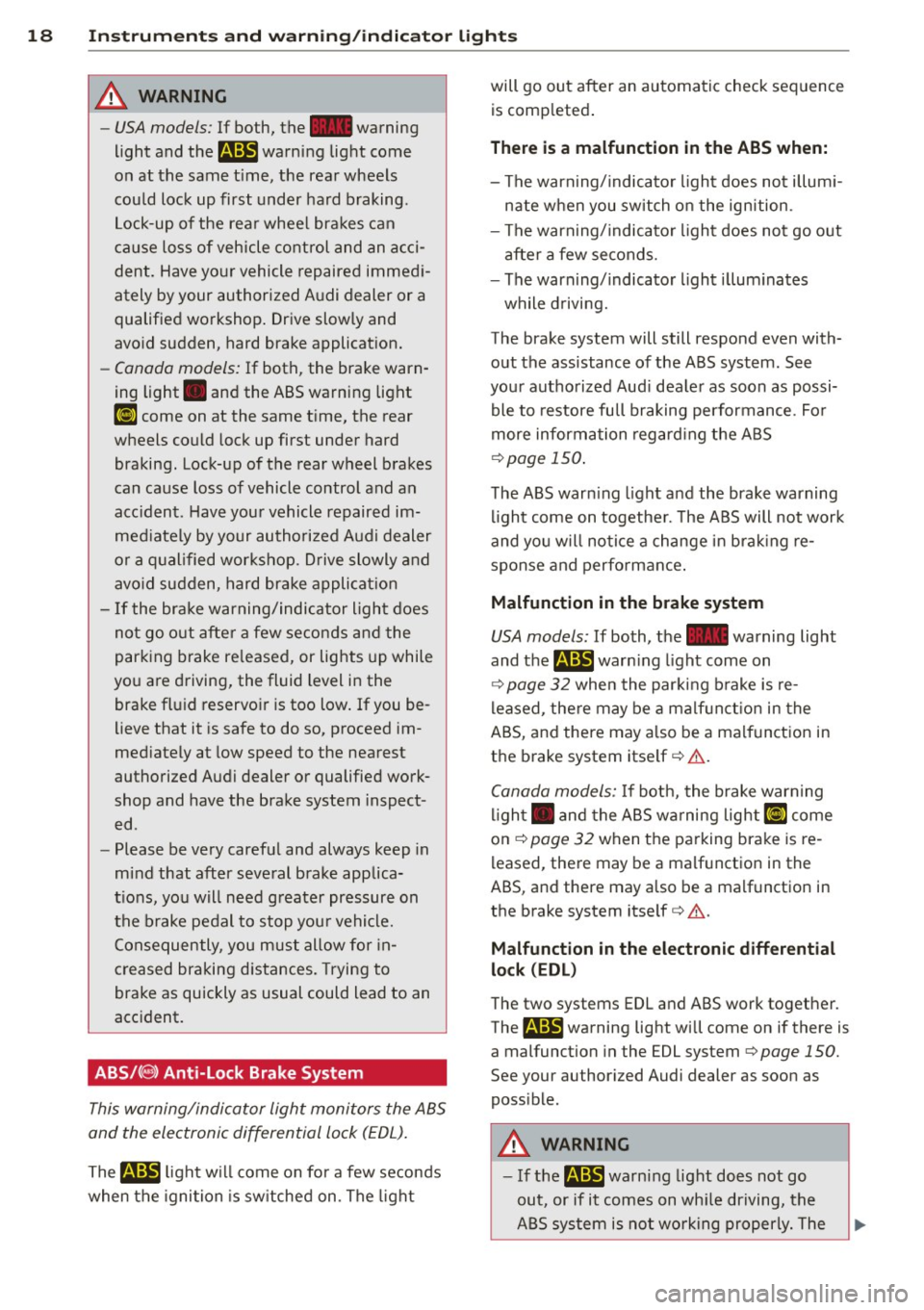
&_ WARNING
-USA models: If both, t he - warning
light a nd
th em war ning light com e
o n at the same t ime, the rear whe els
c ou ld lock up first under hard braking .
Lock-up of the rear whee l brakes can
cause loss of vehicle control and an acci
dent. Have yo ur vehicle repaired immedi
ately by your authorized A udi dealer or a
qualified workshop . Drive slowly and
avo id sudden, hard brake applicat ion.
- Canada models: If both, the brake warn
ing light . and the ABS warning light
ti] come on at the same time, the rear
wheels could lock up first under hard
braking. Lock-up of the rear wheel brakes
can cause loss of vehicle control and an
acc ident . Have you r vehicle repaired im
med iately by your authorized Audi dealer
or a q ualified wor kshop . D rive slowly and
avo id sudden, hard brake applicat ion
- If the brake warning/indicator ligh t does
not go o ut after a few seconds and the
par king brake re leased, or lights up while
yo u are d riving, the fluid level in the
brake fl uid reservoir is too low . If you be
lieve that it is safe to do so, proceed im
med iately at low speed to the nearest
authorized Audi dealer or qualified work
shop and have the brake system inspect
ed .
- Please be very carefu l and always keep in
mind that after seve ral brake applica
t ions, yo u will need g reater pressure on
the brake pedal to stop you r vehicle.
C onsequently, you must allow for in
creased braking d istances. Trying to
brake as quickly as usual could lead to an
acc ident.
ABS/( @) Anti-Lock Brake System
This warning/indicator light monitors the ABS
and the electronic differ ential lock (EDL).
The m light w ill come on fo r a few seconds
when the igni tion is sw itched on . The light will go out after an automatic check sequence
is comp leted .
There is a malfunction in the ABS when:
-The warn ing/indica to r li gh t does no t illum i
nate when you sw itch o n the ign ition.
- The warning/ indicato r light does not go out
after a few seconds.
- The warning/ indicator light illum inates
while d rivi ng.
The brake system will still respo nd even with
out the assistance of the ABS system. See
your autho rized Aud i dea le r as soon as possi
ble to restore full braking performance . Fo r
more inform ation regard ing the ABS
r::?v page 150 .
The ABS war ning light and the brake warning
li ght come on together. The A BS will not work
and yo u will no tice a change in brak ing re
sponse and perfo rmance .
Malfunction in the brake system
USA models: If both, the -warning light
and
the m warn ing light come on
r::?v page 32 whe n the par king b rake is re
l eased , there may be a ma lf u nct ion in the
ABS, and there may a lso be a malf unct ion in
t h e brake system itse lf
r::?v &. .
Canada models: If bo th, the brake warn ing
li gh t. and the ABS wa rning light
£1 come
on
r::?v page 32 when the parking brake is re
leased , there may be a malf unct ion in the
ABS, and there may also b e a malfunction in
the brake system itself ¢ &. .
Malfunction in the electronic differential
lo ck (EDL)
The two systems EDL and ABS work together.
The m warning light will come on if there is
a malfunction in the EDL system
r::?v page 150.
See your au thor ized Audi dealer as soon as
poss ible .
&_ WARNING
-If the m warning light does not go
out, or if it comes on wh ile driving, the
ABS system is not working properly. The
Page 21 of 244
vehicle can then be stopped only with
the brakes operating without ABS support. You will not have the protection
ABS provides . Contact your authorized
Audi dealer as soon as poss ible.
In strument s and warnin g/indi cator ligh ts 19
-USA models: If both, the~ warning
light and the
B warning light come
on at the same t ime, the rear wheels
cou ld lock up first under hard braking.
Lock-up of the rear whee l bra kes can
cause loss of vehicle control and an acci
dent. Have yo ur vehicle repaired immed i
ately by your authorized A udi dealer or a
qualified workshop . Drive slowly and
avo id sudden, hard brake applicat ion.
- Canada models: If both, the brake warn
ing light . and the ABS warning light
Ii] come on at the same t ime, the rear
wheels could lock up first under hard braking. Lock-up of the rear wheel brakes
can cause loss of vehicle control and an
acc ident. Have your vehicle repaired im
med iately by your authorized Audi dealer
o r a q ual ified wor kshop . D rive slowly and
avo id sudden, hard brake applicat ion .
Page 22 of 244
20 Driver information system
Driver information
system
Introduction
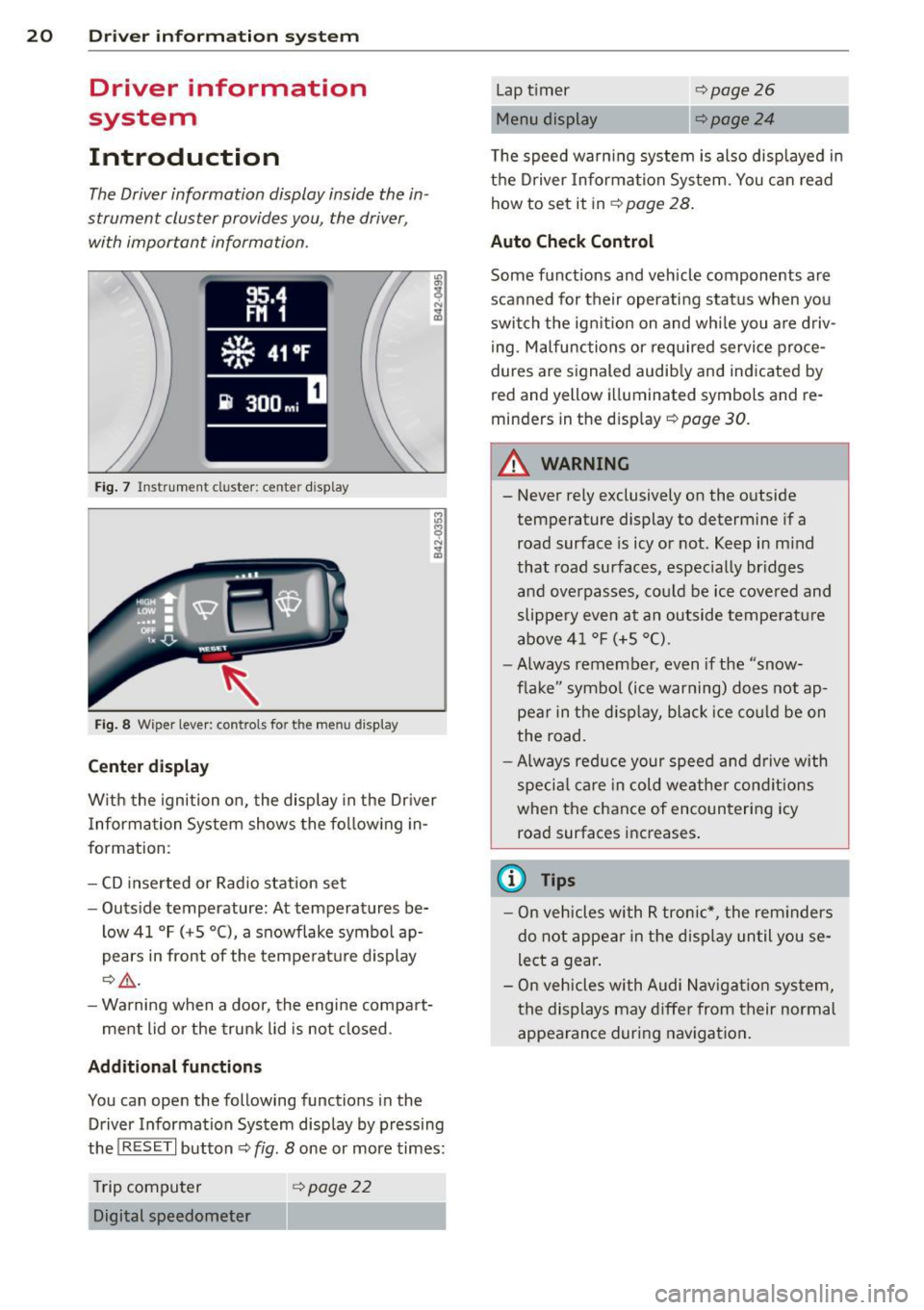
The Driver information display inside the in
strument cluster provides you, the driver ,
with important information.
Fig. 7 In strum en t cl ust er: center display
Fig. 8 Wiper le ver: c on trols fo r the menu display
Center display
With the ignition on, the display in the Driver
Information System shows the following in
formation :
- CD inserted or Radio station set
- Outside temperature: At temperatures be-
low 41 °F ( +S °C), a snowflake symbol ap
pears in front of the temperature display
¢.&_ .
-Warning when a door, the engine compart-
ment lid or the trunk lid is not closed .
Additional functions
You can open the following function s in the
Driver Information System display by pressing
the
! R ESE T I button ¢ fig. 8 one or more times:
Trip computer
¢poge22
Digital speedometer
Lap timer
Menu display 9 page26
¢page24
The speed warning system is also displayed in
the Driver Information System. You can read
how to set it in¢
page 28.
Auto Check Control
Some functions and vehicle components are
scanned for the ir operating status when you
switch the ignition on and while you are driv
ing. Malfunctions or required service proce
dures are signaled audibly and indicated by
red and yellow illuminated symbols and re
minders in the display ¢
page 30.
A WARNING
--
- Never rely exclusively on the outside
temperature display to determine if a
road surface is icy or not. Keep in mind
that road surfaces , especially bridges
and overpasses, could be ice covered and
slippery even at an outside temperature
above 41 °F (+S °C).
- Always remember, even if the "snow
flake " symbol (ice warning) does not ap
pear in the display, black ice could be on
the road.
-Always reduce your speed and drive with
special care in cold weather conditions
when the chance of encountering icy
road surfaces increases.
(0 Tips
- On vehicles with R tronic*, the reminders
do not appear in the display until you se
lect a gear.
- On vehicles with Audi Navigation system,
the displays may differ from their normal
appearance during navigation.
Page 23 of 244
Service interval display
The service in terval display reminds you when
your next service
is due.
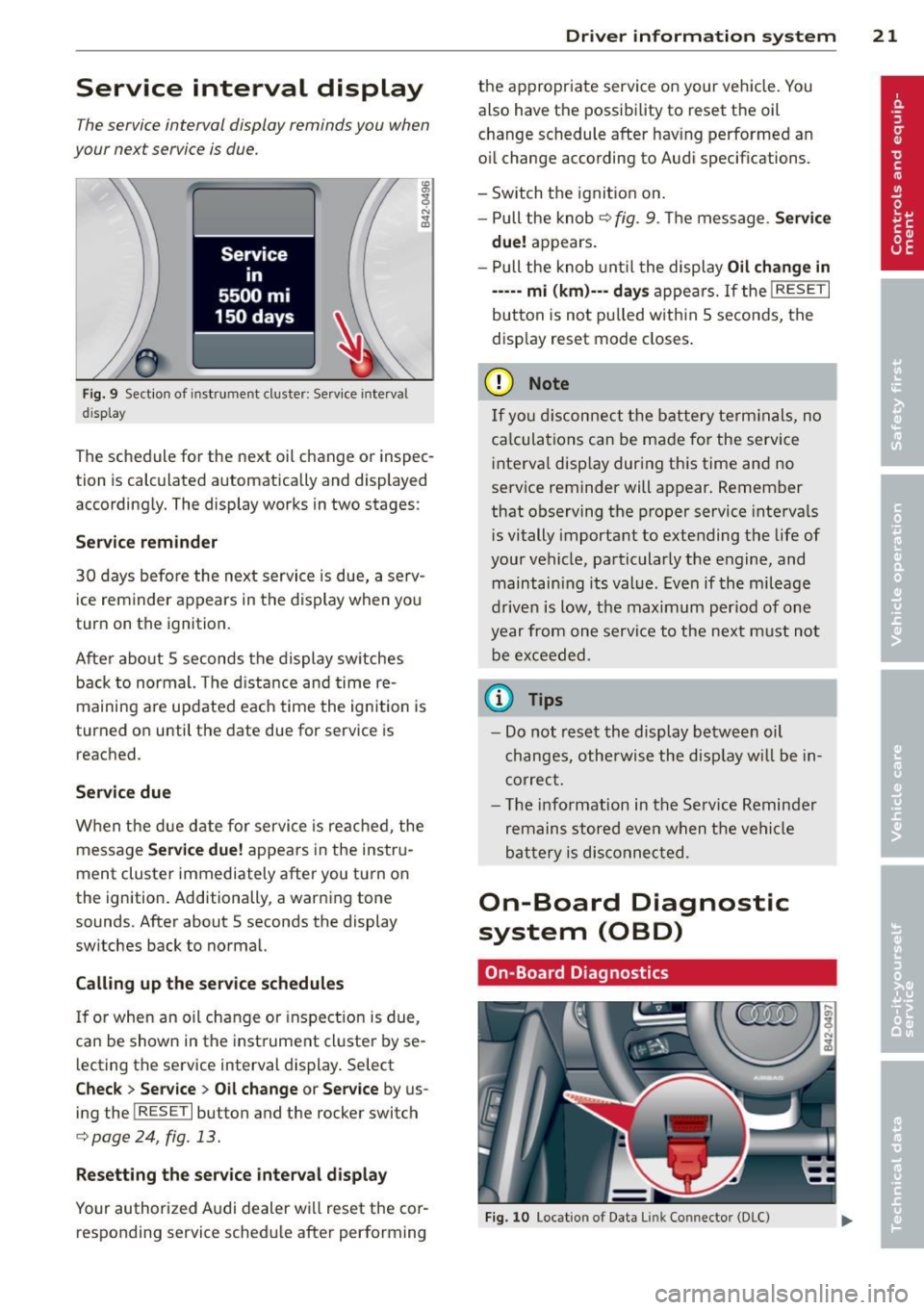
F ig . 9 Sectio n of i nst rum ent cluste r: Serv ice inte rva l
d is p lay
The schedule for the next oil change or inspec
tion is calc ulated automatically and displayed
according ly. The display works in two stages :
Service reminder
30 days before the next service is due, a se rv
ice reminder appears in the display when yo u
turn on the ignition.
Afte r abo ut
5 seconds the display sw itches
back to normal. The d ista nce and time re
maining are updated each time the ignition is
turned o n until the date due for service is
reached .
Service due
W hen the due d ate for service is reached , the
message
Ser vice due! appears in the instr u
ment cluster immediately after you tu rn on
the ignition. Additionally, a warning tone
sounds. After about
5 seconds the display
sw itches back to normal.
Calling up the serv ice schedules
I f o r when an oil change or inspect ion is due,
can be shown in the instrument cl uster by se
l ecting the service interval display . Select
Check > Se rvice > Oil change or Ser vice by us
ing the
I R ESET I button and the rocker switch
c:;, page 24, fig . 13.
Re setting the service interval di splay
Your authorized A udi dealer wi ll reset the cor
responding service sched ule after performing
Dr iver in formation system 21
the appropriate service on your vehicle. You
also have the possibility to reset the o il
change schedule after hav ing performed a n
o il change according to Audi specifications.
- Switch the ignit ion on.
- Pull the knob
c:;, fig . 9 . Th e message. Servic e
due!
appears .
- Pull the knob unt il t he display
Oil change in
----· mi (km)--· d ay s
appea rs. If the I RESE T I
button is not pu lled w ith in 5 secon ds, the
disp lay reset mode closes .
(D Note
If you discon nect the battery te rm inals, no
ca lcula tions can be ma de fo r the service
i nte rva l disp lay dur ing this time and no
se rvice reminder will appear. Remember
that observing the proper service interva ls
i s vitally important to extending the life of
your vehicle, particularly the engine, and maintain ing its value. Even if the mileage
d rive n is low, t he maximum per iod of one
year fro m one serv ice to the ne xt m ust not
be ex ceeded .
@ Tips
-Do not rese t the display between oil
c hanges, othe rwise the d isp lay w ill be in
co rrec t.
- Th e info rmat ion in the Se rv ice Reminder
remains stored eve n w hen t he ve hicl e
ba ttery is dis connec ted.
On-Board Diagnostic
system (OBD)
On -Boa rd Diagnostics
Fi g. 10 Locatio n of Data Li nk Conn ector (DLC)
Page 24 of 244
22 Driver in formation system
On-Board Diagnostics monito rs the compo
nents of your emiss ion control system . Each
mon itored component in your eng ine system
has been assigned a code. In case of a mal
f unction, the component will be identified
and the fault stored as a code in the control module memory .
In order to make an accurate d iagnosis, the
stored data can only be displayed us ing spe
cial diagnostic equipment (gener ic scan tool
for OBD) .
In order to connect the special diagnostic
equ ipment, push the plug into the Data L ink
Connector (D LC). The DLC is located to the
right of the engine compartment lid release
c::,;, fig. 10 .
Your author ized Audi dealer or a qualified
service station can interpret the code a nd per
form the necessary repa ir .
S?. Malfunction Indicator Lamp (MIL)
The Malfunction Ind icator Lamp (M IL) 1\1 is
pa rt of the On-Board Diagnostic (OBD II) sys
tem.
The warning light illuminates when there is a
malfunction in the eng ine e lectronic system.
A ma lf u nction may have var ious causes:
- The fue l filler cap may be imp roperly closed
c::,;, page 172.
-There is a leak in the fuel vapor recovery sys
tem .
- The eng ine control receives faulty vehicle
roadspeed signals .
Contact your nearest authorized A udi dealer
for assistance.
If the lig ht ill uminates, the catalyt ic converter
could be damaged. Continue driving
with re
duced power
(avo iding s usta ined high speeds
and/or rapid accelerat ions) and have the con
d it ion corrected.
An improperly closed f ue l fi ller cap may also
cause the M IL light to illum inate ¢
page 172.
Trip computer
Introduction
The trip computer gives you information on
current and average fuel mileage, average
speed, fuel range and driving time .
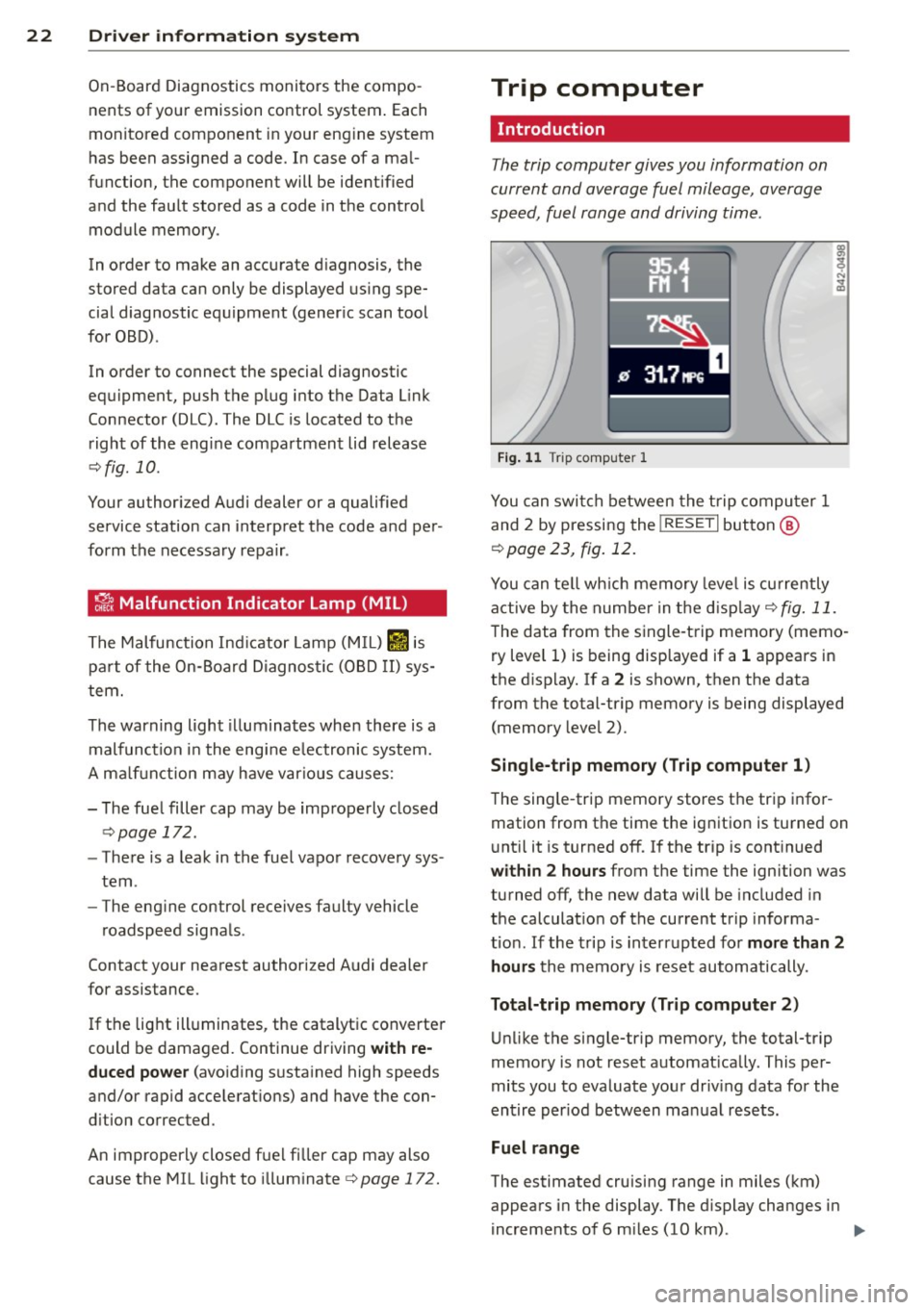
Fig . 1 1 Trip computer 1
You can swi tch between the trip compu ter 1
and 2 by pressing the
! RESE T I button @
c:>page 23, fig. 12.
You can te ll wh ich memory leve l is currently
active by the number in the d isp lay
c:> fig. 11.
The data from the single -trip memory (memo
ry level 1) is be ing d isplayed if a 1 appears in
the d isp lay. If a 2 is shown, then the data
from the total-trip memory is being displayed (memory level 2).
Single -trip memory (Trip compute r 1)
T he sing le -trip memory stores t he trip infor
mation from the time the ig nition is turned on
u nt il it is turned off.
If the t rip is cont inued
within 2 hours from the time the ignition was
turned off, the new data will be included in
the calculat io n of the current tr ip informa
t io n. If the trip is interrupted fo r
more than 2
hours
the memo ry is reset automatically .
Total-trip memory (Trip computer 2)
Unlike the single-trip memory, the total-trip
memory is not reset automat ically . This per
mits you to evaluate your driv ing data for the
entire per iod between ma nual resets.
Fuel range
The estimated cruising range in miles (km)
appears in the display . The d isplay changes in
increments of 6 m iles (10 km) . ..,.
Page 26 of 244
24 Driver information system
Menu display
Introduction
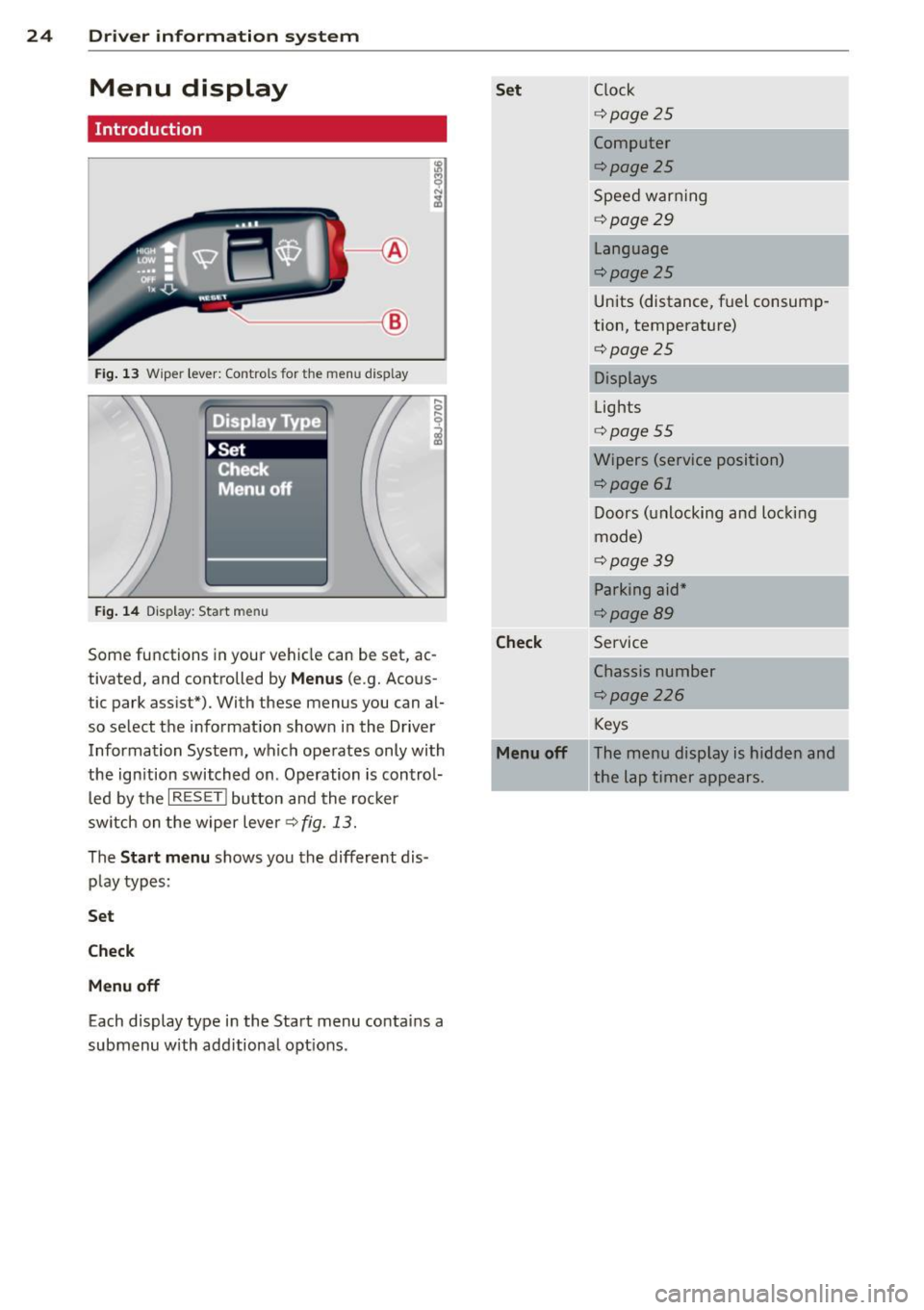
.____ __ ®
Fig. 13 Wiper lever: Controls for the men u disp lay
. Displa Type
~Set
!: Cfiecl< --,
Menu off
Fig. 14 Display: Start me nu
Some functions in your vehicle can be set, ac
tivated, and controlled by
Menus (e.g. Acous
tic park assist*). With these menus you can al
so select the information shown in the Driver
Information System, which operates only with
the ign ition switched on . Operation is control
led by the
I RESET ! button and the rocker
switch on the wiper lever¢ fig. 13.
The
Start menu shows you the different dis
play types:
Set
Check
Menu off
Each display type in the Start menu contains a
submenu with additiona l opt ions .
Set Clock
¢page25
Computer
¢page25
Speed warning
¢ page29
Language
¢page25
Units (distance, fuel consump
tion, temperature)
¢page25
Displays
Lights
¢ page55
Wipers (service position)
¢page 61
Doors (unlocking and locking
mode)
¢page39
Parking aid*
¢page89
Check Service
Chassis number
r::;, page 226
Keys
Menu off The menu display is hidden and
the lap timer appears.
Page 28 of 244
26 Drive r in form ation sy stem
• If necessary, sc roll by selecting and activat
ing the symbol for "Next page" or "Prev ious
page" .
When you have selected the Computer menu
and activated it by pressing the
I RESE T I but
ton, two computer leve ls appear (computer 1
and computer 2). Now you have to select the
level you want using the rocker switch and ac
tivate it w ith the
I R ESET I button .
Lap timer
Introduction
The lap timer allows you to record and evalu
ate lap times .
The inst rumen t cluster display shows the t ime
i n minu tes, seconds and tenths o f a second.
F or lap times longer than one hour, the hour
is also shown automatically. The maximum re
cordab le time for a single measurement is 99
hours, 59 minutes and 59 and 9/10 seconds.
If the lap timer reaches th is value, the timing
stops on its own or it switches to pause mode
via ¢
page 2 7.
A WARNING
Pl ease d evote your f ull attent ion to driv
ing. As the d river, you have comp lete re
sponsibility fo r safety in traffic . Only use
the functions in such a way that you always
ma intain complete control over your veh i-
cle i n all traffic sit uations.
(j) Tips
All of the trip compu ter fu nctions are
availab le as usual when the lap time r stop
watch is running.
-
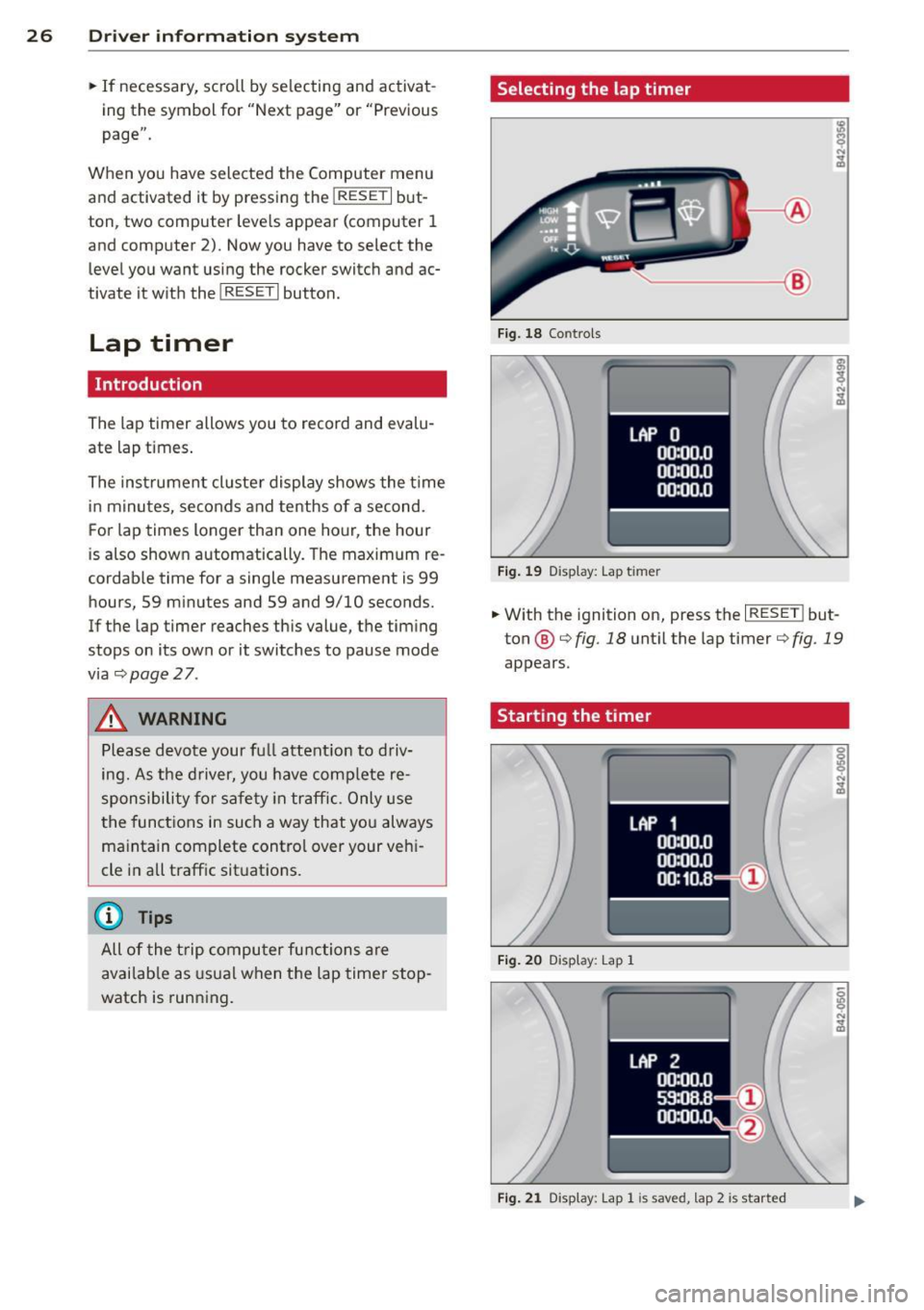
Selecting the lap timer
--- ®
Fig . 18 Co ntro ls
F ig . 19 D isplay: Lap t imer
• With the ignition on, press the I RESE T! but
ton @¢
fig. 18 unt il the lap timer¢ fig. 19
appears.
Starting the timer
Fig. 20 D isplay : Lap 1
F ig . 2 1 Display: Lap 1 is save d, lap 2 is started
Page 30 of 244
28 Driv e r in formation sy stem
Evaluating times, ending or resetting
timing
LAP 5
+ 45:12.9
59:08.B
0 51 :10.B
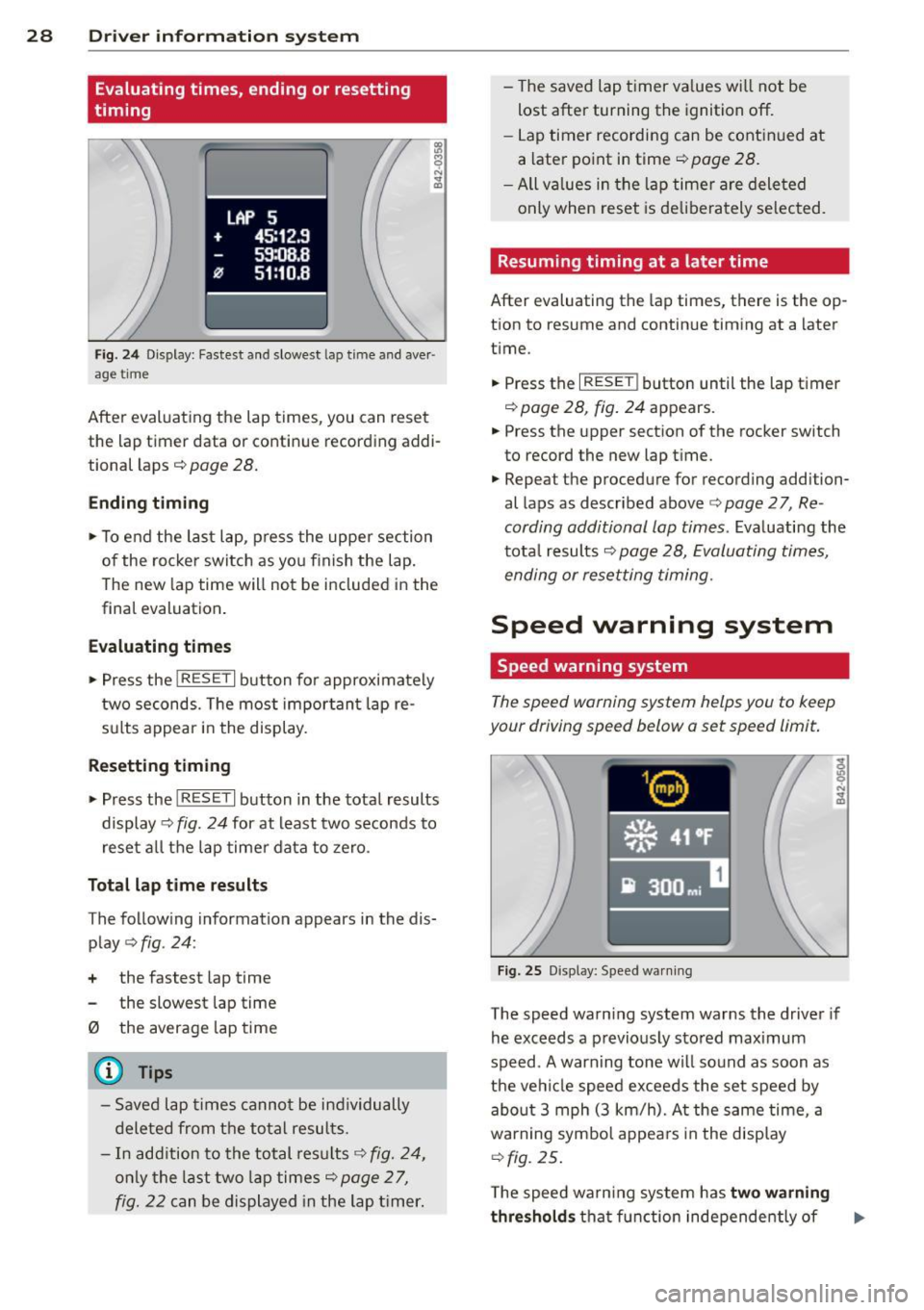
Fig . 2 4 Di spl ay: Faste st and slo west l ap tim e and aver ·
a ge ti me
After evaluating the lap times, you can r ese t
the lap time r data or contin ue recording addi
tional laps
c::> pag e 28.
Ending timing
.,. To end the last lap , press the upper section
of the rocker switch as you f inish the lap.
The new lap time will not be included in the
final evaluation .
Ev aluating times
... Press the I RESET I button for approximate ly
two seconds. The most impor tant lap re
sults appear in the display .
Resetting tim ing
... Press the I RES ET I button in the tota l results
display
c::> fig. 24 for at least two seconds to
reset a ll the lap timer data to zero .
Total lap time re sults
T he follow ing information appears in the dis
play
c::> fig . 24 :
+ the fastest lap time
the slowest lap time
0 the average lap time
@ Tips
- Saved lap times canno t be individually
deleted from the total resul ts.
- In add ition to the total results
c::> fig. 24,
only the last two lap times c::> page 2 7,
fig. 22 c an be displayed in the lap t imer. -
The saved lap timer va lues wi ll not be
lost after turning the ignition off.
- Lap timer recording can be cont in ued at
a later point in time
c::> page 28.
-All va lues in the lap timer are dele ted
only when reset is de liberately selected .
Resuming timing at a later time
After evaluating the lap t imes, there is the op
tion to resume and cont inue t iming at a later
time .
... Press the
I RESE T! button until the lap timer
c::> page 28, fig . 24 appears.
... Press the upper section of the rocker switch
to record the new lap time.
... Repea t the procedure for recording addi tion
al laps as described above <:>
page 2 7, Re
cording additional lap times .
Evaluating the
tota l results
c::> page 28, Evaluating times,
ending or resetting timing .
Speed warning system
Speed warning system
The speed warning system helps you to keep
your driving speed b elow a set speed limit.
F ig . 25 D isp lay: Spee d wa rnin g
The speed warn ing system warns the driver if
he exceeds a previous ly stored max imum
speed . A warn ing tone wi ll so und as soon as
the ve hicle speed exceeds the set speed by
abo ut 3 mph (3 km/h). A t the same time , a
warning symbol appea rs in the display
c::> fig. 25 .
The speed wa rn ing system has two w arn ing
thre shold s
that fu nction independently of ..,.
Page 31 of 244
each other and that have somewhat different purposes:
Speed warning 1 [i;[i ( Canada models )
You can use speed warning 1 to set the maxi
mum speed wh ile you are driv ing . T his se tting
will remain in effect until you t urn off the igni
tion, assuming that you have not changed or reset the setting .
The speed warning symbo l
[&1/lDl (Ca nada
models) in the warn ing 1 display appea rs
when you exceed the maximum speed. It goes
out when the speed falls be low the stored
maximum speed.
The speed warning symbo l wi ll also go out if
the speed
exceeds the stored maximum speed
by more than about 25 mph (40 km/h) for at
least 10 seconds. The stored maximum speed
is deleted .
Setting speed warning 1
r=;, page 29 .
Speed warning 2 EDJ/[al (Canada models )
Storing warning 2 is recommended if you al
ways
want to be reminded of a certa in speed,
for example when yo u are traveling in a coun
try that has a general maximum speed limit,
or if you do not want to exceed a spec ified
speed for winter tires.
The speed warning 2 symbol,
[il 1ra1 (Can ada
models) appears in the display when you ex
ceed the stored speed limit . Unlike warning 1,
it will not go out until the vehicle speed drops
be low the stored speed limit.
Sett ing speed warning 2
r=;, page 29.
(1') Tips
Even though you r vehicle is equipped with
a speed warning sys tem, you should s till
watch the speedometer to make sure you
are not driving faster than the speed limit.
Dr iver in formation system 29
Speed warning 1: setting a speed limit
Warning threshold 1 is set by the button.
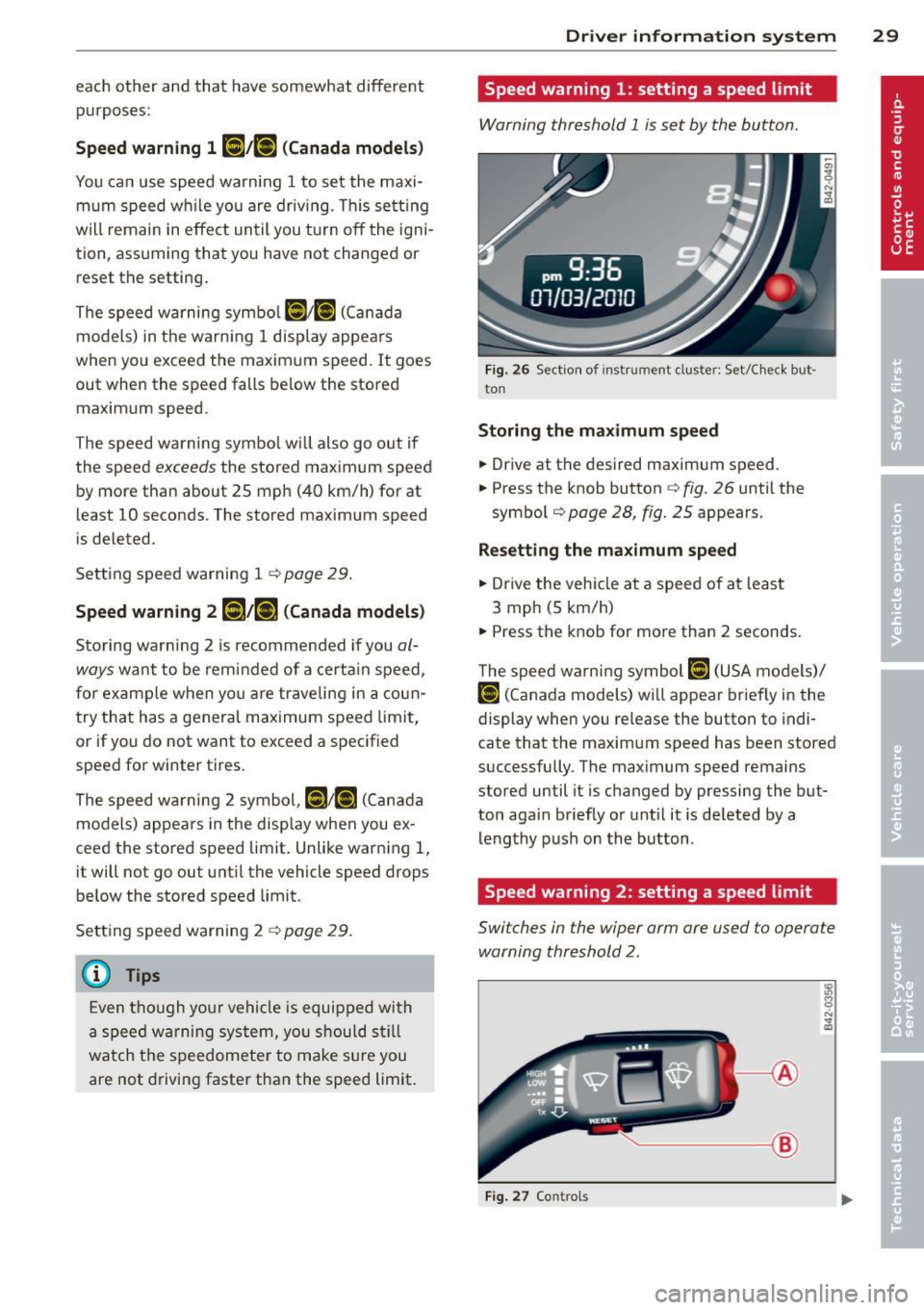
Fig. 26 Sect ion of instrument cluster: Set/Check but ·
ton
Storing the ma ximum spee d
.,. Drive at the desired maximum speed.
.,. Press the knob button
c::> fig. 26 until the
symbol
r=;, page 28, fig. 25 appears.
Resett ing th e ma ximum sp eed
.,. Dr ive the veh icle at a speed of at least
3 mph (5 km/h)
.,. Press the knob for more than 2 seconds.
T he speed warn ing symbol
lllH (USA models)/
Hll
cate that the maximum speed has been stored
successfully. The maximum speed remains
stored until it is changed by pressing the but
ton again briefly or unt il it is deleted by a
lengthy push on the button .
Speed warning 2: setting a speed limit
Switches in the wiper arm are used to operate
warning threshold
2.
'----1 @
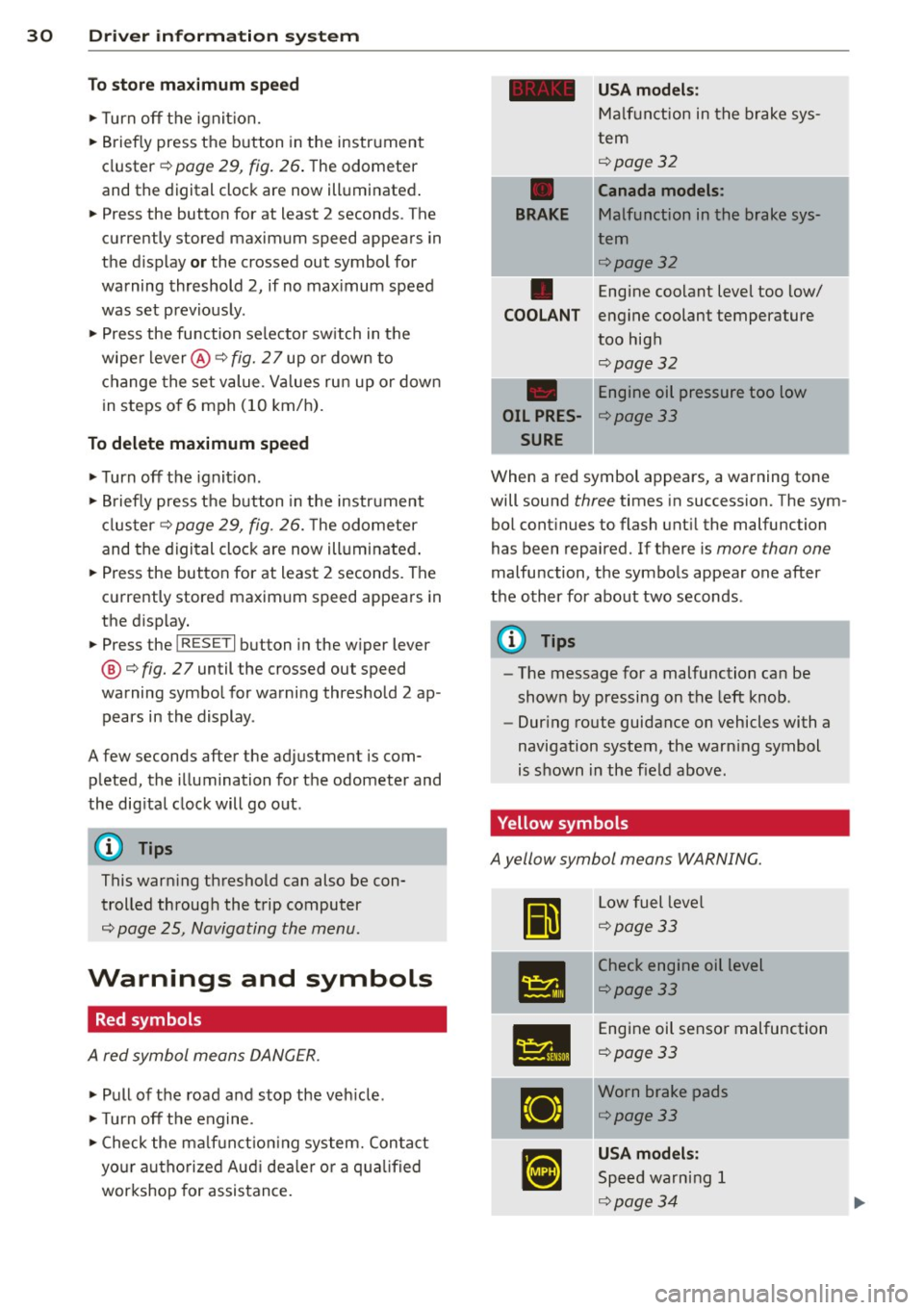
Fig. 27 Controls
Page 32 of 244
30 Driver in formation system
To sto re ma ximum sp ee d
.. Turn off the ignit ion.
.. Briefly press the button in the instrument
cluster¢ page 29, fig. 26. The odometer
and the digital clock are now illuminated .
.. Press the button for at least 2 seconds. The
currently stored maximum speed appears in
the d isplay
or the crossed out symbol for
warning threshold 2, if no max imum speed
was set previous ly.
.. Press the fu nction selector sw itch in the
wiper lever@~ fig. 2 7 up or down to
change the set value. Val ues run up or down
in steps o f 6 mph (10 km/h) .
To delete maximum speed
.. Turn off the ignit ion.
.. Briefly press the button in the instrument
cluster~ page 29, fig. 26. The odometer
and the digi tal clock are now illuminated .
.. Press the button for at least 2 seconds. The
currently stored maximum speed appears in
the disp lay.
.. Press the
l ~R_E_S-E T~I button in the w iper lever
@ ¢fig. 2 7 until the crossed out speed
warning symbol for warning threshold 2 ap
pears in the display.
A few seconds after the adjustment is com
pleted, the illumination for the odometer and
the dig ita l clock will go out.
{D) Tips
This war ning threshold can also be con
trolled through the trip computer
¢ page 25, Navigating the menu.
Warnings and symbols
Red symbols
A red symbol means DANGER.
.. Pull of the road and stop the veh icle.
.. Turn off the engine .
.. Check the ma lf u nct io ni ng system. Contact
your a uthorized Aud i dea ler o r a q ua lified
workshop for assistance.
-
USA mod els :
Ma lfunction in the brake sys-
tern
~page32
•
Canada mod els :
BRAKE
Malfunction in the brake sys-
tern
~page32
•
Engine coolant leve l too low/
COOL ANT engine coolant temperature
too high
~page32
Engine oil pressure too low
OIL PRES-¢page 33
SURE
When a red symbol appears, a warning tone
will sound three times in succession. The sym
bol cont inues to flash unt il the malfunction
has been repaired. If there is more than one
malfunction, the symbols appear one after
the other for about two seconds.
@ Tips
- The message for a malfunction can be
shown by pressing on the left knob.
- Dur ing route guidance on vehicles with a
navigation system, the warn ing symbol
is shown in the field above.
Yellow symbols
A yellow symbol means WARNING.
II
L ow fuel leve l
~page33
-
•
Check engine oil level
~page33
•
Engine oil sensor malfunction
¢page33
IJ
Worn brake pads
¢page33
•
USA models :
Speed warning 1
~page34
'