warning light AUDI R8 SPYDER 2011 User Guide
[x] Cancel search | Manufacturer: AUDI, Model Year: 2011, Model line: R8 SPYDER, Model: AUDI R8 SPYDER 2011Pages: 244, PDF Size: 59.74 MB
Page 21 of 244
vehicle can then be stopped only with
the brakes operating without ABS support. You will not have the protection
ABS provides . Contact your authorized
Audi dealer as soon as poss ible.
In strument s and warnin g/indi cator ligh ts 19
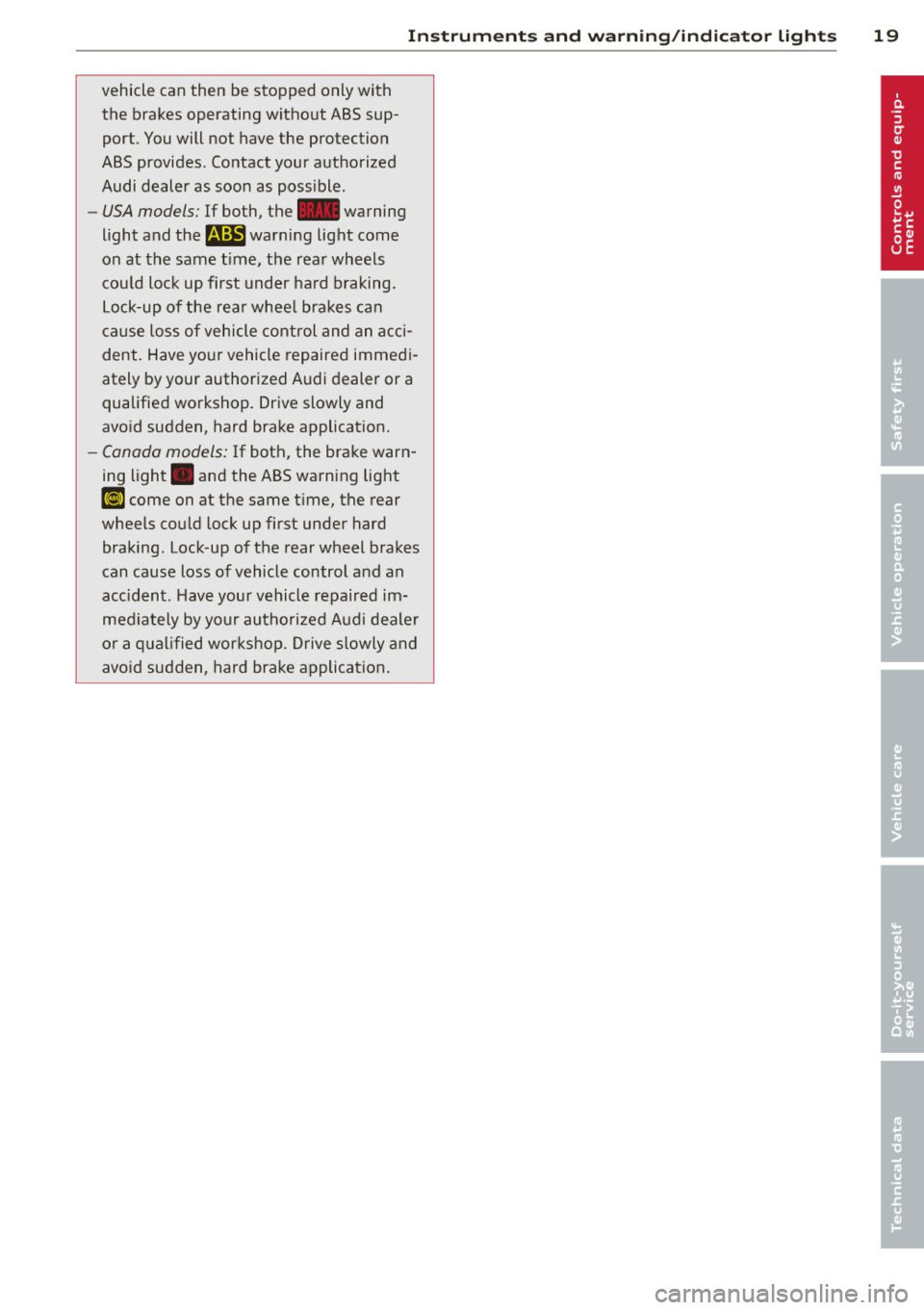
-USA models: If both, the~ warning
light and the
B warning light come
on at the same t ime, the rear wheels
cou ld lock up first under hard braking.
Lock-up of the rear whee l bra kes can
cause loss of vehicle control and an acci
dent. Have yo ur vehicle repaired immed i
ately by your authorized A udi dealer or a
qualified workshop . Drive slowly and
avo id sudden, hard brake applicat ion.
- Canada models: If both, the brake warn
ing light . and the ABS warning light
Ii] come on at the same t ime, the rear
wheels could lock up first under hard braking. Lock-up of the rear wheel brakes
can cause loss of vehicle control and an
acc ident. Have your vehicle repaired im
med iately by your authorized Audi dealer
o r a q ual ified wor kshop . D rive slowly and
avo id sudden, hard brake applicat ion .
Page 24 of 244
22 Driver in formation system
On-Board Diagnostics monito rs the compo
nents of your emiss ion control system . Each
mon itored component in your eng ine system
has been assigned a code. In case of a mal
f unction, the component will be identified
and the fault stored as a code in the control module memory .
In order to make an accurate d iagnosis, the
stored data can only be displayed us ing spe
cial diagnostic equipment (gener ic scan tool
for OBD) .
In order to connect the special diagnostic
equ ipment, push the plug into the Data L ink
Connector (D LC). The DLC is located to the
right of the engine compartment lid release
c::,;, fig. 10 .
Your author ized Audi dealer or a qualified
service station can interpret the code a nd per
form the necessary repa ir .
S?. Malfunction Indicator Lamp (MIL)
The Malfunction Ind icator Lamp (M IL) 1\1 is
pa rt of the On-Board Diagnostic (OBD II) sys
tem.
The warning light illuminates when there is a
malfunction in the eng ine e lectronic system.
A ma lf u nction may have var ious causes:
- The fue l filler cap may be imp roperly closed
c::,;, page 172.
-There is a leak in the fuel vapor recovery sys
tem .
- The eng ine control receives faulty vehicle
roadspeed signals .
Contact your nearest authorized A udi dealer
for assistance.
If the lig ht ill uminates, the catalyt ic converter
could be damaged. Continue driving
with re
duced power
(avo iding s usta ined high speeds
and/or rapid accelerat ions) and have the con
d it ion corrected.
An improperly closed f ue l fi ller cap may also
cause the M IL light to illum inate ¢
page 172.
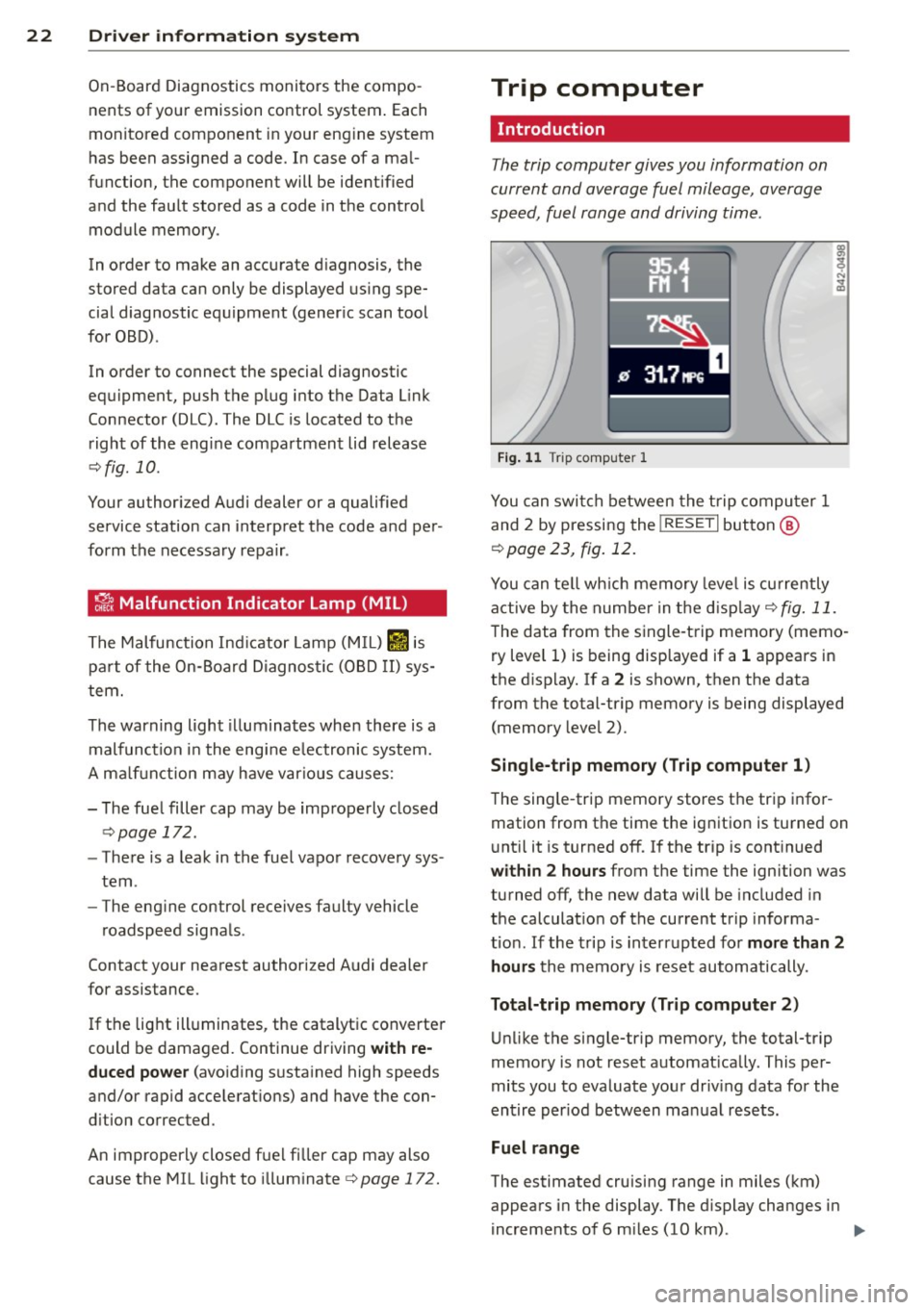
Trip computer
Introduction
The trip computer gives you information on
current and average fuel mileage, average
speed, fuel range and driving time .
Fig . 1 1 Trip computer 1
You can swi tch between the trip compu ter 1
and 2 by pressing the
! RESE T I button @
c:>page 23, fig. 12.
You can te ll wh ich memory leve l is currently
active by the number in the d isp lay
c:> fig. 11.
The data from the single -trip memory (memo
ry level 1) is be ing d isplayed if a 1 appears in
the d isp lay. If a 2 is shown, then the data
from the total-trip memory is being displayed (memory level 2).
Single -trip memory (Trip compute r 1)
T he sing le -trip memory stores t he trip infor
mation from the time the ig nition is turned on
u nt il it is turned off.
If the t rip is cont inued
within 2 hours from the time the ignition was
turned off, the new data will be included in
the calculat io n of the current tr ip informa
t io n. If the trip is interrupted fo r
more than 2
hours
the memo ry is reset automatically .
Total-trip memory (Trip computer 2)
Unlike the single-trip memory, the total-trip
memory is not reset automat ically . This per
mits you to evaluate your driv ing data for the
entire per iod between ma nual resets.
Fuel range
The estimated cruising range in miles (km)
appears in the display . The d isplay changes in
increments of 6 m iles (10 km) . ..,.
Page 26 of 244
24 Driver information system
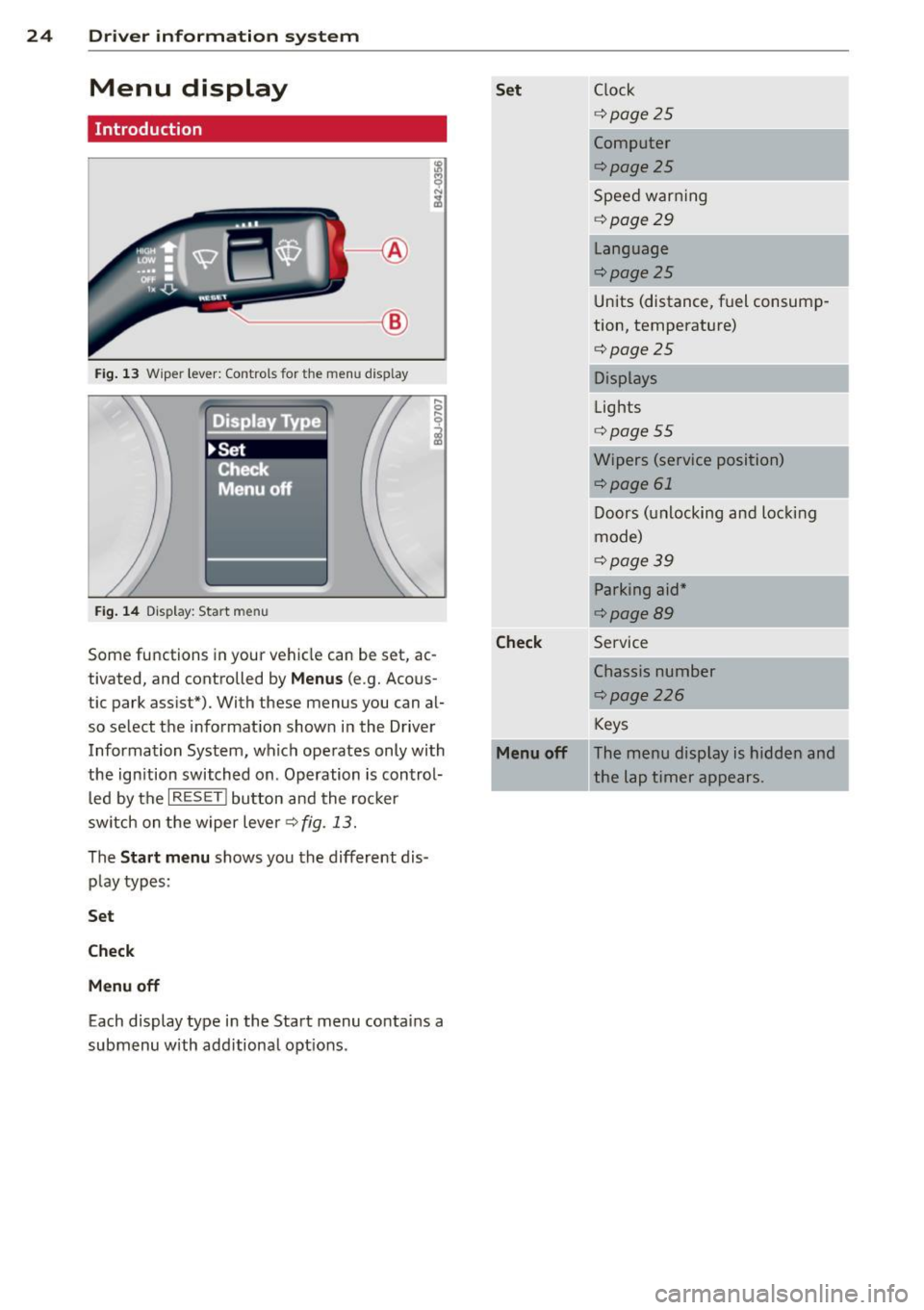
Menu display
Introduction
.____ __ ®
Fig. 13 Wiper lever: Controls for the men u disp lay
. Displa Type
~Set
!: Cfiecl< --,
Menu off
Fig. 14 Display: Start me nu
Some functions in your vehicle can be set, ac
tivated, and controlled by
Menus (e.g. Acous
tic park assist*). With these menus you can al
so select the information shown in the Driver
Information System, which operates only with
the ign ition switched on . Operation is control
led by the
I RESET ! button and the rocker
switch on the wiper lever¢ fig. 13.
The
Start menu shows you the different dis
play types:
Set
Check
Menu off
Each display type in the Start menu contains a
submenu with additiona l opt ions .
Set Clock
¢page25
Computer
¢page25
Speed warning
¢ page29
Language
¢page25
Units (distance, fuel consump
tion, temperature)
¢page25
Displays
Lights
¢ page55
Wipers (service position)
¢page 61
Doors (unlocking and locking
mode)
¢page39
Parking aid*
¢page89
Check Service
Chassis number
r::;, page 226
Keys
Menu off The menu display is hidden and
the lap timer appears.
Page 33 of 244
•
Canada models:
Speed warning 1
¢page34
•
USA mode ls:
Speed warning 2
¢page 34
•
Canada model s:
Speed warning 2
¢page34
RI
S ignificant loss of a ir pressure
¢page34
lliliE Tire pressure monitoring sys-
tern malfunction
¢page34
a
Windshield washer f luid level
low
¢page34
-
II Battery voltage too high or too
low
,. ¢page 34
~:~
Defective light bulb
¢page 35
•
lrusA models:
Defective brake light
9page35
•
Canada model s:
Defective brake light
c!>page35
m
Light/rain sensor (automatic
headlights) defective
¢page35
ll 11il Selector lever defective*
No reverse gear *
¢page 35
min Clutch is overheating*
¢page36
D
Gearbox ma lf u nction*
¢page 36
(a
II Engine speed limitation
ll¢page36
W hen a yellow symbo l appea rs, a wa rning
tone will sound
once. Check the disp layed
function as soon as possib le . If
more than one
Dr iver in formation system 31
malfunction is detected, all symbo ls wi ll ap
pear one after the other for about two sec
onds .
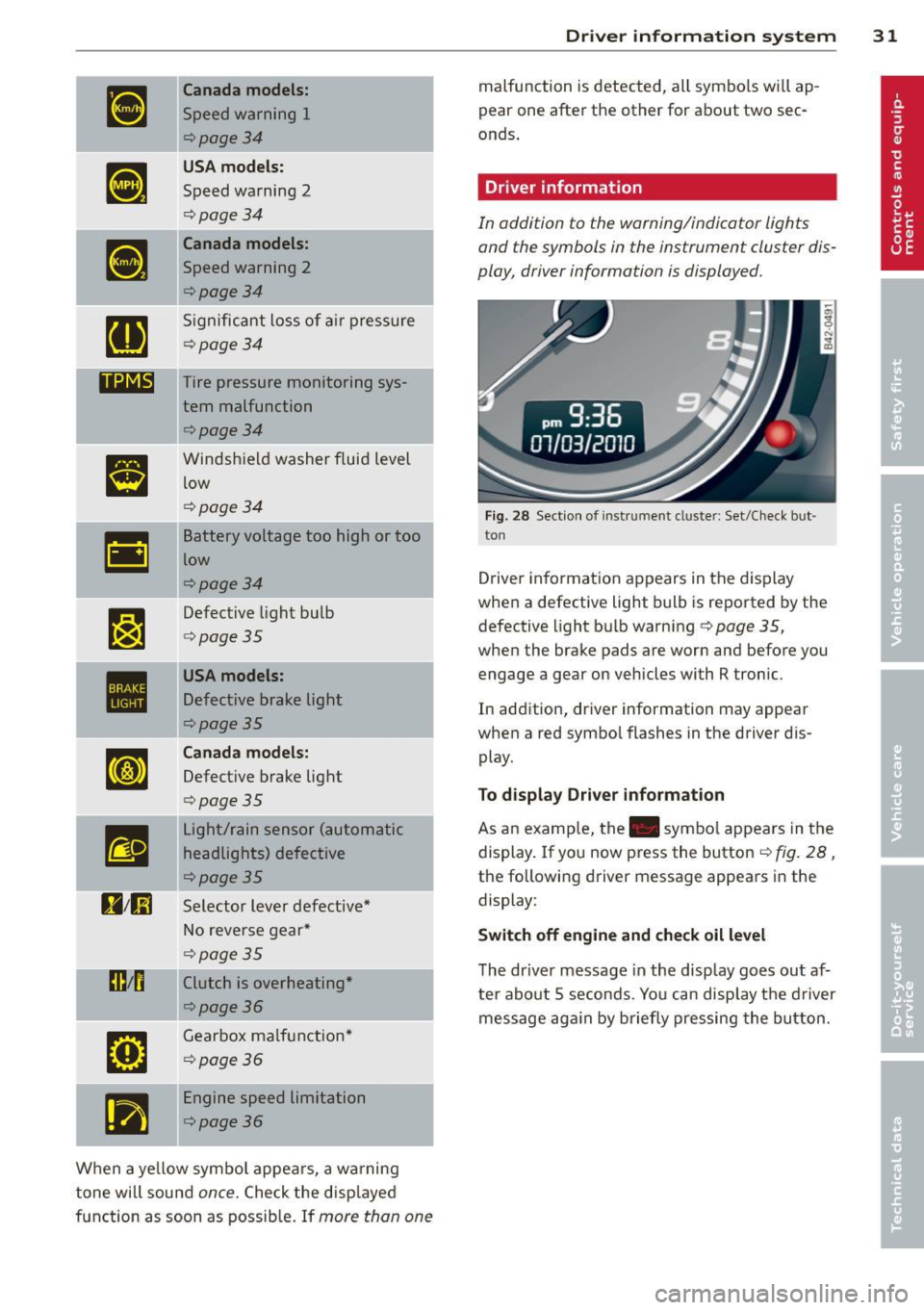
Driver information
In addition to the warning/indicator lights
and the symbols in the instrument cluster dis
play, driver information is displayed.
Fig. 2 8 Section of instrument cluster: Set/C heck but·
ton
Driver in format io n ap pears in the d is p lay
when a defective light bulb is reported by the
defective light bu lb warning ¢
page 35 ,
when the brake pads are worn and before you
engage a gear on vehicles with R tronic .
In addition, driver information may appear
when a red symbo l flashes in the driver dis
play.
To d isplay Driver information
As an examp le, the . symbo l appears in the
display. If you now press the button¢
fig. 28,
the following driver message appears in the
display:
Switch off engine and check oil le vel
T he dr iver message in the display goes out af
ter abo ut 5 seconds. Yo u can disp lay t he driver
message aga in by briefly pressing the button.
Page 34 of 244
32 Driver in formation system
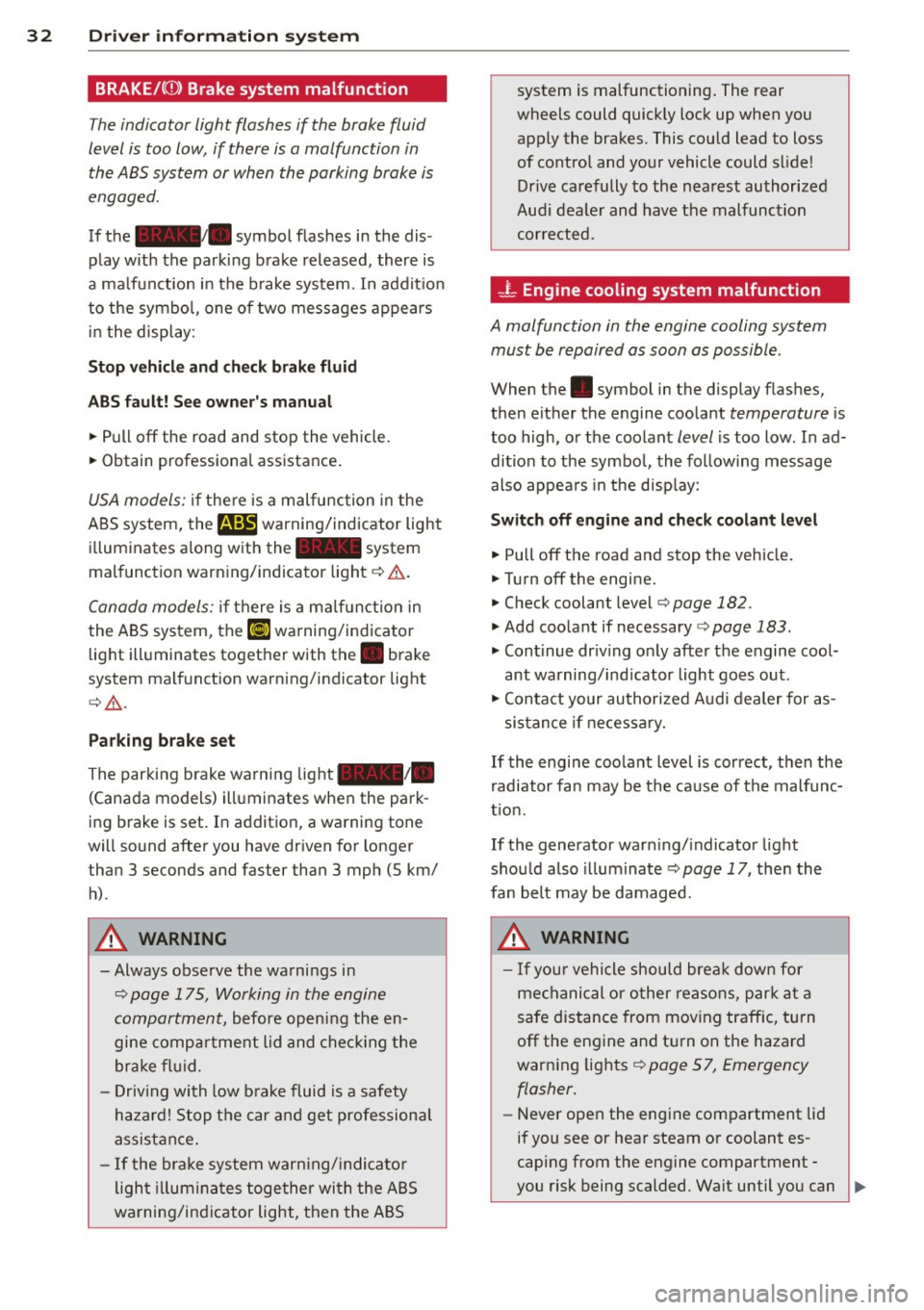
BRAKE/((D) Brake system malfunction
The indicator light flashes if the brake fluid
level is too low, if there is a malfunction in the ABS system or when the parking brake is
engaged.
If the alllill. symbol flashes in the dis
play with the parking brake released, there is
a malfunction in the brake system. In addit io n
to the symbo l, one of two messages appears
i n t he displ ay:
Stop veh icle and check brak e fluid
ABS f ault! See owner 's manual
• Pull off the road and stop the vehicle.
• Obtain professiona l assistance .
USA models: if the re is a malfunction in the
A BS system,
the m warning/indicator light
i l luminates a long w ith the - system
mal function warn ing/ indicator light ¢&. .
Canada models: if there is a ma lf u nction in
the ABS system, the
li] warning/indicator
light ill uminates toget her with th e . brake
system ma lf u nction warning/indicator light
¢ &_ .
Parking brak e set
The parking brake warni ng light _ /_
(Canada models) ill uminates when the park
ing brake is set . In additio n, a warning tone
will sound after you have dr iven for longer
than 3 seconds and faster than 3 mph (5 km/
h).
A WARNING
- Always observe the wa rnings i n
¢ page 175, Working in the engine
compartm ent,
before opening the en
gine compa rtme nt lid and che ck ing the
brake f luid.
- Driv ing with low b rake fluid is a safety
h aza rd! S top the c ar and get profession al
assist ance.
- If the bra ke system war ning/ indicato r
ligh t illumina tes toge ther wi th the ABS
wa rning/in dicator ligh t, then the AB S system is malfunctioning
. The rear
wheels could quick ly loc k up when you
apply the brakes. This could lead to loss
of co ntrol and yo ur vehicle could slide!
Drive ca refully to the nea rest au thorized
Aud i dea le r and hav e the malfunction
corrected.
- L Engine cooling system malfunction
A malfunction in the engine cooling system
must be repaired as soon as possible .
When the. symbol in the display flashes,
then either the engine coo lant
temperature is
too high, or the coolant
level is too low. In ad
dition to the symbo l, the following message
also appears in the d isp lay:
Switch off engine and check coolant level
• Pull off the road and stop the veh icle.
• Turnoff the engine.
• Check coolant level ¢
page 182 .
• Add coo lant if necessary ¢ page 183.
• Cont inue dr iv ing o nly afte r the engine cool
ant wa rning/ind icator light goes out .
• Con ta ct your au thori zed Aud i dealer for as-
sis tan ce if ne cess ary.
If the engine coolant level is correct, t hen the
r adiator fa n may be the ca use of the malfunc
t io n.
If the generator warn ing/ indicato r light
shou ld also illum inate
¢ page 17, then the
fan belt may be damaged.
A WARNING
- If you r vehicle should bre ak down for
me chanical or o ther reasons, par k at a
safe distance from mov ing traffic, tu rn
off the eng ine and tu rn on the hazard
warn ing lights ¢
page 57, Emergency
flasher.
- Never open the eng ine compartment lid
if you see or hear steam or coolant es
caping from t he engine compartment -
-
you risk being scalded. Wait until you can .,,.
Page 35 of 244
no longer see or hear steam or coolant
escaping.
- The engine compartment of any vehicle
is a dangerous area. Before you perform
any work in the engine compartment,
turn off the engine and allow it to cool. Follow the warning stickers
c:> page 175,
Working in the engine compartment.
([) Note
Do not contin ue driving if the. symbol
illuminates. There is a malfunct ion in the
engine cooling system -you could damage
your eng ine .
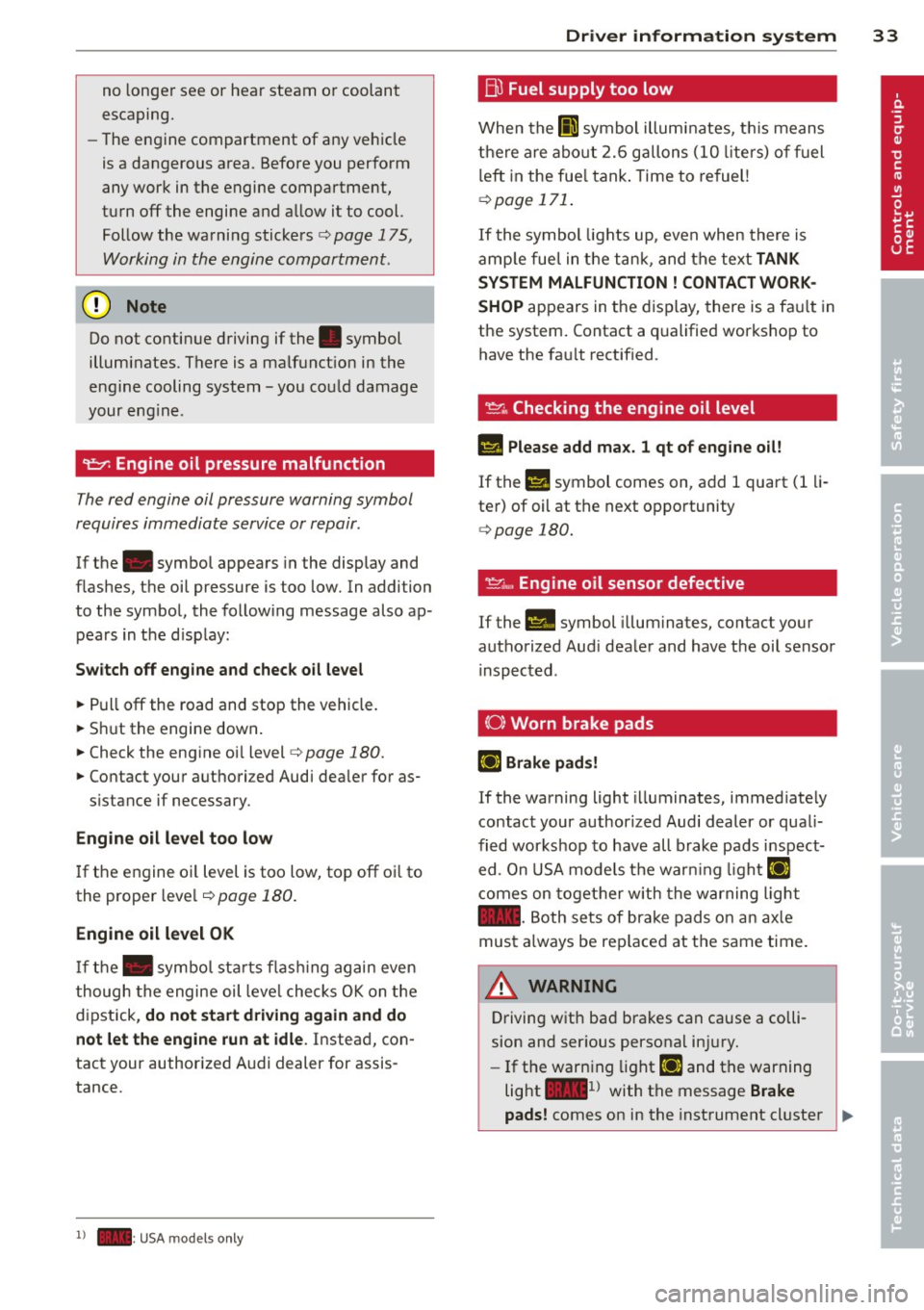
9::::r: Engine oil pressure malfunction
The red engine oil pressure warning symbol
requires immediate service or repair .
If the . symbol appears in the display and
flashes, the oil pressure is too low. In addi tion
to the symbol, the following message also ap
pears in the d isp lay:
Sw itch off engine and check oil le vel
~ Pull off the road and stop the vehicle.
~ S hu t the engine down .
~ Check the engine oi l level c:> page 180.
~ Contact your a uthori zed Audi dea ler for as-
s istance if necessary .
Engine oil level too low
If the engine oil level is too low, top off oi l to
the proper leve l
i::>poge 180.
Engine oil level OK
If the . symbo l sta rts flas hing again even
though the engine oil leve l checks O K on the
d ipstick,
do not sta rt driv ing again and do
not let the engine run at idle .
Instead, con
tact your author ized A udi dealer for assis
tance.
l ) - : US A mod els on ly
Dr iver in formati on sys tem 33
Bu Fuel supply too low
When the fD1 symbol illum inates, t his means
there are abo ut 2.6 gallons (10 liters) o f fuel
left in the fue l tank . Time to re fuel!
c:> page 171 .
If the symbol lights up, even when there is
amp le fue l in the t ank, and the text
TANK
SYSTEM MALFUNCTION
! CONTACT WORK
SHOP
appears in the disp lay, there is a fa ult in
the system . Contact a qualified works hop to
have the fa ult rectif ied .
~,,., Checking the engine oil level
II Please add ma x. 1 qt of engine o il!
If the II symbol comes on , add 1 quart (1 li
ter) of oil at the n ext opportunity
i::> page 180.
~tt, Engine oil sensor defective
If the II symbol illuminates, contac t your
authorized Aud i dea le r and have t he oil sensor
inspected .
(0) Worn brake pads
EiJ Brake pad s!
If the warning light illuminates, immed iate ly
contact your authorized Audi dealer or quali
fied wor kshop to have all brake pads i nspect
ed. On USA models the war ning light
EiJ
comes on together w ith the w arning ligh t
1111. Both se ts of brake pads on an ax le
must a lways be rep laced at the same time.
A WARNING
-=
Driving with ba d brakes can cause a colli
sion and ser ious personal in jury.
- If the warn ing light
EiJ and the warning
light
11111> with the message Brake
-
pads! comes on in the instrument cluster ~
Page 36 of 244
34 Driver in formation system
display, immediately contact your au
thorized Aud i dealer or qualified work
shop to have a ll brake pads checked or
replaced if necessary .
8 /8 Speed warning 1
If the (a) symbol illuminates, th is means you
are driving faster than the set veh icle speed .
Slow down!
r=;, page 28.
8 , /8 , Speed warning 2
If the jaj c;ymbol illuminates, this mea ns you
have driven faster than the second set vehicle
speed. Slow down!<=:>
page 28 .
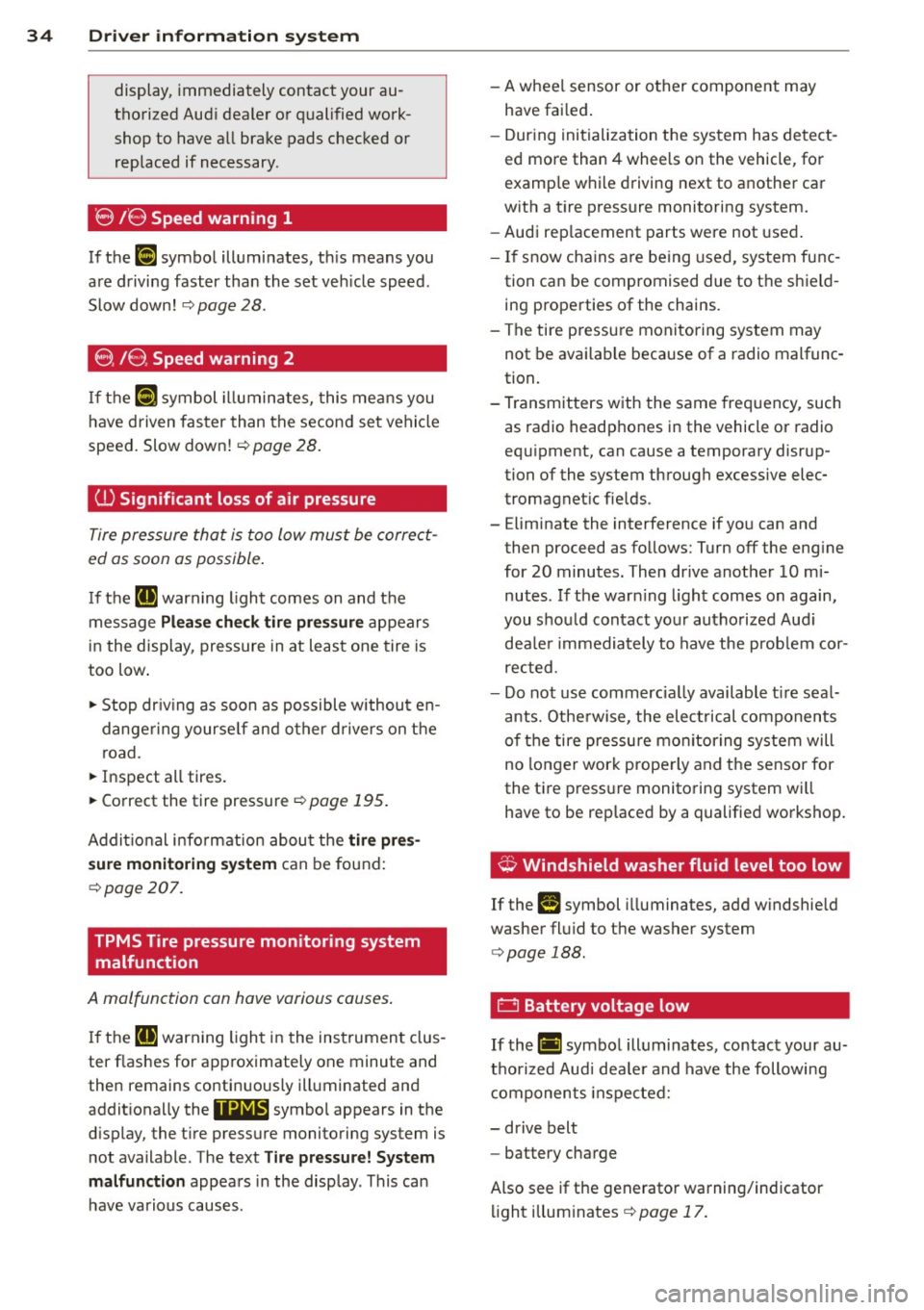
(l) Significant loss of air pre ssure
Tire pressure that is too low must be correct
ed as soon as possible .
If the [I) warning ligh t comes on and the
message
Pl ea se che ck tir e pr ess ure appears
in the display, pressure in at least one tire is
too low .
• Stop dr iv ing as soon as possible withou t en
dange ring yourse lf and other drivers on the
road.
• Inspect all tires.
• Correct the tire pressure
r=;, page 195 .
Additional info rmat ion abou t the tire pre s
s ure monitoring sy stem
can be found:
<=:> page 207.
TPMS Tire pressure monitoring system
malfunction
A malfunction can have various causes .
If the II] warn ing light in the instrumen t clus
ter flashes for approximately one minute and
then remains continuously illuminated and
addit ionally the
11@18' symbo l appears in the
d isplay, the t ire pressure monitoring system is
not available . The text
Tire pre ssure! System
ma lfun ction
appears in the disp lay . This can
have va rious causes . -
A whee l sensor or other component may
have fai led .
- Dur ing initialization the sys tem has detect
ed more than 4 wheels on the vehicle , for
examp le w hile d riving next to another car
w ith a t ire pressure monitoring system.
- Audi rep lacement parts were not used .
- If snow cha ins a re being used, system func-
tion can be compromised due to the shie ld
ing properties of the chains.
- The tire pressu re monitoring system may
not be avai lab le because of a radio malfunc
tion.
- T ransmitters with the same freq uency, such
as radio headphones in the vehicle or radio
equ ipment, can cause a temporary disrup
tion of the system through excessive elec
tromagnet ic fie lds .
- Eliminate the interference if yo u can and
then proceed as follows: Turn off the eng ine
for 20 minutes. Then drive another 10 mi
nutes. If the war ning light comes on again,
you shou ld contact yo ur autho rized Aud i
dea le r i mmediately to have the prob lem cor
rected .
- Do not use commerc ia lly available t ire sea l
ants. Othe rwise, the elec trical components
of the tire pressure mo nitor ing system will
no longer work properly and the sensor for
the t ire press ure monito ring system wi ll
have to be rep laced by a qualified wo rkshop.
¢, Windshield washer flu id level too low
If the (-) symbol illuminates, add windshie ld
washer fl uid to t he washer system
<=:> page 188.
0 Battery voltage low
If th e (•i symbol illuminates, contact your au
t h orized Audi dea le r and have the following
components inspected:
- drive belt
- battery charge
Also see if the generato r warning/ind icator
li ght illum inates
<=:> page 17 .
Page 37 of 244
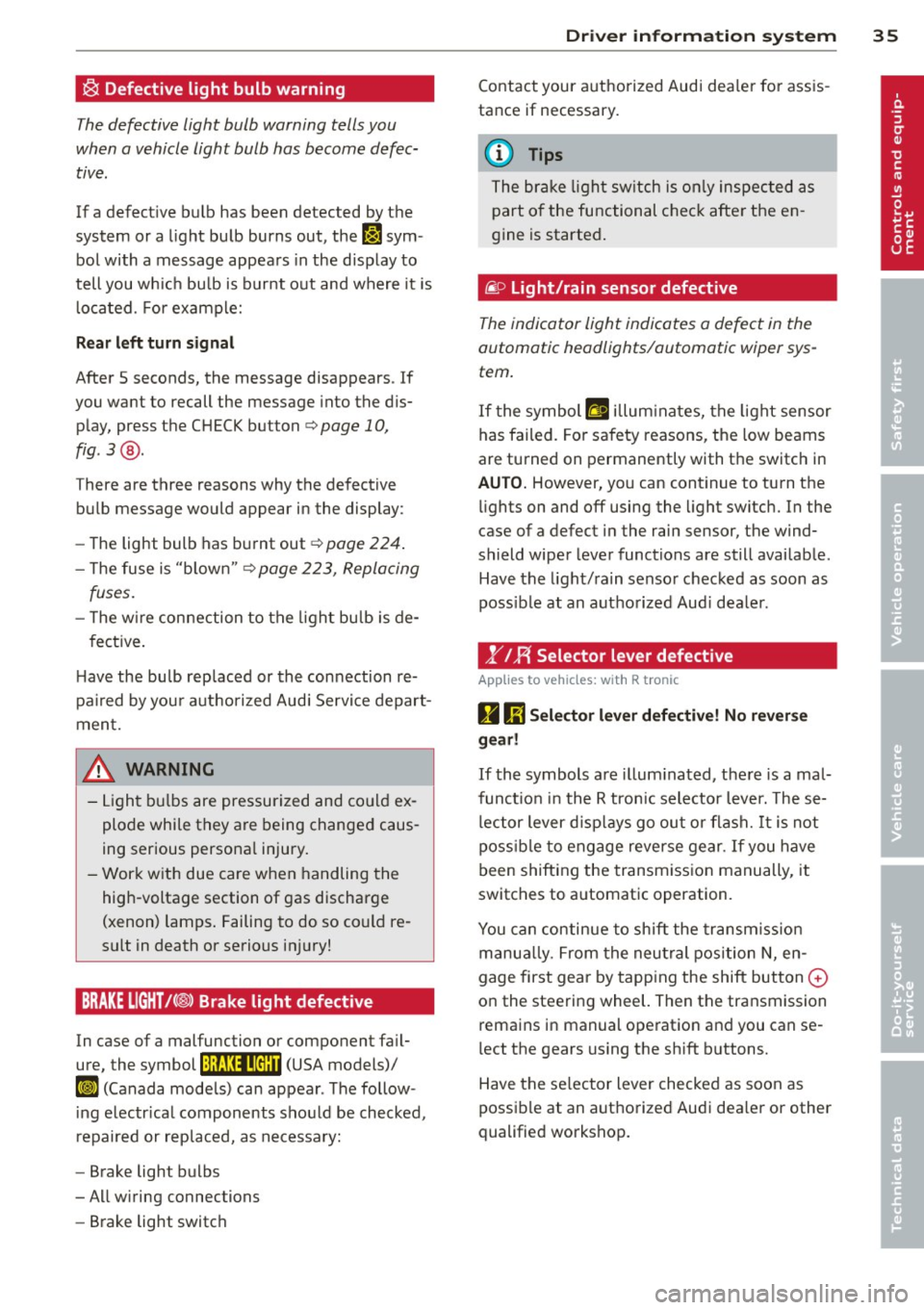
~ Defective light bulb warning
The defective light bulb warning tells you
when a vehicle light bulb has become defec· tive .
If a defective bulb has been detected by the
system or a light bulb burns out, the
II sym
bol with a message appears in the display to
tell you wh ich bu lb is bur nt out and where it is
located. For example:
R ea r left turn signal
After 5 seconds, the message disappears . If
you want to recall the message into the dis play, press the CHECK button
c::> page 10,
fig . 3 @ .
There are three reasons why the defective
bulb message would appea r in the display:
- The light bulb has burnt out
c=> poge 224 .
- The fuse is "blown"¢ page 223, Replacing
fuses.
- T he w ire connection to the light bulb is de-
fective .
H ave the bulb rep laced or the connection re·
pa ired by you r authorized Aud i Servi ce depart
ment.
A WARNING
- Light bu lbs are pressurized and co uld ex
plode while they are being changed caus
ing serious persona l injury.
- Work with due care when handling the
high-voltage section of gas discharge
(xenon) lamps . Failing to do so co uld re
sult in death or serious injury!
BRAKE LIGHT t<®> Brake light defective
In case of a malfunction or component fa il·
ure, the symbol (USA models)/
K@ )] (Canada models) can appear . The follow
i ng e lectr ica l components should be checked,
repaired or replaced, as necessary:
- Brake light bulbs
- All w iring connections
- Brake light switch
Dr iver in formati on sys tem 35
Contact your a uthorized Audi dea ler for assis
tance if necessary.
(0 Tips
The brake light sw itch is on ly inspected as
part of the functional chec k afte r the en
gine is started .
fi.D Light/rain sensor defective
The indicator light indicates a defect in the
automatic headlights/automatic wiper sys
tem.
If the symbol ftl illum inates, the light sensor
has failed. Fo r safety reasons, the low beams
are turned on permanently with the switch in
AUTO. However, yo u can cont inue to turn the
li ghts on and off using the light switch. In the
case of a defect in the rain sensor, the wind
shield wiper lever functions are still availab le .
Have the light/ rain senso r checked as soon as
poss ib le at an autho rized Aud i dea ler.
1" IF{ Selector lever defective
Applies to vehic les : wi th R tronic
D 1;j Sele ctor l ever defectiv e! No rev ers e
ge ar!
If the symbols are il lum ina ted, the re is a mal·
funct io n in the R tronic selector lever. These·
l ector lever d isp lays go out o r flash.
It is not
poss ible to engage reverse gear . If you have
been shifting the transm iss ion manually, it
switches to a utomatic operation .
You can continue to shift the transm iss ion
manua lly. From the neu tral pos ition N, en
gage first gea r by tapping the shift button
0
on the steering wheel. Then the transmission
rema ins in manual ope ration and you can se
lect the gears using the sh ift b uttons.
Have the se lector lever checked as soon as
possible at an authorized Audi dea ler or other
qualified workshop.
Page 39 of 244
Opening and closing Keys
Key set
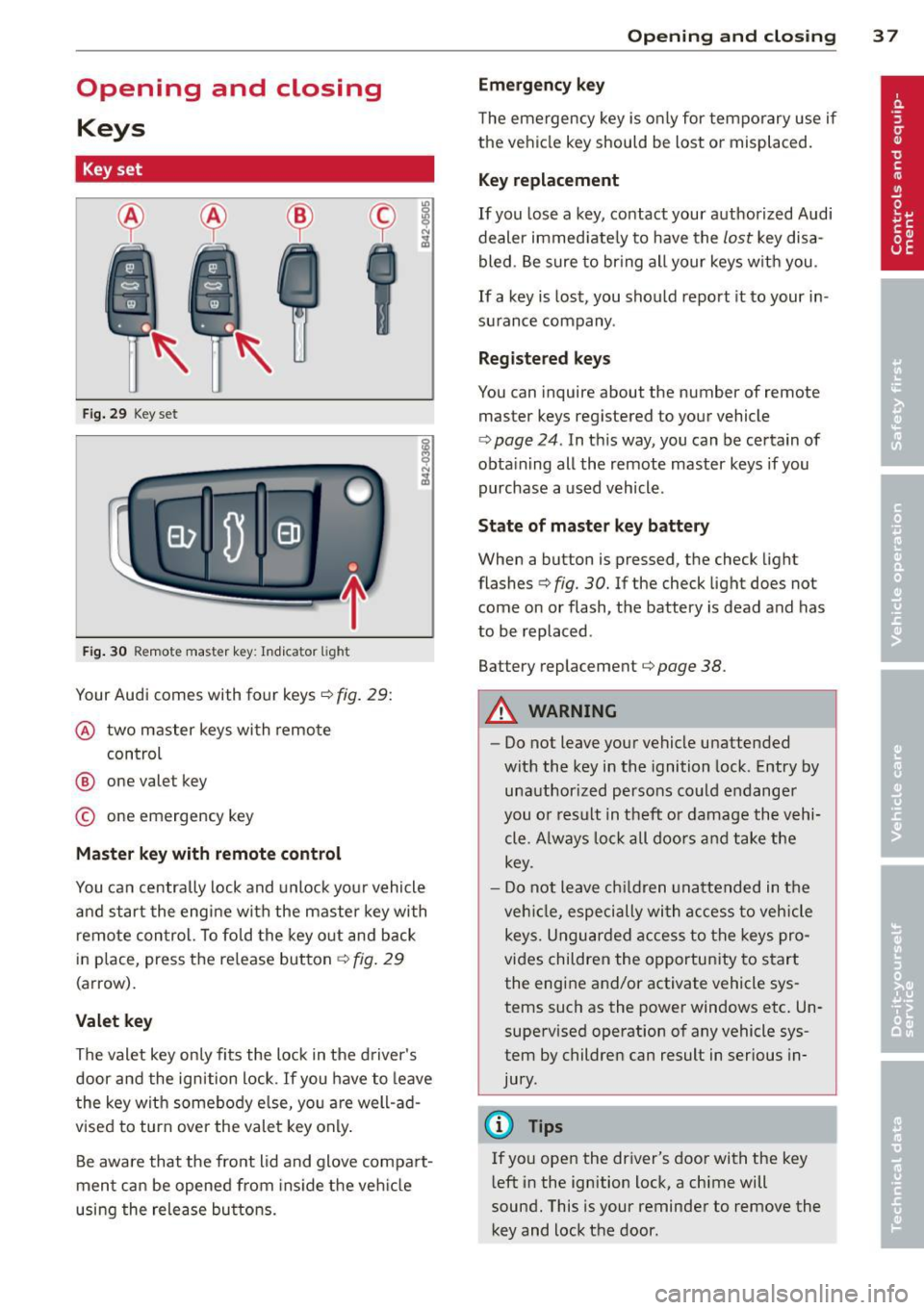
F ig. 29 Key set
Fig. 30 Remote master key: Indicator light
Your Audi comes with four keys¢ fig. 29:
@ two master keys with remo te
control
@ one valet key
© one emergency key
Master key with remote control
You ca n centrally lock and unlock you r vehicle
and star t the eng ine wi th the master key with
r emo te con trol. To fo ld the key o ut and back
i n place, press t he re lease button ¢
fig. 29
(arrow).
Valet key
The valet key on ly fi ts the lock in the d river's
door and the ignition l ock. If you have to leave
t he key with somebo dy e lse, yo u are well-ad
vised to turn
ove r the vale t key only .
Be aware that the fro nt lid and glove compa rt
men t ca n be opened from ins ide the ve hicle
using the release bu ttons .
Opening and clo sing 3 7
Emergency key
The emergency key is o nly for temporary use if
the ve hicl e key should be lost or misplaced.
Key replacement
If you lose a key, contact your authoriz ed Audi
dealer immed iate ly to have the
lost key disa
bled . B e sure t o br ing all your keys w it h you .
If a key is los t, you should report it to your in
su rance company .
Registered keys
You can inquire about the number of remote
master keys registered to your vehicle
¢
page 24 . In this way, you can be certain of
obta ining all the remote master keys if you
purchase a used vehicle .
State of master key battery
When a button is pressed, the check light
flashes ¢
fig. 30. If the check light does not
come on or flash, the battery is dead and has
to be replaced .
Battery replacement¢
page 38.
A WARNING
-
-Do not leave you r vehicle unattended
with the key in the ignition lock . Entry by
un authorized persons co uld e ndange r
you o r result in t heft or damage the v ehi
cle. A lways lo ck all do ors a nd take the
key.
- D o not leave children unattended in t he
ve hicl e, especi ally wi th access t o veh icle
keys. Ungu ard ed access to the keys pro
vi des children the opportun ity to s tart
the engine and/or activate vehicle sys tems such as the power windows etc . Un
supe rvised operation o f any vehicle sys
tem by children can result in ser ious in
jury.
@ Tips
If you ope n the dr iver's door with the key
l eft in the ignition lock, a chime will
sound. This is your reminder to
remove the
key and lock the door.
Page 41 of 244
electronic immobilizer is automatically acti
vated once aga in.
If an unauthorized key was used, SAFE is dis
played continuously in the odometer display
field.
~ WARNING
-
Always take the key with you when you
leave the vehicle. The key can disarm the
electronic engine immobilizer and permit
an unauthorized person to start the engine
and enable operation of the vehicle sys
tems such as power window leading to se
rious personal injury.
@ Tips
- The vehicle cannot be started if an unau
thorized key is used . The vehicle may not
start if another radio device such as a key
for another vehicle or a transponder is
located on the key ring .
- For Declaration of Compliance to United
States FCC and Industry Canada regula
tions
r::;, page 212.
Power locking system
General description
The power locking system locks or unlocks oil
doors simultaneously.
When opening and closing the doors , the
power locking system locks or unlocks
both
doors together.
The remote master key locks and unlocks the
doors using a radio signal
r::;, page 40.
Locking and unlocking with the key
You can also lock and unlock your vehicle us
ing the key in the lock on the driver's door.
The unlocking and locking mode can be
changed in the Driver Information System
r::;,page24.
Both doors are locked automatically when the
vehicle is locked and the anti-theft alarm sys
tem is activated.
Opening and closing 39
Auto Lock
The Auto Lock function locks all doors and the
front lid once speed has exceeded approxi
mately 9 mph (15 km/h).
The car is unlocked automatically once the ig
nition key is removed . In addition, the vehicle
can be unlocked if the power locking system
opening function~ is activated or one of the
door levers is used.
Turn signals
All the turn signals flash to indicate when the
vehicle is locked and unlocked. The turn sig
nals flash twice when the vehicle is unlocked.
The turn signals flash once when all the doors
and the front lid are locked. The interior lights
are also switched on or off automatically ac
cording to the position of the door contact
switch.
A WARNING
- When you lock your vehicle from outside,
nobody -especially children -should re
main inside the vehicle. Remember,
when you lock the vehicle from the out
side the windows cannot be opened from
the inside.
- When you leave the vehicle, always re
move the ignition key and take it with
you. This will prevent passengers (chil
dren, for example) from accidentally be ing locked in the vehicle should they acci
dentally press the power locking switch
in one of the doors.
- Do not leave children inside the vehicle
unsupervised. In an emergency it would
be impossible to open the doors from
the outside without the key.
(D Tips
-The driver's door can be locked and un
locked with the key if the power locking
system fails. The passenger's door can
be locked manually
r::;, page 42.