engine overheat AUDI R8 SPYDER 2012 Owners Manual
[x] Cancel search | Manufacturer: AUDI, Model Year: 2012, Model line: R8 SPYDER, Model: AUDI R8 SPYDER 2012Pages: 236, PDF Size: 59.24 MB
Page 12 of 236
10 Instrum ents a nd warning /indic ato r li ghts
Stop the vehicl e, sw itch the engin e off and
allo w it to coo l.
If the warning light comes on
again after driving a short distance, contact
an authorized Audi dealer.
A WARNING
- Always observe the warning in
¢ page 169, Working in the engine
compartment
before open ing the engine
compartment lid and checking the en
gine coo lant level.
- Never open the engine compartment lid
if you see or hear steam, or if you see en
gine coo lant dr ipping from the eng ine
compar tment. You could bur n yourse lf.
Let the engine coo l
off first so that you
cannot hear or see any steam or engine
coolant.
CD Note
- Mounting additional lights or accesso ries
in front of the air inlets reduces the cool
ing effect of the radiator . At high outside
temperatures or high engine load, the
engine could overheat .
- The front spoi ler has been designed to
properly distribute the cooling air when
the vehicle is moving. If the spoiler is
damaged, this could reduce the cooling
effect and the engine could then over
heat . Ask your authorized Aud i dea ler for
ass istance.
Fuel gauge
The fuel ga uge works only when the ignition is
on. When the needle reaches the red area, the
warning light in the instrument cluster will i l
luminate
c::> page 18 Ii}']. This means you
have approximately 2.6 gallons (10 liters) of
fuel left in the tank.
Time to refuel!
The total tank capacity of your vehicle is listed
in
Te chnic al d ata c::> page 217 .
CD Note
Never run the tank comple tely d ry! An ir
regular supply of fue l can cause engine misfiring and fuel could enter into the ex
haust system. The catalytic converter
could then overheat and be damaged.
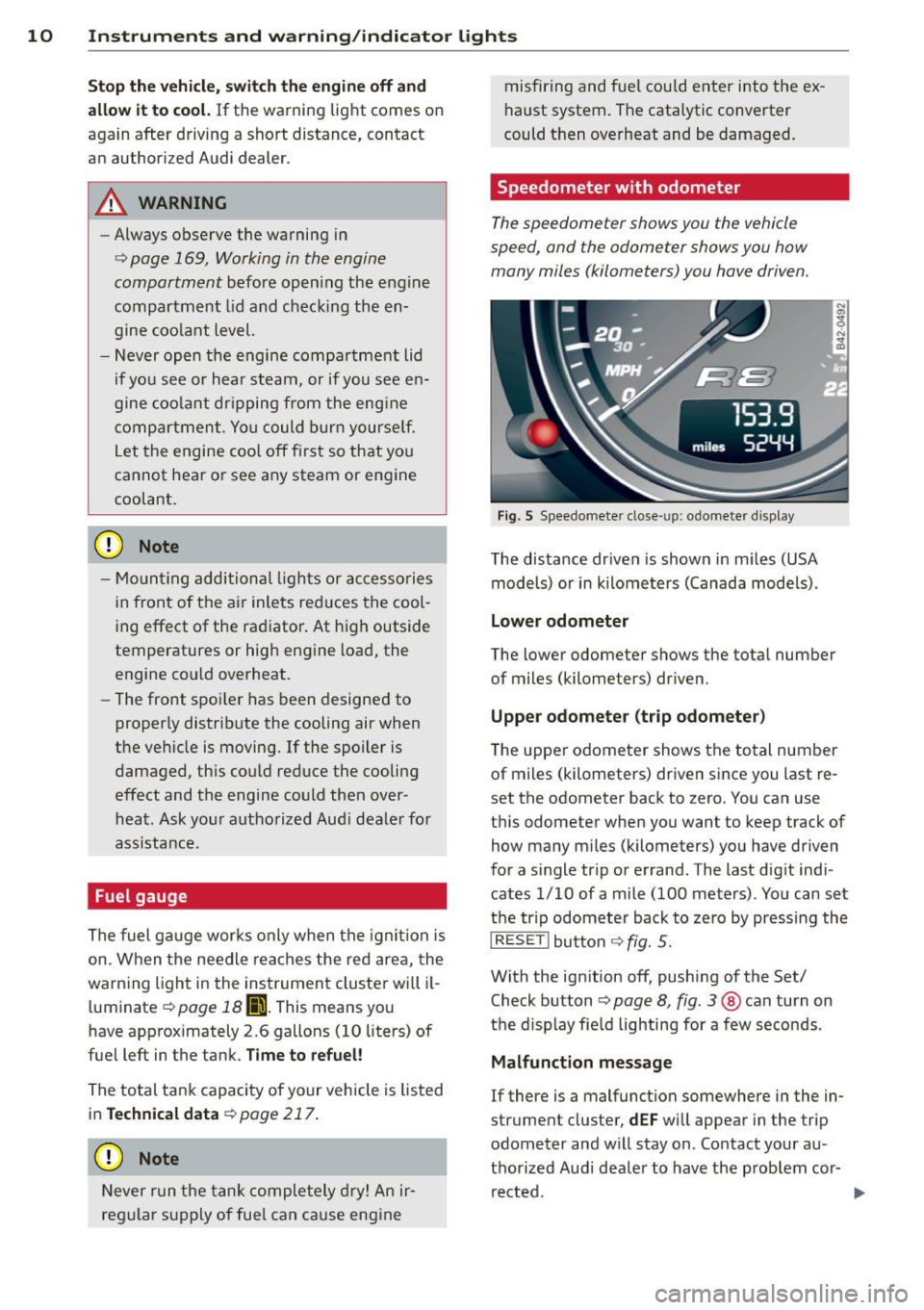
Speedometer with odometer
The speedometer shows you the vehicle
speed, and the odometer shows you how
many miles (kilometers) you have driven.
F ig. 5 Speedomete r close-up: odometer display
The distance dr iven is shown in m iles (USA
models) or in kilometers (Canada mode ls) .
Lo wer odometer
The lower odometer shows the total number
of miles (kilometers) dr iven .
Upper odom ete r (trip odometer )
The upper odometer shows the total number
of miles (kilometers) driven since you last re
set the odometer back to zero. You can use
this odometer when you want to keep track of
how many m iles (kilometers) you have driven
for a single tr ip or errand . The last dig it ind i
cates 1/10 of a mile (100 meters) . You can set
the tr ip odometer back to zero by pressing the
I RESE T! button c::> fig. 5.
With the ign ition off, pushing of the Set/
Check button
¢ page 8, fig . 3 @ can turn on
the d isplay fie ld lighting for a few seconds .
Malfunction me ssag e
If there is a malfunct ion somewhere in the in
strument cluster,
d EF w ill appear in the trip
odometer and w ill stay on . Contact your au
thorized Audi dealer to have the problem cor rected.
Page 14 of 236

12 Instrum ent s and w arn ing /indic ato r light s
Safety belt
•
Check engine oil level
¢page 14
¢page 18
ii
Generator./
Engine oil sensor malfunction
¢page 14
¢page 18 '
D
Engine oil pressure too low
•
Battery voltage too h igh or too low
¢page 14
¢page 18
Engine coolant level too low/
II
Low fuel level
engine coolant temperature too
¢page 18
high¢ page 15
m
Windshield washer fluid level low
Yellow indicator lights ¢ page 18
Yellow symbols indicate a priority 2 ma lfunc-
~:)
Defective light bulb
tion -Warning!
¢page 18
11
Convertib le top ope ration
•
USA model s: Defective brake light
¢page 15
¢page 18
I]
Electronic Stability Control (ESC) ./
6
Canada models: Defective brake
¢page 16 light¢ page 18
-
I
Electronic Stab ility Control (ESC) ./
m
Light/rain sensor defe ctive (a utomat-
¢ page 16 ic headlights)* defective ¢ page 19
~ USA models: anti-lock brake system
(ABS) ./ defective ¢ page 16
B
Audi magnetic ride
¢page 19
•
Canada model s: anti-lock brake sys-
E
Rear spoiler./
tern (ABS)./ de fec tive ¢
page 16
¢page 19
•
Worn brake pads
~
USA model s: Speed warning 1
¢page 17
¢page29
g
Tire pressu re too low
•
Canada models : Speed warning 1
¢page 201
¢page29
I Tire pressure monitoring system
~
USA models: Speed warning 2 111115' 200
¢ page
¢page29
rm
Electronic power con trol ./
Canada models : Speed warning 2 ¢page 17
•
¢page29
B
USA models: Malfunction Indicator
Lamp (MIL)¢
page 17 Selector lever defective*
No reverse gear*
g
Canada models: Ma lfunction lndica-¢page 19
tor Lamp (MIL) ¢ page 17 ffl;O Clutch is overheating*
.,
Engine speed limitation* ¢page 19
¢page 17
R
Gearbox malfunction*
¢page 19
Page 19 of 236
Instrument s and warnin g/indic ator ligh ts 17
loss of vehicle control and an accident.
Have your vehicle repaired immediately
by your authorized Aud i dealer or a quali
fied workshop . Drive slowly and avoid
sudden, hard brake applications.
- Canada models: If the brake warn ing
light ., the
DJ warning light and the
ABS wa rning light
rii] come on together,
the rear wheels could lock up first unde r
hard bra king. Rear wheel lock-up can
cause loss of vehicle control and an acci
dent. Have yo ur vehicle repaired immed i
ately by your authorized A udi dealer or a
qualified workshop . Drive slowly and
avoid sudden, hard brake applicat ions.
(0 ) Worn brake pads
r;J Check b rak e pads!
If the warning light illum inates, immediately
contact your authorized A udi dealer or quali
fied workshop to have all brake pads inspect
ed. On USA models the warning light
r;J
comes on together with the war ning light
- · Both sets of brake pads on an axle
must always be replaced at the same time .
A WARNING
Driv ing with bad brakes can cause a coll i
sion and serious personal injury .
- If the warning light
r;J and the warning
light -
1l with the message Brake
p ad s!
comes on in the i nstr ument cluster
display, immedia tely contact your au
tho rized Audi dea le r or qualified work
shop to have a ll brake pads checked or
replaced if necessary.
EPC Electronic power control
This warning/indicator light monitors the
electronic power control.
The ~ warn ing/ indica to r light ( Elect ronic
P ower Control) illumina tes when you swi tch
on the ignition as a function check.
1) - : USA mod els only
-
(D Tips
If this warn ing/indicator light illuminates
while yo u are driving, then there is a mal
funct ion in the engine electronics. Have
the malfunct ion corrected as soon as pos
s ible by your authorized Audi dealer or
qualified workshop .
~ Malfunction Indicator Lamp (MIL)
The Ma lfunction Indicator Lamp (MIL) is pa rt
of the On-Board Diagnostic (OBD II) system.
T he symbo l
lffl ligh ts up when the ignit ion is
turned on and will turn off after the eng ine
has started and has settled at constant id le
speed. This indicates that the MIL is working
proper ly.
T he warning light ill uminates when there is a
malfunction in the engine electronic system .
Contact your authorized Audi dea ler and have
the malfunct ion corrected.
An improperl y clo sed fu el filler cap ma y als o
c a use the MIL light to illuminate
¢ page 166 .
For more information ¢page 22.
!?') Engine speed limitation
Ma ximum 6000 RPM
The eng ine speed is automatically limited to
6000 RPM. This protects the engine from
overheating .
The eng ine speed limitation
(ll deactivates
once the eng ine is no longe r in the cr itica l
temperature range and yo u have re leased the
acce le rator pedal once.
(D Tips
When co ld, the engine speed is limited to
6000 RPM (w ith the
VlO engine) or
7000 R PM (with the VB engine) to protect
the engine. The limit is deactivated once
the oil temperature rises above 140 °F
Page 21 of 236
Instruments and warning/indicator lights 19
Contact your authorized Audi dealer for assis
tance if necessary.
@ Tips
The brake light switch is only inspected as
pa rt of the functional check after the en
gine is started.
@ Light/rain sensor defective
Applies to vehicles: with automatic headlights
The indicator light indicates a defect in the
automatic headlights/automatic wiper sys
tem.
If the symbol illum inates, the light sensor has
failed. For safety reasons, the low beams are
turned on permanently with the switch in
AU
TO. However, you can continue to turn the
lights on and off using the light switch. In the
case of a defect in the rain sensor, the wind
shield wiper lever functions are still available .
H ave the light/ra in sensor checked as soon as
possible at an author ized Audi dealer.
; Audi magnetic ride
The indicator light monitors vehicle damping.
The indicator light E ill uminates when the ig
nition is switched on as
a function check.
(D Tips
If the ind icator lamp illuminates while you
are driving, there is a malfunct ion in the
veh icle damping. The chass is should be in
spected immediately by an authorized Au
di dealer.
-:;J. Rear spoiler
The warning/indicator light monitors the
electrically retractable rear spoiler .
The warning/indicator light Ii! has the follow
ing functions:
-It comes on for about 3 seconds as a func
t ion check when the ignition is switched on.
- It comes on if there is a ma lfunction in the
electrically retractable rear spoiler . Additional
information about the electr ica lly
retractable rear spoiler
r:;, page 144.
,.YI F{ Selector lever defective
Applies to vehicles : with R tronic
g Ii] Selector lever defective! No reverse
gear!
If the symbols are i lluminated, there is a mal
function in the R tronic selector lever . These
l ector lever d isp lays go out or flash. It is not
poss ible to engage reverse gear. If you have
been shifting the transm iss ion manually, it
switches to automat ic operation.
You can continue to shift the transmission manually. From the neutral position N, en
gage first gear by tapp ing the shift button
0
o n the steering wheel. Then the transmission
remains in manual operat ion and you can se
lect the gears using the s hift buttons.
Have the selector lever checked as soon as
poss ible at an authorized Aud i dealer or other
qualified workshop .
i~Jf Clutch is overheating
Applies to vehicles:
ffl O Clutch: Overheating possible. See own
er's manual.
If the symbols are i llum inated, the clutch is
ove rheating and could be damaged if you con
tinue to drive.
Stop your vehicle and allow the engine to run
at idle for several m inutes . This w ill cool the
clutch.
0 Gearbox malfunction
App lies to vehicles: wit h R tro nic
In the event of a system malfunction, R tronic
switches to emergency ope rat ion mode.
[O) Gearbox malfunction! You can continue
driving
You can continue to drive the vehicle. See an authorized Aud i dealer or other qualified
workshop at the next opportun ity . ..,.
Page 75 of 236
The parking brake warning light_
(USA)/ . (CON) ill uminates when the parking
brake is set and you switch on the ignition .
A WARNING
-
Always release the parking brake com
pletely. A partially engaged brake will
overheat the rear brakes, reduce the ir ef
fectiveness and cause excess ive wear. This
cou ld lead to brake failure and an accident .
(D Note
Only after the ve hicle has come to com
plete stop, should you f irm ly set the park
ing brake and move the gearsh ift lever into
a gear .
Parking
To prevent a parked vehicle from rolling
away, there are a few things you should do.
.,. Stop the vehicle using the brake pedal.
.,. Set the parking brake firmly .
.,. Switc h off the engine .
" Engage a gear
~ &.-
What else you should do when parking
your v ehicle on an incline or decline
T u rn the steering wheel so that if the vehicle
should sta rt to ro ll, it will roll into the curb .
A WARNING
This is how yo u can reduce the risk of in
jury when le aving your veh icle.
- Never par k the vehicle whe re it ca n come
in contac t wi th dry grass, s pilled f uel or
any other flammable mater ials .
- Neve r allow anyone - especially small
ch ildren - to rem ain in the vehicle whe n
it is locked. Locked doors ma ke it mo re
difficult for rescuers to access the pas
senger compartment in the event of an
emergency. Danger to life!
- Never leave c hildren unsupervised in the
vehicle. Children co uld re lease the park
ing brake or move the gea rshift lever out
-
On th e ro ad 73
of gear . The vehicle cou ld sta rt to ro ll
away and cause an acc ident.
- No matte r what the season is, the tem
peratu re in a parked veh icle can reach
dangerous leve ls .
Starting on hills
App lies to vehicles : wit h hill ho ld assist
Hill ho ld assist makes it eas ier to start on
hills .
The system is activated when the brake peda l
is depressed
for a few seconds .
After releasing the brake pedal, the brake
power is held for a
brief moment to prevent
the ve hicle from rolling back when starting .
D uring this t ime, you can easily begin to move
your vehicle.
A WARNING
- If you did not begin moving immed iate ly
after rel easing the brake pedal, the vehi
cle could b eg in to roll bac kward unde r
cer ta in c ircu mstances . Dep ress the brake
pe dal imme diate ly or eng age the p arking
bra ke.
- If the engine sta lls, de pre ss the bra ke
pe dal imme diate ly or engage the pa rking
brake .
- T o prevent the vehicle from ro lling b ack
un intent iona lly when st arting in stop
an d-go tra ffic, keep the brake pedal de
pressed for a few seconds before d riving
off.
(D Tips
You can find o ut if yo ur vehicle is eq uipped
wi th "hi ll hol d assist" at an a uthorized Au
di dealer.
Page 82 of 236
80 Transmi ssion
(0 Note
If you must stop on an incline, always hold
the vehicle in place w ith the foot brake to
prevent it from roll ing back. Never hold
the vehicle on an incline w ith a slipping
clutch. The clutch was overloaded if
Clutch
overheat ing! If possib le pl ea se st op ve hi
cle appears in the Driver Information Sys
t em disp lay.
Automatic operation
Ap plies to ve hicles : wit h R tro nic
The forward gears are shifted up or down au
tomatically.
Startin g from a stop
11-Press and ho ld the brake pedal.
11-Tap the se lector lever towards A .
... Re lease the brake pedal and acce lerate
¢ ,& in Manual operation on page 79 .
Under certain circumstances (driving in the
mounta ins for example), it can be beneficia l
to switch tempo rarily to the manual shift pro
g ram ¢
page 79in order to adjust th e gear ra
tios to driv ing cond itions
manually.
Kick-down
A ppl ies to vehicles : wit h R tro nic
When you depress the accelera to r pedal be
yond the resistance po int, R tron ic downsh ifts
into a lower gear, depending on vehicle speed
and engine rpm. The ups hift into the next
h igher gear takes place once the max imum
specified engine speed is reached. Exception:
You have activated the sport funct ion .
A WARNING
Please note that the drive wheels can spin
if kick-down is used on a smooth slippery
road -there is a risk of skidding.
Launch Control Program
App lies to veh icles : w it h R tro nic
The Launch Control Program enables maxi
mum acceleration .
Requirement: The engine must be at operat
ing temperature and the steering wheel must
not be turned .
... With the engine running, press the
I!! but
ton one time. The ESC ind icator light
I in
the Driver Information System d isplay illu
m inates and the message
ESP sport - Warn
ing! R estr icted stability
appears .
... Press the b rake pedal w it h your l eft foot
and hold i t down.
11-Eng age a gear.
11-Press the I SPORT I button on the selector
lever cover .
... Press the accelerator peda l wit h your right
foot sim ultaneously until the engine has
reached a constant speed .
... Remove your left foot from the brake¢,& .
A WARNING ,-
-Always adapt your dr iving to the traffic
f low.
- Onl y use Launch Control when road and
traffic cond itions allow it and ot her dr iv
ers will not be endange red o r annoyed by
your driving and the vehicle's ac celera
t ion .
- Please note that t he d riving wheels ca n
sp in and the vehicle can br eak away
when ESC is swi tched off, especially
when the roa d is s lippery.
- Once the s tarting procedure is comple te,
you sho uld sw itch ESC on again by press
i n g the
I!] switch.
(D Tips
When a ccele rat ing using the Lau nch Con
t rol program, all vehicle parts are s ubje ct
to heavy loads . This can result in increase d
wear .
-
Page 90 of 236
88 Homelin k®
Homelink ®
Universal remote
control
General information
The Homelink universal remote control can
be programmed with hand-held transmitters
from existing equipment.
You must first program the Homelink ® trans
mitter before you can use the system
~ page 88, Programming the Homelink ®
transmitter.
In order to program the Homelink® transmit
ter for devices utilizing rolling code, a second person on a ladder who can safely reach the
garage door opener motor is recommended.
It is also necessary to locate the "learn" but
ton on your garage door opener motor . Refer
to the operating instructions for the opener,
as the location and color of this button may
vary by manufacturer .
You can still use the original remote control
for the device at any time.
A WARNING
-
- Never use the Homelink® transmitter
with any garage door opener that does
have not the safety stop and reverse fea
ture as required by federal safety stand
ards. This includes any garage door open
er model manufactured before April 1,
1982.
- A garage door opener which cannot de
tect an object, signaling the door to stop
and reverse does not meet current feder
al safety standards. Using a garage door
opener without these features increases
risk of serious injury or death.
- For safety reasons never release the
parking brake or start the engine while
anyone is standing in front of the vehicle.
- A garage door or an estate gate may
sometimes be set in motion when the
Homelink ® remote control is being pro
grammed. If the device is repeatedly ac- tivated, this can overstrain motor and
damage its electrical components
-an
overheated motor is a fire hazard!
- To avoid possible injuries or property
damage, please always make absolutely
certain that no persons or objects are lo
cated in the range of motion of any
equipment being operated.
{!) Tips
- If you would like more information on
Homelink ®, where to purchase the
Homelink ® compatible products, or
would like to purchase the Homelink®
Home Lighting Package, please call toll
free: 1-800-355-3515.
- For Declaration of Compliance to United
States FCC and Industry Canada regula
tions ~
page 222.
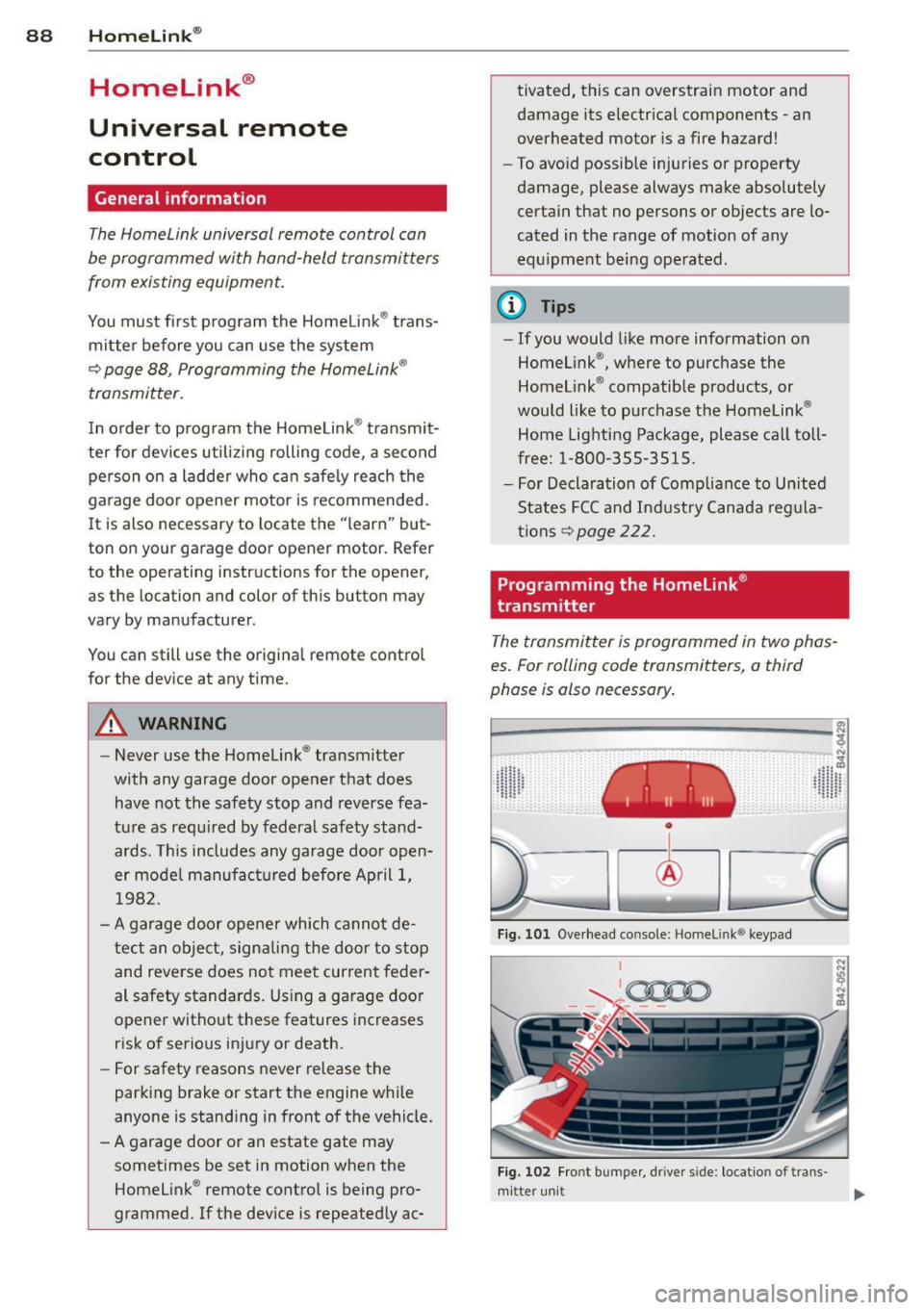
Programming the Homelink ®
transmitter
The transmitter is programmed in two phas
es. For rolling code transmitters, a third
phase is also necessary.
~----------------- ~ ,:.
~
Fig. 101 Overhead console: Homeli nk® keypad
I
'-..~0000 - - ,r.;-_ - -
Fig. 102 Fro nt bumper , driver side : loc ation of trans -
mi tter unit ..,_
Page 145 of 236
as a pulsing mo tio n of the brake pe dal, ac
companied by some noises. I n order for ABS
to be a ble to operate optimally in th is range,
you must keep the brake pedal depressed -
never "pump the brakes" . You should not ex
pect that braking d is tances w ill be
shortened
under all circumstances w ith ABS . Braking dis
tance may even be slightly
longer , for exam
p le on gravel or wi th fresh snow on a slippery
surface .
If a sign ificant
speed differential between the
d rive w heels on one axle is determined (for
examp le, on a su rface that is s lippery
on one
side),
t he EDS brakes the spinn ing whee l and
transfers power to the other drive whee ls.
This is done up to a speed of about 60 mph (100 km/h) . Noises from the brake system
signal that whee l spin is being controlled.
I f one wheel spins when s tarting from a com
p lete stop because o f a different grip (for ex
ample , one wheel o n ice), keep your foot
hard
on the acce lerator until the veh icle starts to
move.
If the wheels spin , ASR wi ll automatically re
duce engine torque and match power to road
su rface condit ions .
Switching on Sport mode
In specific drivi ng situa tions (e.g. La unch Con
trol), you switch ASR and ESC to Sport mode
by pressing the
[!I button once . The indicator
light
11 illuminates and ESP sport -Warning!
Restricted stability
appears . "Slip" is matched
to the speed. You should do this only if your
driving skill a nd traffic cond it ions permit .
Switching ASR /ESC off
In certain sit uat ions (e .g . in deep snow, on a
l oose surface, o r when rocking the vehicle
free), switch ASR and ESC off by pressing the
[ill button for more than 3 seconds. The ind ica
tor light
II i lluminates and E SP swit ched off -
Warning! Re stricted stability appea rs . You
should do th is only if your driving skill and
traffic cond it io ns pe rmit .
Int ellig ent technolog y 143
Switching ASR /ESC on
Activate ASR/ ESC by pre ssing the [!I bu tton
again. The message
ESP on appears in the dis
play briefly.
Brake overheating
So that the disc b rake on a b raked wheel does
not over heat, the EDS switche s off au toma ti
ca lly if there is un usua lly severe loa ding a t
th is wheel. The vehicle is st ill drivable and has
the same properties as a vehicle without EDS .
As soon as the brake has coo le d down, EDS
swi tches on aga in automatically .
A WARNING
- Even ESC, ABS, EDS and AS R cannot over
come the laws of physics . You should
keep t his in m ind in particular on an icy
or wet road. If the systems intervene,
you shou ld ad just your speed immediate
ly to road and traff ic conditions . Do not
be tempted by the increased safety pro
vided to take risks -you risk having an
accide nt.
- Please keep in mind that the risk of an
accident is i ncreased by d riving too fast,
pa rti cularly in corners and on icy or wet
ro ads, and by drivi ng too close to the ve
hicle ahead . Even ESC, ABS, E DS and A SR
cannot eliminate the increased risk of
having an accident.
-Apply the throttle ca re fully when accel
erating on a consistently s lippery sur
face, e .g. on ice and snow . The drive
wheels can spin in spite of the EDS and thereby affect vehicle stability -you risk
having an accide nt.
- Please note that when ASR or ESC/ASR is
deactivated , the drive wheels can spin on
icy and sl ippery roads a nd the veh icle can
break away -the re is a risk of skidd ing!
(D Tips
- In the event of a defect in the rear spoil-
er system or in Audi magnet ic ride, it can
happen that ASR and ASR/ESC cannot be .,.
•
•
Page 148 of 236
146 Intellig ent technolog y
Other road users must not be put at risk -
yo u may cause an acc ident!
- Before descending a steep grade, reduce
speed and shift transmission into a lower
gear or lower driving position . Do not
ride the brakes or ho ld the pedal down
too long or too often . This cou ld cause
the brakes to get hot and d iminish brak
ing efficiency .
- Do not "ride the brakes" by resting your
foot on the pedal when you do not intend
to brake . Thi s may cause the b rakes to
overheat, premature wea r and inc reased
stopp ing distance.
- Under certain climat ic and operating
condit ions such as passing through wa
ter, driving in heavy ra in or after wash ing
the vehicle, the effectiveness of the
brakes can be reduced . In winter, ice can
accumulate on the brake pads, linings,
discs and drums. Cautiously apply brakes
for a test . Brakes will dry and ice coat
ings w ill be cleaned off after a few cau
t ious brake applications .
- Driv ing for an extended period of time on
salt-covered roads w ithout us ing your
brakes can also affect braking efficiency .
Clean off accumulated salt coating from
brake discs and pads w ith a few cautious
brake applicat ions.
- If you damage the front spoiler, or if you
ins tall a different spoiler, be su re the air
flow to the front brakes is not obstruct
ed. Otherwise the brake system co uld
overheat red ucing the effectiveness of
the ent ire brake system.
- Failure of one brake circuit will impair
braking capab ility, resulting in increased
stopp ing distance. Avoid driv ing the vehi
cle and have it towed to the nearest au
thorized Aud i dealer or qualified work
shop .
- Never let the vehicle roll to a stop w ith
the engine shut off .
- If the brake booster is not working, for
example when tow ing your vehicle, or
because the b rake booste r has somehow
been damaged, the brake pedal must be pressed considerably harder to make up
for the lack of booster assistance .
Power steering
When the engine is running, power steering
makes i t easier for the driver to s teer .
Power steering helps the driv er steer the vehi
cle with litt le physica l effort.
If the engine is not running, the power steer
ing system is also not working . In this case ,
you wi ll find it extremely d ifficu lt to turn the
steering wheel.
If you turn the steering fully to the left or
rig ht when the vehicle is stationary, you p lace
a very heavy load on the power steering sys
tem. Turning the steering wheel fully to the left or right will cause noise in the system. It
also reduces engine id le speed.
(D Note
Do not hold the steering t urned fu lly to
the left or r ight for more than 10 seconds
when the engine is running . There is a r isk
of damage to the power steering system .
(D Tips
-In the event of a power steering system
failure, or if the engine is not running
(while being towed), you will still be ab le
to steer the vehicle. However, you will re
quire more effort to do so .
- If the powe r stee ring system has a leak
or is defect ive , you should immediately
contact a qualified wor kshop .
- The power steer ing system req uires a
special hydraulic fl uid. The power steer
ing fluid reservoir is located in t he en
gine comp artment. The co rrect hydrauli c
fluid level is important for proper opera
tion of the power steering system. The
power steering fluid level is checked ac
cording to the Audi maintenance service
schedule.
Page 152 of 236
150 Driving and en vironm ent
Driving and
environment
Break-in period
A new vehicle must be broken in, and the break-in per iod should be 1,500 miles (2,500
km) . Do not use full acceleration for the first
600 miles (1,000 km) and do not exceed the
maximum eng ine speed of 6,000 rpm You
m ust also not use fu ll acce lerat ion between
600 and 1,200 m iles ( 1,000 to 2,000 km).
Fr om 1,200 to 1 ,500 mi les (2,000 to 2,500
km), you can gradua lly increase maxim um en
gine speed to 8,250 rpm for brief periods.
During the first ho urs of operation, there is
g reater friction in the engine and the trans
mission than later when a ll the moving parts
have broken in.
The way yo u drive duri ng the first 1 ,500 miles
(2,500 km) affects engine quality. If you drive
at moderate engine speeds thereafter, partic
u lar ly when the engine is cold, yo u reduce en
gine wear and increase the potential mileage
of the engine.
Do not drive at RPMs that are too low. Shift
down when the engine is no longer running
"smoothly". Extreme ly high RPMs are gov
erned automa tically.
Driving through water
on roads
Note the following to avoid vehicle damage
when dr iving t hrough water, for example on
flooded roads:
- The water must not be any higher than the
bottom of the vehicle body .
- Do not drive faster than wa lking speed .
.&_ WARNING
After driving through water, mud, slush,
etc., the brakes may be slow to take effect
because of wet b rake roto rs and pads. Dry
t he brakes fi rst by bra king carefully to re
sto re the full braking effect .
-
(D Note
Vehicle components such as the eng ine,
transmission, suspension or e lectrical sys
tem can be severe ly damaged by dr iv ing
through water .
@ Tips
-Check the depth of the water before d riv
ing through it.
- Do not stop the vehicle, drive in reverse
or switch the engine off when driving
through water.
- Keep in mind that oncoming vehicles
may create waves that raise the water
level and make it too deep for your vehi
cle to drive through safely .
- Avo id driving through salt water because
it can cause corros ion.
Catalytic converter
You must use lead-free gasoline in your veh i
cle, otherwise you will destroy the ca talyt ic
converter .
Never run the fuel tank completely dry; their
regular fue l supply could cause misfires . This
allows unburned fue l into the exhaus t system,
poss ibly resulting in overheating and damage
to the catalytic converter .
.&_ WARNING ,-
-Do not park or operate the vehicle in
a reas where the hot exha ust system may
come in co nta ct with dry g rass, brush,
fue l spills or o ther material which can
cause a fire.
- Do not app ly addition al under coating or
r u stproofing on or nea r the exhaust
manifold, exhaust pipes, catalytic con
verter or heat shields . Dur ing driving, the
substance used for undercoating could
overheat and cause a fire.
(D Note
To ensure efficient o peration of the Emis
s ion Control System :