parking brake AUDI R8 SPYDER 2012 Owners Manual
[x] Cancel search | Manufacturer: AUDI, Model Year: 2012, Model line: R8 SPYDER, Model: AUDI R8 SPYDER 2012Pages: 236, PDF Size: 59.24 MB
Page 9 of 236
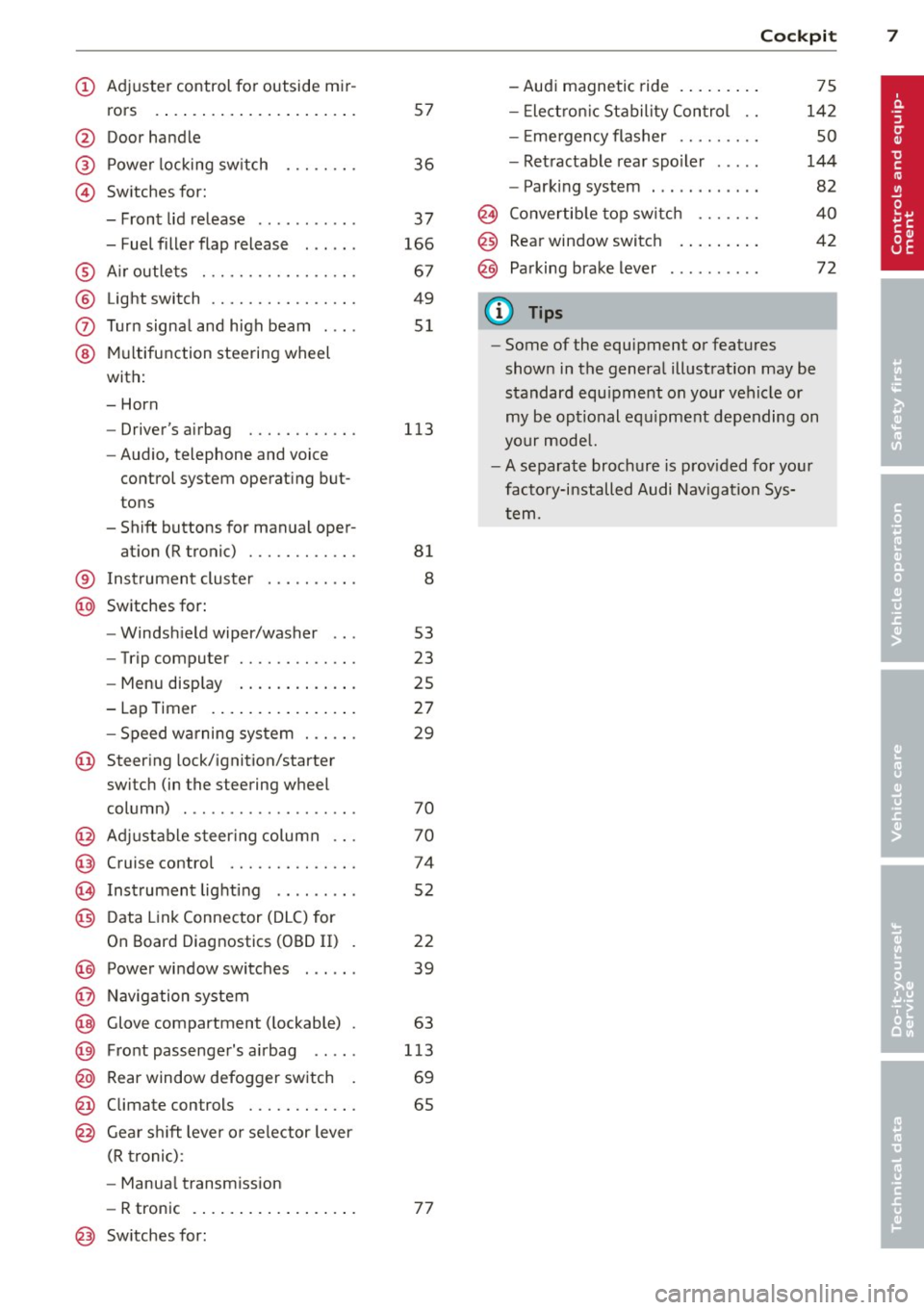
(!) Adjuster control for outside mir-rors .... ..... .......... .. .
@ Door handle
@ Power locking switch
© Switches for:
- Front lid release .......... .
- Fuel filler flap release . .. .. .
® Air outlets ............ .... .
® Light switch ............... .
(J) Turn signal and high beam ... .
@ Multifunction steering wheel
with:
- Horn
- Driver's airbag ........... .
- Audio, telephone and voice
control system operating but
tons
- Shift buttons for manual oper-
at ion (R tronic) ........... .
® Instrument cluster
@ Switches for: 57
36
37
166
67
49
51
113
81
8
- Windshield wiper/washer 53
- Trip computer . . . . . . . . . . . . . 23
- Menu display . . . . . . . . . . . . . 25
- Lap Timer . . . . . . . . . . . . . . . . 27
- Speed warning system . . . . . . 29
@ Steering lock/ignition/starte r
switch (in the steering wheel
column) . . . . . . . . . . . . . . . . . . . 70
@ Adjustable steering column . . . 70
@ Cruise control . . . . . . . . . . . . . . 74
@ Instrument lighting . . . . . . . . . 52
@) Data Link Connector (DLC) for
On Board Diagnostics (OBD II) . 22
@) Power window switches . . . . . . 39
@ Navigation system
@ Glove compartment (lockable) . 63
@ Front passenger's airbag . . . . . 113
@ Rear window defogger switch . 69
@ Climate controls . . . . . . . . . . . . 65
@ Gear shift lever or selector lever
(R tronic) :
- Manual transmission
- R tronic . . . . . . . . . . . . . . . . . . 77
@ Switches for: -Audi magnetic ride ........
.
- Electronic Stability Control ..
- Em ergency flasher ........ .
- Retractable rear spoiler .... .
- Parking system ...... ..... .
Cockpit 7
75
142
so
144
82
@ Convertible top switch . . . . . . . 40
@ Rear window switch . . . . . . . . . 42
@ Parking brake lever . . . . . . . . . . 72
(D Tips
-Some of the equipment or features
shown in the general illustration may be
standard equipment on your vehicle or
my be optional equipment depending on
your model.
-A separate brochure is provided for your
factory-installed Audi Navigation Sys
tem.
Page 15 of 236
Instruments and warning/indicator lights 13
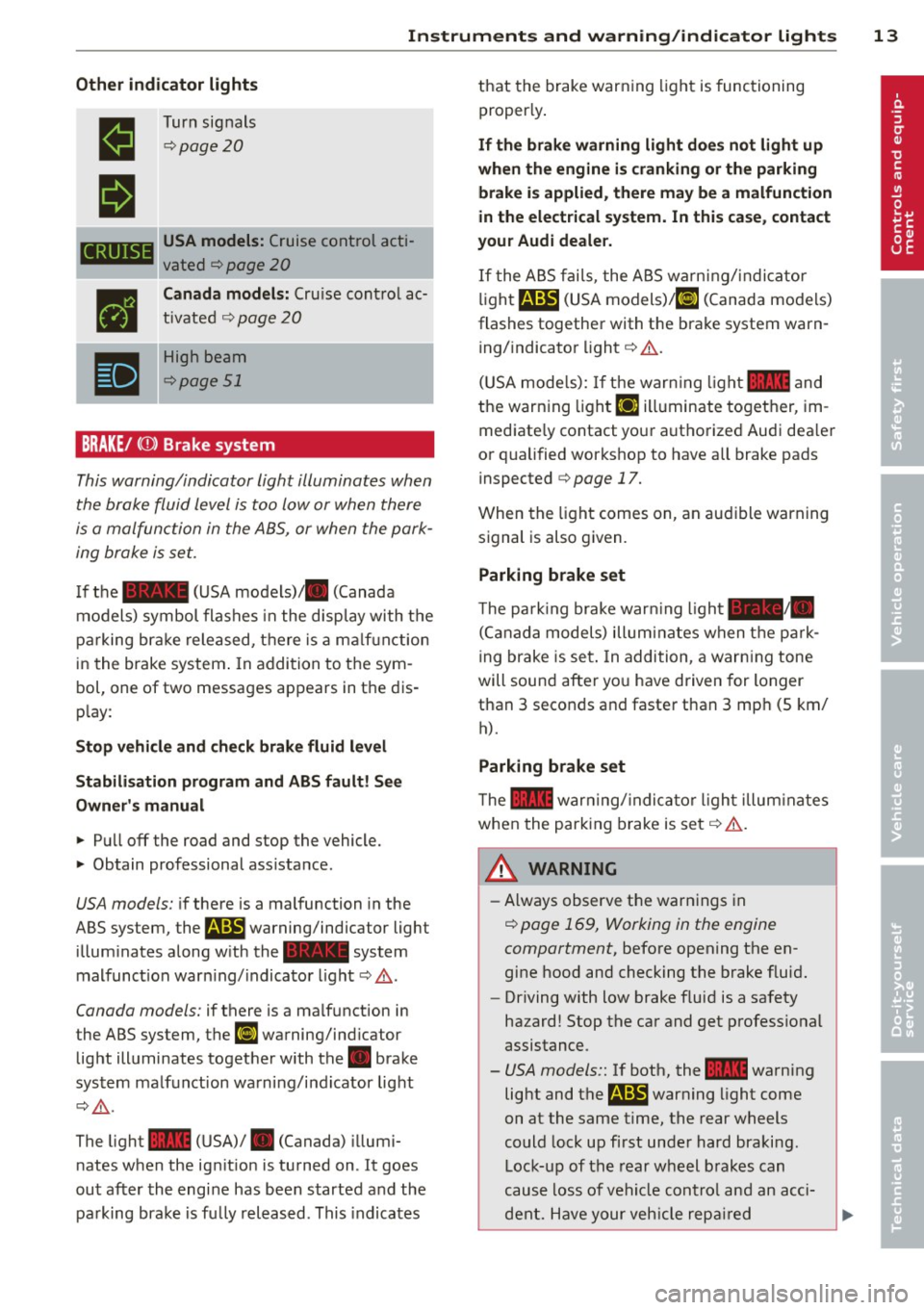
Other indicator lights
•
II
CRUISE
•
•
Turn signals
¢page20
USA models: Cruise control acti
vated
¢ page 20
Canada models: Cru ise cont rol ac
tivated
q page 20
High beam
¢page 51
BRAKE/
the brake fluid level is too low or when there
is a malfunction in the ABS, or when the park
ing brake is set.
If the - (USA models)/ . (Canada
models) symbol flashes in the disp lay with the
parking brake released, there is a ma lfuncti on
in the brake system . In addition to the sym
bol, one of two messages appears in the dis
play:
Stop vehicle and check brake fluid level
Stabilisation program and ABS fault! See
Owner's manual
.. Pull off the road and stop the vehicle.
.. Obtain professional ass istance.
USA models: if there is a malfunction in the
ABS system, the
r.1il warning/indicator light
illuminates along with the - system
malfunct ion warn ing/ indicator light
q ,&..
Canada models: if there is a malf unction in
the ABS system, the
ll] warning/ind icator
light illuminates together with the. brake
system malfunction warning/indicator light
c::>,&. .
The light - (USA)/ . (Canada) illumi
nates when the ign ition is turned on . It goes
out after the engine has been started and the
parking brake is fu lly released . This indicates that the brake
warning light is functioning
properly.
If the brake warning light does not light up
when the engine is cranking or the parking
brake is applied, there may be a malfunction
in the electrical system. In this case, contact
your Audi deale r.
If the ABS fails, the ABS warn ing/ indicator
light
r.1il (USA models) /ll] (Canada models)
flashes together with the brake system warn ing/ indicator light
i:::> .&..
(USA mode ls): If the warn ing light - and
the warning light
EiJ illuminate together, im
mediate ly contact your authorized Audi dea ler
or qualified workshop to have all brake pads
inspected
i:::> page 17.
When the light comes on, an audible warning
signal is also given.
Parking brake set
The pa rk ing brake war ning ligh t-·
(Canada models) illuminates when the park
ing brake is set. In addition, a warning tone
will sound after you have driven for longer
than 3 seconds and faster than 3 mp h (S km/
h).
Parking brake set
The - warning/ indicator light illuminates
when the parking brake is set
i:::> .&. .
A WARNING
-Always observe the warnings in
¢ page 169, Working in the engine
compartment,
before opening the en
gine hood and checking the brake fluid.
- Driving with low brake fluid is a safety
hazard! Stop the car and get profess ional
assistance.
- USA models:: If both, the 1111 warning
light and
the m warning light come
on at the same time, the rear wheels
could lock up first under hard braking.
Lock-up of the rear wheel brakes can
cause loss of vehicle cont rol and an acci
dent. Have your vehicle repaired
Page 47 of 236
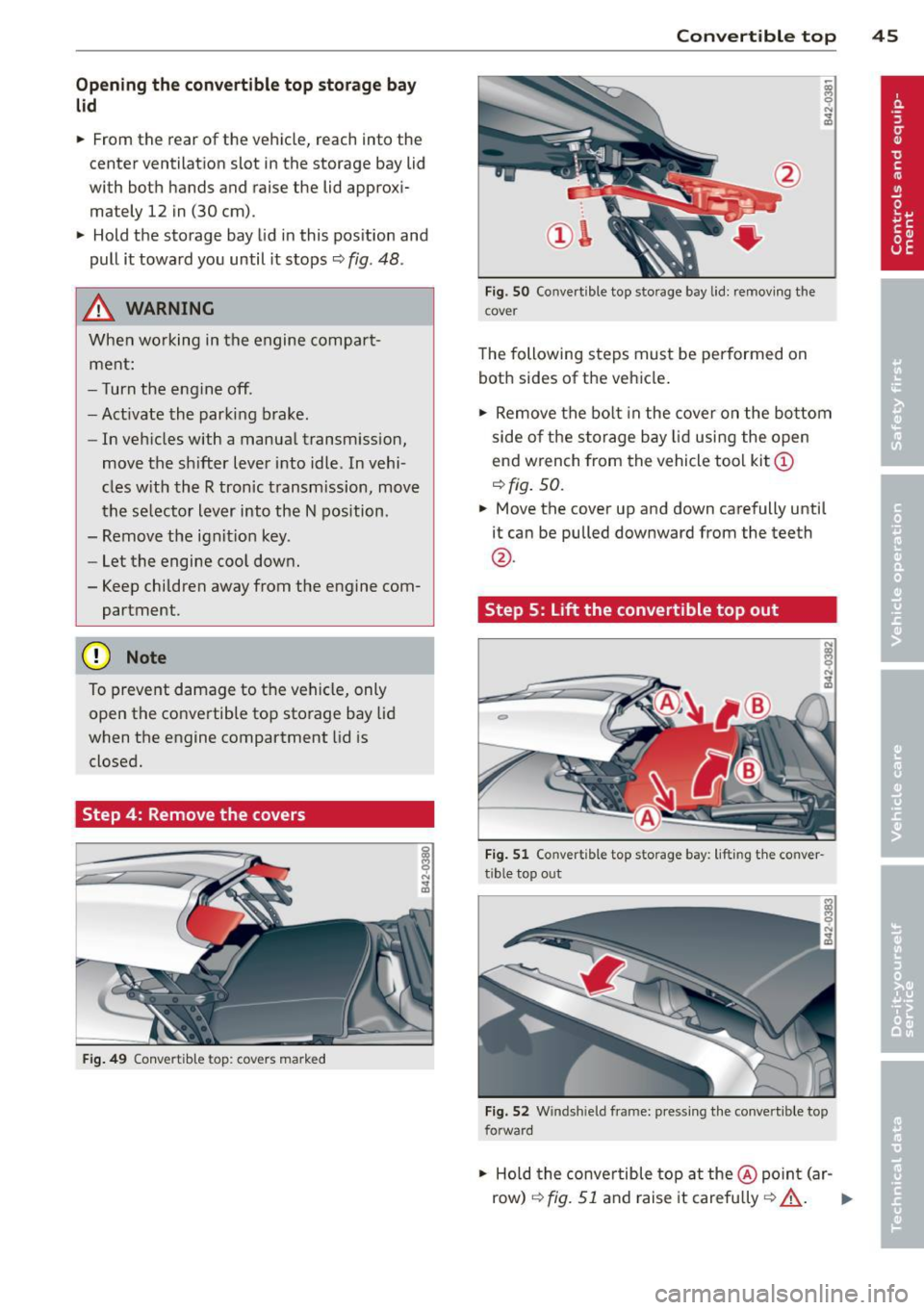
Opening the convertible top storage bay
lid
• From th e rear of the vehicle, reach into the
center ventilation slot in the storage bay lid
with both hands and raise the lid approxi
mately 12 in (30 cm).
"' Hold the storage bay lid in this position and
pull it toward you until it stops ¢
fig. 48 .
& WARNING
When working in the engine compart
ment:
- Turn the engine off .
- Act ivate the parking brake.
-
-In veh icles with a manual transm ission,
move the shifter lever into idle. In vehi -
cles with the R tronic transmission, move
the selector lever into the N position.
- Remove the ignit ion key.
- Let the engine cool down.
- Keep children away from the engine com- partment .
(D Note
To prevent damage to the vehicle, only
open the convertible top storage bay lid
when the engine compartment lid is
closed.
Step 4: Remove the covers
Fig. 49 Conve rtib le t op : cove rs ma rk e d
Convertible top 45
Fig . SO Co nver tible top sto rage bay lid: remov ing the
c ov er
The following steps must be performed on
both sides of the vehicle.
"' Remove the bolt in the cover on the bottom
side of the st orage bay lid using the open
end wrench from the vehicle tool kit@
¢fig. 50.
• Move the cover up and down carefully unt il
it can be pulled downward from the teeth
@ .
Step 5:
Lift the convertible top out
Fig. 51 Co nve rtible top s tora ge bay: liftin g th e co nver
tible top out
Fig. 52 Wind shi eld fra me: press ing the conve rti ble top
fo rward
"' Ho ld the conve rtible top at the@ point (ar-
row)
¢ fig. 51 and raise it carefully ¢_& . II--
Page 65 of 236
could slide around inside the vehicle
wh ile driving or when accelerating or
when applying the brakes or when driv
ing around a corner .
- When you are driving make sure that
anything you may have placed in the cen
ter console or other storage locations cannot fa ll out into the footwells . In case
of sudden braking you would not be able
to brake, depress the clutch or acceler
ate.
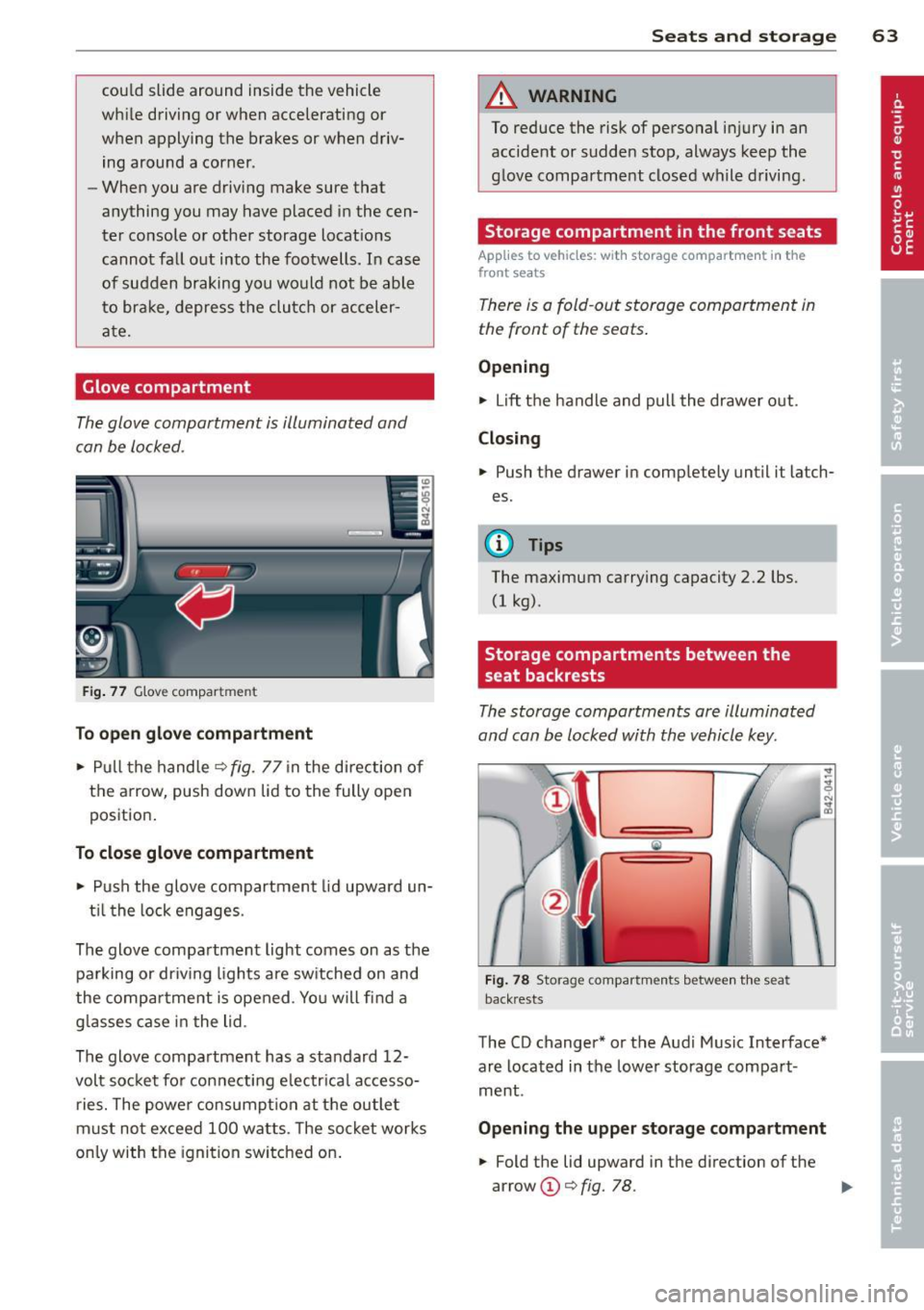
Glove compartment
The glove compartment is illuminated and
can be locked.
F ig . 77 G love compar tmen t
To op en glove compa rtm ent
... Pull the hand le ¢ fig . 77 in the direction of
the arrow, push down lid to the fully open
position.
To close glove compartm ent
.., Push the glove compartment lid upward un-
t il the lock engages.
The glove compartment light comes on as the parking or dr iving lights are sw itched on and
the compartment is opened . Yo u will find a
g lasses case in the lid .
The glove compartment has a standard 12-
volt socket for con necting e lectrica l accesso
ries. The powe r consumpt ion at the outlet
must not exceed 100 watts. The socket works
on ly with the ignition switched on .
Sea ts a nd s to rage 63
A WARNING
To reduce the risk of personal injury in an
accident or sudden stop, always keep the
glove compartment closed while driving.
Storage compartment in the front seats
Applies to vehicles: with storage compartment in the
front seats
There is a fold -out storage compartment in
the front of the seats .
Opening
.., Lift the handle and pull the drawer out.
Closing
... Push the drawer in completely until it latch
es.
(!) Tips
The maximum carrying capacity 2 .2 lbs.
(1 kg).
Storage compartments between the
seat backrests
The storage compartments are illuminated
and can be locked with the vehicle key.
F ig . 78 Storage compar tm ents betw een th e sea t
back rests
The CD changer* or the Audi Music Interface*
are located in the lower storage compart
ment .
Opening the upper storage compartment
... Fold the lid upward in the direction of the
arrow @¢
fig. 78. ..,_
Page 74 of 236
7 2 On the road
-The eng ine cann ot be started by pushing
or towing the vehicle.
@ For the sake of the env ironment
To avo id unnecessary engine wea r and to
red uce exhaust emissions, do not let your
vehicle stand and warm up . Be ready to
drive off immediately after starting your
veh icle.
Stopping the engine
On vehicles with R tronic*, the engine can be
turned off in the neutral position N and in
each gear (1 -6 and R).
.,. Turn the ign ition key to position ©
¢ page 70, fig. 82.
A WARNING
-Never turn off the eng ine unti l the vehi
cle has come to a complete stop.
- The brake booster and servotronic on ly
work when the engine is running. With
the ignition turned off, you have to apply
more force when stee ring or braking.
S ince you cannot steer and stop no rma l
ly, this can lead t o acciden ts and ser io us
injuries.
- If the engine has bee n under heavy load
fo r an ext ended period of time, heat
builds up i n the engi ne compa rtme nt af
ter the eng ine is sw itched off -there is a
risk of damaging the engine . Allow the
engine to continue to run at idle for a
sho rt time or drive until it has cooled
down before you turn it off¢
page 151.
- If the engine has been under heavy load
for an extended pe riod of time, it can be
come extreme ly hot. You should not park
your vehicle over easily combustible ob
j ects o r areas (e.g. g rass or leaves). There
i s a r isk of start ing a f ire.
(D Tips
After the engine has been switched off, the
radiator fan can continue to run for up to
10 minutes -even with the ignition switch
ed off. It can also sw itch on again after
some time if the coolant tempe rature rises
as the result of heat b uild up or if the en
g ine compartment is heated by the sun 's
r ays and the eng ine is hot.
Parking brake
Parking brake
When the parking brake is set, it prevents the
vehicle from rolling away unintentionally .
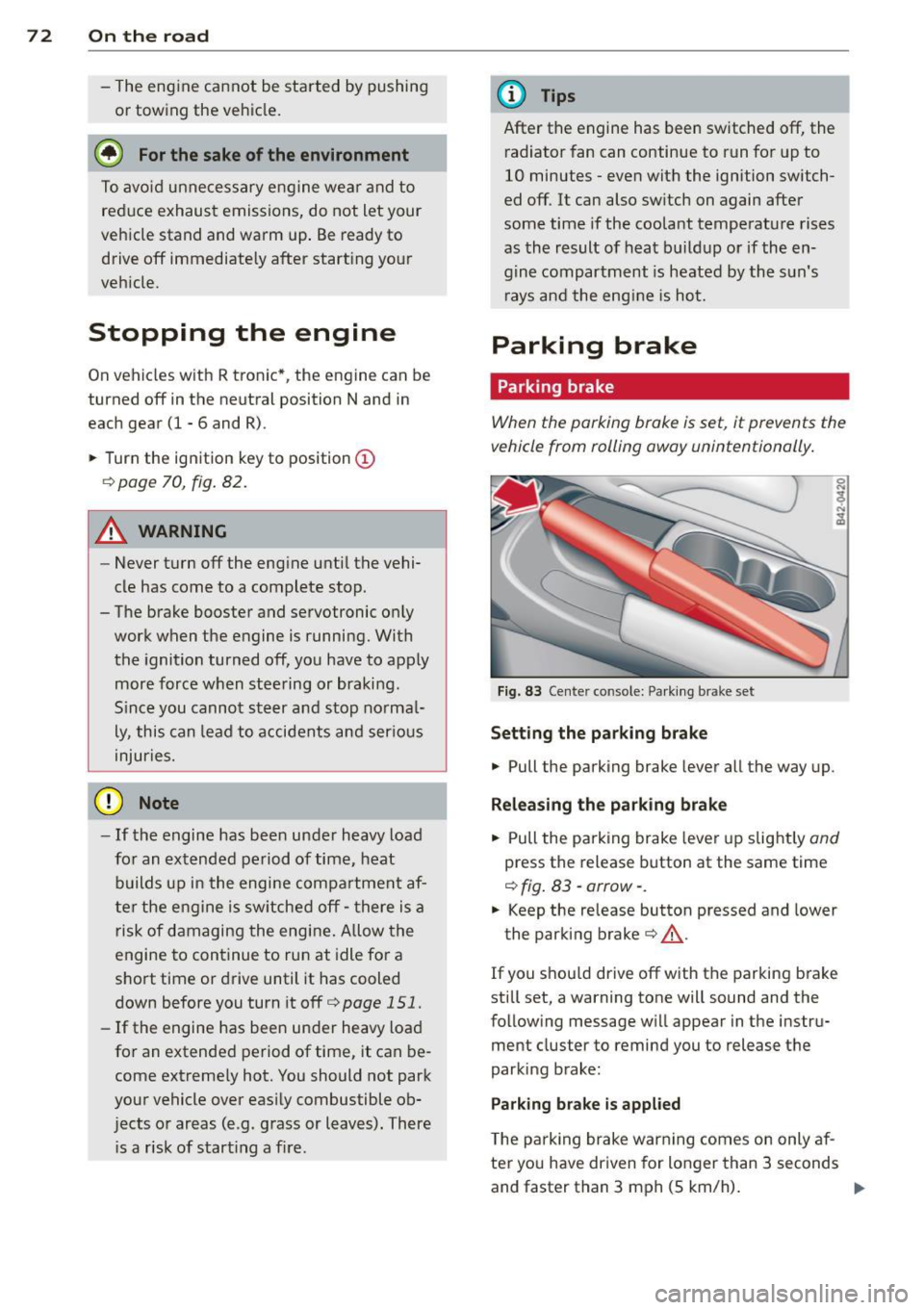
Fig. 83 Center console: Pa rk in g brake set
Setting the parking brake
.,. Pull the parking brake lever a ll the way up.
Releasing the park ing brake
.,. Pull the pa rking brake lever up slight ly and
press the release button at the same time
¢ fig . 83 -arrow- .
.,. Keep the release button pressed and lower
the parking brake¢&_.
If you s hou ld drive off with the parking b rake
st ill set, a warning tone will sound and the
following message wi ll appear in the instru
ment cluster to remind you to release the
parking brake:
Parking brake is applied
T he p arking brake war ning comes on only af
ter yo u have dr iven for longer than 3 seconds
and faster than 3 mph (5 km/h) . .,.
Page 75 of 236
The parking brake warning light_
(USA)/ . (CON) ill uminates when the parking
brake is set and you switch on the ignition .
A WARNING
-
Always release the parking brake com
pletely. A partially engaged brake will
overheat the rear brakes, reduce the ir ef
fectiveness and cause excess ive wear. This
cou ld lead to brake failure and an accident .
(D Note
Only after the ve hicle has come to com
plete stop, should you f irm ly set the park
ing brake and move the gearsh ift lever into
a gear .
Parking
To prevent a parked vehicle from rolling
away, there are a few things you should do.
.,. Stop the vehicle using the brake pedal.
.,. Set the parking brake firmly .
.,. Switc h off the engine .
" Engage a gear
~ &.-
What else you should do when parking
your v ehicle on an incline or decline
T u rn the steering wheel so that if the vehicle
should sta rt to ro ll, it will roll into the curb .
A WARNING
This is how yo u can reduce the risk of in
jury when le aving your veh icle.
- Never par k the vehicle whe re it ca n come
in contac t wi th dry grass, s pilled f uel or
any other flammable mater ials .
- Neve r allow anyone - especially small
ch ildren - to rem ain in the vehicle whe n
it is locked. Locked doors ma ke it mo re
difficult for rescuers to access the pas
senger compartment in the event of an
emergency. Danger to life!
- Never leave c hildren unsupervised in the
vehicle. Children co uld re lease the park
ing brake or move the gea rshift lever out
-
On th e ro ad 73
of gear . The vehicle cou ld sta rt to ro ll
away and cause an acc ident.
- No matte r what the season is, the tem
peratu re in a parked veh icle can reach
dangerous leve ls .
Starting on hills
App lies to vehicles : wit h hill ho ld assist
Hill ho ld assist makes it eas ier to start on
hills .
The system is activated when the brake peda l
is depressed
for a few seconds .
After releasing the brake pedal, the brake
power is held for a
brief moment to prevent
the ve hicle from rolling back when starting .
D uring this t ime, you can easily begin to move
your vehicle.
A WARNING
- If you did not begin moving immed iate ly
after rel easing the brake pedal, the vehi
cle could b eg in to roll bac kward unde r
cer ta in c ircu mstances . Dep ress the brake
pe dal imme diate ly or eng age the p arking
bra ke.
- If the engine sta lls, de pre ss the bra ke
pe dal imme diate ly or engage the pa rking
brake .
- T o prevent the vehicle from ro lling b ack
un intent iona lly when st arting in stop
an d-go tra ffic, keep the brake pedal de
pressed for a few seconds before d riving
off.
(D Tips
You can find o ut if yo ur vehicle is eq uipped
wi th "hi ll hol d assist" at an a uthorized Au
di dealer.
Page 80 of 236
78 Transmission
@ Tips
-When accelerating using the Launch
Control program, all vehicle parts are
subject to heavy loads. This can result in
increased wear.
- The Launch Control Program only func tions when the parking brake is released
and the vehicle speed is less than 3 mph
(5 km/h).
R tronic
Description
Applies to vehicles: with R tro nic
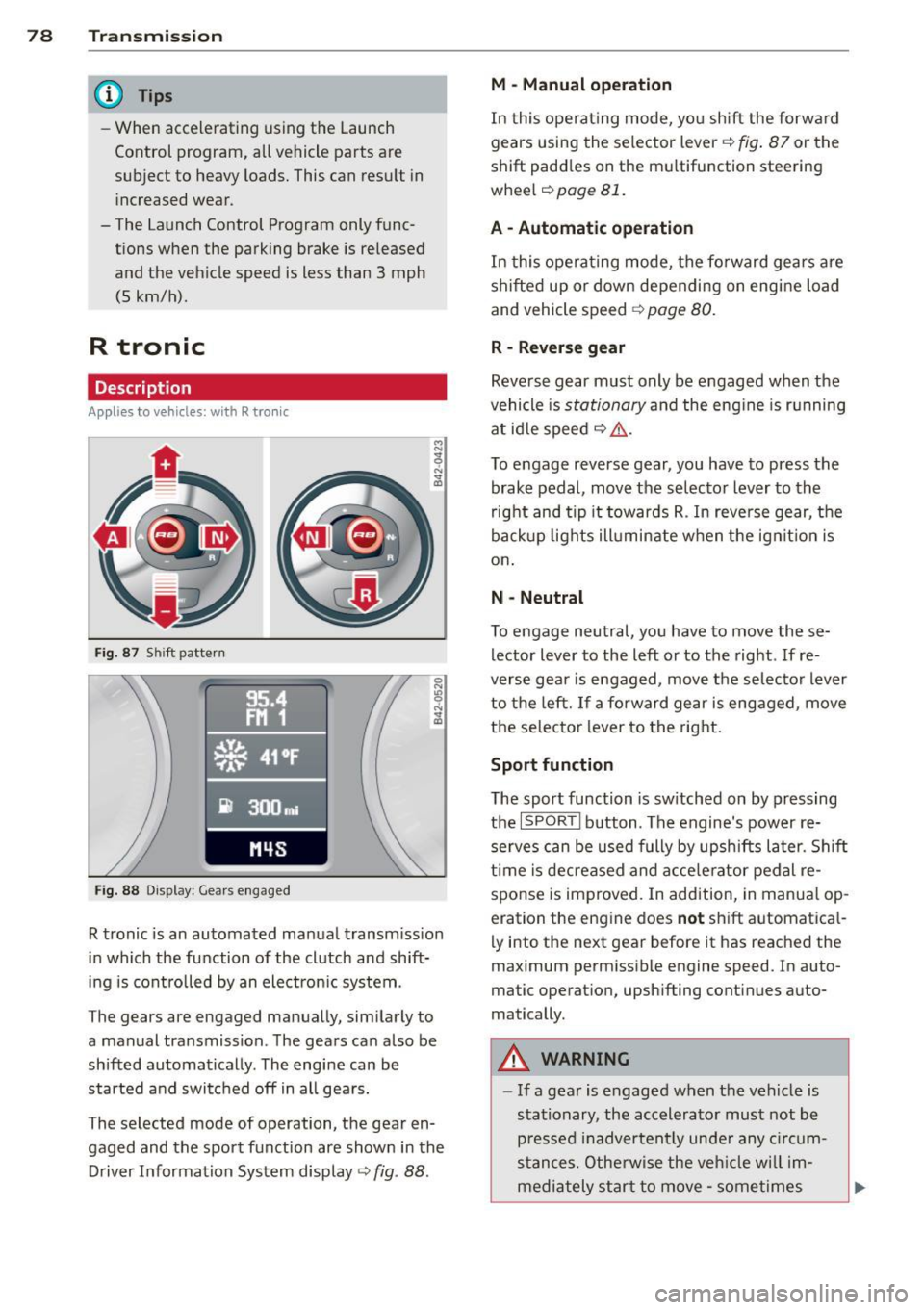
Fig. 87 Shi ft pattern
Fig. 88 Disp lay: Gea rs engaged
R tronic is an automated manual transmission
in which the function of the clutch and shift
ing is controlled by an electron ic system .
The gears are engaged manually, sim ilarly to
a manual transmission . The gears can also be
shifted automatically . The engine can be
started and switched off in all gears.
The selected mode of operation, the gear en
gaged and the sport function are shown in the
Driver Information System display
Q fig . 88 .
M -Manual operation
In this operat ing mode, you shift the forward
gears using the selector lever
Q fig. 87 or the
shift paddles on the mu ltifunction steering
whee l
Q page 81.
A - Automatic operation
In this opera ting mode, the forward gears are
shifted up or down depending on engine load
and vehicle speed
Q page 80.
R -Reverse gear
Reverse gear must only be engaged when the
vehicle is
stationary and the eng ine is running
at idle speed
¢ ,&. .
To engage reverse gear, you have to press the
brake pedal,
move the selector lever to the
right and tip it to wards R . In reverse gear, the
backup lights illuminate when the ignit ion is
on .
N -Neutral
To engage neutral, you have to move these
lector lever to the left or to the right.
If re
verse gear is engaged,
move the selector lever
to the left.
If a forward gear is engaged , move
the selector lever to the right.
Sport function
The sport function is sw itched on by pressing
the
I SPOR T I button. The engine's power re
serves can be used fully by upshifts later. Shift
time is decreased and accelerator pedal re
sponse is improved. In addition, in manual op
eration the engine does
not shift automatica l
ly into the next gear before it has reached the
maximum permissible engine speed. In auto
matic operation, upsh ifting cont inues auto
matically.
A WARNING
-- If a gear is engaged when the vehicle is
stationary, the accelerato r must not be
p ressed inadvertently under any circum
stances. Otherwise the vehicle w ill im
mediately star t to
move -sometimes
Page 81 of 236
even if the parking brake is firmly ap
plied.
- Before you or other persons open the en
gine compartment lid and work on a r un
ning eng ine, se lect neutral position
N
and firmly apply the handbrake. Follow
the warning notes .
(D Tips
If you accidentally sh ifted into N whi le
driving, you can engage a gear in the nor
mal way using the selector lever.
Manual operation
App lies to vehicles: with R tron ic
R tronic allows the driver to shift gears man
ually.
Starting from a stop
.. Press and ho ld the brake pedal.
.. Move the selector lever to the left.
.. Tap the se lector lever forward
0 -
.. Re lease the brake pedal and acce lerate
c> _& .
Shifting
.. To shift up, tap the selector lever fo rward
0 -
.. To shift down, tap the selector lever to the
rear
0 .
Stopp ing temporarily
.,. Prevent the ve hicl e from mov ing by using
the foot brake, e.g. at t raffic signa ls.
.. Do not accelerate.
If you do not press either
the brake peda l or the acce lerator pedal for
some time when stat ionary, neutral position
N is engaged automatically and a ch ime
sounds.
P a rking
.. Press and ho ld the brake pedal¢_& .
.. Apply the hand brake f irm ly.
.. Engage a gear.
.. Switc h the ignition
off .
Tran sm iss ion 79
Stopping on an incline
.. Always keep t he veh icle s tat io nary using
the foot brake to prevent it from "rolling
back" ¢_& . D o
not try to p revent the vehi
cle from "rolling back" when a gear is en
gaged by increasing engine speed.
.. App ly the hand brake firmly.
Sta rting on a hill
.. With a gear engaged, remove your foot
from the brake, acce lerate and slowly re
lease the hand brake .
When accelera ting, R tronic shifts into the
next gear i n gea rs 1, 2, 3, 4 and 5 short ly be
fore the maxim um permissible engine speed
is reached. Exception: You have activated the
sport funct ion ¢
page 78.
If you have se lected a lower gear tha n the c ur
rent one, R tro nic wi ll shift down only when
the engine will not be over-revved .
You can swi tch to a utomat ic operation at any
time
c> page 80 .
_& WARNING
- Never leave your vehicle with the engine
r u nning while in gear . If you must leave
your veh icle w ith the engine r unning, set
the park ing brake fi rm ly and engage neu
tral N.
- With the engine r unning and a gear en
gaged, you have to hold the ve hicle w ith
the foot brake .
- Do not accelerate when you s hift gears
wit h the vehicle stationary and the en
g ine runni ng .
- Before dr iving dow n a steep slope, re
duce your sp eed and shift i nto a lowe r
gea r with R tronic.
- Do not ride the brakes or apply the bra ke
pedal too ofte n or too long . Constant
b ra ki ng c auses the brakes to ove rheat
a nd substantially redu ce s bra king per
form ance, in cre ases br aking d ist ance or
causes complete fa il ur e of the brake sys
tem .
Page 90 of 236
88 Homelin k®
Homelink ®
Universal remote
control
General information
The Homelink universal remote control can
be programmed with hand-held transmitters
from existing equipment.
You must first program the Homelink ® trans
mitter before you can use the system
~ page 88, Programming the Homelink ®
transmitter.
In order to program the Homelink® transmit
ter for devices utilizing rolling code, a second person on a ladder who can safely reach the
garage door opener motor is recommended.
It is also necessary to locate the "learn" but
ton on your garage door opener motor . Refer
to the operating instructions for the opener,
as the location and color of this button may
vary by manufacturer .
You can still use the original remote control
for the device at any time.
A WARNING
-
- Never use the Homelink® transmitter
with any garage door opener that does
have not the safety stop and reverse fea
ture as required by federal safety stand
ards. This includes any garage door open
er model manufactured before April 1,
1982.
- A garage door opener which cannot de
tect an object, signaling the door to stop
and reverse does not meet current feder
al safety standards. Using a garage door
opener without these features increases
risk of serious injury or death.
- For safety reasons never release the
parking brake or start the engine while
anyone is standing in front of the vehicle.
- A garage door or an estate gate may
sometimes be set in motion when the
Homelink ® remote control is being pro
grammed. If the device is repeatedly ac- tivated, this can overstrain motor and
damage its electrical components
-an
overheated motor is a fire hazard!
- To avoid possible injuries or property
damage, please always make absolutely
certain that no persons or objects are lo
cated in the range of motion of any
equipment being operated.
{!) Tips
- If you would like more information on
Homelink ®, where to purchase the
Homelink ® compatible products, or
would like to purchase the Homelink®
Home Lighting Package, please call toll
free: 1-800-355-3515.
- For Declaration of Compliance to United
States FCC and Industry Canada regula
tions ~
page 222.
Programming the Homelink ®
transmitter
The transmitter is programmed in two phas
es. For rolling code transmitters, a third
phase is also necessary.
~----------------- ~ ,:.
~
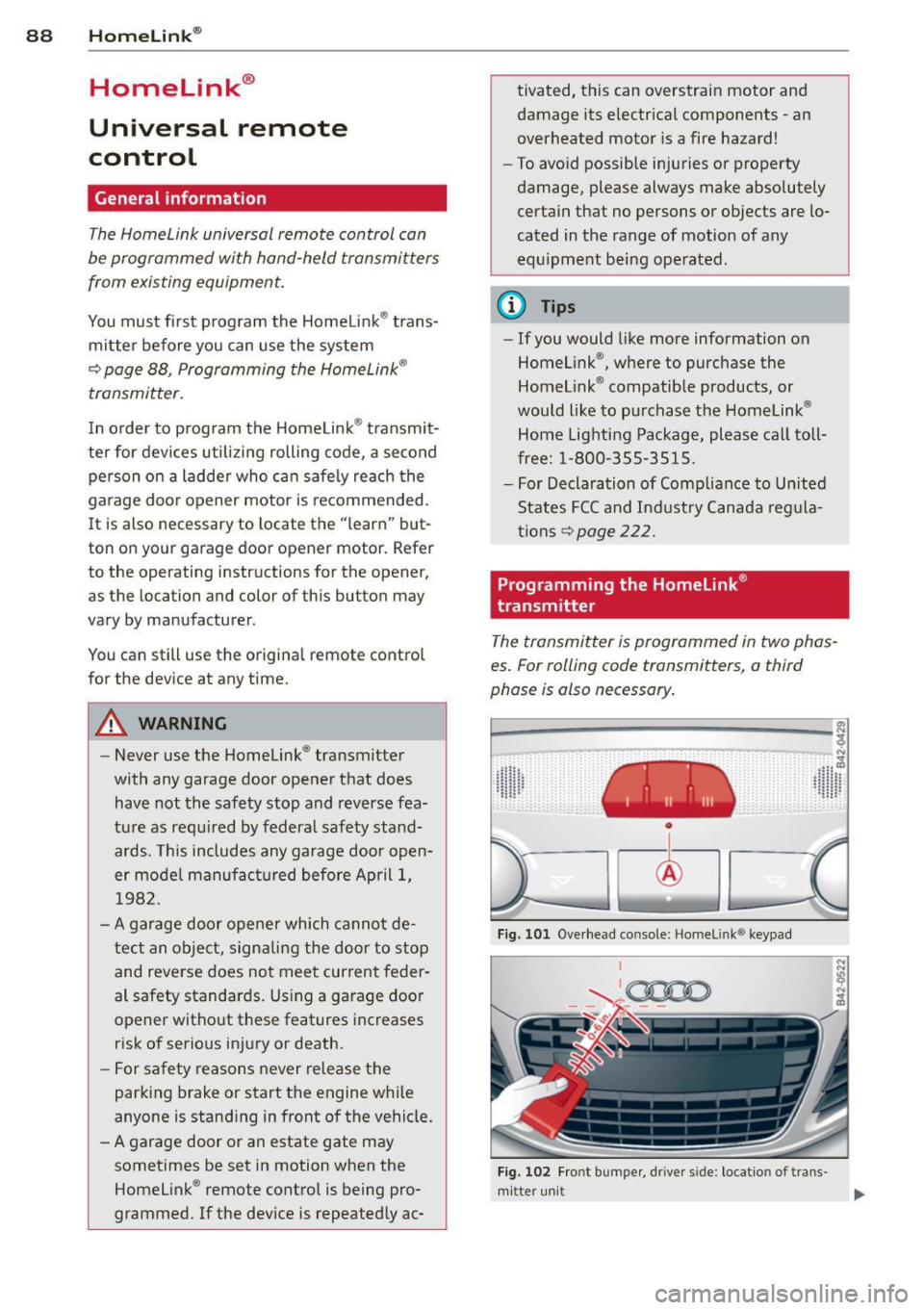
Fig. 101 Overhead console: Homeli nk® keypad
I
'-..~0000 - - ,r.;-_ - -
Fig. 102 Fro nt bumper , driver side : loc ation of trans -
mi tter unit ..,_
Page 91 of 236
Phase 1:
p rogramming th e overh ead k eypad
1. Make sure your vehicle is wit hin operating
range of the remote controlled garage
door opener.
2. Set the parking brake
q A in General in
formation on page 88.
3 . Turn the ignition on . Do not start the en
g ine!
4. P ress and hold the two outs ide Home
Link ® buttons
(D and @for approxi
mately 20 seconds until indicator light @
¢fig. 101 begins to flash . Then release
both buttons. Do not ho ld the buttons for
longer than 30 seconds.
.,. This procedure only needs to be performed
once . It erases the factory-set default codes
and does not have to be repeated to pro
gram add it ional remote controls.
S. P ress and hold the Home Link ® button
(D ,
® or @ until the indicato r ligh t@
starts flashing
slowly. Re lease the bu tton.
.,. The system will remain in programming
mode for 5 minutes . Co to the front of the
vehicle and proceed with phase 2 .
Phase 2:
programmin g th e bumper mounted tran s
m itter
6. Hold the original remote control at a dis
tance between 0 -6 in. (0 -15 cm) from the
bumper below the appropriate headlight
for your vehicle
c:!;> fig. 102 (use the short
est distance possib le).
7 . A im the remote con trol just be low the
driver sid e head light.
8. P ress and hold the activation button on
the remote contro l.
.,. May be different in Canada.
If so, press and
re-press (cycle) the act ivation button on your
remote control every two seconds.
9. The emergency flashers will flash
three
time s
(after about 15-60 seconds) when
the programm ing is successful. Release
the butto n on the remote control.
.,. To program more devices, repeat steps 4 to
9.
Homelink ® 89
10. Press and hold the tra ined Homelink ®
button and observe the indicator light @
qfig. 101 .
.,. If the indicator light is solid/contin uous,
programm ing is complete and your device
should activate when you press and release
the t ra ined Homel ink® button .
.,. If the ind icator light blinks rapidly fo r 2 sec
onds and is the n a solid/continuous light,
p roceed w ith phase 3 to program a roll ing
code device.
Phase 3: rolling code programming
.,. A second pe rson on a ladder who can safely
reach the garage door opene r motor is rec
ommended .
11. Lo ca te the "learn" button on the ga rage
doo r opener motor ( re fer to the operating
instructions for the opener, as t he loca
tion of t his button may vary by man ufac
turer).
12. Press and re lease the learn button on the
garage door opener motor .
.,. Not e: once the button is pressed, there are
30 s econds in wh ich to in it iate the next
step.
13. On t he Homelink ® keypad inside the vehi
cl e, firmly press and ho ld the Homel in k®
bu tton prev iously programmed in phases
1 and 2 for two seconds and release. Re
peat this sequence
twice.
.,. Some vehicles may require the press/hold/
release sequence up to three times to com
plete t he trai ning process .
.,. Homelink ® should now activate your rolling
code equipped device.
If the S m inute time limit is exceeded, the
emergency flash ers will flash one time to in
dicate that the p rocess has been te rm inated.
In this case, repeat steps 4 t hrough 9.
If the emergency flashers do not flash
three
times (after about lS-60 seconds), program ming was not successful. In this case, repeat
steps 4 through 9 .
Remote contro l units for garage door openers
in Canada are set to stop transmitting radio
frequency sig nals afte r two seconds. This t ime
Ill-