warning lights AUDI R8 SPYDER 2014 User Guide
[x] Cancel search | Manufacturer: AUDI, Model Year: 2014, Model line: R8 SPYDER, Model: AUDI R8 SPYDER 2014Pages: 244, PDF Size: 61.06 MB
Page 20 of 244
18 Instrum ent s and w arn ing /indic ato r light s
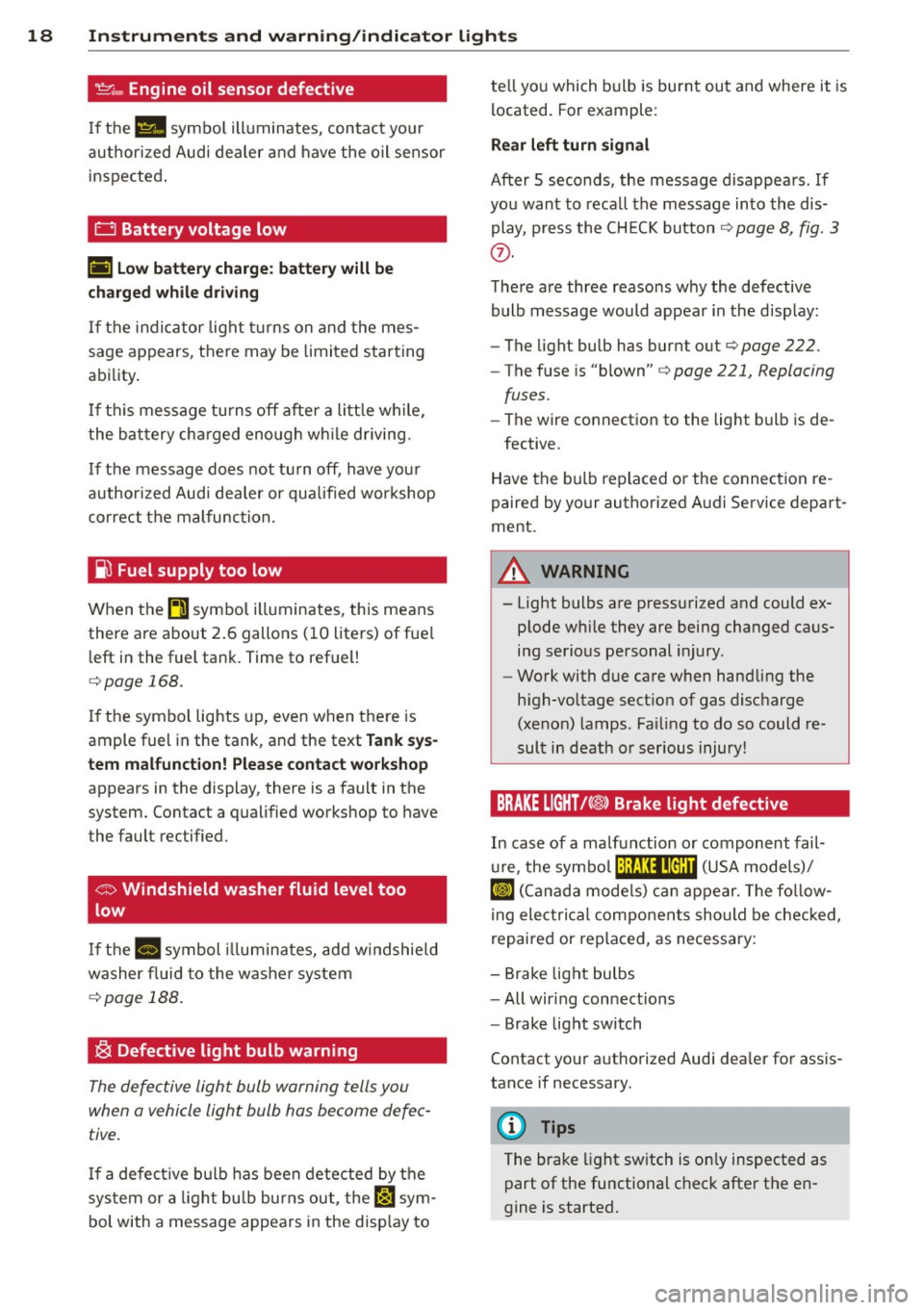
't':r.,. Engine oil sensor defective
If the Ill symbo l illuminates, contact your
author ized Audi dealer and have the oil sensor
inspected .
0 Battery voltage low
(•) Low batter y ch arg e: batt ery wi ll be
charged while dri ving
If the indicator light turns on and t he mes
sage appears, there may be limited starting
ability.
I f th is message turns off after a litt le wh ile,
the battery cha rged enough wh ile driving.
If the message does not turn off, have your
author ized Audi dealer or qualified workshop
correct the malfunction.
~ Fuel supply too low
When the~ symbo l illuminates, this means
there are about 2 .6 gallons (10 liters) of fue l
l eft in the fuel tank. Time to refuel!
c::> page 168.
If the symbol lights up, even when the re is
ample fuel in the tank, and the text
Tank sys
tem m alfunct ion! Plea se cont act workshop
appears in the display, there is a fault in the
system. Contact a qualified workshop to have
the fault rectified.
<;:> Windshield washer fluid level too
low
If the -· "ymbol illum inates, add w indshield
washer f luid to the washer system
c::> page 188.
~ Defective light bulb warning
The defective light bulb warning tells you
when a vehicle light bulb has become defec tive .
If a defect ive b ulb has been detected by the
sys tem or a ligh t bu lb burns out , the
l',sl sym
bol with a message appears in the disp lay to te
ll yo u which bulb is burnt out and where it is
located. For example:
Rear left turn sign al
After 5 seconds, the message disappears . If
you want to reca ll the message into the dis
play, p ress the CH ECK button
c::> page 8, fig. 3
(J).
The re are three reasons why the defective
bulb message would appear in the disp lay:
- The light bulb has burnt out
c::>page 222.
-The fuse is "blown" c::> page 221, Replacing
fuses.
- The wire connection to the light bulb is de-
fective.
Have the bulb replaced or the connection re
paired by your authorized Audi Service depart
ment.
A WARNING
-- Light bulbs are pressurized and could ex- plode wh ile they are being changed caus
ing serious personal injury.
- Work with due care when handling the
high-vo ltage sect ion of gas discharge
(xenon) lamps. Fa iling to do so could re
sult in death or serious injury!
BRAKE LIGHT t<@> Brake light defective
In case of a ma lfunction or component fail-
u re, the symbo l (USA models)/
¢@ )
repaired or rep laced, as necessary:
- Brake light bulbs
- All wir ing connections
- Brake light switch
Contact your a uthorized Audi dea ler for assis
tance if necessary.
(D Tips
The brake light sw itch is on ly inspected as
part of the functional check after the en
gine is started.
Page 21 of 244
Instrument s and warnin g/indic ator ligh ts 19
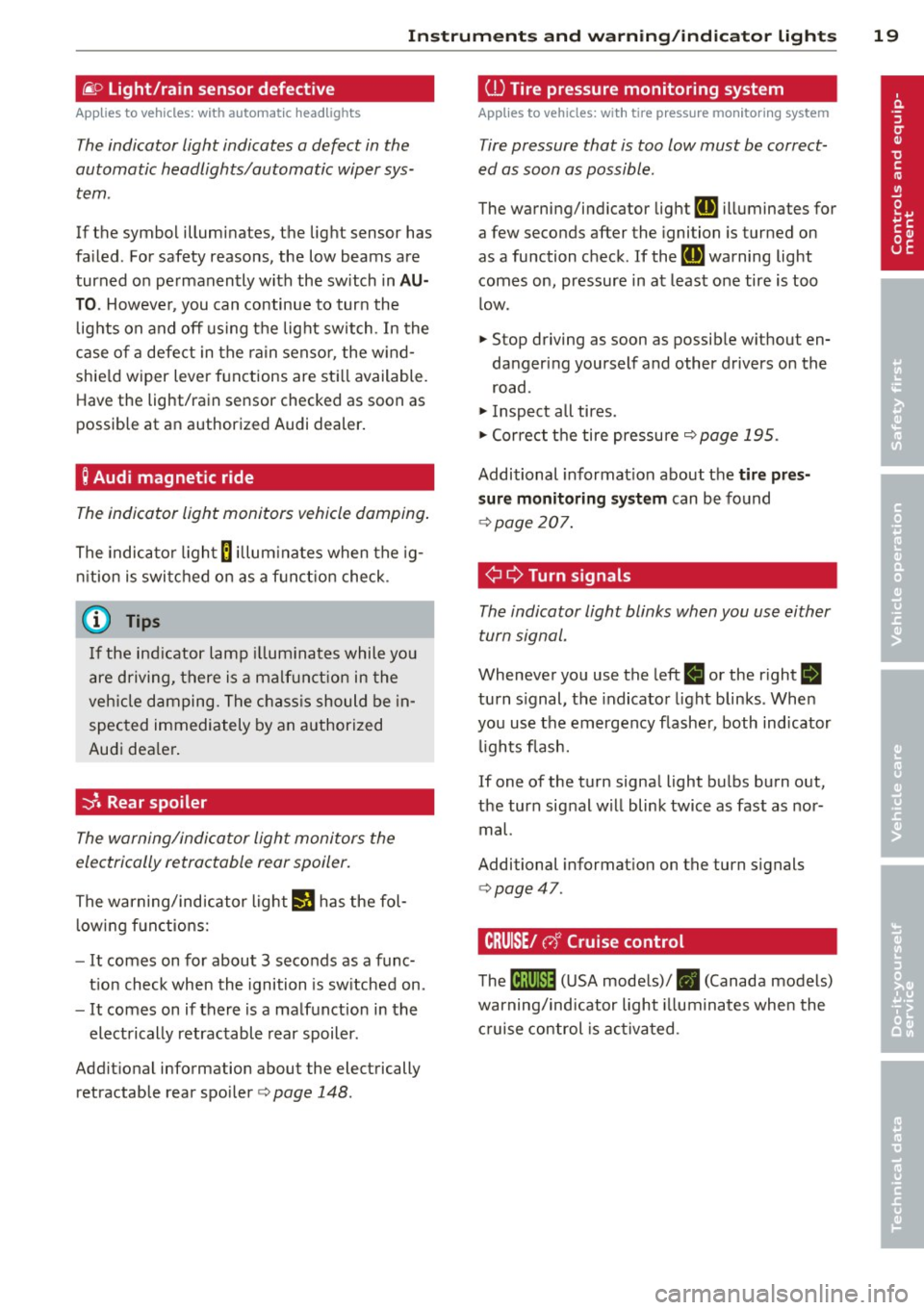
@:> Light/rain sensor defective
Applies to vehicles: with a utomat ic head lights
The indicator light indicates a defect in the
automatic headlights/automatic wiper sys
tem.
If the symbol illuminates, the light sensor has
failed. For safety reasons, the low beams are
turned on permanently with the switch in
A U
TO . However, you can continue to turn the
lights on and off using the light switch . In the
case of a defect in the rain sensor, the w ind
shie ld wiper lever functions are sti ll available.
Have the light/rain sensor checked as soon as
possible at an authorized Audi dealer.
; Audi magnetic ride
The indicator light monitors vehicle damping .
The indicator l ight
B illum inates when the ig
n ition is switched on as a f unct ion check.
@ Tips
If the ind icator lamp illum inates while you
are driving, there is a malfunct ion in the
veh icle damping. The chass is should be in
spected immediately by an authorized
Audi dea ler .
-::}. Rear spoiler
The warning/indicator light monitors the
electrically retractable rear spoiler.
The warning/ind icator ligh t
IJ has the fol
l owing f unctions:
- It comes on for about 3 seconds as a func
t ion check when the ignition is sw itched on.
- It comes on if there is a malfunction in the
electrically retractable rear spoiler.
Addit ional information about the electrically
retractable rear spoi ler
c> page 148.
ill Tire pressure monitoring system
Applies to vehicles : wit h tire press ure mo nitor ing system
Tire pressure that is too low must be correct
ed as soon as possible.
The warning/indicator lig ht
RE illuminates for
a few seconds after the ignition is turned on
as a function check. If the
RE warning light
comes on, pressure in at least one tire is too
l ow .
.,. Stop driving as soon as possible w ithout en
dangering yourself and other drivers on the
road.
.,. Inspect all tires .
.,. Correct t he tire pressure
c> page 195.
Additional informat ion about the
tire pr es
s ur e monit oring system
can be found
c> page 207.
¢ ¢Turn signals
The indicator light blinks when you use either
turn signal.
Whenever you use the left
B or the right B
turn s ignal, the indicator light blinks . Whe n
you use the emergency flashe r, both indicator
lights flash.
If one of the turn signa l light bulbs bu rn out,
the turn signal w ill blink twice as fast as nor
mal.
Additional informat ion on the turn s ignals
c> page47 .
CRUISE/ c,)"' Cruise control
The tB;m~14 (U SA mode ls)/ • (Canada models)
warning/indicator light illuminates when the
c ruise control is activa ted.
Page 25 of 244

Set Clock¢ page 24
Tire pressure ¢page206
Computer
c::> page 2 4
Speed warning
c::> page 73
Langu age
c::> page 24
Units (distance, fuel consump-
tion, temperature)
c::> page 24
Lap timer
c::> page 25
Lights
c::> page 46
Wiper (service posit ion)
c::> page 53
Doors (unlocking and locking
mode, for e xample Auto-lock)
c::> page 30, c::> page 30
Check Service c::> page 24
Chassis number
c::> page 223
Keys
Menu off The menu display is hidden and
. the lap timer appears .
Navigating the menu
Use the rocker switch on the windshield wiper
lever and the
I RESET I button to ope rote the
menu and carry out inquiries and selections.
~-- @
Fig. 12 W iper leve r: Co ntrols for the menu d isplay
F ig . 13 D isplay: Start menu
Driver in formation system 23
I Reset I button @ and rocker switch @
c::> fig. 12 fu nctions:
To open the menu
~ Press the I Reset I but to n @ unti l the me nu
disp lay
c::> fig . 13 appears
Selections and settings
~ Press the rocker switch @to reac h a menu
display. The switch is operated the same as
th e display (up/down) .
Entering and confirming
~ Press the I RESET I button @.
Returning to the Start menu
~ Press the I RESET I button longer than 2 sec
onds to return from any menu level to the
Start menu .
U sing the rocker swi tc h, you can selec t the
men us in the display or change settings. A
cu rsor appea rs on the left in front of th e se
lected values.
By press ing the
! RESET I button, you act ivate
the se lec tion you made or confirm the va lues
yo u set.
Sele cted functions are identified wit h
a check mark or are carried out directly .
Mean ings of the symbols i n the display:
Selec
tion bar
>
./
D
Selected funct io n Mea ning
Cursor
C heck ma rk
Box Curren
t Selec
tion
Selected or
Function active
Not selected
Tr ian gle pointi ng Previou s page
up
Triangle pointing IINext page
down
Page 32 of 244
30 Opening and closing
Power locking system
General description
The power locking system locks or unlocks all
doors simultaneously.
The power lock ing system in your ve hicle in
corporates the fo llow ing funct ions:
- Central locking function
- Remote con tro l feature q page 29.
- Anti -Theft Alarm Sys tem q page 34.
A ll the doors and the fron t lid are loc ked by
the central locking system when you lock the
ve hicl e.
The unlocking a nd lock ing mode * can be
cha nged in t he d river i nfo rmation system
qpage22.
Unlocking the vehicle
You can un lock the vehicle from outs ide e ither
by using the remote control
or by insert ing
a nd turning the key in t he d river's doo r lock.
When you
unlock your veh icle:
- The anti-theft alarm system is deactivated br iefly.
- The veh icle inter ior lights ill uminate for ap
proximate ly 30 seconds.
- All turn signa l lights will f lash twice w hen
the car is unlocked.
- After unloc king the vehicle, yo u have 30 sec
onds t o open a door or the front lid. After 30
seconds, the vehicle automatically locks and
the ant i-theft a larm system activates again.
The front lid can be locked or u nlocked e it h er
by using the remote control
or by insert ing
a nd turning the key in the driver's door lock.
Unlock ing the ve hicle w ith the remote co ntrol
c::::5 will only unlock the front lid, to open it,
the lid handle needs to be p ressed.
Locking the vehicle
You can lock the vehicle from o utside e ither by
using the remote control
or by insert ing and
turning the key in t he d rivers's door lock.
When you
lo ck the vehicle:
- All doors and the front lid are locked. -
All turn signal lights wi ll flash once when
the car is loc ke d.
- The ant i-theft alarm system is ac tiva ted.
The ho rn of the anti -theft alarm system wi ll
sound and the anti-theft a la rm system read
iness light, located in the center of the in
strument panel be low the w indshield on the
r ight side of the a ir vent, will start to blink.
- The vehicle interior lights turn off.
Automatic lock ing*
T he au tom atic locking fea ture locks a ll the ve
hicle doors and the fron t lid when yo u drive
faster than
9 mph (15 km/h).
You can unl ock t he vehi cle from the inside by:
- remov ing the key from the igni tion swi tc h
(the vehi cle w ill automatically u nlock itself)
or
- pressi ng the un lock pa rt of the power lock
sw itch
ll:D or
pull ing the door handle (to open the doo r).
If you wish, yo u can have an autho rized Aud i
dealer convert your power doo r lock system to
automat ic locking.
Unintentionally locking yourself out
T he vehicle does not lock with t he centra l
l ocking switch
¢ page 3 2 if the driver's door
is open .
D o no t lock your ve hicle w ith the
remote mas
ter key
un til a ll doo rs and t he front lid a re
closed. In this way yo u avoid locking yourse lf
o ut acc identally .
_& WARNING
- When you lock yo ur vehicle from o utside,
nobody- espec ia lly children -shou ld re
main inside the vehicle. Remember,
when yo u lock th e vehicle from the out
side th e wi ndows canno t be o pened from
the inside.
- W hen you leav e th e ve hicle, always r e
move the ign ition key an d take it with
you. This will preven t passe ngers (chil
d ren, f or example) from a ccidenta lly be
i ng l ocke d in the vehicle s hould they
Page 33 of 244
accidentally press the power locking
switch in one of the doors.
- Do not leave children inside the vehicle
unsupervised. In an emergency it would
be impossible to open the doors from
the outside without the key.
@ Tips
- The dr iver's door can be locked and un
locked with the key if the power locking
system fails. The passenger's door can be locked manually
o page 33.
- In the event of a crash with airbag de
ployment all locked doors will be auto
matically unlocked to give access to the
vehicle occupants from the outside.
- The anti-theft alarm system cannot be
activated if the power locking system is
not activated.
- You are well advised not to keep valua
bles inside an unattended vehicle, visible
or not . Even a properly locked vehicle
cannot provide the security of a safe!
Unlocking and locking the vehicle with
the remote control
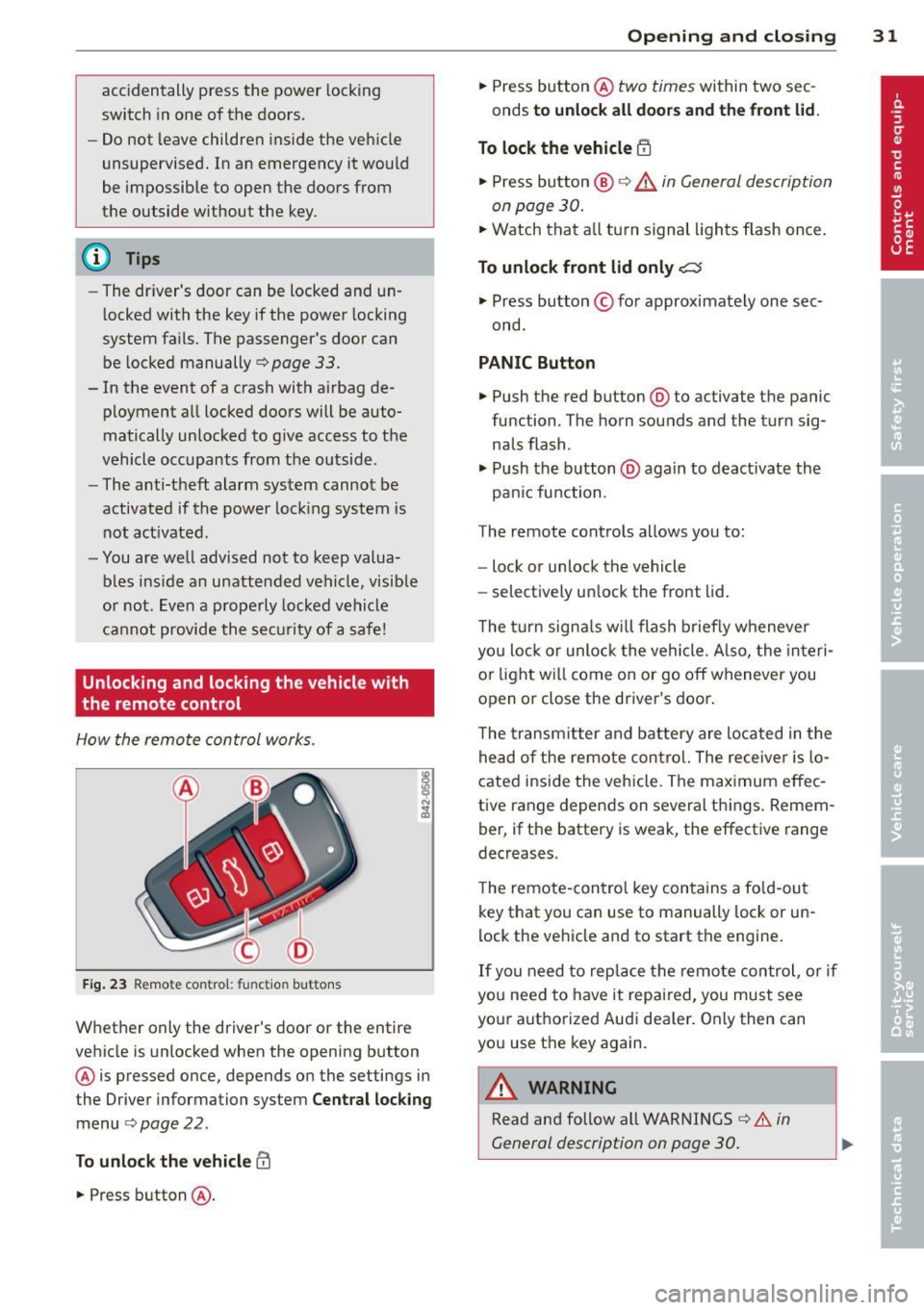
How the remote control works.
Fig. 23 Remote control: fu nctio n buttons
Whether only the driver's door or the entire
vehicle is unlocked when the opening button
@ is pressed once, depends on the settings in
the Driver information system
Central locking
menu o page 22.
To unlock the vehicle m
.. Press button @.
Opening and closing 31
.. Press button @ two times within two sec
onds
to unlock all doors and the front lid.
To lock the vehicle i'.'fl
.. Press button @ o &_ in General description
on page 30.
.,. Watch that all tu rn signal lights flash once.
To unlock front lid only C::$
.. Press button © for approximately one sec
ond.
PANIC Button
.,. Push the red button @to activate the panic
function . The horn sounds and the turn sig
nals flash.
.. Push the button @again to deact ivate the
pan ic function.
The remote controls allows you to:
- lock or unlock the vehicle
- selectively un lock the front lid.
The turn signals will flash briefly whenever
you lock or unlock the vehicle. Also, the interi
or light will come on or go off whenever you
open or close the driver's door .
The transmitter and battery are located in the
head of the remote control. The receiver is lo
cated inside the vehicle. The maximum effec
tive range depends on several things . Remem
ber, if the battery is weak, the effective range
decreases.
The remote-contro l key contains a fo ld-out
key that you can use to manually lock or un
lock the vehicle and to start the engine.
If you need to replace the remote control, or if
you need to have it repaired, you must see
your authorized Audi dea ler . Only then can
you use the key again.
A WARNING
Read and follow all WARNINGS o .&. in
General description on page 30.
Page 49 of 244

shown as active in the driver information
system.
The
coming home function illuminates the
area around the vehicle when the ignition is
switched off and the driver 's door is opened.
The length of time the lights rema in on can be
set in the menu display
(Lights> Exterior
lights> coming home) .
The leaving home function illuminates the
area around the vehicle when unlock ing it.
A WARNING
- Never use daytime running lights to see
where you are going. They are not bright enough and will not let you see far
enough ahead for safety, especially at
dusk or when it is dark . Be aware of
changes in outside light conditions when
you are driving and respond by switching
on your low beams.
- Automatic head- and taillight control is
only intended to assist the driver. This
feature does not relieve the driver of his
responsibility to check the headlights
and to turn them on manually according
to the current light and visibility condi
tions. For example, fog and rain cannot
be detected by the light sensors. Conse
quently, always switch the headlights on
under these weather conditions and
when driving in the dark.
- Crashes can happen when you cannot see
the road ahead and when you cannot be
seen by other motorists .
-Always turn on the headlights so that you can see ahead and so that others can see your car from the back.
- Please observe legal regulations when
using the light ing systems descr ibed .
@ Tips
-Always observe the specific local regula
tions for your area when to use your
lights .
- Turn on low beams as evening ap
proaches or in conditions of poor visibili
ty. Clear vision 4
7
- Do not attach stickers to the windshield
in front of the sensors as this can disable
the automatic head- and taillight control
and the automatic glare-dimming of the
rearview mirror(s)*.
- If you remove the ignition from the igni
tion lock while the headlights are still
on, a buzzer will sound as long as the
driver's door is open to remind you to
turn off the lights .
- In the AUTO mode, the low beams are
turned off when the ignition is turned
off. The remaining lights are turned off
when the key is taken out of the ignition .
- In cool or damp weather conditions the
headlights may fog over temporarily on
the inside.
- The critical factor is the temperature
difference between the interior and the
exterior of the headlight Lens.
- With the main beams switched on, the
light-emitting area will be free of con
densation after a short time, however
the edges of the glass may still be fog
ged .
- This physical phenomenon has no ef
fect on the life of your vehicle's light
ing system .
Turn signals and high beam lever
The lever on the left side of the steering col
umn is used to operate the turn signals and the high beam as well as the headlight flash
er.
t
'
Fig. 53 Turn signal and high b eam lever
The turn signal and high beam lever has the
following functions: ..,.
Page 50 of 244
48 Clear vis ion
Turn sign als¢ Q (D@
.,. Push the lever up as far as it can go to turn
on the r ight turn signal or down to turn on
the left turn signal
c;, fig. 53 .
.,. Move the lever briefly until you meet resist
ance and release it to flash three times .
.,. Move the lever (up or down) until you meet
resistance and ho ld it there to determine
the flash ing t ime for the turn signals.
High beam [D @
.,. Push the lever forward to switch on the high
beam.
.,. Pull the lever back towards you to swi tch off
the high beam .
Headl ight fla she r [D ©
.,. Pull the lever toward the steering wheel to
use the headlight f lasher.
Notes on these features
- T he turn signals only work with the igni tion
switched on . The ind icator lights
II or 1M in
the instrument cluster
i::> page 11 also b link .
- After you have turned a corner, the tur n sig -
nal switches off a utomat ica lly.
- T he
high beam works only when the head
li gh ts are on. The indicator light
II in the
instrument cluste r illuminates when the
high beams are on.
- T he
headlight flasher works on ly as long as
yo u hold the lever -even if there are no
li ghts turned on . The indicator light
II in
the instrument cl uster i llum inates when you
use the headl ight f lasher.
A WARNING
Do not use the hig h beam or headlight
flashe r if you know that these could blind
oncoming traffic.
Emergency flasher
SPORT •
Fig. 5 4 Center co nsole : em erge ncy flashe r sw itc h
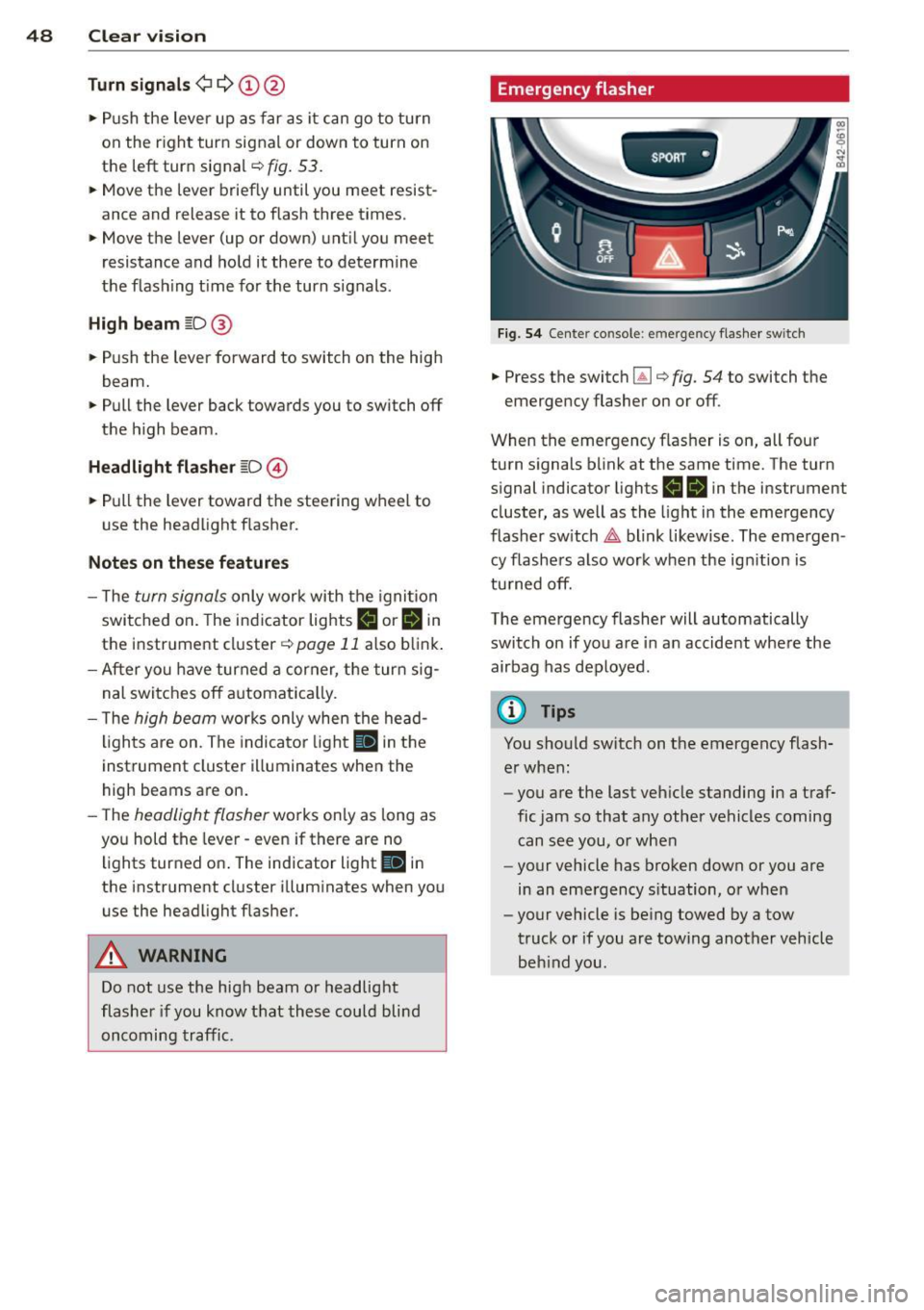
.,. Press the switc h lil i::> fig. 54 to switch the
emergency flasher on or off .
When the emergency flasher is on, all four
turn s ignals b link at the same time. The turn
s ignal indicator lights
II IB in the instrument
cluster, as well as the light i n the emergency
flasher sw itch
&,. blink likew ise . The eme rgen
cy flashe rs also work when the ign ition is
tu rned off.
The emergency flasher will automatically switch on if you are in an accide nt whe re the
airbag has deployed.
@ Tips
You should sw itch on t he emergency flash
er when :
- you are the last veh icle standing in a traf
fic jam so that any other vehicles coming
can see you, o r w hen
- your vehicle has broken down or you a re
in an eme rgency s ituation, o r when
- your vehicle is be ing towed by a tow
truck or if you are towing another veh icle
beh ind you .
Page 52 of 244
50 Clear vis ion
- Canada mode ls: instrument panel illumi
nation will stay bright regard less of the
i ntensity of amb ient light. Always be
aware of changes in outside light condi
tions whi le you are driv ing. Respond in
time to fading daylight by turning the light sw itch to position @,0 (or "AUTO " if
you r ca r is equ ipped with this feature) to
tu rn on your headl igh ts.
Luggage compartment light
The ligh t is loc ated on t he righ t side of the
l uggage compartmen t.
These lights come on automat ica lly when the
front lid is ope ned . T he lights tu rn off au to
mat ica lly if the lid is left open for more t hen
10 minutes .
Vision
Adjusting the exterior mirrors
Fig. 57 Forwa rd se cti on of drive r' s armr est: pow er mir
r o r co ntrols
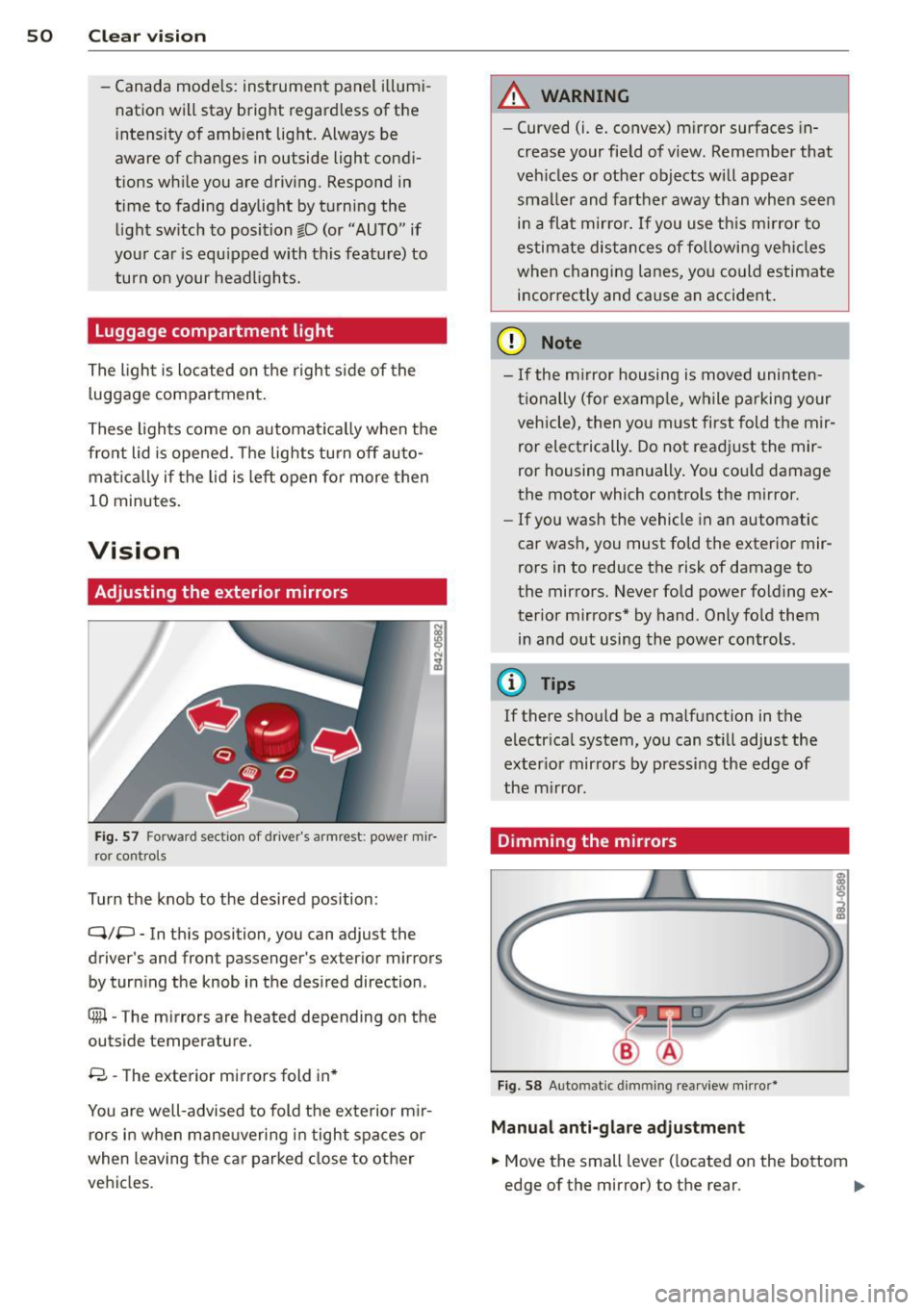
Turn the knob to the desired position :
Q/P - In this position, you can adjust the
driver's and fron t passenger's exter ior mirrors
by turn ing t he knob in the des ired direction .
8 - The exterior mirrors fold in *
You are well-advised to fold the ex te rior m ir
rors in when mane uvering in tight spaces or
when leaving the car parked close to other
vehi cles .
A WARNING
--Curved (i.e . convex) m irror surfaces in-
crease your field of view. Remember that
veh icles or other objects will appea r
sma ller and farther away than when seen
i n a flat mirror.
If you use th is m irror to
estimate dis tances of followi ng ve hicl es
when changing lanes, yo u co uld estimate
i n correct ly and cause an accident .
(D Note
-If the m irror housing is moved uninten
ti onally (for examp le , while p arking your
vehicle), then yo u m ust first fold t he mir
ror electrically. Do not readjust the mir
ror housing manually . You cou ld damage
the motor which controls the mirror .
- If you wash the vehicle in an automatic
car wash, you must fo ld the exter ior mir
rors in to reduce the risk of damage to
the mirro rs . Never fold powe r folding ex
terior mirrors* by hand . Only fold them
in and o ut using the power controls .
@ Tips
If there should be a malf u nction in t he
electr ica l system, you can st ill adjust the
ex ter io r mirrors by pressing the edge of
the m irror.
Dimming the mirrors
Fig . 58 Auto matic dimmin g rearv iew m irro r*
Manu al anti-glare adju stment
.,. Move the small lever ( located on the bottom
edge of the mirror) to the rear .
Ill>
Page 53 of 244

Automatically dimming mirr ors*
• To d im the rearv iew mirror and both exterior
mirrors, press the @ button. The diode @
turns on. The rearview and exterior mirrors dim automat ically when light shines on
them, for example from headlights on ave hicle to the rear.
A WARNING
E lectrolyte flu id can leak from automatic
dimming m irrors if the glass is broken.
Electrolyte flu id can irritate skin, eyes and
respiratory system.
- Repeated or prolonged exposure to elec
tro lyte can cause irritation to the respira
tory system, espec ially among people
with asthma or other respiratory condi
tions . Get fresh air immediately by leav
ing the vehicle or, if that is not possible,
open windows and doors a ll the way.
- If electrolyte gets into the eyes, flush
them thoro ughly with large amounts of
clean water for at least 15 m inutes;
medica l attention is recommended.
- If electrolyte contacts sk in, flush affect
ed area with clean water for at least 15
minutes and then wash affected area
with soap and water; medical attention is recommended . Thoroughly wash af
fected clothing and shoes before reuse .
- If swallowed and person is conscious, rinse mouth w ith water for at least 15
minutes . Do not induce vom iting un less
instructed to do so by medical professio
nal. Get medical attention immediately.
(D Note
Liquid elect rolyte leaking from broken mir
ror glass will damage any p lastic surfaces
it comes i n contact w ith. Clean up spilled
elec trolyte immediately with clean water
and a sponge.
(D Tips
- Switch ing off the dimming func tion of
the i nside rear view m irror also deact i-
Clear vi sion 51
vates the automatic dimming function of
the exterior mirrors .
- T he automatic dimming mirrors do not
dim when the interior lighting is turned
on or the reverse gear is selected .
- Automatic d imm ing fo r the mirror on ly
operates properly if the light striking the
inside mirror is not hindered in any way.
, Sun visors
,.--~ --~-- -------.
Fig . 59 S un vi so r
The vanity mirrors in the sun visors are equip
ped with covers .
Wiper and washer
system
Windshield wiper
The windshield wiper lever controls both the
windshield wipers and the washer system.
Fig . 60 W iper le ver: win ds hiel d wiper le ver positio ns
The windshield wiper lever I:!) fig. 60 has th e
fo llowing positions:
Int ermittent wiping ~1 (acti vating r ain
s e n sor )*
• Move the lever up to position (!).
Page 55 of 244
is switched back on by moving the wind
shield wiper lever to any position.
- Worn or dirty windshield wiper blades
cause smearing, which can affect the op
eration of the light/rain sensor*. Check
the condition of your windshield wiper
blades regularly.
- The rain sensor is part of the interval
wiping system. Turning off the ignition
will also deactivate the rain sensor. To re
activate the sensor, switch off the inter
val wiping function, then switch it back
on again.
- Applies to vehicles with light/rain sen
sor: When the wipers are switched on
manually and in rain conditions, the au
tomatic headlights* turn on
c;> page 46,
Lights or off during the day when the
wipers are no longer operating. The au
tomatic headlights* function is available
in this case only when the light switch is
in the "AUTO" position
c;> page 46,
fig. 52.
-Make sure the washer fluid reservoir in
the engine compartment is topped off
before going on a long trip. Look up
c;> page 188 for checking and filling the
washer container.
- The wipers only operate with the hood
completely closed.
Service position
It is only possible to change wiper blades if
you move the wiper arms to the service posi
tion.
In order to use the windshield wipers, the
front lid must be completely closed.
Moving wiper blades to the service
position
.,. When there is a risk of frost, make sure that
the wiper blades are not frozen to the wind
shield .
.,. Switch the ignition on .
.,. Move the wiper lever to position
0
c;>page 51, fig. 60 .
Clear vision 53
.,. Press the I RESET ! button until the Display
type
menu appears in the Driver Informa
tion System display.
.,. Using the rocker switch and the
I RESET ! but
ton, select the
Set > Wipers > Front> Serv
ice position on
function. The windshield
wiper arms move to the service position.
Moving wiper blades to park position
.,. Make certain that the wiper arms are lying
against the windshield.
.,. Switch the ignition on and move the wiper
lever from position
O to 4 c;> page 51,
fig . 60. The wiper arms will move back to
the park position.
(D Note
Never drive your vehicle when the wind
shield wiper arms are in the service posi
tion and pulled away from the windshield.
When you drive faster than 4 mph (6 km/
h), the wiper arms automatically return to
the park position and could cause paint
damage to the front lid!
(D Tips
-You can also turn on the service position,
for example, if you want to protect the
windshield from icing by using a cover.
- The service position moves to
off auto
matically when you operate the wind
shield wiper lever, or speed exceeds
4 mph (6 km/h).
Cleaning windshield wiper blades
Clean the windshield wiper blades when they
begin to leave streaks .
.,. Place the windshield wiper arms in the serv
ice position. Refer to
c;> page 53.
.,. Use a soft cloth and glass cleaner to clean
the windshield wiper blades.
A WARNING
Dirty windshield wiper blades can impair
your view. This can lead to accidents.