sensor AUDI RS7 SPORTBACK 2014 User Guide
[x] Cancel search | Manufacturer: AUDI, Model Year: 2014, Model line: RS7 SPORTBACK, Model: AUDI RS7 SPORTBACK 2014Pages: 292, PDF Size: 73.56 MB
Page 51 of 292
©-Single wipe. If you hold the lever in this
position longer, the wipers switch from slow
wiping to fast wiping.
® -Clean the windshield . The wipers wipe
one time after several seconds of driving to
remove water droplets. You can switch this
function off by moving the lever to position ®
within 10 seconds after the afterwipe. The af
terw ipe funct ion is reactivated the next time
you switch the ignition on.
Cleaning the headlights*. The headlight wash
er system * operates only when the headlights
are on. If you move the lever to position @,
the headlights and the night vision assistant
camera* are washed in intervals.
A WARNING
-The rain sensor is only designed to assist
and support the driver.
It remains entire
ly the driver's responsibility to monitor
outside weather conditions and to man
ually activate the wipers as soon as rain
or drizzle reduces visibility through the
windshield.
- The windshield must not be treated with
water-repellent materials. They can in
crease glare under poor visibility condi
tions such as wetness, darkness, or when
the sun is low on the horizon. In addi
tion, they can cause the windshield wip
ers to chatter.
- Properly functioning windshield wiper blades are required for a clear view and
safe driving~
page 49, Replacing
windshield wiper blades.
0 Note
- In the case of frost, check whether the
windshield wiper blades are frozen to
the windshield. Switching on the wind
shield wipers can damage the wiper blades!
- Prior to using a car wash, the windshield
wiper system must be switched off (lever in position @). This helps to prevent un
intentional switching on and damage to
the windshield wiper system.
Clear vision 49
-Do not use the wipers to clear a frosted
window. Using the wipers as a conven
ient ice scraper will destroy the wiper
blades.
(D Tips
- The windshield wipers are switched off
when the ignition is off. Activate the
windshield wipers after the ignition is
switched back on by moving the wind
shield wiper lever to any position.
- Worn or dirty windshield wiper blades
result in streaking. This can affect the
rain sensor function. Check your wind
shield wiper blades regularly.
- The washer fluid nozzles of the wind
shield washer system are heated at low
temperatures when the ignition is on.
- When stopping temporarily, e .g. at a
traffic light, the set speed of the wind
shield wipers is automatically reduced by
one speed.
Cleaning windshield wiper blades
Clean the windshield wiper blades when they
begin to leave streaks.
.,. Place the windshield wiper arms in the serv
ice position. Refer to~
page 50.
.,. Use a soft cloth and glass cleaner to clean
the windshield wiper blades.
A WARNING
Dirty windshield wiper blades can impair
your view. This can lead to accidents.
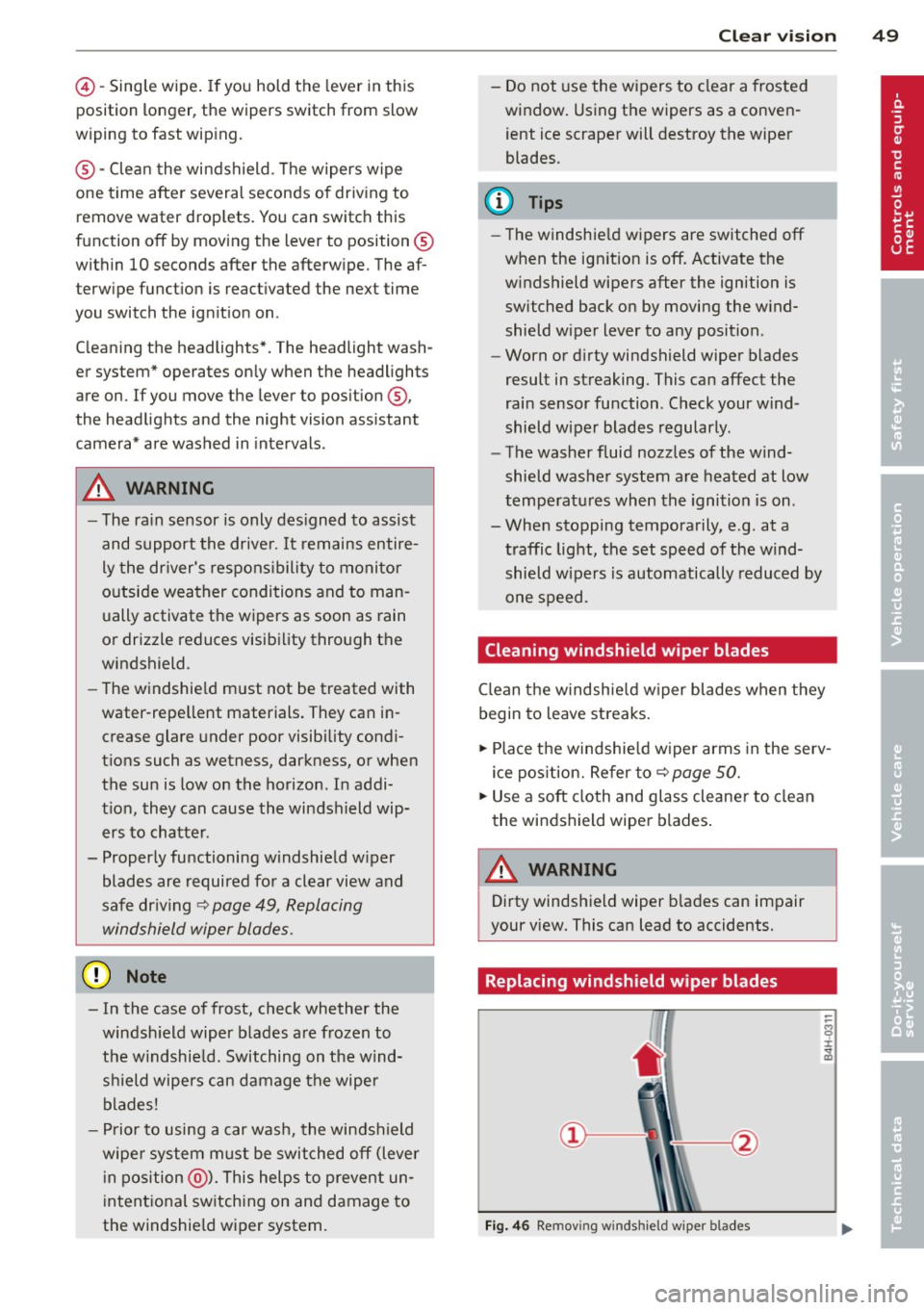
Replacing windshield wiper blades
Fig. 46 Remov ing windshie ld wiper blades
-
Page 83 of 292
Audi adapt ive crui se c ontrol an d bra kin g guard 81
Audi adaptive cruise
control and braking
guard
Introduction
App lies to vehicles: with Audi adaptive cruise control
The adaptive cruise control system assists the
driver by regu lating vehicle speed and helping
to maintain a set distance to the vehicle
ahead, within the limits of the system . If the
system detects a moving vehicle up ahead,
adaptive cruise control can brake and then ac
celerate your vehicle. Th is he lps to make driv
ing more comfortable both on long highway
stretches and in stop-and-go traffic.
The braking guard system can warn you about
an impending collision and initiate braking
maneuvers¢
page 87.
Adaptive cruise control and braking guard
have technical limitations that you must
know, so please read this section carefully, un
derstand how the system works and use them
properly at all times.
General information
General information
Applies to vehicles: with Audi adaptive cruise control
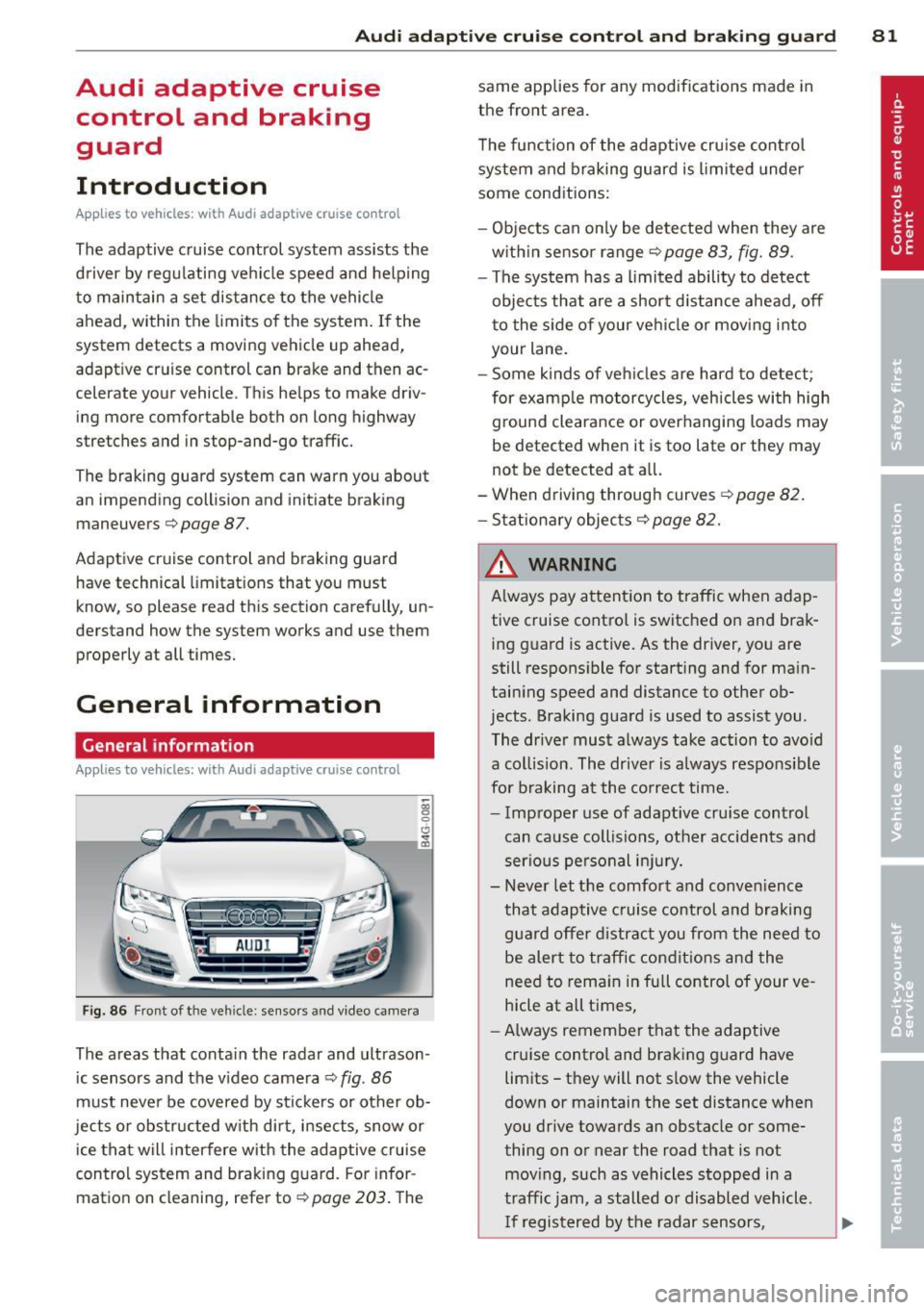
Fig. 86 Front of the vehicle: sensors and video came ra
The areas that contain the radar and ultrason
ic sensors and the v ideo camera ¢
fig. 86
must neve r be covered by stickers or other ob
jects or obstructed with dirt, insects, snow or
ice that will interfere with the adaptive cruise
control system and braking guard. For infor
mation on cleaning, refer to¢
page 203. The same applies for any modifications made in
the front area.
T he function of the adaptive cru ise contro l
system and braking guard is limited under
some conditions:
- Objects can on ly be detected when they are
w ith in sensor range
¢page 83, fig. 89 .
-The system has a limited ability to detect
objects that are a shor t distance ahead,
off
t o the side of your vehicle or moving into
your lane.
- Some kinds of ve hicles are hard to detect;
for examp le motorcycles, vehicles with high
ground clearance or overhanging loads may
be detected when it is too late or they may
not be detected at all.
- When driving through curves
¢page 82 .
- Stationary objects¢ page 82.
& WARNING
Always pay attent ion to traffic when adap
tive cruise control is switched on and brak ing g uard is active. As the driver, you are
still respons ible for starting and for ma in
taining speed and distance to other ob
jects . Braking guard is used to assist you .
The driver must always take action to avo id
a collision. The driver is always responsible
for braking at the co rrect time.
- Improper use of adaptive cru ise control
can cause collisions, other acc idents and
serious pe rsonal in jury.
- Never let the comfort and conven ience
that adaptive cruise control and braking
guard offer d istract you from the need to
be alert to traffic condit ions and the
need to rema in in full control of your ve
hicle at all times,
- Always remember that the adaptive
cruise control and braking guard have
limits -they will not s low the vehicle
down or maintain the set distance when
you drive towards an obstacle or some
thing on or near the road that is not
mov ing, such as vehicles stopped in a
traffic jam, a stalled or disabled vehicle .
I f registered by the radar sensors,
Page 84 of 292
82 Audi ad apti ve cruise contr ol a nd bra king gu ard
vehicles or obstacles that are not moving
can trigger a collision warning and if con
firmed by the v ideo camera, an acute col
lis ion warn ing .
- For safety reasons, do not use adaptive
cruise co ntrol when driving on roads with
many curves, when the road surface is in
poor condit ion and/or in bad weather
(such as ice, fog, gravel, heavy rain and
hydroplan ing) . Using the system under
these cond it ions cou ld result in a co lli
sion .
- Swi tch adap tive c ruise control off tempo
rar ily when driv ing in turning lanes, on
expressway exits or in construction
zones. This prevents the vehicle from ac
celerat ing to the set speed when in these
situations.
- The adapt ive cruise control system wi ll
not brake by itse lf if you put your foot on
the accelerator pedal. Doing so can over
ride the speed and distance regulation .
- When approaching stationary objects such as stopped traff ic, adaptive cruise
co ntrol will not respond and braking
guard w ill have limited function.
- The adapt ive cruise control system and
braking guard do not react to people, an
imals, objects c rossing the road or on
coming objects .
- The function of the radar senso rs can be
affected by reflective objects such as
guard rai ls , the entrance to a tunnel,
heavy rain or ice.
- Never follow a ve hicle so closely that you
cannot stop your vehicle safe ly. The
adaptive cruise contro l canno t slow or
brake the vehicle safely when you follow
another vehicle too closely. Always re
member that the automatic braking
function cannot br ing the vehicle to a
sudden or emergency stop under these condit ions.
- To prevent unintended operation, always switch ACC off when it is not being used. (D Note
The sensors can be displaced by impacts or
damage to the bumper, wheel housing and
underbody. That cou ld affect the adaptive
cruise control system and brak ing guard.
Have your authorized Aud i dea ler or au
thorized Audi Service Facility check their
funct ion .
In curves
Applies to vehicles: with Audi adaptive cru ise contro l
I
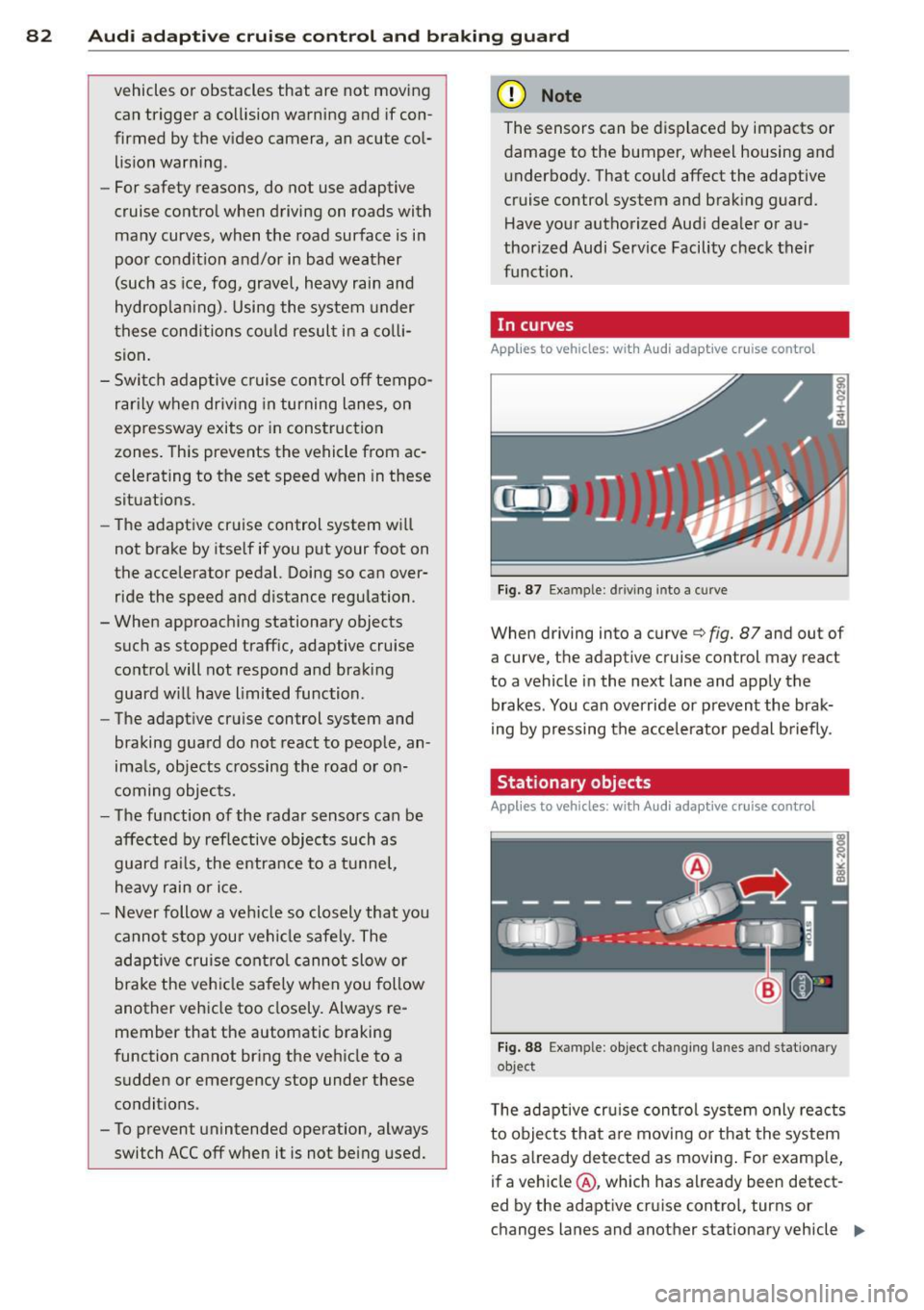
Fig. 87 Ex ampl e: dri ving in to a curve
When d riving into a curve c> fig. 87 and out of
a curve, the ad aptive cruise control may react
to a vehicle in the next lane and apply the
brakes. You can override or prevent the brak
i ng by pressing the acce lerator pedal briefly .
' Stationary objects
Applies to vehicles: with Audi adaptive cruise control
Fig. 88 Exampl e: objec t ch anging l anes and sta tio nar y
object
T he adaptive cru ise control system only reacts
to objects that are mov ing o r that the system
has already detected as moving . For examp le,
if a vehicle @, which has already been detect-
ed by the adaptive c ruise contro l, tu rns or
ch anges lanes and another stationary vehicle .,.
Page 89 of 292
Audi adaptive cruise control and braking guard 87
Audi braking guard
Description
Applies to vehicles: with Audi adaptive cruise control
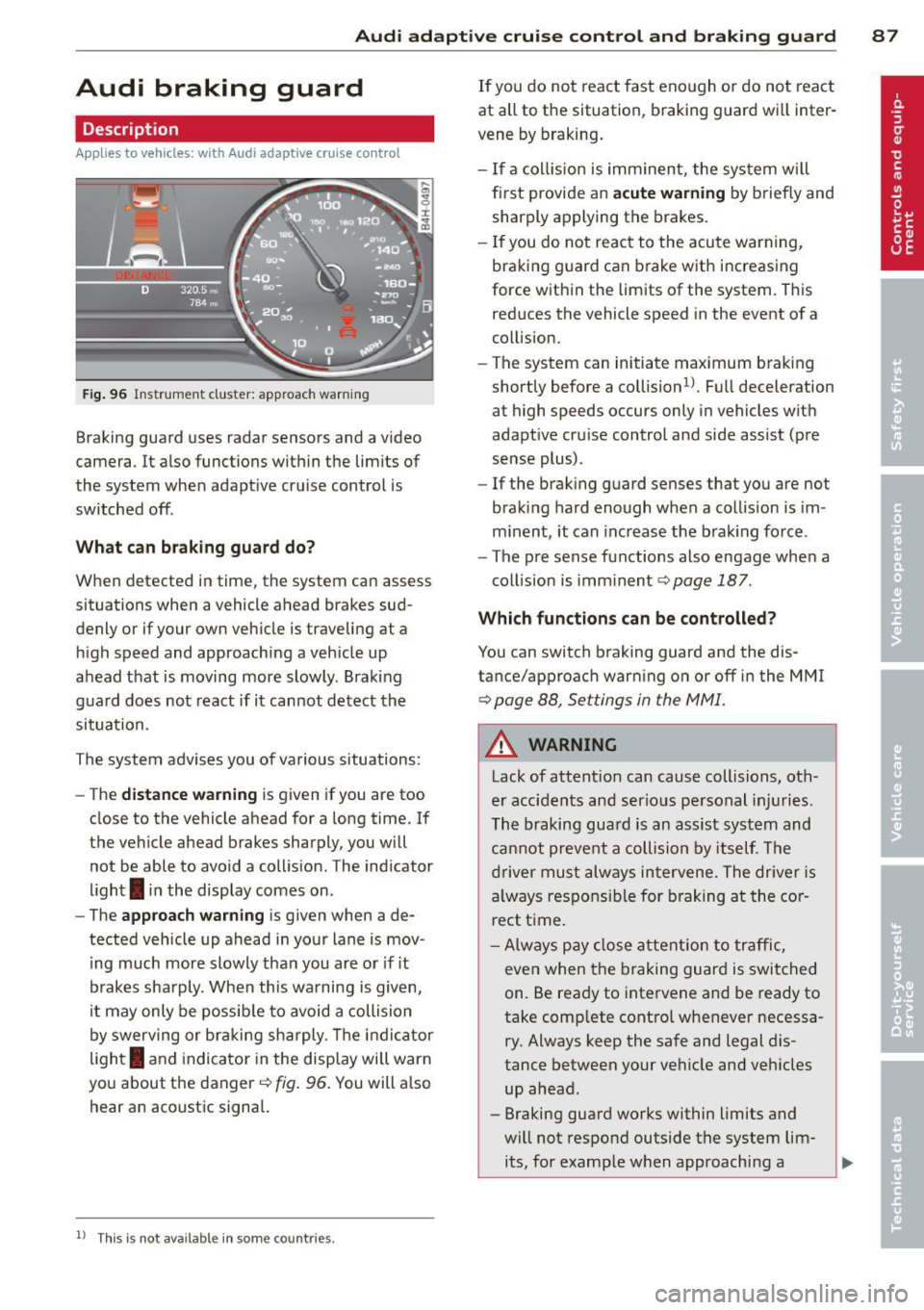
Fig. 96 Instrument cluster: approach warning
Braking guard uses radar sensors and a video
camera . It also functions within the limits of
the system when adaptive cruise control is
switched off .
What can braking guard do?
When detected in time, the system can assess
situations when a vehicle ahead brakes sud
denly or if your own vehicle is t raveling at a
high speed and approaching a vehicle up
ahead that is moving more slowly . Braking
guard does not react if it cannot detect the
situation.
The system advises you of various situations:
- The
distance warning is given if you are too
close to the vehicle ahead for a long time. If
the vehicle ahead brakes sharply, you will not be able to avoid a collision . The indicator
light
I in the display comes on .
- The
approach warning is given when a de
tected vehicle up ahead in your lane is mov
i ng much more slowly than you are or if it
brakes sharply . When this warning is given,
it may only be possible to avoid a collision
by swerving or braking sharply. The indicator
l ight
I and indicator in the display will warn
you about the danger
c::> fig . 96. You will a lso
hear an acoustic signal.
11 This is not ava ilable in som e coun tri es.
If you do not react fast enough or do not react
at all to the situation, braking guard will inter
vene by braking.
- I f a collision is imminent, the system will
first provide an
acute warning by briefly and
sharply applying the brakes.
- If you do not react to the acute warning,
braking g uard can brake with increasing
force within the limits of the system . This
reduces the vehicle speed in the event of a
collision.
- The system can initiate maximum braking
shortly before a collision
1 ) . Full deceleration
at high speeds occurs only in vehicles with
adaptive cru ise control and side assist (pre
sense plus) .
- If the braking guard senses that you are not
braking hard enough when a collision is im
minent, it can increase the brak ing force .
- The pre sense functions also engage when a
collision is imm inent
c::> page 187 .
Which function s can be controlled?
You can switch braking guard and the dis
tance/approach warning on or off in the MMI
c::> page 88, Settings in the MMI.
A WARNING
Lack of attention can cause collisions, oth
er accidents and serious personal injuries .
The braking guard is an assist system and
cannot prevent a collision by itself. The
driver must always intervene. The driver is
always responsible for braking at the cor
rect time.
- Always pay close attent ion to traffic,
even when the braking guard is switched
on. Be ready to intervene and be ready to
take comp lete control whenever necessa
ry . Always keep the safe and legal dis
tance between your vehicle and vehicles up ahead .
- Braking guard works within limits and
will not respond outside the system lim its, for example when approaching a
Page 90 of 292
88 Audi adaptive cruise control and braking guard
stopped vehicle or stationary obstacle (end of a traffic jam or vehicle that has
broken down in traffic).
- Always remember that the radar sensor
for the braking guard works only within
defined detection and range limits that
may prevent the proper detection of oth
er vehicles.
- The radar sensor's function and range
can be reduced by rain, snow and heavy
spray . Moving vehicles up ahead may not
be promptly detected or may not be de
tected at all.
- Reflective surfaces including crash barri
ers or tunnel entrances may impair the
function of the radar sensor.
({) Tips
-You can cancel the braking with increas
ing force that is initiated by the system
by braking yourself, by accelerating no
ticeably or by swerving.
- Braking guard error messages
¢page 88.
- Keep in mind that braking guard can
brake unexpectedly . Always secure any
cargo or objects that you are transport
ing to reduce the risk of damage or in
jury.
Settings in the MMI
Applies to vehicles: with Audi adaptive cruise co ntrol
.. Select : I CARI function button > (Car)* sys
tems
control button > Driver assist > Audi
braking guard.
System -
Switch braking guard On and Off.
When you switch the ignition on, the message
Audi braking guard off appears if the system
is switched off.
Early warning -The distance and approach
warnings in the display can be switched
On/
Off.
(D Tips
- Your settings are automatically stored
and assigned to the remote control key being used at the time the settings are
made.
- If you restrict or switch off the ESC, the
braking guard also switches itself off
¢page 191.
- Switch braking guard off when you are
loading the vehicle onto a vehicle carrier,
train, ship or other type of transporta
tion. This can prevent undesired warn
ings from the braking guard system.
Messages
Applies to vehicles: with Aud i adapt ive cru ise contro l
Braking guard: off
This driver message appears if the system is
turned off via the infotainment. Otherwise , if
the system is turned off, the information ap
pears every time shortly after the start of the
trip.
The driver message also appears if the system
is not available due to a malfunction or if the
ESC is not switched on
¢ page 191. If this is
the case, the system will not provide warnings about a possible collision.
Braking guard: activated
This driver message appears if sharp brake
pressure was applied due to an acute warning.
ACC: Unavailable!
ACC and Audi braking guard: not available
The system cannot detect moving vehicles up
ahead correctly and is switched off. The sen
sors have been displaced or are not working
properly. The Audi pre sense functions may al
so be affected . Drive to your authorized Audi
dealer or authorized Audi service facility im
mediately to have the malfunction corrected.
ACC: currently unavailable. No sensor vision
ACC and braking guide: currently unavaila
ble. No sensor vision
This message appears if the sensor view is ob
structed, for example by leaves, snow, heavy
spray or dirt. Clean the sensors¢
page 81,
rg.86. ~
Page 95 of 292
Audi side assist Lane Change Assistant
Description
App lies to vehicles: with side assist
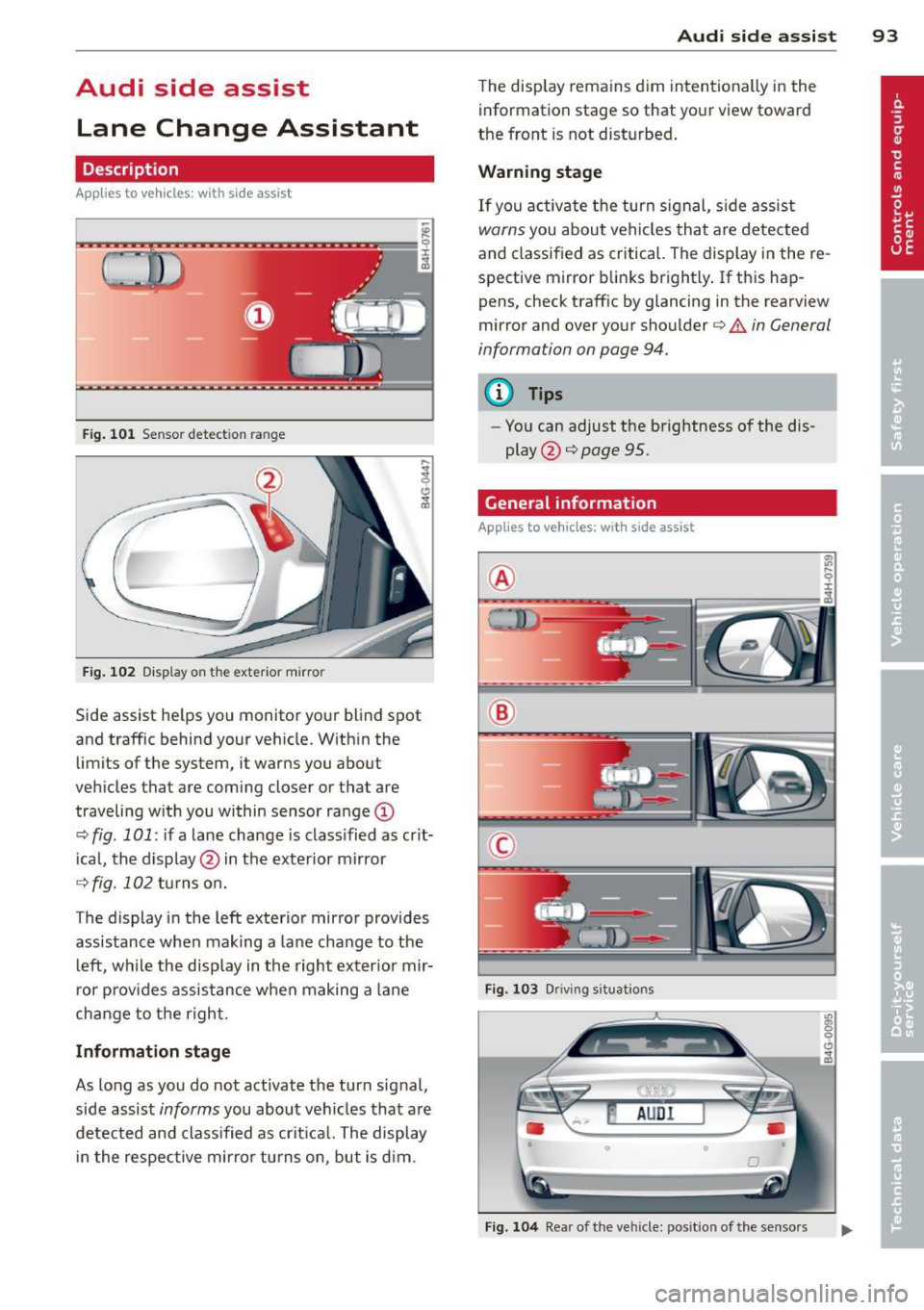
Fig. 101 Sensor detection range
Fig. 102 Display on the exterior mirror
Side assist he lps you monitor your blind spot
and traffic behind your veh icle. With in the
limits of the system, it warns you about
vehicles that are coming closer or that are
traveling w ith you within sensor range
(D
c::, fig . 101: if a lane change is class ified as crit
ical, the display@ in the exterior mirror
c::> fig. 102 turns on.
The display in the left exterior mirror provides
assistance when making a lane change to the
le ft, while the display in the right exterior mir
ror provides assistance when making a lane
change to the right.
Information stage
As long as you do not activate the turn signal,
side assist
informs you about vehicles that are
detected and classified as crit ical. The display
in the respective mirror turns on, but is d im.
Audi side assist 93
The display remains dim intentionally in the
information stage so that your view toward
the front is not disturbed .
Warning stage
If you activate the turn signal, side assist
warns you about veh icles that are detected
and classified as critical. The display in the re
spective mirror blinks brightly . If this hap
pens, check traff ic by glancing in the rearview
mirror and over your shoulder
c::> A in General
information on page 94.
@ Tips
- Yo u can adjust the brightness of the dis
play @
c::> page 95.
General information
Applies to vehicles: with side assist
®
®
©
Fig. 103 Driving situations
Fig. 104 Rear of the vehicle: position of the senso rs
Page 96 of 292
94 Audi side assist
Side assist functions at speeds above approxi
mately 19 mph (30 km/h).
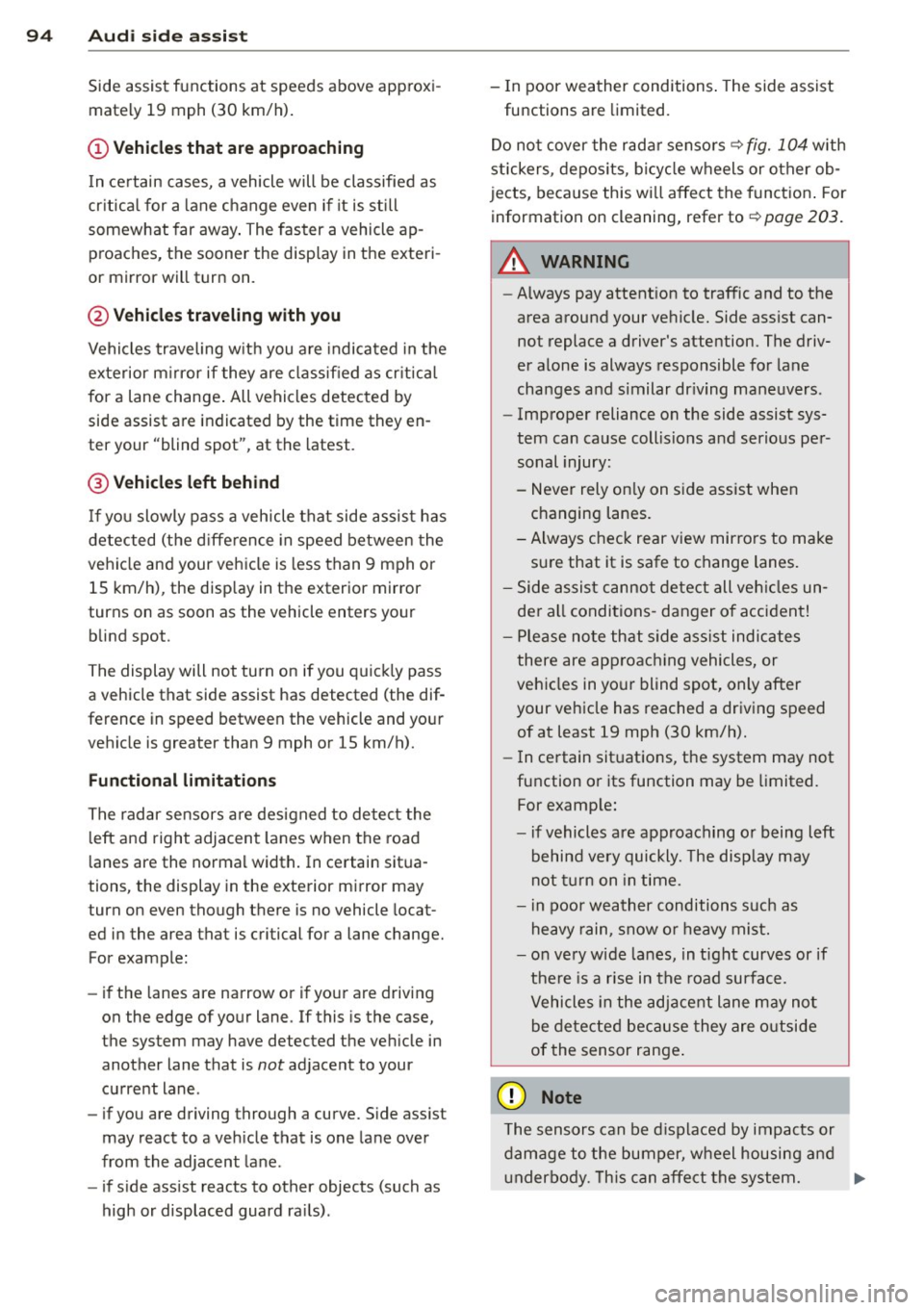
(D Vehicles that are approaching
I n certain cases, a vehicle will be classified as
cr itica l for a lane change even if it is still
somewhat far away . The faster a vehicle ap
proaches, the sooner the display in the exteri
or mirror will turn on.
@ Vehicles traveling with you
Vehicles traveling with you are indicated in the
exterior m irror if they are classified as critica l
for a lane change. All vehicles detected by
side assist are indicated by the time they en
ter your "blind spot", at the latest.
@ Vehicles left behind
If you slowly pass a vehicle that side assist has
detected (the difference in speed between the
vehicle and your vehicle is less than 9 mph or
15 km/h), the disp lay in the exterior mirror
turns on as soon as the vehicle enters your blind spot.
The display will not turn on if you quickly pass
a vehicle that side assist has detected (the dif
ference in speed between the vehicle and your
vehicle is greater than 9 mph or 15 km/h).
Functional limitations
The radar sensors are designed to detect the
left and right adjacent lanes when the road
lanes are the normal width. In certain situa
tions, the display in the exterior mirror may
turn on even though there is no vehicle locat
ed in the area that is critical for a lane change.
For example:
- if the lanes are narrow or if your are driving
on the edge of your lane. If this is the case,
the system may have detected the vehicle in
another lane that is
not adjacent to your
current lane.
- if you are driving through a curve. Side assist
may react to a veh icle that is one lane over
from the adjacent lane.
- if side assist reacts to other objects (such as
high or displaced guard ra ils). -
In poor weather conditions . The side assist
functions are limited.
Do not cover the rada r senso rs
~ fig. 104 with
stickers, deposits, bicycle wheels or other ob
jects, because this will affect the funct ion . For
information on cleaning, refer to
~ page 203.
A WARNING
-
- Always pay attention to traffic and to the
area around your vehicle. Side assist can
not replace a driver's attention. The driv
er alone is always responsible for lane
changes and similar dr iving maneuvers .
- Improper reliance on the side assist sys
tem can cause coll is ions and serious per
sonal injury:
- Never rely on ly on side assist when
changing lanes.
- Always check rear view mirrors to make
sure that it is safe to change lanes.
- Side assist cannot detect all vehicles un
der all conditions -danger of accident!
- Please note that side assist indicates
there are approaching vehicles, or
vehicles in your blind spot, only after
your vehicle has reached a driving speed
of at least 19 mph (30 km/h).
- In certain sit uations, the system may not
function or its function may be limited.
For example:
- if vehicles are approaching or being left
behind very quickly. The disp lay may
not turn on in time.
- in poor weather conditions such as
heavy rain, snow o r heavy mist.
- on very wide lanes, in tight curves or if
there is a rise in the road surface.
Vehicles in the adjacent lane may not
be detected because they are outside
of the sensor range .
([) Note
The sensors can be displaced by impacts or
damage to the bumper, wheel housing and
u nderbody. This can affect the system. .,..
Page 97 of 292
Have your authorized Audi dealer or au
thorized A udi Service Facility check the ir
function.
@ Tips
- If the win dow g lass in the driver 's door
or front passenger's door has been tint
ed, the disp lay in the exterior m irror may
be misinterp reted .
- For Decla rat ion of Compliance to United
States FCC and Industry Canada regula
tions
¢ page 2 76.
Activating and deactivating
Applies to vehicles: mit side assist
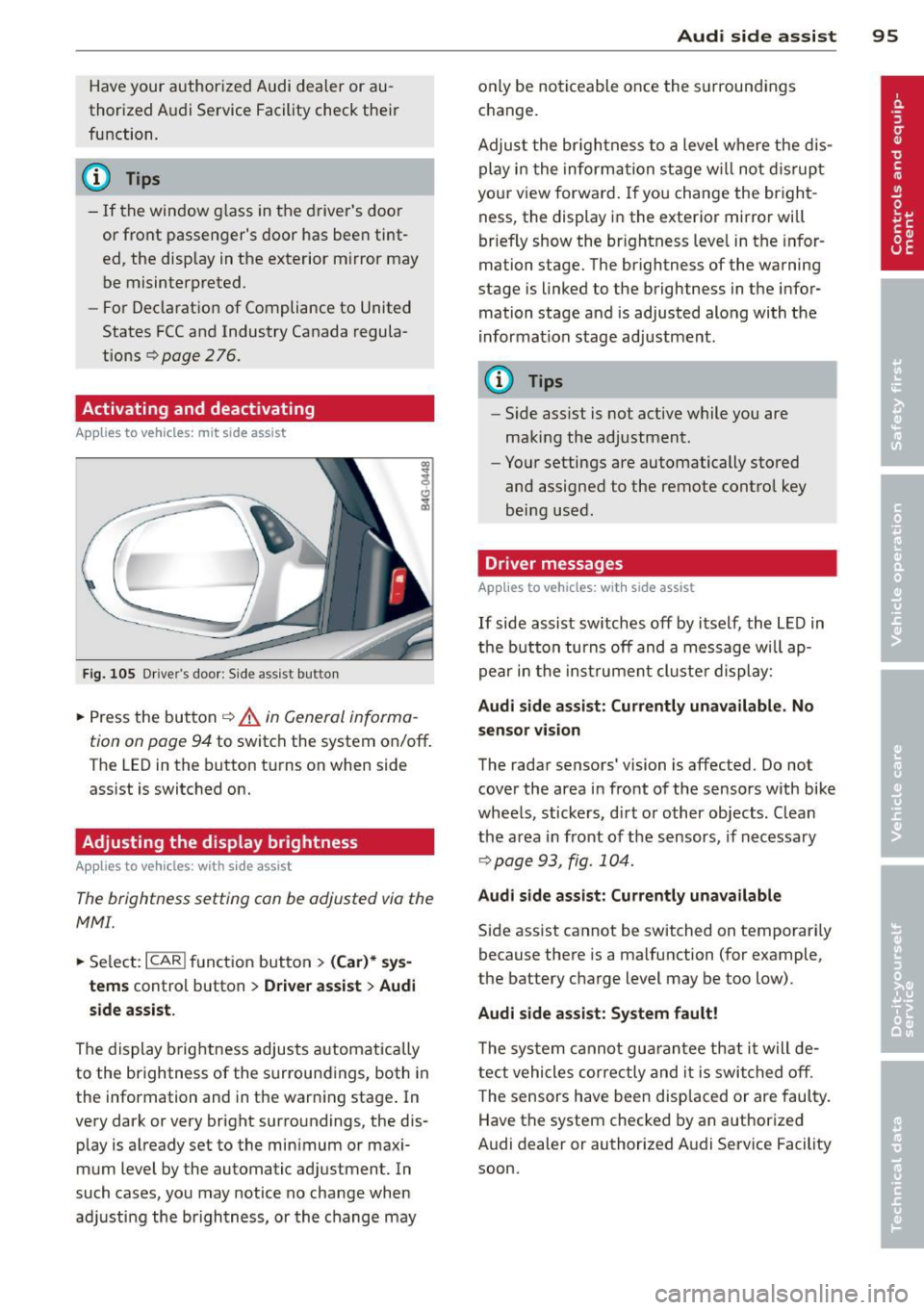
Fig. 10 5 Drive r's d oor : Sid e ass is t butt on
.. Press the but ton ¢ .&. in General informa
tion on page 94
to switch the system on/off .
The LED in the button t urns on when side
ass ist is switc hed on.
Adjusting the display brightness
Applies to vehicles: with side assist
The brightness setting can be adjusted via the
MMI.
.. Se lect : ICAR I function button> (Car)* sys
tems
contro l button > Drive r assist > Audi
side assist.
The display brig htness adjusts a utomatically
to the brightness of the surroun dings, both in
the information and in the warn ing stage . In
very dark or very bright surro undings, the dis
p lay is a lready set to the min imum or maxi
mum Level by the automatic ad justment. In
such cases, you may notice no cha nge when
a d ju sting the brightness, or the change may
Aud i side assist 95
only be no ticeable once the s urround ings
c hange.
Adjus t the br igh tness to a leve l where the dis
play i n the informa tion stage w ill no t dis rup t
your view forward . If you change the br igh t
ness, the display in the exterior mirror will
brief ly show the br ightness leve l in the infor
mation stage. The brightness of the warning
stage is linked to the brightness in the infor
mation stage and is adjusted alo ng with the
i nfor mation stage ad justment.
(D Tips
- Side ass ist is not act ive while you are
making the adjustment .
- Yo ur settings are automatically stored
and assigned to the remote contro l key
being used.
Driver messages
Applies to vehicles: with side assist
If side assist sw itches off by i tself, the L ED in
t he b utto n turns off and a message wi ll ap
pe ar in the inst rume nt cl uste r d is play:
Audi side assist: Currently unavailable. No
sensor vi sion
The rada r sensors' vision is affected. Do not
cover the area in fro nt of the sensors with bike
whee ls, sticke rs, d irt o r other objects. Clean
the a rea in front of the sensors, if necessary
¢page 93, fig . 10 4.
Audi side assist: Currently unavailable
Side assist cannot be switched on temporari ly
because there is a malfunction (for example,
the battery c ha rge level may be too low) .
Audi side assist: System fault !
The sy stem cannot gu arant ee th at it w ill de
tect vehicles correctly and it is swi tched o ff.
T he sensors have been disp laced or are faul ty .
Have the system checked by an authorized
A udi dealer or authorized A udi Service Facility
soon.
Page 112 of 292
110 Parking system s
Parking systems
General information
A ppl ies to vehicles: with parkin g system plus/rear view
camera/peripheral cameras
Depending on your vehicle's equ ipment, vari
ous parking a ids wi ll help you when pa rk ing
and maneuvering.
The
p ar king sy st e m plu s assists you when
pa rking by audib ly and visually indicat ing ob
jects detected
in front of and behind the vehi
cle
~ page 111.
The rear view ca m era shows the area behind
the vehicle in the Infotainment d isp lay. This
d isplay assists you when you are c ross o r par
allel parking
q page 112. In addit ion, you are
assisted by the functions from the parking
system plus
~ page 111 .
The peripher al cam era s ass ist you with park
ing and maneuvering. You are aided by var ious
cameras depending on the vehicle equipment leve l
¢page 115. In addition, you are assist
ed by the functions from the parking system
plus ¢ page 111.
A WARNING
- Always look for traff ic and check the area
around your vehicle by looking at it di
rectly as well . The parking system cannot
rep lace the d river's attent ion. The dr iver
is always respons ible for safety during
p arki ng and for all other maneuvers.
- Please note that some surfaces, such as
clothing, a re not detected by the system.
- Senso rs and cameras have blind spots in
wh ich peop le and objects ca nnot be de
te cted. Be especially cau tious of children
and animals.
- T he sensors can be displaced by impacts
or damage to the radia to r grille, bumpe r,
wheel housing and the unde rbody. The
par king systems may become impaired
as a resu lt . Have your authorized Audi
dealer or qualified workshop check their
function. -
Make s ure the sensors are not covered by
stickers, deposits or any other obstruc
tions as it may impair the sensor func
tion . For information on cleaning, refer
to
~ page 203 .
(D Note
- Some objects are not detected by the
system under certain c ircumstances:
- Obje cts su ch as ba rrie r chains, trailer
draw bars, vertical po les or fences
- Objects above t he senso rs such as wall
extensions
- Objects w ith specific surfaces or struc
tures su ch as chain link fences or pow
der snow.
- If you conti nue d riving closer to a low- ly
ing object, it may disappea r from the
sensor range. Note th at yo u w ill no lon
ger be warned abo ut this obstacle.
(j) Tips
- T he system may provide a wa rni ng even
t ho ugh the re are no obs ta cl es in the cov
erage a rea in some situa tions, such as:
- certain road surfaces or for long grass.
- externa l ultrasonic sources e.g. from
clean ing vehicles.
- heavy rain, snow or thick vehicle ex
ha ust.
- We recommend that you practice park
ing in a traff ic-free location or park ing
lot to become familiar w ith the system.
When doing this, there should be good light and weather cond itions .
- You can change the volume and pitch of
the s ignals as we ll as the disp lay
¢page 120.
- What appears in the infotainment dis
play is somewhat time-delayed .
Page 113 of 292

Parking system plus
Description
Applies to vehicles: with parking system plus
Audi parking system plus provides audio and
visual signals when parking.
Fi g. 1 21 Dis p lay f ie ld
Sensors are located in the front and rear
bumpers.
If these detect an obs tacle, visual
and in some situations aud ible signals warn
you.
M ake sure t he sensors are not cove red by
s t icke rs, deposits or a ny o ther obs truc tions as
it may impair the sensor f unction. For infor
matio n on cleaning, refer to
c::> page 203 .
The display field begins approximately at:
® 4 ft (1.20 m)
® 3 ft (0 .90 m)
© 5.2 ft (1.60 m)
@ 3 ft (0 .90 m)
The clos er you get to the obstacle, the sho rter
the interval between the audible signa ls. A
con tinuous tone sounds when the obstacle is
l ess than approximate ly 1 ft (0.30 m) away .
Do not continue driving farther¢
& in Gener
al information on page 110, ¢(Di n General
information on page 110!
If the d istance to an obstacle remains con
stant, the volume of the d istance wa rning
gradually drops after about four seconds (this
does not apply in the continuous tone range).
P arking systems 111
Switching on/off
Applies to vehicles: with parking system plus
F ig. 122 Ce nter co nso le :
Pv! button
F ig . 1 23 Infota in m ent : v is u al d is ta n ce d isplay
Switching on
.,. Shift into reverse or
.,. Press the
p,;A bu tton in the center console
c::> fig. 122 . A short confirmation tone
sounds and the LED in the button turns on .
Switching off
.,. Dr ive fo rward fas ter than 6 mph (10 km/ h),
or
.,. press the
P" IA button, or
.,. sw itch the ignit ion off.
Visual d isplay
U sing the segmen ts, yo u can estimate the dis
tance to a n object in front of o r behind the ve
hicle ¢
fig. 123 . The red lines mark the ex
pected d irect ion of travel according to the
steering ang le . A wh ite segment indicates an
identified obstacle that is outside of the vehi
cle's pat h. Red segments show identified ob
stacles that are in your vehicle's path . As your
vehicle comes close r to the obstacle, the seg
ments move closer to the vehicle . At the lat-
est th e collision area has been reached when ..,.