lock AUDI RS7 SPORTBACK 2014 Owners Manual
[x] Cancel search | Manufacturer: AUDI, Model Year: 2014, Model line: RS7 SPORTBACK, Model: AUDI RS7 SPORTBACK 2014Pages: 292, PDF Size: 73.56 MB
Page 4 of 292
2 Table of content s
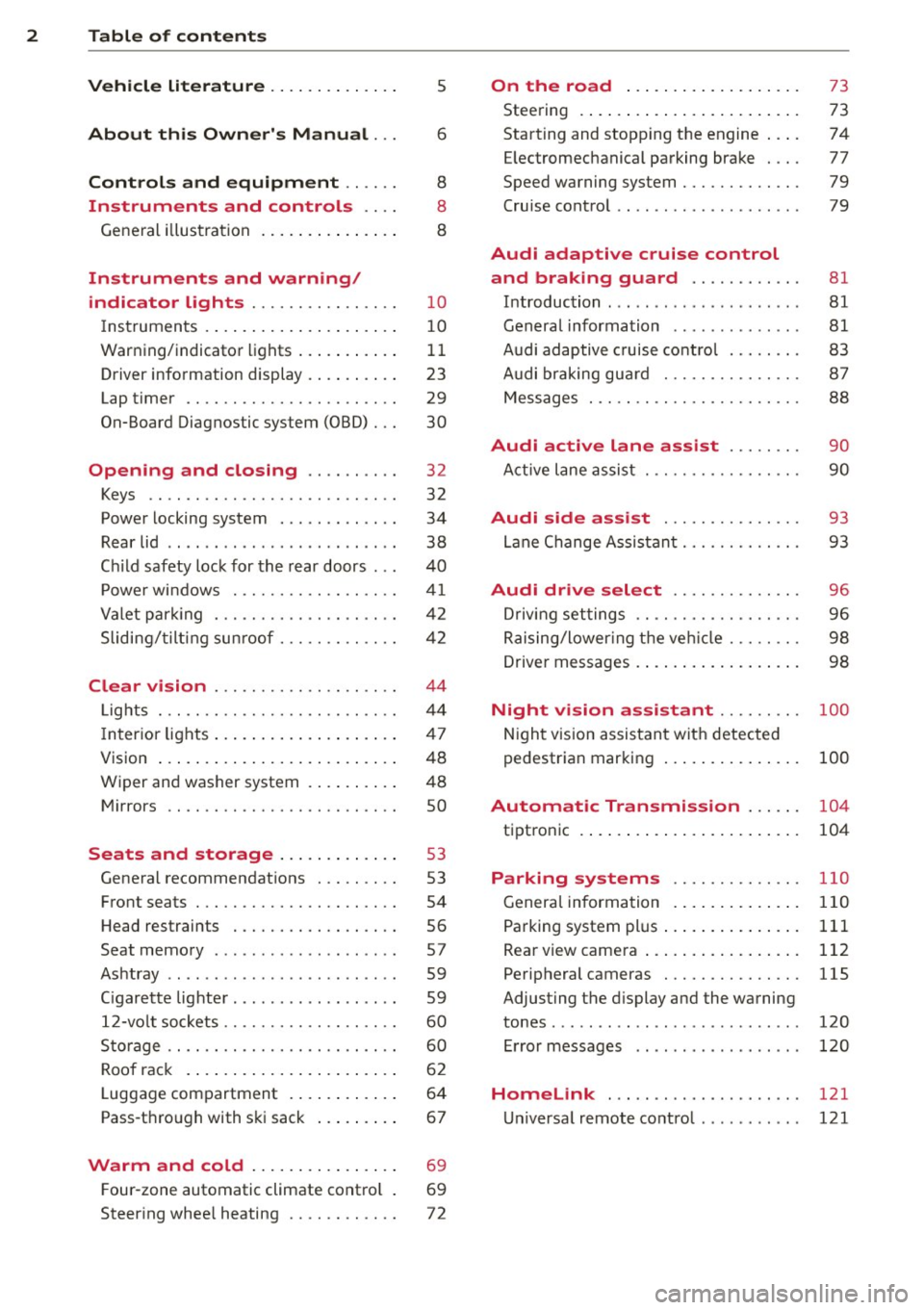
Vehicle lite ratu re .. .. .. .. .. ... .
About thi s Owner' s Manual ...
C ontr ols and equi pm ent .. ... .
Instruments and controls .. . .
General illustration ...... ... .. ... .
Instruments and warning/
indicator lights ............... .
Instruments ............ ... .. ... .
Warning/indicator lights .. ... ... .. .
Driver information display ... ... ... .
Lap timer .. ................ ... . .
On-Board Diagnostic system (OBD) .. .
Opening and closing ......... .
Keys .. .. .................. ... . .
Power locking system .......... .. .
Rear lid .... .................. .. .
5
6
8
8
8
10
10
11
23
29
30
32
32
34
38
Child safety lock for the rear doors . . . 40
Power windows ................. .
Valet park ing ................... .
Sliding/ tilting sunroof ............ .
Clear vision ................... .
Lights ... .. ................ ... . .
I nterior lights .... ......... ... ... .
V1s1on ..... ... ............. .... .
Wiper and washer system ...... .. . .
Mirrors .. ............... ....... . 4
1
42
42
44
44
47
48
48
so
Seats and storage . . . . . . . . . . . . . 53
General recommendations ........ .
Front seats .................. ... .
Head restraints ................. .
Seat memory .. .... ...... .. .. .. . .
Ashtray .. .. ................ ... . .
C igarette lighter ................. .
12-vo lt sockets .................. .
Storage .. ............... ...... . .
Roof rack .. ... ............. .... .
Luggage compartment ..... ... ... .
Pass-through with ski sack ....... . . 53
54
56
57
59
59
60
60
62
64
67
Warm and cold . . . . . . . . . . . . . . . . 69
F our-zone automatic climate control . 69
Steering wheel heating . . . . . . . . . . . . 72
On the road ... .......... ... .. .
Steering .. .... .. .. ............. .
Starting and stopping the engine ... .
E lectromechanical parking brake ... .
Speed warning system ............ .
Cruise contro l .. .. ............... .
Audi adaptive cruise control
and braking guard .......... . .
Introduction ... .. ... .... ........ .
General information ............. .
Audi adaptive cruise control ....... .
Audi braking gua rd ............ .. .
Messages . .... .. ............. .. .
73
73
74
77
79
79
81 81
81
83
87
88
Audi active lane assist . . . . . . . . 90
Active lane assist .............. .. .
Audi side assist .............. .
Lane Change Assistant ............ .
90
93
93
Audi drive select . . . . . . . . . . . . . . 96
Driving settings . . . . . . . . . . . . . . . . . . 96
Raising/lower ing the veh icle . . . . . . . . 98
Driver messages . . . . . . . . . . . . . . . . . . 98
Night vision assistant . . . . . . . . . 100
Night vision assistant with detected
pedestrian marking . . . . . . . . . . . . . . . 100
Automatic Transmission . . . . . . 104
tiptronic . . . . . . . . . . . . . . . . . . . . . . . . 104
Parking systems ........... .. .
General information ............. .
Parking system plus ......... ... .. .
Rear view camera ................ .
Peripheral cameras .............. .
Adjusting the display and the warning
tones ........ .... .............. .
Error messages
Homelink .................... .
Universal remote control .......... . 110
110
111
112
115
120
120
121
121
Page 11 of 292
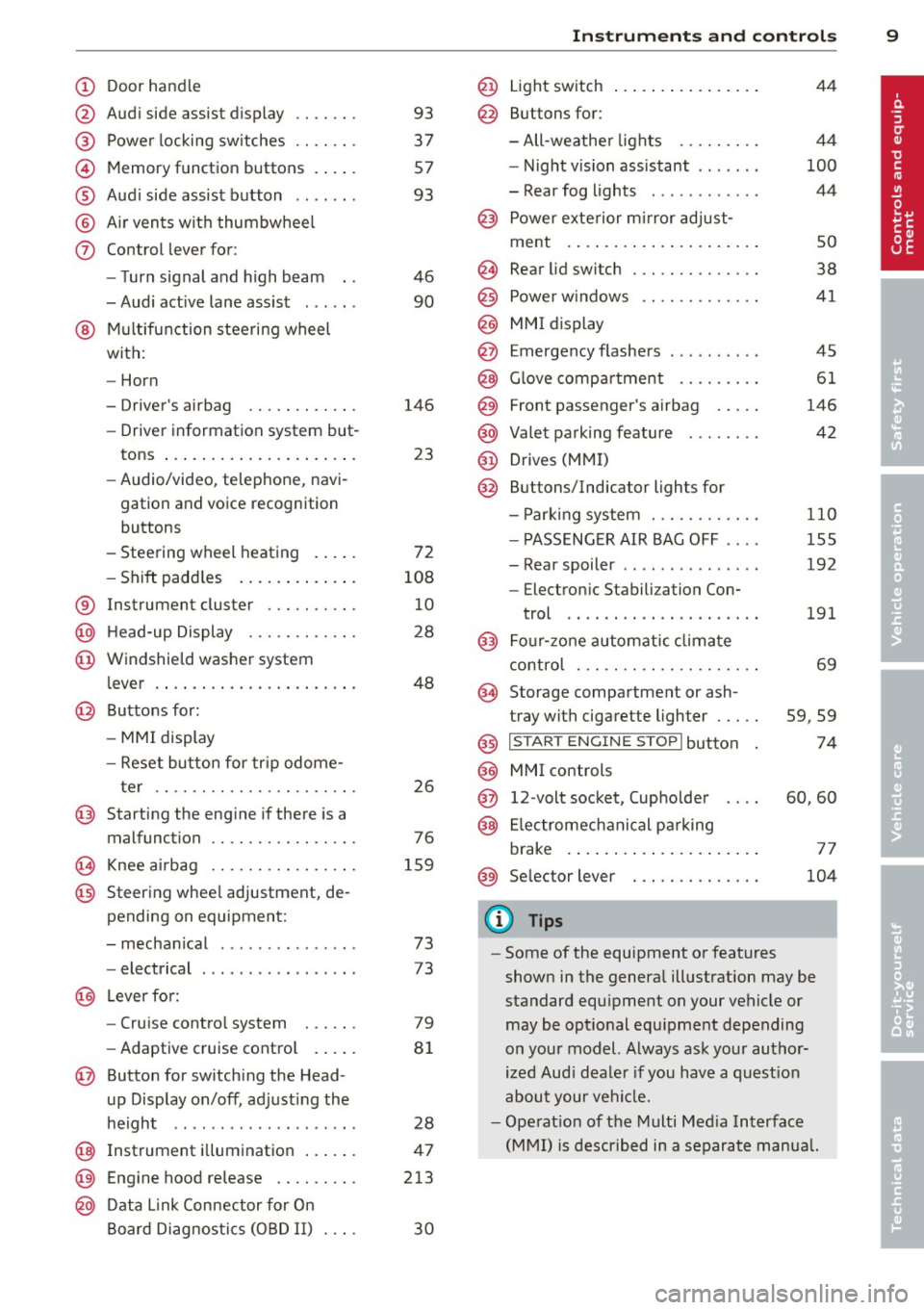
(!) Door handle
@
®
©
®
®
(j)
Audi side assist d isplay
Power locking sw itches
Memory function buttons . ... .
Aud i side assist button .. .. .. .
A ir vents with thumbwheel
Control lever for :
- T urn signal and high beam
- Audi act ive lane assist . .. .. .
@ Mu ltifunction steering wheel
with:
- Horn
- Driver's airbag
- Driver information system but-
tons ... ..... ....... ... .. .
- Audio/video , telephone, navi
gation and voice recognition
buttons
- Steering wheel heating . ... .
- Shift padd les ..... ... .. .. .
® Instrument cluster ..... .. .. .
@ H ead-up Display ....... .. .. .
@ Windsh ield washer system
l ever .... .... ...... ... .. .. .
@ Buttons for :
- MM I display
- Reset button for tr ip odome-
ter .. .. ............. .... .
@ Starting the eng ine if there is a
malfunction
~ Knee airbag ........... .... .
@ Steering whee l adjustment, de
pending on equipment:
- mechanical . ............. .
- electrical
@ Leverfo r:
- Cru ise contro l system
- Adaptive cruise cont ro l .. .. .
@ Button for switch ing the Head
up Display on/off , adjusting the
h eight .. ................ . .
@ Instrument illuminat ion ... .. .
@ Eng ine hood release .... .. .. .
@ D ata Link Connector for On
Board Diag nos tics ( OBD II) . .. .
93
37
57
93
46
90
146 23
72
108 10
28
48
26
76
159
73
73
79
8 1
28
47
213
30
In strument s and control s 9
@ Light switch ..... . .. .. ..... .
@ Buttons for :
- All -weathe r lights
- Night vision assistant . .. ... .
- Rear fog lights . .......... .
@ Power exterior mirror adjust-
ment . ... .... .. . .. .. ..... .
@ Rear lid switc h ............. .
@) Power w indows .... ........ .
@ MMI display
@ Emergency flashers
@ G love compar tment ........ .
@ Front passenger's airbag .... .
@ Valet parking feature ....... .
@ Drives (MMI)
@ Buttons/Indicator ligh ts for
- P arking system ........... .
- PASSENG ER AIR BAG OFF ... .
- Rear spoiler .. .. . .. .... ... .
- E lectron ic Stabili zation Con-
trol .. .. .. .. .. . ... ...... .
@) Four-zone automatic climate
control . .. .. .. .. .. ........ .
@ Storage compartment or ash-
tray with cigarette ligh ter .....
@) I STAR T ENGIN E ST OPI button
@ MMI controls
@ 12-volt socket , (upholde r
@ Elec tromechanical pa rking
brake . ... .. .... . ... ...... .
@ Selector lever
(D Tips
44
4 4
100
44
so
38
41
45
61
146
42
110
155
192
191
69
59,59
74
60,60
77
104
- Some of the equipment or features
shown in the genera l ill ustration may be
standard equ ipment on your vehicle or
may be opt ional equ ipment depending
on you r model. Always ask your autho r
ized Aud i dea le r i f you have a quest ion
about your ve hicl e.
- Ope rat ion of the Multi Med ia Interface
(MMI) is described in a separate manua l.
Page 14 of 292
12 Instrum ent s and w arn ing /indic ato r light s
in serious persona l injury or vehicle
damage.
- Whenever sta lled or stopped for repair,
move the vehicle a safe distance off the
road, stop the engine, and turn on the
emergency flasher
¢ page 45.
- The engine compartment of any motor
vehicle is a potentially hazardous area.
Before you check anything in the engine
compartment, stop the engine and let it
cool down. Always exercise extreme ca u
t ion when wor king under the hood
¢page 213.
(D Tips
Malfunctions or faults w ill be identified e i
ther with a red symbo l (pr iority 1 -Dan
ge r!) o r with a ye llow symbo l (pr iority 2 -
Warn ing).
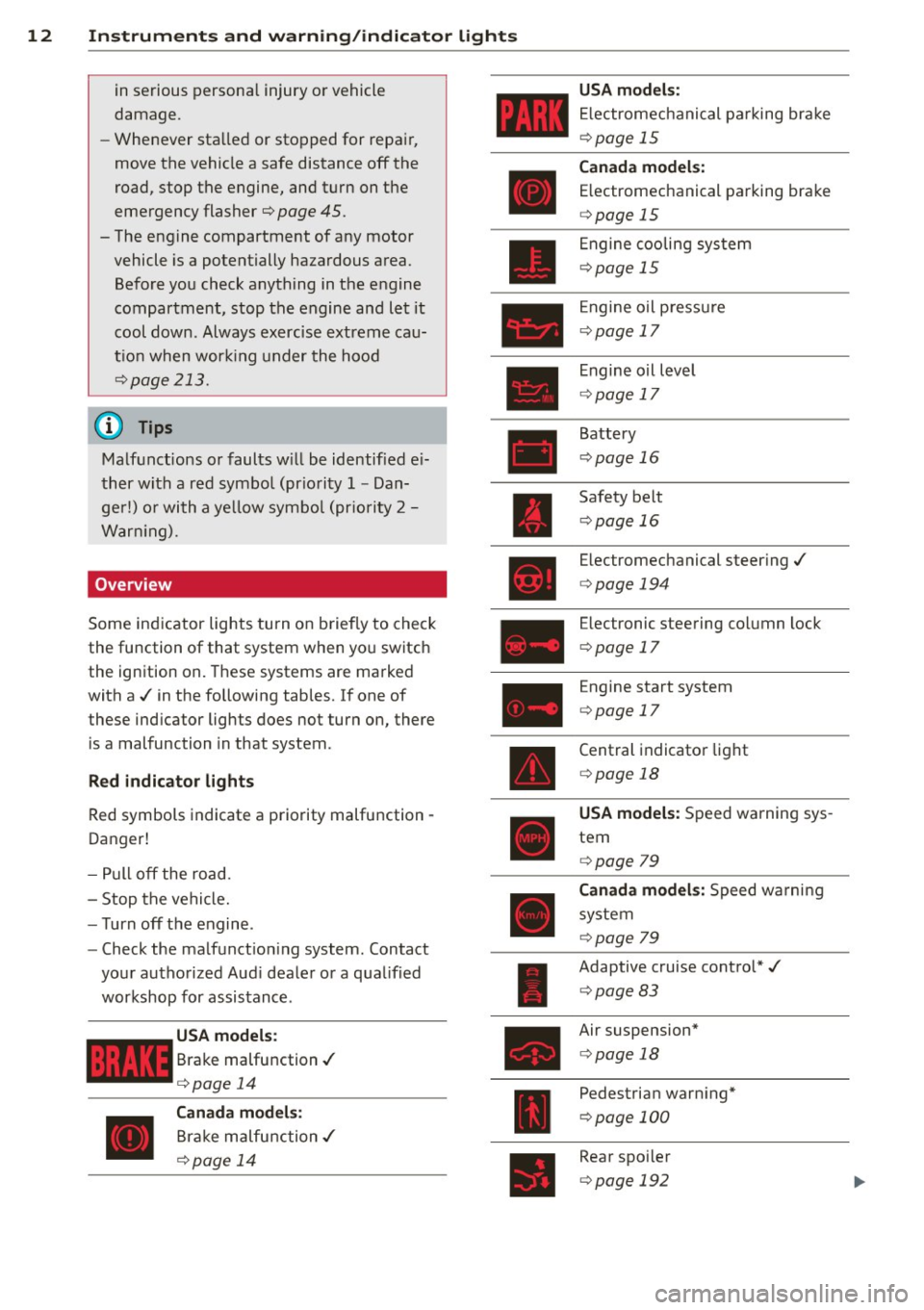
Overview
Some indicator lights turn on briefly to check
the function of that system when yo u switch
the ignition on. These systems are marked
with a ./ in the following tables.
If one of
these ind icator lights does not turn on, there
is a malfunction in that system.
R ed indicato r light s
Red symbols indicate a priority malfunction -
Danger!
- Pull off the road.
- Stop the vehicle.
- Turn off the engine .
- Check the ma lfunct ion ing system . Contact
your authorized Aud i dealer or a q ua lified
workshop for assistance.
USA models :
Brake malfunction./
¢page 14
Canada m odels :
Brake malfunction./
¢ page 14 USA mod
els :
E lectromechanical parking brake
¢page 15
Can ad a model s:
E lectromechanical parking brake
¢ page 15
Engine cooling system
¢page 15
Engine oil p ressu re
¢page 17
Engine o il level
¢ page 17
Battery
¢page 16
Safety belt
¢page 16
Electromechanical steer ing./
¢ page 194
Electronic steering co lumn lock
¢ page 17
Engine start system
¢page 17
Central indicator light
¢ page 18
USA model s: Speed warning sys
tem
¢ page 79
Canada model s: Speed warni ng
system
¢page 79
Adaptive cruise control*./
¢ page 83
Air suspension*
¢page 18
Pedestrian warn ing*
¢ page 100
Rear spo iler
¢ page 192
Page 15 of 292
Instrument s and warnin g/indic ator ligh ts 13
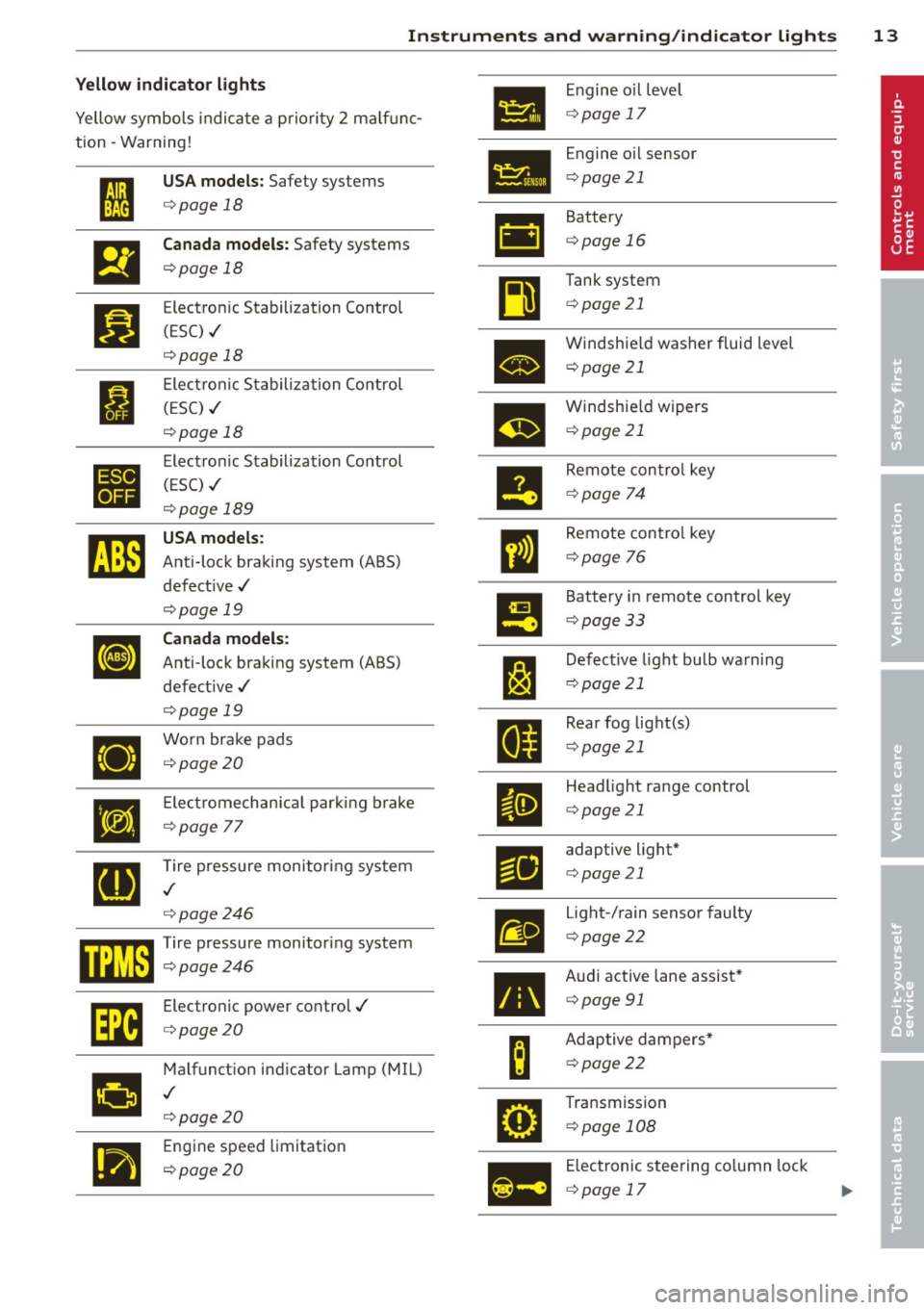
Yellow indi cator li ght s
•
Engine o il level
Yellow symbols indica te a priority 2 ma lf u nc-
c> page 17
tion -Warning!
Engine oil sensor
• I
US A models : Safety systems c>page 21
c> page 18
• Battery
&1
El
Canad a models : Safety systems c>page 16
c>page 18
Tank system
~
Bl
Electronic Stabilization Control c>page 21
(ESC) ./
c>page 18
•
Windshie ld washer fluid level
c> page 21
Electronic Stabiliza tion Control
I (ESC) ./
m
Windshie ld wipers
c> page 18 c>
page 21
•
Electronic Stabilization Control
Remote control key
( E SC) ./
II c>page 74
c>page 189
rJi3
USA models :
ll
Remote contro l key
Anti-lock braking system (ABS)
c>page 76
defect ive ./
c>page 19
!9
Battery in remote control key
Canada models :
c>page 33
[I] Anti-lock braking system (ABS)
J:I
Defective light bulb warning
defect ive ./
c>page 21
c>page 19
Rear fog lig ht(s)
•
Worn brake pads
II c>page 21
c>page20
•
E lect romechan ica l par king brake
II
Head light range control
c>page 21
c>page
77
[g
Tire pressure monitoring system
Fil
adaptive light*
c> page 21
./
c>page246
m
Light-/rain sensor faulty
mm Tire pressure monitor ing system c> page 22
c:::>page246
•
Audi active lane assist*
Im
Electronic power control./ c>page 91
c:::>page20
B
Adaptive dampers*
Malfunct ion ind icator Lamp (MIL)
c>page22
•
./
c>page20
•
Transmission
c> page 108
.,
Engine speed limitation
c> page20
Ill
Electronic steering column lock
c> page 17
Page 19 of 292
Instruments and warning/indicator lights 17
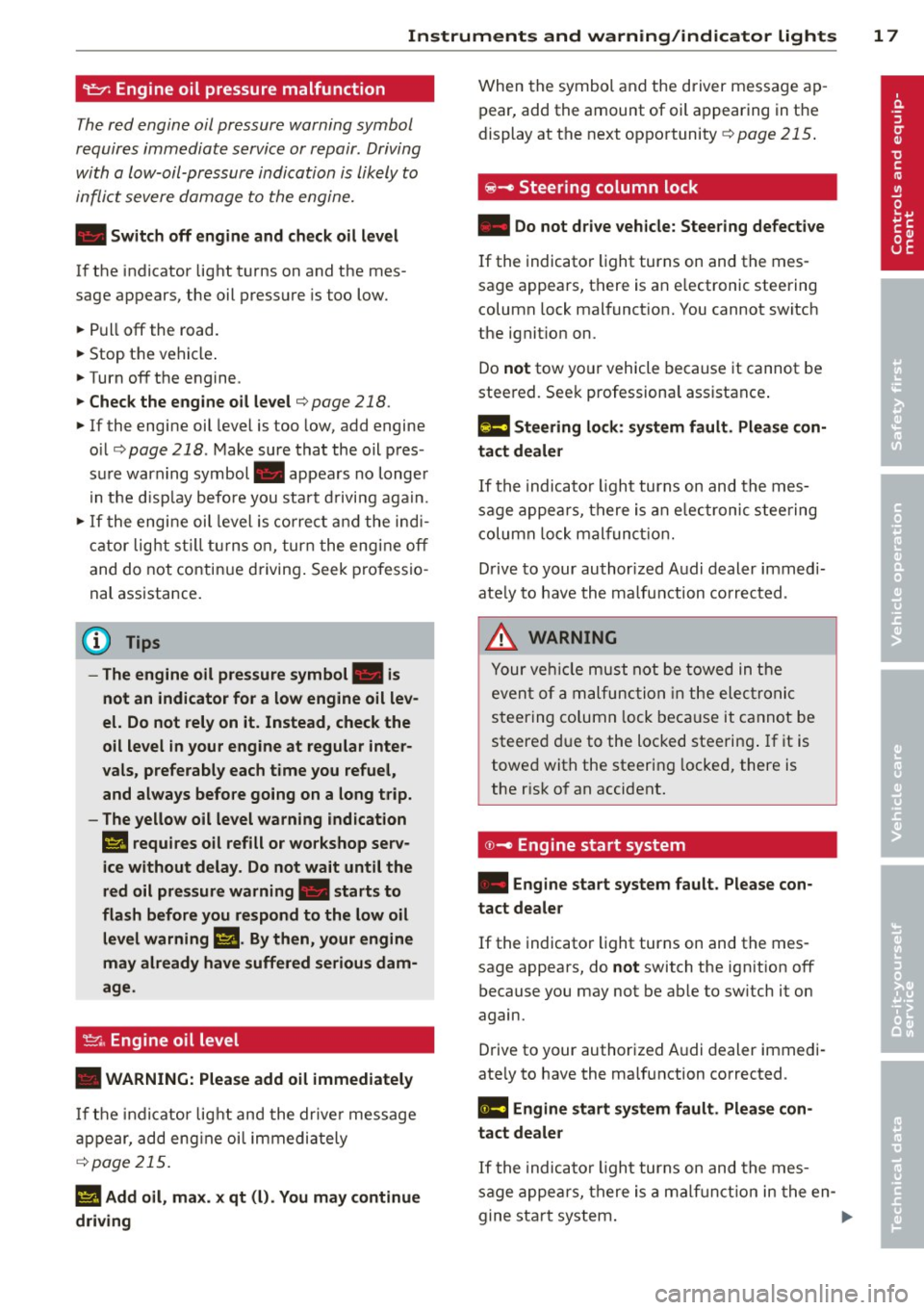
9::;r: Engine oil pressure malfunction
The red engine oil pressure warning symbol
requires immediate service or repair . Driving
with a Low-oil-pressure indication is Likely to
inflict severe damage to the engine.
• Switch off engine and check oil level
If the indicator light t urns on and the mes
sage appears, the oil press ure is too low.
~ P ull off the road.
~ St op t he vehi cle.
~ Turnoff the engine.
~ Check the engine oil level¢ page 218.
~ If the engi ne oil leve l is too low, add engine
o il ¢
page 218. M ake sure that the oil p res
s ur e warn ing symbol . appea rs no longe r
in t he di sp lay befo re you start drivi ng aga in.
~ If the engi ne oil leve l is corr ect a nd the indi
cat or lig ht st ill turn s on, tur n t he eng ine
off
and do not contin ue d riving . Seek profe ssio
na l assistance .
(D Tips
- The engine oil pressure symbol. is
not an indicator for a low engine oil lev
el. Do not rely on it. Instead, check the
oil level
in your engine at regular inter
vals, preferably each time you refuel,
and always before going on a long trip.
- The yellow oil level warning indication
El requires oil refill or workshop serv
ice without delay . Do not wait until the
red oil pressure warning. starts to
flash before you respond to the low oil
level warning m. By then, your engine
may already have suffered serious dam
age .
~ . Engine oil level
• WARNING: Please add oil immediately
If th e i ndi cator lig ht and the drive r mess age
a ppear, add eng ine oi l immedi ately
¢page 215.
11!1 Add oil, max. x qt (l). You may continue
driving
W hen the symbol and the driver message ap
pear, add the amount of oil a ppearing in the
display at the next op portunity
¢ page 215.
@-Steering column lock
• Do not dr ive vehicle: Steering defect ive
If the indicator light turns on and the mes
sage appears, t here is an e lectronic steering
column lock malfunct ion. You cannot switch
the ignit io n on.
Do
not tow yo ur vehicle because it cannot be
stee red. See k professiona l assistance .
1!11 Steering lock: sy stem fault. Please con
tact dealer
If th e i ndica to r li ght turns on and th e m es
sage a ppea rs, th ere i s an elec tro nic s tee ring
c olumn lo ck malfun ction.
D rive to your author ized A udi dealer imm ed i
ate ly to have th e ma lfunction corr ected .
&_ WARNING
-
Yo ur ve hicle m ust n ot be towed in the
even t of a ma lf unc tion in th e electro nic
s teerin g col umn lo ck be ca use it c annot be
steere d due to the loc ked stee ring. If i t is
towe d wit h the steering locke d, there is
the r is k of an accident.
© -Engine start system
• Engine start system fault . Please con
tact dealer
If the indicator light turns on and the mes
sage appears, do
not switch the ign ition off
because you may not be ab le to sw itch it on
again.
D rive to your authorized A udi dealer immedi
ate ly to have the malfunction corrected.
1111 Engine start system fault. Please con
tact deale r
If the indica to r li ght turns on and the me s
sage appe ars, there i s a malf unc tion in the en-
gine sta rt sys tem . .,,..
Page 20 of 292
18 Instruments and warning/indicator lights
Drive to your authorized Audi dea ler immedi
ately to have the malfunction corrected .
0 Air suspension
Applies to vehicles: with air suspe nsion
• Air suspension: system fault. Can contin
ue slowly with max. 35 mph .
There is a malfunction that can resu lt in re
stricted driving stability .
Ca refully drive at a maximum speed of 35
mph
(60 km/h) to your authorized Audi dealer
or qualified workshop to have the malfunction
corrected .
• Air suspension: service mode. Vehicle
can only be moved with restrictions
Carefully drive to your authorized Audi dealer
or qua lified workshop immediate ly to have
the service mode deactivated.
II Air suspension fault
There is a system malfunction that can result
in restr icted driving stability or reduced
ground clearance .
Drive to your authorized Audi dea ler immedi
ately to have the malfunction corrected.
II Air suspension: vehicle too low. Ground
clearance reduced
The ground clearance is ve ry low due to a sys
tem malfunction . Wait until the air suspen
sion system has restored normal ground clear
ance . Otherwise, conditions such as an uneven
road surface can lead to vehicle damage.
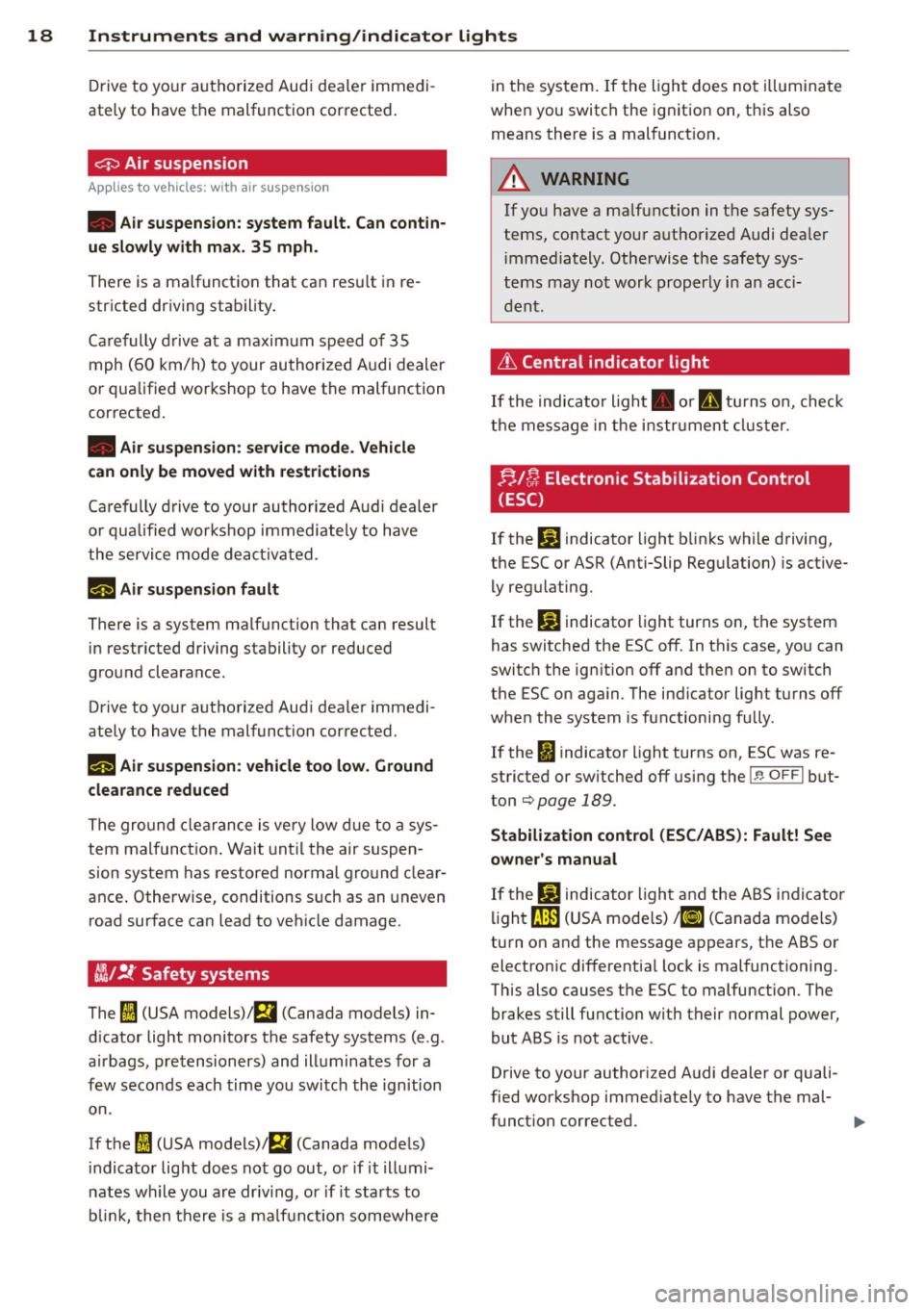
tfsl !f Safety systems
The fl (USA models) ;fll (Canada models) in
d icator light monitors the safety systems (e.g.
a ir bags, pretensioners) and illuminates for a
few seconds each time you switch the ignition
on.
If the
fl (USA models)I E,I (Canada models)
indicator light does not go out, or if it illumi
nates while you are driv ing, or if it starts to
blink, then there is a malfunction somewhere in
the system. If the light does not illuminate
when you switch the ignition on, this also
means there is a malfunct ion .
A WARNING "--
If yo u have a ma lfunction in the safety sys-
tems, contact your authorized Audi dea ler
im mediately . Otherwise the safety sys
tems may not work properly in an acc i
dent.
Lt Central indicator light
If the indicato r light . or II turns on, check
the message in the instr ument cluster.
f;,J [); Electronic Stabilization Control
(ESC)
If the lj] indicator light blinks while driving,
the ESC or ASR (Anti-Slip Regulation) is active
ly regulating.
If the
lj] indicator light turns on, the system
has switched the ESC off. In this case, you can
switch the ign ition off and then on to switch
the ESC on aga in. The ind icator light turns off
whe n the system is functioning fully.
If the
fl indicator light turns on, ESC was re
stricted or sw itched off using the
l.i; O FFI but
ton
¢page 189.
Stabilization control (ESC/ABS): Fault! See
owner's manual
If the J.j] indicator light and the ABS indicator
light
fJln (USA mode ls) ,1IJ (Canada models)
turn on and the message appears, the ABS or electronic differentia l lock is malfunctioning.
This also causes the ESC to malfunction. The
brakes still function with their normal power,
but ABS is not active .
Drive to your author ized Audi dealer or quali
fied workshop immed iately to have the mal-
funct ion corrected. .,,_
Page 21 of 292
Instrument s and warnin g/indic ator ligh ts 19
A WARNING ,~ ~
If the ~ (USA models)/ . (Canada
models) brake system indicator light turns
on together with the ABS and ESC indica
tor lights, the ABS/ESC regulating function
may have failed. Functions that stabilize
t he vehicle are no longer avai lab le. This
cou ld cause the vehicle to swerve and in
crease the risk of sliding . Drive caref ully to
the nearest a uthorized Audi dea ler or oth
er qualified workshop and have the mal
function corrected.
@ Tips
For addit ional information on ESC and
ABS, refer to
c:::> page 189 .
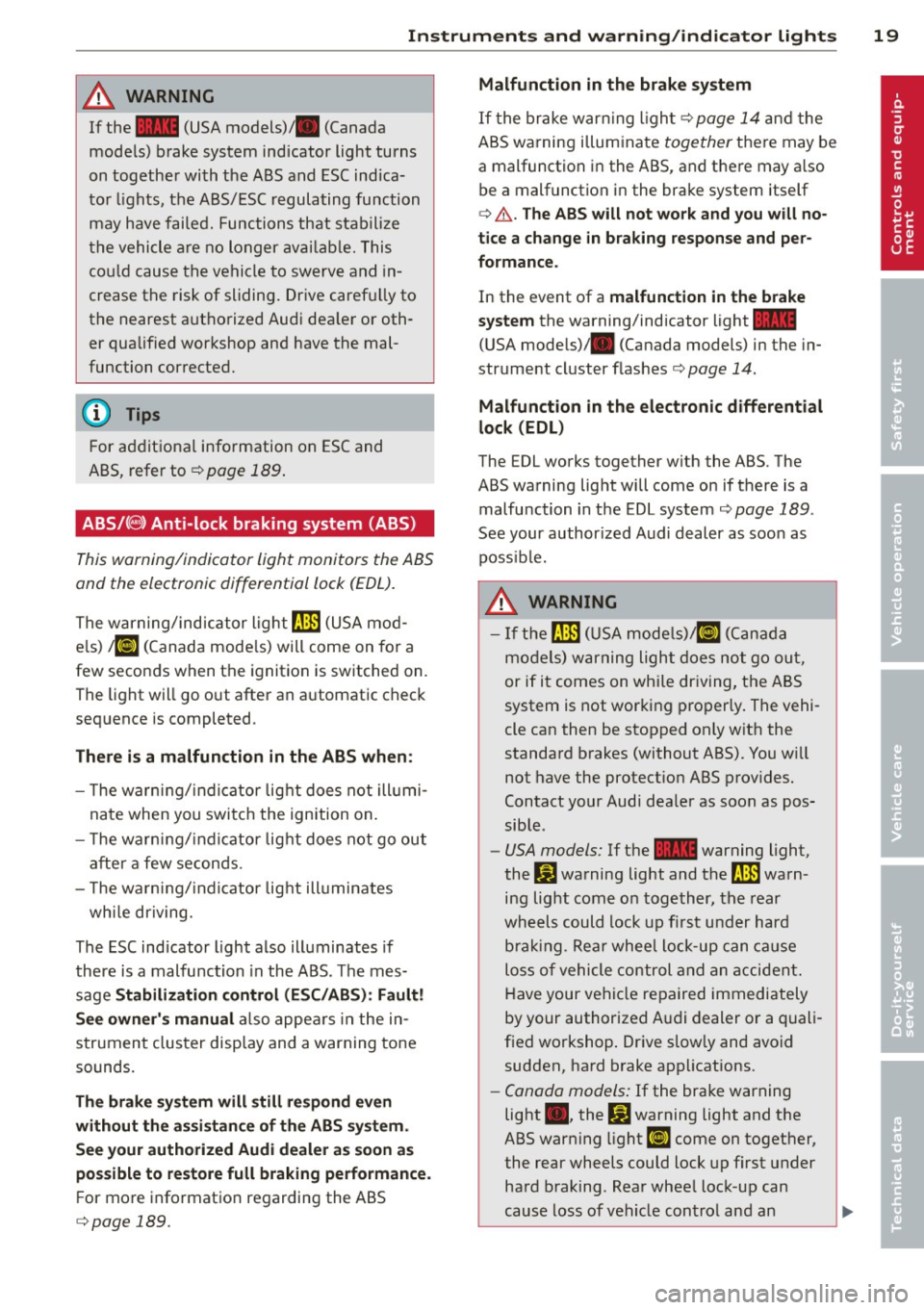
ABS/(8) Anti-lock braking system (ABS)
This warning/indicator light monitors the ABS
and the electronic differential lock (EDL).
The warning/indicator light rlB (USA mod
els)
1iJ (Canada models) will come on for a
few seconds when the ignition is switched on.
The light will go out after an automatic check
sequence is completed .
There is a malfunction in the ABS when :
- The warn ing/indi cator lig ht does not ill umi
nate when you switch the ignition on.
- T he warn ing/indi cator lig ht does not go out
after a few seconds .
- T he wa rn ing/ ind icator lig ht ill uminates
wh ile driving.
The ESC indicator light also illuminates if
there is a malfunction in the ABS . T he mes
sage
Stabilization control (ESC /AB S): Fault!
See own er's manual
also appea rs in the in
strument cluster disp lay and a warning tone
sounds.
Th e br ake sy ste m will still re spond even
with out the assis tan ce of th e ABS sy ste m .
See your authorized Audi dealer a s soon as
po ssible to re store full braking performance .
For more information regarding the ABS
c::> page 189.
Malfunction in the brake sy stem
If the brake war ning l igh t c:::> page 14 and the
ABS warning illuminate
together the re may be
a malfunction in the ABS, and there may a lso
be a malfunction in the brake system itself
c:::> A . The AB S will not wo rk and you w ill no
tice a change in b raking response and per
formance .
In the event of a malfunction in the brake
s y stem
the warning/indicator light~
(USA mode ls)/ . (Canada models) in the in
strument cluster flas hes
c:::> page 14.
Malfunction in th e ele ctronic diff erential
lock (EDL)
The EDL works together w ith the ABS. The
ABS warning light will come on if there is a malfunction in the EDL system
c:::> page 189 .
See your author ized Audi dealer as soon as
poss ible.
A WARNING
-
- I f the rlB (USA mode ls)/ [IJ (Canada
models) warning light does not go ou t,
or if it comes on while dr iving, the ABS
system is not working properly. The vehi-
cle can then be stopped only w it h the
standard brakes (without ABS). You w ill
not have the protect ion ABS prov ides.
Contact your Audi dea ler as soon as pos
sible .
-USA models: If the ~ warning light,
the:
GJ warning light and the rlB warn
ing light come on together, the rear
wheels could lock up f irst under hard
bra king. Rear wheel lock-up can ca us e
loss of vehicle control and an a ccident.
Have your vehi cle repaired immediately
by your authorized A udi dealer or a quali
fied workshop . Drive slow ly and avoid
sudden, ha rd brake applications.
- Canada models: If the brake warning
light •• the
DJ warning light and the
ABS warning light
[I] come on together,
the rear wheels could lock up first under
hard braking . Rea r whee l lock-up can
cause loss of vehicle control and an .,._
Page 28 of 292
26 Instruments and warning /indicator lights
• To turn an economy message off immediate
l y after it appears, press any b utton on the
mult ifunction steer ing whee l.
(D Tips
-Once you have t urne d a fue l eco nomy
message off , it will only appear again af
ter you t urn the ignition on aga in.
- The fuel eco nomy messages are not dis
played in every instance, but rathe r in in
terva ls over a per iod of time.
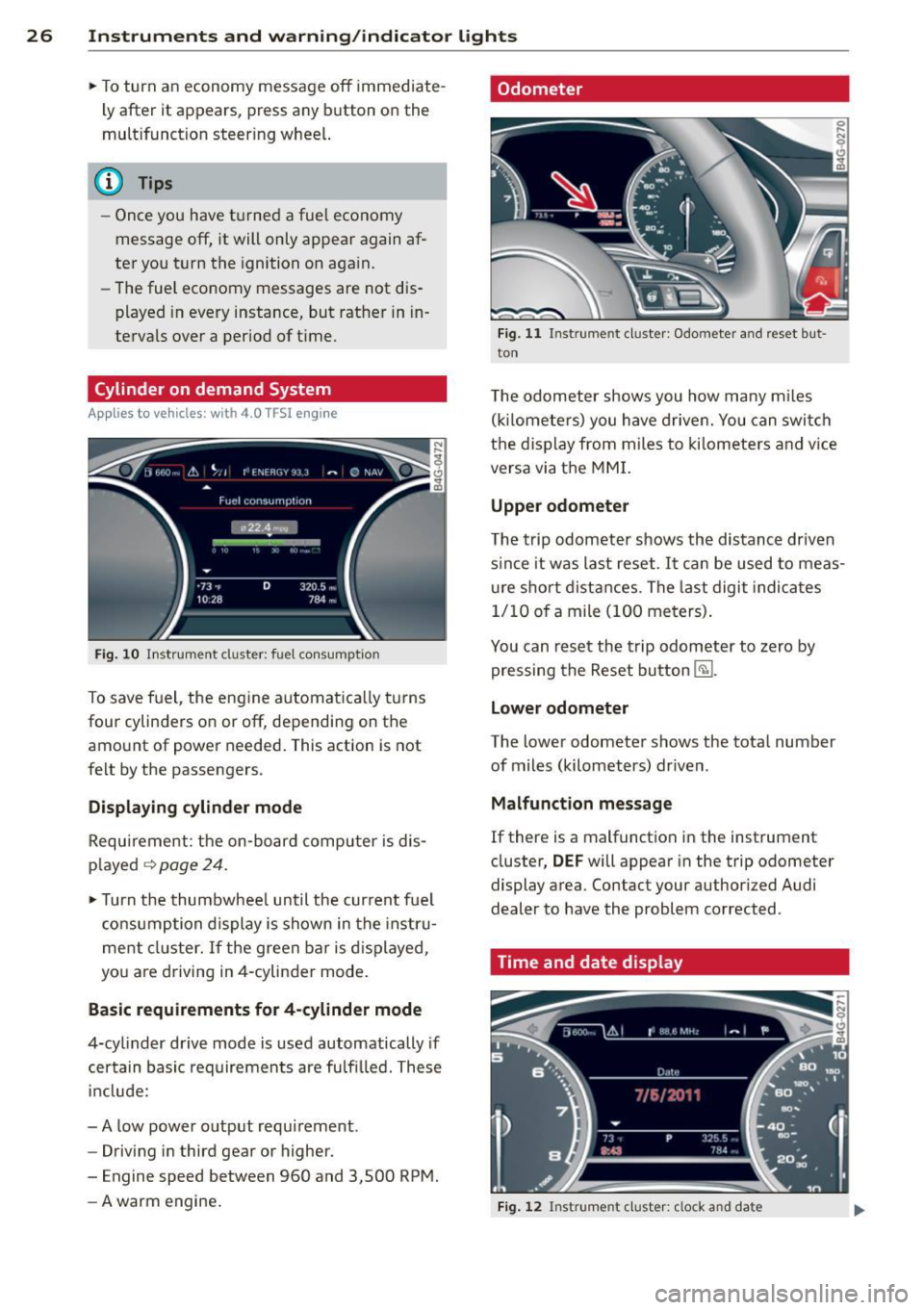
Cylinder on demand System
App lies to vehicles: with 4.0 TFSI engine
Fig. 10 In strument cluster : fu el con sumpt io n
To save f uel, the eng ine automat ica lly t urns
four cylinders on or off, depending on the
amo unt of power needed . This action is not
fe lt by the passengers.
Displaying cylinder mode
Requ irement : th e on-bo ard computer is dis
p layed
q page 24 .
• Turn the thumbwhee l until the current fue l
co nsu mp tion d isplay is shown in the in st ru
ment cluster. I f the green bar i s di splayed ,
yo u are driving in 4-cylinder mo de.
Basic requirements for 4 -cylinder mode
4-cy linder d rive mode is used automatically if
certain basi c req uiremen ts are fu lfi lled . T hese
i n cl ude:
-A low powe r outp ut requi rement .
- Driving i n third gear or higher.
- Engine speed between 960 and 3,500 RP M.
- A warm engine .
Odometer
Fig. 11 Inst ru m ent clus ter : Odo meter an d reset b ut
t o n
T he odometer shows you how ma ny m iles
( kil ome te rs ) you have drive n. You can swi tch
t h e d is pl ay from miles to ki lomete rs and v ice
versa via t he MMI.
Upper odometer
The trip odometer shows the distanc e driven
s in ce it was last reset .
It can be u sed to meas
u re s ho rt dist ances . T he last digit indica tes
1/10 o f a mile (10 0 me ters) .
You can res et the trip odometer to zero by
pressing the Reset bu tton
@J .
Lower odometer
The lower odomete r shows the tota l number
of miles (kilometers) dr iven .
Malfunct ion message
If there is a malfunct ion in the instrument
cluster ,
DEF will appear in the trip odometer
display area . Contact your author ized Audi
dealer to have the problem corrected .
Time and date display
Fig. 12 Instrume nt cluster: clock a nd da te
Page 34 of 292
32 Opening and clo sing
Opening and closing
Keys
Key set
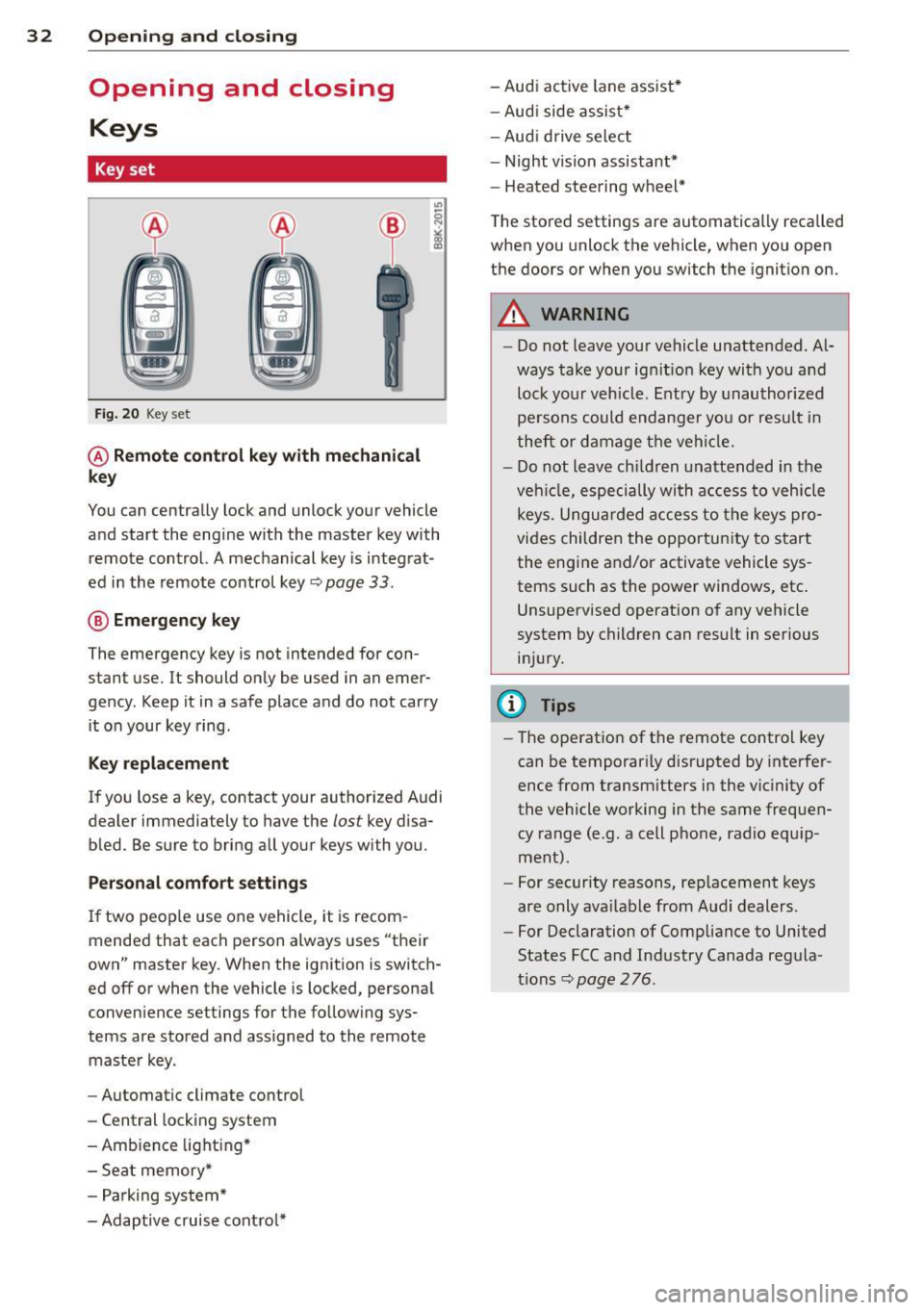
Fig . 20 Key set
@ R emot e con trol k ey w ith m echan ical
ke y
You can centrally lock and unlock your vehicle
and start the engine with the master key with
remote control. A mechanical key is integrat
ed in the remote control key
r:::;, page 33 .
@ Eme rgenc y ke y
The emergency key is not intended for con
stant use.
It should only be used in an emer
gency. Keep it in a safe place and do not carry it on your key ring .
Key replac em ent
If you lose a key, contact your authorized Audi
dealer immediately to have the
lost key disa
bled. Be sure to bring all your keys with you.
P er sonal c omfo rt se ttin gs
If two peop le use one vehicle, it is recom
mended that each person always uses "their
own" master key . When the ignition is switch
ed off or when the vehicle is locked, personal
convenience settings for the follow ing sys
tems are stored and assigned to the remote master key .
- Automatic climate control
- Central locking system
- Amb ience light ing*
- Seat memory*
- Parking system*
- Adaptive cruise control* - Audi active
lane assist *
- Aud i side assist*
- Aud i drive select
- Night vision assistant*
- Heated steering wheel*
The stored settings are automatically recalled
when you unlock the vehicle, when you open
the doors or when you switch the ignition on.
A WARNING
-- Do not leave your vehicle unattended . Al-
ways take your ignit ion key with you and
lock your vehicle . Entry by unauthorized
persons could endanger you or resul t in
theft or damage the vehicle.
- Do not leave children unattended in the veh icle, especially with access to vehicle
keys. Unguarded access to the keys pro
vides children the opportunity to start the engine and/or activate vehicle sys
tems such as the power windows, etc .
Unsupervised operation of any vehicle
system by children can result in serious
injury.
(1) Tips
- The operation of the remote control key
can be temporar ily disrupted by interfer
ence from transm itters in the vic inity of
the vehicle working in the same frequen
cy range (e.g. a cell phone, radio equip
ment).
- For security reasons, rep lacement keys
are only ava ilable from Audi dealers.
- For Declaration of Compliance to United
States FCC and Industry Canada regula
tions
r:::;, page 276.
Page 35 of 292
Removing the mechanical key
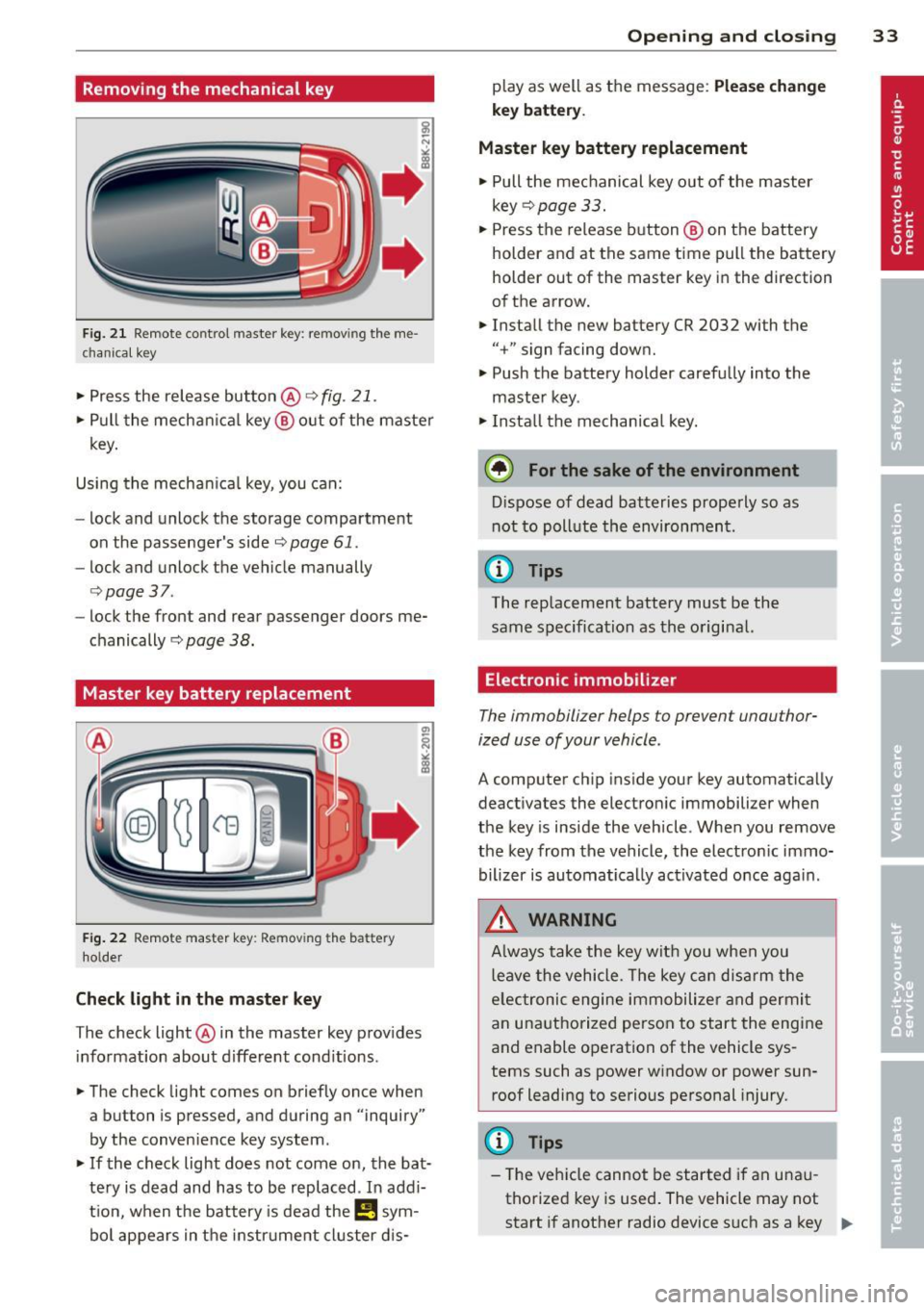
Fig. 21 Remote control maste r key : re mov ing the me
c han ical key
• Press the release button @ c:> fig. 21.
• Pull the mechanica l key @ out of the master
key.
Using the mechan ica l key, you can:
- lock and unlock the storage compartment
on the passenger's side
c::> page 61.
- lock and unlock the vehicle manually
c::>page 37 .
-lock the front and rear passenger doors me
chanically
c:> page 38.
Master key battery replacement
Fig . 22 Remote master key : Re mov ing the ba ttery
holde r
Check light in the master key
The check light @ in the master key provides
information about different cond itions .
• The check light comes on briefly once when
a button is pressed, and during an "inquiry"
by the conven ience key system .
• If the check light does not come on, the bat
tery is dead and has to be replaced . In add i
t ion, when the battery is dead the
I!! sym
bol appears in the instrument cluster dis-
Opening and closing 33
play as well as the message : Please change
key battery .
Master key battery replacement
• Pull the mechanical key out of the master
key
c::> page 33.
• Press the release button @ on the battery
holder and at the same time pull the battery
holder out of the master key in the direction
of the arrow.
• Install the new battery CR 2032 with the
"+ " sign facing down.
• Push the battery holder carefully into the
maste r key .
• Install the mechanical key.
@ For the sake of the environment
Dispose of dead batteries properly so as
not to poll ute the environment .
(D Tips
The replacement battery must be the
same specification as the original.
, Electronic immobilizer
The immobilizer helps to prevent unauthor
ized use of your vehicle .
A computer chip inside your key automatically
deactivates the electronic immobilizer when
the key is inside the vehicle. When you remove
the key from the vehicle, the electronic immo
bilizer is automatically activated once again .
A WARNING
-
Always take the key with you when you
leave the vehicle. The key can disarm the
e lectronic engine immobilizer and permit
an unauthorized person to start the engine
and enable operation of the vehicle sys
tems such as power window or power sun
roof leading to serious personal injury.
(D Tips
- Th e veh icle cannot be started if an unau
thorized key is used. The vehicle may not
start if another radio device such as a key .,.