park assist AUDI RS7 SPORTBACK 2014 Owners Manual
[x] Cancel search | Manufacturer: AUDI, Model Year: 2014, Model line: RS7 SPORTBACK, Model: AUDI RS7 SPORTBACK 2014Pages: 292, PDF Size: 73.56 MB
Page 4 of 292
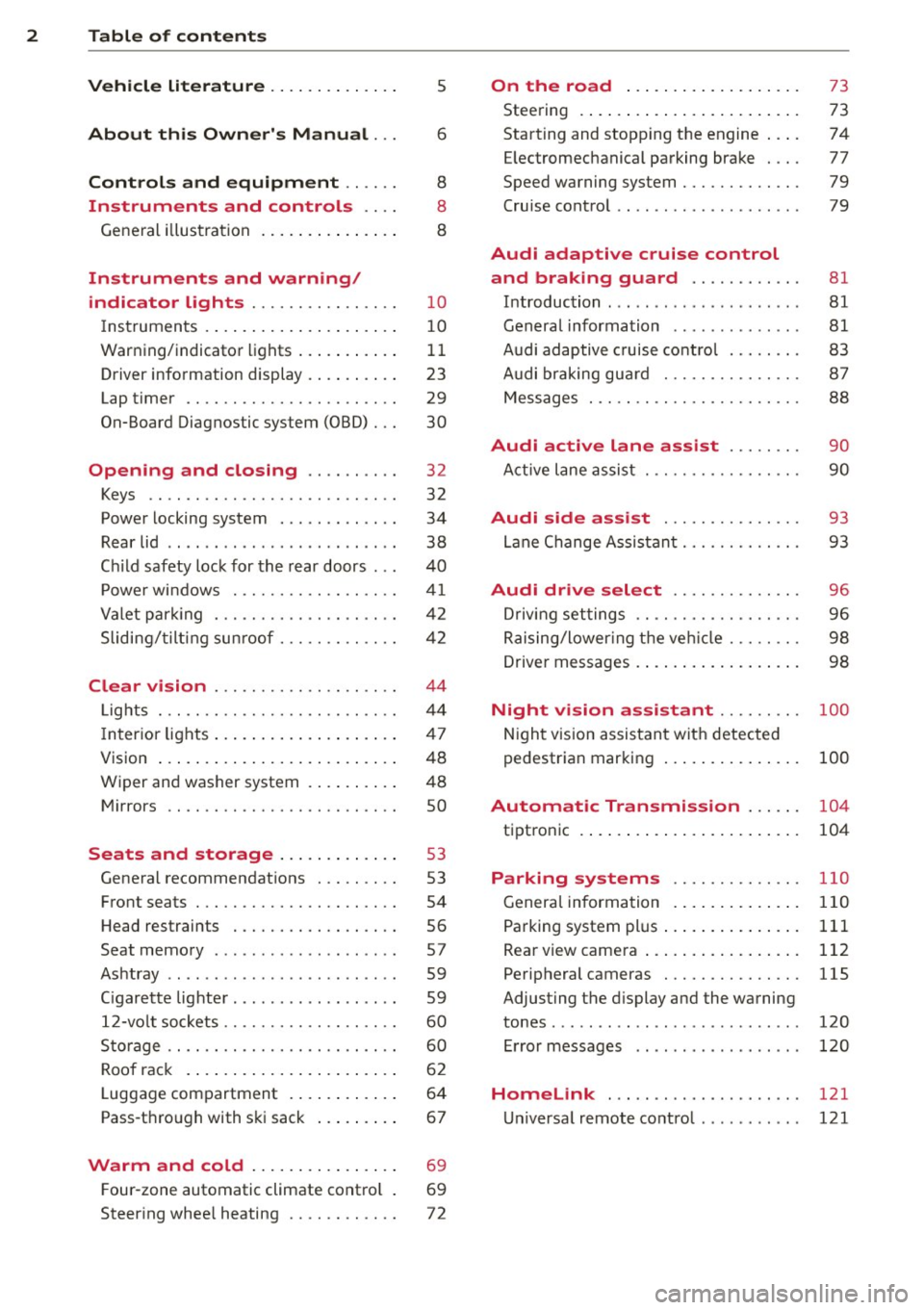
2 Table of content s
Vehicle lite ratu re .. .. .. .. .. ... .
About thi s Owner' s Manual ...
C ontr ols and equi pm ent .. ... .
Instruments and controls .. . .
General illustration ...... ... .. ... .
Instruments and warning/
indicator lights ............... .
Instruments ............ ... .. ... .
Warning/indicator lights .. ... ... .. .
Driver information display ... ... ... .
Lap timer .. ................ ... . .
On-Board Diagnostic system (OBD) .. .
Opening and closing ......... .
Keys .. .. .................. ... . .
Power locking system .......... .. .
Rear lid .... .................. .. .
5
6
8
8
8
10
10
11
23
29
30
32
32
34
38
Child safety lock for the rear doors . . . 40
Power windows ................. .
Valet park ing ................... .
Sliding/ tilting sunroof ............ .
Clear vision ................... .
Lights ... .. ................ ... . .
I nterior lights .... ......... ... ... .
V1s1on ..... ... ............. .... .
Wiper and washer system ...... .. . .
Mirrors .. ............... ....... . 4
1
42
42
44
44
47
48
48
so
Seats and storage . . . . . . . . . . . . . 53
General recommendations ........ .
Front seats .................. ... .
Head restraints ................. .
Seat memory .. .... ...... .. .. .. . .
Ashtray .. .. ................ ... . .
C igarette lighter ................. .
12-vo lt sockets .................. .
Storage .. ............... ...... . .
Roof rack .. ... ............. .... .
Luggage compartment ..... ... ... .
Pass-through with ski sack ....... . . 53
54
56
57
59
59
60
60
62
64
67
Warm and cold . . . . . . . . . . . . . . . . 69
F our-zone automatic climate control . 69
Steering wheel heating . . . . . . . . . . . . 72
On the road ... .......... ... .. .
Steering .. .... .. .. ............. .
Starting and stopping the engine ... .
E lectromechanical parking brake ... .
Speed warning system ............ .
Cruise contro l .. .. ............... .
Audi adaptive cruise control
and braking guard .......... . .
Introduction ... .. ... .... ........ .
General information ............. .
Audi adaptive cruise control ....... .
Audi braking gua rd ............ .. .
Messages . .... .. ............. .. .
73
73
74
77
79
79
81 81
81
83
87
88
Audi active lane assist . . . . . . . . 90
Active lane assist .............. .. .
Audi side assist .............. .
Lane Change Assistant ............ .
90
93
93
Audi drive select . . . . . . . . . . . . . . 96
Driving settings . . . . . . . . . . . . . . . . . . 96
Raising/lower ing the veh icle . . . . . . . . 98
Driver messages . . . . . . . . . . . . . . . . . . 98
Night vision assistant . . . . . . . . . 100
Night vision assistant with detected
pedestrian marking . . . . . . . . . . . . . . . 100
Automatic Transmission . . . . . . 104
tiptronic . . . . . . . . . . . . . . . . . . . . . . . . 104
Parking systems ........... .. .
General information ............. .
Parking system plus ......... ... .. .
Rear view camera ................ .
Peripheral cameras .............. .
Adjusting the display and the warning
tones ........ .... .............. .
Error messages
Homelink .................... .
Universal remote control .......... . 110
110
111
112
115
120
120
121
121
Page 11 of 292
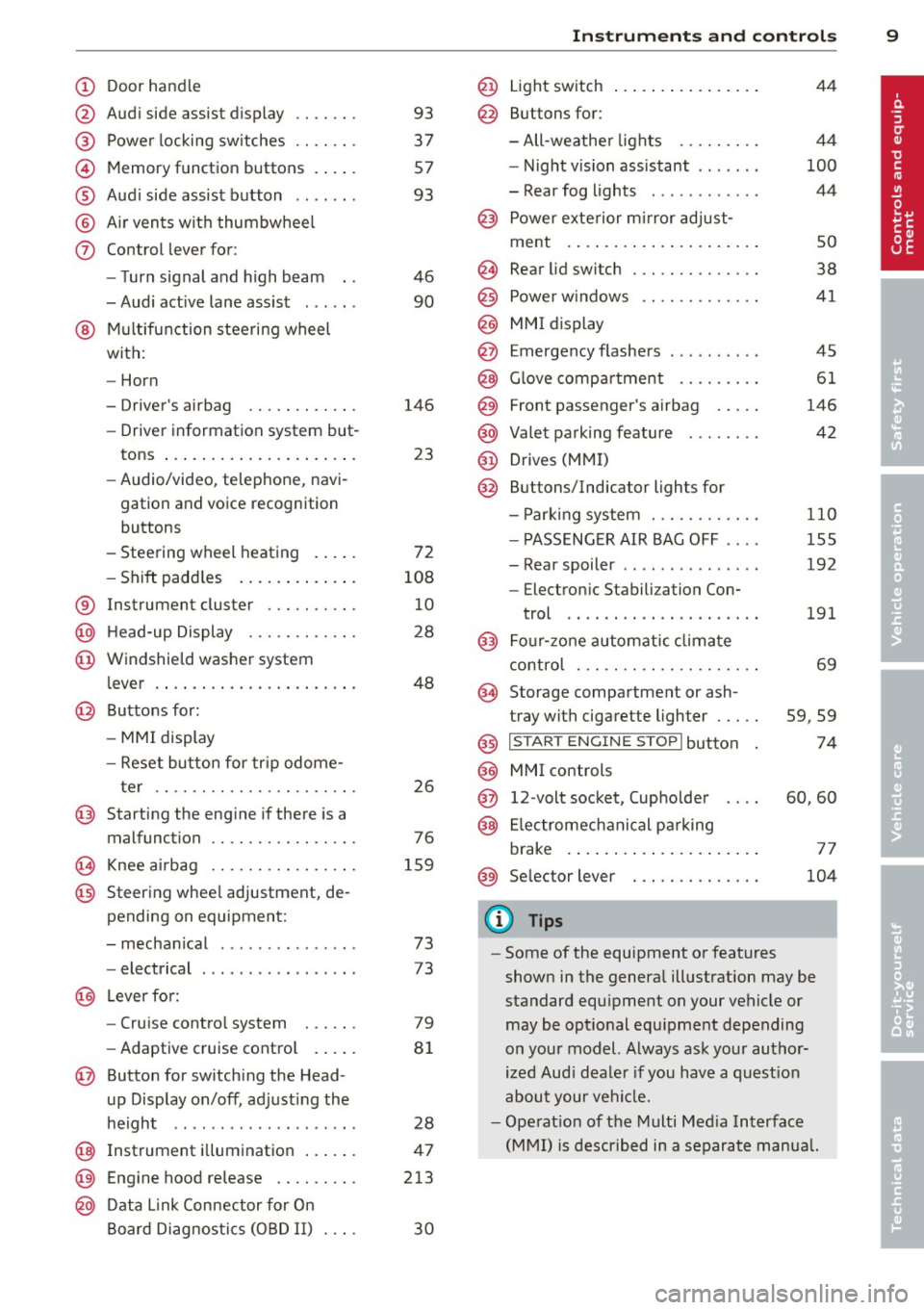
(!) Door handle
@
®
©
®
®
(j)
Audi side assist d isplay
Power locking sw itches
Memory function buttons . ... .
Aud i side assist button .. .. .. .
A ir vents with thumbwheel
Control lever for :
- T urn signal and high beam
- Audi act ive lane assist . .. .. .
@ Mu ltifunction steering wheel
with:
- Horn
- Driver's airbag
- Driver information system but-
tons ... ..... ....... ... .. .
- Audio/video , telephone, navi
gation and voice recognition
buttons
- Steering wheel heating . ... .
- Shift padd les ..... ... .. .. .
® Instrument cluster ..... .. .. .
@ H ead-up Display ....... .. .. .
@ Windsh ield washer system
l ever .... .... ...... ... .. .. .
@ Buttons for :
- MM I display
- Reset button for tr ip odome-
ter .. .. ............. .... .
@ Starting the eng ine if there is a
malfunction
~ Knee airbag ........... .... .
@ Steering whee l adjustment, de
pending on equipment:
- mechanical . ............. .
- electrical
@ Leverfo r:
- Cru ise contro l system
- Adaptive cruise cont ro l .. .. .
@ Button for switch ing the Head
up Display on/off , adjusting the
h eight .. ................ . .
@ Instrument illuminat ion ... .. .
@ Eng ine hood release .... .. .. .
@ D ata Link Connector for On
Board Diag nos tics ( OBD II) . .. .
93
37
57
93
46
90
146 23
72
108 10
28
48
26
76
159
73
73
79
8 1
28
47
213
30
In strument s and control s 9
@ Light switch ..... . .. .. ..... .
@ Buttons for :
- All -weathe r lights
- Night vision assistant . .. ... .
- Rear fog lights . .......... .
@ Power exterior mirror adjust-
ment . ... .... .. . .. .. ..... .
@ Rear lid switc h ............. .
@) Power w indows .... ........ .
@ MMI display
@ Emergency flashers
@ G love compar tment ........ .
@ Front passenger's airbag .... .
@ Valet parking feature ....... .
@ Drives (MMI)
@ Buttons/Indicator ligh ts for
- P arking system ........... .
- PASSENG ER AIR BAG OFF ... .
- Rear spoiler .. .. . .. .... ... .
- E lectron ic Stabili zation Con-
trol .. .. .. .. .. . ... ...... .
@) Four-zone automatic climate
control . .. .. .. .. .. ........ .
@ Storage compartment or ash-
tray with cigarette ligh ter .....
@) I STAR T ENGIN E ST OPI button
@ MMI controls
@ 12-volt socket , (upholde r
@ Elec tromechanical pa rking
brake . ... .. .... . ... ...... .
@ Selector lever
(D Tips
44
4 4
100
44
so
38
41
45
61
146
42
110
155
192
191
69
59,59
74
60,60
77
104
- Some of the equipment or features
shown in the genera l ill ustration may be
standard equ ipment on your vehicle or
may be opt ional equ ipment depending
on you r model. Always ask your autho r
ized Aud i dea le r i f you have a quest ion
about your ve hicl e.
- Ope rat ion of the Multi Med ia Interface
(MMI) is described in a separate manua l.
Page 14 of 292
12 Instrum ent s and w arn ing /indic ato r light s
in serious persona l injury or vehicle
damage.
- Whenever sta lled or stopped for repair,
move the vehicle a safe distance off the
road, stop the engine, and turn on the
emergency flasher
¢ page 45.
- The engine compartment of any motor
vehicle is a potentially hazardous area.
Before you check anything in the engine
compartment, stop the engine and let it
cool down. Always exercise extreme ca u
t ion when wor king under the hood
¢page 213.
(D Tips
Malfunctions or faults w ill be identified e i
ther with a red symbo l (pr iority 1 -Dan
ge r!) o r with a ye llow symbo l (pr iority 2 -
Warn ing).
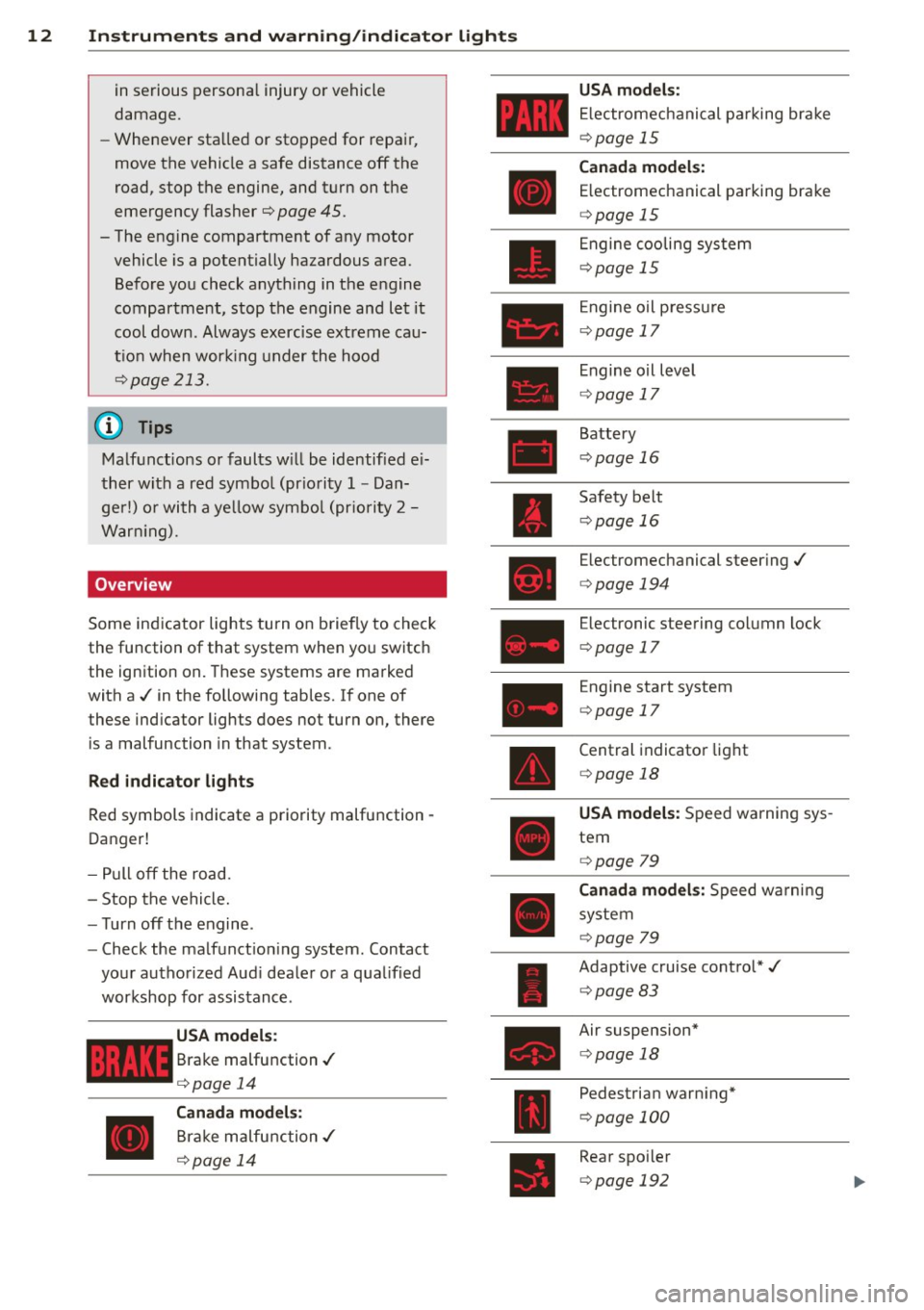
Overview
Some indicator lights turn on briefly to check
the function of that system when yo u switch
the ignition on. These systems are marked
with a ./ in the following tables.
If one of
these ind icator lights does not turn on, there
is a malfunction in that system.
R ed indicato r light s
Red symbols indicate a priority malfunction -
Danger!
- Pull off the road.
- Stop the vehicle.
- Turn off the engine .
- Check the ma lfunct ion ing system . Contact
your authorized Aud i dealer or a q ua lified
workshop for assistance.
USA models :
Brake malfunction./
¢page 14
Canada m odels :
Brake malfunction./
¢ page 14 USA mod
els :
E lectromechanical parking brake
¢page 15
Can ad a model s:
E lectromechanical parking brake
¢ page 15
Engine cooling system
¢page 15
Engine oil p ressu re
¢page 17
Engine o il level
¢ page 17
Battery
¢page 16
Safety belt
¢page 16
Electromechanical steer ing./
¢ page 194
Electronic steering co lumn lock
¢ page 17
Engine start system
¢page 17
Central indicator light
¢ page 18
USA model s: Speed warning sys
tem
¢ page 79
Canada model s: Speed warni ng
system
¢page 79
Adaptive cruise control*./
¢ page 83
Air suspension*
¢page 18
Pedestrian warn ing*
¢ page 100
Rear spo iler
¢ page 192
Page 16 of 292
14 Instruments and warning/indicator lights
a
Eng ine start sys tem
¢page 17
Central ind icator light
¢pag e 18
Elect romechan ica l stee ring, dy·
n amic stee ring *./
¢pag e 194
Air s uspension *
c:::;,page 18
Sport different ia l*
c:::;,page22
R ear spoiler
c:::;,poge 192
Other indicator lights
ll
•
•
I
•
T u rn signa ls
c:::;,pog e22
Canada models: Cr uise co nt rol *
¢page 79
Ada pti ve cr uise con tro l*
¢ page 83
Adapt ive cr uise control*
¢page 83
Adapt ive cr uise control*
¢pag e 83
Aud i active lane ass ist *
c::>pag e 91
High beam
c::>page46
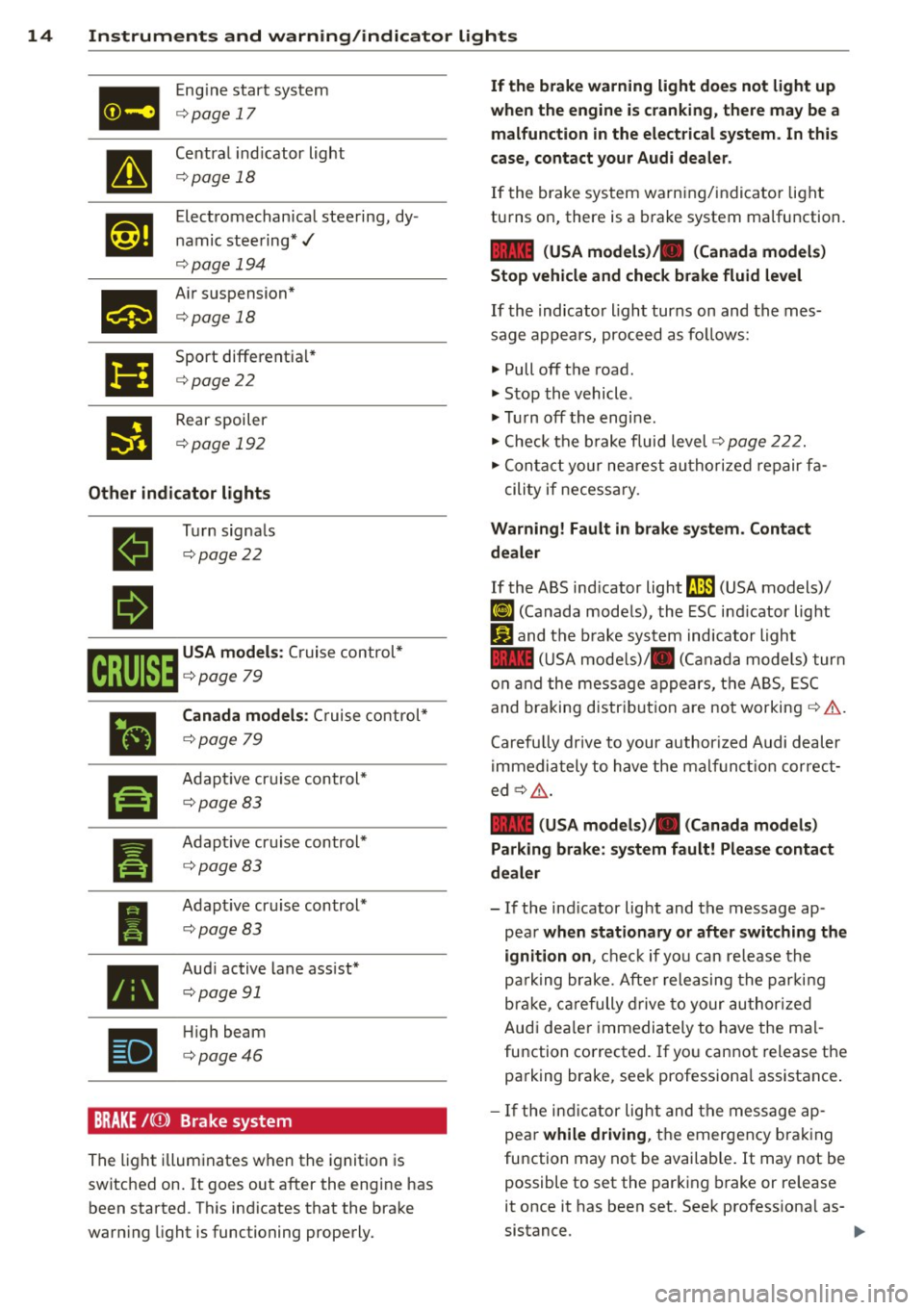
BRAKE /((J)) B rake system
T he light illum inates when t he ignition is
switched on. It goes out after the engine has
been started. T his in dicates that the bra ke
war ning light is functioning properly.
If the brake warning light does not light up
when the engine is cranking , there may be a
malfunction in the electrical system . In this
case, contact your Audi dealer.
If the brake system wa rn ing/indica tor light
tu rns on, there is a b rake system ma lfunction.
1111 (USA models)/ . (Canada models)
Stop vehicle and check brake fluid level
If th e i ndicato r ligh t turns on and th e mes ·
sage appe ars, pro ceed as fo llows:
.. Pull off t he road .
.. Stop the vehicle .
.,. Tur n off th e engi ne.
.,. Che ck t he b ra ke fluid level
c:::;, page 2 22.
.,. Conta ct yo ur ne arest au th oriz e d rep air fa -
c ili ty if necess ary.
Warning! Fault in brake system . Contact
dealer
If th e ABS ind icat or light 9 (USA models)/
[IJ (Canada mode ls), the ESC ind icator lig ht
J_j) and t he br ake system ind icator light
1111 ( U SA mode ls)/ . (Canada model s) tur n
o n a nd the mess age app ea rs, the A BS, ESC
and braking distr ibution ar e no t working
c:::;, ,& .
Carefu lly drive to your author iz e d Audi d ealer
i mmedia tely to have the ma lf u n cti on corre ct
ed¢ _&.
1111 (USA models )/. (Canada models)
Parking brake: system fault! Please contact
dealer
- If the ind icator lig ht and t he message ap·
p ea r
when stationary or after switching the
ignition on ,
check if yo u can re lease the
pa rki ng brake. Afte r relea sing the par kin g
b rak e, car efully drive to y our au thor ized
Aud i dea le r i mmedia tely to have the ma l
fu nction corrected . If yo u cannot release the
pa rking brake, seek professiona l assistance .
- If the in dicat or lig ht and the mes sage ap ·
pea r
while driving, th e emergen cy b ra ki ng
fu nction may not be availab le. It may not be
possible to set the par king brake or re lease
it once it has been set. Seek profess io na l as
sistance.
Page 17 of 292
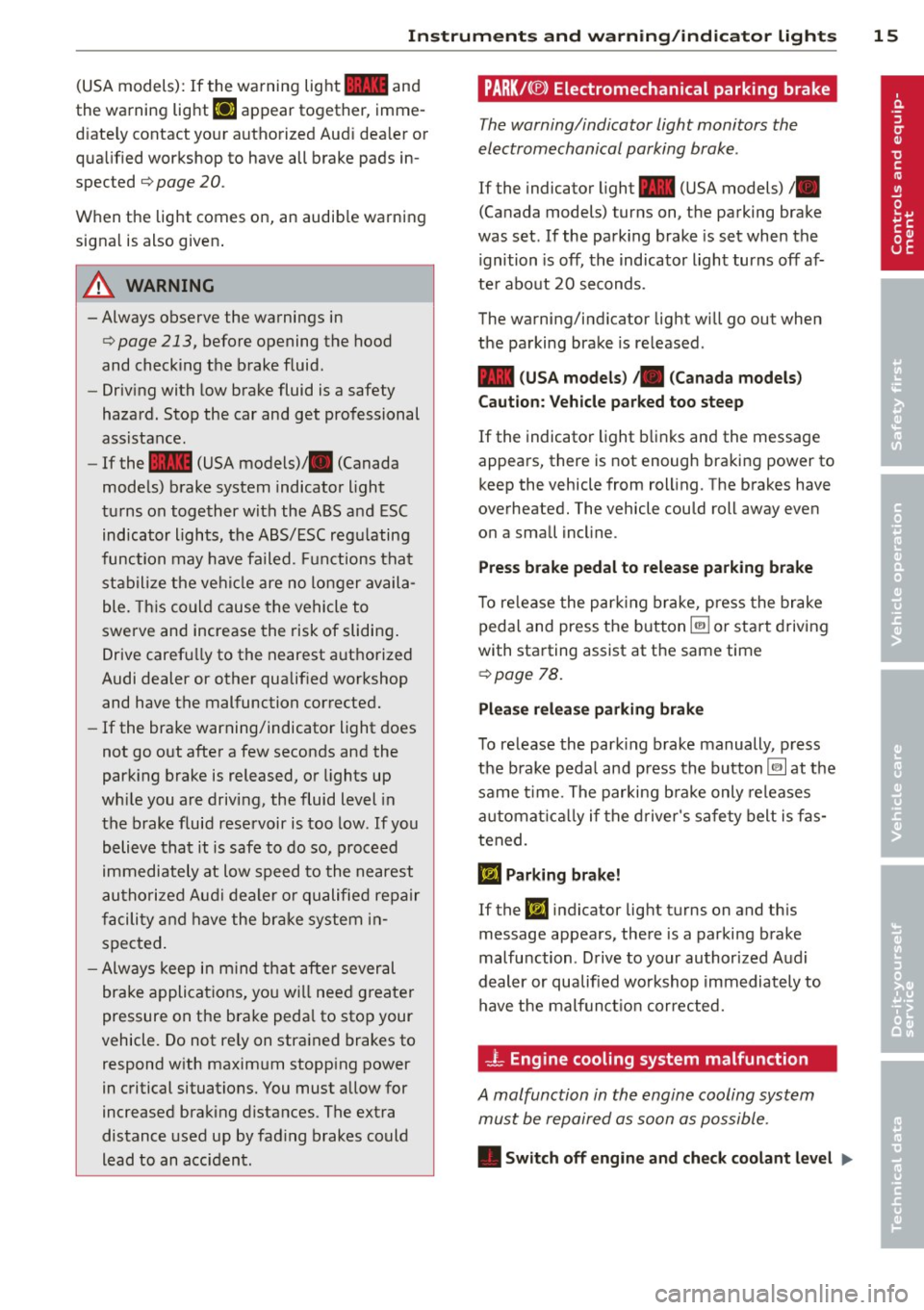
Instrument s and warnin g/indic ator ligh ts 15
(USA models): If the warnin g light 1111 and
the warning light
EiJ appear together, imme
d iate ly contact your authorized Aud i dea ler or
qua lified workshop to have all brake pads in
spected
¢ page 20 .
When t he light comes on, an audib le warning
signal is also given .
A WARNING
-Always observe the warnings in
¢ page 213, before opening the hood
and checking the brake fluid.
- Driv ing with low brake fluid is a safety
hazard . Stop the car and get professional
assistance.
- If the 1111 (USA models)/ . (Canada
mode ls) brake system indicator light
tu rns on together with the ABS and ESC
indicator lights, the ABS/ESC regu lating
function may have failed. Functions tha t
stabilize the ve hicl e are no longer availa
ble. This cou ld cause the vehicle to
swerve and increase the risk of sliding .
Drive carefully to the nearest a uth orized
Audi dealer or other qualified workshop
and have the malfunction corrected.
- If the brake warning/indicator light does
not go out after a few seconds and the
park ing brake is released, or lights up
wh ile you are drivi ng, the fluid level in
the brake fluid reservoir is too low .
If you
b elieve that it is safe to do so, proceed
immediately at low speed to the nearest
autho riz ed Au di d ealer o r qualifie d re pair
f acili ty and have the bra ke system in
spected.
- Always kee p in m ind tha t afte r several
brake applicat ions, yo u will nee d greater
pressure on the brake peda l to stop your
vehicle. Do not re ly on strained brakes to
respond w ith maxim um stopping power
in critical situations. You must allow for
increased braking distances . The extra
distance used up by fad ing brakes could
lead to an acc ident.
PARK!< ®> Electromechanical parking brake
The warning/indicator light monitors the
electromechanical parking brake .
If the indicator light- (USA models)/ .
(Canada models) turns on, the parking brake
was set . If the park ing brake is set when the
ignition is off, the indicator light turns off af
te r abo ut 20 seconds.
The warning/indic ator light will go out when
the parking brake is re leased .
-(USA models ) ,. (Canada models )
Caut ion: Vehicle parked too steep
If the indicator light b links and the message
appears, there is not enough braking power to
keep the vehicle from roll ing. The brakes have
overheated. The vehicle could roll away even
o n a small incl ine .
Press brake pedal to release parking brake
To re lease the par king brake, press the brake
peda l and press the button ~ or start driv ing
with starting assist at the same time
¢ page 78.
Pl eas e r elease parking brake
To re lease the park ing b rake manually , press
the b rake peda l and press the button~ at the
same time. The parking b ra ke only releases
a ut omat ica lly if the d river 's sa fe ty belt is fas
tened.
Ill Parking brake!
If the DI indicator lig ht turns on and th is
message appears, there is a parking brake
malfu nction . D rive to your authorized Audi
deal er or qualified workshop immediately to
have the malfun ct io n corrected.
-L Engine cooling system malfunction
A malfunction in the engine cooling system
must be repaired as soon as possible .
• Switch off engine and check coolant lev el liJI,
Page 18 of 292
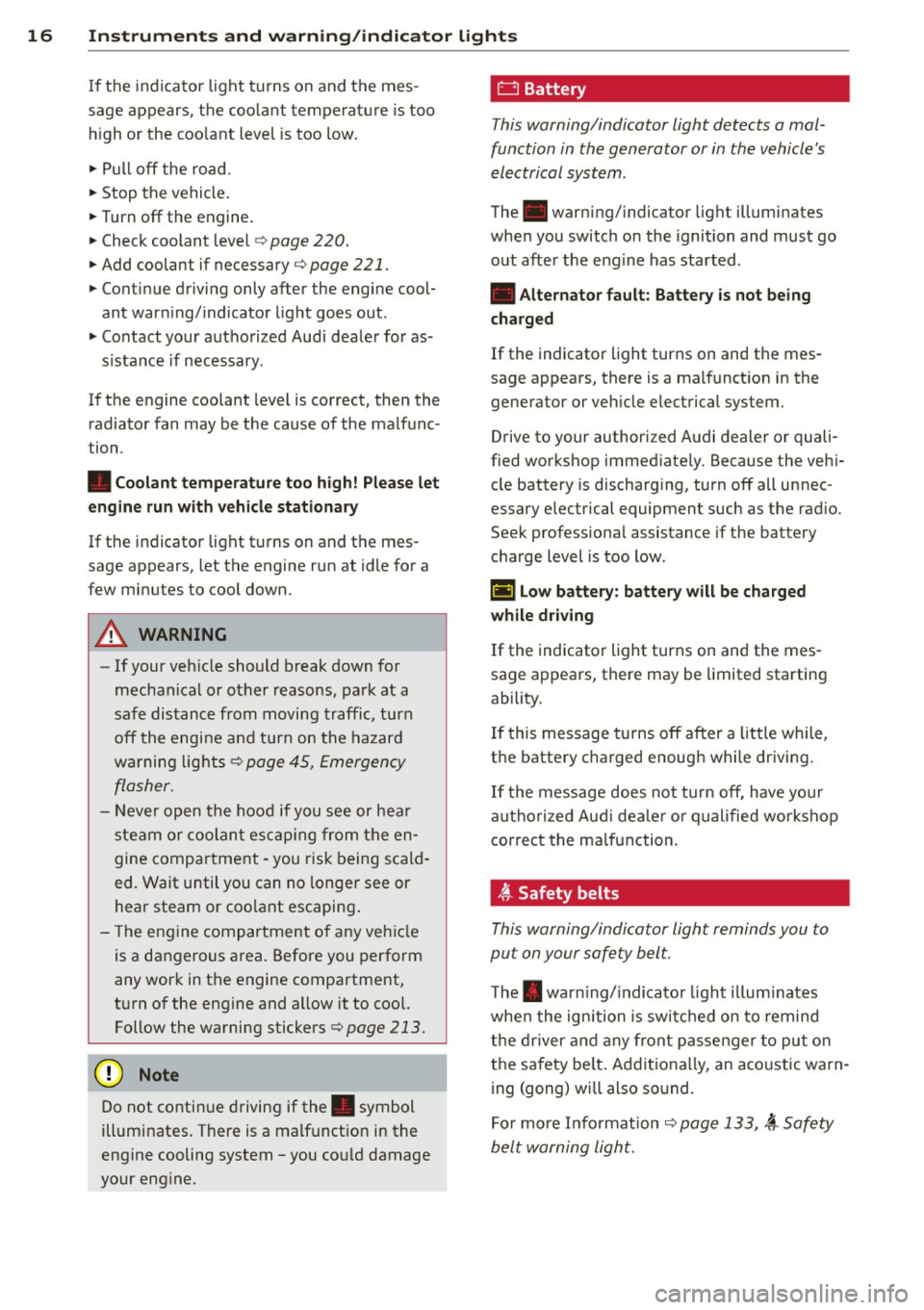
16 Instruments and warning/indicator lights
If the indicator light turns on and the mes
sage appears, the coo lant temperature is too
h igh or the coo lant level is too low.
.,. Pull off the road.
.,. Stop the vehicle.
.,. Turn off the engine.
.,. Check coolant level¢
page 220 .
.,. Add coolant if necessary ¢ page 221 .
.,. Continue driving only after the engine cool
ant warn ing/indicator light goes out.
.,. Contact you r authorized Aud i dealer for as-
s istance if necessary .
If the engine coolant level is correct, then the radiator fan may be the cause of the malfunc
tion .
• Coolant temperature too high! Please let
engine run with vehicle stationary
If the indicator light turns on and the mes
sage appears, let the engine run at idle for a
few minutes to cool down.
A WARNING , _ -
- If your veh icle should break down for
mechanical or other reasons, park at a
safe distance from moving traffic, turn
off the engine and turn on the hazard
wa rning lights¢
page 45, Emergency
flasher.
- Never open the hood if you see or hear
steam or coolant escaping from the en
gine compartment -you risk being scald
ed. Wait until you can no longer see or
hear steam or coo lant escaping .
- Th e engine compartment of any vehicle
is a dangerous area. Before you perform
any work in the engine compartment,
turn of the eng ine and allow it to cool.
Follow the warning stickers¢
page 213.
(D Note
Do not continue driving if the . symbol
illuminates. There is a malfunction in the
engine cooling system -you co uld damage
your engine.
0 Battery
This warning/indicator light detects a mal
function in the generator or in the vehicle's
electrical system .
The. warn ing/ indicator light illuminates
when you switch on the ignition and must go
out after the engine has started .
• Alternator fault: Battery is not being
charged
If the indicator light turns on and the mes
sage appears, there is a malfunction in the
generator or vehicle electrical system.
Drive to your authorized A udi dealer or quali
fied workshop immediate ly. Because the vehi
cle battery is discharging, turn off all unnec
essary electrical equipment such as the rad io.
Seek professional assistance if the battery
charge level is too low.
t•) Low battery: battery will be charged
while driving
If the indicator light turns on and the mes
sage appears, there may be limited starting
ability.
If this message turns off after a little while,
the battery charged enough while driving.
If the message does not turn off, have your
a uthor ized Aud i dealer or qualified workshop
correct the malfunction.
-ft Safety belts
This warning/indicator light reminds you to
put on your safety belt.
The . warn ing/ indicator light illum inates
whe n the ignition is switched on to remind
the driver and any front passenger to put on
the safety be lt. Addit iona lly, an aco ustic wa rn
ing (gong) w ill also so und .
For more Information¢
page 133, ,i Safety
belt warning light.
Page 34 of 292
32 Opening and clo sing
Opening and closing
Keys
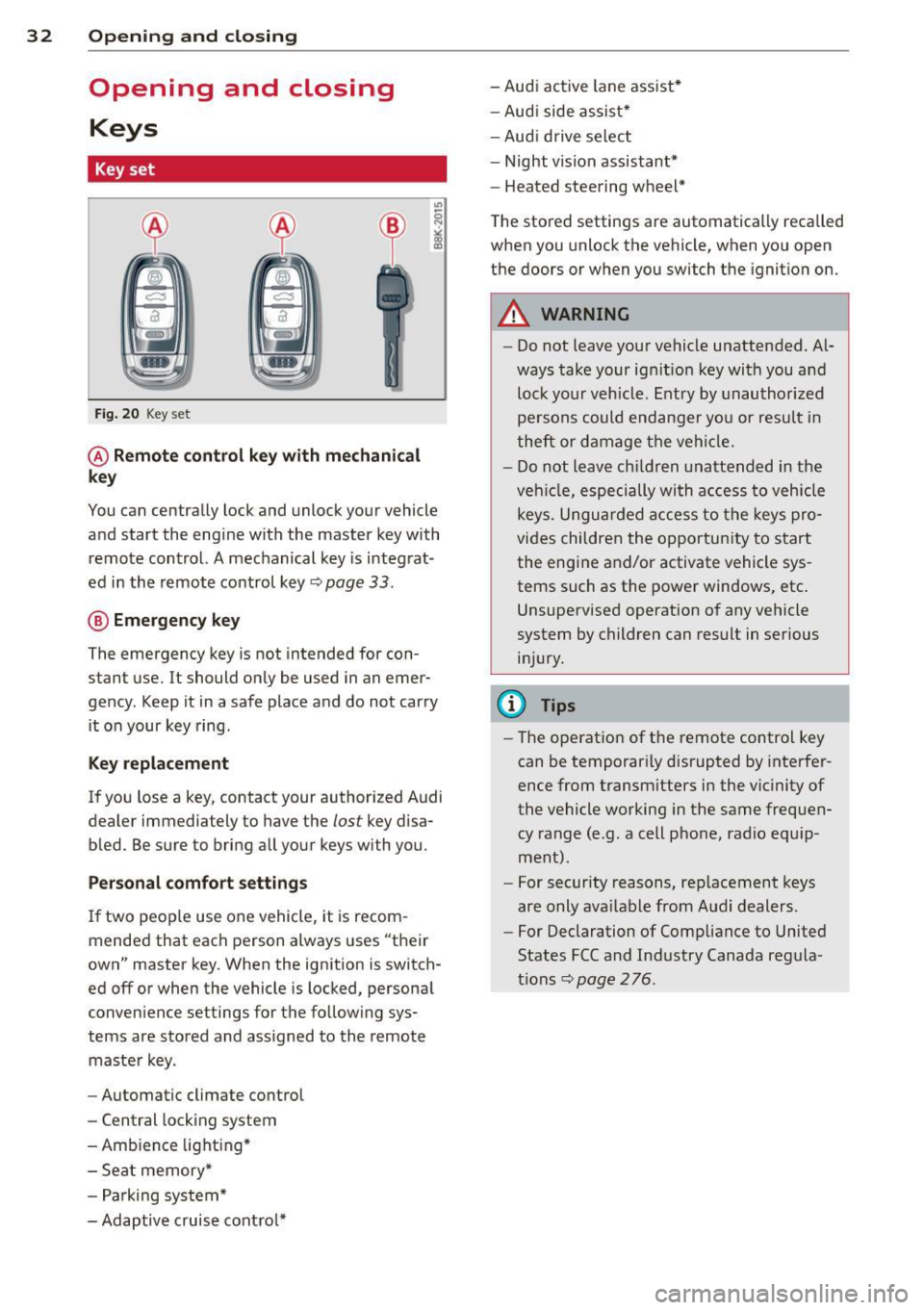
Key set
Fig . 20 Key set
@ R emot e con trol k ey w ith m echan ical
ke y
You can centrally lock and unlock your vehicle
and start the engine with the master key with
remote control. A mechanical key is integrat
ed in the remote control key
r:::;, page 33 .
@ Eme rgenc y ke y
The emergency key is not intended for con
stant use.
It should only be used in an emer
gency. Keep it in a safe place and do not carry it on your key ring .
Key replac em ent
If you lose a key, contact your authorized Audi
dealer immediately to have the
lost key disa
bled. Be sure to bring all your keys with you.
P er sonal c omfo rt se ttin gs
If two peop le use one vehicle, it is recom
mended that each person always uses "their
own" master key . When the ignition is switch
ed off or when the vehicle is locked, personal
convenience settings for the follow ing sys
tems are stored and assigned to the remote master key .
- Automatic climate control
- Central locking system
- Amb ience light ing*
- Seat memory*
- Parking system*
- Adaptive cruise control* - Audi active
lane assist *
- Aud i side assist*
- Aud i drive select
- Night vision assistant*
- Heated steering wheel*
The stored settings are automatically recalled
when you unlock the vehicle, when you open
the doors or when you switch the ignition on.
A WARNING
-- Do not leave your vehicle unattended . Al-
ways take your ignit ion key with you and
lock your vehicle . Entry by unauthorized
persons could endanger you or resul t in
theft or damage the vehicle.
- Do not leave children unattended in the veh icle, especially with access to vehicle
keys. Unguarded access to the keys pro
vides children the opportunity to start the engine and/or activate vehicle sys
tems such as the power windows, etc .
Unsupervised operation of any vehicle
system by children can result in serious
injury.
(1) Tips
- The operation of the remote control key
can be temporar ily disrupted by interfer
ence from transm itters in the vic inity of
the vehicle working in the same frequen
cy range (e.g. a cell phone, radio equip
ment).
- For security reasons, rep lacement keys
are only ava ilable from Audi dealers.
- For Declaration of Compliance to United
States FCC and Industry Canada regula
tions
r:::;, page 276.
Page 79 of 292
Electromechanical
parking brake
Operation
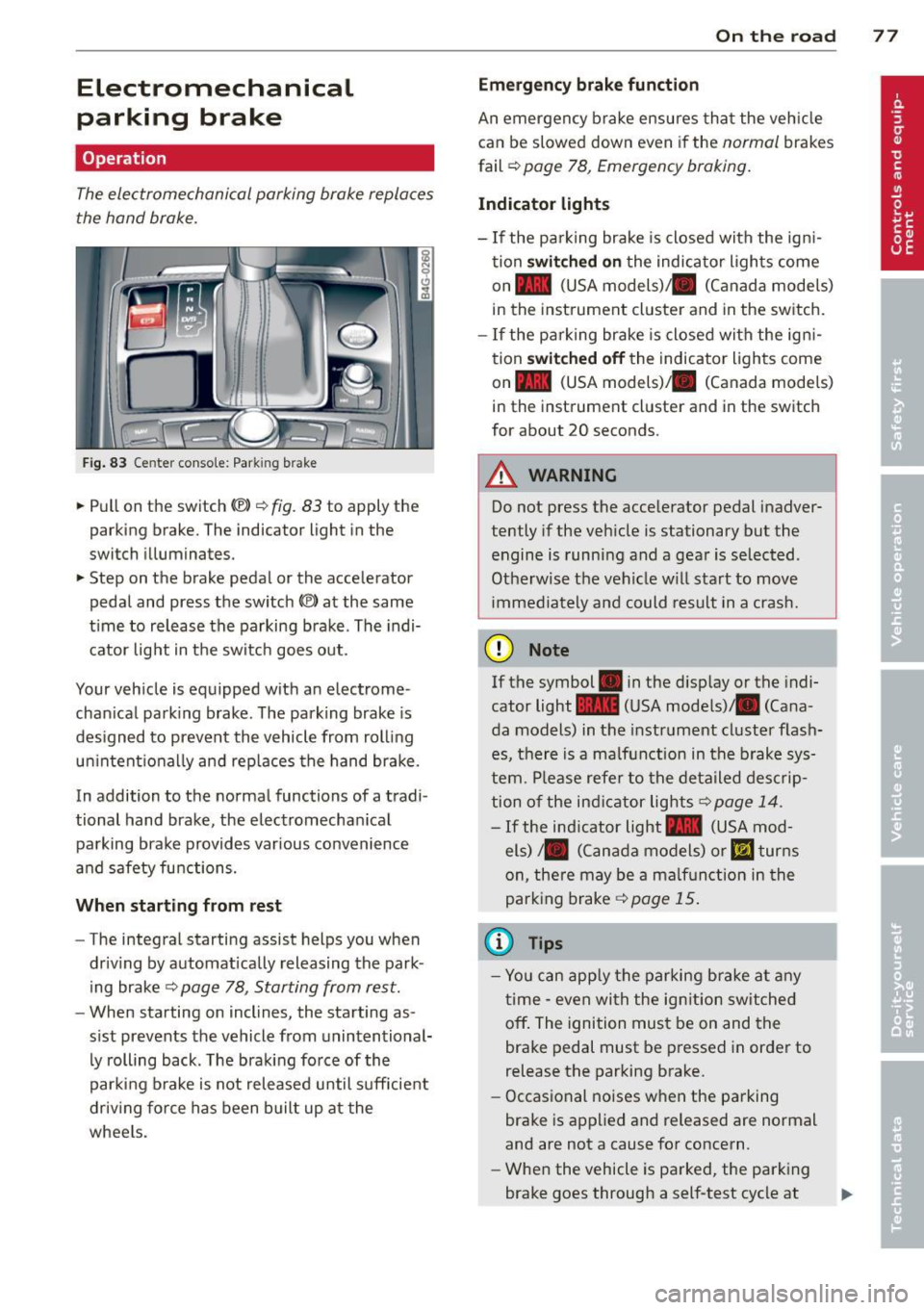
The electromechanical parking brake replaces
the hand brake.
Fig. 83 Center conso le: Park in g brake
.. Pull on the switch (®) c:::> fig . 83 to apply the
parking brake. The indicator light in the
switch illuminates.
.. Step on the brake pedal or the accelerator
pedal and press the switch
(®) at the same
t ime to release the parking brake. The indi
cator light in the switch goes out.
Your vehicle is equipped with an electrome
chan ical park ing brake . The parking brake is
designed to prevent the vehicle from rolling
un intent ionally and rep laces the hand brake.
In addition to the normal functions of a tradi
tional hand brake, the electromechan ical
parking brake provides var ious convenience
and safety functions.
When starting from rest
-The integral starting assist helps you when
driving by automat ically releasing the park
ing brake ¢
page 78, Starting from rest.
- When starting on inclines, the starting as
sist prevents the vehicle from unintentional
ly rolling back . The braking force of the
parking brake is not released until suff icient
driv ing force has been built up at the
wheels.
On the road 77
Emergency brake function
An emergency brake ensures that the vehicle
can be slowed down even if the
normal brakes
fail ¢
page 78, Emergency braking.
Indicator lights
-If the parking brake is closed with the ign i
tion
switched on the indicator lights come
on - (USA
models) ,1111 (Canada models)
in the instrument cluster and in the switch.
- If the parking brake is closed with the ign i
tion
switched off the indicator lights come
on - (USA
models) ,1111 (Canada models)
in the instrument cluster and in the switch
for about 20 seconds.
A WARNING
Do not press the accelerator pedal inadver
tently if the veh icle is stationary but the
engine is running and a gear is selected .
Otherwise th e vehicle w ill start to move
immediately and could result in a crash.
(D Note
If the symbol . in the disp lay or the indi
cator light
1111 (USA models)/ . (Cana
da models) in the instrument cluster flash
es, there is a malfunction in the brake sys
tem. Please refer to the deta iled desc rip
tion of the indicat or lights
r::::>page 14.
-If the ind icator light - (USA mod-
els) /. (Canada models) or
mJ turns
on, there may be a malfunction in the
parking brake
c:::> page 15.
(0 Tips
-Yo u can apply the parking brake at any
time -even with the ignition switched
off. The ignition must be on and the
brake pedal must be pressed in order to
release the parking brake.
- Occasional noises when the parking
brake is applied and released are normal
and are not a cause for concern.
- When the vehicle is parked, the parking
brake goes through a self-test cycle at
Page 80 of 292
78 On the road
regular intervals . Any associated noises
are norma l.
Parking
• Press the brake peda l to stop the vehicle .
• Pull the switch(®) to set the parking brake .
• Move the selector lever to P.
• Turn the eng ine off ¢.&_ .
• When on incl ines or declines, turn the steer
i ng wheel so that your vehicle will roll into
the curb if it begins to move.
_& WARNING
- When you leave your veh icle - even if on
ly briefly - always take the ignition key
with you . This applies particu la rly when
children remain in the veh icle. Otherw ise
the ch ildren could start the engine, re
lease the parking brake or operate e lec
trical equipment (e.g . power windows) .
The re is the risk of an accident .
- When the vehicle is locked, no one - par
t icu la rly not children should remain in
the vehicle . Locked doo rs make it more
difficult for emergency wor kers to get in
to the vehicle - putt ing lives at risk.
Starting from rest
The starting assist function ensures that the
parking brake is released automatically upon
starting .
Stopping and applying park ing brake
• Pull the switch© to apply the park ing
brake .
Starting and automat ically releasing the
parking brake
• When you start to drive as usua l, the park
ing brake is automatically re leased and your
vehicle begins to move .
When stopp ing at a traff ic signa l or stopp ing
i n city traffic, the parking brake can be ap
plied . The veh icle does not have to be held
with the footbrake. The par king brake e limi
n ates the te ndency to creep with a drive ra nge engaged. As soon as yo
u drive off as usu a l,
the parking brake is re leased automatically
and the vehicle starts to move .
Starting on slopes
When starting on inclines, the starting assist
prevents the vehi cle from u nintent ionally roll
ing back . The braking force of the parking
brake is not re leased unti l sufficient driving
f orce has been built up at the wheels.
(D Tips
F o r safety reasons, the parking brake is re
l eased a utomatically on ly when t he d riv
er's safety belt is engaged in the buckle.
Emergency braking
In the event that the conventional brake sys
tem fails or locks.
• In an emergency, pu ll the switc h C®> and
continue to pull it to s low your vehicle down
with the parking b rake .
• As soon as you re lease the switch «:El) or ac -
celerate, the brak ing process stops.
If you pu ll the switch «:El) and hold it above a
speed of abo ut 5 mph (8 km/h), the eme rgen
cy brak ing f unct ion is initiated . The vehicle is
braked at all four whee ls by activating the hy
draulic brake system . The brake performa nce
i s sim ila r to making an emergency stop
c::> .&. .
In order not to act ivate the eme rgency brak
ing by mistake, an audib le warning tone (bu z
zer) sounds whe n the switch(®) is pulled . As
soon as the sw itch
®) is released, or the accel
erato r peda l is depressed, eme rgency b raking
stops.
_& WARNING
E mergency br aking should only be u sed in
a n emergency, when the norma l foot bra ke
has fai led or the brake pedal is obstruc ted.
Using the parking brake to pe rform eme r
gency b raking will s low your veh icle down
as if you had made a full brake application.
The laws of physics cannot be suspended
~
Page 104 of 292
102 Night vision assistant
-they are not in an upright position, for
example if they are s itting, crouching
or lying down and/or
- if the o utline in the display is inc om
plete or interrupted, fo r example be
cause the person is partially hidden by
a parked vehicle.
{D) Tips
- Pedestrian detection and the pedestrian
warming are lim ited to objects that are
detected as pedestrians. The system
does not detect animals. Even though
the shape and warmth radiated by each
object detected is evaluated, the system
does have limitat ions and it can give in
correct warnings.
- For techn ical reasons, the image pauses
in split second intervals .
Switching on and off
Applies to vehicles: with night visio n ass istant
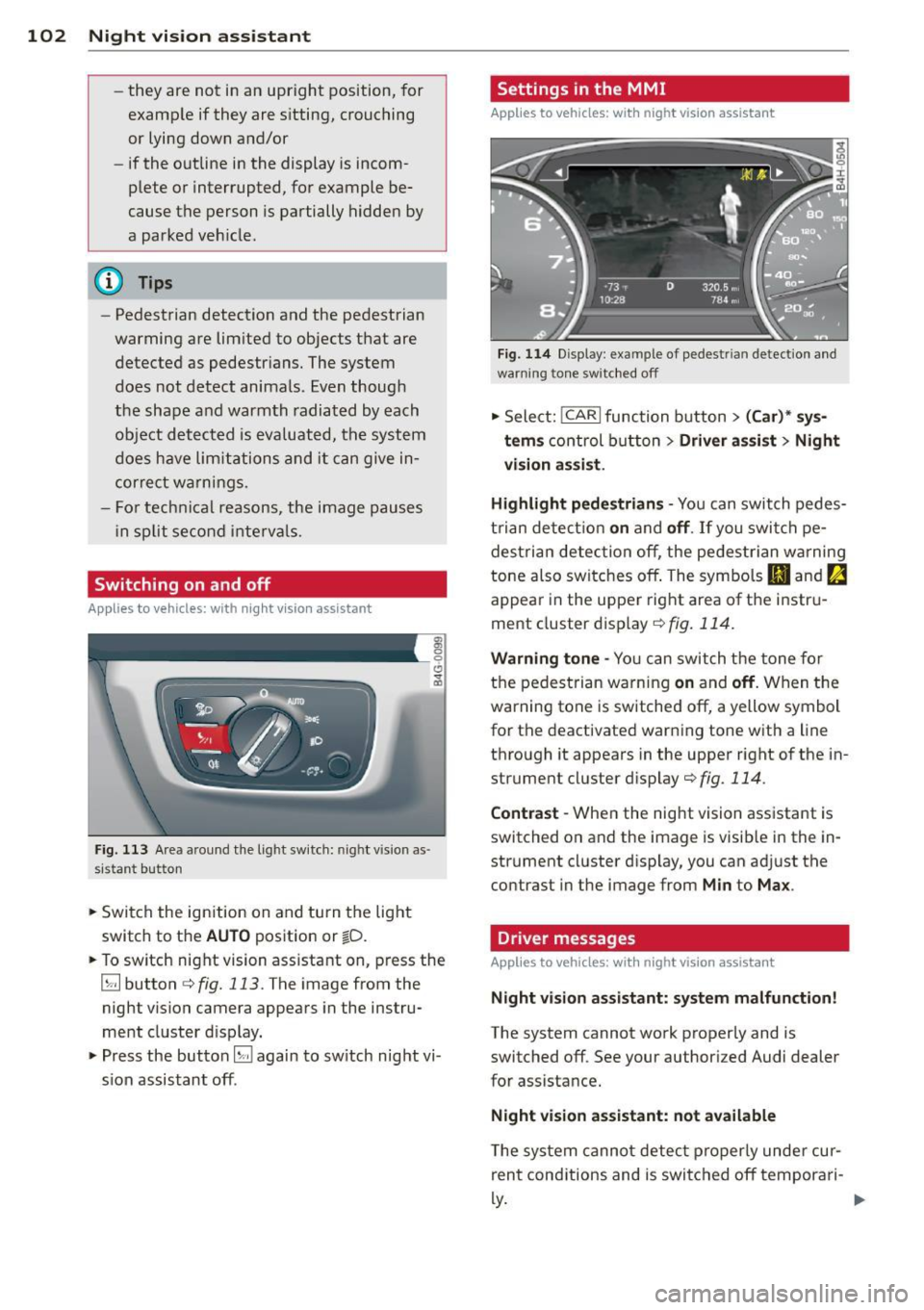
Fig. 113 Area a round the light switch: night vision as ·
sistant button
• Switch the ignition on and turn the light
switch to the
AUTO position or ~D.
• To switch night vision assistant on, press the
~ button c:> fig. 113. The image from the
night vision camera appears in the instru
ment cluster d isplay.
• Press the button~ again to switch night vi
s ion assistant off .
Settings in the MMI
Applies to vehicles: wit h night vision assistant
Fig. 114 Display : example of pedestrian detection and
warning to ne switc hed off
• Select: !CAR I function button > (Car)* sys
tems
control button > Driver assist > Night
vision assist.
Highlight pedestrians -
You can switch pedes
trian detect ion
on and off. If you switch pe
destria n detection off, the pedestrian warning
tone also switches off. The symbols
Bl and ~
appear in the uppe r right area of the instru
ment cluster disp lay
c:> fig. 114.
Warning tone -You can switch the tone for
the pedestrian warning
on and off. When the
warning tone is sw itched off, a yellow symbol
for the deactivated warning tone with a line
through it appears in the upper right of the in
strument cluster display
c:> fig. 114 .
Contrast -When the nig ht vision ass istant is
switched on and the image is visib le in the in
strument cluster display, you can adj ust the
contrast in the image from
Min to Max .
Driver messages
Applies to vehicles: wit h night vision assista nt
Night vision assistant: system malfunction!
The system cannot work properly and is
switched off. See your authorized Audi dealer
for assistance.
Night vision assistant: not available
T he system cannot detect properly under cur
rent conditions and is switched off tempora ri-
~-~