key AUDI RS7 SPORTBACK 2016 Owner's Manual
[x] Cancel search | Manufacturer: AUDI, Model Year: 2016, Model line: RS7 SPORTBACK, Model: AUDI RS7 SPORTBACK 2016Pages: 282, PDF Size: 70.78 MB
Page 72 of 282
Warm and cold
Basic settings
Applies to: vehicles w ith 4 -zone del uxe automatic climate
co ntrol
The climate control system basic settings ore ac
cessed in the Infotainment system.
.. Select : the ICARI function button > (Car)* Sys-
tems
control button > AC.
Rear seat settings
When this function is selected, all settings for
the rear can be adjusted through the climate con
trol system in the cockpit. The climate control
system settings cannot be adjusted in the rear
seat at the same time. This function switches off
after a certa in period of time or when one of the
controls in the cockpit is pressed .
Recirculation mode
The sensit iv ity level of the automa tic recircula
tion mode can be set at various levels from
Off to
Sensitive. Recirculation mode is controlled auto
matically. If the windows fog up, press the
I @ FRONT I button .
Footwell temperature
You can adjust the footwell temperature so that
it is coo le r or warmer .
Steering wheel heating
Applies to: ve hicles w ith steering wheel heat ing
The steering wheel rim con be heated.
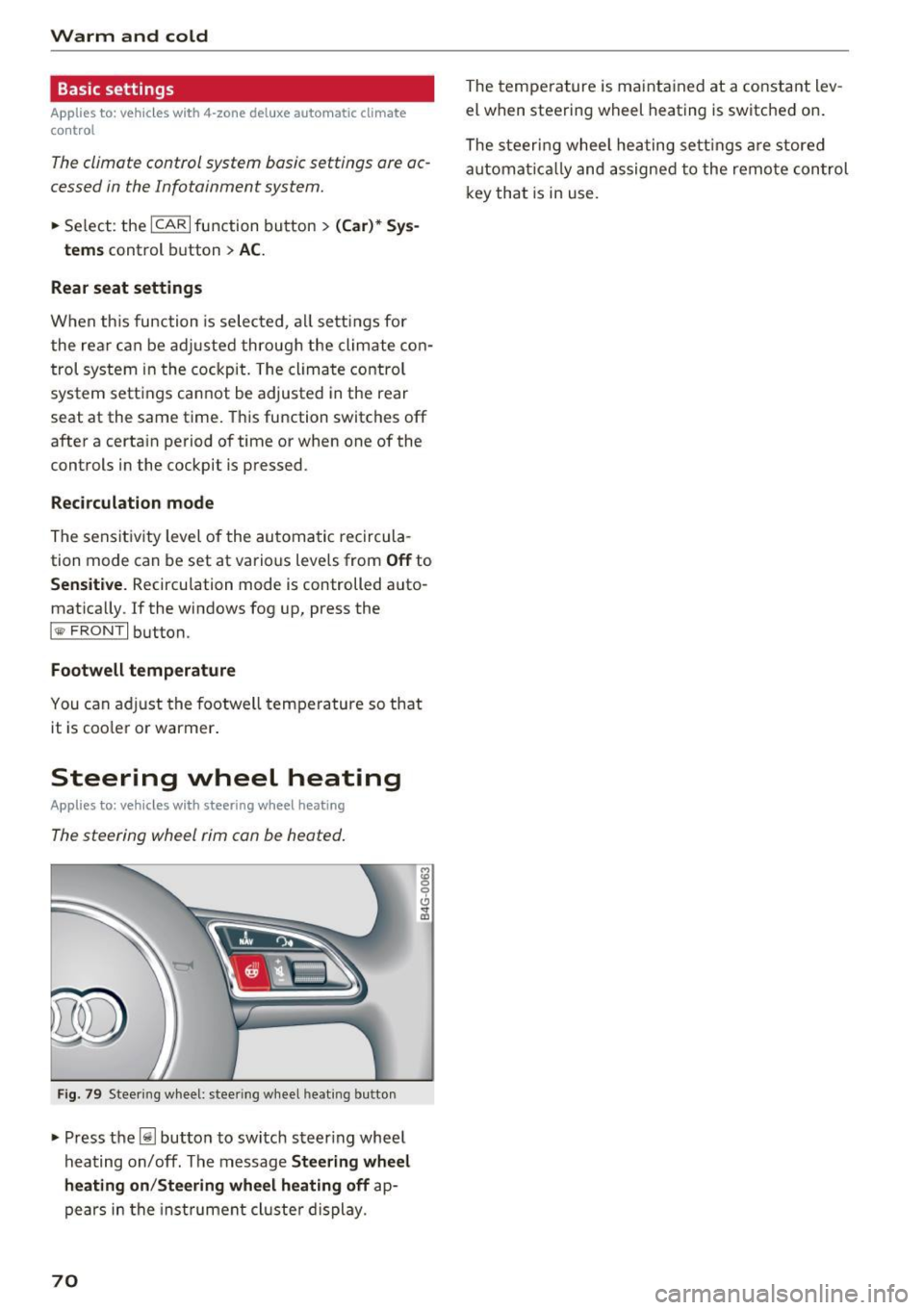
Fig . 79 Steering wheel: steer ing w heel heating b utton
• Press the~ button to switch steering whee l
hea ting on/off. The message
Steering wheel
heating on /Steering wheel heating off
ap
pears in the inst rument cl uste r display.
70
The temperature is maintained at a constant lev
el when steering wheel heating is switched on.
The steeri ng wheel heating settings are stored
automat ically and assigned to the remote control
key that is in use .
Page 76 of 282
Driving
This message appea rs and a warning tone sounds
if you open the driver's door when the ignition is
sw itched on.
Pr es s brake pedal to start engine
This message appears if you do not press the
brake pedal whe n starting the eng ine.
fll I s key in the veh icle?
This indicator light turns on and th is message ap
pears if the ignition key was removed from the
ve hicle when the engine was running . If the igni
tion key is no longer in the veh icle, you can not
sw itch on the ig nit ion or start t he eng ine once
you stop i t. You also cannot loc k the vehicle from
the o utside.
Shift to P , otherwise vehicle can roll away .
Doors do not lock if lever i s not
in P.
This message appears for safety reasons if the
transmission is not in the P position when you
sw itch the ignition off . Move the selector lever to
the P pos ition. Otherwise the veh icle is not pro
tected from rolling and it ca nnot be locked .
II Key is not recogn ized. Hold back of key
against marked area. Se e owner's manual
If the indicator light t urns on and th is message
appears, there is a malfunction
c:;, page 74.
Starting the engine when there is a
malfunction
It may not be possible to s tart the engine under
certain circumstances, for example if the battery
in the vehicle key is drained, if interference is af
fected the key or if there is a system malfunc tion.
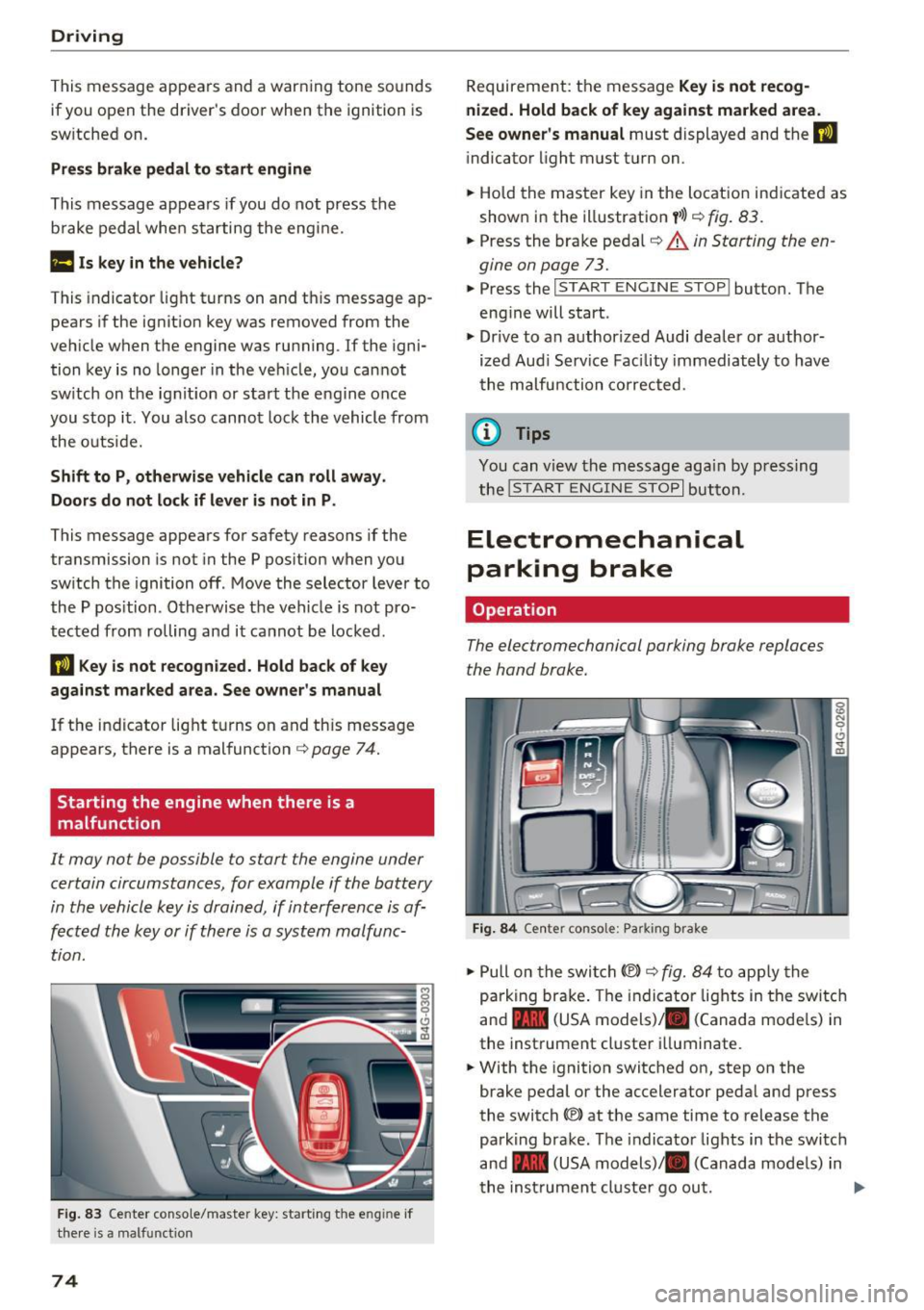
F ig. 83 Center conso le/ ma ster key: sta rt in g t he e ng in e if
t h e re is a ma lfunction
74
Requirement : the messa ge Key i s not recog
nized. Hold back of key against marked area .
See owner's manual
must displayed and the II
indicator light must tu rn on .
.,. Ho ld the m aster key in the locat ion ind icated as
shown in the illustration
f >l) c:;, fig . 83.
.,. Press the brake pe dal c:;, &. in Starting the en
gine on page 73 .
.,. Press the ~ I S _T _A _ R_ T_ E_N _G _I _N _E _ S_ T_ O_ P~ I button. The
eng ine will start .
.,. Dr ive to an author ized Audi dealer or author
ized Aud i Serv ice Facility immediately to have
t he malfu nction corrected.
@ Tips
You can v iew the message aga in by pressing
the
! S TA RT ENGI NE S TOP I button.
Electromechanical
parking brake
Operation
The elec tromechanical parking broke replaces
the hand broke.
Fig. 84 Ce nte r conso le: Pa rk ing brake
.,. Pull on the swi tch@) c:;, fig. 84 to app ly the
parking br ake. T he indicator lights in the switc h
and - (USA models)/ . (Canada mode ls) in
the inst rument cluste r ill uminate .
.,. With the ignition switched on, step on the
brake pedal or the accelerator pedal and press
the switch ®lat the same time to release the
park ing brake. The indicator lights in the switc h
and - (USA models)/ . (Canada mode ls) in
t he inst rument cl uste r go ou t.
Page 77 of 282
Your vehicle is equipped with an electromechani
cal parking brake. The parking brake is designed
to prevent the vehicle from rolling unintentional
ly and replaces the hand brake.
I n addition to the norma l functions of a tradi
tional hand brake, the electromechanica l parking
brake provides various convenience and safety
functions.
When starting from rest
- The integ ral starting assist helps you w hen
driving by automatically releasing the parking
brake
r=:> page 75, Starting from o stop .
-When starting on inclines, the starting assist
prevents the vehicle from unintentiona lly roll
ing back . The braking force of the parking brake
is not released until sufficient driving force has
been built up at the wheels.
Emergency brake function
An emergency brake ensures that the vehicle can
be slowed down even if the
normal brakes fai l
r=:> page 76, Emergency broking function.
A WARNING
-
Do not press the accelerator pedal inadver
tently if the vehicle is stat ionary but the en
gine is running and a gear is selected. Other
w ise the vehicle will start to move immediate
ly and could result in a crash.
(D Tips
- If the parking brake is applied with the igni
tion switched off, the indicator lights in the
switch and -(USA models)/ . (Cana-
da models) in the instrument cluster will go
out after a certain period of time.
- Occasiona l noises when the park ing brake is
applied and released a re normal and are not
a cause for concern.
- When the vehicle is parked, the park ing
brake goes th rough a se lf-test cycle at regu
lar int ervals. Any associated noises are nor
mal.
Parking
• Press the brake pedal to stop the vehicle.
D riving
• Pull the switch~ to set the parking brake .
• Place the selector lever in P .
• Turn the engine off
r=:> .&, .
• Turn the steering wheel when parking on in
clines so that the wheels w ill roll into the curb
if the vehicle starts moving .
A WARNING
=
-Always take the vehicle key with you when
leaving the vehicle, even for a sho rt period
of time. This applies particularly when chil
d ren remain in the vehicle. Otherwise chil
dren cou ld start the engine, release the
parking brake or operate e lectrical equip
ment such as power windows, which in
creases the risk of an accident.
- No one should remain in the vehicle when it
is locked, especially chi ldren. Locked doors
make it more d ifficult for emergency work
ers to get into the vehicle, wh ich puts lives
at risk.
Starting from a stop
The start assist function ensures that the park
ing broke is released automatically upon start
ing.
Stopping and setting the parking brake
• Pull the switch~ to set the parking brake .
Starting and automatically releasing the
parking brake
• When you press the acce lerator peda l, the
parking brake is automatica lly re leased and
your veh icle begins to move .
T he parking brake can be set if you must stop the
vehicle at a stop light or in traffic. The vehicle does not have to be held with the brake pedal.
The parking brake elim inates the tendency to
creep when a selector lever posit ion is engaged.
The parking brake releases automatically and the
vehicle begins to move as soon as you press the
accelerator pedal as usual.
Starting on hills
When starting on incl ines, the hill start assist
prevents the vehicle from unintentionally rolling
Ill>
75
Page 86 of 282
Audi adapt ive crui se con trol a nd b rakin g guar d
The higher the speed, the greater the distance in
yards (meters)
c::;, .&. . The Distanc e 3 setting is
recommended .
The distances provided are specified values. De
pending on the driving situat ion and the how the
vehicle ahead is driving, the actual distance may
be more or less than these target d istances.
The various symbols for the time increments ap
pear briefly in the information line@q
page 81,
fig. 91
when you change the settings.
c:::, _c:::, __ _ Dist ance 1 : This setting co rresponds
to a distance of 92 feet/28 meters when travel ing at 62 mph (100 km/h), or a time interval of 1
second.
c:::, __ c:::, __ Dista nc e 2 : This setting corresponds
to a distance of 118 feet/36 mete rs when trave l
ing at 62 mph (100 km/h), or a time interval of
1.3 seconds .
c:::, ___ c:::,_ Distance 3: This setting corresponds
to a distance of 164 feet/SO mete rs when trave l
ing at 62 mph (100 km/h), or a time interval of
1.8 seconds .
c:::, __ __ c:::, Distance 4 : This setting corresponds
to a distance of 210 feet/64 mete rs when trave l
ing at 62 mph (100 km/h), or a time interval of
2.3 seconds .
A WARNING
Following other vehicles too closely increases
the risk of collisions and ser ious personal in
jury.
- Setting short distances to the traffic ahead
reduces the time and distance available to
br ing your vehicle to a safe stop and makes
it eve n mo re necessary to pay close atten
tion to traffic .
- Always obey applicable traffic laws, use
good judgme nt, and select a safe following
distance for the traffic, road and weathe r
condit ions.
(0 Tips
- Distanc e 3 is set automatically each time
you switch the ignit ion on .
84
- Your standard settings are automatically
stored and assigned to the remote control
key being used.
Selecting the driving mode
App lies to: vehicles with Aud i adapt ive cru ise control
.,. Select the desired driving mode in drive select
c::;,page95.
@ Tips
Your settings are automatically stored and as
signed to the remote contro l key being used.
Prompt for driver intervention
App lies to : vehicles with A udi ada ptive c ruise control
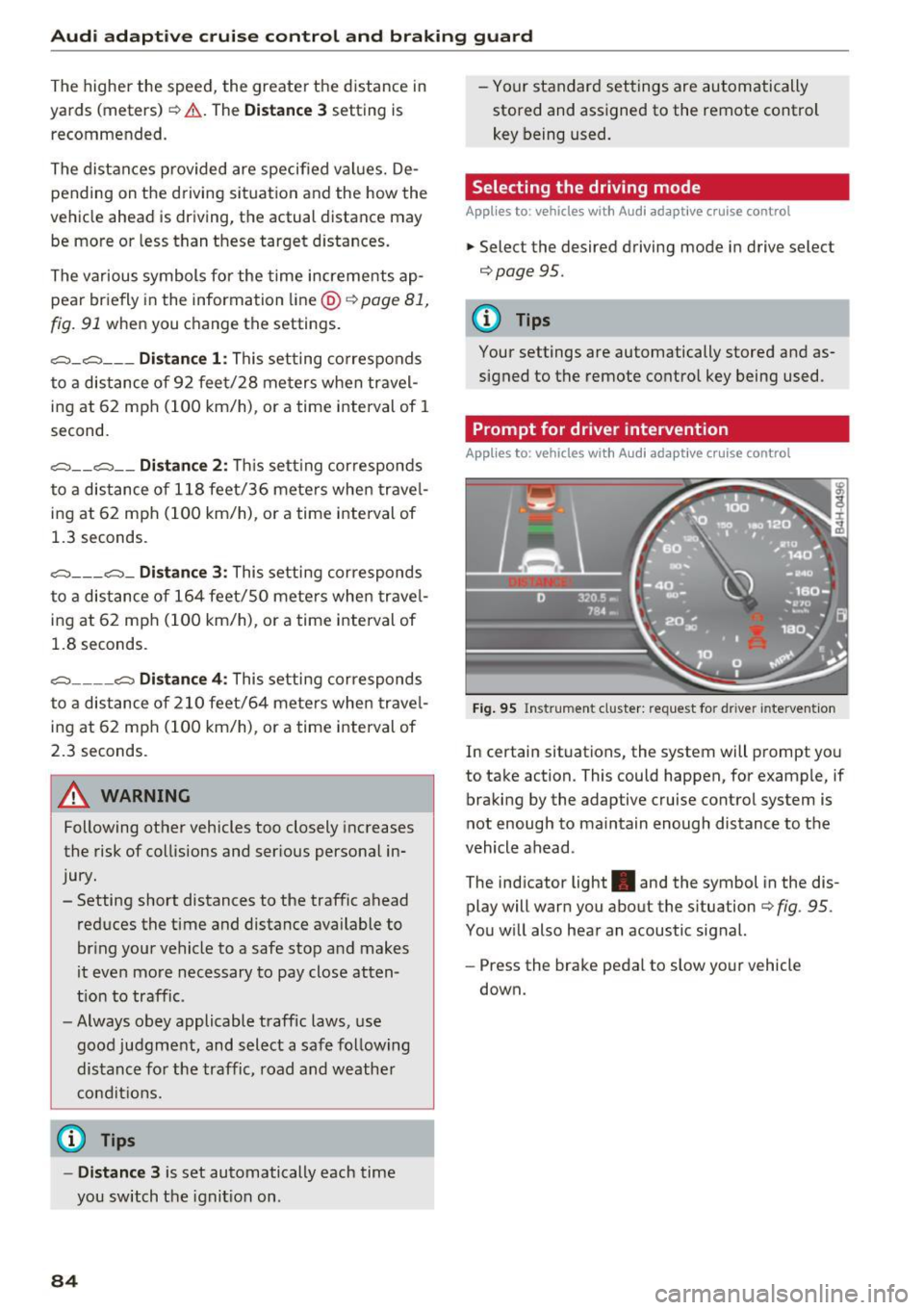
Fig . 95 Ins trume nt cluster: request for d river intervention
In c ertain situations, the system w ill prompt you
to take action. This could happen, for example, if
braking by the adaptive cruise control system is
not enough to maintain enough distance to the
vehicle ahead .
The ind icator light . and the symbol in the dis
play will warn you about the s ituation
c::;, fig . 95 .
You w ill also hear an acoustic signal.
- Press the brake pedal to slow your vehicle
down.
Page 88 of 282
Audi adaptive cruise control and braking guard
detection and range limits that may prevent
the proper detection of other vehicles .
- The radar sensor's function and range can
be reduced by rain, snow and heavy spray.
Moving vehicles up ahead may not be
promptly detected or may not be detected
at all.
- Reflective surfaces including crash barriers
or tunnel entrances may impair the function
of the radar sensor.
@ Tips
- You can cancel the braking with increasing
force that is initiated by the system by brak
ing yourself, by accelerating noticeably or
by swerving .
- Braking guard error messages¢
page 86.
- Keep in mind that braking guard can brake
unexpectedly. Always secure any cargo or
objects that you are transporting to reduce
the risk of damage or injury.
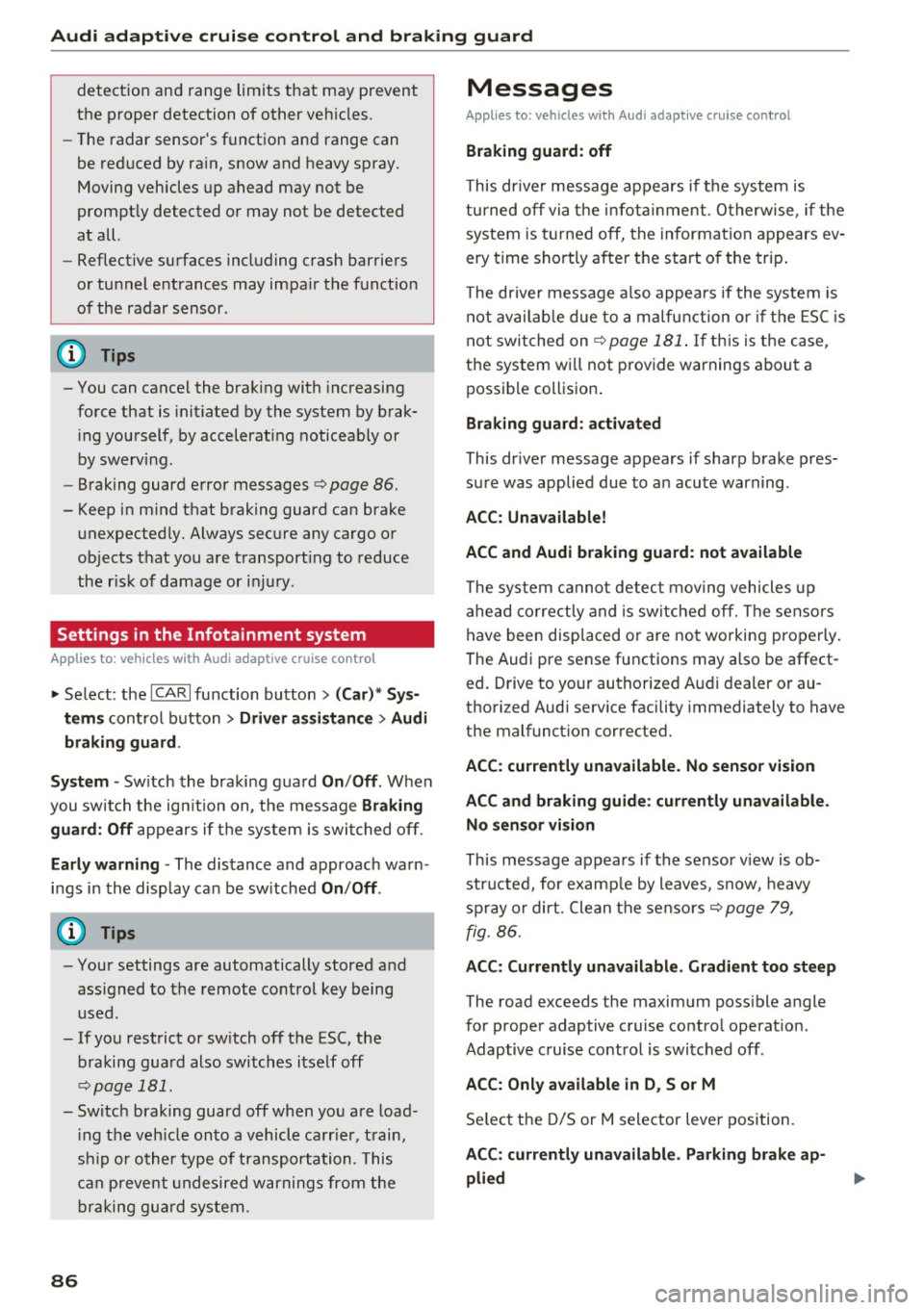
Settings in the Infotainment system
Applies to: vehicles with Audi adapt ive cruise contro l
~ Select: the ICARI function button > (Car)* Sys
tems
control button > Driver assistance > Audi
braking guard.
System -
Switch the braking guard On/Off . When
you switch the ignition on, the message
Braking
guard: Off
appears if the system is switched off.
Early warning -The distance and approach warn
ings in the display can be switched
On/Off .
(D Tips
-Your settings are automatically stored and
assigned to the remote control key being
used.
- If you restrict or switch off the ESC, the braking guard also switches itself off
¢page 181 .
- Switch braking guard off when you are load
ing the vehicle onto a vehicle carrier, train,
ship or other type of transportation. This
can prevent undesired warnings from the
braking guard system.
86
Messages
Applies to: vehicles with Audi adapt ive c ru ise control
Braking guard: off
This driver message appears if the system is
turned off via the infotainment . Otherwise, if the
system is turned off, the information appears ev
ery time shortly after the start of the trip.
The driver message also appears if the system is
not available due to a malfunction or if the ESC is
not switched on¢
page 181. If this is the case,
the system will not provide warnings about a
possible collision.
Braking guard: activated
This driver message appears if sharp brake pres
sure was applied due to an acute warning .
ACC: Unavailable!
ACC and Audi braking guard: not available
The system cannot detect moving vehicles up
ahead correctly and is switched off. The sensors
have been displaced or are not working properly.
T he Audi pre sense funct ions may also be affect
e d. Dr ive to your authorized Audi dealer or au
thori zed Audi service facility immediately to have
the malfunction corrected.
ACC: currently unavailable. No sensor vision
ACC and braking guide: currently unavailable.
No sensor vision
This message appears if the sensor view is obstructed, for example by leaves, snow , heavy
spray or dirt. Clean the sensors ¢
page 79,
fig. 86.
ACC: Currently unavailable. Gradient too steep
The road exceeds the maximum possible angle
for proper adaptive cruise control operation .
Adaptive cruise control is switched off .
ACC: Only available in D, S or M
Select the D/S or M selector lever position.
ACC: currently unavailable. Parking brake ap
plied
Page 92 of 282
Audi active lane assist
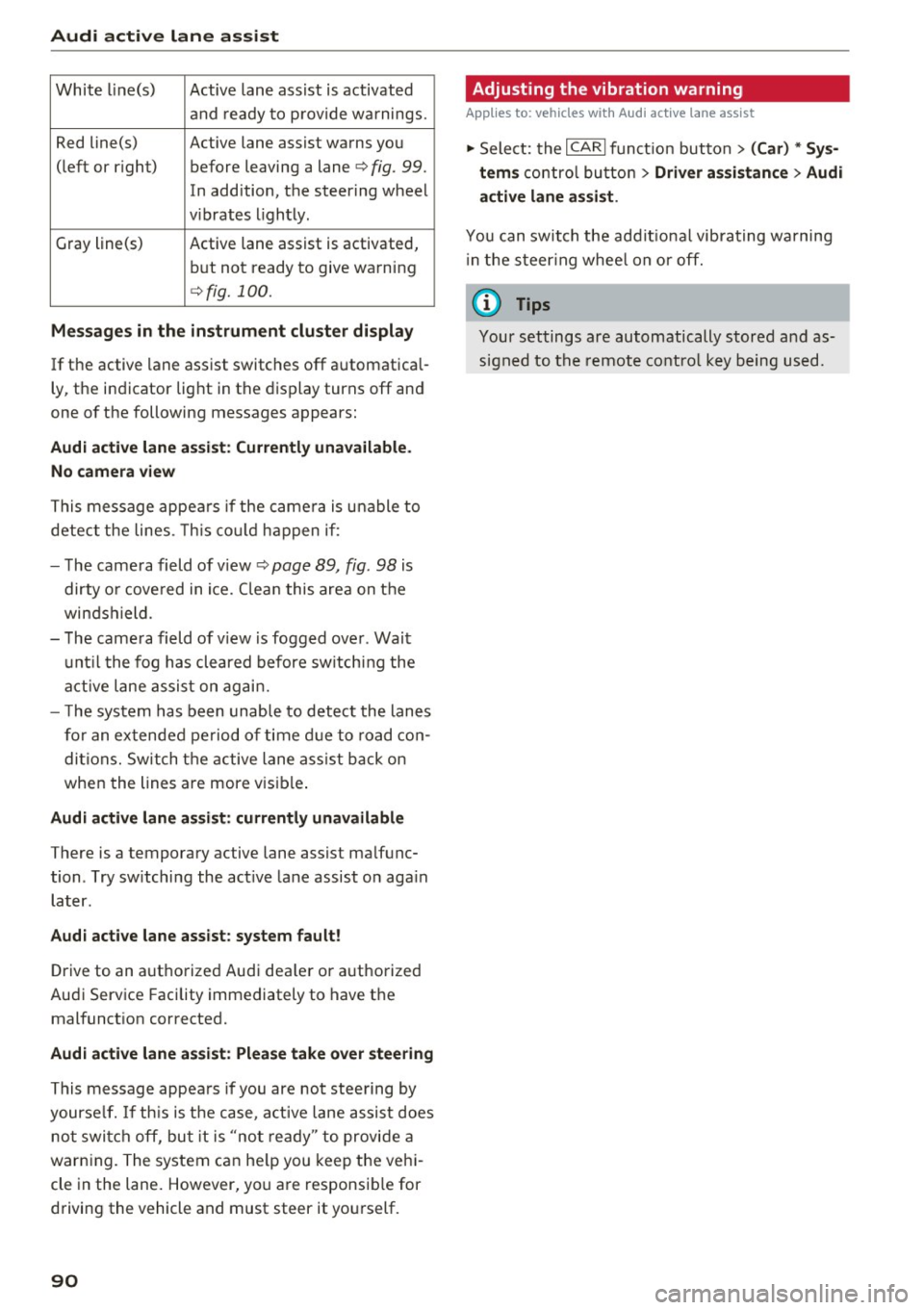
White line(s) Active lane assist is activated
and ready to provide warnings.
Red line(s) Active lane assist warns you
(left or r ig ht) before leaving a lane¢
fig. 99.
In addition, the steering wheel
v ib rates lightly.
Gray line(s)
Active lane assist is activated,
but not ready to give warning
¢fig. 100.
Messages in the instrument cluster display
If the active lane assist switches off automatical
ly, the indicator light in the display turns off and
one of the following messages appears:
Audi active lane a ssist: Currently unavailable.
No camera view
This message appears if the came ra is unable to
detect the lines. This could happen if:
- The camera field of view ¢
page 89, fig. 98 is
dirty o r covered in ice. Clean this area on the
windshield.
- The camera field of v iew is fogged over . Wait
until the fog has cleared before switching the
active lane assist on again.
- T he system has been unable to detect the lanes
for an extended period of time due to road con
ditions. Switch the active lane assist back on
when the lines are more vis ible.
Audi active lane assist: currently unavailable
There is a temporary active lane assist malfunc
tion . Try sw itching the act ive lane assist on aga in
later.
Audi active lane assist: system fault!
Drive to an authorized Aud i dea ler or authorized
Audi Service Facility immediately to have the
malfunct ion corrected.
Audi active lane assist: Please take over steering
This message appears if you are not steering by
yourse lf. If th is is the case, active lane assist does
not switch off, but it is "not ready" to provide a
warn ing. The system can he lp you keep the vehi
cle in the lane. However, you are responsib le for
driving the vehicle and must steer it yourself.
90
· Adjusting the vibration warning
Applies to: vehicles with Audi active lane assist
.,. Select: the I CARI function button > (Car) * Sys
tems
control button > Driver assistance > Audi
active lane assist .
You can switch the addit ional vibrating warning
i n the steer ing whee l on or off.
(D Tips
Your settings are automatically stored and as
signed to the remote control key being used.
Page 96 of 282
Audi side assist
(D Tips
-Si de assist is not active w hile you are mak
i ng t he a dju stment .
- You r settings are automatic ally store d an d
assi gned to t he remote co ntrol key being
u sed.
Driver messages
A ppl ies to : ve hicles w ith Audi side assis t
If side ass ist switches off by itself, the LED in the
button turns off a nd a message will appear in the
i n str ument cluster d isp lay :
Audi side assist not available: sensor blocked
The rada r senso rs ' vision is affected. Do not cove r
the area in front of the sensors with b ike wheels,
stickers, dirt o r other objects. Clean the area in
fron t of the senso rs, if necessary
c:> page 92,
fig . 104.
Audi side assist: currently unavailable
Side assist cannot be switched on tempo rar ily be
cause there is a malfunction (for example, the battery charge level may be t oo low).
Audi side assist: System fault!
T he system cannot guarantee that it w ill detect
ve hicl es co rrectly and it is switc hed off. The sen
sors have been disp lace d or are fa ulty. Have the
system checked by an a uthorized Audi dealer or
author ized Audi Se rvice Facility soon.
94
Page 99 of 282
Audi drive select
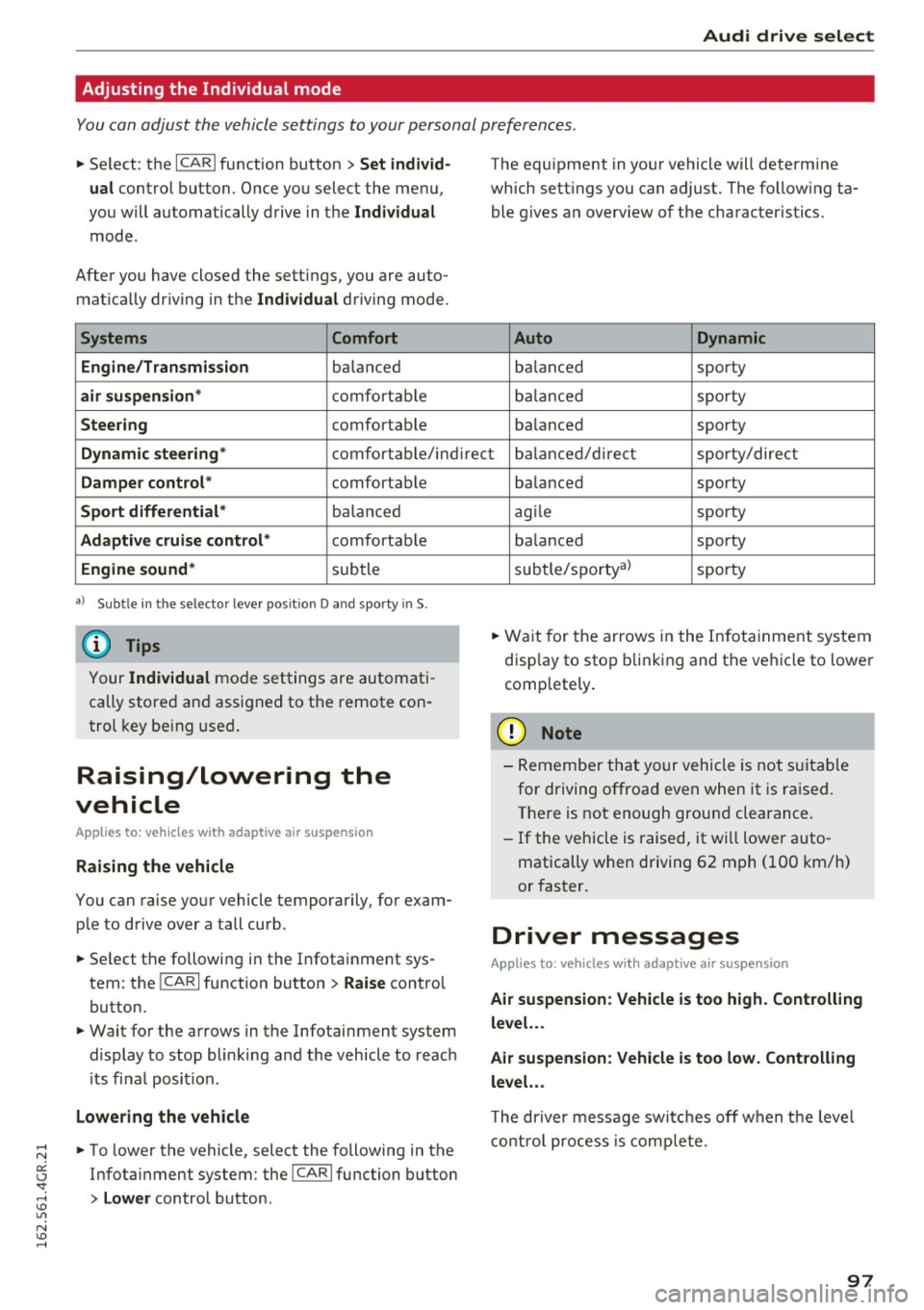
Adjusting the Individual mode
You can adjust the vehicle settings to your personal preferences.
~ Se lect : the ICARI function button > Set indiv id
ual
control button . Once you select the menu,
you wi ll automatically drive in the
Individual
mode .
After you have closed the sett ings, you are auto
mat ica lly dr iv ing in the
Individua l driving mode.
Systems Comfort
Engine/Transmission
balanced
air suspension * comfortable
Steer ing comfortable The equipment in yo
ur vehicle will determine
which sett ings you can adjust. The fo llow ing ta
ble g ives a n overview of the characteristics.
Auto Dynamic
balanced sporty
b alan ced sporty
ba lanced sporty
Dynamic steering * comfort able/in direc t bala nce d/d irect sporty/dire ct
Damper control * comfortable
Sport differential* balan ced
Adaptive cruise control * comfortable
Engine sound * subtle
a} Sub tle in th e se lector leve r po sitio n D a nd sporty in S.
(D Tips
Your Indiv idual mo de settings are automati
cally store d an d assigned to the remote con
t rol key be ing used.
Raising/lowering the
vehicle
Applies to: vehicles with adaptive air suspension
Raising the vehicle
You can raise yo ur vehicle temporarily, for exam
p le to drive ove r a tall curb .
~ Select the followin g in the Infota inment sys
tem : the
ICARI function button > Raise control
button.
~ Wait for the arrows in the Infotainment system display to stop blinking and the vehicle to reac h
its fi na l posi tion.
Lowe ring the vehicle
~ To lower the vehicle, select the following in the
Infotai nment system: the
!CAR I function button
> Lower control button . ba
lanced sporty
ag ile sporty
ba lanced sporty
subtle/sportyal sporty
~ Wa it for the arrows in the In fot ainme nt system
disp lay to stop b linking and the ve hicl e to lowe r
completely.
(D Note
- Remembe r that your vehicle is not s uita ble
for driving offroad even when it is ra ised.
There is not enough ground clearance.
- If the vehicle is raised, it wi ll lower auto
matically when driving 62 m ph (100 km/h)
or faster.
Driver messages
Applies to: vehicles with adaptive air suspension
Air suspension : Veh icle is too high . Controlling
level. . .
Air su spension : Vehicle is too low. Controlling
level. ..
T he driver message switc hes off w hen the leve l
con trol p rocess is com plete.
97
Page 119 of 282
@ Tips
-The warning tones can also be adjusted di
rectly by the visual disp lay or the picture
from the camera. Simply press the
S ettings
control button.
- Changed settings are activated when the
parking system is switched on aga in.
- The settings for volume and frequency are
automat ically saved and assigned to the re
mote control key be ing used.
Error messages
Applies to: vehicles with parking system plus/rearview cam·
era/peripheral camera
There is an error in the system if the LED in the
p ,"~ button is b link ing and you hear a continuous
a larm for a few seconds after switching on the
parking system or when the pa rk ing system is al
ready act ivated.
If the erro r is not corrected be
f ore you switch off the ignit ion, the LED in the
P, "~
button will blink the next t ime you sw itch on the
pa rking system by s hift ing into reverse .
Parking system plus
If a sensor is fau lty, the .I¾ symbol will appear in
front of/behind the vehicle in the Infotainment
d isp lay. If a rear sensor is faulty, only obstacles
that are in areas @and @ are shown
~ page 108, fig. 119 . If a front sensor is faulty,
on ly obstacles t hat are in areas © and @are
shown. There is also a system malfunction if a ll
segmen ts a round the vehicle a re red or if no seg
ments are displayed.
Peripheral cameras*
There is a system malfunct ion if the "t8J• • symbo l
appears and the correspo nd ing display area is
shown in b lue. The camera is not wor king in th is
a rea.
Dr ive to an autho rized Aud i dea le r or a uthorized
Aud i Service Faci lity immediately to have the
malfunct ion corrected.
Parking system s
117
Page 132 of 282
Safety belts
_& WARNING
Not wearing safety belts or wearing them im
properly increases the risk of serious personal
injury and death . Safety belts can work only
when used correctly.
-Always fasten your safety belts correctly be fore driving off and make sure all passen
gers are correctly restrained.
- For maximum protection, safety belts must
always be positioned properly on the body.
- Never strap more than one person, includ
ing small children, into any belt.
- Never place a safety belt over a child sitting
on your lap.
- Always keep feet in the footwell in front of
the seat while the vehicle is being driven.
- Never let any person ride with their feet on
the instrument panel or sticking out the
window or on the seat.
- Never
remove a safety belt while the vehicle
is moving . Doing so will increase your risk of
being injured or killed .
- Never wear belts twisted.
- Never wear belts
over rigid or breakable ob-
jects in or on your clothing, such as eye
glasses, pens, keys, etc., as these may cause
injury.
- Never allow safety belts to become dam
aged by being caught in door or seat hard
ware .
- Do not wear the shoulder part of the belt
under your arm or otherwise out of position.
- Several layers of heavy clothing may inter
fere with correct positioning of belts and re
duce the overall effectiveness of the system.
- Always keep belt buckles free of anything
that may prevent the buckle from latching
securely .
- Never use comfort clips or devices that cre
ate slack in the shoulder belt. However, spe
cial clips may be required for the proper use
of some child restraint systems.
- Torn or frayed safety belts can tear, and
damaged belt hardware can break in an acci
dent . Inspect belts regularly.
If webbing,
bindings, buckles, or retractors are dam-
130
aged, have belts replaced by an authorized
Audi dealer or qualified workshop.
- Safety belts that have been worn and loaded
in an accident must be replaced with the
correct replacement safety belt by an au
thorized Audi dealer. Replacement may be
necessary
even if damage cannot be clearly
seen . Anchorages that were loaded must al
so be inspected.
- Never
remove, modify , disassemble, or try
to repair the safety belts yourself .
-Always keep the belts clean. Dirty belts may not work properly and can impair the func
tion of the inertia reel¢
table on page 195.
Safety belts
Fastening safety belts
Safety first -everybody buckle up!
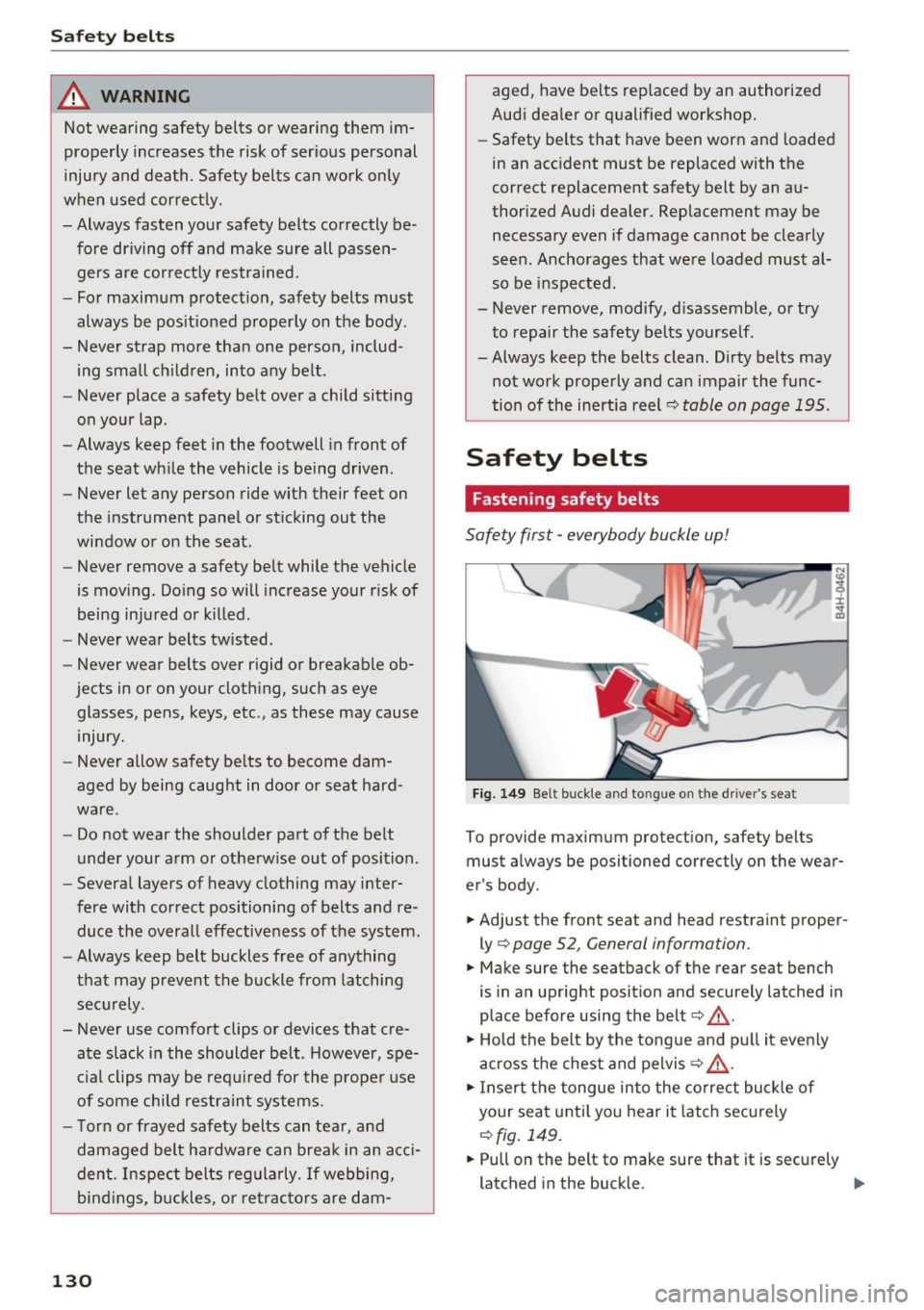
Fig. 149 Be lt buckle and tongu e on t he drive r's seat
To provide maximum protection, safety belts
must alw ays be positioned correctly on the wear
er 's body.
.. Adjust the front seat and head restraint proper
ly¢
page 52, General information.
.. Make sure the seatback of the rear seat bench
is in an upright position and securely latched in
place before using the belt¢,&. .
.,. Hold the belt by the tongue and pull it evenly
across the chest and pelvis¢,&. .
.. Insert the tongue into the correct buckle of
your seat until you hear it latch securely
¢fig. 149.
.. Pull on the belt to make sure that it is securely
latched in the buckle. .,,_