center console AUDI S3 2009 User Guide
[x] Cancel search | Manufacturer: AUDI, Model Year: 2009, Model line: S3, Model: AUDI S3 2009Pages: 324, PDF Size: 76.02 MB
Page 107 of 324
___________________________________________________ W_ a_ r_m _ a_ n_d_ c_ o_ ld _ __.lffllll
<£> For the s ake of th e envir onm ent
By reducing the amount of fue l you use, you a lso reduce the amount
of pollutants emitted into the air. •
Key coded settings
When the ignition is switched on, the air conditioner
settings are automatically assigned to the key being used.
The air conditioner settings selected are automatically stored and
assigned to the key being used. When the vehicle is started, the air
conditioner automatical ly selects the settings assigned to that key .
This way every driver will maintain his/her own personal settings and does not have to reset them manually.
[ i ] Tip s
If a different driver uses your key and changes the air conditioner
sett ings, the latest adjustments wil l erase and replace the settings
you hav e stored. •
Rear vvindovv defogger QiP
The rear window defogger clears the rear window of
condensation.
Con tro ls and eq uip
ment
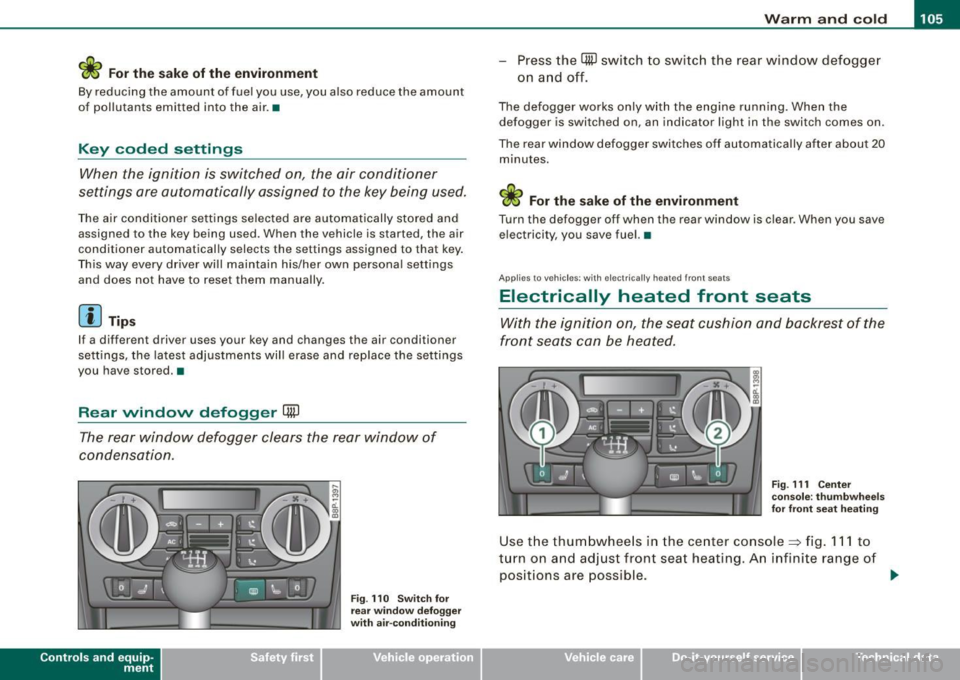
F ig . 11 O Sw itch for
rear window defogge r
w ith air-co nditionin g
-Press the CiiP switch to switch the rear wind ow defogger
on a nd off.
The defogger works only with the engine runn ing. When the
defogger is switched on, an indicator light in the switch comes on .
The rear window defogger switches off automatically after about 20 minutes.
<£> For the sake of the environment
Turn the defogger off when the rear window is c lear . When you save
electricity, you save fuel. •
Applies to vehi cles : with elec trica lly heated fr ont se ats
Electrically heated front seats
With the ignition on, the seat cushion and backrest of the
fr ont seats can be heated.
Fig. 111 Cen ter
co nso le: th umbwhee ls
for fro nt seat heat ing
Use the thumbwhee ls in the center console~ fig . 111 to
turn on and adjust front seat heating. An infinite range of
positions are possible .
~
Vehicle care I I irechnical data
Page 112 of 324

• ..__O_ n_ t_h _ e_ r_ o_ a_ d ____________________________________________________ _
0 Note
Do not stop the engine immediately after hard or extended driving.
Keep the engine running for approximately two minutes to prevent
excessive heat build-up. •
Parking brake
Parking brake
When the parking brake is set, it prevents the vehicle from
rolling away unintentionally.
Setting the parking brake
Fig . 114 Center
console: Parking brake
set
- Pull the parking brake lever all the way up.
Releasing the parking brake Pull the parking brake lever up slightly
and press the
release button at the same time=> fig. 114 -arrow-.
Keep the release button pressed and lower the parking
brake=>
& -
If you should drive off with the parking brake still set, a warning tone
will sound and the following will appear in the instrument cluster to remind you to release the parking brake:
Parking brake set
The parking brake warning comes on only after you have driven for longer than 3 seconds and faster than 5 mph (5 km/h).
The parking brake warning light Brake (USA)/
{CD) (CON) illuminates
when the parking brake is set and you switch on the ignition.
& WARNING
Always release the parking brake completely . A partially engaged
brake will overheat the rear brakes, reduce their effectiveness and
cause excessive wear. This could lead to brake failure and an acci
dent.
0 Note
Only after the vehicle has come to complete stop, should you firmly
set the parking brake and either move the gearshift lever into 1st .
gear (manual transmission) or move the selector lever into "P"
(Automatic transmission). •
Parking
To prevent a parked vehicle from rolling away, there are a
few things you should do.
When you park your vehicle, do the following:
- Stop the vehicle using the brake pedal.
- Set the parking brake firmly.
- Move the selector lever into the
P position (automatic
transmission)
or move the gearshift lever into 1st. gear
(manual transmission) => &. .,_
Page 115 of 324

On the road -
-------------------'
- Press the switch P111A in the center console ::::, page 112,
fig. 115. A short confirmation tone sounds and the diode
in the switch lights.
Switching off
-Drive forward faster than 10 mph (15 km/h), or
press the switch
P" 'A or
- switch off the ignition.
& WARNING
• The parking assist cannot replace the driver's attention. The
driver alone is responsible for parking and similar driving maneu
vers. Always watch where you are driving.
• Sensors have blind spots in which objects cannot be detected.
Pay special attention to small children and animals. They cannot
always be detected by the sensors -danger of an accident!
• Always pay attention to the area around the vehicle -using the
rearview mirror, too .
0 Note
Low obstacles already signaled by a warning can disappear from
the system's detection range as they are approached and will not
continue to be signaled. Objects such as barrier chains, trailer draw
bars, thin painted vertical poles, or fences may not be detected by
the system -risk of damage.
[ i] Tips
You can change the volume and pitch of the signals~ page 23. •
Con tro ls and eq uip
ment
Cruise control
Switching the system on
The cruise control system makes it possible to drive at a
constant speed starting at 20 mph (30 km/h).
A 1----....;
Fig. 116 Control lever
with set button
Fig . 117 Display:
Selected speed
- Pull the lever to position (D::::, fig. 116 to switch the
system on.
- Drive at the speed you wish to set.
- Press button
© to set that speed.
The display~ fig. 117 will show the set speed. The display may vary
depending on the type of display in your vehicle. The indicator light _.,
Vehicle care I I irechnical data
Page 121 of 324
_______________________________________________________ T_ r _a_ n_s_ m __ is_s_ io_ n _ __.1111111
The selector lever lock is effective only when the vehicle is
stationary and at speeds below 5 km/h. At higher speeds, the lock in
the N position is automatically switched off .
The selector lever is not locked when rapid shifts are made through
the N position (e.g. from R to Dl. This allows you to "rock" the vehicle
if it becomes stuck. If the lever is in the N position for more than
1 second with the brake pedal not depressed, the selector lock
engages automatically .
Release button
The release button in the selector lever handle prevents accidental
shifts into certain selector lever positions . When you press the
release button, the selector lever lock is cancelled . In the illustra
tion, the positions in which the release button has to be pressed are
highlighted in color~
page 718, fig. 121.
Ignition key removal lock
The ignition key can only be remove after the ignition is switched off
if the selector lever is in P. As long as the ignition key is removed, the
selector lever is locked in P.
[ i) Tips
If the selector lever does not engage, there is a malfunction . The
engine is disabled to prevent the vehicle from driving off uninten
tiona lly. To allow the selector lever to engage again, proceed as
follows: Press and release the brake pedal. •
Contro ls and eq uip
ment
Ap plies to vehic les: wit h S tron ic®
Driving Notes
The forward gears are shifted up or down automatically.
Starting from stop
Step on and hold the brake pedal.
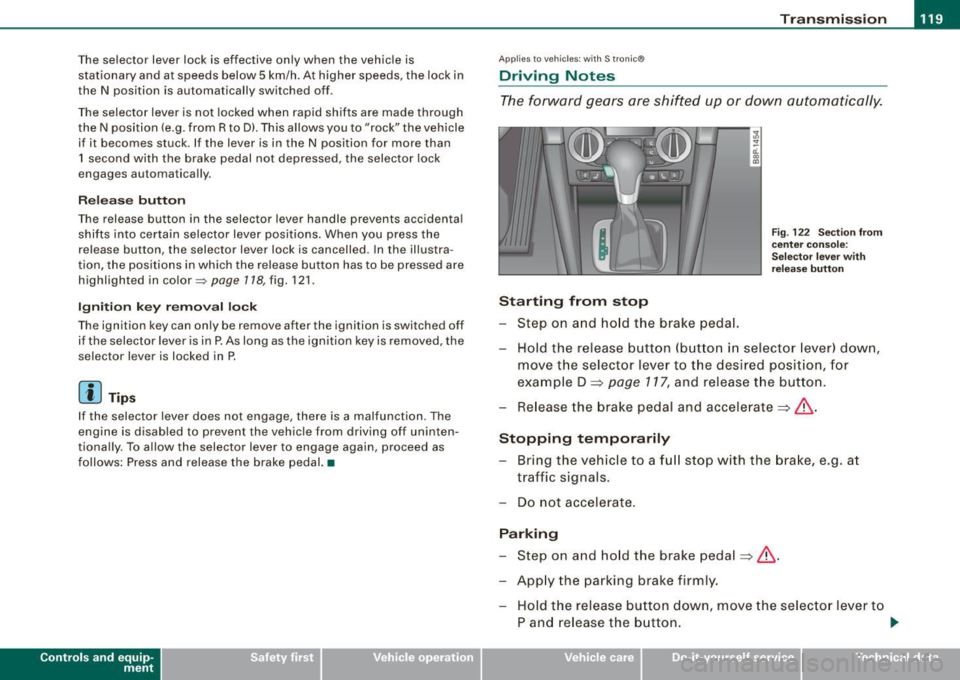
Fig. 122 Section from
center console:
Selector lever with
release button
Hold the release button (button in selector lever) down,
move the selector lever to the desired position, for
example D =>
page 117, and release the button.
Release the brake pedal and accelerate => &, .
Stopping temporarily Bring the vehicle to a full stop with the brake, e.g. at
traffic signals.
Do not accelerate.
Parking Step on and hold the brake pedal=>&, .
Apply the parking brake firmly. Hold the release button down, move the selector lever to
P and release the button. .,.
Vehicle care I I irechnical data
Page 123 of 324

Transmission -_______________ ___.
& WARNING
Hill Descent Assist cannot overcome physical limitations, so it
may not be possible to maintain a constant vehicle speed under all
circumstances. Always be ready to apply the brakes. •
Applie s t o veh ic les : w iths tron ic @
tiptronic operation
Tiptronic allows the driver to shift gears manually.
Contro ls and eq uip
ment "'
"' ...
-a: ., m
Fig
. 123 Center
console: Manual
shifting (tiptronic)
Fig . 124 Display :
Manual shifting
(tiptronic)
Switching to manual
Push the selector lever to the right from D. As the trans
mission has switched, 6 5 4 3 2 1 appears in the display,
w ith the gear that is engaged highlighted.
Upshifting Tap the selector lever forward (in the tiptronic setting)
=> fig. 123 0-
Downshifting
Tap the selector lever backward (in the tiptronic setting)
o .
Switching to manual can be carried out with the vehicle stationary
as well as moving.
When accelerating, the transmission shifts into the next gear in
gears 1, 2, 3, 4 and 5 shortly before the maximum permissible
engine speed is reached.
If you have selected a lower gear than the current one, the transmis
sion will only shift down when the engine cannot be overspeeded .
If kick -down is actuated, the transmission shifts into a lower gear
independently of speed and engine rpm. •
Vehicle care
I I irechnical data
Page 124 of 324

-Tr
ansmi ssio n
..__ ______________ _
Applies to vehic les: with S Ironic® and with Tip tronic contro ls on the steering whee l
Steering wheel with Tiptronic ® controls
The selector paddles allow the driver to keep both hands
on the steering wheel when shifting gears.
Shifting up
Fig . 125 S port
s teer ing wheel w it h
se lector padd les
- Pu ll the right paddle, marked G) => fig . 125 briefly
towards you.
Shiftin g down
Pu ll the left paddle, marked O => fig. 125 briefly towards
you .
The selector paddles on the steering wheel are activated when the
selector lever on the center console is in
D, S, or in the manual posi
tion (Tiptronic mode).
You can also shift gears in the Tiptronic mode using the selector
lever on the center console.
[ i ] Tips
With the gear selector lever in either "D" or "S" the transmission wi ll
switch back to the automatic mode if you do not use the paddles
within approx . 30 seconds .•
Ap plies to vehicles: wi th S tronic®
Kick-down feature
The kick-down feature allows maximum acceleration .
If you depress the accelerator pedal fu lly beyond the full -throt tle
position, the transmission automatically downshifts one gear,
depending on vehic le speed and engine rpm. The upshift into the
next higher gear takes place as soon as the maximum specified
engine speed is reached.
& WARNING
Pleas e n ote t hat th e dr ive whee ls ca n sp in if th e kick -do wn i s used
o n a s mooth slipp ery road -ris k of skiddin g!•
Ap plies to vehic les: with S tron ic®
Launch Control Program
The Launch Control Program permits maximum accelera
tion.
In order to use Launch Control, the ASR (Anti-Slip Regu la
tion) must be disabled. When ASR is disabled, the ESP
warning/indicator light in the instrument cluster illumi
nates . So that Launch Control can be used, the engine must
be at operating temperature and the steering wheel must
not be turned.
- With the engine running, briefly press the ESP button.
The message "ASR off" appears in the instrument cluster
d isplay.
- Shift the gear lever to "S" or the tiptronic® position.
- Step on t he brake pedal with your left foot a nd keep the
brake pedal fully depressed fo r at least one second. _,,,
Page 161 of 324

__________________________________________________ A_ i_ r _b _a...; g::- s_ y=--- s_t _e _m __ lffl!III
PASSENGER AIR BAG OFF light
I, Q
--
&I Ii u ,, , u
I I J' J
Fig. 1 46 Sectio n from
t h e ce nte r co nso le :
PA SS ENGER AIR B AG
OFF light
The PA SSENGER AIR BAG OFF light is located in the center console
=>fig.146 .
The
PA SSENGER AIR BAG OFF light wil l come on and stay on to te ll
you when the front Advanced Airbag on the passenger side has been turned off by the electron ic control unit. Each time you turn on
the ign it ion, the
PA SS ENGER AIR BA G OFF light will flash for a few
seconds and:
• will stay on if the front passenger seat is not occupied,
• will stay on if there is a small child or chi ld restraint on the front
passenge r seat,
• will go out if the front passenger seat is occupied by an adult as
registered by the we ight-sensing mat .
T he
PA SS ENGER AIR BAG OFF light mu st co me on and sta y on if the
ign ition is on and
• a car bed has been insta lled on the front seat, or
• a rearward -facing chi ld restraint has been installed on the front
passenger seat, or
• a forwa rd -facing child restra int has been installed on the front
passenger seat, or
• t he we ight registered on the front passenger seat is equa l to or
less than the combined weight of a typica l 1 year -old restrained in
Controls and equip
ment Safety first
Vehicle operation
one of the rear-facing or forward -facing infant restraints listed in
Federa l Motor Veh icle Safe ty S tandard 208 with which the Advanced
Airbag System in your vehicle was certified.
I f the front passenger seat is not occupied, the front airbag will not
deploy, and the
PA SS ENGER AIR BAG OFF light will stay on . Never
insta ll a rearward -facing child restraint on the front passenger seat,
the sa fest place for a child in any kind of child restraint is at one of
the seating posi tions on the r ear seat =>
page 149, "Child restraints
on the front seat -so me important things to know" and=>
page 169,
"Chi ld Safety ".
If the PASSENGER AIR BAG OFF light com es on when one of the
conditions listed above is met, be sure to check the light regu lar ly
to make certa in that the
PA SS ENGER AIR BAG OFF light stays on
continuously whenever the ignition is on . If the
PA SSENGER AIR
BAG OFF
light does not appear on and does not stay on all the tim e,
stop as soon as it is safe to do so and
• reactivate the system by turning the ignition off and then turning
it on aga in;
• remove and reinstall the child restraint. Make sure that the child
restrain t is proper ly installed and t hat the safety be lt for the front
passenger seat has been correctly routed through the child restraint
as described in the chi ld restraint manufacturer's instructions;
• make sure that the convertible locking feature on the safety belt
for the front passenger sea t has been activated a nd that the safety
belt has been pulled tight . The belt must not be loose or have loops
of slack so that the sensor be low the safety belt latch on the sea t can
do its job =>
page 179.
• make sure that things that may inc rease the we ight of the child
and child safety seat are not being transported on the front
passenger seat;
• make sure that the safety belt tension sensor is not blocked.
Shake the safety belt latch on the front passenger seat back and
forth;
• I f a strap or te ther is being used to tie the child sa fety seat to the
front passenger seat , make sure that it is not so tight that it causes .,
Vehicle care Do-it-yourself service Technical data
Page 165 of 324

& WARNING
Items stored between the safety belt buckle and the center
console can cause the sensors in the buckle to send the wrong
information to the electronic control module and prevent the
Advanced Airbag System from working properly.
• Always make sure that nothing can interfere with the safety
belt buckles and that they are not obstructed.
as Perchlorate Material -special handling may apply, see
www.dtsc.ca.gov/hazardouswaste/perchlorate. When the vehicle or
parts of the restraint system including airbag modules and safety
belts with pretensioners are scrapped, all applicable laws and regu
lations must be observed . Your authorized Audi dealer is familiar
with these requirements and we recommend that you have your
dealer perform this service for you. •
Safety first
Side airbags
Description of side airbags Airbag
system
The airbag
system can provide supplemental protection
to properly restrained occupants.
Fig . 147 Side airbag
location in the driver 's
seat
The side airbags are located in the sides of the front seat backrests
~ fig . 147 and the rear backrest * facing the doors. They are identi
fied by the word "AIRBAG" .
The side airbag system basically consists of:
• the electronic control module and external side impact sensors
• the two side airbags located in the sides of the front backrests
• two rear side airbags (as an ordered
option)
• the airbag warning light in the instrument cluster.
The airbag system is monitored electronically to make certain that
it is functioning properly at all times. Each time you turn on the igni
tion, the airbag system indicator light will come on for a few
seconds (self diagnostics) .
The side airbag system supplements the safety belts and can help
to reduce the risk of injury to the driver's , front and rear*
passenger's upper torso on the side of the vehicle that is struck in a
side collision . The airbag deploys only in side impacts and only
when the vehicle acceleration registered by the control unit is high
~
Vehicle care I I irechnical data
Page 318 of 324
___ A_l.:,. p _h_ a_ b_e _t _ic _ a_l _in _ d_e _x ____________________________________________ _
Passive safety system . . . . . . . . . . . . . . . 126
Pedals . .... ... .. .... .... .... ...... 132
Physical p rinciples of a frontal collision 138
Polish ing ... ... ... .. ... .... .... .... 209
Power locking switch .. ... .... ...... .. 41
Rear center console ... ........ .... 42
Power locking system . . . . . . . . . . . . . . . . 37
Convenience close/open feature .. ... 47
Locking and unlocking the vehicle from inside ... .... ... .... .... ..... .. . 41
Opening and closing the windows .. . 47
Operating locks from with k ey . ..... 40
Rear lid .. .. .. .. .. .... .... ...... .. 42
Remo te control . . . . . . . . . . . . . . . . 36, 39
Un locking and locking vehicle .. ... .. 39
Power outlets . . . . . . . . . . . . . . . . . . . . . . . 93
Power seat Adjusting the seatback ..... ........ 77
Adjustment . ...... .... .... ... .... 76
Power steering
See Electro-mechanical power assist . 16 ,
195
Power sunroof
See panoramic sliding sunroof .... .. 48
Power window switches . . . . . . . . . . . . . . 46
In the driver's door ................ 46
Reactivating the system . . . . . . . . . . . . 48
Pregnant wom en
Special considerations when wearing a safety belt . . . . . . . . . . . . . . . . . . . . . 143
Proper occupant sea ting posi tions .... 128
Proper safety belt position . . . . . . . . . . . 142 Proper seating position
Front passenger . . . . . . . . . . . . . . . . . 129
Occupants .... ...... .... ... .. ... 128
Rear passengers 130
a
Quartz clock ...... ..... .. .... .... .... . 9
quattro®
See All Wheel Drive . . . . . . . . . . . . . . . 196
Question
R
What happens to unbelted occupants? ..
139
Why safety belts? . . . . . . . . . . . . . . . . 137
Radiato r fan . .... .... ...... .... .... . 235
Radio Replacing . .... ... .... .... .... ... 306
Rain sensor defective ... ... .... ... .... 34
Reading light
Rea r ..... ..... ...... .... .... .... . 61
Reading lights
Front ..... ..... ... .... ... .... .... 60
Rea r ... ... .... ... ... .. ...... ..... 60
Rear armrest .... ... .. .... .. .. ... .... 82
Rea r ashtray . .... ...... .... ... .. .... 93
Rear lid
Emergency release .... .... .... .... 43
Lock ing/unlocking . ... .. ....... ... . 42
Rear light defective . . . . . . . . . . . . . . . . . . 33
Rear power locking switch ... .... .... . 42 Rear seat bottom
...... .. .... .... .. . . 83
Rear view mirror
Inside rear view mirror ............ . 69
Rear window defogger with air-conditioning ... ... .. ..... 105
Refuelling ....... .... .... ...... ..... 221
Release lever for engine hood ..... .... 224
Remo te con trol . ...... .. .. ... ..... .. . 36
Resetting remote control ... .... .... 40
Un locking and locking . .... .... ... . 39
Remote mast er key
Ba ttery replacement ............... 36
Check light .... .... .... ..... .. ... . 36
Repair manuals ... .... ... .... .... .. . 303
Repairs Airbag system .... .... .... .... ... 161
Replacing Wheel rims . ... .... .... .... .. 255, 257
Replacing a fuse ... ... ....... .... ... 280
Replacing a sound system . .... .... ... 306
Replacing light bulbs . ...... .. .... ... 285
Replacing tires and wheels ........... 256
Reporting Safety Defects .. ....... 135, 136
Reset but ton . . . . . . . . . . . . . . . . . . . . . . . . 10
Resetting remote control ...... .... .... 40
Retractor . . . . . . . . . . . . . . . . . . . . . . . . . . 141
Reverse Automatic transmission .... .... .. . 117
Reversible cargo area floo r ........ .... 87