fog light AUDI S3 2009 Owners Manual
[x] Cancel search | Manufacturer: AUDI, Model Year: 2009, Model line: S3, Model: AUDI S3 2009Pages: 324, PDF Size: 76.02 MB
Page 9 of 324
Instruments and controls
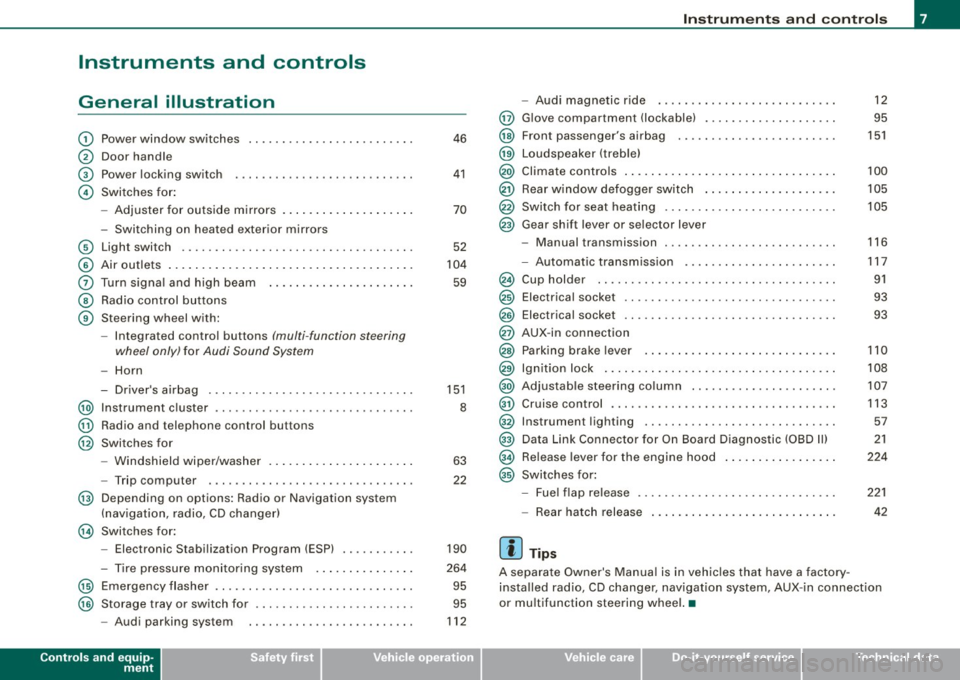
General illustration
G)
0
©
©
©
©
0
©
®
Power window switches
Door handle
Power locking switch
Switches for:
- Adjuster for outside mirrors .. ........ ... ...... .
- Switching on heated exterior mirrors
Light switch .................................. .
Air outlets .... .... ... .. ............... ........ .
Turn signa l and high beam ...... ............. .. .
Radio control buttons
Steering wheel with:
- Integra ted control buttons (multi -function steering
wheel only) for Audi Sound System
-Horn
- Driver's airbag .............................. .
@ Instrument cluster .................... ...... ... .
@ Radio and telephone control buttons
@ Switches for
- Windshield wiper/washer .... ... .. ...... ... ... .
- Trip computer .... ................... ....... .
@ Depending on options: Radio or Navigation system
(navigation, radio, CD changer)
@ Switches for:
- Electronic Stabilization Program (ESP) .......... .
- Tire pressure monitoring system .. ... .. .... ... .
@ Emergency flasher ............................. .
@ Storage tray or switch for ... .... .... .... .... ... . .
- Audi parking system
Controls and equip
ment
46
41
70
52
104
59
151
8
63
22
190
264
95
95
112
Instruments and controls
@
@
@
@
@
@
@
-Audi magnetic ride .......................... .
G love compartment !lockable) ................... .
Front passenger's airbag
Loudspeaker (treble)
Climate controls ........ .... ... .. .... .... ...... .
Rear w indow defogger switch ...... .... ...... ... .
Switch for seat heating .... .... .... .... ........ . .
Gear shift lever or selector lever
- Manual transmission ......................... .
A t . . . -u omatIc transmIssIon ...................... .
@ Cup holder ...... ..... .. ...... ...... .... ... ... .
@ Electrical socket ................ ....... ........ .
@ Electrical socket ............................... .
@ AUX-in connection
@ Parking brake lever . ...... ...... ... .. .... .... .. .
@) Ign ition lock ............ ........ ........ ...... .
@) Adjustable steering column ...... ..... ...... .... .
@ Cruise control .... .... ........ ... .... .... ...... .
@ Instrument lighting ............................ .
@ Data Link Connector for On Board Diagnostic (OBD II)
@ Release lever for the engine hood ...... .... ...... .
@ Switches for:
- Fuel flap release ............................. .
- Rear hatch release
[ i ] Tips
12
95
151
100
105
105
116
117
91
93
93
110
108
107
113
57
21
224
221
42
A separate Owner's Manual is in vehic les that have a factory
installed radio, CD changer, navigation system, AUX-in connection
or mu ltifunction steering wheel. •
I • •
Page 55 of 324
• In cool or damp weather conditions the headlights may fog over
temporarily on the inside.
- The critical factor is the temperature difference between the
interior and the exterior of the headlight lens.
- With the main beams switched on, the light -emitting area will
be free of condensation after a short time, however the edges of
the glass may still be fogged .
- The rear lights and turn signals may also be affected.
- This physical phenomenon has no effect on the life of your
vehicle's lighting system .•
A pplies to vehic les : wit h ligh t sens or p ack age
Sensor activated head- and tail light control
In the "AUTO" position light sensors switch the head- and
tail lights on and off.
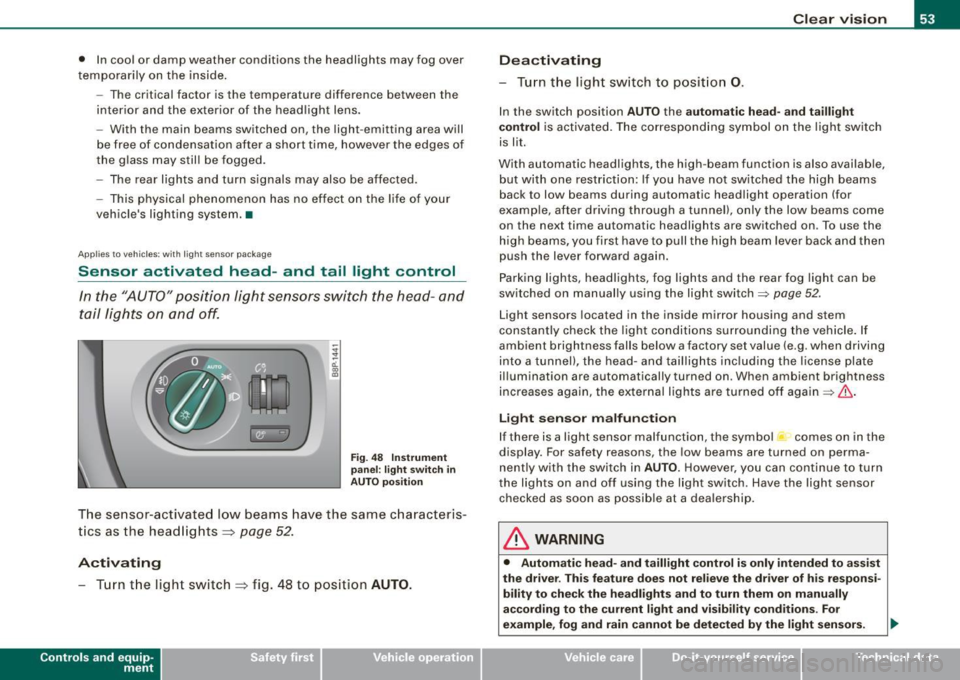
Fig. 48 Instrument
panel : light switch in
AUTO position
The sensor-activated low beams have the same characteris
tics as the headlights ~
page 52.
Activating
-Tur n t he light switch ~ fig . 48 to position AUTO.
Con tro ls and eq uip
ment
Clear vision
Deactivating
- Turn the light switch to position 0.
In the switch position AUTO the automatic head-and taillight
control
is activated. The corresponding symbol on the light switch
is lit.
With automatic headlights, the high -beam function is also available,
but with one restriction: If you have not switched the high beams
back to low beams during automatic headlight operation (for
examp le, after driving through a tunnel), only the low beams come
on the next time automatic headlights are switched on . To use the
high beams, you first have to pull the high beam lever back and then
push the lever forward again .
Parking lights, headlights, fog lights and the rear fog light can be
switched on manually using the light switch=>
page 52 .
Light sensors located in the inside mirror housing and stem
constantly check the light conditions surrounding the vehicle. If
ambient brightness falls below a factory set value (e .g . when driving
into a tunnel), the head-and taillights including the license plate
illumination are automatically turned on . When ambient br ightness
increases again, the external lights are turned off again=>
If:::..
Light sensor malfunction
If there is a light sensor malfunction, the symbol comes on in the
display. For safety reasons, the low beams are turned on perma
nently with the switch in
AUTO. However, you can continue to turn
the ligh ts on and off using the light switch . Have the light sensor
checked as soon as possible at a dealership.
& WARNING
• Automatic head -and taillight control is only intended to assist
the drive r. This feature does not relieve the driver of his responsi
bility to check the headlights and to turn them on manually
according to the current light and visibility conditions. For
example, fog and rain cannot be detected by the light sensors. .,
Vehicle care I I irechnical data
Page 57 of 324
& WARNING (continued)
in outside light conditions when you are driving and respond by
switching on your low beams
io.
0 Note
Always be aware of changes in outside light conditions while you
are driving . Respond in time to fading daylight by turning the light
switch to position
io (or "AUTO" if your car is equipped with this
feature)
to turn on your headlights. •
Applies to the market: Canada models
Daytime running lights (Canada models only)
When you turn on the ignition the daytime running lights
will come on automatically.
The daytime running lights are activated only when the light switch
@=> page 54, fig . 49 is either at the O or the ;oo:c position. When the
ignition is switched on, there is a difference between vehicles with
bi-xenon lights and halogen lamps :
• On vehicles with bi -xenon lights only the daytime running lamps
in the headlights will come on .
• On vehicles with halogen lights the front fog lights, side marker
lights and tail lights come on automatically
& WARNING
Never use daytime running lights to see where you are going. They
are not bright enough and will not let you see far enough ahead for
safety, especially at dusk or when it is dark. Be aware of changes
in outside light conditions when you are driving and respond by
switching on your low beams
io.
Controls and equip
ment
Clear vision
0 Note
• With the light switch at the O or ooo:c position, only your front fog
lights remain turned on when it turns dark outside. Even though
your instruments appear well lit, the road ahead of you is not. The light pattern provided by fog lights alone is not sufficient for safe
driving in poor light or darkness. Therefore:
• Always be aware of changes in outside light conditions while
you are driving. Respond in time to fading daylight by turning the light switch to position
io (or "AUTO" if your car is equipp ed with
this feature)
to turn on your headlights.
[ i] Tips
The daytime running lights function cannot be turned off.•
Applies to vehic les : w ith Ada ptive ligh t
Adaptive light
When driving around bends, the relevant area of the road
is better illuminated.
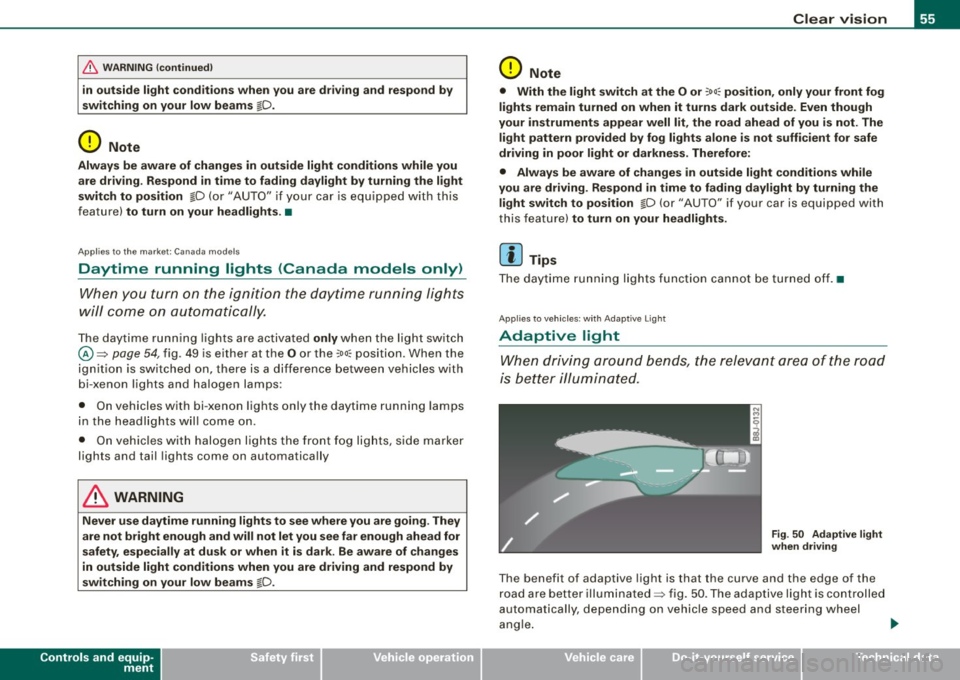
Fig . 50 Adaptive light
when driving
The benefit of adaptive light is that the curve and the edge of the
road are better illuminated=> fig . 50 . The adaptive light is controlled
automa tically , depending on vehicle speed and steering wheel
angle. _,,,,
I • •
Page 58 of 324
Clear vision
When driving around bends, the headlights are controlled
according to steering whee l angle . So that there is no black area
ahead of the vehicle, the two main beams pivot at d ifferent ang les .
[ i ) Tips
The system works above a speed of about 6 mph (10 km/hl. •
Front fog lights }D
Use the light switch to turn on the fr ont fog ligh ts.
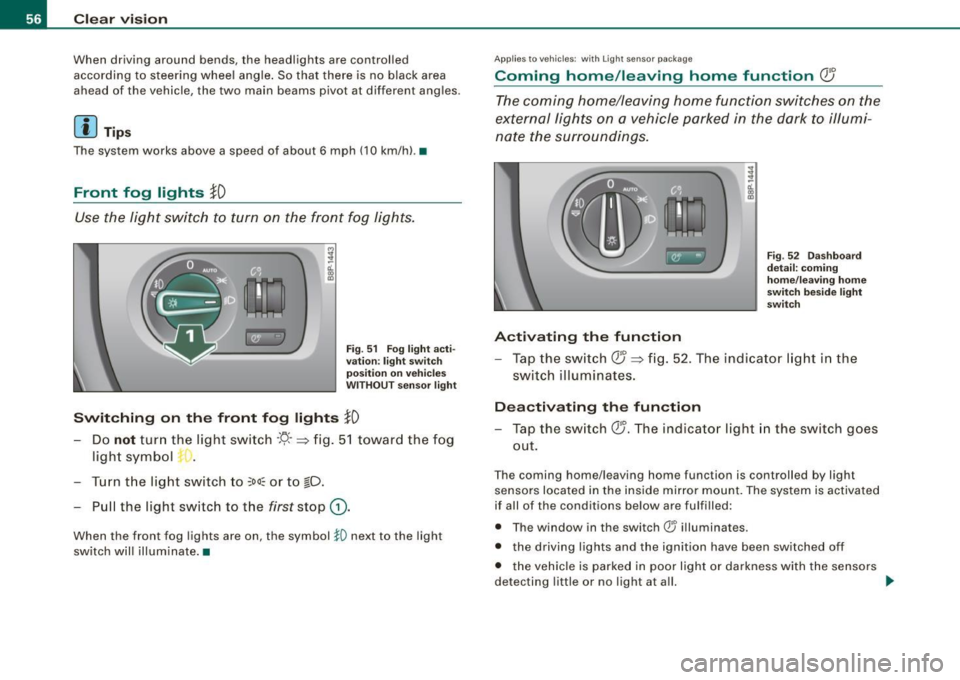
Fig. 51 Fog l igh t acti
va tion: light switch
po siti on on vehi cle s
W ITHOU T sens or li gh t
Switching on the front fog lights }D
- Do not tur n the light swi tch ·'!J- -~ fig . 51 towar d the fog
ligh t symb ol
-t. •
-Turn the light switch to ~oo~ or to io.
- Pull the light switch to the first stop G) .
When the front fog lights are on, the symbol }0 next to the light
switch will illuminate .•
Ap plies 1 0 vehi cles: with Ligh t se nso r pac ka ge
Coming home /leaving home function Q5
The coming home/leaving home function switches on the
e x ternal lights on a vehicle parked in the dark t o illumi
na te the sur roundings.
Activating the function
Fi g. 52 Das hb oar d
d etail: com ing
home /leav ing home
s w it ch bes ide lig ht
sw itch
- Tap the sw it c h QJ ~ fi g. 52 . The indicato r light i n th e
s w itch illuminates.
Deactivating th e function
- Tap the switch QJ. The indicator light in the switch goes
out.
T he coming home/leaving home function is controlled by light
se nsors located in the inside mir ror m ount. The system is activate d
if all of the conditions below are fu lfi lled:
• T he w indow in the switch® il luminates.
• the driving lights and the ignition have been switched off
• t he veh ic le is parked in poor l ight or da rkness with the senso rs
detecting little or no light at a ll. _,,
Page 59 of 324

Coming home situ ation
In darkness, the activated system will turn on the headlights, side
marker lights, rear side marker lights, toil lights, and rear license
plate light as soon as the driver's door is opened from inside.
As long as one of the doors or the rear lid remains open, the set of
external lights will keep burning for about four minutes maximum.
To provide light for departure, the set of vehicle lights will keep
burning for about another 30 seconds after all doors and the rear lid
have been closed .
The time until the lights are switched off can be adjusted~ page 23.
Leaving home situation
As soon as the vehicle is unlocked by pressing the en button on your
remote control, the set of external lights is switched on.
The external lights are switched off as soon as the driver's door is
opened from outside . Even if you had the system readjusted to keep
the lights burning for an extended time for coming home, the
external lights will be turned off if you do not open the driver's door
within 60 seconds after unlocking . See chapter "Opening and
Closing" in your Owner's Manual. If the lights are switched off
before you reach the driver's door, press the@ button once more to
turn them on again .
[ i J Tips
• Do not attach any stickers to the windshield in front of the two
light sensors, as this would interfere with both the automatic oper
ation of the head lights and the automatic dimming of the inside
mirror(sl.
• If the vehicle is remotely unlocked and locked three times in
succession, leaving home will not turn on the lights a fourth time to
safeguard the battery and lights.
• If you wish to use the coming home/leaving home function regu
larly, you can leave it activated at all times without risking perma-
Contro ls and eq uip
ment
Clear vision
nent strain on the electrical system. As the system is controlled by
light sensors, it wi ll only be energized in darkness.
• Frequent use of the coming home/leaving home function for
approaching and departing a vehicle parked in the dark will strain
the battery . This applies particularly if only short distances are
driven between stops. Occasionally drive longer distances to make
sure the battery is recharged sufficiently .
• If the fog lights have been switched on by the coming
home/leaving home function, they will always be switched off when
you switch on the ignition .•
Instrument panel illumination
The illumination of the instruments, displays and the
center console can be adjusted.
"' ;
-a'.. co
"'
li8t ey)
Fig . 53 Instrument
panel illumination
You regulate the brightness of the instruments with the left
thumbwheel
<,;"o/ => fig. 53.
Ign ition ON, light switch at @.
With the ignition switched ON, the glow of instrument needles can
be adjusted to appear brighter or dimmer.
1)1,
Vehicle care I I irechnical data
Page 100 of 324
Warm and cold
Warm and cold
Climate controls
Description
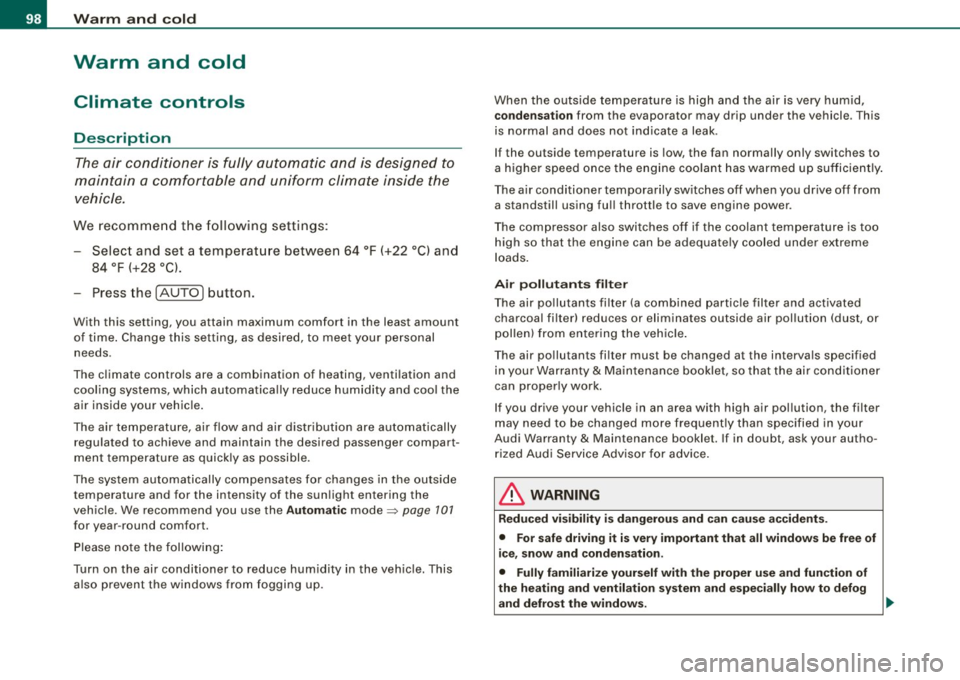
The air conditioner is fully automatic and is designed to
maintain a comfortable and uniform climate inside the
vehicle.
We recomme nd the following s ettings:
- Select and set a temperature between 64
°F (+22 °C) and
84 °F (+28 °C).
- Press the !AUTO
I button.
With this setting, you attain maximum comfort in the least amount
of time . Change this set ting, as desired, to mee t your pe rsonal
needs.
The climate controls are a combination of heating, venti lation and
cooling systems, which automatica lly reduce humidity and coo l the
air inside your vehic le .
The air temperature, air flow and air distribution are automatically
regu lated to achieve and maintain the desired passenger compart
ment temperature as quick ly as possible.
The system automatically compensates for changes in the outside
temperature and for the intensity of the sun light entering the
veh ic le. We recommend you use the
Automat ic mode=> page 101
for year -round comfort.
P lease note the following :
Turn on the air conditioner to reduce humidity in the vehic le. This
a lso prevent the window s from fogging up. When the outside temperature is high and the air is very humid,
c
ondensat ion from the evaporator may drip under the vehicle . T his
is normal and does not indicate a leak.
I f the outside temperature is low, the fan normally only switches to
a higher speed once the engine coola nt has war med u p sufficiently .
T he air conditioner temporarily sw itches off when you drive off from
a standstill using fu ll throttle to save engine power.
The comp ressor also swi tches off if the coolant temperatu re is to o
high so that the engine can be adequate ly cooled under extreme
lo ads .
Air pollutants filt er
The air po llutants fi lter (a combined partic le filter and activated
charcoal fi lter) reduces or eliminates outside air pollution (dust, or
p ollen) from en ter ing the vehic le .
The air po llutants fi lter must be changed at the intervals specified
in your Warranty
& Maintenance bo oklet, so that the ai r conditioner
can proper ly work.
I f you drive your vehicle in an area with high air pol lution, the filter
may need to be changed m ore freque ntly tha n specified in your
Audi Warranty
& Maintenance booklet. If in doubt, ask your autho
r iz ed Aud i Service Adviso r fo r a dvice .
& WARNING
Redu ced vi sibility i s dangerou s and can cause accidents .
• For saf e driving it is very important that all window s be free of
ice , sno w and conden sation.
• Fully familiarize yourself with the proper use and fun ction of
the heating and ventil ation sy stem and especially how to defog
and defrost the windows. ...
Page 103 of 324
___________________________________________________ w_ a _r_m _ a_ n_d_ c_ o_ ld __ _
Please keep in mind that with the air conditioner switched off, the
interior temperature cannot be lower than the outside temperature.
There is no cooling and the air is not dehumidified (danger of the
windows becoming fogged).
[ i ] Tips
if there is a defect in the air conditioner, the air conditioner cannot
be switched on. In this case, the diode in the button does not light
after being switched on. in the event of a system fault, please
contact an Audi or specialist garage. •
Switching the air conditioning on and off @
-Press the [AC] button to switch the air conditioner on or
off .
if there is a defect in the air conditioner, the air conditioner cannot
be switched on. In this case, the diode in the button does not light
after being switched on . in the event of a system fault, please
contact an Audi or specialist garage. •
Automatic mode [ AUTO I
The automatic mode is the standard setting for all
seasons.
Swit ching on AUTO
- Select temperature between 64 °F (+18 °C) and 84 °F
(+28 °C) .
- Press
[AUTO I~ page 100, fig. 108 .
AUTO on ly works when you set the inside temperature between
64 °F (18 °C) and 84 °F (28 °C). If you se lect a tempe rature be low
Controls and equip
ment
64 °F (18 °C), LO will appear in the disp lay. If you se lect a tempera
t ure above 84 °F (28 °C),
HI will appear in the display .
The system automatica lly compensates for changes in outside
temperature and for the intensity of the sun light .
[ i ] Tip s
By keeping the [AU TO I button on the driver's side pressed for
severa l seconds, the temperature of the passenger's side can be set
to the temperature of the driver's side or vice versa. The new
t emperature setting will be shown in the disp lay. •
Setting the temperatur e 1
Separate tempera tures can be selected for the driver's
and fr ont passenger's side.
- Turn the rotary sw itch © on the driver's side and the
rotary switc h@ on the passenger's s ide left( -) or right
(+ ) to control the temperature~ page 10 0, fig. 108.
There is a time de lay before the selected temperature is reached.
[ i ] Tip s
The temperature setting for the driver's side can be transferred to
the passenger's side~
page 101. •
Defrosting /defogging the windshield[@)
The windshield and side windows are quickly defrosted or
defogged
- Press [@]~ page 100, fig. 108 .
- Press[@] again or press
[AUTO I to switch off the
def ros ter .
I • •
Page 107 of 324
___________________________________________________ W_ a_ r_m _ a_ n_d_ c_ o_ ld _ __.lffllll
<£> For the s ake of th e envir onm ent
By reducing the amount of fue l you use, you a lso reduce the amount
of pollutants emitted into the air. •
Key coded settings
When the ignition is switched on, the air conditioner
settings are automatically assigned to the key being used.
The air conditioner settings selected are automatically stored and
assigned to the key being used. When the vehicle is started, the air
conditioner automatical ly selects the settings assigned to that key .
This way every driver will maintain his/her own personal settings and does not have to reset them manually.
[ i ] Tip s
If a different driver uses your key and changes the air conditioner
sett ings, the latest adjustments wil l erase and replace the settings
you hav e stored. •
Rear vvindovv defogger QiP
The rear window defogger clears the rear window of
condensation.
Con tro ls and eq uip
ment
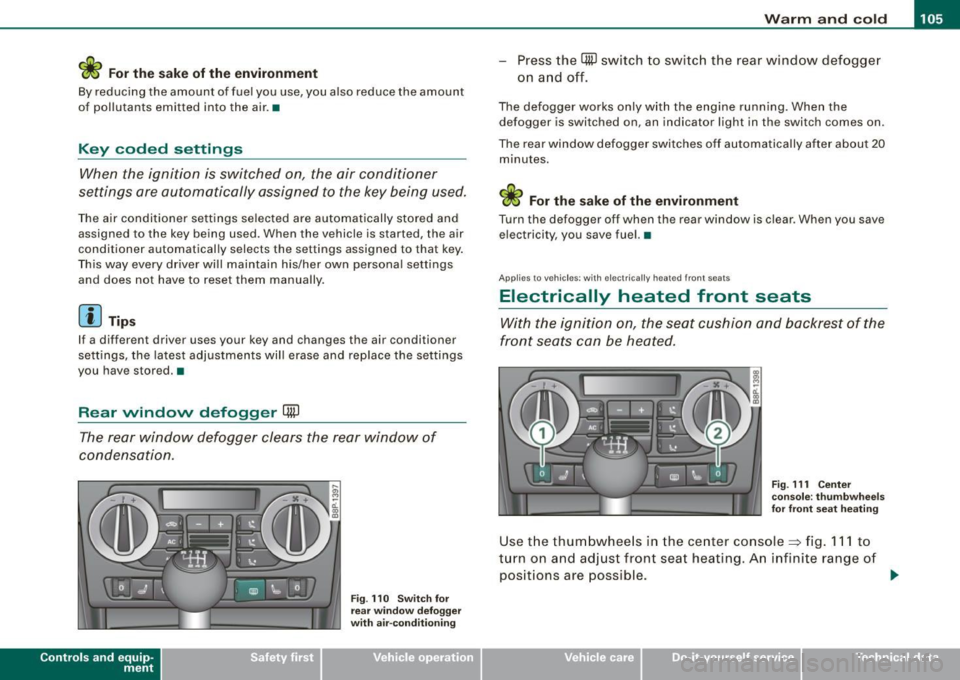
F ig . 11 O Sw itch for
rear window defogge r
w ith air-co nditionin g
-Press the CiiP switch to switch the rear wind ow defogger
on a nd off.
The defogger works only with the engine runn ing. When the
defogger is switched on, an indicator light in the switch comes on .
The rear window defogger switches off automatically after about 20 minutes.
<£> For the sake of the environment
Turn the defogger off when the rear window is c lear . When you save
electricity, you save fuel. •
Applies to vehi cles : with elec trica lly heated fr ont se ats
Electrically heated front seats
With the ignition on, the seat cushion and backrest of the
fr ont seats can be heated.
Fig. 111 Cen ter
co nso le: th umbwhee ls
for fro nt seat heat ing
Use the thumbwhee ls in the center console~ fig . 111 to
turn on and adjust front seat heating. An infinite range of
positions are possible .
~
Vehicle care I I irechnical data
Page 116 of 324

• .___O_ n_ t_h _e _ r_o _a_ d __________________________________________________ _
CRUISE (US model)/ r,,f (Canadian model) will also light up in the
instrument cluster.
& WARNING
• Always pay attention to traffic even when the cruise control is
switched on. You are always responsible for your speed and the
distance between your vehicle and other vehicles.
• For safety reasons, the cruise control should not be used in the
city, in stop-and-go traffic, on twisting roads and when road condi
tions are poor (such as ice, fog, gravel, heavy rain and hydro
planing) -risk of accident.
• Turn off the cruise control temporarily when entering turn
lanes, highway exit lanes or in construction zones.
• Please note that inadvertently "resting" your foot on the accel
erator pedal causes the cruise control not to brake. This is because
the cruise control is overridden by the driver's acceleration.
[ i J Tips
• Vehicles with manual transmission : You can attain the set speed
only if the currently engaged gear allows it and the engine is not
stressed. Shifting to a higher or lower gear promptly will allow the
engine to run smoothly.
• The cruise control cannot maintain a constant speed when
driving downhill. The vehicle will accelerate under its own weight.
Downshift to a lower gear or use the brakes to slow down. •
Changing speed
- Press lever in the 0 or Q direction~ page 113, fig. 116
to increase or decrease your speed.
Release the lever to save that speed .
Change speed in increments of 1 mph (1 km/h) by lightly pressing
the lever. If you keep the lever pressed down, you will alter your
speed in 5 mph (10 km/h) increments.
You can also press the accelerator pedal down to increase your
speed, e .g. if you want to pass someone. The speed you saved
earlier will resume as soon as you release the accelerator pedal.
If, however, you exceed your saved speed by 5 mph (10 km/h) for
longer than 5 minutes, the cruise control will turn off temporarily.
The symbol will go out but the saved speed will be retained. •
Presetting your sp eed
You can preset your desired speed while the vehicle is not
moving.
- Turn on the ignition.
Pull lever into position
G) ~ page 113, fig. 116.
Press the lever in the
0 or Q direction to increase or
decrease your speed.
- Release the lever to save that speed.
This function makes it possible, for example, to save the speed you
want before driving on the highway. Once on the highway, activate
the cruise control by pulling the lever toward
G) . •
Switching th e system off
Temporary deactivation
Press the brake pedal, or
- Keep the clutch pedal pressed down
longer, or
Press the lever into position
0 (not clicked into place)
~ page 113, fig. 116, or ._
Page 239 of 324
_____________________________________________ C_h_ e_ c _ k_in -= g_a _ n_d _ f_il _li _n ..;::g =--____.•
N
~ a:. 00 m
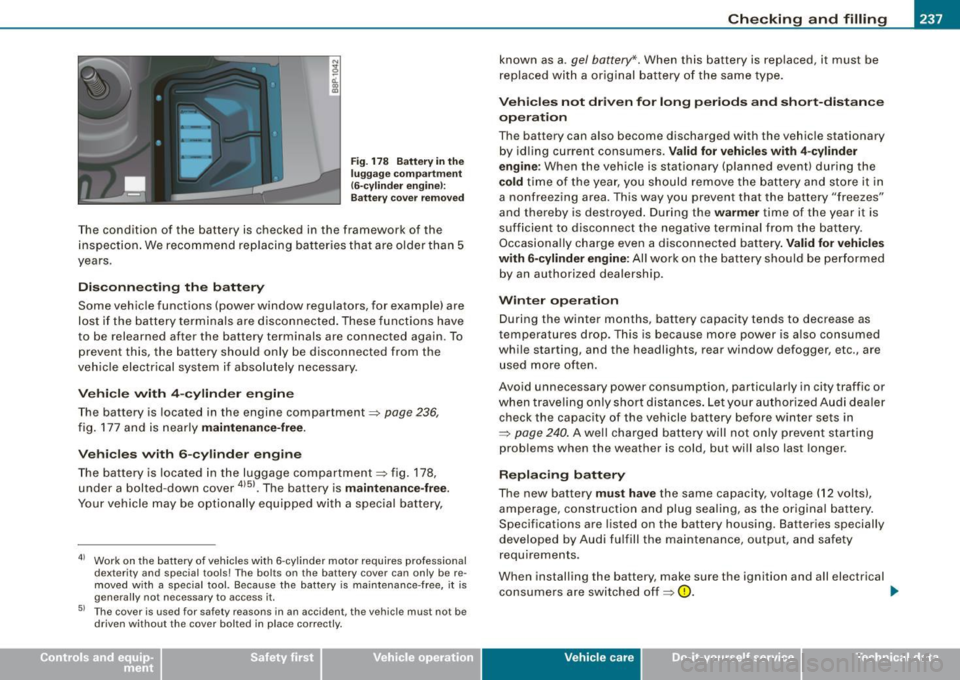
F ig . 178 Battery in the
lugg ag e co mpartme nt
(6-c ylind er eng ine !:
Ba tter y cove r remo ved
T he condition of the battery is checked in the framework of the
inspection . We recommend rep lacing bat teries that are older than 5
years .
Disconnecting the battery
Some vehic le functions (power window regu lators, for example) are
lost if the battery terminals are disconnected . These functions have
to be relearned after the battery terminals are connected again. To
prevent this, the battery should only be disconnected from the
veh icle electr ical system if absolutely necessary.
V ehicle with 4 -cylind er engin e
The battery is located in the engine compartment~ page 236,
fig. 177 and is nearly maintenance -free.
Vehi cle s with 6 -cylinder engine
The bat tery is loca ted in the luggage compartmen t=:> fig . 178,
under a bolted-down cover
4151 • The battery is maintenan ce -free .
Your ve hicle may be optionally equipped with a special battery,
41 Wor k on the battery of vehicles with 6-cy linder motor requires professional
dexterity and special tools! The bolts on the battery cover can only be re
m oved w ith a s pecial tool. Because the batte ry is ma in tenance -free, it is
genera lly not necessary to access it.
51 The cover is used for safety reasons in an acc ident, the vehicle must not be
driven without the cover bolted in place correctly.
known as a. gel battery* . When this battery is replaced, it must be
replaced wi th a or iginal bat tery o f th e same type.
Vehicles not dri ven for long periods and short-distance
operation
The battery can a lso become discharged with the vehicle stationary
by id ling current consumers .
Valid for vehicles with 4 -cylinder
engine :
When the vehic le is stationary (planned event) during the
cold time of the year, you sh ould remove the battery an d store it in
a nonfreezing area. This way you prevent that the battery "freezes"
and thereby is destroyed . During the
warmer time of the year it is
suff icient to disconnect the negative terminal from the battery .
Occasiona lly charge even a disconnected battery .
Valid for veh icles
with 6 -cylinder engine:
All wor k on the ba ttery should be per formed
by an authorized dealership.
Winter op eration
During the winter months, battery capacity tends to decrease as
temperatures drop. This is because more power is a lso consumed
while starting, and the headlights, rear window defogger, etc., are
use d more often .
Avoid unnecessary power consumption, particularly in city traffic or
wh en trave ling on ly shor t distances . Let you r au thor ize d Audi dea ler
check the capacity of the vehicle battery before winter sets in
~ page 240 . A well charged battery will not on ly prevent sta rting
problems when the weather is cold, but wi ll a lso last longer .
Replacing battery
The new battery must have the same capacity , vo ltage (12 volts),
a m perage, con struction and plug sea ling, as t he origina l battery.
Specifications are listed on the battery housing. Batteries specially
developed by Audi fulfill the maintenance, output, and safety
requirements.
When installing the battery , make sure the ignition and all electrical
co nsumers are switche d off ~
0. ..,
Vehicle care I I irechnical data