airbag AUDI S3 2015 Owners Manual
[x] Cancel search | Manufacturer: AUDI, Model Year: 2015, Model line: S3, Model: AUDI S3 2015Pages: 310, PDF Size: 76.15 MB
Page 5 of 310
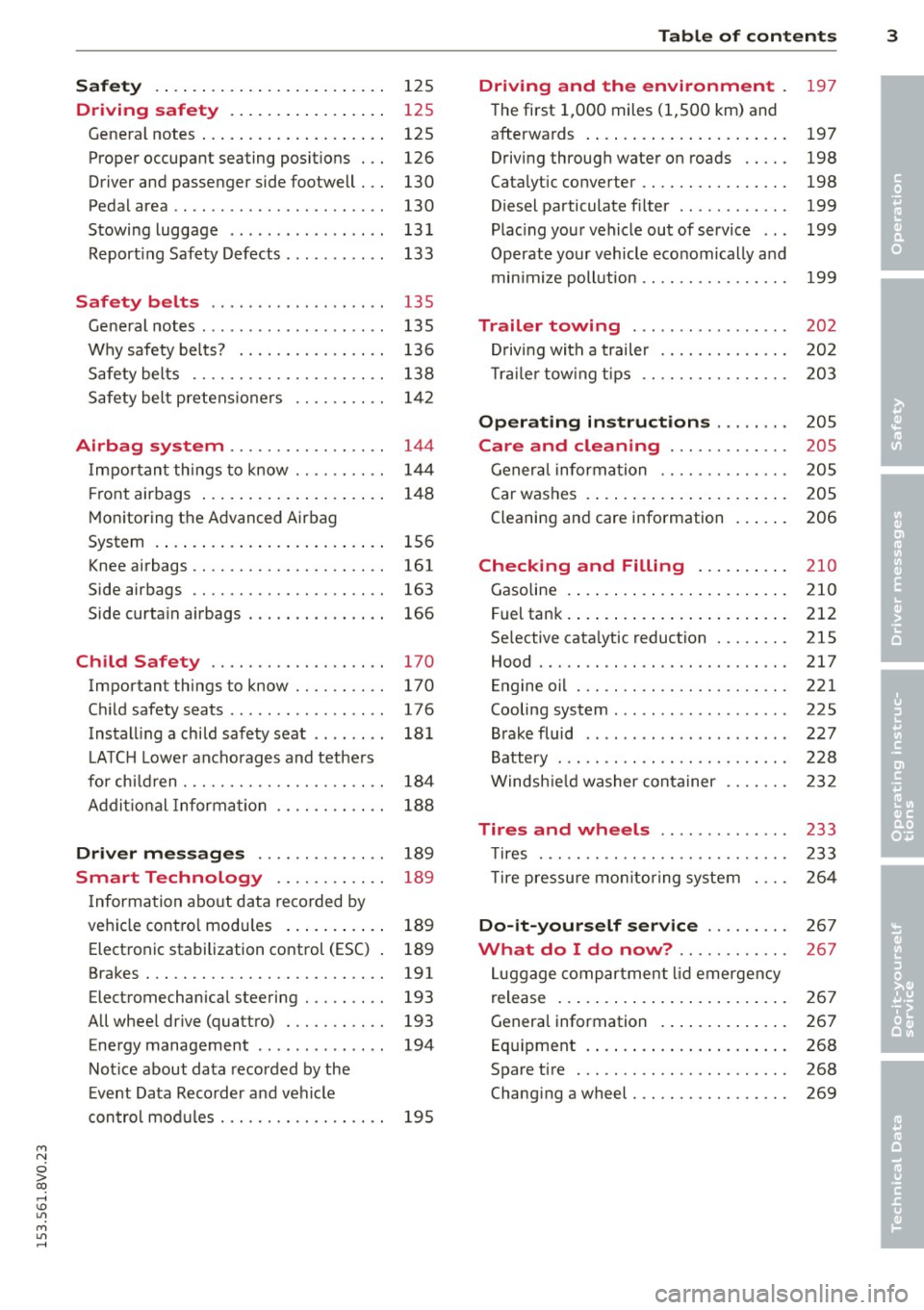
Safety . . . . . . . . . . . . . . . . . . . . . . . . . 125
Driving safety . . . . . . . . . . . . . . . . . 125
General notes . . . . . . . . . . . . . . . . . . . . 125
Proper occupant seating posit ions . . . 126
Driver and passenger side footwell . . . 130
Pedal area . . . . . . . . . . . . . . . . . . . . . . . 130
Stowing luggage . . . . . . . . . . . . . . . . . 131
R eport ing Safety Defects . . . . . . . . . . . 133
Safety belts . . . . . . . . . . . . . . . . . . . 135
General notes . . . . . . . . . . . . . . . . . . . . 135
Why safety bel ts? . . . . . . . . . . . . . . . . 136
Safety belts . . . . . . . . . . . . . . . . . . . . . 138
Safety belt p re tens ioners . . . . . . . . . . 1 42
Airbag system . . . . . . . . . . . . . . . . . 144
I mpor tan t th ings to know . . . . . . . . . . 1 44
Fr ont airbags . . . . . . . . . . . . . . . . . . . . 148
M onitoring the Advanced Airbag
System . . . . . . . . . . . . . . . . . . . . . . . . . 156
Knee airbags . . . . . . . . . . . . . . . . . . . . . 161
Side airbags . . . . . . . . . . . . . . . . . . . . . 163
Side curta in a irbags . . . . . . . . . . . . . . . 166
Ch ild Safety . . . . . . . . . . . . . . . . . . . 170
Important things to know . . . . . . . . . . 170
C hi ld safety seats ............ .... . 176
Install ing a chi ld safety seat . . . . . . . . 18 1
L A TC H L ower ancho rages and tethe rs
fo r ch ild ren . ............. .... .. . .
A ddit io nal Informa tion 184
188
Driver messages
. . . . . . . . . . . . . . 189
Smart Technology . . . . . . . . . . . . 189
I nforma tion abo ut data reco rded by
ve hicl e cont ro l mod ules . . . . . . . . . . . 189
Electron ic stabilization control (ESC) 189
Brakes . . . . . . . . . . . . . . . . . . . . . . . . . . 191
Electromechanical steering . . . . . . . . . 193
All whee l drive (quatt ro) . . . . . . . . . . . 193
Energy management . . . . . . . . . . . . . . 194
Not ice about data recorded by the
E vent Data Reco rder and ve hicle
con tro l mod ules . . . . . . . . . . . . . . . . . . 195
Table of contents 3
Driving and the environment
197
T he first 1,000 miles (1 ,500 km) and
afterwa rds . . . . . . . . . . . . . . . . . . . . . . 197
Driving through wate r on roads . . . . . 198
Catalytic converter . . . . . . . . . . . . . . . . 198
Diesel particulate filter . . . . . . . . . . . . 199
Plac ing you r vehicle ou t of service . . . 199
Operate yo ur v ehicl e economically and
min imi ze poll ution . . . . . . . . . . . . . . . . 199
Trailer towing . . . . . . . . . . . . . . . . . 202
Dr iving wit h a trailer . . . . . . . . . . . . . . 202
T rai le r tow ing t ips . . . . . . . . . . . . . . . . 203
Operating instructions . . . . . . . . 205
Care and cleaning . . . . . . . . . . . . . 205
Gener al infor mation . . . . . . . . . . . . . . 205
Car washes . . . . . . . . . . . . . . . . . . . . . . 205
Cleaning and care information . . . . . . 206
Checking and Filling . . . . . . . . . . 210
Gasoline . . . . . . . . . . . . . . . . . . . . . . . . 210
F uel tank . ... .. .... . ... ...... ... . 212
Se lective cata lytic reduction . . . . . . . . 215
Hood . . . . . . . . . . . . . . . . . . . . . . . . . . . 217
Engine o il . . . . . . . . . . . . . . . . . . . . . . . 221
Cooling system . . . . . . . . . . . . . . . . . . . 225
B rake fluid . . . . . . . . . . . . . . . . . . . . . . 227
Battery . . . . . . . . . . . . . . . . . . . . . . . . . 228
W indsh ie ld washer conta iner 232
Tires and wheels . . . . . . . . . . . . . . 233
T ires . . . . . . . . . . . . . . . . . . . . . . . . . . . 233
T ire pressu re mo nitor ing syste m 2 64
Do-it-yourself service . . . . . . . . . 2 67
What do I do now? . . . . . . . . . . . . 267
L uggage compartment lid emergency
r elease . . . . . . . . . . . . . . . . . . . . . . . . . 267
Genera l information . . . . . . . . . . . . . . 267
Eq uipment . . . . . . . . . . . . . . . . . . . . . . 268
Spare tire . . . . . . . . . . . . . . . . . . . . . . . 268
Changi ng a wheel . . . . . . . . . . . . . . . . . 269
•
•
M a N
0 > co ,...., \!) Ll'I
M Ll'I ,....,
Page 11 of 310
M N
0 > co ...... \!) ..,.,
M ..,., ......
CD
@
®
©
®
®
(J)
®
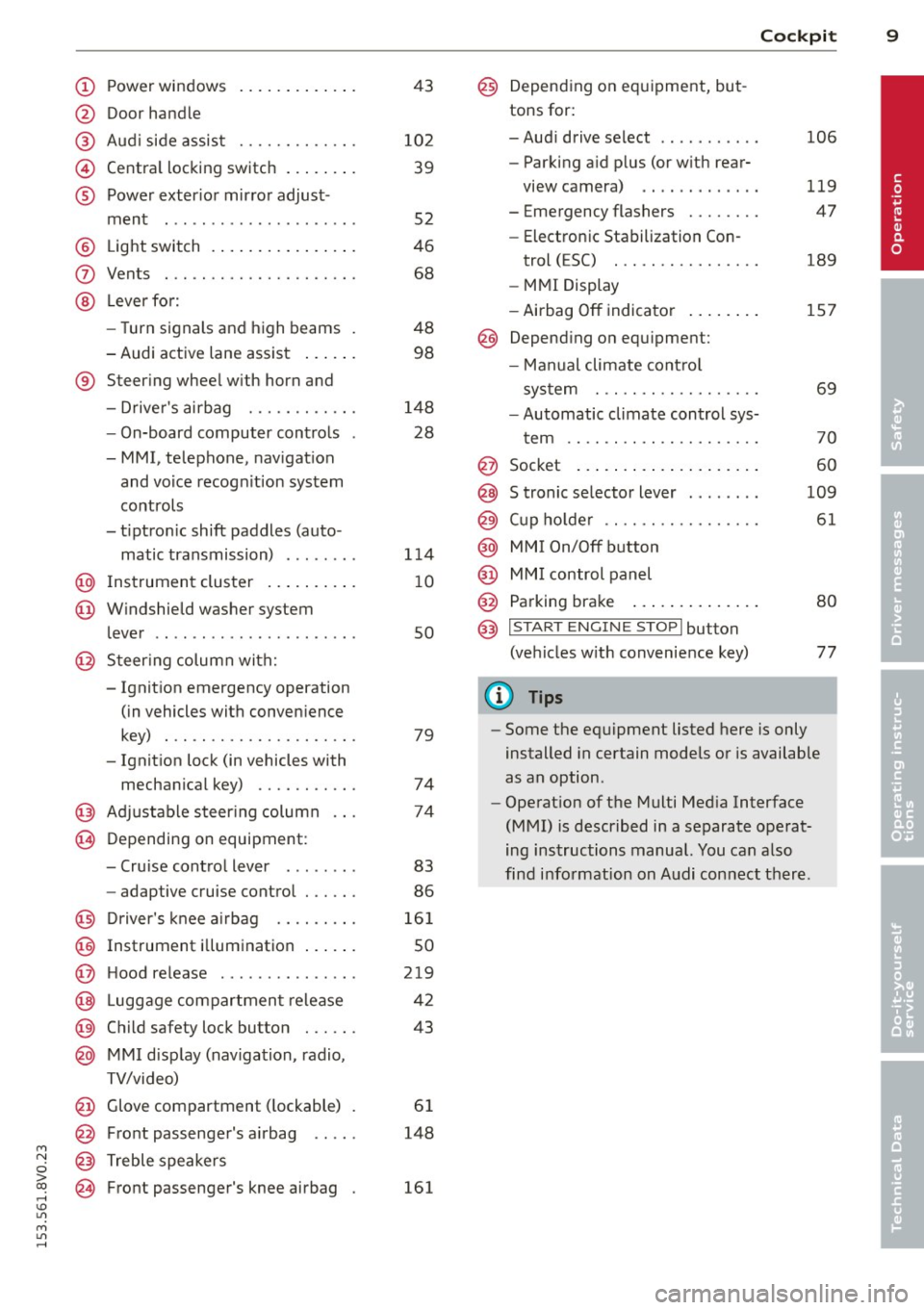
Power windows
Door handle
Aud i side assist
........ .... .
Centra l locking switch ... .. .. .
Powe r exter ior mirror adjust
ment
.. ... .............. ..
Light switch
Vents
L ever fo r:
- Turn signals and high beams
- Audi active lane assist ... .. .
® Steer ing wheel w ith horn and
- Drive r's airbag ....... .. .. .
- On-board computer controls
- MMI, telephone, nav igat ion
and voice recogn it ion system
controls
- tiptron ic shift paddles (auto-
matic transmission) ....... .
@ Instrument cluster .. ... .. .. .
@ W indshield washer system
l ever
' .. ... .............. . .
@ S teer ing column with:
- Ignit ion emergency operation
(in vehicles with conven ience
key) . .. ................. .
- Ignit ion lock (in vehicles with
mechanical key) ...... .. .. .
@ Adjustable s teer ing column
@ Depending on equipment :
- Cruise contro l lever . ...... .
- adaptive cruise contro l ... .. . 4
3
10 2
39
52
46
68
48 98
148 28
1 14
1 0
so
79
74
74
83
86
@ D river's knee a irbag . . . . . . . . . 161
@ Instrument i llumination . . . . . . 50
@ H ood re lease . . . . . . . . . . . . . . . 219
@ Lugg age compartmen t release 42
@ Child safety lock button . . . . . . 43
@ MMI d isp lay (navigation , radio,
TV/video)
@ Glove compartment ( lockable)
@ Front passenger's airbag .. .. .
@ Treble speakers
@ Front passenger's knee airbag 61
148
161
Cockpi t 9
@) Depending on eq uipment, but
tons for:
- Aud i drive select
- Parking a id p lus (or w ith rear-
view camera) .. . ... ...... .
- Emergency flashers ....... .
- Electron ic Stabilization Con-
trol ( ESC) . .. .... ........ .
- MMI Display
- Airbag
Off indicator ..... .. .
@ Depend ing on equ ipment:
- Manual climate cont ro l
system
- Automatic climate contro l sys
t em
. . .. .. .. .... .........
@ Socket
@ S tronic se lector lever ....... .
@ Cup ho lder .. .. .. . ......... .
@ MMI On/Off button
@ MM I control panel
@ Parking brake ... . ... ...... .
@ I START ENGI NE STOPI button
(ve hicles w ith convenience key)
(D Tips
106
119
47
189
157
69
70
60
109
61
80
77
- Some the eq uipment listed here is only
installed in certain models or is available
as an option.
- Operat ion of the Multi Med ia Interface
(MMI) is described in a separate operat
ing instructions manual. You can a lso
find info rmation on A udi con nect ther e.
•
Page 38 of 310
36 Opening and closing
Selective unlocking
The doors and rear lid lock when they close.
You can set in the MMI whether
only the driv
er's door or the entire vehicle should unlock
when unlocking ¢
page 40.
Automatic locking (Auto Lock)
The Auto Lock funct ion locks all doors and the
l uggage compartment lid once the speed has
exceeded approximately 9 mph (15 km/h) .
The car is un locked again once the ignition key
is removed. In addition, the vehicle can be un
l ocked if the opening function in the power
locking system switch is used or one of the
door handles is pulled. The Auto Lock function
can be turned on or off* in the MMI
c::>page40.
In the event of a crash with airbag dep loy
ment, the doors automatically unlock to allow
access to the vehicle.
Anti -theft alarm system*
If the anti-theft alarm system detects a vehi
cle break-in, audio and visual warning signa ls
are triggered .
The anti-theft alarm system turns on auto mat ically when you lock the vehicle.
It deacti
vates when un locking using the remote con
trol key or by touching the sensor on the door
handle (convenience key) .
To switch the alarm off, press them button on
the remote control key or convenience key or
switch the ignition on . The alarm also stops
automatically after a certain amount of time.
Turn signals
The turn signals flash twice when you unlock
the vehicle and once when yo u lock the vehi
cle.
If they do not flash, one of the doors, the lug
gage compartment lid or the hood is not
lock ed or the ignition is still sw itched on (the
latter applies to vehicles with a convenience
key) .
Unintentionally locking yourself out
The following situations prevent you from
locking your remote control key in the vehicle:
- The vehicle does not lock w ith the cent ral
lock ing switc h if the driver's door is open
c::> page 3 9.
- On veh icles with a convenience key* , the lug
gage compartment lid unlocks again after
clos ing if the most recent ly used key is in
the luggage compartment.
Do not lock your veh icle w ith the remote con
trol key or convenience key* until all doors and
the luggage compartment lid are closed. This
helps to prevent from locking yourself out ac
cidentally .
(D Tips
-Do not leave va luab les unattended in the
vehicle. A locked vehicle is not a safe!
- If the LED in the upper edge of the driv
er's door turns on for about 30 seconds
after the vehicle is locked, there is a mal
function in the power locking or the anti
theft alarm system* . Have the problem
corrected by an authorized Audi dea ler or
authorized Audi Service Facility.
Page 41 of 310
....,
N
0 > co
rl I.O
"' ....,
"' rl
WARNING
----Read and following all WARNINGS. ¢ & in
Key set on page 35
@ Tips
If your vehicle is left standing for a long
period of time, note the following:
- The proximity sensor switches off after a
few days to save energy. You then have
to pull once on the door handle to unlock
the vehicle and a second time to open it.
- To prevent the battery from draining and
to retain the starting ability of yo ur vehi
cle as long as possible, the energy man
agement system gradua lly tuns off un
necessary convenience functions You
may not be able to unlock your vehicle
using the convenience key .
- For an explanation on conformity with
the FCC regulations in the United States
and the Industry Canada regulations, re
fer to ¢page
292 .
Unlocking/locking with the key
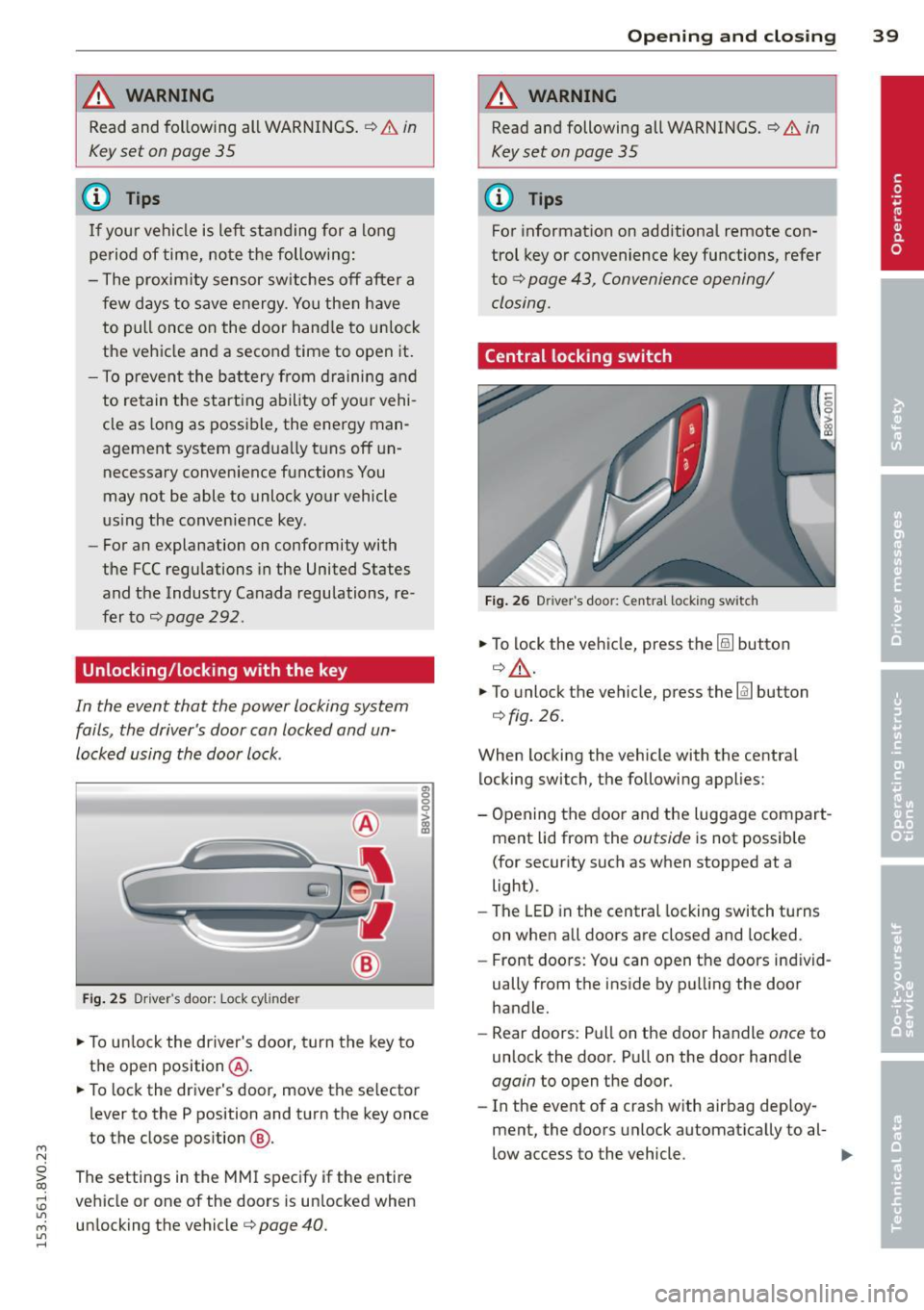
In the event that the power locking system
fails, the driver's door can locked and un
locked using the door lock .
Fig. 25 Driver 's door: Lock cy linder
.,. To unlock the driver's door, turn the key to
the ope n position @.
en 0 g
~
.,. To lock the driver's door, move the se lector
lever to the P position and turn the key once
to the close position
@ .
The settings in the MMI specify if the entire
vehicle or one of the doors is un locked when
unlocking the vehicle¢ page 40 .
Opening and closing 39
A WARNING
Read and following all WARNINGS. ¢ & in
Key set on page 35
(D Tips
For information on additional remote con
trol key or convenience key functions, refer
to
¢ page 43, Convenience opening/
closing.
Central locking switch
Fig. 26 Drive r's doo r: Centra l locki ng sw itch
.,. To lock the vehicle, press the@! button
¢.&, .
.,. To unlo ck the vehicle, press the @J button
¢fig.
26.
When locking the vehicle with the central locking switch, the following applies:
- Opening the door and the Luggage compart
ment lid from the outside is not possible
(for security such as when stopped at a
light).
- The
LED in the central locking switch turns
on when all doors are closed and locked .
- Front doors: You can open the doors ind iv id
ually from the inside by pulling the door
handle.
- Rear doors: Pull on the door handle once to
unlock the door. Pull on the door hand le
again to open the door .
- In the event of a crash w ith airbag deploy·
ment, the doors unlock automatically to al-
low access to the vehicle. ..,.
Page 58 of 310
56 Seat s a nd s tor ag e
Seats and storage
General information
Important information
& WARNING
Refer to the chapter Driving Safely
r::!>poge 125, Driving safety for important
information, t ips, suggestions and warn
ings that you should read and follow for
your own safety and the safety of your pas sengers.
Why is your seat adjustment so important?
The safety belts and the airbag system con
only provide maximum protection if the front
seats ore correctly adjusted.
There are various ways of adjusting the front
seats to provide safe and comfortable support
for the driver and the front passenger. Adjust
your seat properly so that :
- you can easily and quickly reach all the
switches and controls in the instrument
panel
- your body is properly supported thus reduc
ing physical stress and fatigue
- the safety belts and airbag system can offer
maximum protection
r::!> page 144 .
In the following sections, you will see exactly
how you can best adjust your seats .
There are special regulations and instructions
for insta lling a child seat on the front pas
senger's seat. Always follow the information regarding child safety provided in
r::!> page 170, Child Safety .
& WARNING
Incorrect seating position of the dr iver and
all other passengers can result in serious
personal in jury.
- Always keep your feet on the f loor when
the vehicle is in motion - never p ut your
feet on top of the instrumen t panel, out of the window or on top of the seat c
ush
ion. This applies espec ially to the passen
gers. If your seating position is incorrect,
you increase the risk of injury in the case
of sudden braking or an accident .
If the
airbag inflates and the seating position is incorrect, this could result in pe rsonal
inj ury or even death.
- It is important for both the drive r and
front passenger to keep a distance of at least 10 inches ( 25 cm) between them
selves and the steering wheel and/or in
strument panel. If you're sitting any
closer than this, the airbag system can not protect you properly. In addition, the
front seats and head restraints must be
adjusted to your body height so that they
can give you max imum protect ion.
- Always try to keep as much distance as
possible between yourself and the steer
ing wheel o r instrument panel.
- Do not adjust the driver's or front pas
senger's seat whi le the vehicle is moving.
Your seat may move unexpectedly, caus
ing sudden loss of veh icle cont ro l and
pe rsonal injury. If you adjust yo ur seat
while the veh icle is moving, yo u are ou t
of posit ion .
Driver's seat
The correct seat position is important for safe
and relaxed driving.
We recommend that you adjust the dr iver's
seat in the fo llow ing manne r:
.. Adjust the seat in fore and aft direction so
that you can easily push the peda ls to the
floor wh ile keeping your knees sl ightly bent
c::> &. in Why is your seat adjustment so im
portant? on page 56.
.. Ad just the bac krest so tha t when you sit
w ith your back against the backrest, you can
still grasp the top of the steering wheel.
.. For adjustab le head restraints: adjust the
head restra int so the upper edge is as even
as poss ible with the top of your head. If that
is not possible, try to adjust the head ..,.
Page 59 of 310
....,
N
0 > co
rl I.O
"' ....,
"' rl
restraint so that it is as close to this position
as possible
q page 59 . Move the head re
stra int so that it is as close to the back of
the head as possible .
A WARNING
Never place any objects in the driver's foot
well. An object could get into the pedal
area and interfere with pedal function. I n
case of sudden braking or an accident, you
would not be ab le to brake or acce lerate.
Front passenger's seat
Always move the front passenger seat into
the rearmost position.
To avoid contact with the airbag while it is de
ploying, do not sit any closer to the instru
ment panel than necessary and always wear
the three -point safety belt provided adjusted
correctly . We recommend that you adjust the
passenger's seat in the following manner :
• Bring the backrest up to an (almost) upright
pos ition.
D o not ride w ith the seat reclined.
• For adjustable head restraints : adjust the
head restraint so the upper edge is as even
as possib le with the top of your head. If that
is not possible, try to adjust the head re
straint so that it is as close to this position
as possible
q page 59 . Move the head re
straint so that it is as close to the back of
the head as possible.
• Place your feet on the floor in front of the
passenger's seat .
Sea ts a nd s to rage 57
Front seats
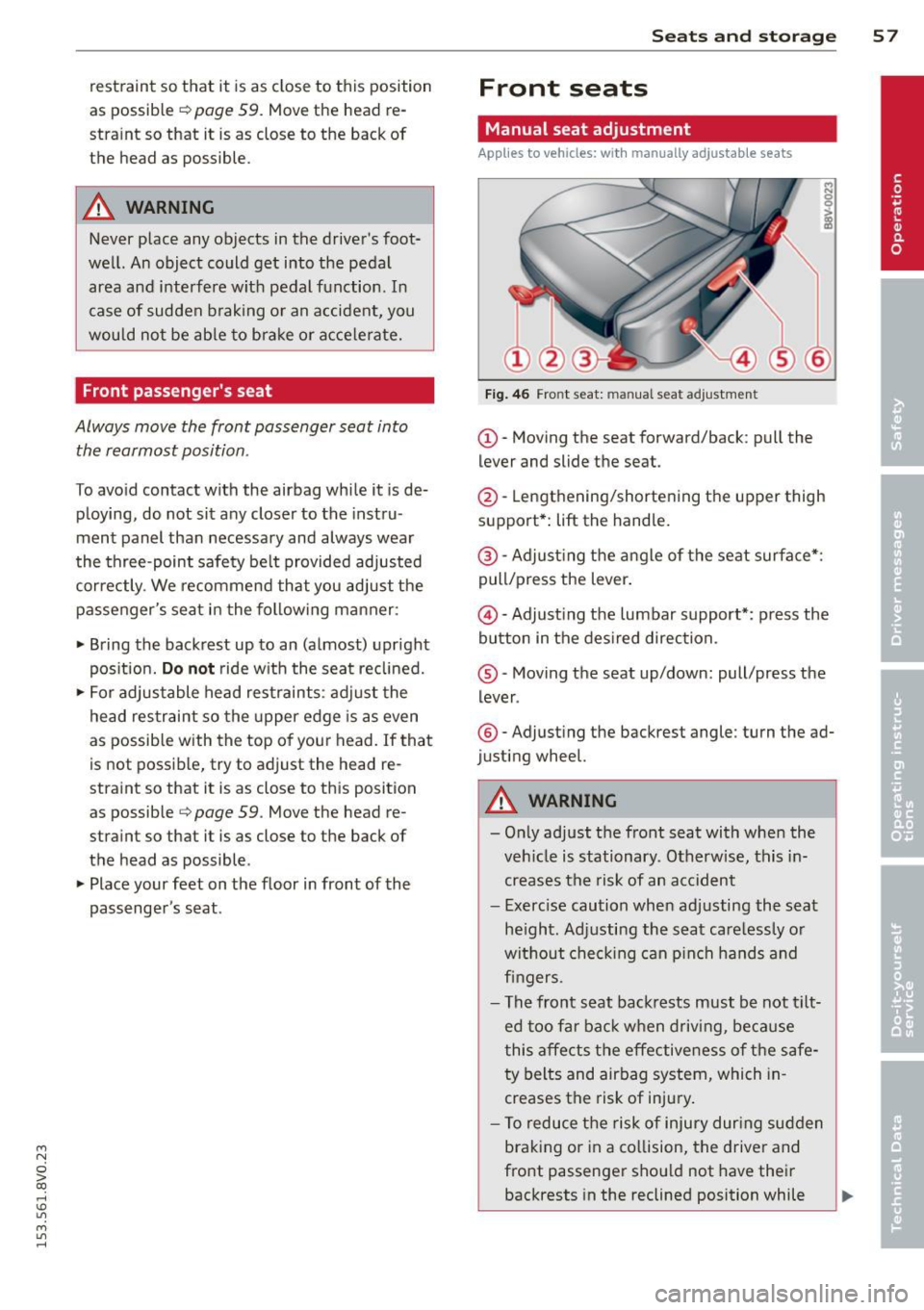
Manual seat adjustment
App lies to vehicles: with manually adjustab le seats
Fig . 46 Fro nt seat: man ual seat adjustment
(D-Moving the seat forward/back : pull the
lever and slide the seat.
@-Lengthening/shortening the upper thigh
support*:
lift the handle.
@ -Adjust ing the a ngle of the seat surface*:
pull/press the lever.
@ -Adjusting the lumbar support*: press the
button in the des ired direction.
® -Moving the seat up/down: pull/press the
lever .
®-Adjust ing the backrest angle : turn the ad
justing wheel.
A WARNING
-Only adjust the front seat with whe n the
veh icle is stationary. Otherwise, this in
creases the risk of an accident
- Exerc ise caution when adjusting the seat
he ight. Ad justing the seat care lessly or
without check ing can p inch hands and
fingers .
- The front seat backrests must be not tilt
ed too far bac k when driving, because
this affects the effective ness of the safe
ty belts and airbag system, which in
creases the risk of injury.
- To reduce the risk of injury dur ing sudden
braking or in a co llision, the driver and
front passenger shou ld not have their
backrests in the reclined position while ..,.
Page 60 of 310

58 Seats and storage
dr iving or rid ing . The safety belts and air
bag system can prov ide the greatest pro
tection possible when the backrests are
in the upright posit ion a nd the safety
belts are worn correct ly. The more a
backrest is reclined, the greater the risk
of injury due to an incorre ct seating posi
t ion an d safety be lt position .
Power seat adjustment
Applies to vehicles: with power adjustable seats
Fig. 47 Fr ont se at: power se at adju stm en t
@ -Adju sting the lumbar suppor t: press the
button in the desired d irect ion .
@-Moving the seat up/down : press the but
ton up/down. To adju st the front seat cushion ,
press the front button up/down . To adjust the
rear seat cushion, press the rear button up/
down .
@-Moving the sea t forward/back: press the
bu tton forward/back.
© -Adjusting the backrest angle : press the
button forward/back.
@ -Lengthening/shortening the upper thigh
support *: lift the handle.
A WARNING
- Only adjust the front seat w ith when t he
vehicle is stationary. Otherwise, th is in
creases the risk of an accident
- The power adjustment for the front seats
also works with the ignition switched off
or with the ignition key removed. For this
reason, c hildren should never be left un
attended in t he veh icle -they could be in
jured! -
Exerc ise caution when adjusting the seat
he ight. Unsupervised or careless seat ad
justment can pinch fingers or hands
causing injuries .
- W hile the vehicle is mov ing, the seat
backs of the front seats must not be in
clined too far to the rear because the ef
fectiveness of the safety be lts and the
airbag sys tem is seve rely comp romised -
there is a risk of injury.
- To r educe the risk of injury dur ing s udden
b ra ki ng or in a co llision, the drive r and
front p assenge r sh ould not have the ir
backrests in the recline d posi tion while
driving or r iding. The safety be lts and a ir
bag system can provide the greatest pro
tect ion possible when the backrests are
in the upr ight position and the safety
be lts are worn correctly. The more a
backrest is reclined, the greater the r isk
of injury due to an inco rrect seating posi
tion and saf ety belt pos it ion.
Front center armrest
Applies to vehicles: wit h front center armrest
The cen ter armrest can be adjusted to several
levels .
Fig. 48 Armrest betwee n the drive r's /fro nt pa ssenger' s
seats .
.,. To adjust the ang le, raise the armres t
¢ fig. 48 notch by notch.
.,. To bring the armrest back down, ra ise it out
of the top notch and fold it back down . Then
lift the a rmrest to the desired position, if
necessary .
Please note that the dr iver's ab ility to move
his or a rm may be restricted when the armrest
Iii>
Page 64 of 310
62 Seats and storage
The glove compartment can be locked using
the vehicle key.
.&_ WARNING
Always leave the lid on the glove compart ment cover closed while driving to reduce
the risk of injury.
Additional storage compartments
There are additional storage compartments,
compartments and holders at other locations
in the vehicle :
- In the upper part of the glove compart
ment .
- In the center console under the center arm
rest* .
- On the back of the right front seat. The com
partment* can hold a maximum weight of
2 lbs (1 kg).
- Garment hooks on the 8-pillar
c:> &, .
.&_ WARNING
-Do not place any objects on the instru
ment panel. Objects that are not stored
securely can slide around in the vehicle
while driving, when accelerating or brak ing or when turning.
- Make sure that objects cannot fall out of
the center console storage compartment
or other compartments and into the
footwell while driving. These objects
could prevent you from braking or accel
erating during sudden braking maneu
vers.
- Garments hung on the hooks must not obstruct the driver's view. The garment
hooks are only designed for light objects.
Do not hang any garments with hard,
sharp or heavy objects in the pockets on
the garment hooks. These objects could
injure vehicle occupants during sudden
braking or in a collision - especially if the
airbags deploy.
-Always keep the glove compartment
closed while driving to reduce the risk of
injury during a collision or heavy braking. -
Read and following the WARNINGS in
c:> page 165, Important safety instruc
tions on the side airbag system .
- Hang garments so that they do not ob
struct the driver's view.
- The garment hooks should only be used
for light articles of clothing. Do not leave
any heavy or sharp-edged objects in the
pockets that could interfere with the side
airbags unfolding and cause injuries in
the event of a collision.
- Do not use coat hangers to hang gar ments, because this could reduce the ef
fectiveness of the side curtain airbags .
- Do not hang any heavy objects on the garment hooks, because they could
cause injury during heavy braking.
- Because of their load capacity, the hooks
should only be used to secure objects
that weigh a maximum of 10 lb (5 kg).
Heavy objects will not be secured suffi
ciently, and this increases the risk of in
jury.
Roof rack
Description and mounting locations
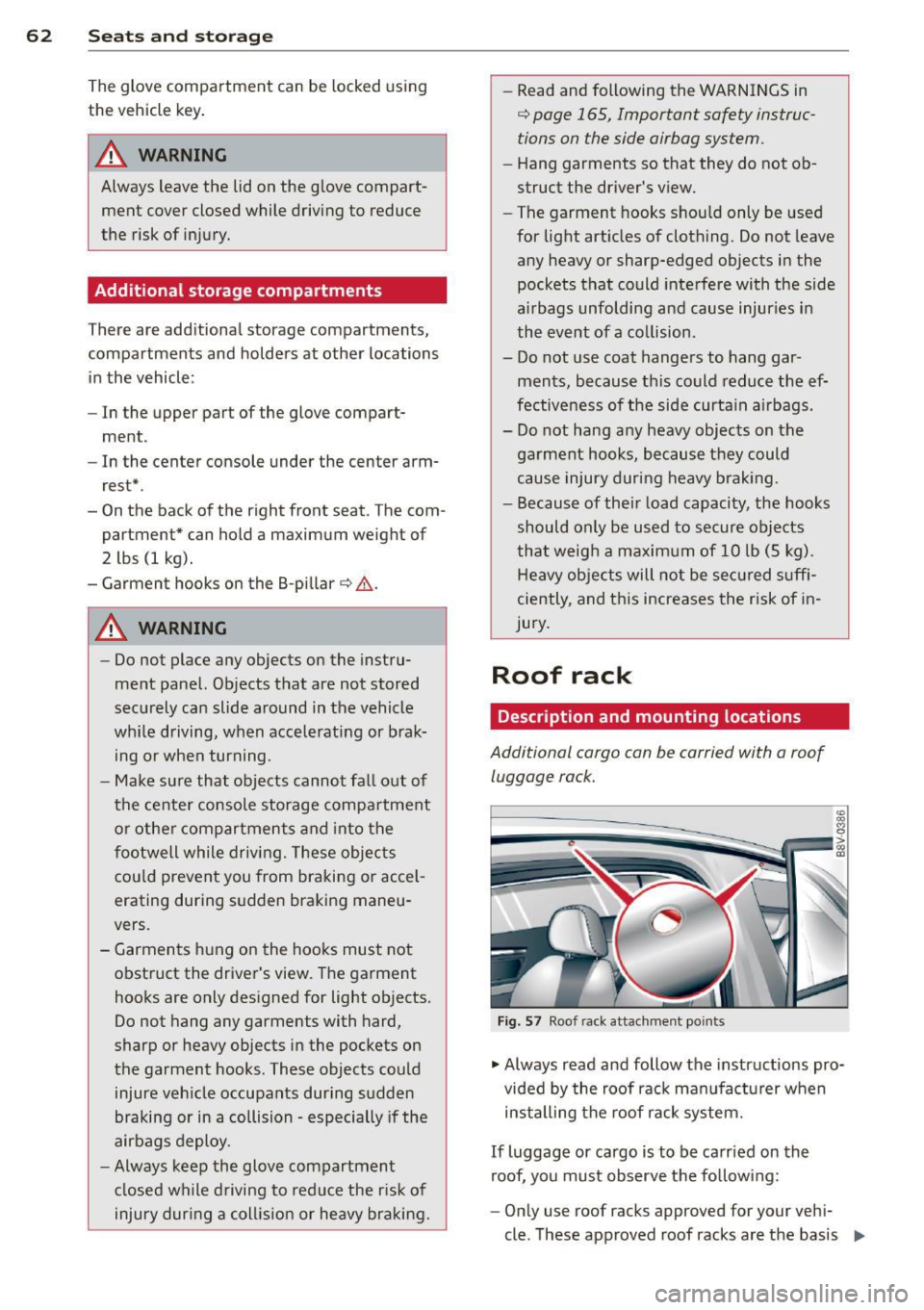
Additional cargo can be carried with a roof
luggage rack.
Fig. 57 Roof rack attachment po ints
• Always read and follow the instructions pro
vided by the roof rack manufacturer when
installing the roof rack system.
If luggage or cargo is to be carried on the
roof, you must observe the following:
- Only use roof racks approved for your vehi-
cle. These approved roof racks are the basis ..,
Page 76 of 310
74 Driving
Driving
Steering
Adjusting the steering wheel position
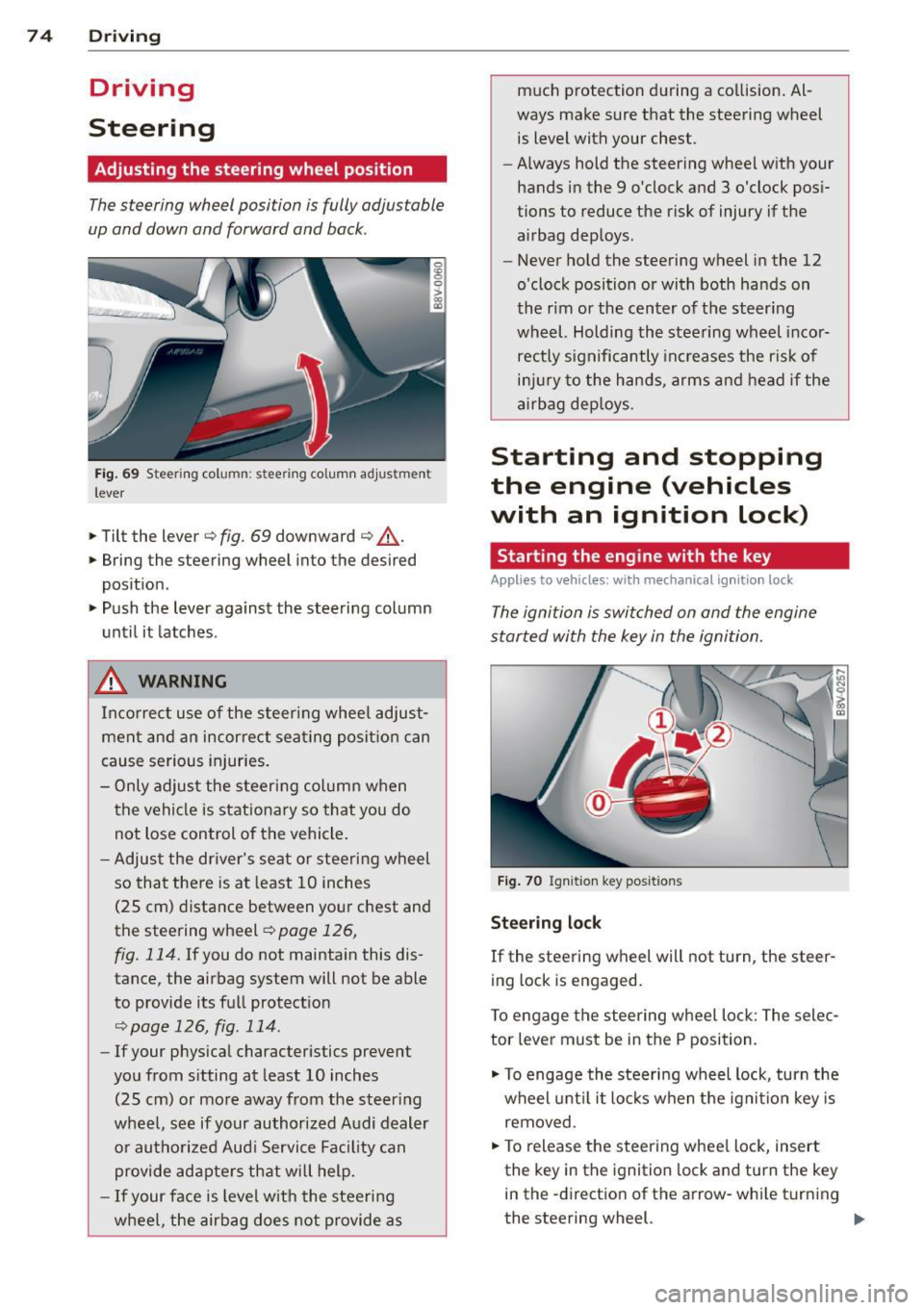
The steering wheel position is fully adjustable
up and down and forward and bock .
Fig. 69 Steering column: stee ring column adjustmen t
lever
.. Tilt the lever ¢ fig. 69 downward ¢ &_.
.. Bring the steering wheel into the desired
position .
.. Push the lever against the steering column
until it latches .
_& WARNING
Incorrect use of the steer ing whee l adjust
ment and an incorrect seating position can
cause serious injuries.
- Only adjust the steering column when
the vehicle is stationary so that you do
not Lose control of the vehicle .
- Adjust the driver's seat or steering wheel
so that there is at least 10 inches
(25 cm) distance between your chest and
the steering wheel~
page 126,
fig. 114.
If you do not maintain this dis
tance, the airbag system will not be able
to provide its full protect ion
<=> page 126, fig. 114.
- If your phys ical characteristics prevent
you from sitting at least 10 inches
(25 cm) or more away from the steer ing
wheel, see if your authorized Audi dealer or authorized Audi Service Fac ility can
provide adapters that will help.
- If your face is level with the steering
wheel, the airbag does not provide as much protection during a co
llision. Al
ways make sure that the steering wheel is level with your chest .
- Always hold the steering wheel with your
hands in the 9 o'clock and 3 o'clock pos i
tions to reduce the risk of injury if the
airbag deploys.
- Never hold the steering wheel in the 12
o'clock position or with both hands on
the rim or the center of the steering
wheel. Holding the steering wheel incor
rectly significantly increases the r is k of
inj ury to the hands, arms and head if the
airbag deploys.
Starting and stopping
the engine (vehicles
with an ignition lock)
Starting the engine with the key
Applies to vehicles: wit h mechanical ignition loc k
The ignition is switched on and the engine
started with the key in the ignition.
Fig. 70 Ignit ion key pos itions
Steering lock
If the steering wheel will not turn, the steer
ing lock is engaged.
To engage the steering wheel Lock: The selec
tor leve r must be in the P position.
.. To engage the steering wheel lock, turn the
wheel until it locks when the ignition key is
removed .
.. To release the steering wheel Lock, insert
the key in the ignition lock and turn the key
in the -direction of the arrow-whi le turning
the steering wheel. .,.
Page 127 of 310
M N
0 > co ,...., \!) ..,.,
M ..,., ,....,
Driving safety
General notes
Safe driving habits
Please remember -safety first!
This chapter contains important information,
tips, instructions and warnings that you need
to read and observe for your own safety, the
safety of your passengers and others . We have
summarized here what you need to know
about safety belts, airbags, ch ild restraints as
well as child safety. Your safety is fo r us
priori
ty number 1.
Always observe the information
and warnings in this sect ion - for yo ur own
safety as well as that of your passengers.
The information in this section app lies to all
model ve rsions of your vehicle . Some of the
feat ures described in this sections may be
standard equipment on some models, or may
be optional equipment on others. If you are
not sure, ask your authorized Audi dea ler.
A WARNING
- Always make sure that you follow the in
struct ions and heed the WARNINGS in
this Manual. It is in your interest and in
the interest of your passengers.
- Always keep the complete Owner's Liter
ature in your Audi when you lend or sell
your vehicle so that this important infor
mation will always be ava ilable to the
dr iver and passengers.
- Always keep the Owner's literature handy
so that you can find it eas ily if you have
questions.
- Always adjust your speed to the weather
traffic and conditions. Follow the speed
limits.
- Always drive in such a way that you can
stop your vehicle safely .
- Always adjust your speed to the general
flow of traffic. Fo llow the speed limits.
Dri ving sa fe ty 12 5
Safety equipment
The safety features are part of the occupant
restraint system and work together to help
reduce the risk of injury in a wide variety of
accident situations.
Your safety and the safety of your passengers
should not be left to chance . Advances in
techno logy have made a variety of features
available to help reduce the risk of injury in an
acc ident. The following is a list of just a few of
the safety features in yo ur Audi :
- sophisticated safety be lts fo r driver and all
passenger seating posit ions,
- safety belt pretens ioners,
- safety belt force lim iters for the front seats,
- safety belt he ight adjustment systems for
the front seats,
- front airbags,
- knee airbags for the front seats*
- side airbags in the front seats and outer rear seats *,
- side curtain ai rbags with ejec tion mitiga tion
features,
- specia l LATCH an chorages for child re-
straints,
- head restra ints for each seating posit ion,
- adjustab le steer ing column.
- pre sense basic* (preventat ive passenger
protect ion)
These ind iv idual safety features, can work to
gether as a system to help protect you and
your passengers in a wide range of accide nts .
T hese features cannot work as a system if
they a re not always correctly adjusted and co r
rect ly used .
Safety is ev erybody' s respon sibil it y !
Important things to do before driving
Safety is everybody's job! Vehicle and occu
pant safety always depends on the informed and careful driver .
For your safety and the safety of your passen
gers,
b efor e driv ing alw ay s: ...
•
•
•