service AUDI S3 SEDAN 2017 User Guide
[x] Cancel search | Manufacturer: AUDI, Model Year: 2017, Model line: S3 SEDAN, Model: AUDI S3 SEDAN 2017Pages: 400, PDF Size: 67.32 MB
Page 33 of 400
CXl CXl .... N r--N .... 0 N > 00
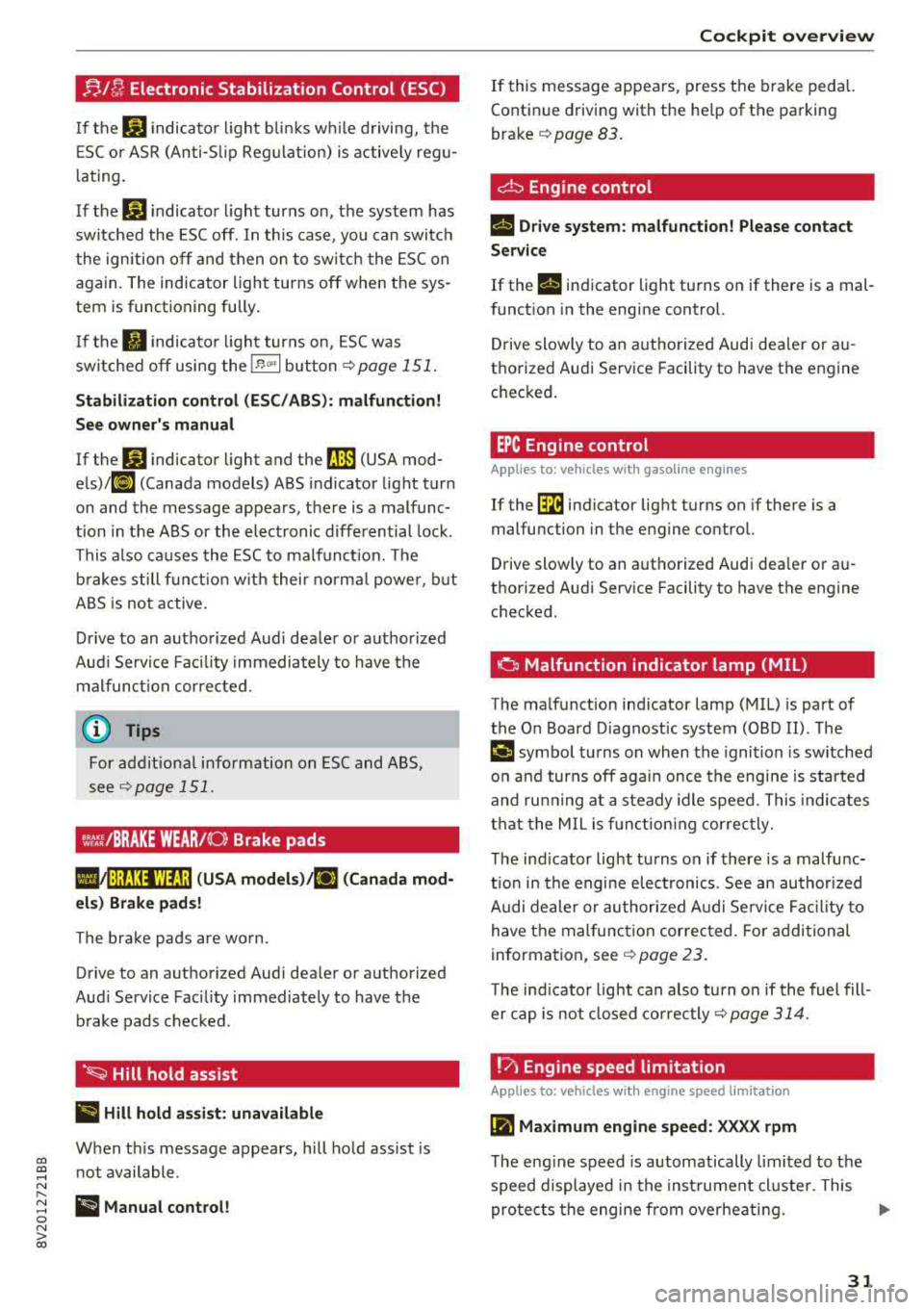
!;.!~ Electronic Stabilization Control (ESC)
If th€: G1 indicato r ligh t blink s w hile d riving, the
E SC or ASR (Anti-S lip Reg ulation) is active ly reg u
l at ing .
I f
the: GJ indicator light turns on, the system has
sw itched the ESC off. In this case , you can switc h
the ign ition off and then o n to switch the ESC on
again. The indicator light turns off when the sys
tem is functioning fully .
I f the
II indicato r ligh t turns on, ESC was
sw itched off using the
!.$ m l button i=:> page 151.
Stabilization control (ES C/ ABS) : malfunction!
Se e owner's manual
If the: G1 ind icator light and t he ~ (USA mod
els)/ 11] (Canada models) ABS indicator light turn
on and the message appears, there is a malfunc
tion in the ABS or the elect ronic differential lock .
This a lso ca uses the ESC to malfunct io n. The
b rakes s till f unct io n w it h thei r norma l powe r, but
ABS is not act ive.
D rive to an autho rized Aud i dea le r or a uthorized
Aud i Servi ce Faci lity immediately to have the
malfunct ion corrected .
For addit ional information on ESC and ABS,
see
¢ page 151.
~,t:ri /BRAKE WEAR/ (0: Brake pads
l,IJ1 :j;t!31WtJ ;j ( USA models )/riJ (Canad a mod
el s) Brake pads !
The brake pads are wo rn.
Drive to an authorized Aud i dea ler or authorized
Aud i Service Facility immediately to have the
b rake pads c hecked .
·~ Hill hold assist
II Hill hold a ssist : unavailable
When th is message appears, h ill hold assist is
n ot available .
ii Manual control!
Cockpit o ve rv iew
If this message appears , press the b rake p eda l.
Continue driving with the he lp of th e parking
brake
¢ pag e 83.
~ Engine control
II Drive system: malfunction! Please contact
Serv ice
If the II indicator light turns on if ther e is a mal
funct ion in the engine control.
Drive slowly to an a uthorized Audi dea ler or a u
t h orized Audi Service Facility to have the engine
c h ecked .
EPC Engine control
Applies to : vehicles with gasoline engines
If the ~ indicato r light t urns on if there is a
malfunction in the engine cont rol.
Drive slowly to an a uthori zed Audi dea ler or a u
thori zed Audi Serv ice Facility to have t he engine
checked.
o Malfunction indicator lamp (MIL)
T he ma lfunction ind icator lamp (MIL) is p art of
the On Board D iagnost ic system (OBD II) . The
¢4 c;ymbol tu rns on when the igni tion is sw itched
o n and turns off aga in once the engine is started
and ru nning at a steady idle speed. This indica tes
t h at the MIL is f unct ion ing cor rec tly.
T he ind icator light tu rns o n if there is a malfu nc
t ion in the engine electronics . See an author ized
A udi dealer or authori zed A udi Se rvice Fa cility to
have t he mal func tion cor rected . Fo r addi tional
information, see
i=:> page 23.
The ind icator light can a lso tu rn o n if the fuel fill
er cap is not closed correc tly
i=:> page 314 .
!?) Engine speed limitation
Applies to: vehicles wi th engine speed limitation
(Pl Maximum engine speed : XXXX rpm
The eng ine speed is automatically limited to the
speed displayed in the inst rument cl uste r. This
pro te cts the engine from ove rheating .
31
Page 34 of 400
Cockpit over view
The engine speed limitation deactivates once the
engine is no longer in the critica l temperature
range and you have released the acce lerator ped
al once.
If the engine speed limitation was activated by
an engine contro l ma lfunction, the
II or Im in
d icator light a lso t urns on . Make sure the eng ine
speed does not go above the speed displayed, for
examp le when downsh ift ing. Drive to an author
ized A udi dealer or authorized Aud i Service Facili
ty immediately to have the malfunct ion correct
ed.
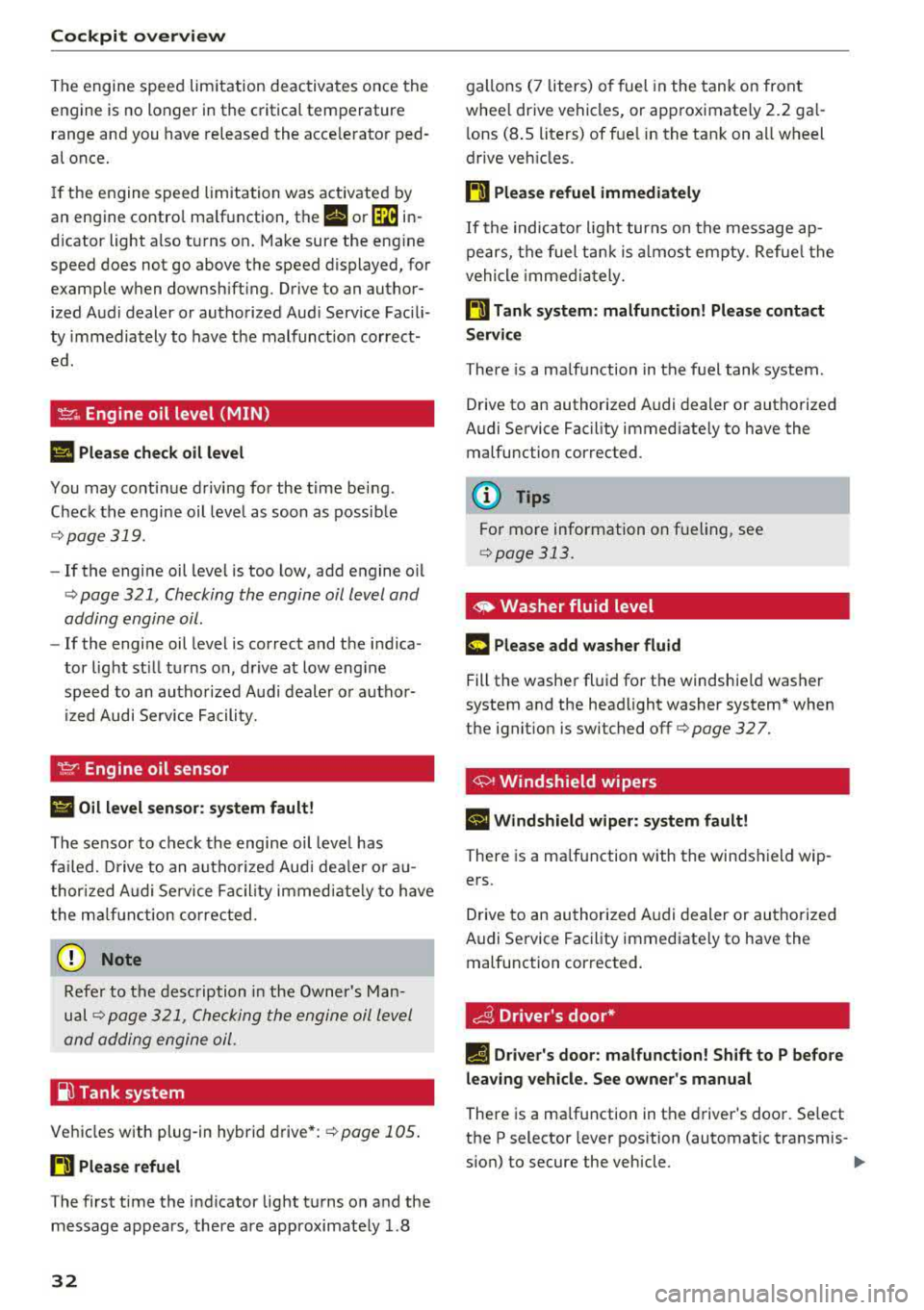
'l::cr., Engine oil level (MIN)
II Plea se che ck oil level
You may continue driving for the t ime being .
Check the engine oil leve l as soon as possib le
¢ page 319.
- If the engine oil level is too low, add engine o il
¢ page 321 , Checking the engine oil level and
adding engine
oil.
- If the engine oil level is correct and the indica
tor light st ill turns on , drive at low eng ine
speed to an autho rized Aud i dealer o r autho r
ized Audi Service Facility.
~ Engine oil sensor
II Oil l evel sen sor : system fault!
The sensor to check the engine oil leve l has
fa iled. Drive to an autho rized Aud i dea le r o r a u
thor ized Audi Se rvice Fac il ity immediate ly to have
the m alfu nction co rrected.
(D Note
Refer to the desc ription in the Owner 's Man
ual ¢ page 3 21, Checking the engine oil level
and adding engine
oil.
io Tank system
Ve hicles with plug -in hybrid drive* : ¢page 105 .
H Please r efuel
The first time the indicator light turns on and the
message appears, there a re approximately 1.8
32
gallons (7 liters) o f fuel in the tank on front
whee l drive vehicl es, or approximate ly
2.2 ga l
l ons
(8 .5 liters) of fue l in the tank on a ll w heel
drive veh icles.
H Please refuel immediately
If the indicato r light turns on the message ap
pe ars, the fuel tan k is a lmost empty. Refue l the
vehicle immed ia tely.
H Tank system: malfunction! Plea se contact
Servi ce
T here is a ma lfunction in the f uel tank system .
Drive to an authorized A udi deal er or authorized
Audi Se rvice Facility immed iate ly to have the
malfunction corrected .
(D Tips
For more information on fue ling, see
¢ page 313.
~ Washer fluid level
m Please add washer fluid
Fill the washe r fl uid fo r the windshie ld washer
system and the head light washer system* when
the ignit ion is switched off
¢ page 327.
'+>' Windshield wipers
a 111/indshield wiper: system fault!
Ther e is a ma lf u nction with the winds hield wip
ers.
Drive to an authorized A udi dealer or authorized
Audi Service Facility immediate ly to have the
malfunction corrected.
~ Driver's door*
fl Driver 's door: malfunction ! Sh ift to P before
leav ing veh icle. See owner's manual
There is a ma lfunction in the driver's door. Se lect
the P selector lever position (automatic transmis-
s ion) to secure the vehicle.
..,.
Page 35 of 400
CXl CXl .... N ,.__
N .... 0 N > 00
Drive to an authorized Audi dea ler o r a uthorize d
Audi Service Facility immediately to have the
malfunct ion corrected.
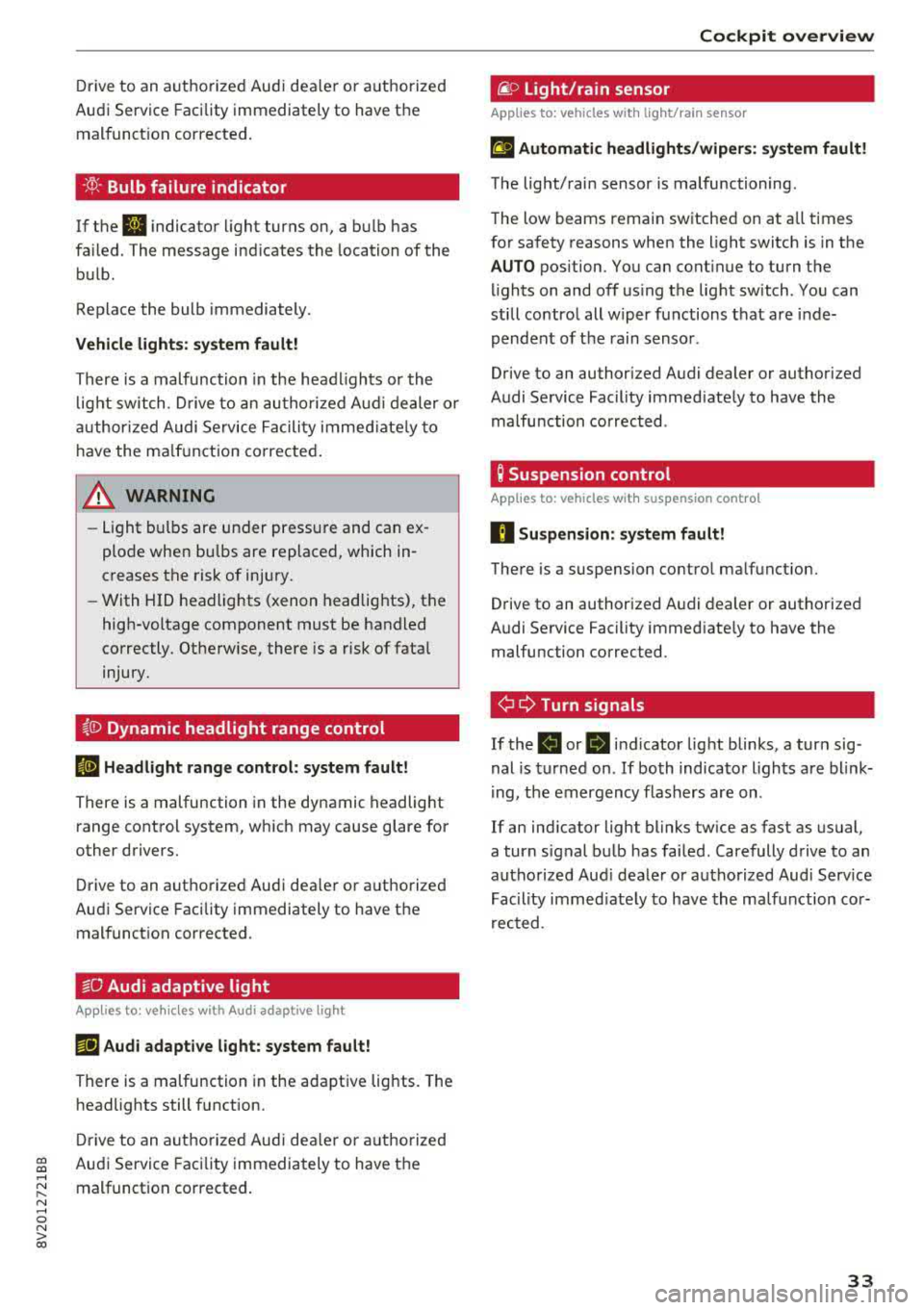
·Xf>: · Bulb failure indicator
If the II indicator light turns on, a bulb has
fa iled. The message ind icates the location of the
bulb .
Replace the bulb immediately.
Vehicle light s: sys tem fault!
There is a malfunction in the head ligh ts or the
l ight switch. D rive to an authorized Audi dealer o r
author ized Audi Se rvice Facility immed iate ly to
h ave the ma lf u nction corrected .
A WARNING
-Light bulbs are under pressure and can ex
plode when bulbs are replaced, which in
creases the risk of injury.
-With HID headlights (xenon headlights), the
high-voltage component must be handled
correctly. Otherw ise, there is a risk of fata l
injury.
~()) Dynamic headlight range control
li1 Headlight r ange con trol : sy stem fault!
There is a malfunction in the dynamic headlight
range control system, wh ich may cause glare for
other drivers.
Drive to an autho rized Audi dea ler o r authorized
Aud i Service Facility immediately to have the
malfunct ion corrected.
~O Audi adaptive light
A ppl ies to: ve hicles with Audi a daptive light
mi1 Aud i adapti ve l ight: system fault!
-
There is a malfunction in the adapt ive lights. The
headlights still function.
D rive to an aut ho rized Aud i dea ler or a uthorized
Audi Service Facility immediately to have the
malfunct ion corrected.
Coc kpit o ve rv iew
@f> Light/rain sensor
App lies to : vehicles wi th lig ht/ra in se nsor
!;I Automati c headlight s/wiper s: system fault!
The light/rain sensor is malfunctioning.
The low beams remain switched on at all times
for safety reasons when the light switch is in the
AUTO pos ition. You can cont inue to turn the
li ghts on and off us ing the light switch . You can
st ill control all wiper functions that are inde
pendent of the rain sensor .
Drive to an authorized Audi dealer or authorized
Audi Service Facility immed iate ly to have the
malfunction corrected .
Q Suspension control
Applies to: vehicles wit h suspension cont rol
fl Su spen sion: system fault!
There is a suspension contro l ma lfunction.
Drive to an authorized Audi dealer or authorized
Audi Service Facility immed iate ly to have the
malfunction corrected.
¢ ¢ Turn signals
If the . or B indicator light blinks, a tur n sig
nal is turned on . If both indicato r lights are blink
i ng, the emergency flashers are on.
If an ind icator light blinks tw ice as fast as usual,
a turn signal bu lb has failed. Carefully drive to an
authorized Aud i dealer or a uth orized Aud i Serv ice
Fac ility imme diate ly to have the ma lfunction cor
r ec ted .
33
Page 36 of 400
Opening and closin g
Opening and closing
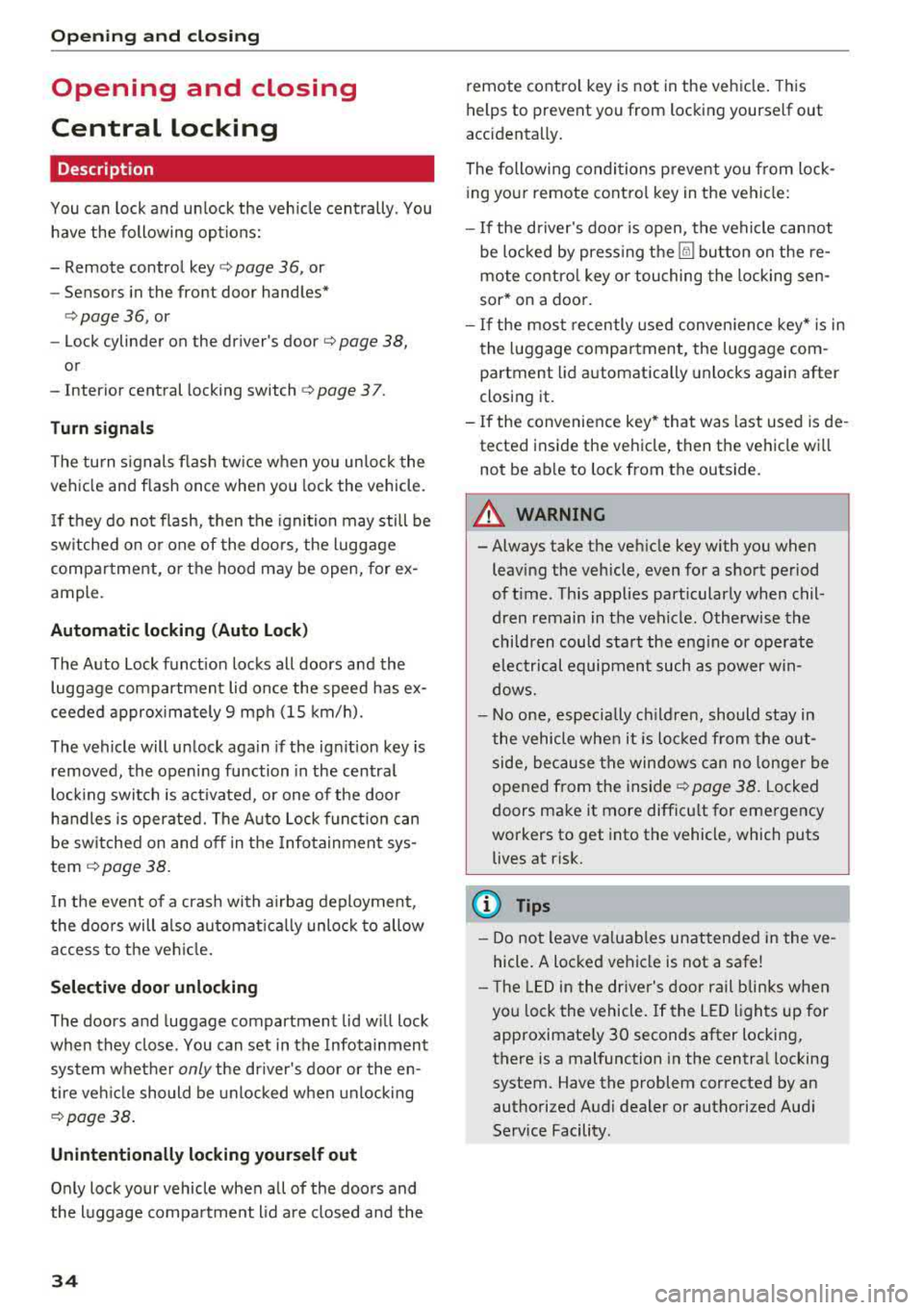
Central locking
Description
You can lock and un lock the veh icle centrally . You
have the following options:
-Remote control key <=> page 36, or
-Sensors in the front door handles"
<=>page 36, or
-Lock cylinder on the driver's door<=> page 38,
or
-Interior central locking switch <=> page 3 7.
Tu rn sign als
The turn s ignals flash tw ice when you unlock the
vehicle and flash once when you lock the vehicle.
I f they do not f lash, then the ignition may still be
sw itched on or one of the doors , the luggage
compartment, or the hood may be open, for ex
ample.
Autom atic locking (Auto Lock )
The Auto Lock funct ion locks all doors and the
luggage compartment lid once the speed has ex
ceeded approx imately 9 mph (15 km/h).
The vehicle will unlock aga in if the ign ition key is
removed, the opening function in the centra l
lock ing switch is act ivated, or one of the door
handles is operated. The Auto Lock f unct ion can
be switched on and off in the Infotainment sys
tem <=>
page 38.
In the event of a crash with a irbag deployment,
the doors will a lso automat ica lly unlock to allow
access to the vehicle.
Selective door unlocking
The doors and luggage compartment lid w ill lock
when they close. You can set in the Infotainment
system whether
only the driver's door or the en
tire ve hicle should be unlocked when unlocking
<=> page 38.
Unintentionally locking yourse lf out
Only lock your vehicle when all of the doors and
the luggage compartment lid a re closed and the
34
remote control key is not in the vehicle. This
helps to prevent you from locking yourself out
accidenta lly.
The following conditions prevent yo u from lock
ing you r remote control key in the vehicle:
-If the driver's door is open, the vehicle cannot
be locked by press ing the
Iii button on the re
mote contro l key or touching the locking sen
sor* on a doo r.
-If the most recently used convenience key* is in
the luggage compartment, the luggage com
partment lid automatically unlocks again after
closing it.
-If the convenience key* that was last used is de
tected inside the vehicle, then the vehicle will
not be ab le to lock from the outside.
A WARNING
-Always take the veh icle key with you when
leaving the vehicle, even for a short period
of t ime. This applies part icularly when chil
dren remain in the vehicle . Otherwise the
children could start the eng ine or ope rate
electrical equipmen t such as power win
dows.
- No one, especially ch ildren, should stay in
the vehicle when it is loc ked from the out
side, because the windows can no longer be
opened from the
inside ¢ page 38. Locked
doors make it more difficu lt for emergency
workers to get into the vehicle, which puts
lives at risk.
(D Tips
-Do not leave va luables unattended in the ve
hicle. A locked vehicle is not a safe!
-T he LED in the driver's door rail blinks when
you lock the vehicle. If the LED lights up for
approximate ly 30 seconds after locking,
there is a malfunction in the centra l locking
system . Have the problem corrected by an
authorized Audi dealer or authorized Aud i
Service Facility.
Page 37 of 400
a, a, ..... N
" N ..... 0 N > 00
Key set
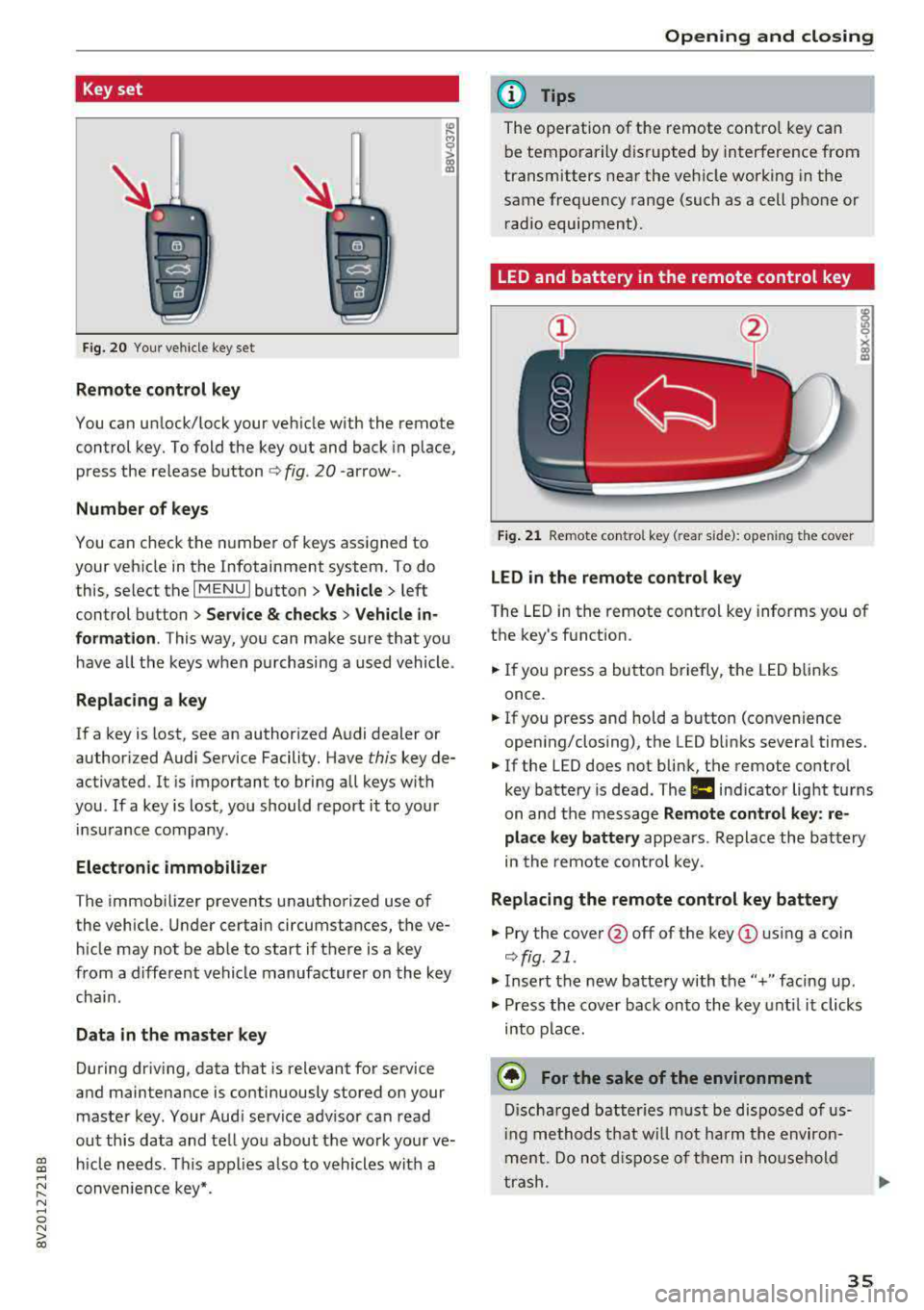
Fig. 2 0 Your vehi cle key se t
Remote control key
You can un lock/lock your veh icle with the remote
control key. To fold the key out and back in p lace,
p ress the release
b utton <=> fig. 20 -arrow -.
Number of keys
You can check the numbe r of keys ass igned to
your vehicle in the Infotainment system. To do
this, select the
I MENU I button > Vehicle > left
control button
> Service & checks > Veh icle in
formation .
This way, you can make sure that you
have a ll the keys w hen p urchasing a used vehicle .
Replacing a key
If a key is lost, see an author ized A udi dealer or
author iz ed Audi Service Facility. Have
this key de
ac tivated . It is important to bring all keys with
you .
If a key is lost, you should report it to your
in surance company.
Electronic immobilizer
The immob ilizer prevents unauthori zed use of
the vehicle . U nder certain circumstances, the ve
hi cle may not be able to start if there is a key
from a different vehicle manufacture r o n the key
cha in.
Data in the master key
During dr iv ing , data that is relevant for se rvice
and maintenance is continuously stored on your
maste r key . Your Aud i service adv isor can read
out th is data and te ll yo u about the work your ve
h icle needs. This app lies a lso to vehicles with a
conven ience key*.
Open ing and closing
(D Tips
The operation of t he remote contro l key ca n
b e temporarily disrupted by interference from
transmitters near the veh icle work ing in the
same frequency range (such as a cell pho ne or
r ad io equipment).
LED and battery in the remote control key
Fig. 21 Re mote co ntro l key (rear s ide): ope ning the cover
LED in the remote control key
T he LED in the remote cont ro l key informs you of
the key's function.
.,. If you press a bu tto n briefly, t he LED b link s
once .
.. If you press and hold a button (convenience
open ing/closing), the LED b links severa l times.
.. If the LED does not blin k, the remote control
key batte ry is dead. The
la ind icator lig ht tu rns
on and t he message
Remote control key : re
place key battery
appea rs . Re place th e ba ttery
in the remote cont ro l key .
Replacing the remote control key battery
.. Pry the cove r@ off of the key (!) usi ng a coin
<=> fig. 21 .
.. Insert the new batte ry with the" +" faci ng up .
.,. Press the cove r bac k on to the key unt il it clicks
into p la ce.
@ For the sake of the environment
D isc ha rge d batt er ies must be di sp osed of us
i ng methods t hat w ill not harm t he env iro n
me nt. Do not dispos e of th em in hous ehol d
t ras h .
35
Page 47 of 400
a, a, ..... N
" N ..... 0 N > 00
-When operating the power top, visibility to
the rear is limited. Avoid operating the top
while driving in reverse.
(D Note
- To prevent damage to the power top:
- do not store any objects in the power top
storage compartment .
- make sure there is enough space above
the vehicle when opening or closing the
power top.
- To reduce the risk of damage, make sure
there are no sensit ive objects in the power
top storage compartment's range of mo
tion.
(D Tips
- To prevent the vehicle battery from draining unnecessarily, do not open or close the pow
er top repeatedly when the engine is switch
ed off.
- A message will appear in the instrument
cluster if there is a malfunction in the powe r
top
¢ page 46 .
-The powe r top can also be operated manual
l y temporari ly if there is a malfunc tion
¢ page 48, Power top emergen cy opera
tion .
An authorized A udi dealer or author
ized Audi Service Facility should diagnose
and correct the cause of the ma lfunction as
soon as possible.
- If the vehicle is parked with the power top
open, the vehicle interior is not protected
from damaging weather or unauthorized ac
cess. lock any items you leave behind in the
luggage compartment. Close the power top
before leaving the vehicle .
- The side windows automat ically lower
slight ly when opening or closing the power
top.
P owe r top
Power top convenience opening/closing
Applies to: vehicles with power top
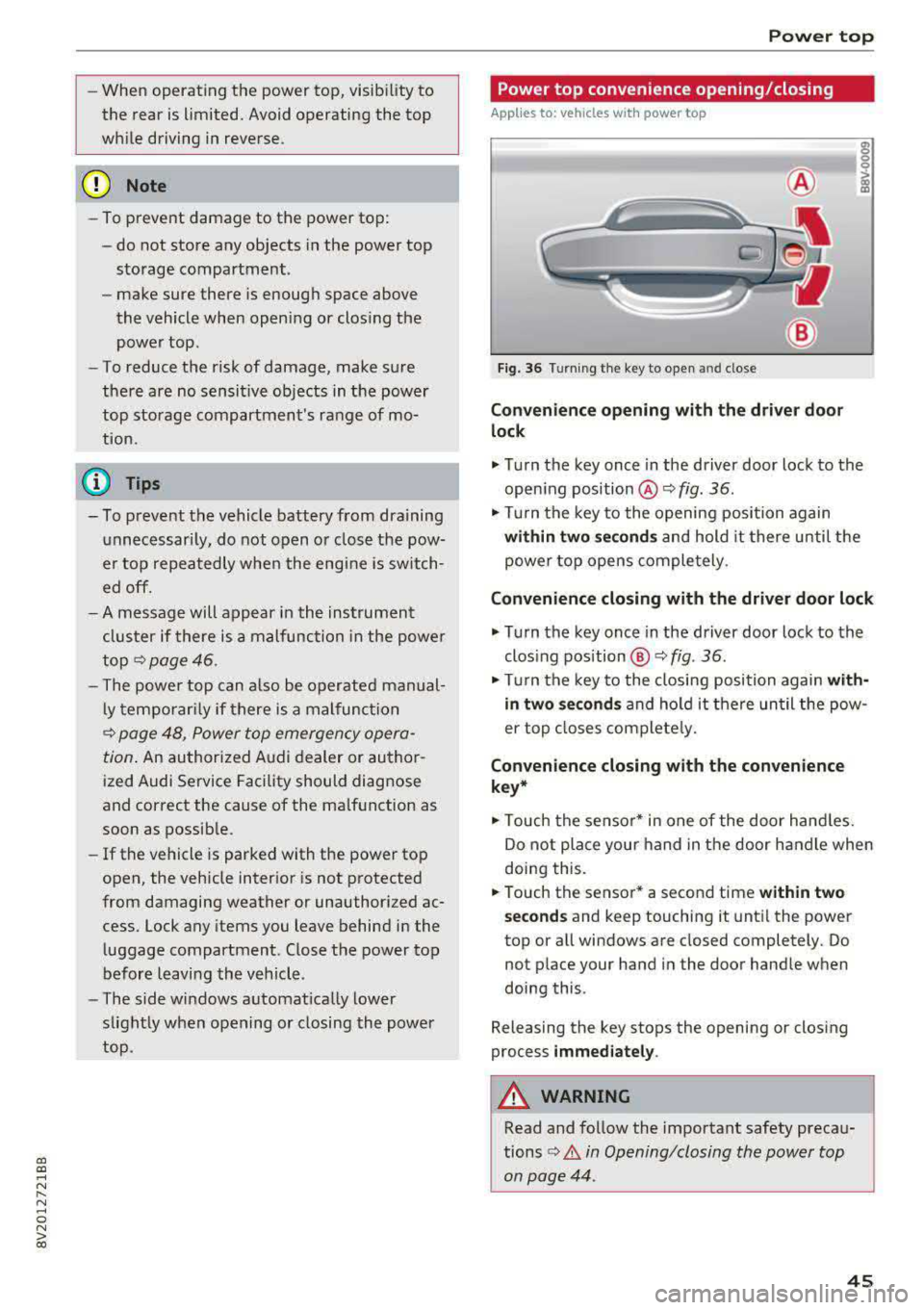
Fig. 36 Turning the key to open and close
Conven ie nce opening with the dri ver do or
lock
.,. Tu rn the key once in the driver door lock to the
open ing position @¢
fig. 36.
.,. Tur n the key to the opening position again
within tw o second s and hold it there until the
power top opens comple tely.
C onvenienc e closing with the driver door lock
.,. Turn the key once in the driver door lock to the
clos ing position @¢
fig. 36.
"Tu rn the key to the closing position again wit h
in two se co nd s
and hold it there until the pow
er top closes completely.
Con ven ienc e closing with the con venienc e
k ey *
.,. Touch the sensor* in one of the door hand les.
Do not place your hand in the door handle when
doing this.
.. Touch the sensor* a second time w ithin tw o
s ec ond s
and keep touching it until the power
top or all windows are closed completely. Do not place your hand in the door handle when
doing this .
Releasing the key stops the opening or closing
process
i mmed iatel y.
A WARNING
-
Read and follow the important safety precau-
tions
¢ A in Opening/closing the power top
on page 44 .
45
Page 50 of 400
Power top
-Be careful when installing so you do not
pinch your fingers.
-Pay attention to the traffic when insta lling
the wind def lector. Install the w ind deflec
tor from the s ide of the vehicle that is away
from traffic.
(D Note
Do not lean against the veh icle when insta l
ling the wind deflector. Hard objects and dec
orations on clothing such as belt buckles can
scratch the pa int.
{!) Tips
-The wind deflector works best when a ll of
the w indows are rolled up wh ile driving.
- Only store the wind deflector in the storage
bag * when it is dry.
Power top emergency
operation
General information
A pp lies to: ve hicles w ith power top
The power top can be closed manually if there is
a malfunction .
.,. Set the parking brake.
.,. Open all windows.
,.. Switch the ignition of f .
.,. Pu ll the button @ for approximately 10 to
15 seconds to reduce the pressure in the power
top hydraulics
r::;, page 44, fig. 35.
Only close the power top manua lly in an emer
gency . Have a second person assist . Drive to an
authorized Audi dealer or author ized Audi Service
Facility immediately to have the malfunction cor
rected.
A WARNING
-There is a r isk of pinching the hands or othe r
people during all of the powe r top emergen
cy operat ion steps.
-Ma ke sure a ll windows a re lowered d uring
emergency operation.
48
-Do not reach into the power top supports
or other mov ing components.
-Never drive when the power top is not
locked correct ly. The wind from driving
could cause the power top to open. This can
result in injur ies and damage to the vehicle.
{!) Tips
The power top storage compartment cover is
not latched after the emergency operation is
complete. Dr ive to an authorized Audi dealer
or authorized Audi Service Facility immediate ly to have the malfu nction corrected.
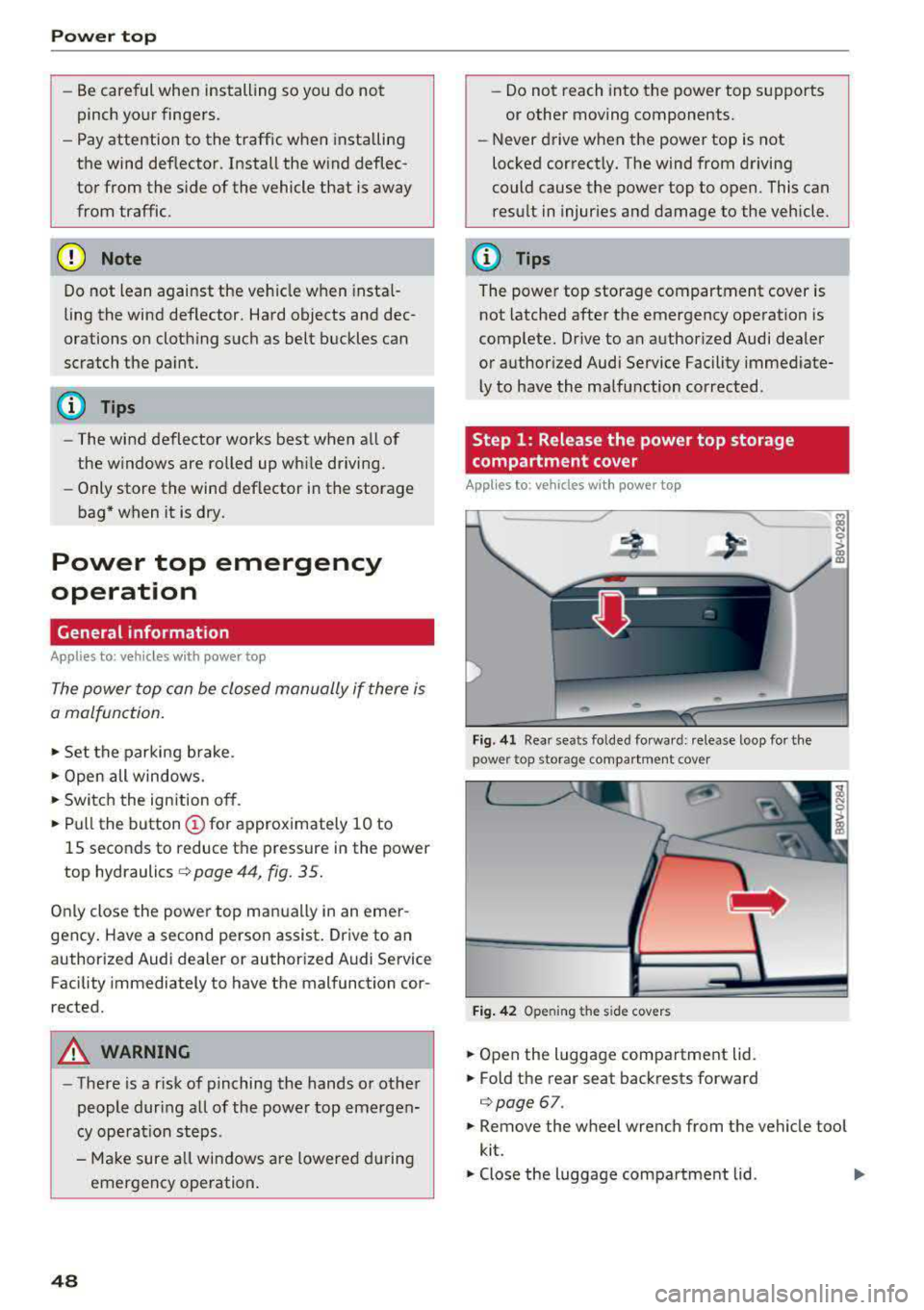
Step 1: Release the power top storage
compartment cover
App lies to: vehicles wi th power top
Fig. 41 Rear seats fo lded fo rward: release loop fo r the
power top storage compartment cover
Fig. 4 2 Opening the side covers
.,. Open the luggage compartment lid .
.,. Fold the rear seat backrests forward
c:;, page 67.
.,. Remove the wheel wrench from the vehicle too l
kit.
.,. Close the luggage compartment lid . Ill>
Page 53 of 400
a, a, ..... N
" N ..... 0 N > 00
Lights and Vision
Exterior Lighting
Switching lights on and off
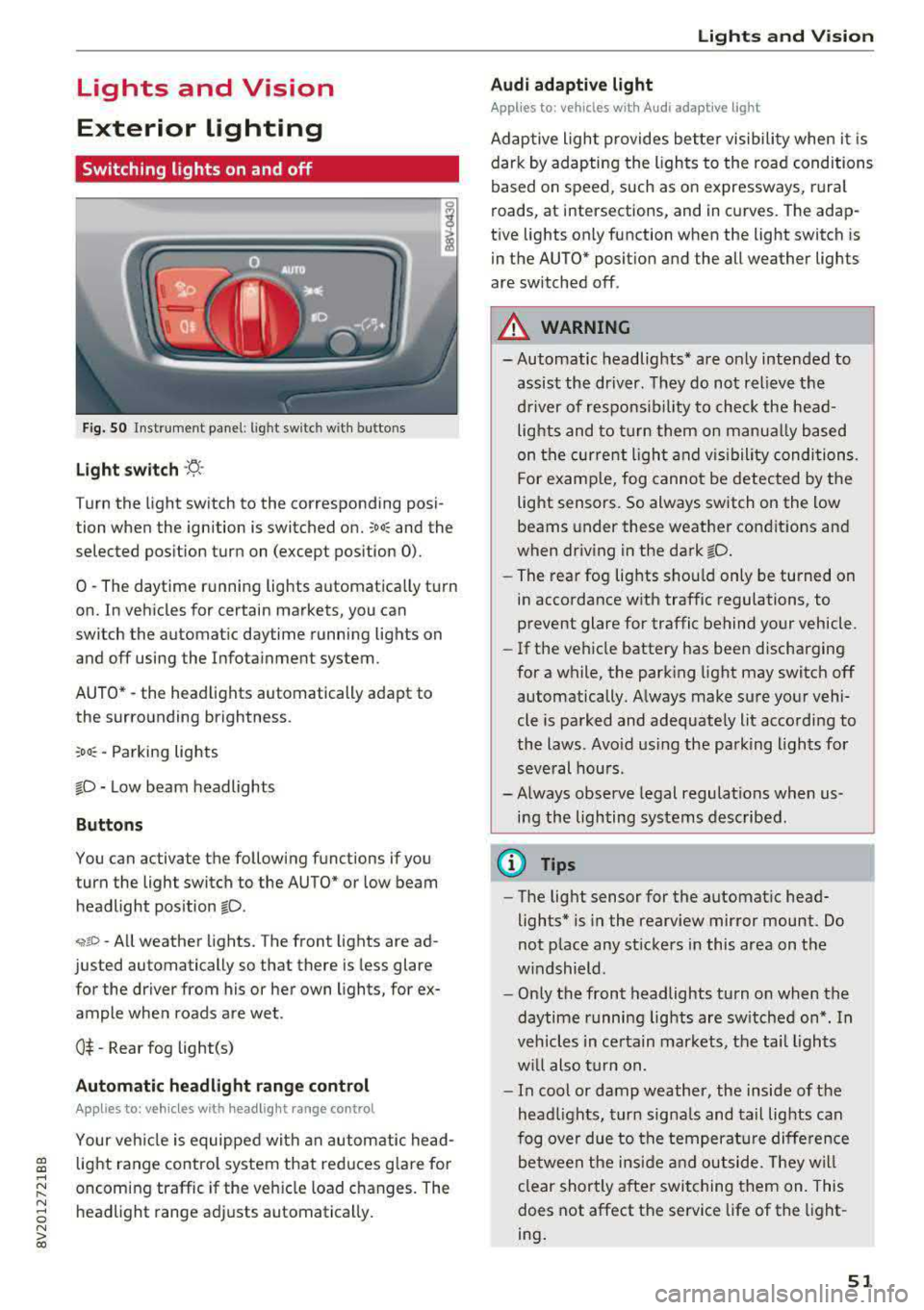
Fig . 50 Instrument panel: l ig ht switc h w ith buttons
Light switch ·'t! ·
Turn the light sw itch to the corresponding posi
tion when the ignition is switched on.
;oo: and the
selected pos ition turn on (except pos ition 0).
0
-The daytime r unning lights automat ica lly t urn
on. In vehicles for certain markets, you can
switch the automatic daytime running lights on
and
off using the Infota inment system.
AUTO*
-the head lights automatically adapt to
the surro unding brightness.
:oo~ -Parking lights
fD -Low beam headlights
Button s
You can activate the following functions if you
turn the light switch to the AUTO* or low beam
headlight pos ition
fD .
~ro -All weather lights. The front lights are ad
justed automatically so that there is less glare
for the driver from his or her own lights, for ex
ample whe n roads are wet .
0$ -Rear fog light(s)
Automatic headlight range control
Applies to: vehicles with headlight range control
Your vehicle is equipped with an autom atic head
light range control system that red uces g lare for
oncoming traffic if the veh icle load changes. The
headlight range adj usts automatically .
Lights and V ision
Audi adaptive light
Appl ies to: veh icles w ith Audi adaptive light
Adaptive light provides bette r visibili ty when i t is
dark by adapting the ligh ts to the road condi tions
based on speed, such as on e xpressways, rura l
roads, at intersections, and in curves. The adap
t ive lights only function when the light switch is
in the AUTO* posit ion and the all weather lights
are switched off .
A WARNING
-
- Automatic headlights * are on ly intended to
assis t the dr iver. They do not relieve t he
d river of respons ibi lity to check the head
lights and to turn them on manua lly based
on the cur re nt ligh t and v isibility condition s.
For e xamp le, fog cannot be detected by the
light senso rs . So always switch on the low
beams under these weather con dit ions an d
when dr iv ing in the dark
fD.
- The rear fog lights sho uld only be turned on
in accordance wit h traffic regulations , to
prevent glare for traffic behind your vehicle.
- If the ve hicle battery has bee n discharging
for a wh ile, the park ing light may switch
off
automatically. A lways make su re your vehi
cle is parked and adequate ly lit acco rdi ng to
the laws . Avo id us ing the parking ligh ts for
seve ral hou rs .
- Always observe legal regulations when us
i n g the lighting systems described.
@ Tips
- The lig ht sensor for the automat ic head
lights* is in the rearview mirror mount. Do
not p lace any st ickers in this area on t he
w indshield .
- Only the front headlights turn on when the
daytime running lig hts are sw itched on *. In
veh icles in ce rtain markets, the tai l lights
w ill also tu rn on.
- In cool or damp weathe r, the inside of the
head lights, t urn sign als and tail lights can
fog ove r due to t he tempera ture diffe rence
b etween the ins ide an d ou tside. They wi ll
clear shortly a fter swi tching them on. This
does not affect the service life of the light
ing .
51
Page 55 of 400
a, a, ..... N
" N ..... 0 N > 00
~ Headlight assista nt: m alfun cti on! See own
e r's manual
Drive to an autho rized Aud i deale r or a uthorized
Aud i Service Facility immedia tely to have the
malfunct ion corrected. You can still switch the
high beams on or off manually.
ID High beam as sis t : currently unavailable. No
ca mera vie w
~ Headlight a ssi stant: currently un available .
Camera view re strict ed du e to surroundin gs.
See owner 's manual
The camera view is blocked, for example by a
sticker or debris. Please clean the windshie ld .
The sensor is located in the inter ior rearview mir
ror mount . Do not place any stickers in this area
on the windsh ield .
& WARNING
High beam assistant is only intended to assist
the drive r. The dr iver is still responsible for
con troll ing the headlights and may need to
switch t hem on and off manually depending
on light and visibility conditions . It may be
necessaty to operate them manua lly in s itua
tions such as:
- In adverse weather conditions such as fog,
heavy rain, b low ing snow or spraying water.
- On roads where oncoming traffic may be partially obscu red, such as expressways .
-If there are road users with poor lighting,
such as bicyclists .
- In tight c urves and on s teep hills.
- In poorly lit areas.
- With strong reflecto rs, such as s igns.
- If the area of the windsh ield near the sensor
is fogged over, dirty, icy or covered with a
st icker.
ll Th is fun ctio n is not a vail able in al l countries.
Lights and V ision
Adjusting the exterior lighting
T he functions are adjusted in the Infotainment
system .
.,. Select in the Infotainment system: I MENU ! but
ton
> V ehicle > left control button > V ehicle
setting s> Exterior light ing .
Aut omat ic h eadlight s*
You can adjust the following settings in the Au
tomati c headlights
menu :
Activation tim e* -you can adjust if the head
lights sw itch on
Earl y, Medium or Late acco rding
to the sensitivity of the light s ensor .
Headlight a ss is tant * -you can switch the h igh
beam assistant * on and off .
Entry/exit lighting*
You can switch the entry/exit lighting* on and
off. When it is dar k, it illum inates the area
around the vehicle when un loc king t he ve hicle
and after sw itchi ng off the ignition and opening
the driver's door .
T he entry/exit lighting only work s whe n it is da rk
and the light sw itch is in the
AUTO * position .
Daytime running lights1
)
The daytime runni ng lig hts can be turned on and
off . When daytime r unning lights are turned on,
the lights w ill stay on continuously whenever the
i gni tion is sw itched on .
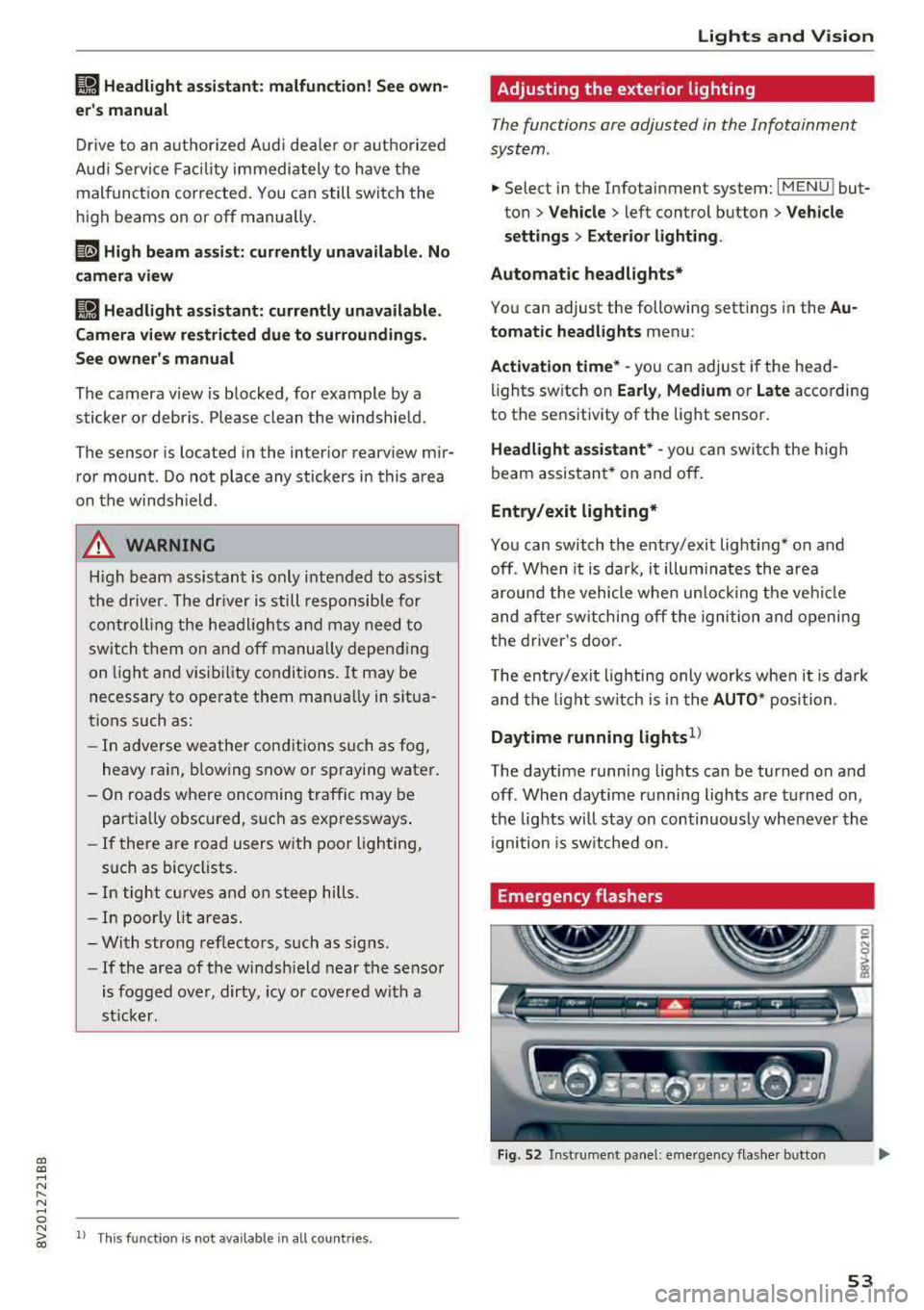
Emergency flashers
Fig. 52 Instrume nt pa nel : eme rge ncy flas her b utto n
53
Page 60 of 400
Lights and Vi sion
CJ) Note
- If there is frost, make sure the windshie ld
wiper blades are not frozen to the wind
sh ield. Switching on the windshield wipers
when the blades are frozen to the wind
shield can damage the wiper blades.
- The windshield wiper system must be
switched off (lever in position @) before
us
ing a car wash. This prevents the wipers
from sw itching on unintentionally and caus
i ng damage to the w indshield wiper system.
(D Tips
- The windshield wipers switch off when the
ignition is switched off. You can act ivate the
windsh ield wipers after the ign ition is
switched back on by moving the windsh ield
wiper lever to any pos it ion.
- Wo rn o r dirty windshield wipe r blades result
i n streak ing. This can affect the ra in sensor
fun ct ion . Check your windshield wiper
blades regularly .
- The washer fluid nozzles in the w indshield
washer system are heated* at low tempera
tures when the ignition is on.
- When stopp ing temporarily, such as at a
traffic light, the speed of the windshie ld
wipers automatically reduces by one leve l.
Cleaning the wiper blades
Clean the wiper blades when you see wiper
streaks. Use a soft cloth and a glass cleaner .
Windshi eld w iper
.. Place the windshield wiper arms in the service
position
r=;, page 58.
.. Fo ld the windshield wiper arms away from the
windshield.
R ea r w indo w wi per
Applies to: ve hicles w ith rear w indow w ipe r
.. Fo ld the w iper arm away from the rear w indow .
A WARNING
Dirty windshield wiper blades can impair vi
sion, which increases the risk of an accident.
58
-
(D Note
If you see streaks again after cleaning the
wiper b lades, the blades must be replaced
c:>page 58.
Replacing the front wiper blades
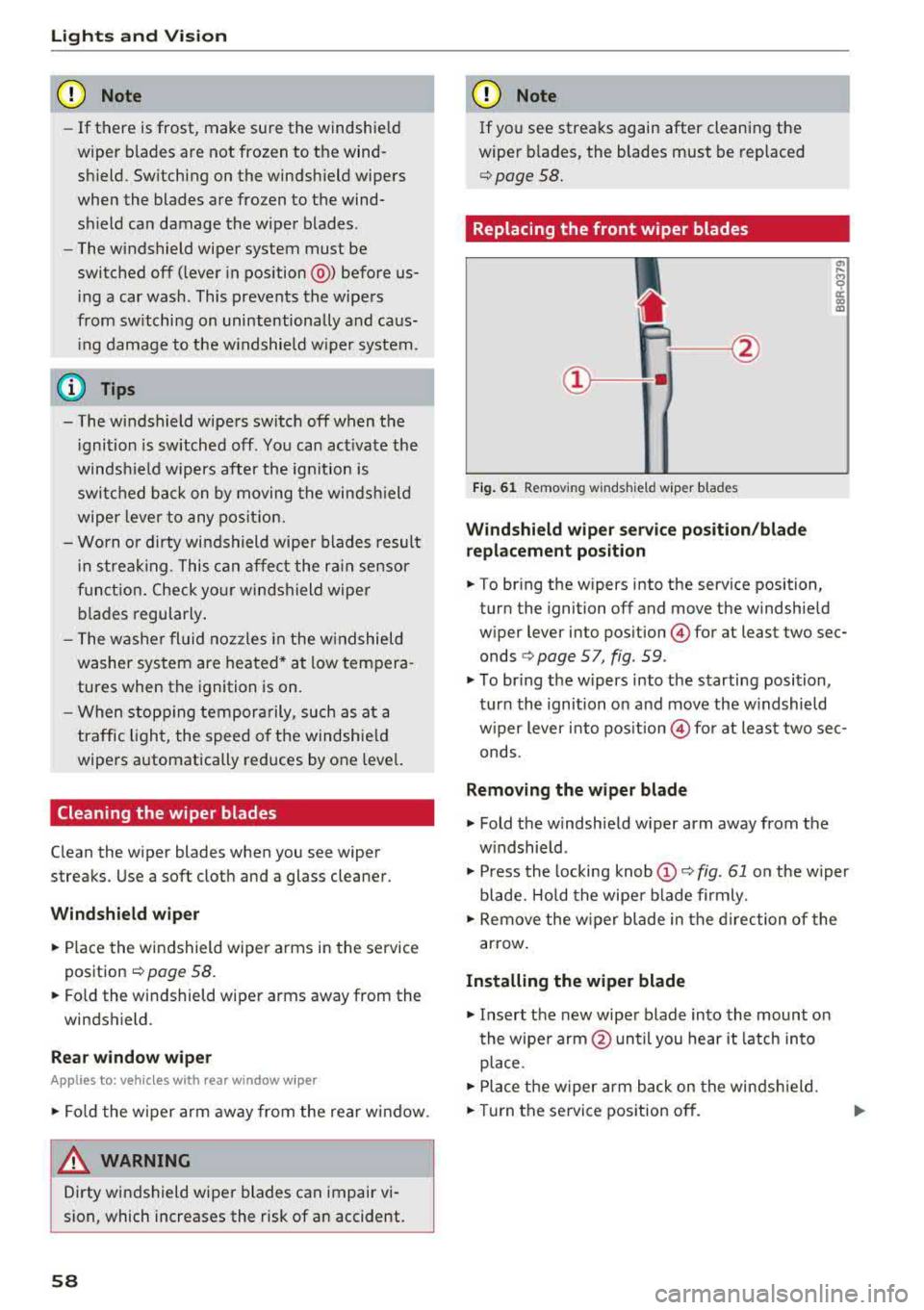
Fig . 61 Removing windshield wiper blades
Wind shi eld wiper s ervice pos iti on/blad e
r ep la cem ent po sition
"' !ii cc c:o m
.. To bring the wipers into the service position,
turn the ignition off and move the windshie ld
wiper lever into position
@ for at least two sec
onds
c:> page 5 7, fig. 59 .
.. To br ing the wipers into the starting position,
turn the ignition on and move the w indshield
w iper lever into
pos ition @) for at least two sec
onds.
Removin g the wiper blade
.. Fold the windshield w iper arm away from the
w indshield .
.. Press the locking knob@r=;, fig. 61 on the w iper
blade. Hold the wipe r blade firmly.
.. Remove the w iper blade in the d irection of the
arrow .
Install ing the w ipe r blade
.. Insert the new wiper blade into the mount on
the wipe r arm @until you hear it latch into
place .
.. Place the w iper arm back on the windsh ield .
.. Turn the se rvice position off .