power steering AUDI S3 SEDAN 2017 Owners Manual
[x] Cancel search | Manufacturer: AUDI, Model Year: 2017, Model line: S3 SEDAN, Model: AUDI S3 SEDAN 2017Pages: 400, PDF Size: 67.32 MB
Page 4 of 400
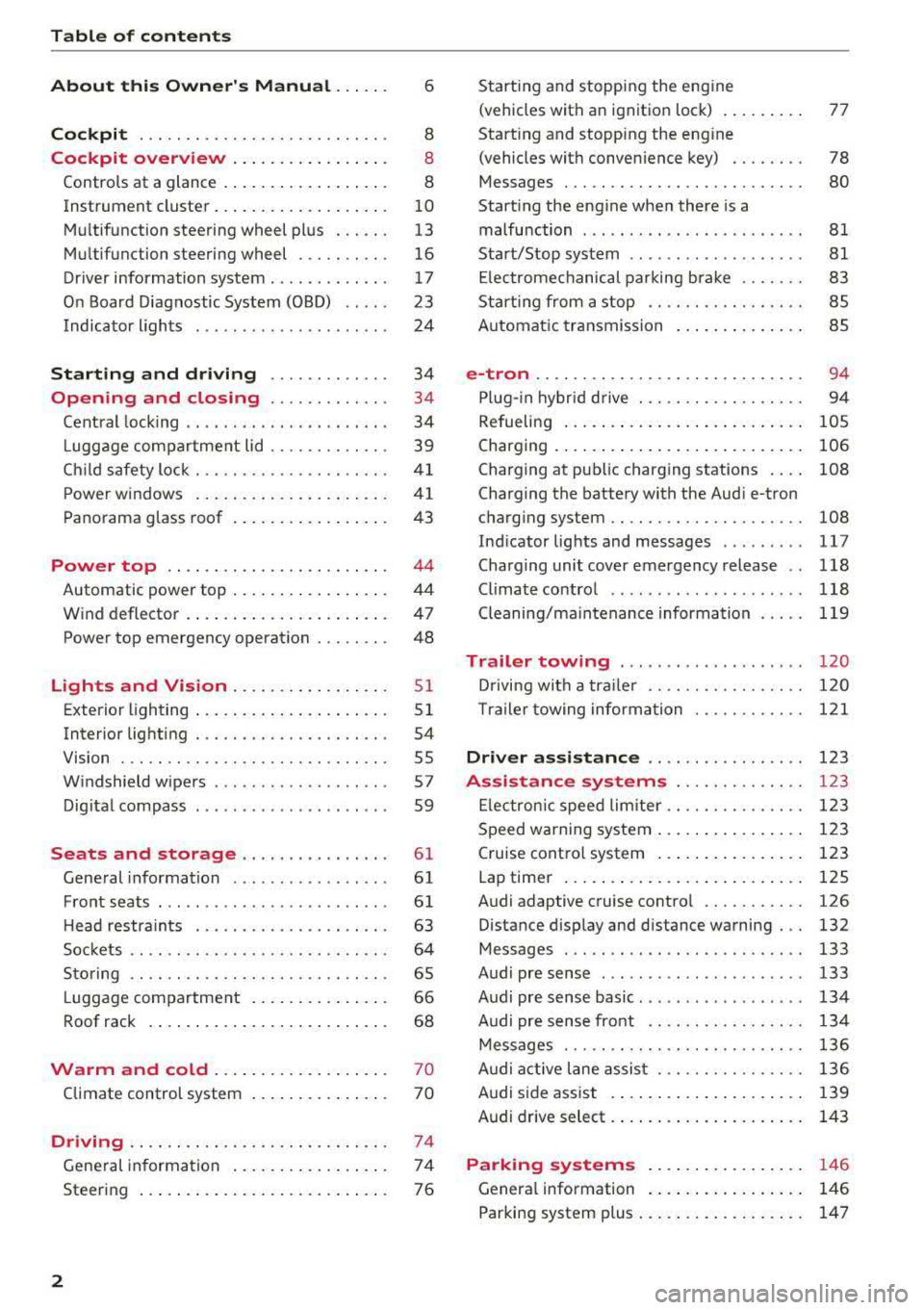
Table of content s
About this Owne r's Manual . .. .. .
6
Cockpi t ... .. ............... .... .. . 8
Cockpit overview . . . . . . . . . . . . . . . . . 8
Controls at a glance . . . . . . . . . . . . . . . . . . 8
Instrument cluster . . . . . . . . . . . . . . . . . . . 10
Mu ltifunction steering wheel plus . . . . . . 13
Mu ltifunction steering wheel . . . . . . . . . . 16
Driver information system . . . . . . . . . . . . . 17
On Board Diagnostic System (OBD) . . . . . 23
Indicato r lights . . . . . . . . . . . . . . . . . . . . . 24
Start ing and dr iving . . . . . . . . . . . . . 34
Opening and closing . . . . . . . . . . . . . 34
Central lock ing . . . . . . . . . . . . . . . . . . . . . . 34
L uggage compartment lid . . . . . . . . . . . . . 39
Ch ild safety lock . . . . . . . . . . . . . . . . . . . . . 41
Power w indows . . . . . . . . . . . . . . . . . . . . . 41
Panorama glass roof . . . . . . . . . . . . . . . . . 43
Power top . . . . . . . . . . . . . . . . . . . . . . . . 44
Automatic power top . . . . . . . . . . . . . . . . . 4 4
Wind deflector . . . . . . . . . . . . . . . . . . . . . . 47
Power top emergency operation . . . . . . . . 48
Lights and Vision .. ..... ... .. .. .. .
Exterior lighting ... .. ...... ... .. .. .. .
Interior lighting ... ........... .... .. .
V1s1on ... .. .. ... ............ .... .. .
W indshield wipers ............... ... .
Dig ital compass ........... ...... ... . 51
5 1
54
55
57
59
Seats and storage . . . . . . . . . . . . . . . . 61
General information . . . . . . . . . . . . . . . . . 61
Front seats . . . . . . . . . . . . . . . . . . . . . . . . . 61
H ead restra ints . . . . . . . . . . . . . . . . . . . . . 63
So ckets . . . . . . . . . . . . . . . . . . . . . . . . . . . . 64
S to ring . . . . . . . . . . . . . . . . . . . . . . . . . . . . 65
L uggage compar tment . . . . . . . . . . . . . . . 66
R oof rack . . . . . . . . . . . . . . . . . . . . . . . . . . 68
Warm and cold . . . . . . . . . . . . . . . . . . . 70
Climate control system . . . . . . . . . . . . . . . 70
Driving . . . . . . . . . . . . . . . . . . . . . . . . . . . . 74
General in formation . . . . . . . . . . . . . . . . . 74
Steering . . . . . . . . . . . . . . . . . . . . . . . . . . . 76
2
Starting and stopping the eng ine
(vehicles with an ignition lock) . . . . . . . . . 77
Start ing and stopping the eng ine
(vehicles with conven ience key) . . . . . . . . 78
Messages . . . . . . . . . . . . . . . . . . . . . . . . . . 80
Start ing the engine whe n there is a
malfunction . . . . . . . . . . . . . . . . . . . . . . . . 81
Start/Stop system . . . . . . . . . . . . . . . . . . . 81
El ectromechanical parking brake . . . . . . . 83
Start ing from a stop . . . . . . . . . . . . . . . . . 8S
Automa tic transmission . . . . . . . . . . . . . . 8S
e-tron ...... .. .. .. .. .. ........... .. 94
P lu g- in hybrid drive . . . . . . . . . . . . . . . . . . 94
Re fueling . . . . . . . . . . . . . . . . . . . . . . . . . . lOS
Charging . . . . . . . . . . . . . . . . . . . . . . . . . . . 106
Charging at pub lic charging stations . . . . 108
Charging the battery with the Aud i e-tron
charg ing system . . . . . . . . . . . . . . . . . . . . . 108
Ind icator lights and messages ......... 117
Charg ing unit cover emergency release . . 118
Climate contro l . . . . . . . . . . . . . . . . . . . . . 118
Cleaning/ma intenance information 119
Trailer towing . . . . . . . . . . . . . . . . . . . . 120
D rivi ng with a tra ile r .. ... ........... .
T ra ile r t owing information .......... . .
D . . nver assi
stance .. ... ... .... ... . .
Assis tance systems ............ . .
El ectron ic speed limite r ............. . .
Speed warning system ... .. .. .... ... . . 120
1 2 1
123
123
1 23
123
Cruise control system . . . . . . . . . . . . . . . . 123
Lap timer . . . . . . . . . . . . . . . . . . . . . . . . . . 125
Audi adaptive cruise contro l . . . . . . . . . . . 126
Distance disp lay and distance warning . . . 132
Messages . . . . . . . . . . . . . . . . . . . . . . . . . . 133
Audi pre sense . . . . . . . . . . . . . . . . . . . . . . 133
Audi pre sense basic . . . . . . . . . . . . . . . . . . 134
Audi pre sense front . . . . . . . . . . . . . . . . . 134
Messages . . . . . . . . . . . . . . . . . . . . . . . . . . 136
Audi active lane assist . . . . . . . . . . . . . . . . 136
Audi s ide ass ist . . . . . . . . . . . . . . . . . . . . . 139
Audi drive select . . . . . . . . . . . . . . . . . . . . . 143
Parking systems . . . . . . . . . . . . . . . . . 146
Genera l information . . . . . . . . . . . . . . . . . 146
Parking system plus . . . . . . . . . . . . . . . . . . 147
Page 11 of 400
CXl CXl .... N ,.__
N .... 0 N > 00
CD
@
®
©
®
®
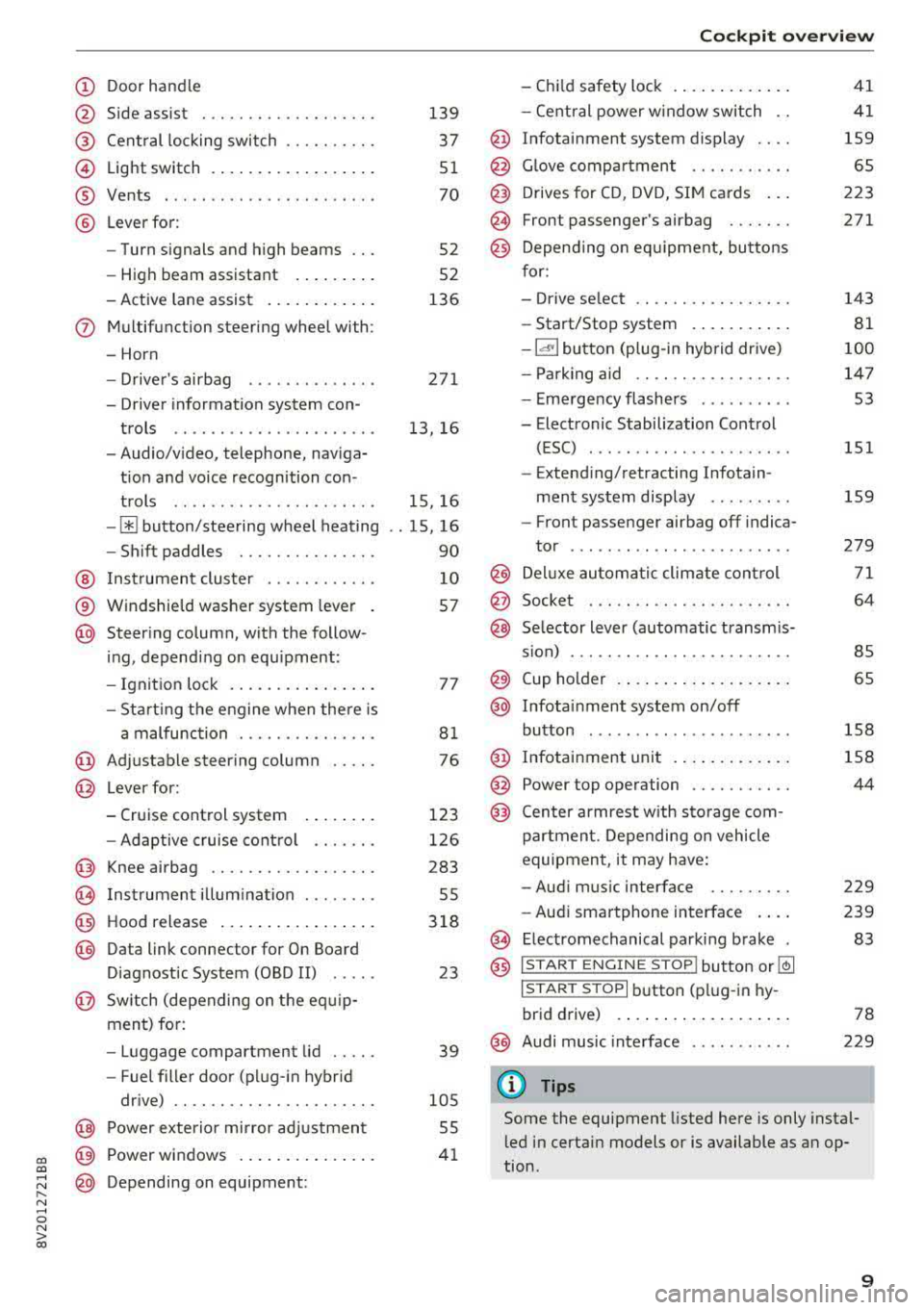
Door handle
Side assist
Central locking switch ....... .. .
Light switch ................ . .
Vents ... .. ........ ..... ... . .
Lever for:
- Turn signals and high beams .. .
- High beam assistant ....... . .
- Active lane assist .......... . .
(J) Multifunction steering wheel with:
- Horn
D. ' . b -rivers air ag .... ..... ... . .
- Driver information system con-
trols ......... ....... ..... .
- Audio/video, telephone, naviga
t ion and voice recognition con -
trols .. .. ........ ..... ... . .
-[ii button/steering wheel heating
- Shift paddles ............ .. .
@ Instrument cluster ......... .. .
® Windshield washer system lever
@ Steering column, with the follow -
ing, depending on equipment :
- Ignition lock .............. . .
- Starting the engine when there is
a malfunction ............ .. .
@ Adjustable steering column .. .. .
@ Lever for:
- Cruise control system ....... .
- Adaptive cruise control ...... .
@ Knee airbag ............. .. .. .
@) Instrument illumination ....... .
@ Hood release ................ .
@ Data link connector for On Board
Diagnostic System (OBD II) .....
@ Switch (depending on the equ ip
ment) for:
- Luggage compartment lid .... .
- Fuel filler door (plug-in hybrid
drive) .. .. ............... .. .
@ Power exterior mirror adjustment
~ p . d ~ ower win ows .............. .
@ Depending on equipment:
139
37
51
70
52
52
136
271
13, 16
15, 16
. . 15, 16
90
10
57
77
81
76
123
126
283
55
318
23
39
105
55
41
Cockpit overview
- Child safety lock ............ .
- Central power window switch ..
@ Infotainment system display ... .
@ Glove compartment .... ...... .
@ Drives for CD, DVD, SIM cards .. .
@ Front passenger's airbag ...... .
@ Depending on equ ipment, buttons
for:
- Drive select .. .............. .
- Start/Stop system .......... .
-la •I button (plug-in hybrid drive)
- Parking aid .. .............. .
- Emergency flashers ......... .
- Electronic Stabilization Control (ESC) ....... .. ............ .
- Extending/retracting Infotain -
ment system display ........ .
- Front passenger airbag off indica-
tor .... ... .. .. ............ .
@ Deluxe automatic climate control
@ Socket . .... .. .. ............ .
@ Selector lever (automatic transmis-
s ion) ... .... .. .............. .
@ Cup holder .... .. ............ .
@ Infotainment system on/off
button ..... .. .. ... ....... .. .
@ Infotainment unit ............ .
@ Power top operation .......... .
@ Center armrest w ith storage com-
partment. Depending on vehicle
equipment , it may have:
- Audi music interface ........ .
- Audi smartphone interface ... .
~ Electromechanical parking brake
@ ISTAR T ENGINE ST OP lbutton or ~
I STAR T STOPI button (plug-in hy-
brid drive) .... .. ............ .
@) Audi music interface
(D Tips
41
41
159
65
223
271
143
81
100
147 53
151
159
279
71
64
85
65
158
158
44
229
239
83
78
229
Some the equipment listed here is only instal
led in certain models or is available as an op
tion .
9
Page 20 of 400
Cockpit over view
Resetting values to zero
Req uirement: the Fuel consumption , Short- term
m emor y or Long-term memo ry
display must be
selected .
~ To reset the value for the respective memo ry to
zero, press and hold the left th umbwheel
Q)
c:> page 13, fig. 7 on the m ultifunction steering
whee l for one second. Or
~ On the multifunction steering whee l, select:
the right control button
> Re set values *.
Adjusting th e additional di splay
~ On the m ultif unct ion steer ing whee l, select the
right control button
> Additional di sp la y .
~ Se lect the desired additiona l display.
Opening the vehicle funct ions
~ Open the first Vehicle tab (trip computer) using
the
l<1 t>I button on t he mult if u nct ion steer ing
whee l.
The fo llow ing displays a re available, depending
on vehicle equipmen t:
- Date and
time ¢ page 241
-Plug- in hybrid drive : Range c:> page 99
- Average consumption
- Short-term memory overview
- Long-term memory overview
- Energy cons umers
c:> page 18
- Driver assistance ¢ page 123
The short-term memory collects driving informa
tion from the t ime the ignition is switched on un
til it is switc hed off. If you cont inue driv ing with
in two hours after switching the ignition off, the
new values are in clu ded when calculat ing the cur
rent tr ip informat ion.
Unlike the short-term memory, the long-term memory is not erased automat ica lly . You can se
lect the time period fo r evaluat ing trip informa
tion you rself .
Fuel consumption
The cu rrent fuel consumption can be shown us
ing a bar graph
c:> fig. 14 . The average consump
tion stored in the short-te rm memory is also dis-
18
played. If the bar is green, your vehicle is saving
fuel through the following function:
- Re cup eration : electrical energy can be stored in
the vehicle battery when the vehicle is coast ing
or dr iving downh il l. T he bar will move toward
0.
Energy consumers*
The Energ y consum ers v iew lists othe r equip
ment that is cu rrent ly affecting fue l cons ump
tion . The d isplay shows up to three energy con
s u mers . The equipment using the most power is
li sted first . If more than three items using power
are switched on, the equipment that is current ly
us ing the most power is displayed. A chart also
shows you the current total of all other consum
ers .
(D Tips
The date, time of day and time and date for
mat can be set in the Infota inment system
¢ page 241.
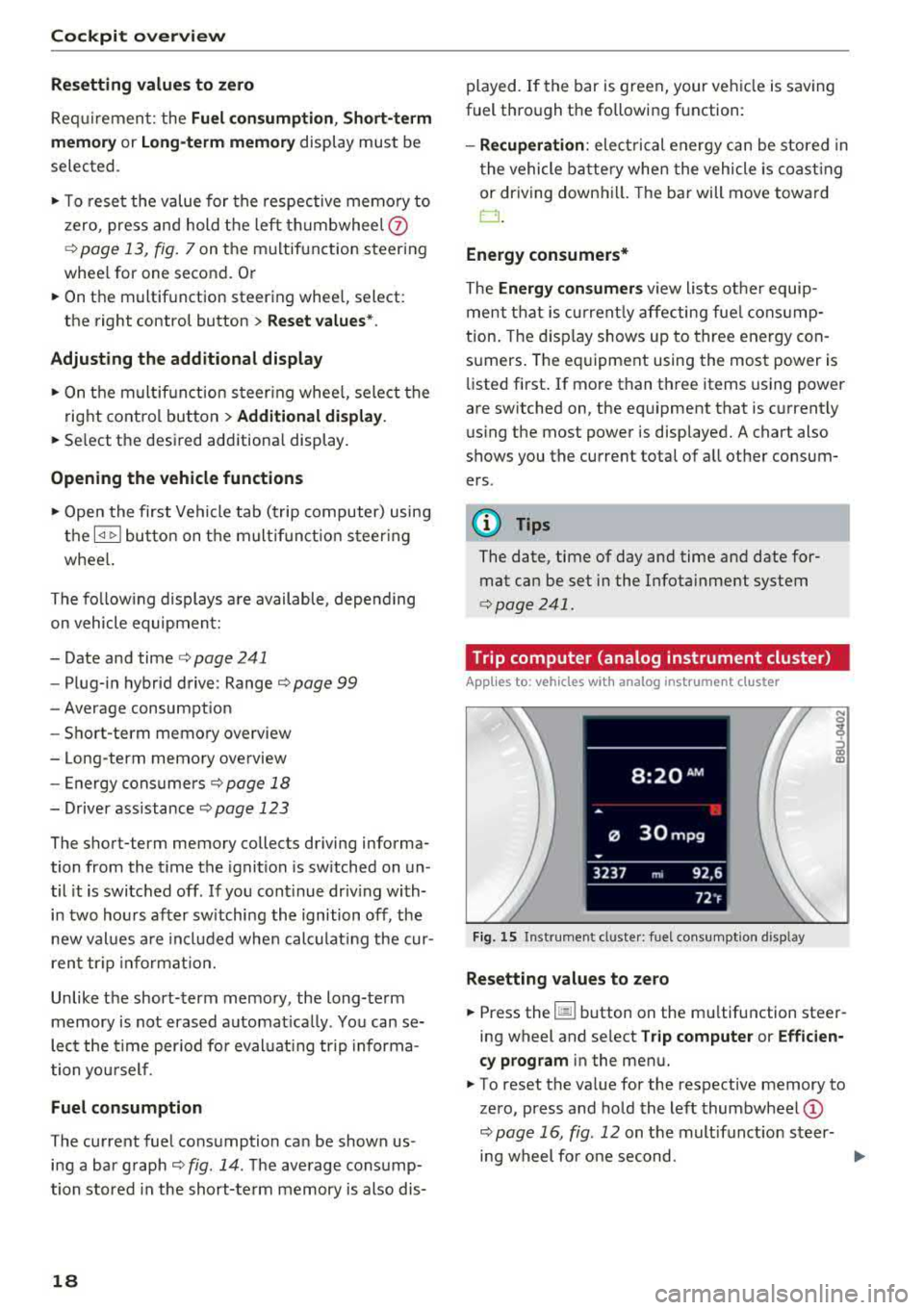
· Trip computer (analog instrument cluster)
Applies to: vehicles with analog instrument cluster
Fig. 15 Inst rument cluster : fuel consumpt ion d isp lay
Resetting values to zero
~ Press the 1§11 button on the mu ltifunction steer
ing wheel and se lect
Tr ip computer or Efficien
c y prog ram
in the menu.
~ To reset the value for the respective memory to
zero, press and hold the left
thumbwheel @
c:>page 16, fig. 12 on the multifunct io n steer-
ing wheel fo r one second.
..,.
Page 21 of 400
CXl CXl .... N ,.__
N .... 0 N > 00
Opening the vehicle functions
"'Open the first Vehicle tab (trip computer) using
the
l<1 t> I button on the multifunction steering
whee l.
"' Press the l11ID I button on the multifunction steer
ing wheel and select
Vehicle functions or Effi
c iency program in the menu.
The following displays are available, depending
on vehicle equipment:
- T rip computer
O fl o page 19
- E fficiency program ii opage 19
-Digital speedometer
- Ass ist
o page 123
- Lap timer opage 125
-Reduced display
Trip computer
In the trip computer, you can call up the follow
ing displays one after the other by turning the
l eft th umbwhee l on the mu ltifunction steering
wheel.
- Date
o page 241
-Remaining range
- Plug- in hybrid drive*: Tachometer
o page 97,
Range o page 99, Energy flow display
o page 102
-Short-term memory 0
-Average consumpt ion
- Long-term memory
fl
-Engine oil temperature*
The short -term memory collects driving informa
tion from the time the ignition is switched on un
til it is switched off . If you continue driving with
in two hours after switching the ignition off, the
new values are included when calculat ing the cur
rent tr ip informat ion.
Unlike the short-term memory, the long-term
memory is not erased automat ica lly. You can se
lect the time period for evaluat ing trip informa
tion yourself .
Efficiency program ii
Applies to: vehicles with efficiency program
The efficiency program can help you to use less
fuel.
It evaluates driving information in reference
Cockpit overview
to fuel consumption and shows other equipment
influencing consumption. Economy tips provide
advice for efficient driving.
T he eff iciency program receives distance and con
sumption data from the short -term memory. If
the data in the efficiency program is deleted, the
val ues in the short-term memory are a lso reset.
T he following additional displays may be availa
ble in the eff ic iency p rogram , depending on vehi
cle equipment :
-Other equipment : other equipm ent that is cur
rently affecting fu el consumption is listed in
the efficiency program . The display shows up to
three other equipment items. The equipment
using the most power is listed first. If more
than three items using power are sw itched on,
the equipment that is currently using the most
power is displayed . A chart also shows you the
current total of all other consume rs .
- Economy tips : in certain s ituations, economy
tips appear automatically for a short time in
the efficiency program.
If you follow these
economy tips, you can reduce your vehicle's fuel
consumption. To turn an economy message off
immed iate ly after it appears, p ress any button
on the multifunction steer ing whee l.
(D Tips
The date, time of day and time and date for
mat can be set in the Infotainment system
~ page 241.
Radio
Requirement: radio mode must be started
o page 217 and the radio/media tab must be
displayed.
.. Press either the i][]button o r the left contro l
button
o page 14, depending on vehicle equip
ment.
Depending on vehicle equipment, the following
functions may be available in the driver informa
t ion system.
- Selecting the frequency band: select and con-
firm a frequency band.
..,_
19
Page 32 of 400
Cockpit over view
A WARNING
Have the safety systems i nspected immed i
ately . Otherw ise, there is a risk that the sys
tems may not activate during a collision,
wh ich increases the risk of serious injury or
death.
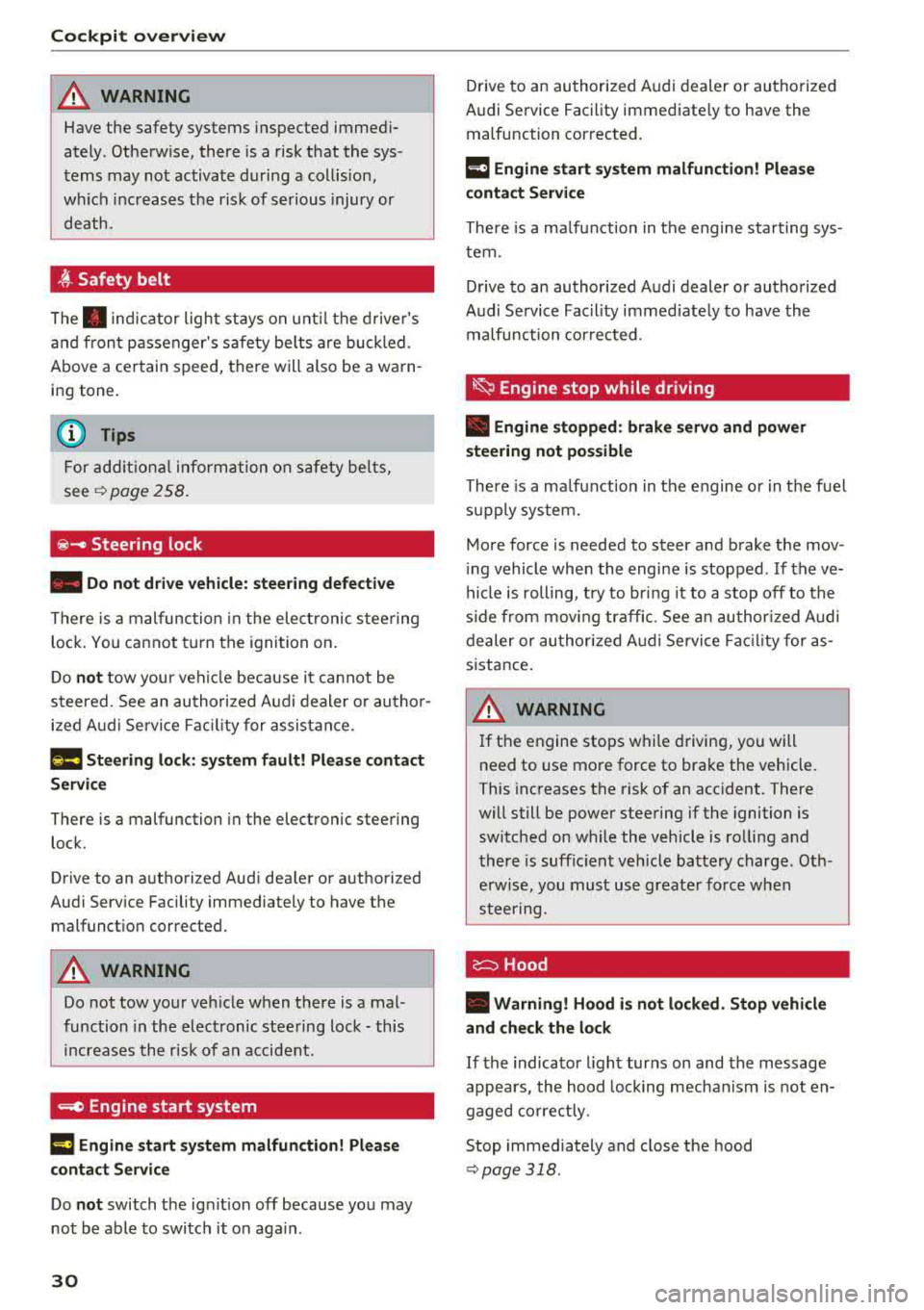
~ Safety belt
The . indicator light stays on unti l the d rive r's
and fron t passenger's safety be lts are buckled .
Above a certain speed, there will also be a wa rn
ing tone.
(D Tips
For add it iona l information on safety be lts ,
see
~ page 258.
@ -Steering lock
• Do not d rive vehicle: steering defecti ve
There is a malfunc tion in the elect ronic stee ring
loc k. You ca nnot t urn the ignition on .
D o
not tow your veh icle because it cannot be
steered . See an authorized A udi dealer or au tho r
i z ed A udi Servi ce Fa cili ty for assistance.
1;11 Steering lock: sy stem fault! Pleas e contact
Servic e
There is a malfunction in the elec tronic steering
lock .
Drive to an a uthor ized Audi dea ler or authori zed
Aud i Serv ice Fa cili ty immediately to have the
malfunct io n corrected.
A WARNING
Do not tow your veh icle when there is a mal
function in the electronic stee ring lock
-this
increases the risk of an accident.
....e Engine start system
M ·I t-:ngin e start system ma lfun ction! Plea se
c ontact Servic e
Do not switch the ignit ion off because you may
not be able to switc h it o n aga in .
30
Drive to an au thorized A udi dealer or authori zed
Audi Se rvice Facility immediate ly to have the
malfunction corrected.
IIJ Engine s tart system malfunction! Plea se
contact Service
There is a ma lf u nction in the engine sta rting sys
tem.
Drive to an authorized Audi dealer or authorized
Audi Se rvice Facility immed iate ly to have the
malfunction corrected .
~ Engine stop while driving
• Engine stopped: brake servo and power
steering not po ssible
There is a ma lfunction in the engine or in t he fuel
s u pp ly system.
More force is needed to steer and brake the mov
i ng vehicle whe n the engi ne is stopped . If the ve
hicle is rolling, t ry to bring it to a stop off to the
s ide from moving traffic. See an author ized Audi
dealer or authori zed A udi Service Fac ility for as
s istance .
A WARNING -
If the engine stops while driving, you will
need to use more force to brake the vehicle.
This increases the risk of an acc ident . There
will still be powe r steering if the ignition is
switched on while the vehicle is ro lling and
there is suff ic ient veh icle battery charge . Oth
e rw ise, you must use greate r force when
steering .
c:::::::> Hood
• Warning! Hood i s no t lo cked. Stop vehicle
and che ck the lo ck
If the indicator light turns on and the message
appears , the hood lock ing mechan ism is not en
gaged co rrectly .
Stop immediately and close the hood
~ page 318 .
Page 80 of 400
Driving
_& WARNING
-Never turn off the engine before the vehicle
has come to a complete stop. The full func
t ion of the brake booster and the power
steering is not guaranteed. Yo u must use
more force to turn or brake. Because you
cannot steer and brake as you usually
would, this could lead to accidents and ser i
ous injuries.
- Never remove the ignit ion key from the ign i
tion lock while the vehicle is moving. Other
wise, the steering lock cou ld sudden ly en
gage and you would not be able to steer the
vehicle.
- Always take the key with you whenever you
leave your vehicle. Otherw ise, the engine
could be started or electrical equipment
suc h as the power windows could be operat
ed . This can lead to serious injury.
- For safety reasons, always park the vehicle
with the selector lever in the P position .
Otherwise, there is the r isk that the vehicle
could roll unintentionally.
(D Note
If the engine has been under heavy load for
an extended per iod of t ime, heat builds up in
the engine compartment after the engine is
sw itched off and there is a risk of damaging
the engine. For this reason, let the engine run
for at idle for approximately two minutes be
fore shut ting it off.
(0 Tips
For up to 10 minutes after stopping the en
gine, the rad iator fan may turn on again auto
matically or it may continue to run (even if
the is ignition switched off) due to the follow
ing reasons:
- The coolant temperature is increasing due
to trapped heat.
- If the engine is warm and the engine com
partment also heats up from strong sun
light.
78
Starting and stopping
the engine (vehicles with
convenience key)
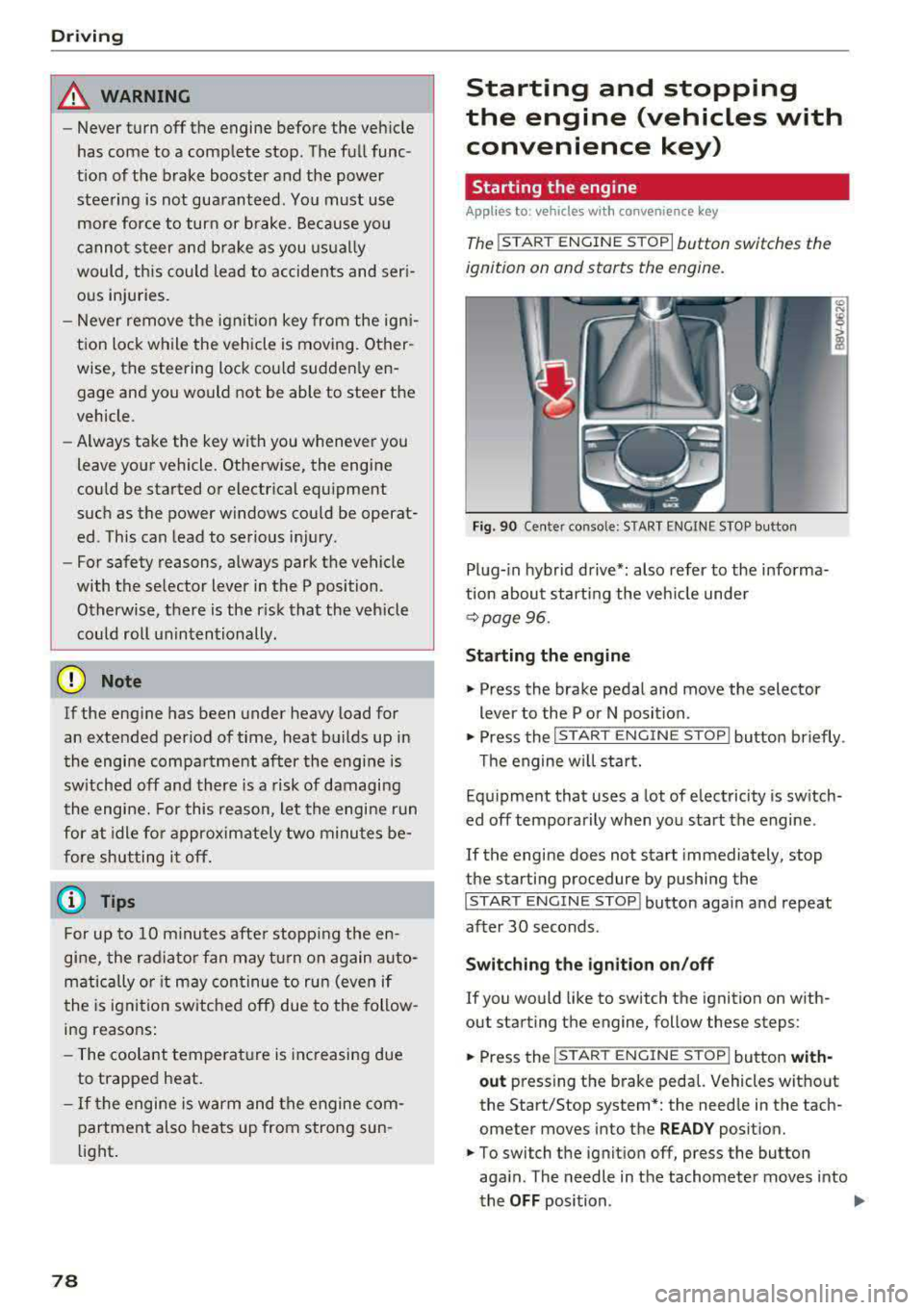
Starting the engine
App lies to : vehicles with co nvenience key
The I ST ART ENGINE STOP I button switches the
ignition on and starts the engine.
Fig. 90 Center conso le: STAR T ENGINE S TOP button
Plug-in hybrid drive*: also refer to the informa
t ion about starting the veh icle under
r::!v page 96.
Starting the engine
"'Press the brake pedal and move the selector
lever to the P or N position .
"'Press the I START ENGINE STOP ! button briefly .
Th e engine will start.
Equipment that uses a lot of electricity is switch
ed off temporarily when you start the engine .
If the engine does not start immediately, stop
the starting procedure by pushing the
I START ENGINE STOP ! button again and repeat
after 30 seconds .
Switching the ignition on/off
If you would like to switch the ignition on with
out starting the engine, follow these steps:
"' Press the I S TAR T ENGINE ST OP I button with-
out press ing the brake pedal. Vehicles without
the Start/Stop system *: the need le in the tach
ometer moves into the
READY position.
"'To switch the ignition off, press the button
aga in . The needle in the tachometer moves into
the
OFF position . .,..
Page 81 of 400
If the 'Tj indicator light blinks and the message
Please turn steering wheel appears when switch
ing the ign ition on, the steer ing lock is locking
the steering wheel. In this case, turn the steering
wheel slight ly to the left/right.
Start /Stop system*
See the information in¢ page Bl, Start/Stop
system .
A WARNING
To reduce the risk of poisoning, never allow
the engine to run in confined spaces.
@ Note
Avoid high engine speed, full throttle, and
heavy engine load if the engine has not
reached operating temperature yet. You could
damage the engine.
@ For the sake of the environment
Do not let the engine run while parked to
warm up. Begin driving immediately. This
re
duces unnecessary emissions.
(D Tips
-Some noise after starting the engine is nor
mal and is no cause for concern.
- If you leave your vehicle with the ignition
switched on, the ignition will switch off
af
ter a certa in amount of t ime. Make sure that
electr ica l equ ipment such as the exter ior
lights are switched off.
Stopping the engine
Applies to: veh icles with conve nience key
-
Plug-in hybrid dr ive*: refer to the informat ion un
der ¢ page 96.
.. Bring the vehicle to a full stop.
.. Move the selector lever into the P pos ition.
.. Press the I STAR T ENGINE ST OPI button
¢ page 78, fig. 90 .
CXl CXl .... N r--N .... 0 N > l) This func tion is not avai lable in all countries. 00
D riving
Steering
lock1 )
T he steering locks when yo u turn the engine off
using the
I STA RT ENG INE S TOPI* button, move
the selector lever into the P position and open
the driver's door. The locked steering hel ps pre
vent vehicle theft.
Emergency off function
If it is absolutely necessary, the eng ine can also
be turned off whi le driving at speeds starting at
4 mph (7 km/h). To switch the engine off, press
the
I START ENGINE STOPI button twice in a row
briefly or press and ho ld for longer than two sec
onds.
A WARNING
-- Never turn off the engine before the vehicle
has come to a complete stop. The full func
tion of the brake booster and the power
steer ing is not guaranteed. You must use
mo re force to turn or brake. Because you
cannot steer and brake as you usually
wou ld, this could lead to accidents and seri
ous injuries.
-Always take the key with you whenever yo u
leave your vehicle. Otherwise, the engine
could be started or electrical equipment
such as the power windows could be operat
ed. This can lead to ser ious injury.
- For safety reasons, always park the vehicle
with the selector lever in the P pos ition.
Otherw ise, there is the risk that the vehicle
could roll unintentionally .
(D Note
If the engine has been under heavy load for
an extended period of time, heat builds up in
the engine compartment after the engine is
switched off and there is a r isk of damaging
the engine. For th is reason, let the engine run
for at id le for approximately two minutes
be-
fore shutting it off . ..,.
79
Page 83 of 400
a, a, ..... N
" N ..... 0 N > 00
Starting the engine
when there is a
malfunction
Appl ies to: vehicles with convenience key
It may not be possible to start the engine under
certain circumstances, for example if the battery
in the vehicl e key is drained, if interference is af
fect ed the key or if there is a syst em malfunc
tion.
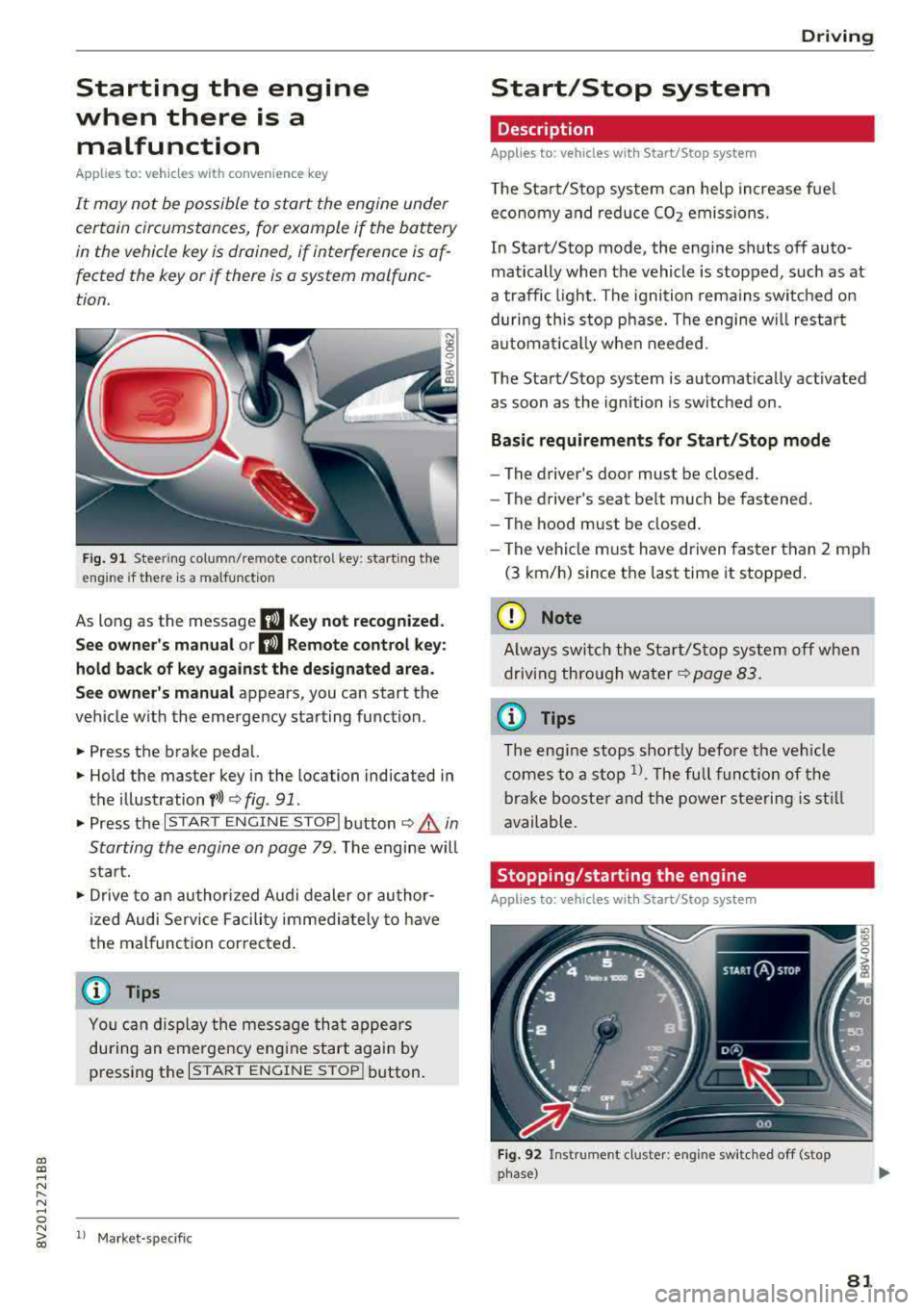
Fig. 91 Steer ing colum n/remote co ntro l key: starting the
e ngi ne if there is
a malfunction
As long as the message II Key not recognized.
See owner's manual or
II Remote control key:
hold back of key against the designated area.
See owner's manual
appears, you can start the
vehicle w ith the emergency starting function .
.,. Press the brake pedal.
.,. Hold the master key in the location indicated in
the illustration
f>l) r:> fig. 91.
.,. Press the I STAR T ENGIN E ST OPI button r:> _&. in
Starting the engine on page
79. The engine will
start.
.,. Drive to an authorized A udi dealer or author
ized Audi Service Facility immediately to have
the malfunction cor rected.
@ Tips
You can d isplay the message that appears
during an emergency engine start again by
pressing the
I START ENGINE STOPI button.
l l Market -s p ecific
D rivi ng
Start/Stop system
Description
Applies to: vehicles with Start/Stop system
The Start/Stop system can help increase fuel
economy and reduce CO2 emissions.
In Start/Stop mode, the engine shuts off auto
matically when the vehicle is stopped, such as at
a traffic light. The ignition remains switched on
during this stop phase. The engine w ill restart
automat ically when needed.
The Start/Stop system is automat ically act ivated
as soon as the ignition is switched on.
Basic requirements for Start/Stop mode
-The driver's door must be closed .
- The driver's seat belt much be fastened.
- The hood must be closed.
- The vehicle must have driven faster than
2 mph
(3 km/h) since the last time it stopped.
(D Note
Always switch the Start/Stop system off when
driving through water
r:> page 83.
(D Tips
The engine stops shortly before the veh icle
comes to a stop
l). The full function of the
brake booster and the power steering is still
available.
Stopping /starting the engine
Applies to: vehicles with Start/Stop system
Fig. 92 Instrument cluster: eng ine swi tched off (stop
phase)
81
Page 86 of 400
Driving
"'To start driving and release the parking brake
automatically, press the accelerator pedal as
usual.
In addition to releasing the parking brake auto
matically, other convenience and safety functions
are available when you start driving
¢ page 85,
Starting from a stop.
Preventing the automatic parking brake
release
The vehicle could begin rolling unintentionally,
dep ending on the hill or if towing a trailer.
"'To prevent the parking brake from releasing au
tomatically, pull and hold
the®> switch and
press the accelerator pedal. The parking brake
remains set and prevents the vehicle from roll
ing backward.
"'You can release the(®) switch again once you
are sure that you are giving enough driving
force to the wheels by pressing the accelerator pedal.
Emergency braking function
You can use the emergency braking function in an emergency situation, or if the standard brake op
eration malfunctions or is disabled .
"'Pull and hold the(®) switch.
"' As soon as you release the ®> switch or acceler-
ate, the braking stops .
Pulling and holding
the®> switch while driving
the vehicle activates the emergency braking func
tion . The vehicle is braked at all four wheels by
activating the hydraulic brake system. The brak ing effect is similar to heavy
braking ¢,&. .
To reduce the risk of activating the emergency
braking by mistake, a warning tone (bu zzer)
sounds when
the(®) switch is pulled. Emergency
braking stops as soon as
the(®) switch is released
or the accelerator pedal is pressed .
Parking
"' Press the brake pedal to stop the vehicle.
"'Pull the®> switch to set the parking brake.
"'Place the selector lever in the P position.
"'Turn the engine off ¢,&. .
84
"'Turn the steering wheel when parking on in
clines so that the wheels will roll into the curb
if the vehicle starts moving.
A WARNING
- Do not press the accelerator pedal inadver
tently if a gear is selected when the vehicle
is stationary and the engine is running . Oth
erwise, the vehicle will start to move imme
diately and this could result in an accident.
- Emergency braking should only be used in
an emergency, when the normal brake pedal has failed or the brake pedal is obstructed.
During emergency braking, your vehicle will
brake similar to heavy braking. ESC and the
associated components (ABS, ASR, EDL)
cannot overcome the laws of physics. In cor
ners and when road or weather conditions
are bad, a full brake application can cause
the vehicle to skid or the rear end to swerve,
which increases the risk of an accident.
- If the power supply fails, you cannot set the
parking brake if it is released . In this case,
park the vehicle on level ground and secure
it by placing the selector lever in the P posi
tion. See an authorized Audi dealer or au
thorized Audi Service Facility for assistance.
-Always take the vehicle key with you when
leaving your vehicle, even for a short period
of time . This applies particularly when chil
dren remain in the vehicle. Otherwise chil
dren could start the engine, release the
parking brake or operate electrical equip
ment such as power windows, which in
creases the risk of an accident.
- No one should remain in the vehicle when it
is locked - especially children. Locked doors
make it more difficult for emergency work
ers to get into the vehicle, which puts lives
at risk .
(D Tips
When stopping at a traffic signal or stopping
in city traffic, you can set the parking brake
manually . The vehicle does not have to be
held with the brake pedal. The parking brake
eliminates the tendency to creep when a se lector lever position is engaged . As soon as
Page 100 of 400
e-tron
The power meter gives feedback about the pa rt ic
ular accelerator pedal position and shows the
cur rent demand
(%) fo r electric ity or fuel rega rd
less of which engine is active.
An economica l driv ing and recupe ra tion range is
shown i n green
r:!> page 101, Energy recovery (re
cuperation). A driving range that is not economi
cal is shown in orange.
CD Ve hicl e no t drive ready (O FF)
@ Recuperation (CHARGE)
® Ve hicl e ready to d rive ( READY) o r
c oastin g
@ Effic ient driving w ith electric moto r
and/or gasoline eng ine (EFFICIEN-
CY)
® Ec onomic driv ing while t he e lectr ic
mot or or g asoline e ng in e is i n th e
p a rt ial power range
® D riving in full power range
0 100 % outp ut
® Boosting -the elect ric motor as-
sists the gasoline engine (BOOST)
® H igh-voltage battery cha rge level
@ EV mo de: a ct ive av , standby, c::§V
or cur rently unavailable. ~v
@ Speed limit for elect ric driv ing in EV
m ode (80 mph/ 130 km/h)
Indicator lights and messages
A pp lies to: ve hicles w ith p lug -in hybr id drive
A lso note the in dica to r li ghts in r:!> page 24.
The gaso line engine is active when the
111 indica
to r ligh t turns o n.
./. Drive system: system fault! Safely park
vehicle
There is a malfunction in the plug-in hybrid sys
tem . T he br ake booster and the powe r steering
may stop wor king. Stop the veh icle immediately
or as soon as possib le . Park the vehicle in a safe
p lace o utdoors that is not near buildi ngs, roof
overhangs, carports o r similar structures . Sw itch
the ig nition off . Have the problem cor rected by
an a uthor ized A udi dealer or au thor ized A udi
S erv ice Facil it y .
98
•• Electric system: overheated. Safely park
vehicle and check coolant
The coolant level is too lo w or the coo lan t tem
p er at ure is too hig h.
Stop t he vehi cle in the o utdoors as soon as it is
safely possib le. Swi tch t he ig nitio n off.
Read the important safety precautions
r:!> .& in
Coolant on page 105 and check the coolant level
r:!> page 104.
If the coolant level is OK, the malfunction may be
ca used by the system ove rheating . Let the vehi
cle's e lectr ic dr ive system coo l dow n for so me
t im e.
If the message turns off after coo ling down and
switching the ignition back on, you can continue
driv ing . Co ntac t an author ized Audi dealer or au
t h orized Audi Serv ice Facili ty immedia tely to have
t h e malfunct io n co rrecte d.
If the indicato r light stays on , contact an autho r
i zed Audi dealer or author ized A udi Se rvice Facili
ty.
11;11 D rive system: system fault! Please con
tact workshop
There is a ma lf u nction in t he p lug -in hy brid sys
tem. D rive to an authorized Aud i deale r or au
thorized Aud i Serv ice Facility immediately to have
the malfunct ion co rrected.
11;11 Drive system: system fault! Restart not
possible. Please contact workshop
There is a ma lf u nction in the plug-in hybrid sys
tem. Do not ope n the hoo d. Drive to an a uth o r
i zed Audi dealer or author ized A udi Se rvice Facili
ty immediate ly to have the malfuncti on correct
ed.
11;11 Battery temperature too low. Engine
start not possible . See owner's manual
The o utsid e tem per atur e is too low. The veh icle
can no longer s tart at tem peratures be low -18 °F
(-28 ° C). Contact an author ized A udi dea ler or au
thorized Audi Serv ice Facility.
•
POWER LIMIT Warning! Limited power