service AUDI S3 SEDAN 2018 User Guide
[x] Cancel search | Manufacturer: AUDI, Model Year: 2018, Model line: S3 SEDAN, Model: AUDI S3 SEDAN 2018Pages: 404, PDF Size: 62.3 MB
Page 34 of 404
Opening and closing
Key set
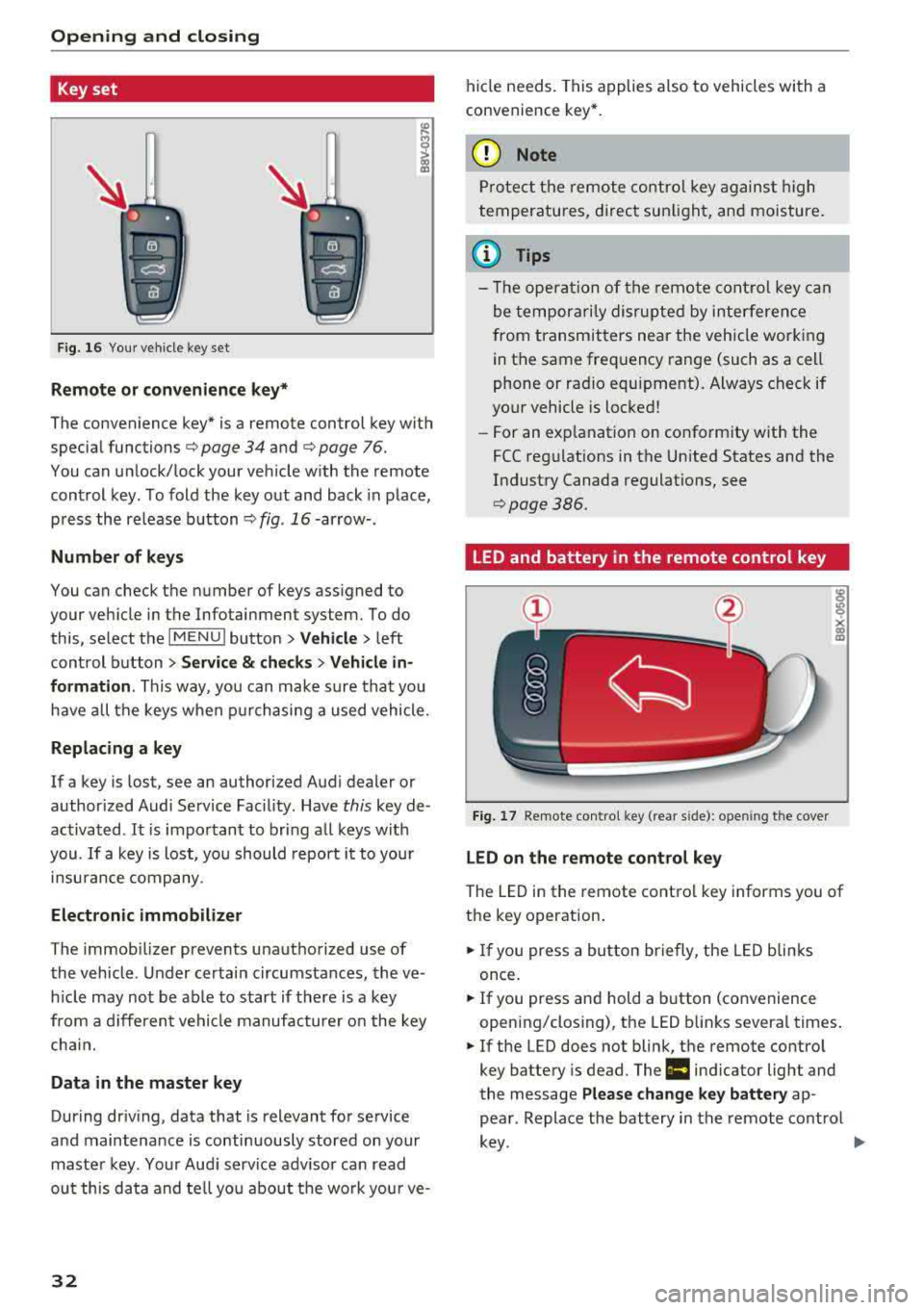
Fig. 16 Your vehicle key set
Remote or convenience key*
The convenience key* is a remote control key with
special functions
c::> page 34 and c::> page 76.
You can unlock/lock your veh icle w ith the remote
control key. To fold the key out and back in place,
press the release button
c::> fig . 16-arrow- .
Number of keys
You can check the number of keys assigned to
your vehicle in the Infotainment system. To do this, select the
IM ENU I button > Vehicle > left
control button
> Service & checks > Vehicle in
formation .
This way, you can make sure that you
have all the keys when purchasing a used vehicle.
Replacing a key
If a key is lost, see an authorized Audi dealer or
author ized Audi Service Facility. Have
this key de
activated .
It is important to bring all keys with
you.
If a key is lost, you should report it to your
insurance company.
Electronic immobilizer
The immob ilizer prevents unauthorized use of
the vehicle . Under certain circumstances, the ve
h icle may not be ab le to start if there is a key
from a different vehicle manufacturer on the key
chai n.
Data in the master key
During driv ing, data that is relevant for service
and maintenance is continuously stored on your
master key. Your Audi serv ice adv isor can read
out this data and tell you about the wo rk your ve-
32
hide needs . This applies also to vehicles with a
convenience key *.
(D Note
Protect the remote control key against high
temperatures, direct sunlight, and moisture .
(l} Tips
- The opera tion of the remote control key can
be temporarily disrupted by interference
from transmitters near the vehicle working
in the same frequency range (such as a cell
phone or radio equ ipment). Always check if
your vehicle is locked!
-For an explanat ion on conform ity with the
FCC regulations in the Un ited States and the
Industry Canada regulations, see
c::>pag e386.
LED and battery in the remote control key
Fig. 17 Remote contro l key (rear s ide): open ing the cover
LED on the remote control key
The LED in the remote control key informs you of
the key operation .
.. If you press a bu tton briefly, the LED blinks
once.
.. If you press and hold a button (convenience
opening/closing), the LED blinks several times .
.. If the LED does not blink, the remote control
key battery is dead. The
Ill indicator light and
the message
Please change key battery ap
pear . Replace the battery in the remote control
key. ~
Page 41 of 404
Child safety lock
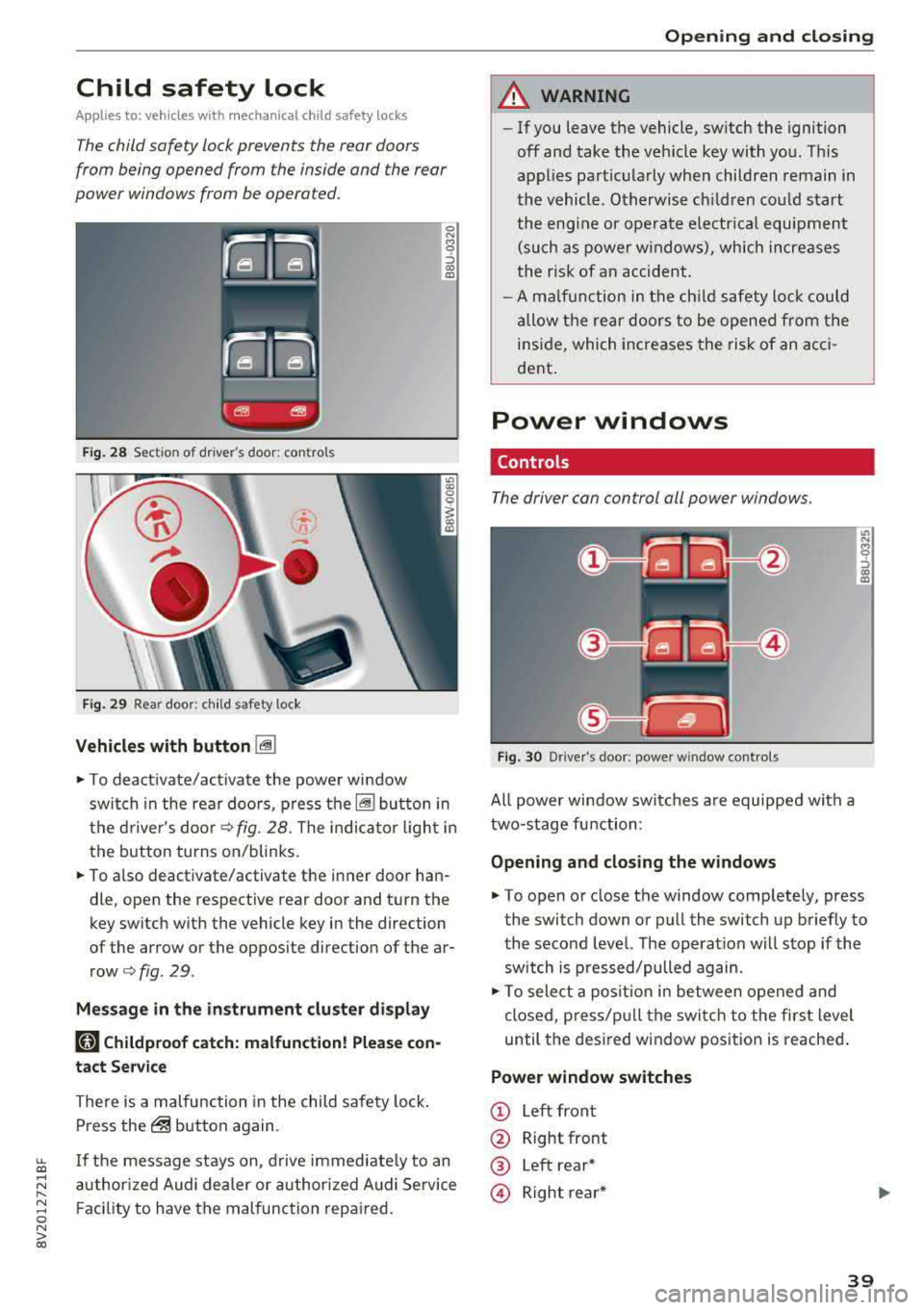
Applies to: veh icles wit h mechanica l child safety locks
The child safety lock prevents the rear doors
from being opened from the inside and the rear
power windows from be operated .
Fig . 2 8 Section of d river's door: co ntro ls
Fi g. 29 Rea r door: chil d safety lock
Vehicles with button [@]
0 N M 0 ::, a,
"'
.,. To deact ivate/activate the powe r wi ndow
swit ch in the rea r doo rs, p ress the[@] bu tton in
the d rive r's doo r
¢fig. 28. The indica to r ligh t in
the button turns on/blinks.
.,. To also deactivate/activate the i nner door han
dle, open the respective rear door and t urn the
key switch w ith the vehicle key in the direction
of the arrow or the opposite direction of the ar
row¢ fig. 29.
Mes sage in the instrument clu ster di splay
181 Childproof catch: malfunction! Please con
tact Service
There is a malfunction in the child safety lock .
Press
the@ but ton again.
~ If the message stays on, d rive immedia tely to an
;:::: a uthor ized Audi dealer or author ized A udi Se rvice
" ~ F aci lity to have the malfunc tion repa ired. 0 N > co
Opening and closing
A WARNING
- If you leave the vehicle, sw itch the ignition
off and take the veh icle key with you . T his
applies partic ularly when children remain in
the vehicle. Otherwise ch ildren cou ld st art
t he eng ine or opera te e lectr ical equi pme nt
(such as power w indows), which increases
t he r isk of an accident .
- A m alfu nction in the ch ild safety lock cou ld
al low the rear doors to be ope ned from the
i n side, which incre ases the risk of an acci
dent .
Power windows
Controls
The driver can control all power windows.
Fig. 30 Drive r's door: power w indow controls
All powe r win dow swi tches a re equipped with a
two-stage fu nction:
Opening and closing the w indows
.,. To open or close the window comp letely, press
the switch down or pull the switch up briefly to
the second level. The operat ion w ill stop if the
sw itch is p ressed/pulled again.
.,. To select a pos it ion in between opened and
cl osed, pres s/p ull th e switch t o the first level
until the des ired w indow position is reache d.
Power window switches
© Left front
@ Right front
® Left rear*
@ Right re ar *
39
Page 45 of 404
LL co .... N
" N .... 0 N > co
-Visibility to the r ear is limited when operat
ing the power top. Avoid operating the top
while driving in reverse .
(D Note
-To prevent damage to the power top:
- do not store any objects in the power top
storage compartment .
- make sure there is enough space above
the vehicle when opening or closing the
power top .
- To reduce the risk of damage, make sure
there are no sensit ive objects in the power
top storage compartment's range of
mo
tion.
(D Tips
- To prevent the vehicle battery from draining unnecessari ly, do not open or close the
pow
er top repeatedly when the engine is switch
ed off.
- A message will appear in the instrument cluster if there is a malfunction in the power
top
¢ page 44 .
-The powe r top can also be operated manual
l y temporari ly if there is a malfunction
¢ page 46, Power top emergency opera
tion .
An authorized A udi dealer or author
ized Audi Service Facility should diagnose
and correct the cause of the ma lfunction as
soon as possible.
- If the vehicle is parked with the power top
open, the vehicle interior is not protected
from damaging weather or unauthorized ac
cess. lock any items you leave behind in the
luggage compartment. Close the power top
before leaving the vehicle .
- The side windows automat ically lower
slight ly when opening or closing the power
top .
Powe r top
Power top convenience opening/closing
Applies to : veh icles w it h power top
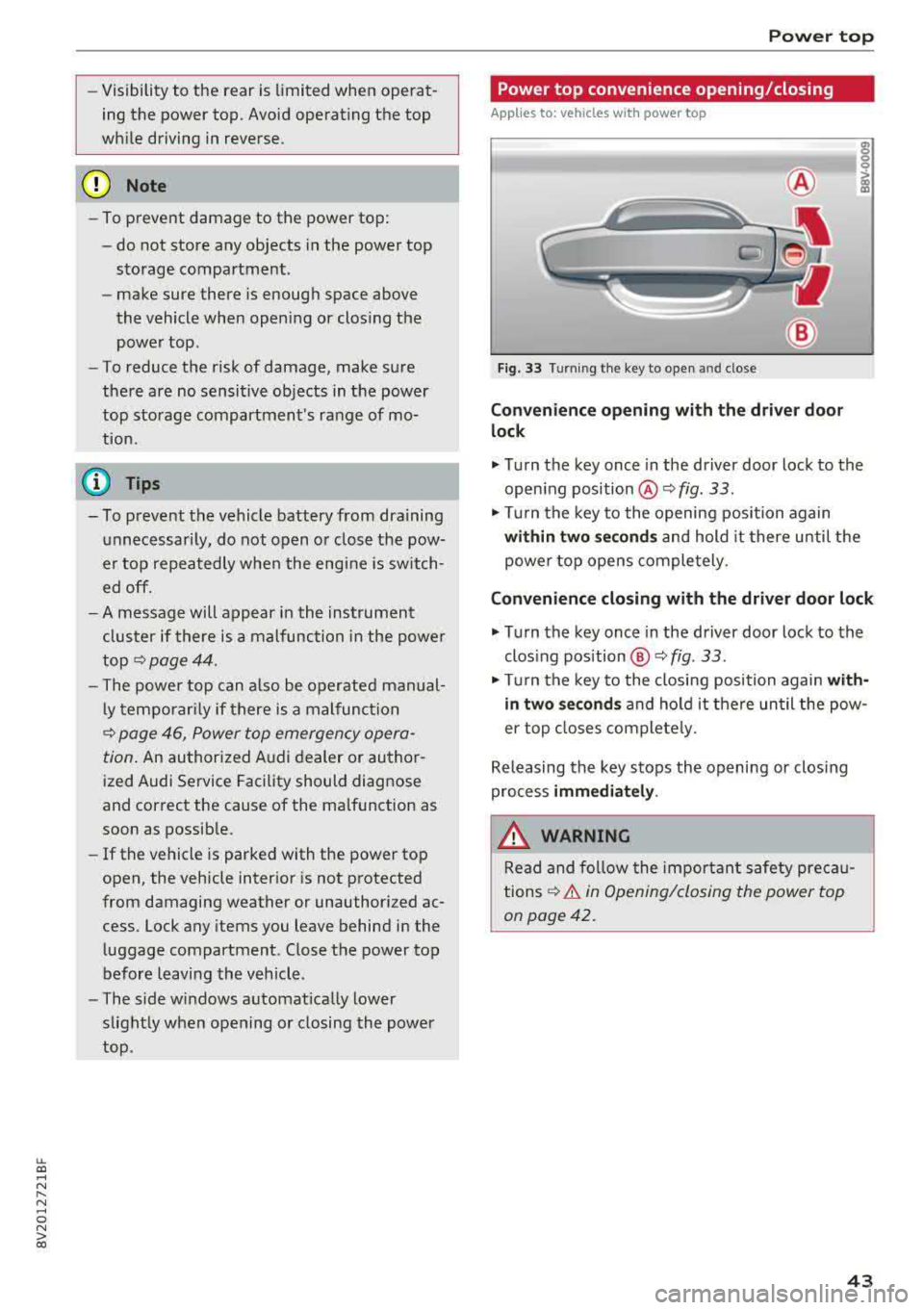
Fig. 33 Turnin g the key to open and close
Conven ien ce opening with the dri ver do or
lock
.,. Turn the key once in the driver door lock to the
open ing position
@ ¢fig . 33 .
.,. Tur n the key to the opening position again
within tw o second s and hold it there until the
power top opens comple tely .
Conven ienc e closing with the driver door lock
.,. Turn the key once in the driver door lock to the
clos ing position @¢
fig. 33.
"Tu rn the key to the closing position again w it h
in two se co nd s and hold it there until the pow
er top closes completely.
Releasing the key stops the opening or clos ing
process
immediat ely .
.&_ WARNING
Read and follow the important safety pre ca u
tions
¢ & in Opening/closing the power top
on page 42.
43
Page 48 of 404
Power top
-Be careful when installing so you do not
pinch your fingers.
-Pay attention to the traffic when insta lling
the wind def lector. Install the w ind deflec
tor from the s ide of the vehicle that is away
from traffic.
(D Note
Do not lean against the veh icle when insta l
ling the wind deflector. Hard objects and dec
orations on clothing such as belt buckles can
scratch the pa int.
@ Tips
-The wind deflector works best when a ll of
the w indows are rolled up wh ile driving.
-Only store the wind deflector in the storage
bag * when it is dry.
Power top emergency
operation
General information
Applies to: veh icles with power top
The power top can be closed manually if there is
a malfunction.
.,. Set the parking brake.
.,. Open all windows.
,.. Switch the ignition of f .
.. Pu ll the button @ for approximately 10 to
15 seconds to reduce the p ressure in the power
top
hydraulics ¢ page 42, fig. 32.
Only close the power top manua lly in an emer
gency . Have a second person assist . Drive to an
authorized Audi dealer or author ized Audi Service
Facility immediately to have the malfunction cor
rected.
A WARNING
-There is a r isk of pinching the hands or othe r
people during all of the powe r top emergen
cy operat ion steps .
-Make sure a ll windows are lowered during
emergency operation.
46
-Do not reach into the power top supports
or other mov ing components.
-Never drive when the power top is not
locked correct ly. The wind from driving
could cause the power top to open. This can
result in injur ies and damage to the vehicle .
(D Tips
The power top storage compartment lid is not l atched after the emergency operat ion is
complete. Dr ive to an authorized Audi dealer
or authorized Audi Service Facility immediate ly to have the malfu nction corrected.
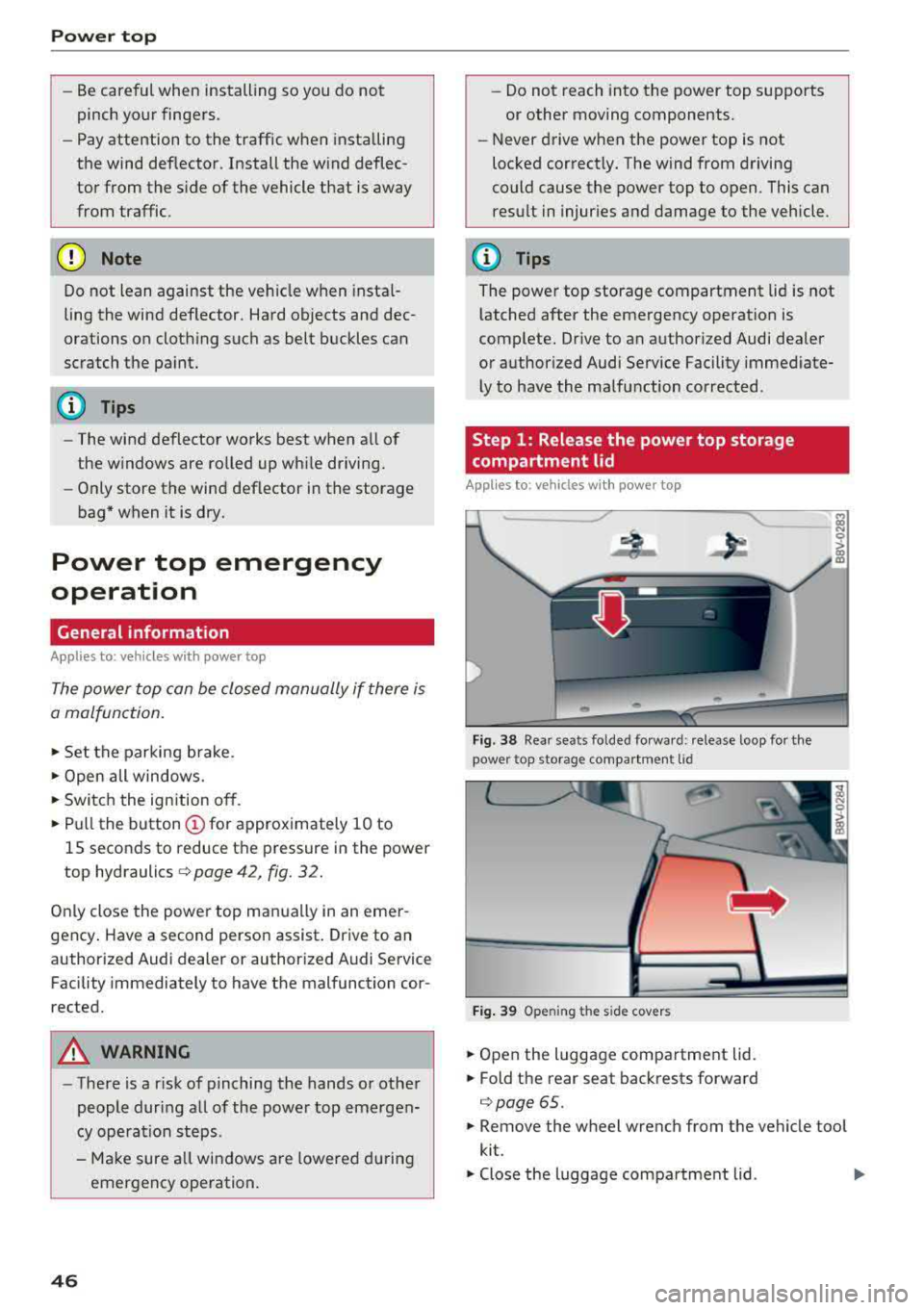
Step 1: Release the power top storage
compartment
lid
Applies to: vehicles with power top
Fig . 3 8 Rear sea ts fo lded fo rwar d: release l oop fo r the
pow er top storag e compartm en t lid
Fi g. 39 Openin g the side covers
.. Open the luggage compartment lid .
.. Fold the rear seat backrests forward
¢ page 65 .
.. Remove the wheel wrench from the vehicle too l
kit.
.,. Close the luggage compartment lid . ..,.
Page 51 of 404
LL co .... N
" N .... 0 N > co
Lights and Vision
Exterior Lighting
Switching lights on and off
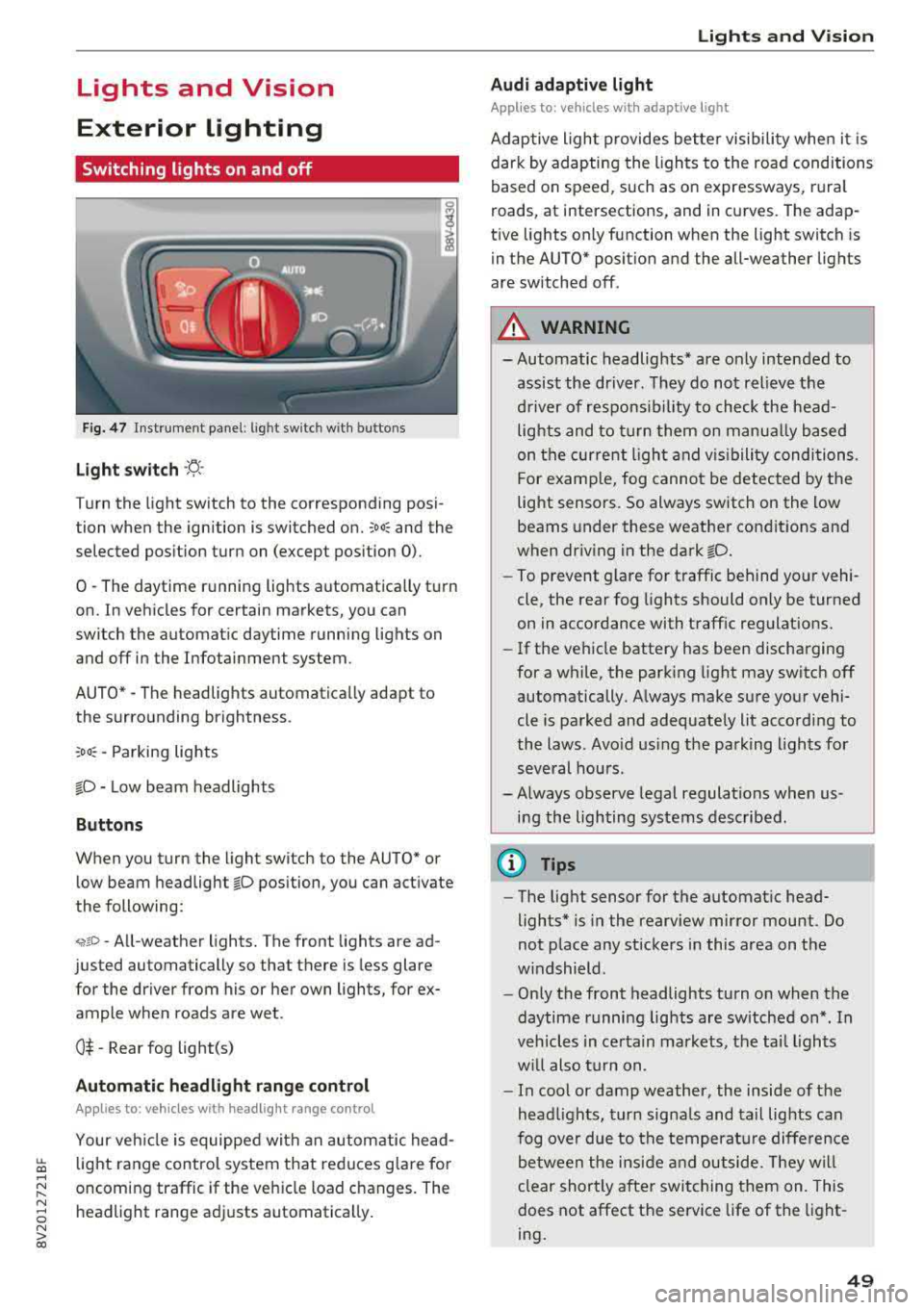
F ig . 4 7 Instrument p anel: l ig ht sw itc h w ith buttons
Li ght switch ·'A ·
Turn the light sw itch to the corresponding posi
tion when the ignition is switched on.
;oo : and the
selected pos ition turn on (except pos ition 0).
0
-The daytime r unning lights automat ica lly t urn
on. In veh icles for certain markets, you can
switch the automat ic daytime running lights on
and off in the Infotainment system.
AUTO *
-The headlights automatica lly adapt to
the surro unding brightness.
:oo : -Parking lights
fD -Low beam headlights
Buttons
When you turn the light switch to the AUTO" or
low beam headlight
fD position, you can activate
the following:
<,if.D -All-weather lights. The front lights are ad
justed automatically so that there is less glare
for the driver from his or her own lights, for
ex
ample whe n roads are wet .
0$ -Rear fog light(s)
Automatic headlight range control
Applies to: ve hicles with headlig ht range control
Your veh icle is equipped with an autom atic head
light range control system that red uces g lare fo r
oncoming traffic if the veh icle load c hanges. The
headlight range ad justs automatica lly .
Lights and V ision
Audi adaptive light
Appl ies to: vehicles wit h adaptive light
Adaptive ligh t provides bet ter visibili ty whe n it i s
dark by adapting the ligh ts to the road conditions
based on speed , such as on e xpressways, rura l
roads, at intersections, and in c urves. The adap
t ive lights only function when the light switch is
i n the AUTO* posit io n and the all-weather lig hts
are switched off.
A WARNING
-
- Automatic headlights * are on ly intended to
assis t the driver. They do not relieve t he
d river of re spo nsibility to check the head
lights and to t urn them on m anua lly b ased
on t he cur re nt ligh t an d visibility condition s.
For e xam ple, fo g canno t be detecte d by the
light senso rs . So always switch on the low
beams under these weather con dit ions an d
when dr iv ing in the dark
fD.
-To prevent glare for traffic behind yo ur vehi ·
cle, the rear fog lights shou ld only be turned
on in accordance with t raff ic regulat ions.
- If the ve hicle battery has been discharging
for a while , the park ing light may switch off
automatically. A lways make su re you r vehi
cle is parked and adequately lit acco rding to
the laws . Avo id us ing the pa rking ligh ts for
sev eral hou rs .
- Always observe legal regula tions when us
ing the lighting sys tems desc ribed.
@ Tips
- The lig ht sensor for the automat ic head
lights* is in the rearview mirror mount . Do
not p lace any st ickers in this area on t he
w indshield .
- Only the front headlights turn on when the
daytime running lig hts are sw itched on *. In
veh icles in ce rtain markets, t he tai l lights
w ill also turn on .
- In cool or damp weather, the inside of the
hea dlights, t urn sign als and tail lights can
fog ove r due to t he tempera ture diffe rence
b etween the insi de an d outside. They will
clear shortly after swit ching them on. This
does not affect the service life of the light
ing .
49
Page 53 of 404
LL co .... N
" N .... 0
Drive to an authorized Audi dea le r o r aut horized
Audi Service Facility immediately to have the
malfunct ion corrected. You can still switch the
high beams on or off manually.
11 Hea dlight a ssistant : currently unav ailable.
No camera view
a:a Headlight a ssistant : currently unavailable.
Camera view restricted due to surroundings .
See owner 's manual
The camera view is b locked, fo r example by a
s tic ker o r debris. Ple ase clean t he w indshie ld.
The senso r is located i n the inter ior rearv iew m ir
ro r mount . D o not place any stickers in this a rea
on the windsh ield.
,& WARNING
High bea m assistan t is only i ntended to assist
t he driver. The dr iver is still re sponsib le for
contro lling the headlights and may need to
switch them on and off manually depend ing
on light and visib ility conditions. It may be
necessary to ope rate them manua lly in s itua
tions such as:
- In adverse weather cond itions such as fog,
heavy ra in, b low ing snow or sp raying water .
- On roads where oncoming traffic may be
partially obsc ured, such as expressways .
- If there a re road users w ith poor lighting ,
such as bicyclists.
- In tight c urves and on steep hills .
- In poor ly li t areas.
- W it h stro ng reflec tors, such as si gns.
- If the ar ea of the windsh ield near the s enso r
is fogged ove r, dirty, i cy or covere d w it h a
sti cker.
Adjusting the exterior lighting
The fu nctions are adjusted in t he Infotainment
system.
• Se lect in the Infotainment system: ! M ENU I but
ton
> Vehicle > left contro l butto n > Vehicle
settings
> Exterior lighting .
N > l) This fun ctio n is not a vailab le in all c oun tries. co
Lights and V ision
Automatic headlights*
Yo u ca n adjus t the following se ttings in the Au
tomatic headlights
men u:
Activation time* -yo u can adjust if th e he ad
li gh ts sw itc h on
Early , Medium or Late acc ording
t o th e se nsitivity o f the light sensor .
Headlight assistant *· you can switch the high
beam assis tant* on and off.
Entry/ exit lighting*
You can switch the entry/exit lighting" on and
off . When it is dark, it illum inates the area
aroun d th e vehicle whe n unlock ing the vehicle
and af ter sw itchi ng off th e i gnition and opening
t h e dr iver 's doo r.
The entry/exit lighting only works whe n it is da rk
and the light sw itch is i n the
AUTO * position .
Daytime running lights1l
The daytime running lig hts can be turned on and
off. When daytime running lights a re t urned on,
the lights will stay on continuously whenever the ignition is sw itched on .
Emergency flashers
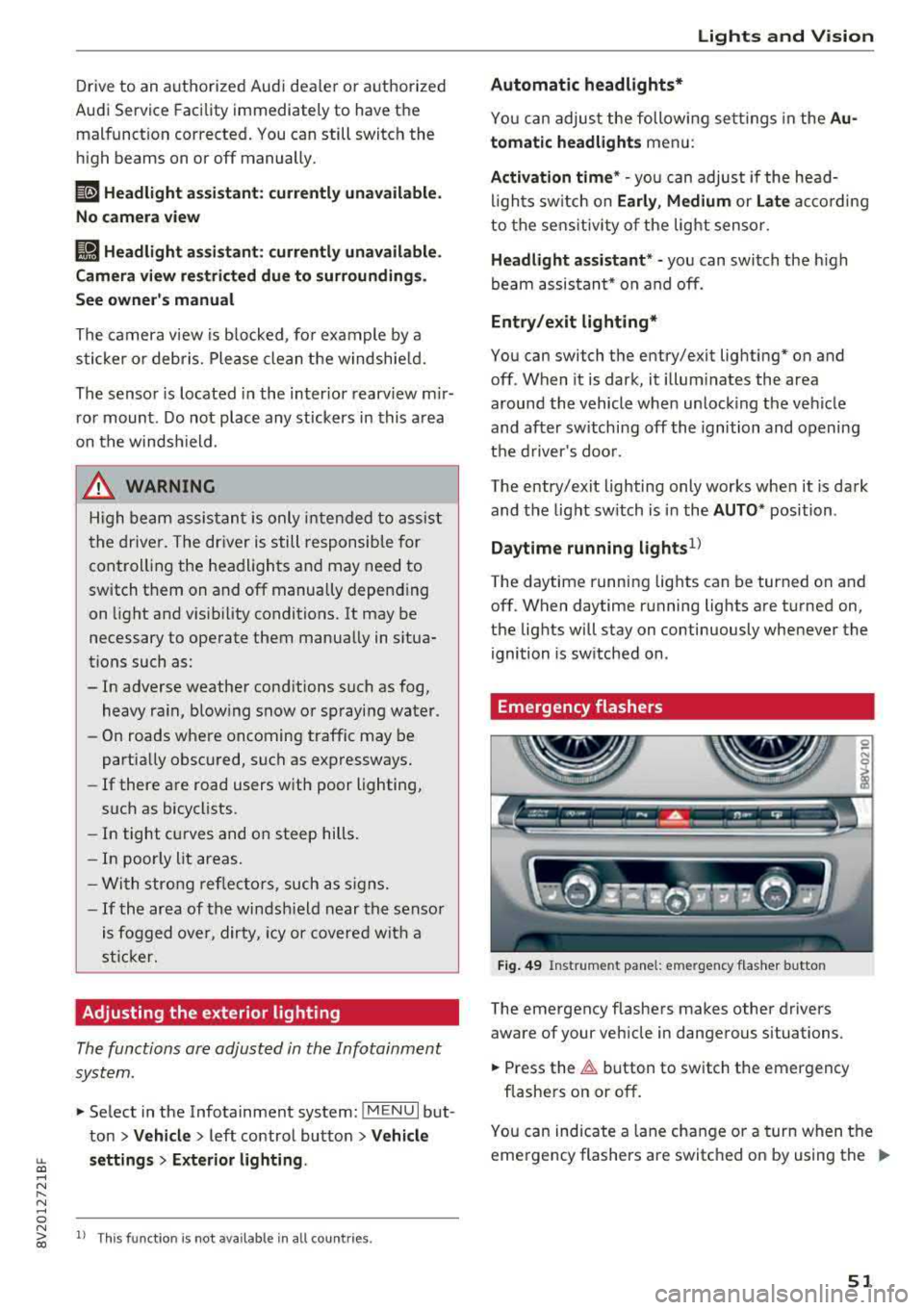
Fig. 49 Instrume nt pa nel: e merge ncy f las her b utto n
The emergency flashe rs makes other drivers
aware of your ve hicle in dange rous situations.
• Press the ~ button to switch the emergency
flashe rs on or off .
0
i
You can ind icate a lane cha nge or a turn when t he
eme rgency flashers a re switc hed on by using the
..,_
51
Page 58 of 404
Lights and Vi sion
-The windshield wiper system must be
switched off (lever in position @) before us
i ng a car wash. This prevents the wipe rs
from sw itching on unintentionally and ca us
i ng damage to the w indshie ld w iper system .
(D Tips
-The windshield wipe rs switch off w hen t he
i gnition is switched off. Yo u can act ivate the
windsh ield wipers after the ign ition is
switched back on by moving the windsh ield
wiper leve r to any pos it io n.
-Worn or dirty windshield wiper blades result
i n streak ing . This can affect the ra in se nsor
f u nct io n. Check yo ur windsh ield wiper
blades regularly.
-The washer fl uid nozzles in the w indshield
washer system are heated* a t low tempera
tures whe n the ignition is on .
-When stop ping tempora rily, such as at a
traffic light, the speed of the windsh ie ld
wiper s automat ica lly re d uces by o ne leve l.
Cleaning the wiper blades
Clea n the w ipe r blades when you see wipe r
strea ks. Use a so ft clot h and a glass cleaner .
Windshield wiper
"' Place the windshield wipe r arms in the se rvice
pos it ion
<=> page 56.
"' Fo ld t he w indshield wipe r arms away from the
winds hield.
Rear window wiper
Applies to: vehicles with rear window wiper
"'Fold the wi per arm away from the rear w indow .
A WARNING
Dirty w indshield wi pe r blades can impair vi
sio n, which incre ases the risk of an accident.
«1j) Note
If you see streaks aga in a fter cleaning the
w iper blades, the blades mus t be replaced
<=> page 56.
56
-
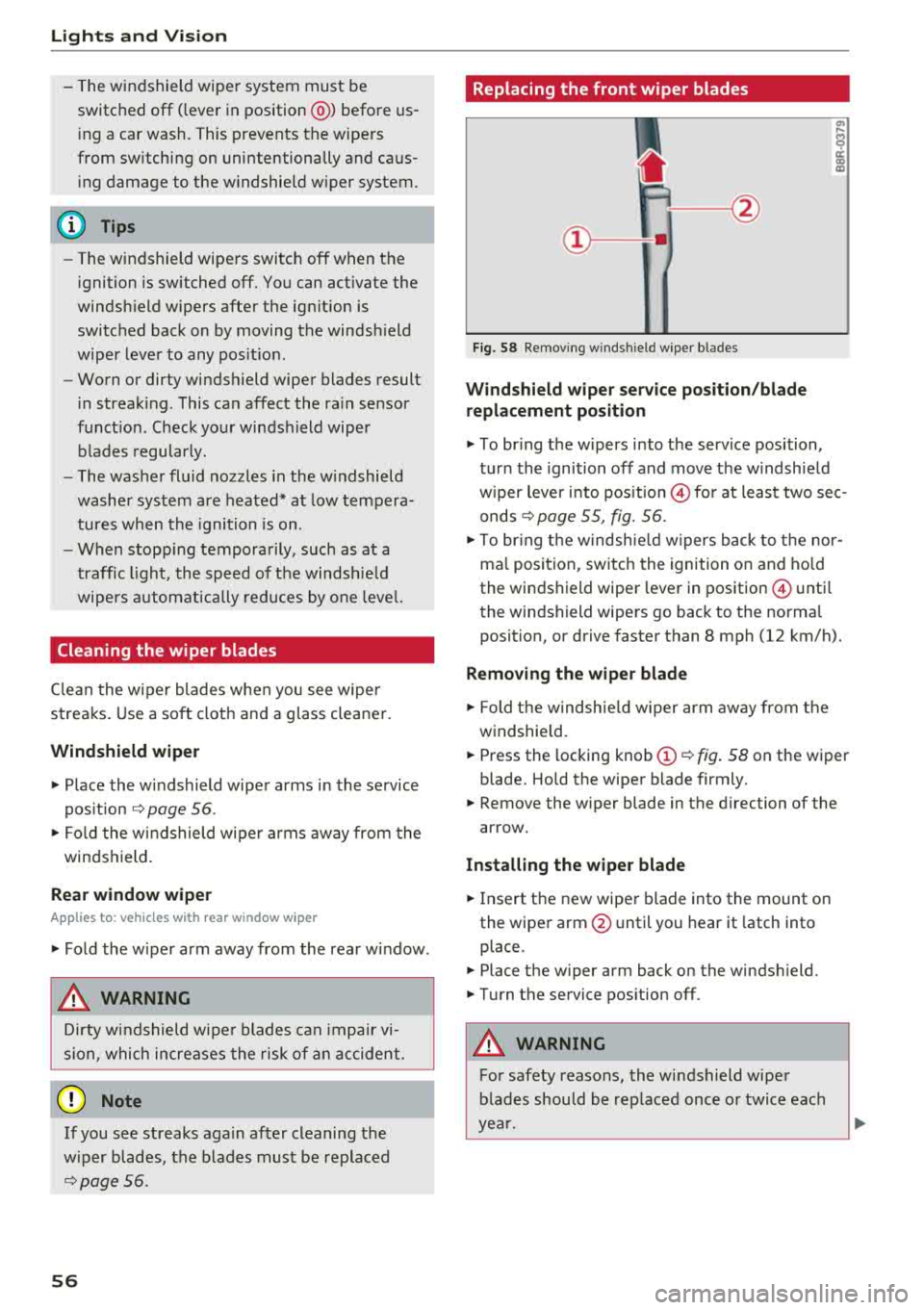
Replacing the front wiper blades
Fig. 58 Removin g windsh ie ld wiper bl ades
Windshield wiper service po sition /blade
replacement position
a, ... M 9
I
"' To br ing the w ipers into the service position,
tur n the ignition off and move t he w indsh ie ld
w iper lever into pos it ion
@ for at least two sec
onds
c:> page 55, fig. 56.
"' To bring t he w indsh ie ld w ipers b ack to t he nor
ma l posi tion, switc h the ignition on and ho ld
the windshield wiper lever in position @ unti l
the windshi eld wipe rs go back to t he normal
position, or drive faster than 8 mph (12 km/h).
Removing the wiper blade
"' Fold th e w indsh ie ld w iper arm aw ay from t he
windshie ld.
"' Press the locking knob (D <=> fig . 58 on the wiper
blade. Ho ld the wipe r blade firmly.
"' Remove the w iper blade in the d irection of the
ar row.
Installing the wiper blade
"' Insert t he new wiper blade into the mount on
the wipe r
arm@ until you hear it latch into
place .
"'Place the wiper arm back on the winds hield.
"'Turn the service pos ition off .
A WARNING -
For safety reasons, the wi ndshield wipe r
b lades should be rep laced once o r twice eac h
ye ar.
Page 59 of 404
LL co ..... N
" N ..... 0 N > co
(D Note
-Only fold the windshield wipers away when
they are in the service position. Otherwise,
you risk damaging the paint on the hood or
the windshield wiper motor.
- You should not drive your vehicle or press
the windshield wiper lever when the wiper arms are folded away from the windshield .
The windshield wipers would move back in
to their orig inal position and could damage
the hood and windshield .
(D Tips
- You can also use the service position, for ex
ample, if you want to protect the windsh ield
from icing by using a cover.
- You cannot activate the service position
when the hood is open .
Replacing rear wiper blade
Applies to: vehicles wit h rear w indow wiper
Fig. 59 Rea r window w iper: removing t he wiper b lade
Removing the wiper blade
.. Fold the wiper arm away from the rear window .
.. Hold the wiper blade below the center -arrow-
¢ fig. 59 and pull it out of the retainer . Hold
the windshield wiper arm securely wh ile doing
this.
Installing the wiper blade
.. Press the wiper blade mount into the retainer.
Securely hold the wiper arm at the upper plas
t ic end .
Lights and Vision
.. Fold the window wiper arm back onto the rear
window.
A WARNING
For safety reasons, the windshield wiper
blades should be replaced once or twice each
year .
Digital compass
Switching the compass on and off
Appl ies to: veh icles w ith dig ital compass
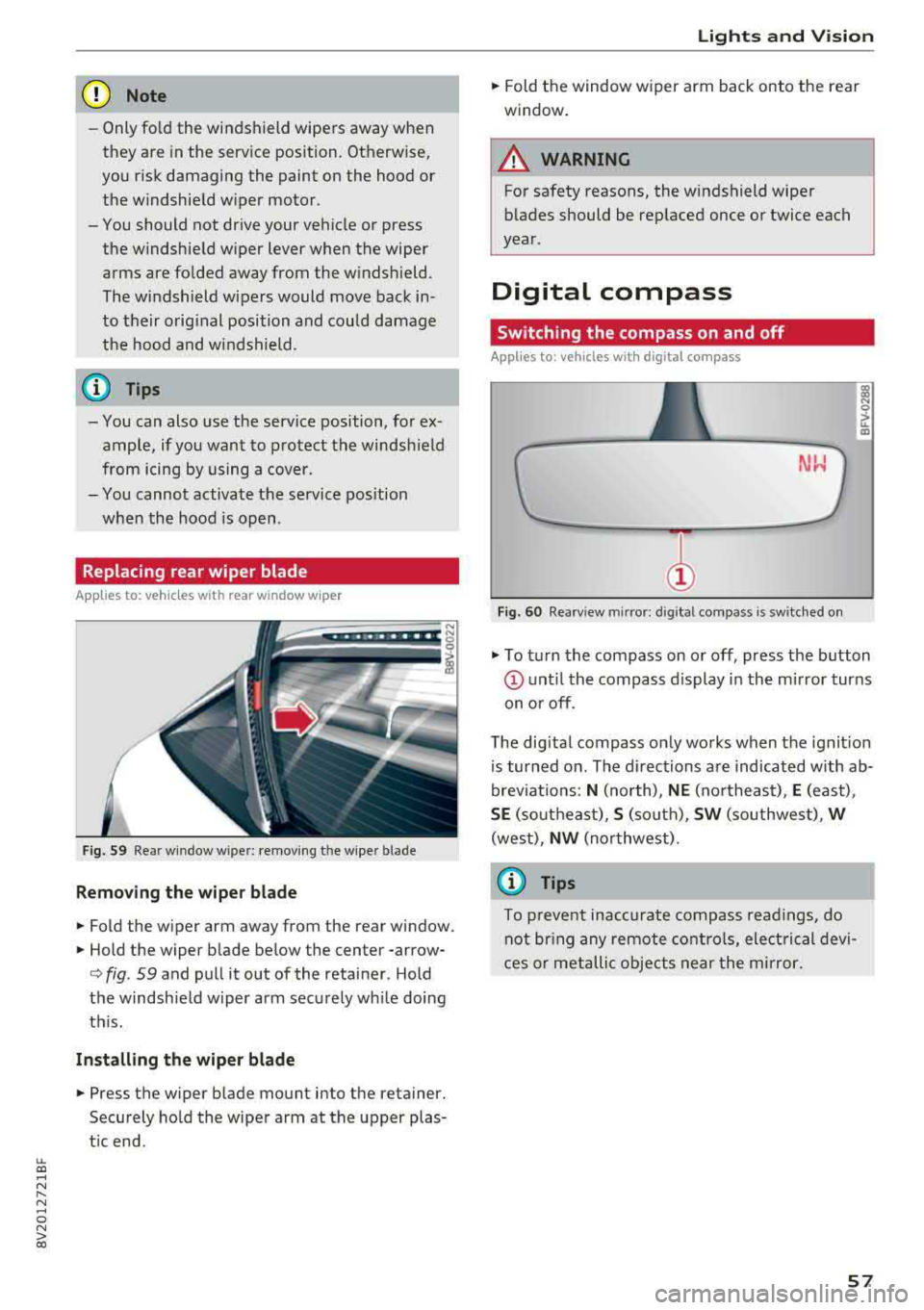
Fig. 60 Rearview m irror: digital compass is sw itched on
gi N 0
> u.. m
.,. To turn the compass on or off, press the button
(D u nt il the compass d isplay in the mirror turns
on or off.
T he dig ital compass only works when the ignit ion
is turned on . The directions are indicated with ab
brev iat ions:
N (north), NE (northeast), E (east),
SE (so utheast), S (so uth), SW (southwest), W
(west), NW (northwest) .
(j) Tips
To prevent inaccurate compass readings, do
not br ing any remote controls, electrical devi
ces or metallic objects near the mirror.
57
Page 73 of 404
LL co .... N
" N .... 0 N > co
_& WARNING
-You should not use the recirculation mode
for an extended period of time, because no
fresh a ir is drawn in and the windows can
fog when coo ling mode is sw itched off. This
increases the risk of an accident .
-Individuals with reduced sensitivity to pain
o r temperature could develop burns when
using the seat heating function. To reduce
the risk of injury, these indiv iduals should
not use seat heating.
(D Note
To avoid damage to the heat ing elements in
the seats, do not kneel on the seats or place
heavy loads on a small area of the seat.
@ Tips
-The setting for the seat heating on the driv
er's side is ass igned to the key that is in use .
-If the front passenger's seat heating is
turned on, it will not turn on again automat
icall y if more than 10 minutes have passed
between switching the ign ition off and
switching it on again.
Adjusting the air vents
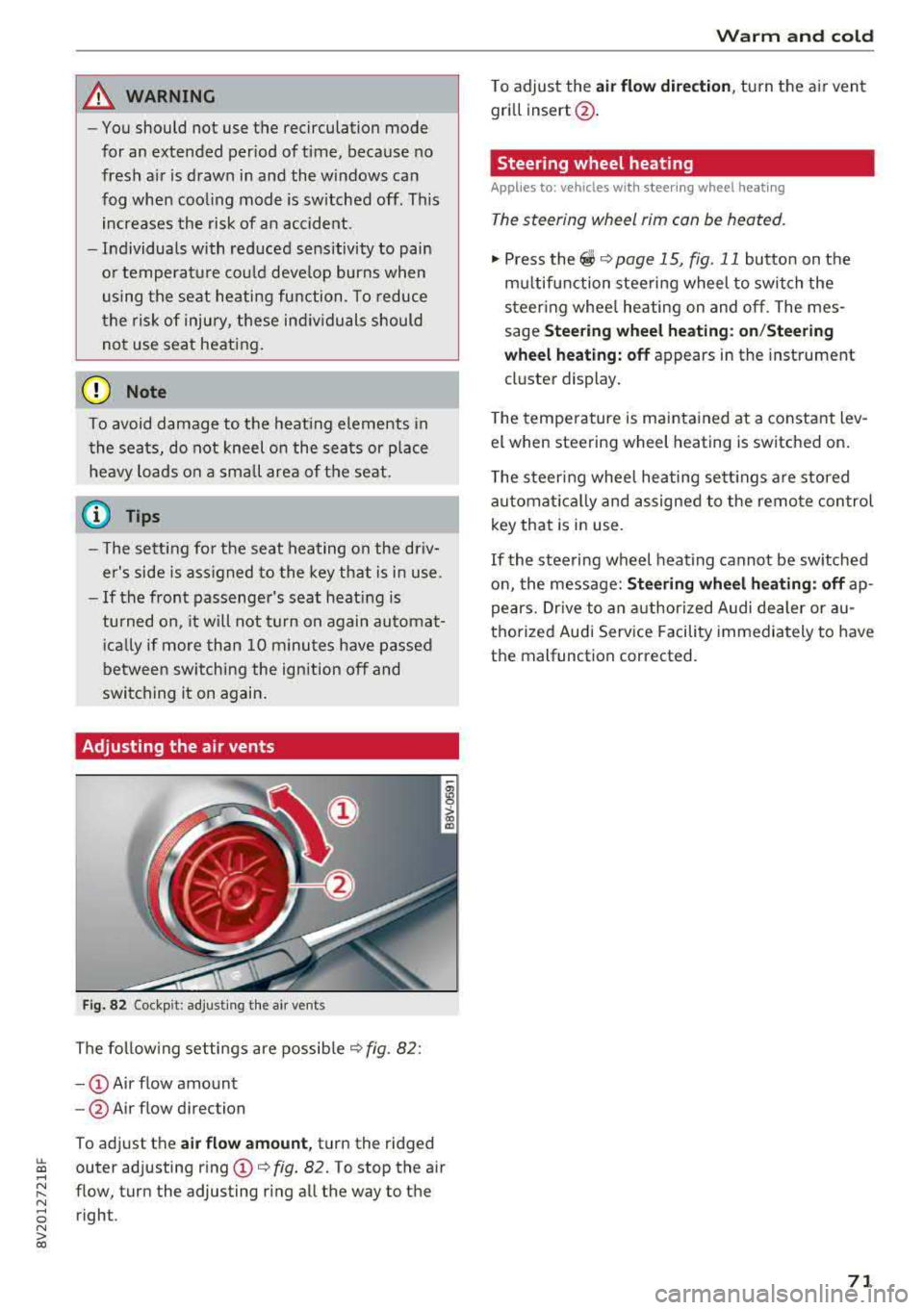
Fig. 82 Cockp it: adjust ing the a ir vents
The following settings are possible ¢ fig. 82 :
-CD Air flow amount
- @ Air flow direction
To adjust the
air flow amount, turn the ridged
outer adjusting ring
CD ¢ fig. 82. To stop the air
flow, turn the adjusting ring all the way to the right .
Warm and cold
To adjust the air flow dire ction , turn the air vent
gri ll insert @.
Steering wheel heating
Applies to: veh icles w ith steering whee l heating
The steering wheel rim can be heated.
"' Press the ~ ¢ page 15, fig. 11 button on the
mu ltifunction steering wheel to switch the
steering whee l heating on and off. The mes
sage
Steering wheel heating: on/Steering
wheel heating: off
appears in the instrument
cluster display.
T he temperature is maintained at a constant lev
el when steering wheel heating is switched on .
The steering wheel heating sett ings are stored
automat ically and assigned to the remote control
key that is in use .
If the steering wheel heating cannot be switched
on, the message:
Steering wheel heating : off ap
pears. Drive to an authorized Audi dealer or au
thorized Audi Service Facility immediately to have
the malfunction corrected.
71
Page 76 of 404
Driving
When not being used, a roof rack should be re
moved to decrease the wind resistance of the ve
hicle. This will save you approximately 12% fuel
at speeds from 62
-75 mph (100 -120 km/h).
Save energy
The engine drives the generator, which generates
electricity; the fuel consumption also increases
with the demand for electricity. Therefore, switch
electrical equipment
off when you no longer
need it. Examples of equipment that uses a lot of
energy are air blowers at a high setting, the rear
window defogger and seat heating* .
(D Note
-Do not leave engine idling unattended after
starting. If warning lights should come on
to indicate improper operation, they would
go unheeded. Extended idling also produces
heat, which could result in overheating or
other damage to the vehicle or other prop erty.
- Have your vehicle maintained properly and
in accordance with the service recommenda
tions in your Warranty
& Maintenance book
let . Lack of proper maintenance as well as
improper use of the vehicle will impair the
function of the emission control system and
could lead to damage.
- Do not alter or remove any component of
the Emission Control System unless ap
proved by the manufacturer.
- Do not alter or remove any device, such as
heat shields, switches, ignition wires,
valves, which are designed to protect your
vehicle's Emission Control System and other
important vehicle components.
@ Tips
The consumpt ion estimates as published by
ENVIRONMENTAL PROTECTION AGENCY
(EPA) and Transport Canada may not corre
spond to your actual consumption on the
road, which will vary depending upon vehicle
load and speed, road and weather conditions,
trip length, etc.
74
Steering
Adjusting the steering wheel position
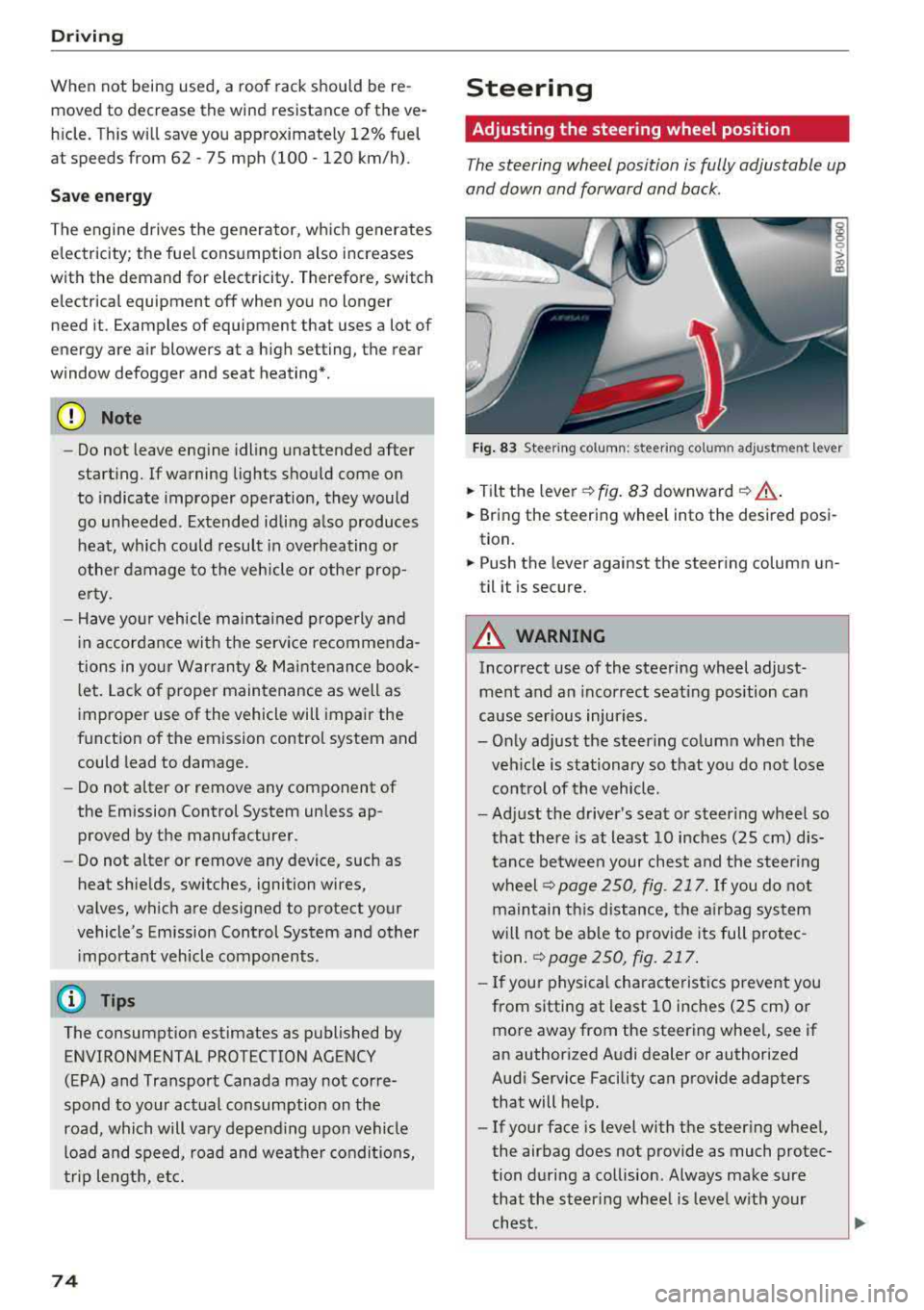
The steering wheel position is fully adjustable up
and down and forward and back.
Fig . 83 Steering column : steering column adjustment lever
.. Tilt the lever -c> fig. 83 downward¢ ,&..
.. Bring the steering wheel into the desired posi
tion.
.. Push the lever against the steering column un
til it is secure.
A WARNING
Incorrect use of the steering wheel adjust
ment and an incorrect seating position can
cause serious injuries.
- Only adjust the steering column when the veh icle is stationary so that you do not lose
control of the vehicle.
-
-Adjust the driver's seat or steer ing wheel so
that there is at least 10 inches
(25 cm) dis
tance between your chest and the steering
wheelr::!>page250, fig. 217. If you do not
maintain this distance, the airbag system
will not be able to provide its full protec tion.
c:> page 250, fig. 217.
- If your physical characteristics prevent you
from sitting at least 10 inches
(25 cm) or
more away from the steering wheel, see if
an authorized Audi dealer or authorized
Audi Service Facility can provide adapters that will help.
- If your face is level with the steering wheel,
the airbag does not provide as much protec
tion during a collision. Always make sure
that the steering wheel is level with your
chest.