ECO mode AUDI S4 2008 User Guide
[x] Cancel search | Manufacturer: AUDI, Model Year: 2008, Model line: S4, Model: AUDI S4 2008Pages: 342, PDF Size: 15.01 MB
Page 102 of 342
Heating and cooling
100adequate cooling effect, you sh ould not close these outlets
completely.Applies to vehicles: with deluxe automatic air conditionerEconomical operation of the air conditioner
Economical operation of the air conditioner will help to
save fuel.When the air conditioner is operating in the cooling mode it
reduces engine power and increases fuel consumption. To
ensure that the cooling mode is activated only when really
necessary, please note the following points:
– Switch off the cooling mode by pressing the AC button (LED off) if you wish to save fuel.
– You should also switch off the cooling mode by pressing the AC button (LED off) if you open the windows or the
tilting panorama roof* while driving.
– If the vehicle has heated up after standing in the sun, open the windows and doors for a short time to cool the
vehicle.
For the sake of the environmentBy saving fuel you also reduce the amount of pollutants emitted
from your vehicle.
Deluxe automatic air conditioner -
basic settingsApplies to vehicles: with deluxe automatic air conditionerGeneral notes
The basic settings for the ai r conditioner can be adjusted
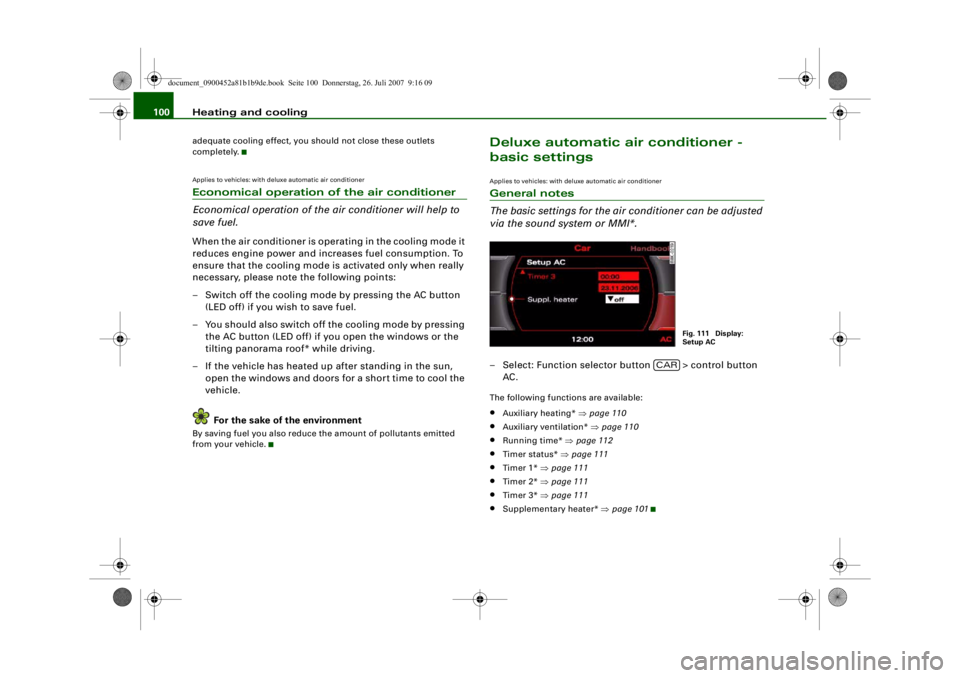
via the sound system or MMI*.– Select: Function selector button > control button
AC.The following functions are available:•
Auxiliary heating* ⇒page 110
•
Auxiliary ventilation* ⇒page 110
•
Running time* ⇒page 112
•
Timer status* ⇒ page 111
•
Timer 1* ⇒page 111
•
Timer 2* ⇒page 111
•
Timer 3* ⇒page 111
•
Supplementary heater* ⇒page 101
Fig. 111 Display:
Setup AC
CAR
document_0900452a81b1b9de.book Seite 100 Donnerstag, 26. Juli 2007 9:16 09
--4 -
-T
•
-+ +-
•
•
Page 103 of 342
Heating and cooling101
Controls
Safety
Driving tips
General maintenance
Self-help
Technical data
Applies to vehicles: with diesel engineSupplementary heater– Set the Supplementary heater to auto or off .Models with a diesel engine are equipped with a supplementary
heater to help warm up the interior more quickly. At outside temper-
atures below about +5 °C the supple mentary heater is switched on
(and off) automatically when the engine is running, depending on
the coolant temperature, the temperature in the vehicle interior and
the temperature the heater is set to.Deluxe automatic air conditioner plusApplies to vehicles: with deluxe automatic air conditioner plusDescription
The air conditioner is designed to keep the passenger
compartment at the temperature you find most comfort-
able at all times of the year.The air conditioner provides heatin g and ventilation and also cools
and dehumidifies the air inside the vehicle.
The air conditioner is fully automatic, and will maintain the desired
temperature at a constant level. To achieve this, the temperature of
the air supplied to the interior, the blower speed (volume of air
delivery) and the air distribution are regulated automatically. The
system also allows for the effect of strong sunlight, so there is no
need for manual adjustment. For these reasons it is advisable to use
the automatic mode for the comfort of all the passengers in virtually
all conditions throughout the year ⇒page 103 .
Please note:
The humidity of the air is automatically reduced when the system
cools the interior of the vehicle. This helps to prevent condensation
on the windows. If the humidity and temperature outside the vehicle are high,
condensation
can drip off the evaporator in the air cooling system
and form a pool underneath the vehicle. This is normal and does not
indicate a leak.
If the outside temperature is low, the blower normally only switches
to a higher speed once the coolan t has warmed up sufficiently (this
does not apply to the defrost setting).
In order to achieve maximum engine power, the air conditioner
compressor is temporarily switch ed off when pulling away from a
standstill with full throttle.
The compressor also switches of f if the coolant temperature is
excessively high, to ensure adequate engine cooling under extreme
loads.
Pollution filter
The pollution filter (a combined particle filter and activated charcoal
filter) serves as a barrier against impurities in the outside air,
including dust and pollen, and against unpleasant smells. The air is
also filtered when the air recirculation mode is activated.
For the air conditioner to work with maximum efficiency, the pollu-
tion filter element must be replaced at the intervals specified in the
Service Schedule.
If the vehicle is driven in areas with a high level of air pollution and
the filter is no longer fully effective, it may be necessary to change
the filter element more frequently.
Key-coded settings
The currently selected air conditioner settings are automatically
stored and assigned to the remote control key.
Power management
To prevent the battery from becoming discharged and to maintain
the necessary power level, the syst em will temporarily shut off the
electrical components that are usin g a lot of power, or reduce the
current they are consuming ⇒page 226 . Heating systems in partic-
ular use a large amount of electrical power. If you notice, for
document_0900452a81b1b9de.book Seite 101 Donnerstag, 26. Juli 2007 9:16 09
--4 -
-T
•
-+ +-
Page 105 of 342
Heating and cooling103
Controls
Safety
Driving tips
General maintenance
Self-help
Technical data
Note
•
The grille on the control console ⇒page 102, fig. 112 must be
kept free. Please ensure that it is not covered by stickers or similar.
Measuring sensors are located behind it.
Applies to vehicles: with deluxe automatic air conditioner plusSwitching on and off Switching on air conditioner
– Press the button briefly, or
– Press the button.
Switching off air conditioner
– Press the button for at least 2 seconds to switch off
the air conditioner and cut off the supply of fresh air from
outside the vehicle. The display will show “OFF”.The air conditioner will switch on again if you operate the tempera-
ture control .
Note
You can press the button when the ignition is switched off to
activate the "residual heat" function. The system will then heat the
interior using the remaining heat in the engine coolant.Applies to vehicles: with deluxe automatic air conditioner plusAutomatic mode
The standard operatin g mode for all seasons.Switching on automatic mode
– Select a temperature between +16 °C (60 °F) and +28 °C
(84 °F).
– Press the button.The automatic mode maintains a constant temperature inside the
vehicle and dehumidifies the air. Air temperature, air delivery and
air distribution are regulated automatically to reach the desired
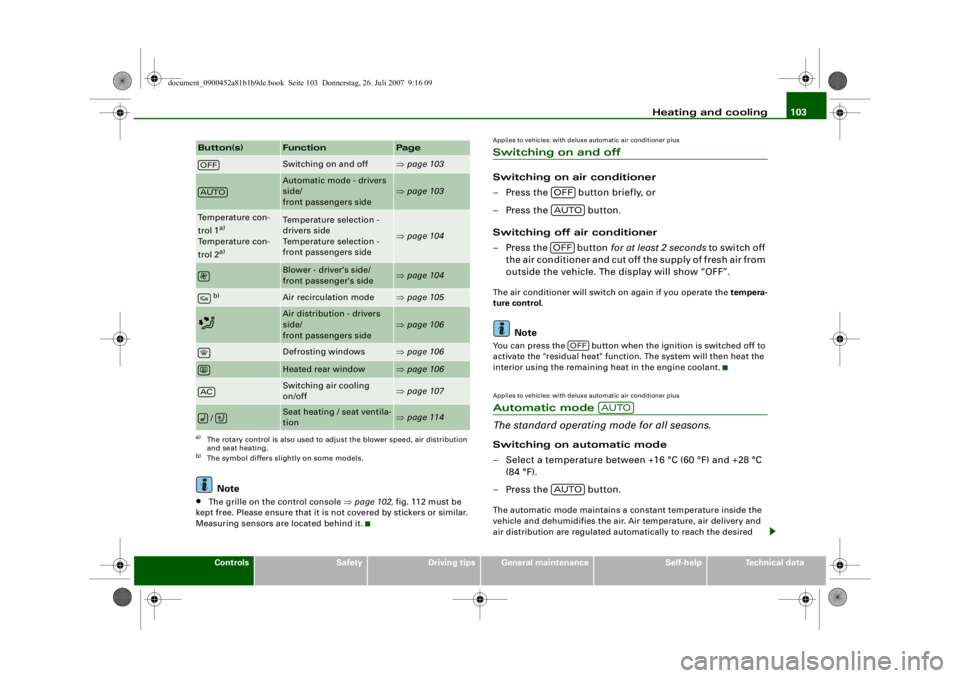
Button(s)
Function
Page
Switching on and off
⇒ page 103
Automatic mode - drivers
side/
front passengers side
⇒page 103
Temperature con-
trol 1
a)
Temperature con-
trol 2a)
a)The rotary control is also used to adjust the blower speed, air distribution
and seat heating.
Temperature selection -
drivers side
Temperature selection -
front passengers side
⇒ page 104
Blower - driver's side/
front passenger's side
⇒page 104
b)
b)The symbol differs slightly on some models.
Air recirculation mode
⇒page 105
Air distribution - drivers
side/
front passengers side
⇒page 106
Defrosting windows
⇒page 106
Heated rear window
⇒page 106
Switching air cooling
on/off
⇒page 107
/
Seat heating / seat ventila-
tion
⇒page 114
OFFAUTOAC
OFFAUTOOFF
OFF
AUTO
AUTO
document_0900452a81b1b9de.book Seite 103 Donnerstag, 26. Juli 2007 9:16 09
-+
CJ D D
D D
D DD [I]
--4 -
-T
•
+-
•
Page 107 of 342
Heating and cooling105
Controls
Safety
Driving tips
General maintenance
Self-help
Technical data
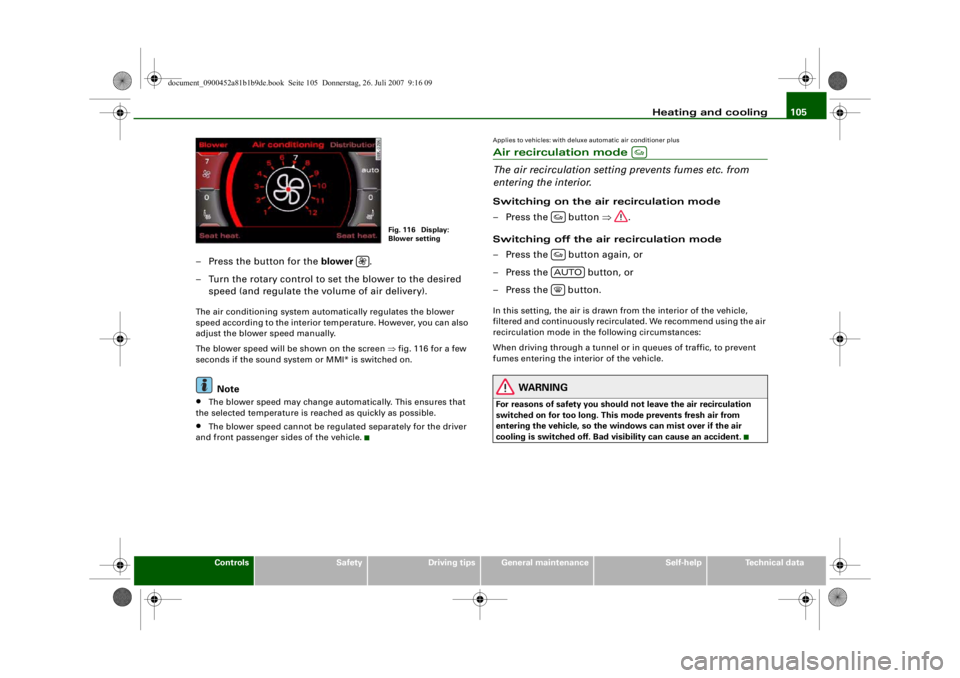
– Press the button for the blower .
– Turn the rotary control to set the blower to the desired speed (and regulate the volume of air delivery).The air conditioning system automatically regulates the blower
speed according to the interior te mperature. However, you can also
adjust the blower speed manually.
The blower speed will be shown on the screen ⇒fig. 116 for a few
seconds if the sound system or MMI* is switched on.
Note
•
The blower speed may change automatically. This ensures that
the selected temperature is reached as quickly as possible.
•
The blower speed cannot be regulated separately for the driver
and front passenger sides of the vehicle.
Applies to vehicles: with deluxe automatic air conditioner plusAir recirculation mode
The air recirculation setting prevents fumes etc. from
entering the interior.Switching on the air recirculation mode
– Press the button ⇒.
Switching off the air recirculation mode
– Press the button again, or
– Press the button, or
– Press the button.In this setting, the air is drawn fr om the interior of the vehicle,
filtered and continuously recirculated. We recommend using the air
recirculation mode in the following circumstances:
When driving through a tunnel or in queues of traffic, to prevent
fumes entering the interior of the vehicle.
WARNING
For reasons of safety you should not leave the air recirculation
switched on for too long. This mo de prevents fresh air from
entering the vehicle, so the windows can mist over if the air
cooling is switched off. Bad visibility can cause an accident.
Fig. 116 Display:
Blower setting
AUTO
document_0900452a81b1b9de.book Seite 105 Donnerstag, 26. Juli 2007 9:16 09
--4 -
-T
D
D
&
D
D C=:J D
-+ +-
(I]
I&
. I
•
Page 108 of 342
Heating and cooling
106Applies to vehicles: with deluxe automatic air conditioner plusAir distribution
The automatically programmed air distribution can be
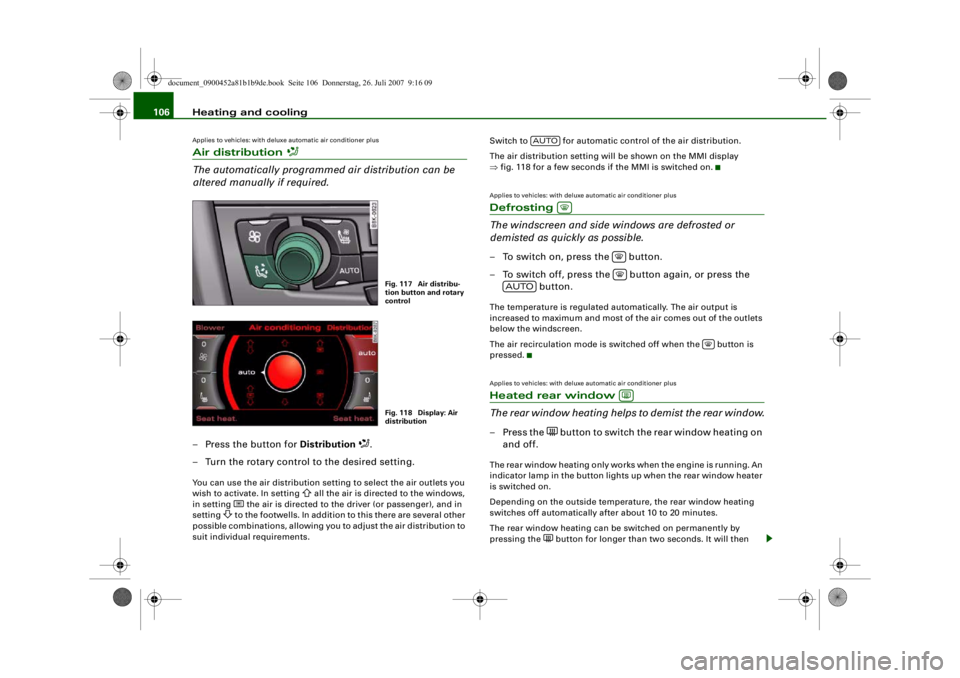
altered manually if required.– Press the button for Distribution
.
– Turn the rotary control to the desired setting.
You can use the air distribution setting to select the air outlets you
wish to activate. In setting
all the air is directed to the windows,
in setting
the air is directed to the driver (or passenger), and in
setting
to the footwells. In addition to this there are several other
possible combinations, allowing you to adjust the air distribution to
suit individual requirements. Switch to for automatic control of the air distribution.
The air distribution setting will be shown on the MMI display
⇒
fig. 118 for a few seconds if the MMI is switched on.
Applies to vehicles: with deluxe automatic air conditioner plusDefrosting
The windscreen and side windows are defrosted or
demisted as quickly as possible.– To switch on, press the button.
– To switch off, press the button again, or press the
button.The temperature is regulated automatically. The air output is
increased to maximum and most of the air comes out of the outlets
below the windscreen.
The air recirculation mode is switched off when the button is
pressed.Applies to vehicles: with deluxe automatic air conditioner plusHeated rear window
The rear window heating helps to demist the rear window.– Press the
b u t t o n t o s w i t c h t h e r e a r w i n d o w h e a t i n g o n
and off.
The rear window heating only works when the engine is running. An
indicator lamp in the button lights up when the rear window heater
is switched on.
Depending on the outside temperat ure, the rear window heating
switches off automatically after about 10 to 20 minutes.
The rear window heating can be switched on permanently by
pressing the
button for longer than two seconds. It will then
Fig. 117 Air distribu-
tion button and rotary
controlFig. 118 Display: Air
distribution
AUTO
AUTO
document_0900452a81b1b9de.book Seite 106 Donnerstag, 26. Juli 2007 9:16 09
D
-+
•
D
D D
--4 -
-T
•
D
+-
Page 110 of 342
Heating and cooling
108
NoteWhen the air conditioner is operating in the cooling mode, the air is
directed mainly to outlets and . To ensure an adequate cooling
effect, you should not close these outlets completely.Applies to vehicles: with deluxe automatic air conditioner plusAir outlets for rear passengers
The air outlets for the rear cabin are located in the centre
console.– The outlets can be opened and closed by turning the thumbwheels.
– The direction of air delivery from these outlets can be adjusted horizontally and vertically using the adjuster in
the centre of each outlet grille.The flow of air from the outlets is controlled either automatically or
manually, depending on the operating mode selected. All the
outlets can provide air which is either heated, unheated, or cooled.
The heater outlets for the rear footwells are located under the front
seats.
Note
When the air conditioner is operating in the cooling mode the air is
directed mainly to the outlets in the centre console. To ensure an
adequate cooling effect, you sh ould not close these outlets
completely.
Applies to vehicles: with deluxe automatic air conditioner plusEconomical operation of the air conditioner
Economical operation of the air conditioner will help to
save fuel.When the air conditioner is operating in the cooling mode it
reduces engine power and incr eases fuel consumption. To
ensure that the cooling mode is activated only when really
necessary, please note the following points:
– Switch off the cooling mode by pressing the AC button (LED off) if you wish to save fuel.
– You should also switch off the cooling mode by pressing the AC button (LED off) if you open the windows or the
tilting panorama roof* while driving.
– If the vehicle has heated up after standing in the sun, open the windows and doors for a short time to cool the
vehicle.
For the sake of the environmentBy saving fuel you also reduce the amount of pollutants emitted
from your vehicle.
A2
A3
document_0900452a81b1b9de.book Seite 108 Donnerstag, 26. Juli 2007 9:16 09
--4 -
-T
•
-+ +-
•
•
Page 111 of 342
Heating and cooling109
Controls
Safety
Driving tips
General maintenance
Self-help
Technical data
Deluxe automatic air conditioner plus
- basic settingsApplies to vehicles: with deluxe automatic air conditioner plusGeneral notes
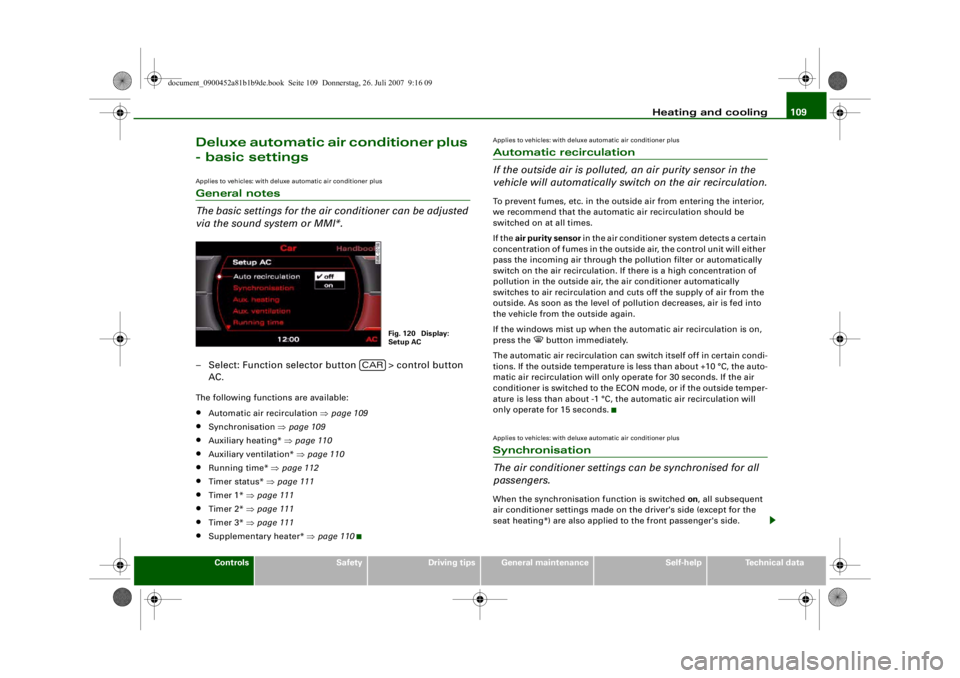
The basic settings for the air conditioner can be adjusted
via the sound system or MMI*.– Select: Function selector button > control button
AC.The following functions are available:•
Automatic air recirculation ⇒page 109
•
Synchronisation ⇒page 109
•
Auxiliary heating* ⇒page 110
•
Auxiliary ventilation* ⇒page 110
•
Running time* ⇒page 112
•
Timer status* ⇒page 111
•
Timer 1* ⇒page 111
•
Timer 2* ⇒page 111
•
Timer 3* ⇒page 111
•
Supplementary heater* ⇒page 110
Applies to vehicles: with deluxe automatic air conditioner plusAutomatic recirculation
If the outside air is polluted, an air purity sensor in the
vehicle will automatically switch on the air recirculation.To prevent fumes, etc. in the outside air from entering the interior,
we recommend that the automati c air recirculation should be
switched on at all times.
If the air purity sensor in the air conditioner system detects a certain
concentration of fumes in the outside air, the control unit will either
pass the incoming air through the pollution filter or automatically
switch on the air recirculation. If there is a high concentration of
pollution in the outside air, the air conditioner automatically
switches to air recirculation and cuts off the supply of air from the
outside. As soon as the level of pollution decreases, air is fed into
the vehicle from the outside again.
If the windows mist up when the automatic air recirculation is on,
press the
button immediately.
The automatic air recirculation can switch itself off in certain condi-
tions. If the outside temperature is less than about +10 °C, the auto-
matic air recirculation will only operate for 30 seconds. If the air
conditioner is switched to the ECON mode, or if the outside temper-
ature is less than about -1 °C, th e automatic air recirculation will
only operate for 15 seconds.
Applies to vehicles: with deluxe automatic air conditioner plusSynchronisation
The air conditioner settings can be synchronised for all
passengers.When the synchronisation function is switched on, all subsequent
air conditioner settings made on the driver's side (except for the
seat heating*) are also applied to the front passenger's side.
Fig. 120 Display:
Setup AC
CAR
document_0900452a81b1b9de.book Seite 109 Donnerstag, 26. Juli 2007 9:16 09
--4 -
-T
-+ +-
•
Page 135 of 342
adaptive cruise control (ACC)133
Controls
Safety
Driving tips
General maintenance
Self-help
Technical data
Applies to vehicles: with adaptive cruise controlSetting the distance
The distance can be set in 4 different stages.– Briefly press the sliding switch ⇒fig. 142 once towards
or . The display in the instrument cluster will briefly
show the current distance setting.
– Press the sliding switch again towards or to
increase or reduce the distance by one level at a time.Choosing the distance
The adaptive cruise control system determines the distance to the
vehicle in front by time intervals . It defines a time-based distance to
the vehicle in front which is kept at a constant level. This converts
to a distance which depends on the speed - the higher the speed,
the higher the safety distance in metres ⇒.
The actual distance maintained by the adaptive cruise control can
be longer or shorter, depending on the traffic situation and the
driving style of the driver in front.
Distance 1
This setting is suitable for brisk driving in a line of traffic. The time
interval is 1 second. This is equivalent to (for instance):•
A distance of 14 metres at a speed of 50 km/h
•
A distance of 36 metres at a speed of 130 km/h
Distance 2
This setting is suitable for relaxed “moving with the flow” in a line
of traffic. The time interval is 1.3 seconds. This is equivalent to (for
instance):•
A distance of 18 metres at a speed of 50 km/h
•
A distance of 47 metres at a speed of 130 km/h
Distance 3
This (recommended) setting is suitable for relaxed “moving with the
flow” in a line of traffic. The time interval is 1.8 seconds. This is
equivalent to (for instance):•
A distance of 25 metres at a speed of 50 km/h
•
A distance of 65 metres at a speed of 130 km/h
Distance 4
This setting is suitable for single-carriageway roads. The time
interval is 2.3 seconds. This is equivalent to (for instance):•
A distance of 32 metres at a speed of 50 km/h
•
A distance of 83 metres at a speed of 130 km/h
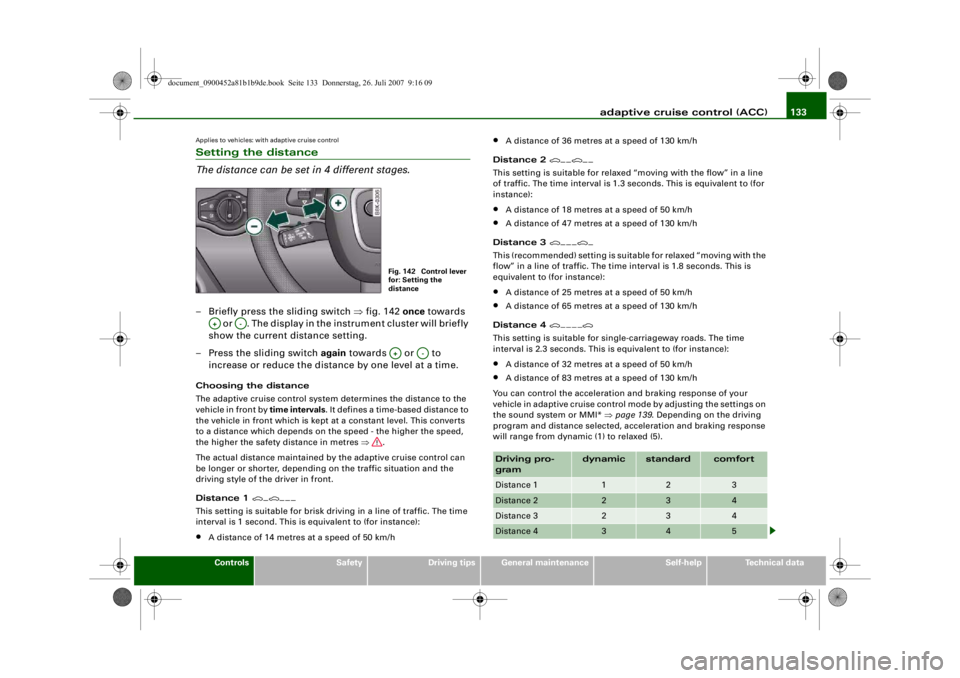
You can control the acceleration and braking response of your
vehicle in adaptive cruise control mode by adjusting the settings on
the sound system or MMI* ⇒page 139 . Depending on the driving
program and distance selected, acceleration and braking response
will range from dynamic (1) to relaxed (5).
Fig. 142 Control lever
for: Setting the
distance
A+
A-
A+
A-
Driving pro-
gram
dynamic
standard
comfort
Distance 1
1
2
3
Distance 2
2
3
4
Distance 3
2
3
4
Distance 4
3
4
5
document_0900452a81b1b9de.book Seite 133 Donnerstag, 26. Juli 2007 9:16 09
--4 -
-T
-+ +-
---
---~
Page 138 of 342
adaptive cruise control (ACC)
136•
Vehicle in front: If a vehicle is detected in front, the arrows will be
on the scale. The green area of the scale represents the distance
setting. If you approach the vehicle in front slowly, the arrows will
move from the grey area into the green area of the scale.
•
Driver intervention prompt: If you approach the vehicle in front
quickly, the arrows act as a warnin g. When the actual distance is
shorter (or is likely to become shorter) than the distance selected,
the arrows move into the red area of the scale. In certain situations,
you may need to intervene as the driver ⇒page 138, “Driver inter-
vention prompt”.
Status
•
ACC OFF (in white letters): The adaptive cruise control is
switched off.
•
ACC AVAILABLE (in white letters): The system is switched on but
the control has not yet been activated.
•
OVERRIDE (in white letters): You have exceeded the target speed
by accelerating.
•
DISTANCE! (in red letters): The distance to the vehicle in front is
not sufficient and you have to brak e the vehicle with the foot brake.
•
DISTANCE 1 to DISTANCE 4 (in green letters): Shows the time
interval you have selected. The adap tive cruise control is in cruise
mode.
•
DISTANCE 1 - dyn. , DISTANCE 1 - comf. etc. (in green letters): If
the settings are adjust ed on the sound system or MMI* such that
the “standard” driving program is replaced by “comfort” or
“dynamic”, the message above will indicate the setting.
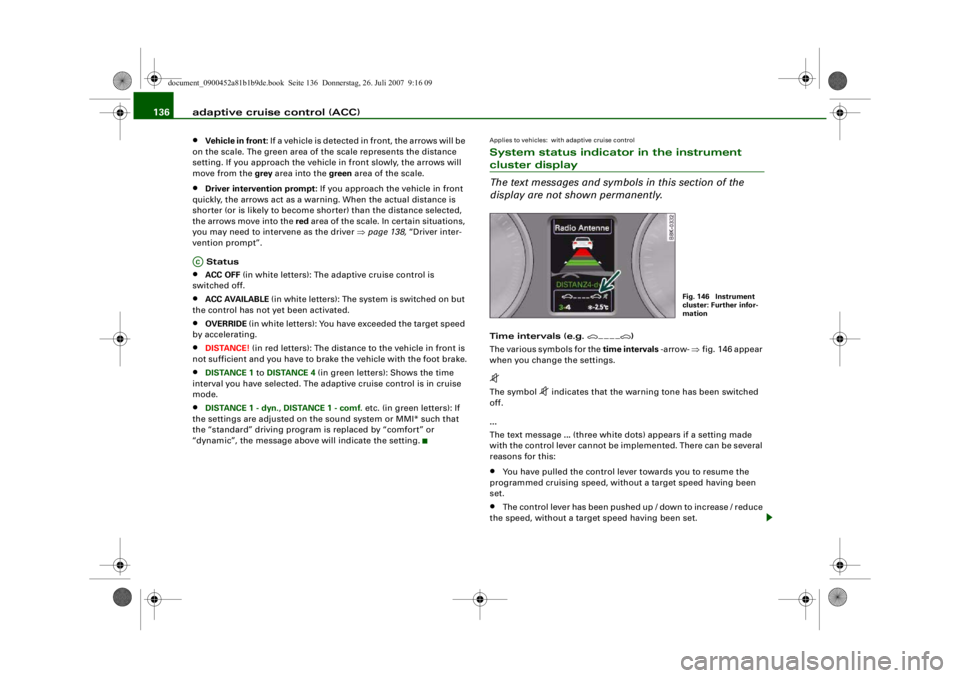
Applies to vehicles: with adaptive cruise controlSystem status indicator in the instrument cluster display
The text messages and symbols in this section of the
display are not shown permanently.Time intervals (e.g.
)
The various symbols for the time intervals -arrow- ⇒fig. 146 appear
when you change the settings.
The symbol
indicates that the warning tone has been switched
off.
...
The text message ... (three white dots) appears if a setting made
with the control lever cannot be implemented. There can be several
reasons for this:
•
You have pulled the control lever towards you to resume the
programmed cruising speed, without a target speed having been
set.
•
The control lever has been pushed up / down to increase / reduce
the speed, without a target speed having been set.
AC
Fig. 146 Instrument
cluster: Further infor-
mation
document_0900452a81b1b9de.book Seite 136 Donnerstag, 26. Juli 2007 9:16 09
--4 -
-T
-+ +-
•
Page 157 of 342
Audi side assist155
Controls
Safety
Driving tips
General maintenance
Self-help
Technical data
quickly. The warning lamp on the ex
terior mirror does not light up
⇒ in “Safety notes” on page 157.
Warning lamp on exterior mirror does not light up
If you operate the turn signal in situation , the warning lamp on
the exterior mirror will still not give any warning ⇒ in “Safety
notes” on page 157.
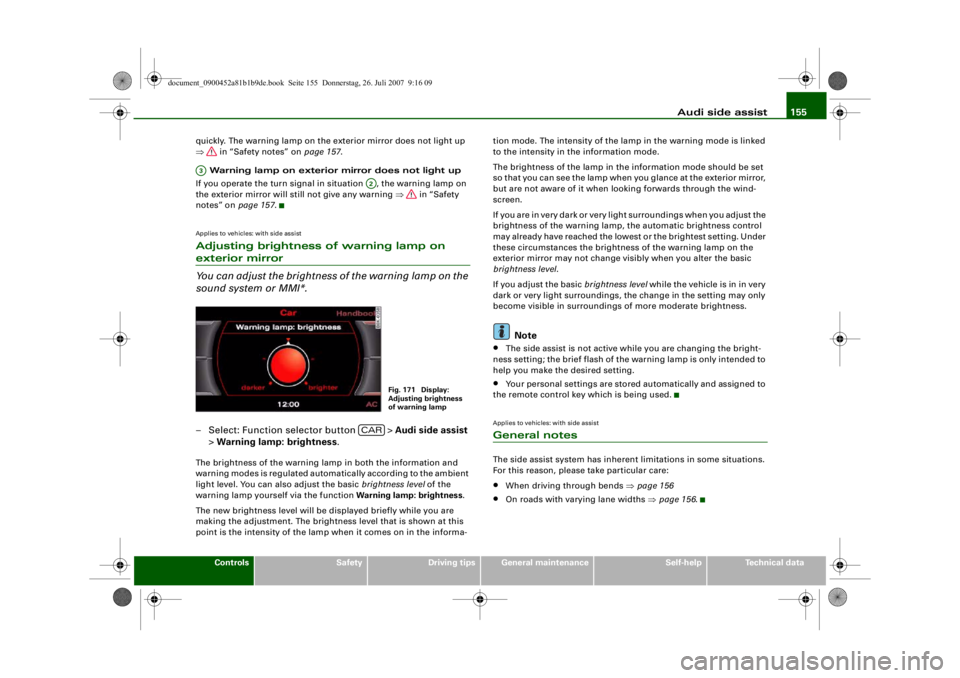
Applies to vehicles: with side assistAdjusting brightness of warning lamp on exterior mirror
You can adjust the brightness of the warning lamp on the
sound system or MMI*.– Select: Function selector button > Audi side assist
> Warning lamp: brightness .The brightness of the warning lamp in both the information and
warning modes is regulated automatically according to the ambient
light level. You can also adjust the basic brightness level of the
warning lamp yourself via the function Warning lamp: brightness.
The new brightness level will be displayed briefly while you are
making the adjustment. The brightne ss level that is shown at this
point is the intensity of the lamp when it comes on in the informa- tion mode. The intensity of the lamp in the warning mode is linked
to the intensity in the information mode.
The brightness of the lamp in the
information mode should be set
so that you can see the lamp when you glance at the exterior mirror,
but are not aware of it when l ooking forwards through the wind-
screen.
If you are in very dark or very light surroundings when you adjust the
brightness of the warning lamp, the automatic brightness control
may already have reached the lowest or the brightest setting. Under
these circumstances the brightne ss of the warning lamp on the
exterior mirror may not change visibly when you alter the basic
brightness level .
If you adjust the basic brightness level while the vehicle is in in very
dark or very light surroundings, the change in the setting may only
become visible in surroundings of more moderate brightness.
Note
•
The side assist is not active while you are changing the bright-
ness setting; the brief flash of the warning lamp is only intended to
help you make the desired setting.
•
Your personal settings are stored automatically and assigned to
the remote control key which is being used.
Applies to vehicles: with side assistGeneral notesThe side assist system has inherent limitations in some situations.
For this reason, please take particular care:•
When driving through bends ⇒page 156
•
On roads with varying lane widths ⇒page 156 .
A3
A2
Fig. 171 Display:
Adjusting brightness
of warning lamp
CAR
document_0900452a81b1b9de.book Seite 155 Donnerstag, 26. Juli 2007 9:16 09
--4 -
-T
•
-+ +-
•
•