warning lights AUDI S4 2008 Owner's Manual
[x] Cancel search | Manufacturer: AUDI, Model Year: 2008, Model line: S4, Model: AUDI S4 2008Pages: 342, PDF Size: 15.01 MB
Page 41 of 342
Driver information system39
Controls
Safety
Driving tips
General maintenance
Self-help
Technical data
Applies to vehicles: with dynamic headlight range controlHeadlight range control defective
Headlight range control defective
This symbol
indicates a malfunction in the dynamic headlight
range control. Take the vehicle to a qualified workshop to have the
dynamic headlight range control function repaired.
Applies to vehicles: with adaptive lightadaptive light defective
adaptive light defective
This symbol
indicates that the adaptive light is defective. Take
the vehicle to a qualified workshop to have the headlights and/or
the control unit for the adaptive light repaired.
Ignition lock defective
Ignition lock defective
If the symbol
lights up in the display, there is a malfunction in
the electronic ignition lock. Take the vehicle to a qualified workshop
to have the problem remedied.
Applies to vehicles: with Audi drive selectSuspension control
This warning lamp monitors the damping effect of the
shock absorbers.
Suspension: system fault
If the symbol lights up in the display, there is a malfunction in the
vehicle suspension. Take the vehicle to a qualified workshop to have
the problem remedied.
Windscreen wipers defective
Windscreen wipers defective
This symbol
indicates a malfunction in the electronics for the
windscreen wipers. Take the vehicle to a qualified workshop to have
the windscreen wiper system repaired.
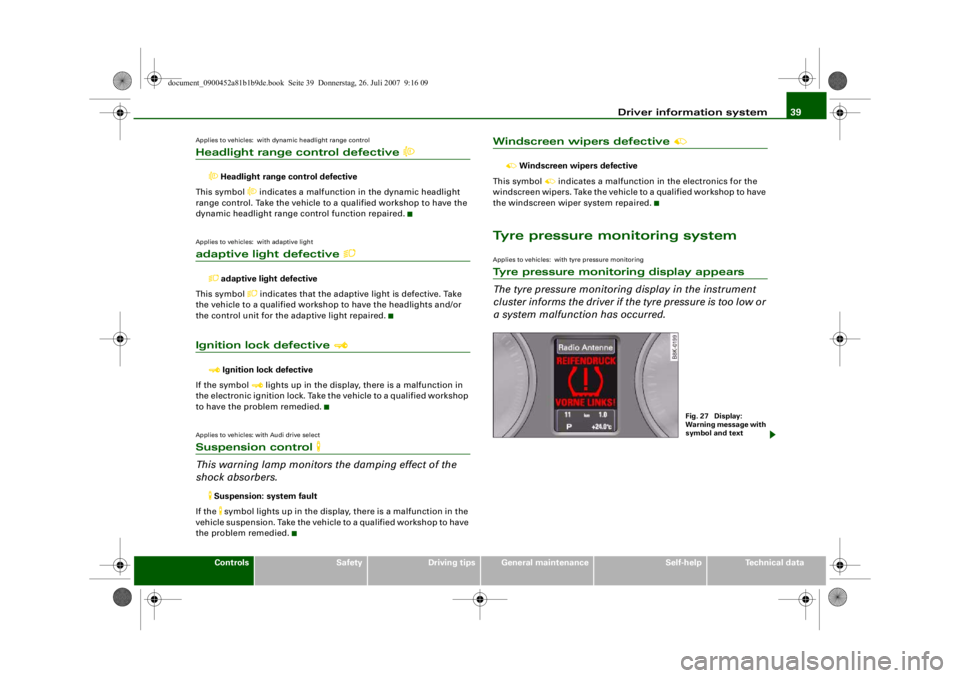
Tyre pressure monitoring systemApplies to vehicles: with tyre pressure monitoringTyre pressure monitoring display appears
The tyre pressure monitoring display in the instrument
cluster informs the driver if th e tyre pressure is too low or
a system malfunction has occurred.
Fig. 27 Display:
Warning message with
symbol and text
document_0900452a81b1b9de.book Seite 39 Donnerstag, 26. Juli 2007 9:16 09
--4 -
-T
•
•
-+
•
+-
•
•
Page 45 of 342
Doors and windows43
Controls
Safety
Driving tips
General maintenance
Self-help
Technical data
To prevent yourself from being locked out, do not lock the vehicle
with the remote control key
before closing the doors or boot lid. If
you accidentally press the locking button on your remote control
key when any of the doors (except for the driver's door) are open,
then put the key down inside the ca r and forget to take it with you
when you close the doors, you can still open the doors for about one
minute before the vehicle is locked.
WARNING
Do not leave anyone (especially chil dren) in the car if it is locked
from the outside and the deadlock mechanism is activated: the
doors and windows cannot then be opened from the inside.
Locked doors could delay assistance in an emergency, potentially
putting lives at risk.
Note
•
Never leave any valuable items in the vehicle unattended. Even a
locked vehicle is not a safe.
•
If the diode on the driver's wi ndow sill lights up for about
30 seconds when the vehicle is locked, the central locking system or
anti-theft alarm* is not working properly. Please have the malfunc-
tion repaired by an Audi dealer or qualified workshop.
•
The interior monitor of the anti-theft alarm* system will only
function as intended if the windows and the tilting panorama roof*
are closed.
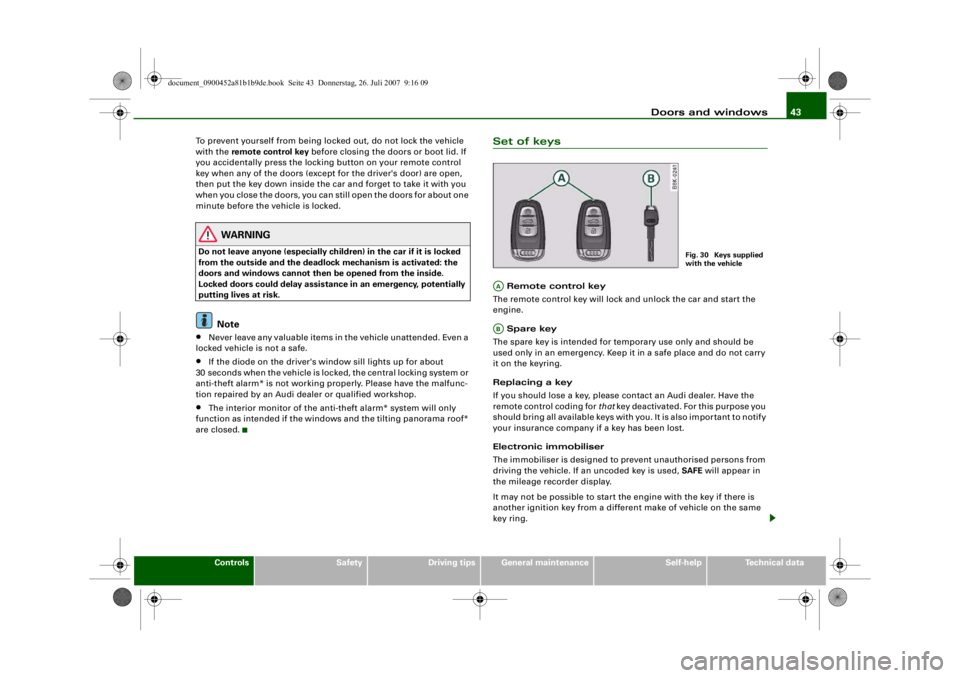
Set of keys Remote control key
The remote control key will lock and unlock the car and start the
engine.
Spare key
The spare key is intended for temporary use only and should be
used only in an emergency. Keep it in a safe place and do not carry
it on the keyring.
Replacing a key
If you should lose a key, please contact an Audi dealer. Have the
remote control coding for that key deactivated. For this purpose you
should bring all available keys with you. It is also important to notify
your insurance company if a key has been lost.
Electronic immobiliser
The immobiliser is designed to prevent unauthorised persons from
driving the vehicle. If an uncoded key is used, SAFE will appear in
the mileage recorder display.
It may not be possible to start the engine with the key if there is
another ignition key from a different make of vehicle on the same
key ring.
Fig. 30 Keys supplied
with the vehicle
AAAB
document_0900452a81b1b9de.book Seite 43 Donnerstag, 26. Juli 2007 9:16 09
--4 -
-T
-+
II]
+-
•
Page 46 of 342
Doors and windows
44Data stored on remote control key
Data related to the service and maintenance of the vehicle are
stored continuously on your remote control key. Your Audi dealer
can read out the data and will then be able to tell you what service
work is required. This also applies to vehicles with advanced key.
Personal convenience settings
If two people use the same car regularly, it is a good idea for each
person to have his or her “own” remote control key. When you
switch off the ignition or lock the vehicle, your personal settings for
the following convenience features are stored and assigned to the
remote control key:•
Air conditioner
•
Central locking system
•
Windows
•
parking system*
•
adaptive cruise control*
•
Audi drive select*
•
Seat memory*
The stored settings are then recalled automatically the next time the
vehicle is unlocked, the doors are opened or the ignition is switched
on.
WARNING
•
Always take the key with you when leaving the vehicle - even if
you only intend to be gone for a short time. This is especially
important if children are left in the car. They might otherwise be
able to start the engine or use power-operated equipment such as
the electric windows - this could lead to injuries.
•
Wait for the vehicle to come to a standstill before removing the
ignition key from the lock. Otherwise the steering lock could
engage suddenly, causing an accident.
Note
The function of the remote control key may be impaired by interfer-
ence from other nearby radio sign als (for example from a mobile
telephone or TV transmitter) if these are in the same frequency
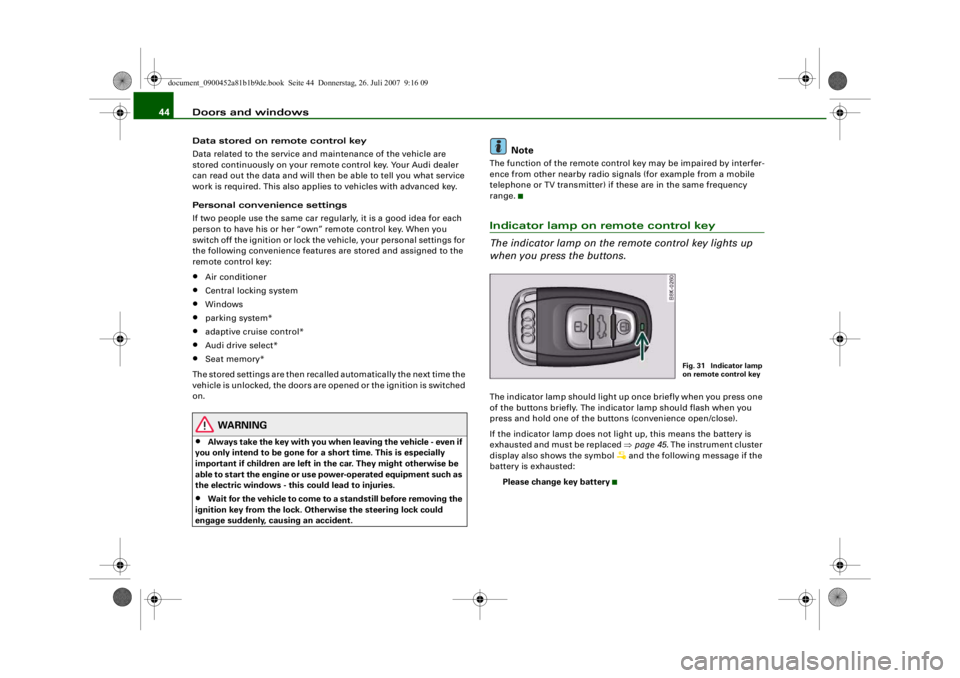
range.Indicator lamp on remote control key
The indicator lamp on the remote control key lights up
when you press the buttons.The indicator lamp should light up once briefly when you press one
of the buttons briefly. The indicator lamp should flash when you
press and hold one of the buttons (convenience open/close).
If the indicator lamp does not li ght up, this means the battery is
exhausted and must be replaced ⇒page 45 . The instrument cluster
display also sh ows the symbol
and the following message if the
battery is exhausted:
Please change key battery
Fig. 31 Indicator lamp
on remote control key
document_0900452a81b1b9de.book Seite 44 Donnerstag, 26. Juli 2007 9:16 09
--4 -
-
[I]
T
•
-+ +-
•
Page 51 of 342
Doors and windows49
Controls
Safety
Driving tips
General maintenance
Self-help
Technical data
Locking
– Move the selector lever to position P (automatic
gearbox).
–Turn the key once to position ⇒ to lock the vehicle.
– If you turn the key to position a second time within
2seconds , this will lock the vehicle without activating
the deadlock mechanism .In order to switch off the anti-the ft alarm*, you must switch on the
ignition within 15 seconds after opening the driver's door. Other-
wise the alarm will be triggered.
If the central locking system should fail to work at any time, the
passenger's door can be locked manually ⇒page 51 .
WARNING
Do not leave anyone (especially chil dren) in the car if it is locked
from the outside and the deadlock mechanism is activated: the
doors and windows cannot then be opened from the inside.
Locked doors could delay assistance in an emergency, potentially
putting lives at risk.
Note
•
The central locking switch and the release button for the boot lid
will function after the ignition is switched on.
•
If the vehicle is locked with the key when the central locking
system is operational, it is only possible to unlock all the doors and
the boot lid centrally with the key within the next 45 seconds. After
this period, the key will only unlock the driver's door.
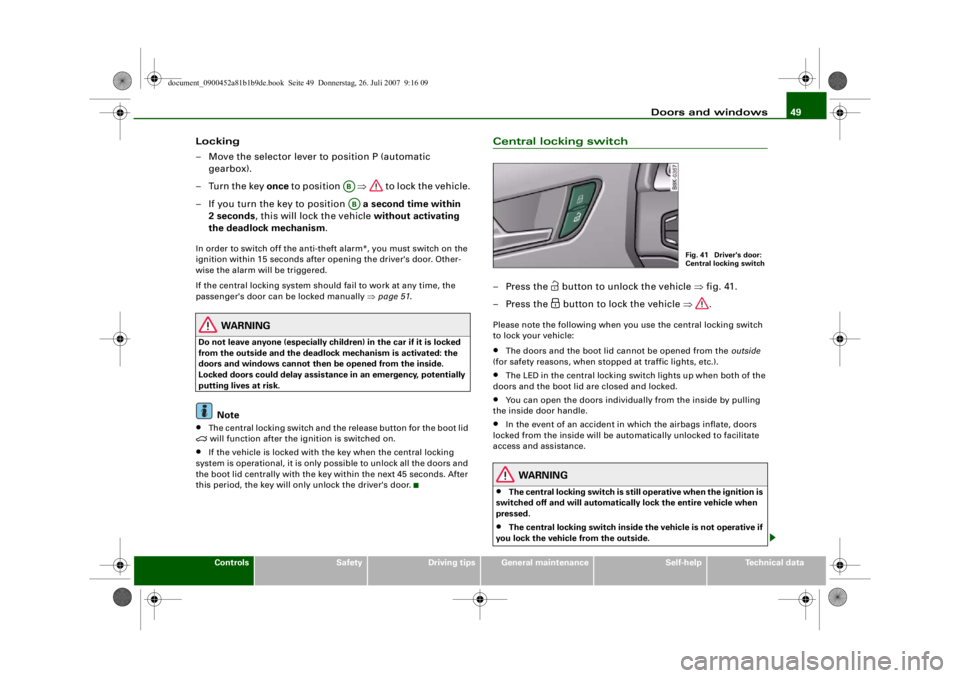
Central locking switch– Press the
button to unlock the vehicle ⇒fig. 41.
– Press the button to lock the vehicle ⇒.
Please note the following when you use the central locking switch
to lock your vehicle:•
The doors and the boot lid cannot be opened from the outside
(for safety reasons, when stopped at traffic lights, etc.).
•
The LED in the central locking switch lights up when both of the
doors and the boot lid are closed and locked.
•
You can open the doors individually from the inside by pulling
the inside door handle.
•
In the event of an accident in which the airbags inflate, doors
locked from the inside will be automatically unlocked to facilitate
access and assistance.
WARNING
•
The central locking switch is still operative when the ignition is
switched off and will automaticall y lock the entire vehicle when
pressed.
•
The central locking switch inside the vehicle is not operative if
you lock the vehicle from the outside.
ABAB
Fig. 41 Driver's door:
Central locking switch
document_0900452a81b1b9de.book Seite 49 Donnerstag, 26. Juli 2007 9:16 09
--4 -
-T
-+ +-
[I]
•
Page 56 of 342
Doors and windows
54
Rear door (left-side)*
Rear door (right-side)*
Safety switch
Child safety switch
When the safety switch ⇒ page 53, fig. 49 is pressed in, the
symbol
in the switch lights up. The window switches in the rear
doors are deactivated.
WARNING
•
Always take the key with you when leaving the vehicle - even if
you only intend to be gone for a short time. This is especially
important if children are left in the car. They might otherwise be
able to start the engine or use power-operated equipment such as
the electric windows - this could lead to injuries. The window
switches are only deactivated when the driver's door or the front
passenger's do or is opened.
•
Always be careful when closing the windows. Careless use of
the electric windows can cause severe injuries.
•
When locking the vehicle from the outside, make sure that
nobody is inside the vehicle, as the windows cannot be opened
from the inside in an emergency.Note
The windows can be operated for about ten minutes after the igni-
tion has been switched off. The window switches are only deacti-
vated when the driver's door or the front passenger's door is
opened.
Convenience open/close function
The convenience open/close function allows you to open
and close the windows and the sun roof* with the remote
control key.You can select which windows are opened in the settings on
the sound system or MMI* ⇒page 55 .
Convenience open function
– Press and hold the unlocking button
on the remote
control key until the windows have reached the desired
position and the sun roof* is open.
Convenience close function
– Press and hold the locking button
on the remote
control key until the windows and the sun roof* are
closed ⇒.
Convenience close function with advanced key*
– Touch and keep your hand in contact with the locking sensor on the door handle until the windows and the sun
roof* are closed.
WARNING
•
Take care when closing the windows and the sun roof*. Care-
less or uncontrolled use can cause injuries.
•
For safety reasons, you should only use the remote control
open and close functions within about 2 metres of the vehicle. To
avoid injuries, always keep an ey e on the windows when pressing
the button to close them. The windows and sun roof stop moving
as soon as the button is released.
ACADAS
AS
document_0900452a81b1b9de.book Seite 54 Donnerstag, 26. Juli 2007 9:16 09
--4 -
-T
-+ +-
[I]
•
•
Page 60 of 342
Lights and vision
58
WARNING
The automatic headlights are only intended to assist the driver.
The driver must always ensure th at the headlights are used when
required, and may have to switch th e m o n m a n u a l l y when the light
conditions or visibility are poor. For example, the light sensors are
not able to detect fog. Therefore, you should always switch on the
headlights
in these conditions and when driving after dark.
Note
•
The light sensor for automatic headlight control is located in the
mounting for the interior mirror. Do not affix any stickers on this
section of the windscreen to avoid malfunctioning of the sensor.
•
Some of the settings for the exterior lighting can be adjusted
⇒ page 59 .
•
If the lights are left on after the key has been taken out of the
ignition lock, a buzzer sounds when the driver's door is opened.
•
The use of the lighting described here is subject to the relevant
statutory requirements.
•
The coming home/leaving home function is active only when the
light switch is set to AUTO.
Fog lights
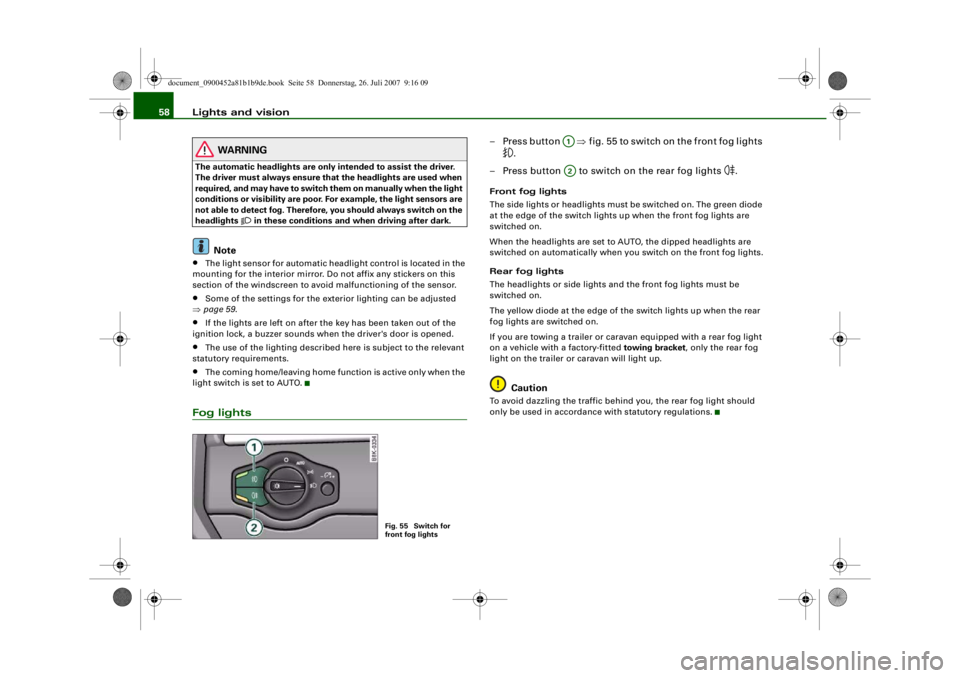
– Press button ⇒fig. 55 to switch on the front fog lights
.
– Press button to switch on the rear fog lights
.
Front fog lights
The side lights or headlights must be switched on. The green diode
at the edge of the switch lights up when the front fog lights are
switched on.
When the headlights are set to AUTO, the dipped headlights are
switched on automatically when you switch on the front fog lights.
Rear fog lights
The headlights or side lights and the front fog lights must be
switched on.
The yellow diode at the edge of the switch lights up when the rear
fog lights are switched on.
If you are towing a trailer or cara van equipped with a rear fog light
on a vehicle with a factory-fitted towing bracket , only the rear fog
light on the trailer or caravan will light up.
Caution
To avoid dazzling the traffic behind you, the rear fog light should
only be used in accordance with statutory regulations.
Fig. 55 Switch for
front fog lights
A1A2
document_0900452a81b1b9de.book Seite 58 Donnerstag, 26. Juli 2007 9:16 09
--4 -
-T
[I]
-+ +-
•
CD
•
Page 63 of 342
Lights and vision61
Controls
Safety
Driving tips
General maintenance
Self-help
Technical data
Applies to vehicles: with xenon headlight bulbsDynamic headlight range controlHeadlights with xenon gas-discharge bulbs automatically adapt to
suit the load being carried when the engine is switched on. The
headlights are also automatically adjusted when the vehicle is in
motion (e.g. when accelerating and braking).Applies to vehicles: with adaptive lightadaptive light
This feature provides better illumination when you drive
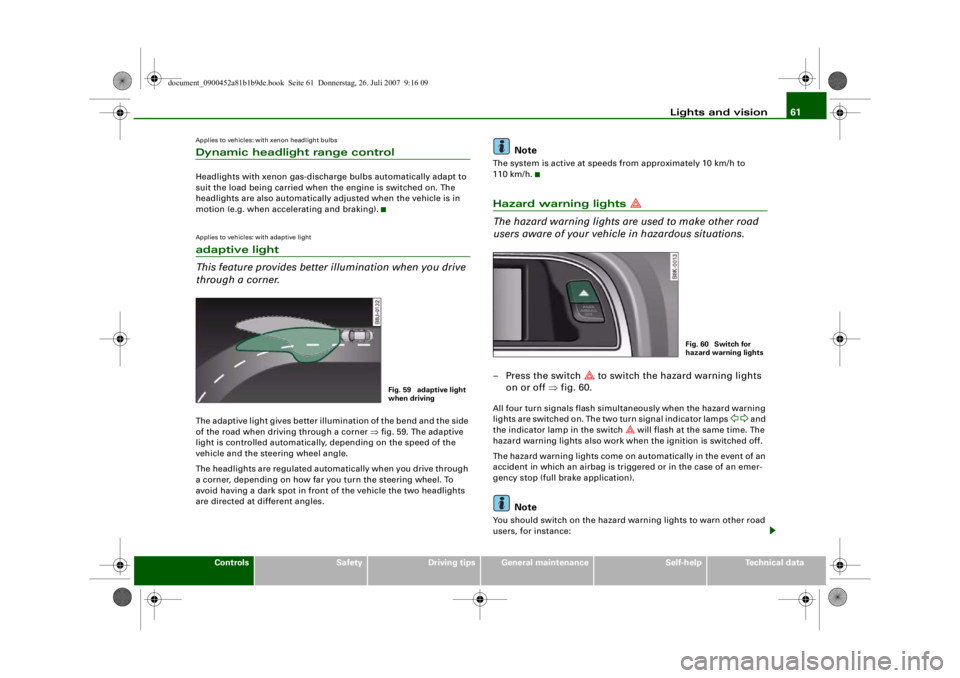
through a corner.The adaptive light gives better illumination of the bend and the side
of the road when driving through a corner ⇒fig. 59. The adaptive
light is controlled automatically, depending on the speed of the
vehicle and the steering wheel angle.
The headlights are regulated automatically when you drive through
a corner, depending on how far you turn the steering wheel. To
avoid having a dark spot in front of the vehicle the two headlights
are directed at different angles.
Note
The system is active at speeds from approximately 10 km/h to
110 km/h.Hazard warning lights
The hazard warning lights ar e used to make other road
users aware of your vehicle in hazardous situations.– Press the switch
to switch the hazard warning lights
on or off ⇒fig. 60.
All four turn signals flash simultaneously when the hazard warning
lights are switched on. The two turn signal indicator lamps
and
the indicator lamp in the switch
will flash at the same time. The
hazard warning lights also work when the ignition is switched off.
The hazard warning lights come on automatically in the event of an
accident in which an airbag is triggered or in the case of an emer-
gency stop (full br ake application).
Note
You should switch on the hazard warning lights to warn other road
users, for instance:
Fig. 59 adaptive light
when driving
Fig. 60 Switch for
hazard warning lights
document_0900452a81b1b9de.book Seite 61 Donnerstag, 26. Juli 2007 9:16 09
--4 -
-
[I]
T
•
•
-+ +-
[I]
Page 64 of 342
Lights and vision
62•
When reaching the tail end of a traffic jam
•
If your vehicle breaks down or there is an emergency
•
If your vehicle is being towed away, or if you are towing another
vehicle.
Turn signal and main beam lever
The turn signal and main beam lever also operates the
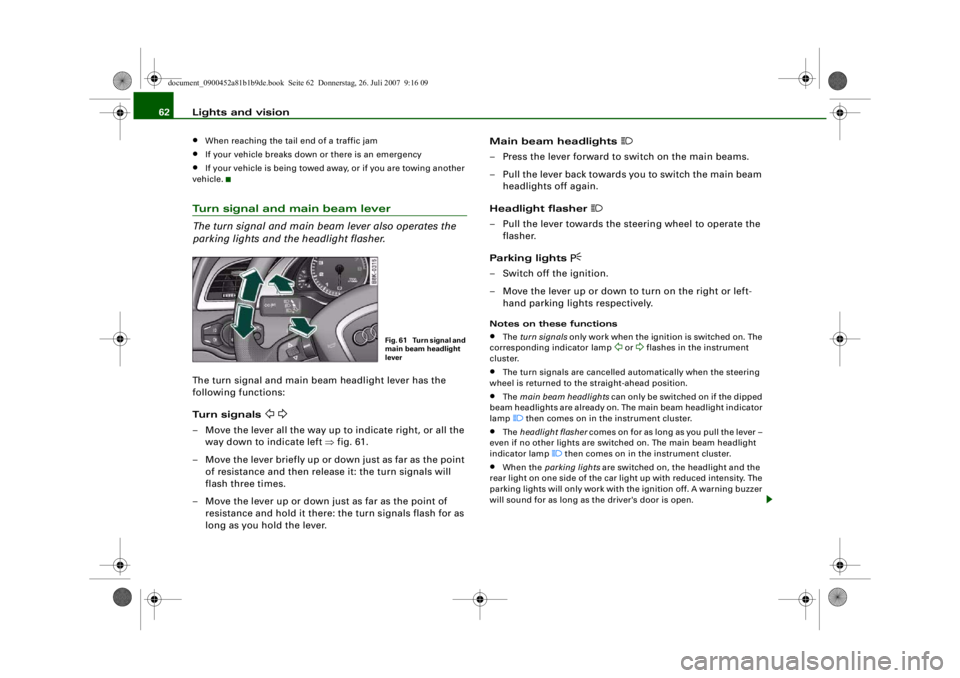
parking lights and the headlight flasher.The turn signal and main beam headlight lever has the
following functions:
Turn signals
– Move the lever all the way up to indicate right, or all the way down to indicate left ⇒fig. 61.
– Move the lever briefly up or do wn just as far as the point
of resistance and then release it: the turn signals will
flash three times.
– Move the lever up or down just as far as the point of resistance and hold it there: the turn signals flash for as
long as you hold the lever. Main beam headlights
– Press the lever forward to switch on the main beams.
– Pull the lever back towards you to switch the main beam
headlights off again.
Headlight flasher
– Pull the lever towards the steering wheel to operate the flasher.
Parking lights
– Switch off the ignition.
– Move the lever up or down to turn on the right or left- hand parking ligh ts respectively.Notes on these functions•
The turn signals only work when the ignition is switched on. The
corresponding indicator lamp
or
flashes in the instrument
cluster.
•
The turn signals are cancelled automatically when the steering
wheel is returned to the straight-ahead position.
•
The main beam headlights can only be switched on if the dipped
beam headlights are already on. The main beam headlight indicator
lamp then comes on in the instrument cluster.
•
The headlight flasher comes on for as long as you pull the lever –
even if no other lights are switched on. The main beam headlight
indicator lamp
then comes on in the instrument cluster.
•
When the parking lights are switched on, the headlight and the
rear light on one side of the car light up with reduced intensity. The
parking lights will only work with the ignition off. A warning buzzer
will sound for as long as the driver's door is open.
Fig. 61 Turn signal and
main beam headlight
lever
document_0900452a81b1b9de.book Seite 62 Donnerstag, 26. Juli 2007 9:16 09
--4 -
-T
•
-+ +-
Page 68 of 342
Lights and vision
66
Automatic wash and wipe
– Pull the lever to position .
– Release the lever again. The washer will stop and the wipers will keep running for approximately 4 seconds.
The number of wipe cycles varies according to the length
of time the lever is pulled.
Switching off the wipers
– Move the lever to the "off" position .General notes
The washers and wipers will only work when the ignition is switched
on.
If you stop briefly, e.g. at traffi c lights, the wiper speed will automat-
ically be reduced by one level.
The windscreen washer jets are heated when the ignition is
switched on if the outside temperature is low.
Dribble wipe
About 5 seconds after the wash and wipe cycle has finished, the
windscreen wiper system automatically gives the screen one extra
wipe to remove any dribbles of water.
If you want to deactivate the dribble wipe function while driving,
pull the lever to position again within 10 seconds.
The dribble wipe function will be re-activated the next time the igni-
tion is switched off and on.
Rain sensor*
The rain sensor will only function in the intermittent wipe position.
The intermittent wipe function is activated automatically when it
starts to rain.
Before you reach a road speed of 6 km/h you will have to activate the
rain sensor manually by switching it off and back on again. To reduce the sensitivity level of the rain sensor move control
⇒
page 65, fig. 67 to the left. To increase the sensitivity level of the
rain sensor move the control to the right.
If you have selected a high sensitivity level for the rain sensor the
windscreen wipers will react sooner to any moisture on the wind-
screen. The wiper intervals in the intermittent wipe setting are also
varied automatically according to the road speed (in addition to the
sensitivity setting).
WARNING
•
Poor visibility can cause accidents. Always ensure that the
wiper blades are in good condition ⇒page 68, “Changing wiper
blades”.
•
The rain sensor is only intended to assist the driver. The driver
is still obliged to manually o perate the windscreen wipers as
required depending on visibility.
•
Do not use water-repellent coatings on the windscreen. In bad
visibility conditions such as light rain, low sun or when driving at
night these coatings can cause increased dazzle, which is a
serious safety hazard. Such coat ings can also cause the wiper
blades to judder.Caution
•
In icy conditions, always check that the wiper blades are not
frozen to the glass before using the wiper for the first time. If you
switch on the wipers when the wiper blades are frozen to the glass,
this could damage both the wiper blades and the wiper motor.
•
Make sure you switch off the windscreen wiper system (lever in
position "0") before you use an automatic car wash. This will avoid
inadvertent triggering of the wipers and possible damage to the
wiper system.
A5
A0
A5
AA
document_0900452a81b1b9de.book Seite 66 Donnerstag, 26. Juli 2007 9:16 09
--4 -
-T
-+ +-
CD
Page 70 of 342
Lights and vision
68when they are in the service position you will also avoid damaging
the paintwork on the bonnet.•
off - the windscreen wipers will be moved back to their original
position.Caution
Never move the vehicle with the front wiper arms in a raised posi-
tion as they are automatically moved back to their normal park posi-
tion above a speed of 6 km/h. The paintwork on the bonnet may be
damaged as a result.
Note
•
You can also use the service position, for example, if you want to
fix a cover over the windscreen in the winter to keep it clear of ice.
•
The service position is automatically set to off when you operate
the windscreen wiper lever or the road speed exceeds 6 km/h.
Changing wiper blades
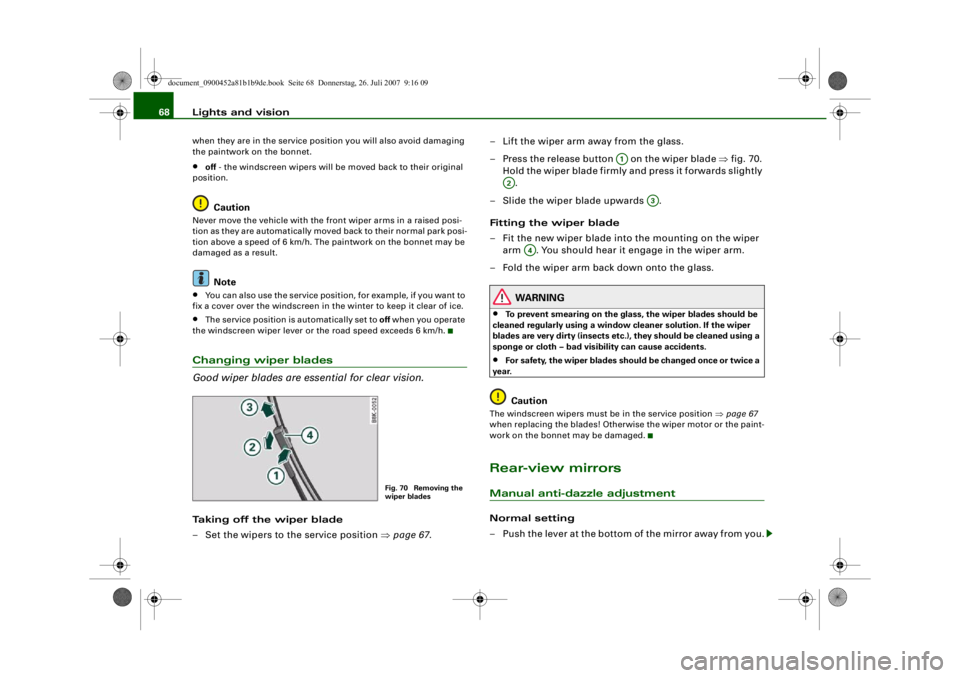
Good wiper blades are essential for clear vision.Taking off the wiper blade
– Set the wipers to the service position ⇒page 67 . – Lift the wiper arm away from the glass.
– Press the release button on the wiper blade
⇒fig. 70.
Hold the wiper blade firmly and press it forwards slightly .
– Slide the wiper blade upwards .
Fitting the wiper blade
– Fit the new wiper blade into the mounting on the wiper
arm . You should hear it engage in the wiper arm.
– Fold the wiper arm back down onto the glass.
WARNING
•
To prevent smearing on the glas s, the wiper blades should be
cleaned regularly using a window cleaner solution. If the wiper
blades are very dirty (i nsects etc.), they should be cleaned using a
sponge or cloth – bad visibility can cause accidents.
•
For safety, the wiper blades shou ld be changed once or twice a
year.Caution
The windscreen wipers must be in the service position ⇒page 67
when replacing the blades! Otherwise the wiper motor or the paint-
work on the bonnet may be damaged.Rear-view mirrorsManual anti-dazzle adjustmentNormal setting
– Push the lever at the bottom of the mirror away from you.
Fig. 70 Removing the
wiper blades
A1
A2
A3
A4
document_0900452a81b1b9de.book Seite 68 Donnerstag, 26. Juli 2007 9:16 09
--4 -
-T
0 [I)
&
-+
•
+-
0
•