warning lights AUDI S4 2013 User Guide
[x] Cancel search | Manufacturer: AUDI, Model Year: 2013, Model line: S4, Model: AUDI S4 2013Pages: 302, PDF Size: 75.61 MB
Page 22 of 302
20 Instruments and warning /indicator lights
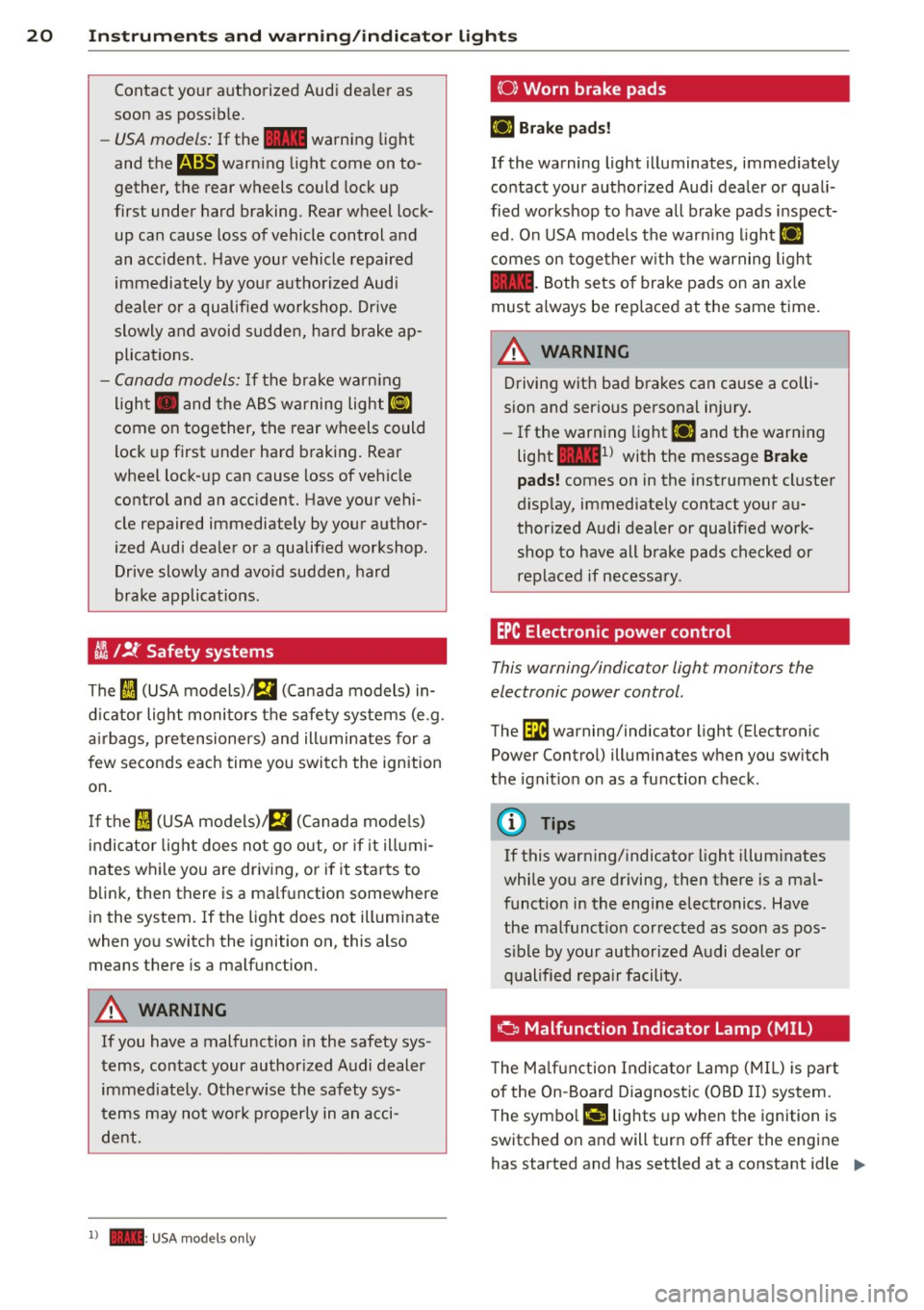
Contact your authorized Audi dealer as
soon as possible.
-USA models: If the la warning light
and the
E warn ing light come on to
gether, the rear wheels could lock up
first under hard braking. Rear wheel lock
up can cause loss of vehicle control and
an acc ident. Have your vehicle repaired
immediately by your authorized Audi
dealer or a qualified workshop. Dr ive
slowly and avoid sudden, hard brake ap
plications.
- Canada models: If the brake warning
light . and the ABS warning light
li]
come on together, the rear wheels could
lock up first under hard braking. Rear
wheel lock-up can cause loss of vehicle
control and an accident. Have your vehi
cle repaired immediately by your author
ized Audi dea ler or a qualified workshop.
Drive slowly and avo id sudden, hard
brake applicat ions.
I I !f Safety systems
The fl (USA models),£,1 (Canada models) in
dicator light monitors the safety systems (e.g.
airbags, pretensioners) and ill uminates for a
few seconds each time you switch the ignition
on.
If the fl (USA models)/ fll (Canada mode ls)
indicator light does not go out, or if it illumi
nates while you are driv ing, or if it starts to
blink, then there is a ma lfunction somewhere
in the system.
If the light does not illuminate
when you switch the ignition on, this also
means there is a malfunction.
& WARNING
If you have a malfunction in the safety sys
tems, contact your author ized Audi dealer
immediate ly. Otherw ise the safety sys
t ems may not work properly in an acci
dent.
l ) - : USA mod els only
(0) Worn brake pads
EiJ Brake pads!
If the warning light illuminates, immediately
contact your authorized Audi dealer or quali
fied workshop to have all brake pads inspect ed . On USA models the warn ing light
EiJ
comes on together with the warning light
la-Both sets of brake pads on an ax le
must a lways be rep laced at the same time.
A WARNING
Driving with bad brakes can cause a colli
sion and serious personal injury.
- If the warning light
EiJ and the warning
light
la1 l with the message Brake
pads! comes on in the instrument cluster
d isplay, immediately contact your au
thor ized Audi dealer or qualified work
shop to have all brake pads checked or
replaced if necessary.
EPC Electronic power control
This warning/indicator light monitors the
electronic power control.
The ~ warning/indicator light (Electronic
Power Control) illuminates when you switch
the ignition on as a function check.
(D Tips
If this warning/ indicator light illuminates
while you are driving, then there is a mal
funct ion in the engine electronics. Have
the malfunction corrected as soon as pos
s ib le by your authorized Audi dealer or
qualified repa ir facility.
Ci Malfunction Indicator Lamp (MIL)
T he Malfunction Indicator Lamp (MIL) is par t
of the On-Board Diagnostic (OBD II) system.
-
The symbo l ¢4' lights up when the ignition is
switched on and will turn off after the engine
has started and has settled at a constant idle
IJ>,
Page 23 of 302
Instruments and warning/indicator lights 21
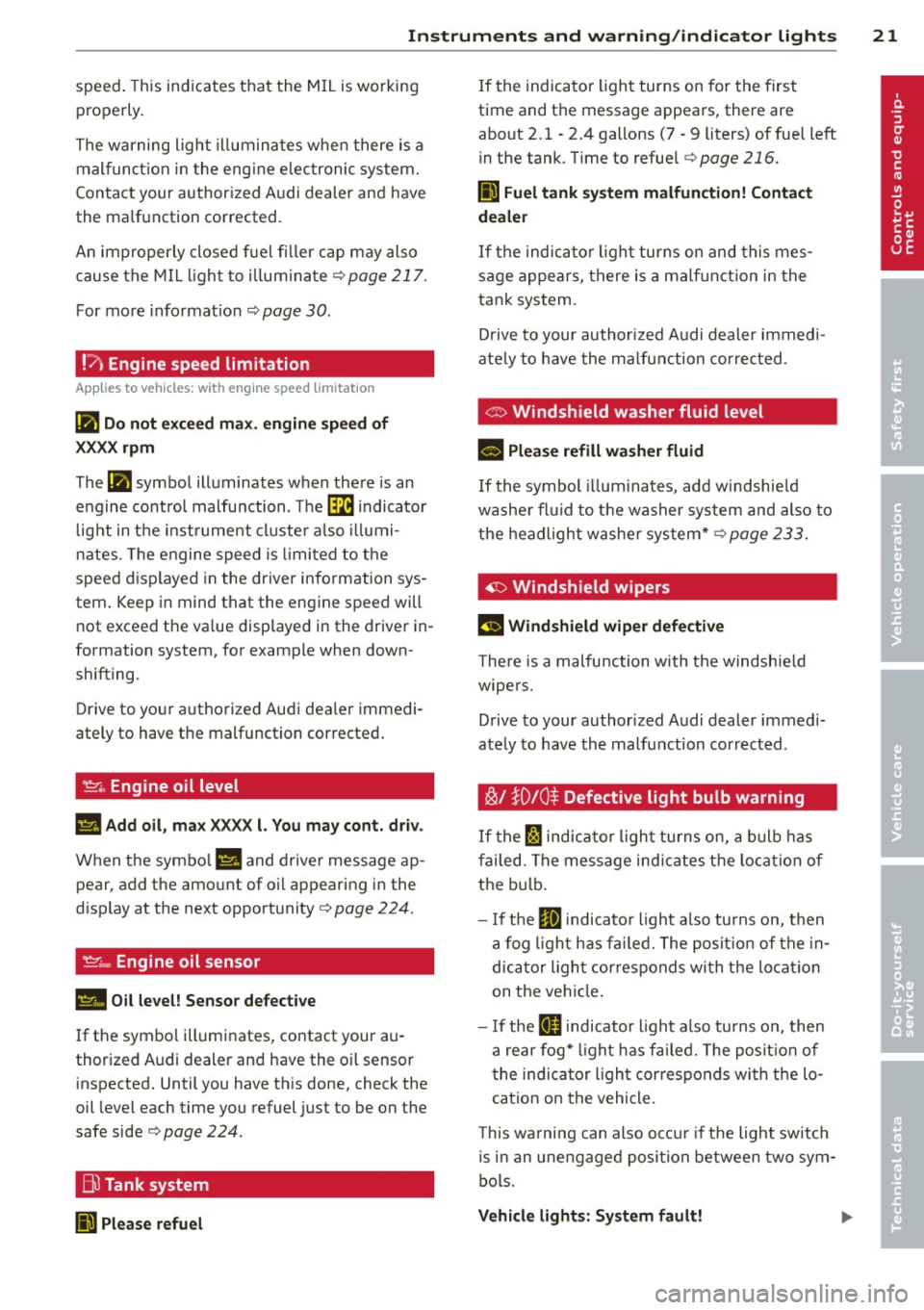
speed. This ind icates that the MIL is working
properly.
The warning light illuminates when there is a
mal funct ion in the engine e lectronic system.
Contact your authorized Audi dealer and have
the ma lfunction corrected .
An improperly closed fuel filler cap may also
cause the MIL light to illum inate
r::!,> page 217.
For more informat ion r:!,> page 30 .
!?) Engine speed limitation
App lies to vehicles: wit h eng ine speed lim itat ion
(II Do not exceed max. engine speed of
XXXX rpm
The (I! symbol illuminates when there is an
engine control malfunction. Th e~ indicator
l ight in the instrument cluster also illumi
nates. The engine speed is lim ited to the
speed displayed in the driver information sys
tem . Keep in mind that the engine speed will
not exceed the va lue displayed in the driver in
formation system, for example when down
shifting.
Drive to your authorized Audi dea ler immedi
ately to have the malfunction corrected .
~ .. Engine oil level
1111 Add oil , max XXXX l. You may cont. driv.
When the symbo l l!I and driver message ap
pear , add the amount of oil appearing in the
disp lay at the next opportunity
r:!,> page 224.
~;.., Engine oil sensor
II Oil level! Sensor defective
If the symbol illuminates, contact your au
thor ized Audi dealer and have the o il sensor
inspected. Until you have this done, check the
oil level each time you refuel just to be on the
safe side
r:!,> page 224 .
Bu Tank system
liJl Please refuel
If the indicator light turns on for the first
time and the message appears, there are
about 2. 1 -2.4 gallons (7 -9 liters) of fuel left
in the tank . T ime to refuel
r:!,> page 216.
Ii] Fuel tank system malfunction! Contact
dealer
If the indicator light turns on and this mes
sage appears, there is a malf unct ion in the
tank system.
Drive to your authorized Audi dealer immed i
ate ly to have the malfunction corrected.
<:::> Windshield washer fluid level
- Please refill washer fluid
If the symbol illum inates, add w indshie ld
washe r fluid to the washer system and also to
the headlight washer system*
r:!,> page 233.
'1:> Windshield wipers
El'J Windshield wiper defective
The re is a malfunction with the windshield
wipers.
Drive to your authorized Audi dealer immedi
ately to have the malfunction corrected .
~/ }D 10 $ Defective light bulb warning
If the Fl indicator light turns on, a bulb has
failed. The message ind icates the location of
the bulb.
- If the
IIJ indicato r light also turns on, then
a fog light has fai led. The position of the in
dicator ligh t corresponds wi th the locatio n
on the vehicle .
- If the
ftD indicator light also turns on, then
a rear fog* light has fai led. The position of
the indicator light cor responds wi th the lo
cation on the vehicle .
T his wa rning can also occu r if the light switch
is in an unengaged posi tion between two sym
bols .
Vehicle lights: System fault!
Page 24 of 302

22 Instruments and warning/indicator lights
If the message appea rs, there is a mal func
tion in the headlights or lig ht switch.
Dr ive to yo ur autho rize d Audi deale r i mmedi
a te ly to have the mal func tion cor re cte d.
8_ WARNING
- Ligh t bul bs are pressurized and co uld ex
plode while t hey are being changed caus
ing ser ious persona l injury.
- W ork w ith due care when handling the
high-volta ge section of gas discha rge
(xenon) lights*. Fai lure to do so could re
sult in death or se rious i njury.
Have the bulb replaced or t he connection
re paired by yo ur auth o rized Au di Service
department.
~()) Headlight range control
App lies to vehicles: with headlig ht range control
El Headlight range control defective !
If t he symbo l El il lum inates , the dynam ic
headlight range cont ro l is no longer wo rking
properly . Have the system checked and re
pa ired at your author ized Audi dealer.
§0 Adaptive Light
App lies to vehicles: with adaptive lig ht
mil Audi adaptive light : defective
If the indicator light turns on and th is mes
sage appears, there is a malfunction in the
adapt ive light system. The headlights still
f u nction .
Go to an authori zed dea lership to have the
headlights or the contro l unit for the adapt ive
light repa ired .
~D Light/rain sensor
App lies to vehicles: with light/ra in sensor
tfl Automatic headlights / automatic wipers
defective
If the indica to r li ght turns on and this mes
sage a ppears, the light/ rain senso r is not
f unct ioning correct ly .
F o r sa fe ty reasons the low be ams are turne d
o n pe rmanen tly with the sw itch in
AUTO.
However, you can conti nue to turn the lights
o n and off using the light switch. Yo u can st ill
control a ll functions that are independent of
the ra in sensor through the w indshield w iper
l ever .
Contact your a uthorized Aud i dea ler as soon
as possible to have the problem co rrected .
Q Adaptive dampers
Applies to vehicles: wit h Audi drive se lect and adaptive
dampers
B Suspension: System fault!
I f the B symbol in the disp lay co mes on, there
is a ma lf unc tion in the a dap tive dampers.
Please go to an authorized A udi dealer or ot h
er qualifie d wo rkshop to have the malfunct ion
r epaired.
.r i Sport differential
Applies to vehicles: wit h Aud i drive se lect and spo rt dif
ferential
Sport differential : System fault!
T he re is a malfunction with the sp ort diffe ren
ti al.
D rive to your author ized A udi dealer immed i
ate ly to have the ma lfu nction corr ected .
Sport differential : Overheating
T he transm iss ion tem perat ure has inc reased
s ignificantly due to the sporty d riving manner.
Drive in a less sporty ma nner until the tem
perature re turns to the normal range and the
i ndicato r light switc hes of.
8_ WARNING
"---
Co ntac t your author ized Audi d ealer or a
qu alified wor kshop if the s port differential
is fa u lty or malfun ctionin g . Th e rep air
m ust be perfor med b y train ed p ersonn el
-
Page 25 of 302
using the correct oil in order to ensure
safety.
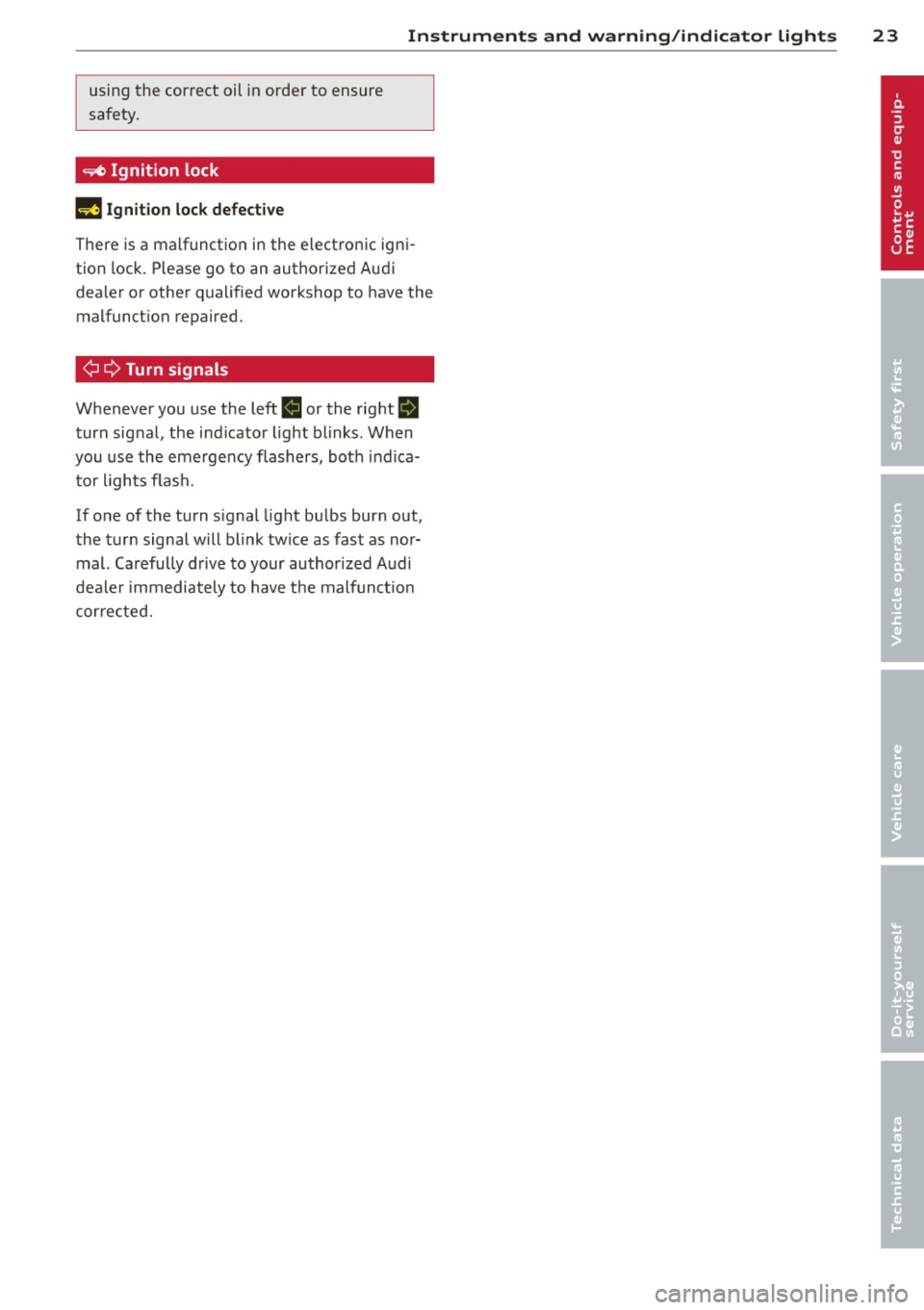
~ Ignition lock
II! Ignition lock defective
Instruments and warning/indicator lights 23
There is a malfunction in the electronic igni
tion lock. Please go to an authorized Audi
dealer or other qualified workshop to have the
malfunct ion repaired.
¢¢ Turn signals
Whenever you use the left. or the right II
turn signal, the ind icator light blinks. When
you use the emergency flashers, both indica
tor lights flash.
If one of the turn s ignal light bulbs burn out,
the turn signal will blink tw ice as fast as nor
mal. Carefully drive to your authorized Audi
dealer immediately to have the malfunct ion
corrected.
Page 45 of 302
Opening th e windows
"' Press the switch to the firs t stop and hold it
until the window reaches the desi red posi
tion.
"' Press the switch briefly to the se cond stop
to automatically open the window .
Cl os ing th e windows
"' Pull the swi tch to the first sto p and hold it
until the window reaches the desi red posi
tion .
"' Pu ll the switch brief ly to the sec on d st op to
automatica lly close the window.
P ow er w ind ow switch es
@ Driver's door
@ Passenger's door
© Left rea r door
@ R ight rear door
® Safety button
Child safety loc ks
When the safety button® is pressed
c::> fig. 35, the ~ symbol in the button lights
up . The power w indow switches in the rear
doors are switched off.
A WARNING
- When you leave your veh icle - even if on
ly briefly - always remove the ign ition
key. This applies part icularly when chil
dren remain in the vehicle. Otherw ise the
children cou ld s tart the engine or oper
ate e lectr ica l equipment (e.g . power win
dows). The power windows a re f unction
al until the driver's door or passenger's
door has been opened.
- Pay close attention when closing the win
dows to prevent pinching of hands or
limbs.
- When locking the vehicle from outside,
the vehicle must be unoccupied s ince the
windows can no longer be opened in an
emergency.
Opening and clo sin g 43
(D Tips
After the ignition has been switched off,
the w indows can still be opened or closed
for about 10 minutes. The power windows
are not switched off until the driver's door
or passenger's door has been opened .
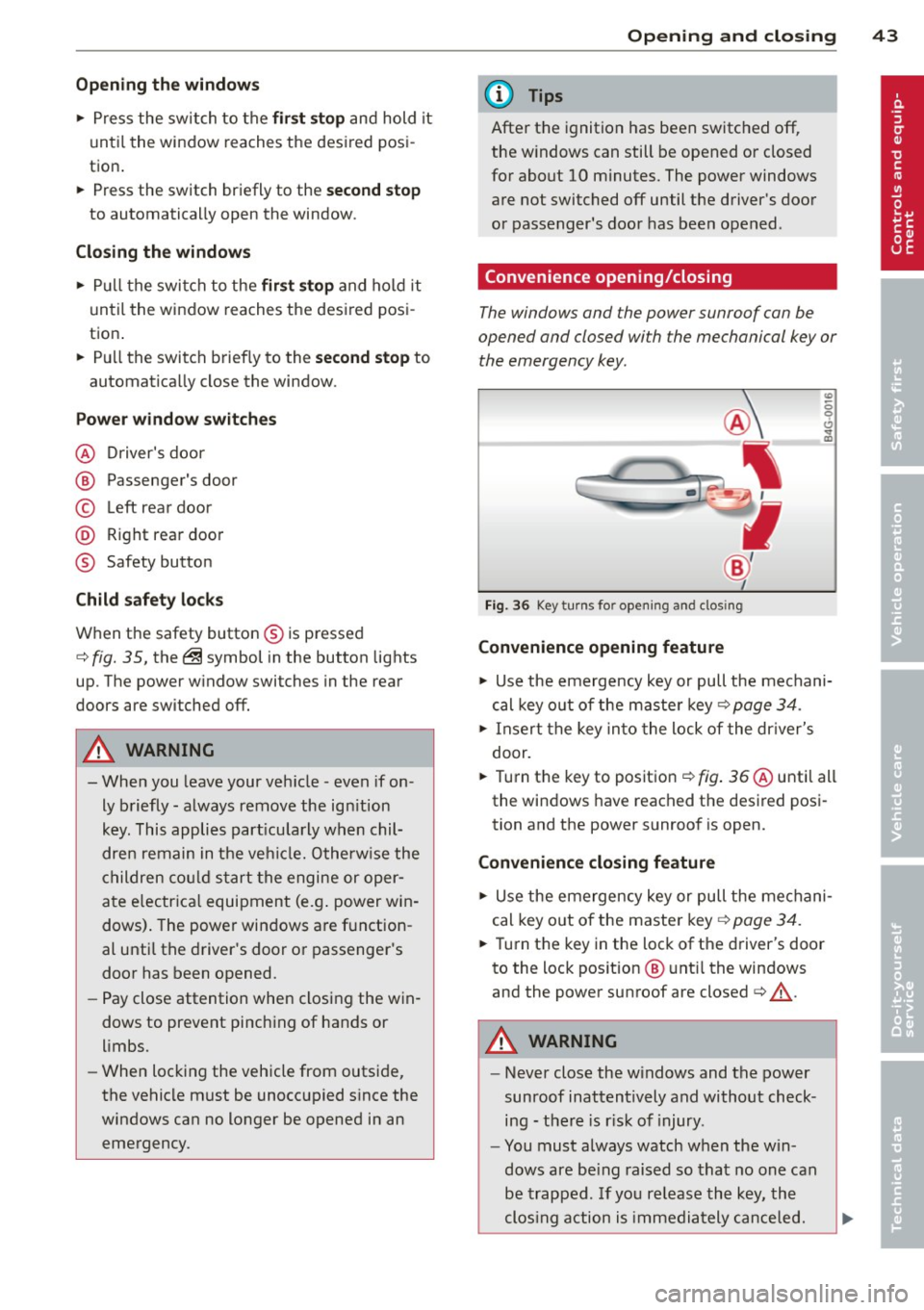
Convenience opening/closing
The windows and the power sunroof can be
opened and closed with the mechanical key or the emergency key.
Fig. 36 Key turns for opening and clos ing
Convenience opening feature
"' -0 0 t!, ., a,
"' Use the emergency key or pull the mechani
cal key out of the maste r key
c:? page 34.
"' Insert the key into the lock of the dr iver's
door.
"' Turn the key to position ¢
fig. 36 @until all
the windows have reached the desired posi
tion and the power sunroof is open.
Convenience closing f eature
"' Use the emergency key or pull the mechani
cal key out of the maste r key ¢
page 34.
"' Turn the key in the lock of the driver's door
to the lock position @ unt il the windows
and the power sunroof are closed¢
A.
A WARNING
- Never close the w indows and the power
sunroof inattentively and without check ing - the re is r isk of injury.
- You must always watch when the win
dows are be ing raised so that no one can
be trapped. If you re lease the key, the
clos ing action is immediately canceled.
Page 49 of 302
Clear vision Lights
Switching the lights on and off
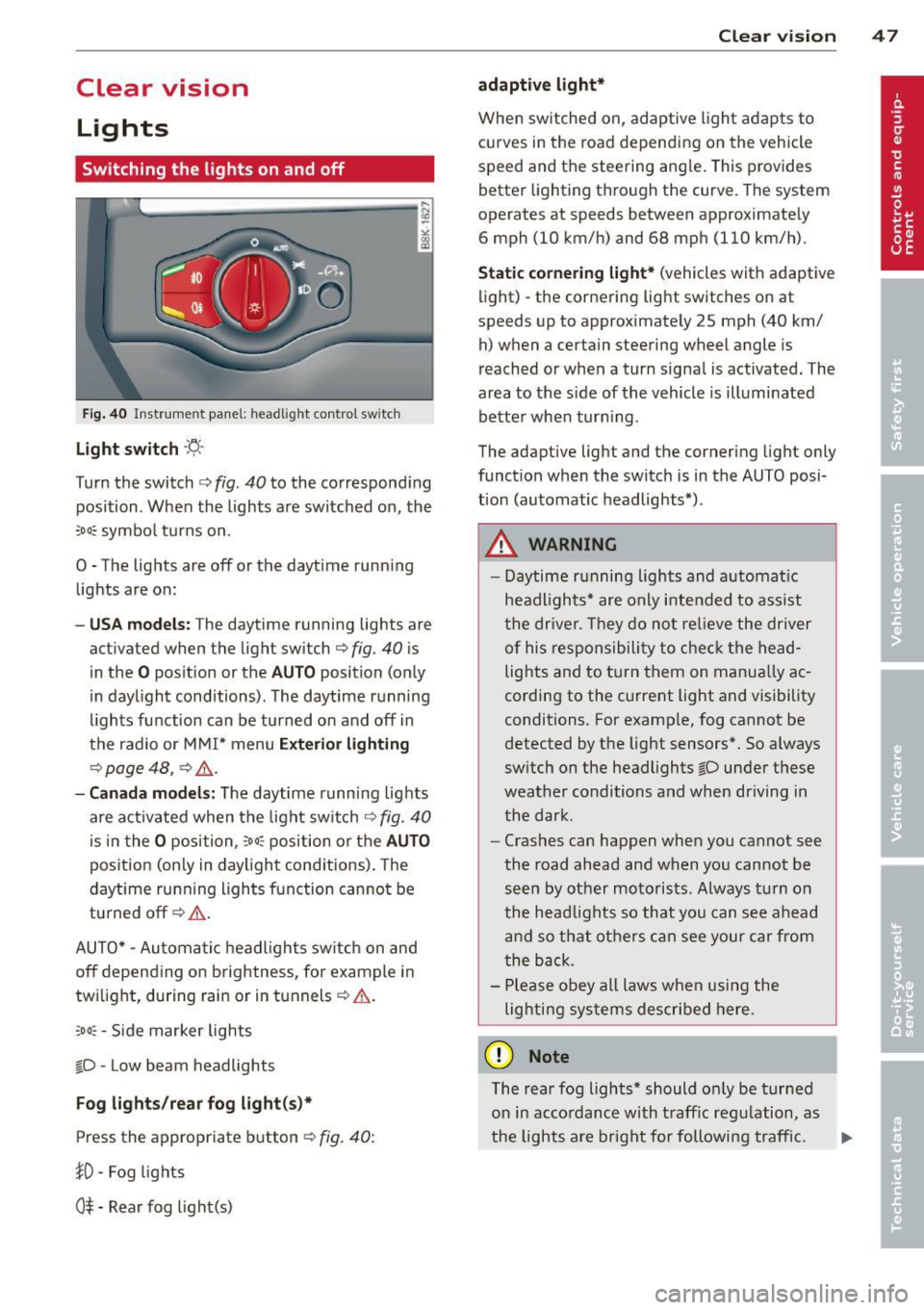
F ig . 40 Instrument pane l: headlight control switch
Light switch ·'t/,·
Turn the switch c> fig . 40 to the correspond ing
position . When the lights are switched on, the
:oo: symbol turns on.
0 • The lights are off or the dayt ime running
lights are on:
- USA mod els : The daytime running lights are
activated when the light sw itch
c> fig . 40 is
in the
O position or the AUTO position (only
in daylight conditions) . The daytime running
lights function can be turned on and off in
the radio or MMI* menu
E xteri or li ghtin g
¢ page 48 , c> &_.
-Ca nad a mod els: The daytime runn ing lights
are activated when the light sw itch
¢ fig . 40
is in the O position, :oo : position or the AUTO
posit ion (only in daylight conditions). The
daytime running lights function cannot be
turned off¢&. .
AUTO* -Automatic headlights switch on and
off depending on b rightness, for example in
tw ilight, during rain or in tunnels¢,& .
:oo: -Side marker lights
~D -Low beam headlights
Fog light s/rea r fog ligh t(s)*
Press the appropriate button c> fig. 40:
1D -Fog lights
0$ -Rear fog light(s)
Clear vi sion 4 7
adaptive light*
When switched on, adaptive ligh t adap ts to
curves in the road depend ing on the vehicle
speed and the steering ang le. This provides
better lighting through the curve. The system
operates at speeds between approximately 6 mph (10 km/h) and 68 mph (110 km/h).
St atic corner ing light * (vehicles with adaptive
light) -the cornering light switches on at
speeds up to approximately 25 mph (40 km/ h) when a certain steering wheel angle is
reached or when a turn signal is activated. The
area to the s ide of the vehicle is illuminated
better whe n turn ing .
The adaptive light and the cornering light only
function when the switch is in the AUTO posi
tion (automatic headlights*) .
A WARNING
-Daytime running lights and automatic
headlights* are only intended to ass ist
the driver . T hey do no t re lieve the driver
of his responsibility to chec k the head
lights and to t urn them on manua lly ac
cording to the current light and visibility
conditions. For examp le, fog cannot be
detected by the light sensors*. So a lways
switch on the headlights
~D under these
weather conditions and when driving in
the dark .
- Crashes can happen when you cannot see
the road ahead and when you cannot be
seen by other motorists. Always turn on
the head lights so that you can see ahead
and so that others can see your car from
the back.
- Please obey all laws when using the
lig hting sys tems described here.
(D Note
The rear fog lights* should on ly be turned
on in accordance with t raff ic regulation, as
the lights are bright for following traffic. ..,.
Page 50 of 302

48 Clear vis ion
@ Tips
- The light sensor* for headlight control is
located in the rear view m irror mount.
You should therefore not apply any st ick
ers to the windsh ield in this area in order
to prevent malfunctions or failures.
- Some exterior lighting functions can be
adjusted
c> page 48.
- When you remove your key from the igni
tion while the vehicle's lights are turned
on, a buzzer sounds as long as the driv
er's door is open .
- In cool or damp weather, the ins ide of
the headlights, turn signals and tail lights can fog over due to the tempera
ture difference between the inside and
outside. They will clea r shor tly after
switching them on. This does not affect
the service life of the lighting.
- In the even t of a light sensor malfunc
tion, the driver is no tified in the instru
ment cluster disp lay ¢
page 22.
Turn signals and high beam lever
The lever operates the turn signals , the high
b eams and th e headlight flash er.
Fig . 4 1 Tu rn s ig na l an d h ig h beam leve r
Turn sign als ¢i ¢
The turn signals activate when you move the
l ever into a turn s ignal pos ition when the ign i
tion is switched on.
(D -right turn signal
@-left tur n signa l
The turn s ignal blinks three times if you just
tap the lever .
High be ams and headlight flasher [D
Move the lever to the correspon ding posit io n:
@ -high beams on
@ -high beams off o r headligh t fla sher
The indicator light
II in the i nstr ument clus
ter turns on .
Notes on thes e features
- The turn signals on ly work w ith the ign ition
t ur ned on. The indicator lights
B or II in
t he instrument cluster also blink.
- After you have turned a co rner, the tu rn s ig
na l switches off au toma tically .
- The
high beam works on ly w hen the head
lights a re o n. The indicator light
II in the
instrument cluster illuminates when the
high beams are on .
- The
headlight flasher works o nly as long as
you ho ld the lever -even if the re a re no
lights switched on . The ind icator light
II i n
the instrument cluster illum inates when you
use the headlight flasher.
A WARNING
--
Do not use the h igh beam or headlight
flashe r if you know that these could blind
oncom ing traffic.
Adjusting exterior lighting
The functions ore selected in the radio or
MMI" .
.,. Select: I CAR ! function button > Ext erio r
light ing .
Or
.,. Select: !CAR I function button > Car sys
tem s*
contro l button > Ve hicle settings >
Ext eri or lighting .
Coming home (light when leav ing car }* ,
L e aving home (light when unlocking car)*
The coming home function illuminates the
area around the vehicle when the ignition is
switched off and the dr ive r's door is opened .
Depend ing on vehicle equ ipment, the function
can be switched on and off or the length of
time the lights remain on* can be ad justed . ..,_
Page 53 of 302
Turn the knob to the desired position:
Q/ P -In this position , you can adjust the
driver's and front passenger's exterior mirrors
by turning the knob in the desired direction.
(ijjl -The mirrors are heated depending on the
outside temperature.
8 -The exterior mirrors fold in*. You can ad
just whether or not the mirrors fold in auto
matically when locking the vehicle using the
radio/MM I*
c::> page 3 7.
Passenger exterior mirror tilt function*
(only with memory for exterior mirrows)
To help you see the curb when backing into a
parking space, the surface of the mirror tilts
slightly . The knob must be in the
P position
for this to happen .
You can adjust the tilted mirror surface by
turning the knob in the desired direction .
When you move out of reverse and into anoth
er gear, the new mirror position is stored and
assigned to the key you are using.
The mirror goes back into its original position
once you d rive forward faster than 9 mph
(15 km/h) or switch the ignition off .
,&. WARNING
Curved mirror surfaces (convex or spheri
cal*) increase your field of view. Remem
ber that vehicles or other objects will ap
pear smaller and farther away than when
seen in a flat mirror. If you use this mirror
to estimate distances of following vehicles
when changing lanes, you could estimate incorrectly and cause an accident.
(D Note
- If the mirror housing is moved uninten
tionally (for example, while parking your
vehicle), then you must first fold the mir ror electrically. Do not readjust the mir
ror housing manually. You could damage
the motor which controls the mirror .
-If you wash the vehicle in an automatic
car wash, you must fold the exterior mir
rors in to reduce the risk of damage to
-
Clear vision 51
the mirrors . Never fold power folding ex
terior mirrors* by hand. Only fold them
in and out using the power controls.
(D Tips
- The exterior mirror settings are stored
with the memory function*
c::> page 62.
- If there should be a malfunction in the
electrical system, you can still adjust the
exterior mirrors by pressing the edge of
the mirror.
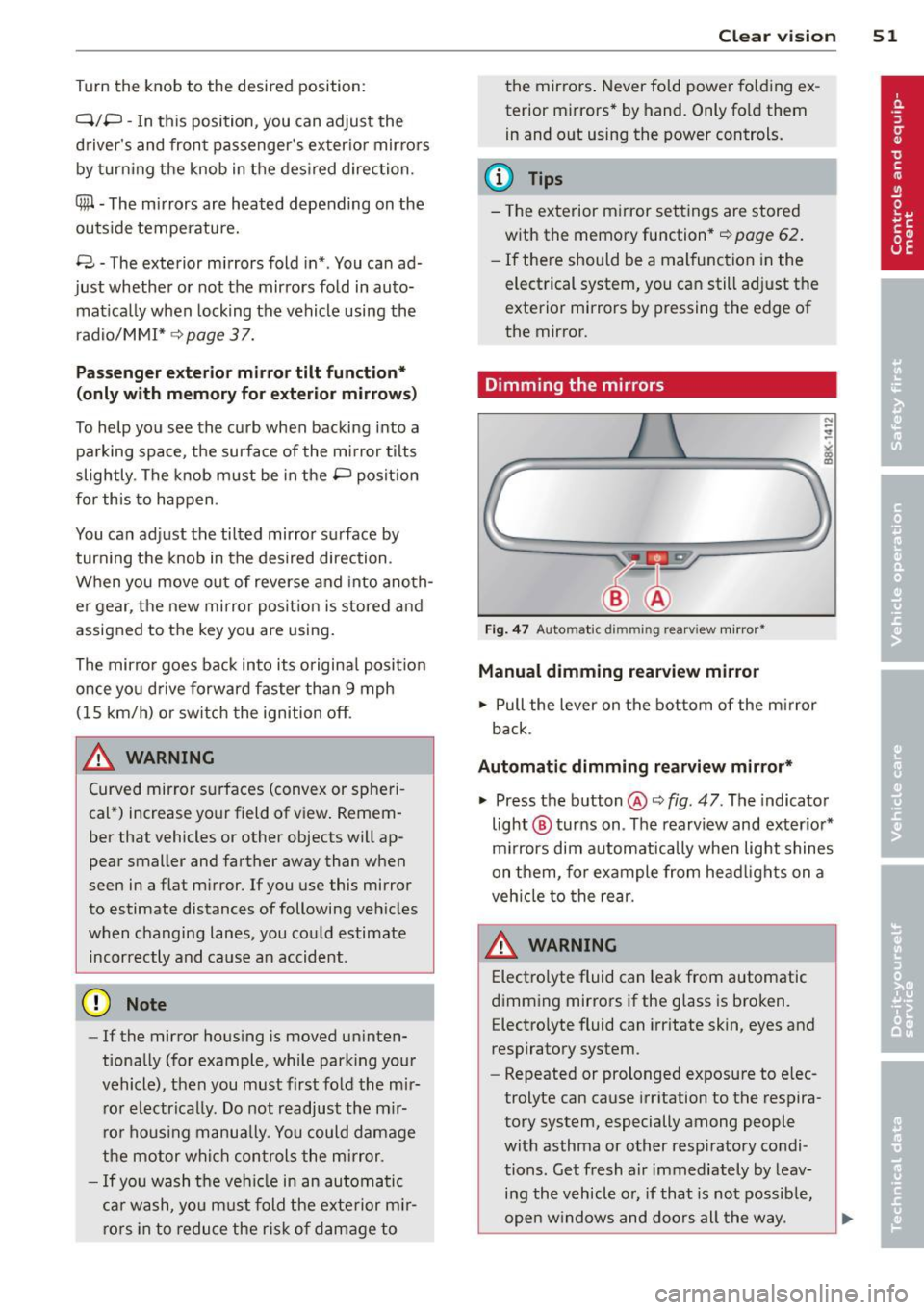
Dimming the mirrors
N
:!
"' ~:::====~~=~====~ :ll
Fig. 47 Auto mat ic dimming re arv iew mirror*
Manual dimming rearview mirror
.. Pull the lever on the bottom of the mirror
back .
Automatic dimming rearview mirror*
.. Press the button @c::> fig. 47. The indicator
light @ turns on . The rearview and exterior*
mirrors dim automatically when light shines
on them, for example from headlights on a
vehicle to the rear.
A WARNING -
Electrolyte fluid can leak from automatic
dimming mirrors if the glass is broken. Electrolyte fluid can irritate skin, eyes and
respiratory system .
- Repeated or prolonged exposure to elec
trolyte can cause irritation to the respira
tory system, especially among people
with asthma or other respiratory condi
tions. Get fresh a ir immediately by leav
ing the vehicle or, if that is not possible,
open windows and doors all the way.
Page 56 of 302
54 Clear vis ion
ra in sensor mode off and switch intermittent
mode on in the MMI*. Se lect:
I CAR ! function
button
> C ar sys tem s* contro l button > Dri ver
assi st> Rain s enso r.
In interm ittent mode,
you can adjust the interval time using the ®
switch .
@-Slow wiping
@-Fas t wiping
© -Sing le w ipe
® -Clean the windshield . To eliminate water
drop lets, the w indshield wiper performs one
afterwipe operation after several seconds
while driv ing . You can switch th is fu nction off
by mov ing the lever to position ® within 10
seconds of the afte rwipe operation . The after
wipe func tion is reactiva ted the next time the
ignition is switched on.
a llroad: The rear w iper automatically switches
on when the reve rse gear is engaged and the
front w indshield w ipers are on and in opera
tion .
C lean ing the headlights*. The headlight wash
e r system* opera tes on ly when the headl ights
a re on. If you move the leve r to pos ition @,
the head lights are washed in intervals.
@ -allroad : Wipe the rear window. The rear
wiper moves about every 4 seconds.
(J) -allroad : Clean the rear window . The num
ber of wiping operations depends on how long
the lever is held in pos ition
(J) .
_& WARNING
- T he ra in sensor is only inte nded to assist
the drive r. The driver is still responsible
for man ually switching the wipers on ac
cording to the v isibility conditions .
- T he windshie ld may not be treated w ith
water-repe lling windshie ld coating
agents . Unfavorable conditions, such as
wetness, darkness, low sun, can res ult in
increased glare. Wiper blade chatter is
also possible .
- Proper ly functioning windshie ld w iper
blades are required for a clear view and safe driving
~ page 54, Replacing
windshield wiper blades.
@ Note
- In the case of frost, check whethe r the
windshield wiper blades are frozen to
the windshield. Sw itching on the wind
shield wipers can damage the wiper
blades!
- Pr ior to us ing a car wash, the w indshield
w iper system must be sw itched off ( lever
in posit ion @). Th is he lps to prevent un
intentional switching on and damage to
the windsh ield wiper system .
@ Tips
- The windshie ld wipers are switched off
when the ignit ion is turned off. Act ivate
the winds hield wipers after the ignition
is switched back on by moving the wind
shield w iper lever to any position.
- Worn or d irty windshield wiper blades
result in st reaking. This can affect the
rain sensor* function. Check your wind
shield w ipe r blades regularly.
- The washer fluid nozz les of the wind
shield w asher system a re heated at low
temperat ures when the igni tion is on.
- When stopping tempo rarily, (e .g. at a
t raffic light) the set speed o f the wind
shield wipers is automatically reduced by
one speed.
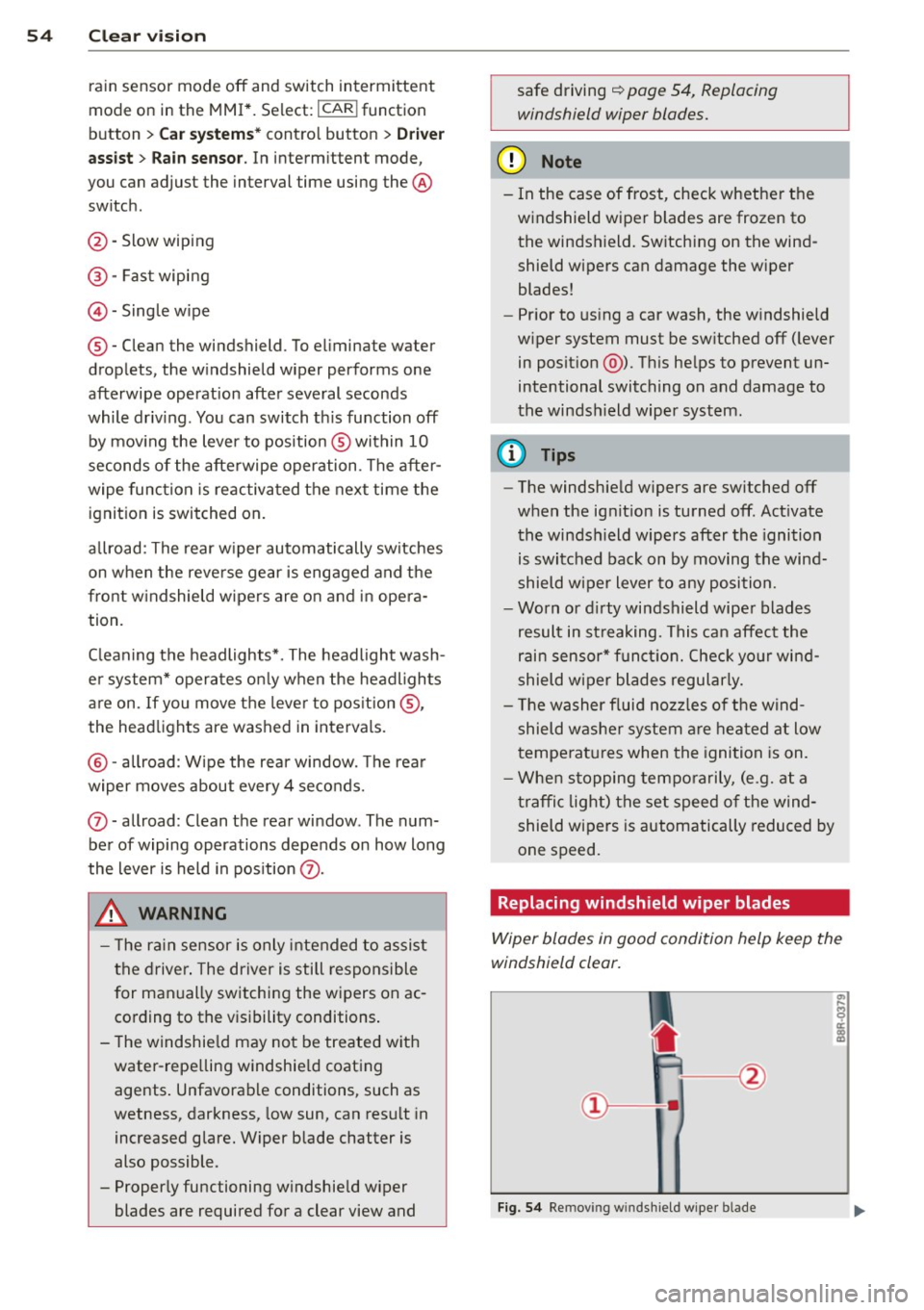
· Replacing windshield w iper blades
Wiper blades in good condition help keep the
windshield clear.
F ig. 5 4 Remov ing wi nd sh ie ld w ipe r bl ade
Page 65 of 302
The memory buttons are located in the driv
er's door.
Switching the memory function on/off
• Press the !O FF ! button to switch the memo
ry function on/off. The word
OFF lights up
when the memory function is switched off .
Seat profiles are not stored .
Storing a seat profile
• Press the !SET ! button . When the wo rd SET
lights up, the memory is ready to store set
t ings .
• Press a memory button
dJ J or [II ) briefly . A
tone confirms that the settings wer e stored.
Accessing a seat profile
• If the driver's door is open , press a memory
button .
• If the drive r's door is closed, press and ho ld
the memory button until the seat adjust
ment is complete.
A WARNING
- For safety reasons, the seat setting can
only be recalled when the vehicle is sta
tionary -otherwise you risk having an ac
cident .
- In an emergency the recall procedure can
be cancelled by pressing the
! OF F! switch
or by tapping the memory buttons .
Ashtray
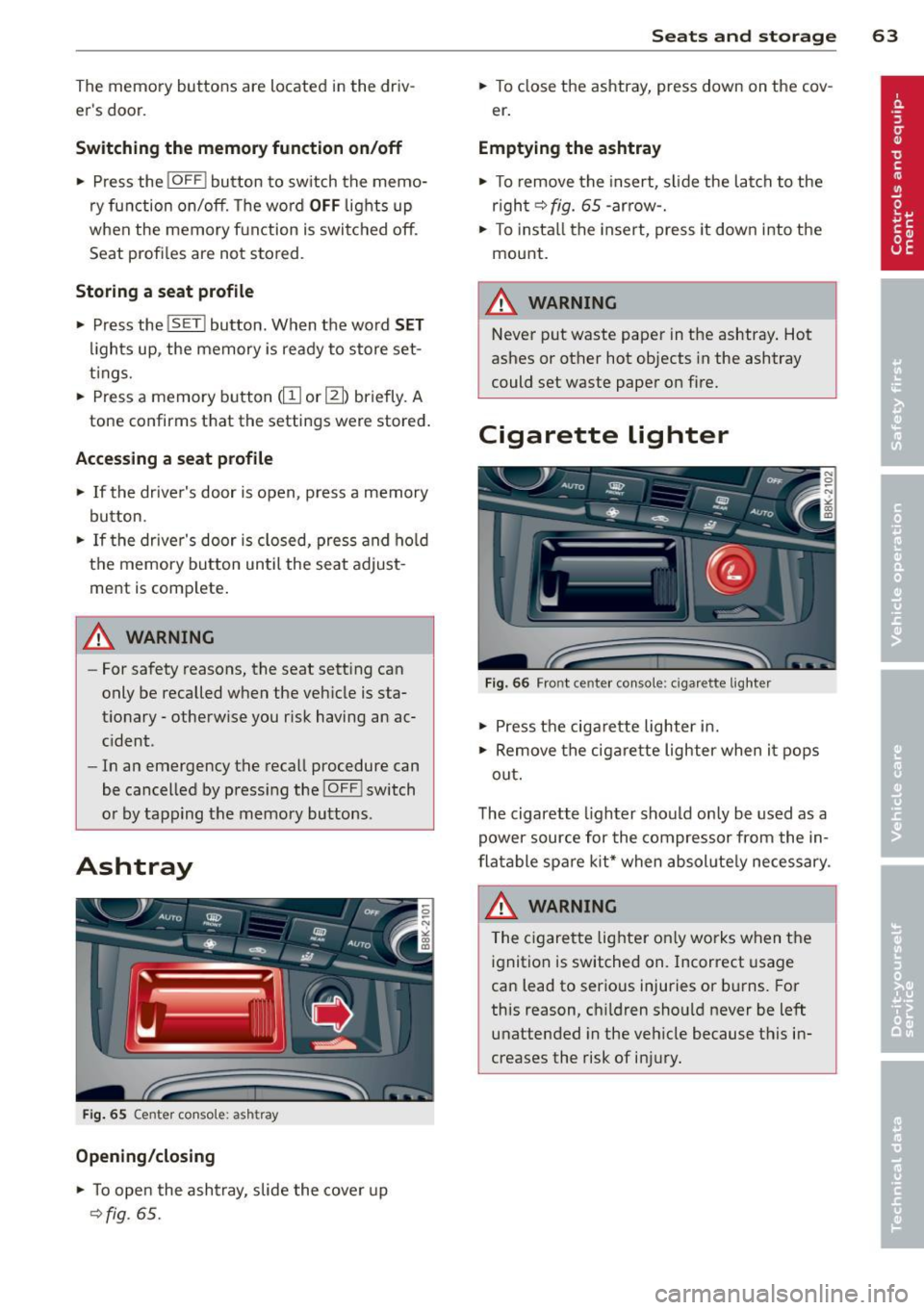
Fig. 65 Center con so le: ash tray
Opening/closing
• To open the ashtray, slide the cover up
~fig . 65 .
.
Seats and storage 63
• To close the ashtray, press down on the cov
e r.
Emptying the ashtray
• To remove the insert, slide the latch to the
r igh t
~fig. 65 -arro w-.
• To install the insert, press it down into the
mount.
A WARNING
-Never put waste paper in the ashtray. Hot
ashes or other hot objects in the ashtray
could set waste paper on fire.
Cigarette lighter
Fig. 66 Fro nt c ente r con sole : cigar ette light er
• Press the cigarette lighter in.
• Remove the cigarette lighter when it pops
out.
The cigarette lighter should only be used as a
power source for the compressor from the in
flatable spare kit* when absolutely necessary.
& WARNING ~
The cigarette lighter on ly works when the
ignition is switched on. Incorrect usage
can lead to serious injuries or burns. For
this reason, ch ildren should never be left
unattended in the vehicle because this in
creases the risk of injury.