manual transmission AUDI S4 2014 User Guide
[x] Cancel search | Manufacturer: AUDI, Model Year: 2014, Model line: S4, Model: AUDI S4 2014Pages: 296, PDF Size: 73.56 MB
Page 93 of 296
Transmission Manual transmission
Gearshift lever
App lies to vehicles: with manual transmission
The clutch pedal must be depressed all the
way before you can start the engine.
T he manual transmission in your Audi is
equipped with an
interlock-feature.
~ Depress the clutch pedal all the way.
~ Start the eng ine with the gearshift lever in
Neutral and the clutch pedal depressed.
(D Note
Always depress the clutch pedal fully when
changing gears . Do not hold the vehicle on
a hill with the clutch pedal partially de
pressed. This may cause premature clutch
wear or damage .
@ Tips
-Resting your hand on the gearshift lever
knob while driving will cause premature
wear in the transmission.
- The back-up lights go on when you shift
into Reverse w ith the ignition on.
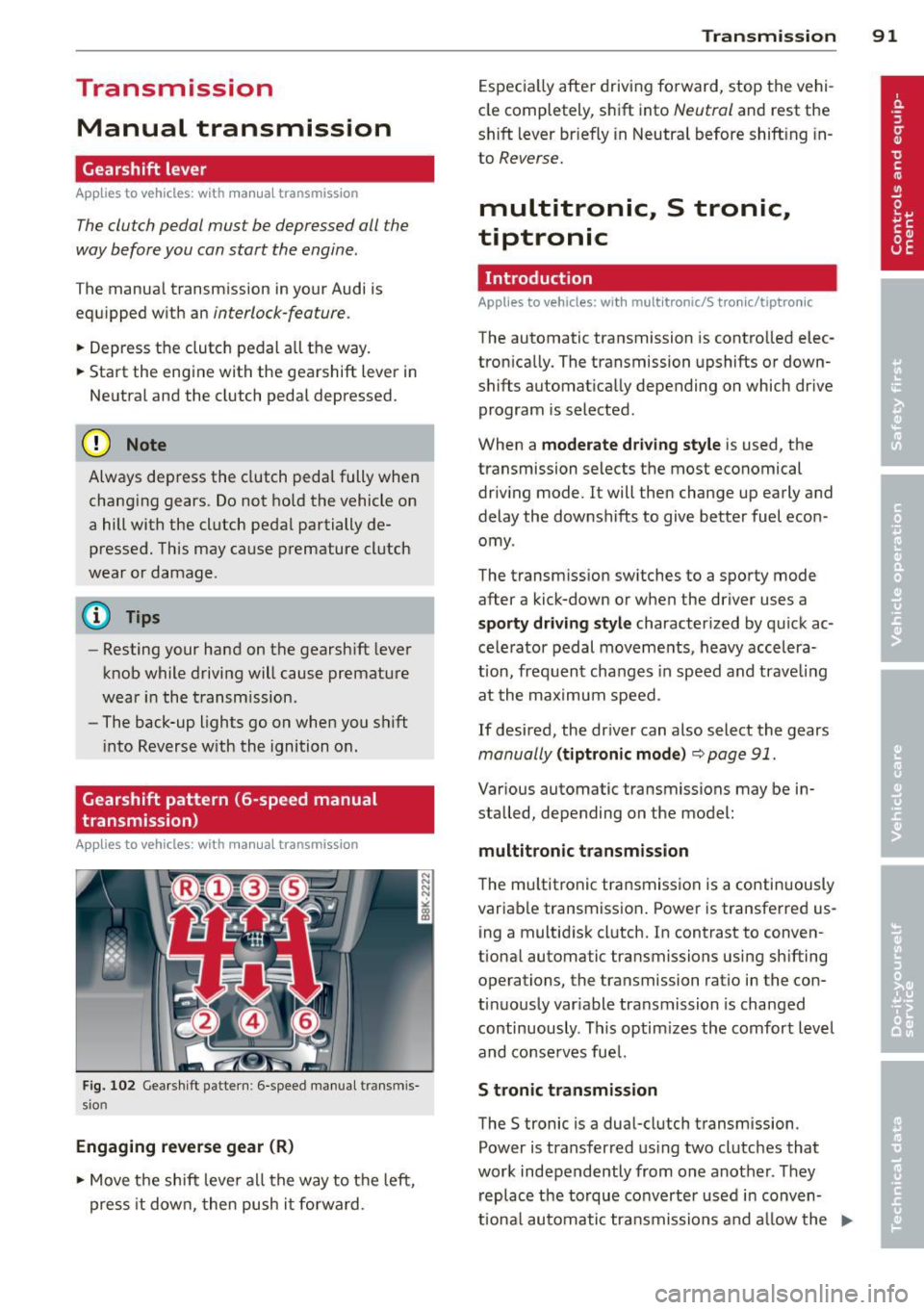
Gearshift pattern (6-speed manual
transmission)
Applies to vehicles: with manual transmission
Fig. 102 Gearshift pattern : 6-speed manual transmis
sio n
Engaging reverse gear (R)
~ Move the shift lever all the way to the left,
press it down, then push it forward . Transmission
91
Especially after driving forward, stop the vehi
cle completely, shift into
Neutral and rest the
shift lever br iefly in Neutral before shift ing in
to
Reverse.
multitronic., S tronic.,
tiptronic
Introduction
Applies to vehicles: with multitronic/S tronic/tiptronic
The automatic transmission is controlled elec
tronically. The transmission upshifts or down
shifts automatically depending on which drive
program is selected .
When a
moderate driving style is used, the
transmission selects the most economical
driving mode. It will then change up early and
delay the downshifts to give better fuel econ
omy .
The transmission switches to a sporty mode
after a kick-down or when the driver uses a
sporty driving style characterized by quick ac
celerator pedal movements, heavy accelera
t ion, frequent changes in speed and trave ling
at the maximum speed.
If desired, the driver can also select the gears
manually (tiptronic mode) ~ page 91.
Various automatic transmissions may be in
stalled, depending on the model:
multitronic transmission
The multitronic transmission is a continuously
variable transmission. Power is transferred us
ing a multidisk clutch. In contrast to conven
tional automatic transmissions using shifting
operations, the transmission ratio in the con
tinuously variable transmission is changed
continuously . This optimizes the comfort level
and conserves fuel.
S tronic transmission
The S tronic is a dual-clutch transmission .
Power is transferred using two clutches that
work independently from one another_ They
replace the torque converter used in conven
tiona l automatic transmissions and allow the ..,_
Page 96 of 296
94 Transmission Starting the engine
.. The selecto r lever must be in P or N.
Starting off
.. Press and hold the brake pedal.
.. Press and hold the release button in these
lector lever handle, se lect t he des ired selec
tor lever position such as D/S and release
the button .
.. Wait briefly unti l the transmission has shift
ed (you will feel a slight movement) .
.. Remove your foot from the brake pedal and
acce lerate.
Stopping temporarily
.. Keep the vehicle stationary usin g the brak
ing peda l, for examp le at traffic lights .
.. Do not press the accelerator pedal when do
ing this .
.. To prevent the veh icle from rolling when you
start driving, set the parking brake when
stopping on steep inclines
c> _& .
.. The parking brake will release automatically
and the vehicle w ill start moving once you
press the accelerator pedal.
Stopping/parking
If the selector lever is not in the P position
when you open the dr iver's door, the vehicle
could roll. The message
Transmission: Car
may roll! Shift to park!
appears.
.. Press and hold the brake pedal until the ve-
hicle has come to a complete stop .
.. Apply the parking brake
c> page 86, Parking .
.. Select the P selector lever position c> _&.
Stopping on an incline
.. Always press the brake pedal to hold the ve
hicle in place and prevent it from "rolling
back"
c> _& . Do not try to prevent the vehi
cle from "roll ing back" when a gear is en
gaged by increasing the eng ine speed
c> (D.
Starting on an incline
.. Activate the parking brake.
.. With the driving gear se lected, press the ac
celerator pedal carefully. The park ing brake will release automatically if your seat
belt is
fastened .
Under certain circumstances, such as driving
in the mountains, it may be usefu l to switch
temporarily to the manual shift program in or
der to adjust the gears to the driving cond i
tions by hand
c> page 96.
On slopes, activate the parking brake first and
then move the selector lever to the P position .
This prevents too much stress from being
placed on the locking mechanism .
Vehicles with multitronic transmission: Your
vehicle is equipped with
hill hold assist allow
ing you to start while on an incline. The sys
tem is activated when the brake pedal is
pressed down and he ld
for a few seconds . The
brake pressure will hold for
a moment after
the brake pedal loosens to prevent the vehicle
from roll ing backwards wh ile starting up .
A WARNING
-The vehicle can also roll when the engine
is stopped.
- Unintended vehicle movement can cause
serious injury.
- Never leave your vehicle with the engine
r un ning while in gear. If you must leave
your veh icle when the engine is running,
activate the parking brake and move the
selecto r lever to P.
- Power is still transmitted to the wheels
when the engine is running at idle. To
prevent the vehicle from "creeping", you
must keep your foot on the brake when
the engine is running and the selector
lever is in
DIS or R or "tiptronic" mode is
selected .
- Do not press the accelerator pedal when changing the selector lever position
while the veh icle is stationary and the
engine is running.
- Never shift into R or P while driving.
- Before driving down a steep s lope, re-
duce your speed and shift into a lower
gear with "tiptronic".
Page 98 of 296
96 Transmission
Manual shift program
Appl ies to vehicles: with multitronic/S tronic/t iptronic
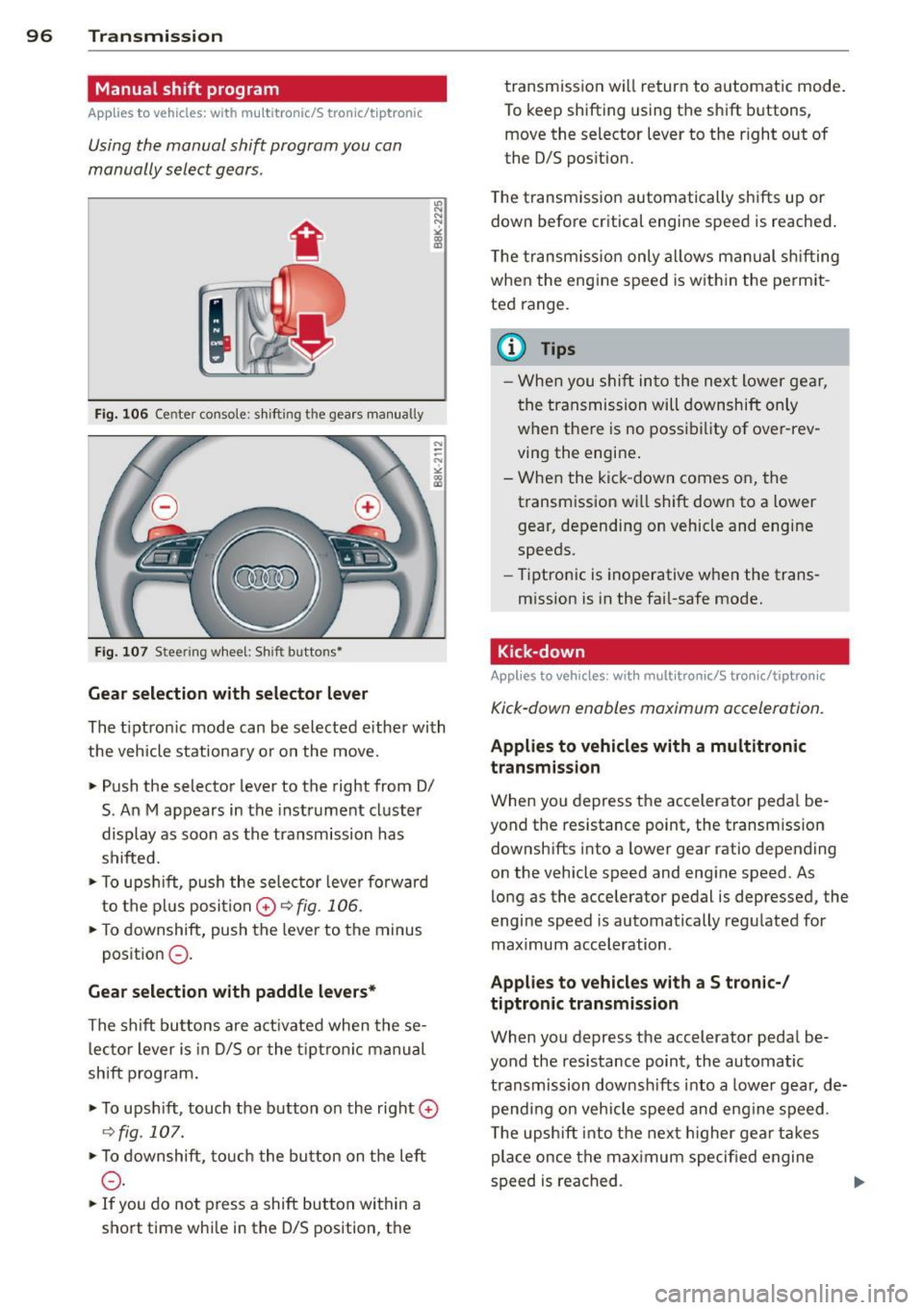
Using the manual shift program you can
manually select gears .
Fig . 10 6 Center co nsole: s hifting the gears manu ally
Fig . 10 7 Steer ing w heel: Shift buttons•
Gear selection with selector lever
"' N
N
~
" a> CD
The tiptron ic mode can be selected e ither with
the vehicle stationa ry or on the move.
• Push the selector lever to the right from 0/
S. An M appears in the instrument cl uster
display as soon as the transmission has
shifted.
• To u pshi ft, p ush the selec tor leve r forward
to the pl us posi tion
0 r:::,fig . 106.
• To downshift, push the leve r to the minus
p osition
0 -
Gear selection with paddle levers*
The s hift bu ttons are a ct ivated when the se
l ec to r lever is in D/S or the t ip tr on ic manu al
shift p rogram .
• To ups hift, touch the button on the right
0
C:, fig . 107.
• To downshift, touc h t he bu tton on the left
0 -
• If you do not press a shift but ton within a
s h ort time whi le in the D/S position, th e transmission will return to a
utomatic mode .
To keep shifting using t he sh ift bu ttons,
move the selector lever to the r ight out of
the D/S pos ition.
T he t ransm iss io n automatically sh ifts up or
down before critical engine speed is reached .
T he transm iss io n only a llows manual sh ifting
when the engine speed is w it hi n the pe rmit
ted range .
@ Tips
-Whe n you s hift into the ne xt l ower ge ar,
the transmission will downshift only
w hen the re is no poss ib ility of ove r-rev
ving the engine .
- W hen the kic k-down comes on, the
transm ission w ill shift d ow n to a lower
gear, depending on vehicle and engine
speeds.
- Tip tro nic is inoperative when the trans
m ission is in the fai l-safe mode .
Kick-down
Applies to vehicles : wit h mult itronic/S t ro ni c/tip tro nic
Kick-down enables maximum acceleration.
Applies to vehicles with a multitronic
transmission
W hen you depress the accelerator peda l be
yond the resistance point, the transm ission
downsh ifts into a lower gear ratio depend ing
on the vehicle speed and engine speed. As
lo ng as the accelerator pedal is depressed, the
engine speed is automatically regulated for
maximum acceleration .
Applies to vehicles with a S tronic-/
tiptronic transmission
When you depress the accelerator peda l be
yond the resistance point, the automatic transmission downsh ifts into a lowe r gear, de
pend ing on veh icle s peed an d eng ine speed .
T he upsh ift into t he nex t higher gea r takes
place once the max imum speci fied engine
s p eed is reached .
Page 103 of 296
Audi adaptive cru ise control and brakin g guar d 101
Vehicles with manual transmission
App lies to vehicles: with Audi adaptive cruise control
The adaptive c ruise control is avai lab le from
the 2nd gear through the 6th gea r in the cus
tomary RPM.
When the adapt ive cruise control is turned on,
you must p ress the clutch to shift gears (as
usual) . When sh ifting normally or when press
ing the cl utch, the adap tive c ruise control re
mains turned on.
Afte r you have engaged the gear, you do
not
need to press the gas peda l. The adaptive
cru ise control accelerates automat ica lly if nec
essary.
I f you press dow n on the clutch fo r too long or
shift/coup le improperly, the adaptive cruise
control may turn off automat ically.
{D) Tips
You cannot tu rn on the adapt ive cru ise
contro l during a sh ifting operation.
Audi adaptive cruise
control
Description
App lies to vehicles: with Audi adaptive cruise control
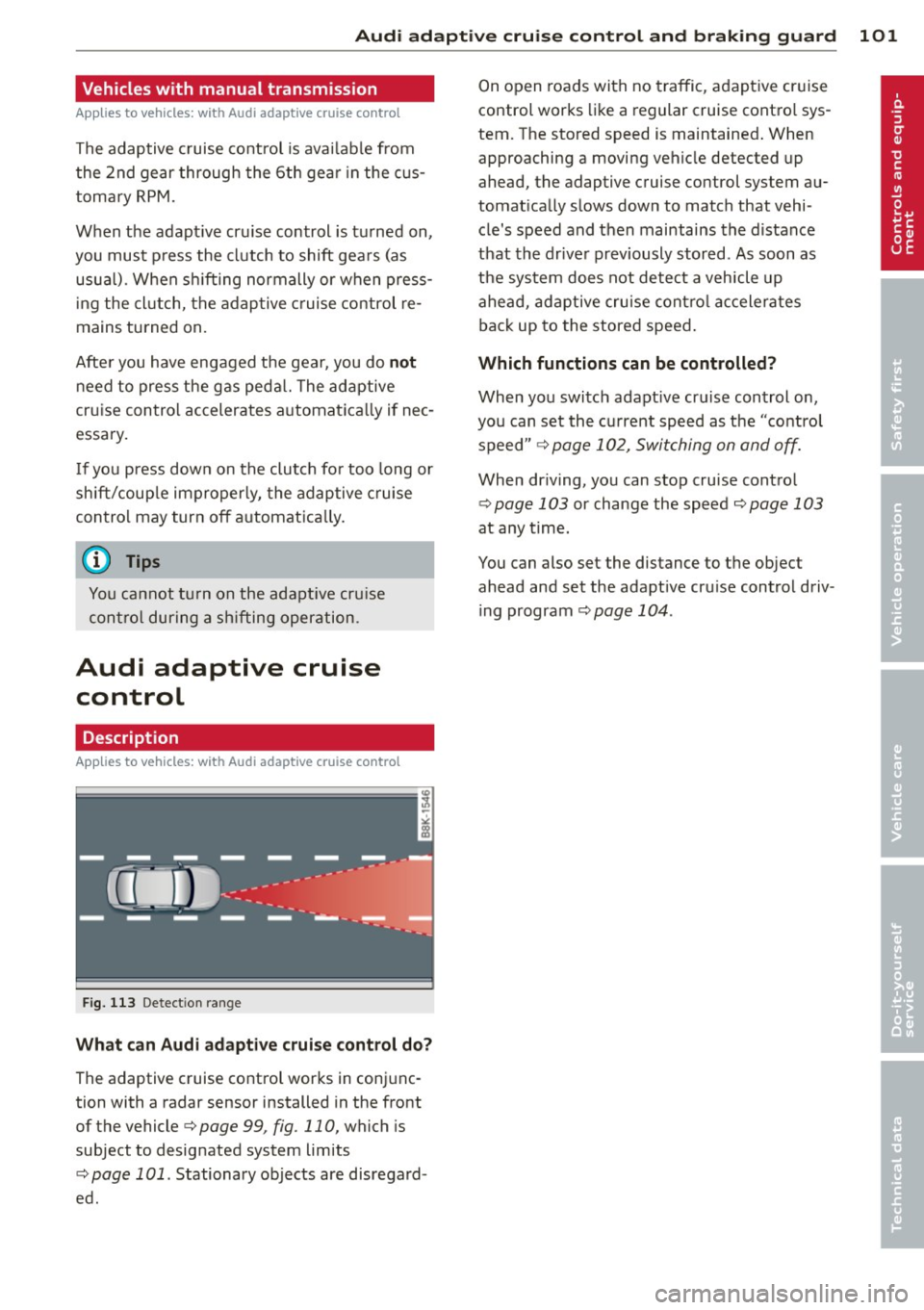
Fig . 11 3 Detect ion range
What c an Audi adapt ive crui se cont rol d o?
The adaptive cruise control works in conjunc
tion with a radar sensor installed in the front
of the vehicle
¢page 99, fig. 110, which is
subject to desig nated system limits
<=:> page 101 . Stationary objects are disregard
ed . On open
roads with no traffic, adaptive cr uise
control works like a regular cruise contro l sys
tem. The stored speed is maintained . When
approaching a moving vehicle detected up
ahead, the adaptive cruise control system au
tomat ica lly slows down to match that vehi
cle's speed and then maintains the distance
that the dr iver previously stored . As soon as
the sys tem does not detec t a vehicle up
ahead, adaptive cruise cont ro l ac celerates
back up to the stored speed .
Which functions can be controlled?
When you switch adapt ive cruise control on,
you can set the cu rrent speed as the "contro l
speed "
¢ page 102, Switching on and off.
When dr iving, you can stop cru ise contro l
¢page 103 or change the speed ¢page 103
at any time.
You can also set the distance to t he object
ahead and set the adapt ive cru ise control driv
ing program
¢ page 104 .
Page 109 of 296
Audi adaptive cruise control and braking guard 107
-If you restrict or switch off the ESC, the
braking guard also switches itself off
¢page 188.
- Switch braking guard off when you are
loading the vehicle onto a vehicle carrier,
tra in, ship or other type of transporta
tion. This can prevent undesired warn i ngs from the braking guard system.
Messages
App lies to vehicles: with Audi adaptive cruise co ntrol
Braking guard: Off
This driver message appears if the system is
turned off via the radio/MM!*. Otherwise, if
the system is turned off, the information ap pears every time shortly after the start of the
tr ip.
The driver message also appears if the system is not avai lab le due to a malfunction or if the
ESC is not switched on¢
page 188. If this is
the case, the system will not provide warnings
about a possible collision.
Braking guard: Activated
This driver message appears if sharp brake
press ure was applied due to an acute warning.
•••
Three wh ite dots appear if a setting cannot be
selected with the operat ing lever . For exam
p le , this happens if you want to raise/lower
the speed even though there was no previous
l y saved speed .
ACC: Deactivation
The driver message appears in vehicles with
manual transmission . If the clutch pedal was
pressed down for too long, the adaptive cruise
control turns off . A chime sounds as a rem ind
er .
ACC: Sensor blocked
This message appears if the sensor view is ob
structed, for example by leaves, snow, heavy
spray or dirt. Clean the sensor <=>
page 99,
fig. 110.
ACC: not available
The driver message appears if there is a mal
function . The adaptive cruise contro l turns off .
A chime sounds as a reminder. Have the sys
tem checked by an authori zed Aud i dea ler or
authorized Aud i Service Fac ility.
ACC: unavailable
The driver message appears if, for example,
the brake temperat ure is too high. The adap
tive cruise control is temporarily unavailable .
A chime sounds as a reminder.
Engine speed!
This driver message appears in vehicles with
manua l transmission if the driver had not up
shifted or downs hifted in time while using
adaptive cruise control braking or accelerat
ing, caus ing the vehicle to exceed or no t reach
the permitted limit speed. The adaptive cruise
control turns off. A chime sounds as a remind
er .
Shift lever position!
Vehicles with an automat ic transmission: the
driver message appears if the selecto r lever is
shifted to the N position. Th e adaptive cruise
control is no t available while in this position.
Vehicles with manua l transm ission: the driver
message appears for vehicles with manual
transmission if there is no forward gear en
gaged, meaning if the reverse gear or the 1st
gear is engaged or if the selector leve r is in
the neutral position . The adaptive cr uise con
trol is not available while in th is position.
Stabilization control (ESC)
This message appears if the electronic stabili
z ation control ( ESC) is taking action to stab i
lize the vehicle. The adaptive cruise contro l
turns off. A chime sounds as a reminder .
Speed too low
This message appears if the current speed is
too low
to set or to maintain the desired
speed .
The speed be ing saved must be at least
20 mph (30 km/h). The cruise control is
turned off for speeds lower than 12 mph
Page 205 of 296
Trailer towing tips
Important to know
Your vehicle hand les different ly when tow ing
a trailer because o f the addit ional weight and
d iffe ren t weight distribution . Safety, perform
ance and economy w ill greatly depend on how
caref ully you load your trailer and operate
your rig.
B efore you actua lly tow your trailer, pr actice
turning, stopp ing and bac king up in an area
away from traffic. Keep practicing until you have become comp lete ly fam iliar with the way
your veh icle-trailer comb ination behaves and
responds.
Backing up is d ifficu lt a nd requires practice .
Backing up with a tra iler genera lly requires
steer ing action opposite to that when backing
up your vehicle without a trailer.
M aintain a g reater distance betwee n your ve
h icle and the one in front o f you . You will need
mo re room to stop. To compensate for the
trailer, you will need a larger than normal
turning radius .
W hen pass ing, remember that yo u cannot ac
celerate as fast as yo u normally wo uld be
cause of the added load. Make sure you have
e nough room to pass . After passing , allow
p lenty o f room fo r your tra iler before chang
in g la nes aga in .
Avoid jerky starts, sharp turns or rap id lane
changes.
(D Tips
- Do not tow a tra iler during the break-in
period of you r vehicle.
- If you tow a trailer, your A udi may re
quire more frequent maintenance due to
the extra load
o page 275.
Trailer towin g 203
Parking on a slope
Do not park on a slope with a trailer . If it can
not be avoided, do so only after doing the fol lowing:
When parking:
.. App ly the foot brake.
.. Have someone p lace chocks under both the
veh icle and the tra iler wheels .
.,. With chocks in place, slowly release t he
bra kes unt il t he whee l chocks absorb the
load .
.. Tu rn the whee ls towards the curb.
.,. App ly the par king b rake .
.. Place an a utomatic transm ission* in P, re
spectively a manual transmission in first or
reverse gear.
When restarting after parking:
.,. App ly th e foot br ake .
.. Start the en gine.
.. Move the selector lever to D/S, respect ively
a man ual transmiss ion in first gea r.
.. Release the parking bra ke and s low ly pull
out and away from the wheel chocks .
.. Stop and have someone retr ieve the wheel
chocks.
@ Tips
If you move the selector leve r of the auto
matic transmissio n* to P before applying
the pa rking brake and before blocking the
whee ls, you may hav e to use mor e forc e
l ater to move the le ver out of the P posi
tion.
•
•
Page 217 of 296
-To reduce the r isk of being burned, never
open the hood if you see or hear steam
or coolant escaping from the engine
compartment . Wait until no steam or
coolant can be seen or heard before ca re
fully opening the hood .
- Keep children away from the engine com
partment.
- Never spill flu ids on hot engine compo
nents. They can cause a fire .
- Never touch the radiator fan. The aux ili
ary e lectr ic fan is temperature controlled
and can switch on suddenly .
- Never open the coolant reservoir cap
when the eng ine is still warm . The cool
ant system is pressur ized and hot coo l
ant could spray out.
- Protect your face, hands and arm from
steam or hot eng ine coolant by placing a
thic k rag over the cap when you open the
coolant reservoir.
- Do not remove the engine cover under
any c ircumstances. Th is increases the
risk of bu rns.
- If wo rk on the fuel system or the electri
cal sys tem is ne cessary:
- Always disconnect the battery.
- Never smoke or work near heaters or
open flames . Fluids in the engine com
partment co uld start a fire.
- Keep an approved fire extinguisher im
mediately ava ilable.
- To avoid electrical s hock and persona l in
jury while the engine is running or being
started, never touch:
- Ignition cables
- Other components of the high voltage
electronic ignition system.
- If you must perform a check or repa ir
with the engine running:
- Fir st, fully apply the parking brake,
move se lector lever of a utomatic trans-
Checkin g and fillin g 215
mission to "P" (Park); put manual
transmission in Neutral.
- Always use extreme caution to prevent
clothing, jewe lry, or long hair from get
ting caught in the radiator fan, V-be lts
or other moving parts, or from contact i ng hot parts . Tie back hair before
starting, and do not wear clothing that
will hang o r droop into the engine .
- Minimize exposure to emission and
chemical hazards~&. .
A WARNING
California Proposition 65 Warning:
- Engine exhaust, some of its const ituents,
a nd certain vehicle components contain
or emit chemicals known to the State of
Ca lifornia to cause cance r and birth de
fects and reproductive harm. In addition, certain fl uids contained in veh icles and
certain products of component wear con
tain or emit chemica ls known to the
State of California to cause cancer and
birth defects or other reproductive harm.
- Battery posts, terminals and related ac
cessories conta in lead and lead com
pounds, chemicals known to the State of
California to cause cancer and reproduc
tive harms. Wash hands afte r handling.
Q) Note
When adding f lu ids, always make sure that
they are poured into the proper conta iner
or f iller opening, otherwise serious dam
age to vehicle systems w ill occur .
@ For the sake of the environment
To detect leaks in time, inspect the vehicle
floor pan from underneath regular ly . If
you see spots from oil or other veh icle flu
i ds, have your vehicle inspected by an au
thorized Audi dealer. •
•
Page 279 of 296
-Always make sure the transm ission se
lector lever (automatic transmiss ion) is
in "P" (Park position) or Neutral (manual
transmission) and the park brake is firm
ly appl ied .
® For the sake of the environment
-Changing the eng ine settings w ill ad
versely affect em ission levels. This is det
rimental to the environment and increas
es fuel consumption .
- Always observe env ironmental regula
tions when d ispos ing of old engine oil,
used brake fluid, dirty engine coolant,
spent batter ies or worn out t ires.
- Undeployed airbag modules and p reten
s ioners might be classified as Perchlo
rate Material -special handling may ap
ply, see www.dtsc.ca .gov/hazardous
waste/perch lorate . When the veh icle or
parts of the restraint system including
airbag modules safety belts with preten
s ioners are scrapped, all applicable laws
and regulations must be observed. Your
authorized Audi dealer is familiar w ith
these requirements and we recommend
that you have your dealer perform this
serv ice for you .
Additional accessories,
modifications and
parts replacement
Additional accessories and parts
replacement
Always consult on authorized Audi dealer be
fore purchasing accessories.
Your veh icle incorporates the latest safety de
sign featu res ensu ring a high standard of ac
tive and passive safety.
This safety could be compromised by non-ap
proved changes to the veh icle. For this reason ,
if parts have to be replaced, p lease observe
the following points when installing addition
al accessories:
Con sumer In formation 2 77
Approved Audi accessories and genuine Audi
parts are available from authorized Audi deal
er.
T hese dea lers a lso have the necessary facili
ties, tools and trained specialists to install the
parts and accessories proper ly.
A WARNING
Using the wrong spare parts or using non
approved accessories can cause damage to
the vehicle and serious persona l injury.
- Use on ly accessories express ly approved
by Audi and genuine Audi spare parts
- These parts and accessories have been
specially designed to be used on your ve
hicle.
- Never install accessories such as tele
phone cradles or beverage holders on air
bag covers or within the airbag deploy
ment zones . Do ing so will increase the
risk of injury if a irbags are triggered in an
accident!
- Before you check anything in the engine
compartment, always read and heed all
WARNINGS ~
page 214.
(D Note
-If items other than genuine Audi spare
parts, add-on equipment and accessory
items are used or if repair work is not
performed accord ing to specified meth
ods, this can result in severe damage to
your vehicle's engine and body (such as
corrosion) and adversely affect your vehi
cle's warranty .
- If emergency repairs must be performed
elsewhere, have the vehicle examined by
an authorized Audi dealer as soon as
possible.
- The manufacturer cannot be held liable
for damage wh ich occurs due to failure
to comply with these stipulations.
•
•
Page 282 of 296
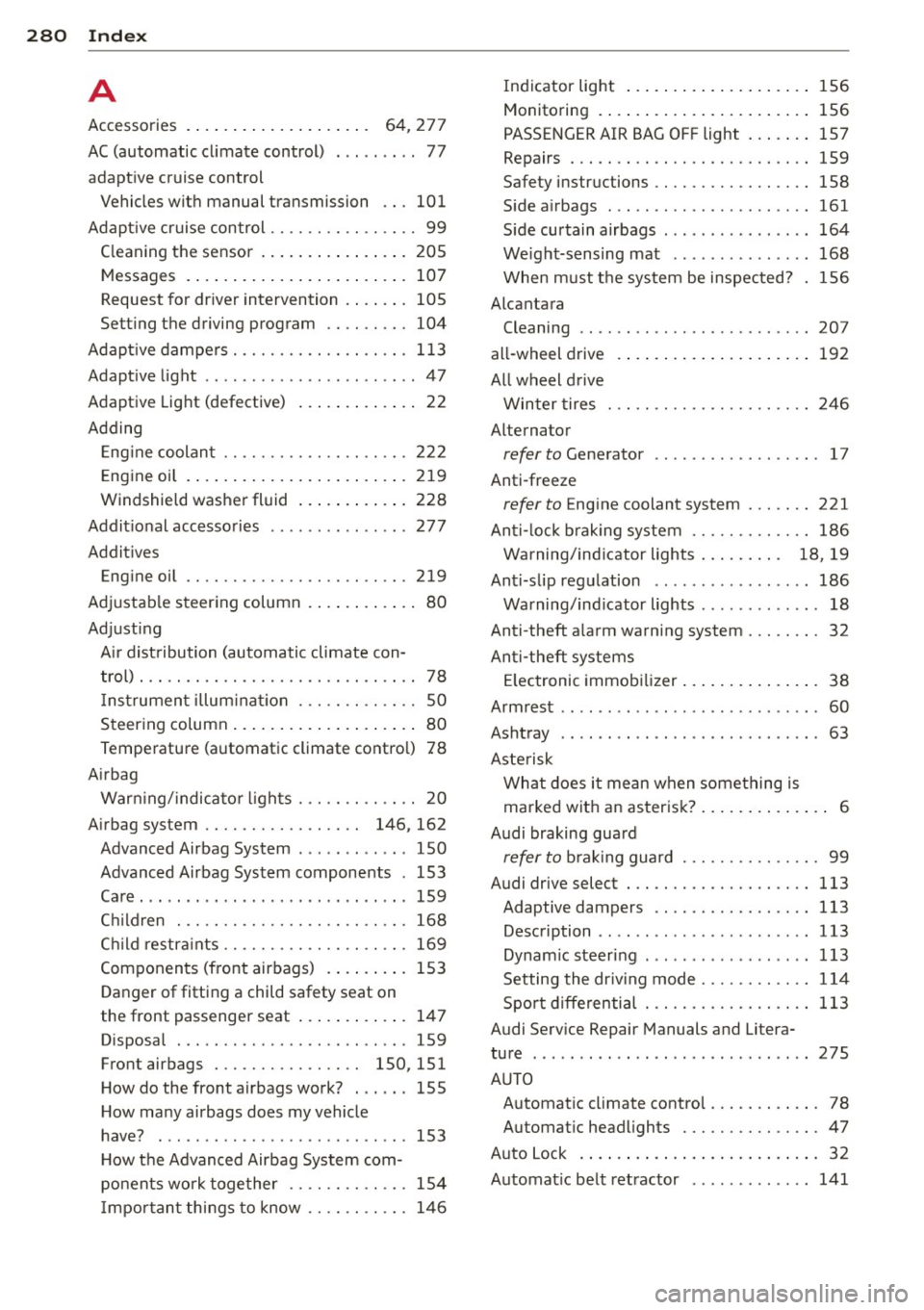
28 0 Index .:..:..:..::....::.. ...:..._ ___________________________ _
A
Accessories . . . . . . . . . . . . . . . . . . . . 64, 277
AC (automatic cl imate control) ... .. .. . . 77
adaptive cruise control Vehicles with manual transmission .. . 101
Adapt ive cruise control . . . . . . . . . . . . . . . . 99
C leaning the sensor .. ... .. .. .. .... . 205
Messages . . . . . . . . . . . . . . . . . . . . . . . . 107
Request for dr iver intervention . ..... . 105
Setting the driving program .. .. .. ... 104
Adapt ive dampers .......... .... .... . 113
Adapt ive light ................ ... .... 47
Adaptive Lig ht (defective) ... .. .. .... .. 22
Adding Eng ine coolan t .................... 222
E ng ine oil . .... .. ..... ... .. .. .... . 219
Windshield washer fluid ... .. .. .... . 228
Addit ional accessories
Addit ives 277
Eng ine oil .. ............. .. .. .. .. . 219
Ad justab le steering column . ... .. .... .. 80
Adjust ing
A ir dist ribution (automatic climate con -
trol) . . . . . . . . . . . . . . . . . . . . . . . . . . . . . . 78
I ns trumen t illum inat ion . .. .. .. .. .. . . 50
Steer ing column .. ..... ... .. .. .... .. 80
Temperature (automatic climate control) 78
A irbag
War ning/ indicato r ligh ts ... .... .... .. 20
A irbag system . . . . . . . . . . . . . . . . . 146, 162
Advanced Airbag System ........ .... 150
Advanced Airbag System components . 153
Care . .. .. .. ........ ........ ..... . 159
C hil dren . ............... .. .. .. .. . 168
Ch ild restr aints ........... .. .. .. .. . 169
Components (front airbags) .. .... .. . 153
Danger of fitting a child safety seat on
the front passenger seat . . . . . . . . . . . . 147
Disposal . .... ........... .. .. .... . 159
Front airbags . . . . . . . . . . . . . . . . 150, 151
H ow do the front airbags work? . .. .. . 155
H ow many airbags does my vehicle
have? .... ................... ... . 153
H ow the Advanced Airbag System com-
po nents work together ............. 154
I mpor tan t things to know .. .. .. .. .. . 14 6 Indicator light
... ... .. ..... .... . .. 156
Monitoring . ..... .. ... ..... ... .. .. 156
PASSENGER AIR BAG OFF light ... .. .. 157
Repairs ... .... .. ............. .... 159
Safety instructions ................. 158
S ide a irbags ..... ................ . 161
S ide cu rtain airbags ........... ... .. 164
Weight-sensing mat ............... 168
When must the sys tem be inspected? 156
Alcantara Cleaning ...... ................... 207
all-wheel drive
All wheel d rive 192
Winter tires . .. .. .. ........... .. .. 246
Alternator
refer to Generator . . . . . . . . . . . . . . . . . . 17
Anti-freeze
refer to Engine coolant system ....... 221
An ti-lock brak ing system ............. 186
W arning/ind icator lights . . . . . . . . . 18 , 19
An ti-slip regulation ................ . 186
Warning/ind icator lights ........... .. 18
Anti-theft alarm warning system ... .... . 32
An ti- theft systems
El ectronic immob ilizer .. ..... .... . .. . 38
Armrest ...... .. .. .. ... ....... ... .. . 60
Ashtray .. .. .. .. .. ............. .. .. . 63
As te ris k
Wha t does i t mean when something is
marked w it h an asterisk? . . . . . . . . . . . . . . 6
Audi braking guard
refer to b ra ki ng guard .......... .. .. . 99
Audi drive select ... ............. .... 113
Adaptive dampers ................. 113
Description ...... ................ . 113
Dynam ic steer ing ................. . 113
Setting the dr iv ing mode ........ .... 114
Spo rt differential . ............. .... 113
Audi Serv ice Repair Manuals and Litera-
ture 275
AUTO Automat ic climate control . . . . . . . . . . . . 78
Automat ic headlights .......... .. .. . 47
A ut o Lock . ..... .. .. .... .... ... .. .. . 32
Automat ic be lt retractor ............. 141
Page 287 of 296
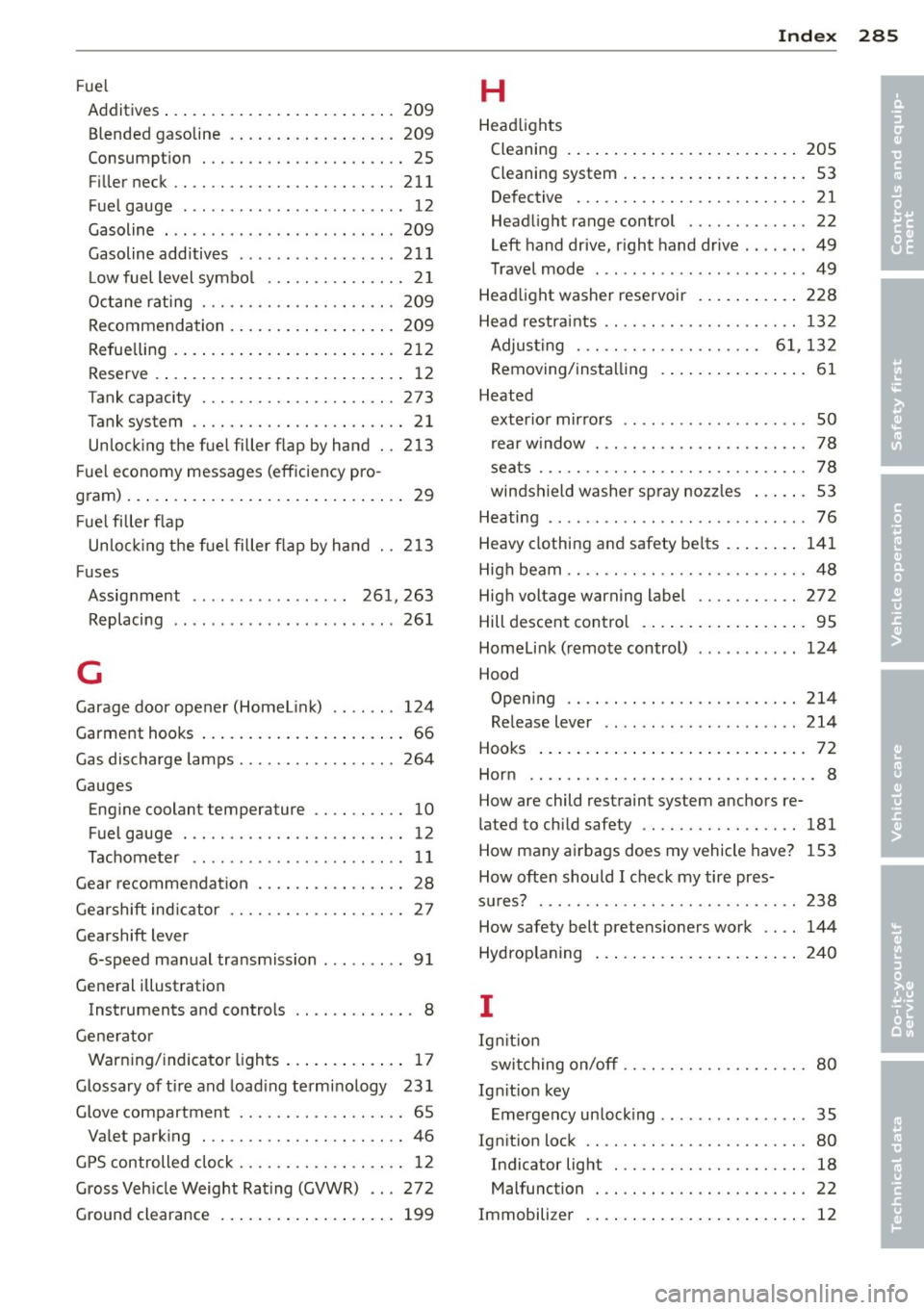
_______________________________ ___:I~n~d~e:.::x 285
Fuel
Additives ... ................ ... ... 209
Blended gasoline ............ ... .. . 209
Consumption . . . . . . . . . . . . . . . . . . . . . . 25
Filler neck .. ............. .... .. ... 211
Fuel gauge . ................ ... ... . 12
Gasoline ... ... .. .. ...... .. .. .. .. . 209
Gasoline additives ........... .... .. 211
L ow fuel level symbol . . . . . . . . . . . . . . . 21
Octane rating ............ .... .. ... 209
Recommendation ............ ... .. . 209
Refuelling . ................. ... ... 212
Reserve .... ................ ... .... 12
T ank capacity . ........... .. .. .. ... 273
Tank system ............. .... .. .... 21
Unlocking the fuel filler flap by hand . . 213
F uel economy messages (efficiency pro-
gram) .......................... .... 29
Fuel filler flap
Un locking the fuel filler flap by hand . . 213
Fuses Assignment . . . . . . . . . . . . . . . . . 261, 263
R l . ep acing .................. .... .. 261
G
Garage door opener (Homelink) .. .. .. . 124
Garment hooks . . . . . . . . . . . . . . . . . . . . . . 66
Gas discharge lamps ........ .. .. .. .. . 264
Gauges Engine coolant tempera ture .. .. .. .. .. 10
Fuel gauge ................. .... ... 12
Tachometer . . . . . . . . . . . . . . . . . . . . . . . 11
Gear recommendation . . . . . . . . . . . . . . . . 28
G h.ft . d'
ears
I in 1cator ......... .. .. .. .. .. 27
Gearshift lever 6-speed manual transmission . .. . ... .. 91
General illustration Instruments and controls . . . . . . . . . . . . . 8
Generator Warning/indicator lights ......... .. .. 17
Glossary of tire and loading terminology 231
Glove compartment . . . . . . . . . . . . . . . . . . 65
Valet parking ............ .... .. .... 46
GPS controlled clock .. .... .. .. .. .. .. .. 12
Gross Vehicle Weight Rating (GVWR) ... 272
Ground clearance .................. . 199
H
Headlights
Cleaning ... ..... .. ............... 205
Cleaning system . . . . . . . . . . . . . . . . . . . . 53
Defective . . . . . . . . . . . . . . . . . . . . . . . . . 21
Headlight range control ............ . 22
Left hand drive, right hand drive .. .. .. . 49
Travel mode . . . . . . . . . . . . . . . . . . . . . . . 49
Headlight washer reservoir ......... .. 228
Head restraints .. .. .......... ....... 132
Adjusting . . . . . . . . . . . . . . . . . . . . 61, 132
Removing/installing .............. .. 61
Heated exterior mirrors . . . . . . . . . . . . . . . . . . . . SO
rear window . .. .. .... ........... .. . 78
seats ..... .. .. .. .... ............. . 78
windshield washer spray nozzles . . . . . . 53
Heating ......... ... ..... ........... 76
Heavy clothing and saf ety belts ....... . 141
High beam .. .. .. .. .. . ... .. ..... .... . 48
High voltage warning label .. ....... .. 272
Hill descent control .................. 95
Homelink (remote control) ......... .. 124
Hood Opening .. .. .. .. .... ............. 214
Release lever . . . . . . . . . . . . . . . . . . . . . 214
Hooks ............................. 72
Horn .. .... .. .... ..... ... ... ... ... .. 8
How are child restraint system anchors re-
la ted to child safety ........... .. .... 181
How many airbags does my vehicle have? 153
How often should I check my tire pres-
sures? 238
How safe ty bel t pre ten sioners work .. .. 144
Hydroplaning ..... .. ............... 240
I
Ignit ion
switching on/off .. ...... .. .. ... .... . 80
Ignition key Emergency unlocking .......... .... .. 35
Ignition lock .. .. .. ...... .. ... ...... . 80
Indic ato r light . .. ........... ...... . 18
Mal func tion . . . . . . . . . . . . . . . . . . . . . . . 22
Immobilizer . . . . . . . . . . . . . . . . . . . . . . . . 12
•
•