instrument cluster AUDI S4 2018 User Guide
[x] Cancel search | Manufacturer: AUDI, Model Year: 2018, Model line: S4, Model: AUDI S4 2018Pages: 403, PDF Size: 66.81 MB
Page 36 of 403
Cockpit overview
!?i Engine speed limitation
(ill Maximum engine speed: XXXX rpm
The engine speed is automatically limited to the
speed displayed in the instrument cluster. This
protects the engine from overheating.
The engine speed limitation deactivates once the
engine is no longer in the critical temperature
range and you have released the accelerator ped
al once.
If the engine speed limitation was activated by
an engine control malfunction, the
II indicator
light also turns on. Make sure the engine speed
does not go above the speed displayed, for exam
ple when downshifting. Drive to an authorized
Audi dealer or authorized Audi Service Facility im
mediately to have the malfunction corrected.
~ ;,,. Engine oil sensor
• Oil level system: malfunction! Please con
tact Service
The sensor to check the engine oil level has
failed. Drive to an authorized Audi dealer or au
thorized Audi Service Facility immediately to have
the malfunction corrected.
• Oil level sensor: oil change necessary. Please
contact Service
Fuel has entered the engine oil as a result of fre
quent short drives. Avoid high engine speeds, full
acceleration and heavy engine loads. Drive to an
authorized Audi dealer or authorized Audi Service
Facility immediately to have the oil changed .
• Oil pressure sensor: malfunction! Please
contact Service
There is a malfunction in the oil pressure sensor.
Drive to an authorized Audi dealer or authorized
Audi Service Facility immediately to have the
malfunction corrected.
f Engine warm-up request
0 Please warm up engine
Fuel has entered the engine oil, either from low
outside temperatures or frequent short drives.
34
Drive until the engine is warm so that the fuel in
the engine oil will evaporate. Avoid high engine speeds, full accelerating and heavy engine loads
when doing this.
Eli) Tank system
ID Please refuel
If the indicator light turns on for the first time
and the message appears, there are about 2.1
gallons (8 liters) of fuel left in the tank.
(jg Please refuel immediately
If the indicator light turns on the message ap
pears, the fuel tank is almost empty. Refuel the
vehicle immediately.
ID Tank system: malfunction! Please contact
Service
Th ere is a malfunction in the fuel tank system.
Drive to an authorized Audi dealer or authorized
Audi Service Facility immediately to have the
malfunction corrected.
{!) Tips
For more information on fueling, see
¢page 317 .
,_ Washer fluid level
m Please add washer fluid
Fill the washer fluid for the windshield washer
system and the headlight washer system* when
the ignition is switched
off¢ page 332.
·
II Windshield wipers: malfunction! Please con
tact Service
There is a malfunction with the windshield wip
ers.
Drive to an authorized Audi dealer or authorized
Audi Service Facility immediately to have the malfunction corrected.
Page 50 of 403
Opening and closing
Child safety lock
The child safety lock prevents the rear doors
from being opened from the inside and the rear
power windows from be operated .
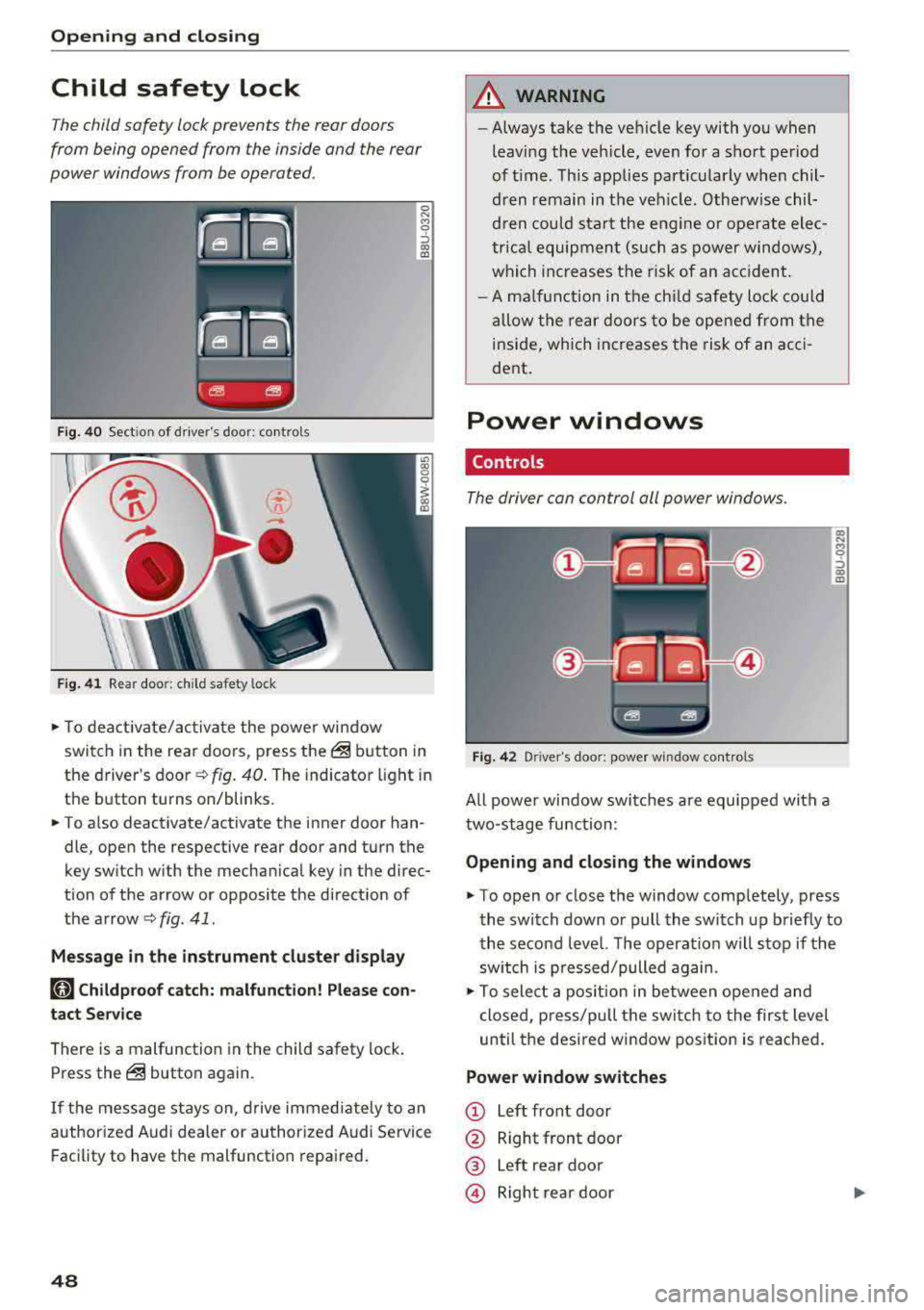
Fig. 40 Section of driver's door: co ntrols
Fig. 41 Rear door: chil d safety lock
0 N M 9 ::J co (D
• T o deactivate/activate the power window
switch in the rear doors, press the@ button in
the driver 's
door ¢ fig. 40. The indicator light in
the button turns on/blinks.
• To also deactivate/activate the inner door han
dle, open the respective rear door and turn the
key switch with the mechan ical key in the direc
tion of the arrow or opposite the direct ion of
the arrow
<=> fig. 41 .
Message in the instrument cluster display
faj Childproof catch: malfunction! Please con
tact Service
There is a malfunction in the child safety lock.
Press the@ button again.
If the message stays on, drive immediately to an
authori zed Audi dealer or authorized Audi Service
Facility to have the malfunction repaired.
48
A WARNING
-Always take the vehicle key with you when
leav ing the vehicle, even for a short period
of time . This applies part icularly when chil
dren remain in the vehicle . Otherwise chil
dren could start the engine or ope rate elec
trical equipment (such as power windows),
which increases the risk of an acc ident.
- A malfunction in the child safety lock could
allow the rear doors to be opened from the
inside, which increases the risk of an acci
dent .
Power windows
Controls '
The driver con control all power windows .
Fig. 42 Driver"s door: power w indow controls
All powe r window switches are equipped with a
two-stage function :
Opening and closing the windows
a, .... M 0 ::, (X) (D
• To open or close the window completely, press
the switch down or pull the switch up briefly to
the second level. The operat ion will stop if the
sw itch is p ressed/pulled again.
• To select a position in between opened and
closed, p ress/pu ll the switch to the first level
until the desired window position is reached.
Power window switches
CD Left front door
@ Right front door
® Left rear door
© Right rear door
Page 54 of 403
Opening and clo sin g
When the valet parking function is switched on,
the message
V alet pa rking acti vated appears in
the instrument cluster display when you switch
the ignition on.
(D Tips
Please note that the luggage compartment
can still be accessed from the vehicle interior
in vehicles with fixed rear seat backrests or
ones that cannot be locked, even when the
valet parking function is switched on.
Garage door opener (HomeLink)
Description
Applies to: veh icles with garage door opener (Homelink)
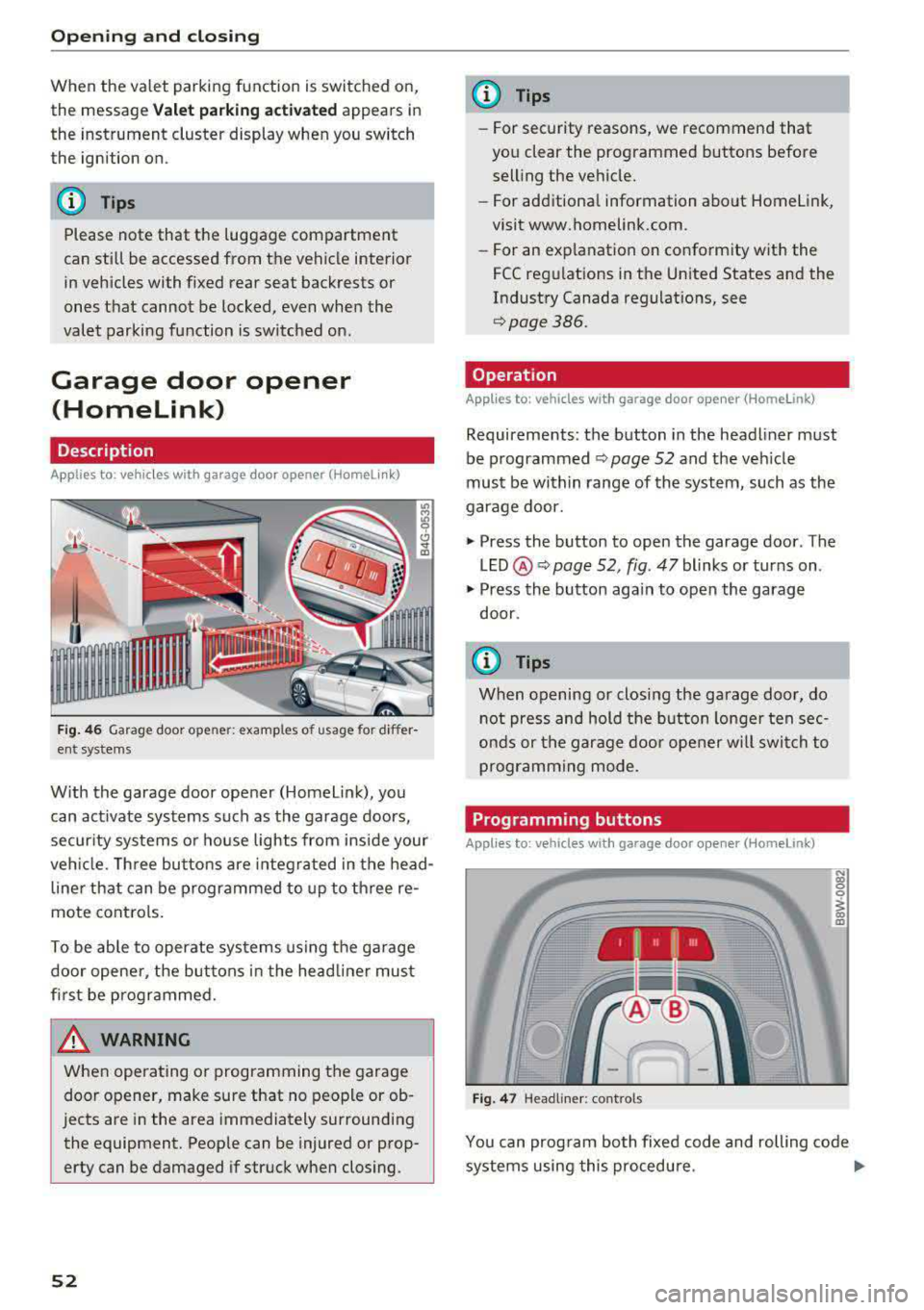
Fig. 46 Garag e door ope ner: exa mples o f usage for di ffer
ent systems
W ith the garage door opener (Homel ink), you
can act ivate systems such as the garage doors,
security systems or house lights from inside your
veh icle. Three buttons are integ ra ted in the head
line r that can be programmed to up to th ree re
mote controls.
To be ab le to operate systems using the garage
door opene r, the buttons in the head line r must
first be programmed.
A WARNING
When ope rating o r programming the garage
door opener, make sure that no people or ob
jects are in the area immediately surrounding
the equipment. Peop le can be injured or prop
erty can be damaged if struck when closing.
52
@ Tips
- For security rea.sons, we recommend that
you clear the programmed buttons before
selling the vehicle.
- For additiona l information about Homelink,
visit www.homelink.com.
- For an exp lanation on conformity w ith the
FCC regulations in the Un ited States and the
Industry Canada regulat ions, see
q page386.
Operation
Applies to : vehicles with garage door opener (Homelink)
Requirements : the button in the headliner must
be programmed ¢
page 52 and the vehicle
must be w ithin range of the system, such as the
garage door.
.,. Press the button to open the garage door . The
LED @ Q page 52, fig. 47 blinks or turns on .
.,. Press the button aga in to open the garage
door .
{D Tips
When opening or closing the garage door, do
not press and hold the button longe r ten sec
onds or the garage doo r opener w ill swi tch to
programming mode.
Programming buttons
Applies to: vehicles with garage door opener (Home link)
I 111 111
Fig. 47 Headline r: cont rols
N (0 0 0
1 m
You can prog ram bo th fixed code and rolling code
systems using this procedure .
..,.
Page 57 of 403

Turn signal and high beam lever
The lever operates the turn signals, the high
beams and the headlight flasher .
Fig. 49 Turn signal and high beam lever
Turn signals ¢¢
N
0 0
> u. C0
The turn signals activate when you move the lev
e r i nto a turn s ignal position when the ign ition is
switched on.
(D -Right turn signa l
@-Left turn signal
The turn s ignal blinks three times if you just tap
the lever.
High beams and headlight flasher ~D
Move the lever to the corresponding position:
@ -High beams on (vehicles with high beam as
sistant*) ¢
page 55
©-High beams off or headlight flasher
The
II ind icator light in the instrument cluster
turns on.
A WARNING
H igh beams can cause glare for other drivers,
which increases the risk of an acc ident. For
this reason, only use the h igh beams or the
head light flasher when they will not create
glare for other drivers.
Lights and V ision
High beam assistant
Applies to: vehicles with high beam assistant
The high beam assistant automatically turns the
high beams on or off depending on the surround
ing conditions .
A camera on the rearview mirror mount can de
tect light sources from other road users . The high
beams sw itch on or off automatically depending
on the posit io n of vehicles driving ahead and on
coming vehicles, the vehicle speed and other en
vironmental and traffic conditions.
Activating high beam assistant
Requirement: the light sw itch must be set to the
AUTO posit ion and the high beam ass istant must
be switched on in the Infota inment system
¢p age 56.
.,. To act ivate the high beam ass istant, tap the
lever forward @¢
page 55, fig . 49 . The lj!a in
d icator light appears in the instrument cluster
disp lay and the high beams a re switched on/off
automatically. If the high beams were com
p letely or partially switched on, the
II indica
to r light turns on.
Switching the high beams on/off manually
If the high beams did not switch on/off automat
ically as expected, yo u may swi tch them on or off
man ua lly ins tead:
.,. To switch the h igh beams on manua lly, tap the
lever forwa rd @ ¢
page 55, fig. 49. The II in
dicator light turns on.
.,. To switch the high beams off manually, pull the
lever back©¢
page 55, fig. 49. The high beam
assistant is deactivated .
Operating the headlight flasher
.,. To operate the headlight flasher when the high
beam ass istant is activated and high beams are
sw itched off, pull the lever back ©¢
page 55,
fig. 49.
The high beam assistant remains ac
tive .
Messages in the instrument cluster display
ml Audi adaptive light: malfun ction! See own-
er's manual
..,.
55
Page 81 of 403

a co .... N ,....
N .... 0 0
3 co
20 minutes, depending on the outside
temperature.
To keep the rear window defogger on contin uous
l y, press and hold the
QWREAR button longer
than
3 seconds. This is stored unti l the ignition is
switched off .
SYNC Synchronization
Use the rocker switc h® to sele ct the funct ion.
When synch ronization is switched on, the set
tings for the driver's side are applied to the front
passenger's side and the rear (except for seat
heating/venti lation*) . When the settings on the
front passenger's side or in the rear are changed,
the synchron iz at ion is automatically sw itched off
and
3 -z one appears in the display .
SET REAR function
Use t he rocker switch ® to select the function .
When the function is switched on, you can adjust
all settings for the rear us ing the climate control
system controls in the cockpit. The rear climate
control system controls cannot be operated at
the same time . This function switches off auto
mat ically after a certain period of time or after
leaving the menu.
Vent s
You can open or close the center and rear vents in
the cockpit and the vents in the rear center con
sole us ing the r idged thumbwheels . The levers
adjust the d irection of the airflow from the vents.
The wide vent is opened and closed using the
r ocker switch
® ·
Residu al heat
You can activate the residual heat funct ion when
the ignition is switched off by pressing the knob
(D . The res idual heat from the coolant is used to
h eat the vehicle inte rior. The residual heat func
tion swi tches off automatically afte r abou t 15
minu tes .
A WARNING
- You should not use the recirculation mode for an exten ded period of time, because no
fresh a ir is drawn in and the w indows can
Warm and c old
fog when cooling mode is switched off. This
increases the r isk of an accident.
- Individuals with reduced sensitivity to pain
or temperature could develop burns when
using the seat heat ing* function. To reduce
the risk of injury, these individua ls should
not use seat heating*.
(D Note
To avoid damaging the seat heat ing* ele
ments, do not knee l on the seats or place
heavy pressure on one area of the seat.
Setup
The climate control system basic settings ore ac
cessed in the Infotainment system .
.,. Select in the Infotainment system : I MENU! but
ton
> Vehicle > l eft control button > Ai r co ndi
tioning
Auto recircu lation
When switched on, a utomat ic rec irculat ion con
trols the recircu lation mode automatically . You
must press the
®MAX button if fog forms on
the windows.
Automatic auxiliary heater*
T he aux iliary hea ter he lps to wa rm the vehicle in
terior more q uickly.
Steering wheel heating
Applies to: vehicles with steering wheel heating
The steering wheel rim con be heated.
.,. Press the bu tton on the m ultif unct ion steeri ng
wheel to switch the steering whee l heating on
and
off~ r=:> poge 15, fig . 11 . The message
Steering wheel heating : on /Steering wheel
heating: off
appears in the instrument cluster
disp lay.
The temperature is maintained at a constant lev el when steering wheel heating is switched on .
T he s teer ing whee l heating se tt ings a re stored
automat ica lly and assigned to the remo te control
key that is in use.
79
Page 88 of 403
Driving
-The driver's door must be closed, the driver's
safety belt must be fastened, and the brake peda l (automat ic transmission) or the clutch
pedal (manua l transmission) must be pressed.
Or:
-The driver's door must be closed, the brake
pedal (automat ic transmission) or the clutch
pedal (manua l transmission) must be pressed,
and a gear must be engaged.
(D Note
Always sw itch the Start/Stop system off when
driving through water
q page 85.
@ Tips
The engine stops shortly before the vehicle
comes to a stop
1) .
Stopping/starting the engine
Appl ies to: ve hicl es w ith Sta rt/Stop system
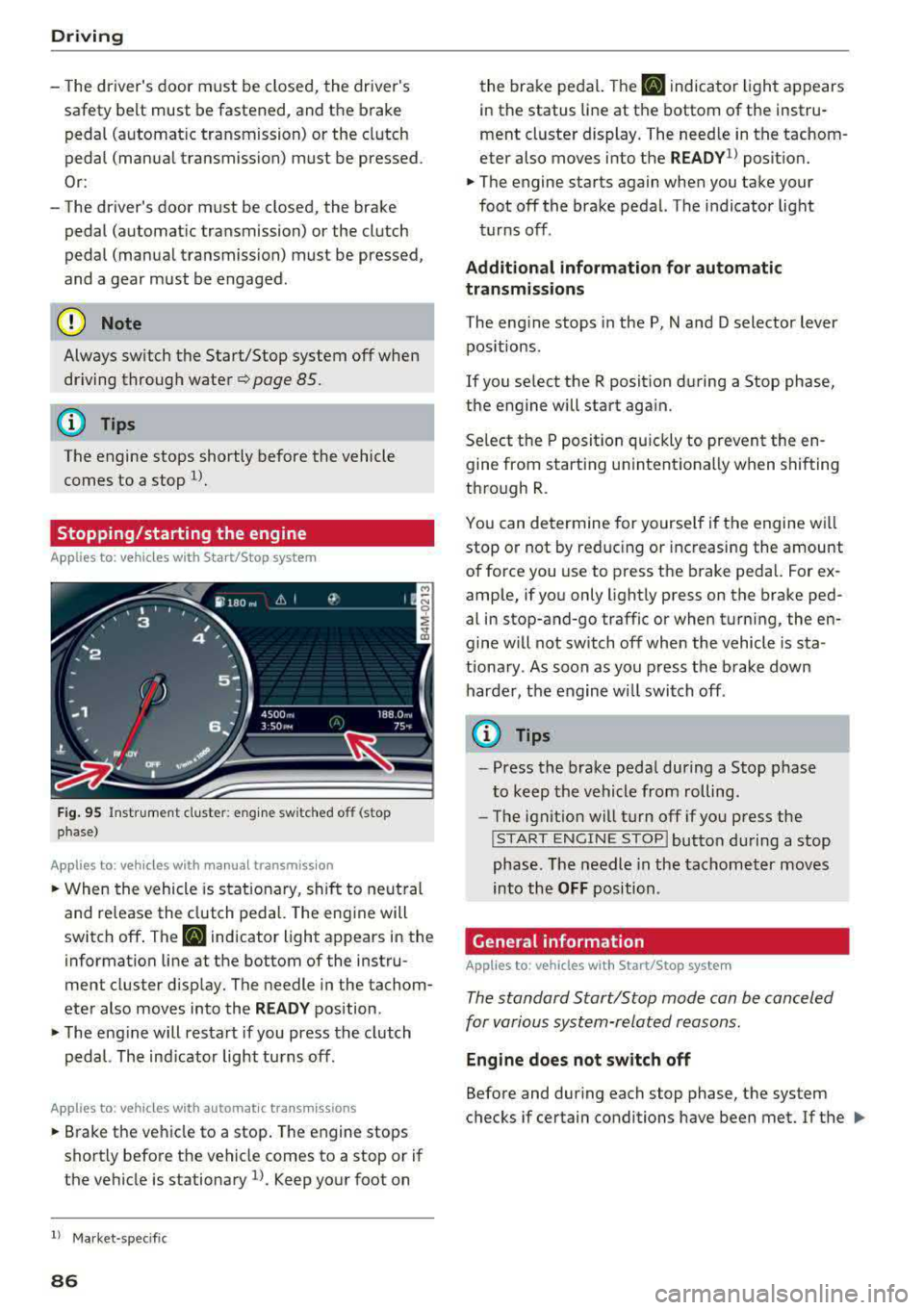
F ig . 95 Instrument cluste r: e ng ine sw itched off (stop
phase)
A ppl ies to: ve hicles w ith manu al transmiss ion
• When the vehicle is stat ionary, shift to neut ral
and release the clutch pedal. The eng ine will
switch off . The
II indicator light appears in the
information line at the bottom of the instru
ment cluster d isp lay. The needle in the tachom
eter also moves into the
R EADY position .
• The engine will resta rt if you press the clutch
pedal. The ind icator light turns off.
A ppl ies to: ve hicles w ith a uto mat ic t ra nsmi ssio ns
• B rake the vehicle to a stop . The engine stops
shortly before the vehicle comes to a stop or if
the ve hicle is stationary
l). Keep yo ur foot on
l) Ma rket -spe cifi c
86
the brake peda l. The II indica tor light appears
in the status line at the bottom of the instru
ment cluste r display. The need le in the tachom
eter also moves into the
READY1> posit ion.
• The engine starts again when you take your
foot off the brake pedal. The indicator light
turns off .
Additional information for automatic
transmissions
The eng ine stops in the P, N and D selector lever
pos itions.
If you se lect the R posit ion du ring a Stop phase,
the engine will start aga in.
Se lect the P position quickly to prevent the e n
gine from starting u nintent ionally when shifting
through R .
You can determine for yourse lf if the engine wi ll
stop o r not by red ucing or inc reasing the amount
of force you use to press t he brake peda l. For ex
amp le, if yo u only lightly press on the brake ped
al in stop-and-go traffic or when turning, the en
gine w ill not switch off when the vehicle is sta
tiona ry . A s soon as you press the b rake down
harde r, the engine wi ll swi tch off .
(0 Tips
-Press the brake peda l during a Stop phase
to keep the vehicle from rolling .
-The ignitio n will turn off if yo u press the
! S TART ENGINE STOPI butto n du ring a stop
phase. The needle in the tachomet er moves
into the
OFF position.
General information
App lies to: vehicles wi th Start/S top sys te m
The standard Start/Stop mode can be canceled
for various system-related reasons.
Engine does not switch off
Before and dur ing each stop phase, the system
checks if certain conditions have been met. If the
lilJ.
Page 89 of 403

a co .... N ,....
N .... 0 0
3 co
@j indicator light appears in the instrument clus
ter disp lay, the engine will not be stopped, for
examp le in the following situations:
- T he eng ine has not reached the minimum re
quired temperature for Start/Stop mode.
- T he interior temperature selected by the cli-
mate contro l system has not been reached .
- T he outs ide temperature is ext remely h igh/low.
- The windshield is being defrosted.
- The vehicle battery charge level is too low.
- The steering whee l is turned at a sharp angle or
is mov ing .
- After engaging the reverse gear.
- On sharp inclines.
- At high a ltitudes.
Engine automatically restarts
The standard Start/Stop mode will be cance led
during a stop phase in the follow ing s ituations .
The engine restarts without any action by the
d river.
- The vehicle rolls, for examp le while on a slope.
- The interior temperature differs from the tem-
perature se lected in the A/C system .
- The windshield is being defrosted .
- The brake pedal is pressed several times in a
row.
- The vehicle battery charge level is too low.
- Power consumption is high.
The engine can t urn off again when the condi
tions for Start/Stop mode are met.
Ignition is switched off automatically
To prevent the veh icle battery from drain ing, the
ignition will switch off automat ica lly under the
following conditions :
- The Start/Stop system has stopped the engine .
- The veh icle is stationary.
- You left the vehicle and the engine was not re -
started within approximately 30 seconds .
I f this happens, you wi ll see the message
Igni
tion turns off automatically
in the instrument
cluster and the activated low beams are replaced by the parking light. The parking lights will
sw itch off after approximately 30 minutes or
when you lock the vehicle .
Driving
The ignition also switches off when you lock the
vehicle from the outside during a stop phase.
If the Start/Stop system has not turned off the
engine or if you have switched the Start/Stop sys
tem off manually, the ignition will not be auto
matically switched off and the engine will contin
ue to run
¢ .&..
A WARNING
To reduce the risk of poisoning, never allow
the eng ine to run in confined spaces .
(D Tips
Applies to : vehicles with auto matic transmissions
-
- If you leave the vehicle with the D/S or R se
lector lever position engaged, the parking
brake is automatically set.
- If you select the D or N selector lever posi
tion after shifting into reverse, the vehicle
must be driven faster than 6 mph ( 10 km/h)
in o rder fo r the engine to switch off again .
' Manually switching the Start/Stop system
, off/on
Applies to: vehicles wi th Start/Stop syste m
If you do not wish to use the system, you can
switch it off manually.
Fig. 96 Cente r console : Start/Stop system button
.,. To switch the Start/Stop system off/on man
ually, press the
l v'> ~I button. The LED in the but
ton turns on when the system is switched off .
(D Tips
If you switch the system off during a stop
phase, the engine will start aga in automati
cally .
87
Page 90 of 403

Driving
Messages in the instrument cluster display
Applies to: vehicles with Start/Stop system
Automatic start /stop deactivated: Please
re sta rt engin e manually
This message appea rs when specific conditions
are not met dur ing a stop phase. The Sta rt/Stop
system wi ll not be able to restart the engine . The
engine must be started with the
I S TAR T ENGINE STOP I button .
Automatic start /stop system: malfunction!
Function unavailabl e. Ple as e cont act Serv ic e
There is a malfunction in the Start/Stop system .
Drive the vehicle to an authorized Audi dealer or
author ized Service Facility as soon as poss ible to
have the ma lfunction corrected.
Electromechanical
parking brake
F ig. 97 Center console: park ing b rake
Your veh icle is equipped with an electromechani
cal parking brake
(D ¢ fig. 97. The parking brake
is designed to prevent the vehicle from rolling
un intent ionally and replaces the hand brake .
Setting/manu ally rele asing the parking
brake
~ Pull the(®) switch to set the parking brake. The
LED in the sw itch turns on . The
-(USA mod
els) ;II (Canada models) indicator light a lso
turns on in the inst rument cluste r display .
~ To release the parking brake manually, press
the brake o r accelerator pedal whi le the igni
tion is switched on and press
t h e®> switch at
the same time. The LED in the button and the indicator light in the display turn off.
88
Releasing the pa rking brake automatically
Requirement: the drive r's door must be closed.
~ To start d riving and release the pa rking brake
automatically, p ress the accelerator pedal as
usual.
In add ition to releas ing the parking brake auto
matically, other convenience and safety functions
are avai lab le w hen you sta rt
d rivi ng¢ page 89,
Starting to drive .
Preventing the automatic parking brake
release
The veh icle cou ld beg in ro lli ng u nintentionally,
depe nding on the hill o r if towing a trai le r.
~ To prevent the park ing brake from releasing au
tomatically, pull and hold
the(®) switch and
press the accele rator peda l. The pa rking brake
remai ns set a nd p revents the vehicle from roll
ing backwa rd.
~ You can release the®) switch again on ce you
are sure that you are giving enough driving
force to the wheels by pressing the accelerator
pedal.
Eme rgency braking function
You can use t he emergency b raking func tion in an
emergency situation, or i f the standard brake op
eration ma lfunctions or is disab led .
~ Pull and ho ld the(®) swi tch.
~ As soon as you re lease the®> switch or acceler -
ate, the braking stops.
P ull ing and ho ld ing
t h e®) sw itch wh ile driving
the ve hicle ac tiva tes the eme rge ncy brak ing func
tion. The ve hicle is bra ked at a ll four wheels by
activating the hydraulic b rake system . The brak
ing effect is sim ilar to heavy
braking ¢ ,A.
To reduce the risk of act ivat ing the emergency
braking by m istake, a w arning tone (buzzer)
sounds when
the© sw itch is p ulled . Emergency
braking stops as soon as
the(®) sw itch is released
o r the accelerator pedal is pressed .
Parking
~ Press the bra ke pedal to stop the veh icle.
~ Pull the®) swi tch to set the par king b rake .
Page 100 of 403

Driving
"' Keep the brake pedal pressed and engage the
fo llowing se lector lever positions one after the
other: N, D and back to N.
"' Turn the eng ine off again .
"' Grasp the socket wrench w ith both hands and
pull it up and out carefully to remove
<=> (D .
"' Reinsert the cover and rubbe r mat.
When the parking lock emergency re lease is
used, the
mJ ind icator light and the N selector
lever position tu rn on in the instrument cluster .
The message
Dang er of rolling away! P not pos
s ible . Please apply parking brake
a lso appea rs .
.&_ WARNING
- Only activ ate the emerge ncy re le ase while
on a level s urface o r a slig ht slope.
- T he pa rking lock may only be released using
the emergency release if the parking brake
is set. If i t is not functioning, secure the ve
hicle from rolling using the brake peda l or
other s uitab le means, s uch as blocking a
front and a rear wheel. An unsec ured vehicle
may roll away, wh ich increases the r isk of an
acc ident.
- To reduce the risk of an accident, you m ust
not drive when the eme rgency re lease is ac
t ivated.
(D Note
- Read and fo llow the impo rtant instr uctions
abo ut towing<=>
page 376.
- The risk of damage increases if you do not
r emove the socket wrench carefully when
resett ing the pa rking lock.
98
-
Page 104 of 403

Ass is tance sy stems
Assistance systems
Electronic speed Limiter
Your vehicle may be factory equipped with tires
that are rated for a maximum speed of 130 mph (210 km/h). This is less than the maximum speed
of your vehicle. To reduce the risk of sudden tire
failure and loss of control if the vehicle is operat
ed at excessive speeds, your vehicle also has an
electronic speed limiter. The electronic speed
lim iter prevents your vehicle from going faster
than the t ire speed rating. For mo re information
<=>page 334.
If the engine control unit receives faulty vehicle
road speed signals, the Malfunction Indicator
L amp (MIL)
¢..ffi will illumina te. If this occurs,
con tact the nearest au thorized A ud i dealer for
assistance.
_& WARNING
Always observe the posted speed limits and
adjust you r speed to suit prevailing road, traf
fic and weather conditions. Never drive your
vehicle faster than the maximum speed rating
of the tires installed.
Speed warning system
Introduction
Applies to: vehicles with speed warning system
The speed warning system helps you to stay be
low a specified maximum speed that can be set,
changed or deleted in the Infotainment system.
-
The speed warning system warns you if you are
exceeding the maximum speed that you have set .
A wa rning tone will sound as soon as you r speed
ex ceeds the s tored v alue s light ly. Th e indicato r
light also turns on in the instrument cluster dis
p lay
ct] (USA models)/ [SJ (Canada models) and
a message . The indicator light
(CJ / [SJ and the
message turn off if the speed falls back be low
the stored maximum speed.
Se tting a threshold is recommended if you would
like to be reminded when yo u reach a certain
maximum speed. Situations where you may want
to do so include driving in a country with a gener-
102
al speed limit or if there is a spec ified maximum
speed for winter tires.
Setting the warning threshold
Se lect in the Infotainment system: I ME NU I but
ton
> Vehicle > left co ntro l bu tton > Driver as sis
tance
> Speed warning > Manu al.
(D Tips
Regard less of the speed warning sys tem, you
shou ld alw ays mo nitor your speed using the
speedometer a nd make sure yo u are fo llow ing
the lega l speed limit.
Cruise control system
Switching on
Applies to: vehicles with cruise control system
The cruise control system makes it possible to
drive at a constant speed starting at
15 mph
(20kmlh).
0
f
~
0
Fig . 103 Operat ing lever: c ru ise control system
.,. To switch the system on, pu ll the lever into po -
sition@<=> fig. 103 .
.. Drive at the speed to be mai ntained.
.. To store the speed, press the button @.
The stored speed and the
ftji(l)~14 (USA models) I
l'I (Cana da models) indicator light appear in the
instrument cluster display. An additional indica
tor appears in the head-up display *.
The speed is maintained by modifying engine
power or through an active brake intervention.
A WARNING
-Always pay attention to the traffic around
you when the cruise control system is in
-