Steering controls AUDI S4 2018 Owners Manual
[x] Cancel search | Manufacturer: AUDI, Model Year: 2018, Model line: S4, Model: AUDI S4 2018Pages: 403, PDF Size: 66.81 MB
Page 4 of 403
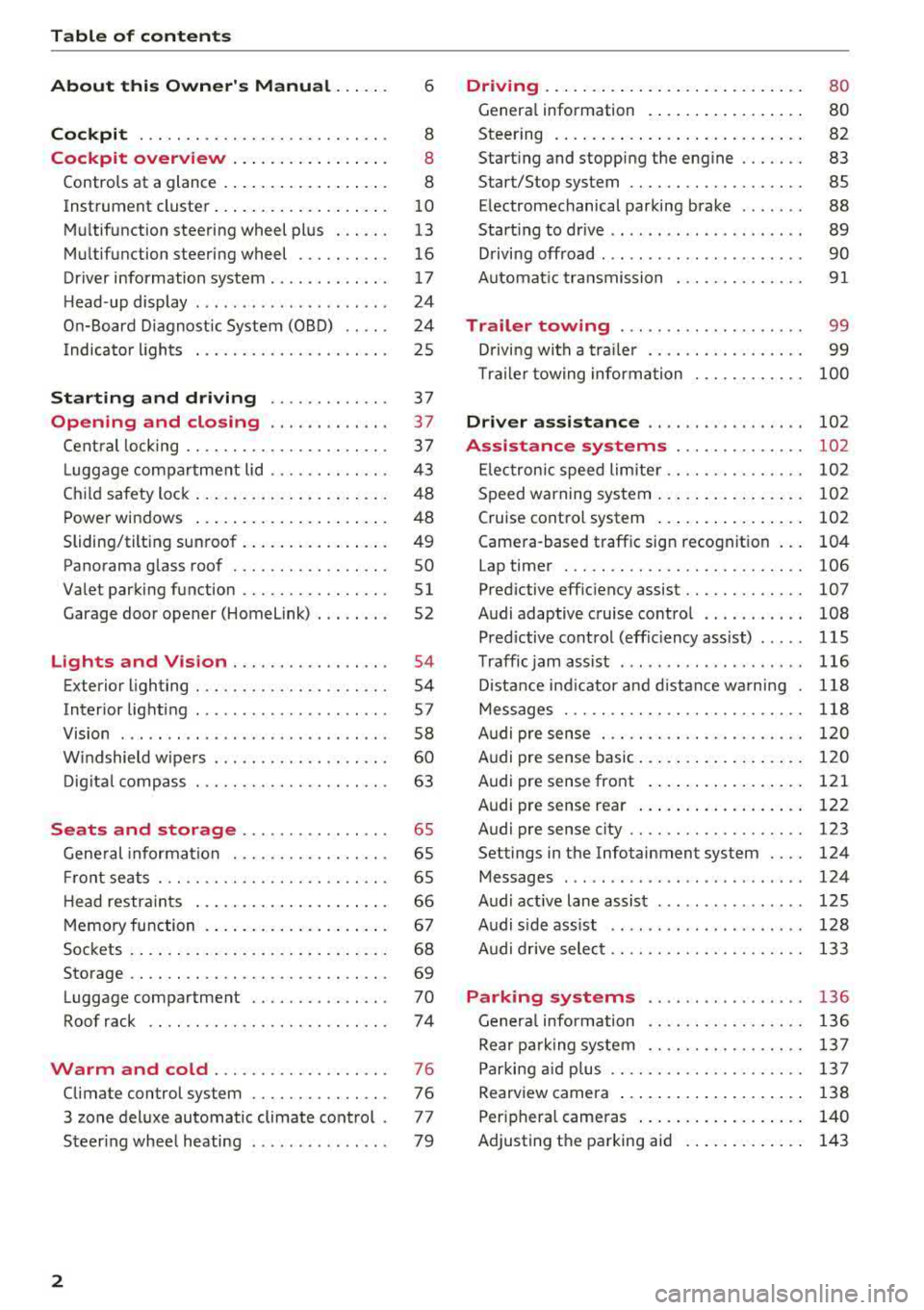
Table of contents
About this Owner's Manual . .. .. .
Cockpit ... .. ............... .... .. .
Cockpit overview ................ .
Controls at a glance ... .......... .. .. .
Instrument cluster .. .......... .. .. .. .
Multifunction steering wheel plus ... .. .
Multifunction steering wheel ......... .
Driver information system ...... .. .. .. .
H ead-up display .... .. .. ..... ... .. .. .
On-Board Diagnostic System (OBD) .. .. .
I ndicator lights .................... . 6
8
8
8
10
13
16
17
24
24
25
Starting and driving . . . . . . . . . . . . . 37
Opening and closing . . . . . . . . . . . . . 3 7
Central locking . . . . . . . . . . . . . . . . . . . . . . 3 7
L uggage compartment lid . . . . . . . . . . . . .
43
Child safety lock . . . . . . . . . . . . . . . . . . . . . 48
Power windows . . . . . . . . . . . . . . . . . . . . . 48
Sliding/tilting sunroof . . . . . . . . . . . . . . . . 49
Panorama glass roof . . . . . . . . . . . . . . . . . SO
Valet parking function . . . . . . . . . . . . . . . .
51
Garage door opener (Homelink) . . . . . . . . 52
L ights and Vision . . . . . . . . . . . . . . . . . 54
Exterior lighting . . . . . . . . . . . . . . . . . . . . . 54
Interior lighting . . . . . . . . . . . . . . . . . . . . . 57
V1s1on . . . . . . . . . . . . . . . . . . . . . . . . . . . . . 58
Windshield wipers . . . . . . . . . . . . . . . . . . .
60
Digital compass . . . . . . . . . . . . . . . . . . . . . 63
Seats and storage . . . . . . . . . . . . . . . . 65
General information . . . . . . . . . . . . . . . . . 65
Front seats . . . . . . . . . . . . . . . . . . . . . . . . . 65
H ead restraints . . . . . . . . . . . . . . . . . . . . . 66
Memory function . . . . . . . . . . . . . . . . . . . .
67
Sockets . . . . . . . . . . . . . . . . . . . . . . . . . . . . 68
Storage . . . . . . . . . . . . . . . . . . . . . . . . . . . . 69
Luggage compartment ........ .... .. .
Roof rack .. .. ... ............ .... .. .
Warm and cold ................ .. .
Climate control system .............. .
3 zone deluxe automatic climate control .
Steer ing wheel heating .. ........ .. .. .
2
70
74
76
76
77
79
Driving ... .. .. .. .. .. ... .......... . .
General information . ... ........... . .
Steering .......... .. .. . .......... . .
Start ing and stopping the eng ine ..... . .
Start/Stop system .. .. ............. . .
E le ctromechanical parking brake ...... .
Start ing to drive .. .. .. ........ ..... . .
D rivi ng offroad . .. ... ...... ....... .. .
Automatic transmission
Trailer towing ..... .............. .
Driving with a trailer .. ............. . .
8 0
80
82
83
85
88
89
90
91
99
99
T raile r towing information . . . . . . . . . . . . 100
Driver assistance . . . . . . . . . . . . . . . . . 102
Assistance systems . . . . . . . . . . . . . . 102
Electronic speed limiter. . . . . . . . . . . . . . . 102
Speed warning system . . . . . . . . . . . . . . . . 102
Cruise control system . . . . . . . . . . . . . . . . 102
Camera-based traffic sign recognition . . . 104
Lap timer . . . . . . . . . . . . . . . . . . . . . . . . . . 106
Pred ictive efficiency assist. . . . . . . . . . . . . 107
Audi adaptive cruise contro l . . . . . . . . . . . 108
Pred ictive control (eff ic ie ncy assist) . . . . . 115
Traffic jam assist . . . . . . . . . . . . . . . . . . . . 116
Distance indicat or and distance warnin g 118
Messages . . . . . . . . . . . . . . . . . . . . . . . . . . 118
Audi pre sense . . . . . . . . . . . . . . . . . . . . . . 120
Audi pre sense basic . . . . . . . . . . . . . . . . . . 120
Audi pre sense front . . . . . . . . . . . . . . . . . 121
Audi pre sense rea r . . . . . . . . . . . . . . . . . . 122
Audi pre sense city . . . . . . . . . . . . . . . . . . . 123
Settings in the Infotainment system . . . . 124
Messages . . . . . . . . . . . . . . . . . . . . . . . . . . 124
Audi active lane assist . . . . . . . . . . . . . . . . 125
Audi s ide assist . . . . . . . . . . . . . . . . . . . . . 128
Audi drive select . . . . . . . . . . . . . . . . . . . . . 133
Parking systems
General information .. ... .......... . .
Rear parking system .. .. ........... . .
Parking aid plus .. .. .. ............. . .
Rearview camera ... .. .. ........... . .
Periphera l cameras ... ... .......... . .
Adjusting th e parking aid . ........... .
136
136
137
137
138
140
143
Page 81 of 403

a co .... N ,....
N .... 0 0
3 co
20 minutes, depending on the outside
temperature.
To keep the rear window defogger on contin uous
l y, press and hold the
QWREAR button longer
than
3 seconds. This is stored unti l the ignition is
switched off .
SYNC Synchronization
Use the rocker switc h® to sele ct the funct ion.
When synch ronization is switched on, the set
tings for the driver's side are applied to the front
passenger's side and the rear (except for seat
heating/venti lation*) . When the settings on the
front passenger's side or in the rear are changed,
the synchron iz at ion is automatically sw itched off
and
3 -z one appears in the display .
SET REAR function
Use t he rocker switch ® to select the function .
When the function is switched on, you can adjust
all settings for the rear us ing the climate control
system controls in the cockpit. The rear climate
control system controls cannot be operated at
the same time . This function switches off auto
mat ically after a certain period of time or after
leaving the menu.
Vent s
You can open or close the center and rear vents in
the cockpit and the vents in the rear center con
sole us ing the r idged thumbwheels . The levers
adjust the d irection of the airflow from the vents.
The wide vent is opened and closed using the
r ocker switch
® ·
Residu al heat
You can activate the residual heat funct ion when
the ignition is switched off by pressing the knob
(D . The res idual heat from the coolant is used to
h eat the vehicle inte rior. The residual heat func
tion swi tches off automatically afte r abou t 15
minu tes .
A WARNING
- You should not use the recirculation mode for an exten ded period of time, because no
fresh a ir is drawn in and the w indows can
Warm and c old
fog when cooling mode is switched off. This
increases the r isk of an accident.
- Individuals with reduced sensitivity to pain
or temperature could develop burns when
using the seat heat ing* function. To reduce
the risk of injury, these individua ls should
not use seat heating*.
(D Note
To avoid damaging the seat heat ing* ele
ments, do not knee l on the seats or place
heavy pressure on one area of the seat.
Setup
The climate control system basic settings ore ac
cessed in the Infotainment system .
.,. Select in the Infotainment system : I MENU! but
ton
> Vehicle > l eft control button > Ai r co ndi
tioning
Auto recircu lation
When switched on, a utomat ic rec irculat ion con
trols the recircu lation mode automatically . You
must press the
®MAX button if fog forms on
the windows.
Automatic auxiliary heater*
T he aux iliary hea ter he lps to wa rm the vehicle in
terior more q uickly.
Steering wheel heating
Applies to: vehicles with steering wheel heating
The steering wheel rim con be heated.
.,. Press the bu tton on the m ultif unct ion steeri ng
wheel to switch the steering whee l heating on
and
off~ r=:> poge 15, fig . 11 . The message
Steering wheel heating : on /Steering wheel
heating: off
appears in the instrument cluster
disp lay.
The temperature is maintained at a constant lev el when steering wheel heating is switched on .
T he s teer ing whee l heating se tt ings a re stored
automat ica lly and assigned to the remo te control
key that is in use.
79
Page 119 of 403

a co .... N ,....
N .... 0 0
3 co
In a speed range under 40 mph (65 km/h), traffic
jam assist can help to keep the vehicle within a lane calculated by the system. W ith in the lim its
of the system, the system controls the steering
automatically when adapt ive cruise control is
switched on . Since traffic jam assist is only an as
sist system, the driver must always keep his or
her hands on the steer ing whee l and be ready to
steer. The d rive r ca n override the control at any
time by actively steering.
The system is designed for driv ing on express
ways and highways.
Switching traffic jam ass ist on and off
... Press the button to switch the system on and
off<=> fig. 119.
... To turn the system off completely, select in the
Infotainment system:
I MENU ! button> Vehicle
> left contro l button > Driver a ssistance > Traf
fic jam a ssist .
If traff ic jam assist was deactivated through the
Infotainment system, you can cont inue operating
the act ive lane assist using
the<=> fig. 119 button
<=> page 126. The traffic jam ass ist functions are
no longer available.
Requirements for using traffic jam assist:
-Traffic jam assist must be switched on in the
Infota inment system .
-Adaptive cruise control must be switched on
and act ive
c;, page 110 .
Always switch off traffic jam assist in the
following situations:
-When increased attention is needed from the
driver .
-In poor weather conditions such as snow or
heavy rain .
-When driving on roads in poor condition .
-In construction zones.
-In city driving .
Traffic jam assist availability:
When you are in the Driver assistance view in the
in str ument cluster disp lay, the indicator light
turns
on ¥ and the message Traffic jam assist
available
appears if a traffic jam situation was
detected. You can open the
Driver assistance dis -
Assistance systems
play using the mu ltifunction steering wheel but
tons
c;, page 13 . To activate traffic jam assist, you
must press the
<=> fig. 119 button and switch on
the adaptive cruise control
c;, page 110.
Indicator lights
Ill and II-traff ic jam assist is switched on.
Vehicles driving ahead were detected. Your vehi
cle adapts whi le driving
c;, fig. 120.
•-Traffic jam ass ist switches off if the driver
does not take over steer ing after multiple driver
intervention requests . The system brakes the ve
hicle until it is stationary.
A WARNING
-A lways keep your hands on the steering wheel
so you can be ready to steer at any t ime . The
driver is always responsible for staying in a lane and for assessing traffic s ituations . Read
and follow the warnings
on<=>.& in General
information on page
109 . Never use traffic
jam ass ist in the following situations or you
will increase the risk of an accid ent.
-Driving offroad or on unpaved roads. Traffic
jam assist is only designed for use on paved
roads.
-I n city driv ing o r in construction zones.
-On curv ing stretches of road.
-In narrow lanes.
- In unclear traffic situat ions such as at inter-
sections or toll stat ions.
@ Tips
You are not necessarily guided to the center
of your lane.
117
Page 136 of 403

Assistance systems
Description
Applies to: vehicl es w ith Aud i drive select
The follow ing systems, among other things, are
influenced by drive select:
Engine and automatic transmission*
Depending on the mode, the engine and auto
mat ic transmission* respond more quickly or in a
mo re balanced manner to accelerator pedal
movements . In the sporty
Dynamic mode , the
transmission shifts at highe r speed ranges.
Suspension control*
The suspension control* uses sensors to record
information regard ing steering movements ,
braking and acceleration operations by the driv
er , road surface, driving speed, and load. This
makes it possible to adapt damping to the driv
ing situation nearly in rea l time. With drive se
lect, you can adjust the suspension control to
sporty
( Dynamic ), comfortab le ( Comfort ) or bal
anced
( Auto ).
Steering
The power steering adapts. Indi rect s teer ing that
moves easily as in
Comfort mode is especia lly
suited to long drives on highways . The
Dynamic
mode provides sporty , direct steering.
The following applies to vehicles with dynamic
steering* : the steering ratio changes based on
vehicle speed in order to maintain optimum
steer ing effort for the driver at all times . This
sets the steering to be less sensitive at higher
speeds in order to prov ide improved vehicle con
trol. At reduced speeds, steering is more direct in
order to keep the steering effort as min imal as
possible when the driver is maneuvering the vehi
cle. At low and average speeds, dynamic steer
ing* additionally provides more responsive steer
ing performance.
Sport differential*
As a component of the all wheel drive system
(quattro)
~ page 1 SO, the sport differential dis
tributes the driving power to the rear axle de
pending on the situation. The distribution of
power varies depending on the selected mode
134
from moderate (Comfort ) to sporty (Dynamic ).
The goal is a high level of agility and ability to ac
ce lerate on curves . The vehicle is very respons ive
to steering.
Adaptive cruise control (ACC)*
The behavior when accelerating can be adjusted
from comfortable to sporty, depending on the
drive select mode. Adaptive cruise control also
responds to the driving behavior of the vehicle
ahead in a more conservative or sporty manner.
Engine sound*
The engine sound adapts to the current mode
and can be subtle to sporty.
@ Tips
The S selector lever position automatically en
gages when the
Dynamic mode is selected .
Selecting the driving mode
Applies to: vehicles with Audi drive se lect
Fig. 135 Center co nsole: controls for drive se lect
.,. Press the left or right a rrow key ~ fig. 135 until
the desired mode appears in the instrument
cluster/ Infotainment system disp lay. Or
.,. Select in the Infotainment system: IMENU j but-
ton
> Vehicle > Audi drive select.
.,. Select and confirm the desired setting.
You can change the driving mode when the vehi
cle is stationary or while driving. If traffic per
mits, after changing modes, briefly take your
foot off the accelerator pedal so that the recently
selected mode is also activated for the engine.
.,.
Page 272 of 403
a co .... N ,....
N .... 0 0
3 co
Airbag system
Important information
Importance of wearing safety belts and
sitting properly
Airbags are only supplemental restraints. For
airbags to do their job, occupants must always
properly wear their safety belts and be in a prop er seating position.
For your safety and the safety of your passen
gers, before driving off, always :
.,. Adjust the driver's seat and steering wheel
properly
9 page 255,
.,. Adjust the front passenger's seat properly
¢page 256,
.,. Wear safety belts properly¢ page 265,
.,. Always properly use the proper child restraint
to protect children ¢
page 295.
In a collision, airbags must inflate within the
blink of an eye and with considerable force. The
supplemental airbags can cause injuries if the
driver or the front seat passenger is not seated
properly. Therefore in order to help the airbag to
do its job, it is important, both as a driver and as
a passenger to sit properly at all times.
By keeping room between your body and the
steering wheel and the front of the passenger
compartment, the airbag can inflate fully and
completely and provide supplemental protection in certain frontal
collisions ¢ page 255, Correct
passenger seating positions .
For details on the
operation of the seat adjustment controls
¢page 65.
It's especially important that children are proper
ly restrained
¢page 295.
There is a lot that the driver and the passengers
can and must do to help the individual safety fea
tures installed in your Audi work together as a
system.
Proper seating position is important so that the
front airbag on the driver side can do its job. If
you have a physical impairment or condition that prevents you from sitting properly on the driver
seat with the safety belt properly fastened and
Airbag system
reaching the pedals, or if you have concerns with
regard to the function or operation of the Ad
vanced Airbag System, please contact your au
thori zed Audi dealer or qualified workshop, or
call Audi Customer Relations at 1-800-822-2834
for possible modifications to your vehicle.
When the airbag system deploys, a gas generator
will fill the airbags, break open the padded cov ers, and inflate between the steering wheel and
the driver and between the instrument panel and
the front passenger. The airbags will deflate im
mediately after deployment so that the front oc
cupants can see through the windshield again
without interruption.
All of this takes place in the blink of an eye, so
fast that many people don't even realize that the airbags have deployed. The airbags also inflate
with a great deal of force and nothing should be
in their way when they deploy. Front airbags in
combination with properly worn safety belts slow
down and limit the occupant's forward move
ment . Together they help to prevent the driver
and front seat passenger from hitting parts of
the inside of the vehicle while reducing the forces
acting on the occupant during the crash . In this
way they help to reduce the risk of injury to the
head and upper body in the crash. Airbags do not
protect the arms or the lower parts of the body.
Both front airbags will not inflate in all frontal
collisions . The triggering of the airbag system de
pends on the vehicle deceleration rate caused by
the collision and registered by the electronic con
trol unit . If this rate is below the reference value
programmed into the control unit, the airbags
will not be triggered, even though the car may be badly damaged as a result of the collision. Vehi
cle damage, repair costs or even the lack of vehi
cle damage is not necessarily an indication of
whether an airbag should inflate or not.
Since the circumstances will vary considerably between one collision and another, it is not possi
ble to define a range of vehicle speeds that will
cover every possible kind and angle of impact
that will always trigger the airbags . Important
factors include, for example, the nature (hard or
soft) of the object which the car hits, the angle of
impact, vehicle speed , etc. The front airbags will
II>
271
Page 372 of 403

a co .... N ,....
N .... 0 0
3 co
Fuse panel @ (brown)
No . Equipment
2
Mass airflow sensor, camshaft adjust-
ment, charge air cooler pump
3 Exhaust doors, fuel injectors, radiator inlet
4 Vacuum pump, hot water pump, particu-
late sensor, biodiesel sensor
5 Brake light sensor
6 Engine va lves, camshaft adjustment
7
Heated oxygen sensor, mass airflow sen-
sor
8
Water pump, high pressure pump, high
pressure regulator va lve
9 Hot water pump
10
Oil pressure sensor, oil temperature sen-
sor
11 Clutch pedal position sensor
12 Engine valves
13 Radiator fan
14 Fuel injectors
15 Ignition coils
16 Fuel pump
Fuse panel @ (red)
No . Equipment
1 Anti-theft alarm system
2 Eng ine control module
3 Lumbar support
Automatic transmission selector mecha -
4
nism
5 Horn
6 Electromechanical park ing brake
7 Gateway control module
8 Interior headliner lights
10 Airbag control module
11 Electronic Stabilization Control (ESC)
12 Diagnostic connector, light/rain sensor
13 Climate control system
14 Right front door control module
15 A/C compressor
Fuses and bulbs
Fuse panel © (black)
No . Equipment
1 Front seat heating
2 Windshield wipers
3 Left head light electronics
4
Panorama glass roof I sliding/t ilting sun-
roof
5 L eft front door control module
6 Sockets
7 Right rear door control module
8 All wheel drive
9 Right headlight electronics
10
Windshield washer system/headlight
washer system
11 Left rear door control module
Fuse panel @ (black)
No. Equipment
Seat ventilation, rearv iew mirror, climate
1 control system, rear climate control sys-
tern controls, windshield defogger
2 Gateway, climate control system
3 Sound actuator/exhaust sound tuning
4 Clutch pedal posit ion sensor
5 Engine start
7 Rear USB charg ing port
8 Homelink
9 Adaptive cruise contro l
11 Video camera
12 Matrix LED headlight/right LED headlight
13 Matrix LED headlight/left LED headlight
14 Rear window wipe r
Fuse panel © (red)
No . Equipment
1 Ignition coils
5 En gine mount
6 Automat ic transmission
7 Instrument panel
8 Climate control system (blower)
10 Dynamic steering
11 Engine start
371