battery AUDI S5 2008 8T / 1.G User Guide
[x] Cancel search | Manufacturer: AUDI, Model Year: 2008, Model line: S5, Model: AUDI S5 2008 8T / 1.GPages: 294, PDF Size: 12.13 MB
Page 42 of 294
Downloaded from www.Manualslib.com manuals search engine Doors and windows 40
– Press the release button ⇒page 39, fig. 29.
– Pull the emergency key out of the remote control key.
– Press the release catch ⇒page 39, fig. 30 on the
battery carrier and at the same time pull the battery
carrier out of the remote control key in the direction of
the arrow.
– Insert the new CR 2032 battery with the “+” symbol
facing downwards.
– Slide the battery carrier carefully into the remote control
key.
– Insert the emergency key.
For the sake of the environmentUsed batteries must be disposed of appropriately and must not be
discarded with ordinary household waste.
Note
The new battery must be of the same type as the original one
(CR 2032).
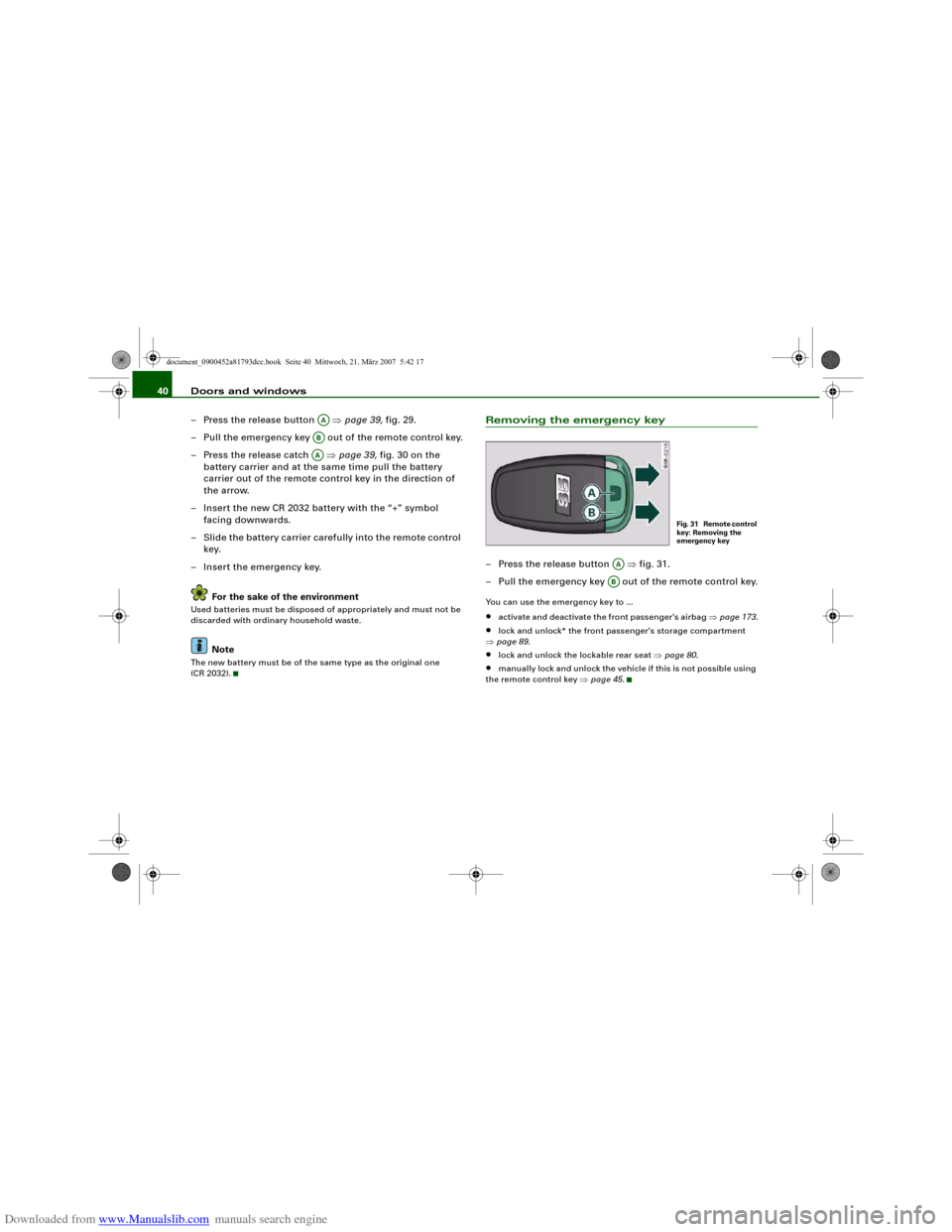
Removing the emergency key– Press the release button ⇒fig. 31.
– Pull the emergency key out of the remote control key.You can use the emergency key to ...•
activate and deactivate the front passenger's airbag ⇒page 173.
•
lock and unlock* the front passenger's storage compartment
⇒page 89.
•
lock and unlock the lockable rear seat ⇒page 80.
•
manually lock and unlock the vehicle if this is not possible using
the remote control key ⇒page 45.
AAABAA
Fig. 31 Remote control
key: Removing the
emergency key
AAAB
document_0900452a81793dcc.book Seite 40 Mittwoch, 21. März 2007 5:42 17
Page 43 of 294
Downloaded from www.Manualslib.com manuals search engine Doors and windows41
Controls
Safety
Driving tips
General maintenance
Self-help
Technical data
Emergency release for ignition key
In the event of a malfunction in the vehicle's electrical
system, it may no longer be possible to remove the igni-
tion key.If you are not able to remove the ignition key because the
vehicle battery has discharged (for example), remove the
key as follows:
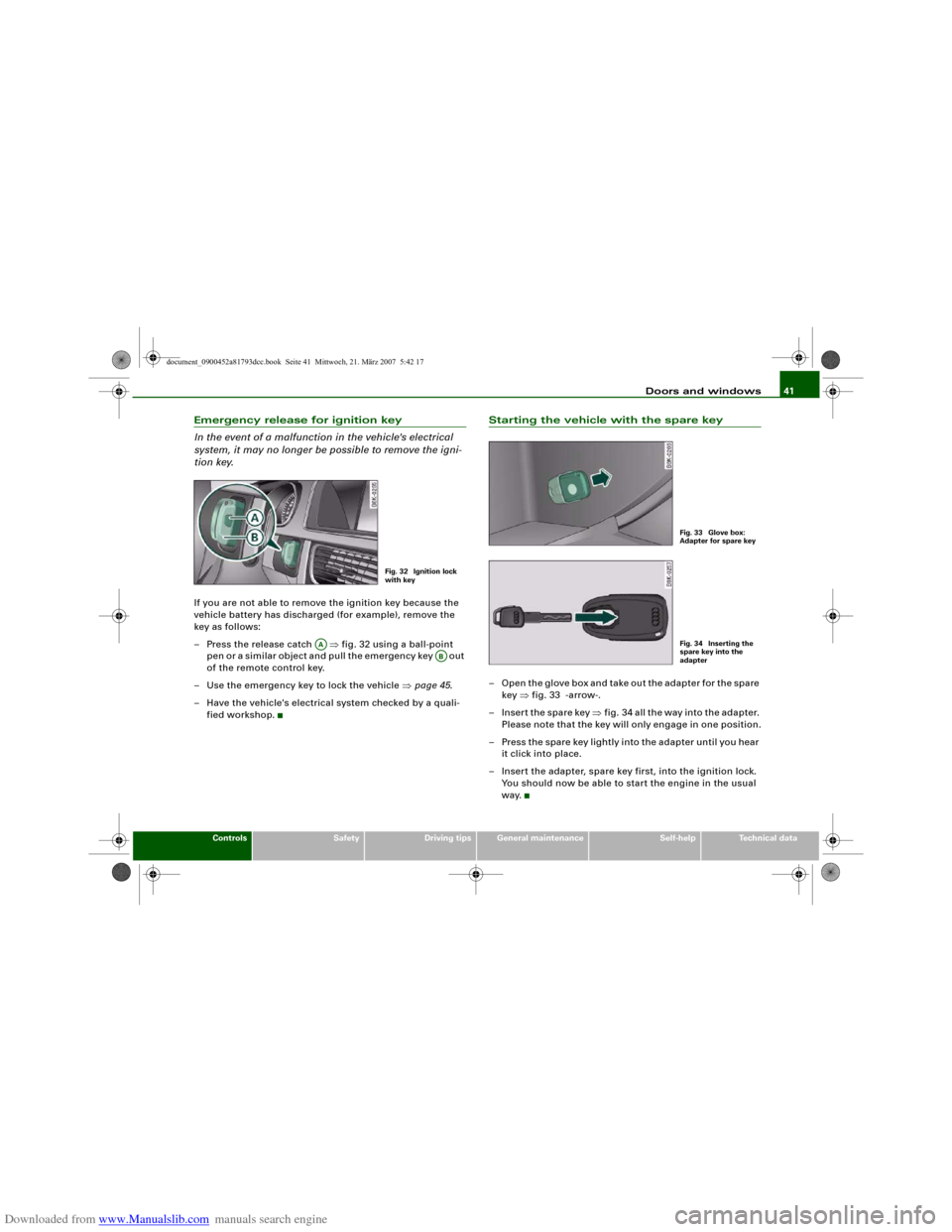
– Press the release catch ⇒fig. 32 using a ball-point
pen or a similar object and pull the emergency key out
of the remote control key.
– Use the emergency key to lock the vehicle ⇒page 45.
– Have the vehicle's electrical system checked by a quali-
fied workshop.
Starting the vehicle with the spare key– Open the glove box and take out the adapter for the spare
key ⇒fig. 33 -arrow-.
– Insert the spare key ⇒fig. 34 all the way into the adapter.
Please note that the key will only engage in one position.
– Press the spare key lightly into the adapter until you hear
it click into place.
– Insert the adapter, spare key first, into the ignition lock.
You should now be able to start the engine in the usual
way.
Fig. 32 Ignition lock
with key
AA
AB
Fig. 33 Glove box:
Adapter for spare keyFig. 34 Inserting the
spare key into the
adapter
document_0900452a81793dcc.book Seite 41 Mittwoch, 21. März 2007 5:42 17
Page 47 of 294
Downloaded from www.Manualslib.com manuals search engine Doors and windows45
Controls
Safety
Driving tips
General maintenance
Self-help
Technical data door is unlocked. The remote control key has to be within a range of
about 1.5 metres of the relevant door or the boot lid. It does not
matter where you carry the key, for instance whether it is in your
jacket pocket or in a briefcase.
The unlocking function may be affected if the sensor area on the
door handle is touched while the vehicle is being unlocked.
The locking function may be affected if you grasp the door handle
while the vehicle is being locked.
Once the doors have been locked, they cannot be opened again
immediately. This will enable you to check that the doors are prop-
erly closed.
The system will either unlock both the doors or one door only,
depending on the settings you have chosen on the sound system or
MMI* ⇒page 43.
WARNING
Do not leave anyone (especially children) in the car if it is locked
from the outside and the deadlock mechanism is activated: the
doors and windows cannot then be opened from the inside.
Locked doors could delay assistance in an emergency, potentially
putting lives at risk.
Note
Please note the following points if the vehicle is left parked for long
periods:•
To save electrical power, the proximity sensors are switched off
after a few days. You will then need to pull the door handle once to
unlock the vehicle, and a second time to open it.
•
To prevent the battery from becoming discharged and thus
maintain the vehicle's starting ability for as long as possible, the
power management system will gradually switch off convenience
functions that are not required. In this case you may not be able to
unlock the vehicle with this convenience function.
Locking and unlocking the vehicle using the key
If the central locking system should fail to work, you can
still lock and unlock the driver's door by turning the emer-
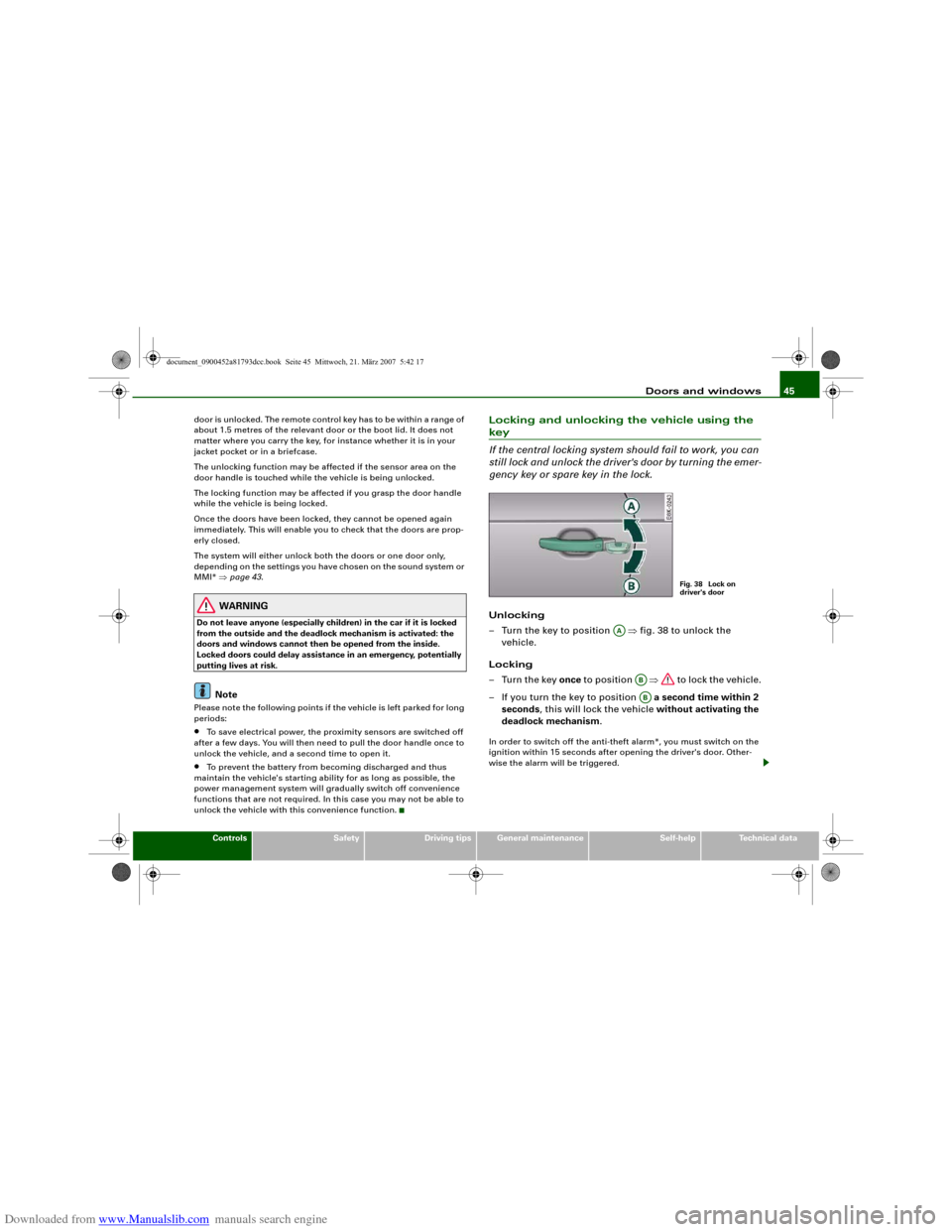
gency key or spare key in the lock.Unlocking
– Turn the key to position ⇒fig. 38 to unlock the
vehicle.
Locking
–Turn the key once to position ⇒ to lock the vehicle.
– If you turn the key to position a second time within 2
seconds, this will lock the vehicle without activating the
deadlock mechanism.In order to switch off the anti-theft alarm*, you must switch on the
ignition within 15 seconds after opening the driver's door. Other-
wise the alarm will be triggered.
Fig. 38 Lock on
driver's door
AA
ABAB
document_0900452a81793dcc.book Seite 45 Mittwoch, 21. März 2007 5:42 17
Page 53 of 294
Downloaded from www.Manualslib.com manuals search engine Doors and windows51
Controls
Safety
Driving tips
General maintenance
Self-help
Technical data
Settings for convenience open function
The driver can use the sound system or MMI* to select
which windows are opened.– Select: Function selector button > Windows >
Convenience open.If you wish to use the convenience open function for the windows
and the tilting panorama roof*, select on for the functions Front
windows and Sunroof*.What to do after a malfunction
The one-touch open and close function must be reacti-
vated if the battery has been disconnected.– Pull and hold the electric window switch until the
window is fully closed.
– Release the switch and then pull it again for at least one
second.
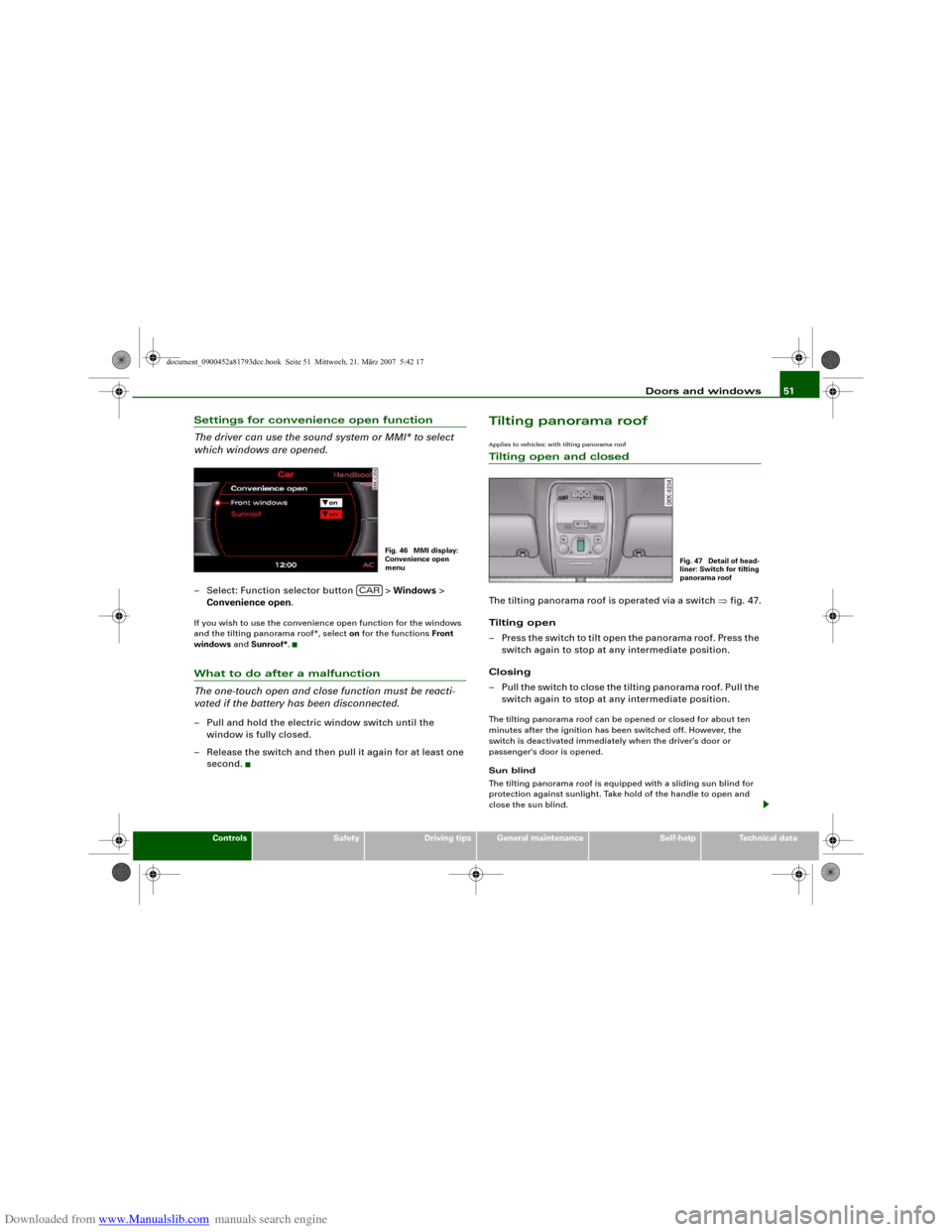
Tilting panorama roofApplies to vehicles: with tilting panorama roofTilting open and closedThe tilting panorama roof is operated via a switch ⇒fig. 47.
Tilting open
– Press the switch to tilt open the panorama roof. Press the
switch again to stop at any intermediate position.
Closing
– Pull the switch to close the tilting panorama roof. Pull the
switch again to stop at any intermediate position.The tilting panorama roof can be opened or closed for about ten
minutes after the ignition has been switched off. However, the
switch is deactivated immediately when the driver's door or
passenger's door is opened.
Sun blind
The tilting panorama roof is equipped with a sliding sun blind for
protection against sunlight. Take hold of the handle to open and
close the sun blind.
Fig. 46 MMI display:
Convenience open
menu
CAR
Fig. 47 Detail of head-
liner: Switch for tilting
panorama roof
document_0900452a81793dcc.book Seite 51 Mittwoch, 21. März 2007 5:42 17
Page 62 of 294

Downloaded from www.Manualslib.com manuals search engine Lights and vision 60
Interior light switched on
– Move switch to position I.
Interior light switched off
– Move switch to position O.
Front reading lights
– Press one of the switches ⇒page 59, fig. 58 to switch
the left or right reading light on and off.If you switch on the courtesy lighting, the interior lights come on
automatically when the vehicle is unlocked or the doors are opened.
The light also comes on when the key is pulled out of the ignition. It
goes out approximately 30 seconds after the doors are closed. The
interior light is switched off immediately when the vehicle is locked
or when the ignition is switched on.
If a door is left open, the light is switched off after about 10 minutes
to prevent the battery from running flat.
The brightness of the light is automatically adjusted by a dimmer
when it is switched on.Rear interior lights
Reading lights are also provided for rear passengers.
The reading lights are switched on and off with the switches
.
Clear visionSun visors
The sun visors can improve visibility and contribute to
safety.The sun visors for the driver and the front passenger can be pulled
out of their mountings in the centre of the vehicle and turned
towards the doors ⇒fig. 60 . Once the sun visor has been turned
towards the door you can pull it towards the rear as desired.
Make-up mirrors
There are covers on the make-up mirrors in the sun visors. The light
for the mirror (located in the headlining) comes on automatically
when the mirror cover is slid open. The light switches itself off
when the cover is closed and when the sun visor is pushed back
up.
AAAA
AB
Fig. 59 Headliner: Rear
reading lights
Fig. 60 Passenger's
side: Sun visor
A1
A2
document_0900452a81793dcc.book Seite 60 Mittwoch, 21. März 2007 5:42 17
Page 88 of 294
Downloaded from www.Manualslib.com manuals search engine Seats and storage 86The cigarette lighter employs a standard 12 Volt socket which can
also be used as a power source for electrical appliances. The appli-
ances connected to the socket must not exceed a power rating of
100 W.
WARNING
•
Take care when using the cigarette lighter. Carelessness or
negligence when using the cigarette lighter can cause burns.
•
The cigarette lighter also works when the ignition is off and
when the ignition key is removed. To avoid the risk of fire, never
leave children unsupervised in the vehicle.
•
The electrical sockets and any appliances connected to them
will operate only when the ignition is switched on. Improper use
of the electrical sockets or the appliances connected to them can
cause injuries or fire. To avoid the risk of injury, never leave chil-
dren unsupervised in the vehicle with the key.Caution
Always use the correct type of plugs to avoid damaging the sockets.
Note
Using electrical appliances with the engine switched off will drain
the battery.
Applies to vehicles: with 12 Volt sockets12 Volt sockets
Electrical equipment can be connected to both 12 Volt
sockets.Electrical socket in luggage compartment and
front centre console
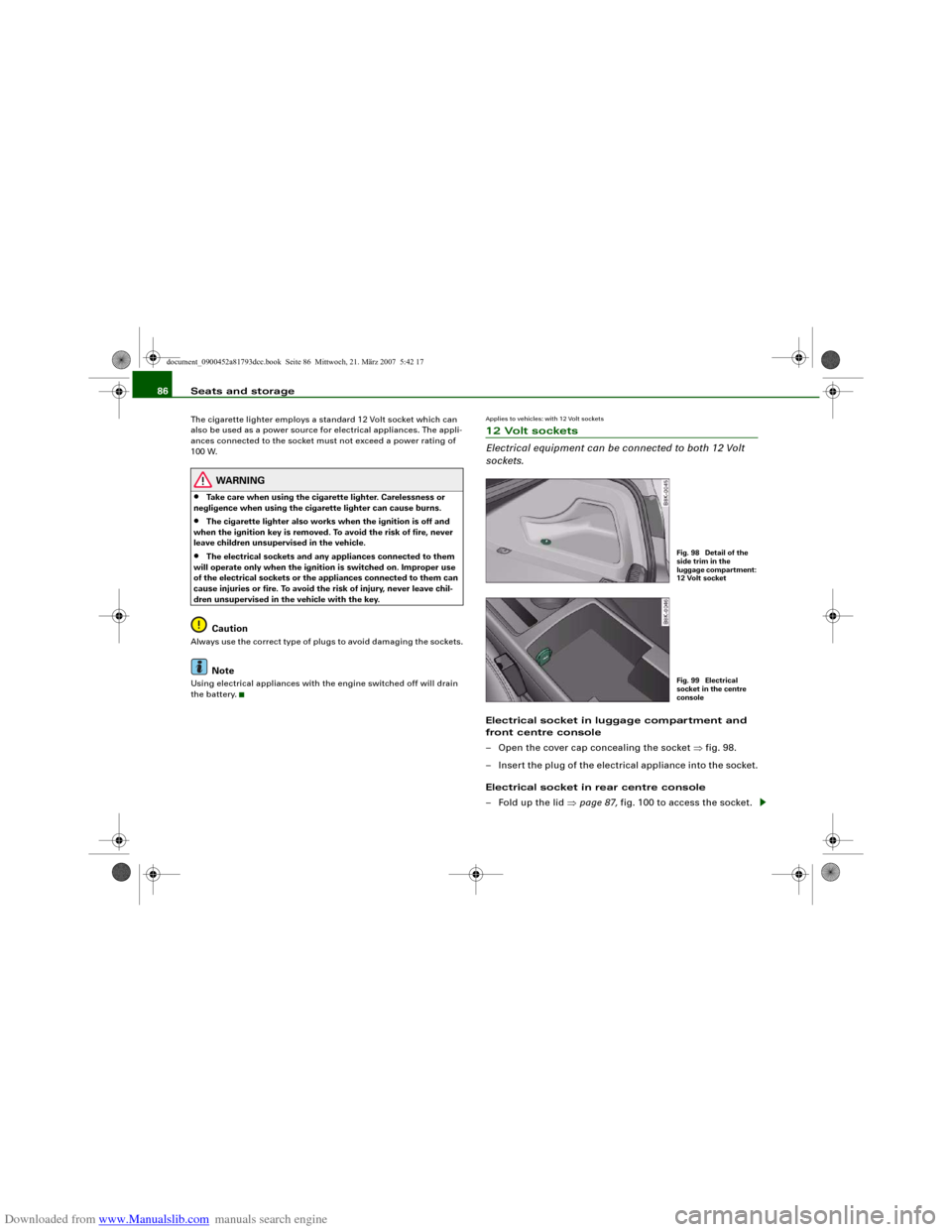
– Open the cover cap concealing the socket ⇒fig. 98.
– Insert the plug of the electrical appliance into the socket.
Electrical socket in rear centre console
– Fold up the lid ⇒page 87, fig. 100 to access the socket.
Fig. 98 Detail of the
side trim in the
luggage compartment:
12 Volt socketFig. 99 Electrical
socket in the centre
console
document_0900452a81793dcc.book Seite 86 Mittwoch, 21. März 2007 5:42 17
Page 89 of 294
Downloaded from www.Manualslib.com manuals search engine Seats and storage87
Controls
Safety
Driving tips
General maintenance
Self-help
Technical data
– Insert the plug of the electrical appliance into the socket.Electrical equipment can be connected to the 12 Volt socket. The
appliances connected to the socket must not exceed a power rating
of 100 W.
WARNING
The electrical sockets and any appliances connected to them will
operate only when the ignition is switched on. Improper use of the
electrical sockets or the appliances connected to them can cause
injuries or fire. To avoid the risk of injury, never leave children
unsupervised in the vehicle with the key.
Caution
•
To avoid damage to the vehicle's electrical system, never
connect equipment that generates electrical current, such as a solar
panel or battery charger, to the 12 Volt sockets or cigarette lighter in
order to charge the vehicle's battery.
•
Use only equipment which has been tested for electromagnetic
compatibility in compliance with EC Directive 2004/104/EC.Note
Using electrical appliances with the engine switched off will drain
the battery.
Applies to vehicles: with 230 Volt Euro socketOn-board 230 Volt Euro socketElectrical equipment can be connected to the 230 Volt
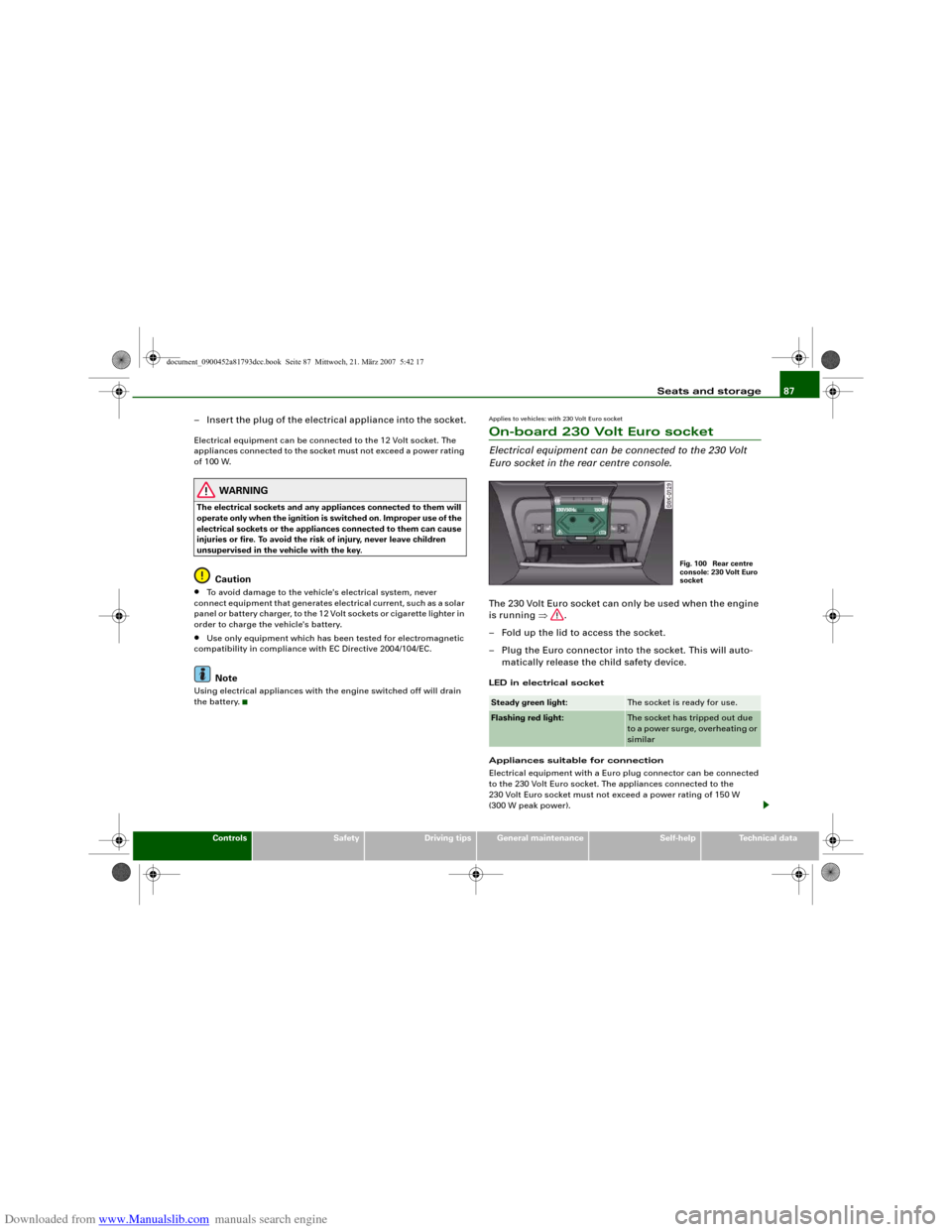
Euro socket in the rear centre console.The 230 Volt Euro socket can only be used when the engine
is running ⇒.
– Fold up the lid to access the socket.
– Plug the Euro connector into the socket. This will auto-
matically release the child safety device.LED in electrical socket
Appliances suitable for connection
Electrical equipment with a Euro plug connector can be connected
to the 230 Volt Euro socket. The appliances connected to the
230 Volt Euro socket must not exceed a power rating of 150 W
(300 W peak power).Steady green light:
The socket is ready for use.
Flashing red light:
The socket has tripped out due
to a power surge, overheating or
similar
Fig. 100 Rear centre
console: 230 Volt Euro
socket
document_0900452a81793dcc.book Seite 87 Mittwoch, 21. März 2007 5:42 17
Page 93 of 294
Downloaded from www.Manualslib.com manuals search engine Heating and cooling91
Controls
Safety
Driving tips
General maintenance
Self-help
Technical data
Heating and coolingDeluxe automatic air conditionerApplies to vehicles: with deluxe automatic air conditionerDescription
The air conditioner can be used to set a comfortable inte-
rior temperature in the vehicle.The air conditioner provides heating and ventilation and also cools
and dehumidifies the air inside the vehicle.
The air conditioner is fully automatic and will maintain the desired
temperature at a constant level. To achieve this, the temperature of
the air supplied to the interior, the blower speed (volume of air
delivery) and the air distribution are regulated automatically. The
system also allows for the effect of strong sunlight, so there is no
need for manual adjustment. For these reasons it is advisable to use
the automatic mode for the comfort of all the passengers in virtually
all conditions throughout the year ⇒page 93.
Please note:
The humidity of the air is automatically reduced when the system
cools the interior of the vehicle. This helps to prevent condensation
on the windows.
If the humidity and temperature outside the vehicle are high,
condensation can drip off the evaporator in the air cooling system
and form a pool underneath the vehicle. This is normal and does not
indicate a leak.
If the outside temperature is low, the blower normally only switches
to a higher speed once the coolant has warmed up sufficiently (this
does not apply to the defrost setting).
In order to achieve maximum engine power, the air conditioner
compressor is temporarily switched off when pulling away from a
standstill with full throttle.The compressor also switches off if the coolant temperature is
excessively high, to ensure adequate engine cooling under extreme
loads.
Pollution filter
The pollution filter (a particle filter) serves as a barrier against impu-
rities in the outside air, including dust and pollen, and odours. The
air is also filtered when the air recirculation mode is activated.
For the air conditioner to work with maximum efficiency, the pollu-
tion filter element must be replaced at the intervals specified in the
Service Schedule.
If the vehicle is driven in areas with a high level of air pollution and
the filter is no longer fully effective, it may be necessary to change
the filter element more frequently.
Key-coded settings
The currently selected air conditioner settings are automatically
stored and assigned to the remote control key.
Power management
To prevent the battery from becoming discharged and to maintain
the necessary power level, the system will temporarily shut off the
electrical components that are using a lot of power, or reduce the
current they are consuming ⇒page 192. Heating systems in partic-
ular use a large amount of electrical power. If you notice, for
instance, that the rear window heater is not working, it may have
been temporarily switched off by the power management function,
or regulated to a lower heat output. These systems will be available
again as soon as sufficient electrical power is available.
document_0900452a81793dcc.book Seite 91 Mittwoch, 21. März 2007 5:42 17
Page 102 of 294
Downloaded from www.Manualslib.com manuals search engine Heating and cooling 100Power management
To prevent the battery from becoming discharged and to maintain
the necessary power level, the system will temporarily shut off the
electrical components that are using a lot of power, or reduce the
current they are consuming ⇒page 192. Heating systems in partic-
ular use a large amount of electrical power. If you notice, for
instance, that the rear window heater is not working, it may have
been temporarily switched off by the power management function,
or regulated to a lower heat output. These systems will be available
again as soon as sufficient electrical power is available.
WARNING
For safety reasons it is important that all the windows are kept
free of ice, snow and condensation. These can cause poor visibility
and lead to an accident. Please familiarise yourself with the oper-
ating controls for the air conditioner, including the demist/defrost
functions for the windows.
Caution
•
If you suspect that the air conditioner is damaged, switch it off
to prevent further damage and have the system checked by a quali-
fied workshop.
•
Repairs to the air conditioning system require specialist knowl-
edge and special tools. For this reason, please contact a qualified
workshop if the system is not working properly.Note
•
Keep the air intake slots in front of the windscreen clear of snow,
ice and leaves to ensure unimpaired heating and cooling, and to
prevent the windows misting over.
•
The air from the outlets flows through the passenger compart-
ment and out through the slots at the rear of the vehicle. Do not
cover these slots with clothing or other objects.
•
The air conditioner operates most effectively with the windows
and the tilting panorama roof* closed. However, if the vehicle has
heated up after standing in the sun for some time, the air inside can
be cooled more quickly by opening the windows for a short time.
Applies to vehicles: with deluxe automatic air conditioner plusControls
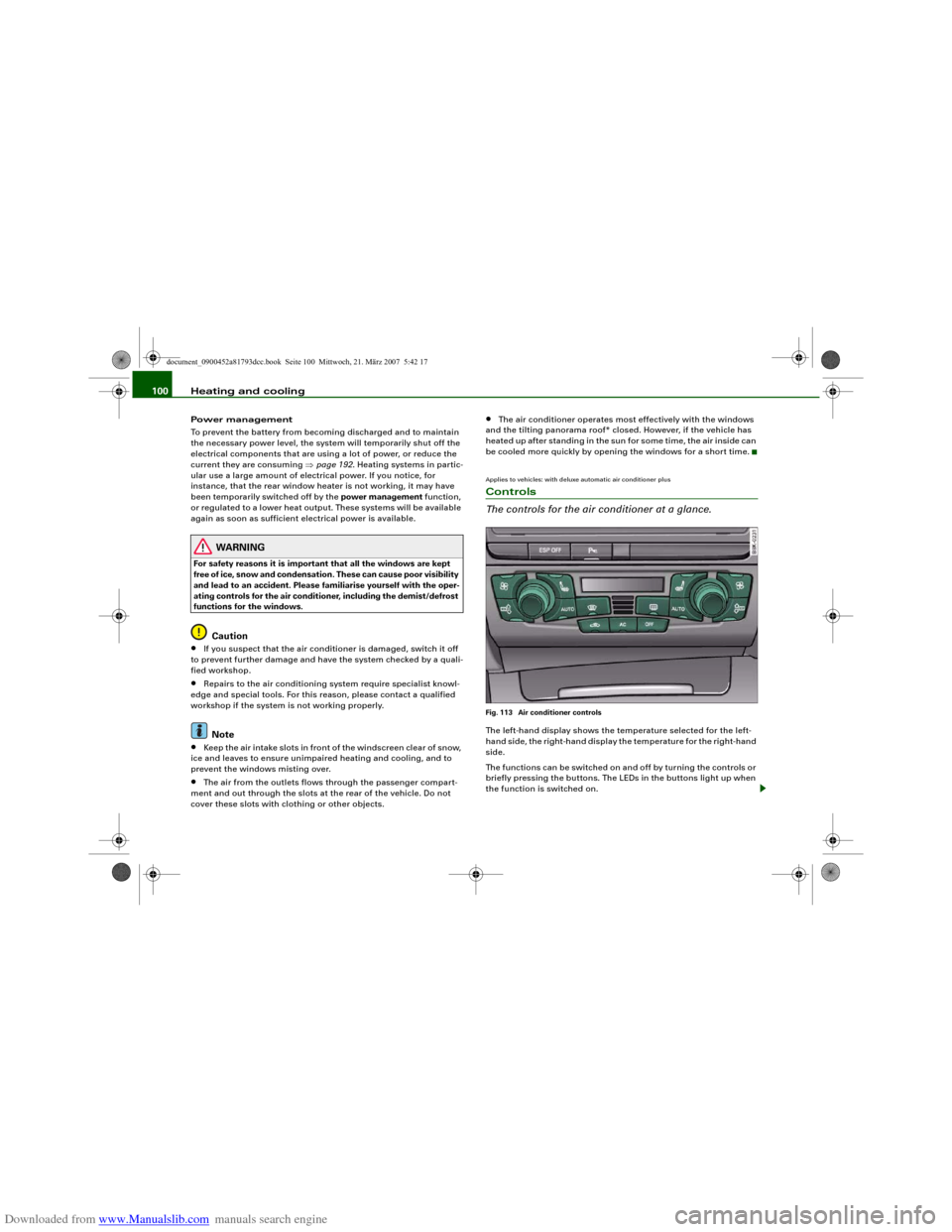
The controls for the air conditioner at a glance.Fig. 113 Air conditioner controlsThe left-hand display shows the temperature selected for the left-
hand side, the right-hand display the temperature for the right-hand
side.
The functions can be switched on and off by turning the controls or
briefly pressing the buttons. The LEDs in the buttons light up when
the function is switched on.
document_0900452a81793dcc.book Seite 100 Mittwoch, 21. März 2007 5:42 17
Page 111 of 294
Downloaded from www.Manualslib.com manuals search engine Heating and cooling109
Controls
Safety
Driving tips
General maintenance
Self-help
Technical data exhaust outlet under the car is not obstructed in any way and that
the exhaust gases do not come into contact with flammable mate-
rials (fire risk).
Note
•
It is advisable to open the air outlets when using the auxiliary
heating/ventilation.
•
The auxiliary heating/ventilation will not switch on if the fuel in
the tank has reached the reserve zone.
•
The auxiliary heating/ventilation will not switch on if the battery
charge level is low.
•
The symbols
(auxiliary ventilation) or
(auxiliary heating)
flash in the instrument cluster next to the clock display when the
auxiliary heating/ventilation is switched on. Both symbols light
continuously when the timer is activated.
•
At low outside temperatures some visible water vapour may
form in the engine compartment. This is a normal phenomenon,
and no reason for concern.
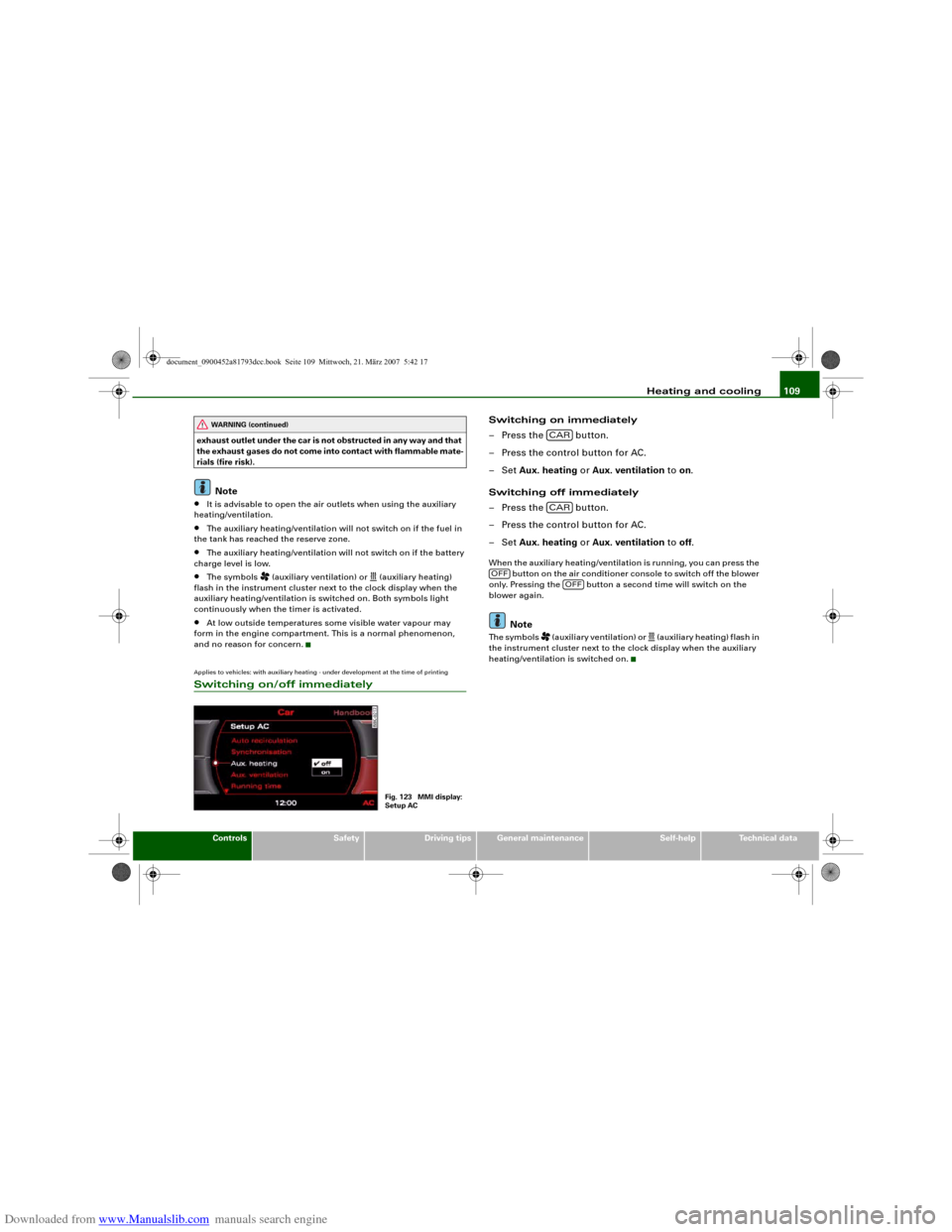
Applies to vehicles: with auxiliary heating - under development at the time of printingSwitching on/off immediately
Switching on immediately
– Press the button.
– Press the control button for AC.
–Set Aux. heating or Aux. ventilation to on.
Switching off immediately
– Press the button.
– Press the control button for AC.
–Set Aux. heating or Aux. ventilation to off.When the auxiliary heating/ventilation is running, you can press the
button on the air conditioner console to switch off the blower
only. Pressing the button a second time will switch on the
blower again.
Note
The symbols
(auxiliary ventilation) or
(auxiliary heating) flash in
the instrument cluster next to the clock display when the auxiliary
heating/ventilation is switched on.
WARNING (continued)
Fig. 123 MMI display:
Setup AC
CARCAR
OFF
OFF
document_0900452a81793dcc.book Seite 109 Mittwoch, 21. März 2007 5:42 17