warning lights AUDI S5 COUPE 2016 Owner's Manual
[x] Cancel search | Manufacturer: AUDI, Model Year: 2016, Model line: S5 COUPE, Model: AUDI S5 COUPE 2016Pages: 264, PDF Size: 66.92 MB
Page 87 of 264
.... N
0 I-co ....
~ Remove your foot from the brake pedal and ac
ce lerate .
Stopp ing tempo raril y
~ Keep the veh icle stat ionary using t he b raking
peda l, for example at traffic lights.
~ Do not press the accelerator pedal when doing
this.
~ To prevent the vehicle from rolling when you
start driving, set the park ing brake when stop
ping on steep inclines¢&, .
~ The parking brake w ill release automatically
and the vehicle w ill start moving once you press
the accelerator pedal.
Stopping /parking
If the selector lever is not in the P position when
you open the driver's door, the vehicle could roll. The message
Tran smission: Car may roll! Shift
to park! appears.
~ Press and hold the brake pedal unt il the vehicle
has come to a complete stop .
~ Apply the parking brake ¢ page 78, Parking .
~ Select the P selector leve r pos ition ¢ ,&.
Stopp ing on an incline
~ Always press the brake pedal to hold the vehi
cle in place and prevent it from "rolling back"
¢ &, . Do
not try to prevent the vehicle from
"ro lling back " when a gear is engaged by in
c reasing the engi ne speed ¢0 .
Starting on an incline
~ Activate the parking brake .
~ With the driving gear selected, press the accel
erator peda l carefully. The parking brake will
re lease automatically if your seat belt is fas
tened .
Unde r certain c ircumstances, such as dr iv ing in
the mountains, it may be useful to switch tempo rari ly to the manua l shift program in orde r to ad
just t he gears to the d rivi ng conditions by hand
¢ page 86.
On slopes, activate the parking brake first and
then move the selector lever to the P pos it ion.
Autom atic tran sm iss ion
This prevents too m uch stress from being placed
on the locking mechanism .
A WARNING ,-
-The vehicle can also ro ll when the eng ine is
stopped.
- Unintended vehicle movement can ca use se
rio us injury .
- Never leave your vehicle with the engine
r u nning while in gear. If you must leave
your veh icle when the engine is running, ac
tivate the pa rking brake and move the selec
tor lever to P .
- Power is still transmitted to the wheels
when the engine is runn ing at idle . To pre
vent the vehicle from "creepi ng", you must
keep your foot on the b rake when the en
g ine is r un ning and the selector lever is in D/
Sor R or "ti ptroni c" mode is selected.
- D o not press the acce le rator peda l when
cha nging t he se lecto r lever position while
t he vehicle is sta tionary and the engine is
r u nning .
- Never s hift into R or P wh ile driving.
- Before d riving down a s teep slope, reduce
your speed a nd s hift into a lowe r gear w it h
" t i pt ronic".
- Do not ride the brakes or press the brake
pedal too often o r too long when dr iv ing
down a hill. Const ant brak ing c auses t he
brakes to overheat and s ubstant ially re
duces bra king performance, increases brak
ing distance or causes comp lete fai lure of
the brake system.
- To prevent the vehicle from rol ling bac k
when stopp ing on inclines, always hold it in
p lace with the brake peda l or park ing brake.
- Never hold the vehicle on an incline with a
slipping clutch. The clutch opens a utomati
cally when it becomes too hot from the
overload. An ind icator lamp@] illuminates
a nd a driver message appears
¢ page 87
when the clu tch is over loaded .
- If the engine must rema in running, never
have any d riving position engaged when
checking unde r the hood . Make s ure these
lecto r lever has se cu rely engage d and is
lo ck ed in P with the par kin g b rake set
85
Page 94 of 264
Audi adaptive cruise control and braking guard
You can set any speed between 20 mph and 95
mph (30 and 150 km/h).
I ndicator lamps and messages in the instrument
cluster display inform you about the current sys
tem status and settings.
Switching Audi adaptive cruise control on
• Pull the lever toward you into position @
¢
fig. 96. ACC standby appears in the instru
ment cluster d isplay.
Setting the speed and activating regulation
• To set the current speed, press the !SETI button
¢ page 11, fig. 4. The set speed is shown in the
tachometer @ and is also shown briefly in the
display @¢
fig. 97.
Switching Audi adaptive cruise control off
• Push the lever away from you into position @
until it clicks into place . The message
ACC off
appears.
@ Indicator lights
II-Adaptive cruise control is switched on. No
vehicles are detected up ahead. The stored speed
is mainta ined .
• -A moving vehicle is detected up ahead . The
adapt ive cruise control system regulates the
speed and distance to the moving vehicle ahead
and accelerates/brakes automatically .
• -When automatic braking is not able to keep
enough d istance to a previously detected moving
vehicle up ahead, you must take control and
brake
c> page 94 , Request for driver interven
tion .
© Display
If adaptive cruise contro l is not shown in the dis
p lay, you can call it up with the
IRESETI button
c>page23.
Based on the symbo ls in the display, you can de
termine if the system is maintaining a distance to
the vehicle ahead and what that distance is .
No vehicle -No vehicle ahead was detected .
White vehicle -A vehicle ahead was detected.
92
Red vehicle -Prompt for the driver to take action
c>page 94.
Both arrows on the scale© indicate the distance
to the vehicle ahead. No arrow appears when the
vehicle is on an open road and there is no object
ahead. If an object is detected ahead, the arrow
moves on the scale .
The green zone on the scale shows the stored dis
tance . For information on changing the stored
distance, refer tor:!;>
page 93 . If the distance se
lected is too close or may soon become too close,
the arrows move into the red zone on the scale.
A WARNING
Improper use of the adaptive cruise control
can cause collisions, other accidents and seri
ous personal injuries.
- Press ing the
!SETI button when dr iving at
speeds below 20 mph (30 km/h), will auto
mat ica lly acce le rate the veh icle to 20 mph
(30 km/h), which is the minimum speed
that can be set.
(}) Tips
-If you switch the ign it ion or the adaptive
cruise control off, the set speed is erased
from the system memory.
- The electronic stabilization control (ESC)
and the anti-slip-regulation (ASR) are auto
matically turned on when the adaptive
cruise control is turned on . Both systems
cannot be turned off if the adaptive cruise
control is turned on.
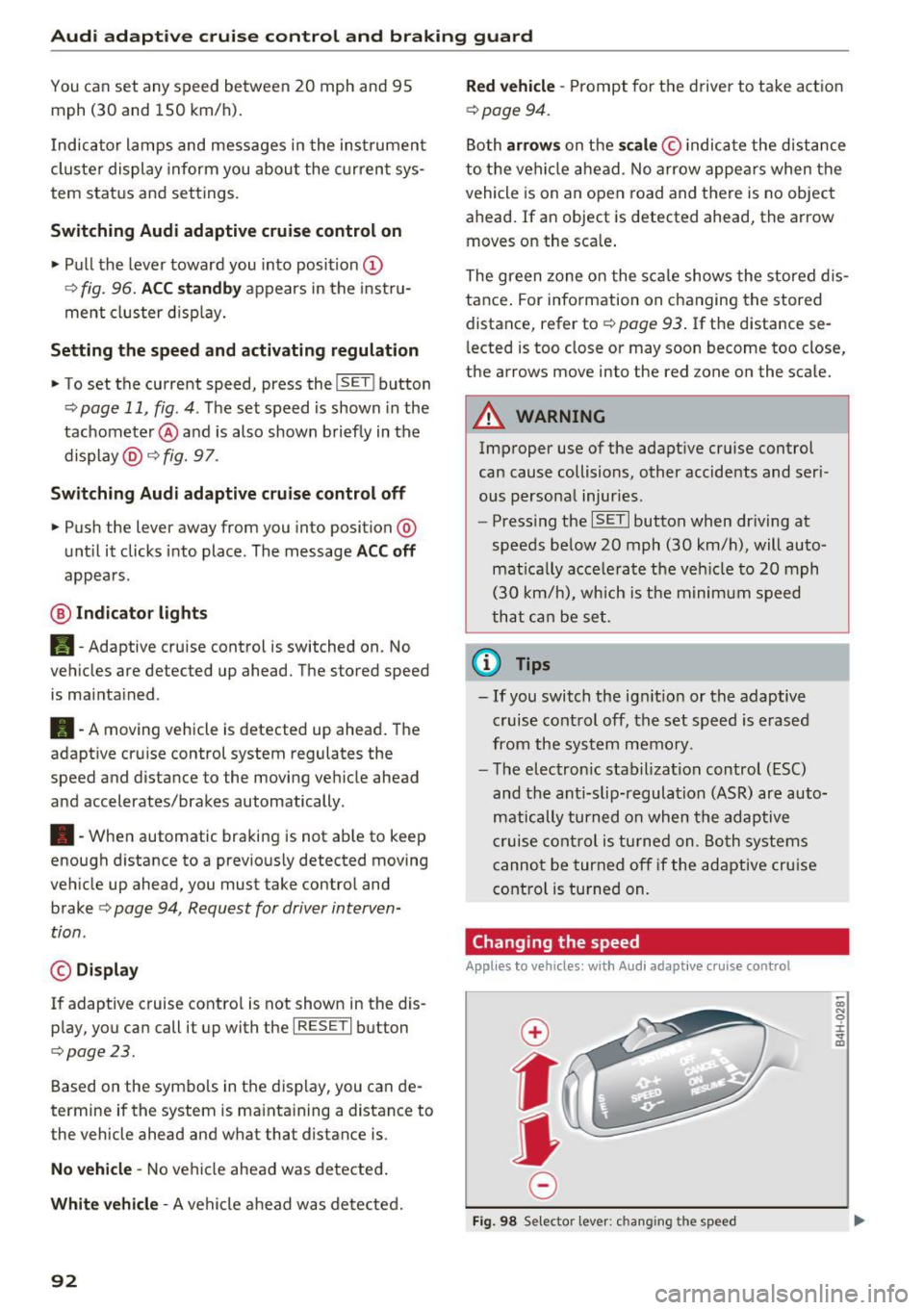
Changing the speed
Applies to veh icles: wit h Aud i adapt ive c ru ise control
0
f
jJ
0
Fig. 98 Selector lever: c hang ing the speed
co N 0 :i: .., m
Page 114 of 264
Driving sa fe ty
Driving safety
Basics
Safe driving habits
Please remember -safe ty first!
This chapter contains important information,
tips, instruct ions and warn ings that you need to
read and observe for your own safety, the safety
of your passengers and others. We have summar ized here what you need to know about safety
be lts, a irbags, child restra ints as well as child
safety. Your safety is for us
priority number 1 . Al
ways observe the i nfo rmation and wa rn ings in
this section - for your own safety as well as that
of your passengers.
The information i n this section applies to all
model versions of yo ur vehicle . Some of the fea
tures descr ibed in t his sections may be s tanda rd
equipment on some models, or may be optional
equipment on others . If you are not sure, ask
your authorized Audi dealer.
A WARNING
- Always make sure that you follow the in
structions and heed the WARNINGS in th is
Manual.
It is in your interest and in the in
te rest of your passengers .
- Always keep the comp lete Owner's Litera
ture in your A udi when you lend or sell your
vehicle so that this important information
will always be available to the d river and
passenge rs.
- Always keep the Owner 's literature handy so
t h at you ca n find it easily if you have ques
t ions.
Safety equipment
The safety features are part of the occupant re
straint system and work together to help reduce the risk of injury in a wide variety of occident si t
uations.
Your safety and the safety of your passenge rs
should not be left to chance. Advan ces i n tech
nology have made a var iety of features avai lab le
to help reduce t he risk of injury in an accident .
112
The following is a list of just a few of the sa fety
features in your Audi :
- sophis tica ted safety be lts fo r dr ive r and all pas-
senge r seat ing pos itions,
- belt fo rce limi ters for the front seats,
- be lt pretensione rs fo r the seats,
- head restraints for each seating position,
- front airbags,
- side airbags in the front seats,
- side curtain airbags,
- special LATCH anchorages fo r ch ild rest rai nts,
- adj ustab le steer ing column.
T hese ind iv idual safety features, can work to
gether as a system to help protect you and your
passengers i n a wide range of acc idents . These
features canno t wo rk as a system if they are not
always correc tly adj uste d and correct ly used.
Safety i s everybody' s responsibil ity!
Important things to do before driving
Safety is everybody 's job! Vehicle and occupant
safety always depends on the inform ed and care
ful driver .
For your safety and the safety of your passen
gers,
before dri ving always:
.. Make sure that a ll lights and signals are operat
ing correctly .
.. Make sure that the tire pressure is correct.
.. Make sure that all windows are clean and afford
good vis ibility to the outs ide .
.,. Secu re all luggage and othe r items carefully
~page 60.
.,. Mak e sure th at noth ing c an interfere wi th the
pedals .
.. Adjust front seat, head restraint and mirrors
correctly for your height.
.. Instruct rear seat passengers to adj ust the
head restraints according to their he ight.
.. Make sure to use the rig ht child restraint cor
rectly to protect children
c:> page 151, Child
safety .
.. Si t proper ly in yo ur seat a nd make sure t hat
your passenge rs do the same
~ page 54, Seats
and storage.
Page 123 of 264
.... N
0 I-co ....
General information
Always wear safety belts!
Wearing safety belts correctly saves lives!
This chapter explains why safety belts are neces
sary, how they work and how to adjust and wear
them correctly. "' Read all the information that follows and heed
all of the instructions and WARNINGS.
A WARNING
Not wearing safety belts or wearing them im
properly increases the risk of serious personal
injury and death.
- Safety belts are the single most effective
means available to reduce the risk of serious
injury and death in automobile accidents.
For your protection and that of your passen
gers, always correctly wear safety belts
when the vehicle is moving.
- Pregnant women, injured, o r physically im
paired persons must also use safety belts.
Like all vehicle occupants, they are more
likely to be seriously injured if they do not
wear safety belts. The best way to protect a
fetus is to protect the mother -throughout
the entire pregnancy.
Number of seats
Your Audi has a total of four seating positions:
two in the front and two in the rear. Each seating position has a safety belt.
A WARNING
Not wearing safety belts or wearing them im
properly increases the risk of serious personal
injury and death.
- Never strap more than one person, includ
ing small children, into any belt.
It is espe
cially dangerous to place a safety belt over a
child sitting on your lap.
- Never let more people ride in the vehicle
than there are safety belts available.
Safety belts
-Be sure everyone riding in the vehicle is
properly restrained with a separate safety
belt or child restraint.
Safety belt warning light
Your vehicle has a warning system for the driver
and (on USA models only) front seat passenger
to remind you about the importance of buckling
up .
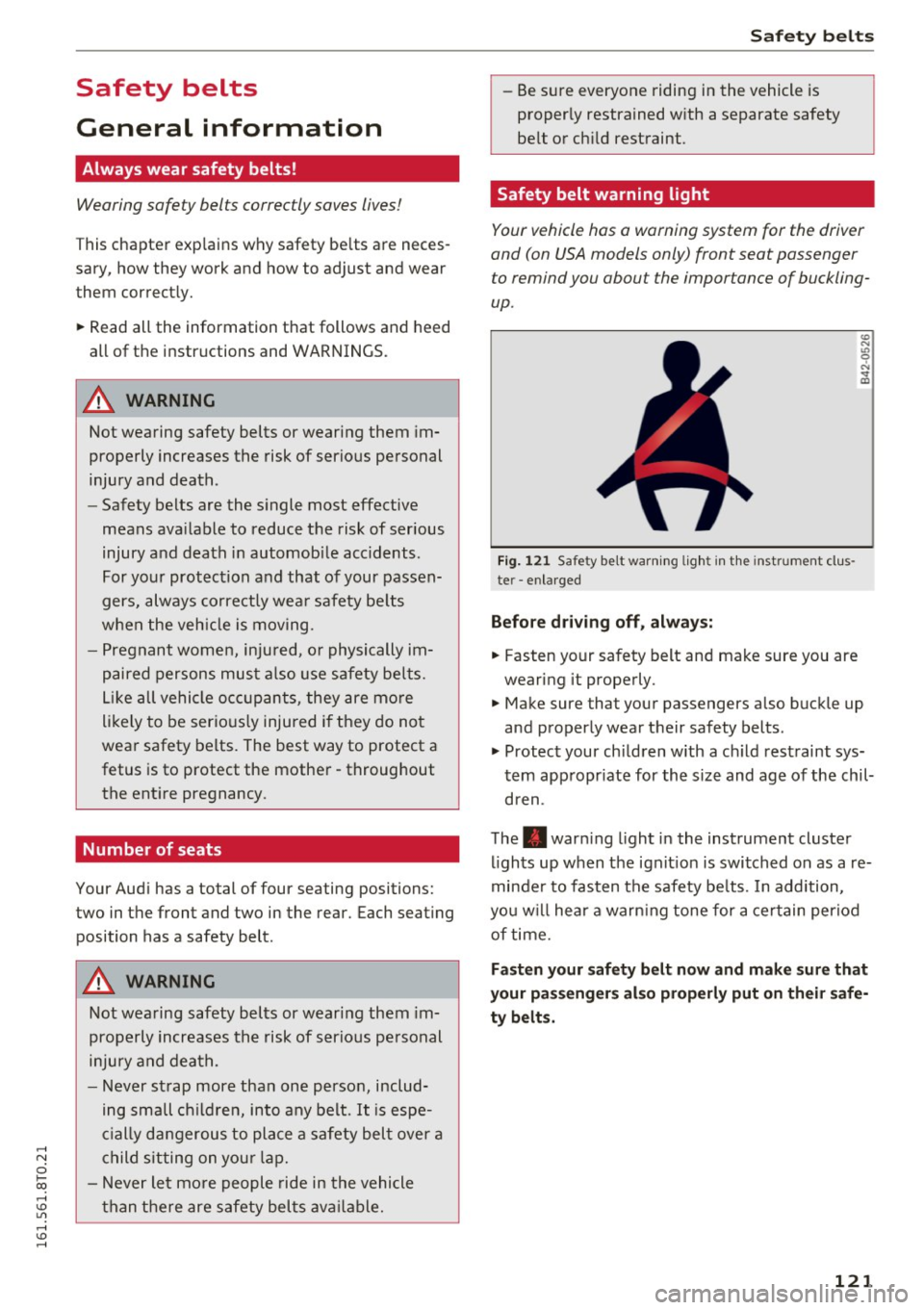
Fig. 121 Safety belt warning light in the instrument clus
te r -enlarged
Before driving off, always:
.. Fasten your safety belt and make sure you are
wearing it properly.
.,, N
"' 0 ..:, ., m
"' Make sure that your passengers also buckle up
and properly wear their safety belts.
"' Protect your children with a ch ild restraint sys
tem appropr iate for the size and age of the chil
dren .
The. warning light in the instrument cluster
lights up when the ignit ion is switched on as a re
minder to fasten the safety be lts. In addition,
you w ill hear a warn ing tone for a certain period
of time.
Fasten your safety belt now and make sure that
your passengers also properly put on their safe
ty belts.
121
Page 176 of 264
Intelligent Technology
Clean off accumulated salt coating from
brake discs and pads with a few caref ul
brake app lications.
- If you damage the front spoiler, or if yo u in
stall a d ifferent spoiler, be sure the air flow
to the front brakes is not obstructed. Other
wise the brake system could overheat reduc
ing the effectiveness of the entire b rake sys
tem.
- Failure of one brake c ircuit will impair the
bra king capability res ult in g in an increased
stopp ing distance. Avoid driving the vehicle
and h ave i t towe d to the ne arest author ized
Audi dealer or quali fied workshop.
- Never let the vehicle roll to a s to p wi th the
eng ine shut off.
- I f the bra ke booste r is not wor kin g, the
bra ke pe dal m ust be presse d considerably
harder to make up for the lac k of b oos ter
assistance .
Electro-mechanical
power assist, dynamic
steering
The electro-mechanical power assist helps the
driver when steering.
Power steering adapts electronically based on
the vehicle speed .
Indicator lights and mess ages
• Steering defective! Do not dri ve vehicle!
If thi s ind icator light tu rns on and stays o n and
this message appears, t he power steering may
have fa iled.
D o
not conti nue d riving. See yo ur autho riz ed
Aud i dea ler o r a q ua lified repair facility fo r assis
tance.
l;r-ij Dynamic steering : Sy stem fault! You can
c ontinue driving
If t he i ndicator lig ht t urns on and the message
appears, the steering may be more difficult to
move or mo re sens it ive than usual. The steer ing
wheel may also be a t an an gle when dr iv ing
s tra ight .
174
Drive slowly to your a uth orized Audi dea ler or
qualified workshop to have the malfunction cor
r ected.
'I-ij Dynamic steering: initializing
If this d rive r message appea rs and t he in dicator
li ght is flashing on the instr ume nt pa nel, dynam
ic steer ing * is being re ini tiali zed. After s tarting
the e ngine, t he s teer ing whee l w ill move sligh tly.
Re -initializa tion might be necessary if the steer
ing whee l was moved hard to the left and right
whi le the vehicle was not moving . T he d isp lay
goes out as soon as initiali zation is comp lete.
A WARNING
-
H ave the dynamic steering* system malfunc-
tion repaired as soon as poss ible by an au
thor ized Audi dealer or qualified workshop -
risk of acc ident!
@ Tips
- If the . or 'I-ij indicator light only stays on
for a sho rt time, you may cont inue driving.
- The dynamic steerin g* stab ility systems a re
not ava ilable in the event of a system mal
function .
- For add itiona l information on dynamic
steeri ng*, refer to
<=> page 102.
Driving with your
quattro
Applies to vehicles: with all-whee l dr ive
With all-wheel drive, all four wheels are driven.
General informat ion
With a ll-w heel d rive, power is distri buted to a ll
fo ur wheels. This happens automat ica lly depend
i ng on your d riving style a nd the roa d conditions
at the t ime . See also
c> page 170.
A center d ifferen tial d istr ibu tes the dr iving powe r
variab ly to the front and rear ax le.
It works to
gether w it h select ive whee l torque contro l, w hich
ac tiv ates w hen d rivi ng thro ugh curves
<=> page 171. With the spo rt different ial *, power
distribution to the rear wheels is variable and can
be adjusted with drive select<::>
page 102. .,.
Page 183 of 264
.... N
0 Ico ....
General information
Your Audi was designed primarily for passenger
transportation .
If you plan to tow a trailer, please remember that
the additional load will affect durability, econo my and performance.
T railer towing not only places more stress on the
vehicle, it also calls for more concentration from
the driver.
For this reason, always follow the operating and
driving instructions provided and use common
sense.
Technical requirements
Trailer hitch
Use a weight-carrying hitch conforming to the
gross trailer weight. The hitch must be suitable
for your vehicle and trailer and must be mounted
securely on the vehicle's chassis at a technically
sound
location . Use only a trailer hitch with a re
movable ball mount . Always check with the trail
er hitch manufacturer to make sure that you are
using the correct hitch.
Do not use a bumper hitch.
The hitch must be installed in such a way that it
does not interfere with the impact -absorbing
bumper system . No modifications should be
made to the vehicle exhaust and brake systems .
From time to time, check that all hitch mounting
bo lts remain securely fastened.
When you are not towing a trailer,
remove the
tra iler hitch ball mount . This prevents the hitch
from causing damage should your vehicle be
struck from beh ind ¢
,&. .
Trailer brakes
If your trailer is equipped with a braking system,
check to be sure that it conforms to all regula
tions .
Trailer mode
The trailer hydraulic brake system must not be
directly connected to the vehicle's hydraulic
brake system ¢.&. .
Safety chains
Always use safety chains between your vehicle
and the trailer.
Trailer lights
T ra iler lights must meet all regulations . Be sure
to check with your author ized Audi dealer for cor
rect wiring, switches, and relays.
Mirrors
If you are unable to see the traffic behind you us
ing the regular outside mirrors, then you
must in
stall extended mirrors. It is important that you
always have clear vision to the rear.
,8. WARNING
-If a trailer has electrical brakes please note
that these brakes are not activated by the
factory-fitted control unit -risk of accident!
- After removing the trailer hitch, do not store it in your vehicle. In case of sudden
braking, the hitch could fly forward and in
jure you or your passengers.
Operating instructions
Maximum trailer weight
A trailer for your vehicle is limited to a typical
class 1 or class 2 trailer.
Trailer load distribution
Be sure the load in the trailer is held securely in
place to prevent it from shifting forward, back
ward or sideways.
Never allow a passenger to ride in a trailer¢.&.
in Driving instructions on page 182.
Engine cooling system
Towing a trailer makes the engine work harder . It
is important that the cooling system's perform
ance is up to the additional load . Make sure that
the cooling system has enough fluid. .,..
181
Page 184 of 264

Trailer mode
Tire pressure
When towing a trailer, inflate the tires of you r
veh icle to the cold tire pressure listed under "Fu ll
load" on the label located on the driver's side B
pillar (visib le when the door is open) . Inflate
trai ler tires to trailer and tire manufacturers'
specifications.
Lights
The headlight settings should be checked with
the trailer attached before driving off. Check to
make sure both vehicle and trailer lights are
working properly .
Safety chains
Be sur e trailer safety chains are properly connect
ed from the trai ler to the hitch on the vehicle .
Leave enough slack in the chains to permit turn
ing corners . When you install safety chains, make
sure they w ill not drag on the road when you are
driving.
The chains shou ld cross under the trailer tongue
to prevent it from dropping in case of separation
from the hitch.
Driving instructions
Driving with a trailer always requires extra care
and consideration.
To obtain the best possible handling of vehicle
and trailer, please note the fo llowing :
.. Do not tow a loaded trailer when your car itself
is not load ed .
.. Be especia lly carefu l when passing other
vehicles .
.. Observe speed limits.
.. Do not drive at the maximum permissible
speed .
.. Always apply brakes early.
.. Monitor the temperature gauge .
Weight distribution
Towing a loaded trailer with an empty car resu lts
in a high ly unstable distribution of weight. If this
cannot be avo ided, drive at very low speeds only
to avoid the risk of losing steering control.
182
A "balanced" rig is easier to operate and control.
This means that the tow vehicle shou ld be loaded
to the extent possible and permissib le, wh ile
keeping the trailer as light as poss ible under the
c ir cumstances . Whenever possible, transfer
some cargo to the luggage compartment of the
tow veh icle while observing tongue load require
ments and vehicle load ing considerations .
Speed
The higher the speed, the more difficult it be
comes for the driver to control the r ig. Do not
drive at the maximum permissible speed. Reduce
your speed even more if load, weather or wind
cond it ion s are unfavorab le -particularly when
go ing downh ill.
Reduce vehicle speed
immediately if the trailer
shows the slightest sign of sway ing .
Do not try
to stop the swaying by accelerating.
Observe speed limits. In some areas, speeds for
vehicles towing tra ilers are lower than for regular
vehicles.
Always apply brakes early. When driving down
hill, shift into a lower gear to use the engine
braking effect to slow the vehicle . Use of the
brakes alone can cause them to overheat and fail.
Coolant tempe rature
The coolant temperature gauge c::> page 10 must
be observed carefully.
If the needle moves close
to the upper end of the scale, reduce speed im
med iately and/or turn off the a ir cond itioner .
If the coolant temperature warning light . in
the instrument cluster starts flashing, pull off
the road, stop and let the engine
idle for about
two m inutes to prevent heat build-up .
A WARNING
Anyone not properly restrained in a moving
vehicle is at a much greater risk in an acci
dent. Never let anyone ride in your car who is
not properly wearing the restraints provided
by Audi.
-
Page 196 of 264
Check ing and F illing
Using the proper engine oil is impo rtant for the
functionality and service life of the engine. Your engine was facto ry-filled with a h igh-quality oi l
which can usually be used throughout the entire
year.
@) Note
Your Limited New Vehicle War ranty does not
cover damage or malfunctions due to failure
to follow recommended maintenance and use
requirements as set forth in the Audi Owner's
Manual and Warran ty
& Maintenance booklet.
- Use only a high quality eng ine oil t hat ex-
p ressly complies with the Audi oil qua lity
standard specified for your vehicle's engine .
Using a ny o ther oil can cause serious engine
d am age.
- D o not mix any lubricants o r other addit ives
i nto the engine oil. Doing so ca n cause en
g ine damage.
(D Tips
I f you need to add oil and there is none availa
ble t hat meets the Audi o il quality standard
your eng ine requi res , you m ay ad d a tot al of
no more than 0.5 qu art /li ter o f a h igh-quality
"synthe tic"oil that meets t he following speci
fications.
- Vehicles w it h gasoline eng ine: AC EA A3 o r
API SM with a viscosity grade of SAE 0W-30,
SAE SW -30 or SAE SW-40.
- Fo r more information about en gine o il that
has been approve d for your ve hicle, please
contact eithe r you r a uthorized Aud i dea ler
or A udi C ustome r Relat ions at
1 (800) 822-2834 or visit our web site at
www .audiusa .com or www.aud icanada .ca .
Engine oil consumption
The engine in your vehicle depends on an ade
quate amoun t of oil to lubricate and cool all of
its moving parts .
In order to provide effective lubr ication and coo l
ing of in ternal engine components, all internal
combustion eng ines consume a certain amou nt
of oil. Oil co nsumption varies from engine to en
g ine and may change significant ly over the life of
194
th e engine. Typically, engines w ith a specified
break-in period (see
r=:> poge 177) consume more
o il dur ing the b reak-in per iod than they consume
after oil consumption has stabili zed .
U nder normal cond itions, the rate of oil con
sumption depends on the q ua lity and viscosity of
the oil, the RPM (revo lutions per m inute) at
which the engine is operated, the ambient tem perature and road condit ions. Further factors are
the amo unt of o il di lution from water condensa
t ion or fuel residue a nd the oxidation level of the
o il. As any engine is subject to wea r as mileage
builds up, the o il cons umption may increase ove r
t i me unt il repla ce m ent of wo rn components m ay
be come necessary .
With a ll these va riab les coming into p lay, no
sta ndard rate of o il cons umption can be estab
li sh ed or spec ified . T he re is no alte rn ative to reg
ul ar and frequen t checking of the oi l level, see
Note .
If the yellow engine oi l leve l wa rning symbo l Ill
in the instrument clus ter lights up , you sho uld
c h eck t he o il level as soon as possible
r=:> page 195 . Top off the oi l at your ea rliest con
venience
r=:> poge 195.
A WARNING
Before you check anyth ing in the engine com
partment, always read and heed all WARN
INGS
r=:> .&. in Working in the engine compart
ment on page 191.
@ Note
D riving wit h an insuffic ient oil level is like ly to
cause severe damage to the eng ine.
(D Tips
- The oil pressure warning display. is not
an indicator of the oil level. Do not rely on
it . Instead, check the oil level in your en
gine at regular intervals, preferably each
time you refuel, and always before going
on a long trip .
-If you have the impress io n your e ngine con
sumes excessive amou nts of oil, we recom-
mend th at yo u consult an authori zed A udi .,.
Page 203 of 264
.... N
0 I-co ....
Some vehicle func tion s (p ower w indow reg ula
tors, for example) are lost i f th e battery termi
na ls are d isconnected. These functions have to be
relearned afte r the battery termina ls are con
nected aga in. To prevent th is, the batte ry shou ld
only be disconnected from the vehicle e lectr ica l
system w hen abso lute ly necessary for repairs.
Vehicles not driven for long periods
If yo u do not drive you r vehicle over a period of
seve ral days or weeks, e lectrical components a re
g radually c ut back or sw itched off. This reduces
e nergy consumption and ma inta ins starting ca
pability over a longer pe riod
c:> page 175 .
Some of the conven ience f unctions may not ope r
ate, s uch as the inte rior lights or the power seat
ad justment. The convenience functions will be
ava ila ble aga in whe n you tu rn o n the ignition and
start the engine .
Winter operation
During the winter months, battery capacity tends
to dec rease as temperatu res dr op. This is be
cause more power is also consumed wh ile start
in g, and the head lights , rear wi ndow defogge r,
etc., are used more of ten .
Avoid un necessa ry power consumption, part icu
l arly in city traffic or when t rave ling on ly short
d ista nces . Let your authorized Audi dealer check
the capaci ty of the vehicle battery be fore w inte r
sets in
r=;, pag e 202. A well cha rged batt ery w ill
n o t onl y preven t st arti ng p roble ms w hen the
wea ther is cold, but will also last l on ger .
(D Tips
If your v ehicle is left stand ing fo r se ve ral
wee ks at extre mely low tem per at ures, the ve
hicle b attery sh ould be re moved and stor ed
w here it will not free ze . Th is will preve nt i t
from being dama ged and hav ing to be re
placed .
Checking and Filling
Working on the battery
Be especially careful when working on or near
the battery.
The battery is located in the luggage compart
ment under the floor. Befo re you check anything
i n the luggage compart ment ,
read and heed all
WARNINGS
c:> &_ .
Always heed the safety warnings , when working
o n the veh icle batte ry or t he ve hicle elec trical
system to prevent in jury .
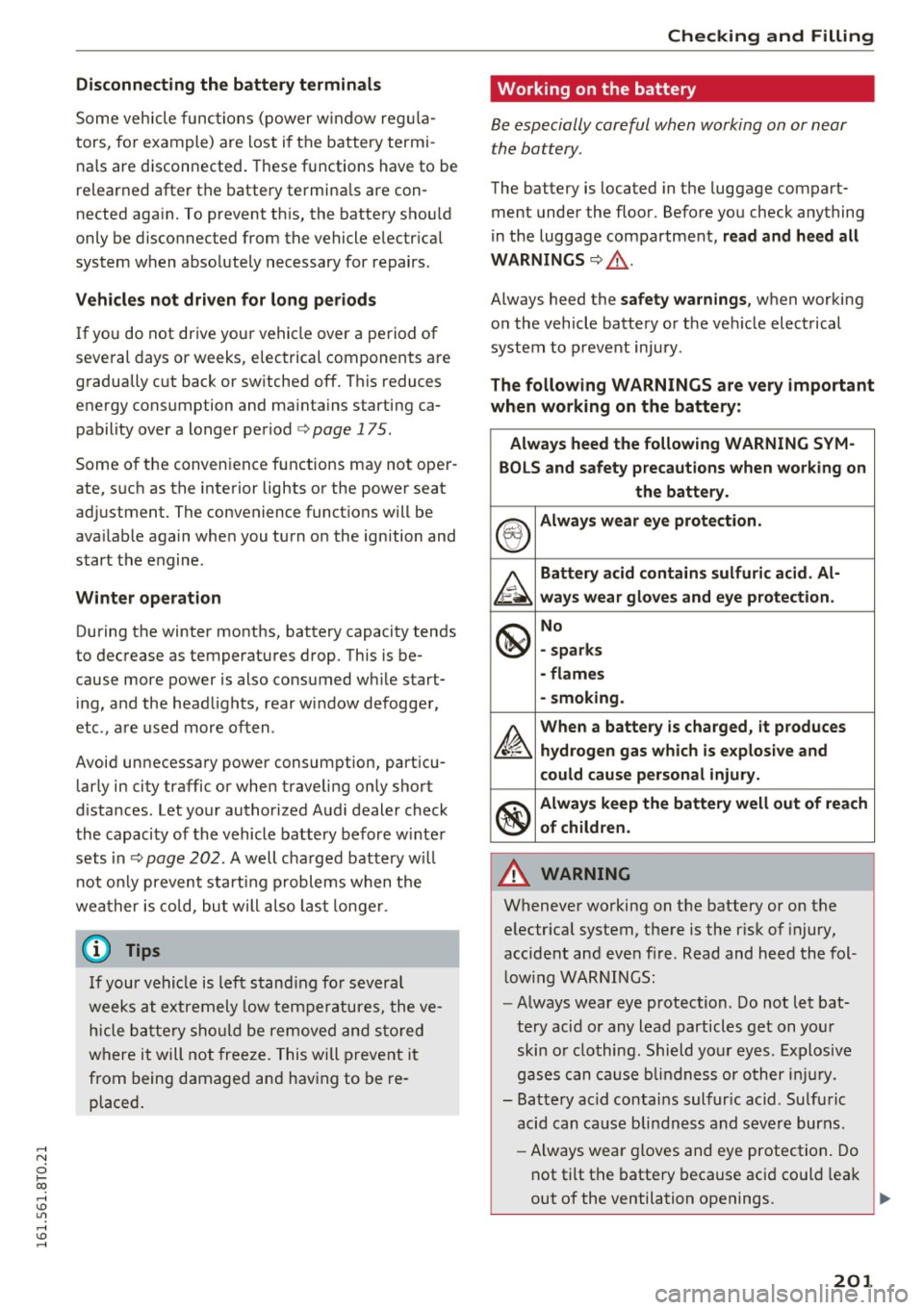
The following WARNINGS are very important
when working on the battery :
Always heed the following WARNING SYM-
BOLS and safety precautions when wo rking on
the battery.
®
Always wear eye protection.
A
Battery acid contains sulfuric acid. Al-
ways wear gloves and eye protection.
@
No
- sparks
- flames
- smoking.
~
When a battery is charged , it produces
hydrogen gas which is explosive and
could cause personal injury.
®
Always keep the battery well out of reach
of children.
A WARNING .....__ -
Wheneve r working on t he battery or on the
e lectr ica l system, the re is the r isk of injury,
accide nt a nd eve n fire. Read and he ed the fol
l ow ing W AR NIN GS:
- Always wear eye protection. Do not let bat
tery acid or any l ead particles ge t on you r
skin o r clothing. Shield yo ur eyes. E xplosiv e
g ases can ca use b lindne ss or other in jury.
- Ba tte ry acid contai ns sulfur ic acid. Sulfu ric
acid can ca use blindness and s evere burns.
- Always wea r gloves and eye protection . Do
n ot tilt t he batte ry because aci d could lea k
out of the ventilation openings. ""
201
Page 204 of 264
Checking and Filling
-If you get batt ery acid in your eyes or on
your skin, immediately rinse with cold wa
ter for several minutes and get medical at
tention .
- If you should ingest any battery acid, seek
medical attention immediately.
- Do not expose the battery to an open flame, electric sparks or an open light .
- Do not smoke.
- Do not interchange the positive and nega-
tive cables.
- When working on the battery, be sure not to short-circuit the terminals with tools or oth
er metal objects. This would cause the bat
tery to heat up very quickly, which could lead to damage or explosion and personal
injury.
- When a battery is charged, it produces hy
drogen gas which is explosive and could
cause personal injury.
- Always keep the battery well out of the
reach of children.
- Before work is done on the electrical sys
tem, disconnect the nega tive ground cable .
- Before performing any work on the electri cal system, switch off the engine and igni
tion as well as any electrical equipment. The negative cable on the battery must be dis
connected. If you are just going to replace a
light bulb, then it is enough to switch off
the lights.
- Before disconnecting the battery, sw itch off
the anti-theft alarm system! Otherwise you
will set off the alarm.
- When disconnecting the battery, first dis
connect the negative cable and then the
positive cable.
- Before reconnecting the battery, make sure
all electrical consumers are switched off.
Reconnect the positive cable first and then
the negative cable. Never interchange the
cabl es - this could start a fire!
- Never charge a frozen or a thawed-out bat
tery . It could explode! If a battery has fro
zen, then it must be replaced. A discharged
battery can freeze over at 32°F (0°C).
- Make sure the vent hose is always attached
to the opening on the side of the battery.
202
- Never use batteries which are damaged .
There is the danger of an explosion! Always
replace a damaged battery.
A WARNING
California Proposition 65 Warning:
- Battery posts, terminals and related acces
sories contain lead and lead compounds,
chemicals known to the State of California
to cause cancer and reproductive problems.
Wash hands after handling .
(D Note
- Do not disconnect the vehicle battery when
the ignition is switched on or when the en
gine is running, otherwise, you will damage
electronic components in the electrical sys
tem .
-If your vehicle is going to stand for a long
period of time without being driven, protect
the battery from "freezing" , otherwise it
will be damaged and will then have to be re
placed.
Battery charging
Starting the engine requires a well charged bat tery .
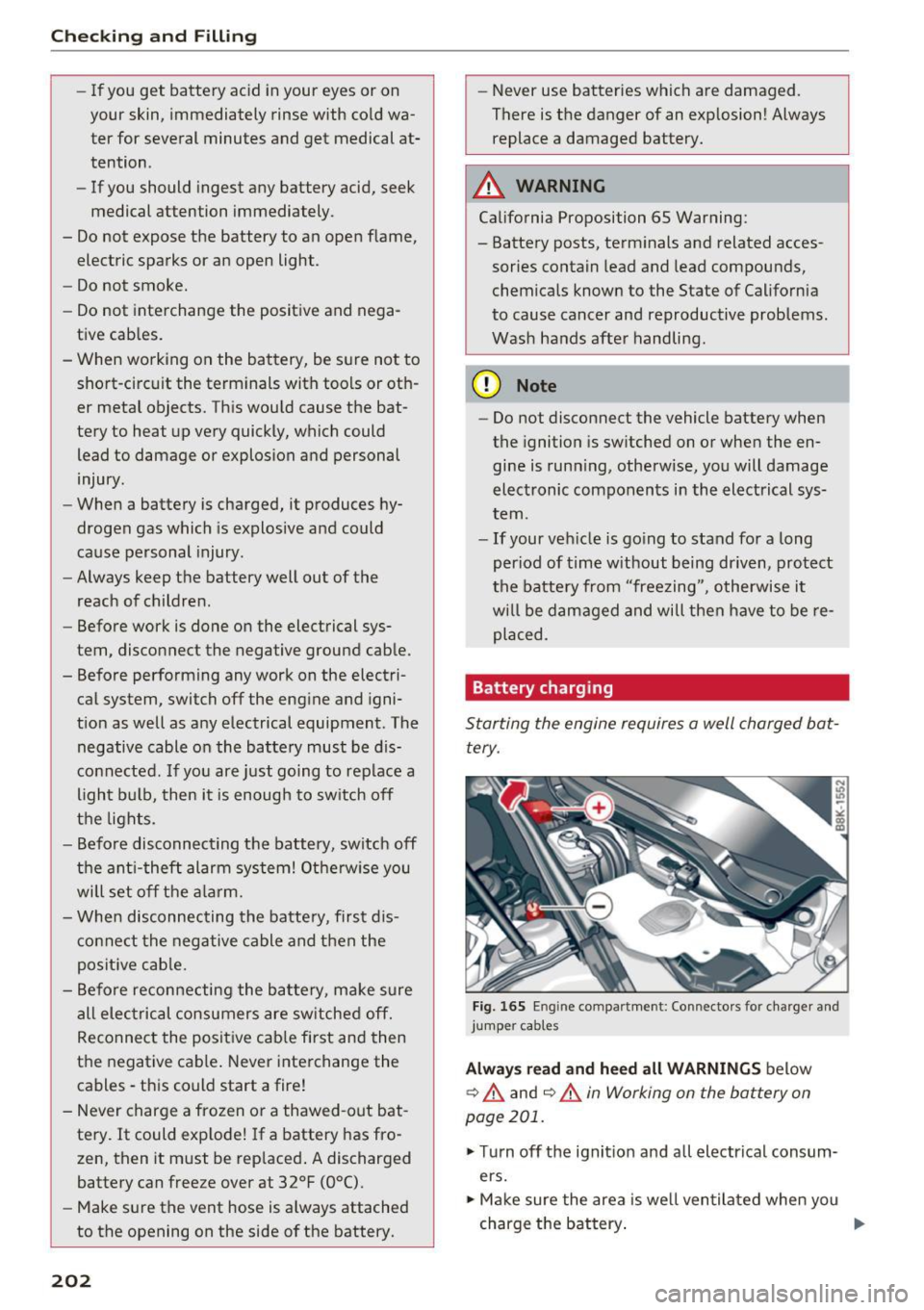
Fig. 165 En g in e compar tment : Co nnectors for charger and
jumper cab les
Always read and heed all WARNINGS below
9 A and ¢ A in Working on the battery on
page 201.
.,. Turn off the ignition and all electrical consum
ers.
.,. Make sure the area is well ventilated when you
charge the battery.
Iii>-