ignition AUDI S6 2008 User Guide
[x] Cancel search | Manufacturer: AUDI, Model Year: 2008, Model line: S6, Model: AUDI S6 2008Pages: 390, PDF Size: 88.42 MB
Page 25 of 390
& WARNING (continu ed )
• USA model s: If the BRAKE warnin g light and the warning
light come on together , the rear wheel s could lo ck up first under
hard braking . Rear wheel lock-up can cause loss of veh icle control
and an accident . Have your vehicle repaired immediately by your
authorized Audi dealer or a qualified workshop . Drive slowly and
avoid sudden , hard brake applications .
• Canada models : If the brake warning light
«D> and the ABS
warning light
le come on together , the rear wheels could lock up
first under hard braking . Rear wheel lock-up can cause loss of
vehicle control and an accident. Have your vehicle repaired imme
diately by your authorized Aud i dealer or a qual ified wor kshop .
Drive slowly and avoid sudden , hard brake applications. •
Electromechanical parking brake
~[ (USA models)
/(®) (Canada models)
T he warnin g/in dic at or l ight mo nitors the ele ctromechan
i c a l pa rkin g brak e.
With the parking brake applied and the ignition turned on, the
warning/indicator light ill uminates . After the ignition ha s been
turned off, the warning/indicator light continues to i lluminate for
about 30 seconds . If the parking brake is applied with the ignition
turned o ff, t he wa rn ing/ ind icato r light illum inates fo r ab out 30
seconds.
Th e war nin g/ind ica tor light w ill g o out when th e p arking b rak e is
released .
I f the warning/indicator light f lashes continuou sly after applying the
par king brake, brakin g force is not suffic ie n t to prevent t he vehic le
from rol ling unintentional ly. Please note the fo llowing:
• I f the s lo p e of th e ground is too s teep to park t he veh icle, the
addit ional drive message appears Caution: Vehicle parked too
steep.
Controls and equip
ment
Instruments and warning /indi cator lights
• I n the event of a parking brake ma lfunction, the yellow symbo l
appea rs in the instru ment c luster display a nd the d rive r message
Parking brake malfunction! is displayed . Have the malfunction
r epai red a s soo n as possible by a qualified Audi dealership .•
Brake system BRAKE (USA models) / (CD) (Canada
models )
The warning/indi cator li ght flashes if b rake fluid level is
l o w, i f th ere is an ABS s ystem m alfunctio n or a pa rk ing
br ake malfun ction .
The light i lluminates when the ignition is turned on. It goes out after
t he eng ine has been sta rted. Th is indica tes that the brake warning
li g ht i s function ing properl y.
If the brake warning light does not light up when the engine is
cranking , there may be a malfunction in the electrical system . In this
case , contact your Audi dealer.
If the brake syste m wa rn ing/indicator ligh t flashes, there is a b rake
system mal funct ion . By pr essin g the
I CHECK ] button, you can bring
u p a d rive r mes sage which e xplains t he m alf un ction in mo re de tail
=> page
32.
If the ABS fai ls, the ABS warning/indicator light , (USA
mo dels)/ .J (C an ada mode ls) flas hes toge ther wi th th e br ake sys tem
warning/ indicato r light=> &.
When the l igh t co mes on, an a udible warning signal is a lso given .
& WARNING
• USA models: If the BRAKE warning light and the~ warning
light come on together , the rear wheels could lo ck up first under
hard braking . Rear wheel lock -up can cause loss of vehicle control
and an accident . Have your vehicle repaired immediately by your
authorized Audi dealer or a qualified workshop. Drive slowly and
avoid sudden , hard brake applications.
~
I • •
Page 27 of 390
Driver information display
Introduction
General notes
The driver information display inside the instrument
cluster provides you, the driver, with much useful infor
mation.
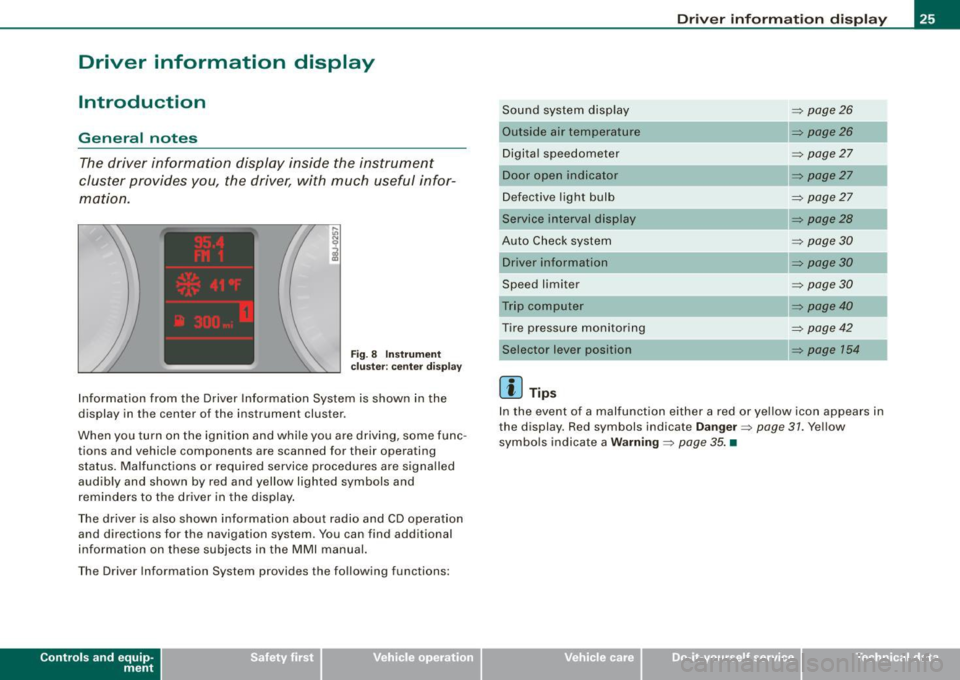
F ig. 8 Inst rume nt
c luster: ce nte r display
Information from the Driver Information System is shown in the
display in the center of the instrument cluster.
When you turn on the ignition and whi le you are driving, some func
tions and vehicle components are scanned for their operating status . Malfunctions or required service procedures are signa lled
audibly and shown by red and yellow lighted symbols and
reminders to the driver in the display .
The driver is also shown information about radio and CD operation and directions for the navigation system . You can find additional
information on these subjects in the MMI manual.
The Driver Information System provides the following functions:
Con tro ls and eq uip
ment
Dri ver inf orm atio n di spl ay
Sound system disp lay ~ page26
Outside air temperature ~ pa ge26
Digita l speedometer ~ page27
Door open in dicator ~ page27
Defective light bulb ~ page27
Service interval display ~ page28
Auto Check system ~ page30
Driver inform ation ~ page30
Speed limiter ~ page30
Tr ip computer ~ page40
Tire pressure monitoring ~ page42
~ page 154
[ i ] Tip s
In the event of a malfunction either a red or yellow icon appears in
the display. Red symbols indicate
D ange r~ page 31 . Yellow
symbols indicate a
Warning ~ page 35. •
Vehicle care I I irechnical data
Page 29 of 390
Digital speedometer
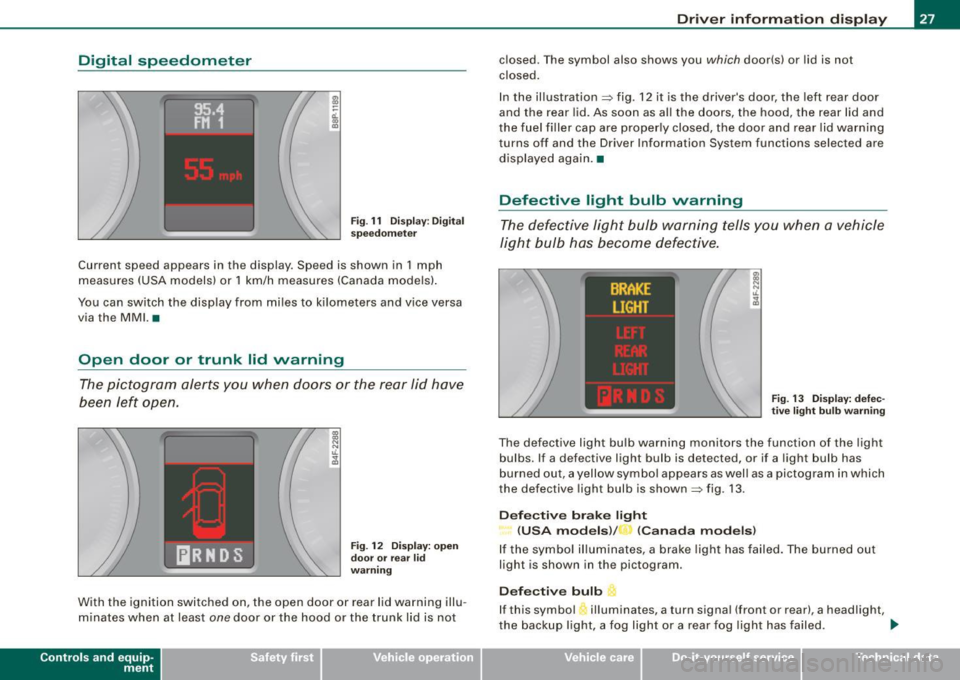
Fig. 11 Display: Digital
speedometer
Current speed appears in the display . Speed is shown in 1 mph
measures (USA models) or 1 km/h measures (Canada models).
You can switch the display from miles to kilometers and vice versa
via the MMI. •
Open door or trunk lid warning
The pictogram alerts you when doors or the rear lid have
been left open.
., ., N N t1. ;g
Fig . 12 Display: open
door or rear
lid
warning
With the ignition switched on, the open door or rear lid warning illu
minates when at least
one door or the hood or the trunk lid is not
Con tro ls and eq uip
ment
Driver information display
closed. The symbol also shows you which door(s) or lid is not
closed.
In the illustration=> fig. 12 it is the driver's door, the left rear door
and the rear lid. As soon as all the doors, the hood, the rear lid and
the fuel filler cap are properly closed, the door and rear lid warning
turns off and the Driver Information System functions selected are
displayed again .•
Defective light bulb warning
The defective light bulb warning tells you when a vehicle
light bulb has become defective.
Fig. 13 Display: defec
tive light bulb warning
The defective light bulb warning monitors the function of the light
bulbs . If a defective light bulb is detected, or if a light bulb has
burned out, a yellow symbol appears as well as a pictogram in which
the defective light bulb is shown=> fig. 13.
Defective brake light
(USA models)/ (Canada models)
If the symbol illuminates, a brake light has failed. The burned out
light is shown in the pictogram.
Defective bulb L.
If this symbol 'illuminates, a turn signal (front or rear), a headlight,
the backup light, a fog light or a rear fog light has failed . _,,
Vehicle care I I Technical data
Page 30 of 390
Driver information display
& WARNING
• Light bulbs are pressurized and could e xp lode while they are
being changed causing serious personal injury .
• Work with due care when handl ing the h igh-voltage section of
gas di scharge (xenon) light s. Failure to do so could result in death
or serious injury .
[ i ] Tips
Have the bulb replaced or the connection repaired by your autho
rized Audi Serv ice department .•
Service interval display
The service interval display reminds you when your next
service is due .
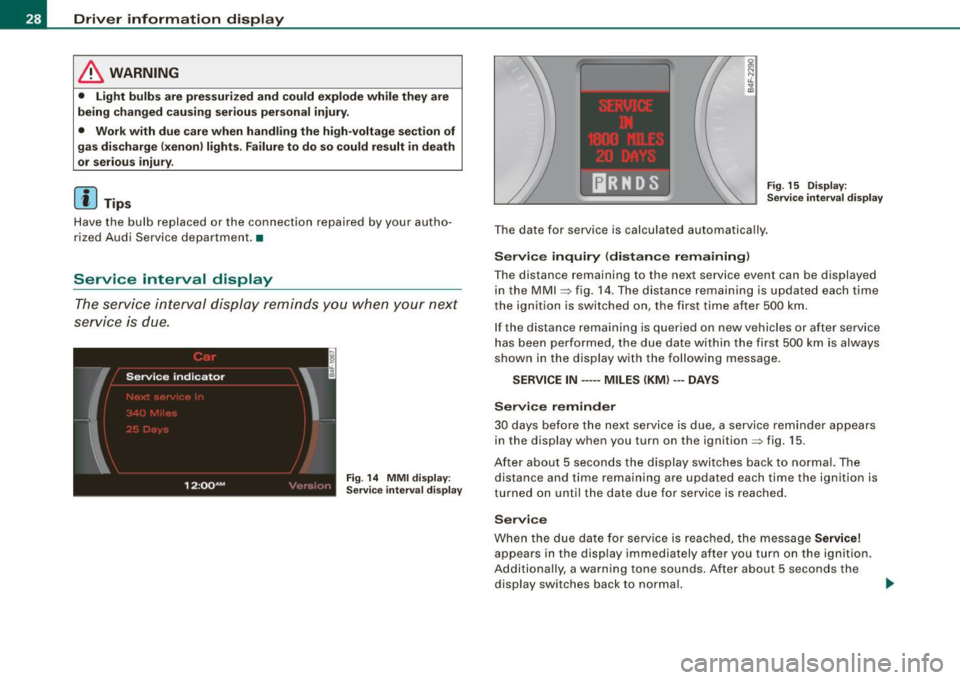
Fig. 14 MMI di spl ay:
Service int erval di splay F
ig . 15 Di spl ay:
S ervice interval d isplay
The date for service is calculated automa tica lly .
Service inquiry (distance remaining )
The distance remaining to the next service event can be displayed
in the MMI
=:> f ig. 14 . Th e distance re m aining is u pdate d each ti me
the ignition is switched on, the first time after 500 km .
I f the distance remaining is q ue ried on ne w vehicles or after service
h as been perf ormed, the due date withi n the fi rst 500 km is always
shown in the display with the following message.
SERVICE IN -----MILES (KM ) --- DAYS
Service reminder
30 days be fore the next serv ice is due, a se rvice rem ind er appears
in the display when you turn on the ignition=> fig. 15.
A ft er abou t 5 s econd s the display swi tches bac k to n orma l. The
distance and time remain ing are updated each time the ign ition is
tu rned on unt il the date due fo r se rvice is reached .
Service
When the due date for service is reached, the mes sage Service!
appears in the disp lay immediately after you turn on the ignition.
A ddi tiona lly, a warn ing tone sounds . A ft er abou t 5 seconds the
display switches back to normal. .,_
Page 31 of 390
0 Note
If you disconnect the battery terminals, no calculations can be
made for the service interval display during this time and no service
reminder will appear. Remember that observing the proper service
intervals is vitally important to extending the life of your vehicle,
particularly the engine , and maintaining its value. Even if the
mileage driven is low, the maximum period of one year from one
service to the next must not be exceeded. •
On-Board Diagnostic system (OBD)
Malfunction Indicator Lamp (MIL)
The Malfunction Indicator Lamp (MIU -in the instrument cluster
=> page 17, fig. 7 is part of the On-Board Diagnostic (OBD II) system.
The warning/indicator light illuminates when the ignition is
switched on and goes out after the engine starts and the idle has
stabilized. This indicates that the MIL is working properly.
If the light does not go out after the engine is started, or illuminates
while you are driving , a malfunction may exist in the engine system .
If the light starts flashing, the catalytic converter could be damaged.
Continue driving
with reduced power (avoiding sustained high
speeds and/or rapid accelerations) and have the condition
corrected. Contact your authorized Audi dealer.
If the light illuminates , the electronic speed limiter may also be
malfunctioning . For more information =>
page 30, "Electronic speed
limiter".
An improperly closed fuel filler cap may also cause the MIL light to
illuminate
=> page 293. •
Contro ls and eq uip
ment
Driver information display
On -Board Diagnostics
Fig. 16 Location of
Data Link Connector
(DLC)
On-Board Diagnostics monitors the components of your emission
control system. Each monitored component in your engine system
has been assigned a code. In case of a malfunction, the component
will be identified and the fault stored as a code in the control
module memory .
The MIL light may also illuminate if there is a leak in the on -board
fuel vapor recovery system. If the light illuminates after a refuelling,
stop the vehicle and make sure the fuel filler cap is properly closed
=>
page 293.
In order to make an accurate diagnosis, the stored data can only be
displayed using special diagnostic equipment (generic scan tool for
OBDl.
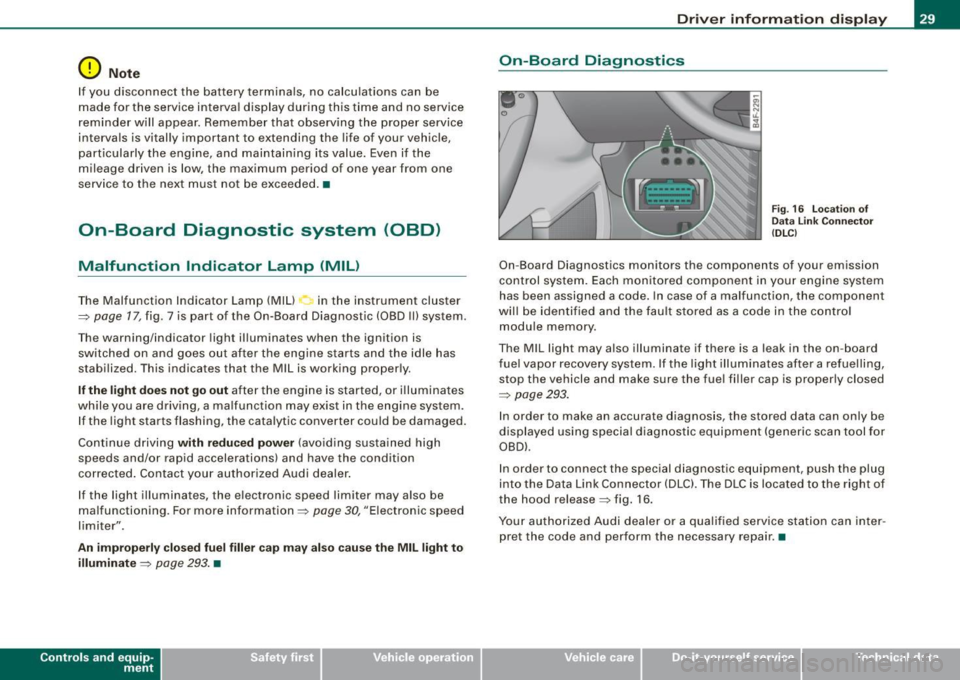
In order to connect the special diagnostic equipment, push the plug
into the Data Link Connector (DLC). The DLC is located to the right of
the hood release=> fig. 16.
Your authorized Audi dealer or a qualified service station can inter
pret the code and perform the necessary repair .•
Vehicle care I I irechnical data
Page 32 of 390
Driver information display
Electronic speed limiter
Your vehicle may be factory equipped with tires that are rated for a maximum speed of 130 mph (210 km/h) . This is less than the
maximum speed of your vehicle. To reduce the risk of sudden tire
failure and loss of control if the vehicle is operated at excessive
speeds, your vehicle also has an electronic speed limiter. The elec
tronic speed limiter prevents your vehic le from going faster than the
tire speed rating . For more information=>
page 325.
If the vehicle approaches the tire speed rating, the engine control
unit wi ll turn off the fuel injectors. You will notice an immediate loss
of engine power and a drop in road speed .
If the engine control unit receives faulty vehicle road speed signals,
the Malfunction Indicator Lamp (MIU will illuminate . If this
occurs, contact the nearest authorized Audi dealer for assistance .
& WARNING
Always observe the posted speed limits and adjust your speed to
suit prevailing road, traffi c and weather conditions. Never drive
your vehicle faster than the maximum speed rating of the tires
installed .•
Auto Check Control
Introduction
The Auto-Check control monitors the function of certain vehicle
features and components . It simply makes sure these features and
components are working properly. The Auto-Check control works as
long as the ignition is on, as well as whenever the vehicle is driven.
If a component is malfunctioning or if the need for an urgent repair
has been detected, this will appear in the instrument c luster display. You will
also hear an audible warning tone. The disp lays are co lor
coded in either red or yel low depending on their level of priority.
A red symbol means Danger , a yellow symbol indicates Warning . In
certain situations, information message for the driver appear in
addition to the red and yellow symbols.
Function test: automatic transmission
The Auto-Check Control will automatically perform a test each time
you switch on the ignition. With the selector lever in
P or N, the
following message appears in the display:
When stationary apply footbrake while selecting gear.
When you a se lect a different gear (for example: R, D , etc.l, the
message will disappear and the Auto-Check function is displayed.
If there is a malfunction, then the malfunction message wi ll appear
about 15 seconds after the you start the vehic le. At the same time
you will hear a warning tone .•
Driver information messages
Driver information messages are shown in the instrument
cluster display in addition to the red and yellow symbols.
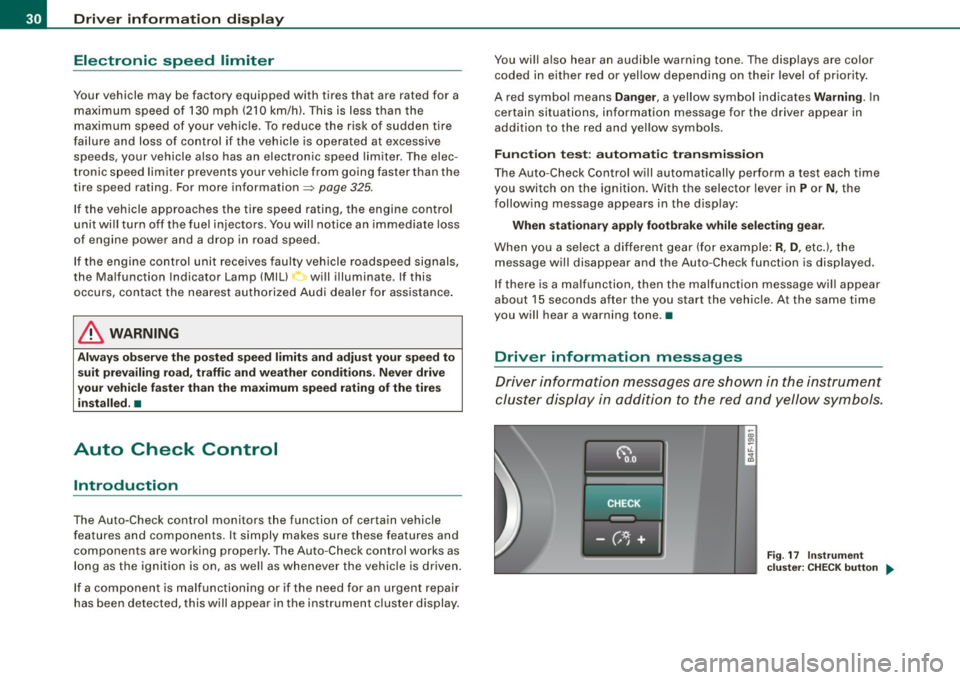
Fig. 17 Instrument
cluster: CHECK button ..
Page 33 of 390
For example, if the transmission selector lever is not in the P posi
tion when the engine is turned off, the following message appears:
Please move selector lever to position P
The ignition key can only be removed with the selector in this posi
tion. This and other messages are brought up if a function cannot
be carried out.
Driver messages and red symbols
If a red symbol appears in the display, a driver message can be
shown by pressing the [
CHECK I button.
For example, the symbol for a problem with engine oil pressure~
appears in the display. If you then press the
I CHECK I button, the
following driver message appears in the display:
Switch off engine and check oil level
The driver message in the display goes out after about 5 seconds.
The driver message can be displayed again by briefly pressing the
I CHECK] button.
Driver messages and yellow symbols
If a yellow symbol appears in the display, a driver message is also
displayed automatically.
For example, the symbol appears in the display, indicating low
windshield washer fluid level. The following message also appears:
Please top up washer fluid
The driver message disappears after a few seconds. The driver
message can be displayed again by briefly pressing the [
CHECK I
button. •
Controls and equip
ment
Driver information display
Red symbols
A red symbol means DANGER.
Pull off the road.
Stop the vehicle.
Turn off the engine.
Fig. 18 Display : engine
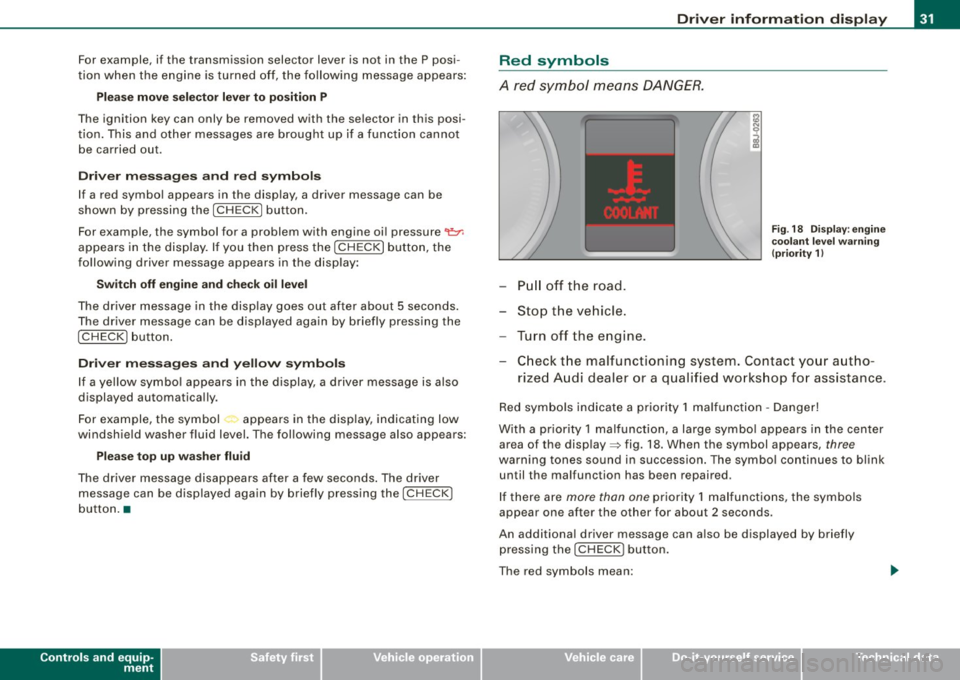
coolant level warning
(priority 1)
-Check the malfunctioning system. Contact your autho-
rized Audi dealer or a qualified workshop for assistance.
Red symbols indicate a priority 1 malfunction -Danger!
With a priority 1 malfunction, a large symbol appears in the center
area of the display=> fig. 18. When the symbol appears,
three
warning tones sound in succession. The symbol continues to blink
un til the malfunction has been repaired.
If there are
more than one priority 1 malfunctions, the symbols
appear one after the other for about 2 seconds.
An additional driver message can also be displayed by briefly
pressing the
IC HECK J button.
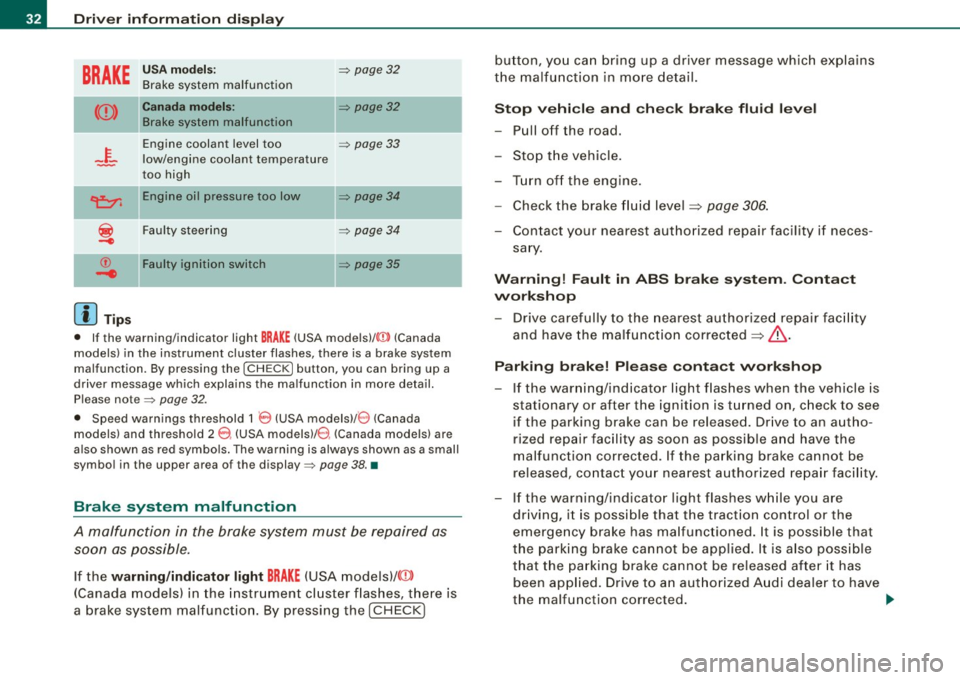
The red symbols mean:
I • •
Page 34 of 390
Driver information display
BRAKE
USA models: => page32
Brake system malfunction
Canada models: II => page32
Brake system malfunction
-~-
Engine coolant level too => page 33
low/engine coolant temperature
-too high
-
~ Engine oil pressure too low => page 34
i
Faulty steering => page 34
© Faulty ignition switch => page35
-4
[ i] Tips
• If the warning/indicator light BRAKE (USA models)/ ((j)) (Canada
models) in the instrument cluster flashes, there is a brake system
malfunction. By pressing the [
CHECK] button, you can bring up a
driver message which explains the malfunction in more detail.
Please note=> page 32 .
• Speed warnings threshold 1
0 (USA modelsl/ 8 (Canada
models) and threshold 2
e , (USA models)/ 0, (Canada models) are
also shown as red symbols. The warning is always shown as a small
symbol in the upper area of the display=> page 38. •
Brake system malfunction
A malfunction in the broke system must be repaired as
soon as possible.
If the warning/indicator light BRAKE (USA models)/ (©)
(Canada models) in the instrument cluster flashes, there is
a brake system malfunction. By pressing the [CHECK] button, you can bring up a driver message which explains
the malfunction in more detail.
Stop vehicle and check brake fluid level
-Pull off the road.
- Stop the vehicle.
- Turn off the engine.
- Check the brake fluid level
~ page 306.
-Contact your nearest authorized repair facility if neces-
sary.
Warning! Fault in ABS brake system. Contact
workshop
- Drive carefully to the nearest authorized repair facility
and have the malfunction corrected
~ & .
Parking brake! Please contact workshop
-If the warning/indicator light flashes when the vehicle is
stationary or after the ignition is turned on, check to see
if the parking brake can be released. Drive to an autho
rized repair facility as soon as possible and have the
malfunction corrected. If the parking brake cannot be
released, contact your nearest authorized repair facility.
- If the warning/indicator light flashes while you are
driving, it is possible that the traction control or the
emergency brake has malfunctioned. It is possible that
the parking brake cannot be applied. It is also possible
that the parking brake cannot be released after it has
been applied. Drive to an authorized Audi dealer to have
the malfunction corrected. .,.
Page 37 of 390
& WARNING
Your vehicle must not be towed in the event of a malfunction in the electronic steering column lock because it cannot be steered due
to the locked steering . If it is towed with the steering locked, there
is the risk of an accident. •
Ignition lock malfunction ~
A malfunction in the ignition lock must be repaired imme
diately.
If the .Pe symbol in the display blinks, there is a malfunction
in the electronic ignition lock. An additional driver message
can also be displayed by pressing the [ CHECK] button:
Ignition lock defective. Contact workshop!
-Do not turn the engine off.
- Drive immediately to an authorized Audi dealer to have
the malfunction corrected.
If there is a malfunction in the electronic ignition lock, the ignition
cannot be turned off. Drive immediately to an authorized Audi
dealer to have the cause of the malfunction corrected.
On vehicles wi th Advanced Key *, the engine should not be switched
off using the
I STOP I button because the engine cannot be started
again after the ignition is switched off .•
Controls and equip
ment
Driver information display
Yellow symbols
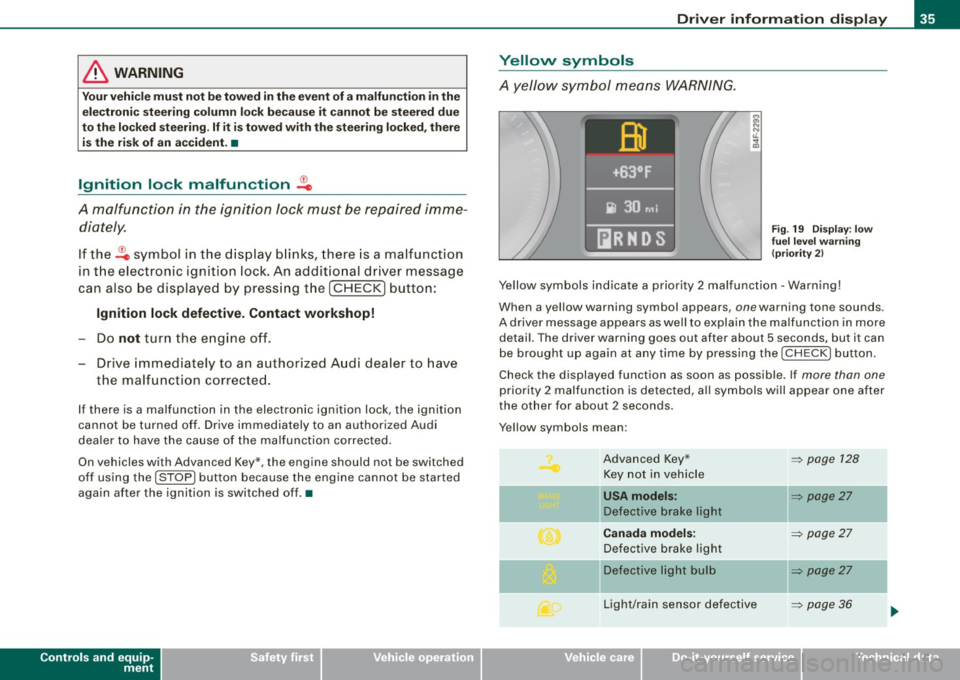
A yellow symbol means WARNING.
Fig. 19 Display: low
fuel level warning
(priority 2)
Yellow symbols indicate a priority 2 malfunction -Warning!
When a yellow warning symbol appears , one warn ing tone sounds.
A driver message appears as well to explain the malfunction in more
detail. The driver warning goes out after about 5 s econds, but it can
be brought up again at any time by pressing the I CHECK I button.
Check the displayed function as soon as possible . If more than one
priority 2 malfunction is detected, all symbols will appear one after
the other for about 2 seconds .
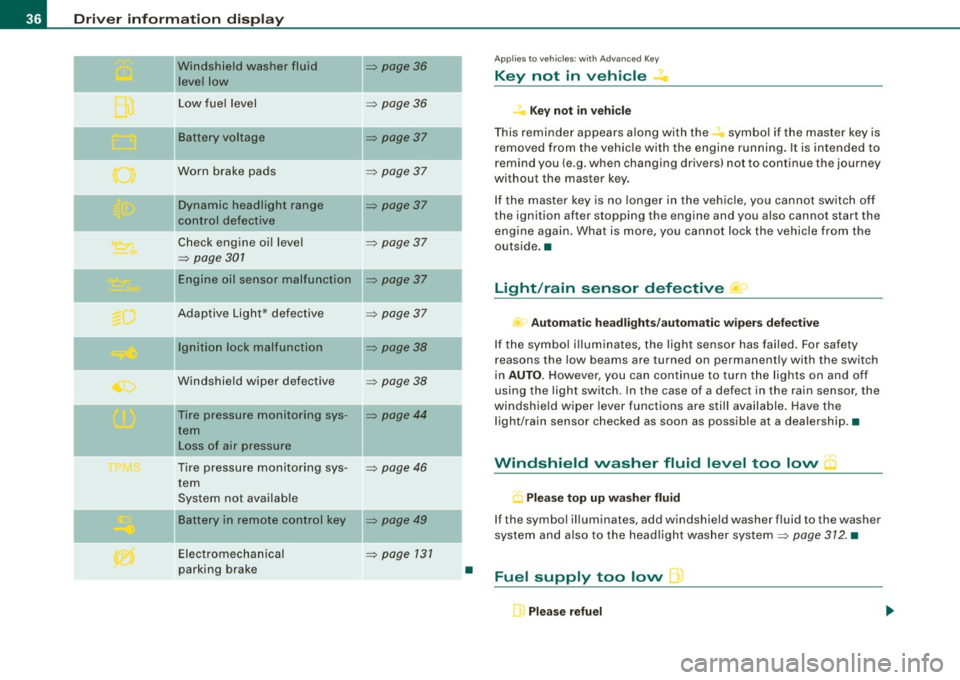
Y ellow symbols mean :
Advanced Key* Key not in vehicle
l[usA models:
Defective brake light
Canada models:
Defective brake light
]f Defective light bulb
Light/rain sensor defective
I • •
~ page 128
~ page27
-
~ page27
~ page27
-
~ page36
Page 38 of 390
Driver inf ormati on displ ay
Windshield washer fluid
leve l low
...
Low fue l level
-Battery voltage
Worn brake pads
-
Dynamic headlight range
control defective
Check engine oil level
=> page 301
Engine oil sensor malfunction
-
Adaptive Light* defective
-
Ignition lock malfunction
Windshie ld wiper defective
Tire pressure monitoring sys-
tern Loss of air pressure
Tire pressure monitoring sys -
tern
System not available
Ba ttery in remote control key
Electromechan ical
parking brake
=> page 36
=> page 36
-
=> page 37
=> page 37
-
=> page 37
=> page 37
=> page 37
=> page 37
-
=> page 38
=> page 38
=> page 44
:::::, page 46
=> page 49
:::::, page 131
•
Appl ies to vehic les: with Advanced Key
Key not in vehicle
,:, Key not in vehi cle
T his reminder appears a long with the -symbol if the master key is
removed from the vehic le with the engine running. It is intended to
remind you (e .g. when changing drivers) not to continue the journey
without the master key .
If the master key is no longer in the veh ic le, you cannot switch off
the ignition after stopping the engine and you also cannot start the
engine again. What is more, you cannot lock the vehicle from the
outside. •
Light/rain sensor defective )
c Automatic hea dlight s/aut oma tic w iper s def ective
If the symbo l il luminates, the light sensor has failed. For safety
reasons the low beams are turned on permanently with the switch
in
AUTO. However, you can continue to turn the lights on and off
using the light switch . In the case of a defect in the rain sensor, the
windshield wiper lever functions are still available. Have the
l ight/rain sensor checked as soon as possib le at a dealersh ip .•
Windshield washer fluid level too low
.5 Pl eas e top up w asher fl uid
If the symbol illuminates, add windshield washer fluid to the washer
system and also to the headlight washer system:::::,
page 312. •
Fuel supply too low L)
Please refuel