engine AUDI S6 2008 Owner's Manual
[x] Cancel search | Manufacturer: AUDI, Model Year: 2008, Model line: S6, Model: AUDI S6 2008Pages: 390, PDF Size: 88.42 MB
Page 53 of 390
![AUDI S6 2008 Owners Manual [ i] Tips
The replacement battery must be the same specification as the original. •
Electronic immobilizer
The immobilizer helps to prevent unauthorized use of
your vehicle.
A c](/img/6/57596/w960_57596-52.png "AUDI S6 2008 Owners Manual [ i] Tips
The replacement battery must be the same specification as the original. •
Electronic immobilizer
The immobilizer helps to prevent unauthorized use of
your vehicle.
A c")
[ i] Tips
The replacement battery must be the same specification as the original. •
Electronic immobilizer
The immobilizer helps to prevent unauthorized use of
your vehicle.
A computer chip inside your key automatically deactivates the elec
tronic immobilizer when you insert the key in the ignition lock, or on
vehicles with Advanced Key *, when the key is inside the vehicle.
When you remove the key from the ignition lock, or on vehicles with
Advanced Key, when you remove the key from the vehicle, the elec
tronic immobilizer is automatically activated once again .
If an unauthorized key was used , SAFE is displayed continuously in
the odometer display field.
& WARNING
Always take the key with you when you leave the vehicle. The key
can disarm the electronic engine immobilizer and permit an unau
thorized person to start the engine and enable operation of the
vehicle systems such as power window or power sunroof* leading
to serious personal injury.
[ i] Tips
• Your engine can only be started using the factory -equipped key.
• You may no t be able to start your vehicle if an ignition key of a
different vehicle make is also located on your set of keys. •
Controls and equip
ment
Opening and closing
Valet key function
The valet key function prevents unauthorized persons
from opening the glove comportment or rear lid.
•
Fig . 33 Center
console: button for
valet key function
Activating and deactivating the function
Insert the master key into the ignition lock and switch on
the ignition.
Press the [VALET) button~ fig. 33 to activate/ deactivate
the function as desired. The indicator light in the button
illuminates when the function is active.
- Remove the master key from the ignition lock.
Hand over only the
valet key~ page 48, fig. 29 to the
person who will take charge of the vehicle.
When the function is switched on, the buttons for opening the rear
lid and glove compartment have no function . However, please note
the following exceptions:
Exceptions
If the ignition has been switched on using the master key, you can
still open the glove compartment .
As long as the ignition is switched off, you can still open the rear lid
using the rear lid button on the master key
.c::5. The same holds true .,,
I • •
Page 56 of 390
Opening and closing
Unlocking and locking the vehicle with the
remote control
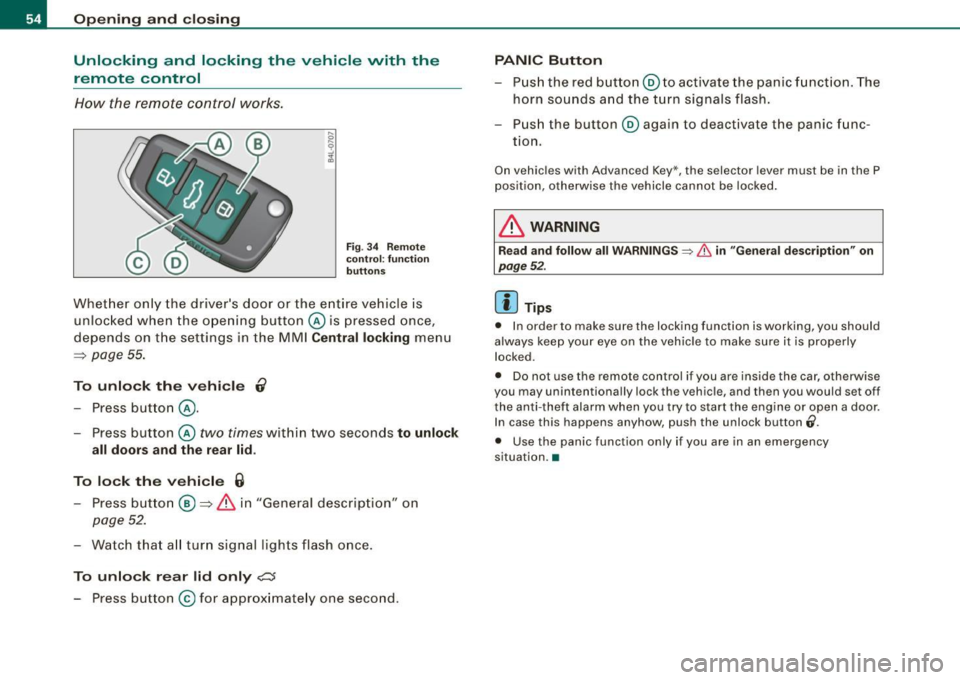
How t he remote control works .
Fig . 3 4 Remote
co ntr ol: func tion
bu tton s
Whet her only the driver's door or the e ntire vehicle is
unl ocke d when the ope ning button @ is pressed once,
d epends on t he settings in the MMI Central locking menu
=> page 55.
To unlock the vehicl e 0
Press button @.
- Press button @
two times within two seconds to unlock
all doors and the rear lid.
To lock th e vehi cle 6
- Press button@ => & in "General descrip tion" on
page 52.
-Watch tha t all tur n signal lig hts flash once .
To unlock r ear lid only c:::::5
- Press button @for ap prox imate ly one second.
PANIC Button
- Pus h the red button@ to activate the panic f unct ion. The
horn sounds and the turn signals flash.
- Pus h the button ® again to deactivate the panic func
tion.
On vehic les with Advanced Key*, the selector lever must be in the P
pos ition, otherwise the vehicle cannot be locked.
& WARNING
R ead and follow all WARNINGS => & in "General de scriptio n" on
page 5 2.
[ i ] Tips
• In order to make sure the locking function is working, you should
always keep your eye on the veh ic le to make sure it is properly
locked.
• Do not use the remote control if you are inside the car, otherwise
you may unintentionally lock the vehicle, and then you would set off
the anti -theft alarm when you try to s tart the engine or open a door.
In case this happens anyhow, push the unlock button
0.
• Use the panic function only if you are in an emergency
situation. •
Page 61 of 390
Child safety lock
Power child safety lock for the rear doors t
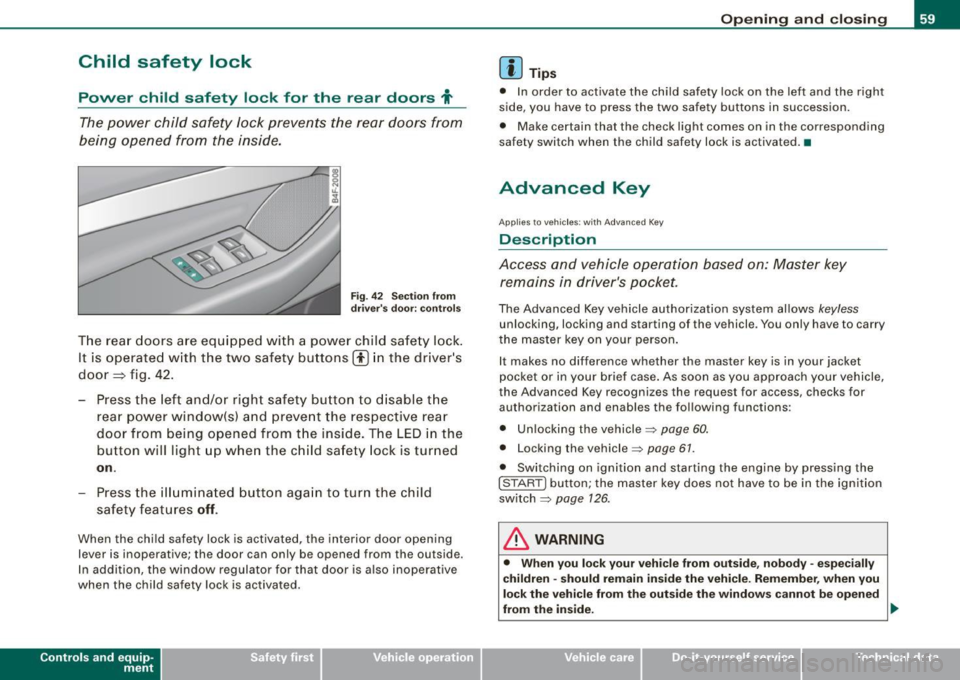
The power child safety lock prevents the rear doors from
being opened from the inside.
Fi g. 4 2 Sec tio n fro m
dr ive r's door: co ntrols
T he rear doors ar e equip ped with a power child safe ty lock .
It is operated with t he two safety buttons(!) in the driver's
door=} fig. 42 .
- Press the left and/or right safety button to disable t he
rear p ower window(sl and preve nt the respective rear
door from being opened from t he inside. The LED in the
button will light up when the chi ld safety lock is tur ned
on .
- Press the ill umina ted butt on aga in t o turn the child
safety f eatures
off .
When the chi ld safe ty lock is activated, the interior door opening
lever is inoperative; the door can only be opened from the ou tside .
In addi tion, the window regulator for that door is a lso inoperative
when the child safety lock is activated.
Con tro ls and eq uip
ment
Op ening and clo sing
[ i ] Tip s
• In order to activate the child safety lock on the left and the righ t
side, you have to press the two safety buttons in succession.
• Make certain that the check light comes on in the corresponding
safety switch when the child safety lock is activated. •
Advanced Key
Applies to veh ic les: wit h Ad vanced Key
Description
Access and vehicle operation based on: Master key remains in driver's pocket.
The Advanced Key vehicle authori zation system allows keyless
unlocking, locking and starting of the vehicle . You only have to carry
t he master key on your person .
It makes no difference whether the master key is in your jacket
pocket or in your brief case . As soon as you approach your vehicle ,
the Advanced Key recogni zes the request for access, checks for
authori zation and enab les th e following functions :
• Unlocking the vehicle:::::,
page 60.
• Locking th e vehicle :::::, page 61.
• Switching on ignition and starting the engine by pressing the
I STAR T] button; the master key does not have to be in the igni tion
sw itch:::::,
page 126 .
& WARNING
• Whe n you lock your veh icle from o uts id e, nobod y -espe cia lly
c hildren -sh ould re main in side the vehic le. Reme mber , when you
lock the vehicle fr om the out side th e windo ws cannot be open ed
from the inside. .,,.
Vehicle care
I I Technical data
Page 64 of 390
Opening and closing
H ow is th e a nti-th eft alarm s yste m swi tched off ?
The anti -theft alarm sys tem is switched off only whe n you un lock
your vehicle. If you do not open a door within 60 seconds after you have un locked with the remote control , the vehicle will lock itself
again automatically.
When will the anti -th eft alarm syst em be trigg ered ?
When the vehicle is locked, the alarm system monitors and protects
the following parts of the vehic le:
• engine compartment
• luggage compartment
• doors
• vehicle incline
• ignition
When the system is activated, the alarm will be trigge red if one of
the doors, the engine hood or the rear lid are opened, or if the igni
t ion is turned on or if the veh icle incline has been changed. The an ti
theft a larm system will also go off when the battery is disconnected.
You can also trigger the alarm by pressing the PA NIC button on your
remote control. This w ill alert other people in case of emergency.
Press the
PANIC button again to turn off the alarm.
H ow i s th e ant i-th eft al arm swit ch ed off whe n
tr igg ered ?
The alarm system is switched off when you unlock the vehic le or
when the ignition is switched on . T he alarm will a lso switch itself off
when it comes to the end of its cycle .
Emergency flasher and horn
The emergency flasher wi ll blink briefly and the horn sounds when
the doors, engine hood and rear lid are properly closed.
If the emergency flashers do not blink, or the horn does not sound ,
check the doors, engine hood and rear lid to make sure they are
properly c losed . If you close a doo r, the hood or the rear lid w ith the anti
-theft a larm switched on, the emergency flashers will blink and
t he horn will sound only af ter you have closed the door or l id .
Ii ] Tips
Fo r the anti -theft a larm system to function proper ly, make sure a ll
vehic le doors and windows are closed before leaving the vehicle .•
Tilt sensors 1Q
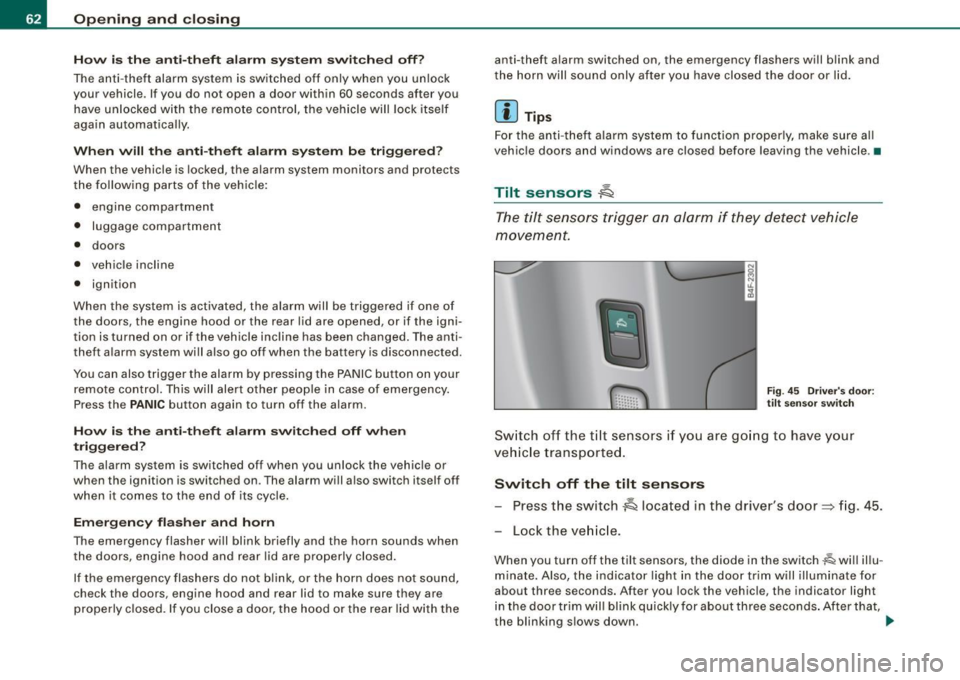
The tilt sensors trigger an alarm if they detect vehi cle
movement.
F ig . 4 5 Driver 's doo r:
tilt sensor swit ch
Sw itch o ff th e til t sensors if you ar e go ing to have your
vehic le transporte d.
Switch off the tilt sensors Press the switch
~ located in the driver's door~ fig. 45.
Lock the ve hicle .
When you turn off the tilt sensors, the diode in the switch~ will illu
minate. Also, the indicator light in the door trim will illuminate for
about three seconds. After you lock the vehicle, the indicator light
in the door t rim wil l bl ink quick ly for about three seconds . After that,
the blinking s lows down. .,.
Page 65 of 390
The next time t he vehicle is locked, the ti lt sensors a re automaticall y
tu rn ed on again.•
Power windows
Controls
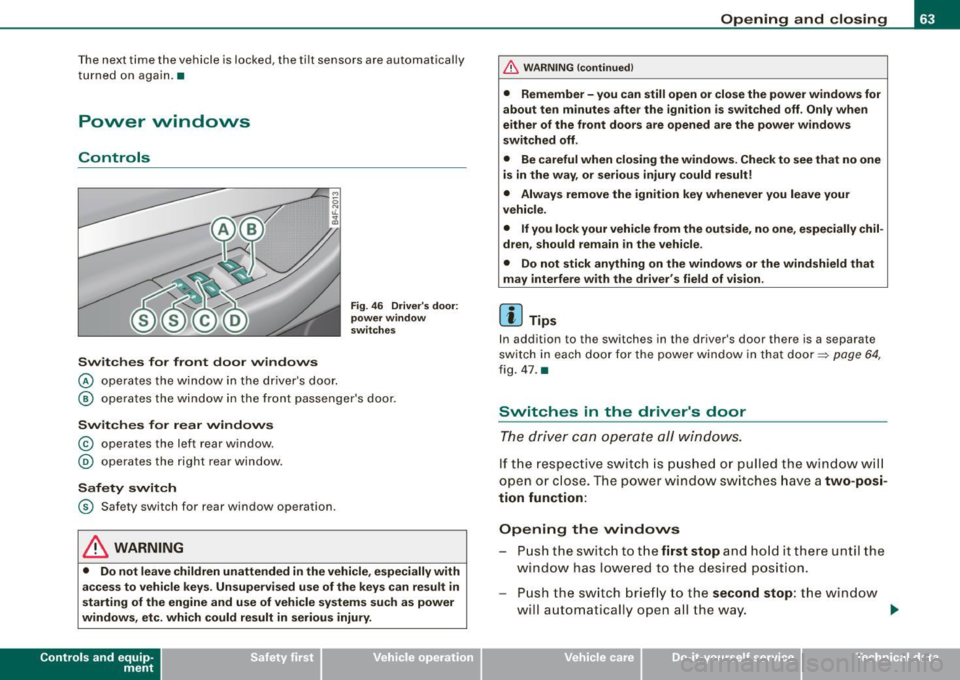
Switches for front door windows
@ o per ates th e wi ndow in th e d river 's d oor.
Fig . 46 Driver 's door:
power window
switches
@ ope ra tes th e window in the fr ont passe nger's door.
Switches for rear windows
© operates the left r ear window .
@ operates the right rear window .
Safety switch
© S afety switch fo r rear window operation.
& WARNING
• Do not leave children unattended in the vehicle , especially with
access to vehicle keys. Unsupervised use of the keys can result in
starting of the engine and use of vehicle systems su ch as power
windows, etc. which could result in serious injury.
Con tro ls and eq uip
ment
Opening and closing
& WARNING !continued)
• Remember -you can still open or close the power windows for
about ten minutes after the ignition is switched off . Only when
either of the front doors are opened are the power windows
switched off .
• Be careful when closing the windows . Check to see that no one
is in the way , or serious injury could result!
• Always remove the ignition key whenever you leave your
vehicle .
• If you lock your vehicle from the outside, no one , especially chil
dren , should remain in the vehicle .
• Do not stick anything on the windows or the windshield that
may interfere with the driver 's field of vision .
[ i ] Tips
In addition to the switches in the driver 's door there is a separate
sw itc h in eac h do or f or the po wer window in th at do or =::> page 64,
fi g . 4 7 .
a
Switches in the driver's door
The dr iver can operate all windows .
If th e re spect ive sw itc h is pu shed or pull ed the w ind ow will
ope n or clos e. T he powe r w in dow swi tc hes ha ve a two-posi
tion function:
Opening the vvindovvs
P u sh the s wit c h to the first stop and hold it there un til the
w ind ow has l ow ered t o th e desired position.
Pu sh the s witch brie fly to the second stop : the win dow
w ill a uto maticall y open a ll the way. _.
Vehicle care I I irechnical data
Page 69 of 390
Sliding the roof open all the way
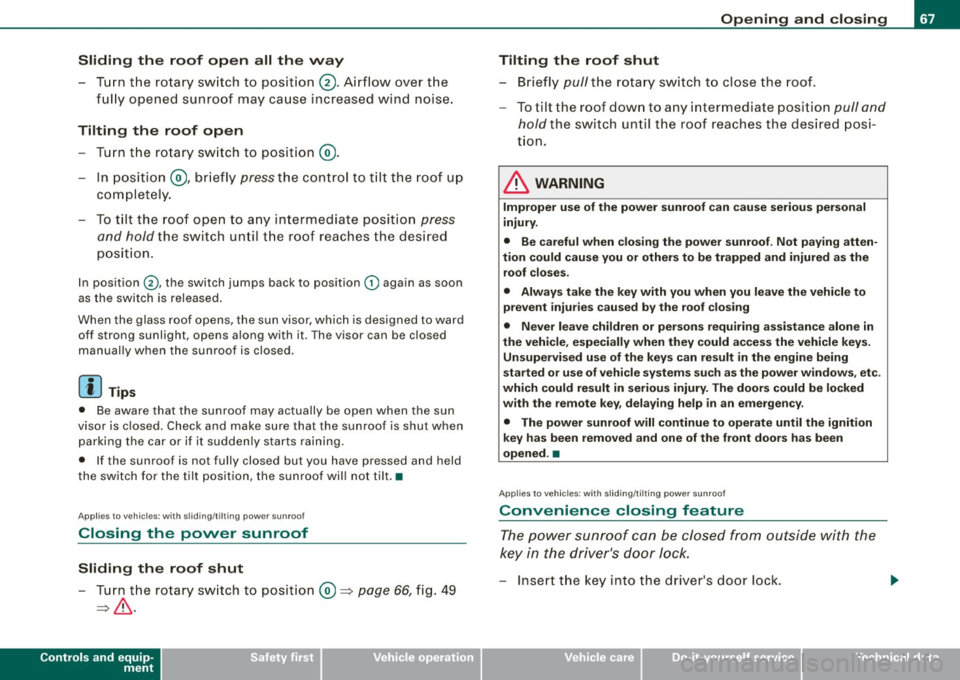
- Turn the rotary switch to position
0-Airflow over the
fully opened sunroof may cause increase d wind noise.
Tilting the roof open - Turn the rotary switch to position @.
- In position @, briefly
press the control to tilt the roof up
completely.
To tilt the roof open to any intermediate position
press
and hold
the switch until the roof reaches the desired
position.
In position ©, the switch jumps back to position G) again as soon
as the switch is released.
When the glass roof opens, the sun visor, which is designed to ward
off strong sunlight, opens along with it. The visor can be closed
manually when the sunroof is closed.
[ i] Tips
• Be aware that the sunroof may actually be open when the sun
visor is closed. Check and make sure that the sunroof is shut when
parking the car or if it suddenly starts raining.
• If the sunroof is not fully closed but you have pressed and held
the switch for the tilt position, the sunroof will not tilt. •
Appl ies to vehicles: with sliding/tilt ing power sunroof
Closing the power sunroof
Sliding the roof shut
- Turn the rotary switch to position
0 => page 66, fig. 49
=>& .
Controls and equip
ment
Opening and closing
Tilting the roof shut Briefly
pull the rotary switch to close the roof.
To tilt the roof down to any intermediate position
pull and
hold
the switch until the roof reaches the desired posi
tion.
& WARNING
Improper use of the power sunroof can cause serious personal
injury.
• Be careful when closing the power sunroof . Not paying atten
tion could cause you or others to be trapped and injured as the roof closes.
• Always take the key with you when you leave the vehicle to
prevent injuries caused by the roof closing
• Never leave children or persons requiring assistance alone in
the vehicle, especially when they could access the vehicle keys. Unsupervised use of the keys can result in the engine being
started or use of vehicle systems such as the power windows. etc .
which could result in serious injury. The doors could be locked
with the remote key, delaying help in an emergency.
• The power sunroof will continue to operate until the ignition
key has been removed and one of the front doors has been
opened. •
Applies to veh icles: with sliding/t ilting power sunroof
Convenience closing feature
The power sunroof can be closed from outside with the
key in the driver's door lock.
-Insert the key into the driver's door lock.
I • •
Page 70 of 390
Opening and closing
- Turn and hold the key in the lock position ® ::::>page 55,
fig. 35 until the sunroof is completely closed=>
& in
"Closing the power sunroof".
& WARNING
Be careful when closing the power sunroof. Not paying attention
could cause you or others to be trapped and injured as the roof
closes. •
Applies to vehicles: with slid ing/ tilti ng power sunroof
Power emergency closing
The sunroof can still be closed electrically if for some
reason the overload protection function becomes acti
vated.
The power sunroof is equipped with an overload protection
feature. If, under normal conditions, the power sunroof will
not close, you can close it using this feature.
Turn the rotary switch to position ®~page 66, fig. 49 .
- Now pull the switch
and hold it in this position until the
power sunroof closes completely.
& WARNING
Improper use of the power sunroof can cause serious personal
injury.
• Be careful when closing the power sunroof . Not paying atten
tion could cause you or others to be trapped and injured as the
roof closes.
• Always take the key with you when you leave the vehicle to
prevent injuries caused by the roof closing.
& WARNING (continued)
• Never leave children or persons requiring assistance alone in
the vehicle, especially when they could access the vehicle keys.
Unsupervised use of the keys can result in the engine being
started or use of vehicle systems such as the power windows, etc .
which could result in serious injury . The doors could be locked
with the remote key, delaying help in an emergency.
• The power sunroof will continue to operate until the ignition
key has been removed and one of the front doors has been
opened. •
Applies to vehicles: with sliding/tilt ing pow er sunroof
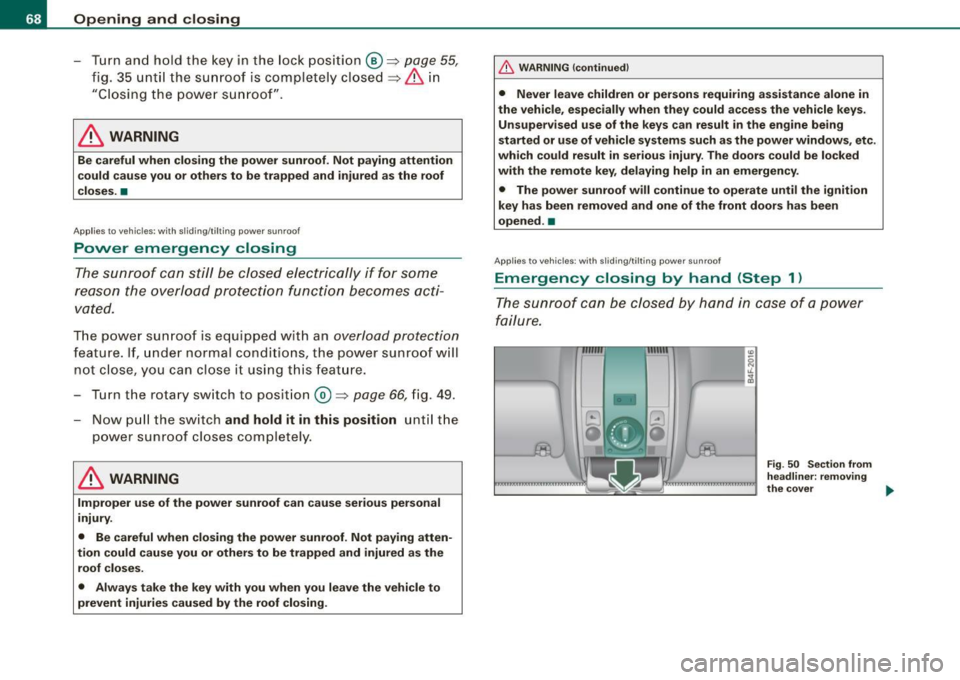
Emergency closing by hand (Step 1)
The sunroof can be closed by hand in case of a power
failure.
-
Fig . 50 Section from
headliner: removing
the cover ..
Page 72 of 390
Clear vision
Clear vision
Lights
Switching the headlights on and off ·t/.·
In the "AUTO" position, a light sensor automatically
s w itches the head- and taillights on an d off in resp onse to
l igh t co nditio ns.
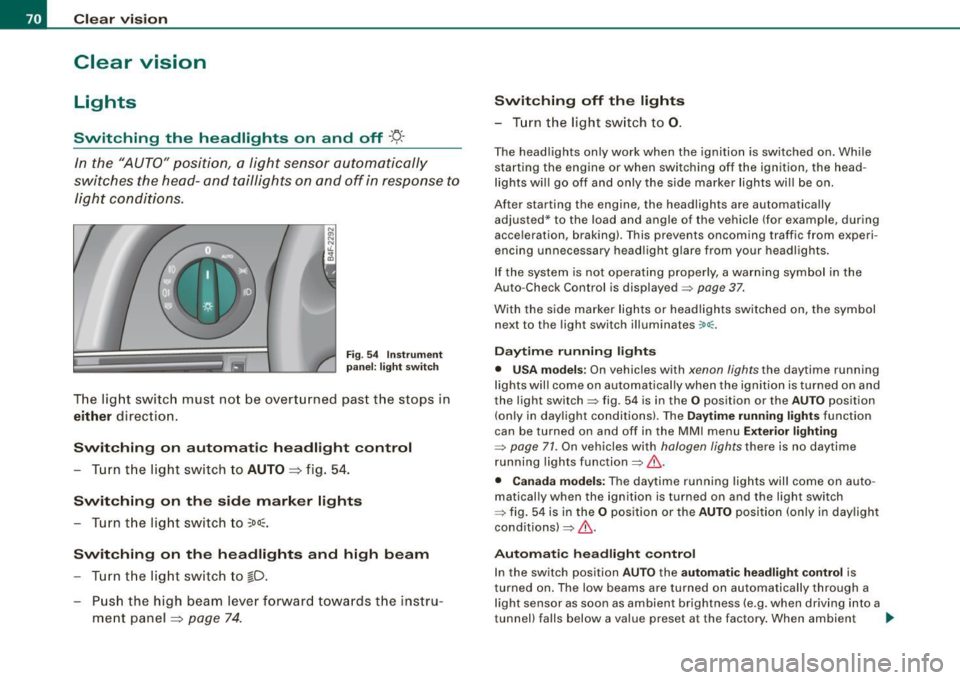
Fig . 54 In strument
p anel: light swit ch
T he lig ht switc h must no t be overt urned pas t the stops in
either direc tion .
Switching on automatic headlight control
-Tur n t he light switch to AUTO =:> fig. 5 4.
Switching on the side marker lights
- Turn t he lig ht s witch to ~oo~.
Switching on the headlights and high beam
- Turn t he lig ht switch to ~D.
- Pu sh th e high beam l ever f orwar d tow ards t he ins tru-
m en t panel =:>
page 74 .
Switching off th e lights
- T urn the light switch to 0.
The head lights only work when the ignition is swi tched on. Whi le
starting the engine or when switching off the ignition, the head
l ights wi ll go off and only the side marker lights wi ll be on.
After starting the engine, the headlights are automatically adjusted* to the load and angle of the vehicle (for example, dur ing
acce leration, braking) . T his prevents oncoming traffic from experi
encing unnecessary head ligh t glare from your headligh ts .
If the system is not ope rating properly, a warni ng sy mbol in the
Auto -Check Control is displayed =>
page 37.
With the side marker lights or headlights switched on, the symbol
next to the light switch illuminates
coo:.
Daytime running light s
• USA models : On vehicles with xenon lights the daytime running
l ights wil l come on a utomatica lly when th e ignition is t urned on an d
the light switch => fig. 54 is in the
O position or the AUTO position
(on ly in day light co nditions). The
Daytime running lights func tion
can be turned on and off in the MMI menu
Exterior lighting
=> page 71. On vehicles with halogen lights there is no daytime
running lights function=> &.
• Canada models: The daytime running lights wil l come on auto
matical ly when the ignition is turned on and the ligh t switch
=> fig. 54 is in the
O position or the AUTO position (only in day ligh t
conditions)=> &.
Automatic headlight control
In the switch position AUTO the automatic h eadlight control is
turned on . The low beams are tu rned on automatically through a
l ight sensor as soon as ambient brightness (e .g. when driving into a
tunnel) falls below a value preset at the factory . When ambient ...
Page 82 of 390
Clear vision
• Always check that the wiper blades are not frozen to the glass
before you turn the wipers on. Loosen a wiper blade which is frozen
in place before operating the wipers to prevent damage to the wiper
blade or the wiper motor.
• Do not use the wipers to clear a frosted window. Using the
wipers as a convenient ice scraper will destroy the wiper blades.
• Before you take your vehicle to an automatic car wash, make sure
you have the windshield wiper system switched off (lever in position
Ol, otherwise the windshield wiper system could get damaged in the
car wash if it should suddenly come on .
[ i ] Tips
• The rain sensor is part of the interva l wiping system. Turning off
the ignition will also deactivate the rain sensor . To reactivate the
sensor, switch off the interval wiping function, then switch it back
on again.
• Worn or dirty windshield wiper blades cause smearing which
can affect the operation of the rain sensor. Check the condition of
your windshield wiper blades regularly.
• Make sure the washer fluid reservoir in the engine compartment
is topped off before going on a long trip. Look up~
page 312for
checking and filling the washer container .•
App lies to vehic les: w ith head light washer system
Headlight washer system
The headlight washer system cleans the headlights.
-Operate the windshield wiper/washer system~ page 78,
fig. 69
® with the headlights turned on by holding the
lever for longer than one second.
The washer jets extend forward out of the front bumper driven by
water pressure to spray the front headlights with water. You should inspect the headlights regularly (for example when refu
e ling) and c lean off any so lid dirt or insects from the lenses.
To ensure the system works properly in winter, keep the washer jets
free of snow and remove any ice using a de -icing spray. •
Service position
The wiper blades can only be changed in the service posi
tion.
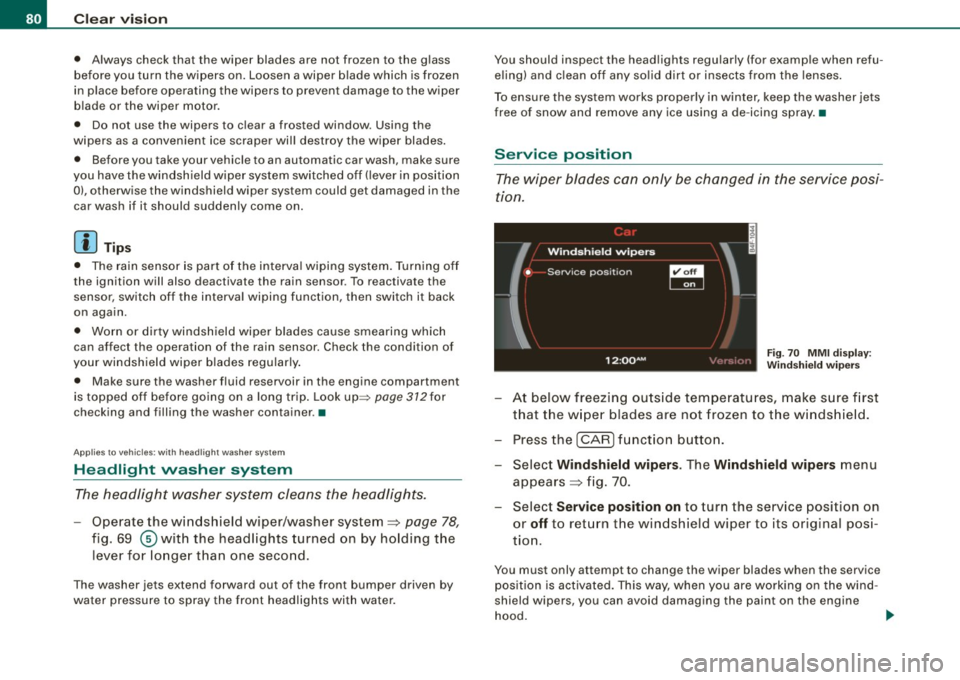
Fig . 70 MMI display:
Windshield wipers
At below freezing outside temperatures, make sure first
that the wiper blades are not frozen to the windshield .
Press the
I CAR] function button.
- Select Windshield wipers. The Windshield wipers menu
appears~ fig. 70.
Select Service position on to turn the service position on
or
off to return the windshield wiper to its original posi
tion.
You must only attempt to change the wiper blades when the service
position is activated. This way, when you are working on the wind
shield wipers, you can avoid damaging the paint on the engine
hood.
~
Page 83 of 390
0 Note
Never drive your vehicle when the windshield wiper arms are in the
service position and pulled away from the windshield. When you
drive faster than 4 mph (6 km/h), the wiper arms automatically
return back to the park position and could cause paint damage to
the engine hood!
[ i ] Tips
• You can also turn on the service position, for example, if you
want to protect the windshield from icing, using a cover.
• The service position moves to
off automatically when you
operate the windshield wiper lever, or speed exceeds 4 mph (6
km/h). •
Installing nevv wiper blades
Wiper blades in good condition help keep the windshield
clear .
Contro ls and eq uip
ment
@
Fig . 71 Removing the
wiper blades
Clear vision
Fig. 72 Installing
wiper blades
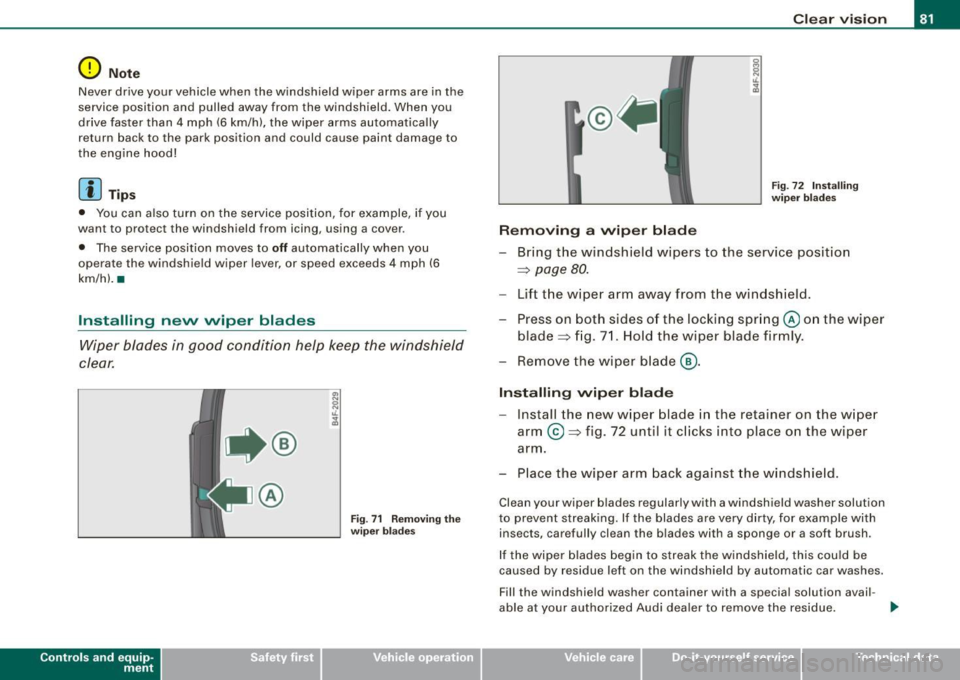
Removing a wiper blade
- Bring the windshield wipers to the service position
=>
page 80.
Lift the wiper arm away from the windshield.
- Press on both sides of the locking spring @ on the wiper
blade=> fig. 71. Hold the wiper blade firmly.
- Remove the wiper blade@.
Installing wiper blade
Install the new wiper blade in the retainer on the wiper
arm @=> fig. 72 until it clicks into place on the wiper
arm .
- Place the wiper arm back against the windshield.
Clean your wiper blades regularly with a windshield washer solution
to prevent streaking. If the blades are very dirty, for example with
insects, carefully clean the blades with a sponge or a soft brush.
If the wiper blades begin to streak the windshield, this cou ld be
caused by residue left on the windshield by automatic car washes.
F ill the windshield washer container with a special solution avail -
able at your authorized Audi dealer to remove the residue. _,.
Vehicle care I I Technical data