brake light AUDI S6 2009 User Guide
[x] Cancel search | Manufacturer: AUDI, Model Year: 2009, Model line: S6, Model: AUDI S6 2009Pages: 398, PDF Size: 43 MB
Page 35 of 398
Ignition lock malfunction ~
A malfunction in the ignition Jock must be repaired immediately.
If the ~ symbol in the display blinks, there is a malfunction
in the electronic ignition lock. An additional driver message
can also be displayed by press ing the [CHECK] button:
Ign iti on lock defe ctive . C ont ac t wo rkshop !
- Do not turn the engine off.
- Drive immediately to an auth orized A udi dealer to have
the malfunction corrected .
If there is a malfunction in the electronic ignition lock, the ignition
cannot be turned off . Drive immediately to an authorized Audi
dea ler to have the cause of the malfunction corrected .
On vehicles with Convenience key*, the engine should not be
switched off using the [
STOP] button because the engine cannot be
started again after the ignition is switched off. •
Yellow symbols
A yellow symbol means WARNING.
Contro ls and eq uip
ment
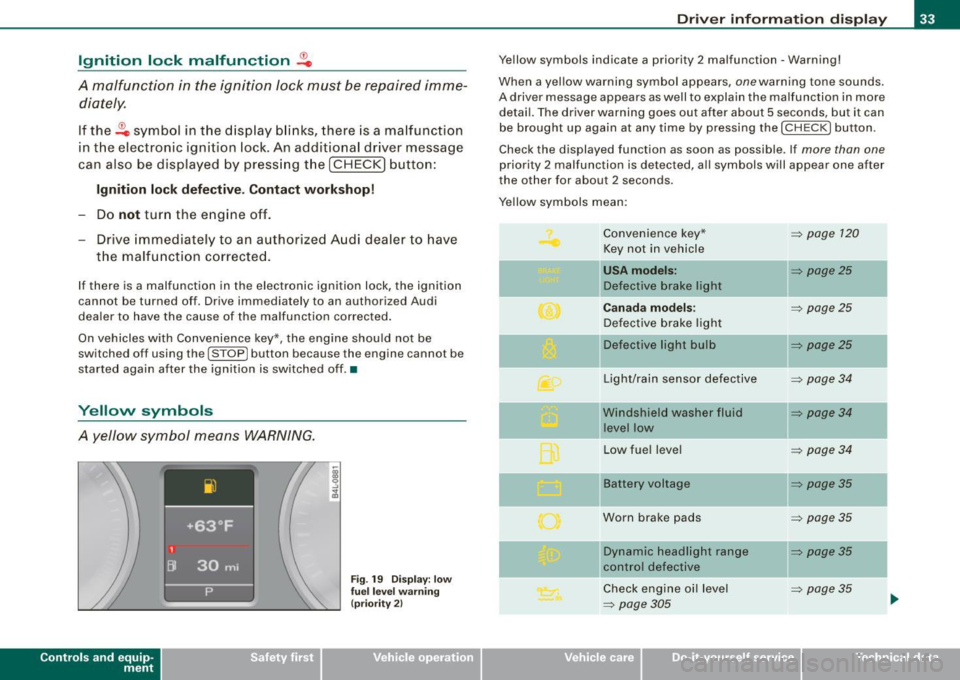
Fig . 19 Dis pl ay: low
fu el le ve l wa rning
(pr io rity 2)
Dri ver inf orm atio n di spl ay
Ye llow symbols indicate a priority 2 malfunction -Warning!
When a yellow warning symbol appears,
one warning tone sounds.
A driver message appears as well to explain the malfunction in more detail. The driver warning goes out after about 5 seconds, but it can
be brought up again at any time by pressing the [ CHECK
I button .
Check the displayed function as soon as possible . If
more than one
priority 2 malfunction is detected , a ll symbols will appear one after
the other for about 2 seconds.
Yellow symbols mean:
Convenience key*
~ page 120
Key not in vehicle
USA models: ~ page25
Defective brake light
Canad a mod els: ~ page25
Defective brake light
11 Defective light bulb
~ page25
-
Light/rain sensor defective ~ page34
Windshield washer fluid ~ page34
level low
Low fuel leve l
~ page34
Battery voltage ~ page35
Worn brake pads ~ page35
IIDynamic headlight range ~ page35
control defective
-
Check engine oi l level ~ page35
~ page305 ...
Vehicle care I I irechnical data
Page 36 of 398
Driver inf ormati on displ ay
Engine oil sensor malfunction => page 35
._ -
Engine speed limitation* => page 36
--Adaptive Light* defective :::::, page 36
Ignition lock malfunction :::::, page 36
--Windshield wiper defective :::::, page 36
Tire pressure monitoring sys -:::::, page 337
tern
Loss of tire pressure
Tire pressure monitoring sys -:::::, page 337
tern
System not available
Ba ttery in remote control key
--Electromechanical
parking brake
Automatic transmission ma l
function
A pplies to vehi cles : wi th Conven ien ce key
Key not in vehicle
K ey not in vehicle
=> page 43
=> page 123
:::::, page 160,
=> page 167
-
-
-
-
This reminder appears along with the.., symbol if the master key is
removed from the vehicle with the engine running. It is intended to
remind you (e.g . when changing drivers) no t to continue the journey
without the master key.
If the master key is no longer in the vehicle, you cannot switch off
the ignition after stopping the engine and you also cannot start the
•
engine again . What is more, you cannot lock the vehicle from the
outside. •
Light/rain sensor defective
Au tomat ic he adl ight s/au tomatic wiper s defec tive
If the symbo l illuminates, the light sensor has failed . For safety
reasons the low beams are turned on permanently with the switch
in
AU TO . However, you can continue to turn the lights on and off
using the light switch. In the case of a defect in the rain sensor, the
windshie ld wiper lever functions are still available. Have the
light/rain sensor checked as soon as possible at a dea lership .•
Windshield washer fluid level too low "')
U Please top up washer fluid
If the symbol il luminates, add windshield washer fluid to the washer
system and also to the headlight washer system:::::,
page 316. •
Fuel supply too low Q.)
L Pl ea se refuel
When this symbol il luminates for the first time, the fue l reserve
in your vehicles is still about 2 Gal lons (7 to 9 litersl. Refuel as soon
as possible :::::,
page 296.
If the symbo l lights up, even when there is ample fue l in the tank,
and the text
T an k s yste m m alf un ction ! Cont act w orks hop appears
in the display, there is a fault in the system. Contact a qualif ied work
shop to have the fault rectified .•
Page 37 of 398
Battery voltage ~
If the battery's state of charge is not in the optimal range, the
symbo l is shown in the display and the driver message
Low battery
c harge : battery will be charged wh ile dr iving
appears .
Whi le th is d river notification is displayed, you have to be p repa red
for limited starting capabi lity.
Driver message appears and goes out again
If this driver message appears after the ignition is turned on or
w hile driving and it g oes out agai n after a w hile , th e ba tte ry has
been adequately recharged.
Driver message appears and does not go out again
I f this dr iver notification appears after the ignition is turned on or
while driv ing and does n ot go out aga in, the bat tery's state of
charge is not in the optimal range. Starting capability is restricted.
H ave the ba ttery checke d by an au tho rize d Audi deale r as soon a s
poss ible .•
Worn brake pads
Brake pads!
If the wa rning light i lluminates, immediate ly contact your autho
rized Aud i d eal er or qualified wor kshop to have a ll brake pads
inspected. On USA models the warning light comes on together
wit h the warning light
BRAKE . Both sets of brak e pads o n an a xle must
a lways be replaced at the same time.
& WARNING
Driving with bad brakes can cause a collision and serious personal
injury.
• If the warning light • and the warning light
BRAKE11 with the
message Brake pads ! comes on in the instrument cluster display ,
Controls and equip
ment
Driv er information display
& W ARNING (continued )
immediately contact your author ized Audi dealer or qualified
workshop to have all brake pads checked or replaced if necessary .•
Headlight range control defective ">
l ) Headlight range control defective
If th e sy mbol ill uminates , the dyna mic headlig ht ra nge c ont rol is n o
longer working properly . Have the system checked and repa ired at
yo ur Au di d eale r.•
Engine oil level "'·
Please check oil level
When the symbol il luminates, check the engine o il leve l as soon as
possible =>
page 305. Top off the oi l at your earliest opportu nity
=>
page 306. •
Engine oil sensor defective ~,m,
Oil level! sensor defective
If the symbo l il luminates, contact your authorized Audi dealer and
h ave th e oil sensor insp ecte d. Unt il y ou hav e thi s do ne, c heck the oil
leve l each time you refue l just to be on the safe side=>
page 305. •
11 BRAKE : USA models only
I • •
Page 101 of 398
![AUDI S6 2009 User Guide 0 Note
To avoid damaging the socket, only use plugs that fit properly.
[ i] Tips
When the engine is off and accessories are still plugged in and are
on, the vehicle battery](/img/6/57595/w960_57595-100.png "AUDI S6 2009 User Guide 0 Note
To avoid damaging the socket, only use plugs that fit properly.
[ i] Tips
When the engine is off and accessories are still plugged in and are
on, the vehicle battery")
0 Note
To avoid damaging the socket, only use plugs that fit properly.
[ i] Tips
When the engine is off and accessories are still plugged in and are
on, the vehicle battery can still be drained. •
Storage
General overview
There are numerous places to store items in your vehicle.
Glove compartment
Storage compartment in roof
Coat hooks
Storage compartment in the trunk
& WARNING
~ page 99
~ page 100
~ page 101
~ page 91
• Always remove objects from the instrument panel. Any items
not stored could slide around inside the vehicle while driving or
when accelerating or when applying the brakes or when driving
around a corner.
• When you are driving make sure that anything you may have
placed in the center console or other storage locations cannot fall
out into the footwells. In case of sudden braking you would not be
able to brake or accelerate.
• Any articles of clothing that you have hung up must not inter
fere with the driver's view. The coat hooks are designed only for
lightweight clothing. Never hang any clothing with hard, pointed
or heavy objects in the pockets on the coat hooks. During sudden
Con tro ls and eq uip
ment
Seats and storage
& WARNING !continued)
braking or in an accident -especially if the airbag is deployed -
these objects could injure any passengers inside the vehicle. •
Glove compartment
The media player is in the glove compartment.
To open glove compartment
Fig. 99 Unlocking
button for glove
compartment
Press the button ::V => fig. 99 (arrow) - the lid opens auto
matically.
To close glove compartment
Push the glove compartment lid up unt il the lock
engages.
In the glove compartmen t lid you will find a place to store a pen and
a pad of paper.
CD changer*
The CD changer for the radio system and the Navigation drive* is located in the glove compartment . How to change CDs is described
in the pertinent Owner's Manual.
tJ,,,
Vehicle care I I irechnical data
Page 120 of 398
• ..__O_ n_ t_h _e _ r_o _a _ d __________________________________________________ _
& WARNING
Never start or let the engine run in a confined or enc losed area .
Exhaust fumes from the engine contain carbon monoxide , a color
le ss and odorless gas . Carbon monoxide can be fatal if inhaled .
• Never leave the engine idling unattended . An unattended
vehi cle with a runn ing engine poses a danger of personal injury or
theft.
0 Note
• Avoi d high engine speed s, fa st a ccele rati on or heavy eng ine
loads while the engi ne is sti ll cold. This cou ld damage the engine.
• The e ngi ne canno t be sta rt e d by pushing o r to w ing the vehicle.
~ For the sake of the environment
To avoid unnecessary engine wear and to re duce ex hau st emis
sions, do not let your vehicle stand and warm up. Be ready to drive
off immed iate ly afte r start ing y our veh icle. Maintain modera te
sp eed unt il the engine is completely warm. Remembe r, th e engine
performs best a t operati ng tempe ra ture .•
Stopping the engine
- Turn t he ignit ion key to position © ~ page 117 , fig. 117 .
& WARNING
• Never turn off the engine until the vehicle has come to a
complete stop.
• The brake booster and servotroni c only work when the engine
is running . With the ignition turned off , you have to apply more
force when steering or braking . Since you cannot steer and stop
normally, this can lead to accidents and serious injuries .
& WARNING (continued )
• The radiator fan can continue to run for up to 10 minutes even
after you have turned off the engine and removed the ignition key .
The radiator fan can also turn on again if the engine coolant heats
up because of inten se sunlight or heat build -up in the engine
compartment .
0 Note
Do not stop the engine immediatel y after hard or extended driving.
Keep the eng ine runn ing f or ap proximate ly t wo minu tes to preven t
excessive heat build -up. •
Starting and stopping the engine
with Convenience key
Ap plies to vehicles: wit h C onvenien ce key
Starting the engine with the [ START) button
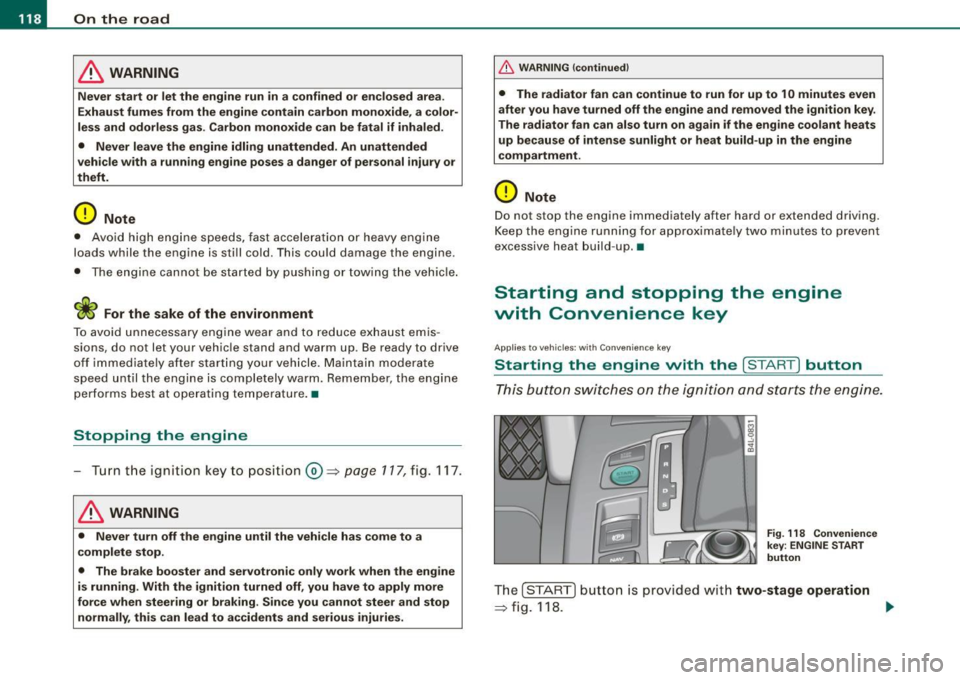
This button switches on the i gnition and starts the en gine.
Fig. 118 Convenienc e
key ; EN GINE START
button
T he [ S TA RT ] b utto n is prov ided with two-stage operation
~ fig .118. .,,_
Page 123 of 398
![AUDI S6 2009 User Guide On th e road -
-------------------
and then the drivers door is opened. In this instance, the steering is
not locked . The steering is locked :
• If you press the
I STOP ] b](/img/6/57595/w960_57595-122.png "AUDI S6 2009 User Guide On th e road -
-------------------
and then the drivers door is opened. In this instance, the steering is
not locked . The steering is locked :
• If you press the
I STOP ] b")
On th e road -
-------------------'
and then the driver's door is opened. In this instance, the steering is
not locked . The steering is locked :
• If you press the
I STOP ] button aga in for more than 1 second.
• If you c lose the driver's door and lock your vehicle from the
outside .•
Electromechanical parking brake
Operation
The electromechanical parking brake replaces the hand
brake.
Fi g. 120 Center
co nso le: Parki ng bra ke
- Pull the switch to app ly the park ing brake => fig. 12 0. The
indicator light in the switch will come on .
- Step on the brake pedal or the accelerator pedal and
press the switch at the same time to rel ease the parking
brake. The indicator lig ht in the switch wi ll go out.
Your vehicle is equipped with an elect romechanical parking brake
which replaces the handbrake . T he parking brake is designed to
prevent the vehicle from rol ling unintentional ly.
Con tro ls and eq uip
ment
I n add ition to the normal functions of a traditional hand brake, the
e lectromechanica l parking brake provides various convenience and
safety functions.
Emergen cy brake
An emergency brake ensur es that the vehicle can be slowed even if
t he
normal brakes fail=> page 123, "Emergency braking".
Ind icator lights
• If the parking brake is applied with the ignition tu rned on , the
indicator light in the instrument cluster (U.S models :
::i.:,, Canadian
models: ®)) and in the switch <®) will com e on .
• I f the parking brake is app lie d with the ignition
turn ed off , the
indicator light in the instrument cluster (U.S. models: ::.:\,, Canadian
models :(®) ) and in the switch(®) will come on for about 30 seconds
and then go out .
& WARNING
If the vehicle i s stationary and the tr ansmi ssion is engag ed with
the engine ru nning , the engine should not be speeded up (e .g .
manu ally from under the hood ). Otherwi se the vehicle will sta rt to
move -you run the risk of a n accident .
0 Note
If the warning/indica tor light (U.S . mode ls: BRAKE , Canadian mode ls :
(Ci)) ) flashes in the instrument clus ter, there is a brake system
malfunction . By pressing the
I CHECK] button, you can bring up a
driver message which explai ns the ma lfunc tion in more detail. If the
message
P a rki ng brake ! Please conta ct w ork shop appears, there is
a par king brake malfunction which you should have repaired imme -
d iate ly by an authorized dealership=>
page 30. ..
Vehicle care
I I irechnical data
Page 127 of 398
On the road -
----------------
The display=> page 124, fig. 122 will show the set speed . The
display may vary depending on the type of disp lay in your vehicle .
The ind icator light
CRU ISE (US model) I (')0 (Canadian mode l) wi ll also
light up in the instrument cluster.
The speed is kept constant via an engine output adjust ment or
active brake intervention .
_& WARNING
• Always pay attent ion to traffic even when the crui se control is
s w it ched on. You are alw ays r esp onsi ble for your speed and the
di sta nce b etween your vehi cle and other vehi cle s.
• For s afet y reason s, the crui se control should not be u sed in the
c ity , in stop- and-go traffic , on twi sting roads and when road condi
t ion s a re p oor (s uch a s ice , fo g, gra vel , he avy ra in and h ydro
planing ) - risk of accident.
• Turn off the crui se control tempor arily when e nte ring tu rn
lan es, highway exit lanes or in constru ction zone s.
• Plea se note that in adv ertentl y "re sting " yo ur foot on the accel
erator ped al cau se s the cruise control not to brake . Thi s is b ecau se
the crui se control i s overridden b y the dri ve r's acc eleration .
[ i] Tips
The brake lights il luminate as soon as the brakes decelerate
automatically .•
Ap plie s to v ehicl es: w it h c ruise contro l
Changing speed
-Press lever in the 0 o r Q dir ection => page 124, fig. 121
to increase or decrease you r sp eed.
- Release the lever to s ave that speed.
Controls and equip
ment Change speed in increments of 1 mph (1 km/h) by
lightly pressing
the lever . If you keep the lever pressed down, you will a lter your
speed in 5 mph (10 km /h) increments .
You can a lso press the acce lerator pedal down to increase your
speed, e.g. if you want to pass someone. The speed you saved
earlier will resume as soon as you release the accelerator pedal.
If , however, you exceed your saved speed by 5 mph (10 km/h) for
longer than 5 minutes, the cruise control will turn off temporarily .
The symbol wi ll go ou t bu t the saved speed wi ll be retained. •
Applie s to v ehic le s: with c ru ise cont ro l
Presetting your speed
You can prese t your desire d speed while the vehicle is not
moving.
- Turn o n the ignition .
Pu ll lever into pos ition
G) => page 124, fig. 12 1.
Press the lever in the
0 or Q direction to increase or
decrease your speed .
- Release the lever to save that speed .
This function makes it possible, for example, to save the speed you
want before driving on the highway. Once on the highway , activate
the cruise contro l by pu lli ng the lever toward
G) . •
Ap plies to ve hic les: with c ruise contro l
Switching the system off
Temporary dea ctivation
- Press the brake pedal, or
I • •
Page 133 of 398
Adaptive Cruise Control -
---------------=-------'
Applies to vehi cles: w it h Ada ptive Crui se Co nt rol
Changing stored speed
The speed can be changed without touching the acceler
ator or brake pedal .
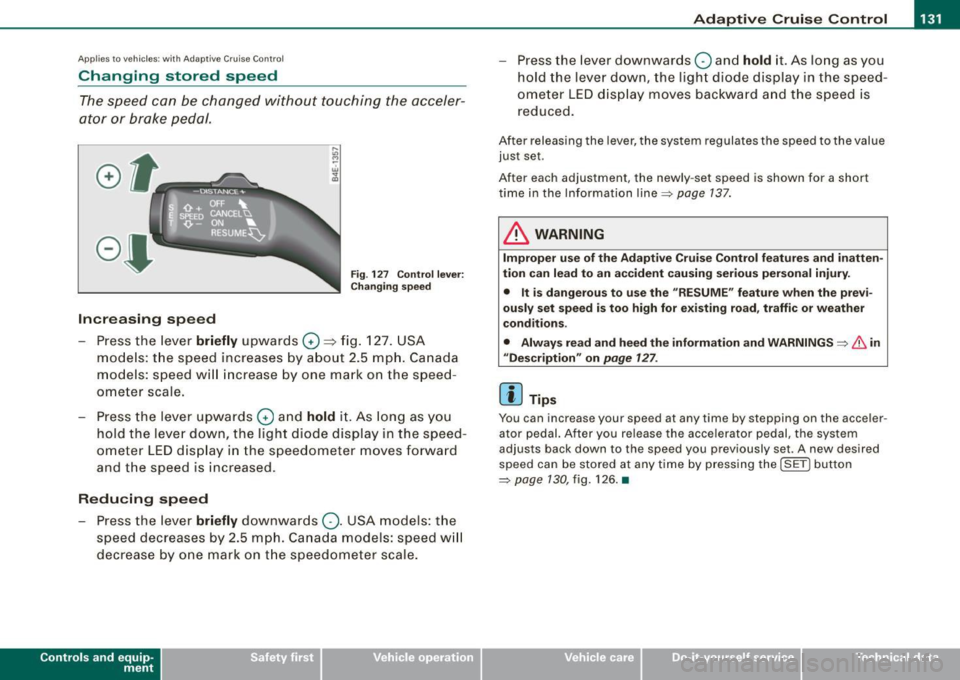
Fig. 127 Control lever:
Changing speed
Increasing speed
- Press the lever briefly upwards
G) ~ fig. 127. USA
models: the speed increases by about 2.5 mph. Canada
models: speed will increase by one mark on the speed
ometer scale.
- Press the lever upwards
G) and hold it. As long as you
hold the lever down, the light diode display in the speed
ometer LED display in the speedometer moves forward
and the speed is increased .
Reducing speed
- Press the lever briefly downwards
Q. USA models: the
speed decreases by 2.5 mph. Canada models: speed will
decrease by one mark on the speedometer scale.
Con tro ls and eq uip
ment
- Press the lever downwards Q and hold it. As long as you
hold the lever down, the light diode display in the speed
ometer LED display moves backward and the speed is
reduced.
After releasing the lever, the system regulates the speed to the value
just set .
After each adjustment, the newly -set speed is shown for a shor t
time in the Information line~ page
137.
& WARNING
Improper use of the Adaptive Cruise Control features and inatten
tion can lead to an accident causing serious personal injury.
• It is dangerous to use the "RESUME" feature when the previ
ously set speed is too high for existing road, traffic or weather
conditions.
• Always read and heed the information and WARNINGS ~
& in
"Description" on
page 127 .
[ i] Tips
You can inc rease your spe ed at any time by stepping on the ac celer
ator pedal. After you release the accelerator pedal, the system
adjust s back down to the speed you previously set . A new desired
speed can be stored at any time by pressing the !SET ) button
~ page 130 , fig. 126. •
Vehicle care I I irechnical data
Page 136 of 398

• .___A_ d_a_ p:- t_iv _ e_ C_ r_u _is _ e_C_ o_ n_ t_ r_ o_ l --------------------------------------------
How your vehicle responds when accelerating and fol lowing other
veh ic les w ith ACC operat ing can be a dapt ed to your persona l wishes
through different driving programs. Depending on which driving prog ram a nd whic h dis tance you choose, your vehicle will respond
Settings DISTANCE 1
Symbol for time interval
~ -~---
more dynamica lly or more comfortably when accelerating and
b raki ng. T he setting is selecte d throug h the MM I menu Adaptive
Cruise Control =>
page 139, "M M I settings".
DISTANCE 2 DISTANCE 3 DISTANCE4
~-- ~-- ~--- ~- ~---- ~
Support for: Bumper -to-bumper Bumper -to-bumper Bumper -to -bumper Secondary roads,
traffic, brisk driving
Response in "dynamic " driving program
1
Response in "standard " driving program 2
Response in "comfort " driving program 3
(dynamic) 1 ----2 ----- 3 ----- 4 ----- 5 (comfortable)
& WARNING
Following other veh icles too clo sely increases the risk of a crash
and serious personal injury .
• Following other vehicles too closely , parti cularly at h igher
speeds increases the risk of collisions and serious personal injury.
• Setting short distan ces to the traffic ahead reduces the time
and distance available to bring your vehicle to a safe stop and
makes it even more necessary to pay close attention to traffic .
• Always select a speed and distance to traffic ahead that is safe
and appropriate under the prevailing traffic , road , weather and
lighting conditions .
• Never rely on the distan ce control feature of ACC alone to
p revent rear-end collisions . Alw ays be prepared to brake and take
evasive action to avoid collisions and other accident situations.
• Never allow the closing speed between you and other vehicles
to be so high that the Adaptive Cruise Control may not be able to traf
fic, "keeping pace" traffic, "kee ping pace" trai ler operation
co mfortably comfortably
2
2 3
3 3 4
4 4
5
&, WARNING !continued )
slow your vehicle safely . If closing speed is too high, you must
apply the brakes your self to reduce the risk of a rear -end crash.
• Always select a greater following distance to the vehicle ahead
on wet road s than on dry roads.
• Always read and heed the information and WARNINGS =>
& in
" De script ion " on
page 127 .
[ i ] Tips
The distance setting is reset to the factory default DISTANCE 3 the
n ext t ime the ign ition is turne d on.•
Page 138 of 398
• ..__A_ d_a...: p:,..._ ti_v _ e_ C_ ru_ is_ e_ C_ o_n_ t_ r_ o _ l ___________________________________________ _
• <0111,c::::, Driv ing in traffi c: The indicator light '°"'''° shows that a
ve hicle moving in your lane of travel has been de tec ted up front in
your lane of travel. Your speed is adjusted according to the speed of
the vehic le up front . ACC accelerates and brakes automatically
within the system's capabilities.
• -011 ,,-0 Dr iv e r intervention prompt : The red flashing warning
light
-011 .. ~ means Request for dri ver to as sume contr ol. You as the
driver must slow the vehic le with the foot brake . The symbol
<0 1111<0
tel ls you that the Adaptive Cruise Control is not able to slow the
vehic le down enough to keep a enough distance to the vehicle in
front of you. A warning tone will also sound when the symbo l
appears . For more information about the driver intervention prompt
::;, page 138.
& WARNING
Improper use of the Adap tive Crui se Contro l features and inatten
tion can lead to an crash and serious personal injury .
• Never allow the closing speed betw een you and other veh icles
to be so high that the Adapt ive Cruise Control may not be able to
slow you r vehi cle saf ely . If clo sing speed is too high , you mu st
apply the brake s yourself to reduce the ri sk of a re ar-end cra sh .
• Always sele ct a greater follo wing dist ance to the vehi cle up
ahead on wet roads than on dry road s.
• Alway s re ad and heed the information and WARNINGS::;,
& in
"De scription " on
pag e 127 .
[ i ] Tips
• If you use the acce lerato r to go faster than the speed of the
vehicle ahead of you, the driver intervention prompt wi ll not be
accompanied by a warning tone.
• If the speed you previously set is exceeded , the indicator light in
the speedometer w ill sw itc h off. •
App lies to vehic les: w ith Ad apt ive Cruise Contro l
Display in the instrument cluster
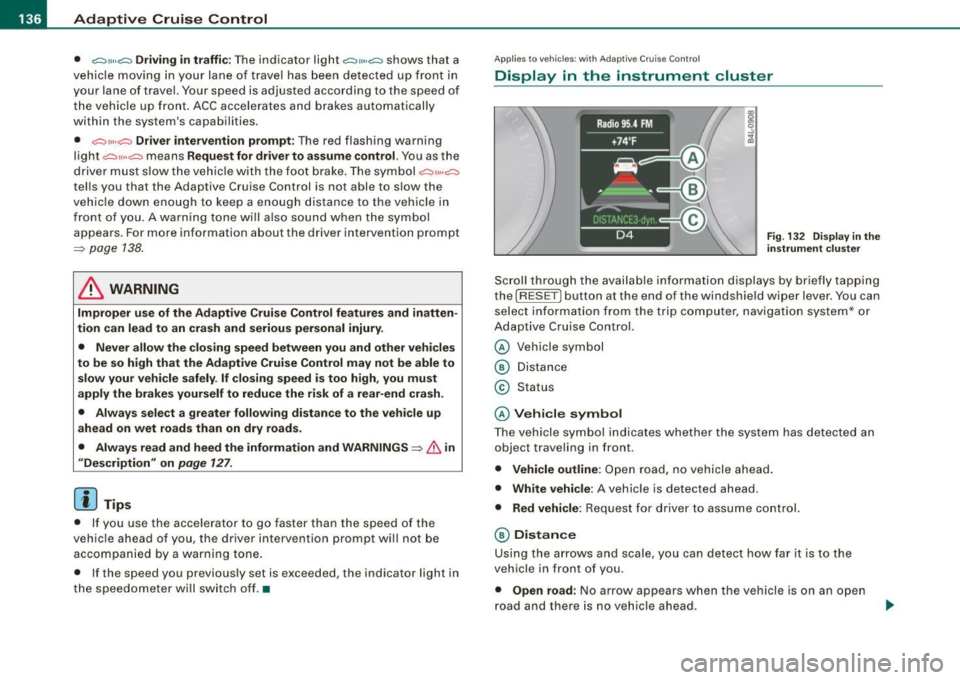
Fig. 1 32 D isplay i n the
i n strum ent c lust er
Scroll through the availab le in formati on displays by briefly tapping
the (RESET] button at the end of the windshie ld wiper lever. You can
se lect information from the trip computer, navigation system* or
Adaptive Cruise Control.
© Vehicle symbol
® Distance
© Status
© Vehi cle s ymbol
The vehicle symbo l indicates whether the system has detected an
object traveling in front .
• Vehicle outline : Open road, no vehicle ahead .
• Wh it e v ehi cle: A vehic le is detected ahead.
• Red vehicle: Request for driver to assume co ntrol.
® Distance
Using the arrows and scale, you can detect how far it is to the
vehic le in front of you.
• Open road : No arrow appears when the vehicle is on a n open
road and there is no vehic le ahead .