warning AUDI S6 2009 Owner's Manual
[x] Cancel search | Manufacturer: AUDI, Model Year: 2009, Model line: S6, Model: AUDI S6 2009Pages: 398, PDF Size: 43 MB
Page 33 of 398
& WARNING
• Always observe the warnings in => page 293, "Engine compart
ment", before opening the hood and checking the brake fluid.
• Driving with low brake fluid is a safety hazard . Stop the car and
get professional assistance.
• USA models : If the BRAKE warning light and the -warning
light come on together, the rear wheels could lock up first under
hard braking . Rear wheel lock-up can cause loss of vehicle control
and an accident. Have your vehicle repaired immediately by your
authorized Audi dealer or a qualified workshop. Drive slowly and
avoid sudden, hard brake applications.
• Canada models: If the brake warning light «D> and the ABS
warning light come on together, the rear wheels could lock up first under hard braking. Rear wheel lock-up can cause loss of
vehicle control and an accident. Have your vehicle repaired imme diately by your authorized Audi dealer or a qualified workshop .
Drive slowly and avoid sudden, hard brake applications. •
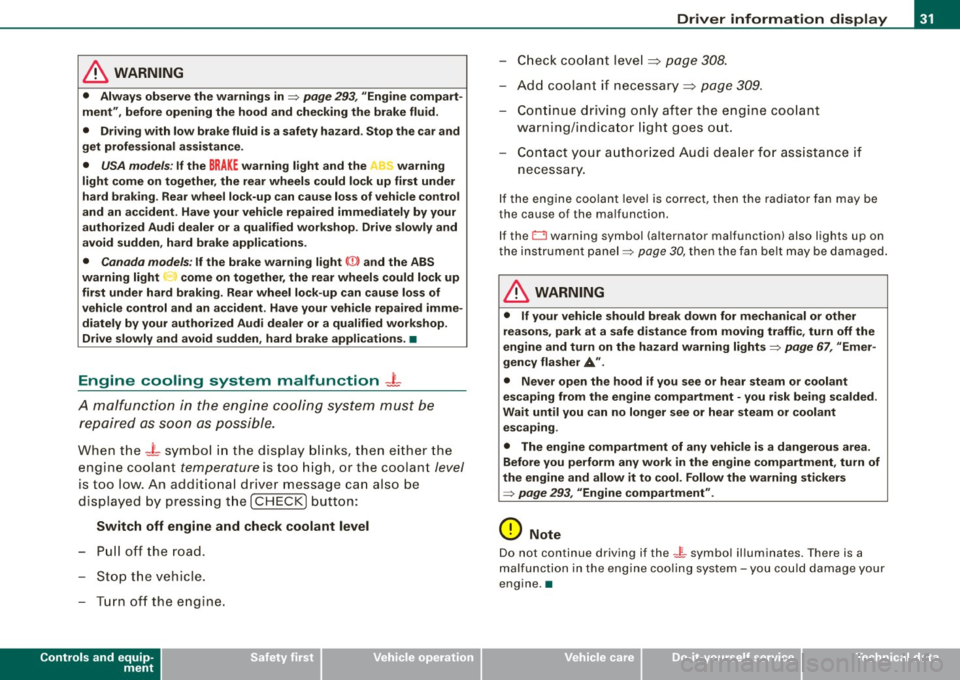
Engine cooling system malfunction _t
A malfunction in the engine cooling system must be
repaired as soon as possible.
When the -t symbol in the display blinks, then either the
engine coolant
temperature is too high, or the coolant level
is too low. An additional driver message can also be
displayed by pressing the [
CHECK] button:
Switch off engine and check coolant level
- Pull off the road .
- Stop the vehicle.
- Turn off the engine.
Controls and equip
ment
Driver information display
Check coolant level ~ page 308.
-Add coolant if necessary~ page 309 .
Continue driving only after the engine coolant
warning/indicator light goes out.
Contact your authorized Audi dealer for assistance if
necessary.
If the engine coolant level is correct, then the radiator fan may be
the cause of the malfunction.
If the O warning symbol (alternator malfunction) also lights up on
the instrument panel=>
page 30, then the fan belt may be damaged.
& WARNING
• If your vehicle should break down for mechanical or other
reasons, park at a safe distance from moving traffic, turn off the
engine and turn on the hazard warning lights =>
page 67, "Emer
gency flasher
A".
• Never open the hood if you see or hear steam or coolant
escaping from the engine compartment - you risk being scalded.
Wait until you can no longer see or hear steam or coolant escaping.
• The engine compartment of any vehicle is a dangerous area.
Before you perform any work in the engine compartment, turn of
the engine and allow it to cool. Follow the warning stickers
=>
page 293, "Engine compartment" .
0 Note
Do not continue driving if the -F-symbol illuminates. There is a
malfunction in the engine cooling system -you could damage your
engine .•
I • •
Page 34 of 398
Driver information display
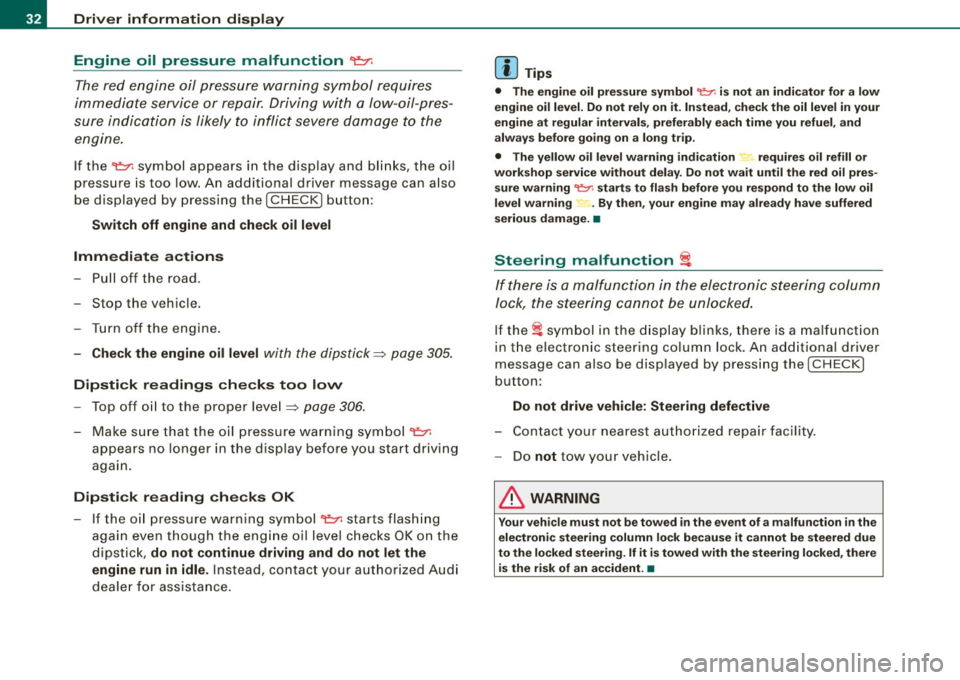
Engine oil pressure malfunction "t=;f':
The red engine oil pressure warning symbol requires
immediate service or repair. Driving with a low-oil-pres
sure indication is likely to inflict severe damage to the
engine.
If the ~ symbol appears in the display and blinks, the oil
pressure is too low. An additional driver message can also
be displayed by pressing the
!CHECK] button:
Switch off engine and check oil level
Immediate actions
- Pull off the road.
- Stop the vehicle.
- Turn off the engine.
-Check the engine oil level with the dipstick=:> page 305.
Dipstick readings checks too low
-Top off oil to the proper level ::::, page 306.
Make sure that the oil pressure warning symbol~
appears no longer in the display before you start driving
again.
Dipstick reading checks OK
- If the oil pressure warning symbol~ starts flashing
again even though the engine oil level checks OK on the
dipstick,
do not continue driving and do not let the
engine run in idle.
Instead, contact your authorized Audi
dealer for assistance.
[ i] Tips
• The engine oil pressure symbol ~ is not an indicator for a low
engine oil level. Do not rely on it. Instead, check the oil level in your
engine at regular intervals, preferably each time you refuel, and
always before going on a long trip.
• The yellow oil level warning indication ,.. requires oil refill or
workshop service without delay. Do not wait until the red oil pres
sure warning
~ starts to flash before you respond to the low oil
level warning ...... By then, your engine may already have suffered
serious damage. •
Steering malfunction i
If there is a malfunction in the electronic steering column
lock, the steering cannot be unlocked.
If the i symbol in the display blinks, there is a malfunction
in the electronic steering column lock. An additional driver
message can also be displayed by pressing the
I CHECK]
button:
Do not drive vehicle: Steering defective
-Contact your nearest authorized repair facility.
- Do
not tow your vehicle.
& WARNING
Your vehicle must not be towed in the event of a malfunction in the
electronic steering column lock because it cannot be steered due
to the locked steering. If it is towed with the steering locked, there
is the risk of an accident. •
Page 35 of 398
Ignition lock malfunction ~
A malfunction in the ignition Jock must be repaired immediately.
If the ~ symbol in the display blinks, there is a malfunction
in the electronic ignition lock. An additional driver message
can also be displayed by press ing the [CHECK] button:
Ign iti on lock defe ctive . C ont ac t wo rkshop !
- Do not turn the engine off.
- Drive immediately to an auth orized A udi dealer to have
the malfunction corrected .
If there is a malfunction in the electronic ignition lock, the ignition
cannot be turned off . Drive immediately to an authorized Audi
dea ler to have the cause of the malfunction corrected .
On vehicles with Convenience key*, the engine should not be
switched off using the [
STOP] button because the engine cannot be
started again after the ignition is switched off. •
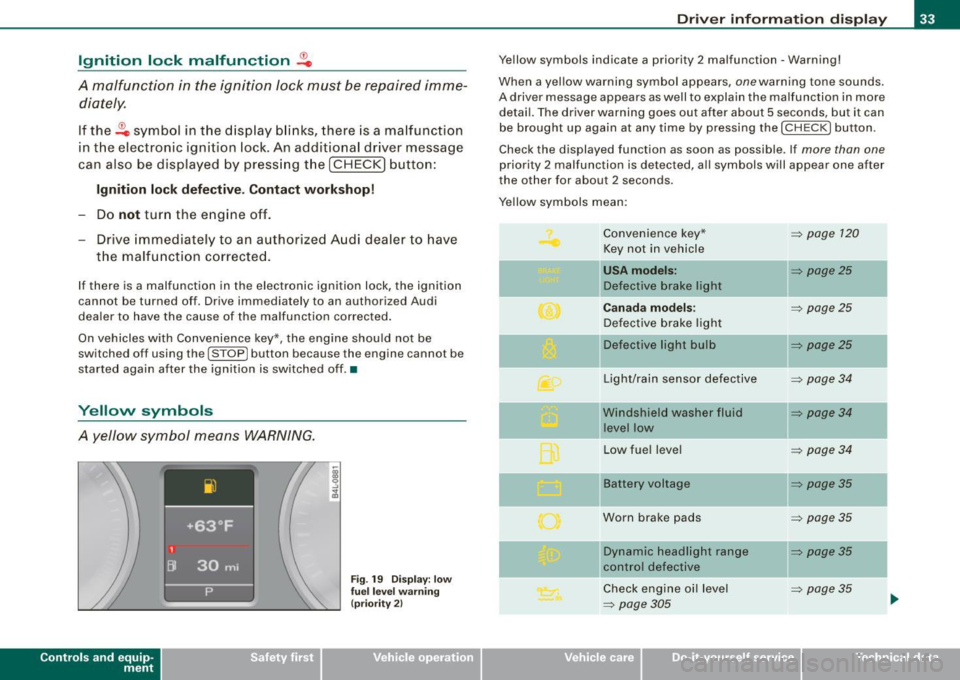
Yellow symbols
A yellow symbol means WARNING.
Contro ls and eq uip
ment
Fig . 19 Dis pl ay: low
fu el le ve l wa rning
(pr io rity 2)
Dri ver inf orm atio n di spl ay
Ye llow symbols indicate a priority 2 malfunction -Warning!
When a yellow warning symbol appears,
one warning tone sounds.
A driver message appears as well to explain the malfunction in more detail. The driver warning goes out after about 5 seconds, but it can
be brought up again at any time by pressing the [ CHECK
I button .
Check the displayed function as soon as possible . If
more than one
priority 2 malfunction is detected , a ll symbols will appear one after
the other for about 2 seconds.
Yellow symbols mean:
Convenience key*
~ page 120
Key not in vehicle
USA models: ~ page25
Defective brake light
Canad a mod els: ~ page25
Defective brake light
11 Defective light bulb
~ page25
-
Light/rain sensor defective ~ page34
Windshield washer fluid ~ page34
level low
Low fuel leve l
~ page34
Battery voltage ~ page35
Worn brake pads ~ page35
IIDynamic headlight range ~ page35
control defective
-
Check engine oi l level ~ page35
~ page305 ...
Vehicle care I I irechnical data
Page 37 of 398
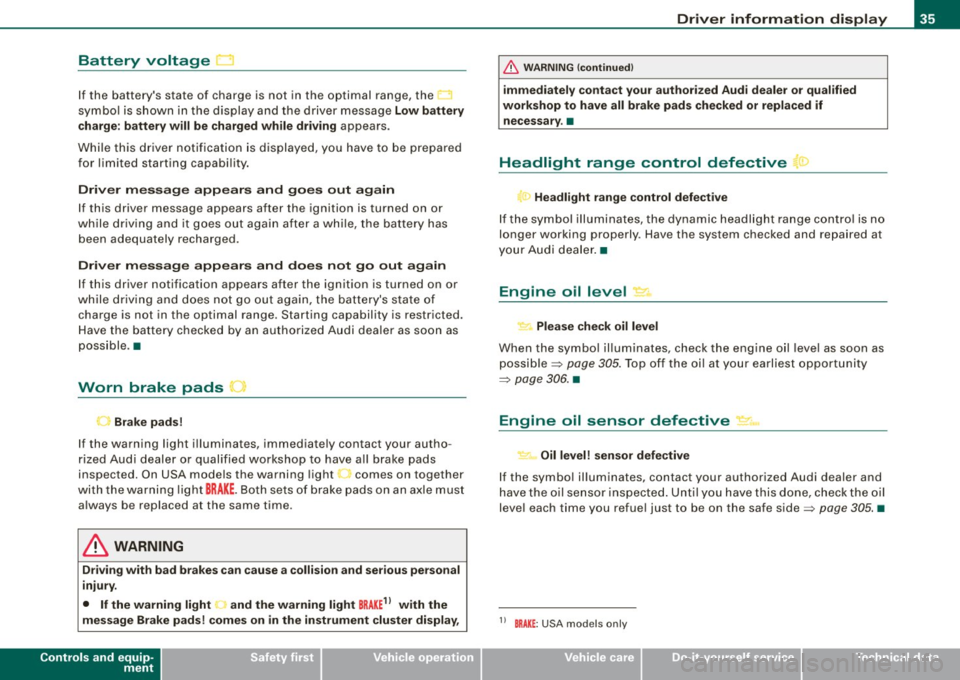
Battery voltage ~
If the battery's state of charge is not in the optimal range, the
symbo l is shown in the display and the driver message
Low battery
c harge : battery will be charged wh ile dr iving
appears .
Whi le th is d river notification is displayed, you have to be p repa red
for limited starting capabi lity.
Driver message appears and goes out again
If this driver message appears after the ignition is turned on or
w hile driving and it g oes out agai n after a w hile , th e ba tte ry has
been adequately recharged.
Driver message appears and does not go out again
I f this dr iver notification appears after the ignition is turned on or
while driv ing and does n ot go out aga in, the bat tery's state of
charge is not in the optimal range. Starting capability is restricted.
H ave the ba ttery checke d by an au tho rize d Audi deale r as soon a s
poss ible .•
Worn brake pads
Brake pads!
If the wa rning light i lluminates, immediate ly contact your autho
rized Aud i d eal er or qualified wor kshop to have a ll brake pads
inspected. On USA models the warning light comes on together
wit h the warning light
BRAKE . Both sets of brak e pads o n an a xle must
a lways be replaced at the same time.
& WARNING
Driving with bad brakes can cause a collision and serious personal
injury.
• If the warning light • and the warning light
BRAKE11 with the
message Brake pads ! comes on in the instrument cluster display ,
Controls and equip
ment
Driv er information display
& W ARNING (continued )
immediately contact your author ized Audi dealer or qualified
workshop to have all brake pads checked or replaced if necessary .•
Headlight range control defective ">
l ) Headlight range control defective
If th e sy mbol ill uminates , the dyna mic headlig ht ra nge c ont rol is n o
longer working properly . Have the system checked and repa ired at
yo ur Au di d eale r.•
Engine oil level "'·
Please check oil level
When the symbol il luminates, check the engine o il leve l as soon as
possible =>
page 305. Top off the oi l at your earliest opportu nity
=>
page 306. •
Engine oil sensor defective ~,m,
Oil level! sensor defective
If the symbo l il luminates, contact your authorized Audi dealer and
h ave th e oil sensor insp ecte d. Unt il y ou hav e thi s do ne, c heck the oil
leve l each time you refue l just to be on the safe side=>
page 305. •
11 BRAKE : USA models only
I • •
Page 38 of 398
Driver inf ormati on displ ay
Ap plies to vehicles : wit h en gine sp eed limitat ion
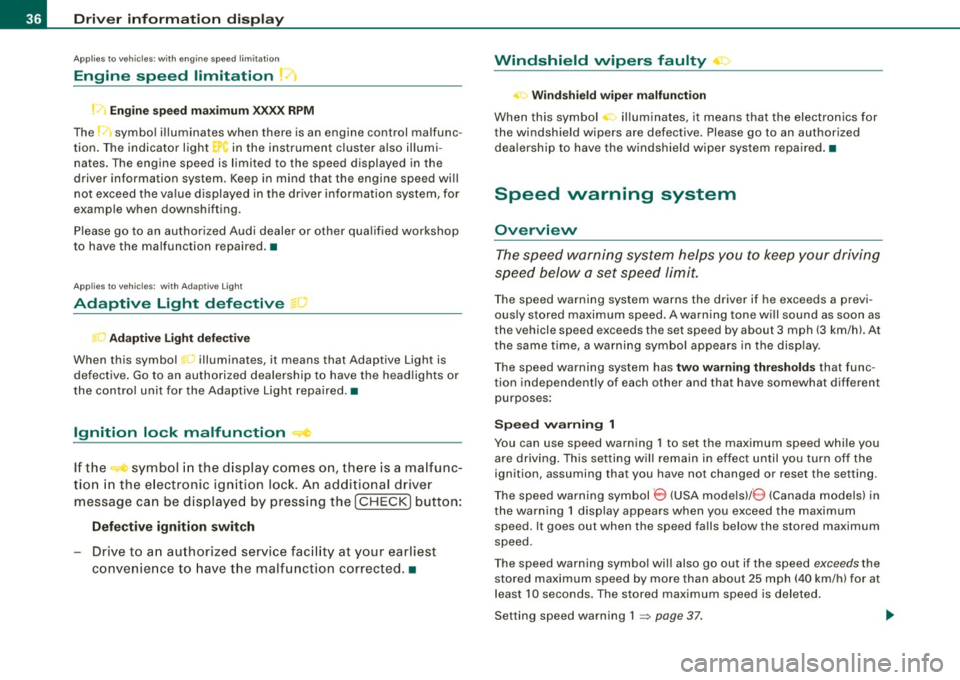
Engine speed limitation ,-;,,
l.r1 Engine speed maximum XXXX RPM
The )t symbo l illuminates when there is an engine control malfunc
tion. The indicator light
C in the instrument cluster also illumi
nates . The engine speed is limited to the speed displayed in the
driver information system. Keep in mind that the engine speed will
not exceed the va lue displayed in the driver information system, for
example when downshifting.
P lease go to an authorized Audi dealer or other qua lified workshop
to have the ma lfunction repaired .•
Ap plies to vehicles: wit h A dapt ive Li ght
Adaptive Light defective t;: :
Adapti ve Li ght defect ive
When this symbol '" illuminates, it means that Adaptive Light is
defective. Go to an authorized dealership to have the head lights or
the control unit for the Adaptive Light repaired. •
Ignition lock malfunction ..,e
If the symbol in the d isplay c omes on, there is a malfunc -
tion in the e lectronic ignition lock. An additional driver
message can be displayed by press ing the [ CHECK ] button:
D efe ctiv e ignition swi tch
- Drive to an authorized service facility at your earliest
convenie nce to have the malfunction corrected .•
Windshield wipers faulty ->
. W in ds hield wi per m alfun ction
When this symbol il luminates, i t means tha t the electronics for
the windshield wipers are defective . Please go to an authorized
dea lership to have the windshield wiper system repaired .•
Speed warning system
Overview
The speed warning system helps you to keep your driving
speed below a set speed limit.
The speed warning system warns the driver if he exceeds a previ
ous ly stored maximum speed. A warning tone will sound as soon as
the vehicle speed exceeds th e set speed by about 3 mph (3 km/h). At
the same t ime, a warning symbol appears in the display .
The speed warning system has
t w o wa rnin g thr eshol ds that func
tion independent ly of each other and that have somewhat different
purposes:
S peed warnin g 1
You can use speed warning 1 to set the maximum speed while you
are driving. This setting will remain in effect until you turn off the
ignition , assuming that you have not changed or reset the se tting .
The speed warning symbol
0 (USA models) /0 (Canada models) in
the warning 1 display appears when you exceed the maximum speed . It goes out when the speed falls below the stored maximum
speed .
The speed warning symbol wi ll also go out if the speed
e xce eds the
stored maximum speed by more than about 25 mph
(40 km/h) for at
leas t 1 O seconds. The stored maximum speed is deleted .
Setting speed warning 1 :::::,
page 37.
Page 39 of 398
Speed warning 2
Storing warning 2 is recommended if you always want to be
reminded of a certain speed, for example when you are traveling in
a country that has a general maximum speed limit, or if you do not
want to exceed a specified speed for winter tires.
Th e speed warning 2 symbol,
8, (USA models)/ 8, (Canada models)
appears in the display when you exceed the stored speed limit.
Unlike warning 1, it will not go out until the vehicle speed drops
below the stored speed limit.
Setting speed warning 2
~ page 37.
[ i J Tips
Even though your vehicle is equipped with a speed warning system,
you should still watch the speedometer to make sure you are not
driving faster than the speed limit. •
Speed warning 1: setting a speed limit
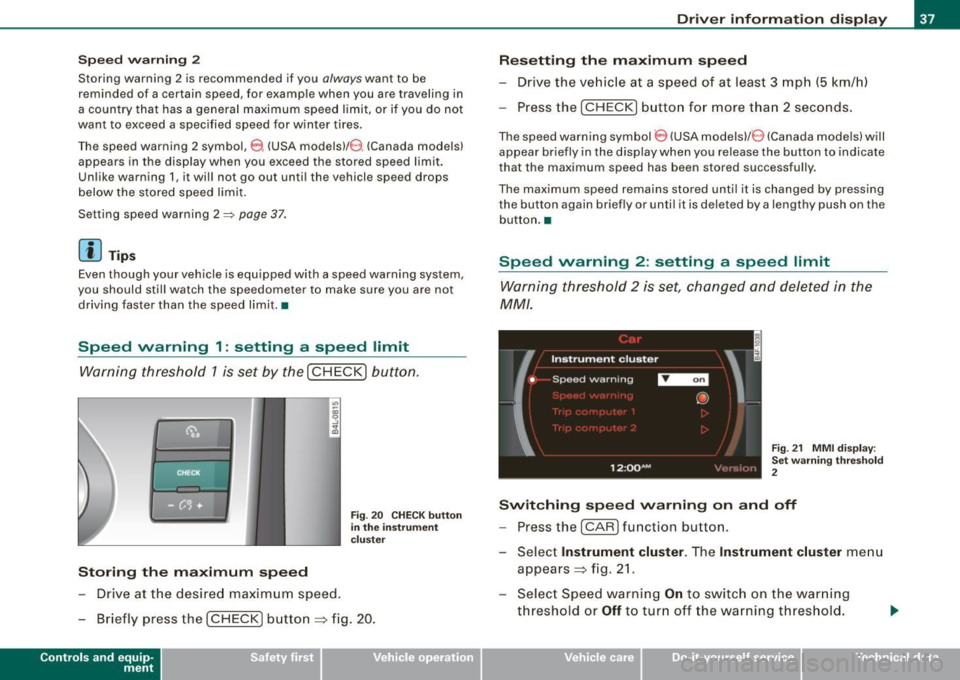
Warning threshold 1 is set by the (
CHECK) button.
Storing the maximum speed
-Drive at the desired maximum speed.
Fig. 20 CHECK button
in the instrument
cluster
- Briefly press the ( CHECK) button => fig. 20.
Contro ls and eq uip
ment
Driver information display
Resetting the maximum speed
- Drive the vehicle at a speed of at least 3 mph (5 km/h)
- Press the (
CHECK) button for more than 2 seconds.
The speed warning symbol 8 (USA models)/ e) (Canada models) will
appear briefly in the display when you release the button to indicate
that the maximum speed has been stored successfully.
The maximum speed remains stored until it is changed by pressing
the button again briefly or until it is deleted by a lengthy push on the
button. •
Speed warning 2: setting a speed limit
Warning threshold 2 is set, changed and deleted in the
MM/.
Fig. 21 MMI display :
Set warning threshold
2
Switching speed warning on and off
- Press the ( CARI function button.
- Select
Instrument cluster. The Instrument cluster menu
appears=> fig. 21.
- Select Speed warning
On to switch on the warning
threshold or
Off to turn off the warning threshold.
Vehicle care I I Technical data
Page 40 of 398
Driver inf ormati on displ ay
S ettin g and a djustin g th e w arnin g thr eshold
- Press the
I CAR I function button .
- Select
In strum ent cluster . The Instrum ent clust er menu
appears.
Select the second item in the
Sp eed wa rning menu. The
submenu
Sp eed th resh old appears ~ page 37, fig. 21.
- Set t he warning threshold you want.
Warning thresho ld 2 can be adjusted within a speed range of 30 to
200 km/h . Settings can be adjusted in intervals of 10 km/h each. •
Trip computer
Introduction
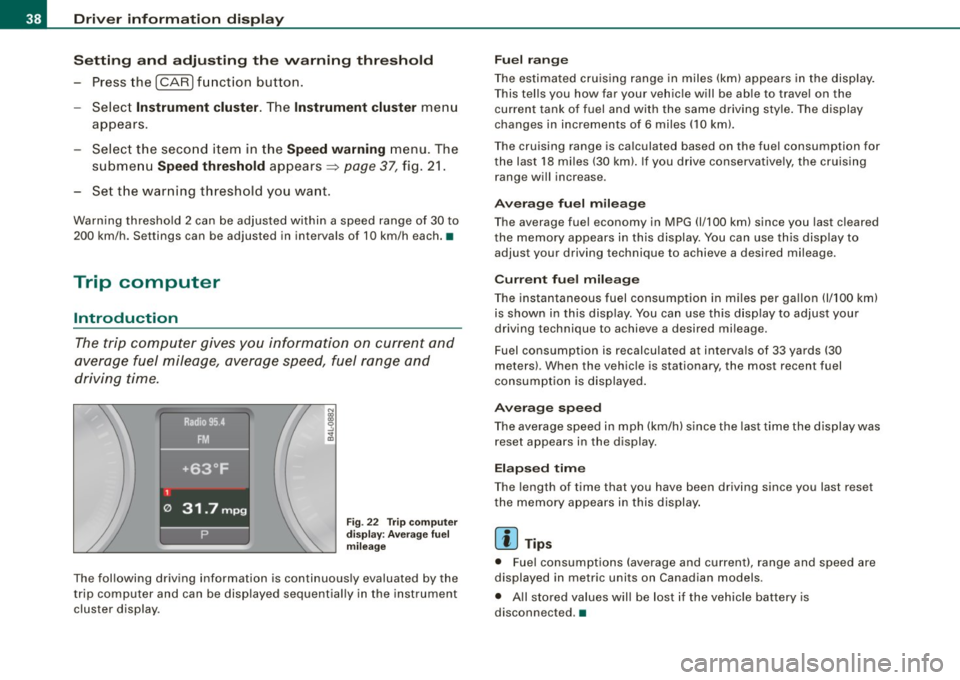
The trip computer gives you informati on on current and
average fuel mileage, average speed, fuel range and
driving time .
Fig. 22 T rip comput er
d isp lay: Ave rage fuel
mil eage
The following driving information is continuously evaluated by the
t rip computer and can be disp layed sequential ly in the instrument
cluster display.
Fu el ra ng e
The estimated cruising range in miles (km) appears in the disp lay.
This tel ls you how far your vehic le will be ab le to travel on the
current tank of fuel and with the same driving style . The display
changes in increments of 6 miles
(10 km).
The cruising range is calculated based on the fuel consumption for
the last 18 miles (30 km). If you drive conservative ly, the cruising
range will increase.
Ave rage fuel m ileag e
The average fuel economy in MPG (1/100 km) since you last cleared
the memory appears in this display. You can use th is disp lay to
adjust your driving technique to achieve a desired mileage.
C urr ent fu el mi leage
The instantaneous fuel consumption in m iles per gallon 0/100 km)
is shown in this display. You can use th is d isp lay to adjus t your
driving technique to achieve a desired mileage.
Fuel consumption is recalculated at intervals of 33 yards (30
meters) . When the vehicle is stationary, the most recent fuel
consumption is displayed .
Ave ra ge spee d
The average speed in mph (km/h) since the last time the display was
reset appears in the display.
E la p sed time
The length of time that you have been driving since you last reset
the memory appears in this display .
[ i ] Tips
• Fuel consumptions (average and current), range and speed are
displayed in metric units on Canadian models .
• All sto red values will be lost if the vehic le battery is
disconnected .•
Page 43 of 398
Opening and closing
Keys
Key set
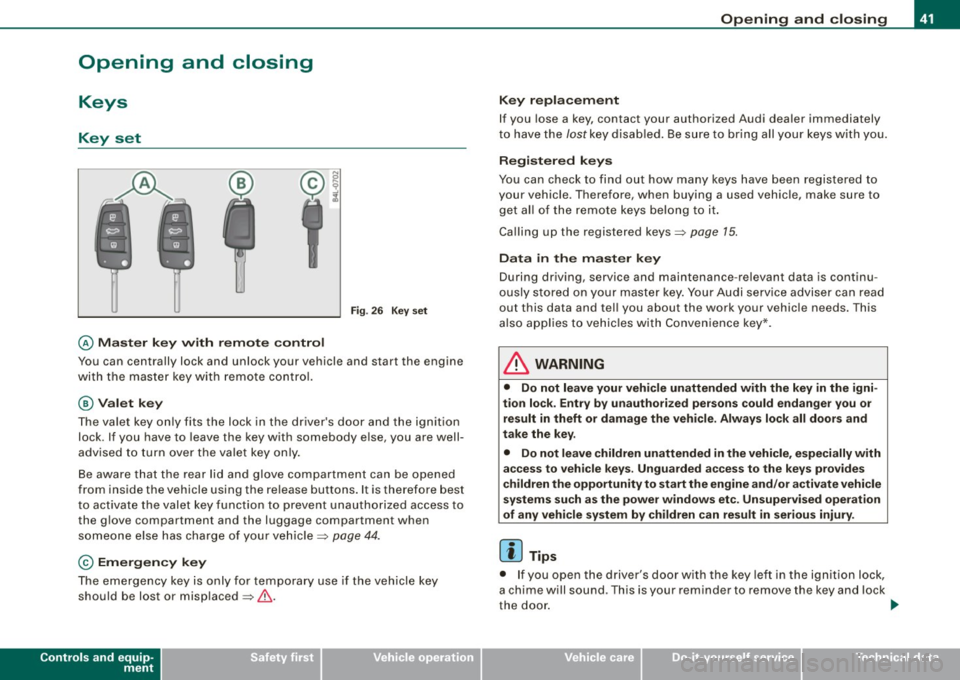
© Master key w ith remo te con trol
Fig . 26 Key s et
You can centrally lock and unlock your vehicle and start the engine
with the mas ter key with remote control.
@ Valet k ey
The va let key o nly fits the lock in the driver 's door and the ignition
lock . If you have to leave the key with somebody else, you are well
advised to turn over the va le t key only .
Be aware t hat the rear lid and glove co mpartment can be opened
from inside the vehicle using the re lease buttons . It is therefore best
to activate the valet key function to prevent unauthorized access to
the g love compartment and the luggage compartment when
someone e lse has charge of your vehic le=>
page 44.
© Emergency key
The emergency key is only for temporary use if the vehicle key
should be lost or misplaced=>& .
Controls and equip
ment
Opening and clo sing
Ke y repla cemen t
If you lose a key, contact your authorized Audi dealer immediately
t o have the
lost key disab led . Be sure to bring all your keys with you.
R egister ed keys
You can check to find out how many keys have been registered to
your vehicle. Therefore, when buying a used vehicle, make sure to
get al l of the remote keys belong to it .
Ca lling up the registered keys=>
page 15.
Data in the master key
During driving, service and maintenance -relevant data is continu
ously stored on your master key . Your Audi service adviser can read
out this data and tel l you about the work your vehicle needs. This
a lso applies to vehic les wi th C onvenience key*.
& WARNING
• Do not leave your vehi cle unattended with the key in the igni
tion lock . Entry b y un authorized persons could endanger you or
result in theft or damage the vehi cle . Alway s lock all doo rs and
t ak e the key .
• Do not le ave children unattended
in th e vehicl e, especially with
a ccess to vehicle key s. Ungu arded a ccess to the ke ys pr ovides
c hildren the opportunity to st art the eng ine and /or a ctivate vehicle
systems su ch as the po wer wi ndo ws etc . Unsupervi sed operat ion
of any vehi cle system b y ch ildren c an re sult in serious injury .
[ i ] Tips
• I f you open the driver's door with the key left i n the ign ition lock,
a chime will sound . T his is your reminder to remove the key and lock
the door .
I,,,
I • •
Page 46 of 398
Openin g a nd clo sin g
- Place the cover w ith the new battery on the key base and
press both parts together.
c£> For the sake of the environment
Dispose of dead batteries properly so as not to pollute the environ
men t.
[ i J Tip s
The replacement battery mus t be the same specification as the
original. •
Electronic immobilizer
The immobilizer helps to prevent unauthorized use of
your vehicle.
A computer chip inside your key automatically deactivates the e lec
tronic immobilizer when you inser t the key in the igni tion lock, or on
vehic les with Convenience key *, when the key is inside th e vehicle.
When you remove the key from the ignition lock , or on vehic les with
Conv enience key, when you r emove the key from the vehicl e, the
e lectronic immobil izer is automatically activated once again .
If an unau thorized key was used, SAFE is displayed continuous ly in
the odometer disp lay field .
& WARNING
Always take the key with you when you leave the vehicle . The key
ca n dis arm the el ectronic eng ine immobili zer and pe rm it an u nau
thori zed per son to start the engine and enable op era tion of the
v ehi cle sys tem s such as po wer w ind ow or p ower s unroof* lead ing
to seriou s per son al injur y.
[ i J T ip s
• Your engine can only be started using the factory -equipped key .
• You may not be able to start your vehicle if an ignition key of a
differen t vehicle make is also located on your set of keys.
• For Declaration of Compliance to United States FCC and Industry
Canada regulations~
page 375. •
Valet key function
The valet key function prevents unauthorized persons
from opening the glove compartment or rear lid.
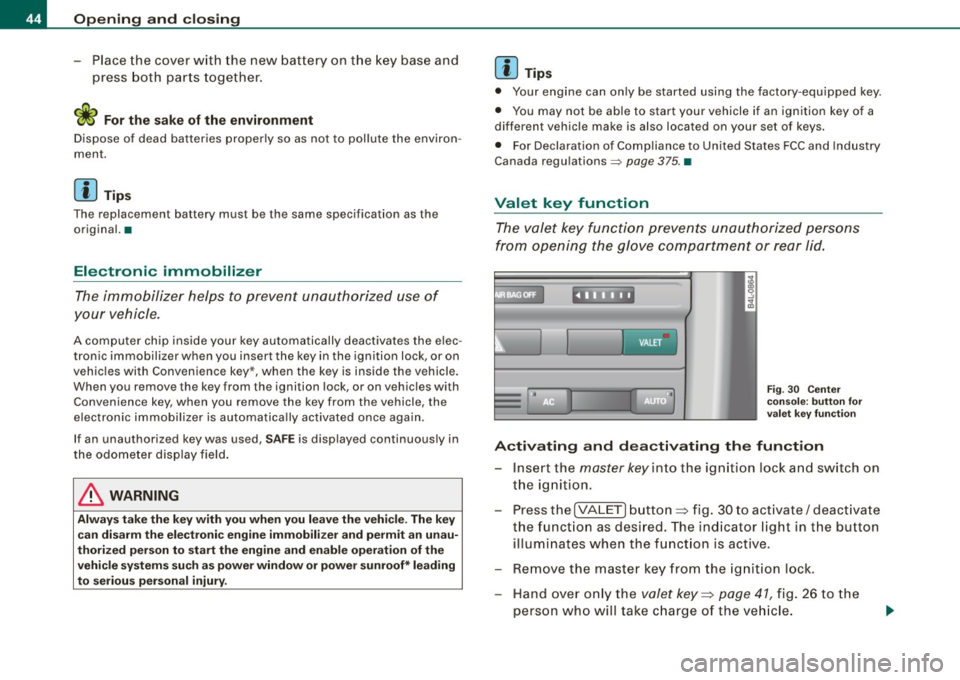
Fig . 3 0 Center
cons ole: butto n fo r
val et key fu nct ion
A ctiv ating and de activating the fun ction
- Insert the master key in to the ignition loc k and switch on
the ignition .
- Press the
[VALE T) button => fig. 30 to activate/ deact ivate
the funct ion as desired. The ind icator light in the button
illuminates when the funct ion is active.
- Remove the master key from the ignition lock.
- Hand over on ly the
valet key=> page 41 , fig. 26 to the
person who will take c harge of the ve hicle.
Page 48 of 398
Opening and closing
Unlo cking and lo cking w ith Convenie nce key *
On vehic les which a re equ ipped with the
C onveni enc e key* authori
zation system, the doors are un locked
without a key by means of a
proximity sensor in the doo r handle. The doors are simi larly locked
without a key using the locking button. Each door has a proximity
senso r and a locking button.
Powe r side do or clo ser*
The vehicle is equipped with a power side door closer. When closing a door, you simp ly need to gent ly push on the door. The door will
then automatica lly close by itse lf =>
page 48 .
Autom atic locking
The automatic locking feature locks a ll the vehic le doors an d the
rear lid when you drive faster than 9 mph (15 km/hl. This function
can be turned on and off in the MMI
Central locking Menu
=>
page 48.
You can unlock the vehicle from the inside by :
• removing the key from the ignition swi tch (the veh icle will auto
matically un lock itself) or
• pressing the unlock par t of the power lock switch
(l::!l or
pu lling the door handle (twice to open the rear doors).
& WARNING
• When you lock you r vehi cle from out side , nobody -espe cially
c hildren -should remain in side the veh icle . Remember , when you
lock the vehi cle from the outside the window s cannot be opened
from the inside .
• When you leave the vehi cle , alwa ys remove the ignition k ey and
t a ke it with you . Thi s will prevent pa ssenger s {children , for
e x ample ) from a ccidentally bei ng locked in the vehi cle should they
accidentally pre ss the p ower locking switch in the front doo rs.
& WARNING (continu ed )
• Do not leave children in side the vehicle un supervised . In an
emerg ency it would be impos sible to open th e door s from the
outside witho ut the key.
[ i ] Tips
• I n the event of a crash with airbag deployment all locked doors
wi ll be automat ically un locked to give access to the vehic le occu
pants from the outside.
• If the power locking system shou ld ma lfunction, you can lock
each door individually using the vehicle key=>
page 50.
• If the power locking system shou ld fail, you can still open the
fuel tank flap in an emergency=>
page 299.
• You are well advised not to keep valuables inside an unattended
vehic le, visib le or not . Even a p roperly locked vehi cle cannot p rovide
the secur ity of a safe. •
Unlocking and locking the vehicle with the
remote control
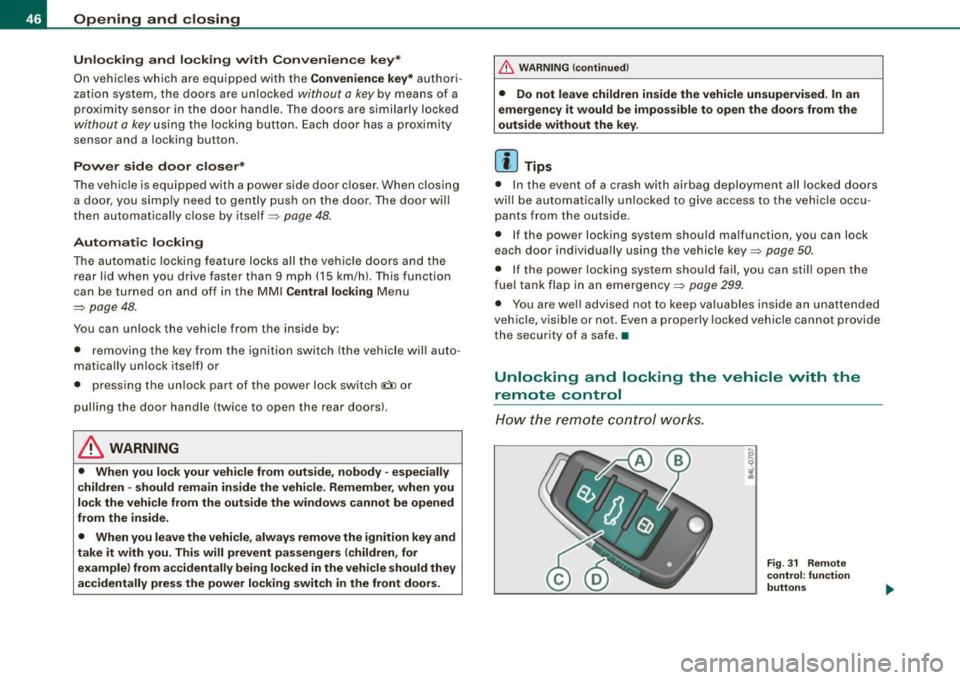
How the remo te control works.
Fig . 31 Rem ote
control : fun ctio n
butt on s