automatic transmission AUDI S6 2009 Owners Manual
[x] Cancel search | Manufacturer: AUDI, Model Year: 2009, Model line: S6, Model: AUDI S6 2009Pages: 398, PDF Size: 43 MB
Page 4 of 398
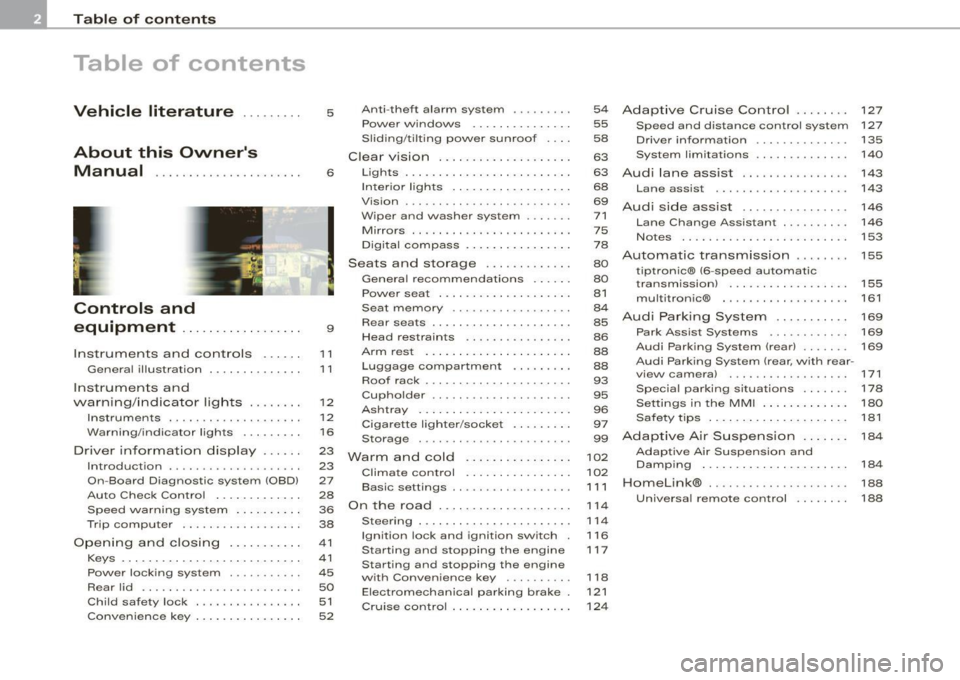
Table of contents
Table of contents
Vehicle literature ........ .
About this Owner's Manual .............. ...... . .
Controls and
equipment ............ ..... .
Instruments and controls ..... .
General il lustration ............. .
Instruments and
warning/indicator lights ....... .
Instruments .............. ..... .
Warning/indicator lights ........ .
Driver information display ..... .
Introduction ................... .
On-Board Diagnostic system (OBD)
Auto Check Control ............ .
Speed warning system ..... .. .. .
Trip computer ..... ... .. .. ... .. .
Opening and closing .......... .
Keys ... ..... .......... ... ..... .
Power locking system ..... ... .. .
Rear lid ....................... .
Child safety lock .... ......... .. . 5
6
9
11
1
1
12
12
16
23
23
27
28
36
38
41
41
45
50
51
Convenience key . . . . . . . . . . . . . . . . 52 Anti-theft
alarm system ........ .
Power windows ... ... .... .... .
S liding/ti lting power sunroof . .. .
Clear vision . .... .. .. .......... .
Lights ... ................ ... .. .
In ter ior l ights ...... ... .. .. .. .. .
Vision ... ... ......... ...... ... .
Wiper and washer system ...... .
Mirrors .................... ... .
Digital compass ............... .
Seats and storage ..... .... ... .
General recommendations ..... .
Power seat . ... ... ......... ... .
Seat m emory ...• ........ .... ..
Rear seats .......... ....... ... .
Head restraints ........ ..... .. .
Arm rest ....... ... ... ... ... •..
Luggage compartment ..... ... .
Roof rack ..... .......... ... .• ..
Cupholder .. ...... ... .. ... ..• ..
Ashtray ................... ... .
Cigarette lighter /socket ........ .
Storage ............ ....... ... .
Warm and cold ............... .
Climate control ........ .. ... .. .
Basic settings ......... •. ... ....
On the road . ... ..... .. ..... ... .
Steering .................... .. .
Ignition lock and ignition switch .
Starting and stopping the engine
Starting and stopping the engine
with Convenience key ....... .. .
Electromechanical parking brake .
Cruise control ......... ........ .
54
55
58
63
63
68
69
71
75
78
80
80
81
84
85
86
88
88
93
95
96
97
99
102
102
1 1 1
114
114
116
117
118
121 124
Adaptive Cruise Control ....... .
Speed and distance control system
Driver informa tion ....... ...... .
System limitations ............. .
Audi lane assist ............... .
Lane assist ......... ........ .. .
Audi side assist ............... .
Lane Change Assistant .. ..... .. .
Notes ....................... •.
Automatic transmission ....... .
tiptronic® (6-speed automatic
transmission) ... .... ... ... .... .
multitronic® ..........•........
Audi Parking System ......... . .
Park Assist Systems .... ... .... .
Audi Park ing System (rear) ...... .
Audi Parking System (rear, with rear-
view camera) .... .. ...... ..... .
Specia l parking situations ..... •.
Settings in the MMI ....... ..... .
Saf ety tips . ............ .... ... .
Adaptive Air Suspension ...... .
Adaptive Air Suspension and
Damping ............. ........ .
Homelink® . ................ ... .
Universal remote control ....... . 127
127
135
140
143
143
146
146
153
155
155
161
169
169
169
171
178
180
181
184
184
188
188
Page 13 of 398
Instruments and controls
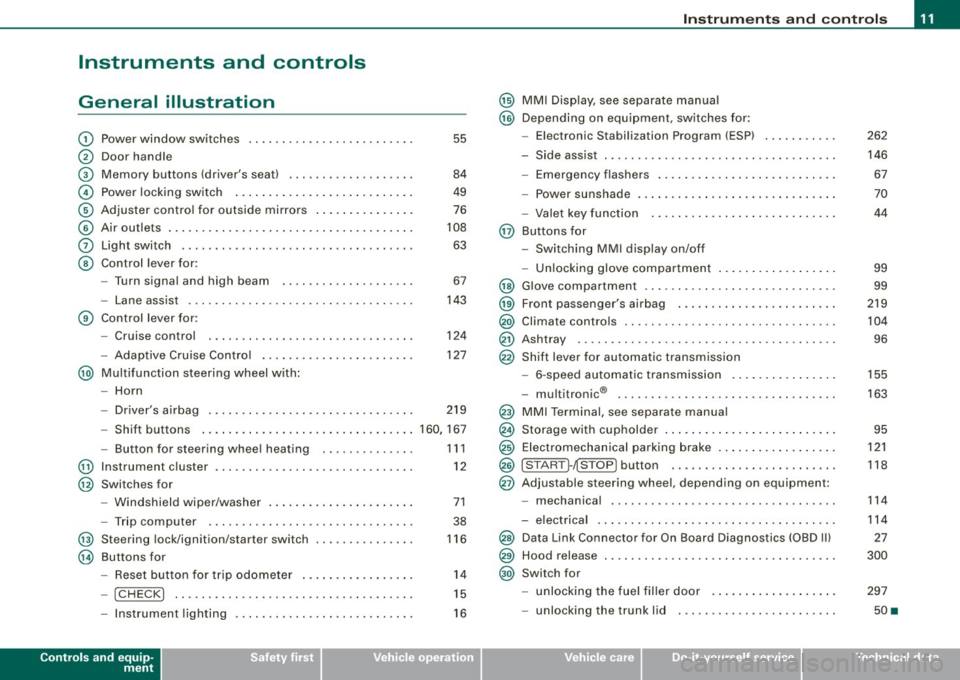
General illustration
G)
0
©
©
©
©
0
©
Power window switches ...... .... ..... .. ....... .
Door handle
Memory buttons (driver's seat)
Power locking switch .......................... .
Adjuster control for outside mirrors .. .... .... .... .
Air outlets ........ ... ...... .... ...... .... ... .. .
Light switch .... .... ........... .... .... .... ... .
Control lever for :
- Turn signal and high beam
- Lane assist .... .... ... .... .... .... .......... .
Control lever for:
- Cruise control
- Adaptive Cruise Contro l .......... ...... .... .. .
@ Multifunction steering wheel with:
- Horn
55
84
49
76
108
63
67
143
124
127
- Driver's airbag . . . . . . . . . . . . . . . . . . . . . . . . . . . . . . . 219
- Shift buttons ................................ 160, 167
@
@
@
@
-Button for steering wheel heating
Instrument cluster ... .... ... .... ...... ......... .
Switches for
- Windshield wiper/washer ..... ...... ..... .. ... .
- Trip computer ..... .. ..... ... .... ...... ... .. .
Steering lock/ignition/starter switch
Buttons for
- Reset button for trip odometer ... .. .... .... ... .
!CHECK] .. .... ....... .... .... ....... .... ... .
Instrument lighting .... ... .... .... ... ..... ... .
Controls and equip
ment
1 1 1
12
71
38
116
14
15
16
Instruments and controls
@ MMI Display, see separate manual
@ Depending on equipment, switches for:
- Electronic Stabilization Program (ESP)
- Side assist .. ... ..... .. .. .. .... .... .... ... ... .
- Emergency flashers .......................... .
- Power sunshade .... .... .... .... ... .... ..... . .
- Valet key function .... ....... ...... .... ...... .
@ Buttons for
- Switching MMI display on/off
- Unlocking glove compartment
@ Glove compartment ........... .... .... ......... .
@ Front passenger's airbag .. .... .... ... .. ...... .. .
@) Climate controls ......... .. .. .... .... .... .. . .. . .
@ Ashtray ..... .... .... ....... .... .... .... ... ... .
@ Shift lever for automatic transmission
- 6-speed automatic transmission .. .. .... .... ... .
I . .
® -
mu t1tron1c ... .... .... .... .... .... ... ...... .
@ MMI Terminal, see separate manual
@ Storage with cupholder . ........ ... .. .... .... ... .
@ Electromechanical parking brake ... .... .... .... .. .
@ ISTART ]-~STOP ] button .. ... ..... ... .... .... ... .
@ Adjustable steering wheel, depending on equipment:
- mechanica l .. .. .... .... ..... .. .... ..... ... .. .
- electrica l ... ...... .... ... .. .... .... ...... ... .
@) Data Link Connector for On Board Diagnostics (OBD II)
@ Hood release . .... .... ...... ... .. .... .... ... ... .
@) Switch for
unlocking the fuel filler door ..... ...... .... ... .
- unlocking the trunk lid . .... .... .... .... ... ... .
I • •
262
146 67
70
44
99
99
219
104
96
155
163
95
121
118
114
114
27
300
297
50 •
Page 30 of 398
Driver information display
& WARNING
Always observe the posted speed limits and adjust your speed to
suit prevailing road, traffic and weather conditions. Never drive
your vehicle faster than the maximum speed rating of the tires
installed. •
Auto Check Control
Introduction
The Auto -Check control monitors the function of certain vehicle
features and components . It simply makes sure these features and
components are working properly . The Auto -Check control works as
long as the ignition is on, as well as whenever the vehicle is driven.
If a component is malfunctioning or if the need for an urgent repair
has been detected, this will appear in the instrument cluster display.
You will also hear an audible warning tone . The displays are color
coded in either red or yellow depending on their level of priority .
A red symbol means
Danger, a yellow symbol indicates Warning. In
certain situations, information message for the driver appear in
addition to the red and yellow symbols.
Function test: automatic transmission
The Auto-Check Control will automatically perform a test each time
you switch on the ignition. With the selector lever in
P or N, the
following message appears in the display:
When stationary apply footbrake while selecting gear.
When you a select a different gear (for example: R, D, etc.), the
message will disappear and the Auto-Check function is displayed.
If there is a malfunction, then the malfunction message will appear
about 15 seconds after the you start the vehicle. At the same time
you will hear a warning tone .•
Driver information messages
Driver information messages are shown in the instrument
cluster display in addition to the red and yellow symbols.
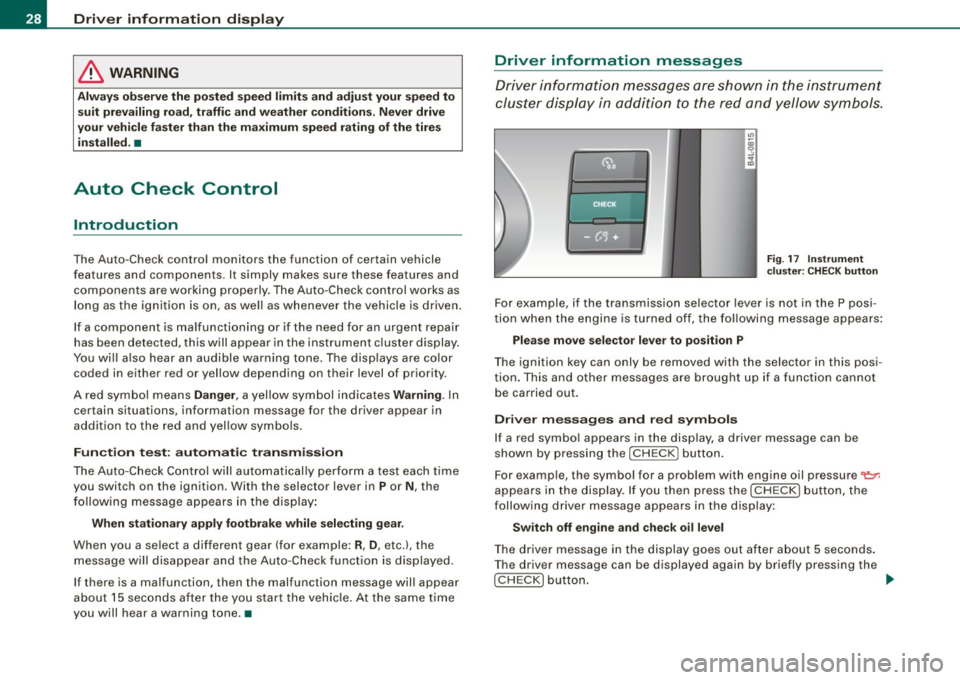
Fig. 17 Instrument
cluster: CHECK button
For example, if the transmission selector lever is not in the P posi
tion when the engine is turned off, the following message appears:
Please move selector lever to position P
The ignition key can only be removed with the selector in this posi
tion. This and other messages are brought up if a function cannot
be carried out.
Driver messages and red symbols
If a red symbol appears in the display, a driver message can be
shown by pressing the [
CHECK) button.
For example, the symbol for a problem with engine oil pressure
'1=7-
appears in the display. If you then press the [ CHECK) button, the
following driver message appears in the display:
Switch off engine and check oil level
The driver message in the display goes out after about 5 seconds.
The driver message can be displayed again by briefly pressing the
[CHECK) button. ...
Page 36 of 398
Driver inf ormati on displ ay
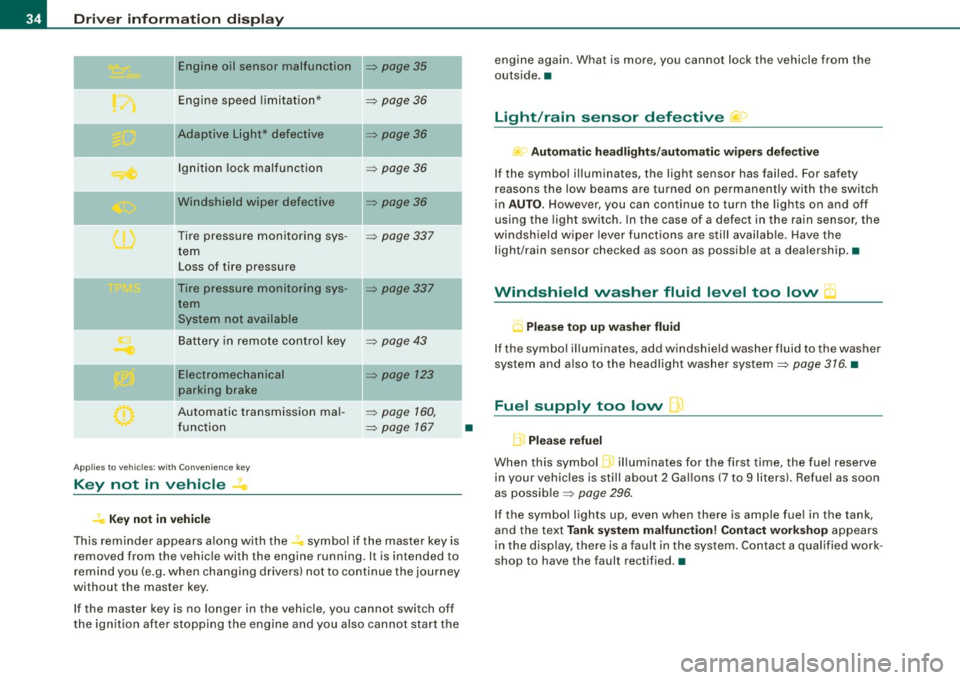
Engine oil sensor malfunction => page 35
._ -
Engine speed limitation* => page 36
--Adaptive Light* defective :::::, page 36
Ignition lock malfunction :::::, page 36
--Windshield wiper defective :::::, page 36
Tire pressure monitoring sys -:::::, page 337
tern
Loss of tire pressure
Tire pressure monitoring sys -:::::, page 337
tern
System not available
Ba ttery in remote control key
--Electromechanical
parking brake
Automatic transmission ma l
function
A pplies to vehi cles : wi th Conven ien ce key
Key not in vehicle
K ey not in vehicle
=> page 43
=> page 123
:::::, page 160,
=> page 167
-
-
-
-
This reminder appears along with the.., symbol if the master key is
removed from the vehicle with the engine running. It is intended to
remind you (e.g . when changing drivers) no t to continue the journey
without the master key.
If the master key is no longer in the vehicle, you cannot switch off
the ignition after stopping the engine and you also cannot start the
•
engine again . What is more, you cannot lock the vehicle from the
outside. •
Light/rain sensor defective
Au tomat ic he adl ight s/au tomatic wiper s defec tive
If the symbo l illuminates, the light sensor has failed . For safety
reasons the low beams are turned on permanently with the switch
in
AU TO . However, you can continue to turn the lights on and off
using the light switch. In the case of a defect in the rain sensor, the
windshie ld wiper lever functions are still available. Have the
light/rain sensor checked as soon as possible at a dea lership .•
Windshield washer fluid level too low "')
U Please top up washer fluid
If the symbol il luminates, add windshield washer fluid to the washer
system and also to the headlight washer system:::::,
page 316. •
Fuel supply too low Q.)
L Pl ea se refuel
When this symbol il luminates for the first time, the fue l reserve
in your vehicles is still about 2 Gal lons (7 to 9 litersl. Refuel as soon
as possible :::::,
page 296.
If the symbo l lights up, even when there is ample fue l in the tank,
and the text
T an k s yste m m alf un ction ! Cont act w orks hop appears
in the display, there is a fault in the system. Contact a qualif ied work
shop to have the fault rectified .•
Page 122 of 398
• .___O_ n_ t_ h_ e_ r_ o_ a_d ____________________________________________________ _
& WARNING
• Never turn off the engine until the vehicle has come to a
complete stop.
• The brake booster and servotronic only work when the engine
is running. With the ignition turned off, you have to apply more
force when steering or braking. Since you cannot steer and stop
normally, this can lead to accidents and serious injuries.
• For safety reasons, you should always park your vehicle with
the selector lever in P. Otherwise, the vehicle could inadvertently roll away.
• After the engine has been switched off, the radiator fan can
continue to run for up to 10 minutes -even with the ignition
switched off. It can also switch on again after some time if the
coolant temperature rises as the result of a heat buildup or if the
engine is hot and the engine compartment is additionally heated
by the sun's rays.
0 Note
If the engine has been under heavy load for an extended period,
heat builds up in the engine compartment after the engine is
switched off -there is a risk of damaging the engine. Allow the
engine to run at idle for about 2 minutes before switching it off. •
Applies to vehicles: w ith Conven ience key
Driver messages in the instrument cluster
display
If a function is not present, a driver message appears.
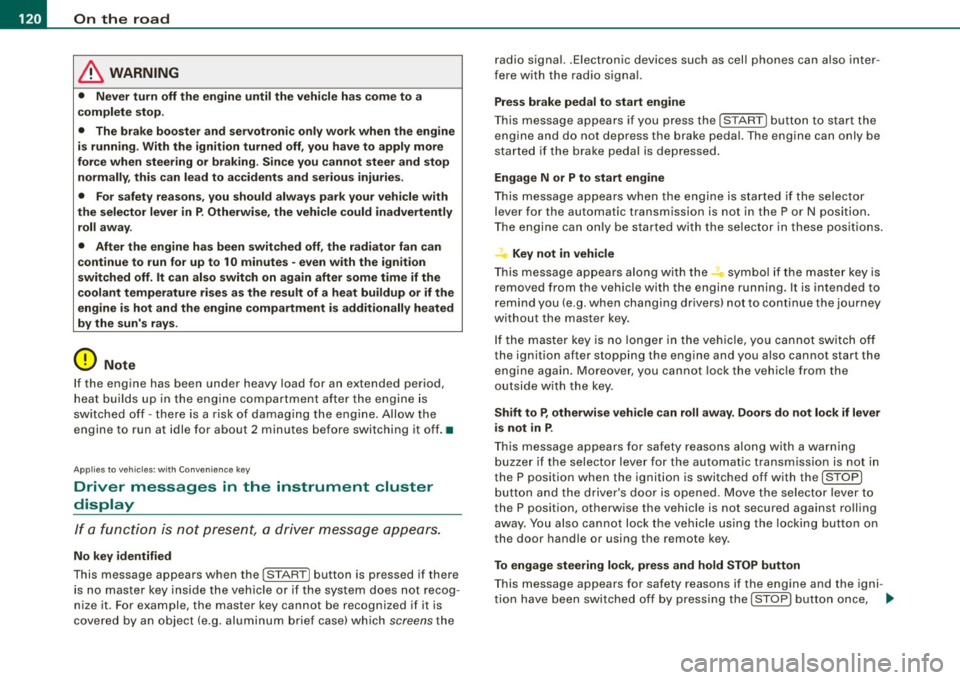
No key identified
This message appears when the [STAR T) button is pressed if there
is no master key inside the vehicle or if the system does not recog
nize it . For example, the master key cannot be recognized if it is
covered by an object (e.g. aluminum brief case) which
screens the radio signal.
.Electronic devices such as cell phones can also inter
fere with the radio signal.
Press brake pedal to start engine
This message appears if you press the [ START) button to start the
engine and do not depress the brake pedal. The engine can only be
started if the brake pedal is depressed.
Engage N or P to start engine
This message appears when the engine is started if the selector
lever for the automatic transmission is not in the P or N position.
The engine can only be started with the selector in these positions.
? Key not in vehicle
This message appears along with the symbol if the master key is
removed from the vehicle with the engine running. It is intended to
remind you (e.g. when changing drivers) not to continue the journey
without the master key.
If the master key is no longer in the vehicle, you cannot switch off
the ignition after stopping the engine and you also cannot start the engine again. Moreover, you cannot lock the vehicle from the
outside with the key.
Shift to P, otherwise vehicle can roll away. Doors do not lock if lever
is not in
P.
This message appears for safety reasons along with a warning
buzzer if the selector lever for the automatic transmission is not in
the P position when the ignition is switched off with the
[STOP)
button and the driver's door is opened. Move the selector lever to
the P position, otherwise the vehicle is not secured against rolling
away. You also cannot lock the vehicle using the locking button on
the door handle or using the remote key.
To engage steering lock, press and hold STOP button
This message appears for safety reasons if the engine and the igni
tion have been switched off by pressing the [
STOP) button once, .,,_
Page 157 of 398
Automatic transmi ssio n -
------------------'
Automatic transmission
tiptronic® (6-speed automatic
transmission)
Applies to vehicles: w ith 6-speed automatic transm ission
General information
Your vehicle is equipped with an electronically controlled automatic
transmission. Upshifting and downshifting takes place
automati
cally.
The transmission is also equipped with tiptronic®. It allows the
driver to shift gears
manually if desired=> page 159. •
Applies to vehicles : with 6-speed automatic transm ission
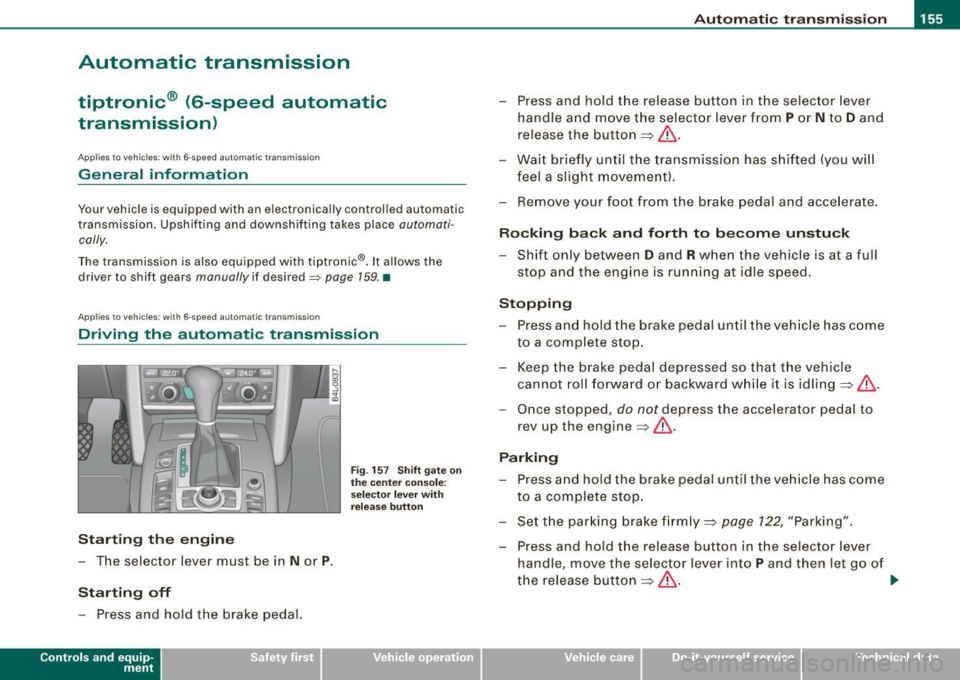
Driving the automatic transmission
St arting th e engin e
- The selector lever must be in Nor P.
Startin g off
- Press and hold the brake pedal.
Contro ls and eq uip
ment
F ig . 157 Sh ift gate on
t h e ce nter co nso le:
selecto r lever with
re lease butto n
- Press and hold the release button in the selector lever
hand le and move the selector lever from
P or N to D and
release the button
=> &.
- Wait briefly until the transmission has s hifted (you w ill
feel a sligh t movement).
- Remove your foot f rom the brake pedal and acce lerate .
Rocking ba ck and forth to b ecome unstu ck
- Shift only between D and R when the vehicle is at a full
stop and the eng ine is running at idle speed.
Stopp in g
- Press and hold the brake pedal un til the ve hicle has come
to a complete stop.
- Keep the brake pedal depressed so that the vehicle
cannot roll forward or backward whi le it is idling =>& .
- Once stopped, do not depress the accelerator pedal to
rev up the engine=>&.
Parkin g
- Press and hold the brake pedal until the ve hicle has come
to a complete stop.
- Set t he parking brake firmly =>
page 122, "Parking".
- Press and hold the release button in the selector lever
handle, move the selector lever into
P and then let go of
the release button => & . .,,_
Vehicle care I I irechnical data
Page 158 of 398
....... __ A_u_ t_o _m_ a_ t_ ic_ t_ r_a _ n_ s_m _ i_s _s _i_o _n ________________________________________________ _
The selector lever must be in Nor P. If one of the driving positions
is engaged a safety switch will prevent the engine from being
started. See also
=:> page 117.
Before you move the selector lever from the
P position, you must
always apply the brake pedal before and while depressing the
button in the handle of the selector lever .
& WARNING
• Unintended vehicle movement can cause serious injury .
- When the selector lever is in a driving position, the vehicle
may creep, even at idle speed . Therefore do not release the
parking brake or foot brake until you are ready to move,
because power is transmitted to the wheels as soon as a
driving position is engaged.
- Do not accelerate while selecting a driving position. At this
time the engine must be at idle speed so that undue stress is
not placed on the clutches in the transmission.
- Remember: -even when stopped briefly with the automatic
transmission in "D", "S" or "R", engine power is being trans
mitted to the wheels. Your vehicle could "creep" forward or
backward. When stopped, keep the brake pedal fully depressed
and use the parking brake if necessary to keep the vehicle from
rolling.
• If the selector lever is unintentionally moved into N while you
are driving, take your foot off the accelerator pedal and wait for
the engine to return to idle speed before selecting a driving posi
tion .
• Never shift into "R" or "P" when the vehicle is in motion.
• Never get out of the driver's seat when the engine is running .
• If you must get out of the vehicle, move the selector lever
securely into the P position and apply the parking brake firmly.
• If the engine must remain running , never have any driving posi
tion engaged when checking under the hood. Make sure the
selector lever has securely engaged and is locked in "P" with the
& WARNING (continued)
parking brake firmly set=> page 293, "Engine compartment".
Otherwise, any increase in engine speed may set the vehicle in
motion, even with the parking brake applied. •
App lies to vehicles: with 6-speed automatic t ransmission
Selector lever positions
This section describes the selector lever positions and
driving ranges.
Fig . 158 Display in the
instrument cluster:
selector lever in posi
tion D
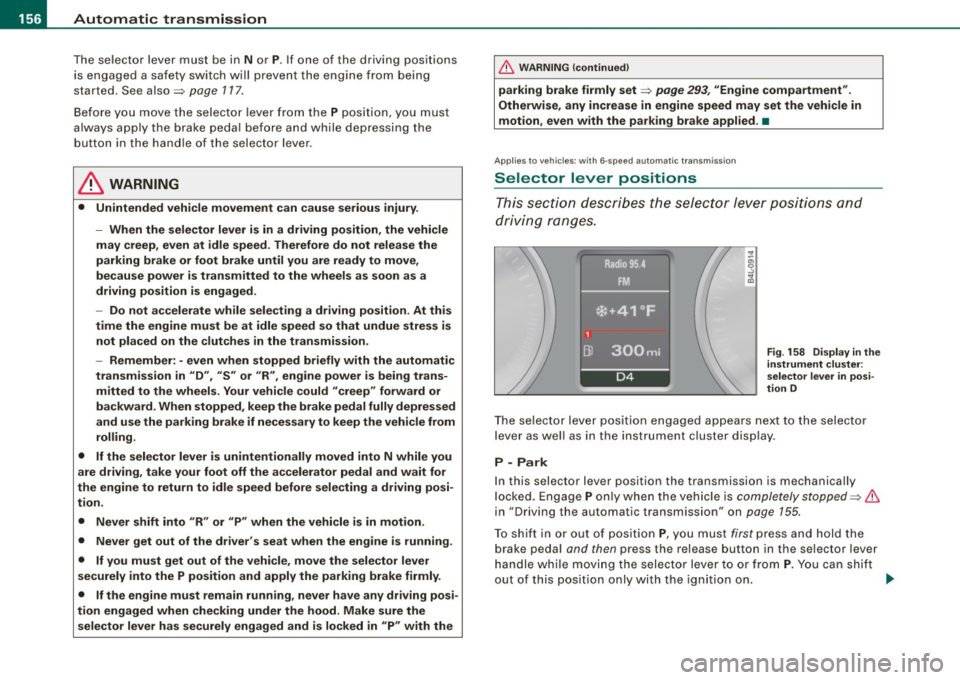
The selector lever position engaged appears next to the selector
lever as well as in the instrument cluster display .
P -Park
In this selector lever position the transmission is mechanically
locked. Engage
P only when the vehicle is completely stopped=> &
in "Driving the automatic transmission" on page 155.
To shift in or out of position
P, you must first press and hold the
brake pedal and then press the release button in the selector lever
handle while moving the selector lever to or from
P. You can shift
out of this position only with the ignition on.
~
Page 159 of 398
_______________________________________________ A_ u_t _o _m_ a_ t_ i_ c _ t_r _ a _n _s_ m_ i_ s _ s_ i_ o _ n _ ___._
R -Reverse
The transmission will automatically select the lowest gear ratio
when you shift into reverse .
Select
R only when the vehicle is at a full stop and the engine is
running at idle speed=>
& in "Driving the automatic transmission"
on
page 155 .
Before you move the selector lever to R, press both the button in the
handle of the selector leve r
and the brake pedal at the same time .
When the ignition is on , the backup lights illuminate when the
selector lever is moved into
R.
N -Neutral
The transmission is in neutral in this position . Shift to this position
for standing with the brakes applied=>
page 157.
When the vehicle is stationary or at speeds below 3 mph (5 km/h),
you must always apply the footbrake befor e and while moving the
lever out of
N.
D -Normal position for driving forward
Position Dis for normal city and highway driving. It ranges from zero
to top speed and all gears shift automatically , depending on engine
load , driving speed and automatically selected shift programs.
When the vehicle is stationary or at speeds below 3 mph (5 km/h),
you must always apply the foot brake before and while moving the
lever to
D out of N.
In certain circumstances it may be advantageous to temporarily
switch to the manual shift program to manually select gear ratios to
match specific driving conditions=>
page 159.
S -Sport position
Select this position for sportier performance . In this position, the
transmission will not upshift as soon, allowing the vehicle to use the
increased power available at higher engine speeds to achieve live
lier acceleration.
Con tro ls and eq uip
ment
When the vehicle is stationary or at speeds below 3 mph (5 km/h),
you must always apply the foot brake before and while moving the
lever to
S out of N.
& WARNING
Read and follow all WARNINGS => & in "Driving the automatic
transmission" on
page 155.
0 Note
Coasting downhill with the transmission in N and the engine not
running will result in damage to the automatic transmission and
possibly the catalytic converter. •
Applies to vehi cle s: with 6 -speed automati c tra nsm is si on
Automatic Shift Lock (ASL)
The Automatic Shift Lock safeguards you against acciden
tally shifting into a forward or the reverse gear and
causing the vehicle to move unintentionally.
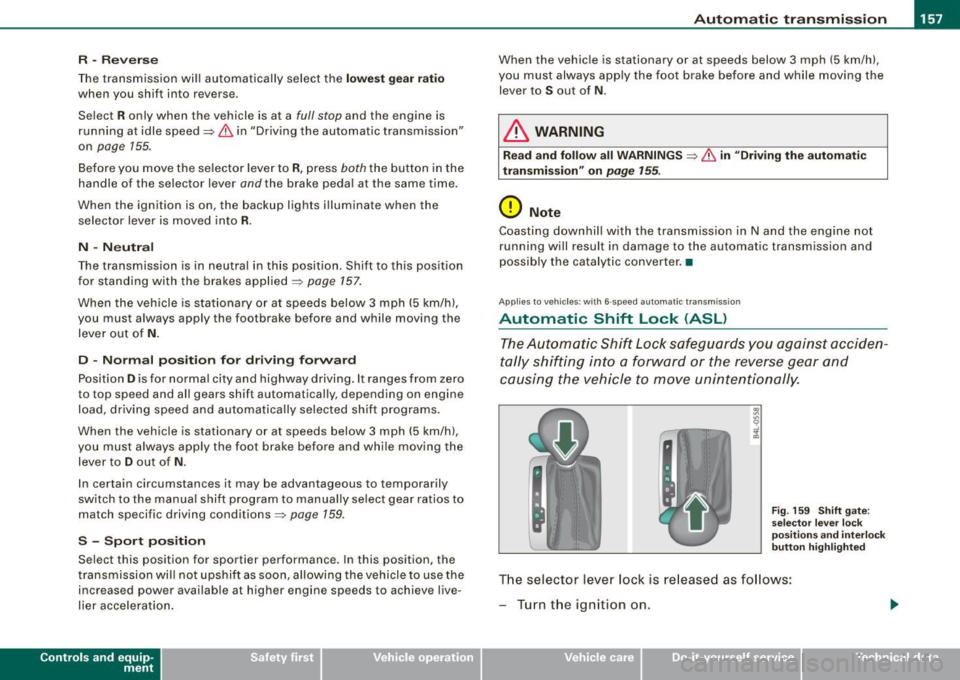
Fig. 159 Shift gate:
selector lever lock
positions and interlock
button highlighted
The selector lever lock is released as follows:
- Turn the ignition on.
Vehicle care I I irechnical data
Page 160 of 398
_L-_:..A.:.u:::..: t.:o :..m.:..:.; a:::..: t:.. ic:....: t:.:. r..:a :.. n...:..:: s.:.m _;_:.:, i..::s ..:s :.:.i..:o :..n_;_ _______________________________________________ _
-Step on the brake peda l. At the same time press and hold
the interl ock butto n on t he side of the gear selector kn ob
:::::, fig . 159 with you r thumb until you have moved the
se lector lever to the desired pos ition.
Automatic selec tor lever lo ck
The selector lever is locked in the P and N positions when the igni
tion is turned on. To move the leve r from these positions the driver
must depress the brake peda l. As a reminder to the dr iver , the
following warn ing app ears in the instrument c luster display when
t h e selector is in
P and N :
When station ary apply fo otbr ake while sele cting ge ar
A time de lay e lement prevents the se lector lever from lock ing when
it is moved through the
N position (going from R to Dl. The locking
e lement will lock the selector lever if the l eve r is l eft in N (Neutral)
for more than approximately 1 second , without the brake pedal
being pressed.
At speeds above ab out 3 mph (5 km/h) the Automatic Shift Lock is
automatically deac tivated in the
N position .
Interlo ck button
The lock bu tton on the s elector lever prev ents the lever from being
accidentally shifted into certain positions . Press ing this bu tton
deac tivates the selec tor lever lock . Depending on the dir ection of
t he shift, the se lector lever locks at diffe rent positions . The positions
are highlighted in the illustration~
page 157, fig. 159 .
Ignition key safet y interlock
The k ey cannot be remov ed from the igni tion un less the selector
lever is in the
P park p osition. When the ign ition key is removed, the
selector lever wil l be locked in the
P position. •
Applies to vehicles: w it h 6 -spee d au tomat ic tra nsm ission
Kick-down
The kick-down feature allows the vehicle to generate
maximum acceler ation.
When you press the accelerator pedal beyond the resistance po int
that is reached at fu ll thrott le, the transmission will se lect a lower
gear rat io based on vehicle speed and engine RPM . The engine RPM
wi ll be contro lled to produce max imum vehicle acceleration as long
as you continue to press the accelerator pedal beyond this resis
tance point .
& WARNING
Be careful when u sing the kick-down feature on slippery road s.
Rapid ac celerat ion may cause the veh icle to skid. •
Applies to veh icles : wit h 6-s p ee d au to m ati c tra nsmiss ion
Dynamic shift program (DSP)
The aut om atic tr a nsmission is electronically controlled.
T he transmission is self adapting and wi ll automati cally se lect the
b est shift program suited to the driving condi tions and drivi ng s tyle.
The transmission wil l se lect one of the
e conom y programs when
you drive at a steady speed or a gradually changing speed withou t
heavy acceleration . This achieves optimum fuel efficiency, with early
upshifting and delayed downshifting.
The trans mission wil l au tomat ical ly select the
sporty shift programs
when you drive at higher speeds, or with heavy acce leration and
frequently changing speeds . Upshifts ar e delayed to make full use
of engine power . Down shifting takes place at higher engine speeds
t han in the economy programs . _.,
Page 161 of 398
_________________________________________________ A_ u_t_ o_ m_ a_t _i _ c _ t _ra_ n_s_ m __ is_ s_ io_ n _ __.1!111
The selection of the most suitable shift program is a continuous,
automatic process. The driver can also make the transmission
switch to a sporty program by
q u ickly pressing down the gas pedal.
This causes the transmission to shift down to a lower gear to achieve rapid acceleration, e.g. for quickly passing another vehicle.
You do not need to press the gas pedal into the kick -down range .
After the transmission has upshifted, the orig inal program is
selected according to your driving style.
An additional shift program allows the automatic transmission to select the proper gear for uphill and downhill gradients .
This keeps the transmission from shifting up and down unneces
sarily on hills. The transmission will shift down to a lower gear when
the driver presses the brake pedal on a downhill gradient. This
makes use of the braking effect of the engine without the need to
shift down manually .•
Ap plies to ve hic les: wit h 6-spee d automat ic t ransm iss ion
Manual shift program
Using the manual shift program you can manually select
gears .
Contro ls and eq uip
ment
Fig . 160 Ce nter
co nso le: sh ifting the
ti ptro n ic® man ua lly F
ig . 161 Display:
m an ua l shift progr am,
selecte d gear
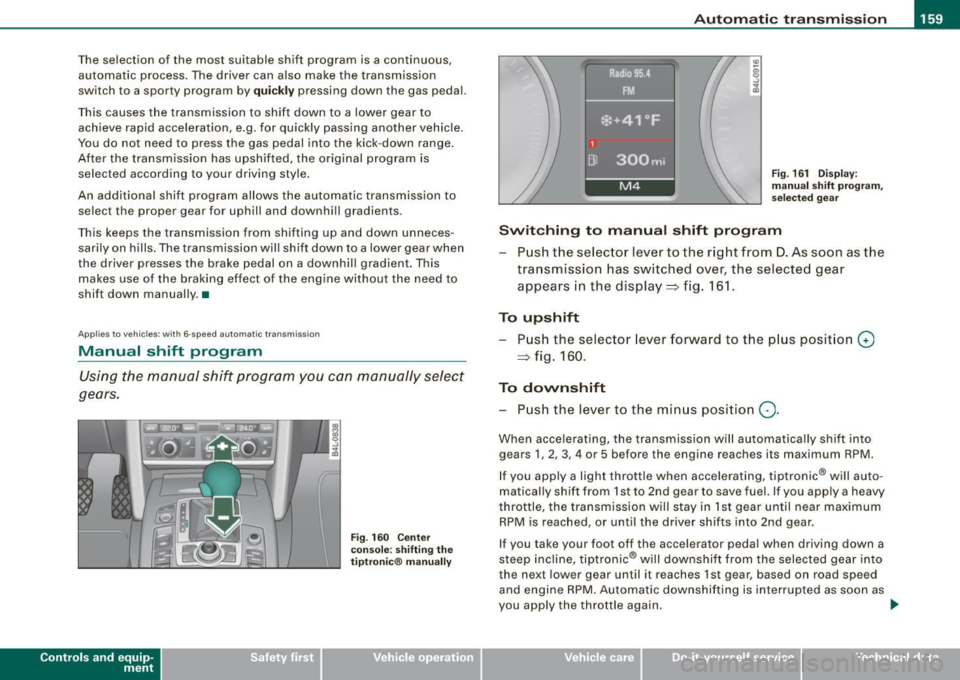
Swit ching to manu al s hift progr am
Push the selector lever to the r ight from D . As soon as the
transmission has switched over, the selected gear
appears in the display=> fig . 161.
To upshift Push the selector lever forward to the p lus posit ion
G)
=> fig. 160 .
To down shift
- P ush the lever to the min us positio n
Q.
When accelerating, the transmission will automatica lly shift into
gears 1, 2, 3, 4 or 5 before the engine reaches its maximum RPM.
If you app ly a light throttle when accelerating, tiptronic ® will auto
matical ly shift from 1st to 2nd gear to save fuel. If you apply a heavy
throttle, the transmission w ill stay in 1st gear until near maximum
RPM is reached , or until the driver shifts into 2nd gear .
If you take your foot off the accelerator peda l when driving down a
steep inc line, tiptronic ® will downshi ft from the selected gear into
the next lower gear until it reaches 1st gear, based on road speed
and engine RPM. Automatic downshifting is interrupted as soon as
you apply the throttle again.
~
Vehicle care I I Technical data