battery AUDI S6 2009 Owners Manual
[x] Cancel search | Manufacturer: AUDI, Model Year: 2009, Model line: S6, Model: AUDI S6 2009Pages: 398, PDF Size: 43 MB
Page 5 of 398

Safety first ........ ... ... .. .
Driving Safely ................. .
General notes . .... ........... . .
Proper occ upant sea ting positions
Peda l area ... ..... ....... .... . .
Sto\Ning luggage . .... .... .... . .
Reporting Sa fety Defects ....... .
Safety belts .......... ....... .. .
Genera l notes ...... ........... .
W hy safe ty belts? .... ... ... ... .
Safety belts ..... ........ ... .. .
Safety belt pretensioners ... ... .
Airbag sy stem ..... ...... ... .. .
Important t hings to kno\N ...... .
Front airbags . ... ... .......... .
Monitoring the Advanced Airbag
System ... .. ... .... ..... ..... .
Side airbags ......... .... .. ... .
Side curtain a irbags ...... ..... .
Child Safety ................... . 193
194
194
196
200
201
203
205
205
206
209
2 13
215
2 15
2 19
226
231
234
238
Impo rtant things to kno\N . . . . . . . 238
Child safety seats . . . . . . . . . . . . . . 243
Insta lling a ch ild safe ty seat . . . . . 248
Add it ional Information . . . . . . . . . . 251
Lo\Ner anchorages and tether for
ch ildren (LA TC H) . . . . . . . . . . . . . . . .
253
Vehicle operation .... ... .
Inte lligent technology ......... .
Not ice about d ata reco rded by
ve hicle contro l modules ........ .
Elect ronic S tabilizat ion Program
!ESP) ...... .... ..... ..... ..... .
B raking ....... ................ .
Servotronic® -advanced po\Ner
s teer ing syst em ............... .
Driv ing \Nit h your quatt ro® ..... .
Energy management .... ....... .
Driving a nd enviro nment ...... .
The first 1,000 miles (1 ,500 km) and
after\Na rds .............. ... ... .
Cata lytic converter ............ .
Avo id damaging the vehicle .. .. .
Operate your vehicle economically
and minimize pollution ......... .
Trailer towi ng ................. .
Driving \Nit h a trailer ..... ... ... .
Trai ler to\Ning tips ....... ..• ....
261
262
262
262
265
267
2 6 8
269
2 7 1
2 7 1
27 2
273
273
276
2 7 6
278
Table of contents
Vehicle care ....... ... ... ... 281
C leaning and protection ........ 282
Gener al in fo rm atio n . . . . . . . . . . . . . 282
Care of exterior . . . . . . . . . . . . . . . . . 282
Care of inte rior . . . . . . . . . . . . . . . . . 28 9
F u el su pp ly and fillin g your fuel
ta nk . . . . . . . . . . . . . . . . . . . . . . . . . . . . 295
Gasoline . . . . . . . . • . . . . • . . . . . . . . . 295
Fuel tank . . . . . . . . . . . . . . . . . . . . . . . 296
C heck in g and filling . . . . . . . . . . . . 300
Engine hood . . . . . . . . . . . . . . . . . . . 300
Engine oil . . . . . . . . . . . . . . . . . . . . . . 303
Engi ne cooling sys te1 T1 . . . . . . . . . . 307
Brake fluid . . . . . . . . . . . . . . . . . . . . . 3 10
Battery . . . . . . . . . . . . . . . . . . . . . . . . 3 11
W indshield/headlight \Nasher
containe r .... .... .. ... .. .... ...
3 16
T iresa ndw hee ls ............ ... 317
T ires ........................ ... 3 17
Tire pressure monitoring system . . 336
Vehicle care I I irechnical data
Page 20 of 398
![AUDI S6 2009 Owners Manual Inst rum ents and w arnin g/indi cat or li ghts
[ i ] Tip s
Many functions are mon itored by the Auto -Check system
=> page 28. Malfunctions or faults wil l be identified either wit](/img/6/57595/w960_57595-19.png "AUDI S6 2009 Owners Manual Inst rum ents and w arnin g/indi cat or li ghts
[ i ] Tip s
Many functions are mon itored by the Auto -Check system
=> page 28. Malfunctions or faults wil l be identified either wit")
Inst rum ents and w arnin g/indi cat or li ghts
[ i ] Tip s
Many functions are mon itored by the Auto -Check system
=> page 28. Malfunctions or faults wil l be identified either with a red
symbol (priority 1 - Danger!) o r w ith a yel low sy mbol (priority 2 -
Warning). •
Electronic power control I'
This warning/indicator light monitors the electronic
power control.
The warning/indicator light (Electronic Power Control) i llumi -
nates when you turn on the ignition as a function check.
[ i ] Tip s
If this warning/indicator light illuminates whi le you are driv ing, then
there is a malfunction in the engine electronics . Have the malfunc
tion corrected as soon as possible by your authorized Audi dea ler or
qualified repair facility. •
Electronic stabilization program (ESP) at.
This warning/indicator light monitors the electronic stabi
lization program .
The warning/indicator light has the following functions:
• It blinks while you are dr iving when the ESP is working.
• It illuminates when you sw itch on the ignition for approximately
2 seconds as a function check.
• It illuminates when there is a malfunction in the ESP .
• It illuminates when ESP or ASR (Anti -Slip Regu lation) is deacti
vated. • I
t illuminates if there is a malfunction in the ABS, since the ESP
is part of the ABS sys tem.
If the battery terminals were disconnected and re-connected , the
vehic le was jump started or the battery is very weak, the ESP sensor
system goes through a learning process for the first few yards. The
warning/indicator light illuminates. The warning/indicator light
goes out as soon as the learning process is complete .
I f the ESP warning/indicator light illuminates and stays on after you
have started the engine, this may mean that the control system has
temporarily switched off the ESP . If this is case, you can reactivate
the ESP by turning the ignition off and then on again . The
warning/indicator light should go out to show that the system is
fully functional again.
For more information about the ESP=>
page 262. •
Airbag system
~ (USA models) / !lr (Canada models)
This warning/indicator light monitors the airbag and the
pretensioner systems.
The ~ (USA models) IJ.!r (Canada mode ls) warning light illuminates
for a few seconds each time you switch on the ignition .
If the ~ (USA mode ls)
tJ.! r (Canada models) warning light does not
go out, or if it i lluminates whi le you are driving, or if it starts to b link,
t hen there is a malfunction somewhere in the system. If the light
does not il luminate when you switch on the ignition, this a lso
means there is a malfunction .
& WARNING
If you have a m alfuncti on in the airb ag sy ste m, cont act your autho
ri zed A udi dealer imm ed ia te ly. Othe rwise the airb ag or the belt
preten sioner may not work p roperly in an accident. •
Page 28 of 398
Driver information display
[ i J Tips
Have the bulb replaced or the connection repaired by your autho
rized Audi Service department. •
Service interval display
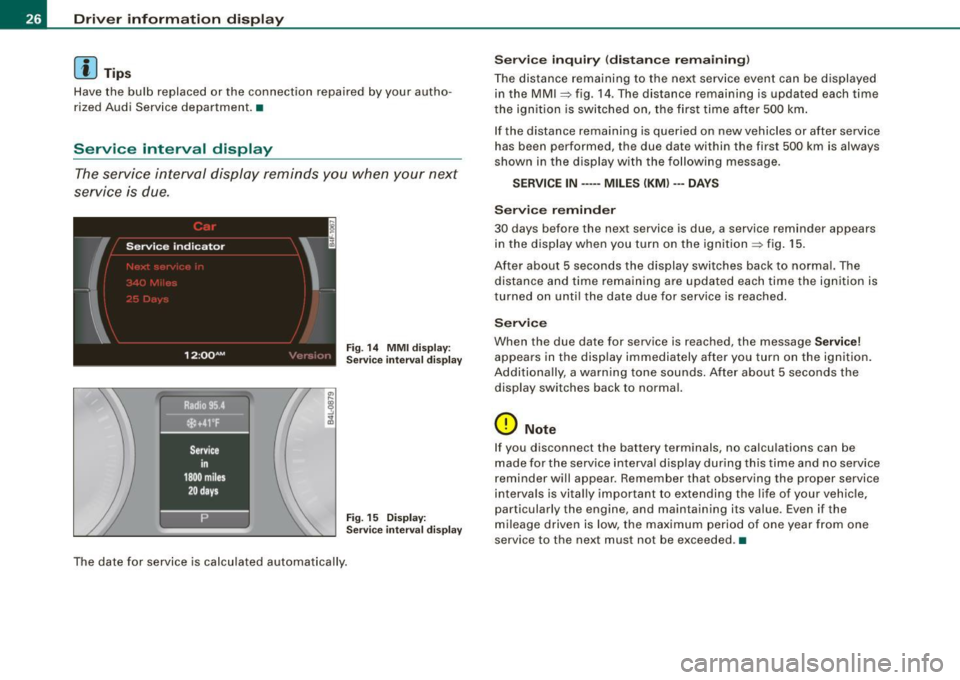
The service interval display reminds you when your next
service is due.
Fig . 14 MMI display:
Service interval display
Fig. 15 Display:
Service interval display
The date for service is calculated automatically.
Service inquiry (distance remaining)
The distance remaining to the next service event can be displayed
in the MMI
~ fig. 14 . The distance remaining is updated each time
the ignition is switched on, the first time after 500 km.
If the distance remaining is queried on new vehicles or after service
has been performed, the due date within the first 500 km is always
shown in the display with the following message.
SERVICE IN ····• MILES (KM) ··• DAYS
Service reminder
30 days before the next service is due, a service reminder appears
in the display when you turn on the ignition ::> fig. 15.
After about 5 seconds the display switches back to normal. The distance and time remaining are updated each time the ignition is
turned on until the date due for service is reached.
Service
When the due date for service is reached, the message Service!
appears in the display immediately after you turn on the ignition.
Additionally, a warning tone sounds. After about 5 seconds the
display switches back to normal.
0 Note
I f you disconnect the battery terminals, no calculations can be
made for the service interval display during this time and no service
reminder will appear. Remember that observing the proper service
intervals is vitally important to extending the life of your vehicle,
particularly the engine, and maintaining its value. Even if the
mileage driven is low, the maximum period of one year from one
service to the next must not be exceeded. •
Page 32 of 398
Driver inf ormati on displ ay
• Speed warnings threshold 1 8 (USA modelsl/ 8 (Canada
models) and threshold 2
e , (USA modelsl/ 8 (Canada models) are
a lso shown as red symbols. The warning is always shown as a small
symbo l in the upper area of the display =>
page 36. •
Alternator malfunction 0
If the O symbol in the ins trument pane l disp lay flashes, then there
is a malfunction in the alternator or the vehicle electronics. A
warning to the driver will appear, too . The driver warning goes out
after about 5 seconds, but it can be brought up at any time by
pressing the
( C H ECK ] button again .
Usually, you can sti ll drive to the next dealership . Turn off a ll but the
most necessary electrical consumers, since these drain the vehicle's
battery.
0 Note
If the _t warning symbol (coolant system malfunction) also lights
up on the instrument pane l during the trip=>
page 31, then you
have to stop immediately and turn off the engine . The coolant pump
is not working anymore -danger of damage to the engine! •
Brake system malfunction
A malfunction in the brake system must be repaired as
soon as possible.
If the warning /indi cator light BRAKE (USA models)/ (©)
(Canada models) in the instr ument cl uster flashes, there is
a brake system malfunct io n. By pressing the [ CHECK ]
button, you can bring up a driver message w hich explains
the malfunction in more detail.
Stop v ehi cle a nd ch ec k brak e fluid l eve l
- Pull off the road .
- Stop t he vehicle .
- Tur n o ff the engine .
- Check the brake fluid level=>
page 310.
-Contact your nearest authorized repair facility if neces-
sary .
Warning! Fault in ABS brake syst em . Conta ct
workshop
- D rive carefully to the nearest au thorized repair fac ility
and have the malfunction corrected
=> ,& .
Parking br ake ! Ple ase c onta ct work sh o p
- If the warning/indicator light flashes when the vehicle is
stationary or after the ignition is turned on, c heck to see
if the parking brake c an be released . Dr ive to an aut ho
rized repair facility as soon as possible a nd have the
ma lfunctio n corrected. If the pa rking brake cannot be
released, contac t your nea rest authorized repa ir facil ity .
- If the warning/indicato r light flashes w hile you are
dr iving, i t is possible tha t the traction con tro l or the
emerge ncy brake has ma lfunc tioned . It is poss ib le that
the park ing brake cannot be applied . It is a lso possible
that the pa rking brake cannot be released after it has
been app lied . Drive to an aut horized A udi dealer to have
the malfunction corrected.
If the ABS system malfunctions, the ABS warning/indicator light i llu
minates together with the brake system malfunction warning/indi -
cator light=>& . .,_
Page 35 of 398
Ignition lock malfunction ~
A malfunction in the ignition Jock must be repaired immediately.
If the ~ symbol in the display blinks, there is a malfunction
in the electronic ignition lock. An additional driver message
can also be displayed by press ing the [CHECK] button:
Ign iti on lock defe ctive . C ont ac t wo rkshop !
- Do not turn the engine off.
- Drive immediately to an auth orized A udi dealer to have
the malfunction corrected .
If there is a malfunction in the electronic ignition lock, the ignition
cannot be turned off . Drive immediately to an authorized Audi
dea ler to have the cause of the malfunction corrected .
On vehicles with Convenience key*, the engine should not be
switched off using the [
STOP] button because the engine cannot be
started again after the ignition is switched off. •
Yellow symbols
A yellow symbol means WARNING.
Contro ls and eq uip
ment
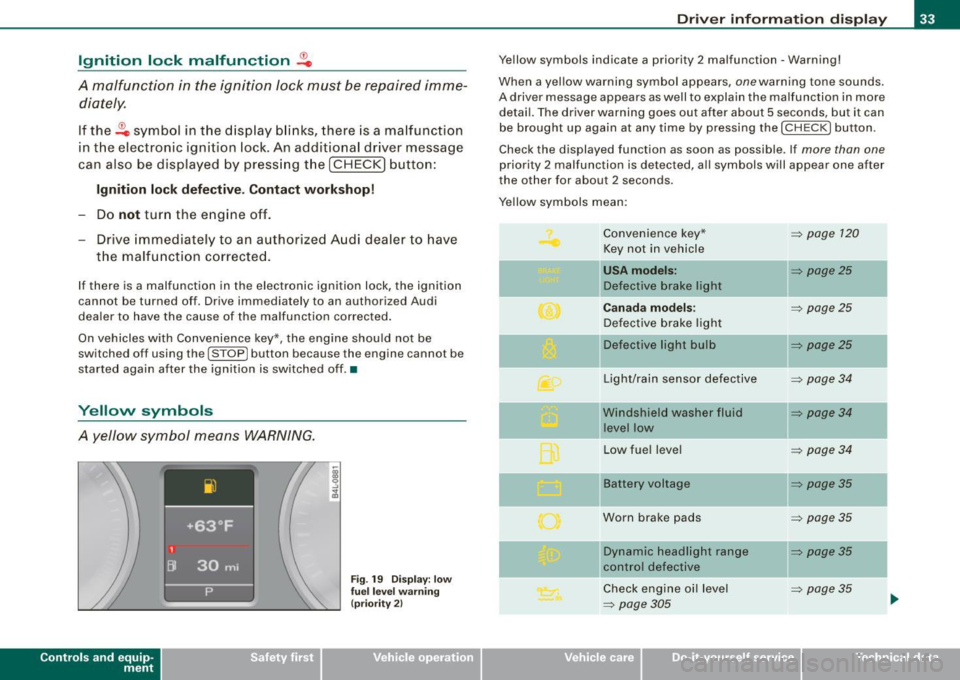
Fig . 19 Dis pl ay: low
fu el le ve l wa rning
(pr io rity 2)
Dri ver inf orm atio n di spl ay
Ye llow symbols indicate a priority 2 malfunction -Warning!
When a yellow warning symbol appears,
one warning tone sounds.
A driver message appears as well to explain the malfunction in more detail. The driver warning goes out after about 5 seconds, but it can
be brought up again at any time by pressing the [ CHECK
I button .
Check the displayed function as soon as possible . If
more than one
priority 2 malfunction is detected , a ll symbols will appear one after
the other for about 2 seconds.
Yellow symbols mean:
Convenience key*
~ page 120
Key not in vehicle
USA models: ~ page25
Defective brake light
Canad a mod els: ~ page25
Defective brake light
11 Defective light bulb
~ page25
-
Light/rain sensor defective ~ page34
Windshield washer fluid ~ page34
level low
Low fuel leve l
~ page34
Battery voltage ~ page35
Worn brake pads ~ page35
IIDynamic headlight range ~ page35
control defective
-
Check engine oi l level ~ page35
~ page305 ...
Vehicle care I I irechnical data
Page 37 of 398
Battery voltage ~
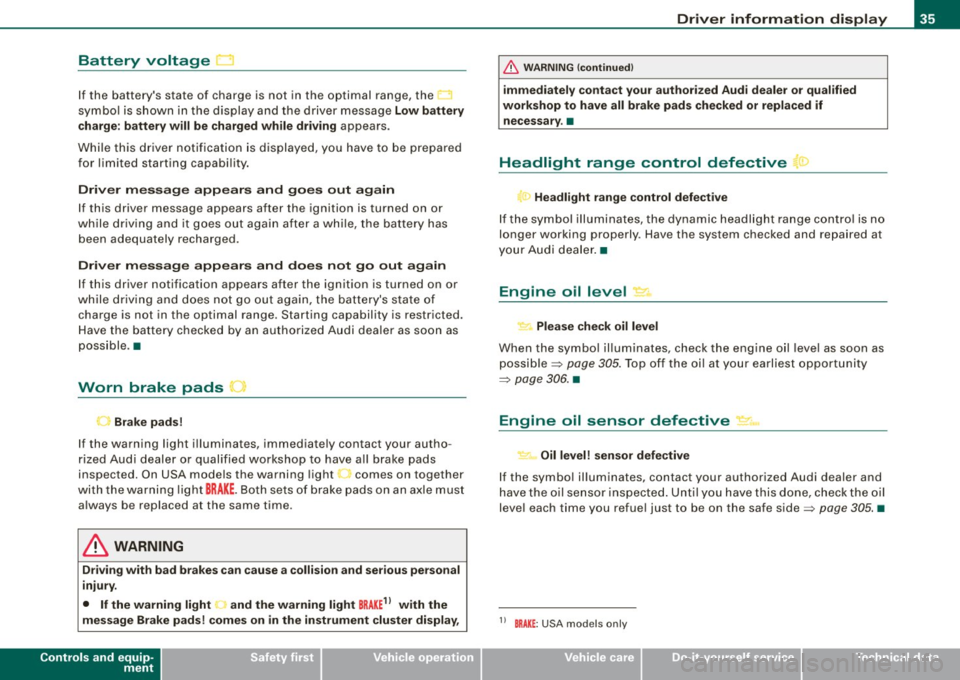
If the battery's state of charge is not in the optimal range, the
symbo l is shown in the display and the driver message
Low battery
c harge : battery will be charged wh ile dr iving
appears .
Whi le th is d river notification is displayed, you have to be p repa red
for limited starting capabi lity.
Driver message appears and goes out again
If this driver message appears after the ignition is turned on or
w hile driving and it g oes out agai n after a w hile , th e ba tte ry has
been adequately recharged.
Driver message appears and does not go out again
I f this dr iver notification appears after the ignition is turned on or
while driv ing and does n ot go out aga in, the bat tery's state of
charge is not in the optimal range. Starting capability is restricted.
H ave the ba ttery checke d by an au tho rize d Audi deale r as soon a s
poss ible .•
Worn brake pads
Brake pads!
If the wa rning light i lluminates, immediate ly contact your autho
rized Aud i d eal er or qualified wor kshop to have a ll brake pads
inspected. On USA models the warning light comes on together
wit h the warning light
BRAKE . Both sets of brak e pads o n an a xle must
a lways be replaced at the same time.
& WARNING
Driving with bad brakes can cause a collision and serious personal
injury.
• If the warning light • and the warning light
BRAKE11 with the
message Brake pads ! comes on in the instrument cluster display ,
Controls and equip
ment
Driv er information display
& W ARNING (continued )
immediately contact your author ized Audi dealer or qualified
workshop to have all brake pads checked or replaced if necessary .•
Headlight range control defective ">
l ) Headlight range control defective
If th e sy mbol ill uminates , the dyna mic headlig ht ra nge c ont rol is n o
longer working properly . Have the system checked and repa ired at
yo ur Au di d eale r.•
Engine oil level "'·
Please check oil level
When the symbol il luminates, check the engine o il leve l as soon as
possible =>
page 305. Top off the oi l at your earliest opportu nity
=>
page 306. •
Engine oil sensor defective ~,m,
Oil level! sensor defective
If the symbo l il luminates, contact your authorized Audi dealer and
h ave th e oil sensor insp ecte d. Unt il y ou hav e thi s do ne, c heck the oil
leve l each time you refue l just to be on the safe side=>
page 305. •
11 BRAKE : USA models only
I • •
Page 40 of 398
Driver inf ormati on displ ay
S ettin g and a djustin g th e w arnin g thr eshold
- Press the
I CAR I function button .
- Select
In strum ent cluster . The Instrum ent clust er menu
appears.
Select the second item in the
Sp eed wa rning menu. The
submenu
Sp eed th resh old appears ~ page 37, fig. 21.
- Set t he warning threshold you want.
Warning thresho ld 2 can be adjusted within a speed range of 30 to
200 km/h . Settings can be adjusted in intervals of 10 km/h each. •
Trip computer
Introduction
The trip computer gives you informati on on current and
average fuel mileage, average speed, fuel range and
driving time .
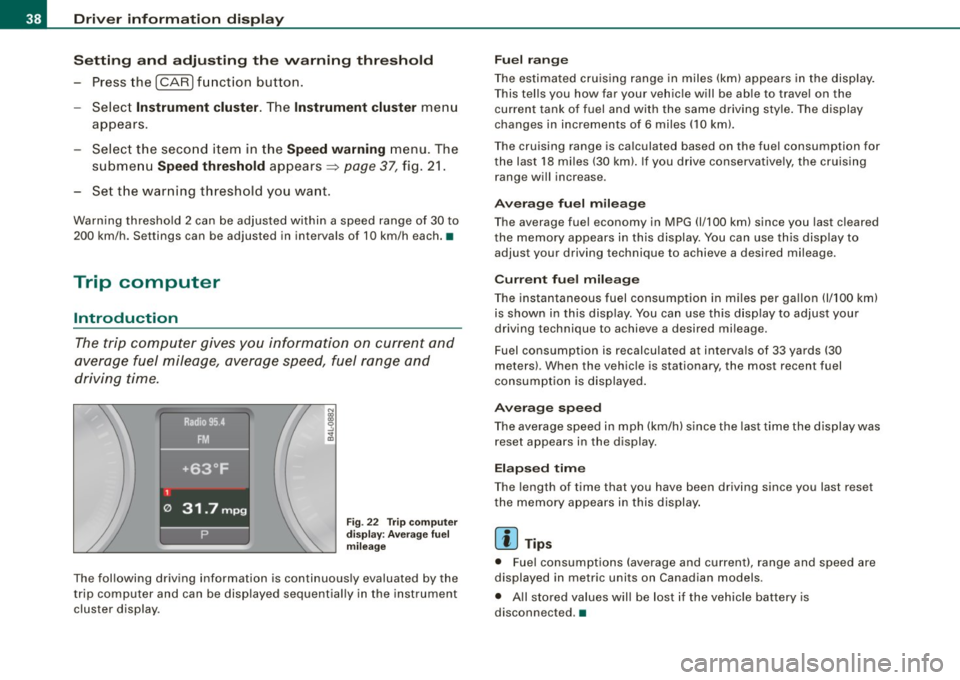
Fig. 22 T rip comput er
d isp lay: Ave rage fuel
mil eage
The following driving information is continuously evaluated by the
t rip computer and can be disp layed sequential ly in the instrument
cluster display.
Fu el ra ng e
The estimated cruising range in miles (km) appears in the disp lay.
This tel ls you how far your vehic le will be ab le to travel on the
current tank of fuel and with the same driving style . The display
changes in increments of 6 miles
(10 km).
The cruising range is calculated based on the fuel consumption for
the last 18 miles (30 km). If you drive conservative ly, the cruising
range will increase.
Ave rage fuel m ileag e
The average fuel economy in MPG (1/100 km) since you last cleared
the memory appears in this display. You can use th is disp lay to
adjust your driving technique to achieve a desired mileage.
C urr ent fu el mi leage
The instantaneous fuel consumption in m iles per gallon 0/100 km)
is shown in this display. You can use th is d isp lay to adjus t your
driving technique to achieve a desired mileage.
Fuel consumption is recalculated at intervals of 33 yards (30
meters) . When the vehicle is stationary, the most recent fuel
consumption is displayed .
Ave ra ge spee d
The average speed in mph (km/h) since the last time the display was
reset appears in the display.
E la p sed time
The length of time that you have been driving since you last reset
the memory appears in this display .
[ i ] Tips
• Fuel consumptions (average and current), range and speed are
displayed in metric units on Canadian models .
• All sto red values will be lost if the vehic le battery is
disconnected .•
Page 42 of 398
![AUDI S6 2009 Owners Manual Driver information display
In addition, all the values in the single-trip or the total-trip memory
can be deleted simultaneously.
[ i ] Tips
All stored values will be lost if the](/img/6/57595/w960_57595-41.png "AUDI S6 2009 Owners Manual Driver information display
In addition, all the values in the single-trip or the total-trip memory
can be deleted simultaneously.
[ i ] Tips
All stored values will be lost if the")
Driver information display
In addition, all the values in the single-trip or the total-trip memory
can be deleted simultaneously.
[ i ] Tips
All stored values will be lost if the vehicle battery is disconnected. •
MMI settings
Basic settings for the trip computer can be made in the
MM/.
Setting values to zero
Pressthe!CAR)function button.
Select
Instrument cluster.
Fig . 25 MMI display :
Trip computer
- Select Trip computer 1 or Trip computer 2.
-Select Reset to delete all the values in the memory
~ fig. 25.
Displaying and hiding driver information
- Pressthe!CAR)f unction button .
- Select
Instrument cluster.
-Select Trip computer 1 or Trip computer 2.
-Select, for example, Fuel range On to turn on the display
or
Off to turn the display off.
All values in the single -trip or the total-trip memory can be reset to
zero simu ltaneously in the MMI. In addition you can determine what
driving information from the trip computer shou ld be shown in the
instrument cluster display . If one of the pieces of driver information
is turned
off, that driver information will not be shown in the display.
The information wi ll continue to be calcu lated by the trip computer
and can be turned back
on at any time .•
Page 44 of 398
Opening and closing
• For security reasons, replacement keys are only available from
Audi dealers. •
Master key with remote control
The remote control allows you to lock or unlock the
vehicle electronically .
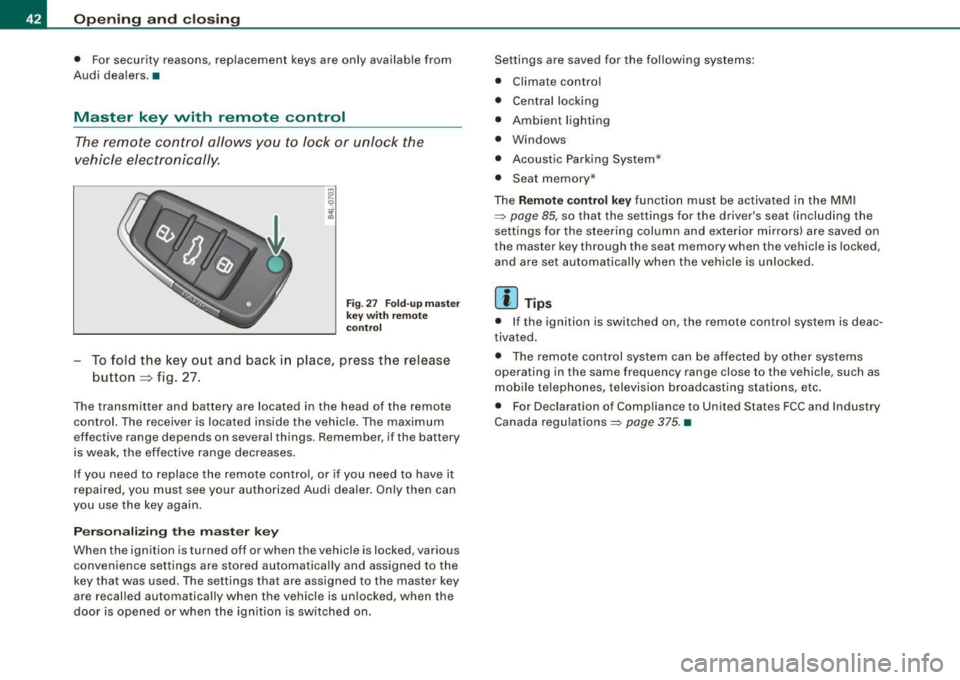
Fig. 27 Fo ld -up m aste r
k ey with r emot e
c ontr ol
To fold the key out and back in place, press the release
button=> fig. 27.
The transmitter and battery are located in the head of the remote
control. The receiver is located inside the vehicle. The maximum
effective range depends on several things . Remember , if the battery
is weak, the effective range decreases .
If you need to replace the remote contro l, or if you need to have it
repaired, you must see your authorized Audi dealer . On ly then can
you use the key again.
Personalizing the master ke y
When the ignition is turned off or when the vehicle is locked , various
convenience settings are stored automatically and assigned to the
key that was used. The settings tha t ar e ass igned to the master key
are recal led automatically when the vehicle is unlocked, when the
door is opened or when the ignition is switched on . Settings are saved for the fo
llowing systems :
• Climate control
• Central locking
• Ambient lig hting
• Windows
• Acoustic Parking System*
• Seat memory *
T he
Remote control key function must be activated in the MM I
=:> page 85, so that the settings for the driver's seat (including the
settings for the steering column and exte rior mirrors) are saved on
the master key through the seat memory when the vehicle is locked,
and are set automatically when the vehicle is un locked .
[ i ] Tips
• I f the ignition is switched on, the remote c ontr ol system is deac
tivated.
• T he remote control system can be af fected by other systems
operating in the same frequency range close to the vehicle, such as
mobile telephones, television broadcasting stations, etc .
• For Declarat ion of Compliance to United States FCC and Industry
Canada regulations=:>
page 375. •
Page 45 of 398
Check light in the master key
The check light in the master key provides information
about different conditions .
Check light functions in the master key :
Ve hic le within range of th e key
Fig . 2 8 Check ligh t in
th e m ast er k ey
If the vehicle is within range of the key, the check light comes on
briefly once when a button is pressed.
Ve hic le o utside th e ra nge of th e key
I f the vehic le is outside the range of the key, the check light comes
on briefly once and then shows the status of the vehicle door locks:
• If the light is flashing qu ickly, the vehicle is not locked.
• If the light is flashing slowly, the vehicle is locked.
S ta te o f m aster key batt ery
I f the check light does not come on, the battery is dead and has to
be rep laced. In addition , when the battery is dead the symbol
appears in the instrument cluster disp lay as well as the message :
Please re place ma ste r ke y battery
Battery replacement => page 43 .
Con tro ls and eq uip
ment
Op ening and clo sing
[ i ] Tip s
Please note that the current state of the vehicle door locks can only
be recalled with the master key that was last used to lock the
vehicle. It is possib le tha t a different state is shown for the door
locks on the other master key which is not the same as that of the
vehicle .•
Master key battery replacement
Each master key contains a battery housed under the
cover.
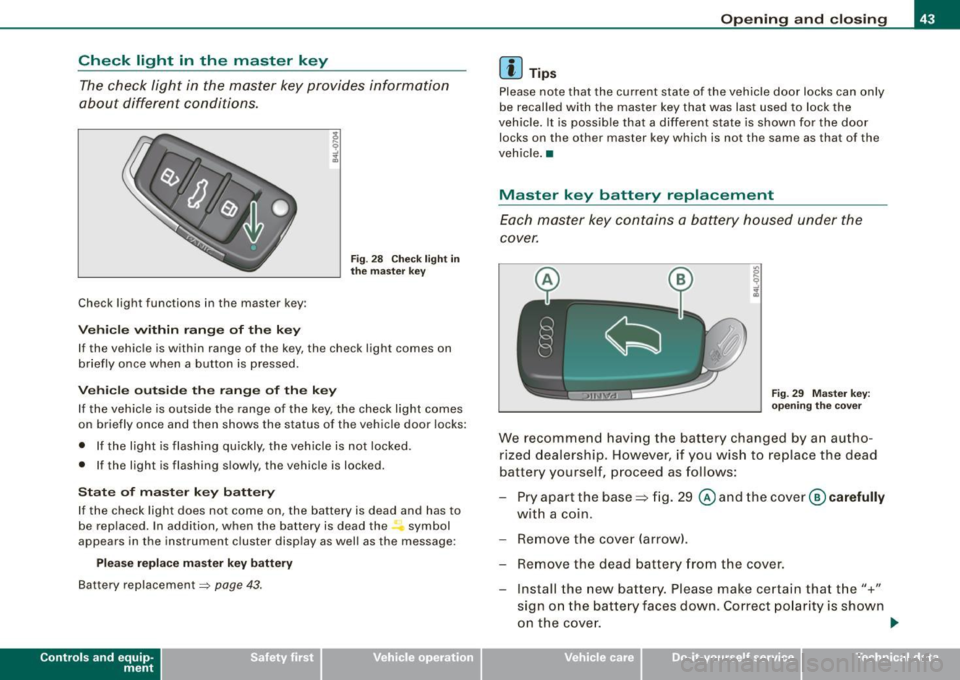
Fi g. 29 M aster key:
o peni ng th e cover
We recommend having the battery changed by an autho
rized dealership . However, if you wish to replace the dead
battery yourself, p roceed as follows:
- Pry apart the base => fig . 29
@ and the cover @ carefully
with a coin.
- Remove the cover (arrow).
- Remove the dead battery f ram the cover.
- Install the new battery. Please make certain that t he"+"
sign on the batte ry faces down. Correct po larity is shown
on the cove r.
ti>
Vehicle care I I irechnical data