warning AUDI S6 2012 Manual PDF
[x] Cancel search | Manufacturer: AUDI, Model Year: 2012, Model line: S6, Model: AUDI S6 2012Pages: 298, PDF Size: 74.43 MB
Page 95 of 298
right of your travel lane, depending on wheth
er you driv e in the center of your lane or closer
to the edge .
I f yo u drive in narrow lanes, s ide ass ist's de
tection area may a lso include other lanes -es
pecia lly if you tend to drive on the edge of
your lane¢
fig. 95. Under these condit ions,
ve hicles can also be detected that are two
lanes away, and side assist then could sw itch
between the informat ional and warn ing stage
sig nals .
When driving in very w ide lanes, vehicles in
the adjacent lane may not be detected be
cause they are not inside the detection area .
Notes
Messages in instrument cluster display
Applies to vehicles: with side assist
If side assist turns off automatically, the indi
cator light on the button wi ll go out and you
will see a message in the instrument cl uster
d isplay:
Aud i side a ssist : not availab le. s en sors
blocked
T he side assist sensors are built into the rear
bumper on the left and right (not visible on
the outside) ¢
page 87, fig. 87. To ensure that
you do not adversely affect the way side assist functions, foreign objects (such as stickers o r
b icycle racks) shou ld not be attached to the
a rea on the rear bumper where the sensors
a re loca ted.
If side ass ist func tions a re ad
versely affected, yo u will see this message in
the instrument cluster display. Remove any
thing that may be blocking the sensors .
If no vehicle is detected for a longer period of
time while driving, side assis t will a lso switch
off a utomatica lly.
Audi side as sist currently not available
If there is a tempora ry problem (such as the
veh icle's battery charge being low), s ide ass ist
cannot be activated tempo rarily.
Audi side a ssis t 93
Audi side assist: system fault
Have the system checked by an author ized Au
di dealer or qualified workshop .
Audi side assist: not available when
to wing
T he radar sensor's view is limited when tow
ing a trai ler . F or vehicles with a facto ry instal
led towing hitch or a trailer hitch that was in
stalled later according to factory specifica
tions, side assist is automatically deactivated
a s soon as the electrical connection to the
trailer 's electrical socket is made, and this sta
tus message appears in the instrument clus
ter display . Deactivation cannot be guaran
teed when using a ret rofitted towing hitch
that was
not installed acco rd ing to facto ry
spe cifica tions.
Safety tips
Applies to vehicles: with side assist
T he side assist detection may be limited when
driving around narrow street corners, on hi lly
streets, and under poor weather conditions.
It is possible that the radar sensors may a lso
detect other objects, s uch as high or stag
gered guardrails .
S ide assist does not measure act ual lane
width. The system assumes a fixed lane width.
Detection in the left and right lanes is based
on this ass umed lane width . When driving on
narrow roads or when driving to the left or
right of the center of a travel lane, it is poss i
ble that vehicles will be detected that are
not
in the lane next to the lane you are using .
A WARNING
-Improper reliance on the side assist sys
tem can cause coll is ions and serio us pe r
sonal injury:
- Never rely on ly on side assist when
changing lanes .
- Always check rear view mirrors to make
sure that it is safe to change lanes.
- Side assist cannot detect all vehicles un-
der all conditions- danger of accident!
~
Page 98 of 298

96 Audi drive select
Individual -¢ page 96.
Adjusting the Individual mode
A WARNING
Pay attention to traffic when operating Au
d i drive select to prevent potential risk of
an accident.
You can adjust the vehicle settings to your personal preferences .
.. Se lect : I CARI function button > Set individ
ual
control button. You can now adjust the
individual systems.
The
Individual driving mode will automatica l
ly be activated when you have finished config
uring the settings.
I
Systems
Engine /Transmission
Steering Cornering light*
Belt tensioner*
{1) Tips Comfort
balanced
comfortable
comfortable
-Standard
Your
Individual mode settings are auto
mat ically stored and assigned to the re
mote control key being used. The
equipment in your vehicle will determine
which settings you can adjust. The following
table provides an overview of the characteris
tics of each driving mode.
Auto
ba lanced
balanced
ba lanced
Standard
---~·
---~,
Dynamic
sporty
sporty
sporty
Deployment time
adapted
-
Page 100 of 298

98 Night visi on assis tant
Pedestrian warning
Applies to vehicles: with night vision assistant
Fig. 100 D isplay : pedestrian warn ing
F ig . 101 D is p lay: pedestrian warning w ith a nother dis
p lay
I f a pedestrian is detected i n an area in front
of the vehicle that the system considers criti
cal, the pedestrian is high lighted in red
q fig . 100 and a warning tone sounds. Th is
area is based on the vehicle speed and steer
ing angle. The pedestrian warning prompts
you to pay even closer attention to the area in
front of the ve hicle and to watch out for pe
destrians.
If another display s uch as the tr ip computer
replaces the image from the night vision as
sistant, the indicator light turns red when
there is a pedestria n warning
I¢ fig. 101.
The pedestr ian war ning I appea rs in the
Head-up Display *.
(D Tips
The pedestrian marking and warn ing tone
can be adjusted in the M MI
r:!) page 99.
General information
Applies to vehicles: with night vision assistant
Fig. 102 Fro nt of th e ve hicle: nig ht v is ion assistant
camera
T he following sit uat io ns may affect the fu nc
t io n of the n igh t vision assistant sys tem:
- poor visibility such as snow, rain, fog or
heavy road spray
- dirty le ns on the n ight vis ion assistant cam -
era
Make sure the night vision assistant camera
¢ fig . 102 is not covered by stickers, depos its
or any other obstructions because that can
prevent the camera from working properly.
For information on cleaning the lens, refe r to
q page
206.
Pedestrian detection depends on the d iffer
ence in temperature between the person and
t h e background. Pedestr ians may not be de
tected if the temperature diffe ren ce is too
small . Th e pedestrian highl ighting feature is
deactivated at tempe ratures above 77 ° F (25
°C) and when it is light outs ide.
A WARNING
Night vision assistant has limits a nd can
not always detect pedestr ians. Always pay
close attention to traffic a nd the area
a round your vehicle even when night vision
assistant is sw itched on .
- Night vision assistant can only warn
about people located within the visual
range of the infra red camera. The visual
range corresponds to the image in the in
s trument clus ter di splay .
- Night vision assistant may not detect
-
peop le and h ighlight them if .,.
Page 101 of 298

-they are not in an upright position, for
examp le if they are s itting, crouching
or lying down and/or
- if the outline in the display is incom
p lete or interrupted, for example be
cause the person is partially hidden by
a parked veh icle .
(D Tips
-Pedestrian detection and the pedestrian
warming are lim ited to objects that are
detected as pedestr ians. The system
does not detect animals . Even though
the shape and warmth radiated by each
object det ected is evaluated, the system
does have lim itations and it can give in
correct warnings.
- Fo r techn ical reasons , the image pauses
in split second interva ls.
Switching on and off
Appl ies to vehicles: with night vision assistant
Fig . 103 Area a round the light switch: n ight v ision as
sistant button
.. Switch the ignition on and turn the light
switch to the
AUTO position or io.
.. To switch night vision assistant on, press
the
EJ button Q fig. 103. The image from
the night vision camera appears in the in
strument cluster d isplay.
.. Press the button
EJ again to switch night vi
s ion assistant off .
Night vision assistant 99
Settings in the MMI
Applies to vehicles: with night vision assistant
Fig. 104 Display : exa mple of pedest rian detectio n and
warn ing to n e switched off
.. Select: I CAR I function button > Car systems
cont rol button > Driver assist > Night vision
assist.
Highlight pedestrians -
You can switch pedes
trian detect io n
on and off . If you switch pe
destrian detection off, the pedestrian warning
tone also switches off . The symbols
I) and r2J
appear in the upper right area of the instru
ment cluster disp lay ¢
fig. 104.
Warning tone -You can switch the tone for
the pedestrian warning
on and off. When the
warning tone is sw itched off, a yellow symbol
for the deactivated warning tone with a line
through it appears in the upper right of the in
strument cluster display¢
fig. 104.
Contrast -When the night vision assistant is
switched on and the image is visib le in the in
strument cluster display, you can adjust the
contrast in the image from
Min to Max .
Driver messages
Applies to vehicles: with night vision assistant
Night vision assistant: system malfunction!
The system cannot work properly and is
switched off. See your authorized Audi dealer
for assistance.
Night vision assistant: not available
The system cannot detect properly under cur
rent conditions and is switched off temporari-
~ ~
Page 103 of 298
Automatic Transmission
multitronic ®
Introduction
Appl ies to vehicles: with multitr oni c
Your veh icle is equipped with an electronically
controlled,
continuously variable transmis
sion
(multitronic ®). In contrast to convention
al automatic transmi ssions using shifting op
erations, the transmission ratio in the contin
uously variab le transmission is changed con
tinuously. This optimizes the comfort level
and conserves fuel.
The gear ratio in the transmission is selected
(upshift and downshift) completely automati
cally as a function of the defined driving pro
grams.
If desired, the driver can also select the gears
manually (tiptronic mode).
Instead of the torque converter in convention
al automatic transmissions, your multitronic ®
transmission uses a multidisk clutch for pow
er transmission . Therefore, the "creep behav
ior" of the veh icle dur ing idling when tempo
rarily stopped in selecto r lever pos it ion 0/S or
R is less pronounced.
Driving the automatic transmission
A ppl ies to vehicles: with multitr onic
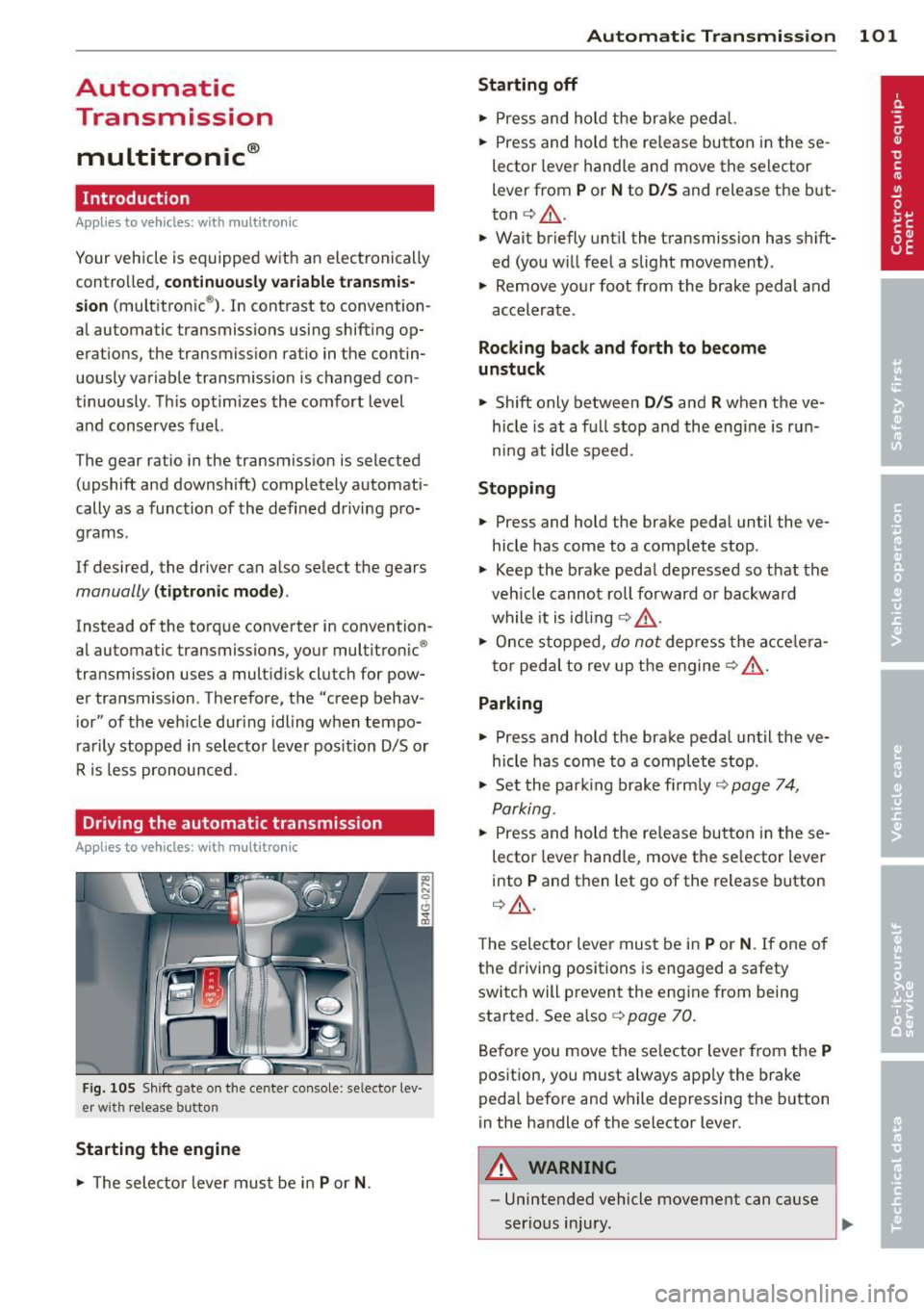
Fig . 105 Shift gate on the cente r console: se lecto r lev
er wi th release button
Starting the engine
• The selector leve r must be in P or N. Automatic Transmission 101
Starting off
•
Press and hold the brake pedal.
• Press and hold the re lease button in these
lector lever handle and move the selector
lever from
P or N to D/S and release the but
ton
c:> _&. .
.,. Wait briefly until the transmission has shift
ed (you will feel a slight movement) .
.,. Remove your foot from the brake pedal and
accelerate .
Rocking back and forth to become
unstuck
.,. Shift only between D/S and R when the ve
hicle is at a full stop and the engine is run
ni ng at idle speed .
Stopping
.,. Press and hold the brake pedal until the ve
hicle has come to a complete stop .
• Keep the brake pedal depressed so that the
veh icle cannot roll forward or backward
while it is idling
c:> _&. .
• Once stopped, do not depress the acce le ra
tor peda l to rev up the engine
c:> _&. .
Parking
.,. Press and hold the brake pedal until the ve
hicle has come to a complete stop .
• Set the park ing brake firmly
c:> page 7 4,
Parking .
• Press and hold the release button in these
lector lever handle, move the se lector lever
into
P and then let go of the release button
c:> _&..
The selector lever must be in P or N. If one of
the driving positions is engaged a safety
switch will prevent the eng ine from being
started . See also co
page 70.
Before you move the selector lever from the
P
position, you must always app ly the brake
pedal before and while depressing the button
in the handle of the selector lever.
A WARNING
-- Unintended vehicle movement can cause
serious injury.
Page 105 of 298

N -N eutr al
The transmission is in neutra l in this position .
Shift to this posit ion for standing with the
brakes applied
¢ &. in Driving the automatic
transmission on page 101.
When the veh icle is stationary or at speeds
be low 3 mph (5 km/h) , you must always apply
the footbrake before and while moving the
lever out of
N.
D /S -Normal position for dr iving forward
I n the D /S position, the transmission can be
operated e ither in the normal D mode or in
the S sport mode. To select the 5 sport mode,
pu ll the se lector lever back briefly . Pulling the
l ever back again will select the normal D
mode. The instrument cluster display shows
the selected driving mode.
In the
no rmal mode D , the transmission auto
matica lly selects the best gear ratio. It de
pends on engine load, veh icle speed and the
dynamic control program (DRP).
Select the
s port mode S for sporty driving .
The vehicle makes full use of the engine's
power. S hifting is more noticeable when accel
erating.
When the veh icle is stationary or at speeds
be low 3 mph (5 km/h), you must always apply
the foot brake before and while moving the lever to
D /S out of N .
In certain circumstances it may be advanta
geous to temporarily switch to the manual
shift program to manually select gear ratios
to match specif ic driving conditions
¢ page 105.
A WARNING
Read and follow alt WARNI NGS ¢ A in
Driving the automatic transmission on
page 101.
(D Note
-
Coast ing downh ill with the transmission in
N and the engine not runn ing will result in
Automatic Tra nsmi ssi on 10 3
damage to the automatic transmission
and possib ly the cata lytic converter.
Automatic Shift Lock (ASL)
Applies to veh icles: w ith mult itronic
The Automatic Shift Lock safeguards you
against accidentally shifting into a forward or
the reverse gear and causing the vehicle to
move unintentionally.
0, N 0 0
0
a1i
) ( )
Fi g. 107 Shi ft ga te: selector leve r lock pos it ions and
i n te rlock bu tton highligh ted
The selector lever lock is re leased as follows:
.. Tu rn the igni tion on.
.. Step on the brake pedal.
At the same time
press and hold the inte rlock bu tton on the
side of the gear selector knob
Q fig. 107
with your thumb until yo u have moved the
selector lever to the desired posit ion .
Automatic selector leve r lock
The selector lever is locked in the P and N po
s itions when the ig nition is tu rned on. To
move t he lever from these positions the driver
must depress the brake peda l. As a reminder
to the driver, the following warning appears in
the instrument cluster display when the selec
tor is in
P and N :
When stationar y apply footbrake while se
lecting gear
A time delay element p reven ts the selector
lever from locking when it is moved through
the
N position (going from R to 0 /5 ). The
locking element wi ll lock the se lector lever if
the lever is left in N (Neutral) for more than approximately 1 second, w ithout the brake
pedal being pressed .
Page 106 of 298

104 Automatic Tran sm iss ion
At speeds above about 3 mph (5 km/h) the
Automatic Shift Lock is automatically deacti
vated in the
N position.
I nte rlock butt on
The lock button on the selector lever prevents
the lever from being acc identally shifted into
certain positions. Pressing this button deacti
vates the se lector lever lock. Depending on
the direction of the shift, the se lector lever
locks at different positions. The positions are
h ighlighted in the illustration
c:> fig. 107.
Kick-down
App lies to vehicles: with multitronic
The kick-down feature allows the vehicle to
generate maximum acceleration.
When you depress the accelerator pedal be
yond the resistance point, the transmission downshifts into a lower gear ratio depending
on the vehicle speed and engine speed. As long as the accelerator pedal is depressed, the
engine speed is automat ically regulated for
maximum acceleration.
A WARNING
Be ca reful when using the kick-down fea
ture on slippe ry roads. Rapid acce lerat ion
may cause the vehicle to skid.
Dynamic shift program (DSP)
Applies to vehicles: with multitr on ic
The automatic transmission is electronically
controlled.
The transmission is self adapting and will au
tomat icall y
select the best shift program su it
ed to the driving condit ions and d riving s tyle.
The transmission will se lect one of the
econo
my
programs when you drive at a steady
speed or a gradually chang ing speed without
heavy acceleration . T h is ach ieves optimum
f u e l efficiency, with early upshifting and de
layed downshifting .
The transmission will a utomat ica lly select the
s porty shift prog rams whe n you drive at high- er speeds, or with heavy acceleration and fre
quently changing speeds. Upshifts are delayed
to make full use of engine power . Downshift
ing takes place at higher engine speeds than
in the economy programs.
The selection of the most suitable s hift pro
gram is a continuous, automatic process. The
driver can a lso make the transm iss ion sw itch
to a sporty program by
qu ick ly pressing down
the gas pedal.
This causes the transm ission to shift down to
a lower gear to ach ieve rapid acce lerat ion, e.g.
for quickly passing another vehicle. You do not need to press the gas pedal into the kick-down
range. After the transm ission has upshifted,
the or iginal program is selected according to
you r dr iv ing style .
An additional sh ift program allows the auto
matic transmission to select the proper gea r
for uphill and downh ill grad ients.
This keeps the transm ission from shifting up
and down unnecessarily on hills. The trans
mission will sh ift down to a lower gear when
the driver presses the brake pedal on a down
hill g radient. This ma kes use of the braking ef
fect of t he engine w ithou t the need to s hift
down man ually .
Page 109 of 298
Driving the automatic transmission
Applies to vehicles: with tiptronic
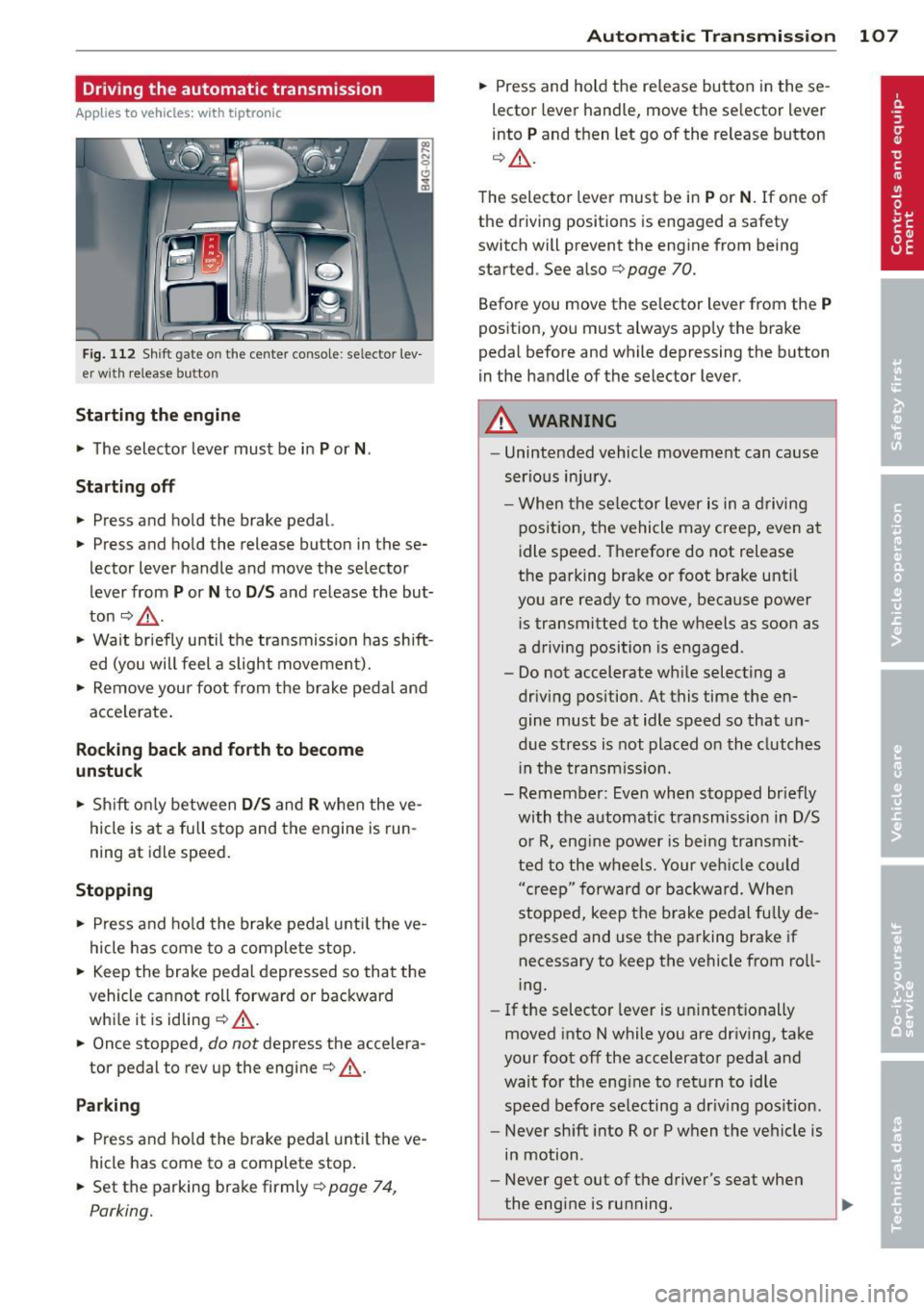
Fig. 112 Shift gate on the center conso le: selector lev
er w ith release button
Startin g the engine
~ The selector lever must be in P or N.
St arting off
~ Press and hold the brake pedal.
~ Press and hold the release button in these
lector lever handle and move the selector
lever from
P or N to D /S and release the but
ton
c:> _& .
~ Wait briefly until the transmission has shift
ed (you will feel a slight movement).
~ Remove your foot from the brake pedal and
acce lerate .
Rocking back and forth to become
un stu ck
~ Shift on ly between D /S and R when the ve
hicle is at a fu ll stop and the engine is run
ning at idle speed.
St opping
~ Press and ho ld the brake pedal unti l the ve
hicle has come to a complete stop.
~ Keep the brake pedal depressed so that the
vehicle cannot roll forward or backward
whi le it is idling
c:> .&._ .
~ Once stopped, do not depress the accelera
tor pedal to rev up the engine
c:> .&._ .
Park ing
~ Press and ho ld the brake pedal unti l the ve
hicle has come to a complete stop .
~ Set the parking brake firmly r=;,page 74,
Parking.
Automatic Tra nsmi ssi on 10 7
~ Press and hold the re lease button in these
lector lever handle, move the se lector lever
into
P and then let go of the release button
q A .
The selector lever must be in P or N . If one of
the driving positions is engaged a safety
switch will prevent the engine from being
started . See also
r=;, page 70.
Before you move the se lector lever from the
P
position, you must always app ly the brake
pedal before and while depressing the button
in the handle of the selector lever.
A WARNING
- Unintended vehicle movement can cause
serious injury .
- When the se lector lever is in a d riving
position, the vehicle may creep, even at
idle speed. Therefore do not release
the parking brake or foot brake until
you are ready to move, because power
i s transmitted to the wheels as soon as
a driving position is engaged.
- Do not accelerate while selecting a
driv ing position. At this time the en
gine must be at idle speed so that un
due stress is not placed on the clutches
i n the transmiss io n.
- Remember: Even when stopped br iefly
with the automatic t ransmission in D/S
o r R, eng ine power is bei ng transmit
ted to the wheels. Your veh icle cou ld
"creep" forward or backward. Whe n
stopped, keep the b rake pedal fully de
pressed and use the parking brake if
necessary to keep the vehicle from ro ll
i ng.
- If the selector lever is un intent ionally
moved into N while you are driving, take
your foot off the accelerator peda l and
wait for the eng ine to retu rn to idle
speed before selecting a dr iv ing pos ition.
- Never sh ift into R or P when the vehicle is
in motion .
- Never get out of the driver's seat when
the eng ine is ru nning.
Page 111 of 298

to match specific driving conditions
¢page 110.
A WARNING
Read and follow all WARNINGS ¢.& in
Driving the automatic transmission on
page 107.
(D Note
Coasting downhill with the transmission in
N and the engine not running will resu lt in
damage to the automatic transmiss ion
and possibly the catalytic converter.
Automatic Shift Lock (ASL)
Appl ies to vehicles: with tiptro nic
The Automatic Shift Lock safeguards you
against accidentally shifting into a forward or
the reverse gear and causing the vehicle to
move unintentionally .
I
Fig. 114 Shift gate selector lever lock pos itions and
inte rlock butto n highlighted
The selector lever lock is released as follows :
• Turn the ignition on.
• Step on the brake peda l.
At the same time
press and hold the interlock button on the
side of the gear selector knob¢
fig. 114
with your thumb until you have moved the
selector lever to the desired position .
Automatic selector lever lock
"' N 0 0 (!)
cb
The selector lever is locked in the P and N po
sitions when the ignition is turned on. To
move the lever from these positions the driver
must depress the brake pedal. As a reminder
to the driver, the following warning appears in
Automatic Transmission 109
the instrument cluster display when the selec
tor is in
P and N :
When stationary apply footbrake while se
lecting gear
A time delay element prevents the selector
lever from locking when it is moved through
the
N posi tion (going from R to D/S ). The
locking element will lock the selector lever if
the lever is left in N (Neutral) for more than
approximately 1 second, without the brake
pedal being pressed .
At speeds above abo ut 3 mph (5 km/h) the
Automatic Shift Lock is automatically deacti
vated in the
N position .
Interlock button
The lock button on the selecto r lever prevents
the lever from being accidentally shifted into
certain positions. Pressing this button deacti
vates the selector lever lock. Depending on
the direction of the shift, the selector lever
locks at different positions . The positions are
highlighted in the illustration¢
fig. 114.
Kick-down
App lies to vehicles: wit h tiptro ni c
The kick-down feature allows the vehicle to
generate maximum acceleration .
When you press the accelerator pedal beyond
the resistance point that is reached at full
throttle, the transmission will select a lower
gear ratio based on vehicle speed and engine
RPM. The engine RPM will be controlled to
produce maximum vehicle acceleration as
long as you continue to press the accelerator
pedal beyond this resistance point .
_&. WARNING
Be careful when using the kick-down fea
ture on slippery roads. Rapid acceleration
may cause the vehicle to skid .
-
Page 115 of 298

Parking system
General information
Appl ies to vehicles: Audi parking system plus/Audi park
ing system plus with rear view camera
Depending on your vehicle's equipment, vari
ous parking aids will help you when parking
and maneuvering.
The
Audi parking system plus assists you
when parking by providing audio and visual
warn ings about objects
in front of and behind
the vehicle ¢page 113.
The Audi parking system plus with rear view
came ra
shows the area behind the vehicle in
the display . This image helps you when paral
lel parking or cross parking. The system also
provides the parking aid aud io and visual sig
nals
~ pag e 114 .
@ Tips
For information on cleaning , refer to
q page206.
Audi parking system
plus
De script ion
Appl ies to vehicles: with parking system plus
Audi parking system plus provides audio and
visual signals when parking .
Sensors are located in the front and rear
bumpers . If these detect an obstacle, audible
and v isual signals warn you. The range at
which the sensors begin to measure is approx
imately:
front
rear side
center
side
center
--~-
3 ft (0.90 m)
4 ft (1.20 m)
2 ft (0.60 m)
5.2 ft (1.60 m)
The closer you get to the obstacle, the shorter the interval between the audible signa ls. A
continuous tone sounds when the obstacle is
less than approximate ly 1 foot (0.30 meters)
away. Do not continue driving farther!
Parking system 113
If the distance to an obstacle remains con
stant, th e volume of the distance warning
gradually drops after about four seconds (this
does not apply in the continuous tone range).
Switching on and off
Applies to vehicles: with parking system plus
Fig. 119 Ce nt er co nsol e: Parkin g sy ste m sw it c h
Fig. 120 MMI di splay : v is u al d istance display
Switching on
.. Switch the MMI on
.. Activate
comfort or auto mode in Audi drive
select
q page 95.
.. Shift into reverse or
.. Press the switch~ in the center conso le
q fig. 119 . A short confirmation tone
sounds and the indicator light in the switch
lights up.
Switching off
.. Drive faster than 6 mph (10 km/h) , or
.. press the switch
~ or
.. switch off the ignition.
Segments in the visual display
The red segments in front of and behind the
vehicle
¢ fig. 120 help you to determine the
distance between you and an obstacle. As
your vehicle comes closer to the obstacle, the .,..