lights AUDI S6 2015 Owner's Guide
[x] Cancel search | Manufacturer: AUDI, Model Year: 2015, Model line: S6, Model: AUDI S6 2015Pages: 314, PDF Size: 77.57 MB
Page 77 of 314
M N
0 <.J 'SI: ,...., \!) ..,.,
,...., ..,., ,....,
Starting the engine
"'Press the brake pedal c::> _&..
"'Pr ess the !START ENGINE STOPI button
c::> fig. 77. The engi ne will start.
"' It is possible that there will be a slight delay
when starting the engine for diesel vehicles
in colder temperatures. Therefore, you must
hold the brake pedal down until the engine
starts. The indicator lamp
Ii illuminates
when the engine is preheated.
If the engine should not start immedi ately,
the starting process is automatically stopped
after a short time . Repeat starting procedure.
Start-Stop-System*:
Note the information on c::> page 79, Start
Stop-System.
A WARNING
- Never allow the engine to run in confined
spaces -danger of asphyxiation .
- Never turn off the engine until the vehi
cle has come to a complete stop.
- The brake booster and power steering
only work when the engine is running.
If
the engine is off, you have to use more
force when steering or braking. Because
you cannot steer and brake as you usual
ly would, this could lead to crashes and
serious injuries.
-Avoid high engine rpm, full throttle and
heavy engine loads until the engine has
reached operating temperature - other
wise you risk engine damage.
- The engine cannot be started by pushing
or towing the vehicle.
(D Tips
-After a cold engine is started, there may
be a brief period of increased noise be
cause oil pressure must first build up in
the hydraulic valve adjusters. This is nor mal and not a cause for concern.
- If you leave the vehicle with the ignition
switched on, the ignition will switch off
On the road 75
after a certain period of time. Please
note that electrical equipment such as
exterior lights will switch off as well
when that happens.
Stopping the engine
"'Bring your vehicle to a complete stop.
"' Move the selector lever to the P or N posi
tion .
"'Press the
I STAR T ENGINE ST OP I button
c::> page 7 4, fig. 77.
Steering lock
The steer ing locks when you turn the engine
off using the
I STAR T ENGINE STOP I button
and open the driver's door. The locked steer ing helps prevent vehicle theft.
Emergency off
If necessary, the engine can be switched off
with the selector lever in the R or D/S posi
tion. The engine stops if you press the
I START ENGINE STOPI button at speeds below
6 mph (10 km/h).
A WARNING
-Never turn off the engine until the vehi
cle has come to a complete stop.
- The brake booster and power steering
only work when the engine is running. If
the engine is off, you have to use more
force when steering or braking. Because
you cannot steer and brake as you usual
ly would, this could lead to crashes and
serious injuries.
- For safety reasons, you should always
park your vehicle with the selector lever
in P. Otherwise, the vehicle could inad
vertently roll away.
- After the engine has been switched off,
the radiator fan can continue to run for
up to 10 minutes -even with the ignition
switched off.
It can also switch on again
after some time if the coolant tempera
ture rises as the result of a heat buildup
.
or if the engine is hot and the engine .,..
Page 79 of 314
M N
0 I.J "". rl I.O
"' rl
"' rl
.. Press the !S TAR T ENGINE STOP I button. The
engine will start.
.. Drive to your author ized Audi dealer imme
diately to have the malfunction corrected .
@ Tips
You can view the message again by press ing the
! START ENGINE STOPI button.
Electromechanical
parking brake
Operation
The electromechanical parking brake replaces
the hand brake.
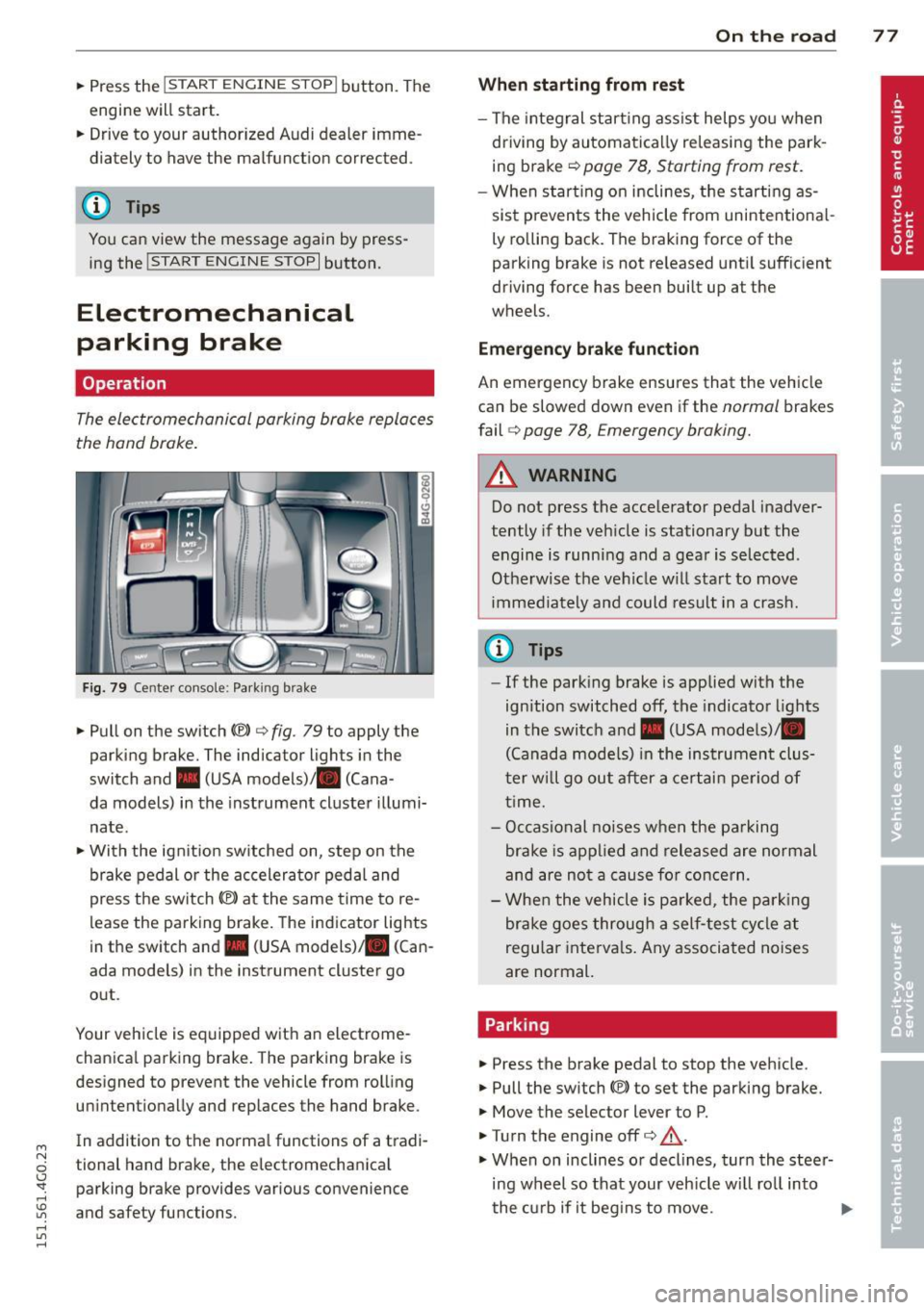
Fig. 79 Center console: Park ing brake
.. Pull on the switch<®> c:;, fig . 79 to apply the
parking brake. The indicator lights in the
switch and. (USA models)/ . (Cana -
da models) in the instrument cluster illumi
nate .
.. With the ignit ion sw itched on, step on the
brake pedal or the accelerator pedal and
press the sw itch<®> at the same time to re
lease the parking brake. The indicator lights
in the switch and. (USA models) . (Can
ada models) in the instrument cluster go
out .
Your vehicle is equipped with an electrome
chanica l parking brake. The parking brake is
designed to prevent the vehicle from rolling unintentionally and replaces the hand brake .
In addition to the norma l functions of a tradi
tional hand brake, the electromechanical parking brake provides various convenience
and safety functions.
On the road 77
When starting from rest
- The integral start ing assist helps you when
driving by automatically re leasing the park
ing brake c>
page 78, Starting from rest.
-When start ing on inclines, the starting as
sist p revents the vehicle from unintentiona l
ly rolling back. The braking force of the
parking brake is not re leased until sufficient
driving force has been built up at the
wheels.
Emergency brake function
An emergency brake ensures that the vehicle
can be slowed down even if the
normal brakes
fail
c:;, page 78, Emergency braking.
A WARNING
Do not press the accelerator pedal inadver
tently if the veh icle is stationary but the
engine is running and a gear is selected .
Otherwise th e vehicle w ill start to move
immediately and could result in a crash.
@ Tips
- If the parking brake is applied with the
ignition switched
off, the indicator lights
in the switch and. (USA models)/ •
(Canada models) in the instrument clus
t er w ill go out after a certain period of
time.
- Occasional noises when the parking
brake is applied and released are normal
and are not a cause fo r concern.
- When the vehicle is pa rked, the parking
brake goes through a self-test cycle at
regu lar intervals. Any associated noises
are normal.
Parking
.. Press the brake pedal to stop the vehicle.
.. Pull the switch(®) to set the parking brake.
.. Move the selector lever to P .
.. Tu rn the engine offc>
.&.
.,. When on inclines or decl ines, turn the steer
ing wheel so that your veh icle wi ll roll into
the curb if it begins to move. ""
Page 82 of 314
80 On the road
lever position and take your foot off the brake
pedal.
If you select the R position during a Stop
phase, the engine will start again.
Shift from
D to P quickly to prevent the engine
from starting unintentionally when shifting
through
R.
You can determine for yourself if the engine
will stop or not by reducing or increasing the
amount of force you use to press the brake
pedal. For example, if you only lightly press
on the brake pedal in stop-and and-go traffic
or when turning, the engine will not switch off
when the vehicle is stationary. As soon as you
press the brake down harder, the engine will
switch off.
General information
App lies to vehicles: with Start-Stop-System
The standard Start-Stop-mode can be cancel
led for different system-related reasons.
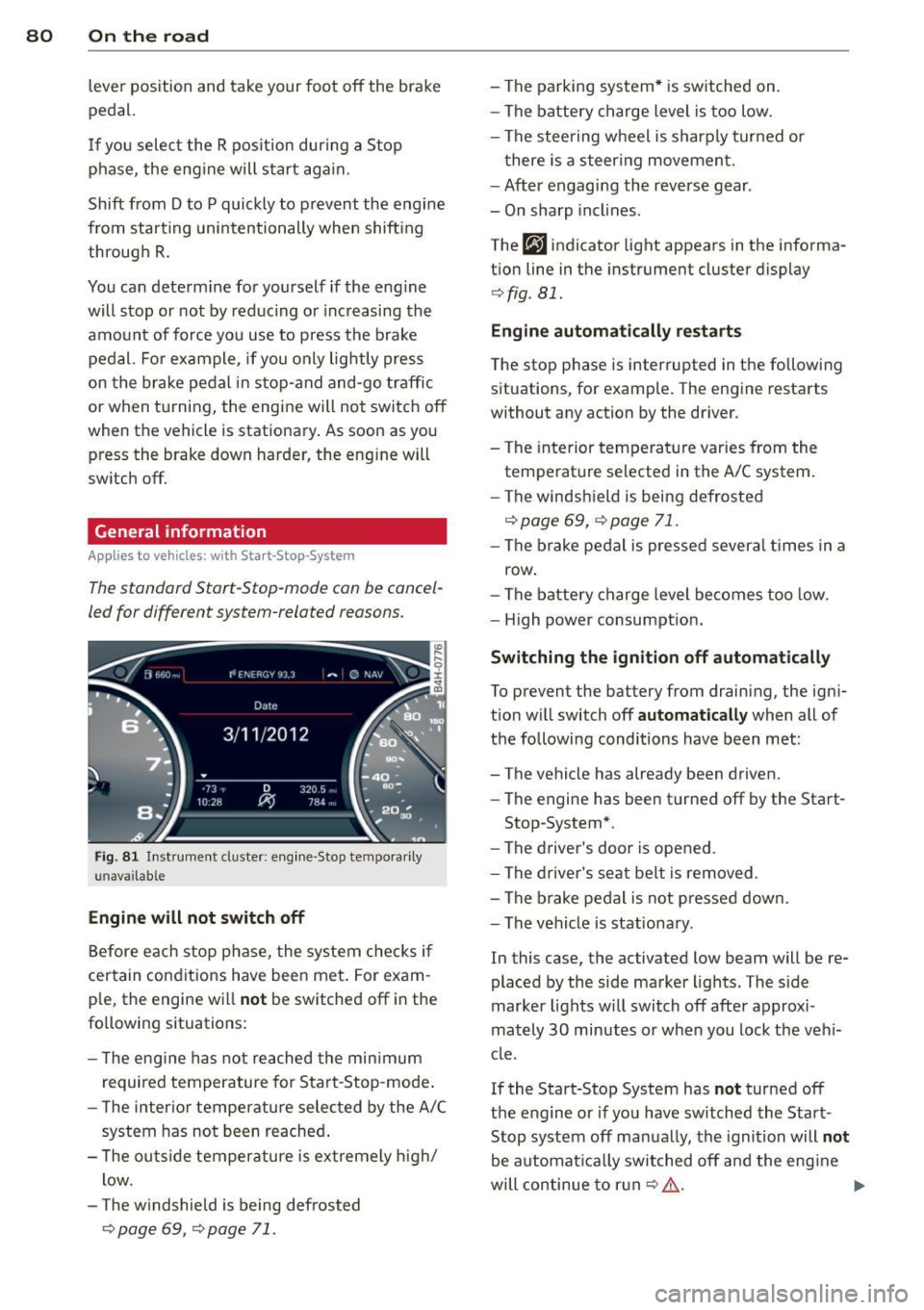
Fig . 81 Instrument cluster: engine -Stop tempo rarily
unava ilable
Engine will not switch off
Before each stop phase, the system checks if
certain conditions have been met. For exam·
ple, the engine will
not be switched off in the
following situations:
- The engine has not reached the minimum
required temperature for Start-Stop-mode.
- The interior temperature selected by the A/C
system has not been reached.
- The outside temperature is extremely high/
low .
- The windshield is being defrosted
¢ page 69, ¢ page 71.
-The parking system* is switched on.
- The battery charge level is too low.
- The steering wheel is sharply turned or
there is a steering movement.
- After engaging the reverse gear .
- On sharp inclines.
The
fjJ indicator light appears in the informa
tion line in the instrument cluster display
¢fig . 81.
Engine automatically restarts
The stop phase is interrupted in the following
situations, for example. The engine restarts
without any action by the driver.
- The interior temperature varies from the
temperature selected in the A/C system.
- The windshield is being defrosted
c:!;> page 69, ¢ page 71.
-The brake pedal is pressed several times in a
row.
- The battery charge level becomes too low.
- High power consumption.
Switching the ignition off automatically
To prevent the battery from draining, the igni
tion will switch off
automatically when all of
the following conditions have been met :
- The vehicle has already been driven.
- The engine has been turned off by the Start-
Stop-System*.
- The driver's door is opened.
- The driver's seat belt is removed .
- The brake pedal is not pressed down.
- The vehicle is stationary.
In this case, the activated low beam will be re
placed by the side marker lights. The side
marker lights will switch off after approxi
mately
30 minutes or when you lock the vehi
cle.
If the Start-Stop System has
not turned off
the engine or if you have switched the Start
Stop system off manually, the ignition will
not
be automatically switched off and the engine
will continue to run
c:!;> ,&. .,..
Page 84 of 314
82 On the road
You can s et any t hreshol d between 20 mph
(30 km/h) and 150 mph (240 km/h). Settings
can each be adjusted in increments of 6 mph
(10 km/h) .
Cruise control
Switching on
Applies to vehicles: with cruise control
The cruise control system makes it possible to
drive at a constant speed starting at 20 mph
(30 km/h).
0
f
~
0
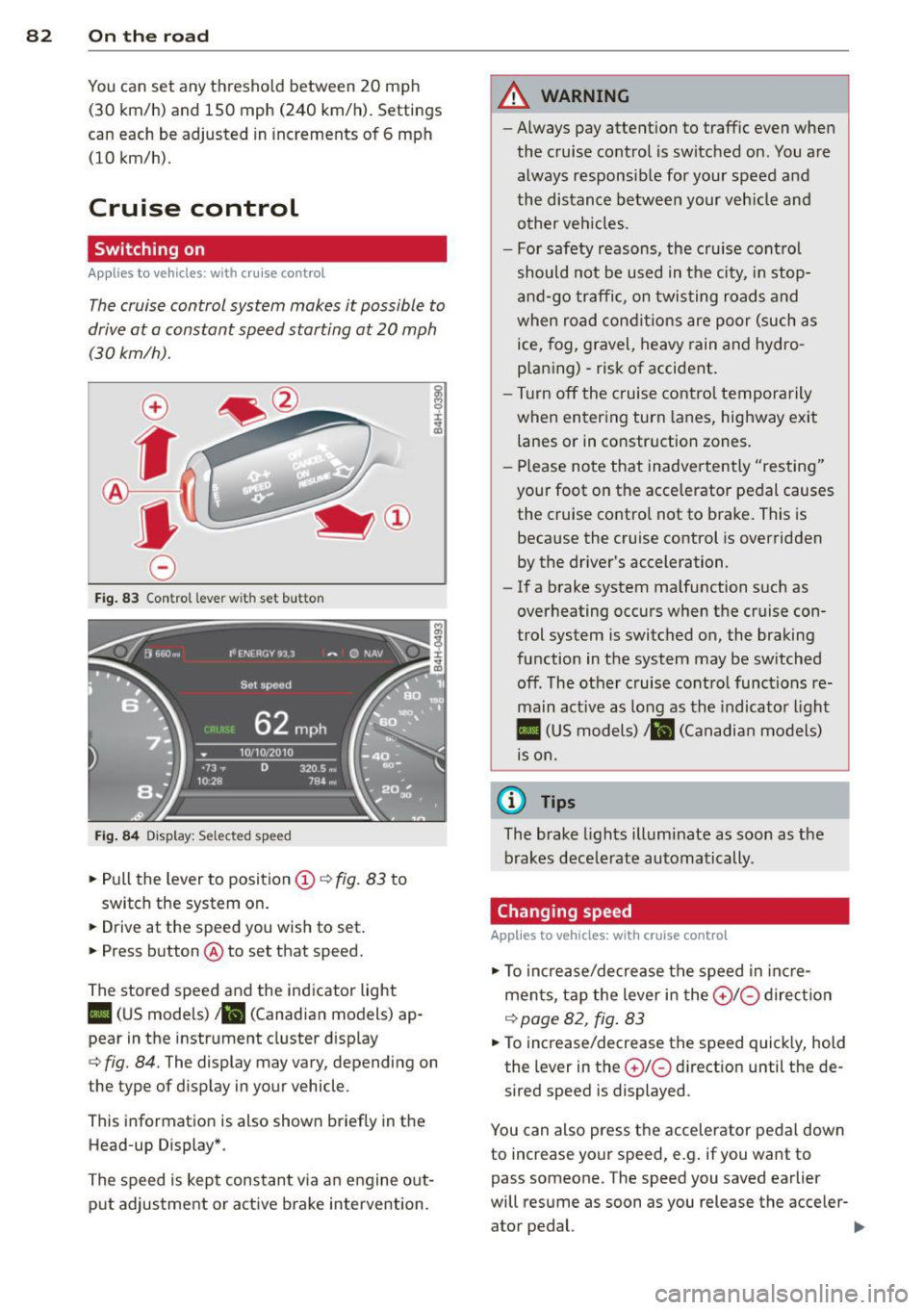
Fig . 83 Con trol lev er w it h s et bu tton
Fi g. 84 Dis pla y: Sele cte d s pee d
• Pull the lever to position (D c::, fig. 83 to
switch the system on.
• Drive at the speed you wish to set.
• Press button @to set that speed.
The stored speed and the indicator light
II (US models) ;ii (Canadian models) ap
pear in the instrument cluster d isp lay
cc> fig. 84. The display may vary, depending on
t he type of d isp lay in your vehicle .
Th is information is also shown briefly in the
Head-up Display *.
The speed is kept constant v ia an engine out
put adjustment or act ive b rake intervention .
A WARNING
--Always pay attent ion to traffic even when
the cruise co ntrol is switched on . You are
always responsib le for your speed and
the distance between your veh icle and
other veh icles .
- For safety reasons, the cruise cont ro l
should not be used in t he city, in stop
a nd -go traffi c, on twisting roads and
when road con ditions are poor (such as
ice, fog, gravel, heavy rain and hydro
p la ni ng) -risk of accident .
- Tu rn off the cruise co ntro l temporarily
when entering turn la nes , highway exit
lanes or in constr uction zones .
- Please note that inadve rtently "res ting"
your foot on the accelerator pedal causes the cruise control not to brake . This is
because the cruise control is overridden by the driver's acceleration.
- If a brake system malfunction s uch as
overheating occurs when the cruise con
trol system is switched on, the braking
function in the system may be sw itched
off . The other c ruise control functions re
main act ive as long as the indicato r light
II (US model s)/ ... (Canadian mo dels)
is o n.
(D Tips
The brake lights illum inate as soon as the
brakes decele rate automatically .
Changing speed
Applies to vehicles: with cruise control
• To increase/de crease the s peed in inc re
ments, tap the lever in the
0 10 direc tion
c::> page 82 , fig . 83
• To increase/decrease the s peed quick ly, hold
the lev er in the
0 10 d irect ion until the de
sired speed is displayed .
You can also press the accelerator pedal down
to increase your speed, e .g . if you want to
pass someone. The speed you saved earlie r
will res ume as soon as you release the acceler-
ator pedal. ..,.
Page 89 of 314
Audi adaptive cruise control and braking guard 87
tachometer @and is also shown briefly in
the display @
c::> fig. 90.
.. You must also press the brake pedal when
the vehicle is stopped.
Switching adaptive cruise control off
.. Push the lever away from you into position
@ until it clicks into place. The message
ACC off appears.
@ Indicator lights
II-Adaptive cru ise contro l is switched on.
No vehicles are detec ted up ahead. The stored
speed is ma intained.
• -A moving vehicle is detected up ahead.
The adaptive cruise control system regulates
the speed and distance to the moving vehicle
ahead and acce lerates/brakes automatical ly.
fit -Adaptive cruise contro l is switched on. A
mov ing vehicle up ahead was detected. Your
vehicle remains stopped.
• -When automatic brak ing is not able to
keep enough distance to a previously detected
moving vehicle up ahead, you must take con
trol and brake
c::> page 89, Prompt for driver
intervention.
© Display
If adaptive cruise control is not shown in the
d isp lay, you can call it up with the multifunc
tion steering wheel buttons
c::> page 24.
Based on the symbols in the d isplay, you can
determine if the system is maintaining a dis
tance to the vehicle ahead and what that d is
tance is.
No vehicle -No veh icle ahead was detected .
White vehicle -A vehicle ahead was detected.
Red vehicle -Prompt for the driver to take ac
tion
c::> page 89.
Both arrow s on the scale© indicate the dis
tance to the vehicle ahead. No arrow appears
~ when the vehicle is on an open road and there
0
~ is no object ahead . If an object is detected
:;, ahead , the arrow moves on the scale .
"' ,....,
"' ,....,
The green zone on the scale shows the stored
distance. For information on changing the
stored distance, refer to
c::> page 88 . If the
distance selected is too close or may soon be
come too close, the arrows move into the red
zone on the sca le .
A WARNING
Improper use of the adaptive cruise con
trol can cause collisions, other accidents
and serious personal injur ies .
- Pressing the
!SET ! button when driv ing at
speeds below 20 mph (30 km/h), will au
tomatically accelerate the vehicle to 20
mph (30 km/h), which is the minimum
speed that can be set.
(D Tips
-If you switch the ignit ion or the adaptive
cruise control off, the set speed is erased
from the system memory.
- Th e elec tronic stab ilization control (ESC)
and the anti-slip-regulation (ASR) are au
tomatically turned on when the adaptive
cruise control is turned on. Both systems
cannot be turned off if the adaptive
cruise contro l is turned on.
Changing the speed
Applies to veh icles: with Audi adaptive cruise control
0
f
• 0
Fig. 91 Selector lever: chang ing the speed
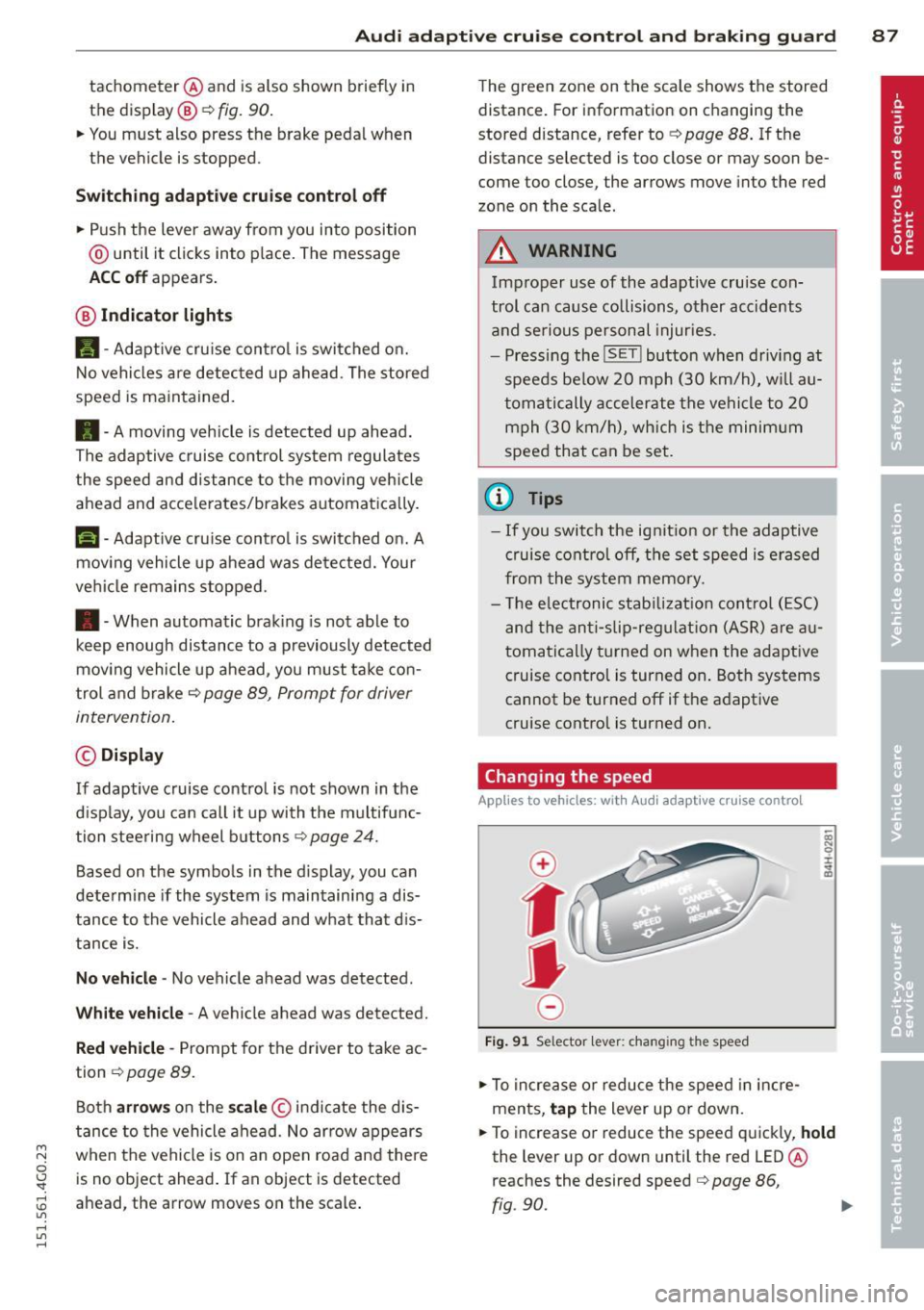
.. To increase or reduce the speed in incre
ments,
tap the lever up or down.
.. To increase or reduce the speed quickly,
hold
the lever up or down until the red LED @
reaches the desired speed
c::> page 86,
fig .90.
~
Page 105 of 314
M N
0 I.J "". rl I.O
"' rl
"' rl
Night vision assistant
Night vision assistant
with detected pedestrian marking
Description
App lies to vehicles: with night v isio n assistant
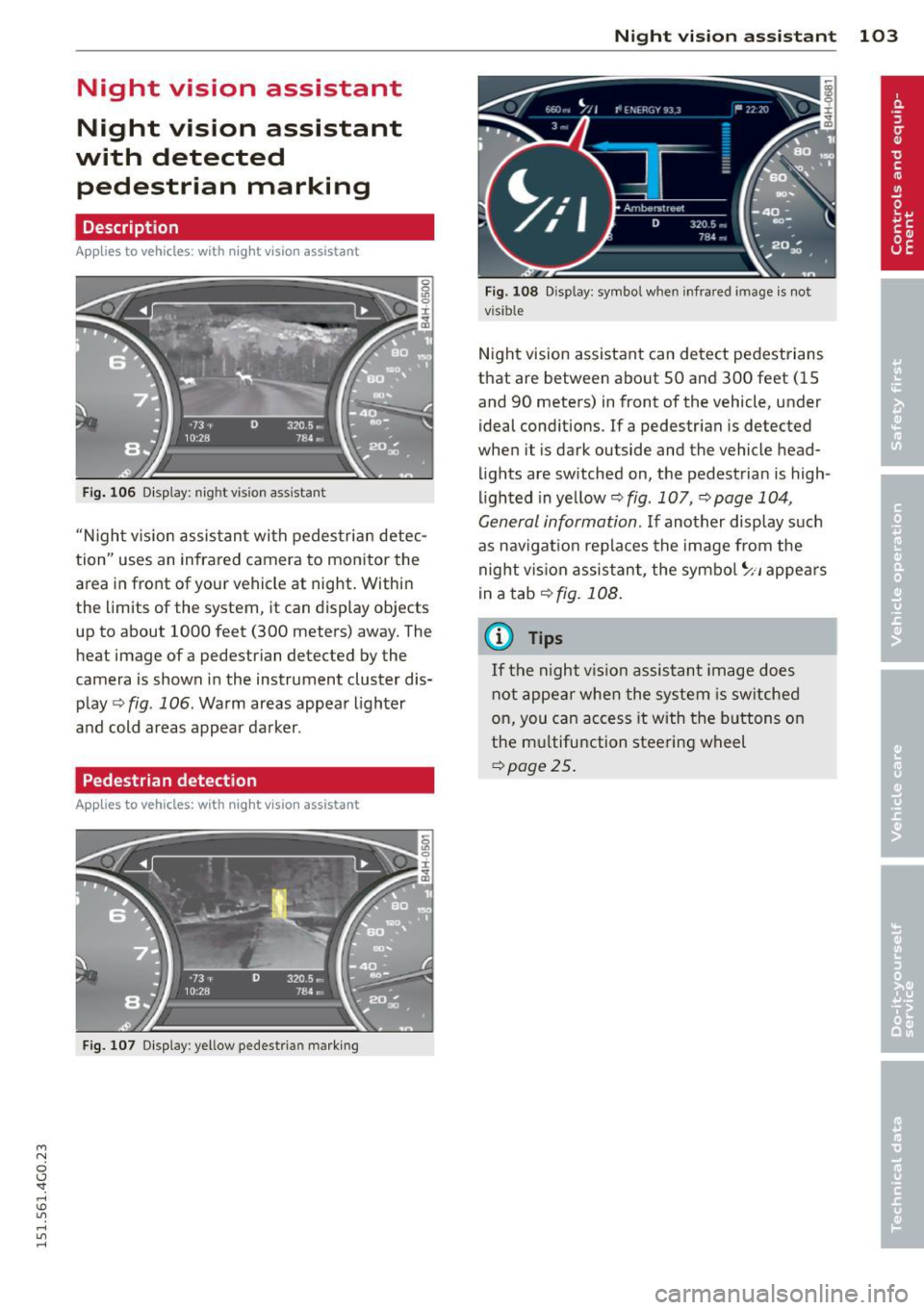
Fig . 106 Display: nig ht v is ion assistant
"N ight v is ion assistant with pedestrian detec
tion" uses an infrared camera to monitor the
area in front of your vehicle at night. Within
the limits of the system , it can display objects
up to about 1000 feet (300 meters) away. The
heat image of a pedestrian detected by the
camera is shown in the instrument cluster dis
play
Q fig . 106 . Warm areas appear lighter
and cold areas appear darker .
Pedestrian detection
Applies to vehicles: with n ig ht v ision ass istant
Fig. 107 Display : yellow pedestrian marking
Night vision assistant 103
Fig. 108 D isp lay: symbo l w hen infrare d image is not
visi ble
Night vision assistant can detect pedestrians
that are between about 50 and 300 feet (15
and 90 meters) in front of the vehicle, under
ideal conditions .
If a pedestrian is detected
when it is dark outside and the vehicle head
lights are switched on, the pedestrian is high
lighted in yellow
Qf/g . 107, Qpage 104,
General information.
If another display such
as navigation replaces the image from the
night vision assistant, the symbo l~,, appears
in a tab
Q fig. 108.
(D Tips
If the night vision assistant image does
not appear when the system is sw itched
on, you can access it with the buttons on
the multifunction steering wheel
Q page25.
Page 108 of 314

106 Night vision assistant
Night vision assistant: only available in dark
ness and with lights switched on
N ig ht vision assist ant only wo rk s when i t is
da rk ou tside and the headlig hts are o n.
Night vision assistant: pedestrian detection
not available
The system has deactivated the pedestrian de
tec tion f unct ion.
Page 109 of 314
M N
0 I.J "". rl I.O
"' rl
"' rl
Automatic Transmission
multitronic, S tronic,
tiptronic
Introduction
The automatic transmission is controlled elec
tronically . The transmission upsh ifts or down
shifts automatically depending on which drive
program is se lected .
When a
moderate driving style is used, the
transmission selects the most economical
driving mode . It will then change up early and
delay the downshifts to give better fuel econ
omy.
The transmission switches to a sporty mode
after a kick-down or when the driver uses a
sporty driving style characterized by quick ac
celerator pedal movements, heavy accelera
tion, frequent changes in speed and traveling
at the maximum speed.
If desired, the driver can als o se lect the gears
manually (tiptronic mode) q page 111.
Various automatic transmissions may be in
stalled , depending on the model:
multitronic transmission
The multitron ic transmission is a continuously
variable transmission. Power is transferred us
ing a multidisk clutch . In contrast to conven
tional automat ic transm iss ions using shift ing
ope rat ions, the transmiss ion ratio in the con
tinuously variab le transmission is changed
continuously. This optimizes the comfort level
and conserves fuel.
S tronic transmission
The S tronic is a dual-clutch transmission .
Power is transferred using two clutches that
work independently from one another. They
replace the torque converter used in conven
tional automatic transm issions and allow the
vehicle to accelerate without a noticeable in
terruption in traction.
Automatic Transmission 107
tiptronic transmission
In the tiptronic transmission, power is trans
ferred by a torque converter.
Selector lever positions
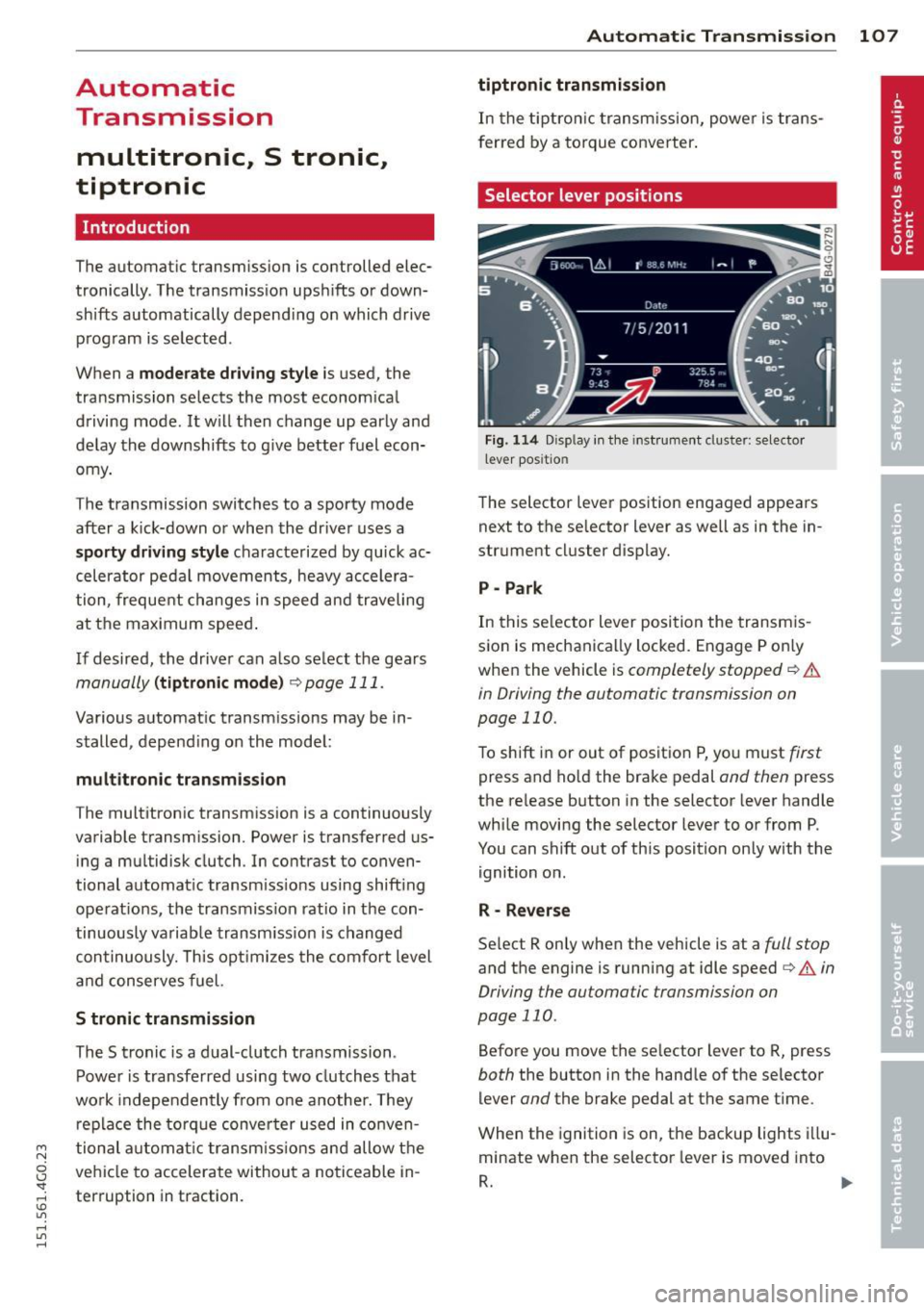
Fig. 114 Disp lay in the instrument cluster: selector
l ever positio n
The selector lever position engaged appears
next to the se lector lever as we ll as in the in
strument cluster display.
P- Park
In this selector lever position the transmis
sion is mechanically locked. Engage P on ly
when the vehicle is
completely stopped q .&.
in Driving the automatic transmission on
page 110.
To shift in or out of positio n P, you must first
press and hold the brake pedal and then press
the re lease button in the selector lever handle
while moving the selector lever to or from P.
You can shift out of this position only with the
ignition on.
R - Reverse
Select R only when the vehicle is at a full stop
and the engine is running at idle speed i:> & in
Driving the automatic transmission on
page 110 .
Before you move the se lector lever to R, press
both the button in the handle of the selector
lever
and the brake pedal at the same time .
When the ignition is on, the backup lights illu
minate when the selector lever is moved into
R. ..,.
Page 111 of 314
M N
0 I.J "". rl I.O
"' rl
"' rl
The Automatic Shift Lock only functions when
the vehicle is stationary or at speeds below
1 mph (2 km/h).
At speeds above about 1 mph (2 km/h) the
Automatic Shift Lock is automatically deacti
vated in the N position.
A time delay element prevents the se lector
l eve r from locking when it is moved thro ugh
the N position (going from R to 0/5). The lock
ing e lement will lock the selector lever if the
lever is left in N (Neutral) for more than ap
prox imately 2 second, without the brake ped
al being pressed.
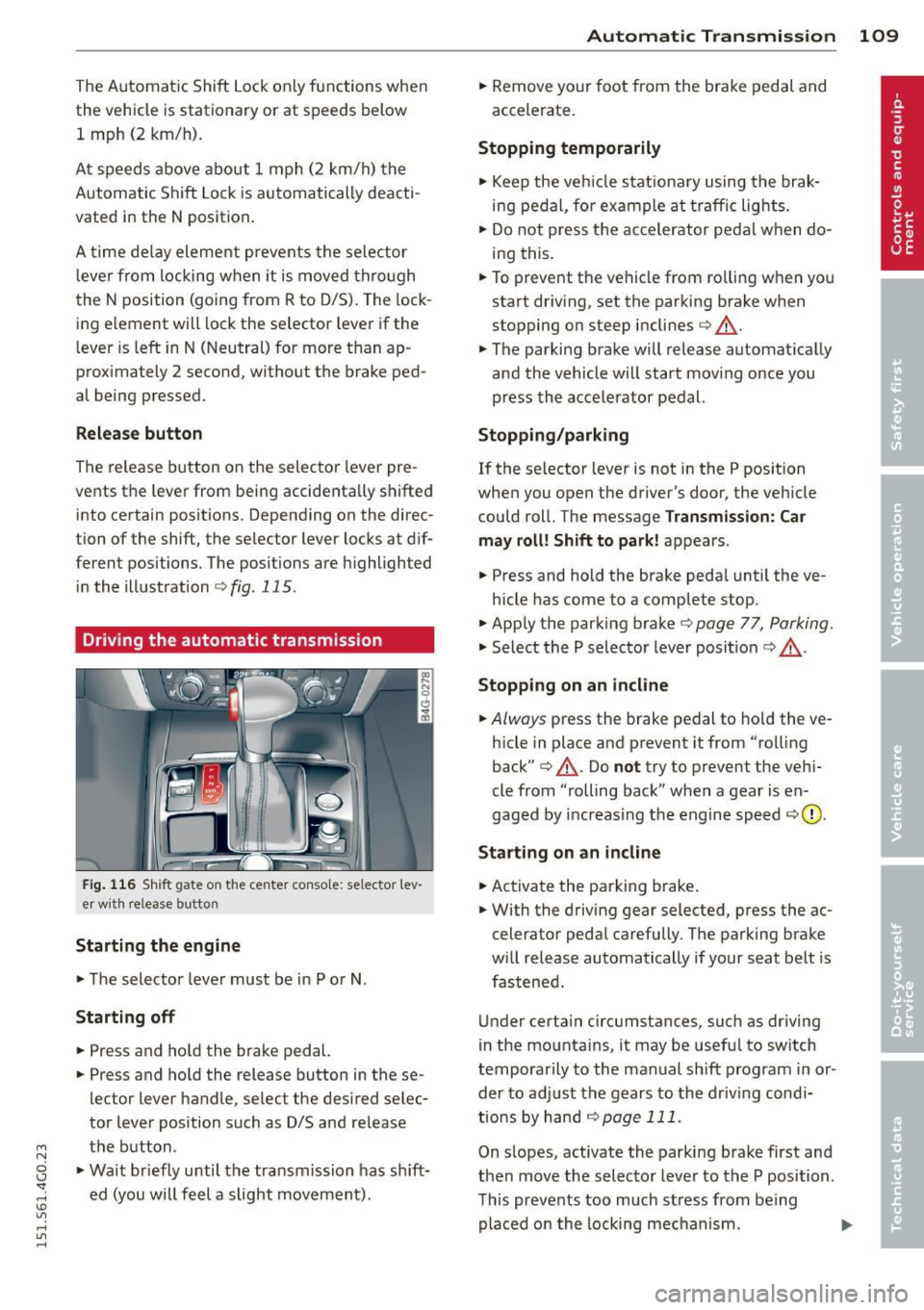
R elease button
The release button on the selector lever pre
vents the lever from being accidenta lly shifted
into certain positions. Depending on the direc
tion of the shift, the selector lever locks at d if
ferent positions. The positions are h ighlighted
in the illustration
¢ fig . 115 .
Driving the automatic transmission
Fig. 116 Shift gate on the center conso le: selector lev
er w ith release button
Starting the engin e
• The selector lever must be in P or N.
Starting off
• Press and ho ld the brake pedal.
• Press and hold the release button in these
lector lever handle, select the desired selec
tor lever pos ition such as D/S and release
the button .
• Wait br iefly until the transmission has sh ift
ed (you will feel a slight movement).
Automatic Tra nsmi ssi on 109
• Remove your foot from the brake pedal and
accelerate.
Stopping t emporarily
• Keep the veh icle stationa ry using the brak
ing pedal, for example at traffic lights.
• Do not press the accelerator peda l w hen do
ing this .
• To prevent the vehicle from ro lling when you
start dr iving, set the parking brake when
stopping on steep inclines¢.&_ .
• The parking brake will release automat ically
and the vehicle will start mov ing once you
press the accelerator pedal.
Stopping /parking
If the selector lever is not in the P position
when you open the driver's door, the vehicle
could roll. The message
Transm ission: Car
may roll! Shift to park !
appears.
• Press and hold the brake peda l until the ve-
hicle has come to a complete stop.
• Apply the parking brake¢
page 77, Parking.
• Select the P selector lever posit ion c::> ,&. .
Stopping on a n incline
• Always press the brake pedal to ho ld the ve
hicle in place and prevent it from "rolling
back"
c::> .&_ . Do not try to prevent the veh i
cle from "rolling back" when a gear is en
gaged by increas ing the engine speed
c:::, (D ,
Sta rting on an incline
• Activate the parking brake .
• With the driving gear selected, press the ac
celerator peda l carefully. The parking brake
w ill release automatically if your seat belt is
fastened .
Under certain circumstances, such as driving
in the mounta ins, it may be useful to switch
temporarily to the manual shift program in or
der to ad just the gears to the driv ing cond i
tions by han d
¢page 111.
On s lopes, activate the parking brake first and
then move the selector lever to the P position .
This prevents too much stress from being placed on the locking mechanism. .,.
Page 138 of 314
136 Safety belts
Safety belts
General notes
Always wear safety belts!
Wearing safety belts correctly saves lives!
This chapter explains why safety be lts are nec
essary, how they work and how to adjust and
wear them correctly .
.. Read a ll the information that fo llows and
heed all of the instructions and WARNINGS.
A WARNING
Not wearing safety belts or wearing them
improperly increases the risk of ser ious
personal in jury and death .
- Safety belts are the sing le most effective
means avai lab le to reduce the risk of se
r ious injury and dea th in a utomob ile acci
dents. For your protection and that of
yo ur passenge rs, always co rrectly wear
safety belts when the vehicle is moving.
- Pregnant women, injured, or physically
im paired perso ns m ust also use safety
belts. Lik e all veh icle occup ants, they are
more like ly to be ser iously injured if they
do not wea r safety be lts . The best way to
protect a fetus is to protect the mother -
throughout the entire pregnancy.
Number of seats
Your Audi has a total of five seating positions: two in the front and three in the rear. Each
seating position has a safety belt.
A WARNING
Not wea ring safety belts or weari ng them
improp erly increases the risk of ser ious
pe rsonal i njury and deat h.
- Never st rap more than one pe rson, in
cl uding small ch ild ren, into any belt.
It is
e speci ally dange rous to pla ce a safety
belt over a child s itting on yo ur lap.
- N ever le t mo re people ride in the ve hicl e
than there are s afe ty be lts avail able. -
Be s ure everyone riding in the vehicle is
properly restrained w ith a separate safe
ty belt or child restra int.
t Safety belt warning light
Your vehicle hos o warning system for the
driver and front seat passenger (on USA mod
els only) to remind you about the importance
of buckling-up .
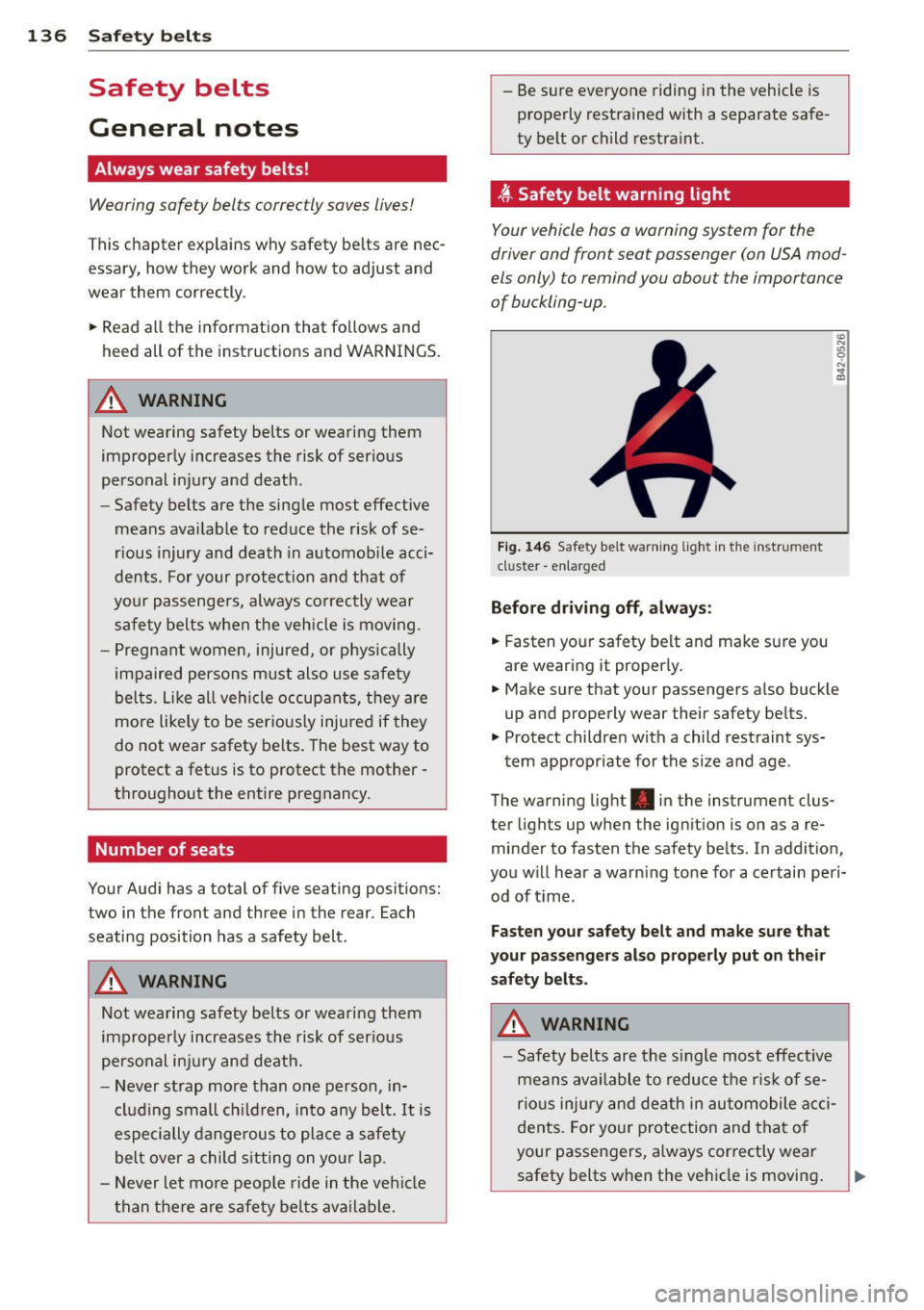
Fi g. 146 Safety belt warni ng light in the instrument
cluster -en larged
Before driv ing off, alway s:
.. Fasten yo ur safety belt and make su re you
are wearing it properly .
.. Make s ure that your passengers also buck le
up and properly wear their safety be lts.
.. Protect childre n w ith a child restraint sys-
tem app ropriate for the s ize and age.
The warn ing light . in the instrument clus
ter lights up when the ign ition is on as a re
minder to fasten the safety be lts. In addition,
you w ill hear a warn ing tone for a ce rtai n pe ri
od of t ime.
Fasten you r safety belt and make sure that
your pass eng ers also properly put on the ir
s afety belt s.
A WARNING .....=-
-Safety b elts are the s ingle most eff ect ive
means avai lable to reduce t he ri sk of se
rio us inju ry and de ath in au tomobile acci
dents. Fo r you r protection and that of
your passengers, a lways cor rectly wear
safety belts when t he vehicle is moving .