remote control AUDI S7 2012 User Guide
[x] Cancel search | Manufacturer: AUDI, Model Year: 2012, Model line: S7, Model: AUDI S7 2012Pages: 294, PDF Size: 73.33 MB
Page 55 of 294
Removing the head restraints
• Fo ld the backrest fo rward c:> page 60.
• Move the head restraint upward as far as it
can go.
• Press the release
c:> fig. 48 with the me
chanical key
c:> page 30 and the button
-arrow-
c:> fig . 47. Pull the head restraint out
of the backrest at the same time
c:> _&. .
Install ing the head restraints
• Slide the posts on the head restraint down
into the guides until you feel the posts lock
into place .
• Press the button -arrow-
c:> fig. 47 and slide
t h e head restraint all the way down . You
should not be able to pull the head restraint
out of the backrest .
So that the driver can have a better view to
the rear, the head restraints should be pushed
down completely when the rear seats are not
occupied .
_& WARNING
-Only remove the rear seat head restraints
when necessary in order to install a chi ld
seat . Install the head restraint again im
mediately once the child seat is removed.
Driving without head restraints or with
head restraints that are not properly ad
justed increases the risk of serious or fa
tal neck injury dramatically .
- Read and heed all WARNINGS
<=> page 122.
Seat memory
Description
Applies to vehicles: with memory functio n
The memory function allows you to quickly
and easi ly store and recall personal seating
profiles for the driver . The memory function is
operated through the master key and the
memory buttons in the driver's door.
The driver's seating profi le is stored and as
signed to the master key each time the vehicle is locked. The seating profile is recalled auto-
Seats and storage 53
matically when the vehicle is unlocked. If two
people use one vehicle, it is recommended
that each person always uses "their own" master key.
Two seating profiles can be stored in each of
the driver's door. Once stored, these seating
profiles can be recalled at any time.
The following sett ings are stored:
- Dr iver's seat
- Steering wheel*
- Both exterior rearview mirrors*
Remote control key
Applies to vehicles: with memory function
To assign the driver's seat settings to the re
mote control key when locking the veh icle, the
funct io n must be switched on .
• Select: ICAR ifunction button>
Car systems
control button > Vehicle settings> Seats>
Driver seat> Remote control key> On .
(D Tips
If you do not want another driver's set
tings to be assigned to the remote control
key, switch off the memory function using
the MMI or the IOFF i button
c:> page 53.
Memory buttons
Applies to vehicles: with memory function
Fig. 49 Driver 's doo r: memo ry fun ction b uttons
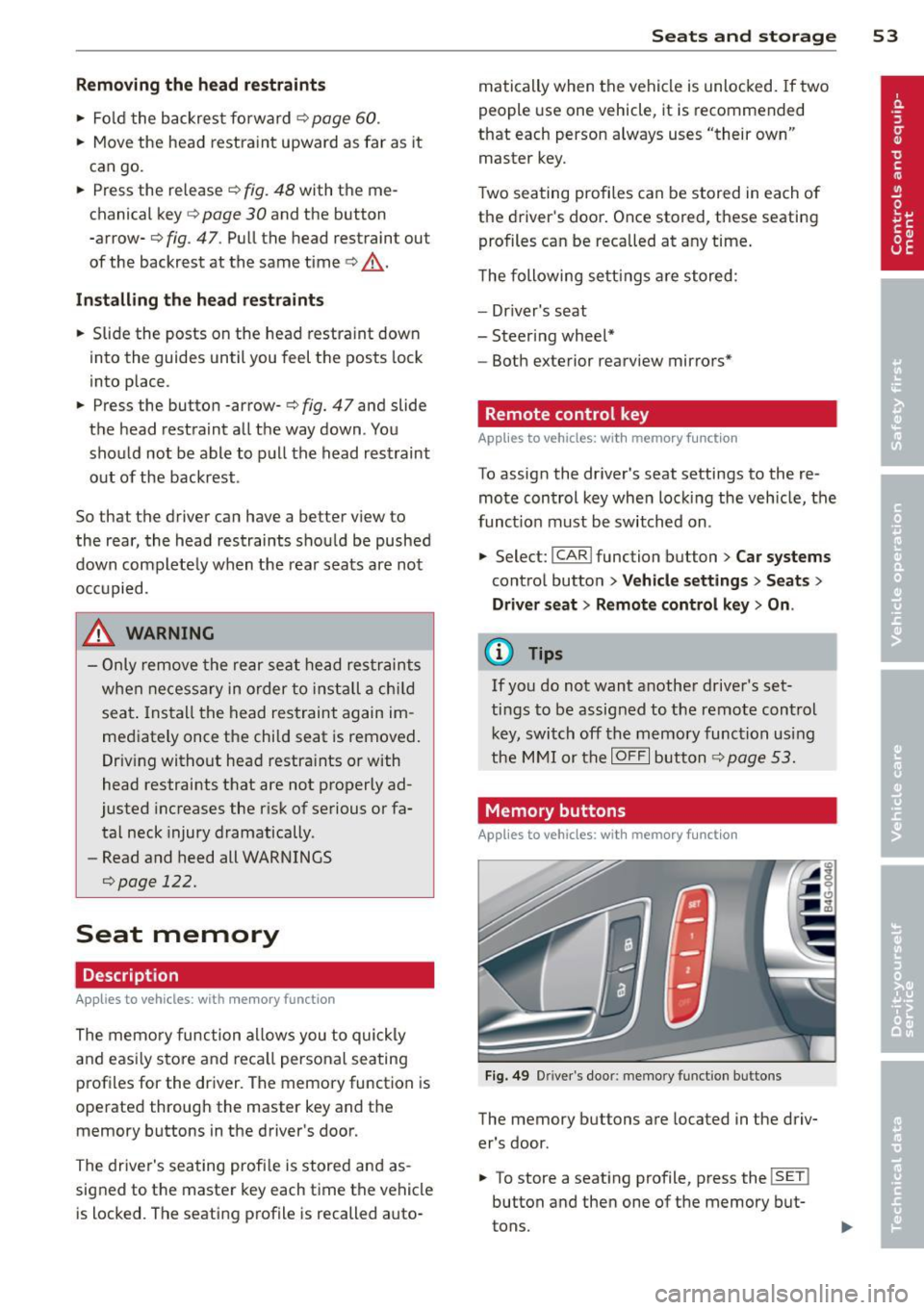
The memory buttons are located in the driv
er's door.
• To store a seating profile , press the
!SE T!
button and then one of the memory but
tons.
Page 66 of 294
64 Warm and cold
Warm and cold
Climate controls
Description
App lies to vehicles: with three-zone climate control or
four-zone automat ic climate contro l
The climate control system warms, cools and
adds humidity to the air in the vehicle interior .
It is the most effective when the windows and
sunroof* are closed .
If the temperature inside
the parked veh icle becomes very warm, open
ing the w indow br iefly will speed up the cool
ing process.
In all heating mode functions except
defrost,
the blower on ly switches to a highe r speed
once the engine coolant has reached a certain
temperature.
Condensat ion from the cooling system can
d rip and form a puddle of wate r under the ve
h icle. This is normal and does not mean there
is a leak .
Pollutant filt er
The pollutant filter removes pollutants such
as dust and po llen from the air.
The air pollutants filter must be changed at
the intervals spec ified in your Warranty
&
Maintenance booklet, so that the air condi
tioner can properly work .
If you drive your vehicle in an area with h igh
a ir pollution, the filter may need to be
changed more freq uently than specified in
your Aud i Warranty & Ma intenance booklet . If
i n doubt, as k your author ized Audi Se rvice Ad
visor for adv ice.
K ey coded setting s
Three-zone climate control: the blower set
ting and air distribution are stored automati
cally and ass igned to the remote control key
that you are using.
Four-zone automatic climate control: The cli
mate control settings are automatica lly stor
ed and assigned to the remote control key
that is in use .
A WARNING
Reduced visibility is dangerous and can
cause accidents.
-
- For safe driving it is very important that
all windows be free of ice, snow and con
densat ion .
- Comp lete ly fami liarize yourse lf with the
proper use and funct ion of the heat ing
and venti lation system and especially
how to defog and defrost the w indows.
- Never use the windshield wiper/washer system in freez ing weather unt il you
have wa rmed the windshie ld first, using
the heating and ventilation system. The
washer sol ution may freeze on the w ind
shie ld and red uce visib ility.
(D Note
- If you suspect that the air conditioner
has been damaged, switch the system
off to avoid further d amage and have i t
inspected by a q uali fied dealership .
- Repairs to the Audi air conditioner re
quire speci al technical know ledge and
special tools. Contact an authorized Audi
dea ler fo r ass istance.
@ For the sake of the environment
By reducing the amount of f uel you use,
you also red uce the amount of pollutants
emitted into the air.
(D Tips
- Keep the air intake s lo ts (in front o f the
windshield) free from ice, snow and de
bris in order to maintain the proper func
tion of the climate control system.
- The energy management system may
switch the seat heating* or rear window
defroster off temporar ily. These systems
are available again as soon as the energy
balance has been restored .
-Air escapes through vents under the rear window. When plac ing items of cloth ing
on the luggage compartment cover, en
sure that the openings are not covered.
Page 71 of 294
(D Note
To avoid damage to the heating elements in the seats, do not kneel on the seats or
place heavy loads on a small area of the
seat.
Setup
App lies to vehicles: with four-zone a utomat ic climate con·
tro t
The climate con trol system setup is accessed
through the MMI.
" Select: ICARI function button > Car systems
control button > AC.
Rear cabin settings*
When this function is selected, all settings for
the rear can be adjusted through the climate
control system in the cockpit. The climate
control system settings cannot be adjusted in
the rear seat at the same time. This function
switches
off after a certain period of time or
when one of the dials in the cockpit is press
ed .
Auto recirculation*
The sensitivity level of the automatic rec ircu
la tion mode can be set at various leve ls from
off to sensitive. The recirculation mode is con
trolled automat ica lly. You must press the~
button if fog forms on the windows.
Footwell temperature
You can adjust the footwell temperature so
that it is cooler or warmer.
AC mode
The strength of the airflow can be adjusted to
light, med ium or strong.
Warm and cold 69
Steering wheel heating
Applies to vehicles: wit h hea ted stee ring wheel
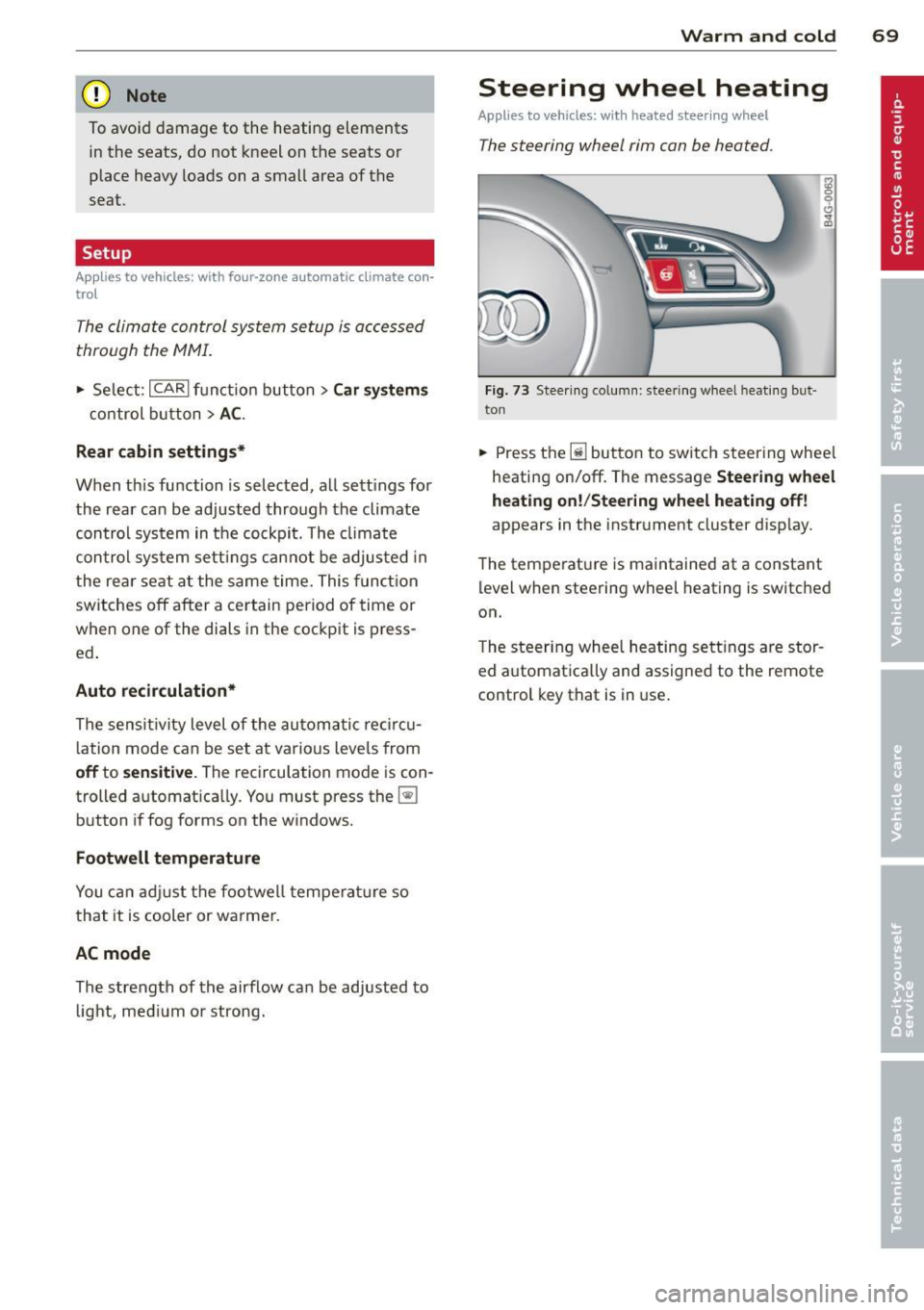
The steering wheel rim con be heated.
Fig. 73 Stee ring column: steering w heel hea ting but ·
ton
.. Press the Ii] bu tton to switch steering whee l
heating on/off. The message
Steering wheel
heating on! /Steering wheel heating off!
appears in the instrument cluster d isp lay.
The temperat ure is maintained at a constant
level when steering wheel heating is switched
on.
T he steering wheel heating settings are stor
ed automat ica lly and assigned to the remote
control key that is in use .
Page 87 of 294
Adaptive cruise control and braking guard 85
@ Tips
- Distance 3
is set automatically each time
you switch the ignition on.
- Your standard settings are automatically
stored and assigned to the remote con
trol key being used.
Audi braking guard
Descript ion
Applies to vehicles: with adaptive cruise contro l
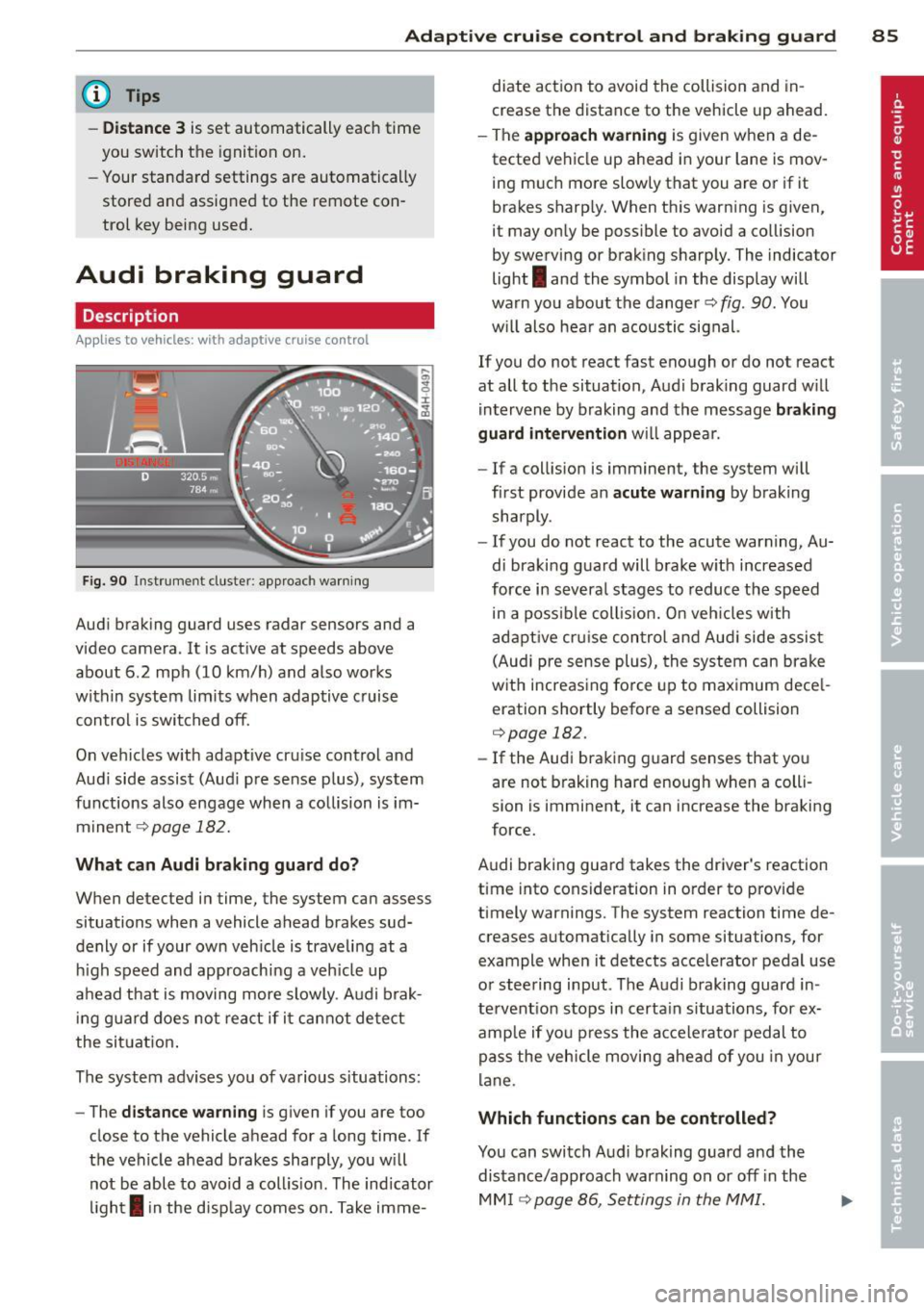
Fig. 90 Instrument cluster: approach warning
Audi braking guard uses radar sensors and a
video camera. It is active at speeds above
about 6.2 mph (10 km/h) and also works
within system limits when adaptive c ruise
control is switched off.
On vehicles w ith adaptive cru ise control and
Audi side assist (Aud i pre sense plus), system
functions also engage when a collision is im
minent
c::> page 182.
What can Audi braking guard do?
When detected in time, the system can assess
situations when a vehicle ahead brakes sud
denly or if your own veh icle is traveling at a
h igh speed and approaching a veh icle up
ahead that is moving more slowly . Audi brak
in g guard does not react if it cannot detect
the situation.
The system advises you of various s ituations:
- The
distance warning is given if you are too
close to the vehicle ahead for a long time. If
the vehicle ahead brakes sharply, you will not be able to avoid a coll is ion . The ind icator
light
I in the disp lay comes on. Take imme- diate action to avoid
the collision and in
crease the distance to the vehicle up ahead.
- The
approach warning is given when a de
tected vehicle up ahead in your lane is mov
ing much more slowly that you are or if it
brakes sharp ly. When this warning is given,
it may only be possible to avoid a collision
by swerving or braking sharply. The indicator
light
I and the symbol in the display will
warn you about the danger
c::> fig . 90 . You
w il l also hear an acoustic signal.
If you do not react fast enough or do not react
at all to the situation, Audi braking guard w ill
intervene by braking and the message
braking
guard intervention
will appear.
- If a collision is imminent, the system will
first provide an
acute warning by braking
sharply.
- If you do not react to the acute warning, Au
di braking guard will brake w ith increased
force in severa l stages to reduce the speed
in a poss ible collis ion. On veh icles with
adaptive cruise control and Audi side assist
(Audi pre sense plus), the system can brake
with increasing force up to maximum dece l
eration shortly before a sensed collision
c::>page 182.
-If the Audi braking guard senses that you
are not brak ing hard enough when a colli
sion is imminent, it can increase the braking
force.
Audi braking guard takes the driver's reaction
time into consideration in order to provide
timely warnings. The system reaction time de
creases automatically in some situations, for
example when it detects acce lerator pedal use
or steering input . The Audi braking guard in
tervent ion stops in certa in situations, for ex
amp le if you press the accelerato r pedal to
pass the vehicle moving ahead of you in your
lane .
Which functions can be controlled?
You can switch Audi braking guard and the
distance/approach warning on or
off i n the
MM I ¢ page 86, Settings in the MMI.
Page 88 of 294

86 Adapti ve crui se co ntrol a nd bra king guard
& WARNING
The Audi braking guard is an assist system
and cannot prevent a collision by itself.
The driver must always intervene . The driv
er is always responsible for braking at the
correct time.
- Always pay close attention to traffic, even when the Audi braking guard is
switched on. Be ready to intervene and
be ready to take comp lete control when
ever necessary. Always keep the safe and
legal distance between your vehicle and
vehicles up ahead.
- Audi braking guard works within limits
and w ill not respond outs ide the system
limits, for examp le when approaching a
stopped vehicle or stationary obstacle
(end of a traffic jam or vehicle that has
broken down in traffic).
- Always remember that the radar sensor
for the Audi braking guard works only
within defined detection and range limits
that may prevent the proper detection of
other vehicles.
- The radar sensor's function and range
can be reduced by rain, snow and heavy
spray. moving vehicles up ahead may not
be promptly detected or may not be de
tected at all.
- Reflective surfaces includ ing crash barr i
ers or tunnel entrances may impair the
function of the radar sensor .
(D Tips
Lack of attention can cause coll is ions, oth
er accidents and ser ious personal injuries.
- You can stop the Audi braking guard in- tervention w ith increas ing braking force
by applying the brakes yourself or by ac
celerat ing rapidly .
- Audi braking guard error messages
.:> page 86.
Settings in the MMI
Applies to vehicles: wit h adaptive cruise contro l
., Sele ct: I CAR I function button > Car system s
contro l button > Driv er a ssis t> Audi brak
in g gu ard .
S ys tem -
Switch Audi braking guard On and
Off. When you switch the ignit io n on, the
message
Audi brakin g gu ard off appears in
the instr ument cluster disp lay if the system is
switched off.
Earl y wa rnin g -The distan ce and approach
warnings in the d isplay can be switched
On /
Off .
(D Tips
-Yo ur settings are automatically stored
and assigned to the remote contro l key
being used at the times the settings are
made.
- If you switch the ESP to sport mode, A u
di braking guard switches off a utomati
cally¢
page 186.
Messages
Applies to vehicles: wi th adaptive c ruise control
ACC unav ailable
ACC and braking guard: unavailabl e
The system cannot detect moving vehicles up
ahead co rrectly and is sw itched off . The sen
sors have been displaced or a re not working
properly. The Audi pre sense functions may a l
so be affected.
ACC: unava ilable at this time. No sensor vi
sion
A CC and b raking gu ide: un available at this
time . No sensor vision
This message appears if the sensor view is ob
structed, for examp le by leaves, snow, heavy
spray or d irt. Clean the sensors¢
page 79,
fig. 81.
ACC: un availabl e at this time. Incline too
steep
Page 95 of 294

MMI settings
Applies to vehicles: with side assist
The basic brightness setting of the signal on
the outside mirror can be adjusted via the
MMI.
~ Select : ICARI funct ion button> Car systems
control button > Driver assist > Audi side
assist.
The brightness of the signal light for both the informational and alert stages is automatical
ly adjusted to ambient light conditions. In ad
d ition, you can adjust the
basic brightness
separately, via the brightness function .
W hile making the adjustment, the new
brightness setting is displayed briefly . The
brightness displayed is that of the informa
tional stage signal. The alert stage signal
brightness is linked to the informational stage
signal brightness.
The informational stage signa l br ightness
should be adjusted so that you not ice the sig
nal illumi nation when you look in the outside
mirror, but not when you look forward
through the windshield .
I n very dark or light sur roundings, the auto
mat ic brightness setting adjusts signal light
brightness to maximum or minimum intensi
ty, as needed. In circumstances such as these,
you may not notice any change in the bright
ness on the outside mirror when adjusting the
basic brightness. You may not notice the
change until lighting conditions are normal
again.
(D Tips
- Side assist is not active when the basic
brightness is adjusted. The signal light
comes on briefly to help you make the
adjustment .
- Your settings are automatically stored
and ass igned to the remote control key
being used.
Audi side assist 93
General information
Applies to vehicles: wit h side assist
Side assist has limits and cannot detect vehi
cles unde r al l road and weather conditions.
Please remember system limitations and nev
er rely on the system, especially when :
- driving through curves
c::> page 93,
-lanes are of diffe rent widths c::> page 93 .
When driving through curves
Applies to vehicles: wit h side assist
Side assist cannot detect ve hicles in curves
with a turning radius of less than 328 feet
(100 m).
When dr iving through a curve, it is poss ible
that side assist may reg ister a vehicle two
lanes over, and the signal on the outside mir
ror will light up.
Lane width
Appl ies to vehicles: wit h side assist
Fig. 98 Lanes of a normal width are in detect ion area
Fig. 99 Narrow lanes: S ide assist may detec t vehicles
two lanes away
Side assist's detection area is designed to cov-
er lanes of standa rd width to the left and ..,.
Page 116 of 294
114 Parking system
Off -when the park ing system is switched off,
only audible signals are given.
Warning tones
Front v olume -front senso r volume
Front fr equ enc y -front sensor frequency
Rear v olume -rear sensor volume
Rea r frequ enc y -rear sensor freq uency
Mu sic vo lume whil e parking -when the park
ing system is switched on, the volume of the
active audio sou rce is lowered.
The newly adjusted value is briefly heard from
the signa l generator.
(Di Tips
- The warning tones can a lso be adjusted
directly by the v isual display or the p ic
ture from the rear v iew camera. Simp ly
press the
S etting s contro l button.
- Changed settings are activated when
parking system is switched on again.
-The sett ings are automatically stored
and ass igned to the remote control key.
Error messages
App lies to vehicles: with pa rking system p lus or parking
syste m plus with rear v iew camera
There is an error in the system if the LED on
the ~ switch is blinking and you hear a con
tinuous alarm for a few seconds after switch ing on the parking system or when the park
i ng system is already act ivated. Have your au
thor ized Audi dealer correct the e rror .
{D) Tips
If the error is not corrected before you
sw itch off the ignition, when you switch on
the par king system aga in, the LED in the
~ switch w ill blink.
Page 117 of 294
Homelink®
Universal remote
control
General information
Applies to vehicles: with Horne Link® universal remote
control
The Homelink universal remote control can
be programmed with hand -held transmitters
from existing equipment.
Using the Homelink universal remote control,
you can operate equ ipment such as garage
doors, property gates and house lights from ins ide your vehicle.
Using the Homelink universal remote control,
you can replace up to three separate hand
held transmitters for equipment on your
property with just one universal remote con
trol. Most of these transmitters a re used to
ope rate ga rage doo rs and p roperty gates. The
individua l transmitters are programmed at
the front bumper. That is where the control
module is located.
The transmitters must be programmed first in
order to operate systems using the Homelink universal remote control.
A WARNING
-
- Never use the Homelink ® transmitter
with any garage door opener that does have not the safety stop and reverse fea
ture as required by federal safety stand
ards . Th is includes any garage door open
er model manufactured before April 1, 1982.
- A garage door opener which cannot de
tect an object, signaling the door to stop
and reverse does not meet current feder
al safety standards. Us ing a ga rage door
opener without these features increases
risk of serious injury or death.
- For safety reasons never release the
parking brake or start the engine while
anyone is standing in front of the vehicle .
- A garage door or an estate gate may
sometimes be set in motion when the
Homelink ® 115
Homelink ® remote control is being pro
grammed.
If the device is repeatedly ac
tivated, t his can overstrain motor and
damage its electrical components - an
overheated motor is a fire hazard!
- To avo id possible injuries or property
damage, please always make absolutely
certain that no persons or objects are lo
cated in the range of motion of any
equ ipment being operated.
(D Tips
- If you would like additional information
on the Homelink ® Universal Transce iver,
Homel ink compatible products, or to
purchase other accessories such as the
Homel ink ® Lighting Package, please
contact Homelink at 1 -800 -355-3515 o r
on the Internet at www.homelink.com.
- For Declara tion of Comp liance to United
States FCC and Industry Canada reg ula
tions ~
page 2 76.
Page 118 of 294

116 Homelink®
Programming transmitters
Appli es to vehicles: with Horne link
You con program the buttons in the Home
Link universal remote control located in the
vehicle headliner.
Fig. 126 Co ntrol un it in the headliner
Fi g. 127 Left front area of the bumper
Programming a button
"' 0
9 C,
~
.. Make sure your veh icle is within operating
range of the remote controlled garage door
opener.
.. Set the parking brake
~ A in General infor
mation on page 115 .
.. Switch the ignition on. Do not start the en
gine!
.. There are two ways to program a button :
press the button that you would like to pro
gram . The MMI will display instructions to
guide you through the programm ing . Or
.,. Se lect :
ICARI funct ion button > Car systems
control button > Vehicle settings > Garage
door opener > Program garage door open
er .
.. Se lect the button that yo u wou ld like to
program.
.. Follow the instructions in the MMI.
.. If the garage door opening must also be
synchronized with the Homel ink module, refer to
the owner's manual for the garage
door opener .
Using the programmed button
.. Press the programmed button q ,& in Gen
eral information on page 115
to open the
ga rage door. The light @ will blink or turn
on.
.. Press t he button again to close the garage
door
q A in General information on
page 115.
Erasing the button programming
.. Select: I CAR I function button > Car systems
function key > Vehicle settings> Garage
door opener > Clear program settings
>
Yes .
Displaying the version/status/country
code
.. Select: I CAR I function button > Car systems
contro l button > Vehicle settings > Garage
door opener
> Version information .
You can program both fixed code and rolling
code systems using these instructions.
Programming a button
The requ ired distan ce between the handheld
transmitter and the Homelink module in the
bumper depends on the system that you are
programming. You may have to try several
times.
Each of the buttons can be reprogrammed in
dividua lly . The procedure is the same as fo r in
itial programming .
qpoge 116, Programming
a button.
Erasing the button programming
Individual buttons can be reprogrammed. Fol
low the same steps used when first prog ram
ming the button .
If you would like to erase all programmed but
tons at the same time, sele ct Erase button
programming .
Page 278 of 294
2 76 Consumer Information
Technical Modifications
Our guidelines must be complied with when
technical modifications are made .
Always consult an authorized Audi dealer be
fore starting work on any modifications.
This will help ensure that vehicle function,
performance and safety are not impaired
¢ &. .
Attempting to work on electronic components
and the software used with them can cause
malfunctions. Because of the way electronic
components are interconnected with each
other, such malfunctions can also have an ad
verse affect on other systems that are not di
rectly involved. This means that you risk both
a substantial reduction in the operational
safety of your vehicle and an increased wear of
ve hicle parts ¢
A:,..
Author ized Audi dealers will perform th is
wo rk in a professiona l and competent manner
or, in special cases, refer you to a professional
company that specializes in such modifica
tions .
A WARNING
Improper repairs and modifications can
change the way vehicle systems work and
cause damage to the vehicle and serious
personal injury.
-
If emergency repairs must be performed
elsewhere, have the vehicle examined by
an authorized Audi dealer as soon as possi
ble.
Declaration of
Compliance, Telecom
munication and
Electronic Systems
Radio Frequency Devices and Radiocommuni
cation Equipment User Manual Notice.
The manufacturer is not responsib le for any
radio or TV interference caused by unauthor
ized modifications to this equipment.
Devices
T he following devices each comply with FCC
Part 15.19, FCC 15.21 and RSS-Gen Issue 1:
- Adapt ive cru ise control*
- Aud i side assist*
- Cell phone package*
- Convenience key*
- Electron ic immobilizer
- Homelink ® universal remote contro l
- Remo te control key
FCC Part 15.19
This device complies with part 15 of the FCC
Ru les. Operation is subject to the follow ing
two conditions:
(1) This device may not cause harmful inter
ference, and
(2) this device must accept any interference
received, including interference that may
cause undesired operation .
FCC Part 15.21
CAUTION:
Changes or modificat ions not expressly ap
proved by the party responsible for compli
ance could void the user's authority to operate
the equipment .
RSS-Gen Issue 1
Operation is subject to the following two con
ditions:
(1) this device may not cause interference ,
and