ABS AUDI S7 2015 User Guide
[x] Cancel search | Manufacturer: AUDI, Model Year: 2015, Model line: S7, Model: AUDI S7 2015Pages: 316, PDF Size: 78.09 MB
Page 154 of 316

152 Airbag system
detailed information about airbags, safety
belts and child safety in this and the other
chapters that make up the owner's literature.
Please be sure to heed the WARNINGS -they
are extremely important for your safety and
the safety of your passengers, especially in
fants and small children.
A WARNING
Never rely on airbags alone for protection.
- Even when they deploy, airbags provide only supplemental protection .
- Airbag work most effectively when used
with properly worn safety belts.
- Therefore, always wear your safety belts
and make sure that everybody in your ve
hicle is properly restrained .
- Always hold the steering wheel with both
hands on the outside of the steering
wheel rim at the 9:00 o'clock and 3:00
o'clock positions to help reduce the risk
of personal injury if the driver's airbag in
flates.
- Never hold the steering wheel at the 12
o'clock position or with your hands any
where inside the steering wheel or on the
steering wheel hub. Holding the steering
wheel the wrong way increases the risk of severe injury to the arms, hands, and
head if the driver airbag deploys.
A WARNING
Objects between you and the airbag will
increase the risk of injury in a crash by in
terfering with the way the airbag unfolds
and/or by being pushed into you as the air
bag inflates.
-Always make sure nothing is in the front
airbag deployment zone that could be
struck by the airbag when it inflates.
- Objects in the zone of a deploying airbag
can become projectiles when the airbag
deploys and cause serious personal in
Jury.
- Never hold things in your hands or on
your lap when the vehicle is in use .
-
-Never place accessories or other objects
(such as cup holders, telephone brackets,
note pads, navigation systems, or things
that are large, heavy, or bulky) on the
doors; never attach then to the doors or
the windshield; never place them over or
near or attach them to the area marked
.,AIRBAG" on the steering wheel, instru
ment panel or the seat backrests; never place them between these areas and you
or any other person in the vehicle.
- Never attach objects to the windshield
above the passenger front airbag, such
as accessory GPS navigation units or mu
sic players. Such objects could cause seri
ous injury in a collision, especially when
the airbags inflate.
- Never recline the front passenger seat to
transport objects. Items can also move
into the deployment area of the side air
bags or the front airbag during breaking
or in a sudden maneuver. Objects near
the airbags can fly dangerously through
the passenger compartment and cause
injury, particularly when the seat is re
clined and the airbags inflate.
A WARNING
A person on the front passenger seat, es
pecially infants and small children, will re
ceive serious injuries and can even be kil
led by being too close to the airbag when
it inflates.
- Although the Advanced Airbag System in
your vehicle is designed to turn off the front passenger airbag if an infant or a
small child is on the front passenger
seat, nobody can absolutely guarantee
that deployment under these special
conditions is impossible in all conceiva
ble situations that may happen during
the useful life of your vehicle.
- The Advanced Airbag System can deploy
in accordance with the ,,low risk" option
for 3- and 6-year-old children under the
Page 156 of 316

154 Airbag sys te m
of a typ ica l 1 year -old, but less than the
weight of a sma ll adult, the front airbag on
the passenger side may deploy (the
PASSEN
GER AIR BAG OFF
li ght does not come on).
For exa mple , the air b ag m ay depl oy if:
- a small child that is heavier than a typical 1
year-o ld child is on the front passenger seat
(regardless of whe ther the child is in one of
the chi ld seats listed
c':> page 175),
-a ch ild who has outgrown child rest raints is
on the front passenger seat.
If the front passenger airbag is turned off, the
PA SSENGER AIR BAG OFF light in the cente r
of the instrument panel w ill come on and stay
on.
If the front passenger airbag deploys, the Federal Standard requires the a irbag to meet
the "low risk" deployment criteria to help re
duce the risk of injury through interaction
with the airbag. " Low risk" deployment occurs
in those crashes that take place at lower de
celerations as defined in the e lectronic control
un it
c':>page 159.
Alwa ys rememb er: Even tho ugh your vehicle
is equipped with Advanced Airbags, the safest
p lace for children is properly restrained on the
back seat. Please be sure to read the impor
tant information i n the sect ions that follow
and be sure to heed a ll of the WARNINGS .
A WARNING
To reduce the risk of injury when an airbag
inf lates, a lways wear safety belts prope rly.
- If you are unrestrained, lean ing forward,
sitting sideways or out of position in any
way, your risk of injury is much higher.
- You w ill also receive serious in juries and
cou ld even be killed if you are up against
the a irbag or too close to it when it in
fla tes -even with an Advanced Airbag
c':> page 147.
A WARNING
A child in a rearward -facing child seat in
stalled on the front passenger seat will be seriously injured and can be killed
if the
front airbag inflates - even w ith an Ad
vanced Airbag System.
- Altho ugh the Advanced Airbag System in
your veh icle is designed to turn off the
front airbag when a rearward-facing
child restraint has been installed on the
front passenge r seat, nobody can abso
lutely guarantee that dep loyment is im
possible in all con ceivable s ituations that
may h appen dur ing the usefu l life of y our
veh icle .
- T he inflating airbag will h it the ch ild seat
or infant carrier wi th grea t force and will
smash the child seat and child against
the backrest, center armrest, door, or
roof.
- Always install rearward-facing chi ld re
straints on the rear seat.
- If you must install a rearward fac ing
child seat on the front passenger seat
because of exceptional circumstances
and the
PASSENGER AIR BAG OFF light
does not come on and stay on, immed i
ately insta ll the rear-facing child seat in a
rea r seat ing pos ition and have the airbag
system inspected by you r Audi dealer.
A WARNING
If, in except iona l circumstances, you must
i nsta ll a forward-facing child restraint on
the front passenge r's sea t:
- Always make sure the forward-facing
seat has been designed and ce rtified by
its manufacture r fo r u se on a fron t seat
with a passenger fron t and s ide a irbag .
- Never p ut the fo rward-facing child re
straint up agains t or ve ry near the instru
ment panel.
- Always move the p assenge r seat into its
rearmost pos ition in the seat's fore and
aft ad justment range, as fa r away from
the airbag as possible, before installing
the forward-facing ch ild restra int. The
backrest must be ad justed to an upright
position.
Page 166 of 316

164 Airbag system
www .dtsc.ca.gov/hazardouswaste/per
chlorate. When the vehicle or parts of the
restraint system including airbag modules
and safety belts wit h pretens ioners are
scrapped, all applicable laws and regula
tions must be observed. Your authorized
Aud i dea ler is familiar wit h these requ ire
ments and we recommend that you have
your dea le r perfo rm this se rv ice for you.
Other things that can affect Advanced
Airbag performance
Changing the vehicle's suspension system can
change the way that the Advanced Airbag Sys
tem performs in a crash. For example, using
tire-r im combinations not approved by Aud i,
lowering the vehicle, changing the stiffness of
the suspension, including the springs, suspen
sion st ruts, shock absorbers etc. can change
the forces that are measured by the a irbag
sensors and se nt to the electron ic control
un it. Some suspension changes can, for exam
p le, increase the force levels meas ured by the
sensors and make the airbag system deploy in
crashes in which it would not deploy if the
changes had not been made. Other kinds of
changes may reduce the force levels meas ured by the sensors and prevent the a irbag
from deploying when it should.
A WARNING
Changing the vehicle's suspension includ
ing use of unapproved tire -rim combina
tions can change Advan ced A irbag per
formance and increase the risk of serio us
personal in jury in a crash.
- Never install suspension components
that do not have the same performance character istics as the components origi
nally installed on your vehicle.
- Never use tire-rim combinatio ns that
have not been approved by A udi.
Knee airbags
Description of knee airbags
Applies to vehicles: with knee airbags
The knee airbag system can provide supple
mental protection to properly restrained
front seat occupants.
F ig . 1 65 Driver's knee airbag
The driver knee airbag is in the ins trumen t
pane l underneath t he steering wheel
¢ fig. 165, the airbag for the passenger is at
about the same height in the instrument pan
el underneat h the glove compartment.
T he knee airbag offe rs additional p rotection
to the driver 's and passenger's knees and up
per and lower th igh areas and supplements
the protection provided by the safety belts.
If t he front airbags dep loy , the knee ai rbags
also dep loy in frontal coll isions when the de
ployment threshold stored in the contro l unit
is met
¢ page 15 7, More important things to
know about front airbags.
In addition to their norma l safety function,
safety belts help keep the dr iver or front pas
senger in position in a fronta l collision so that
the a irbags can provide supplemental protec
t ion .
The airbag system is not a substit ute for your
safety belt. Rather, it is part of the overa ll oc
cupant restra int system in your vehicle. Al
ways remember that the a irbag system can
o nly help to protect you if you are weari ng
your safety belt and wea ring i t properly. This
is why you should always wear your safety
belt, not just beca use the law requi res you to
do so
r::!;>page 138, General notes . ..,.
Page 197 of 316

@ Tips
Your vehicle may be equipped with Audi
connect. Your use of certain Aud i connect
features req uires wireless serv ices that are
provided by a third party wireless telecom
municat ions provider. For details regard
ing how information obtained through
Aud i connect is collected, processed,
transmitted, used, and shared, please see
your contra ct w ith the wire less telecom
municat ions provider and the "About A udi
connect" tab in your vehicle's MMI:
!MENU !
button > Audi connect > About Audi con·
nect .
Electronic Stabilization
Control (ESC)
Description
ESC helps to improve road holding and vehicle
dynamics to help reduce the probability of
skidd ing and loss of veh icle control. It works
only when the eng ine is running. ESC detects
certain difficult driv ing s ituations, including
when the vehicle is beginning to spin (yaw)
out of cont ro l and helps you to get the vehicle
back under control by select ively brak ing the
wheels, and/or red ucing engine powe r and
p roviding steering assistance to help hold the
ve hicle on the driver's intended course . The in
dicator light
m in the instrument cluster
blinks when ESC is taking action to help you
control the vehicle.
ESC has limitations.
It is important to remem
ber that ESC cannot overcome the laws of
phys ics. It will not a lways be able to help out
under all conditions you may come up against.
For example, ESC may not always be able to
h elp you master situat ions where there is a
sudden change in the coefficient of fr iction of
the road surface. When there is a sect io n of
d ry road that is s udden ly cove red with water,
slush o r snow, ESC canno t perform the same
way it would on the dry su rface.
If the vehicle
hydroplanes (rides on a c ush ion of wate r in
stead of the road surface), ESC wi ll not be
ab le to he lp you steer the veh icle because con-
Int ellig ent technolog y 195
tact with the pavement has been interrupted
and the vehicle cannot be braked or steered .
D uring fast corner ing, particular ly on wind ing
roads, ESC cannot always deal as effectively
with difficult dr iv ing s ituations than at lower
speeds. When towing a trailer, ESC is not able
to help you regain control as it would if you
were not tow ing a trailer.
Always adjust your speed and driving style to road, traffic and weather conditions . ESC can
not override the vehicle's physical lim its, in
crease the availab le tract ion, or keep a veh icle
o n the road if road departu re is a result of
driver ina ttent io n. Instead , ESC imp roves the
poss ibility of keep ing t he vehicle under con
trol and on the road during extreme maneu
vers by using the driver's steering i nputs to
help keep the vehicle go ing in the intended di
rect ion. If you are traveling at a speed that
causes you to run off the road before ESC can
provide any assistance, you may not experi
ence the benefits of ESC.
ESC is switched on all the time. In certain sit
uat ions when you need less traction, you can
switch off ASR by pressing the butto n
[ill
~ page 197, fig. 182. Be su re to switch ASR
o n again when you no longer need less trac
tion.
The following systems are integrated in the
ESC:
Anti-lock bra king sy stem (ABS )
ABS prevents the whee ls from locking up
when brak ing. T he vehicle can st ill be steered
even dur ing hard braking. App ly steady pres
su re to the brake peda l. Do not pump the ped
al. A pulsing in the brake pedal ind icates that
the system is helping you to brake the veh icle .
Brake assi st system
The brake ass ist system can decrease braking
distance. It increases brak ing power when the
drive r presses the brake peda l quickly in emer
gency s ituations. You must press and hold the
brake pedal unti l the s ituation is over. In
vehicles wi th adap tive c rui se control*, the
brake assis t system is more sensitive if the
•
•
Page 198 of 316
196 Intellig ent technolog y
distance detected to the veh icle a head is too
smal l.
Anti -slip regulation (ASR )
ASR reduces engine power when the drive
wheels begin to spin and adapts the force to
the road condit ions. This makes it eas ier to
start, accelerate and drive up hills.
Electronic differential lock (EDL )
The ED L brakes wheels that are spinn ing and
transfers the d rive power to the other wheels.
This f unct ion is not availab le at h igher speeds.
In extreme cases, EDL automat ically switches
off to help keep the brake on the braked whee l
from overheating. EDL w ill switch on aga in au
tomatically when conditions have returned to norma l.
St eering recommendat ion
The ESC helps to stabilize the vehicle by
cha nging the steering to rque.
In vehicles with dynam ic steering*, ESC also
helps to stabilize the steering in critical s itua
tions .
Select ive w heel to rque control
Selective wheel torque control is used when
driving on curves . The front wheel on the in
side of the curve or both wheels on the inside
of the curve are braked selectively as needed.
This a llows more prec ise driving in curves. The
applicable system may not activate when d riv
ing i n wet or snowy conditions.
.&_ WARNING
- T he ESC and its integrated systems can
not overcome the limits posed by natural physical laws
. This is especially impor
tant on slippery or wet roads. If the sys tems beg in acting to stabilize your vehi
cle, you should immediately change your
speed to match the road and traffic con
d itions . Do not let the increased safety
p rovided by these systems tempt you to
take risks. Do ing so will increase the ri sk
of a loss of veh icle cont ro l, collision and
serio us personal inj uries.
- Always adapt your speed to road, traffic
and weather conditions . The risk of los
ing control of the vehicle increases when
driving too fast , especially through
curves and on slippery or wet roads, and
when dr iv ing too close to vehicles up
ahead . The ESC and its integrated sys
tems cannot a lways prevent collisions -
there is still a risk of acc idents!
- Always accelerate with special care on
even, smooth su rfaces such as those that
are wet or covered with ice and snow .
The drive wheels can spin even w ith
these assistance systems that c annot al
ways he lp to red uce the risk of loss of ve
h icle control.
(D Tips
- ABS and ASR only wo rk correctly when
all four wheels are equipped wi th iden ti
cal tires. D ifferen t tire sizes can lead to a
reduction in engine power.
- Yo u may hear noises when the systems
descr ibed are workin g.
-If the ind icator light DJ or Ea (USA
mode ls)/ lCO j
page 19,
<=>page 19.
Page 210 of 316
208 Trailer towing
Trailer towing
Driving with a trailer
General information
Your Audi was designed primarily for passen
ger transportation .
If you plan to tow a trailer, p lease remember
that the additional load will affect durability,
economy and performance .
Trailer towing not on ly places more stress on
the vehicle, it also calls for more concentra
tion from the driver.
For this reason, always follow the operating
and driving instructions provided and use
common sense.
@ Note
If you are going to tow a trai ler, you must
activate the trailer operation mode
c:::> page 208, Operating instructions.
Technical requirements
Trailer hitch
Use a weight-carrying hitch conforming to the
gross trailer weight. The hitch must be suita ble for your vehicle and trailer and must be
mounted securely on the vehicle's chassis at a
technically sound location . Use only a trailer
hitch with a removable ball mount. Always
check with the trailer hitch manufacturer to
make sure that you are using the cor rect
hitch.
Do not use a bumper hitch.
The hitch must be installed in such a way that
it does not interfere with the impact-absorb
ing bumper system. No modifications should
be made to the vehicle exhaust and brake sys
tems . From time to time, check that all hitch
mounting bolts remain securely fastened.
When you are not towing a trailer, remove the
trai ler hitch ball mount. This prevents the
hitch from causing damage should your vehi
cle be struck from behind
c:::> A.
Trailer brakes
If your trailer is equipped with a brakin g sys
tem, check to be sure that it conforms to all
regulations.
T he trailer hydraulic brake system must not be
directly connected to the vehicle's hydraulic
brake system .
Safety chains
Always use safety chains between your veh icle
and the trailer.
Trailer lights
Trailer lights must meet all regulations. Be
sure to check with your Audi dealer for correct
wiring, switches and relays.
Mirrors
If you are unable to see the traffic behind you
using the regular outside mirrors, then you
must install extended mirrors. It is important
that you
always have clear v is ion to the rear .
A WARNING
--
After removing the trailer hitch, do not
store it in your vehicle . In case of sudden
braking, the hitch could fly forward and in
jure you or your passengers.
Operating instructions
Maximum trailer weight
A trailer for your vehicle is limited to a typical
class 1 or class 2 trailer.
Trailer load distribution
Be sure the load in the trailer is held securely
in place to prevent it from shift ing forward,
backward or sideways.
Never allow a passenger to ride in a trailer
c:::> A in Driving instructions on page 210.
Engine cooling system
Towing a trailer makes the engine work hard
er . It is important that the cooling system 's
performance is up to the additional load.
Page 212 of 316
210 Trailer towing
A lways apply brakes early. When driving
downhill, shift into a lower gear to use the en
g ine braking effect to slow the vehicle . Use of
the brakes alone can cause them to overheat
and fail.
Air su spen sion *
When driving with a trai ler, activate the trailer
mode of the air suspension. Switch the air
suspension trailer mode on when you are tow
ing a trailer. This will limit the regulation by
the air suspens ion while driving. Select in the
MMI:
! CARI function button> (C ar)* sys te m s
control button > Vehicl e se tting s> Air s usp .:
t o wing > On .
Coolant t emperatur e
The coolant temperature gauge¢ page 11
must be observed carefully. The coolant tem
perature can increase if you drive on long in
clines in a low gear at high engine speeds. Re
duce your speed immed iate ly if the LEDs in
the top pa rt of the display turn on.
For more information about indicator lights,
refer to. ¢ page 16 .
A WARNING
Anyone not properly restrained in a mov
ing veh icle is at a much greater risk in an
accident. Never let anyone r ide in your car
who is not prope rly wearing the restraints
provided by Audi .
Trailer towing tips
Important to know
Your vehicle handles differently when tow ing
-
a trailer because of the addit ional weight and
d ifferent weight dist ribution. Safety, perform
ance and economy w ill greatly depend on how
carefu lly you load your trailer and operate
your rig.
Before you actually tow your trailer, practice
turn ing, stopp ing and back ing up in an area
away from traffic. Keep practicing until you
have become comp letely familiar with the way your vehicle
-trailer combination behaves and
responds .
Backi ng up is diffic ult and requi res p ractice.
Backing up w ith a trailer generally req uires
steering action opposite to that when backing
up your vehicle without a trailer.
Maintai n a greater d ista nce between yo ur ve
hicle and the one in fron t of yo u. You w ill need
more room to stop. To compensate for the
trailer, you will need a larger than normal
turning radius.
When passing, remember that you cannot ac ce le rate as fast as you norma lly would be
ca use of the added load. Make sure you have
enough room to pass . After passing, allow
plenty of room for your trailer before chang
ing lanes again.
Avoid jerky starts, sharp tu rns o r rapid lane
changes.
(D Tips
- Do not tow a trailer during the break-in
period of your vehicle.
- If you tow a trailer, your Audi may re
quire more frequent maintenance due to
the extra load ¢
page 294.
Parking on a slope
Do not park on a slope with a trailer. If it can
not be avoided, do so only after doing the fol
lowing:
When parking:
.,. App ly the foot brake .
.,. Have someone place choc ks unde r both the
vehicle and the trailer wheels.
.,. With chocks in place, slowly release the
brakes unt il the whee l chocks absorb the
load .
.,. Turn the whee ls towards the curb.
.,. Apply the parking brake.
.,. Select the P selector lever posit ion.
When re sta rting after p ark in g :
.,. App ly the foot brake .
.,. Start the engine.
Page 217 of 316

M N <( (.J
'SI: ,...., \!) 1.1'1 ,...., 1.1'1 ,....,
Vehicl e ca re a nd cl eanin g 215
Component Situ ation Solution
T ex tiles,
Stains adhering to Vacuum cleaner
Vin yl, the surface
A lcan ta ra Water-based stains Absorbent
cloth and mild soap solutional
such as coffee, tea,
blood, etc.
Oil-based stains Apply a mild soap solutiona l, blot away the dissolved oil
such as oil, make- or dye, treat afterward with water, if necessary
up, etc.
Special stains such Special stain remover, blot with absorbent material,
as ballpoint pen, treat afterward with mild soap solutional, if necessary
na il polish, latex
pa int, shoe polish,
etc.
N atu ral le athe r Fresh stains Cotton cloth with a mild soap solutional
Water-based stains Fresh stains: absorbent cloth
such as coffee, tea, Dried stains: stain remover suitable for leather
blood , etc.
Oil-based stains Fresh stains: absorbent cloth and stain remover suitable
such as oil, make- for leather
up, etc. dried stains: Oil cleaning spray
Special stains such Sta in remover suitable for leather
as ballpo int pen,
nai l polish, latex
paint, shoe polish,
etc.
Care Regularly
apply conditioning cream that protects from
light and penetrates into the material. Use specially-col-
ored conditioning cream, if necessary.
Carbon part s Dirty Clean the same way as plastic parts
al Mild soap solution: maxi mum two tablespoons neutral soap in 1 qua rt (I lite r) of water
& WARNING
The windshie ld may not be treated with
water-repelling windshie ld coating agents.
Unfavorab le conditions such as wetness,
darkness, or low sun can result in in
creased glare. W iper blade chatter is also
possible.
- Headlights /ta il li ghts
-Never clean headlights or tail lights
w ith a dry cloth or sponge. -
Do not use any cleaning product that
contains alcohol, because they could
cause cracks to form .
-Wheels
- Never use any paint polish or other
abrasive mater ials.
- Damage to the protective layer on the
rims such as stone chips or scratches
must be repaired immediately .
-Se nsor s/came ra len ses
- Never use warm or hot water to re-
move snow or ice from the camera
l ens . This could cause the lens to crack .
IJII>
•
•
Page 236 of 316
234 Checking and filling
Brake fluid
Checking brake fluid level
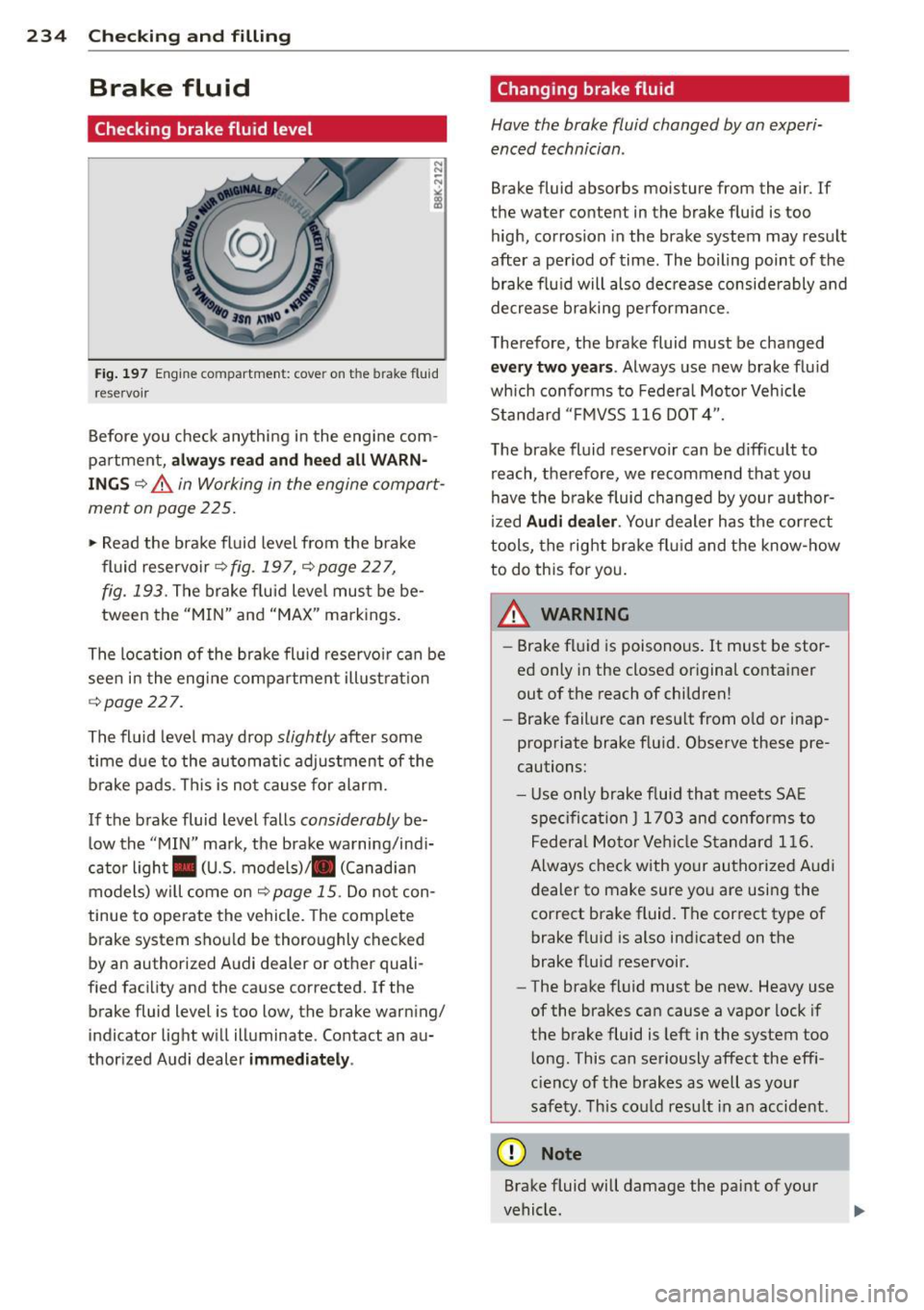
Fig . 197 Engine compartment: cove r on the brake fluid
reservo ir
Before you check anything in the engine com
partment,
always read and heed all WARN
INGS ¢&. in Working in the engine compart
ment on page 225.
,.. Read the brake fluid level from the brake
fluid reservoir¢
fig . 197, ¢ page 22 7,
fig. 193.
The brake flu id level must be be
tween the "MIN" and "MAX" markings.
The location of the brake flu id reservoir can be
seen in the engine compartment illust rat ion
¢ page 227.
The fluid level may drop
slightly after some
time due to the automatic adjustment of the
brake pads. This is not cause for alarm.
If the brake fluid level falls
considerably be
low the "MIN" mark, the brake warning/indi
cator light . (U.S. models)/ . (Canadian
models) will come on¢
page 15. Do not con
tinue to operate the vehicle. The comp lete
brake system shou ld be thoroughly checked
by an authorized A udi dealer or other quali
fied facility and the cause corrected.
If the
brake fluid level is too low, the brake warning/
indicator light will illuminate. Contact an au
thorized Audi dealer
immediately .
Changing brake fluid
Have the brake fluid changed by an experi
enced technician .
Brake fluid absorbs moisture from the air. If
the water content in the brake fluid is too high, corrosion in the brake system may result
after a period of time . The boiling point of the
brake flu id will also decrease conside rably and
decrease braking pe rformance.
Therefore, the brake fluid must be changed
every two years . Always use new brake flu id
which conforms to Federal Motor Vehicle
Standard "FMVSS 116 DOT 4".
The brake fluid reservoir can be difficult to reach, therefore, we recommend that you
have the brake fluid changed by your author
ized
Audi dealer. Your dealer has the correct
tools, the right brake fluid and the know-how
to do this for you.
A WARNING
- Brake fluid is poisonous . It must be stor
ed only in the closed original container
out of the reach of children!
- Brake failure can resu lt from o ld or inap
propriate brake fluid. Observe these pre
cautions:
- Use only brake fluid that meets SA E
specification
J 1703 and conforms to
Federal Motor Vehicle Standard 116.
Always check with your authorized Audi
dealer to make sure you are using the
correct brake fluid. The correct type of
brake f luid is also indicated on the
brake fluid reservoir.
- The brake fluid must be new. Heavy use
of the brakes can cause a vapor lock if
the brake fluid is left in the system too
long. This can seriously affect the effi
c ie ncy of the brakes as well as your
safety. This could resu lt in an accident.
(D Note
Brake fluid will damage the paint of your
vehicle .
Page 237 of 316
M N <( (.J
'SI: ,...., \!) 1.1'1 ,...., 1.1'1 ,....,
@ For the sake of the environment
Because of the pr oblem of proper d isposa l
of brake flu id as we ll as the special tools
requ ired and the necessary expert ise, we
recommend that you have the brake fluid
changed by your author ized Audi dealer .
Battery
General information
Under normal operating conditions, the bat
tery in your Audi does not need any mainte
nance. With
high outside temperatures or
long daily dr ives we recommend that you have
the electro lyte level checked by a service fa
cility . The electrolyte level shou ld also be
checked each time the battery is charged
¢ page 237.
Have the battery checked when you take your
ve hicle in for service . You are well adv ised to
replace a battery that is older than 5 yea rs .
W ith certa in types of a irbag deployment, t he
b attery is d isconnected from the vehicle elec
tr ica l system for safety reasons¢.&.
in Re
pair, core and disposal of the airbags on
page 163.
Disconnecting the battery terminals
Some vehicle functions (power w indow regu
lators , for example) are lost if the battery ter
m inals a re d isconnected. These func tions have
to be re lea rned after the batte ry term inals a re
connected agai n. T o prevent this , the bat tery
should only be d isconnec ted from the vehicle
e lec tric al system when absolu tely necessa ry
for repairs .
Vehicles not driven for long periods
If you do not drive you r vehicle over a period
of severa l days or weeks, elec trical compo
nen ts are gr adually cut b ack o r swi tched off .
This redu ces energy cons umption and main
tains starting capab ility over a longer per io d
¢ page 201. Some of the co nvenience func
tions may not operate, s uch as the inte rior
lights or power seat adjustme nt. The conven-
Checkin g and fillin g 235
ience funct ions w ill be available again when
yo u sw itch on the ign ition and start the en
gine.
Winter operation
D ur ing the w inte r mon ths, bat tery ca pa city
tends to decrease as tempera tures drop . This
is beca use more power is a lso consumed wh ile
starting, and the headlights, rear window de
fogger, etc., are used mo re often.
Avoid unnecess ary powe r consumpt ion, pa r
ticu lar ly in city traffic o r when traveling only
sho rt distances. Let yo ur authorized A udi
dealer check the capacity of the vehicle bat
tery before w inter sets in¢
page 23 7. A well
charged battery will no t on ly prevent star tin g
problems w hen the weather is cold, but w ill
also last longer .
@ Tips
If your vehicle is left standing for seve ral
weeks at extremely low temperatures, the
vehicle battery s hou ld be removed and
stored where it will not freez e. This will
p reve nt it from be ing dam aged and having
to be repl aced .
Working on the battery
Be especially careful when working on or near
the bat tery.
The battery is located in the luggage compar t
ment under the floor . B efo re you che ck any
thi ng in the luggage compartment,
read and
heed all WARNINGS
¢ .&, .
Always heed the safety warnings , when work
i ng on the veh icle batte ry or t he vehicle e lec
t rical sys tem to p reven t inju ry.
The following WARNINGS are very
important when working on the battery:
Always heed the following WARNING SYM· BO LS and safety precautions when working
on the battery .
®
Always wear eye protection.
•
•