fog light AUDI S8 2008 User Guide
[x] Cancel search | Manufacturer: AUDI, Model Year: 2008, Model line: S8, Model: AUDI S8 2008Pages: 404, PDF Size: 52.7 MB
Page 125 of 404
Warm and cold -
------------------------------..J
[ i J Tip s
If the climate control system is operating in cool ing mode, air flows
primarily from the outlets in the center console and in the door
pillars . To achieve adequate cooling, you should never close the
out lets completely. •
Using climate controls economically
Using the climate controls prudently can help save fuel.
When you use t he a ir conditioner, engine power is reduced
and fuel consumption increases. To save fuel, you should
use the a ir co nditioner only when necessary. Also please
note the follow ing po ints:
- If you want to save fuel, activate ECON.
If you are going to drive with the windows open, use ECON.
W For the s ake of the environm ent
By reducing the amount of fuel you use, you also reduce the amount
of pollutants emitted into the air. •
Applies to v ehicl es: with so lar slidi ng /tilt ing sunr oof
Solar blower fan /solar roof
With sufficient sunlight, the blower fan continues to
operate with solar energy to bring in fresh air after the
ignition has been switched off.
T he fan motor is operated by solar energy through the solar roof
after the igni tion is turned off. P lease make certa in that
vents ©
and© are open to achieve optimal ventilation ~ page 122, fig. 137 .
Controls a nd eq uip
ment
The ventilation operates only with the sunroof c losed or in the tilted
position.
If the vehicle was switched off in the recirculation mode, the air
conditioning automatica lly switches to fresh air operation .
Solar operation is not activated at low outside temperatures .•
Windshield defogging/defrosting
Ap plie s to v ehic le s : with windsh ield defogg er/defr oste r
Windshield defogger /defroster ®
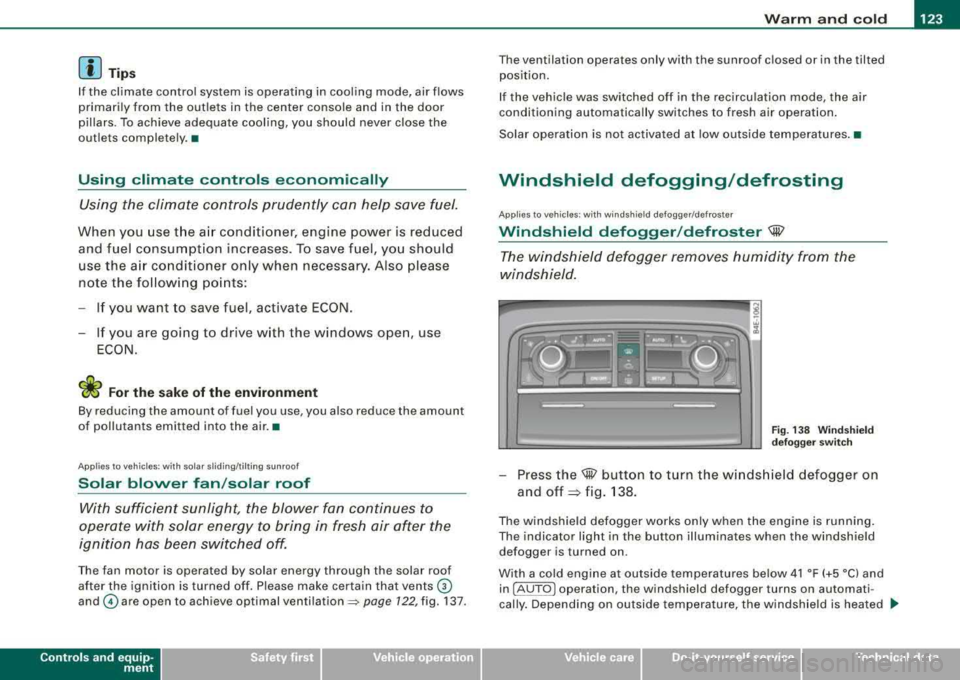
The win dshield defogger rem oves humidity from the
windshield.
F ig. 138 Win dsh ield
d efogger sw itc h
- Press the@ button to turn the w indshield defogger on
and
off ~ fig. 138 .
The w indshield defogger works only when the engine is running .
The indicator light in the button illuminates when the windshield defogger is turned on .
With a cold engine at outside temperatures below 41 °F (+5 °C) and in !AU TO
l operation , the windshield defogger turns on automati
cally . Depending on outside temperature, the windshie ld is heated .._
Vehicle care I I irechnical data
Page 126 of 404
___ w_ a_ rm __ a_ n_ d_ c_ o_ ld __________________________________________________ _
for a maximum of 4 minutes. The temperature for the climate
control must be selected so that it is operating in the heating mode.
When selecting the program setting
®, the windshield
defogger/defroster is switched on automatically at outside temper
atures below 41 °F (+5
°Cl. Depend ing on outside temperature, the
windshield is heated from 2 up to a maximum of 4 minutes.
The windshield defogger is deactivated in ECON mode .
[ i J Tips
• If a crack forms in the windshield due to a foreign object (e .g . a
stone chip), the defogger/defroster is not turned on . This prevents
the crack from spreading.
• We recommend that you locate an Audi dealership immediately
to have the windshield replaced.
•
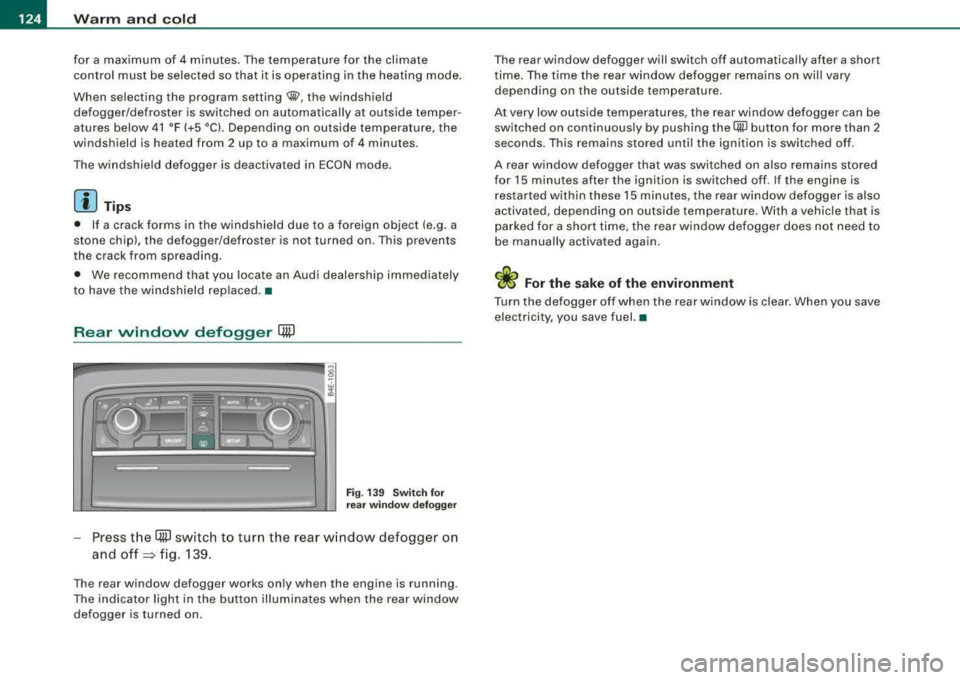
Rear window defogger QW
Fi g. 13 9 Sw itch for
r ea r wi ndow defo gger
Press t he (ffiJ switch to turn the rear w indow defogger on
and
off => fig. 139.
The rear window defogger works only when the engine is running .
The indicator light in the button illuminates when the rear window
defogger is turned on . T
he rear window defogger will switch off automatically after a short
t ime . The time the rear window defogger remains on wi ll vary
depending on the outside temperature.
At very low outside temperatures, the rear window defogger can be switched on continuously by push ing the
QiP button for more than 2
seconds. This remains stored until the ignition is switched off .
A rear window defogger that was switched on also remains stored
for 15 minutes after the ignition is switched off . If the engine is
r estarted within these 15 minutes, t he rear w indow defogger is also
activated, depending on outside temperature. With a vehic le that is
parked for a short time, the rear window defogger does not need to
be manua lly activated aga in.
W For the sake of the environment
Turn the defogger off when the rear w indow is clea r. When you save
electricity, you save fuel. •
Page 139 of 404
_________________________________________________ O_ n_ t_h _e _ ro_ a_d _ ___._
0 Note
If the warning/indicator light (U.S. models : BRAKE, Canadian models:
malfunction. By pressing the
I CHECK] button , you can bring up a
driv er m essage which explains the malfunction in more detail. If the
message
Parking brake! Please contact workshop appears, there is
a parking brake malfunction which you should have r epaired imme
diately by an authorized
dealership => page 30. •
Cruise control
Switching the system on
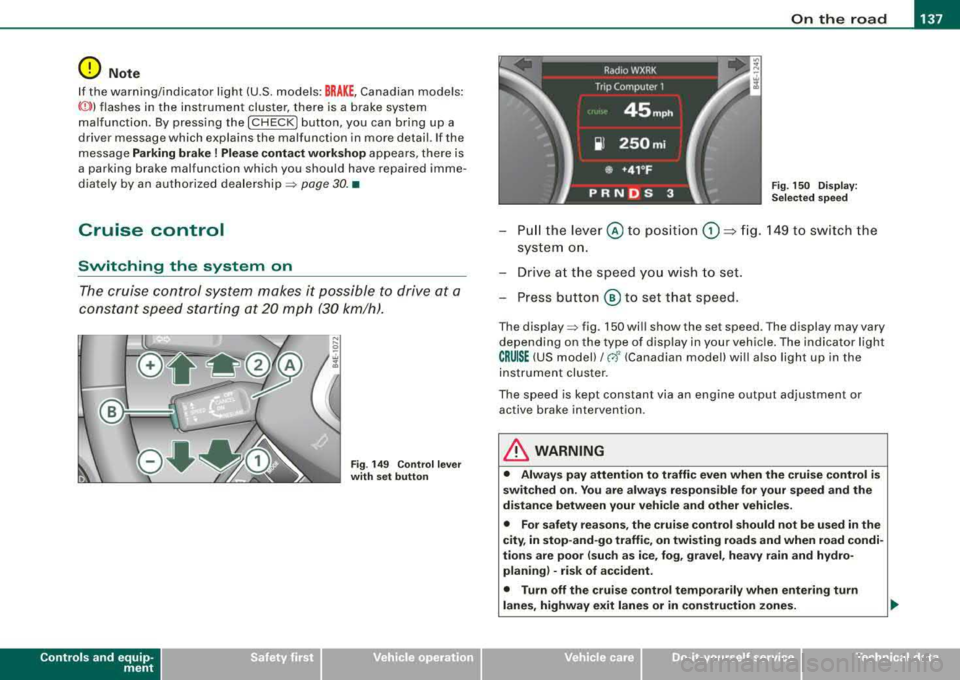
The cruise control system makes it possible to drive at a
constant speed starting at 20 mph (30 km/h).
rr- -- ...--,,-~------ -~ ----,-~
Contro ls a nd eq uip
ment
.... S? w ;f,
Fig . 149 Control lever
with set button Fig
. 150 Display:
Selected speed
Pull the lever © to position G) ~ fig. 149 to switch the
system on.
Drive at the speed you wish to set.
- Press button
® to set that speed.
The display => fig. 150 will show the set speed . The display may vary
depending on the type of display in your vehicle. The indicator light
CRUISE (US model)/ 0 (Canadian model) will also ligh t up in the
instrument cluster .
The speed is kept constant via an engine output adjustment or active brake intervention .
& WARNING
• Always pay attention to traffic even when the cruise control is
switched on. You are always responsible for your speed and the
distance between your vehicle and other vehicles.
• For safety reasons, the cruise control should not be used in the
city, in stop-and-go traffic, on twisting roads and when road condi
tions are poor (such as ice, fog, gravel, heavy rain and hydro
planing) -risk of accident.
• Turn off the cruise control temporarily when entering turn
lanes, highway exit lanes or in construction zones.
Vehicle care
I I irechnical data
Page 154 of 404
-
Audi lane assist
----------------
I Not re ad y: The yellow ind icator light shows that the system is
t urned on but unab le to send a warning . This can be due to the
following:
• There are no boundary lines, or there is on ly one boundary line
present .
• The boundary lines are not detected (e.g. due to snow, dirt, wet
conditions or light shining into the camera lens) .
• More than two boundary lines (such as at construction sites) are
located in the vehicle's lane .
• The vehicle's speed is below the speed needed to activate it,
which is abou t 40 mph (65 km/h).
• The lane is narrower than about 8 ft . (2 .5 m), or wider than about
16
ft . (5 m).
• The curve is too sharp .
Notes on th e instr umen t clu ste r displa y
When the lane assist turns off automatically , the instrument cluster
indicator goes out and one of the following messages appears on
the display:
Audi lan e assist not available: C urre ntl y no se nsor vis ion
This message appears when the camera can no longer function
because it cannot detect the boundary lines. This may be due to the
following :
• The exterior s ide of the camera viewing
window => page 151,
fig. 169 is covered with dirt or ice. Clean this part of th e windshield.
• The camera v iew ing window is fogged up on the inside. In t his
case, wait until the fog disappears before turning lane assist on
aga in.
• The system was unable to detect boundary lines over an
extended period of time due to road conditions (such as snow
covered lanes). Do not turn lane assist on again unti l the lines can
be more easily detected .
Audi lane assist not ava ila bl e
A temporary malfunction is preventing lane assist from operating .
Try turning on lane assist again a t a la ter t ime.
Audi l ane ass is t: sys te m f ault
T he system should be checked by an authorized Audi dealer or other
qual ified workshop .
[ i ] Tips
• Make sure that the camera viewing window => page 151, fig. 169
is not covered by stickers or similar objects .
• Always keep the camera view ing w indow c lean . This can usual ly
b e don e by op erat ing the windshield wipers. •
App lies to vehicles: w it h l ane assist
MMI settings
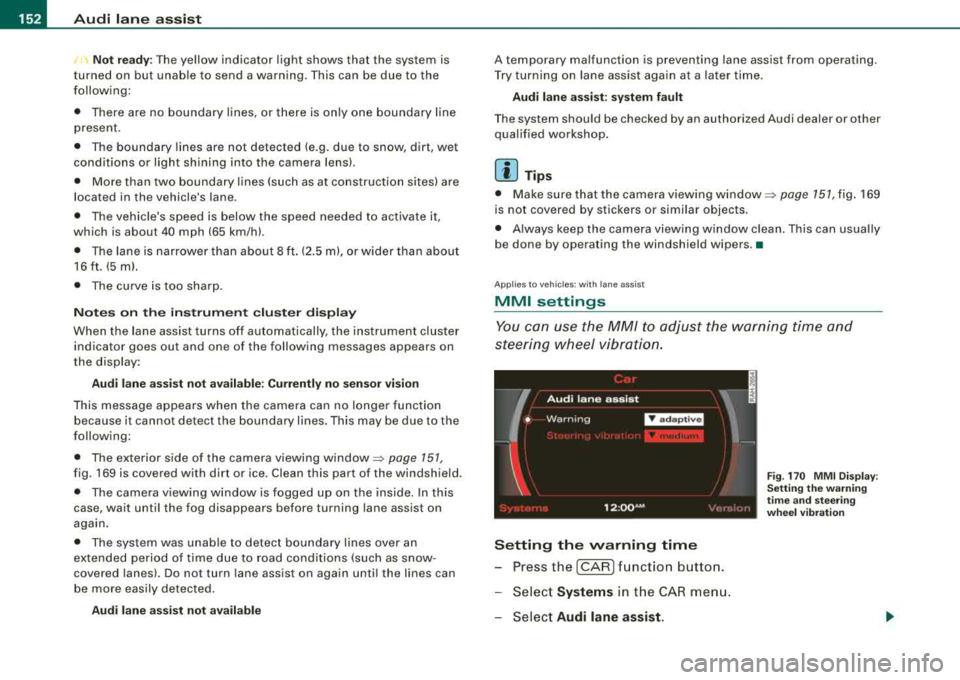
You can use the MM/ to adjust the warning time and
steering wheel vibration.
Setting the warning time
- Press the [CAR ] function button.
- Select
Systems in the CAR men u.
- Select
Audi l ane ass is t.
Fig . 17 0 M MI D isp lay :
Se ttin g th e w arning
t im e a nd stee ring
w hee l v ibr ati on
Page 295 of 404
_____________________________________________ C_ l_ e _a_ n_ in~ g_a
_ n_d_ p_ r_ o_ t
_ e_ c_t _io _ n __ ffllll
•
The best way to remove snow from windows and mirrors is to use a
brush. Use a non -abrasive
plastic ice scraper -better still, a spray
deicer -to remove
ice from windows and mirrors .
Oil, grease or silicone residue can be removed with
glass cleaner or
silicone remover . However, wax residue requires the use of a
specially formulated solvent. Please contact your Audi dealer for
advice on safe products for wax removal.
Windows should also be cleaned on the inside at regular intervals .
Never dry windows with the same chamois that you use to dry
painted surfaces . Wax residue on the chamois can impair vision
through the windows.
& WARNING
• Always read and heed all WARNINGS and other information
=> page 288 .
• The windshield must not be treated with water-repellent mate
rials . They can increase glare under poor visibility conditions such
as wetness, darkness, or when the sun is low on the horizon. In
addition, they can cause the windshield wipers to chatter.
0 Note
• Never use warm or hot water to remove snow and ice from
windows and mirrors. This could cause the glass to crack.
• To prevent damage to the wires of the rear defogger, do not place
any adhesive stickers on the inside of the rear window over the
wires .
• To help prevent dirt from scratching the window, always scrape
in a forward direction -pushing the scraper away from you -never
back and forth. •
Weatherstrips
Complete car care includes the weatherstrips as well.
-Apply a suitable rubber conditioner to the weatherstrips
from time to time.
To be able seal properly, the weatherstrips around the hood, doors,
rear lid, etc . must remain pliable. Spray the weatherstrips with sili
cone or coat them with talcum powder or glycerine to retain the
flexibility of the rubber and to protect them against freezing in the
winter.
& WARNING
Always read and heed all WARNINGS and other information
=> page 288.
[ i ] Tips
Keep silicone sprays off the windshield to avoid wiper smear in
rain. •
Cast (light) alloy wheels
Cast (light) alloy wheels require special care.
-Wash the wheels with a sponge or hose brush every
other week.
-For deep cleaning afterwards, use only a dedicated acid
free cast alloy wheel cleaner.
-Rub a coat of liquid wax onto the rims every three month.
Be sure to reach and treat all parts of the rim.
To preserve the decorative appearance of the cast alloy wheels,
some special care is necessary . In addition to road dirt and salt,
Vehicle care
Page 321 of 404
_____________________________________________ C_h_ e_ c
_ k_in -= g_a
_ n_d _ f_il _li _n ..;::g ;;.___.IIIII
checked by a service facility. The e lectrolyte level should also be
checked each time the battery is charged =>
page 321.
Have the battery checked when you take your vehicle in for service.
You are well advised to replace a battery that is older than 5 years.
With ce rtain types of airbag deployment, the battery is discon
nected from the vehicle electrical system for safety reasons=>
& in
"Repair, care and disposal of the airbags" on
page 232.
Di sconn ecting the b atte ry terminal s
Some veh ic le functions (power window regulators, for example) are
lost if the battery terminals are disconnected. These functions have
to be relearned after the battery terminals are connected again. To
prevent this, the battery should only be disconnected from the
veh icle electrical sys tem when absolu tely necessary for repairs.
Veh icl es not driv en for lo ng p eriods
If you do not drive your vehicle over a period of several days or
weeks, electrical components are gradually cut back or switched off.
This reduces energy consumpt ion and maintains starting capability
over a longer period
=> page 274 .
Be aware that when you unlock your vehicle, some of the conve
nience functions may not operate, such as the Advanced Key*, the
remote control or the power seat adjustment. The convenience
functions will be ava ilable again when you turn on the ignition and
start the engine.
W int er operati on
During the winter months, battery capacity tends to decrease as
temperatures drop. This is because more power is also consumed
while starting, and the headlights, rear window defogger, etc. , are
used more often .
Avoid unnecessary power consumption, particularly in city traffic or
when trave ling only short distances . Let your authorized Audi dea ler
check the capacity of the vehicle battery before winter sets in
=> page 321. A well charged battery will n ot only prevent starting
problems when the weather is cold, but wi ll also last longer.
[ i ] Tips
If your vehic le is left standing for severa l weeks at extreme ly low
temperatures, the vehicle battery should be removed and stored
where it will not freeze. Th is wil l prevent it from be ing damaged and
having to be replaced.•
Working on the battery
Be espe cially careful when w orking on or near the battery.
Fig . 2 69 Lugg age
co mpartment : R ight
si de sto ra ge c omp art
m ent
F ig. 2 70 Lugg age
co mp artment : B atte ry
T h e ba tter y is lo ca te d in t he luggage compartm ent on the
r ight side b ehind a c ove r. Before you check a nything in the
luggag e co m partment,
read and heed all WARNINGS =>& . .,.
Vehic le care I I irechnical data
Page 391 of 404
Alphab eti ca l ind ex I'll
----------------------------------------- -'---------
Climate controls ............. .... ... 114
Air distribution ... .... .... .... .... 120
Air outlets ..... .. .... .... .... .... 122
Air outlets (rear) .... ... .... .... ... 122
Air recirculation .. .... .... ... .... . 121
AUTO (standard setting) ...... .... . 117
Basic se ttings ... .. .... ... .... .... 1 26
Cen ter ai r vent . ....... ... .... .... 127
Contro ls ... .. .... .... ... .... .... 116
Defrosting/defogging ..... ... .... . 120
Description ... .... ....... .... .... 114
ECON operation .. .... .... ... .... . 126
Fan . .... .... .... .... .... ... .... . 120
Heated seats , front ... .... .... .... 118
in the rear ...... .... .... .... .... . 125
Key coded setting ... .... .... .... . 114
Rear c limate controls .... .... .... . 125
Rear seat operation .. .... .... .... . 127
Rec ircu lation mode (automatic) ... .. 126
Rec ommended set tin gs ...... .... . 11 4
Residual heat .. ...... .... .. . .... . 117
Set ting t he tempe rature ..... . .... . 117
SETUP . ......... .... .... ... .... . 126
Solar blower fan/solar roof .. ...... . 123
Solar operation ... ....... .... .... 127
Switching on and off .. .... ...... .. 117
Synchroni zation .. .... .... ... .... . 127
Using climate contro l economical ly . 123
Windshield defogger/defroster . .... 123
Clock . ...... .... .... .... ... .... .... . 13
Closing Power sunroo f .... .... ... .... .... . 66
Coat hooks . ... .... .... .... .... .... . 112
Co ld ti re inflati on pressure .. ...... ... 328
Controls and equip
ment Safety first
Compartments in the door trim panels
. 111
Co mpar tmen ts in the rea r do ors ... .. .. 111
Consumer Information ... .... .... 207 , 380
Contacting N HTSA .. .. .. .... .... .... 207
Conven ie nce open featu re
Win dows ..... ... .... .... .... .... . 64
Convertib le chi ld safe ty seat .... .... .. 249
How do I properly ins ta ll a convertib le
child safety seat in my vehic le? . ... 249
Safety instructions . .... .... ....... 249
Convertible lock ing retractor
Act ivating .. ...... .... .... .... ... 255
Dea ctivati ng .. ... ... .... .... .... . 256
Using to secure a chi ld safety seat . 253,
255
Coo lant
See Engine coo lant
Cr uise control
3 14
Cha nging speed ...... .... .... .... 138
Presett ing your speed ... .. .... .... 138
Switching off .... .... .... .... .... 138
Switching on . .... .... .... ....... 137
Warning/indicator lights .. .... .... .. 21
See also Adaptive Cruis e Con trol .. .. 139
Cr uis ing ra nge . ...... .... .... .... ... . 38
Cupholder .. .. .. ...... ....... .... .. 105
Center conso le .. .. .... ..... .. .... 108
D
Damping
See Adaptive Air Suspension .. ..... 185
Data .... .... .... ... .... .... .... .... 378 Data recorder
....... .... ....... .... . 268
Date d isplay ...... .... ... .... .... .... 1 3
Daytime running lights ... .... .... .. 69, 70
def What does this mean when it appears in the trip odomete r disp lay? ... .. .... 14
Defective light bu lb warning .... .... ... 26
Defrosting/defogg ing the windows . ... 120
Defrosting/defogging windows .. ..... . 122
Determining correct load limit .... .... . 33 4
Digita l clock .. ...... .... .... .... .. . .. 13
Digita l speedometer . .... .... .... ... .. 25
Dimensions ...... .... ... .... .... ... 376
Dipstick Readi ng the dipstick proper ly .. ... . 311
Distance control system
See Adaptive Cruise Contro l ... .. ... 139
Doors Mechanica l chi ld safety lock .. ...... . 58
Power child safety lock . .... .... .... 58
P ower side door closer . ... .... .... . 53
Dr iver
See Seating posi tion ...... .... .... 200
Driver information display Driver information messages ... ... .. 29
Introduct ion .. ... .... .... .... .... . 24
Open door o r rear lid wa rn ing .. .... . 26
Outs ide temperature display .. ...... 25
Sound system disp lay ........ ... .. . 25
Driver Information System Digita l speedometer ... ... .... .... . 25
Driver 's seat .. .... .... ... .... .... .... 87
Vehicle operation Vehicle care Do-it-yourself service Technical data
Page 393 of 404
______________________________________________ A_ l_,_ p _h_ a_ b_e _t_i c_ a_l _in _ d_e _ x __ lllll
Proper disposal of drained engine oil ...
312,3 13
Recycling used engine oi l ...... .... 312
Un leaded fuel ..... .... ... .... .... 301
What should I do with an old battery?
322
EPC
See Electronic power control ........
18
ESP
See E lectronic stabi lization program
( E SP) ...........................
18
Event Data Recorder (EDR) ... .... .... . 268
Expans io n t ank ...... .... ... .... .... 315
F
Fan
Rad ia tor .. ...... .... .... ... .... .
317
Flat tire changing .. ... .... .... ... .. .. 45
Floor mats ... .. .... .... .... ... .... . 205
Fog lights
Front . ...... .... .... .... ..... .. ..
71
Rear .... ... .. .... .... ... .... .... . 71
Warning/indicator lights ...... .... .. 19
Fo lding master key with remote control .
47
Foot pedals ........................ 204
For the sake of the environment
Gaso line fumes and the enviro nment
303
Letting yo ur engine warm up . ...... 130
Reduc ing eng ine noise by ea rly
upshifting .. .... .... ............
12
Refuel ing .... .... ....... .... .... 303
Saving fuel by early upshifting .. .... 12
Using the rear w indow defogger .... 124
Controls and equip ment Safety first
Front airbags
Description ......... ...... .... ...
222
How they work .... .... .... ....... 227
F ront arm rest
adjusting .........................
93
Storage compartm ,ent .............. 93
Fr ont ash tray .. ...... .... .... .... ... 106
Front fog lights ..... .... .... .... .... . 71
Front seats ...... ...... ... .. .... .... . 86
Adjusting ....................... 201
Child restraints in the front seat . ... 220
Convenience side view ............. 91
Pockets ............. .... .... .... 11 0
Symmetrica l seat positions ......... 91
Fronta l collisions and the laws of phys ics
210
F uel
Additives ..... .... .... .... .......
301
Average consumption ...... .... .... 38
Blended gasoline .... ....... .... .. 301
Fuel filler neck ............. .... .. 302
Fuel gauge .. ....... .... .... .... .. 14
Gaso line .. .... ..... ...... .... ... 301
Gaso line additives .. ....... ....... 302
Instantaneous fuel consumption .. ... 38
Low fue l level sym bol ... .. .... .... . 35
Octane rating ... .. .... .... .... ... 301
Rec ommendat ion ... .... ... .. .... 301
Refuel ling .. ...... .... .... .... ... 303
Reserve ... ....... .... .... ....... . 14
Tank capacity ................. 14,378
Unlocking the fuel filler flap by hand 305
Fuse arrangement . ...... .... ..... .. . 358
G
Garage door opener (HomeLink®) ...... 191
Gas discharge lamps ...... .... .... ... 362
Gauges
Engine coolant temperature . ...... ..
12
Fuel gauge . ...... .... ... .... .... . 14
Speedomete r ..... .... ... .... ..... 14
Tac ho m eter . ... ... .... ... .... .... . 13
Trip odometer ... .. .... .... ...... .. 14
Gene ral il lustration
Instruments a nd controls ... .. .... ..
11
Generator
Warning/indicator lights ...... .... ..
18
G lossa ry of tire and loading te rmin ology . . .
325
Glove compartment ................. 109
cd changer ........... .... .... ...
109
Owner's Literature ................ 109
Gross Vehic le We ight Rating (GVWR) ...
375
H
Head restraints ....... ... .... .... ... 203
Adjusting ...... .... ... .... .... ... 203
Comfort head restraints ............ 91
Front seats ... .... .... .... .... .... 91
Rear seats .... .... .... ...... ... .. .
92
Headlight ra nge co ntrol ...... .... ... .. 36
Headlights .. .. .. .... .... ...... .... .. 69
Adaptive Light .................... 72
Defective .. ........... .... .... .... 26
Front fog l ig hts .................... 71
Vehicle operation Vehicle care Do-it-yourself service Technical data
Page 395 of 404
_____________________________________________ .:..A ..:; l~ p :.:h.:.. a== b:.:e :.: t:.:.ic == a.:..l .:.. in :..:.:: d:.::e :.: x::..... _IIIII
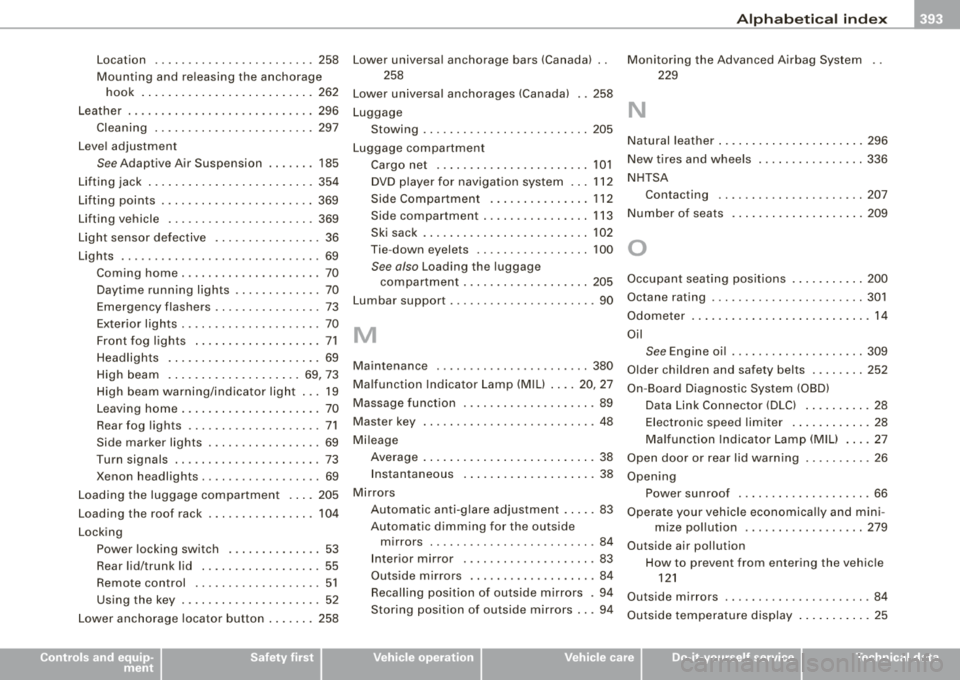
Location ...... .... .... .... .... .. 258
Mounting and releasing the anchorage hook .......................... 262
Leather ............................ 296
Cleaning ........................ 297
Level adjustment
See Adaptive Air Suspension ....... 185
Lifting jack ... .... .... ... .. .... ..... 354
Lifting points .... ........ .... .... ... 369
Lifting vehicle ... ... .... ........... . 369
Light sensor defective ................ 36
Lights ........ .... .... .... .......... 69
Coming home ..................... 70
Daytime running lights ... .... .... .. 70
Emergency flashers ................ 73
Exterior lights ..... ....... ........ . 70
Front fog lights ...... .... ...... ... 71
Headlights .. ... ... .. .... .... .... . 69
High beam ... .... .... ..... .. .. 69, 73
H igh beam warning/indicator light ... 19
Leav ing home .. ...... .... ...... ... 70
Rear fog lights .................... 71
Side marker lights ................. 69
Turn signals .. .... .... .... .... .... 73
Xenon headlights ....... ... .. .... .. 69
Lo ading the luggage compartment . ... 205
Load ing the roof rack .... ....... .... . 104
Locking Pow er lock ing switch .... .... .... .. 53
Rear lid/trunk lid ...... ............ 55
Remote control .... .... .... .... ... 51
Using the key ..................... 52
Lower anchorage locator button ....... 258
Controls and equip
ment Safety first
Lower
universal anchorage bars (Canada) ..
258
Lower universal anchorages (Canada) .. 258
Luggage Stowing .................. ....... 205
Luggage compartment
Cargo net .. ...... .... .... .... ... 101
DVD p layer for navigation system . .. 112
Side Compartment ............... 112
Side compartment ................ 113
Ski sack ......................... 102
Tie -down eyelets .. ........ ....... 100
See also Loading the luggage
compartment ...... .... ... .. .... 205
L umbar support .... ....... .... .... ... 90
M
Maintenance .......... .... .... .... . 380
Malfunction Indicator Lamp (MIU .... 20, 27
Massage function .... ........ ....... . 89
Master key ...... .... ......... ...... . 48
Mi leage
Average .......................... 38
Ins tantaneous ... ...... .... ... .. .. 38
Mirrors Automatic anti-g lare adjustment . .... 83
Automatic dimming for the outside mirrors .... ....... .... .... ... .. . 84
In terior mirror .... .... .... ....... . 83
Outside mirrors ................... 84
Recalling position of outside mirrors . 94
Storing position of outside mirrors .. . 94 Monitoring the Advanced Airbag System
229
N
Natural leather .... .... ... .. .... .... . 296
New tires and whee ls . .... .... .... ... 336
NHTSA Contacting ...................... 207
Number of seats ...... ... .. .... .... . 209
0
Occupant seat ing positions .. ... .. .... 200
Octane rating ...... .... .... .... .... . 301
Odometer ..... ...... .... ... .... ..... 14
Oil
See Engine oil .. ... .... ....... .... 309
Older children and safety belts .... .... 252
On -Board Diagnostic System (OBD)
Data Link Connector (DLC) ........ .. 28
Electron ic speed limiter . ...... ..... 28
Ma lfunction Indicator Lamp (MIU .... 27
Open door or rear lid warn ing ..... ..... 26
Opening Power sunroof .................... 66
Operate your vehicle economically and mini -
mize pol lution .... ... .... .... ... 279
Outside air pollution How to prevent from entering the vehicle
121
Outside mirrors .. .. .. .... ...... .... .. 84
Outside temperature display ........... 25
Vehicle operation Vehicle care Do-it-yourself service Technical data
Page 396 of 404
lll'ft __ A_l-=- p _h_ a_ b_e _t_ic _ a_l _in _ d_e _x ____________________________________________ _
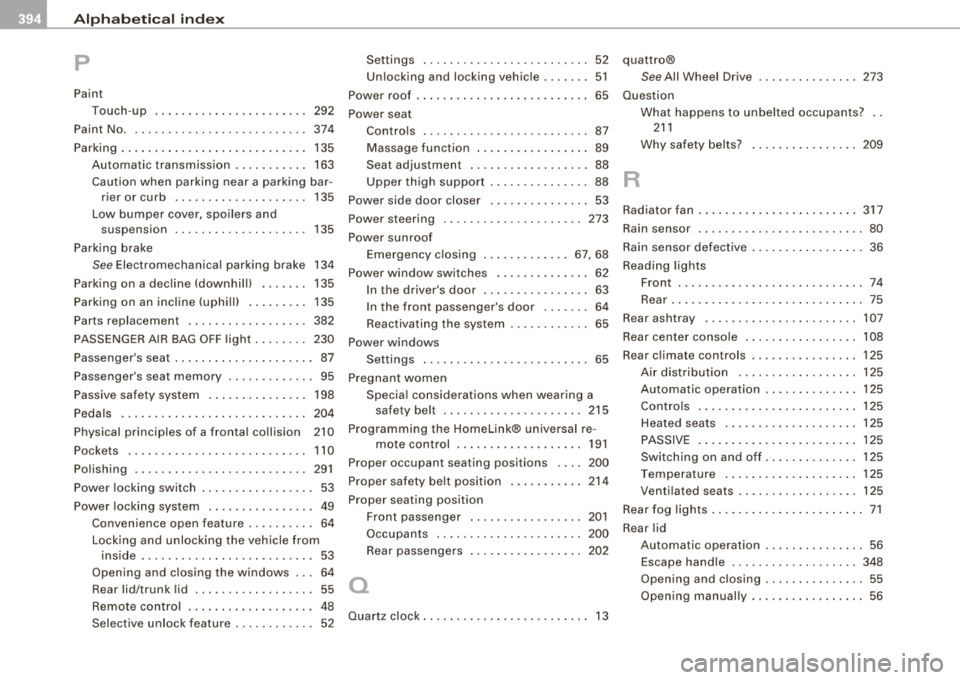
p
Paint
Touch-up 292
Paint No. . . . . . . . . . . . . . . . . . . . . . . . . . . 374
Parking . . . . . . . . . . . . . . . . . . . . . . . . . . . . 135
Automatic transmission ... .... .... 163
Caution when parking near a parking bar -
rier or curb .. .... ....... .... ... 135
Low bumper cover, spoilers and suspension . . . . . . . . . . . . . . . . . . . . 135
Parking brake
See Electromechanica l parking brake 134
P arking on a dec line (downhill) ....... 135
Parking on an incline (uphill) ... .. .... 135
Parts replacement . . . . . . . . . . . . . . . . . . 382
PASSENGER AIR BAG OFF ligh t ........ 230
Passenger's seat . . . . . . . . . . . . . . . . . . . . . 87
Passenger's seat memory . . . . . . . . . . . . . 95
Passive safety system . . . . . . . . . . . . . . . 198
Pedals ............................ 204
Physical principles of a frontal collision 210
Pockets . . . . . . . . . . . . . . . . . . . . . . . . . . . 110
Polishing .... ..... .. .... .... ...... . 291
Power locking switch . . . . . . . . . . . . . . . . . 53
Power locking system . . . . . . . . . . . . . . . . 49
Conven ience open feature .......... 64
Locking and unlocking the vehicle from
inside ........... ....... .... .... 53
Opening and closing the windows .. . 64
Rear lid/trunk lid ...... .... .... .... 55
Remote control . . . . . . . . . . . . . . . . . . . 48
Selective unlock feature . . . . . . . . . . . . 52 Settings
. . . . . . . . . . . . . . . . . . . . . . . . . 52
Unlocking and locking vehicle ... .... 51
Power roof . . . . . . . . . . . . . . . . . . . . . . . . . . 65
Power seat Contro ls .. .... ... .... .... .... .... 87
Massage function ....... ...... .... 89
Seat adjustment ........ ....... ... 88
Upper thigh support .. ...... .... ... 88
Power side door closer . . . . . . . . . . . . . . . 53
Power steering ..................... 273
Power sunroo f
Emergency c losing ............. 67, 68
Power window switche·s ... .... ....... 62
In the driver's door ................ 63
In the front passenger's door . . . . . . . 64
Reactivating the system ............ 65
Power windows Settings . . . . . . . . . . . . . . . . . . . . . . . . . 65
Pregnant women Specia l considerations when wearing a
safety belt ..................... 215
Programming the Homelink® universal re-
mote control . . . . . . . . . . . . . . . . . . . 191
Prop er occupant seating positions .... 200
Proper safety be lt position .. .... ... .. 214
Proper seating position Front passenger ................. 201
Occupants ...................... 200
Rear passengers 202
a
Quartz clock . . . . . . . . . . . . . . . . . . . . . . . . . 13 quattro®
See All Wheel Drive
............... 273
Question
R
What happens to unbelted occupants? . .
211
Why safety belts? ................ 209
Radiator fan ........................ 317
Rain sensor ......................... 80
Rain sensor defective ... .. .... .... .... 36
Reading lights
Front . .... .... .... .... ....... .... 74
Rear ............................. 75
Rear ashtray ....................... 107
Rear center console ...... .... .... ... 108
Rear c limate controls ................ 125
Air distribution .... ....... .... ... 125
Automatic operation . ...... .... ... 125
Contro ls . ...... ..... .. .... .... .. 125
Heated seats . . . . . . . . . . . . . . . . . . . . 125
PASSIVE . ... .. .... .... ...... .... 125
Switching on and off . ...... .... ... 125
Temperature ...... .... .... .... .. 125
Ventilated seats .................. 125
Rear fog lights .. ...... .... ...... .... . 71
Rear lid
Automatic operation ............... 56
Escape handle .... .... .... .... ... 348
Opening and clos ing ... .... .... .... 55
Opening manual ly ...... .... .... ... 56