height AUDI S8 2008 User Guide
[x] Cancel search | Manufacturer: AUDI, Model Year: 2008, Model line: S8, Model: AUDI S8 2008Pages: 404, PDF Size: 52.7 MB
Page 98 of 404
Seats and storage
Rear seats
General information
Safe transportation of passengers on the rear seats
requires proper safety precautions.
All passengers on the rear seats must be seated in compliance with
the safety guidelines explained
in => page 209 and => page 218. The
correct seating position is critica l for the safety of front and rear
seat passengers
alike => page 202.
& WARNING
• Occupants in the front and rear seats must always be properly
restrained.
• Do not let anyone ride in the vehicle without the head restraints
provided . Head restraints help to reduce injuries.
• Loose items inside the passenger compartment can fly forward
in a crash or sudden maneuver and injure occupants. Always store
articles in the luggage compartment and use the tie-down eyelets.
• Read and heed all WARNINGS
=> page 202, "Proper seating
positions for passengers in rear seats".•
Applies to vehi cles : wi th rea r lumb ar su pp ort
Rear seat lumbar support
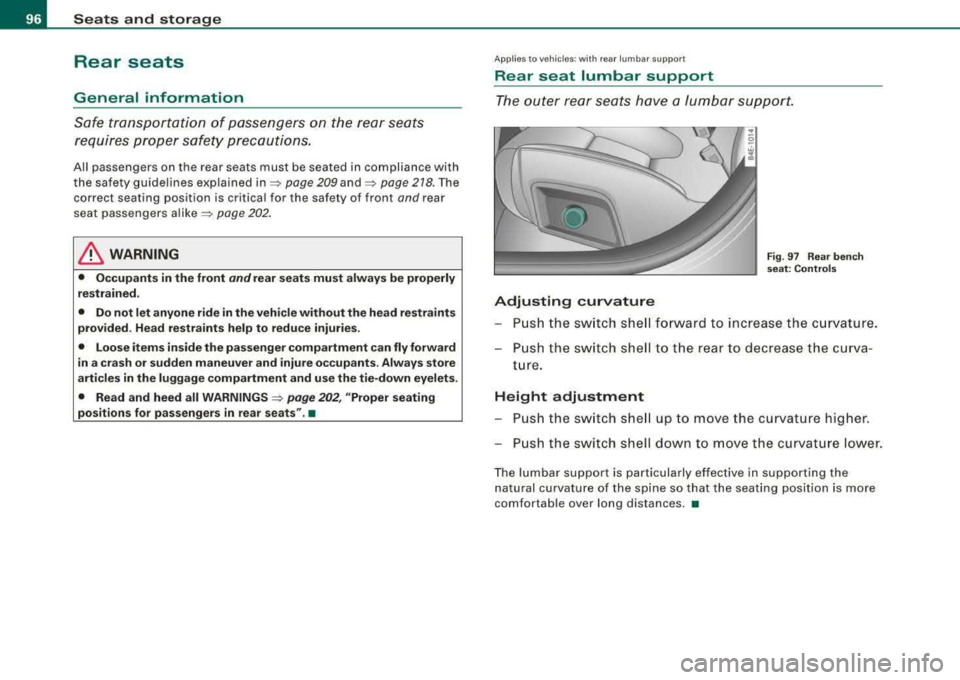
Th e outer rear seats have a lumbar support.
Adjusting curvature
Fig . 97 Rear bench
seat: Controls
- Push the switch shell forward to increase the curvature.
- Push the switch shell to the rear to dec rease the curva-
ture.
Height adjustment
-Push the switch shell up to move the curvature higher.
- Push the switch shell down to move the curvature lower.
The lumb ar support is particularly effective in supporting the
natural curvature of the spine so that the seating position is more
comfortable over long distances.
•
Page 101 of 404
Applies to vehi cles : w it h in d iv idual rear seats
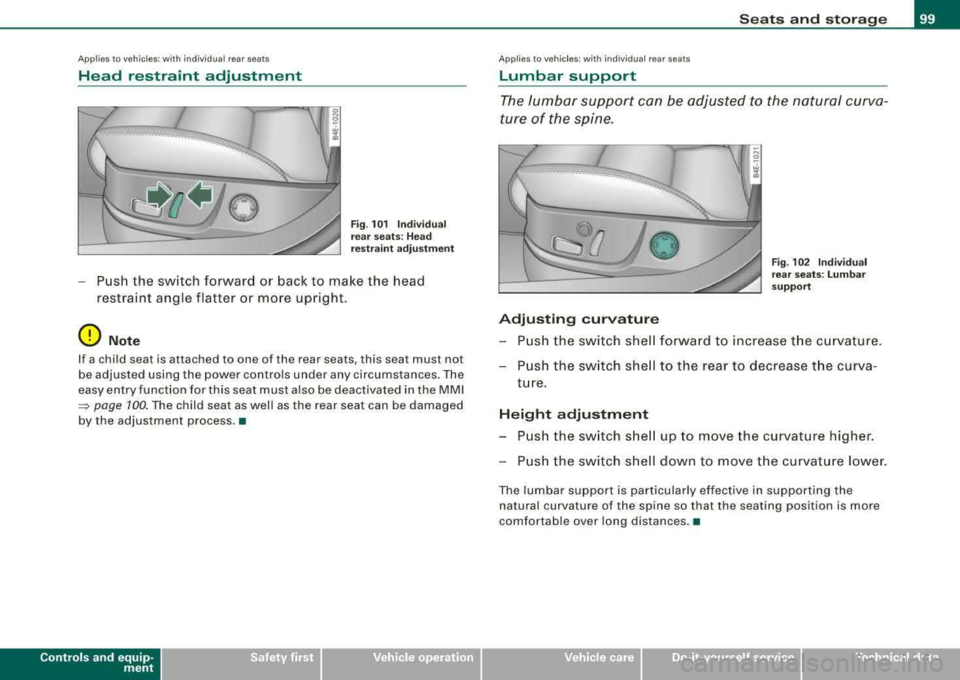
Head restraint adjustment
Fig . 101 Individual
rear seats : Head
restraint adjustment
Push the switch forward or back to make the head
restraint angle flatter or more upright.
0 Note
If a child seat is at tached to one of the rear sea ts , this seat mus t no t
be adjusted using the power controls under any circumstances . The
easy entry function for this seat must also be deactivated in the MMI
~ page 100. The child seat as well as the rear seat can be damaged
by the adjustment process. •
Contro ls a nd eq uip
ment
Seats and storage
A pp lies to veh ic les: w ith ind iv idua l rear seats
Lumbar support
The lumbar support can be adjusted to the natural curva
ture of the spine.
0
Adjusting curvature
Fig. 102 Individual
rear seats : Lumbar
support
Push the switch shell forward to increase the curvature.
Push the switch shell to the rear to decrease the curva
ture.
Height adjustment
Push the switch shell up to move the curvature higher.
Push the switch shell down to move the curvature lower.
The lumbar support is particularly effective in supporting the
natural curva ture of the spine so that the seating posi tion is more
comfortable over long distances. •
Vehicle care
I I irechnical data
Page 106 of 404
--~S~e~ a~t ~s ~a~n~d~ s~t~ o~r~ a:!Jg~ e:._ _____________________________________________ _
If necessary, retighten the mountings and check the entire system
from time to time.
• After mounting a roof rack system, or when you transport
objects on the roof of your vehicle, the height of the vehicle is natu
ra lly increased . Be careful when driving under low bridges or in
parking garages for examp le. This cou ld cause damage to the load
and even the vehicle itself. •
Mounting locations
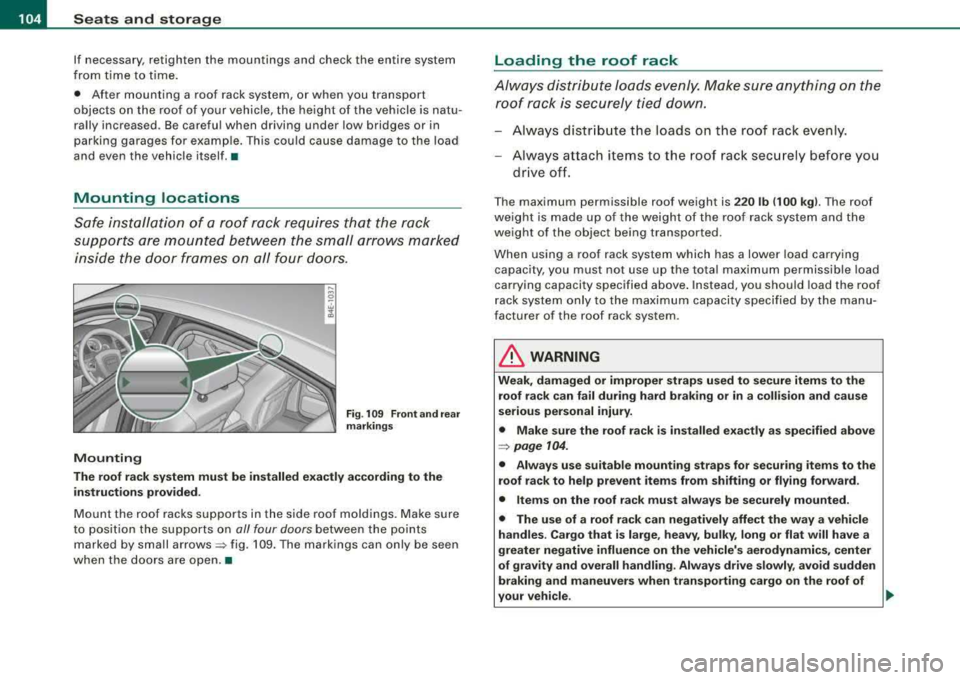
Safe installation of a roof rack requires that the rack
sup ports are m ounted between the small arrows marked
inside the door frames on all four doors .
Mounting
Fig. 1 09 Front and r ear
ma rkings
Th e roof r ack sy stem mu st be in stalled exactly according to th e
i n stru ction s prov ided .
Mount the roof racks suppo rts in the side roof moldings. Make sure
to position the supports on
all four doors between the points
marked by small
arrows => fig. 109. The markings can only be seen
when the doors are open . •
Loading the roof rack
Always distribute loads evenly. Make sure anything on the
r o of rack is securely tied down .
-Always distribute the loads on the roof rack evenly.
Always attach items to the roof rack securely before you
drive off.
T he maximum permissible roof weight is 220 lb (100 kg ). The roof
we ight is made up o f the weight of the roo f rack system and the
weight of the object being transported .
When using a roof rack system which has a lower load carrying
capacity, you must not use up the total maximum permissible load
carrying capacity specified above . Instead, you should load the roof
r ack system only to the maximum capacity specified by the manu
facturer of the roof rack system .
& WARNING
Weak, damag ed or improper str ap s used to secur e item s to the
r o of rack can fail du ring hard b raking o r in a colli sion and c ause
s eriou s per sonal injur y.
• Make sure the roof rack i s in stalled exactly as s pecifi ed abo ve
=> page 104 .
• Alway s use suitable m ounting strap s for securing it e ms t o the
r o of rack to help prevent item s from shiftin g or fly ing forward.
• Items on the r oof rack mus t al w ay s be se curel y mo unted .
• The u se of a roof r ack can n egatively affect the way a v ehicle
hand les . C arg o that i s la rge , he avy, bulky , long or fl at will h ave a
greater ne gative influence on the vehicle' s aerodyn amics, center
of grav it y and o verall handli ng. Alw ays dri ve slowl y, avoid sudden
braking and maneuver s when tr ansp orting carg o on the roof of
yo ur vehicle . ...,
Page 130 of 404
___ O_ n_t_ h_ e_ ro_ a_d __________________________________________________ _
On the road
Steering
Adjusting steering wheel position
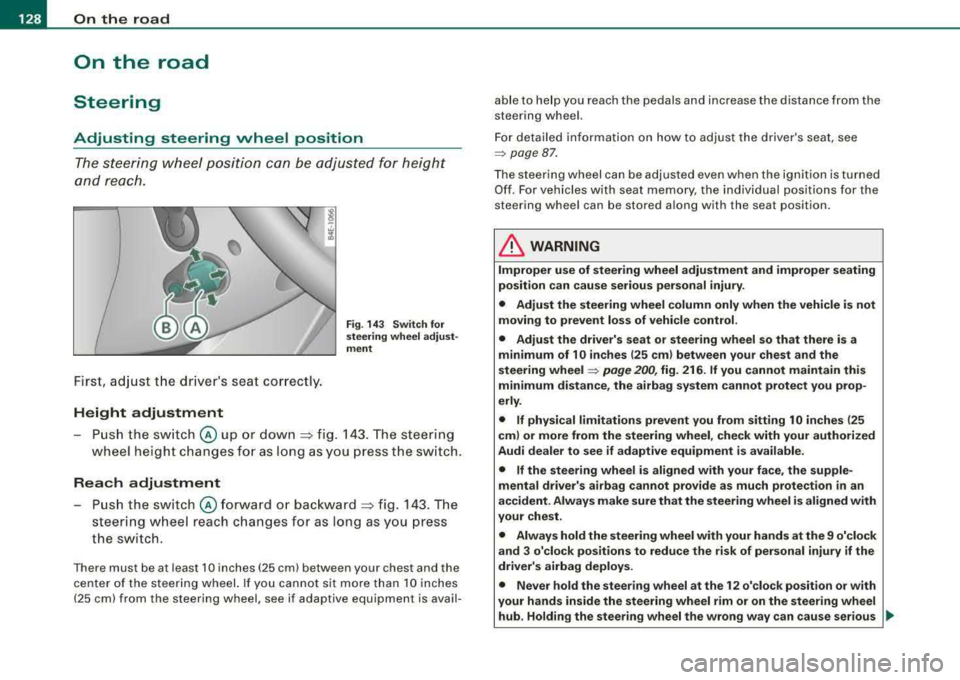
The steering wheel position can be adjusted for height
and reach .
First, adjust t he driver's seat correctly.
Height adjustment
Fig . 14 3 Sw itch fo r
s te erin g whe el a dju st
me nt
-P u sh the sw itch @ up or down :=> fig. 143 . The steering
wheel height changes fo r as l ong as you press the sw itch.
Rea ch adjustment
Push the switch @forward o r bac kward => fig. 143 . The
steering wheel reach changes for as long as you press
the switch.
There must be at least 10 inches (25 cm) between your chest and the
center of the steer ing wheel. If you cannot sit more than 10 inches
(25 cm) from the steering wheel, see if adaptive equipment is avail- able to help you reach the pedals and increase the distance from the
steering wheel.
For detailed in formation on how to adjust the driver's seat, see
=> page 87 .
The steering wheel can be adjusted even when the ig nition is turned
Of f. For vehicles w ith seat memory, the individual positions for the
steering wheel can be stored a long with the seat position.
& WARNING
Improper u se of steering wheel adju stment and improper seating
po sition can cause se rious per sonal inju ry .
• Adjust the steering wheel column only when the vehicle is not
mo ving to prevent los s of vehi cle control.
• Adjust the driver' s seat or steering wheel so that there is a
minimum of 10 in ches (25 cm ) bet ween your chest and the
s teering wheel
=> pag e 200 , fig. 216 . If you cannot maintain this
minimum di sta nce , the ai rbag sy stem can not prote ct you prop
erly .
• If physical limitations prevent you from s itting 10 inche s (25
cm ) or more from the steering wheel , check with your authori zed
Audi dealer to see if adapti ve equipment i s available .
• If the steering whee l is aligned with your face, the supple
mental drive r's airbag cannot provide as mu ch pr otection
in an
ac cident. Alway s make sure that the steerin g wheel i s aligned with
your che st .
• Alway s hold the steering wheel with your hand s at the 9 o'clock
and 3 o'clo ck posit ion s to reduce the ri sk of pers ona l injury if the
driv er's airbag deploys.
• Never hold the ste ering wheel at th e 12 o' clo ck position or with
your hand s inside the steerin g wheel rim or on the steering wheel
hub . Holding the steering wheel the wrong wa y can cau se ser ious ..,,
Page 137 of 404
On the road -----------------
Parking
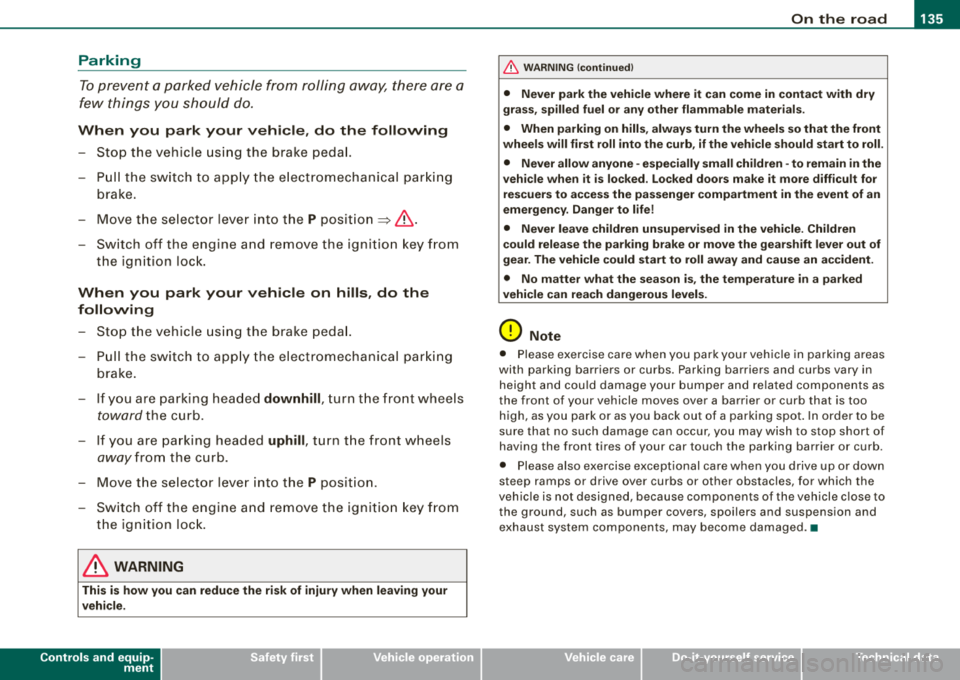
To prevent a parked vehicle from rolling away, there are a
few things you should do.
When you park your vehicle, do the following
- Stop the vehicle using the brake pedal.
- Pull the switch to apply the electromechanical parking
brake.
- Move the selector lever into the
P position => &.
- Switch off the engine and remove the ignition key from
the ignition lock.
When you park your vehicle on hills, do the
following
- Stop the vehicle using the brake pedal.
- Pull the switch to apply the electromechanical parking
brake.
- If you are parking headed
downhill, turn the front wheels
toward the curb.
- If you are parking headed
uphill, turn the front wheels
awayfrom the curb.
- Move the selector lever into the
P position.
- Switch off the engine and remove the ignition key from
the ignition lock.
& WARNING
This is how you can reduce the risk of injury when leaving your
vehicle.
Controls and equip ment
&, WARNING (continued)
• Never park the vehicle where it can come in contact with dry
grass, spilled fuel or any other flammable materials.
• When parking on hills, always turn the wheels so that the front
wheels will first roll into the curb, if the vehicle should start to roll.
• Never allow anyone -especially small children -to remain
in the
vehicle when it is locked. Locked doors make it more difficult for
rescuers to access the passenger compartment in the event of an
emergency. Danger to life!
• Never leave children unsupervised in the vehicle. Children
could release the parking brake or move the gearshift lever out of
gear. The vehicle could start to roll away and cause an accident.
• No matter what the season is, the temperature in a parked
vehicle can reach dangerous levels.
0 Note
• Please exercise care when you park your vehicle in parking areas
with parking barriers or curbs . Parking barriers and curbs vary in
height and could damage your bumper and related components as
the front of your vehicle moves over a barrier or curb that is too high, as you park or as you back out of a parking spot. In order to be
sure that no such damage can occur, you may wish to stop short of
having the front tires of your car touch the parking barrier or curb.
• Please also exercise exceptional care when you drive up or down
steep ramps or drive over curbs or other obstacles, for which the
vehicle is not designed , because components of the vehicle close to
the ground, such as bumper covers, spoilers and suspension and
exhaust system components, may become damaged. •
Page 175 of 404
Advanced Parking Sy ste m -
----------------=---=------'
• Keep the sensors in the rear bumper and the rear -view camera
lens clean and free of snow and ice, so that the Audi parking system
can work properly . P lease follow the additional notes on
~ page 183 . •
Applies to ve hicle s: with Ad vanced Par king Sys tem wit h rea r vi ew c am era
Rear-view camera (Rear View)
The rear-vie w camera picture, appearing in the MM!
Dis pla y, shows the are a behind the vehicle.
-'
Ll --
.
-
. -
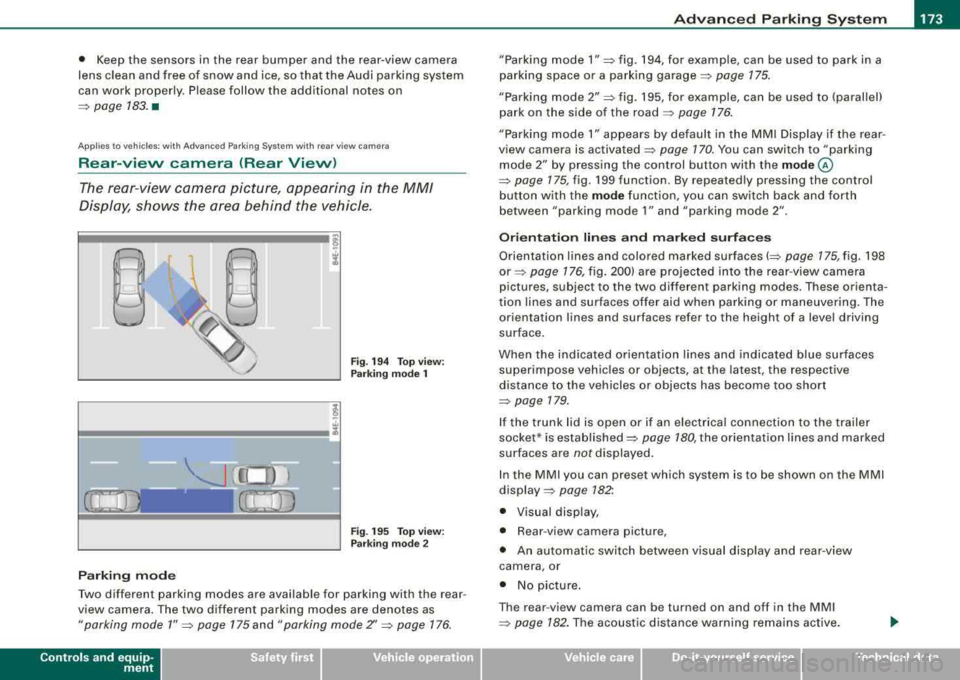
Fig . 194 T op view :
Park ing mode 1
Fi g. 19 5 Top v iew:
P ark ing mode 2
Parki ng mode
Two different parking modes are available for parking with the rear
view camera . The two different park ing modes are denotes as
" parking mode 1 " ~ page 175 and "parking mode Z' ~ page 176.
Controls a nd eq uip
ment
" Parking mode 1" => fig. 194, for examp le, can be used to park in a
parking space or a par king garage ::::>
page 175.
"Parking mode 2" => fig. 195, for examp le , can be used to (parallel)
park on the side of the road
~ page 176.
"Parking mode 1" a ppears by defau lt in the MMI Display if the rear
view camera is activated
=> page 170 . You can switch to "parking
mode
2" b y pressing the control button with the mode @
=> page 175, fig. 199 function . By repeated ly pressing the control
button w ith the
mode function, you can sw itch bac k and forth
between "par king mode
1" and "parking mode 2" .
Orientation lines and marked surfaces
Orientation lines and colored marked surfaces(::::> page 175, fig . 198
or => page 176, fig . 200) are projec ted into the rear -v iew came ra
pictures , subject to the two different parking modes . These orienta
t ion lines and surfaces offer aid when parking o r maneuvering. The
orientation lines and surfaces refer to the height of a leve l driving
surface .
When the indicated orientation lin es and indicated blue surfaces
superimpose vehicles or objects, at the latest , the respective
distance to the vehicles or objects has become too short
=>
page 179.
I f the trunk lid is open or if an e lectrica l connection to the trailer
socket* is established::::>
page 180, the orientation li nes and marked
surfaces are
not displayed.
I n the MMI y ou ca n preset which system is to be shown on the MMI
display => page 182".
• Visual di sp lay,
• Rear -view camera picture,
• An au tomatic switch between v isual disp lay an d rear -view
c amera , or
• No picture .
The rear -view camera can be turned on and off in the MMI
=>
pag e 182 . The acoust ic d istance wa rni ng remains active.
Vehicle care I I irechnical data
Page 187 of 404
Adaptiv e Air Su spension 11!11
-------------------------------------=------=-------
Ad apt iv e Air Suspension
Adaptive Air Suspension and
Damping
Description
Adaptive Air Suspension and damping can be regulated
and they adapt automatically to a request from the driver
and the driving situation at the time.
Adaptive Air Suspension is an electronica lly contro lled springing
and damping system. T his chassis system makes it eas ier on the
driver by adapting to the particu lar situation through imperceptible
control processes.
The
Ad apti ve Air Suspen sion component regu lates ground c lear
ance depending on vehicle speed, load condition and driver input .
Acce lerat ing to a speed above a predetermined limit wil l make the
vehic le lower i tself. On the other hand, driving more slowly results
in the vehic le rais ing again at specific speeds .
T he
d amp in g component provides individual contro l of the
damping forces. For examp le, with damping characteristics set to
provide greater comfort, damping is set somewhat harder for a brief
period only as required, for example, when going around a curve or
over rough road surfaces as well as when brak ing.
S ett ing s
Adaptive Air Suspension provides the driver with the opportunity to
set the chassis characteristics a lso to their individua l preference .
With the driving modes
standard, automatic and dynamic the driver
has three chassis settings availab le, ranging from comfort to sporty.
In addition,
lift provides a fourth mode wh ich can be selecting for
driving over poor stretches of
road~ page 186, "Chassis Contro ls" .
The modes are se t in MMI
~ page 188.
Controls and equip ment
On vehicles equipped with the sport su sp en sion Adaptive Air
Suspension -Sport *, there is genera lly more emphasis on a sporty
chassis sett ing. Settings range from comfortable to firm
~ page 187, "Sport Chassis Contro ls".
0 Note
• Whenever you park your vehicle, always make sure there is
adequate c learance above and be low the vehicle . The height of the
parked vehicle can change as the result of temperature fluctuations,
changes in l oad condition and c hanges in the driv ing m ode (ground
c learance).
• Mount the tie -down cha ins/cab les over the running surface
(circumference) of the tires . Never secure the vehicle by the axle, the
suspens ion stru ts or the front or rear towline eye . For tec hn ica l
reasons , the pressure in the suspension struts may change during
the transport and this wil l adversely affect vehicle handling.
• To prevent damage to the vehic le underbody, remember that
your vehicle is not a n off -road vehicle, even in the lift mode . The
ground clearance is insufficient for this type of operation .
• If you are going to tow a tra iler, you mus t activate the trailer oper
ation
mode~ page 189 .
[ i ] Tip s
Before you can raise your vehic le using the vehicle jack (for
examp le, when changing a flat tire) you must activate the jacking
mode
~ page 188 . •
Page 190 of 404
___ A_ d_a_ p=--- t_iv _ e_ A
_ i_ r _ S_ u_s--= p'--- e_n _ s_ i
_ o _ n _____________________________________________ _
Setting the Driving Modes
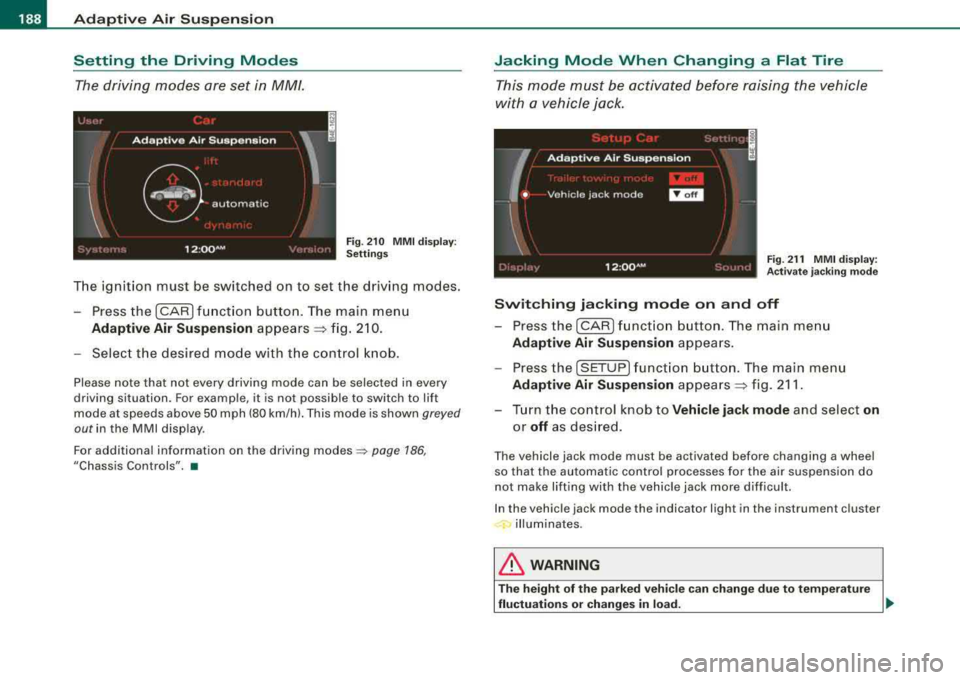
The driving modes are set in MM/.
F ig . 2 10 MM I d is pl ay:
Setti ngs
The ignition must be switched on to set the driving modes .
- Press the (CAR] f unction button . The main menu
Ad aptive Air Suspension appears ~ fig. 2 10.
- Select the desired mode with the c ontrol k nob .
Please note that not every driving mode can be selected in every
driving situation. For examp le, it is not possible to switch to lift
mode at speeds above 50 mph (80 km/h). This mode is shown
greyed
out in the MMI disp lay .
For additional information on the driving
modes ~ page 186,
"Chassis Controls". •
Jacking Mode When Changing a Flat Tire
This mode must be activated before raising the vehicle
with a vehicle jack .
Fig. 21 1 MMI displ ay:
Ac tivat e ja ckin g m od e
Switching jacking mod e on and off
- Press the
I CAR ) fu nct io n bu tton. The main me nu
Adaptive Air Su spen sion appea rs .
- Press the
[SETUP] f unct io n button . The main menu
Adaptive Air Su spen sion appea rs ~ fig. 211 .
- Turn the co ntrol knob to
Vehicle jack mode and select on
or off as des ired .
The vehicle jack mode must be activated before changing a wheel
so that the automatic control processes fo r the air suspension do
not make lifting with the vehicle jack more difficult.
In the vehic le jack mode the indicator light in the instrument cluster
illuminates.
& WARNING
T he height of the p arked vehic le c an change du e to te mpera ture
fluctu ation s or change s in lo ad.
~
Page 200 of 404
___ D_ r
_ i_v _i_n ..;::g :;_ S_ a_ f_ e_, ly'----------------------------------------------------
Driving Safely
General notes
Safe driving habits
Please remember -safety first!
This chapter conta ins important informat ion, tips, instructions and
warnings that you need to read and observe for your own safety, the safety of your passenge rs and othe rs. We have summarized here
what you need to know about safety be lts, airbags, child restraints
as wel l as chi ld safety . Y o ur safety is for us
priority number 1 . Always
observe the information and warnings in this section
-for your own
safety as we ll as that of your passengers .
The information in this sect ion appl ies to al l model vers ions of your
vehic le. Some of the features described in this sections may be
standard equ ipmen t on some mode ls, or may be op tiona l equip
ment on others. If you are not sure, ask your authorized Audi dealer .
& WARNING
• Always mak e sure that you follo w the instru ctions and heed
the WARNINGS in this Manual. It is in your interest and in the interest of your passengers .
• Alway s keep the complete Owner' s Liter ature in your Audi
when you lend or sell your vehi cle so that th is important informa
tion will always be available to the driver and pas seng ers.
• Always keep the Owner's literature handy so that you can find
it e asily if you have question s. •
Safety equipment
The s afe ty featur es are par t of the occu pant restraint
system an d wor k together t o help red uce the risk of injury
in a wide variety of accident situati ons.
Your safety and the safety of your passengers should not be left to
chance . Advances in technology have made a variety of features
avai lable to help reduce the risk of injury in an accident. The
fo llo w ing is a l ist of just a few of the sa fe ty feat ures in your A udi :
• sophisticated safety belts for driver and a ll passenger seating
posit ions,
• safety be lt pretensioners,
• safety be lt force l imiters for the fr ont seats,
• safety be lt height adjustment systems for the front seats,
• front airbags,
• knee airbags for the front seats
• side airbags in the front seats and outer rear seats,
• side curtain a irbags (SIDEGUARD),
• special LATCH anchorages for chi ld restra ints,
• head restraints for each seating position,
• adjus table steer ing colum n.
T hese individua l safety features, can work together as a system to
help protect you and you r passengers in a wide ra nge of acc idents .
T hese features cannot work as a system if they are not always
correctly adjusted and correct ly used .
Safety i s everybody' s responsibility! •
Page 201 of 404
________________________________________________ D_r_iv _ i
_ n..; g::;_ S_ a_ fe---' ly'---_JIII
Important things to do before driving
Safety is everybody's job! Vehicle and occupant safety
always depends on the informed and careful driver.
For your safety and the safety of your passengers, before
driving always:
- Make sure that all lights and signals are operat ing
correctly.
- Make sure that the tire pressure is correct.
- Make sure that all windows are clean and afford good
visibility to the outside.
- Secure all luggage and other items
carefully => page 109.
-Make sure that nothing can interfere with the pedals.
- Adjust front seat, head restraint and mirrors correctly for your height .
- Instruct passengers to adjust the head restraints
according to their height.
- Make sure to use the right child restraint correctly to
protect
children => page 243, "Child Safety".
- Sit properly in your seat and make sure that your passen
gers do the
same => page 86, "General recommenda
tions".
- Fasten your safety belt and wear it properly. Also instruct
your passengers to fasten their safety belts properly
=> page 209. •
Controls and equip
ment Safety first
Vehicle operation
What impairs driving safety?
Safe driving is directly related to the condition of the
vehicle, the driver as well as the driver's ability to concen
trate on the road without being distracted.
The driver is responsible for the safety of the vehicle and all
of its occupants. If your ability to drive is impaired, safety
risks for everybody in the vehicle increase and you also
become a hazard to everyone else on the road
=>& .There
fore:
Do not let yourself be distracted by passengers or by
using a cellular telephone .
NEVER drive when your driving ability is impaired (by
medications, alcohol, drugs, etc.).
- Observe all traffic laws, rules of the road and speed limits
and plain common sense .
- ALWAYS adjust your speed to road, traffic and weather
conditions.
- Take frequent breaks on long trips. Do not drive for more
than two hours at a stretch.
- Do NOT drive when you are tired, under pressure or when
you are stressed .
& WARNING
Impaired driving safety increases the risk of serious personal
injury and death whenever a vehicle is being used. •
Vehicle care Do-it-yourself service Technical data