seat adjustment AUDI S8 2008 User Guide
[x] Cancel search | Manufacturer: AUDI, Model Year: 2008, Model line: S8, Model: AUDI S8 2008Pages: 404, PDF Size: 52.7 MB
Page 99 of 404
Rear window shelf
You can place li gh t a rticles of cl othing on the re ar
window shelf behind the sea tbac k.
& WARNING
When driv ing , do not leave any hard objects on the rear w indow
s helf or allow your pet to sit on the shelf . They could be come a
hazard for vehicle oc cup ant s i n the event of sudden bra king or a
c rash .
[ i ] Tips
• A vent slot is located between t he shel f and the rear window . Do
not b lock the vent with any items you may place on the rear window
she lf.
• Do not place bulky items on the rear window shelf as they could
res trict or b lock the driver's vision in the rear view mirro r.•
Contro ls a nd eq uip
ment
Seats and storage
Individual rear seats
Ap plies to ve hic les : with indi vid ual rea r seat s
Controls
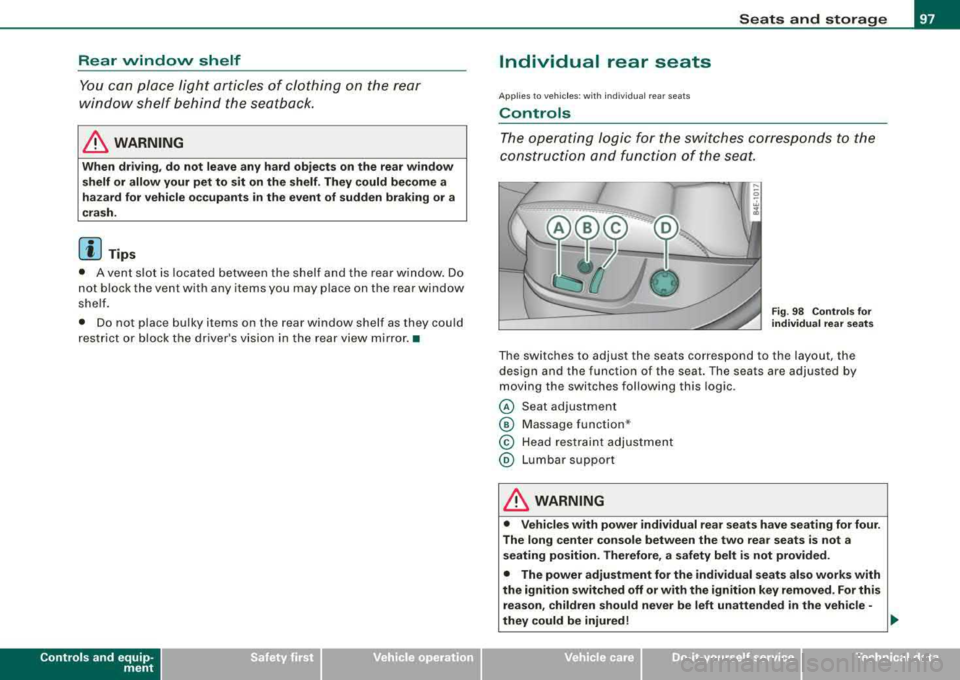
The operating logic for the switches corresponds t o the
construction and function of the sea t.
Fig. 98 Co ntro ls fo r
individual rear seats
The switches to adjust the seats correspond to the layout, the
design and the function of the seat. The seats are adjusted by
moving the switches following this log ic .
@ Seat adjustment
© Massage function *
© Head restraint adjustment
@ Lumbar support
& WARNING
• Vehicle s with power individual rear se ats have seating for four .
The long center co nsole between the two rear se ats is not a
s eating po sition. Therefore , a safety belt i s not provided.
• The power adjustment for the individual seats al so works with
the ignition switched off or with the ignition key removed . For this
re as on , children should never be left unattended in the vehicle -
they could be injured!
.,
Vehicle care I I irechnical data
Page 100 of 404
Seats and storage
& WAR N IN G ( continued )
• Exercise caution when adjusting the seats . Unsupervised or
careless seat adjustment can p inch fingers or hands causing
injuries .•
App lies to veh icles: with indiv idual rear seats
Seat adjustment
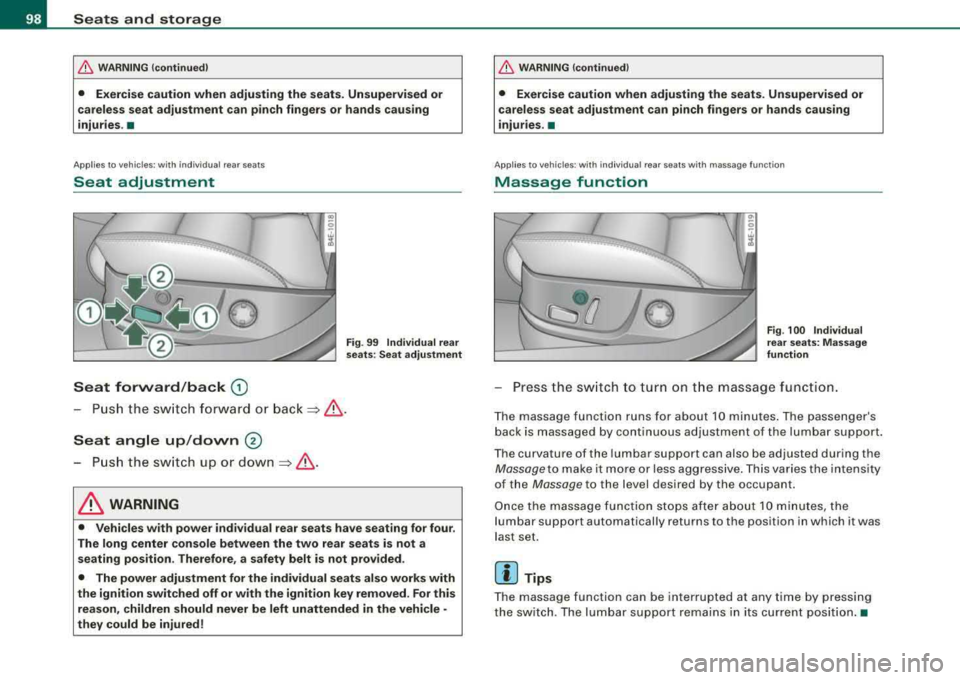
Seat forward /back G)
Fig . 99 Individual rear
s eat s: Se at adju stmen t
-Push t he swi tch fo rward or bac k=> & .
Seat angle up /down ®
-P u sh the s witch up o r down =>& .
& WARNING
• Vehicles with power individual rear seats have seating for four .
The long center console between the two rear seats is not a seating position . Therefore, a safety belt is not provided .
• The power adjustment for the individual seats also works with
the ignition switched off or with the ignition key removed . For this
reason , children should never be left unattended in the vehicle •
they could be injured !
& WAR N ING (continued )
• Exercise caution when adjusting the seats. Unsupervised or
careless seat adju stment can pinch fingers or hands causing
injuries.
•
Appl ies to vehicles: w ith ind iv idual rear seats with massage function
Massage function
F ig . 100 Individ ual
rear s eats: Massage
function
Pr ess th e swi tch to tu rn on t he massag e functi on.
T he massage function runs for ab out 10 minutes . The pa ssenger's
bac k is massaged by continuous ad justment of the lumbar support.
T he curvature of the lumbar support can also be ad justed during the
Mas sag e to mak e it mo re or less aggr ess ive . T hi s va ries the in tens ity
of the
Massage to the level desired by the occupant.
O nce the mas sage func tion s tops after abou t 10 m inutes, the
l umbar support automatically returns to th e position in which it was
l a st set.
[ i ] Tips
T he mas sage function ca n be interrupted at any time by p re ssi ng
the switc h. T he lum bar support r emains i n its cu rr en t pos it io n.•
Page 101 of 404
Applies to vehi cles : w it h in d iv idual rear seats
Head restraint adjustment
Fig . 101 Individual
rear seats : Head
restraint adjustment
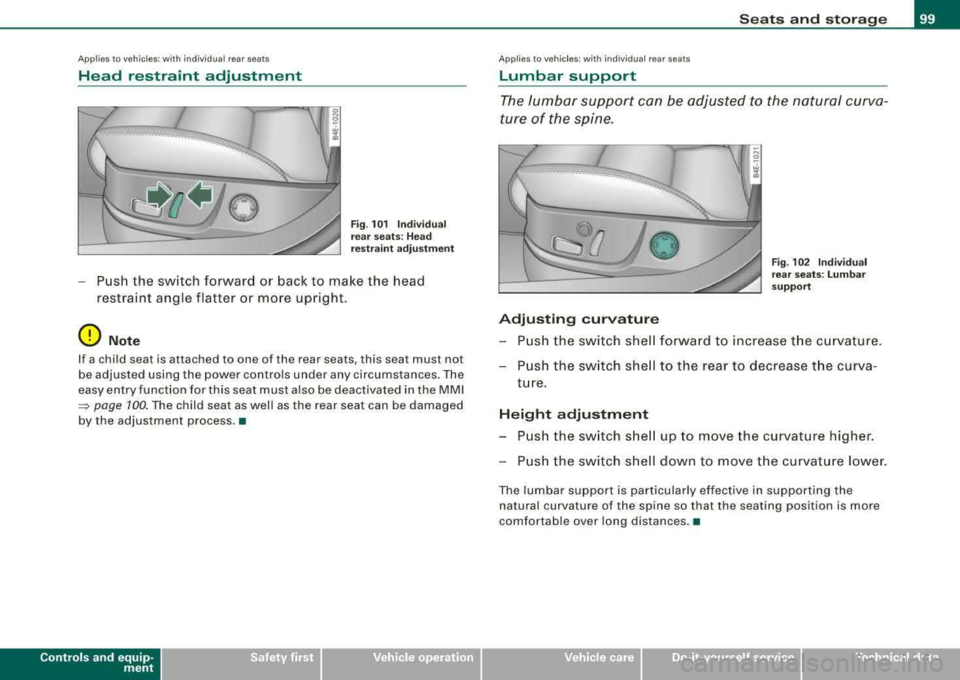
Push the switch forward or back to make the head
restraint angle flatter or more upright.
0 Note
If a child seat is at tached to one of the rear sea ts , this seat mus t no t
be adjusted using the power controls under any circumstances . The
easy entry function for this seat must also be deactivated in the MMI
~ page 100. The child seat as well as the rear seat can be damaged
by the adjustment process. •
Contro ls a nd eq uip
ment
Seats and storage
A pp lies to veh ic les: w ith ind iv idua l rear seats
Lumbar support
The lumbar support can be adjusted to the natural curva
ture of the spine.
0
Adjusting curvature
Fig. 102 Individual
rear seats : Lumbar
support
Push the switch shell forward to increase the curvature.
Push the switch shell to the rear to decrease the curva
ture.
Height adjustment
Push the switch shell up to move the curvature higher.
Push the switch shell down to move the curvature lower.
The lumbar support is particularly effective in supporting the
natural curva ture of the spine so that the seating posi tion is more
comfortable over long distances. •
Vehicle care
I I irechnical data
Page 102 of 404
___ S_ e
_ a_t_s _ a_n_ d
__ s _t _o _r _a ...::g:::.... e ________________________________________________ _
Applies to ve hicles : wi th indi vid ual r ear se ats
Settings in the MMI
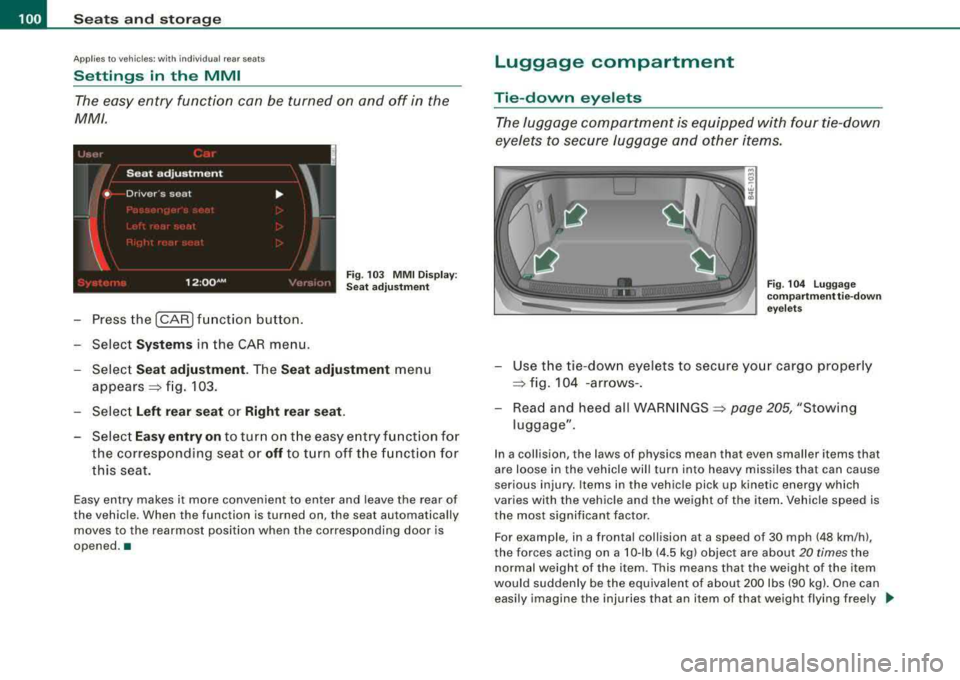
The easy entry function can be turned on and off in the
MM/ .
) ' '' ' ' I
Seat adjustment
'
• Drive r·s seat ...
I I
12 :QQ AM F ig . 103 MMI Display:
Sea t ad justment
-Press the I CAR I fun ction button .
-Select Systems in the CAR menu.
Select
Seat adjustment . Th e Seat adju stment menu
appears =:> fig. 103.
Select
Left rear seat or Right r ear seat .
-Select Eas y entry on to turn on t he easy e ntry function for
the corresponding seat or
off to turn off t he f unction for
this seat.
Easy entry makes it more convenient to enter and leave the rear of
the vehicle. When th e function is turned on, the seat automatically
moves to the rearmost position when the corresponding door is
opened. •
Luggage compartment
Tie-down eyelets
The luggage c ompartment is equipped with four tie -down
eyelets to secure luggage and other items.
F ig . 104 Lu ggage
co mp artm ent tie- dow n
eye le ts
-Use the tie-dow n eyelets to secure yo ur cargo properly
=:> fig . 104 -arrows- .
-Read and heed all WARNINGS =:> page 205, "Stowing
luggage" .
In a collision , the laws of physics mean that even smaller items that
are loose in the vehicle will turn into heavy missiles that can cause
serious injury. Items in the vehicle pick up kinetic energy which
varies with the vehic le and the weight of the item . Vehicle speed is
the most significant factor.
For example , in a frontal collision at a speed of 30 mph (48 km /h) ,
the forces acting on a 10-lb (4 .5 kg) object are about
20 times the
normal weight of the i tem . This means that the weight of the item
would suddenly be the equivalent of about 200 lbs (90 kg). One can
easily imagine the injuries that an i tem of tha t weight flying free ly _,,,
Page 120 of 404
___ w_ a_ rm __ a_ n_ d_ c_ o_ ld __________________________________________________ _
driver's s ide can be sw it c hed to the passenger's side, and v ice versa.
In the case of vehic les with rear air conditioning *, the selected
temperature setting is also applied to the outer rear sea ts. The new
temperature is shown in the display .•
Ap plie s to veh ic les: w ith e le ct ric a lly he ated seat s
Heated seats ~
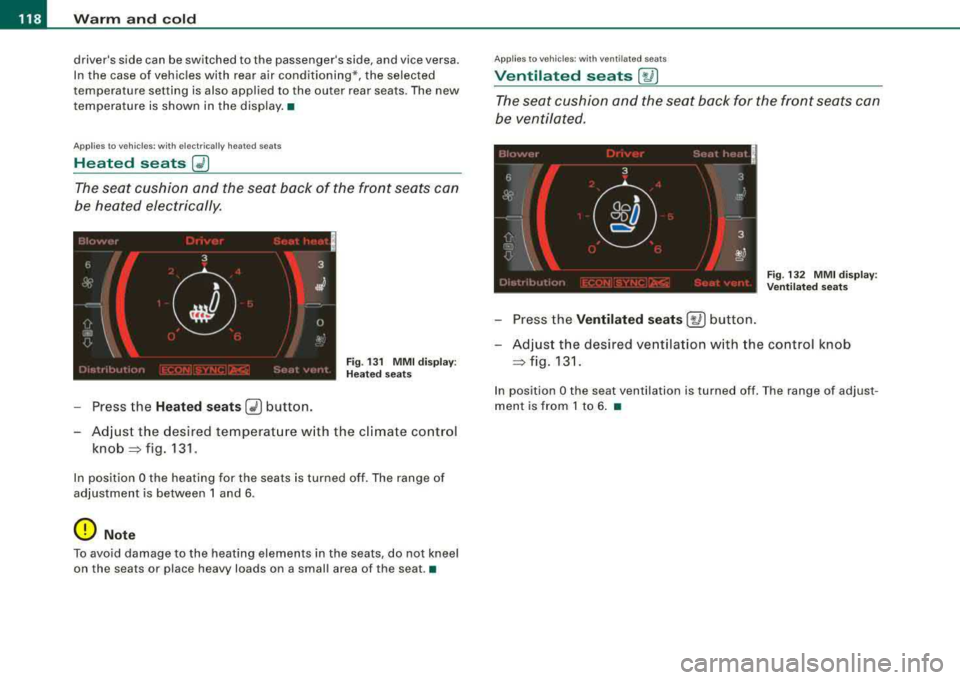
The seat cushion and the seat back of the front seats can
be heated electrically.
F ig . 13 1 M MI disp lay:
H eated s eats
- Press the Heated seats G2) button.
- Adjust the desired temperat ure w ith the climate control
knob =:> fig. 131 .
In position O the heating for the seats is turned off . The range of
adjustment is between 1 and 6 .
0 Note
To avoid damage to the heating elements in the seats , do not kneel
on the seats or place h eavy loads on a small area of th e se at .•
App lies to veh ic les : wit h venti lated seats
Ventilated seats [~ I
The seat cushion and the seat back for the front seats can
be ventilated .
Fig. 132 MM I d isplay :
Ve nti lated sea ts
- Press the Ventilated se ats [~ ] button.
- Adjust the des ired ventilation w ith the control knob
=:> fig . 131.
In position O the seat ven tilation is turned off . T he range of adjus t
ment is from 1 to 6 . •
Page 121 of 404
_________________________________________________ W_ a_ r_ m __ a_n_ d_ c_ o_ld _ ___.ffllll
Ap plies to vehicles : w ith heated rear seats
Heated rear seats
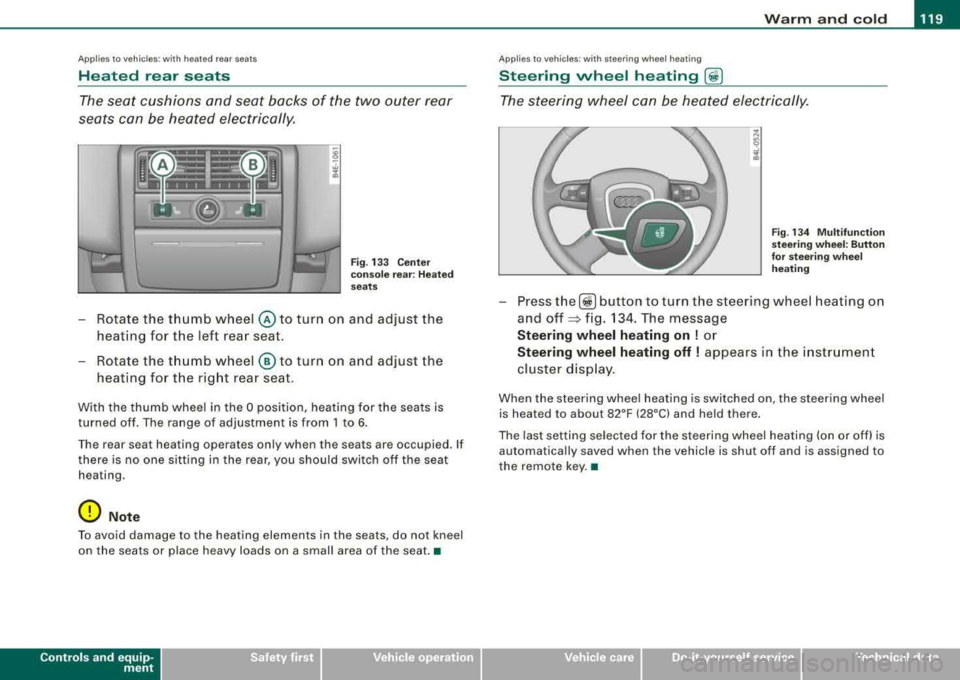
The seat cushions and seat backs of the two outer rear
seats can be heated electrically.
Fig . 133 C ente r
co nso le rea r: H ea ted
seats
- Rotate the thumb wheel © to turn on and adjust the
heating for the left rear seat.
- Rotate the thumb wheel
® to turn on and adjust the
heating for the right rear seat .
With the thumb wheel in the O position, heating for the seats is
turned off . The range of adjustment is from 1 to 6 .
Th e rear sea t hea ting operat es on ly wh en th e seats ar e occupied. If
there is no one s itting in the rear , you should swi tch off the seat
hea ting .
0 Not e
To avoid damage to the heating elements in the seats , do not kneel
on the seats or place heavy loads on a small area of the seat .•
Contro ls a nd eq uip
ment
Ap plies to vehi cles: with steer in g w heel heatin g
Steering wheel heating (j)
The steering wheel can be heated electrically.
F ig . 1 34 M ultifun cti on
st eeri ng w heel: Button
for stee ring w hee l
he ating
- Press the[ ~] button to turn the steer ing wheel heat ing on
and
off ~ fig. 134. The message
Steering wheel heating on ! or
Steering wheel heating off ! appears in the i nstrument
cluster d isp lay .
When the steering whee l heating is switched on , the steering wheel
is heat ed to about 82°F (28°C) and held th ere.
The last setting se lected for the steering wheel heating (on or off) is
automatically saved when the vehicle is shut of f and is assigned to
the remote key. •
Vehicle care I I irechnical data
Page 127 of 404
Warm and cold -
-----------------'
Rear climate controls
Ap plies to vehic les: with rear a ir co ndition ing
Controls
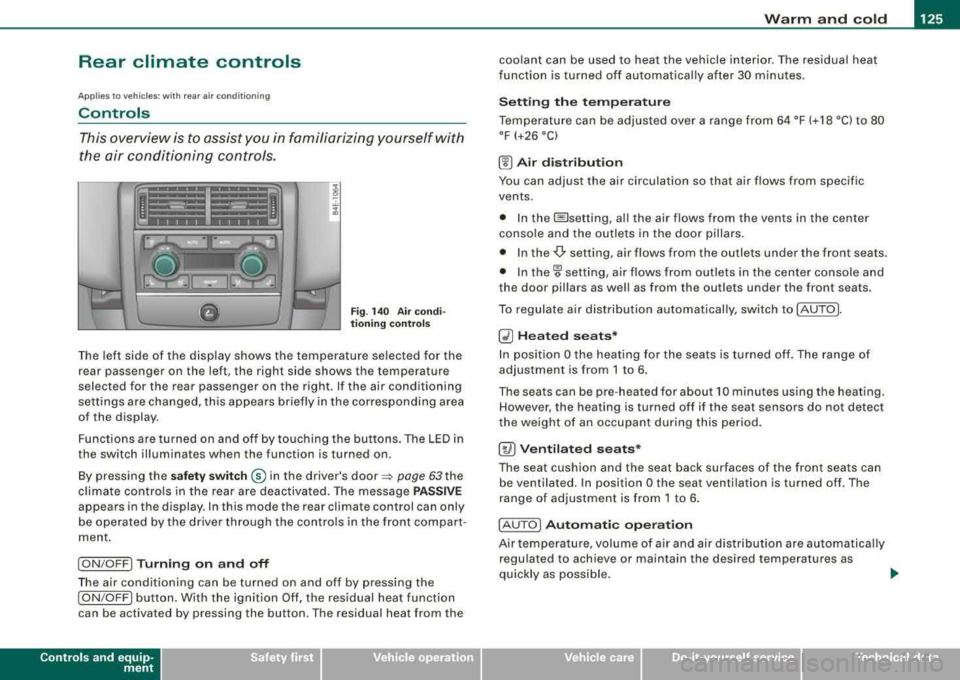
This overview is to assist you in familiarizing yourself with
the air conditioning controls .
Fig . 140 Air co ndi
t io ning contr ols
The left side of the display shows the temperature selected for the
rear passenger on the left, the right side shows the temperature
selected for the rear passenger on the right . If the air conditioning
settings are changed, this appears briefly in the corresponding area
of the display.
Functions are turned on and off by to uching the buttons . The LED in
the switch illuminates when the function is turned on .
By pressing the
sa fet y swi tc h ® in the driver's door ~ page 63 the
climate controls in the rear are deactiva ted. The message
P AS SIV E
appears in the display. In this mode the rear climate control can only
be operated by the driver through the contro ls in the front compar t
ment.
I ON /OFF] Tu rni ng o n and off
The air conditioning can be turned on and off by pressing the
I ON /OFF] button. With the ignit ion Off, the residual heat function
can be activated by pressing the button . The residual heat from the
Contro ls a nd eq uip
ment
coolant can be used to heat the vehicle interior. The residual heat
f unction is turned off au tomatica lly after 30 minu tes .
Se tting th e te mp era tu re
Temperature can be adjus ted over a range from 64 °F (+ 18 °C) to 80
°F (+26 °C)
(!) A ir di st ribu tion
You can adjust the air circulation so that air flows from specific
vents.
• In the @setting, al l the air flows from the v ents in the center
conso le and the outlets in the door pillars.
• In the
-Or setting, air flows from the outlets under the front seats.
• In
the~ setting, air flows from ou tlets in the center console and
the door pil lars as we ll as from the outlets under the front seats .
To regulate air distribution automatical ly, swi tch to !AUTO].
~ H ea ted se ats*
In posit ion O the heating for the seats is turned off. The range of
adjustment is from 1 to 6 .
The seats can be pre -heated for about 10 minutes us ing the heating.
However , the heating is turned off if the seat sensors do not detect
the weight of an occupant during this period .
[ty) Ventil ate d seats*
The seat cushion and the seat back surfaces of the fron t seats can
be ventilated. In position
O the seat ventilation is turned off. The
range of adjustment is from 1 to 6 .
! AU TO
I Autom ati c o pera tion
Air tempe rature, volume of air and air dis tribu tion are automatically
regulated to achieve or maintain the desired temperatures as
quickly as possible .
.,
Vehicle care I I irechnical data
Page 130 of 404
___ O_ n_t_ h_ e_ ro_ a_d __________________________________________________ _
On the road
Steering
Adjusting steering wheel position
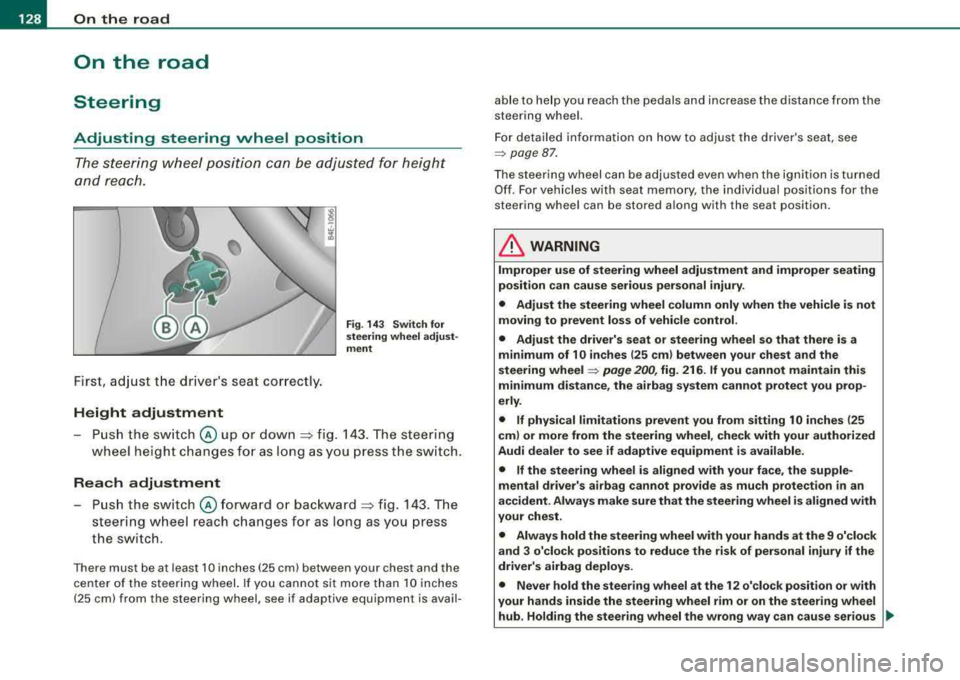
The steering wheel position can be adjusted for height
and reach .
First, adjust t he driver's seat correctly.
Height adjustment
Fig . 14 3 Sw itch fo r
s te erin g whe el a dju st
me nt
-P u sh the sw itch @ up or down :=> fig. 143 . The steering
wheel height changes fo r as l ong as you press the sw itch.
Rea ch adjustment
Push the switch @forward o r bac kward => fig. 143 . The
steering wheel reach changes for as long as you press
the switch.
There must be at least 10 inches (25 cm) between your chest and the
center of the steer ing wheel. If you cannot sit more than 10 inches
(25 cm) from the steering wheel, see if adaptive equipment is avail- able to help you reach the pedals and increase the distance from the
steering wheel.
For detailed in formation on how to adjust the driver's seat, see
=> page 87 .
The steering wheel can be adjusted even when the ig nition is turned
Of f. For vehicles w ith seat memory, the individual positions for the
steering wheel can be stored a long with the seat position.
& WARNING
Improper u se of steering wheel adju stment and improper seating
po sition can cause se rious per sonal inju ry .
• Adjust the steering wheel column only when the vehicle is not
mo ving to prevent los s of vehi cle control.
• Adjust the driver' s seat or steering wheel so that there is a
minimum of 10 in ches (25 cm ) bet ween your chest and the
s teering wheel
=> pag e 200 , fig. 216 . If you cannot maintain this
minimum di sta nce , the ai rbag sy stem can not prote ct you prop
erly .
• If physical limitations prevent you from s itting 10 inche s (25
cm ) or more from the steering wheel , check with your authori zed
Audi dealer to see if adapti ve equipment i s available .
• If the steering whee l is aligned with your face, the supple
mental drive r's airbag cannot provide as mu ch pr otection
in an
ac cident. Alway s make sure that the steerin g wheel i s aligned with
your che st .
• Alway s hold the steering wheel with your hand s at the 9 o'clock
and 3 o'clo ck posit ion s to reduce the ri sk of pers ona l injury if the
driv er's airbag deploys.
• Never hold the ste ering wheel at th e 12 o' clo ck position or with
your hand s inside the steerin g wheel rim or on the steering wheel
hub . Holding the steering wheel the wrong wa y can cau se ser ious ..,,
Page 200 of 404
___ D_ r
_ i_v _i_n ..;::g :;_ S_ a_ f_ e_, ly'----------------------------------------------------
Driving Safely
General notes
Safe driving habits
Please remember -safety first!
This chapter conta ins important informat ion, tips, instructions and
warnings that you need to read and observe for your own safety, the safety of your passenge rs and othe rs. We have summarized here
what you need to know about safety be lts, airbags, child restraints
as wel l as chi ld safety . Y o ur safety is for us
priority number 1 . Always
observe the information and warnings in this section
-for your own
safety as we ll as that of your passengers .
The information in this sect ion appl ies to al l model vers ions of your
vehic le. Some of the features described in this sections may be
standard equ ipmen t on some mode ls, or may be op tiona l equip
ment on others. If you are not sure, ask your authorized Audi dealer .
& WARNING
• Always mak e sure that you follo w the instru ctions and heed
the WARNINGS in this Manual. It is in your interest and in the interest of your passengers .
• Alway s keep the complete Owner' s Liter ature in your Audi
when you lend or sell your vehi cle so that th is important informa
tion will always be available to the driver and pas seng ers.
• Always keep the Owner's literature handy so that you can find
it e asily if you have question s. •
Safety equipment
The s afe ty featur es are par t of the occu pant restraint
system an d wor k together t o help red uce the risk of injury
in a wide variety of accident situati ons.
Your safety and the safety of your passengers should not be left to
chance . Advances in technology have made a variety of features
avai lable to help reduce the risk of injury in an accident. The
fo llo w ing is a l ist of just a few of the sa fe ty feat ures in your A udi :
• sophisticated safety belts for driver and a ll passenger seating
posit ions,
• safety be lt pretensioners,
• safety be lt force l imiters for the fr ont seats,
• safety be lt height adjustment systems for the front seats,
• front airbags,
• knee airbags for the front seats
• side airbags in the front seats and outer rear seats,
• side curtain a irbags (SIDEGUARD),
• special LATCH anchorages for chi ld restra ints,
• head restraints for each seating position,
• adjus table steer ing colum n.
T hese individua l safety features, can work together as a system to
help protect you and you r passengers in a wide ra nge of acc idents .
T hese features cannot work as a system if they are not always
correctly adjusted and correct ly used .
Safety i s everybody' s responsibility! •
Page 205 of 404
Driving Safely fflll
---------------------------------------------:::....---=--
Proper adjustment of head restraints
Correctly adjusted head restraints are an important part
of your vehicle's occupant restraint system and can help to reduce the risk of injuries in accident situations.
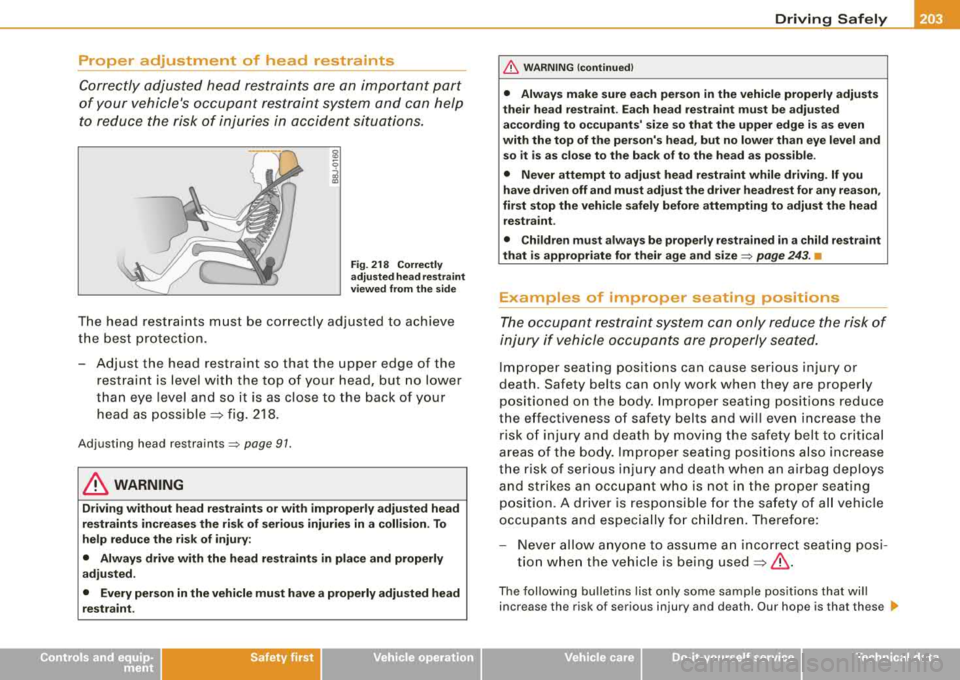
Fig . 218 Correctly
adjusted head restraint
viewed from the side
The head restraints must be correctly adjusted to achieve
the best protection.
- Adjust the head restraint so that the upper edge of the
restraint is level with the top of your head, but no lower
than eye level and so it is as close to the back of your
head as
possible ~ fig. 218.
Adjusting head restraints=> page 91.
& WARNING
Driving without head restraints or with improperly adjusted head
restraints increases the risk of serious injuries in a collision. To
help reduce the risk of injury:
• Always drive with the head restraints in place and properly
adjusted.
• Every person in the vehicle must have a properly adjusted head
restraint.
Controls and equip ment Safety first Vehicle operation
&, WARNING
(continued)
• Always make sure each person in the vehicle properly adjusts
their head restraint. Each head restraint must be adjusted according to occupants' size so that the upper edge is as even
with the top of the person's head, but no lower than eye level and
so it is as close to the back of to the head as possible .
• Never attempt to adjust head restraint while driving. If you
have driven off and must adjust the driver headrest for any reason,
first stop the vehicle safely before attempting to adjust the head
restraint.
• Children must always be properly restrained in a child restraint
that is appropriate for their age and size
=> page 243. •
Examples of improper seating positions
The occupant restraint system can only reduce the risk of
injury if vehicle occupants are properly seated.
Improper seating positions can cause serious injury or
death . Safety belts can only work when they are properly
positioned on the body. Improper seating positions reduce
the effectiveness of safety belts and will even increase the
risk of injury and death by moving the safety belt to critical
areas of the body. Improper seating positions also increase
the risk of serious injury and death when an airbag deploys
and strikes an occupant who is not in the proper seating
position. A driver is responsible for the safety of all vehicle
occupants and especially for children. Therefore:
- Never allow anyone to assume an incorrect seating posi
tion when the vehicle is being
used ~& .
The following bulletins list only some sample positions that will
increase the risk of serious injury and death. Our hope is that these
.,_
Vehicle care Do-it-yourself service Technical data