bulb AUDI S8 2008 Owners Manual
[x] Cancel search | Manufacturer: AUDI, Model Year: 2008, Model line: S8, Model: AUDI S8 2008Pages: 404, PDF Size: 52.7 MB
Page 6 of 404
Table of contents
Do-it-yourself service ... 347
What do I do now? . . . . . . . . . . . . . 348
Trunk escape handle . . . . . . . . . . . . 348
Emergency warning triang le . . . . . 348
Jack, tools and spare wheel . . . . . . 349
Changing a wheel . . . . . . . . . . . . . . 351
Fuses and bulbs . . . . . . . . . . . . . . . . 358
Fuses . . . . . . . . . . . . . . . . . . . • . . . . . . 358
Bu lbs . . . . . . . . . . . . . . . . . . . . . . . . . . 362
Em ergency s ituat ions . . . . . . . . . . 36 4
Gener al . . . . . . . . . . . . . . . . . . . . . . . . 364
Sta rting by pushing or towing . . . . 364
Start ing with jumper cab les . . . . . . 364
Use of jumper cab les . . . . . . . . . . . . 365
Em erge ncy towing with commercia l
t ow truck . . . . . . . . . . . . . . . . . . . . . . 366
Lifting vehicle . . . . . . . . . . . . . . . . . . 369
Technical data
General information
373
37 4
Expla nation of technical data . . . . 374
Vehic le ident ificat ion . . . . . . . . . . . . 374 Displaying Vehic
le Identifica tion
Number in MMI . . . . . . . . . . . . . . . . 375
Weights . . . . . . . . . . . . . . . . . . . . . . . 375
Dim ensio ns . . . . . . . . . . . . . . . . . . . . 376
Data . . . . . . . . . . . . . . . . . . . . . . . . . . . 3 78
350 hp, 8 -cylinder engine, with all
whee l dr ive . . . . . . . . . . . . . . . . . . . . 378
450 hp, 12-cylinder engine , wi th all
whee l drive, long wheel base . . . . 379
Consumer Information . . . . . . . . . 380
Warran ty coverages . . . . . . . . . . . . 380
Operating you r veh icle outs ide the
U.S.A. or Canada . . . . . . . . . . . . . . . 380
Audi Serv ice Repair Manuals and
Literature . . . . . . . . . . . . . . . . . . . . . . 380
Maintenance . . . . . . . . . . . . . . . . . . 380
Ad ditional accessor ies,
mod ificat ions and parts
rep lacement . . . . . . . . . . . . . . . . . . . 382
Alphabetical index . . . . . . 385
Page 21 of 404
warning/indicator light should go out to show that the system is
fully functional again.
For more information about the
ESP=> page 268. •
Airbag system C:,
This warning/indicator light monitors the airbag and the
tensioner systems.
The ffi warning light illuminates for a few seconds each time you
switch on the ignition.
If the m warning light does not go out, or if it illuminates while you
are driving, or if it starts to blink, then there is a malfunction some
where in the system. If the light does not illuminate when you
switch on the ignition, this also means there is a malfunction.
& WARNING
If you have a malfunction in the airbag system, contact your autho
rized Audi dealer immediately. Otherwise the airbag or the belt
tensioner may not work properly in an accident. •
Applies to v ehicl es: w it h l ane ass is t
Lane assist (system is ready) /:
The indicator light shows that the system is ready to use . A warning
alerts the driver when the vehicle drives over detected lane
boundary lines.
More information about lane
assist=> page 151. •
Controls and equip
ment
Instruments and warning/indicator lights
Applies to vehi cles : wi th la ne ass is t
Lane assist (system is not ready) /:
The indicator light shows that the system is turned on but unable to
send a warning .
More information about lane
assist=> page 151. •
Turn signals ¢ Q
The indicator light blinks when you use either turn signal.
Whenever you use the left ¢i or the right Q turn signal, the indicator
light blinks . When you use the emergency flashers, both indicator
lights flash.
If one of the turn signal light bulbs burn out, the turn signal will
blink twice as fast as normal. •
High beam ~D
The ~D warning/indicator light illuminates when the high beams are
on or when you use the headlight flasher. For more information
about using the high beams,
see => page 73. •
Fog lights JO
The indicator light !0 illuminates when the fog lights are turned
on. •
Rear fog lights ()$
The indicator light O* illuminates when the rear fog lights are turned
on .•
Page 26 of 404
Driver inf orma tio n displ ay
Driver information display
Introduction
General notes
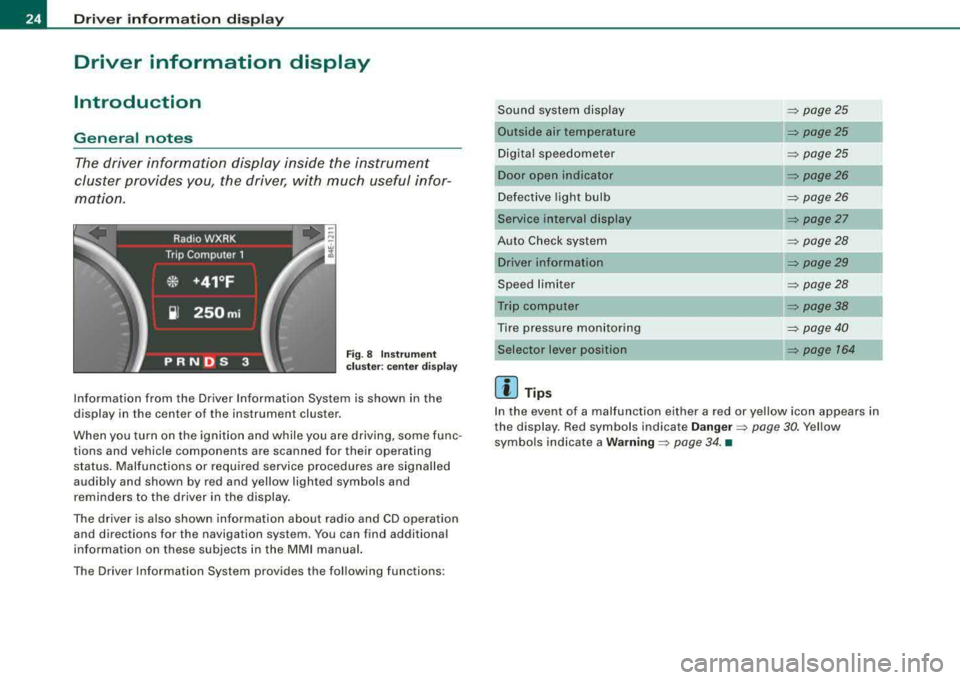
The driver information display inside the instrument
cluster provides you, the driver, with much useful infor
mation.
F ig. 8 Inst rum ent
c luster : center d is pl ay
Information from the Driver Information System is shown in the
display in the center of the instrument cluster.
When you turn on the ignition and while you are driving, some func
tions and vehicle components are scanned for their operating status. Malfunctions or required service procedures are signalled
audibly and shown by red and yellow lighted symbols and
reminders to the driver in the display.
The driver is also shown information about radio and CD operation and directions for the navigation system. You can find additional
information on these subjects in the MMI manual.
The Driver Information System provides the fol lowing functions : Sound system display
=> page25
Outside air temperature => page25
Digital speedometer
=> page25
Door open indicator => page26
Defective light bulb
=> page26
Service interval display => page27
Auto Check system
=> page28
Driver information => page29
Speed limiter
=> page28
Trip computer => page38
Tire pressure monitoring
=> page 40
Selector lever position => page 764
[ i ] Tips
In the event of a malfunction either a red or yellow icon appears in
the display. Red symbols indicate
D ang er => page 30. Yellow
symbols indicate a
W arning => page 34 . •
Page 28 of 404
Driver information display
The current speed appears on the display. The speed is displayed in
1 mph (US model) or 1 km/h (Canadian model) increments.
You can switch the display from miles to kilometers and vice versa
via the MMI.
•
Open door or trunk lid warning
The pictogram alerts you when doors or the rear lid have
been left open.
Fig. 12 Display: open
door or rear lid
warning
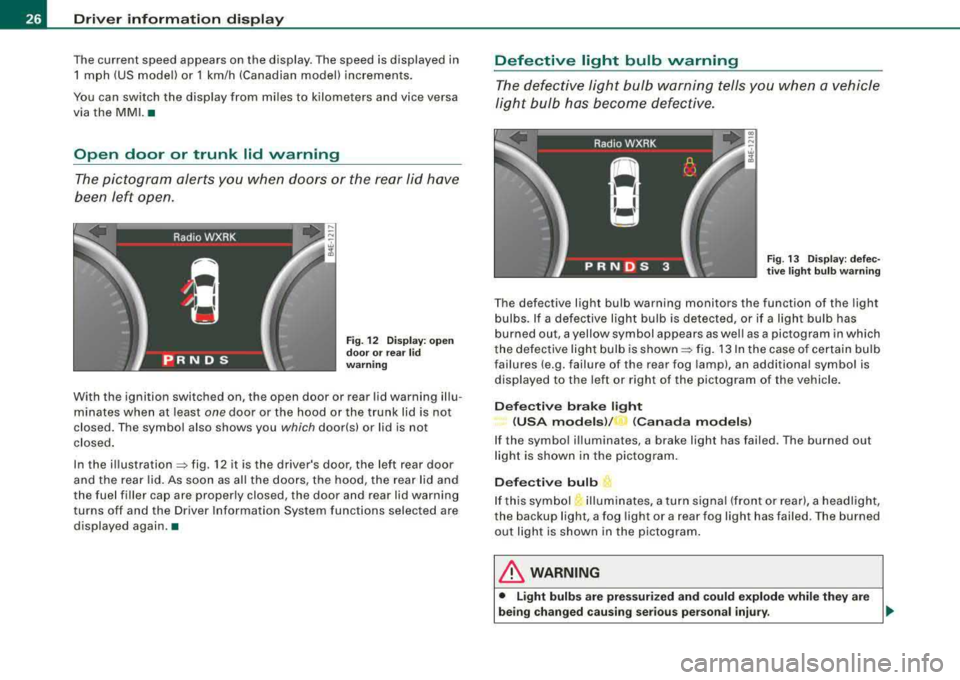
With the ignition switched on, the open door or rear lid warning illu
minates when at least
one door or the hood or the trunk lid is not
closed. The symbol also shows you
which door!s) or lid is not
closed .
In the
illustration=:> fig. 12 it is the driver's door, the left rear door
and the rear lid. As soon as al l the doors, the hood, the rear lid and
the fuel filler cap are properly closed, the door and rear lid warning
turns off and the Driver Information System functions selected are
displayed again .•
Defective light bulb warning
The defective light bulb warning tells you when a vehicle
light bulb has become defective.
Fig. 13 Display: defec
tive light bulb warning
The defective light bulb warning monitors the function of the light
bulbs. If a defective light bulb is detected, or if a light bulb has
burned out, a yellow symbol appears as well as a pictogram in which
the defective light bulb is
shown =:> fig. 13 In the case of certain bulb
failures (e.g. failure of the rear fog lamp), an additional symbol is
displayed to the left or right of the pictogram of the vehicle.
Defective brake light
(USA models )/
_, (Canada models)
If the symbol illuminates, a brake light has failed. The burned out
light is shown in the pictogram.
Defective bulb
If this symbol illuminates, a turn signa l (front or rear), a headlight,
the backup light, a fog light or a rear fog light has failed . T he burned
out light is shown in the pictogram.
& WARNING
• Light bulbs are pressurized and could explode while they are
being changed causing serious personal injury.
.,_
Page 29 of 404
fl::. WARNING (c o ntinue d)
• Wo rk with d ue care when handl in g th e high -v o lt age secti on of
gas disc harge !xe non) lig ht s. Fa ilur e to d o so c ould re sult i n de ath
or seriou s injur y.
[ i J Tips
Have the bulb replaced or the connection repaired by your autho
rized Aud i Service department .•
Service interval display
The service interval display reminds you when your next
service is due.
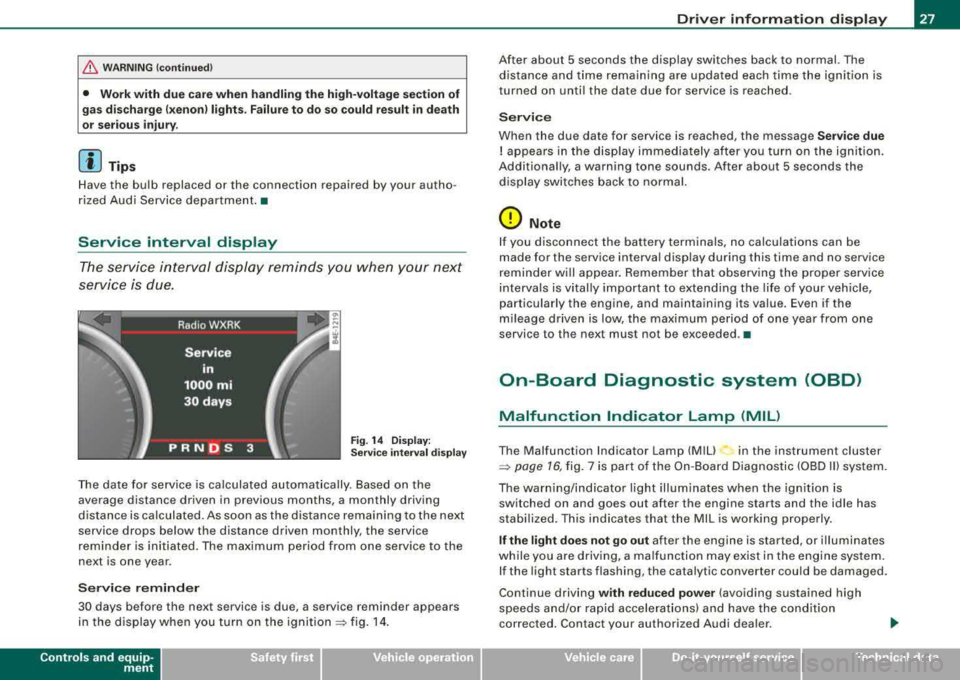
Fi g. 14 D isplay:
Se rvice i nterval displ ay
The date for service is calculated automa tically. Based on the
average distance driven in previous months, a monthly driving
distance is calculated. As soon as the distance remaining to the next
service drops below the distance driven monthly, the service
reminder is initiated. The maximum period from one service to the
next is one year.
S erv ice reminder
30 days before the next service is due, a service reminder appears
in the display when you turn on the
i gnition => fig. 14.
Contro ls a nd eq uip
ment
Dr ive r inf ormati on d ispl ay
After about 5 seconds the display switches back to normal. The
distance and time remain ing are updated each time the ignition is
turned on unti l the date due for service is reached.
Servi ce
When the due date for service is reached, the message Serv ice due
! appears in the disp lay immediately after you turn on the ignition.
Additionally, a warning tone sounds. After about 5 seconds the
display switches back to normal.
0 Note
I f you disconnect the battery terminals, no calculations can be
made for the service interval display during this time and no service
reminder will appear. Remember that observing the proper service
intervals is vita lly important to extending the life of you r vehicle,
particularly the engine, and maintaining its value. Even if the
mileage driven is low, the maximum period of one year from one
service to the next must not be exceeded. •
On-Board Diagnostic system (OBD)
Malfunction Indicator Lamp (MIL)
The Malfunction Indicator Lamp (MIU in the instrument cluster
=> page 16, fig. 7 is part of the On -Board Diagnostic (OBD II) system.
The warn ing/indicator light illum inates when the ignition is
switched on and goes out after the engine starts and the idle has
stabilized . This indicates that the MIL is working properly.
If the light d oes not go out after the engine is started, or illuminates
while you are driving, a ma lfunction may exist in the engine system.
If the light starts flashing, the catalytic converter cou ld be damaged.
Continue driving
w ith redu ced po wer (avoiding sustained high
speeds and/or rapid accelerat ions) and have the condition
corrected. Contact your authorized Audi dea ler.
Vehicle care I I irechnical data
Page 36 of 404
Driver inf orma tio n displ ay
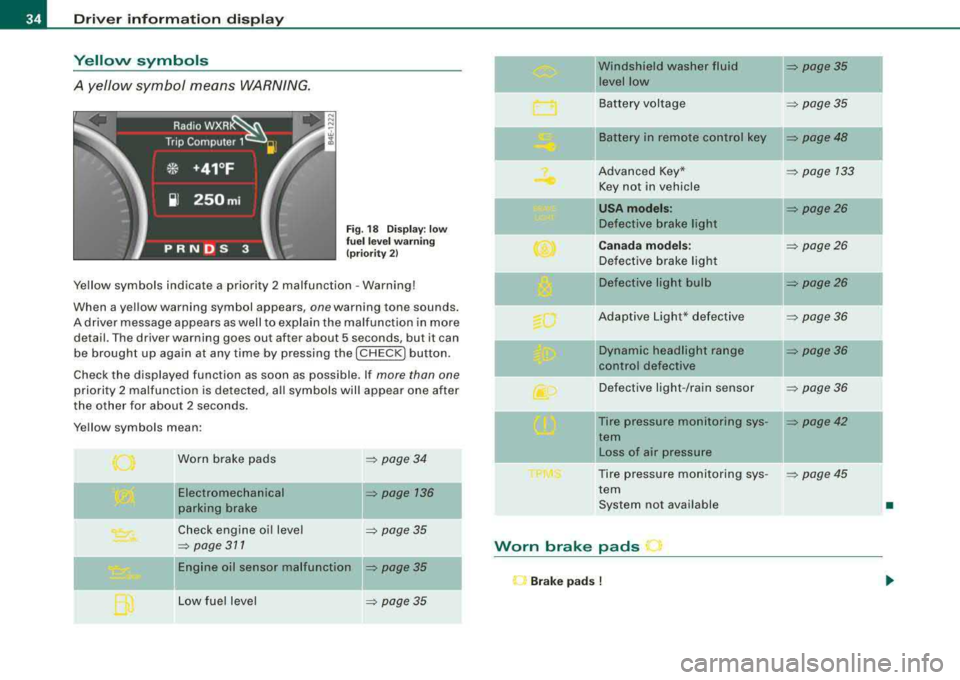
Yellow symbols
A yellow symbol means WARNING.
Fig . 18 Display: low
fu el l eve l warn in g
(pr iori ty 2)
Yellow symbols indicate a priority 2 malfunction - Warning!
When a yellow warning symbol appears,
one warning tone sounds.
A driver message appears as well to explain the malfunction in more detail . The driver warning goes out after about 5 seconds, but it can
be brought up again at any time by pressing the [ CHECK
I button.
Check the displayed function as soon as possible . If
more than one
priority 2 malfunction is detected, all symbols will appear one after
the other for about 2 seconds .
Yellow symbols mean:
Worn brake pads
Electromechanical
parking brake
Check engine oi l level
=> page 311
= page 34
=> page 136
=> page 35
Engine oil sensor malfunction => page 35
Low fue l level => page 35
-
Windshield washer fluid = page35
level low ~
Battery voltage => page35
-
II Battery in remote control key = page48
Advanced Key* = page 133
Key not in vehicle
USA mod els: = page26
Defective brake light
Canad a m od els: => page26
Defective brake light
Defective light bulb
=> page26
Adaptive Light* defective => page36
-
Dynamic headlight range => page36
ll contro l defective
Defective light -/rain sensor
= page36
--Tire pressure monitoring sys-= page42
tern
II Loss of air pressure
Tire pressure monitoring sys -
= poge45
tern
System not available
•
Worn brake pads
l"J Br ake pad s !
Page 74 of 404
Clear vision
0 Note
The rear fog lights can distract drivers behind you, so, they should be turned on
only in conditions of very poor visibility. Always
observe local regulations when using the rear fog lights.
[ i] Tips
With the switch in AUTO front fog lights and rear fog lights cannot
be turned on in addition. •
Applies to vehic les: with Adapt ive Ligh t
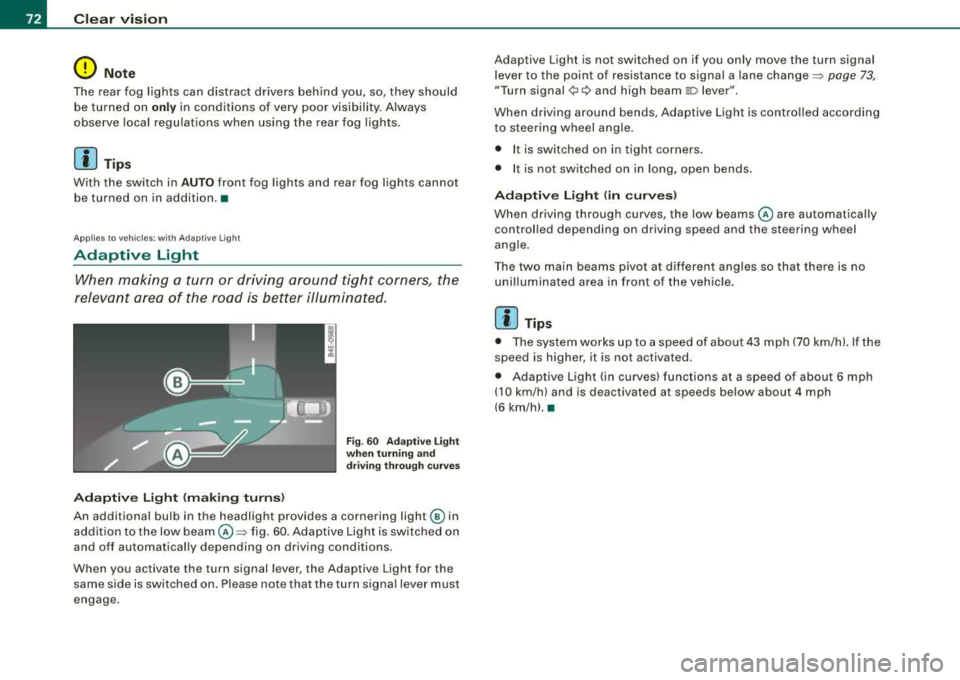
Adaptive Light
When making a turn or driving around tight corners, the
relevant area of the road is better illuminated.
Adaptive Light (making turns)
Fig. 60 Adaptive Light
when turning and
driving through curves
An additional bulb in the headlight provides a cornering light@ in
addition to the low
beam @~ fig. 60. Adaptive Light is switched on
and off automatically depending on driving conditions .
When you activate the turn signal lever, the Adaptive Light for the
same side is switched on. Please note that the turn signal lever must
engage. Adaptive Light is not switched on if you only move the
turn signal
lever to the point of resistance to signal a lane
change~ page 73,
"Turn signal¢ c:> and high beam 110 lever ".
When driving around bends, Adaptive Light is controlled according
to steering wheel angle .
• I t is switched on in tight corners.
• It is not switched on in long, open bends.
Adaptive Light (in curves)
When driving through curves, the low beams @are automatically
controlled depending on driving speed and the steering wheel
angle.
Th e two main beams pivot at different angles so that there is no
unilluminated area in front of the vehicle.
[ i] Tips
• The system works up to a speed of about 43 mph (70 km/h). If the
speed is higher, it is not activated.
• Adaptive Light (in curves) functions at a speed of about
6 mph
(10 km/h) and is deactivated at speeds below about 4 mph
(6 km/h).•
Page 322 of 404
_L--_C_ h_e _c _ k_ i_ n --=g::...._ a_ n_ d_ f_ i_ll _in --'g=-- --------------------------------------------
-To open the side storage compartment, turn the two pins
©~fig. 269 to the vertical position.
The positive (+l battery terminal is protected by a plastic cover . This
cover must be removed to access the positive (+l terminal when
connecting jumper cables to start the engine.
Always heed the safety warnings, when working on the vehicle
battery or the vehicle electrical system to prevent injury.
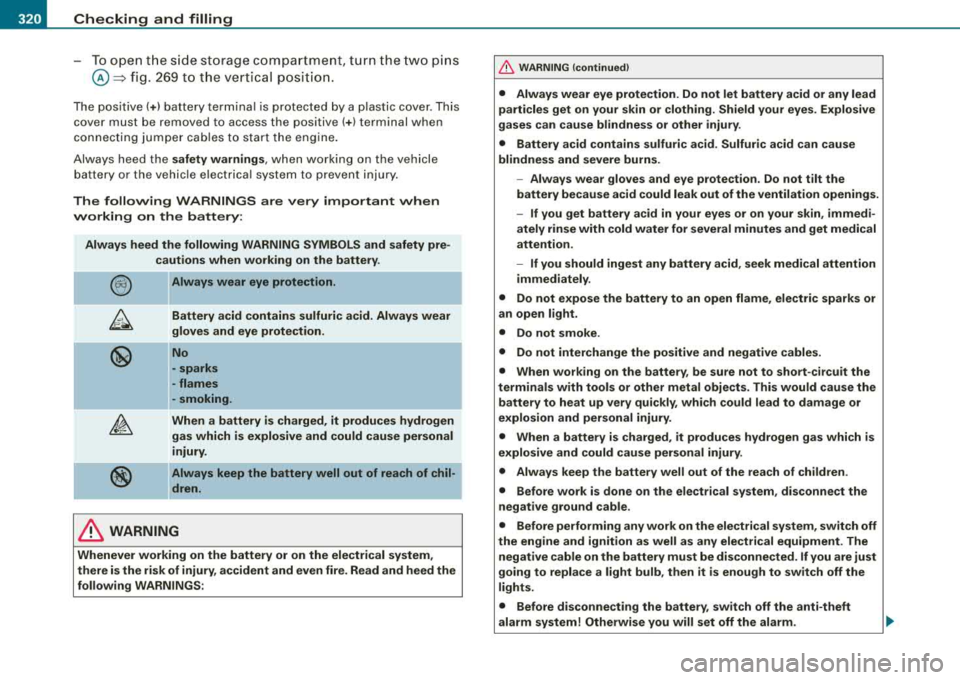
The following WARNINGS are very important when
working on the battery:
Always heed the following WARNING SYMBOLS and safety pre
cautions when working on the battery.
-
@
®
-Always wear eye protection.
Battery acid contains sulfuric acid. Always wear
gloves and eye protection.
No
-sparks
-flames
-smoking.
When a battery is charged, it produces hydrogen
gas which is explosive and could cause personal
injury.
Always keep the battery well out of reach of chil
dren.
& WARNING
Whenever working on the battery or on the electrical system,
there is the risk of injury, accident and even fire. Read and heed the
following WARNINGS:
& WARNING (continued)
• Always wear eye protection. Do not let battery acid or any lead
particles get on your skin or clothing. Shield your eyes. Explosive
gases can cause blindness or other injury.
• Battery acid contains sulfuric acid. Sulfuric acid can cause
blindness and severe burns.
-Always wear gloves and eye protection. Do not tilt the
battery because acid could leak out of the ventilation openings.
- If you get battery acid in your eyes or on your skin, immedi
ately rinse with cold water for several minutes and get medical
attention.
- If you should ingest any battery acid, seek medical attention
immediately.
• Do not expose the battery to an open flame, electric sparks or
an open light.
• Do not smoke.
• Do not interchange the positive and negative cables.
• When working on the battery, be sure not to short-circuit the
terminals with tools or other metal objects. This would cause the battery to heat up very quickly, which could lead to damage or
explosion and personal injury.
• When a battery is charged, it produces hydrogen gas which is
explosive and could cause personal injury.
• Always keep the battery well out of the reach of children .
• Before work is done on the electrical system, disconnect the
negative ground cable.
• Before performing any work on the electrical system, switch off
the engine and ignition as well as any electrical equipment. The
negative cable on the battery must be disconnected. If you are just
going to replace a light bulb, then it is enough to switch off the
lights.
• Before disconnecting the battery, switch off the anti-theft
alarm system! Otherwise you will set off the alarm.
Page 360 of 404
1111....__F_ u_ s_ e_s _ a_n _ d_ b_ u_lb _ s _______________________________________________ _
Fuses and bulbs
Fuses
Repl ac ing a fu se
A problem in the electrical system may be caused by a
blown fuse.
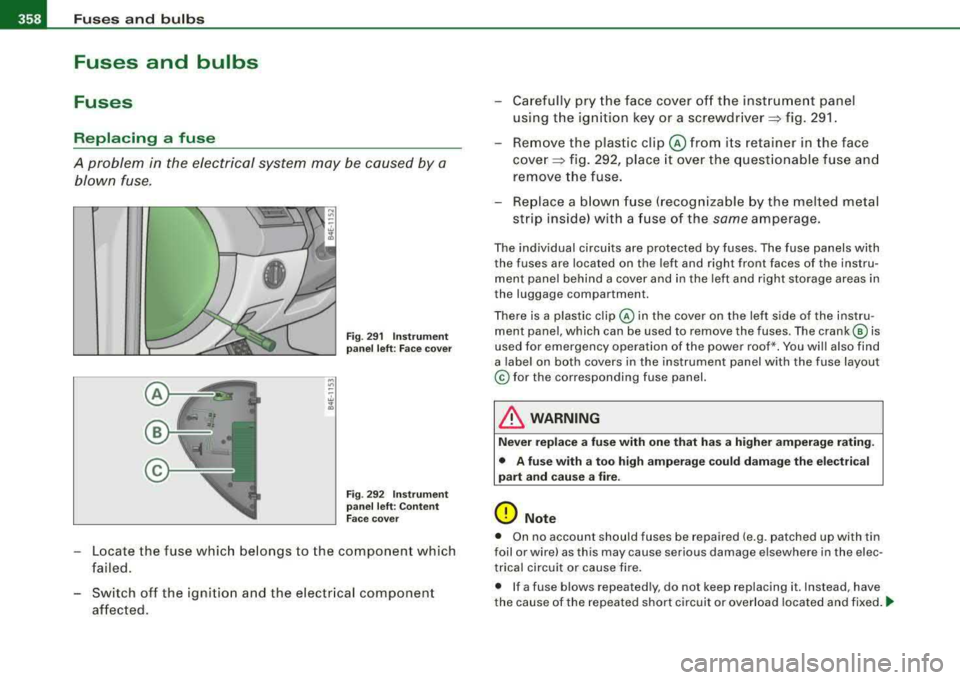
F ig . 29 1 I nstrume nt
pa nel l eft : Face cov er
Fi g. 29 2 I nstru m ent
p an el l eft : C ont en t
F ac e cove r
- Locate the fuse which belongs to the component which
failed.
- Switch off the ignition and the electr ical component
affected. -
Carefully pry the face cover off the instrument panel
using t he ign ition key or a screwdriver=> fig . 29 1.
- Remove the plastic
clip @ from i ts retain er in the face
cove r=> fig. 292, place it over the questionable fuse an d
remove the fuse.
- Re place a b low n fuse (recog nizable by the melted metal
s tri p inside) with a fuse of the
same amperage.
The individual circuits are protected by fuses. The fuse panels with
the fuses are located on the left and right front faces of the instru
ment panel behind a cover and in the left and right storage areas in
the luggage compartment.
There is a plastic
c lip @ in the cover on the left side of the instru
ment panel, which can be used to remove the fuses . The
crank @ is
used for emergency operation of the power roof *. You wi ll also find
a labe l on both covers in the instrument panel w ith the fuse layout
© for the corresponding fuse panel.
& WARNING
Nev er r ep la ce a fu se with one tha t has a hi gher amperage rating.
• A fuse w ith a to o high amper ag e cou ld dam age th e ele ctrical
part and c au se a fire .
0 Note
• On no account should fuses be repaired (e .g. patched up with tin
foil or wire) as th is may cause serious damage elsewhere in the elec
trical circuit or cause fire .
• If a fuse blows repeatedly , do not keep replacing it. Instead, have
the cause of the repeated short circuit or overload located and fixed
. ...
Page 364 of 404
111!1....__F_ u_ s_ e_s _ a_n _ d_ b_ u_lb _ s _______________________________________________ _
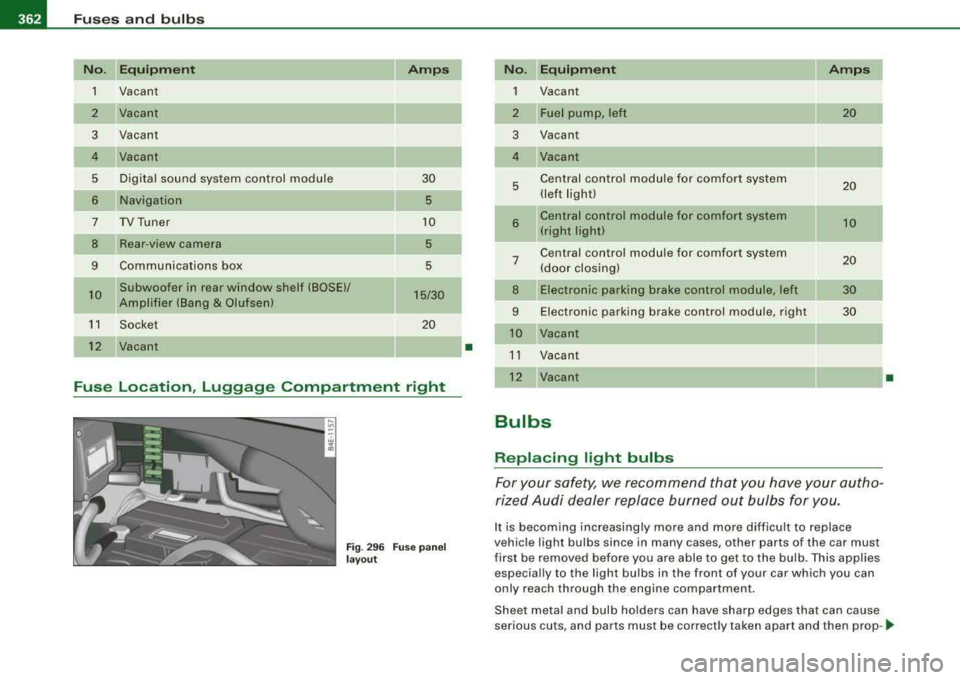
No. Equipment Amps
1
Vacant
2 Vacant
3 Vacant
4 Vacant
5 Digital sound system control module 30
6 Navigation 5
7
TV Tuner 10
8 Rear -view camera 5
9 Communications box 5
10 Subwoofer in rear window shelf (BOSE)/ 15/30 Amplifier (Bang & Olufsen)
--
1 1 Socket 20
12
Vacant
Fuse Location, Luggage Compartment right
Fig. 296 Fuse pan el
l a y out
I
•
N o. Equipm ent Amps
1
Vacant
2 Fuel pump, left 20
3 Vacant
4 Vacant
5 Central control module for comfort system 20 (left light)
-
6 Central control module for comfo rt system 10 (right light)
Central control module for comfort system 7 (door closing) 20
8 Electronic parking brake control module, left 30
9 Electronic parking brake control module, right 30
Vacant
11 Vacant
12 Vacant
Bulbs
Replacing light bulbs
For your safety, we recommend that you have your autho
rized Audi dealer replace burned out bulbs for you.
It is becoming increasing ly more and more difficult to replace
vehic le light bulbs since in many cases, other parts of the car must
first be removed before you are able to get to the bu lb. This applies
especially to the light bulbs in the front of your car which you can
only reach through the engine compartment.
•
Sheet metal and bulb holders can have sharp edges that can cause
serious cuts, and parts must be correctly taken apart and then prop -
...