lane assist AUDI S8 2010 Owners Manual
[x] Cancel search | Manufacturer: AUDI, Model Year: 2010, Model line: S8, Model: AUDI S8 2010Pages: 384, PDF Size: 90.95 MB
Page 4 of 384
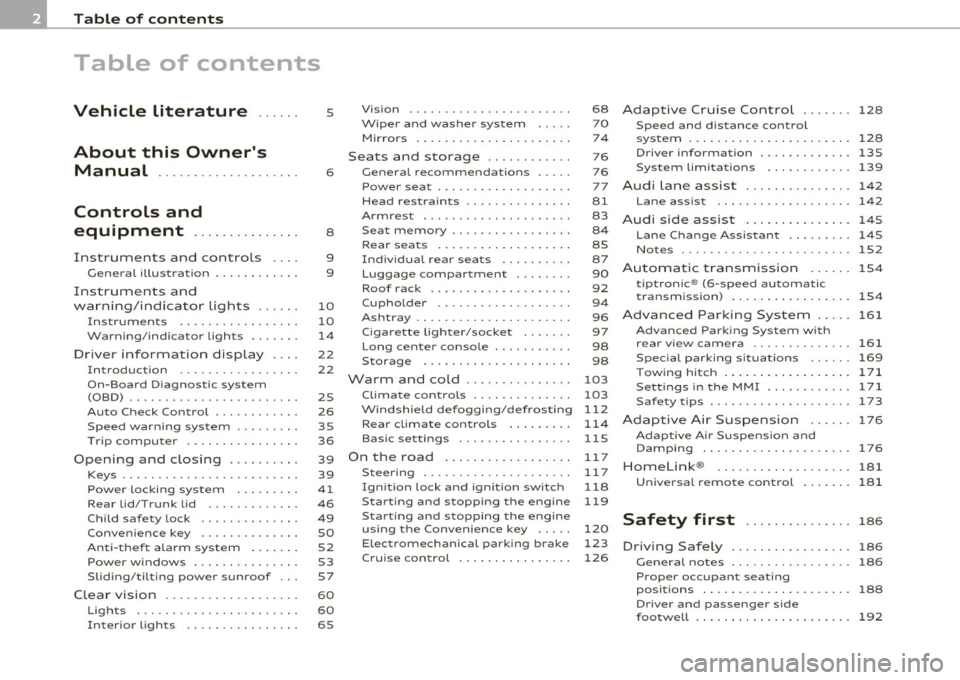
Table of contents
Table of contents
Vehicle literature
About this Owner's Manual ............. ...... .
Controls and
equipment .............. .
Instruments and controls ... .
General illustration ........... .
Instruments and
warning/indicator Lights ..... .
Instruments ................ .
Warning/indicator ligh ts ...... .
Driver information display ... .
Introduction ............ ... . .
On-Board Diagno stic system
(OBD) ....................... .
Auto Ch eck Control ........... .
Speed warning system ........ .
Tr ip computer ............... .
Opening and closing ......... .
Keys ........................ .
Power locking system ........ .
Rear lid/Trunk lid ......... ... .
Child safety Lock ............. .
Convenience key ............. .
Anti-theft alarm system ...... .
Power windows .............. .
Sliding/tilting power sunroof .. .
Clear vision .. ................ .
Lights ....... ......... ...... .
Interior ligh ts ........ ....... .
5
6
8
9
9
10
10
14
22
22
25
26
35
36
39
39
41
46
49
so
52
53
57
60
60
65 Vi
sion
Wiper and washer system
Mirrors
Seats and storage ........... .
General recommendations .... .
Power seat ....... ........... .
Head restraint s .... .......... .
Armr est ................. ... .
Seat memory ................ .
Rear seats ............. ..... .
Indiv idual rear seats ......... .
Luggage compartment .. ..... .
Roof rack ................... .
Cupho lder .................. .
Ashtray ..................... .
Cigarette Lighter/socket ...... .
Long cente r console .... ...... .
Storage ............. ....... .
Warm and cold ........... ... .
Climat e controls ...... ... .. .. .
W ind shield defogging/defrosting
Rear climate controls ........ .
Basic settin gs ............... .
On the road ................. .
s . teenng .................... .
I gn ition lock and ign ition switch
S tarti ng and stopping the en gine
Starting and stopping the engine
us ing the Convenience ke y .....
Electromechanical park ing brake
C ru ise control ............... . 68
70
7
4
76
76
77
81
83
8 4
85
87
90
92
9 4
96
97
98
98
103
103
112
114
115
11 7
11 7
118
119
120
123
126
Adaptive Cruise Control ....... 128
Speed and distance control
system
Driver information .......... .. .
System Limitation s ........... .
A d' l . u I ane assist ............. . .
128
135
139
142
Lane assist . . . . . . . . . . . . . . . . . . . 142
Audi side assist ............... 145
Lane Change Assistan t . . . . . . . . . 145
No tes ..... ......... .......... 152
Automatic transmission 154
tiptronic ® (6-speed automatic
transmission ) . . . . . . . . . . . . . . . . . 1 54
Advanced Parking System ..... 161
Advanced Parking System with
rear view camera .............. 161
Specia l park ing situat ions . . . . . . 169
Tow ing hitch ........... ....... 1 71
Settings in the MMI ......... ... 171
Saf ety tips .... ................ 173
Adaptive Air Suspension 176
Adaptiv e Air Suspens ion and
Damp ing . . . . . . . . . . . . . . . . . . . . . 176
Homelink ® ............. ...... 181
Universal remote control
181
Safety first ............... 186
Driving Safely ................. 186
General notes . . . . . . . . . . . . . . . . . 186
Proper occupan t seating
positions . . . . . . . . . . . . . . . . . . . . . 188
Driver and passenger side
footwell . . . . . . . . . . . . . . . . . . . . . . 192
Page 11 of 384
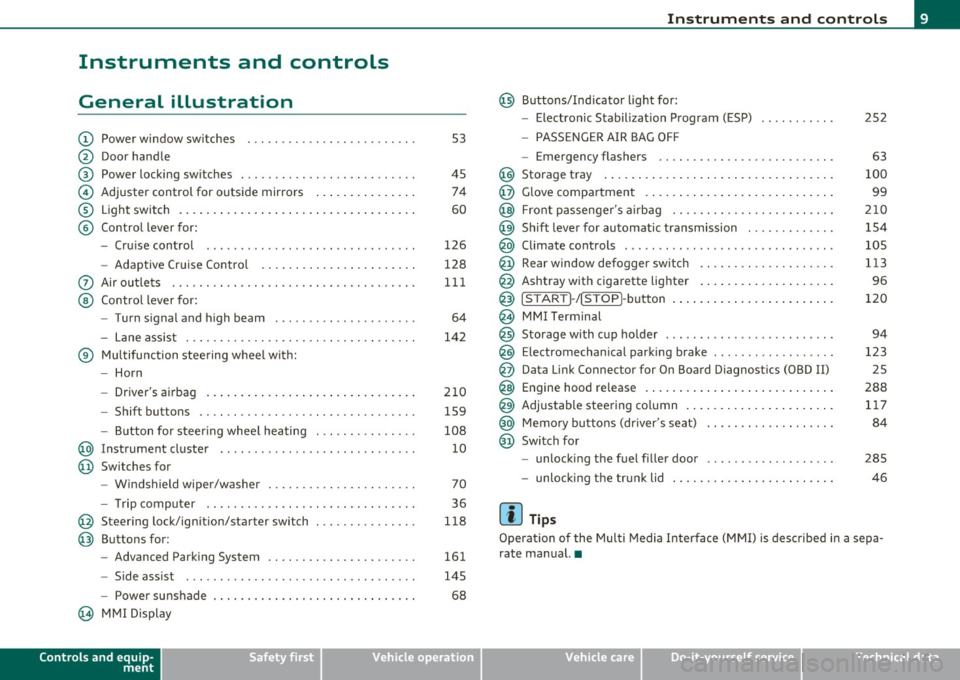
Instruments and controls
General illustration
(D Power window switches . .. .. .. ... .. ... .. ... ... . .
@ Door handle
@ Power locking switches . .. .. ......... .. .. .... ... .
© Adjuster control for outside mirrors .............. .
® Light switch ............... . ... ..... ....... ... .
© Control lever for:
- Cruise contro l ............ .... ... . ... ....... .
- Adaptive Cruise Control . ................... .. .
0 Air outlets .... .... .. .. .. ... ... ............. .. .
@ Control lever for:
- Turn signal and high beam .................... .
- Lane assist ................ ...... .. .. .. .. ... .
® Multifunction steering wheel with:
- Horn
- Driver's airbag ....................... ....... .
- Shift buttons .... .. .. .. .. .... ............... .
- Button for steer ing whee l heating . .. .. ... ...... .
@ Instrument cluster .................. .... ... ... .
@ Switches for
- Windshield wiper/washer ................ .. ... .
- Tr ip computer .. .......... . .. .... .. .. .... ... .
@ Steering lock/ignition/starter switch .............. .
@ Buttons for:
- Advanced Parking System .... .. .... .. ...... ... .
- Side ass ist ........... ........ ... ..... ... ... .
- Power sunshade
@ MMI Display
Controls and equip
ment Safety first
53
45 74
60
126
128
111
64
142
210 159
108 10
70
36
118
161
145
68
Instruments and controls
@ Buttons/Indicator light for:
- Electronic Stabilization Program (ESP)
- PASSENGER AIR BAG OFF
- Emergency flashers .. .. .. .. .. .... .. ......... .
@ Storage tray .................. .. .. .. ......... .
@ Glove compartment .... .... .. .. .... ........... .
@ Front passenger 's airbag .................... .. . .
@ Sh ift lever for automatic transmission ........... . .
@ Climate controls . .. .................... .... ... .
@ Rear window defogger switch .. .. .. .. .. .... ..... .
@ Ashtray with cigarette lighter ................... .
@ IS TART ]-/IS TOP]-button . ... ................ ... .
@ MMI Terminal
@ Storage with cup holder ..... .. .. .. ............. .
@ Electromechanical parking brake ... .. ...... ..... . .
@ Da ta Link Connector for On Board Diagnostics (OBD II)
@ Engine hood release ........................... .
@ Adjustable steering column ..................... .
@ Memory buttons (driver's seat) .................. .
@ Switch for
- unlock ing the fuel filler door ....... ....... .... .
- unlock ing the trunk lid
[ i ] Tips
252
63
100
99
210
154
105
113
96
120
94
123 25
288 117
84
285
46
Operation of the Multi Media Interface (MMI) is described in a sepa
rate manual. •
Vehicle care Technical data
Page 17 of 384
AIR Airbag system
BAG ~
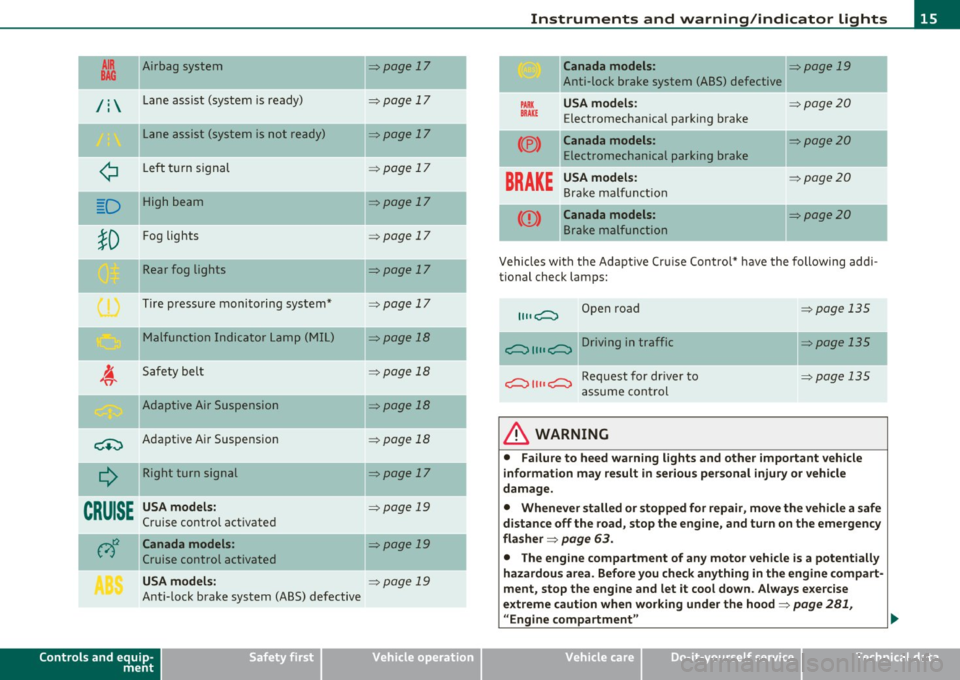
/ : Lane assist (system is ready)
L ane assist (system is not ready)
¢ Left t urn signal
D High beam
!D
Fog lights
Rear fog lights
Tire pressure monitoring system*
M alfunction Indicator Lamp (MI L)
I. "fi'
Safety bel t
-Adaptive Air Suspension
~ Adaptive A ir Suspension
Q
Right turn signal
--
CRUISE
USA models:
Cruise contro l act ivate d
c;)~ Canada models :
Cruise control activated
USA models:
Ant i-lock brake system (ABS) defective
Controls and equip
ment Safety first
=:>page
17
-
=> page 17
=> page 17
=> page 1 7
=> page 17
=> page 17
=> page 17
=> page 17
=> page 18
=> page 18
-=>page 18
=> page 18
=>page 17
-
=> page 19
=>page 19
=> page 19
Instruments and warning /indicator lights
Canada models: => page 19
Anti-lock brake system (ABS) defective
PARK USA m odel s: =:>page20
BRAK E Electromechan ica l parking brake
(®) Canada models: =:> page 20
Electromechanical parking brake
BRAKE
USA models: =:> page20
Bra ke ma lf u ncti on
Canada models: =:>page20
B rake malfunction
-
Vehicles wi th the Adapt ive Cr uise Control* have the following add i-
tional check lamps:
II II c;::::::::, Open road => page 135
c;::::::::, II II c;::::::::, Driving in traffic => page 135
c;::::::::, II II c;::::::::, Request for dr iver to =>page 135
assume cont rol
& WARNING
• Failure to heed warning lights and other important veh icle
information may result in serious personal injury or vehicle
damage.
• Whenever stalled or stopped for repair , move the vehicle a safe
distance off the road, stop the engine, and turn on the emergency
fla sher =>
page 63.
• The engine compartment of any motor vehicle is a potentially
hazardous area. Before you check anything in the engine com part -
ment, stop the eng ine and let it cool down . Always e xercise
extreme caution when working under the hood=>
page 281,
"Engine compartment " ..
Vehicle care Technical data
Page 19 of 384
Airbag system I
This warning/indicator light monitors the airbag and the
tensioner systems.
The I warn ing light illuminates for a few seconds each time you
switch on the ign ition.
If the
I warn ing lig ht does not go out, or if it illuminates w hile you
are d riving, or if it s tar ts to blink, the n t here is a mal func tion some
where in the system . If the light does not illum inate when you switch
on t he ignition, this also means there is a malfunction.
& WARNING
If you have a malfunction in the airbag sy stem, c ontact your
authorized Audi dealer immediately. Otherwise the airbag or the
belt tensioner ma y not work properly in an accident. •
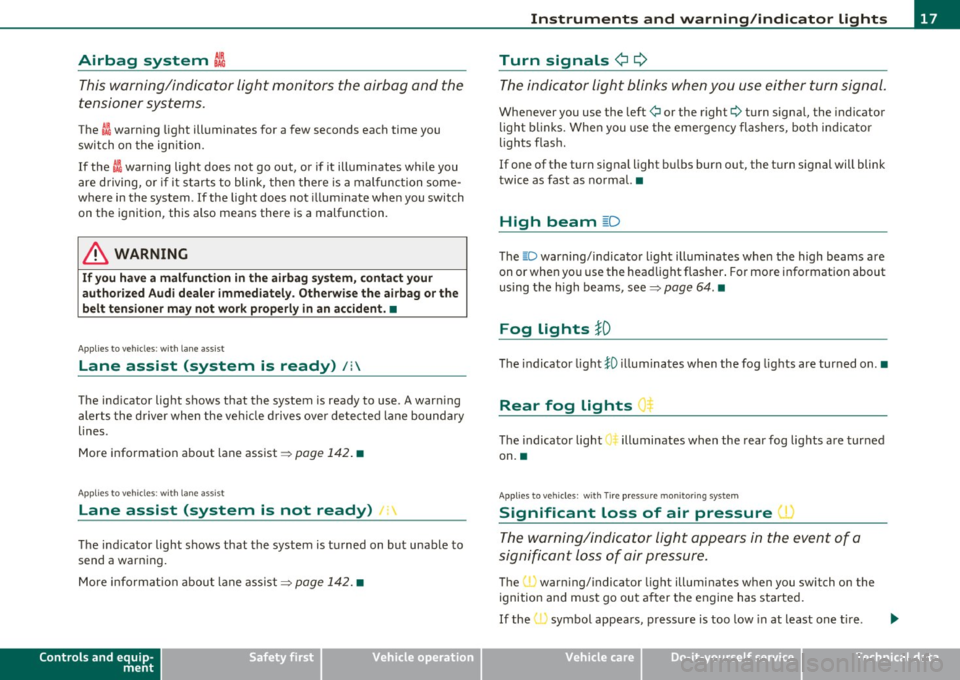
Appli es to ve hicle s: with lane a ss ist
Lane assist (system is ready) /:
The ind icator light shows that the system is ready to use . A warning
alerts the d river when the ve hicle drives ove r de tected l ane boundary
lines .
More i nformat ion about lane assist~
page 142. •
A ppli es to ve hicles : w it h lane ass ist
Lane assist (system is not ready) 1:
The ind icator light shows that the system is tu rned on but una ble to
send a war ning.
M ore info rma tion about lane assis t ~
page 14 2. •
Controls and equip
ment Safety first
Instruments and warning
/indicator lights
Turn signals
¢i ¢
T h e indicat or li ght blinks when you use ei ther turn signal .
Whenever you use the left ¢ or the right¢ turn signa l, the indicator
ligh t bli nks. Whe n you use the eme rgency flas hers, bo th in d ic ator
lights flas h.
If one of the turn signa l light b ulbs burn out, the t urn s ignal will blink
twice as fast as norma l.•
High beam ~D
The @:D warning/indicato r light illumi nates whe n the high beams are
on or when yo u use the hea dlight flasher. For mo re information about
us ing the h igh beams, see~
page 64. •
Fog Lights }D
Th e indicator light }O illum inates whe n the fog lig hts are turned on .•
Rear fog Lights
T he indica tor light ill uminates when the rear fog lights are turned
on. •
Appli es to ve hicl es : wit h Tir e pr essu re m onitoring s ystem
Significant Loss of air pressure 1 ~
The warning/indi ca tor li ght appears in the even t of a
s ign ific ant loss of air pressure.
The (I) warn ing/ indicator light illuminates when you swi tch on the
ignitio n an d m ust g o ou t aft er the e ngine has started.
If the , symbo l appea rs , p ressure is too low in at least on e tire .
~
Vehicle care Technical data
Page 42 of 384

Opening and closing Master key with remote control
The remote control allows you to lock or unlock the
vehicle electronically.
Fig. 24 Fold-up
master key with
remote control
- To fold the key out and back in place, press the release
button~ fig. 24.
The transmitter and battery are located in the head of the remote
control. The receiver is located inside the vehicle. The maximum
effective range depends on several things. Remember, if the battery
is weak, the effective range decreases.
If you need to replace the remote contro l, or if you need to have it
repaired, you must see you r author ized Aud i dealer. Only then can you
use the key again.
Personalizing the master key
When the ignition is turned off or when the vehicle is locked, vario us
convenience sett ings are stored automatically and assigned to the
key that was used. The sett ings assigned to the key are automatically
recalled w ith you unlock the vehicle or when you open a door or when
you switch on the ignition .
• Climate control
• Centra l locking
• Windows and rear window sun blind •
Background lighting*
• Seat memory
• Adaptive Cru ise Contro l*
• Audi lane and s ide assist*
• Adva nced Parking System*
The
Remote control key f un ction must be activated in MMI
=> page 85, so that the settings for the driver's seat (including the
sett ings for the head restraint, steering column, safety belt height
and exterior mirrors) are saved on the master key through the seat
memory when the vehicle is locked, and are set automat ica lly when
the vehicle is unlocked.
[ i ] Tips
• If the ign it ion is switched on, the remote control system is deacti
va ted .
• The remote control system can be affected by other systems oper
ating in the same frequency range close to the vehicle, such as mobile
telephones, te lev ision broadcasting stations, etc.
• For Declaration of Compliance to United States FCC and Industry
Canada regulations =>
page 364. •
Battery replacement, master key
. w ',!
Fig. 25 Check light in
the master key ..
Page 144 of 384
lll'L_!_A~u~d~i~l!:!a~n~e '...:a~s~s:!:is~t ~--------------------------------------------
Aud i Lane assist
Lane assist
Applies to veh icles : w ith lane assist
Description
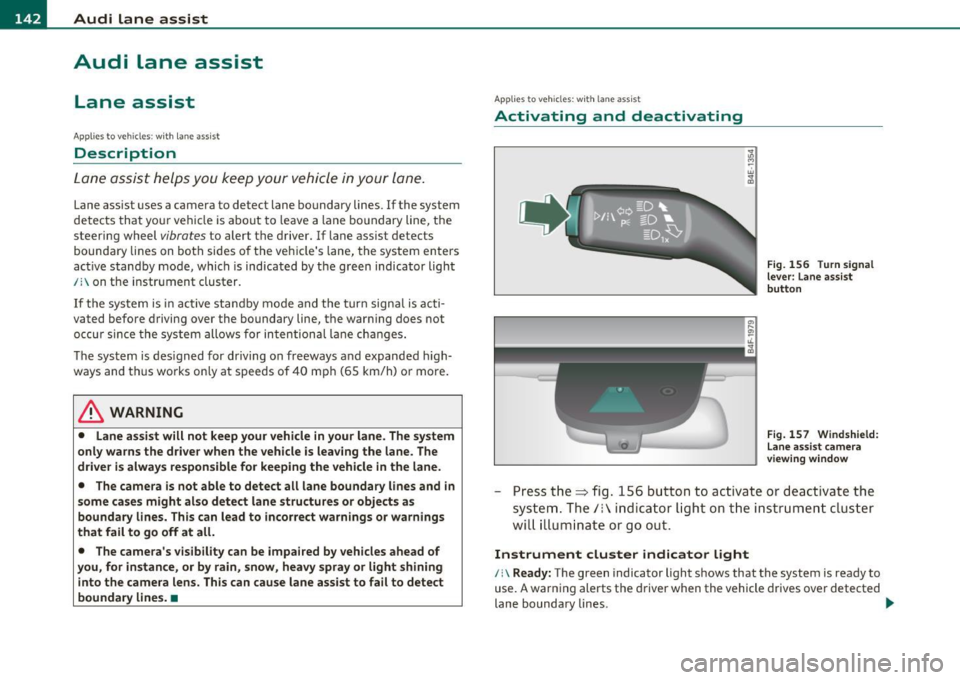
Lane assist helps you keep your vehicle in your lane.
Lane assist uses a camera to detect lane boundary lines. If the system
detects that your vehicle is about to leave a lane boundary line, the
steering wheel
vibrates to alert the driver. If lane assist detects
boundary lines on both sides o f the veh icle's lane, the system enters
act ive standby mode, which is indicated by t he gree n indicator light
/: on the instrument cluster .
If the system is in active standby mode and the turn signal is acti
vated before driving over the boundary line , the warning does not
occur sinc e th e system allows for in tention al lane changes.
The system is designed for driving on freeways and expanded high
ways and th us works only at speeds of 40 mph (65 km/h) or more.
& WARNING
• Lane assist will not keep your vehicle in your lane. The system
only warns the driver when the vehicle is leaving the lane. The
driver is always responsible for keeping the vehicle in the lane.
• The camera is not able to detect all lane boundary lines and in
some cases might also detect lane structures or objects as
boundary lines. This can lead to incorrect warnings or warnings
that fail to go off at all.
• The camera's visibility can be impaired by vehicles ahead of
you, for instance, or by rain, snow, heavy spray or light shining
into the camera lens. This can cause lane assist to fail to detect
boundary lines. •
Applies to veh icles: wit h lane assist
Activating and deactivating
Fig. 156 Turn signal
lever: Lane assist
button
Fig. 157 Windshield:
Lane assist camera
viewing window
-Press the=> fig . 156 button to act ivate or deactivate the
system. The/: ind icator light o n the instrument cluster
will illumi nate or go out.
Instrument cluster indicator light
/:\Ready: The green indicator light shows that the system is ready to
use. A warning alerts the driver when the vehicle drives over detected
lane boundary lines . -.,
Page 145 of 384

_________________________________________________ A_u_ d_i_ l_ a_ n_ e_ a_s _s_ i_s _t __ _
Not read y: The yellow indicator light shows that the system is
turned on but unable to send a warning. T his can be due to the
following:
• T here are no boundary lines, or there is only one boundary line
present.
• The boundary lines are not detected (e .g . due to snow, dirt, wet
conditions or light shining into the camera lens) .
• More than two boundary lines (such as at const ruct ion sites) are
located in the vehicle's lane .
• T he veh icle's speed is below the speed needed to ac tivate it, which
is about 40 mph (65 km/h) .
• T he lane is narrowe r than about 8
ft . (2.5 m), or wider than about
16 ft. (5 m).
• Th e curve is too sharp.
Note s on the in strum ent clust er displa y
When the lane assist turns off automat ica lly, the instrument cluster
indicator goes out and one of the fo llowing messages appears on the
display :
Aud i lane ass is t not av ailable: Cur rentl y n o sens or v ision
T his message appears when the camera can no longer function
because it cannot detect the boundary lines. This may be due to the
following:
• T he exte rior side of the came ra viewing window =>
page 142,
fig. 157 is covered with dirt or ice. Clean this part of the windsh ield.
• Th e came ra viewing window is fogged up on the inside. In this
case, wait until the fog d isappears before turning lane assist on
again.
• T he system was unable to detect bo undary lines over an extended
period of time due to road co nd it ions (such as snow-cove red lanes) .
Do not turn lane assist on aga in until the lines can be more easily
detected .
Aud i lane a ssist n ot availabl e
Controls and equip
ment Safety first
A temporary malfunction is preventing lane assist from operating
.
Tr y turning on lane assist aga in at a later time.
Au di l ane a ssist: system fault
The system shou ld be checked by an authorized Audi dealer or other
qualified wo rkshop.
[ i ] Tips
• Make su re that the camera view ing window => page 142, fig. 157
is not covered by stickers or similar objects .
• Always keep the came ra v iewing w indow clean. This can us ually be
done by operating the windshie ld wipers .•
App lies to vehic les : wi th la ne ass ist
MMI settings
You can use the fv1fv1I to adjust the warning time and
steering wheel vibration .
Setting the warning time
Select: Function button I CAR]> Sy stems > Audi lane ass ist>
Warning early , adaptive or late .
Setting th e st eering wheel vibration
Select : Function button I CAR ]> Systems > Audi lane ass ist >
Steering vibration weak , medium or strong .
Setting the w arning tim e
Earl y: This setting wa rns the dr iver befo re a wheel touches the
detected lane boundary line . The warning depends on the veh icle 's
angle as it approaches the boundary line . If you app roach a bounda ry
line gradually, the warn ing will occur earlier . If you approach the
boundary line at a very sharp angle, the warning will occur just before
a whee l touches the li ne . .,._
Vehicle care Technical data
Page 147 of 384

_________________________________________________ A_ u _ d_ i_ s_ id_ e_ a _ s_s _ i_s _t _ __.fflll
Audi side assist
Lane Change Assistant
Applies to veh icles : with s ide ass ist
Descr iption
The side assist helps you when changing lanes.
l Audi AS J
Fig. 158 Rear
bumper: Position of
radar sensors (not
visible on outside)
Fig. 159 Signal light
on the outside mirror·
driver's side
Side ass ist uses radar sensors (not visible on outside)~ fig. 158 to
help the driver check blind spots, and see what is happening in traffic
behind the vehicle~
page 146, fig. 161.
Signal lights are built into both outside mirrors~ fig. 159. The signal
light on the left outs ide mirror assists when moving over into the left
Contro ls a nd e quip
m en t Vehicle
OP-eration
lane and the signal light on the right outside mirror assists when
moving over into the right lane.
Th e signal light comes on to tell you that side assist has detected a
vehicle on that side and that the position of this other vehicle should be taken into account if you were to change lanes. This is called the
informational stage signal~ page 147. The informational stage
signal is designed so that you notice it only when you are looking in
the outside mirror .
When you activate the turn s ignal and side assist detects a vehicle in
a notab le location, the corresponding signal on the outside mirror
flashes briefly and brightly several times. This is the
alert stage
signal ~
page 147. •
App lie s to ve hicle s: with sid e ass ist
Activating and deactivating
Activating
Fig. 160 Cockpit : Side
assist button
- Press the button~ fig. 160. The indicator on the button
lights up. ..,
Vehicle care Do-it-yourselt service iTechnical data
Page 148 of 384
lffll.___A_ u_ d_i_ s_ id_ e_ a_s _s_ i_ s _t _________________________________________________ _
Deactivating
- Press the button again . T he indicator light o n the b utton
goes out.
The system works at speeds faster tha n 19 mph (30 km/h) .
& WARNING
• Imp roper reliance on the side assist system can cause collisions
and seriou s per sonal injury:
- Never rely only on s ide ass ist when changing lanes.
- Alway s che ck rear view mirror s to m ake sure that it i s safe to
change lanes.
• Side a ssist cannot detect all vehicles under all condition s
danger of accident!
• Side a ssi st cannot detect vehicle s in time to alert you when
they approach from beh ind at very high speed, or fall drop back
very quickly .
• The radar sen sor's
v is ion can be reduced or entirely blocked by
rain , snow, and heavy spray . This can result in side as sis t not
adequately detecting vehicle s or , in some cases, not detecting
them at a ll. Alway s keep an eye on the dir ection you are traveling
and the rele vant area around the vehicle.
• Please note that side assist indicates there are approaching
vehicles , or vehicles in you r blind spot, only after you r vehicle has
reached a driving speed of at lea st 19 mph (30 km/h).
• Side assist signal doe s not work around t ight corners (turning
radius less than 328 feet or 100 m ).
• Side assist is no replacement for the driver 's full attention . The
driver alone is respon sible for lane change s and s imilar driving
maneuvers. Always keep an eye on the direction you are traveling
and the relevant area around the vehicle.
0 Note
• T o ensure that you do not adversely affe ct s ide as sist , do not block
the area on the rear b umper where the radar sensors are located with
fo reign objects (such as st ic kers or b icycle ra cks).
• Make s ure that the signal light on the o utside mi rror is not
bloc ked by stic ke rs or othe r items.
[I) Tips
• Side ass ist automatica lly deac tivates if it detects that the radar
sensors are blocked=>
page 152. The indicator light on the button
goes out.
• Th e area on the bumper w he re the radar sensors are located must
c ons istent ly rema in free of snow, i ce, a nd he avy soiling so that s ide
assist can function properly. Follow the add itiona l notes on
=>page 1 5 2.
• Add it iona l tinting on t he front side windows can ma ke it harder to
see and correctly u nders tand the s ig nal light on the outs ide mirro r.
• For Decla ration of Compliance to United States FCC and Industry
Canada regulations=>
page 364. •
Applies to vehicl es : w it h side ass ist
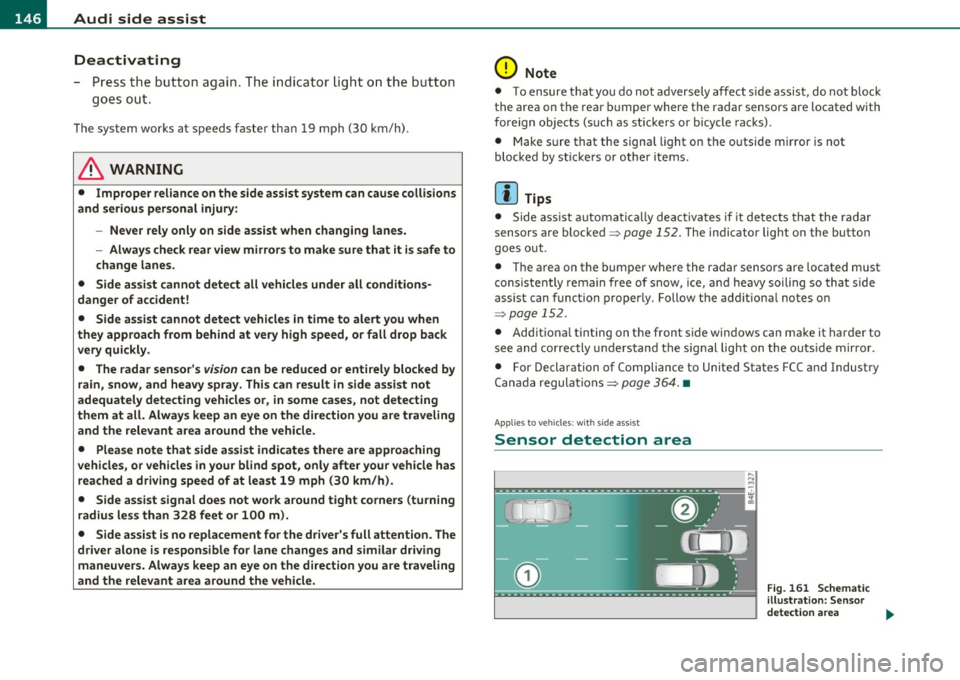
Sensor detection area
, D i
Fig. 161 S chem ati c
illustrat io n : S ensor
detection are a
~
Page 149 of 384

_________________________________________________ A_ u_d _ i_ s_i d_ e_ a_s _s_ i_s _t __ l!'II
The detection~ page 146, fig. 161 of the radar sensor detection
area is made up of :
• the approach area (light green area)
(D, about 230 feet (70 m)
behind the vehicle, and
• the "blind spot" (dark green area)@.
The radar sensors cover the adjacent left and right lanes. Other lanes are
not cove red by the radar sensors.
rn Tip s
Side assist does not measure act ual lane width. The system assumes
a fixed lane w idth. Detection in the left and right lanes is based on
this assumed lane w idth. When driving on narrow roads or when
driving to the left or right of the center of a travel lane, it is possible
that vehicles will be detected that are
not in the lane next to the lane
you are using~
page 151. •
Applie s to ve hicl es: w ith s id e a ssist
Operation
Side assist compares the distance and difference in speed of detected
vehicles with the speed of your vehicle . Whenever the difference in
speed and distance is registered as notab le if you were to change
lanes, a signa l light appears on the respect ive m irror .
The signa l can light up if you are passed by a vehicle or if you are
passing another vehicle.
If you pass another vehicle slowly (d ifference in speed less than 9
mph, or 15 km/h) , the signa l light will come on as soon as the other
vehicle is in your blind spot and is detected by side ass ist . When the
difference in speed is greater, the signal light wi ll not come on. •
Controls and equip
ment Safety first
A
pp lies to ve hicles : w ith side assist
Informational and alert stage signals
S ide assis t has two signa l st ages:
• the informational stage signal, and
• t he ale rt stage signal.
S ide assist helps you by using the appropr iate s ignal stage,
depending on whether or not you have activated the turn signal, and
thus have indicated that you are or are not changing lanes .
Informat ional stage signal
As long as you have not activated the turn signal, side assist informs
you of detected vehicles that are registered as being in a notable loca
tion if you were to change lanes . Wheneve r the detected vehicle 's
difference in speed and distance is registered by side assist as
notable, the signal l ight on the respective m irror produces muted
illumination .
Th e br ightness of the info rmationa l stage signal is designed no t to be
as intense, so that it does not interfere w ith your v iew of the road
when you are driving and have no in tention of chang ing lanes. When
you look in the outside mirror, you can clearly see the informat ional
stage signal.
Alert stage signal
Whe n you act ivate the tu rn s ignal, a nd side assist has de tected a
vehicle in a notable location on that particular side, the signal light on
this side mirro r flashes b rightly. The repeated brief and bright
flash ing of the alert stage signal reminds you to carefully check
traffic to the rear in the outside mirror and over your shoulder, so t hat
you can safely complete the lane change~
& in "Safety tips" on
page 152.
rn Tips
The brightness of the signa l light on the outside mirrors can be
adjusted with the MMI
~ page 150. •
Vehicle care Technical data