park assist AUDI S8 2016 User Guide
[x] Cancel search | Manufacturer: AUDI, Model Year: 2016, Model line: S8, Model: AUDI S8 2016Pages: 302, PDF Size: 75.68 MB
Page 117 of 302
to move immediately, even if the parking brake is set. Th is could result in a crash.
- Do not ride the brakes or press the brake
peda l too often or too long when driving
down a hill. Constant braking causes the
brakes to overheat and substantially re
duces braking performance, increases brak
ing distance or causes complete failure of
the brake system.
Hill descent control
The hill descent control system assists the driver
when driving down declines.
Hill descent control is activated when the selec
tor lever is in D/S and you press the brake pedal.
The transm iss ion automatically selects a gear
that is suitable for the incl ine. Hill descent con
trol tries to mainta in the speed achieved at the
time of brak ing, within physical and technical
limitations. It may st ill be necessary to ad just the
speed with the brakes .
H ill descent contro l switches off once the decline
l eve ls out or yo u press the accelerator pedal.
H ill desce nt control is also act ivated when the
speed is set by starting the cruise control system
¢ page 88.
& WARNING
Hill descent contro l cannot overcome physical
limitations, so it may not be able to mai ntain
a constant speed under a ll conditions . Always
be ready to apply the brakes.
Aut oma tic tr ansm iss ion
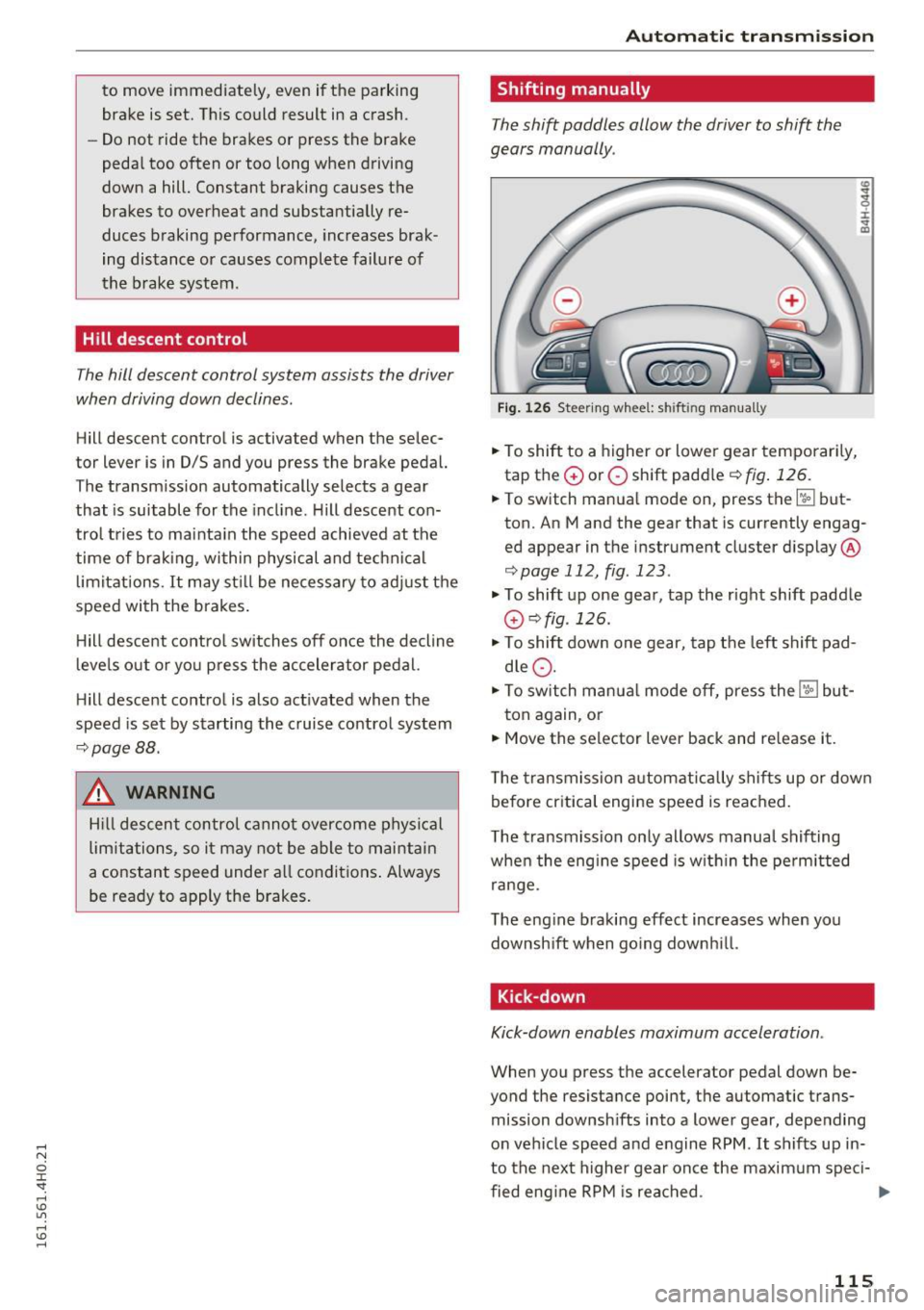
Shifting manually
The shift paddles allow the driver to shift the
gears manually .
Fig. 126 Steering whee l: sh ift in g man ually
.. To shift to a higher or lowe r gear temporar ily,
tap the
G) or O shift paddle ¢ fig . 126.
:i:
"' CD
.. To switch manual mode on, press the~ but
ton. An M and the gear that is currently engag
ed appear in the instrument cluster display @
¢page 112, fig . 123 .
.., To shift up one gear, tap the right shift paddle
G) ¢fig .126.
.., To shift down one gear, tap t he left shift pad
d le
Q .
.., To switch manua l mode off, press the~ but-
ton again, or
.. Move the selector lever back and re lease it.
T he transmission automatically sh if t s up or down
before critica l engine speed is reached .
T he transmission on ly allows manual shifting
when the eng ine speed is w ith in the pe rm itted
range.
The eng ine braking effect increases when you
downsh ift when go ing downh ill.
Kick -down
Kick-down enables maximum acceleration .
When you press the accelerator pedal down be
yond the resistance point, t he automatic trans
mission downsh ifts into a lower gear, depe nding
on vehicle speed and e ngine RPM .
It shifts up in
to the next higher gear once the maxim um speci-
fied eng ine RPM is rea ched . ...,
115
Page 120 of 302
Parking systems
Parking systems
General information
Applies to: vehicles with park ing system plus/rear view cam
era/peripheral cameras
Depending on your vehicle 's equipment , various
parking aids will help you when parking and ma
neuvering.
The
parking system plus with rear view camera
assists you when parking by audibly and visually
indicating objects detected
in front of and behind
the vehicle . The rear view camera shows the area
behind the vehicle in the Infotainment display.
This display assists you when you are cross or parallel parking
r:!) page 119.
The peripheral cameras assist you with parking
and maneuvering. You are aided by various cam
eras depending on the vehicle equipment lev
el r:!)
page 122. In addition, you are assisted by
the functions from the sensors
c> page 119, Sen
sors,
¢ page 121, Visual display.
A WARNING
-
- Always look for traffic and check the area
around your vehicle by looking at it directly
as well. The parking system cannot replace
the driver's attention. The driver is always
responsible for safety during parking and
for all other maneuvers.
- Please note that some surfaces, such as
clothing, are not detected by the system.
- Sensors and cameras have b lind spots in
wh ich peop le and objects cannot be detect
ed . Be especially cautious of children and
animals.
- The sensors can be displaced by impacts or
damage to the radiator gr ille, bumper,
wheel housing and the underbody. The park
ing systems may become impaired as a re
sult. Have your authorized Audi dealer or
qualified workshop check their function .
- Make sure the sensors are not covered by
stickers, deposits or any other obstructions as it may impair the sensor function. For in
formation on cleaning, refer to
I:!) page 206.
118
(D Note
- Some objects are not detected by the sys
tem under certain circumstances:
-Objects such as barrier chains, trailer draw
bars, vertical poles or fences
- Objects above the sensors such as wall ex
tensions
- Objects with specific surfaces or struc
tures such as chain link fences or powder
snow.
- If you continue driving closer to a low-lying
object, it may disappear from the sensor
range. Note that you will no longer be
warned about this obstacle.
(D Tips
-The system may provide a warning even
though there are no obstacles in the cover
age area in some situations, such as:
- certain road surfaces or for long grass.
- externa l ultrasonic sources e.g. from
cleaning vehicles .
- heavy rain, snow or thick vehicle exhaust .
- We recommend that you practice parking in
a traffic-free location or parking lot to be
come familiar with the system . When doing
this, there should be good light and weath
er conditions.
- You can change the volume and pitch of the
signals as well as the display¢
page 128.
- Please refer to the instructions for towing a
trailer
¢page 128.
-What appears in the infotainment display is
somewhat time-delayed.
Page 122 of 302
Parking system s
If the distance to an obstacle r emains constant,
the volume of the distance warn ing gradually
drops after about four seconds (th is does not ap
ply in the continuous tone range) .
Rear vie w cam era
The rea r view camera is located above the rear li
cense plate bracket. Make sure that the lens for
the park ing system
¢ fig . 132 is not covered by
deposits or any other obst ructions because this
can affe ct the function of the parking system . For
information on clean ing, refer to¢
page 206.
The rear view camera coverage area includes@
¢fig. 131 . Only this a rea is shown in the Info
tainment display. Objects that are outside of th is
area @are not displayed.
The accuracy of the orientation lines and the blue
surfaces is reduced if the adaptive air suspen
sion " is faulty, if the vehicle is lifted or if the
dy
n amic
mode is activated ¢ page 106 .
A WARNING
-Always read and follow the applicable warn
ings
¢ .& in General information on
page 118 .
-If the posit io n and the installation angle of
the rear view camera was changed , for ex
ample, after a co llision, do not continue to
use the system for safety reasons . Have i t
checked by your author ized Audi dealers hip
or authorized repair faci lity .
- Only use the rear view came ra to assist you
if it shows a good, clear picture . For exam
ple, the image may be affected by the sun
shining into the lens, dirt on the lens or if
there is a system fau lt .
- Use the rear view camera only if the l uggage
compartment lid is completely closed. Make
sure any objects you may have mounted on
the luggage compartment lid do not block
the rear view camera.
- The camera lens enlarges and distorts the
field of vis ion. T he object appears both al
tered and inaccurate on the screen .
- In certain situations, people or objects in
the d isplay appear closer or further away :
120
-objects that do not to uch the ground, such
as the bumper of a parked vehicle , a tra iler
hitch or the rear of a truck. Do not use the
help lines in this case.
- If driven from a level surface onto an in
cline, or a downward slope .
- If driven toward protruding objects.
-If the vehicle is carrying too much load in
the rear.
(D Note
- Always read and fo llow the applicable wa rn
ings
¢ (i) in General information on
page 118 .
-The orange co lored orientation lines in the
Infota inment display show the vehicle path
depending on the steer ing whee l ang le . The
front of the vehicle front swings out more
than the rear of the vehicle. Maintain plenty of distance so that your outside mirror or a
corner of your vehicle does not collide w ith
any obstacles .
Switching on /off
Applies to: vehicles with parking system plus with rear view
camera
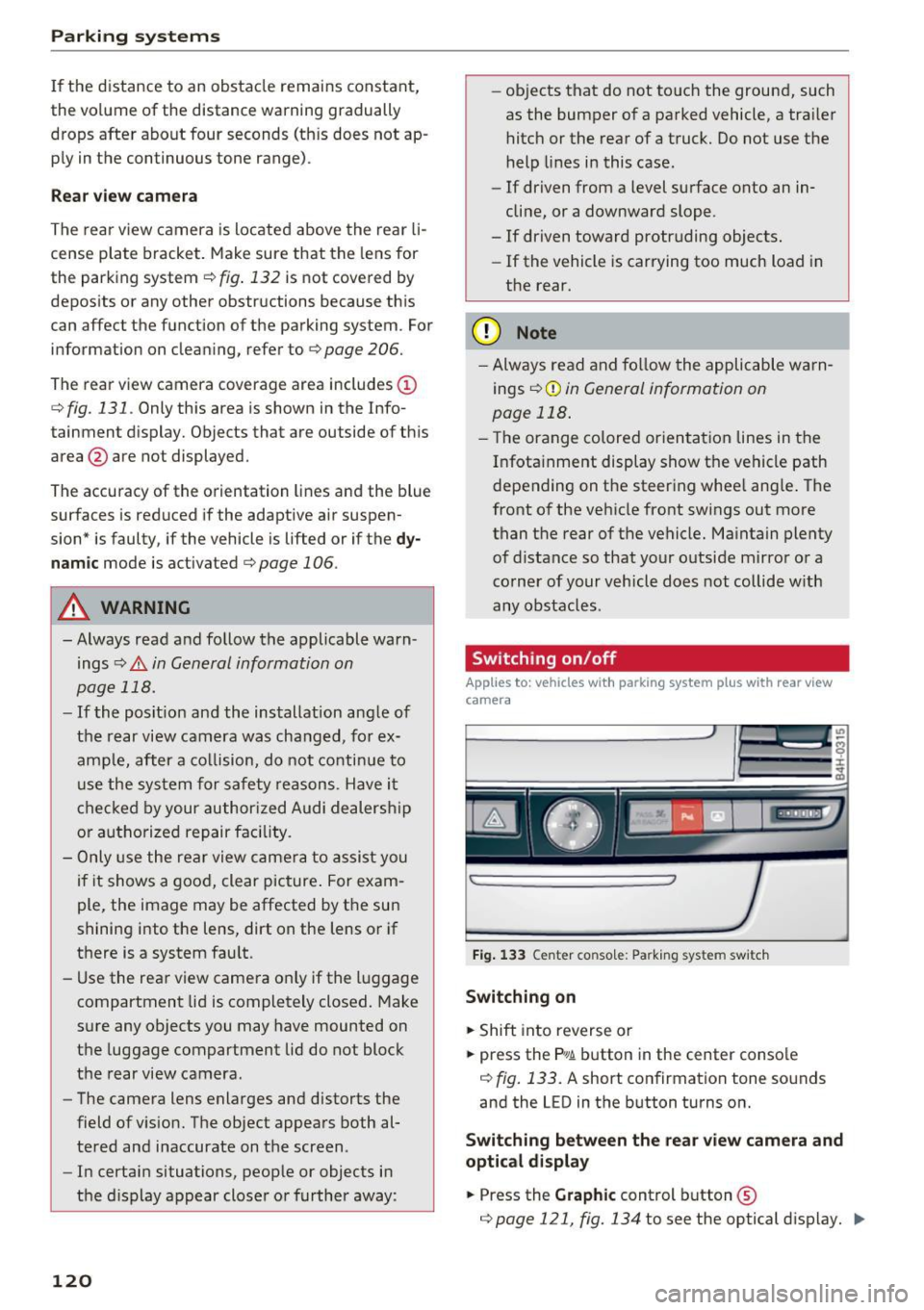
F ig . 133 Center co n sole : Pa rk ing syste m swi tch
Switching on
... Shift into reverse or
... press the
p,q ~ button in the center conso le
¢ fig. 133. A short confirmation tone so unds
and the LED in the b utton turns on.
Switching b etween the rear view camera and
optica l d isplay
... Press the Graphic cont rol button ©
¢page 121, fig. 134 to see the optical d isplay . ..,.
Page 127 of 302
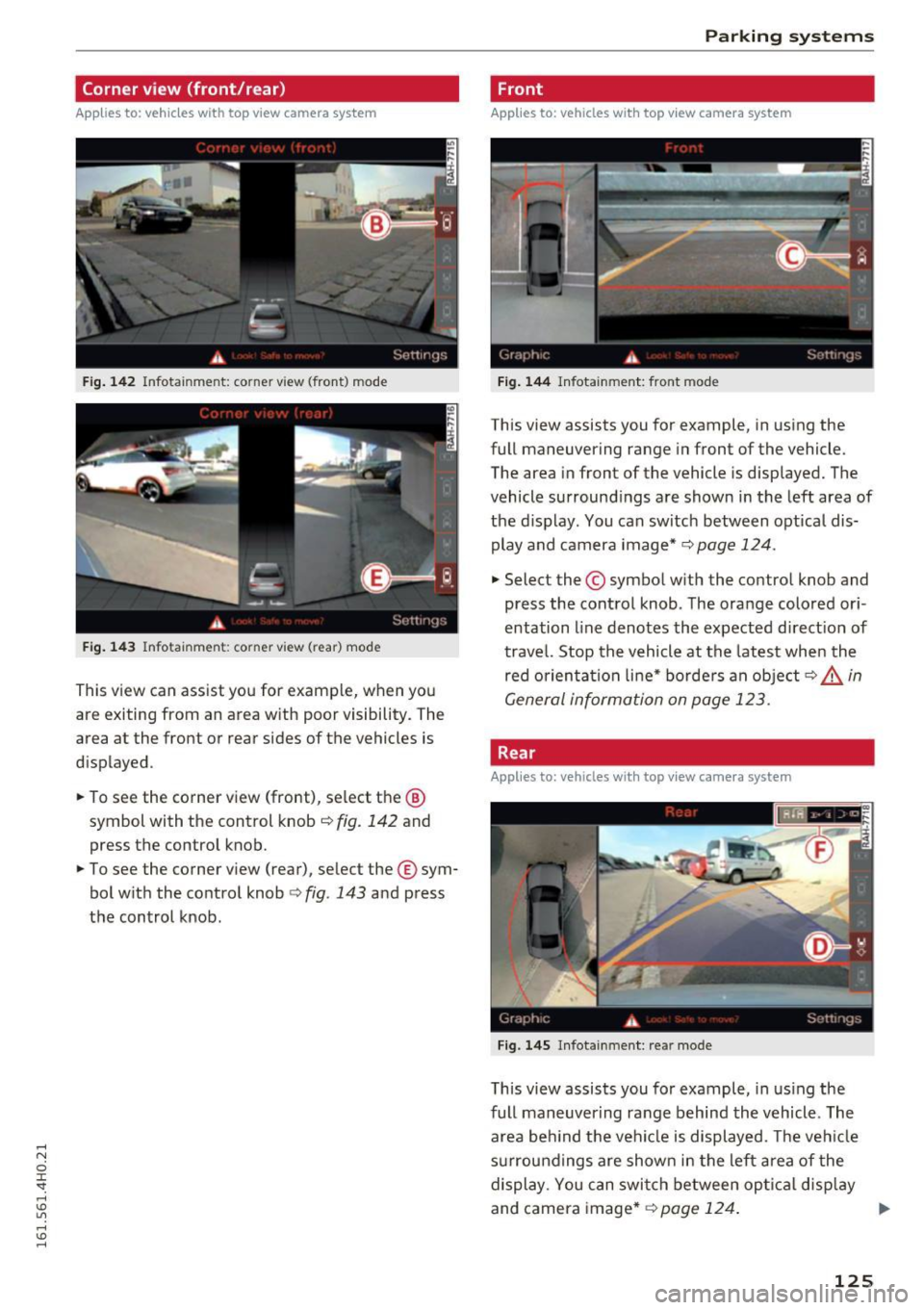
Corner view (front/rear)
Applies to: vehicles with top view camera system
Fig . 14 2 In fo tainm en t: co rner view (front ) mode
Fig . 14 3 In fo tainment : corner vi ew (rear) mod e
This view can assist you for examp le , when you
are exiting from an area w ith poor visibility. The
area at the front or rear sides of the vehicles is
displ ayed .
.. To see the corner view (front) , se lect the ®
symbol with the control knob
c::> fig. 142 and
press the control knob .
.. To see the corner view (rear), select the ® sym
bol w ith the control knob
c::> fig . 143 and press
the control knob .
Parking systems
Front
Applies to: vehicles with top view camera system
Fig. 144 Infot ainment : front mode
This view assists you for example, in using the
full maneuvering range in front of the vehicle.
The area in front of the vehicle is displayed. The
vehicle surround ings are shown in the left area of
the d isplay . You can switch between optical dis
play and camera image*
c::> page 124 .
.,. Select the © symbol with the control knob and
press the control knob . The orange colored or i
entation line denotes the expected d irect ion of
travel. Stop the vehicle at the latest when the
red orienta tion li ne* borde rs an object
c::> .&. in
General information on page 123 .
Rear
Applies to: vehicles with top view camera system
F ig. 14 5 I nfota inment: re ar mode
This view assists you for example, in us ing the
full maneuver ing range behind the vehicle . The
area be hind the vehicle is displayed. The ve hicle
s ur roundings are show n in the left a rea of the
display. You can swi tch between op tic al disp lay
and camera image*
c::> page 124 . ..,.
125
Page 129 of 302
to this vehicle should be approximately 3 ft
(1 m).
.. Turn the Infotainment on and shift into reverse
gear. The parking system is turned on and the
cross parking indicator is displayed .
.. Press the
(D Q page 122, fig . 136 control but
ton on the Infotainment un it repeatedly until
the
parallel parking v iew is displayed .
.. Back up and align yo ur vehicle so the blue area
@ borders on the rear end of the vehicle or on
the parking space line
Q .&. in General infor
mation on page 123,
Q (D in General informa
tion on page 123 .
The blue area represents an
extension of the veh icle's outline by approxi
mately
16 ft (5 m) to the rear. The long side of
the blue area should be on the curb. The entire
blue area must fit into the parking space .
.. With the ve hicle stopped, turn the steer ing
wheel to the right as far as it will go .
.. Back into the park ing space until the b lue curve
Q page 122, fig . 13 7 tou ches the curb Q .&. in
General information on pag e 123,
Q (D in Gen
eral information on page 123 .
Stop the vehicle .
.. With the vehicle stopped, tu rn the steering
whee l to the left as far as it will go .
.. Cont inue to back into the parking space unt il
the vehicle is parked parallel to the curb
Q .&.
in General information on page 123, Q (D in
General information on page 123.@
marks
the rear bumper. Stop the vehicle, at the latest,
when the red or ien tat ion line @ borders a n ob
ject. Keep an eye on the front of your ve hicle
wh ile doing this.
Parking next to obstacles
When there is an obstacle (such as a wal l) next to
the parking space, choose a space w ith more
space on the sides. Posit ion the long side of the
b lue area so that there is sufficient space from
the obstacle . The a rea must not be o n the obsta
cle. You wi ll also need to start turning the steer
ing wheel much earlie r. T here shou ld be a suffi
cient amount of space between the obstacle and
the blue curve, and the b lue curve
Q page 122,
fig . 13
7 must not touch the obstacle .
Parking systems
(D Tips
The left or right orientation lines and surfaces
will be d isp layed, depend ing on the turn sig
nal be ing used.
Trailer view
Appl ies to : veh icles w ith top view camera system and trailer
h itch
This view assists you in p ositioning the vehicle in
fron t of a trailer.
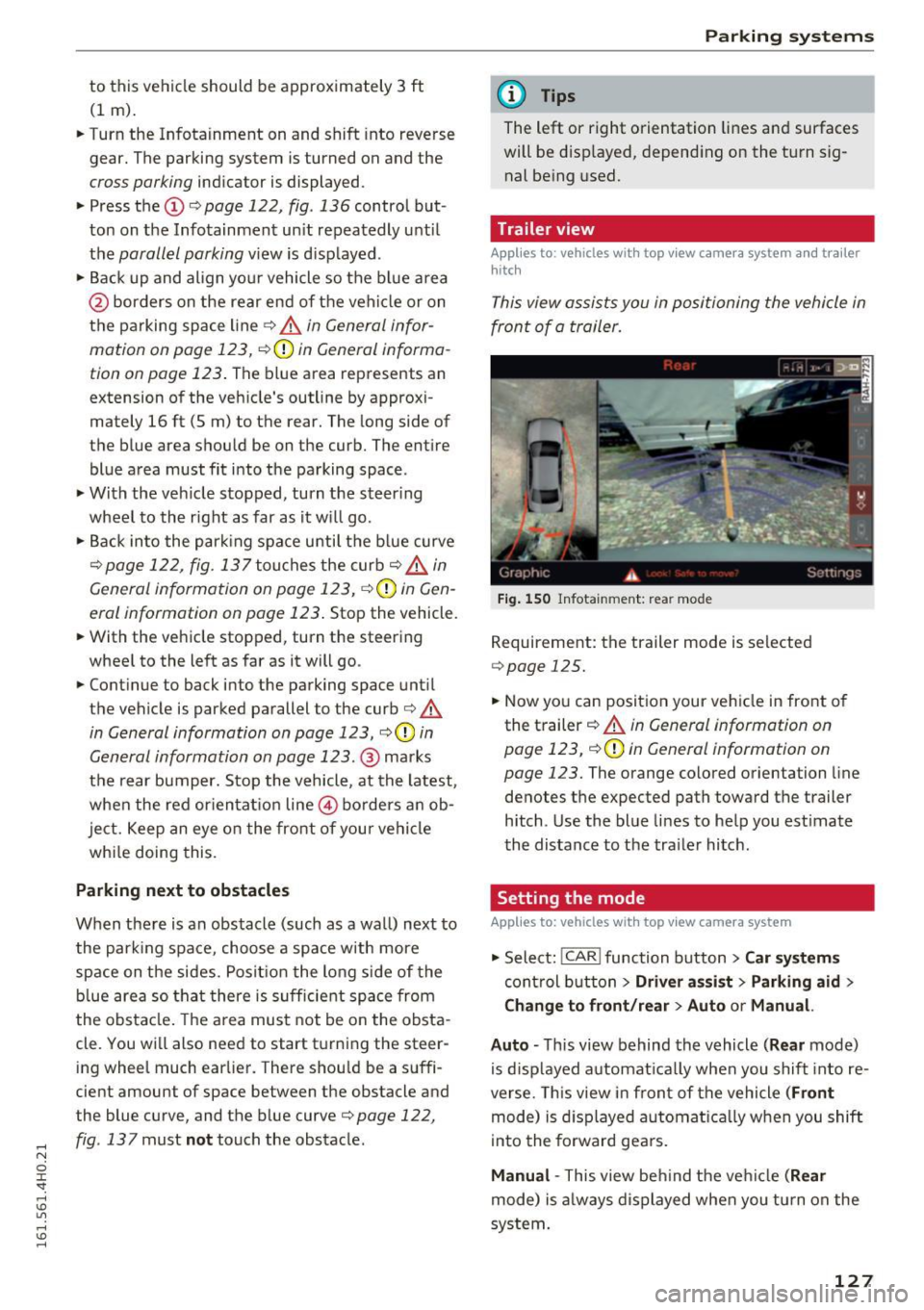
Fig . 1 50 Infota in m ent : rea r mode
R equirement: the trailer mode is selected
Q page 125 .
.. Now you can position your veh icle in front o f
the t railer
Q .&. in General information on
page 123,
Q (y in General information on
page 123.
The orange colored orientation l ine
denotes the expected path toward the trailer h itch . Use the blue li nes to help you est imate
the distance to the tra iler hitch.
Setting the mode
Applies to: veh icles w ith top view camera system
.., Select: !CAR ! function button> Car sy stem s
cont rol b utton > Dri ver a ssi st > Parking aid >
Change to front /rear > Auto or Manual.
Auto -
This view behind the vehicle ( Rear mode)
is d isp layed a utomat ica lly when you shift into re
verse. This view i n fron t of the vehicle
(Front
mode) is d isp layed automat ica lly when you shift
i nto the forward gea rs.
Manual -This view beh ind the veh icle (Rear
mode) is a lways displayed when you t urn on the
system .
127
Page 130 of 302
Parking systems
Adjusting the display
and the warning tones
Applies to: ve hicles with parking system plus wit h rea r view
camera/top v iew camera system
The display and warning tones con be adjusted in
the Infotainment.
~ Se lect: ICARI function button> Car systems
contro l button > Driver assist > Parking aid.
Display
On* -
rear view camera image is shown for park
ing system plus with rear view camera*.
Off -when the parking system is sw itched on, on
ly audible signals are given.
Warning tones
Front volume -
Volume for the front area
Rear volume -Volume for the rear area
Front frequency -Frequency for the fron t area
Rear frequency -Frequency for the rear area
Music volume while parking -When the parking
system is turned on, the volume of the aud io/vid
eo source is lowered .
The newly adjusted value is briefly heard from
the signal generator.
(D Tips
- The warning tones can also be adjusted di
rectly from the visua l display or the camera
i mage. Simp ly press the
Settings contro l
button .
- Changed settings are act ivated when the
parking system is switched on aga in.
- The settings are automat ically stored and
ass igned to the remote control key that is in
use.
Error messages
Applies to: veh icles w ith parking system plus with rear view
camera/top v iew camera system
There is an error in the system if the LED in the
P, YA button is blinking and you hear a continuous
a larm for a few seconds after switching on the
parking system or when the parking system is al-
128
ready activated. If the error is not corrected be
fore you switch off the ignition, the LED in the
Po/A
button will blink the next time you switch on the
parking system by shifting into reverse.
If a sensor is faulty, the~ symbol will appear in
front of/behind the vehicle in the Infotainment display. If a rear sensor is faulty, only obstacles
that are in the front detect ion area are shown. If
a front sensor is faulty , only obstacles that are in
the rear area are shown .
Peripheral cameras*
There is also a system error if :
- the~" symbol appears in the display and the
corresponding display area is shown in blue.
The camera is not working in this area.
- all segments around the vehicles are red or if
no segments are disp layed.
D rive to your authorized Aud i dealer or author
iz ed repair facility immediately to have the mal
function corrected.
Trailer hitch
Applies to: vehicles with parking system plus with rear view
camera/top view camera system
For vehicles using the trailer socket, the parking
system rear sensors do not turn on when you
shift into reverse gear or when you press the
P,YA
button. This resu lts in the following restrictions:
There is no distance warning for the rear. The
front sensors remain activated . Th e visual display
switches to the tra iler tow ing mode . The rear
view camera image will not show the orientation
lin es and the blue surfaces.
(D Tips
Trailer hitches that are not installed at the
factory may cause the parking system to mal
function or they may restrict its function .
Page 261 of 302
Replacing wheels
Before changing a wheel
Observe the following precautions for your own
and your passenger's safety when changing a
wheel.
.,. After you experience a tire failure, pull the car
well away from moving traffic and try to reach
level ground before you stop¢.,&. .
.. All passengers should
leave the car and move
to a safe location (for instance, beh ind the
guardrail) ¢.,&. .
.,. Engage the
parking brake to prevent your vehi
cle from rolling unintentionally ¢.,&. .
.. Move
selector lever to position P ¢ .,&. .
1> lfyou are towing a trailer, unhitch the trailer
from your vehicle.
.,. Take the
jack and the spare tire out of the lug
gage compartment,
¢page 257.
..&, WARNING
You or your passengers could be injured wh ile
changing a wheel if you do not follow these
safety precautions:
- If you have a flat tire, move a safe distance
off the road. Turn off the engine, turn the
emergency flashers on and use other warn
ing devices to alert other motorists.
- Make sure that passengers wa it in a safe
place away from the vehicle and well away
from the road and traffic.
- T o help prevent the vehicle from moving
sudden ly and possibly slipping off the jack,
always fully set the parking brake and block
the wheel diagonally opposite the wheel be
ing changed. When one front wheel is lifted
off the ground, plac ing the Automatic
Transmission in "P" (Park) will
not prevent
the vehicle from moving.
- Before you change a wheel, be sure the
ground is level and firm . If necessary, use a
sturdy board under the jack .
- Always store the vehicle tool k it, the jack
and the replaced tire in the luggage com
partment ¢
page 135.
Emergency assistance
{!) Tips
Before changing the wheel, you must activate
the jacking mode, so that the automat ic con
tro ls for the Adaptive Air Suspension do not
make it more difficult to lift the vehicle with
the jack ¢
page 261 .
Changing a wheel
When you change a wheel , follow the sequence
described below step-by-s tep and in exactly tha t
order .
l. Activate the vehicle jack mode ¢ page 261 .
2. Remove the decorative wheel cover*. For
more details see also¢
page 260, Decora
tive wheel covers
or¢ page 260, Wheels
with wheel bolt caps .
3. Loosen the wheel bolts¢ page 260.
4. Locate the proper mounting point for the
jack and align the jack below that point
¢ page 261 or¢ page 262.
5. Raise the car with the jack¢ page 261 or
¢page 262.
6. Remove the wheel with the flat tire and then
install
the spare ¢ page 263.
7. Tighten all wheel bolts lightly .
8.
Lower the vehicle with the jack .
9. Use the wheel bolt wrench and
firmly tighten
all wheel bolts<=>
page 260.
10. Replace the decorative wheel cover*.
11. Deactivate the vehicle jack mode in the MMI :
I CAR! function button > Car systems contro l
button
> Servicing & checks > Air susp.: jack
mode > Off.
The vehicle jack mode switches off automatically
at speeds above 10 km/h .
..&, WARNING
Always read and follow all WARNINGS and in
formation
¢ .&. in AB: Raising the vehicle on
page 262
and ¢ page 264.
259
Page 288 of 302
Index
Auto Lock . . . . . . . . . . . . . . . . . . . . . . . . . . . . 32
Automatic belt retractor . . . . . . . . . . . . . . . 141
Automatic climate control Air vents . . . . . . . . . . . . . . . . . . . . . . . . . . . . 78
Automatic recirculation . . . . . . . . . . . . . . . . 79
Operation . . . . . . . . . . . . . . . . . . . . . . . . . . . 77
Setup . . . . . . . . . . . . . . . . . . . . . . . . . . . . . . 79
Automatic climate control system synchroni zing . . . . . . . . . . . . . . . . . . . . . . . . 78
Automatic post-collision braking system . . 191
Automatic transm ission . . . . . . . . . . . . . . . . 112
Automatic transmission (tiptronic) Emergency mode . . . . . . . . . . . . . . . . . . . . 116
Kick-down .. .. .. ................. ... 115
Manual shifting . . . . . . . . . . . . . . . . . . . . . 115
Parking lock emergency release . .. .. .. . 117
Selector lever positions . . . . . . . . . . . . . . . 112
Automatic wipers . . . . . . . . . . . . . . . . . . . . . . 54
Auto Safety Hotline . . . . . . . . . . . . . . . . . . . 136
Average consumption . . . . . . . . . . . . . . . . . . . 24
Average speed . . . . . . . . . . . . . . . . . . . . . . . . 24
Avoid damaging the vehicle . . . . . . . . . . . . . 197
B
Battery
Charge level . . . . . . . . . . . . . . . . . . . . . . . . 195
Charging . . . . . . . . . . . . . . . . . . . . . . . . . . . 233
E nergy management 195
Important warnings . . . . . . . . . . . . . . . . . 231
Location . . . . . . . . . . . . . . . . . . . . . . . . . . . 231
Replacing the battery . . . . . . . . . . . . . . . . 234
Working on the battery ........ .... .. . 231
Before driving . . . . . . . . . . . . . . . . . . . . . . . . 129
Belt tensioners . . . . . . . . . . . . . . . . . . . . . . . 144
Blended gasoline . . . . . . . . . . . . . . . . . . . . . 212
Blower (automatic climate control) . . . . . . . . 78
Booster seats . . . . . . . . . . . . . . . . . . . . . . . . 176
Brake fluid
Changing the brake fluid . . . . . . . . . . . . . . 230
Checking the brake fluid level . . . . . . . . . . 230
Brake system
Anti-lock brak ing system . . . . . . . . . . . . . . . 18
Brake assist system . . . . . . . . . . . . . . . . . . 190
Brake booster . . . . . . . . . . . . . . . . . . . . . . . 193
Brake fluid specifications for refill and re
placement . . . . . . . . . . . . . . . . . . . . . . . . . 230
286
Brake light defective . . . . . . . . . . . . . . . . . . 21
Brake power assist un it . . . . . . . . . . . . . . . 192
Brakes . . . . . . . . . . . . . . . . . . . . . . . . . . . . . 192
Electromechanical parking brake . . . . . . . . 83
Warning/indicator lights . . . . . . . . . . . . . . . 14
Worn brake pads symbol . . . . . . . . . . . . . . . 19
braking guard Messages . . . . . . . . . . . . . . . . . . . . . . . . . . . 97
Braking guard . . . . . . . . . . . . . . . . . . . . . . . . . 90
Settings . . . . . . . . . . . . . . . . . . . . . . . . . . . . 97
Break -in period
Brake pads . . . . . . . . . . . . . . . . . . . . . . . . . 192
Tires . . . . . . . . . . . . . . . . . . . . . . . . . . . . . . 197
Breaking in . . . . . . . . . . . . . . . . . . . . . . . . . . 197
New tires . . . . . . . . . . . . . . . . . . . . . . . . . . 243
Bulbs 270
C
California Proposition 65 Warning . . . . . . . 221
Battery specific . . . . . . . . . . . . . . . . . . . . . 232
Capacities . . . . . . . . . . . . . . . . . . . . . . . . . . . 278
AdBlue . .. .... .. .. .. ...... ......... 216
Engine oil . . . . . . . . . . . . . . . . . . . . . . . . . . 223
Carbon parts Cleaning . . . . . . . . . . . . . . . . . . . . . . . 208, 209
Car carrier Transporting your vehicle . . . . . . . . . . . . . 274
Care . . . . . . . . . . . . . . . . . . . . . . . . . . . . . . . . 206
Cargo area
refer to Luggage compartment . . . . . . . . . 135
Catalytic converter 197
Center armrest
Cockpit . . . . . . . . . . . . . . . . . . . . . . . . . . . . . 61
Central locking . . . . . . . . . . . . . . . . . . . . . . . . 32
Emergency locking . . . . . . . . . . . . . . . . . . . . 36
Certification . . . . . . . . . . . . . . . . . . . . . . . . . 284
Changi ng engine oil . . . . . . . . . . . . . . . . . . . 226
Checking Engine coolant level . . . . . . . . . . . . . . . . . . 22 7
Child restraints Danger of using child restraints in the front
seat . . . . . . . . . . . . . . . . . . . . . . . . . . . . . . . 147
Where can I get additional information about child restraints and their use? . . . . 186
Child restraint system anchors . . . . . . . . . . 180
Page 290 of 302
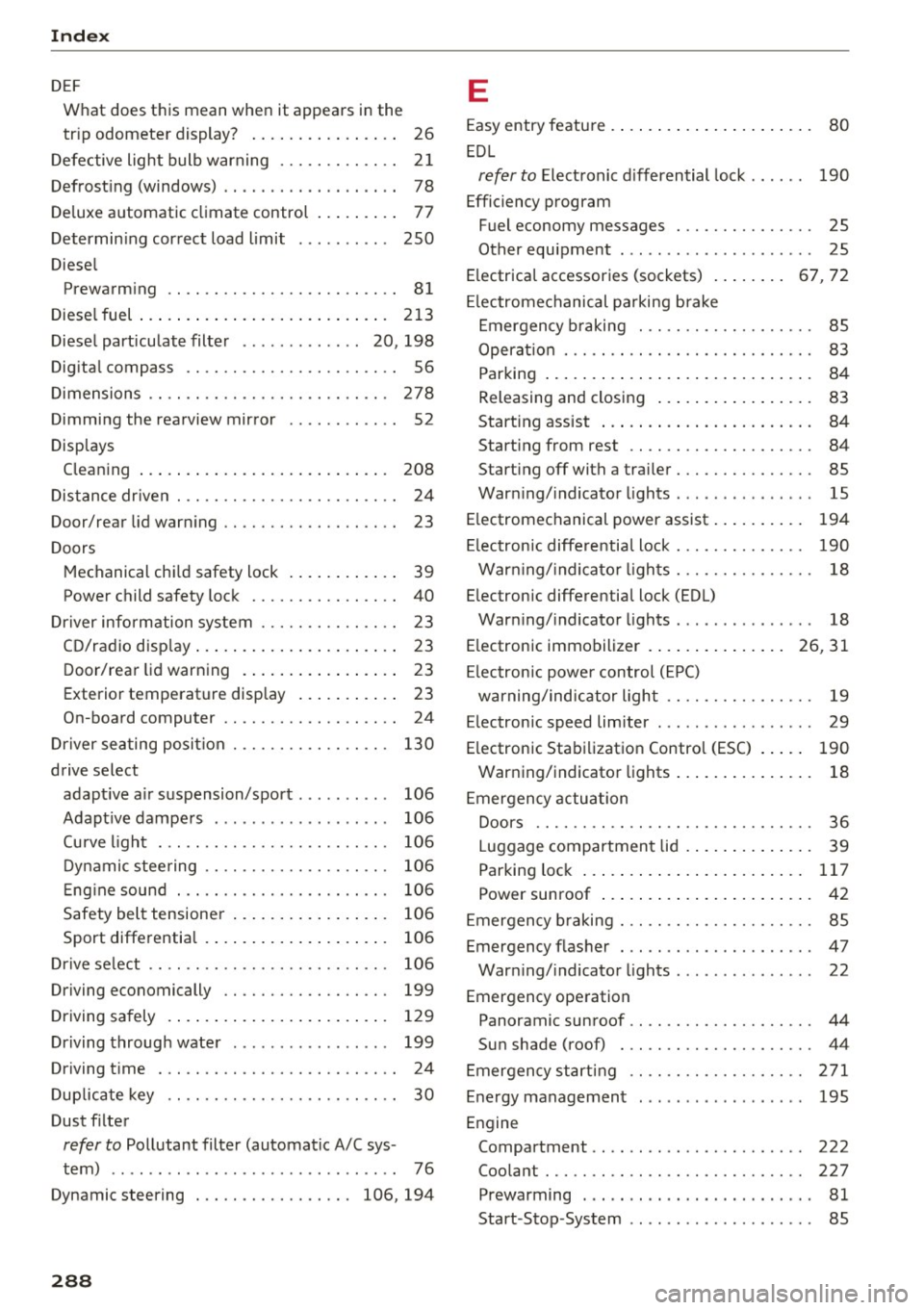
Index
DEF What does t his mean whe n it appears i n the
tr ip odomete r display? . . . . . . . . . . . . . . . . 26
D efe ctive light bulb warning . . . . . . . . . . . . . 2 1
Defrost ing (windows) . . . . . . . . . . . . . . . . . . . 78
D eluxe a utomatic cl imate contro l . . . . . . . . . 77
D etermin ing cor rect load limit
Diese l 250
Prewarm ing . . . . . . . . . . . . . . . . . . . . . . . . . 81
Diese l fuel ... .... ... . ...... ... .. .. ... 213
D iese l particu late filte r . . . . . . . . . . . . . 20, 198
Dig ita l compass . . . . . . . . . . . . . . . . . . . . . . . 56
D imensions . . . . . . . . . . . . . . . . . . . . . . . . . . 278
Dimmi ng the rearview mirror . . . . . . . . . . . . 52
Displays Clea ning . . . . . . . . . . . . . . . . . . . . . . . . . . . 208
D is tance dr iven . . . . . . . . . . . . . . . . . . . . . . . . 24
Door/rear lid warn ing . . . . . . . . . . . . . . . . . . . 23
Doors M echanical ch ild safety lock . . . . . . . . . . . . 39
Power child safety lock . . . . . . . . . . . . . . . . 40
D river information system . . . . . . . . . . . . . . . 23
C D/radio disp lay . . . . . . . . . . . . . . . . . . . . . . 2 3
D oor/rear lid warn ing . . . . . . . . . . . . . . . . . 23
Exterior temperat ure disp lay . . . . . . . . . . . 23
On-boa rd computer . . . . . . . . . . . . . . . . . . .
24
D river se ating posi tion . . . . . . . . . . . . . . . . . 130
drive select adapt ive a ir su spension/sport . . . . . . . . . . 106
Adapt ive dampe rs . . . . . . . . . . . . . . . . . . . 106
Cu rve lig ht . . . . . . . . . . . . . . . . . . . . . . . . . 106
D ynamic stee ring . . . . . . . . . . . . . . . . . . . . 106
E ng ine soun d . . . . . . . . . . . . . . . . . . . . . . . 1 06
Safety bel t tensione r . . . . . . . . . . . . . . . . . 106
Sport diffe rentia l . . . . . . . . . . . . . . . . . . . . 106
D rive se lect . . . . . . . . . . . . . . . . . . . . . . . . . . 106
Driving economically . . . . . . . . . . . . . . . . . . 199
Driving sa fely . . . . . . . . . . . . . . . . . . . . . . . . 12 9
D riving throug h wate r . . . . . . . . . . . . . . . . . 199
Driving t ime . . . . . . . . . . . . . . . . . . . . . . . . . . 24
D up licate key . . . . . . . . . . . . . . . . . . . . . . . . . 30
Dust filter
refer to Po llutant filter (automat ic A/C sys -
tem) . . . . . . . . . . . . . . . . . . . . . . . . . . . . . . . 76
Dynamic steering . . . . . . . . . . . . . . . . . 106, 194
288
E
Easy entry featu re . . . . . . . . . . . . . . . . . . . . . . 80
E DL
refer to Elect ronic d ifferential lock . . . . . . 1 90
Efficiency program Fuel economy messages . . . . . . . . . . . . . . . 25
Other equipment . . . . . . . . . . . . . . . . . . . . . 25
E lectrica l accessories (sockets) . . . . . . . . 67, 72
El ectromechanical pa rking brake
E mergen cy br aking . . . . . . . . . . . . . . . . . . . 85
Opera tion . . . . . . . . . . . . . . . . . . . . . . . . . . . 83
Parking . . . . . . . . . . . . . . . . . . . . . . . . . . . . . 84
Releasing and closing . . . . . . . . . . . . . . . . . 83
Start ing assist . . . . . . . . . . . . . . . . . . . . . . . 84
Start ing from rest . . . . . . . . . . . . . . . . . . . . 84
Start ing off with a tra iler. ........... .. . 85
War ning/ indicator lights . . . . . . . . . . . . . . . 15
E lectromechanical power assist . . . . . . . . . . 194
El ectronic diffe re ntia l lock . . . . . . . . . . . . . . 190
War ning/ indica to r li ghts . . . . . . . . . . . . . . . 18
E lectronic differentia l lock (EDL)
War ning/ indicator ligh ts . . . . . . . . . . . . . . . 18
E lectronic immobilizer . .. .. .. ..... ... 26, 31
El ectron ic powe r contro l (EP C)
warning/ind ic a tor ligh t . . . . . . . . . . . . . . . . 19
E lectronic speed limiter . . . . . . . . . . . . . . . . . 29
E lectronic Stabi lizatio n Contro l (ESC) . . . . . 190
War ning/indicato r lights . . . . . . . . . . . . . . . 18
E mergency actuation
Doors . . . . . . . . . . . . . . . . . . . . . . . . . . . . . . 36
Luggage compartment lid . . . . . . . . . . . . . . 39
Parking loc k . . . . . . . . . . . . . . . . . . . . . . . . 117
Power sunroof . . . . . . . . . . . . . . . . . . . . . . . 42
E mergen cy b raking . . . . . . . . . . . . . . . . . . . . . 85
Emergency flasher . . . . . . . . . . . . . . . . . . . . . 47
War ning/ indicato r lights . . . . . . . . . . . . . . . 22
Emergency ope ration
Panoramic sunroof . . . . . . . . . . . . . . . . . . . . 44
Sun shade (roof) . . . . . . . . . . . . . . . . . . . . . 44
Emergen cy starting . . . . . . . . . . . . . . . . . . . 271
Energy management . . . . . . . . . . . . . . . . . . 195
Engine Compartment . . . . . . . . . . . . . . . . . . . . . . . 222
Coolant . . . . . . . . . . . . . . . . . . . . . . . . . . . . 227
P rewarming . . . . . . . . . . . . . . . . . . . . . . . . . 81
Start -Stop -System . . . . . . . . . . . . . . . . . . . . 85
Page 294 of 302
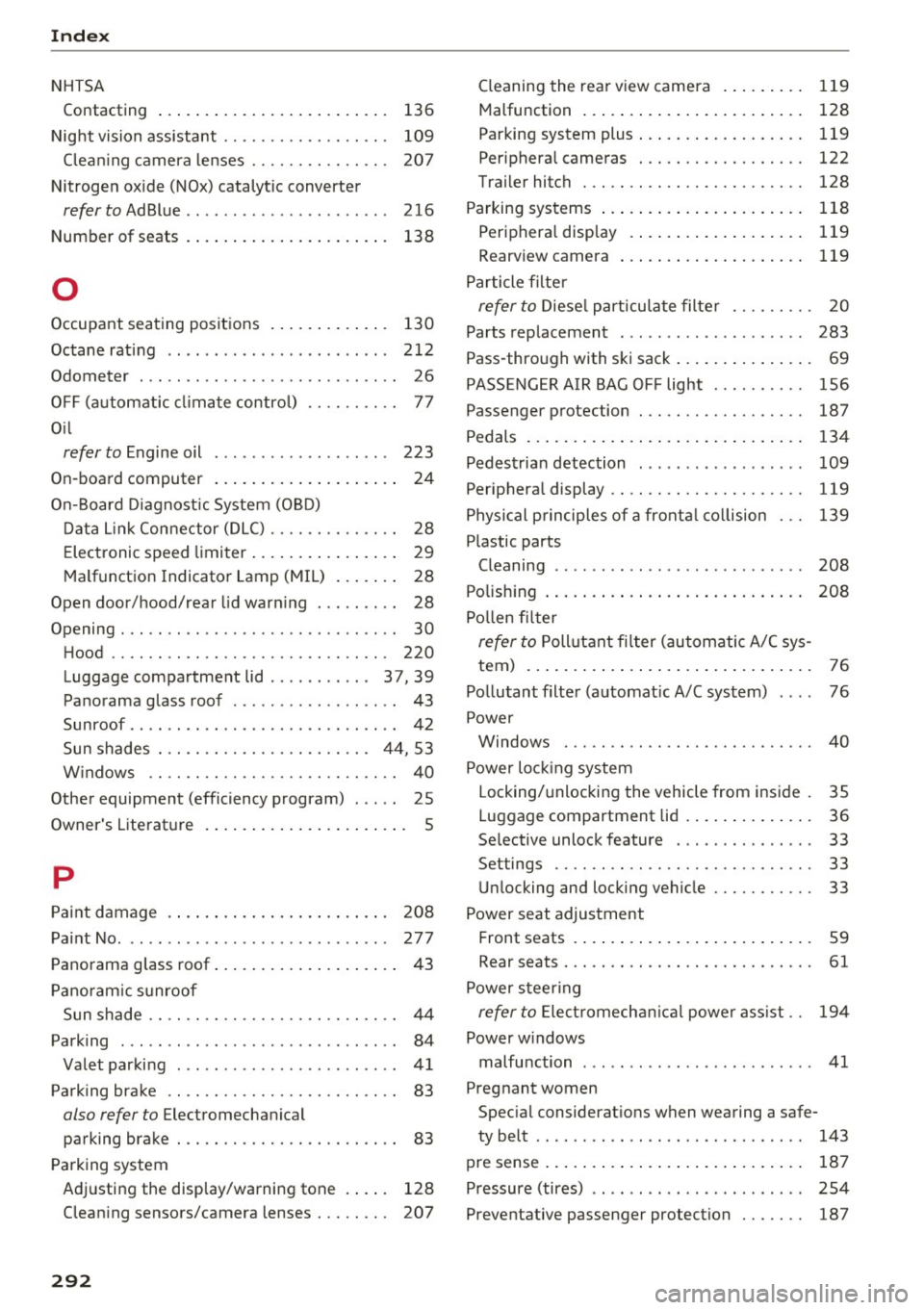
Index
NHTSA Contacting 136
Night vision assistant . . . . . . . . . . . . . . . . . . 109
Clean ing camera lenses . . . . . . . . . . . . . . . 207
Nitrogen ox ide (NOx) catalytic converter
refer to AdBlue .. .......... ........ . . 216
Number of seats . . . . . . . . . . . . . . . . . . . . . . 138
0
Occupant seating positions . . . . . . . . . . . . . 130
Octane rating . . . . . . . . . . . . . . . . . . . . . . . . 212
Odometer . . . . . . . . . . . . . . . . . . . . . . . . . . . . 26
OFF (automatic climate control) . . . . . . . . . . 77
Oil
refer to Engine oil . . . . . . . . . . . . . . . . . . . 223
On-board computer . . . . . . . . . . . . . . . . . . . . 24
On-Board Diagnostic System (OBD)
Data Link Connector (DLC) . . . . . . . . . . . . . . 28
Electronic speed limiter . . . . . . . . . . . . . . . . 29
Malfunction Ind icator Lamp (MIL) . . . . . . . 28
Open door/hood/rear lid warning . . . . . . . . . 28
Opening... .. .... .. . .......... .. .. .... 30
Hood ...... .... .................... 220
Luggage compartment lid ........... 37, 39
Panorama glass roof . . . . . . . . . . . . . . . . . . 43
Sunroof .. .... ....................... 42
Sun shades . . . . . . . . . . . . . . . . . . . . . . . 44, 53
W indows .. ................. .... .... 40
Other equipment (efficiency program) . . . . . 25
Owner 's Literature . . . . . . . . . . . . . . . . . . . . . . S
p
Paint damage . . . . . . . . . . . . . . . . . . . . . . . . 208
Paint No. . . . . . . . . . . . . . . . . . . . . . . . . . . . . 277
Panorama glass roof . . . . . . . . . . . . . . . . . . . . 43
Panoramic sunroof
Sun shade . . . . . . . . . . . . . . . . . . . . . . . . . . . 44
Parking . . . . . . . . . . . . . . . . . . . . . . . . . . . . . . 84
Valet parking . . . . . . . . . . . . . . . . . . . . . . . . 41
Parking brake . . . . . . . . . . . . . . . . . . . . . . . . . 83
also refer to Electromechanical
parking brake . . . . . . . . . . . . . . . . . . . . . . . . 83
Parking system
Adjusting the display/warning tone . . . . . 128
Cleaning sensors/camera lenses . . . . . . . . 207
292
Cleaning the rear view camera . . . . . . . . . 119
Malfunction . . . . . . . . . . . . . . . . . . . . . . . . 128
Parking system plus . . . . . . . . . . . . . . . . . . 119
Peripheral cameras . . . . . . . . . . . . . . . . . . 122
Trailer hitch . . . . . . . . . . . . . . . . . . . . . . . . 128
Parking systems . . . . . . . . . . . . . . . . . . . . . . 118
Peripheral display . . . . . . . . . . . . . . . . . . . 119
Rearviewcamera ... .. ............... 119
Particle filter
refer to Diesel particulate filter . . . . . . . . . 20
Parts replacement . . . . . . . . . . . . . . . . . . . . 283
Pass-through with ski sack . . . . . . . . . . . . . . . 69
PASS ENGER AIR BAG OFF light . . . . . . . . . . 156
Passenger protection . . . . . . . . . . . . . . . . . . 187
Pedals . . . . . . . . . . . . . . . . . . . . . . . . . . . . . . 134
Pedestrian detection . . . . . . . . . . . . . . . . . . 109
Peripheral display . . . . . . . . . . . . . . . . . . . . . 119
Physical principles of a frontal collision 139
Plastic parts Cleaning . . . . . . . . . . . . . . . . . . . . . . . . . . . 208
Polishing . . . . . . . . . . . . . . . . . . . . . . . . . . . . 208
Pollen filter
refer to Pollutant filter (automatic A/C sys-
tem) . . . . . . . . . . . . . . . . . . . . . . . . . . . . . . . 76
Pollutant filter (automatic A/C system) 76
Power Windows ... .. .. .. .... ........... ... 40
Power locking system Locking/unlocking the vehicle from inside . 35
Luggage compartment lid . . . . . . . . . . . . . . 36
Se lective unlock feature . . . . . . . . . . . . . . . 33
Settings . . . . . . . . . . . . . . . . . . . . . . . . . . . . 33
Unlocking and locking vehicle . . . . . . . . . . . 33
Power seat adjustment Front seats . . . . . . . . . . . . . . . . . . . . . . . . . . 59
Rear seats . . . . . . . . . . . . . . . . . . . . . . . . . . . 61
Power steering
refer to Electromechan ica l power ass ist.. 194
Power windows malfunction . . . . . . . . . . . . . . . . . . . . . . . . . 41
Pregnant women Special considerations when wearing a safe-
ty belt . . . . . . . . . . . . . . . . . . . . . . . . . . . . . 143
pre sense . . . . . . . . . . . . . . . . . . . . . . . . . . . . 187
Pressure (tires) . . . . . . . . . . . . . . . . . . . . . . . 254
Preventative passenger protection . . . . . . . 187