light AUDI TT 2021 Owner´s Manual
[x] Cancel search | Manufacturer: AUDI, Model Year: 2021, Model line: TT, Model: AUDI TT 2021Pages: 280, PDF Size: 99.18 MB
Page 21 of 280
8S1012721BE
Opening and closing
key with you, or unauthorized persons may
be able to enter the vehicle.
@ Tips
— Do not leave valuables unattended in the ve-
hicle. A locked vehicle is not a safe!
—The LED in the driver's door rail blinks when
you lock the vehicle. If the LED turns on for
approximately 30 seconds after locking,
there is a malfunction in the central locking
system. Have the problem corrected by an
authorized Audi dealer or authorized Audi
Service Facility.
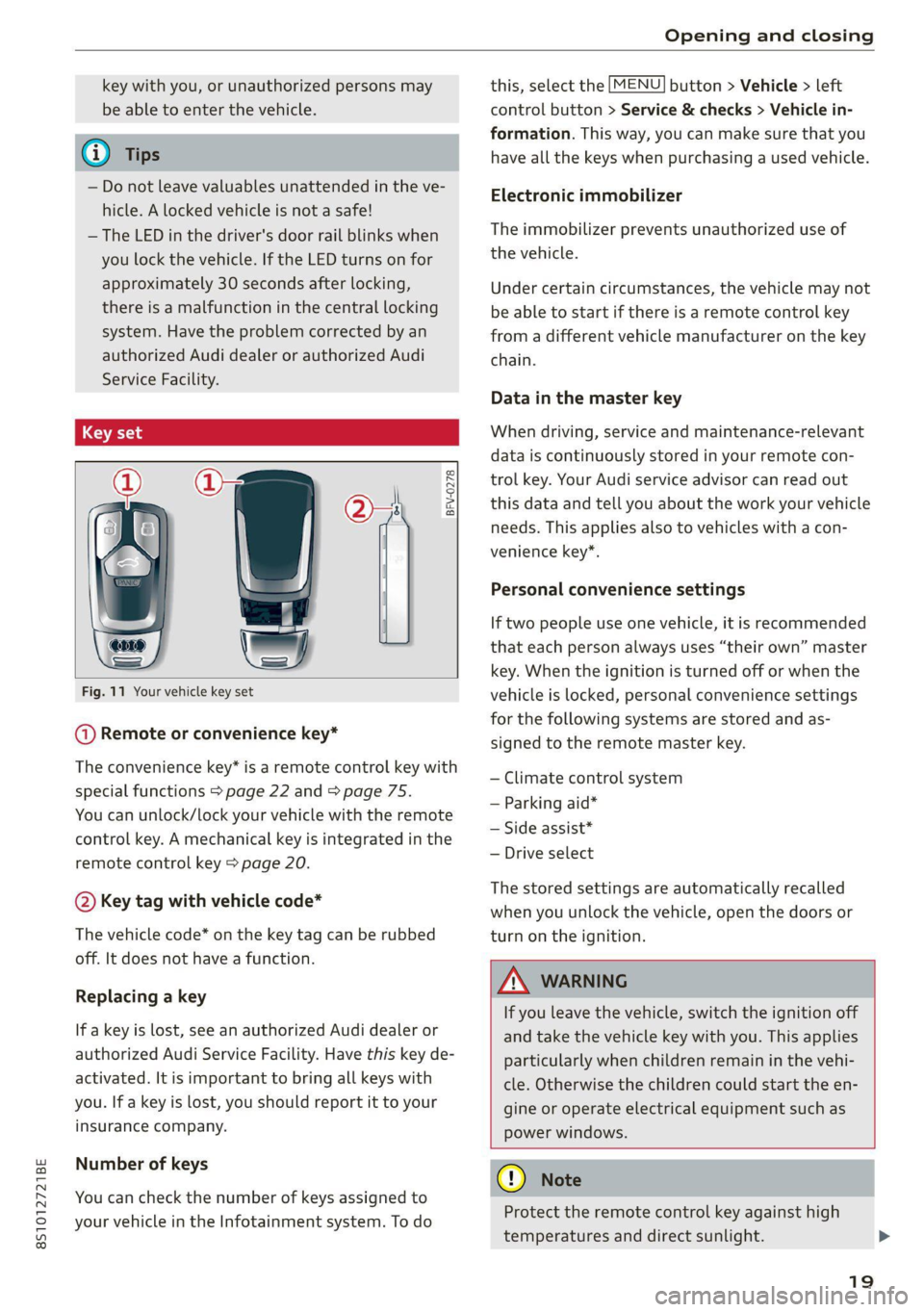
BFV-0278
Fig. 11 Your vehicle key set
@ Remote or convenience key*
The convenience key* is a remote control key with
special functions > page 22 and > page 75.
You can unlock/lock your vehicle with the remote
control key. A mechanical key is integrated in the
remote control key > page 20.
@ Key tag with vehicle code*
The vehicle code* on the key tag can be rubbed
off. It does not have a function.
Replacing a key
If a key is lost, see an authorized Audi dealer or
authorized Audi Service Facility. Have this key de-
activated. It is important to bring all keys with
you. If a key is lost, you should report it to your
insurance company.
Number of keys
You can check the number of keys assigned to
your vehicle in the Infotainment system. To do
this, select the [MENU] button > Vehicle > left
control button > Service & checks > Vehicle in-
formation. This way, you can make sure that you
have all the keys when purchasing a used vehicle.
Electronic immobilizer
The immobilizer prevents unauthorized use of
the vehicle.
Under certain circumstances, the vehicle may not
be able to start if there is a remote control key
from a different vehicle manufacturer on the key
chain.
Data in the master key
When driving, service and maintenance-relevant
data is continuously stored in your remote con-
trol key. Your Audi service advisor can read out
this data and tell you about the work your vehicle
needs. This applies also to vehicles with a con-
venience key”.
Personal convenience settings
If two people use one vehicle, it is recommended
that each person always uses “their own” master
key. When the ignition is turned off or when the
vehicle is locked, personal convenience settings
for the following systems are stored and as-
signed to the remote master key.
— Climate control system
— Parking aid*
— Side assist*
— Drive select
The stored settings are automatically recalled
when you unlock the vehicle, open the doors or
turn on the ignition.
ZA\ WARNING
If you leave the vehicle, switch the ignition off
and take the vehicle key with you. This applies
particularly when children remain in the vehi-
cle. Otherwise the children could start the en-
gine or operate electrical equipment such as
power windows.
@) Note
Protect the remote control key against high
temperatures and direct sunlight.
19
Page 22 of 280
Opening and closing
@ For the sake of the environment
‘© Do not dispose of remote control keys in
household trash. They contain materials that
can be recycled. Contact an authorized Audi
dealer or authorized Audi Service Facility for
more information.
@ Tips
— The operation of the remote control key can
be temporarily disrupted by interference
from transmitters near the vehicle working
in the same frequency range (such as a cell
phone or radio equipment). Always check if
your vehicle is locked!
— The system complies with United States FCC
regulations and ISED regulations
=> page 267.
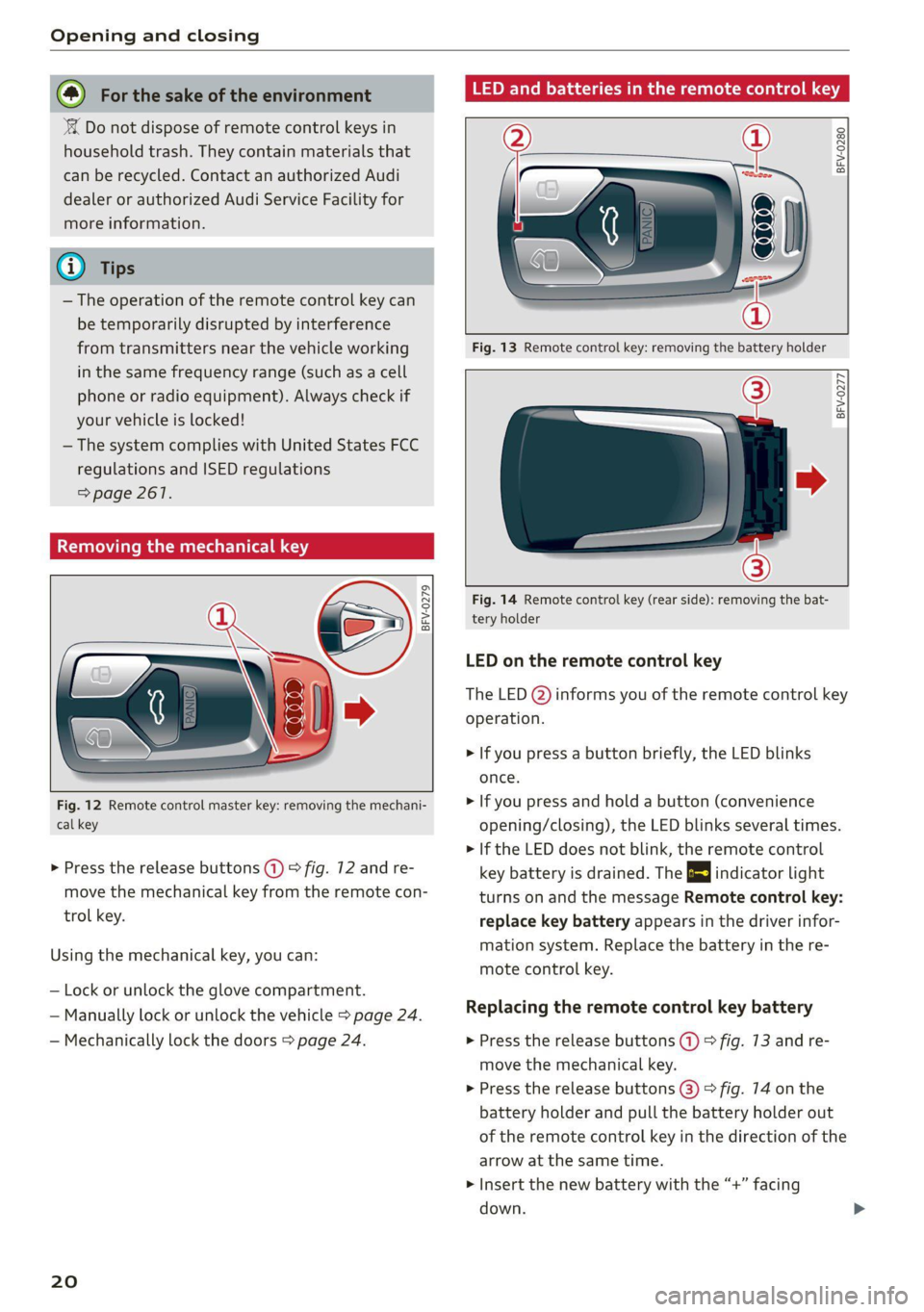
Removing the mechanical key
BFV-0279
Fig. 12 Remote control master key: removing the mechani-
cal key
> Press the release buttons (1) > fig. 12 and re-
move the mechanical key from the remote con-
trol key.
Using the mechanical key, you can:
— Lock or unlock the glove compartment.
— Manually lock or unlock the vehicle > page 24.
— Mechanically lock the doors > page 24.
20
LED and batteries in the remote control key
BFV-0280
Fig. 13 Remote control key: removing the battery holder
BFV-0277
Fig. 14 Remote control key (rear side): removing the bat-
tery holder
LED on the remote control key
The LED @) informs you of the remote control key
operation.
> If you press a button briefly, the LED blinks
once.
> If you press and hold a button (convenience
opening/closing), the LED blinks several times.
> If the LED does not blink, the remote control
key battery is drained. The BS indicator light
turns on and the message Remote control key:
replace key battery appears in the driver infor-
mation system. Replace the battery in the re-
mote control key.
Replacing the remote control key battery
> Press the release buttons (1) > fig. 73 and re-
move the mechanical key.
> Press the release buttons (@) > fig. 74 on the
battery holder and pull the battery holder out
of the remote control key in the direction of the
arrow at the same time.
> Insert the new battery with the “+”
down.
facing
Page 25 of 280
8S1012721BE
Opening and closing
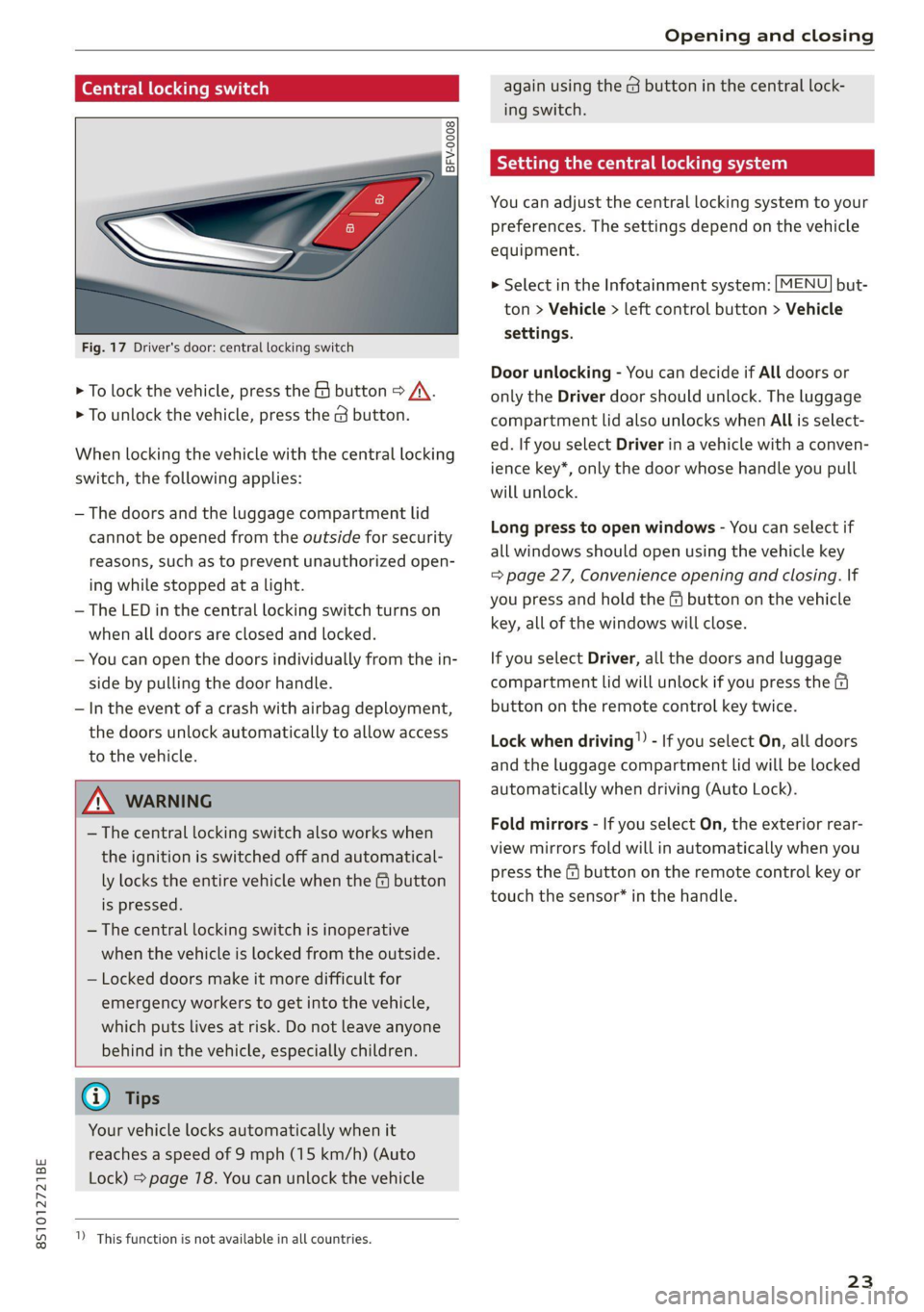
Central locking switch
@ 3 S
g| > cz oo.
Fig. 17 Driver's door: central locking switch
> To lock the vehicle, press the & button > /\.
> To unlock the vehicle, press the @ button.
When locking the vehicle with the central locking
switch,
the following applies:
— The doors and the luggage compartment lid
cannot be opened from the outside for security
reasons, such as to prevent unauthorized open-
ing while stopped at a light.
— The LED in the central locking switch turns on
when all doors are closed and locked.
— You can open the doors individually from the in-
side by pulling the door handle.
— In the event of a crash with airbag deployment,
the doors unlock automatically to allow access
to the vehicle.
ZX WARNING
— The central locking switch also works when
the ignition is switched off and automatical-
ly locks the entire vehicle when the & button
is pressed.
— The central locking switch is inoperative
when the vehicle is locked from the outside.
— Locked doors make it more difficult for
emergency workers to get into the vehicle,
which puts lives at risk. Do not leave anyone
behind in the vehicle, especially children.
@ Tips
Your vehicle locks automatically when it
reaches a speed of 9 mph (15 km/h) (Auto
Lock) > page 78. You can unlock the vehicle
)) This function is not available in all countries.
again using the @ button in the central lock-
ing switch.
tting the central locking system
You can adjust the central locking system to your
preferences. The settings depend on the vehicle
equipment.
> Select in the Infotainment system: [MENU] but-
ton > Vehicle > left control button > Vehicle
settings.
Door unlocking - You can decide if All doors or
only the Driver door should unlock. The luggage
compartment lid also unlocks when All is select-
ed. If you select Driver in a vehicle with a conven-
ience key*, only the door whose handle you pull
will unlock.
Long press to open windows - You can select if
all windows should open using the vehicle key
= page 27, Convenience opening and closing. lf
you press and hold the & button on the vehicle
key, all of the windows will close.
If you select Driver, all the doors and luggage
compartment lid will unlock if you press the @
button on the remote control key twice.
Lock when driving!) - If you select On, all doors
and the luggage compartment lid will be locked
automatically when driving (Auto Lock).
Fold mirrors - If you select On, the exterior rear-
view mirrors fold will in automatically when you
press the fq button on the remote control key or
touch the sensor* in the handle.
23
Page 30 of 280
Opening and closing
Convenience closing with the convenience
key*
> Touch the sensor* on the door handle long
enough until all windows are closed. Do not
place your hand in the door handle when doing
this.
Setting convenience opening in the
Infotainment system
The function can be switched on/off in the Info-
tainment system > page 23.
ZA WARNING
— Never close the windows carelessly or in an
uncontrolled manner, because this increases
the risk of injury.
— For security reasons, the windows can only
be opened and closed with the remote con-
trol key at a maximum distance of approxi-
mately 6 feet (2 m) away from the vehicle.
When pressing the f button, always watch
the windows while they are closing so that
no one is pinched in the window. The closing
process will stop immediately when the &
button is released.
Correcting power window malfunctions
If necessary, you can reactivate the one-touch up/
down function if it malfunctions.
> Pull the power window switch up until the win-
dow is completely raised.
> Release the switch and pull it up again for at
least one second.
28
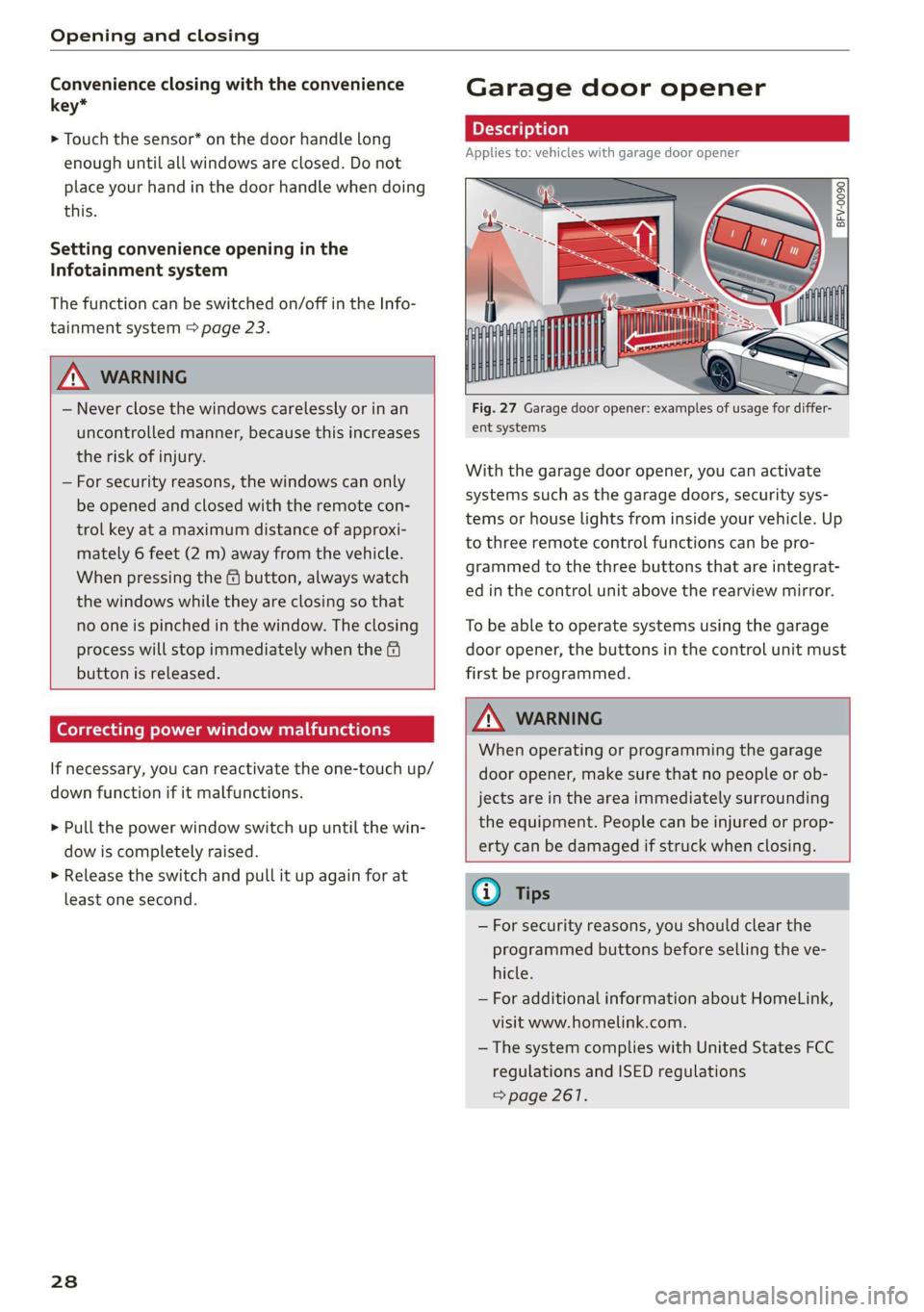
Garage door opener
Applies to: vehicles with garage door opener
——
Fig. 27 Garage door opener: examples of usage for differ-
ent systems
With the garage door opener, you can activate
systems such as the garage doors, security sys-
tems or house lights from inside your vehicle. Up
to three remote control functions can be pro-
grammed to the three buttons that are integrat-
ed in the control unit above the rearview mirror.
To be able to operate systems using the garage
door opener, the buttons in the control unit must
first be programmed.
Z\ WARNING
When operating or programming the garage
door opener, make sure that no people or ob-
jects are in the area immediately surrounding
the equipment. People can be injured or prop-
erty can be damaged if struck when closing.
® Tips
— For security reasons, you should clear the
programmed buttons before selling the ve-
hicle.
— For additional information about HomeLink,
visit www.homelink.com.
—The system complies with United States FCC
regulations and ISED regulations
=> page 261.
Page 34 of 280
Power top
— Make sure no one will be injured by the pow-
er top supports or other moving compo-
nents when opening and closing the top.
@) Note
— To prevent damage to the power top:
— do not store any objects in the power top
storage compartment.
— make sure there is enough space above
the vehicle when opening or closing the
power top.
0} Tips
— To avoid draining the vehicle battery unnec-
essarily, do not open and close the power
top repeatedly when the engine is switched
off.
— The power top can be operated manually if
there is a malfunction > page 33, Power
top emergency operation. Have the problem
corrected immediately by an authorized
Audi dealer or authorized Audi Service Fa-
cility.
— If you park the vehicle with the power top
open, the vehicle interior will not be pro-
tected from damaging weather or unauthor-
ized access. Lock any items you leave behind
in the luggage compartment. Close the
power top before leaving the vehicle.
— The side windows automatically lower
slightly when opening or closing the power
top.
Power top convenience opening and closing
Applies to: vehicles with power top
BFV-0271
®
”
lon
— o
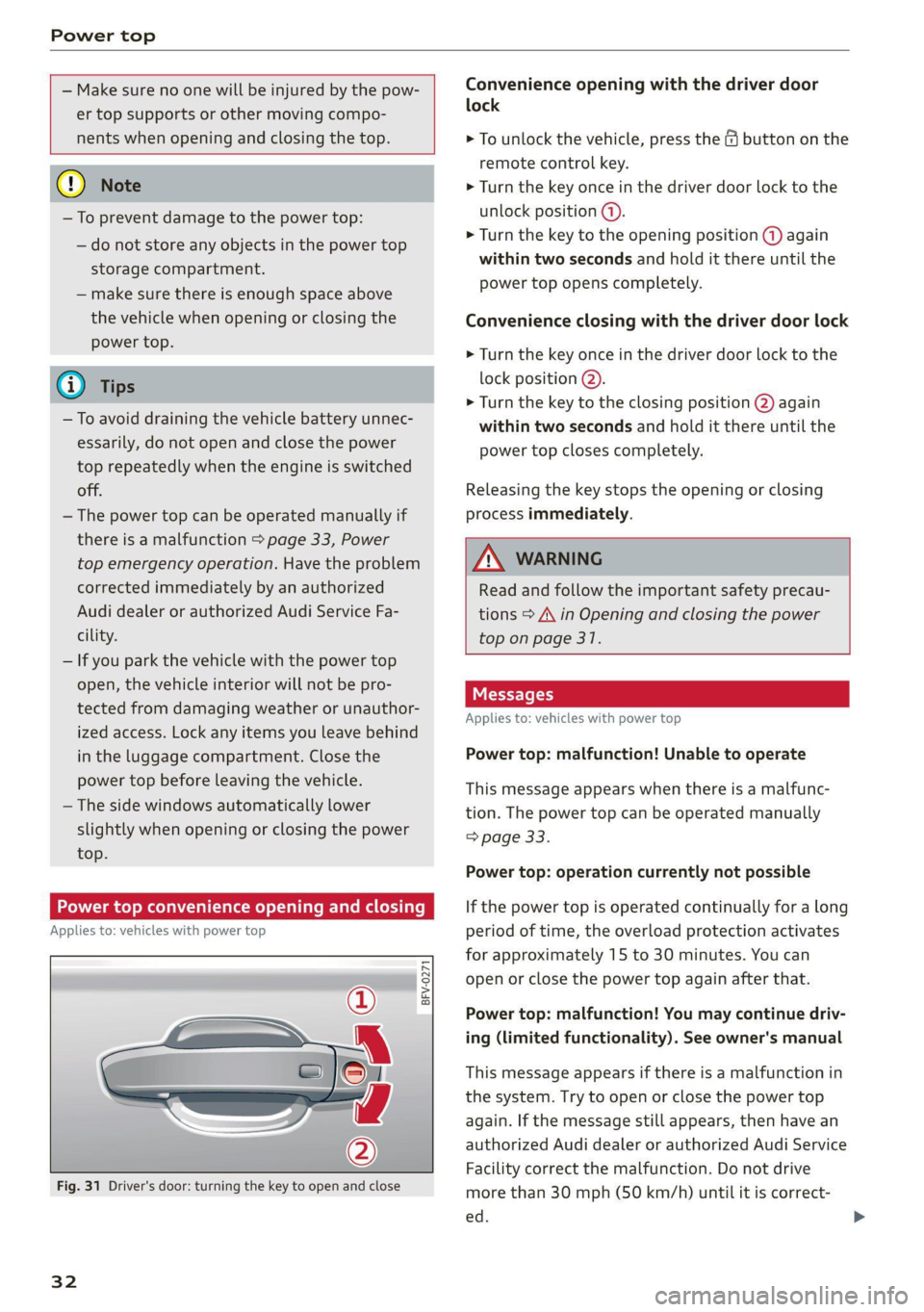
Fig. 31 Driver's door: turning the key to open and close
32
Convenience opening with the driver door
lock
> To unlock the vehicle, press the & button on the
remote control key.
> Turn the key once in the driver door lock to the
unlock position (@).
> Turn the key to the opening position @ again
within two seconds and hold it there until the
power top opens completely.
Convenience closing with the driver door lock
> Turn the key once in the driver door lock to the
lock position @).
> Turn the key to the closing position @) again
within two seconds and hold it there until the
power top closes completely.
Releasing the key stops the opening or closing
process immediately.
ZA\ WARNING
Read and follow the important safety precau-
tions > A\ in Opening and closing the power
top on page 31.
Applies to: vehicles with power top
Power top: malfunction! Unable to operate
This message appears when there is a malfunc-
tion. The power top can be operated manually
=> page 33.
Power top: operation currently not possible
If the power top is operated continually for a long
period of time, the overload protection activates
for approximately 15 to 30 minutes. You can
open or close the power top again after that.
Power top: malfunction! You may continue driv-
ing (limited functionality). See owner's manual
This message appears if there is a malfunction in
the system. Try to open or close the power top
again. If the message still appears, then have an
authorized Audi dealer or authorized Audi Service
Facility correct the malfunction. Do not drive
more than 30 mph (50 km/h) until it is correct-
ed.
Page 38 of 280
Lights and Vision
Lights and Vision
Exterior lighting
Switching the lights on and off
B8V-0430
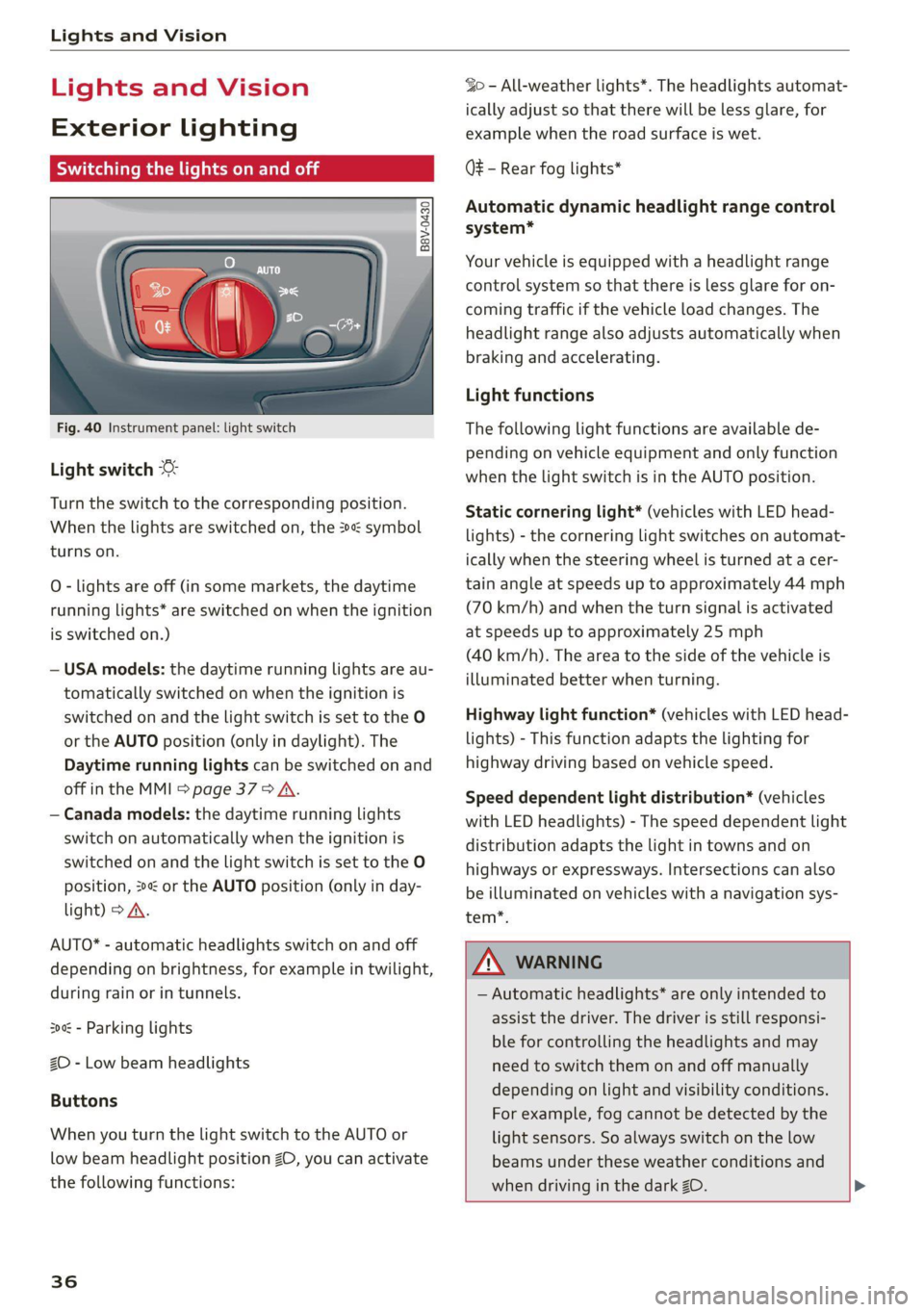
Fig. 40 Instrument panel: light switch
Light switch ©
Turn the switch to the corresponding position.
When the lights are switched on, the »« symbol
turns on.
O - lights are off (in some markets, the daytime
running lights* are switched on when the ignition
is switched on.)
— USA models: the daytime running lights are au-
tomatically switched on when the ignition is
switched on and the light switch is set to the O
or the AUTO position (only in daylight). The
Daytime running lights can be switched on and
off in the MMI > page 37 > A.
— Canada models: the daytime running lights
switch on automatically when the ignition is
switched on and the light switch is set to the O
position, 24 or the AUTO position (only in day-
light) > A.
AUTO* - automatic headlights switch on and off
depending on brightness, for example in twilight,
during rain or in tunnels.
30a - Parking lights
2D - Low beam headlights
Buttons
When you turn the light switch to the AUTO or
low beam headlight position 20, you can activate
the following functions:
36
So - All-weather lights*. The headlights automat-
ically adjust so that there will be less glare, for
example when the road surface is wet.
Q# - Rear fog lights*
Automatic dynamic headlight range control
system*
Your vehicle is equipped with a headlight range
control system so that there is less glare for on-
coming traffic if the vehicle load changes. The
headlight range also adjusts automatically when
braking and accelerating.
Light functions
The following light functions are available de-
pending on vehicle equipment and only function
when the light switch is in the AUTO position.
Static cornering light* (vehicles with LED head-
lights) - the cornering light switches on automat-
ically when the steering wheel is turned at a cer-
tain angle at speeds up to approximately 44 mph
(70 km/h) and when the turn signal is activated
at speeds up to approximately 25 mph
(40 km/h). The area to the side of the vehicle is
illuminated better when turning.
Highway light function* (vehicles with LED head-
lights) - This function adapts the lighting for
highway driving based on vehicle speed.
Speed dependent light distribution* (vehicles
with LED headlights) - The speed dependent light
distribution adapts the light in towns and on
highways or expressways. Intersections can also
be illuminated on vehicles with a navigation sys-
tem*.
ZA WARNING
— Automatic headlights* are only intended to
assist the driver. The driver is still responsi-
ble for controlling the headlights and may
need to switch them on and off manually
depending on light and visibility conditions.
For example, fog cannot be detected by the
light sensors. So always switch on the low
beams under these weather conditions and
when driving in the dark ZO. >
Page 39 of 280
8S1012721BE
Lights and Vision
—To reduce glare for traffic behind your vehi-
cle, the rear fog lights* should only be
turned on in accordance with the legal regu-
lations in the country where you are operat-
ing the vehicle.
— If the battery has been discharging for a
while, the parking light may switch off auto-
matically. Always make sure your vehicle is
parked and adequately illuminated accord-
ing to the legal regulations in the country
where you are operating the vehicle. Avoid
using the parking lights for several hours.
G) Tips
— When using lighting equipment, the driver
is responsible for adhering to any local ap-
plicable regulations while driving and when
parking the vehicle.
— The light sensor for the automatic head-
lights* is in the rearview mirror mount. Do
not place any stickers in this area on the
windshield.
— Some exterior lighting functions can be ad-
justed > page 37.
— In some markets, the tail lights will switch
on when the daytime running lights switch
on.
—In cool or damp weather, the inside of the
headlights, turn signals, and tail lights can
fog over due to the temperature difference
between the inside and outside. They will
clear shortly after switching them on. This
does not affect the service life of the light-
ing.
Turn signal and high beam lever
BFV-0012
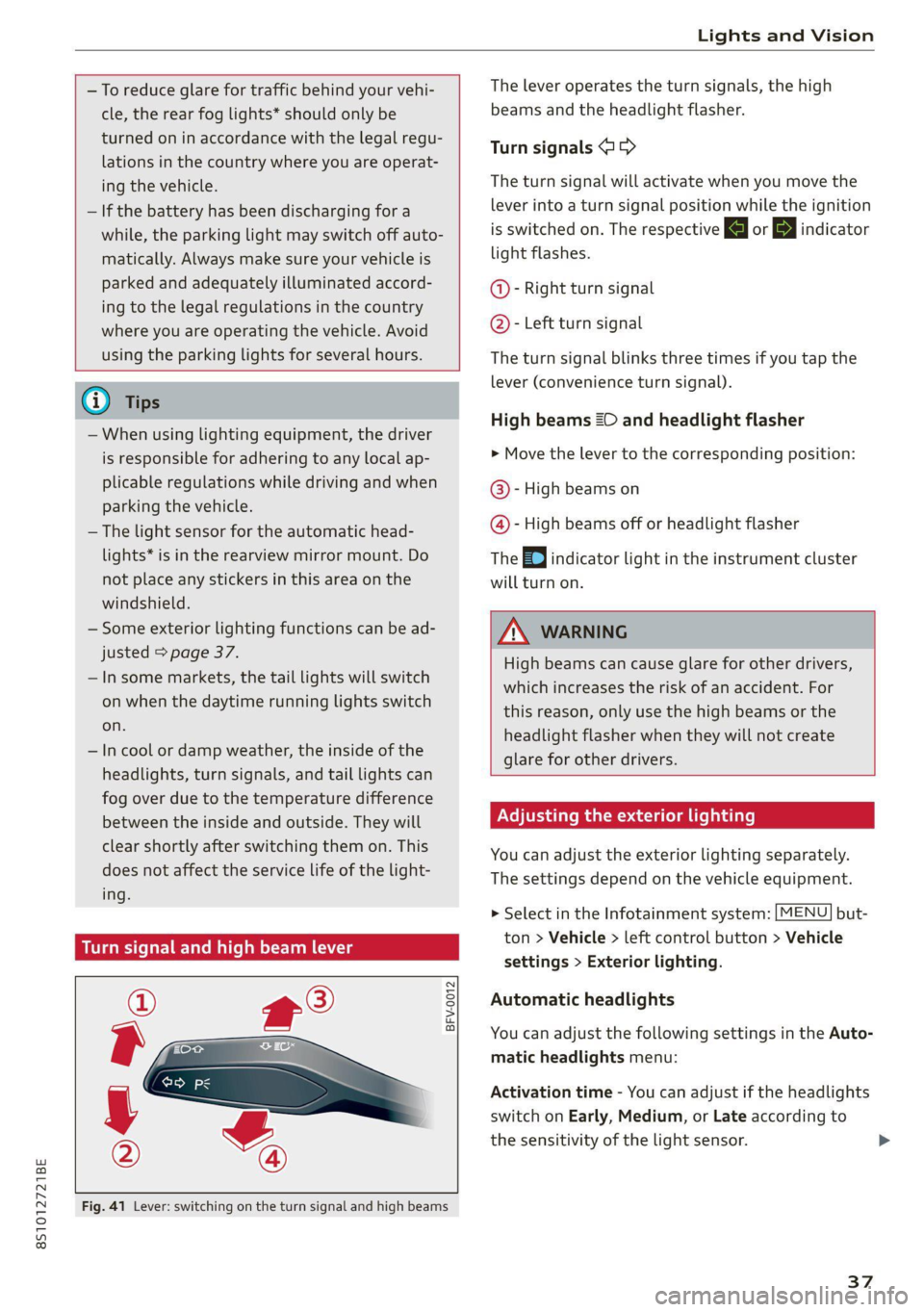
Fig. 41 Lever: switching on the turn signal and high beams
The lever operates the turn signals, the high
beams and the headlight flasher.
Turn signals >>
The turn signal will activate when you move the
lever into a turn signal position while the ignition
is switched on. The respective a or indicator
light flashes.
@- Right turn signal
@- Left turn signal
The turn signal blinks three times if you tap the
lever (convenience turn signal).
High beams ZO and headlight flasher
> Move the lever to the corresponding position:
@®- High beams on
@- High beams off or headlight flasher
The
EJ indicator light in the instrument cluster
will turn on.
Z\ WARNING
High beams can cause glare for other drivers,
which increases the risk of an accident. For
this reason, only use the high beams or the
headlight flasher when they will not create
glare for other drivers.
Adjusting the exterior lighting
You can adjust the exterior lighting separately.
The settings depend on the vehicle equipment.
> Select in the Infotainment system: [MENU] but-
ton > Vehicle > left control button > Vehicle
settings > Exterior lighting.
Automatic headlights
You can adjust the following settings in the Auto-
matic headlights menu:
Activation time - You can adjust if the headlights
switch on Early, Medium, or Late according to
the sensitivity of the light sensor.
37
Page 40 of 280
Lights and Vision
Daytime running lights
USA models: the daytime running lights can be
switched on or off using the MMI. Select On or
Off.
Canada models: this function cannot be switched
off. They activate automatically each time the ig-
nition is switched on. This menu item is shown
with a “gray background”.
Entry/exit lighting
The Entry/exit lighting illuminates the area
around the vehicle when the vehicle is unlocked
or when the driver’s door is opened while the ig-
nition is off. The entry/exit lighting works when it
is dark and the light switch is in the AUTO posi-
tion. The front and rear daytime running lights*
switch on automatically each time the vehicle is
unlocked regardless of how bright it is outside
the vehicle.
Emergency flashers
a 2 3 g
g|
z a.
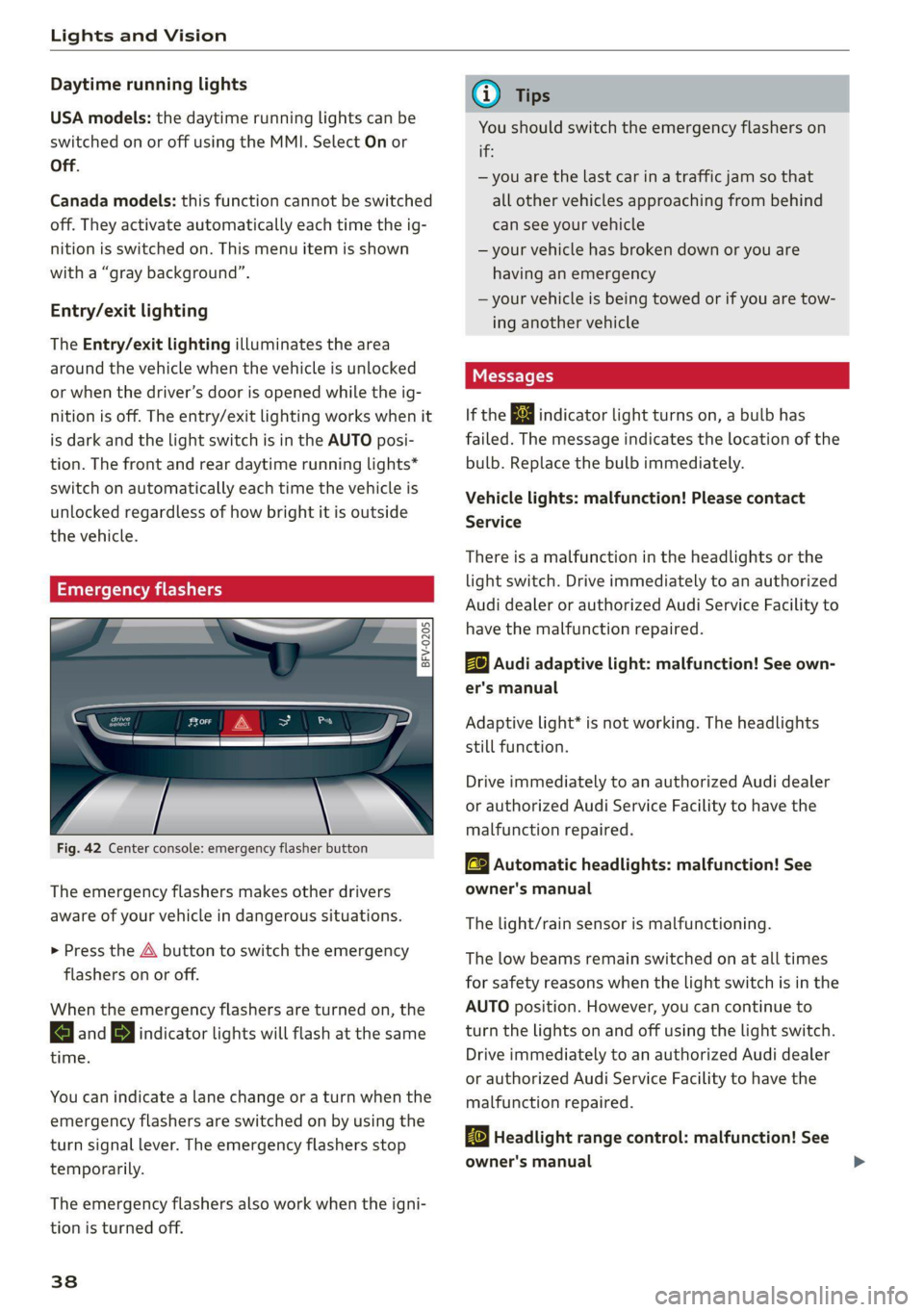
Fig. 42 Center console: emergency flasher button
The emergency flashers makes other drivers
aware of your vehicle in dangerous situations.
> Press the A button to switch the emergency
flashers on or off.
When the emergency flashers are turned on, the
a and B indicator lights will flash at the same
time.
You can indicate a lane change or a turn when the
emergency flashers are switched on by using the
turn signal lever. The emergency flashers stop
temporarily.
The emergency flashers also work when the igni-
tion is turned off.
38
G) Tips
You should switch the emergency flashers on
if:
— you are the last car in a traffic jam so that
all other vehicles approaching from behind
can see your vehicle
— your vehicle has broken down or you are
having an emergency
—your vehicle is being towed or if you are tow-
ing another vehicle
Messages
If the & indicator light turns on, a bulb has
failed. The message indicates the location of the
bulb. Replace the bulb immediately.
Vehicle lights: malfunction! Please contact
Service
There is a malfunction in the headlights or the
light switch. Drive immediately to an authorized
Audi dealer or authorized Audi Service Facility to
have the malfunction repaired.
Bg) Audi adaptive light: malfunction! See own-
er's manual
Adaptive light* is not working. The headlights
still function.
Drive immediately to an authorized Audi dealer
or authorized Audi Service Facility to have the
malfunction repaired.
a Automatic headlights: malfunction! See
owner's manual
The light/rain sensor is malfunctioning.
The low beams remain switched on at all times
for safety reasons when the light switch is in the
AUTO position. However, you can continue to
turn the lights on and off using the light switch.
Drive immediately to an authorized Audi dealer
or authorized Audi Service Facility to have the
malfunction repaired.
Ba Headlight range control: malfunction! See
owner's manual
Page 41 of 280
8S1012721BE
Lights and Vision
There is a malfunction in the headlight range
control system, which may cause glare for other
drivers.
Drive to an authorized Audi dealer or authorized
Audi Service Facility immediately to have the
malfunction corrected.
Ww
— Light bulbs are pressurized and can explode
when they are replaced, which increases the
risk of injury.
—To reduce the risk of fatal injury, the high-
voltage component on HID headlights (xe-
non lights) must be handled correctly.
Interior lighting
Interior lighting
BFV-0181
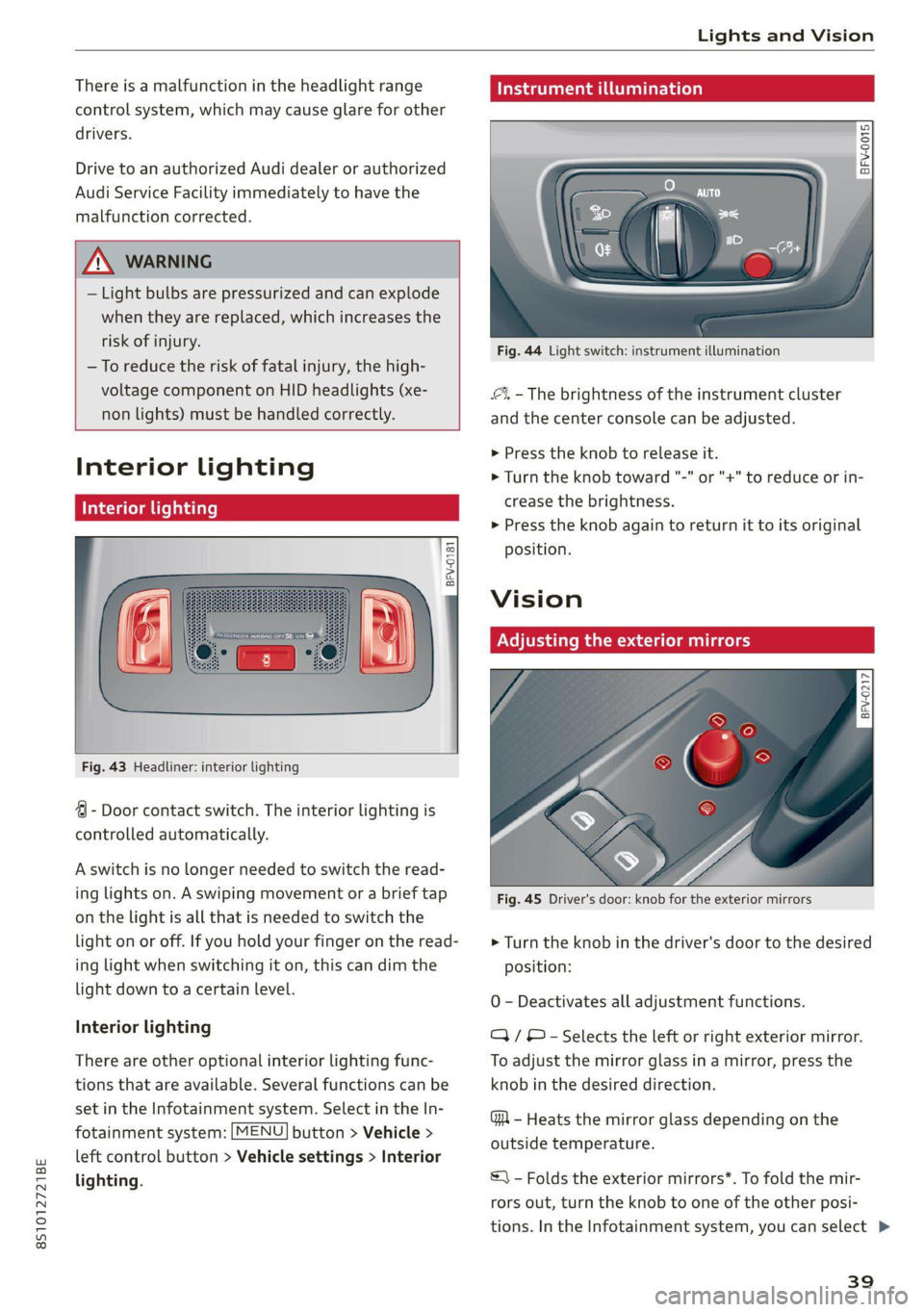
Fig. 43 Headliner: interior lighting
4 - Door contact switch. The interior lighting is
controlled automatically.
A switch is no longer needed to switch the read-
ing lights on. A swiping movement or a brief tap
on the light is all that is needed to switch the
light on or off. If you hold your finger on the read-
ing light when switching it on, this can dim the
light down to a certain level.
Interior lighting
There are other optional interior lighting func-
tions that are available. Several functions can be
set in the Infotainment system. Select in the In-
fotainment system: [MENU] button > Vehicle >
left control button > Vehicle settings > Interior
lighting.
Instrument i
a
Ss
g 3 a o
Fig. 44 Light switch: instrument illumination
4%, - The brightness of the instrument cluster
and the center console can be adjusted.
> Press the knob to release it.
> Turn the knob toward "-" or "+" to reduce or in-
crease the brightness.
> Press the knob again to return it to its original
Position.
Vision
Adjusting the exterior mirrors
| BFv-0217|
Fig. 45 Driver's door: knob for the exterior mirrors
> Turn the knob in the driver's door to the desired
position:
0 - Deactivates all adjustment functions.
/ © - Selects the left or right exterior mirror.
To adjust the mirror glass in a mirror, press the
knob in the desired direction.
GA - Heats the mirror glass depending on the
outside temperature.
S\ - Folds the exterior mirrors*. To fold the mir-
rors out, turn the knob to one of the other posi-
tions. In the Infotainment system, you can select >
39
Page 42 of 280
Lights and Vision
if the mirrors fold in automatically when you lock
the vehicle > page 23.
Front passenger's exterior mirror tilt
function*
Requirement: the knob must be in the position
for the front passenger’s exterior mirror.
The mirror surfaces tilt slightly when reverse
gear is selected to provide a better view, for ex-
ample of the edge of the curb.
You can adjust the mirror surface by turning the
knob in the desired direction. When you move
out of reverse and into another gear, the new
mirror position is stored and assigned to the key
you are using.
The mirror goes back into its original position
once you drive forward faster than 9 mph
(15 km/h) or turn the ignition off.
Z\ WARNING
Curved mirror surfaces (convex) enlarge the
field of vision. However, they make objects in
the mirror appear smaller and farther away.
When using these mirrors to estimate your
distance to vehicles behind you when chang-
ing lanes, you could estimate incorrectly,
which increases the risk of an accident.
@) Note
If the mirror housing was moved by force (for
example, by running into an object when ma-
neuvering the vehicle), the mirror must be
folded all the way in using the power folding
function. The mirror housing must not be
moved back into place by hand because this
could impair the function of the mirror mech-
anism.
@ Tips
If the power adjusting function malfunctions,
the glass in both mirrors can be adjusted by
pressing on the edge of it by hand.
40
Palate mwa eceley
Manual
dimming rearview mirror
> Pull the lever on the bottom of the mirror back.
Automatic dimming rearview mirror*
> The interior and exterior mirrors* dim auto-
matically when light shines on them, for exam-
ple from headlights on a vehicle behind you.
Z\ WARNING
Electrolyte fluid can leak from automatic dim-
ming mirrors if the glass is broken. Electrolyte
fluid can irritate skin, eyes and airways.
— Repeated or long-term exposure to electro-
lyte fluid can lead to irritation of the air-
ways, especially in people with asthma or
other respiratory conditions. Take deep
breaths immediately after leaving the vehi-
cle or, if this is not possible, open all of the
doors and windows as wide as possible.
— If electrolyte fluid comes into contact with
the eyes, flush them thoroughly with plenty
of clean water for at least 15 minutes and
then seek medical attention.
— If electrolyte fluid comes into contact with
the skin, flush the affected area with clean
water for at least 15 minutes, and then
clean with soap and water and seek medical
attention. Clean affected clothing and shoes
thoroughly before wearing again.
— If the fluid was swallowed and the person is
conscious, flush the mouth with water for at
least 15 minutes. Do not induce vomiting
unless this is recommended by medical pro-
fessionals. Seek medical attention immedi-
ately.
() Note
If the glass on an automatic dimming mirror
breaks, electrolyte can leak out. This liquid
damages plastic surfaces. Clean this liquid as
quickly as possible, for example with a wet
sponge.