light AUDI TT COUPE 2009 Owner's Manual
[x] Cancel search | Manufacturer: AUDI, Model Year: 2009, Model line: TT COUPE, Model: AUDI TT COUPE 2009Pages: 316, PDF Size: 71.16 MB
Page 37 of 316
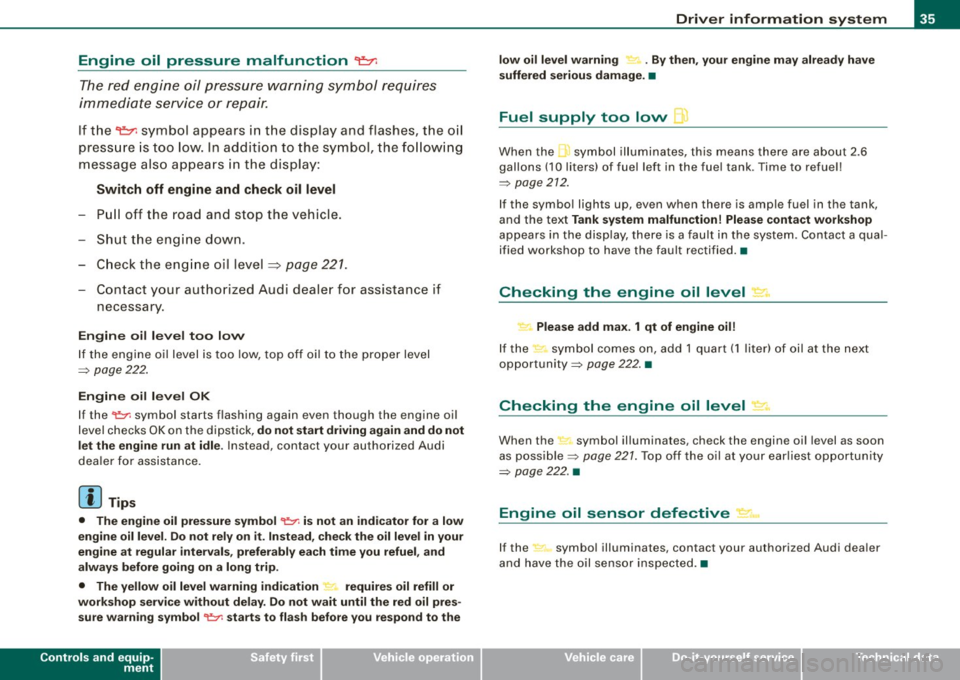
Engine oil pressure malfunction 9=;r;
The red engine oil pressure warning symbol requires
immediate service or repair.
If the ~ symbol appears in the display and flashes, the oil
pressure is too low. In addition to the symbol, the following
message also appears in the display:
Switch off engine and check oil level
- Pull off the road and stop the vehicle .
- Shut the engine down.
- Check the engine oil level~
page 221.
-Contact your authorized Audi dealer for assistance if
necessary .
Engine oil level too low
If the engine oil level is too low, top off oil to the proper level
=>
page 222.
Engine oil level OK
If the ~ symbol starts flashing again ev en though the engine oil
level checks OK on the dipstick,
do not start driving again and do not
let the engine run at idle .
Instead, contact your authorized Audi
dealer for assistance .
[ i J Tips
• The engine oil pressure symbol ~ is not an indicator for a low
engine oil level. Do not rely on it. Instead, check the oil level in your
engine at regular intervals, preferably each time you refuel, and
always before going on a long trip.
• The yellow oil level warning indication _ requires oil refill or
workshop service without delay. Do not wait until the red oil pres sure warning symbol
~ starts to flash before you respond to the
Controls and equip
ment
Driver information system
low oil level warning = . By then, your engine may already have
suffered serious damage. •
Fuel supply too low Jl
When the L symbol illuminates, this means there are about 2.6
gallons
(10 liters) of fuel left in the fuel tank . Time to refuel!
=>
page 212.
If the symbol lights up , even when there is ample fuel in the tank,
and the text
Tank system malfunction! Please contact workshop
appears in the display, there is a fault in the system. Contact a qual
ified workshop to have the fault rectified. •
Checking the engine oil level .d'" ..
Please add max. 1 qt of engine oil!
If the symbol comes on, add 1 quart (1 liter) of oil at the next
opportunity=>
page 222. •
Checking the engine oil level -1.
When the _ symbol illuminates, check the engine oil level as soon
as possible =>
page 221. Top off the oil at your earliest opportunity
=>
page 222. •
Engine oil sensor defective • ...
If the symbol illuminates, contact your authorized Audi dealer
and have the oil sensor inspected. •
I • •
Page 38 of 316
Driver information system
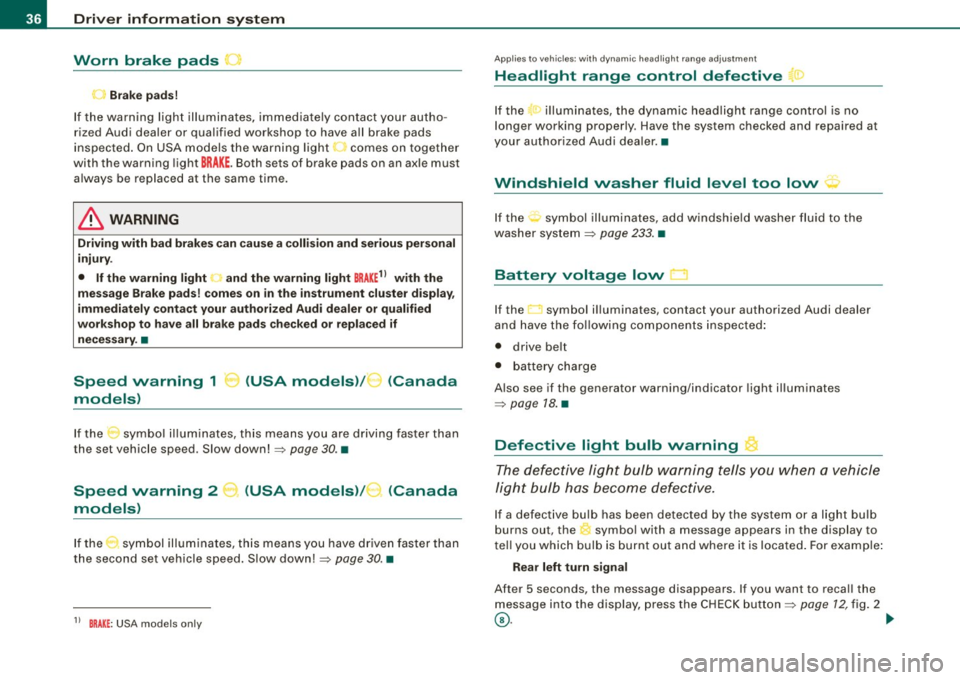
Worn brake pads
~
..) Brake pads!
If the warning light illuminates, immediately contact your autho
rized Audi dealer or qualified workshop to have all brake pads
inspected. On USA models the warning light~ comes on together
with the warning light
BRAKE. Both sets of brake pads on an axle must
always be replaced at the same time.
& WARNING
Driving with bad brakes can cause a collision and serious personal
injury.
• If the warning light
~ and the warning light BRAKE11 with the
message Brake pads! comes on in the instrument cluster display,
immediately contact your authorized Audi dealer or qualified
workshop to have all brake pads checked or replaced if
necessary. •
Speed warning 1 -.. (USA models)/ K_ (Canada
models)
If the symbol illuminates, this means you are driving faster than
the set vehicle speed . Slow down! =>
page 30. •
Speed warning 2
models) (USA models)
/ (Canada
If the symbol illuminates, this means you have driven faster than
the second set vehicle speed. Slow down!=>
page 30. •
1 1 BRAKE : USA models only
Applie s to vehi cles : with dynami c hea dlight r ang e a dju st ment
Headlight range control defective
If the ,." illuminates, the dynamic headlight range control is no
longer working properly . Have the system checked and repaired at
your authorized Audi dealer. •
Windshield washer fluid level too low :;-
If the : symbol illuminates, add windshield washer fluid to the
washer system
=> page 233. •
Battery voltage low
If the LI symbol illuminates, contact your authorized Audi dealer
and have the following components inspected:
• drive belt
• battery charge
Also see if the generator warning/indicator light illuminates
=>
page 18. •
Defective light bulb warning
The defective light bulb warning tells you when a vehicle
light bulb has become defective.
If a defective bulb has been detected by the system or a light bulb
burns out, the symbol with a message appears in the display to
tell you which bulb is burnt out and where it is located. For example:
Rear left turn signal
After 5 seconds, the message disappears. If you want to recall the
message into the display, press the CHECK button=>
page 12, fig. 2
©-~
Page 39 of 316
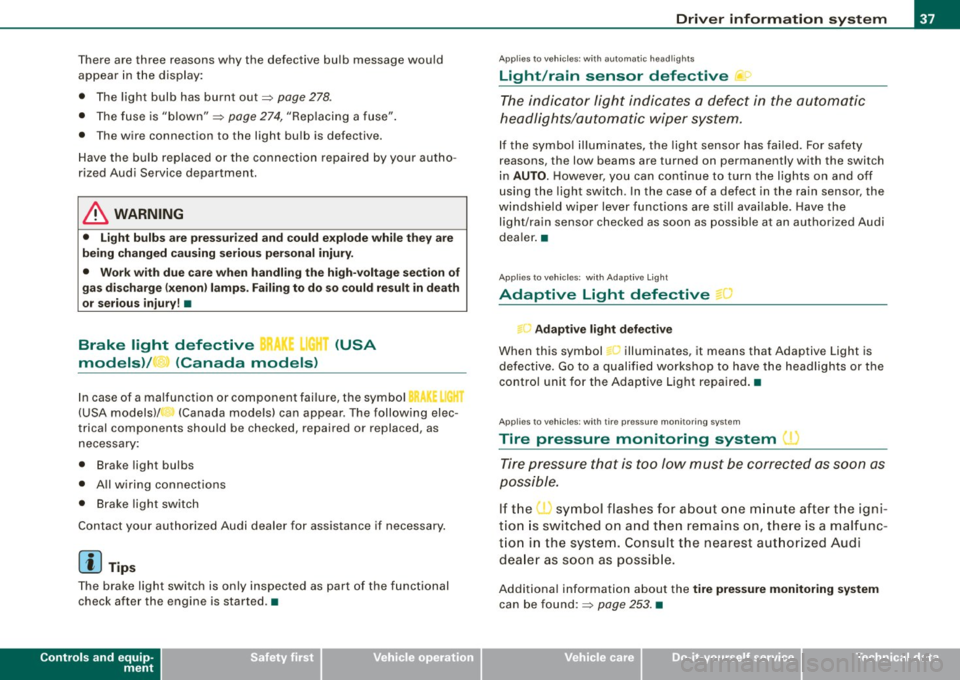
There are three reasons why the defective bulb message would
appear in the display:
• The light bulb has burnt out=>
page 278.
• The fuse is "blown"=> page 274, "Replacing a fuse".
• The wire connection to the light bulb is defective.
Have the bulb replaced or the connection repaired by your autho
rized Audi Service department.
& WARNING
• Light bulbs are pressurized and could explode while they are
being changed causing serious personal injury.
• Work with due care when handling the high-voltage section of
gas discharge (xenon) lamps. Failing to do so could result in death
or serious injury! •
Brake light defective i( r (USA
models)/ (Canada models)
In case of a malfunction or component failure, the symbol
(USA models)/ (Canada models) can appear . The following elec
trical components should be checked, repaired or replaced, as
necessary:
• Brake light bulbs
• All wiring connections
• Brake light switch
Contact your authorized Audi dealer for assistance if necessary.
[ i] Tips
The brake light switch is only inspected as part of the functional
check after the engine is started .•
Controls and equip
ment
Driver information system
Ap plies to veh ic les : w it h auto matic headli ghts
Light/rain sensor defective U
The indicator light indicates a defect in the automatic
headlights/automatic wiper system.
If the symbol illuminates, the light sensor has failed. For safety
reasons , the low beams are turned on permanently with the switch
in
AUTO. However, you can continue to turn the lights on and off
using the light switch . In the case of a defect in the rain sensor, the
windshield wiper lever functions are still available. Have the
light/rain sensor checked as soon as possible at an authorized Audi
dealer. •
Applies to v ehi cle s : with Ad aptive Light
Adaptive Light defective " )
Adaptive light defective
When this symbol l-illuminates, it means that Adaptive Light is
defective. Go to a qualified workshop to have the headlights or the
control unit for the Adaptive Light repaired. •
Applies to veh ic les : wi th tir e pr essu re m on it o ring sys tem
Tire pressure monitoring system
Tire pressure that is too low must be corrected as soon as
possible.
If the O symbol flashes for about one minute after the igni
tion is switched on and then remains on, there is a malfunc
tion in the system. Consult the nearest authorized Audi
dealer as soon as possible.
Additional information about the tire pressure monitoring system
can be found:=> page 253. •
I • •
Page 41 of 316
Master key with remote control
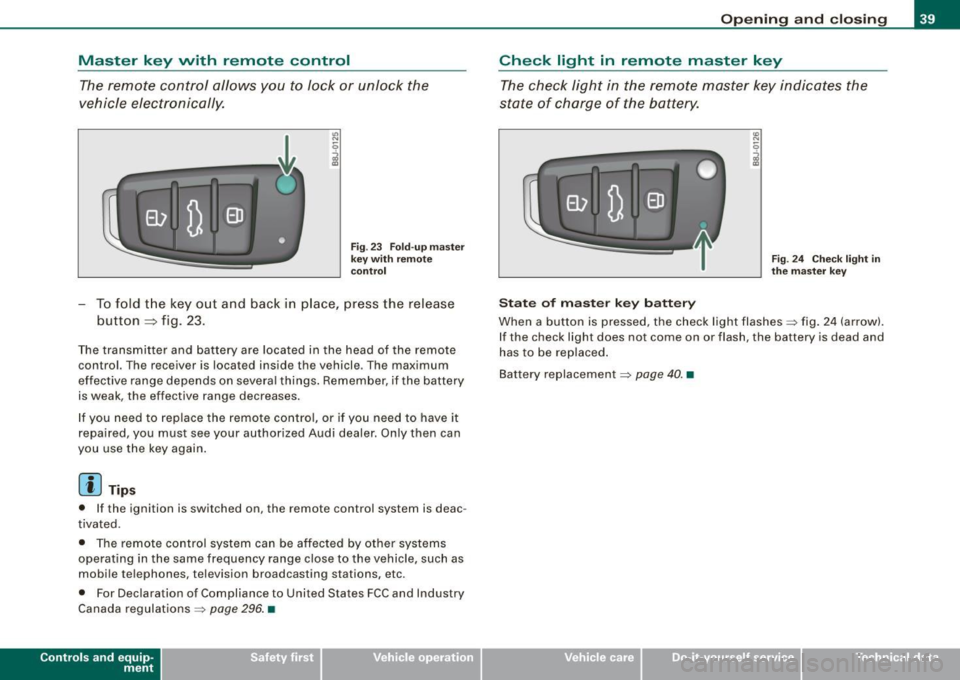
The remote control allows you to lock or unlock the
vehicle electronically.
"' N
0
i
F ig . 23 Fold -u p m as ter
k ey wit h re mo te
co ntrol
- To fold t he key out and back in place, p ress the release
button
=> fig. 23.
The transmitter and battery are located in the head of the remote
control. The receiver is located inside the vehicle . The maximum
effective range depends on severa l things . Remember, if the battery
is weak, the effective range decreases.
I f you need to replace the remote co ntro l, or if you need to have it
repaired , you must see your authorized Audi dealer. Only then can
you use the key again .
[ i] Tip s
• If the ignition is switched on, the remote control system is deac
tivated .
• T he remote control system can be affected by other systems
operating in the same frequency range close to the vehicle , such as
mobi le telephones, television broadcasting stations, etc.
• For Declaration of Compliance to United States FCC and Industry
Canada regulations =>
page 296. •
Contro ls and eq uip
ment
Op ening and clo sing
Check light in remote master key
The check light in the remote master key indicates t he
state of charge of the battery.
St ate o f m aster k ey b att ery
Fig . 2 4 Chec k ligh t in
th e m as ter k ey
When a button is pressed, the check light flashes~ fig . 24 (arrow).
I f the check light does not come on or flash, the battery is dead and
has to be replaced .
Bat tery replacement
~ page 40. •
Vehicle care I I Technical data
Page 43 of 316
Power locking system
General description
The power locking system l ocks or unl ocks all doors
simultane ously.
The power locking system in your vehic le incorporates the following
functions :
• Central locking function
• Remote control feature ~
page 39.
• Anti -Theft A larm System ~ page 47.
You can lock and un lock the vehicle from outside either with the
ke ys or the remote control transmitter inside the master key.
A ctiv ating the pow er locki ng system lo cks or unlo ck s a ll d oors
s imultaneou sly .
You can also open or close the windows when you lock or unlock the
driver's door using the key. For sa fety reasons, you cannot use the
remote control to open/c lose the windows.
The
selective unlock feature makes it possible to open just the
driver's door.
I f the power locking system should malfunction, you can lock and
unlock each lock in dividually using the vehicle key .
Automatic locking *
The automatic locking feature locks all the vehicle doors and the
rear lid when you drive faster than 9 mph (15 km/hl.
You can unlock the vehicle from the inside by:
• removing the key from the ignition switch (the vehicle will auto
matica lly unlock itself) or
• pressing the unlock part of the power lock switch
oc:'il or
pulling the door handle (to open the door).
Controls and equip
ment
Opening and clo sing
If you wish, you can have an authori zed Audi dea ler convert your
power d oor lock sys tem to auto matic locking .
Unlocking /lo cking the vehicl e
When you unlock your vehic le :
• The anti -theft alarm system is deactivated briefly .
• The vehicle interior lights i lluminate for approxima te ly 30
seconds .
When you
lo ck the vehicle:
• All doors are locked.
• The anti -theft ala rm system is activated .
• The vehicle interior lights turn off.
• The anti -theft alarm system is act ivated. The horn of the anti
theft alarm syst em wi ll sound and the anti -theft alarm system readi
ness l ight, located in the center of the instrument pane l be low the
windshield on the right side of the air vent, will start to blink .
& WARNING
• When you lock your vehicl e from o utside , nobod y -espe ciall y
children - should remain in side the vehic le. Remembe r, when you
lock the vehi cle from the outs ide the windo ws cannot be opened
from the inside.
• When you leave the vehi cle , alw ays remove the ignition key and
ta ke it with you. Thi s will prev ent pa ssenger s (children , for
e x ample ) from ac cident ally b eing locked in the vehi cle should they
accidentally pre ss the power locking swit ch .
• Do not le ave ch ild ren i nside the vehi cle unsupervised . In an
emergency it would be impo ssible to open the doors from the
out side w ithout the key .
I • •
Page 44 of 316
Opening and closing
[ i J Tip s
• In the event of a crash with airbag deployment all locked doors
will be automatically unlocked to give access to the vehicle occu
pants from the outside .
• If the power locking system should malfunction, you can lock
each door individually using the vehicle key.
• If the power locking system should fail, you can still open the
fue l tank flap in an emergency~
page 215.
• You are well advised not to keep va luables inside an una tten ded
vehic le, visib le or not . Even a properly locked vehic le cannot provide
the security of a safe! •
Unlocking and locking the vehicle vvith the
remote control
How the remote control works .
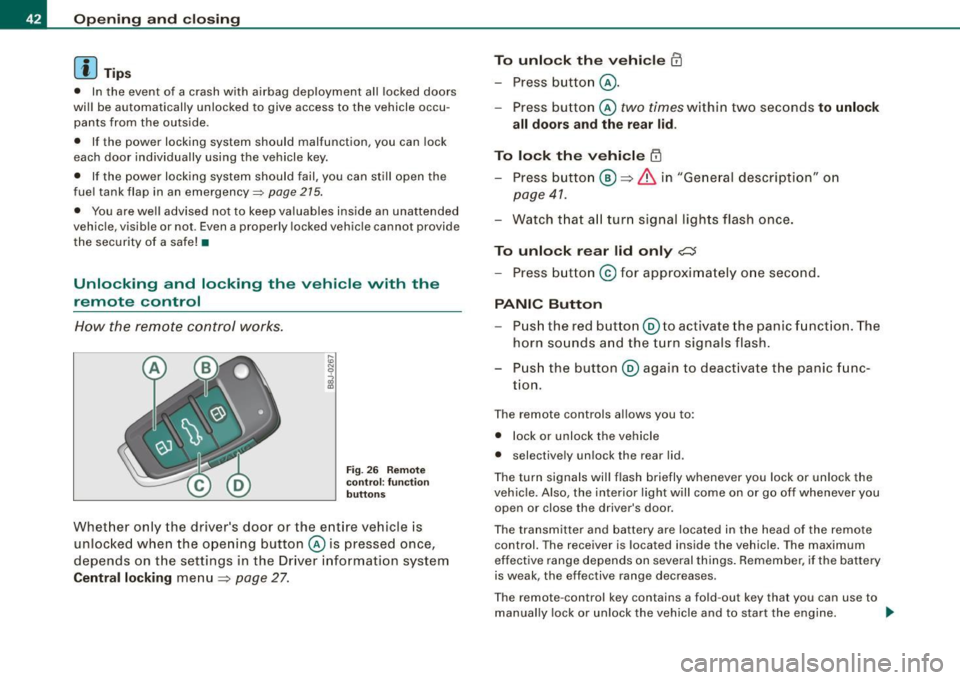
Fig. 26 Remote
co ntro l: functi on
butt on s
Whet her only the driver 's door or the ent ire vehicle is
unloc ked when the ope ning button © is pressed once,
depends on the settings in the Driver information system
Central locking menu
~ page 27.
To unlock th e vehicle CD
- Press b utton @ .
- Press button © two times within two seconds to unlock
all doors and the rear lid .
To lock the vehicle ~
- Press butto n@ ~ & in "Ge neral desc ripti on" o n
page 41.
- Watch t hat a ll turn s ignal lights flash once .
To unlock rear lid only c:J
- Press b utton © for approximately o ne second .
PANIC Button
-Pu sh the re d butto n@ to activate the panic funct ion . The
horn so unds a nd the turn signals flash .
P us h the button ® again to deact ivate the panic f unc
tion.
T he remote controls allows you to :
• l ock or unlock the vehicle
• selective ly unlock the rear lid .
The tu rn signa ls will flash briefly whenever you lock or un lock the
vehicle. Also , the interior light wi ll come on or go off whenever you
open or clos e the driver's door .
The transmitter and battery are located in the head of the remote
control. The receiver is located inside the vehicle. The maximum
effect ive range depends on several things. Remember, if t he battery
is weak , the effective range decreases.
T he remote -control key contains a fo ld -out key that you can use to
manually lock or unlock the vehicle and to start the engine. .,,_
Page 46 of 316
Opening and closing
& WARNING
Alw ay s re ad an d heed WARNIN G => & in uG eneral desc ripti on" on
pag e 41. •
Locking and unlocking the vehicle from inside
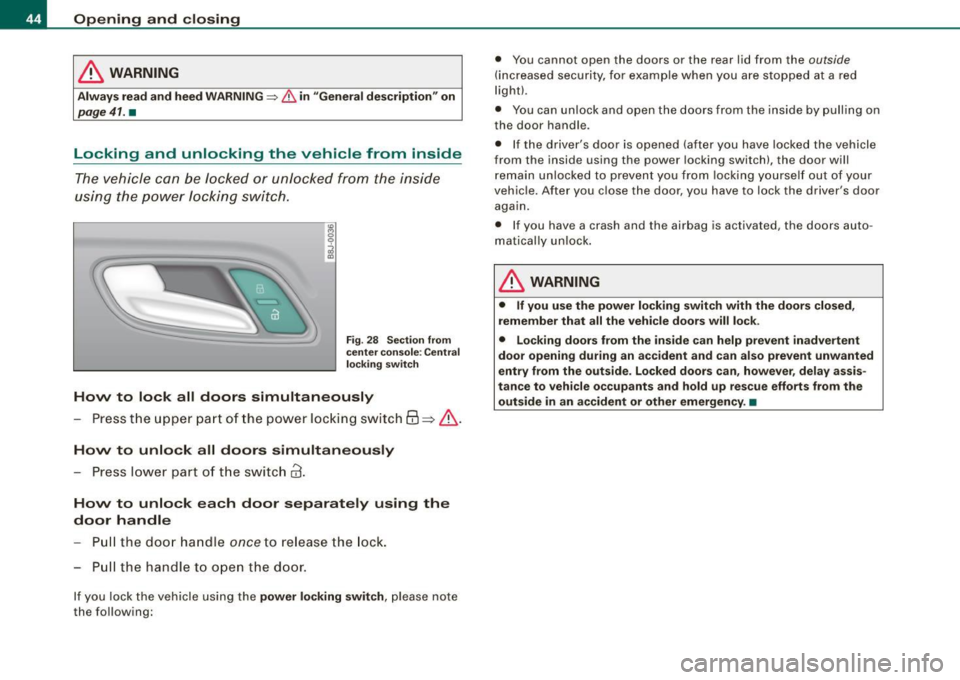
The vehicle can be locked or unlocked from the inside
using the power locking switch .
Fig . 28 Sec tion fro m
ce nte r co nsol e: C entr al
lo cking swi tc h
How to lock all doors simultaneously
- Press t he upper part of the power locking switch
63 => & .
How to unlo ck all door s simultan eously
- Press lower part of t he switch
@ .
How to unlock each door separat ely us ing the
door h andle
Pu ll the door handle
once to re lease the lock.
- Pull the handl e to open the door .
If you lock the vehicle using the power locking sw it c h , p lease note
the following: •
You cannot open the doors or the rear lid from the
outside
(increased security, for examp le when you are stopped at a red
light).
• You can unlock and open the doors from the inside by pulling on
the door handle .
• I f the driver's door is opened (after you have locked the vehicle
from the inside us ing the power locking switch) , the door will
remain unlocked to prevent you from locking yourse lf out of your
veh ic le. After you close the door, you have to lock the driver 's door
again.
• If you hav e a crash and the airbag is activated, th e doors auto
matically un lock .
& WARNING
• If y ou us e the p ower lo ck ing switch with the door s close d,
remember th at all the vehi cle doors will lo ck .
• Lock ing door s from the in sid e ca n help pre vent in adver te nt
do or op enin g dur ing an a ccident and can also pre vent unwa nted
entry from the o uts ide . Lo cke d d oors c an, howe ver, de lay ass is
t a nc e to vehicle o ccupant s and h old up re scue efforts from the
out side in an a cciden t or other emergen cy . •
Page 49 of 316
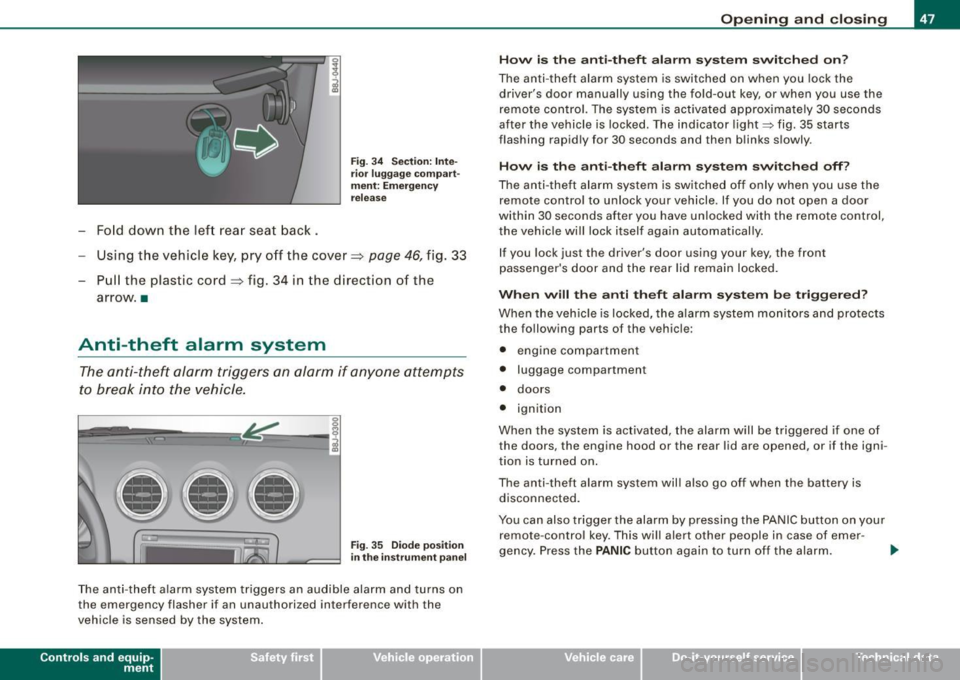
-Fold down the lef t rear seat back.
Fig . 3 4 Sec tio n: In te
r ior luggage co mpart
m ent: E merg en cy
re lease
Using the vehicle key, pry off the cover => page 46, fig . 33
- Pull the plastic cord~ fig. 34 in the direction of the
arrow. •
Anti-theft alarm system
The anti-theft alarm triggers an alarm if any one attempts
to break into the vehicle.
llllD
Fig. 35 Dio de posi tion
i n th e ins trum en t pane l
The anti-theft a larm system triggers an audible alarm and turns on
the emerg ency flasher i f an unauthorized inter ference with the
vehicle is sensed by the system .
Contro ls and eq uip
ment
Op ening and clo sing
H ow i s th e a nti-th eft al arm sys te m sw itch ed o n?
The anti -theft alarm system is switched on when you lock the
driver's door manually using the fo ld-out key, or when you use the
remote con trol. The system is activated approximately 30 seconds
after the vehicle is locked . The indicator light~ fig. 35 starts
flashing rapidly for 30 seconds and then blinks slowly.
How i s th e a nti-th eft ala rm s yste m sw itch ed off?
The anti -theft alarm system is switched off only when you use the
remote contro l to unlock your veh icle . If you do not open a door
within 30 seconds after you have unlocked with the remote control,
the vehicle will lock itself again automatically.
If you lock jus t th e driv er's door using your key , the front
passenger 's door and the rear lid remain locked .
When w ill th e anti th eft ala rm sys te m b e trigge re d ?
When the vehic le is locked, the alarm system mon itors and protects
the following parts of the v ehicl e:
• engine compartment
• luggage compartment
• doors
• ignition
When the system is activated, the alarm will be triggered if one of
the doors , the engine hood or the rear lid are opened , or if the igni
tion is turned on .
The anti- theft alarm system will also go off when the battery is
disconnected.
You can also trigger the alarm by pressing the PANIC button on your remote -contro l key. This will alert other people in case of emer -
gency . Press the
PANIC button again to turn of f the alarm. ..,_
Vehicle care I I irechnical data
Page 53 of 316
Clear vision
Lights
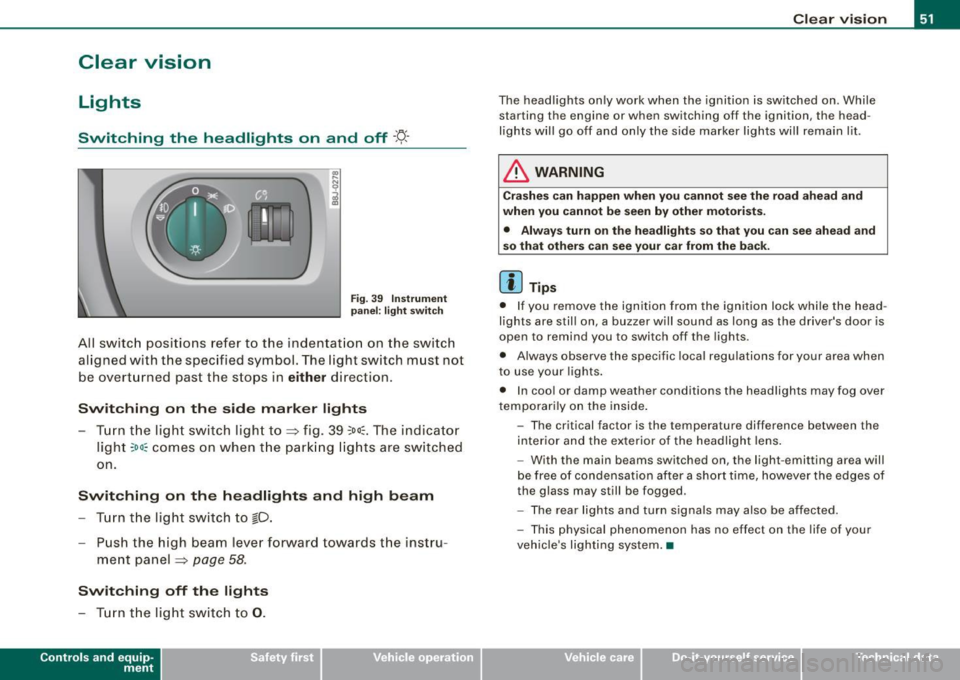
Switching the headlights on and off ·'t!-·
Fig. 3 9 I nstrum ent
p ane l: lig ht sw itch
All sw itc h positions refer to the indentat ion on the switch
aligned with the specified symbol. The light switch must not
be overturned past the stops in
either direction .
Switching on the side marker lights
-Tur n t he light switch ligh t to ==> fig. 39 ;oo; . The indi ca tor
light
; oo ~ comes o n when t he park ing lig hts are sw itched
on .
Switching on the headlights and high beam
- Turn t he light switch to lD.
- Push the high beam leve r fo rward towards t he instru -
ment panel ==> page
58.
Switching off the lights
-Tur n t he lig ht switch to 0 .
Con tro ls and eq uip
ment
Clear vision
The headlights only work when the ignition is switched on . While
starting the engine or when switching off the ignition, the head
lights will go off and only the side marker lights will remain lit .
& WARNING
Crashe s can happen when you cannot see the road ahead and
when you c annot be seen by other motori sts.
• Always tu rn on the headlight s so th at you can see ahead and
so that others can see your ca r from the ba ck.
[ i ] Tips
• I f you remove the ignition from the ignition lock wh ile the head
lights are still on, a buzzer will sound as long as the driver's doo r is
open to remind you to switch off the lights .
• Always observe the spec ific local regulations for your area when
to use your lights .
• I n coo l or damp weather conditions the headlights may fog over
tempo ra rily on the inside .
- The critical factor is the t emperature diff erence between the
interior and the ex te rior of the headlight lens .
- With the main beams switched on, the light -emitting area will
be free o f condensation after a short time, however the edges of
the glass may still be fogged .
- The rear lights and turn signa ls may also be affected.
- This physical phenomenon has no effect on the life of your
vehicle 's lighting system. •
Vehicle care I I irechnical data
Page 54 of 316

Clear vision
Ap plies to vehicles: with light senso r package
Sensor activated head and tail light control
In the "AU TO" position light sensors swit ch the he ad and
t a il lights on and off.
F ig . 40 Instru ment
pan el: light switch in
AUTO po siti on
T he se nsor-activated low beams have the same c haracteris
t ics as the headlig hts=>
page 51.
Activating
- Tur n th e lig ht s witch => fig. 40 t o positi on AUTO.
Deactivating
- Turn t he light swi tch to position 0 .
In the switch position AUTO the automatic head -and taillight
control
i s activated . The correspo nding symbol on the light swi tch
is lit .
With automatic head lights, the high -beam function is also avai lab le,
bu t with one restrict io n: If you have not switched the h ig h beams
back to low beams during automatic headlight operation (for
example, afte r driving through a tun nel), on ly the low beams come
on the next time automatic headlights are switched on. To use the
h igh beams, you first have to pull the high beam lever back and then
push the lever forward again. Parking
lights, headlights, fog lights and the rear fog light can be
swi tch ed on manually using the ligh t switch ~
page 51.
Light sensors located in the inside mirror housing and stem
constantly check the light conditions surrounding the vehicle. If
am bie nt brightness falls below a facto ry set value (e.g. wh en driv ing
into a tunnel), the head -and tai llights inc luding the license p late
ill um inat ion are automatica lly t urn ed on. When ambient br ightness
increases again, the external lights are turned off again~&.
Light sens or malfunction
If there is a light sensor malfunct ion, the symbol comes on in the
display . For sa fety reasons, the low beams are turned on perma
nent ly with the switch in
AUTO . However, you can continue to turn
the lights on and o ff using the light swi tch . Have the light sensor
checked as soon as possible at a dealership .
& WARNING
• Automatic head- and taillight control is only intended to ass ist
the driver . This feature doe s not relieve the dr iver of hi s re spon si
bil ity to check the headlights and to turn them on manually
ac cording to the current light and vi sibility conditions. For
e x ample , fog and rain cannot be detected by the light sensors .
Con sequently , always switch the headlights
io on under thes e
weather conditions and when driving
in the dark .
• Crashe s can happen when you cannot see the road ahead and
when you cannot be seen by other motor ists .
• Alway s turn on the headlights so that you can see ahead and
so that others can see your car from the ba ck .
[ i ] Tips
• I n the AUTO mode, the low beams are turned off when the igni
t ion is turned o ff. The remaining lights are turned o ff when the key
is taken out of the ignition lock. _.,