USB port AUDI TT COUPE 2014 User Guide
[x] Cancel search | Manufacturer: AUDI, Model Year: 2014, Model line: TT COUPE, Model: AUDI TT COUPE 2014Pages: 284, PDF Size: 34.42 MB
Page 182 of 284
Downloaded from www.Manualslib.com manuals search engine Media
- For safety reasons, the video picture is not
available while the vehicle is moving. While
you are driving, only the sound is played.
Media centre
Several categories for selecting audio/video*
files are available in the media centre.
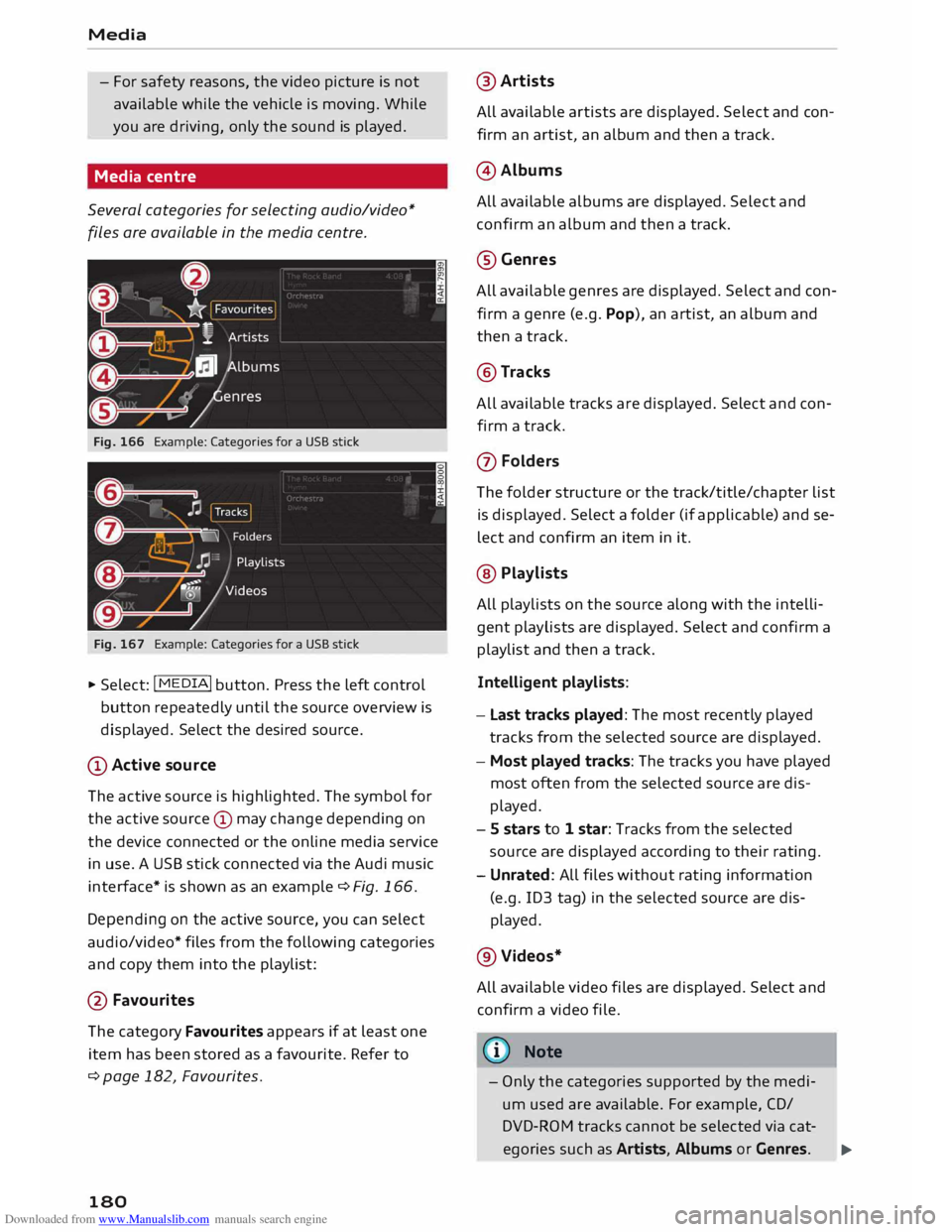
Fig. 166 Example: Categories for a USB stick
Fig. 167 Example: Categories for a USB stick
"' Select: I MEDIA! button. Press the left control
button repeatedly until the source overview is
displayed. Select the desired source.
(D Active source
The active source is highlighted. The symbol for
the active source © may change depending on
the device connected or the online media service
in use. A USB stick connected via the Audi music
interface* is shown as an example ¢Fig. 166.
Depending on the active source, you can select
audio/video* files from the following categories
and copy them into the playlist:
@ Favourites
The category Favourites appears if at least one
item has been stored as a favourite. Refer to
¢ page 182, Favourites.
180 @
Artists
All available artists are displayed. Select and con
firm an artist, an album and then a track.
@ Albums
All available albums are displayed. Select and
confirm an album and then a track.
@Genres
All available genres are displayed. Select and con
firm a genre (e.g. Pop), an artist, an album and
then a track.
@Tracks
All available tracks are displayed. Select and con
firm a track.
(J) Folders
The folder structure or the track/title/chapter list
is displayed. Select a folder (if applicable) and se
lect and confirm an item in it.
@ Playlists
All playlists on the source along with the intelli
gent playlists are displayed. Select and confirm a
playlist and then a track.
Intelligent playlists:
- Last tracks played: The most recently played
tracks from the selected source are displayed.
- Most played tracks: The tracks you have played
most often from the selected source are dis
played.
- S stars to 1 star: Tracks from the selected
source are displayed according to their rating.
- Unrated: All files without rating information
(e.g. ID3 tag) in the selected source are dis
played.
@Videos*
All available video files are displayed. Select and
confirm a video file.
@ Note
- Only the categories supported by the medi
um used are available. For example, CD/
DVD-ROM tracks cannot be selected via cat-
egories such as Artists, Albums or Genres. ...,
Page 185 of 284
Downloaded from www.Manualslib.com manuals search engine 0
N
co
....
\D Lfl
N
Lfl
.... until
the source overview ¢ page 179 is dis
played. Select a source which supports Catego
ries ¢ page 180 (e.g. an SD card). Select the Fa
vourites category.
Important: The favourites list must be displayed.
- To listen to a favourite: Select and confirm an
item in the favourites list.
- To move a favourite: Select the desired item
from the favourites list. Select: right control
button > Move favourite. Select and confirm
the desired memory position.
- To delete a favourite: Select the desired item
from the favourites list. Select: right control
button > Move favourite > Delete this favour
ite or Delete all favourites.
Other settings
Media settings
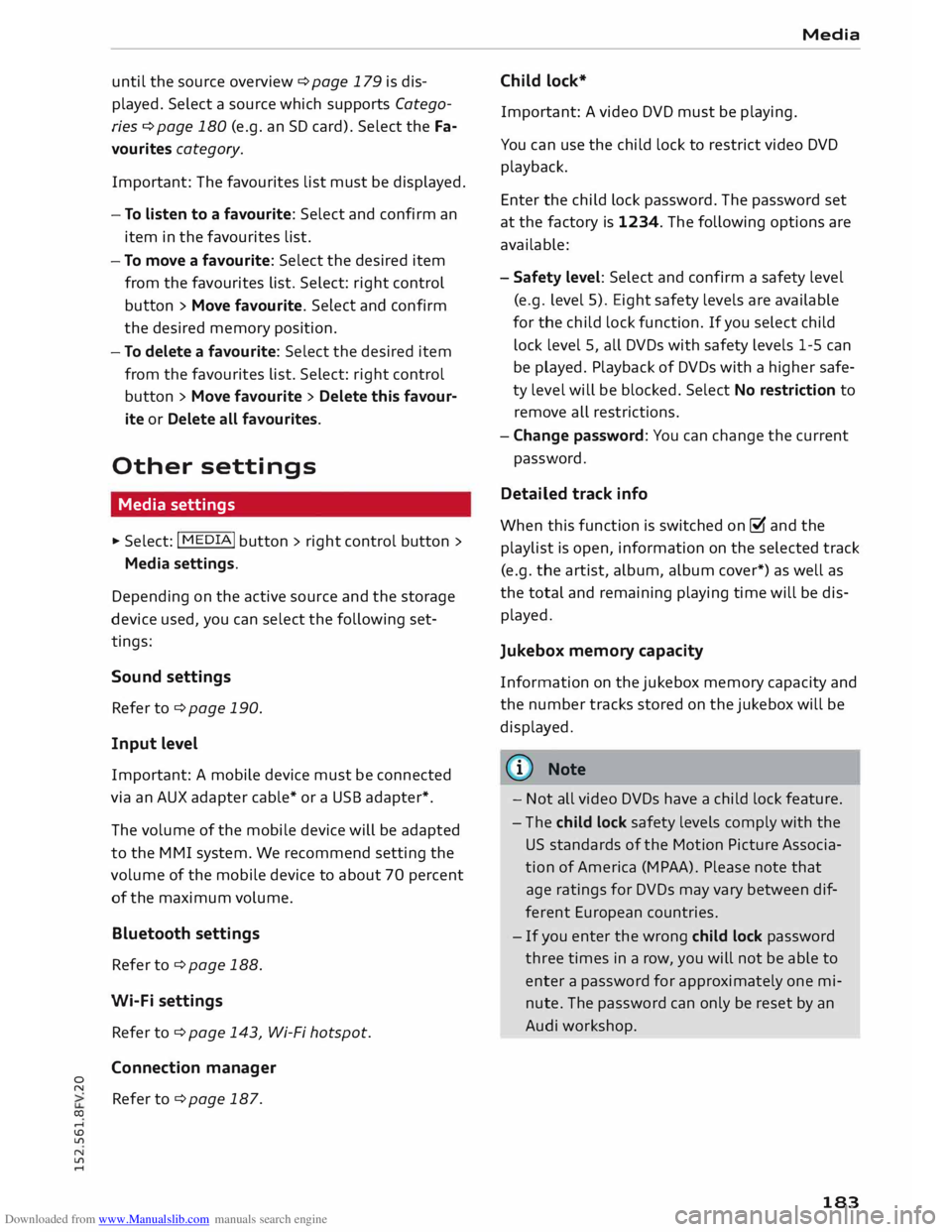
� Select: I MEDIA! button > right control button >
Media settings.
Depending on the active source and the storage
device used, you can select the following set
tings:
Sound settings
Refer to¢ page 190.
Input level
Important: A mobile device must be connected
via an AUX adapter cable* or a USB adapter*.
The volume of the mobile device will be adapted
to the MMI system. We recommend setting the
volume of the mobile device to about 70 percent
of the maximum volume.
Bluetooth settings
Refer to¢ page 188.
Wi-Fi settings
Refer to ¢ page 143, Wi-Fi hotspot.
Connection manager
Refer to¢ page 187. Media
Child lock*
Important: A video DVD must be playing.
You can use the child lock to restrict video DVD
playback.
Enter the child lock password. The password set
at the factory is 1234. The following options are
available:
- Safety level: Select and confirm a safety level
(e.g. level 5). Eight safety levels are available
for the child lock function. If you select child
lock level 5, all DVDs with safety levels 1-5 can
be played. Playback of DVDs with a higher safe
ty level will be blocked. Select No restriction to
remove all restrictions.
- Change password: You can change the current
password.
Detailed track info
When this function is switched on [;1 and the
playlist is open, information on the selected track
(e.g. the artist, album, album cover*) as well as
the total and remaining playing time will be dis
played.
Jukebox memory capacity
Information on the jukebox memory capacity and
the number tracks stored on the jukebox will be
displayed.
{!) Note
- Not all video DVDs have a child lock feature.
- The child lock safety levels comply with the
US standards of the Motion Picture Associa
tion of America (MPAA). Please note that
age ratings for DVDs may vary between dif
ferent European countries.
- If you enter the wrong child lock password
three times in a row, you will not be able to
enter a password for approximately one mi
nute. The password can only be reset by an
Audi worksho p.
183
Page 191 of 284
Downloaded from www.Manualslib.com manuals search engine 0
N
co
....
\D U'l
N
U'l
.... (D
Note
Some SIM cards do not allow the SIM PIN
query to be deactivated.
System update .,.
Sele
ct: I M
ENU I button >Settings > left control
button > System maintenance.
- System update: Insert the storage medium
with the update data into the appropriate drive
¢ page 169. Select and confirm the appropri
ate drive> Start update. The duration of this
process depends on the size of the update.
- Reset driver installation: The media driver
package selected is reset to the factory de
faults.
- Version information: Information on the soft
ware version of the M MI and the navigation da
tabase* are displayed. In addition, you can use
the Software information function to display
information on the MMI's software and
licence
conditions.
On-board handbook
Applies to vehicles: with On-board Handbook
The On-board Handbook includes the Owner's
Manual for your
vehicle.
Installing/updating the On-board Handbook
Important: The storage medium on which the
On-board Handbook is stored must have been in
serted into the relevant drive¢ page 169.
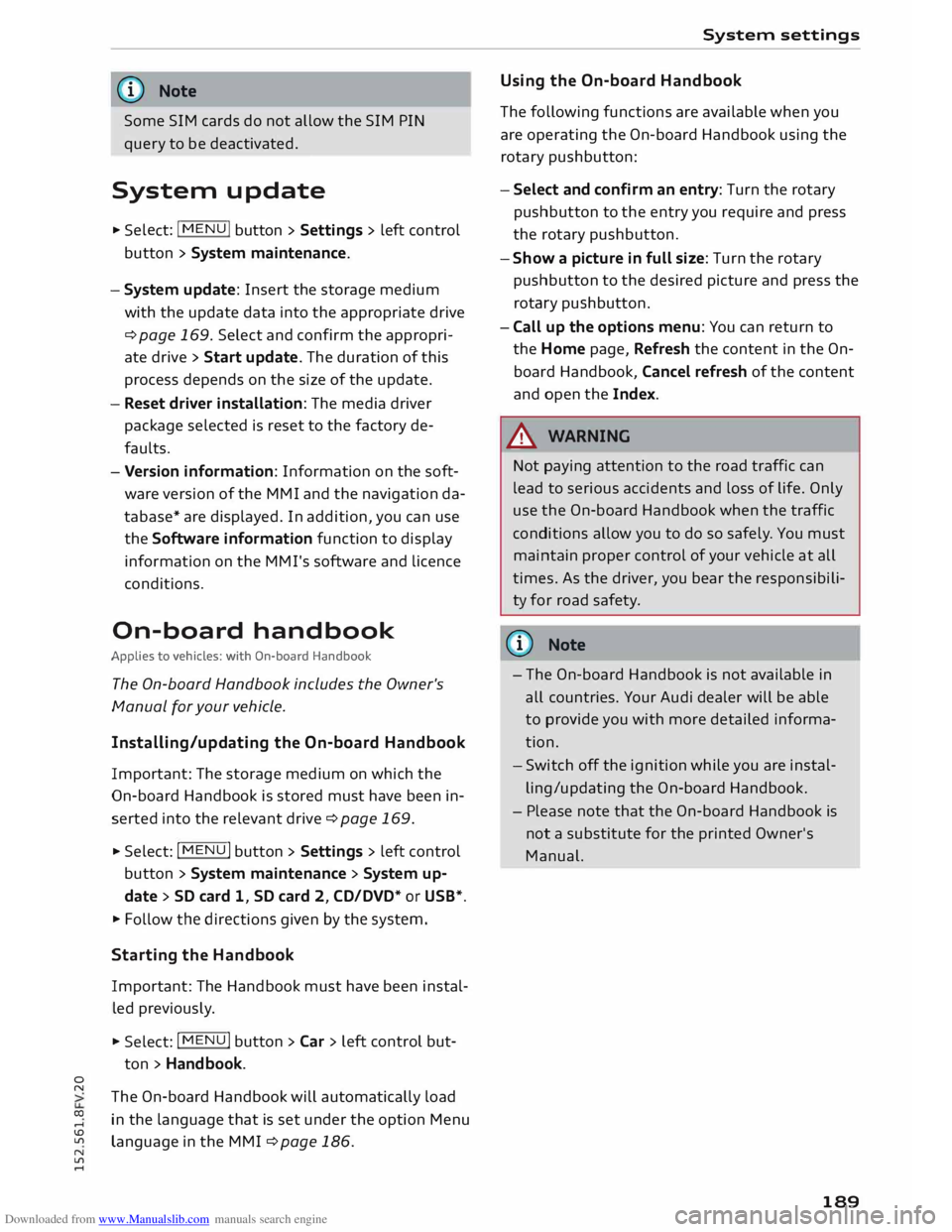
.,. Select:
I MENU I button >Settings > left control
button > System maintenance > System up
date > SD card 1, SD card 2, CD/DVD* or USB* .
.,. Follow the directions given by the system.
Starting the Hand book
Important: The Handbook must have been instal
led previously .
.,. Select: I
MENU I button >Car> left control but-
ton > Handbo ok.
The On-board Handbook will automatically load
in the language that is set under the option Menu
language in the MMI ¢ page 186. System
settings
Using the On-board Handbook
The following functions are available when you
are operating the On-board Handbook using the
rotary pushbutton:
- Select and confirm an entry: Turn the rotary
pushbutton to the entry you require and press
the rotary pushbutton.
- Show a picture in full size: Turn the rotary
pushbutton to the desired picture and press the
rotary pushbutton.
- Call up the options menu: You can return to
the Home page, Refresh the content in the On
board Handbook, Cancel refresh of the content
and open the Index.
A WARNING
Not paying attention to the road traffic can
lead to serious accidents and loss of life. Only
use the On-board Handbook when the traffic
conditions allow you to do so safel y. You must
maintain proper control of your vehicle at all
times. As the driver, you bear the responsibili
ty for road safety.
� Note
- The On-board Handbook is not available in
all countries. Your Audi dealer will be able
to provide you with more detailed informa
tion.
- Switch off the ignition while you are instal
ling/updating the On-board Handbook.
- Please note that the On-board Handbook is
not a substitute for the printed Owner's
Manual.
189
Page 266 of 284
Downloaded from www.Manualslib.com manuals search engine Index
Google Earth
Google Street View
................. .
Import ing myAudi contacts .......... .
Logging into myAudi ................ . 159
159
133
140
myAudi destination . . . . . . . . . . . . . . . . . . 151
Navigation . . . . . . . . . . . . . . . . . . . . . 140, 151
Notes . . . . . . . . . . . . . . . . . . . . . . . . . . . . . 145
Online traffic information . . . . . . . . . . . . . 161
Options menu . . . . . . . . . . . . . . . . . . . . . . .
143
Personal hotspot . . . . . . . . . . . . . . . . . . . .
139
Preview . . . . . . . . . . . . . . . . . . . . . . . . . . . . 140
Requirements . . . . . . . . . . . . . . . . . . . . . . .
137
Search area . . . . . . . . . . . . . . . . . . . . . . . . .
140
Settings . . . . . . . . . . . . . . . . . . . . . . . . . . .
143
SIM card reader . . . . . . . . . . . . . . . . . . . . .
138
Troubleshooting . . . . . . . . . . . . . . . . . . . . .
146
Audi connect services
Media . . . . . . . . . . . . . . . . . . . . . . . . . . . . . 143
Navigation . . . . . . . . . . . . . . . . . . . . . . . . . 142
Options . . . . . . . . . . . . . . . . . . . . . . . . . . . .
143
Telephone . . . . . . . . . . . . . . . . . . . . . . . . . .
143
Audi connect services, using
MMI control console . . . . . . . . . . . . . . . . . 137
Speech dialogue system 118
Audi magnetic ride
see Suspension control . . . . . . . . . . . . . . . . 90
Audi music interface . . . . . . . . . . . . . . . . . . .
174
Cables . . . . . . . . . . . . . . . . . . . . . . . . . . . . .
174
USB adapters . . . . . . . . . . . . . . . . . . . . . . .
174
Audi music stream
see Wi-Fi audio player . . . . . . . . . . . . . . . .
172
Audio files . . . . . . . . . . . . . . . . . . . . . . . . . . .
179
Audio input
see AUX input ................... 175,
176
Audio player
Bluetooth audio player . . . . . . . . . . . . . . . 171
Wi-Fi audio player . . . . . . . . . . . . . . . . . . . 172
Audio track . . . . . . . . . . . . . . . . . . . . . . . . . . 181
Audi phone box . . . . . . . . . . . . . . . . . . . . . . . 125
Audi side assist
see Side assist . . . . . . . . . . . . . . . . . . . . . . .
87
AUTO Automatic air conditioner . . . . . . . . . . . . . . 55
Automatic headlights . . . . . . . . . . . . . . . . . 37
Auto Lock (central locking system) . . . . . . . .
25
Automatic air conditioner
see Air conditioner (automatic) . . . . . . . . . .
55
264 Automatic
gearbox . . . . . . . . . . . . . . . . . . . . . 70
Back-up programme . . . . . . . . . . . . . . . . . . 77
Downhill speed control . . . . . . . . . . . . . . . . 74
Driving tips . . . . . . . . . . . . . . . . . . . . . . . . . . 72
Kick-down . . . . . . . . . . . . . . . . . . . . . . . . . . . 75
Launch control programme . . . . . . . . . . . . . 76
Malfunction . . . . . . . . . . . . . . . . . . . . . . . . . 71
Manual gear selection . . . . . . . . . . . . . . . . . 75
Manual release of selector lever (left-hand
drive) . . . . . . . . . . . . . . . . . . . . . . . . . . . . . .
78
Manual release of selector lever (right-hand
drive) . . . . . . . . . . . . . . . . . . . . . . . . . . . . . .
79
Selector lever lock . . . . . . . . . . . . . . . . . . . . 71
Selector lever positions . . . . . . . . . . . . . . . . 70
Steering wheel with paddle levers . . . . . . . 75
tiptronic . . . . . . . . . . . . . . . . . . . . . . . . . . . .
75
Automatic zoom . . . . . . . . . . . . . . . . . . . . . . 158
AUX input ....................... 175,176
Average fuel consumption . . . . . . . . . . . . . . . 22
Average speed . . . . . . . . . . . . . . . . . . . . . . . . . 22
B
Background lighting . . . . . . . . . . . . . . . . . . . . 40
Balance (sound) . . . . . . . . . . . . . . . . . . . . . . 190
Bandages see First-aid kit . . . . . . . . . . . . . . . . . . . . . . 241
Bass (sound) . . . . . . . . . . . . . . . . . . . . . . . . . 190
Battery . . . . . . . . . . . . . . . . . . . . . . . . . . . . . 226
Charge . . . . . . . . . . . . . . . . . . . . . . . . . 13, 106
Charging . . . . . . . . . . . . . . . . . . . . . . . . . . . 228
Connecting/disconnecting . . . . . . . . . . . . . 226
Indicator lamp . . . . . . . . . . . . . . . . . . . . . . . 13
Long periods of non-use . . . . . . . . . . . . . .
226
Power management . . . . . . . . . . . . . . . . . .
106
Replacing . . . . . . . . . . . . . . . . . . . . . . . . . .
228
Winter conditions . . . . . . . . . . . . . . . . . . .
226
Battery, charging . . . . . . . . . . . . . . . . . . . . .
125
Belts see Seat belts . . . . . . . . . . . . . . . . . . . . . . .
204
Better route . . . . . . . . . . . . . . . . . . . . . . . . .
160
Biodiesel . . . . . . . . . . . . . . . . . . . . . . . . . . . . 217
Bioethanol (fuel) . . . . . . . . . . . . . . . . . . . . . 217
Blower Automatic air conditioner . . . . . . . . . . . . . .
55
Manual air conditioner. . . . . . . . . . . . . . . . .
53