wiper blades AUDI TT COUPE 2014 Owners Manual
[x] Cancel search | Manufacturer: AUDI, Model Year: 2014, Model line: TT COUPE, Model: AUDI TT COUPE 2014Pages: 284, PDF Size: 34.42 MB
Page 45 of 284
Downloaded from www.Manualslib.com manuals search engine 0
N
co
....
\D U'l
N
U'l
.... the
position of switch @ is), the sooner the wind
screen wipers react to moisture on the wind
screen. You can deactivate the rain sensor mode*
on the infotainment system (this will activate the
intermittent wipe mode). Select the following on
the infotainment system: I MENU! button
> Car >
left control button > Vehicle settings > Rain sen
sor > off.
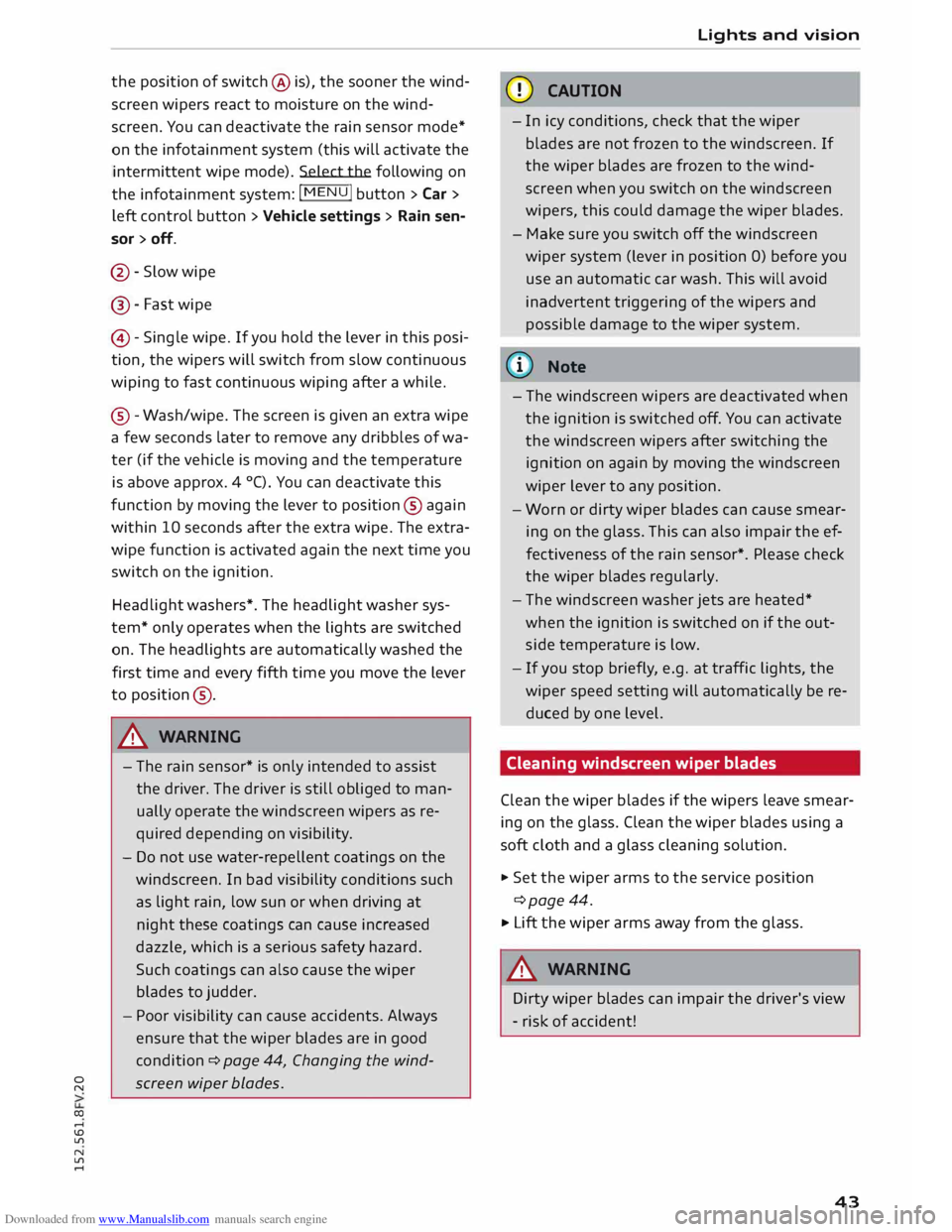
@ -Slow wipe
@- Fast wipe
©- Single wipe. If you hold the lever in this posi
tion, the wipers will switch from slow continuous
wiping to fast continuous wiping after a while.
® -Wash/wipe. The screen is given an extra wipe
a few seconds later to remove any dribbles of wa
ter (if the vehicle is moving and the temperature
is above approx. 4 °C). You can deactivate this
function by moving the lever to position® again
within 10 seconds after the extra wipe. The extra
wipe function is activated again the next time you
switch on the ignition.
Headlight washers*. The headlight washer sys
tem* only operates when the lights are switched
on. The headlights are automatically washed the
first time and every fifth time you move the lever
to position ®·
.&_ WARNING
- The rain sensor* is only intended to assist
the driver. The driver is still obliged to man
ually operate the windscreen wipers as re
quired depending on visibility.
- Do not use water-repellent coatings on the
windscreen. In bad visibility conditions such
as light rain, low sun or when driving at
night these coatings can cause increased
dazzle, which is a serious safety hazard.
Such coatings can also cause the wiper
blades to judder.
- Poor visibility can cause accidents. Always
ensure that the wiper blades are in good
condition ¢ page 44, Changing the wind
screen wiper blades. Lights
and vision
CD CAUTION
- In icy conditions, check that the wiper
blades are not frozen to the windscreen. If
the wiper blades are frozen to the wind
screen when you switch on the windscreen
wipers, this could damage the wiper blades.
- Make sure you switch off the windscreen
wiper system (lever in position 0) before you
use an automatic car wash. This will avoid
inadvertent triggering of the wipers and
possible damage to the wiper system.
(1)) Note
- The windscreen wipers are deactivated when
the ignition is switched off. You can activate
the windscreen wipers after switching the
ignition on again by moving the windscreen
wiper lever to any position.
- Worn or dirty wiper blades can cause smear
ing on the glass. This can also impair the ef
fectiveness of the rain sensor*. Please check
the wiper blades regularly.
- The windscreen washer jets are heated*
when the ignition is switched on if the out
side temperature is low.
- If you stop briefly, e.g. at traffic lights, the
wiper speed setting will automatically be re
duced by one level.
Cleaning windscreen wiper blades
Clean the wiper blades if the wipers leave smear
ing on the glass. Clean the wiper blades using a
soft cloth and a glass cleaning solution.
..,. Set the wiper arms to the service position
¢page 44.
..,. Lift the wiper arms away from the glass.
.&_ WARNING
Dirty wiper blades can impair the driver's view
- risk of accident!
43
Page 46 of 284
Downloaded from www.Manualslib.com manuals search engine Lights
and vision
Changing the windscreen wiper blades
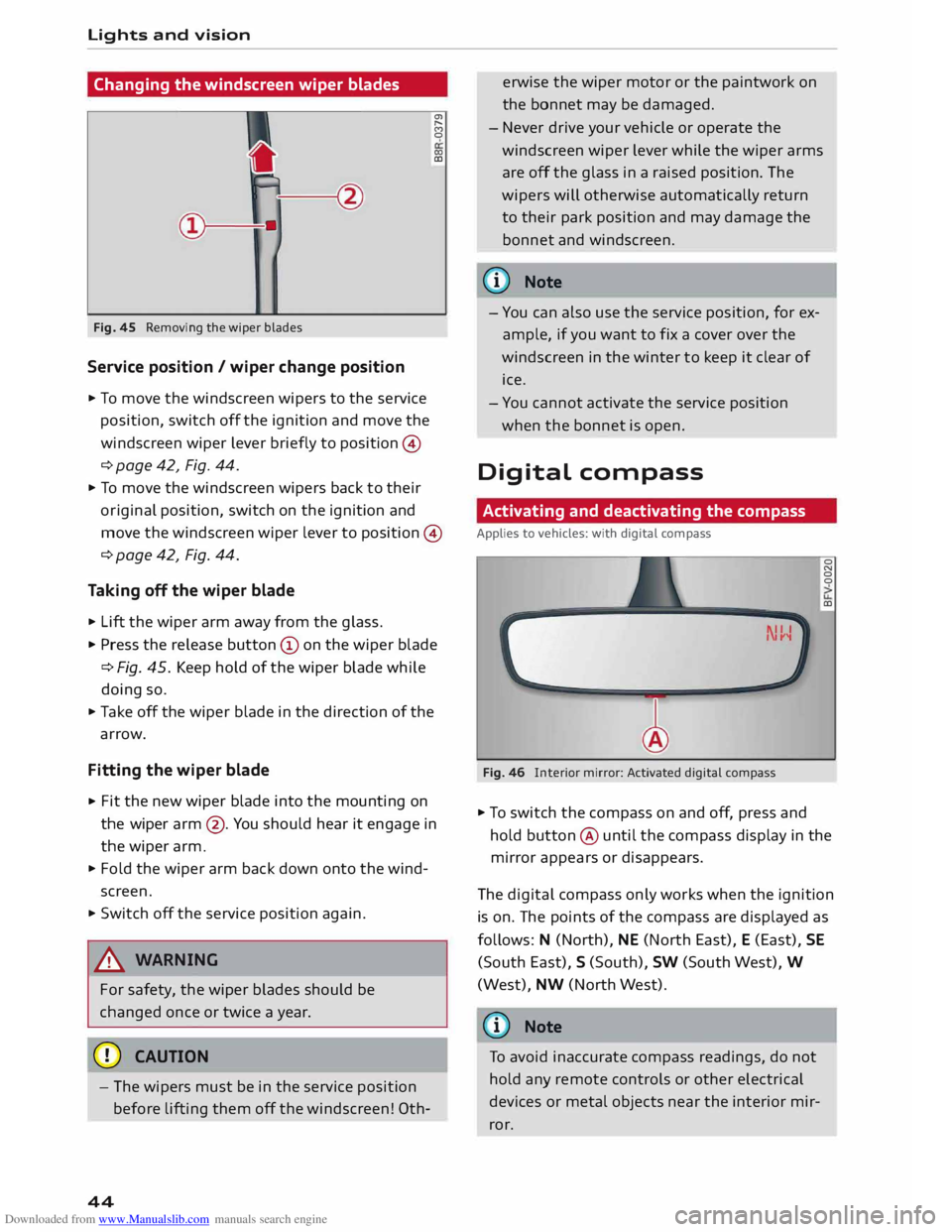
Fig. 45 Removing the wiper blades
Service position / wiper change position
.., To move the windscreen wipers to the service
position, switch off the ignition and move the
windscreen wiper lever briefly to position ©
¢ page 42, Fig. 44. a,
,.....
f')
0
(X)
co
.., To move the windscreen wipers back to their
or iginal position, switch on the ignition and
move the windscreen wiper lever to position ©
¢ page 42, Fig. 44.
Taking off the wiper blade
.., Lift the wiper arm away from the glass .
.., Press the release button© on the wiper blade
¢Fig. 45. Keep hold of the wiper blade while
doing so .
.., Take off the wiper blade in the direction of the
arrow.
Fitting the wiper blade
.., Fit
the new wiper blade into the mounting on
the wiper arm@. You should hear it engage in
the wiper arm.
.., Fold the wiper arm back down onto the wind
screen .
.., Switch off the service position again.
& WARNING
For safety, the wiper blades should be
changed once or twice a year.
CD CAUTION
- The wipers must be in the service position
before lifting them off the windscreen! 0th-
44 erwise
the wiper motor or the paintwork on
the bonnet may be damaged.
- Never drive your vehicle or operate the
windscreen wiper lever while the wiper arms
are off the glass in a raised position. The
wipers will otherwise automatically return
to their park position and may damage the
bonnet and windscreen.
@ Note
- You can also use the service position, for ex
ample, if you want to fix a cover over the
windscreen in the winter to keep it clear of
ice .
- You cannot activate the service position
when the bonnet is open.
Digital compass
Activating and deactivating the compass
Applies to vehicles: with digital compass
Fig. 46 lllterior mirror: Activated digital compass 0
N
0
0
co
.., To switch the compass on and off, press and
hold button @ until the compass display in the
mirror appears or disappears .
The digital compass only works when the ignition
is on. The points of the compass are displayed as
follows: N (North), NE (North East), E (East), SE
(South East), S (South), SW (South West), W
(West), NW (North West).
(D Note
To avoid inaccurate compass readings, do not
hold any remote controls or other electrical
devices or metal objects near the interior mir
ror.
Page 239 of 284
Downloaded from www.Manualslib.com manuals search engine 0
N
co
....
\D L/'l
N
L/'l
.... vehicle
with the ignition switched on - risk
of accident!
- To avoid cutting yourself on sharp metal
parts, always wear suitable protection when
cleaning the underside of the car or inside
the wheel arches.
- After the car has been washed, the full brak
ing effect can be delayed by moisture (or in
winter by ice) on the discs and brake pads -
risk of accident! The brakes should be dried
by pressing the pedal to restore full braking
effect.
CD CAUTION
- Before washing the vehicle in an automatic
car wash, please make sure to retract the
exterior mirrors and, if necessary, retract
the automatic rear spoiler* to prevent dam
age. Always use the electrical power control
to fold the mirrors in/out on vehicles with
electrically retractable exterior mirrors*.
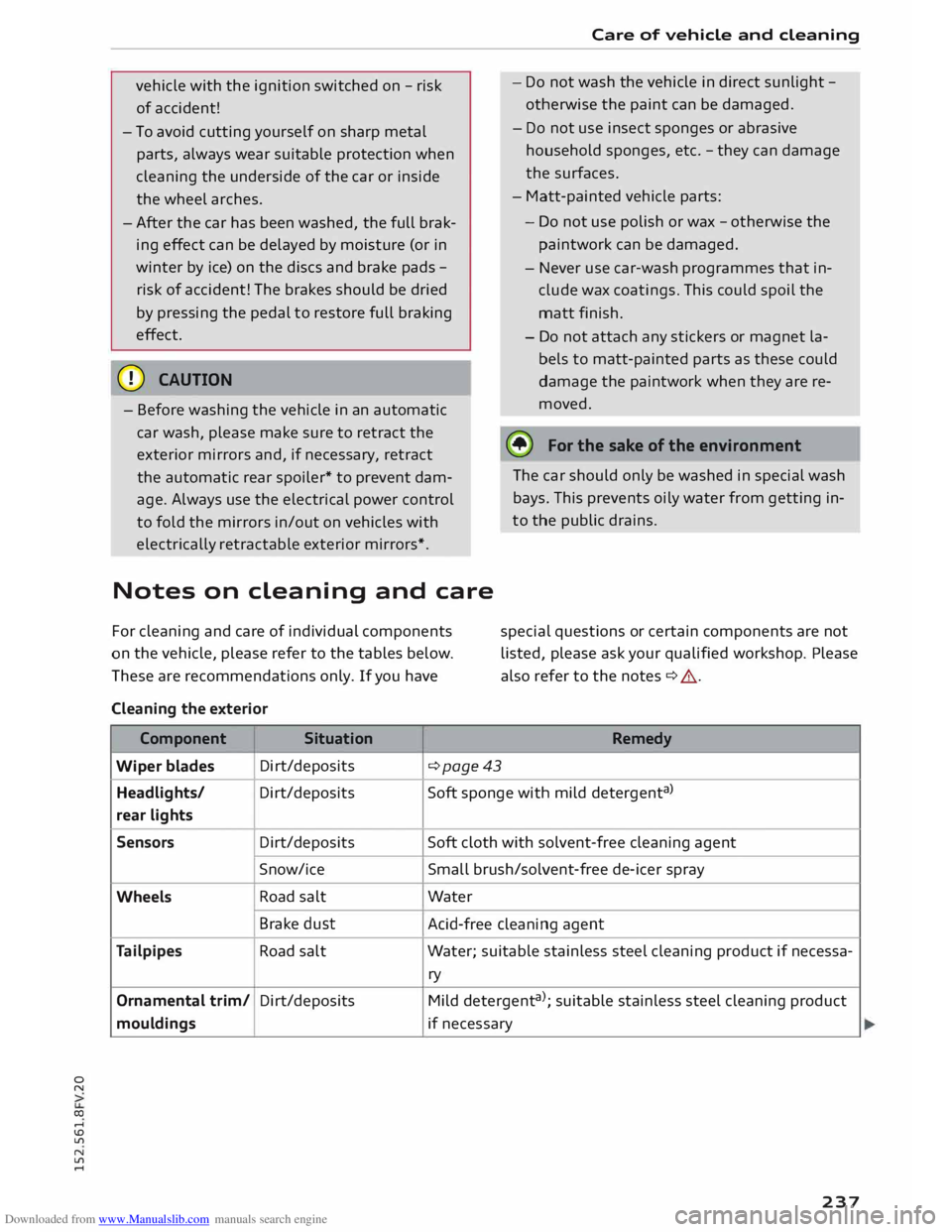
Notes on cleaning and care
For cleaning and care of individual components
on the vehicle, please refer to the tables below.
These are recommendations only. If you have
Cleaning the exterior
Component Situation Care
of vehicle and cleaning
- Do not wash the vehicle in direct sunlight -
otherwise the paint can be damaged.
- Do not use insect sponges or abrasive
household sponges, etc. -they can damage
the surfaces.
- Matt-painted vehicle parts:
- Do not use polish or wax -otherwise the
paintwork can be damaged.
- Never use car-wash programmes that in
clude wax coatings. This could spoil the
matt finish.
- Do not attach any stickers or magnet la
bels to matt-painted parts as these could
damage the paintwork when they are re
moved.
@ For
the sake of the environment
The car should only be washed in special wash
bays. This prevents oily water from getting in
to the public drains.
special questions or certain components are not
listed, please ask your qualified workshop. Please
also refer to the notes ¢ &. .
Remedy
Wiper blades Di
rt/deposits
¢page43
Headlights/ Di rt/deposits Soft
sponge with mild detergent a
>
rear lights
Sensors Dirt/deposits
Soft
cloth with solvent-free cleaning agent
Snow/ice Small brush/solvent-free de-icer spray
Wheels Road
salt Water
Brake dust
Acid-free cleaning agent
Tailpipes Road
salt Water; suitable stainless steel cleaning product if necessa-
ry
Ornamental trim/ Dirt/deposits
Mild detergent a
>
; suitable stainless steel cleaning product
mouldings if necessary
237
Page 241 of 284
Downloaded from www.Manualslib.com manuals search engine 0
N
co
....
\D Lfl
N
Lfl
.... Care
of vehicle and cleaning
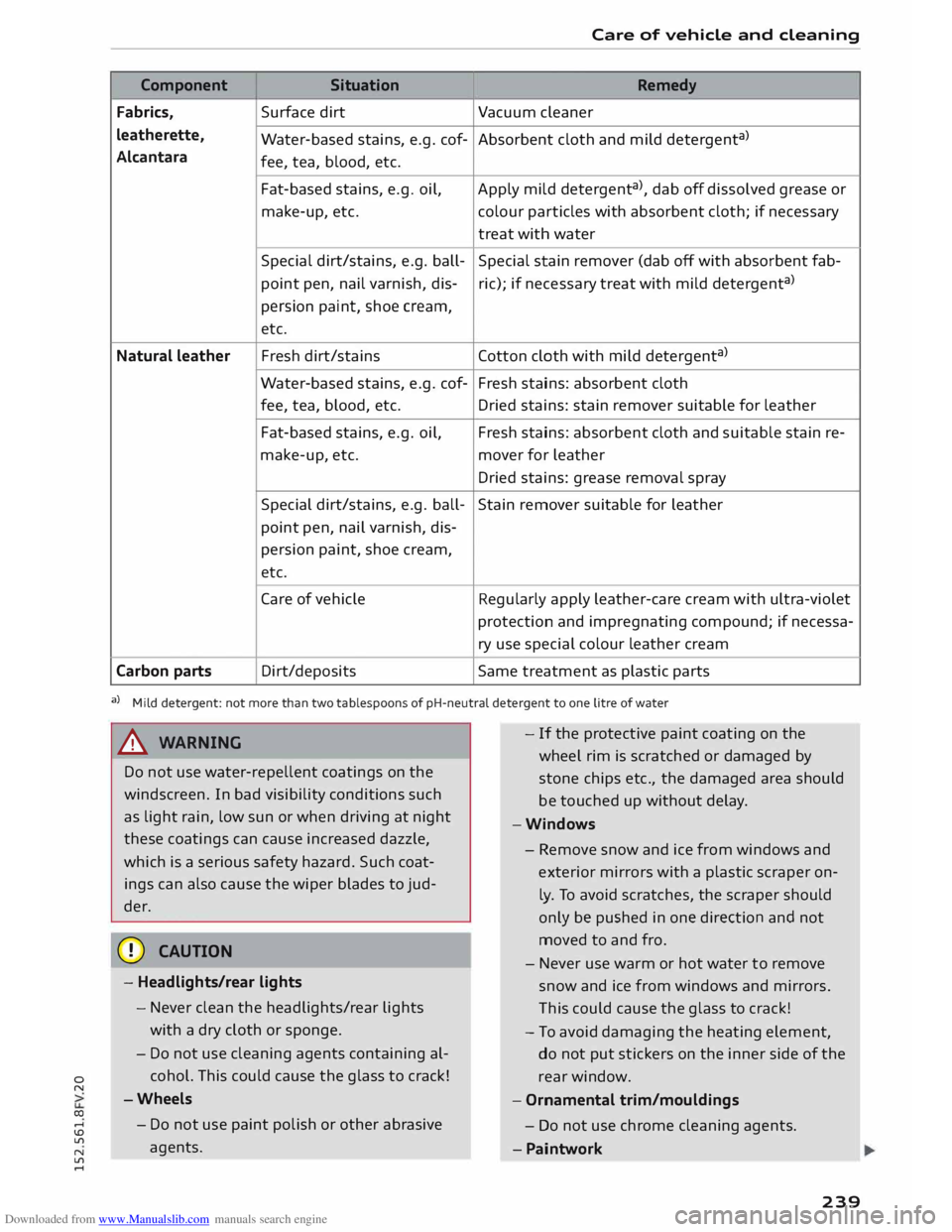
Component Situation
Remedy
Fabrics, Surface
dirt
Vacuum cleaner
leatherette, Water-based stains, e.g. cof- Absorbent cloth and mild detergent a
)
Alcantara fee, tea, blood, etc.
Fat-based stains, e.g. oil,
Apply mild detergent a
), dab off dissolved grease or
make-up, etc. colour
particles with absorbent cloth; if necessary
treat with water
Special dirt/stains, e.g. ball- Special stain remover (dab off with absorbent fab-
point pen, nail varnish, dis-ric);
if necessary treat with mild detergent a
)
persion paint, shoe cream,
etc.
Natural leather Fresh
dirt/stains Cotton cloth with mild detergent a
)
Water-based stains, e.g. cof- Fresh stains: absorbent cloth
fee, tea, blood, etc.
Dried stains: stain remover suitable for leather
Fat-based stains, e.g. oil, Fresh stains: absorbent cloth and suitable stain re-
make-up, etc. mover for leather
Dried stains: grease removal spray
Special dirt/stains, e.g. ball-
Stain remover suitable for leather
point pen, nail varnish, dis-
persion paint, shoe cream,
etc.
Care of vehicle Regularly apply leather-care cream with ultra-violet
protection and impregnating compound; if necessa-
ry use special colour leather cream
Carbon parts Dirt/deposits
Same treatment as plastic parts
a) Mild detergent: not more than two tablespoons of pH-neutral detergent to one litre of water
A WARNING
Do not use water-repellent coatings on the
windscreen. In bad visibility conditions such
as light rain, low sun or when driving at night
these coatings can cause increased dazzle,
which is a serious safety hazard. Such coat
ings can also cause the wiper blades to jud
der.
CD CAUTION
- Headlights/rear lights
- Never clean the headlights/rear lights
with a dry cloth or sponge.
- Do not use cleaning agents containing al
cohol. This could cause the glass to crack!
-Wheels
- Do not use paint polish or other abrasive
agents. -
If the protective paint coating on the
wheel rim is scratched or damaged by
stone chips etc., the damaged area should
be touched up without delay.
-Windows
- Remove snow and ice from windows and
exterior mirrors with a
plastic
scraper on
ly. To avoid scratches, the scraper should
only be pushed in one direction and not
moved to and fro.
- Never use warm or hot water to remove
snow and ice from windows and mirrors.
Th is could cause the glass to crack!
- To avoid damaging the heating element,
do not put stickers on the inner side of the
rear window.
- Ornamental trim/mouldings
- Do not use chrome cleaning agents .
- Paintwork
239
Page 278 of 284
Downloaded from www.Manualslib.com manuals search engine Index
Correct sitting position . . . . . . . . . . . . . . .
193
Luggage . . . . . . . . . . . . . . . . . . . . . . . . . . . 201
Navigation . . . . . . . . . . . . . . . . . . . . . . . . .
147
Pedal area . . . . . . . . . . . . . . . . . . . . . . . . . . 200
Seat belts . . . . . . . . . . . . . . . . . . . . . . . . . .
204
Speech dialogue system . . . . . . . . . . . . . . 116
Telephone . . . . . . . . . . . . . . . . . . . . . . . . . . 123
Safety features . . . . . . . . . . . . . . . . . . . . . . .
192
Safety systems (warning lamp) . . . . . . . . . . . 14
Screen see Display . . . . . . . . . . . . . . . . . . . . . . .
19, 21
Screwdriver . . . . . . . . . . . . . . . . . . . . . . . . . .
242
SD card readers . . . . . . . . . . . . . . . . . . . . . . .
169
Search function . . . . . . . . . . . . . . . . . . . . . . .
114
Directory . . . . . . . . . . . . . . . . . . . . . . . . . . . 132
Media . . . . . . . . . . . . . . . . . . . . . . . . . . . . .
182
Navigation . . . . . . . . . . . . . . . . . . . . . . . . .
148
Radio . . . . . . . . . . . . . . . . . . . . . . . . . . . . . 163
Searching for an entry . . . . . . . . . . . . . . . . .
114
Seat belts . . . . . . . . . . . . . . . . . . . . . . . . . . .
204
Adjusting seat belts . . . . . . . . . . . . . . . . . .
207
Belt tensioners . . . . . . . . . . . . . . . . . . . . . .
208
Cleaning . . . . . . . . . . . . . . . . . . . . . . . . . . .
238
During pregnancy . . . . . . . . . . . . . . . . . . . . 207
Indicator lamp (rear) . . . . . . . . . . . . . . . . . . 17
Putting on . . . . . . . . . . . . . . . . . . . . . . . . .
206
Securing child seats . . . . . . . . . . . . . . . . . .
200
Taking off . . . . . . . . . . . . . . . . . . . . . . . . . .
208
Warning lamp . . . . . . . . . . . . . . . . . . . . . . .
13
Seat heating . . . . . . . . . . . . . . . . . . . . . . . . . . 56
Seats Adjusting . . . . . . . . . . . . . . . . . . . . . . . . . . . 46
Correct sitting position . . . . . . . . . . . . . . . 193
Easy entry function . . . . . . . . . . . . . . . . . . . 47
Folding down . . . . . . . . . . . . . . . . . . . . . . . .
51
Secure simple pairing . . . . . . . . . . . . . . . . . . 124
Security Audi connect . . . . . . . . . . . . . . . . . . . . . . .
143
Copyright (media drives) . . . . . . . . . . . . . .
168
Selecting and confirming (MMI control con-
sole) . . . . . . . . . . . . . . . . . . . . . . . . . . . . . . . .
109
Selection menu
Multi-function steering wheel . . . . . . . . . . . 20
Selection menu (MMI control console) . . . . 110
Selective wheel torque control . . . . . . . . . . 102
276 Selector
lever (automatic gearbox)
Manual release (left-hand drive) . . . . . . . . . 78
Manual release (right-hand drive) . . . . . . . .
79
Positions . . . . . . . . . . . . . . . . . . . . . . . . . . . .
70
Self-help . . . . . . . . . . . . . . . . . . . . . . . . . . . .
241
Serial number (telephone) . . . . . . . . . . . . . .
134
Service interval display . . . . . . . . . . . . . . . . . 229
Service intervals . . . . . . . . . . . . . . . . . . . . . .
223
Service position
see Wiper blades, changing . . . . . . . . . . . . 44
Settings . . . . . . . . . . . . . . . . . . . . . . . . . . . . .
186
Directory . . . . . . . . . . . . . . . . . . . . . . . . . . . 135
Map......................... ...... 158
Media . . . . . . . . . . . . . . . . . . . . . . . . . . . . .
183
Speech dialogue system . . . . . . . . . . 116, 186
System . . . . . . . . . . . . . . . . . . . . . . . . . . . .
186
Telephone . . . . . . . . . . . . . . . . . . . . . . . . . . 134
Setting up traffic programme (TP) . . . . . . .
164
Short dialogue . . . . . . . . . . . . . . . . . . . . . . .
186
Show on map . . . . . . . . . . . . . . . . . . . . . . . .
153
Side assist . . . . . . . . . . . . . . . . . . . . . . . . . . . .
87
Adjusting brightness . . . . . . . . . . . . . . . . . .
90
Area covered by sensors . . . . . . . . . . . . . . .
88
Switching on and off . . . . . . . . . . . . . . . . . .
89
Side lights . . . . . . . . . . . . . . . . . . . . . . . . . . . . 37
SIM card reader . . . . . . . . . . . . . . . . . . 126, 138
Telephone options . . . . . . . . . . . . . . . . . . . 126
Smartphone see Mobile phone . . . . . . . . . . . . . . . . . . . .
124
SMS see Text messages . . . . . . . . . . . . . . . . . . . 130
Snow chains . . . . . . . . . . . . . . . . . . . . . . . . .
234
Software licences . . . . . . . . . . . . . . . . . . . . .
191
Software update . . . . . . . . . . . . . . . . . . . . . .
186
see also Navigation map update . . . . . . . . 142
Software version . . . . . . . . . . . . . . . . . . . . . . 186
sos see Emergency calls . . . . . . . . . . . . . . . . . .
131
Sound adjustment (Tone) . . . . . . . . . . . . . . .
190
Source overview . . . . . . . . . . . . . . . . . . . . . .
179
Spanner . . . . . . . . . . . . . . . . . . . . . . . . . . . . .
242
Spare key . . . . . . . . . . . . . . . . . . . . . . . . . . . . . 25
Spare wheel . . . . . . . . . . . . . . . . . . . . . . . . . 247
Special destination Entering . . . . . . . . . . . . . . . . . . . . . . . 119, 150
Search area . . . . . . . . . . . . . . . . . . . . . . . . . 150
Page 281 of 284
Downloaded from www.Manualslib.com manuals search engine 0
N
co
....
\D L/"l
N
L/"l
.... V
Vehicle Raising . . . . . . . . . . . . . . . . . . . . . . . . . . . . 245
Taking out of service . . . . . . . . . . . . . . . . . 240
Vehicle data sticker. . . . . . . . . . . . . . . . . . . . 257
Vehicle identification data
Vehicle ID number (VIN) . . . . . . . . . . . . . .
257
Version information
Vi deo 186
Picture format . . . . . . . . . . . . . . . . . . . . . .
181
Video files.......................... 179
View (multi-function steering wheel) . . .
19, 21
Voice command (speech dialogue system) . 116
Voice guidance
see Multi-function steering wheel . 19, 20, 21
Volume . . . . . . . . . . . . . . . . . . . . . . . . . . . . . 190
Entertainment volume . . . . . . . . . . . . . . . 190
MMI touch . . . . . . . . . . . . . . . . . . . . . . . . .
190
Parking aid . . . . . . . . . . . . . . . . . . . . . . . . .
190
Speech dialogue system . . . . . . . . . . . 20, 116
System volume.. . . . . . . . . . . . . . . . . . . . . 190
Telephone . . . . . . . . . . . . . . . . . . . . . . . . . .
190
Traffic programme . . . . . . . . . . . . . . . . . . .
190
Volume adjustment
MMI control console . . . . . . . . . . . . . . . . .
190
Multi-function steering wheel. . . . . . . . . . 116
Speech dialogue system . . . . . . . . . . . . . . 190
Volume off (mute) . . . . . . . . . . . . . . . . . . 20, 21
Warning lamps . . . . . . . . . . . . . . . . . . . . . . . . . 9
Warning triangle . . . . . . . . . . . . . . . . . . . . . 241
Washer fluid level (indicator lamp) . . . . . . . . 16
Washing . . . . . . . . . . . . . . . . . . . . . . . . . . . . 236
Washing ornamental trim/mouldings . 237, 238
Washing rear lights . . . . . . . . . . . . . . . . . . .
237
Washing tailpipes . . . . . . . . . . . . . . . . . . . . . 237
Washing wheel rims . . . . . . . . . . . . . . . . . . . 237
Waveband . . . . . . . . . . . . . . . . . . . . . . . 163, 165
Waxing ............................. 238
Weather (Audi connect) . . . . . . . . . . . . . . . . 141
Web radio . . . . . . . . . . . . . . . . . . . . . . . . . . . 172
Wheel bolt caps
Removing . . . . . . . . . . . . . . . . . . . . . . . . . .
244 Index
Wheel bolts
Anti-theft . . . . . . . . . . . . . . . . . . . . . . . . . . 244
Loosening . . . . . . . . . . . . . . . . . . . . . . . . . . 245
Torque . . . . . . . . . . . . . . . . . . . . . . . . . . . . .
247
Wheel imbalance . . . . . . . . . . . . . . . . . . . . .
232
Wheels ............................. 231
Changing ...................... 244,246
Tyre pressure loss indicator . . . . . . . . . . . . 234
Washing . . . . . . . . . . . . . . . . . . . . . . . . . . .
237
Wi-Fi Audi music stream . . . . . . . . . . . . . . . . . . .
172
Audio player . . . . . . . . . . . . . . . . . . . . . . . .
172
Hotspot . . . . . . . . . . . . . . . . . . . . . . . . . . .
143
Mobile........... .................. 139
Online media . . . . . . . . . . . . . . . . . . . . . . .
173
Settings . . . . . . . . . . . . . . . . . . . . . . . . . . .
143
Wi-Fi audio player . . . . . . . . . . . . . . . . . . . . . 172
Windows Cleaning/de-icing . . . . . . . . . . . . . . . . . . . . 238
Defrosting (automatic air conditioner) . . . .
56
Defrosting (manual air conditioner) . . . . . . 54
Operating . . . . . . . . . . . . . . . . . . . . . . . . . . .
33
Windscreen Defrosting (automatic air conditioner) . . . . 56
Defrosting (manual air conditioner) . . . . . . 54
Washing . . . . . . . . . . . . . . . . . . . . . . . . . . . . 42
Windscreen washer system . . . . . . . . . . 42, 229
Reservoir capacity . . . . . . . . . . . . . . . . . . . 258
Windscreen wipers
Changing blades . . . . . . . . . . . . . . . . . . . . .
44
Cleaning wiper blades . . . . . . . . . . . . . . . . .
43
Indicator lamp . . . . . . . . . . . . . . . . . . . . . . .
16
Lifting wipers off windscreen . . . . . . . . . . . 44
Switching on/off . . . . . . . . . . . . . . . . . . . . . 42
Winter conditions
Battery . . . . . . . . . . . . . . . . . . . . . . . . . . . .
226
Cooling system . . . . . . . . . . . . . . . . . . . . . .
224
De-icing windows . . . . . . . . . . . . . . . . . . . .
238
Defrosting windows (automatic air condi
tioner) . . . . . . . . . . . . . . . . . . . . . . . . . . . . . . 56
Diesel . . . . . . . . . . . . . . . . . . . . . . . . . . . . . 217
Seat heating . . . . . . . . . . . . . . . . . . . . . . . . . 56
Snow chains . . . . . . . . . . . . . . . . . . . . . . . .
234
Tyres . . . . . . . . . . . . . . . . . . . . . . . . . . . . . .
233
Washing the vehicle .. . . . . . . . . . . . . . . . .
236
Windscreen washer system . . . . . . . . . . . . 229
Winter tyres . . . . . . . . . . . . . . . . . . . . . . . . . 233
279
Page 282 of 284
Downloaded from www.Manualslib.com manuals search engine Index
Wiper blades, changing . . . . . . . . . . . . . . . . .
44
WLAN see Wi-Fi........................... 172
Wrench . . . . . . . . . . . . . . . . . . . . . . . . . . . . .
242
Writing a message
130
X
Xenon headlights . . . . . . . . . . . . . . . . . . . . . . 37
z
Zoom (map) . . . . . . . . . . . . . . . . . . . . . . . . .
119
280