remote control AUDI TT COUPE 2016 User Guide
[x] Cancel search | Manufacturer: AUDI, Model Year: 2016, Model line: TT COUPE, Model: AUDI TT COUPE 2016Pages: 322, PDF Size: 52.86 MB
Page 36 of 322

Downloaded from www.Manualslib.com manuals search engine Opening and closing
Programming the transmitter
Applies to: vehicles with garage door opener (Homelink)
F ig.
29 Distance between the radiator grille and the re
mote control transmitter
Programming the button : step 1 on the
control panel
1. Switch on the ign ition.
2.
Press both of the outside buttons on the con
trol panel Q page 33, fig. 28 until the yellow
LED@ turns off and the green LED@ blinks.
This procedure clears
the standard codes that
were set at the factory and does not need to
be repeated again to program the other but
tons.
3. Briefly press the button in the control panel
that you want to program.
4. Wait until the yellow LED@ blinks. The pro
gramming mode is active for 5 minutes.
5.
Go in front of the vehicle with the original re
mote control transmitter for the system that
you are programming to the control panel
button.
Programming the button : step 2 at the
radiator grille
6. Hold the remote control transmitter at the
vehicle radiator grille c:> fig. 29.
7 . Now press the remote control transmitter
until the turn signals on your vehicle blink.
This can
take up to 30 seconds.
8.
If the emergency flashers blink three times,
the programming was successful. If the
emergency flashers only blink one time, the
5 minute time limit for programming has ex
pired
or the programming was unsuccessful.
Repeat the programming starting from the
third step or change the distance to the radi
ator grille.
34
9. If the garage door or other systems do not
open with the Homelink buttons even if the
programming was successful, the system
may use a rolling code instead of a fixed
code.
You must also then perform rolling
co de
programmin g Q page 35.
The other two buttons in the control panel can be
programmed using the instructions given above.
Start with step 3.
Deleting button programming
The programmed buttons cannot be deleted indi
vidually, they
must be deleted all at once. Repro
gram the buttons if necessary.
... Sw itch on the ign ition.
... Press both of the outside buttons on the con
trol unit until the yellow LED@ turns off and
the green LED@ blinks .
Reprogramming buttons
... Switch on the ignition .
... To reprogram an individual button, press the
desired button until the green LED@ turns off
and the yellow LED@ starts to blink (after ap
proximately
20 seconds). Release the button
immediately. The programming mode is active
for S minutes.
... Continue with step 5.
(!) Tips
-The distance needed between the remote
control transmitter and the Homelink mod
ule in the radiator grille c:> fig. 29 depends
on the system you are programming.
- Depending on the system model, you may
need
to release the button on the remote
control transmitter while it is programming
and press it again. Hold every position you
try when programming for at least 15 sec
onds before trying a new position. Keep an
eye on the vehicle turn signals while doing
this.
Page 45 of 322

Downloaded from www.Manualslib.com manuals search engine ..... N
G: CX)
.....
"' U"I
.....
"' .....
"'To turn the compass on or off, press the button
@ until the compass in the mirror appears or
disappears.
The digital
compass only works when the ignition
is turned on. The directions are indicated with ab
breviations :
N (north), NE (northeast), E (east),
SE (southeast), S (south), SW (southwest), W
(west), NW (northwest).
@ Tips
To prevent inaccurate compass readings, do
not bring any remote controls, electrical devi
ces
or metallic objects near th e mirror .
Adjusting the magnetic zone
Applies to: veh icles with digita l compass
®
Fig. 41 Nort h Amer ica: magnetic zone map
"' Press and hold the button@¢ page 42, fig. 40
until the number of the magnetic field zone ap
pears in the rearview mirror.
"' Press the button@repeatedly to select the
correc t magnetic zone. The selection mode
turns off after a few seconds .
Lights and V ision
Calibrating the compass
Applies to: vehicles with digita l compass
If the display is i ncorrect or inaccurate, the com
pass must be reca librat ed.
"' Press and hold the button@until a C appears
in the rearview mirror .
"' Drive in a circle at about 5 mph (10 km/h) until
a direction
is displayed in the rearv iew mirror.
WARNING
- To avoid endangering yourself and other
drivers, calibrate the compass in an area
where there is no traffic.
- A lways pay
attention to the traffic and the
area around your vehicle if you are reading
the compass while driving .
43
Page 54 of 322
Downloaded from www.Manualslib.com manuals search engine Warm and cold
Warm and cold
Climate control system
Description
The climate control system warms, cools and
adds humidity to the air in the vehicle interior. It
functions most effectively when the windows are
closed. If there is a build-up of heat inside the ve
hicle, ventilation can help to speed up the cooling
process.
Pollutant filter
The pollutant filter removes pollutants such as
dust and pollen from the air .
Key recogniti on
Certain settings are automatically stored and as
signed to t h e remote control key being used.
.&. WARNING
Poor visibility can lead to accidents.
-For safer driving, keep all windows free of
ice, snow and fog.
- Become familiar
as quickly as possible with
the correct use and function of the climate
control system, especially with the defrost
ing and defogging function.
-
When the temperature is below freezing,
only use the windshield washer system after
the windshield has been warmed by the cli
mate control system. The washer flu id could
freeze on the windshield and impair visibili
ty.
CD Note
-If you suspect that the climate control sys
tem is damaged, sw itch the system off to
52
prevent further damage and have it checked
by an
authorized Audi dealer or authorized
Audi Service Facility.
- Repairs
to the Audi climate control system
require special technical knowledge and
special tools. See an authorized Audi dealer
or authorized Audi Service Facility.
® For the sake of the environment
Reducing the amount of fuel used also re
duces the amount of pollutants that enter the
air.
('!) Tips
-To prevent interference with the heating
and cooling output a nd to prevent the win
dows from fogging over, the air intake in
front of the windshield must be free of ice,
snow or leaves.
-
Condensation from the cooling system can
drip
and form a puddle of water under the
veh icle. This is normal and does not mean
there is a leak.
- The
energy management system may switch
the seat heating* or rear window defroster
off temporarily. These systems are available
again as soon as the energy balance has
been restored.
-The flows through the vents under the rear
window. Make sure the openings are not
covered when placing clothing on the lug
gage compartment cover.
Page 62 of 322
Downloaded from www.Manualslib.com manuals search engine Driving
Messages
Turn off ignition before leaving vehicle. Battery
is discharging
This message appears and a warning tone sounds
if you open the driver's door when the ignition is
switched on. Switch
the ignition off so that the
battery will not discharge.
Pressing start/stop b utton again will switch off
engine.
This
message appears when you press the
I START ENGINE STOPI button while driving .
Engine
start system: malfunction! Please con
tact Service
The engine automatic start system has a mal
function. Drive
to an authorized Audi dealer or
authorized Audi Service Facility immediately to
have the malfunction corrected. To start the en
gine,
press and hold the I START ENGINE STOPI
button.
II Remote control key : hold back of key
against the designated area. See owner's man
ual
This message appears if there is no convenience
key inside
the vehicle or ifthe system does not
recognize the key. The convenience key may not
be recognized, for example, if it is covered by an
object that disrupts the signal (such as a brief
case), or if
the key battery is weak. Electronic de
vices su ch as cell phones can also interfere with
the signal.
To still be able to start or stop the engine, refer
to "Correct ing a malfunction" Q page 60.
ml Remote control key : key not recognized . Is
the key still in the vehicle?
The
ml indicator light turns on and this message
appears if the convenience key was removed from
the vehicle when the engine was running. If the
convenience key is no longer in the vehicle, you
cannot switch the ignition on or start the engine
once you stop it. In addition, you cannot lock the
vehicle from the outside.
Please press brake pedal
60
This message appears if you do not press the
brake pedal when starting the engine.
Please select N or P
This
message appears when starting or stopping
the engine if the selector lever is not in the N or P
posi tion. The engine will not start/stop.
Shift to P, otherwise vehicle can roll away.
Doors
can be locked only in P
This
message appears for safety reasons along
with a warning
tone. It appears if the selector
lever for the automatic transmission is not in the
P position when switch ing the ignition off w ith
the I START ENGIN E STOPI button. Sh ift these
lector lever to the P pos ition. Otherwise, the vehi
cl e could roll.
You also cannot lock the ve hicl e us
ing
the loc kin g sensor on the door hand le or us
ing
the convenience key.
Starting the engine when there is a
malfunction
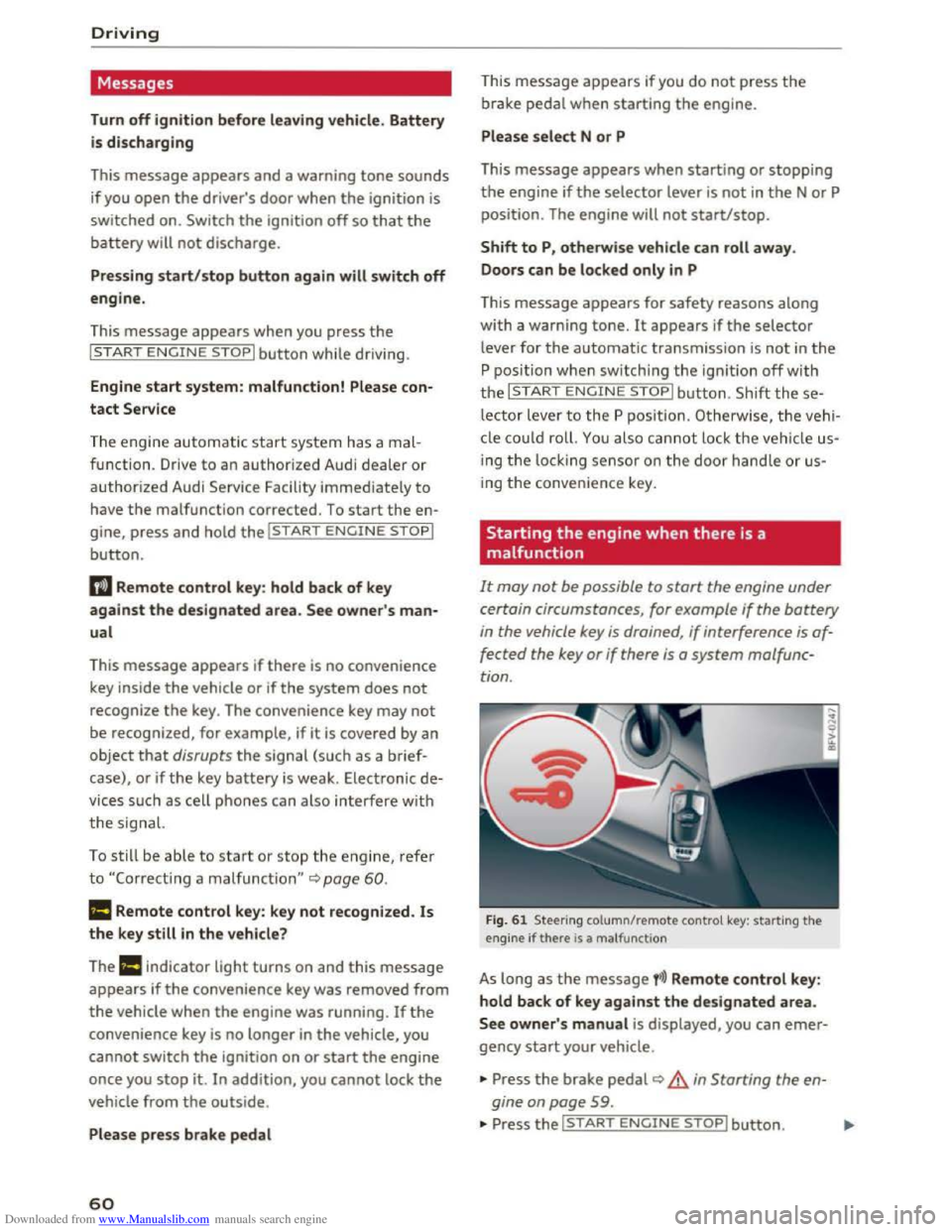
It may not be possible to start the engine under
certain circumstances, for example
if the battery
in the vehicle key is drained , if interference is af
fected
the key or if there is a system malfunc
tion .
Fig. 61 Steering column/remote control key: starting the
engine if there is a ma lfunction
As long as the message fi)) Remote control key:
hold back of key against the designated area.
See owner' s manual is displayed, you can emer
gency start your vehicle .
... Press the brake pedal~ A in Starting the en
gine on page
59 .
... Press the~, S~T~A~R~T~E_N _G ~l-N~E-S_T_ O_P~I button. ....
Page 78 of 322
Downloaded from www.Manualslib.com manuals search engine Assis t
-The camera field of view~ page 75, fig. 72 is
dirty
or covered in ice. Clean thi s area on the
windshield.
-The camera field of view is fogged over. Wait
until the fog has cleared before switching the
active lane assist on again.
-The system has been unable to detect the lanes
for an extended period of time due to road con
ditions. Switch the active lane assist back on
when the lines are more visible.
A ud i a
ctive lane assis t: currently u navailable .
See owner's m anual
There is a temporary active lane assist malf u nc
tion . Try switching the active lane assist on again
later.
Audi active lane assis t: malfunction! See own·
er's manual
Drive to an authorized Aud i dealer or authorized
Audi Serv ice Facility immediately to have the
malfunctio n corrected.
Audi active lane assist: Pl ea se take over steer
ing!
This
message appears if you are not steering by
yourself. If this is the case, active lane assist does
not switch off, but it is "not ready " to provide a
warn ing . The
system can he lp you keep the vehi
cle in the lane. However, you are responsible for
driving
the vehicle and must steer it yourself.
Adjusting the steering time and vibration
warning
Applies to: vehicles with Audi active lane assist
You can adjust individual active Lane assist set
tings in the Infotainment system.
Select in the Infotainment system: I MENU! but
ton> Vehicle > left control button >Driver assis·
tance >Audi active lane a s si st
1l The co rr ect ive steerin g functio n is not avail abl e in all mar
ket s.
76
Steering timel)
Earl
y: in this setting, t he correc tive steering hap
pens continuously to help keep the vehicle in the
center of the lane.
Late : in this setting, the system provides co rrec
tive steering just before a vehicle wheel touches a
detected lane marker line .
Vibration warning
You can switch the addit ional vibrating warning
i n
the steering wheel on or off.
(0 Tips
Market -specific: your settings are automati
cally stored and assigned to the remote con
trol key being used.
Audi side assist
Description
Applies to: vehicles with Audi side assist
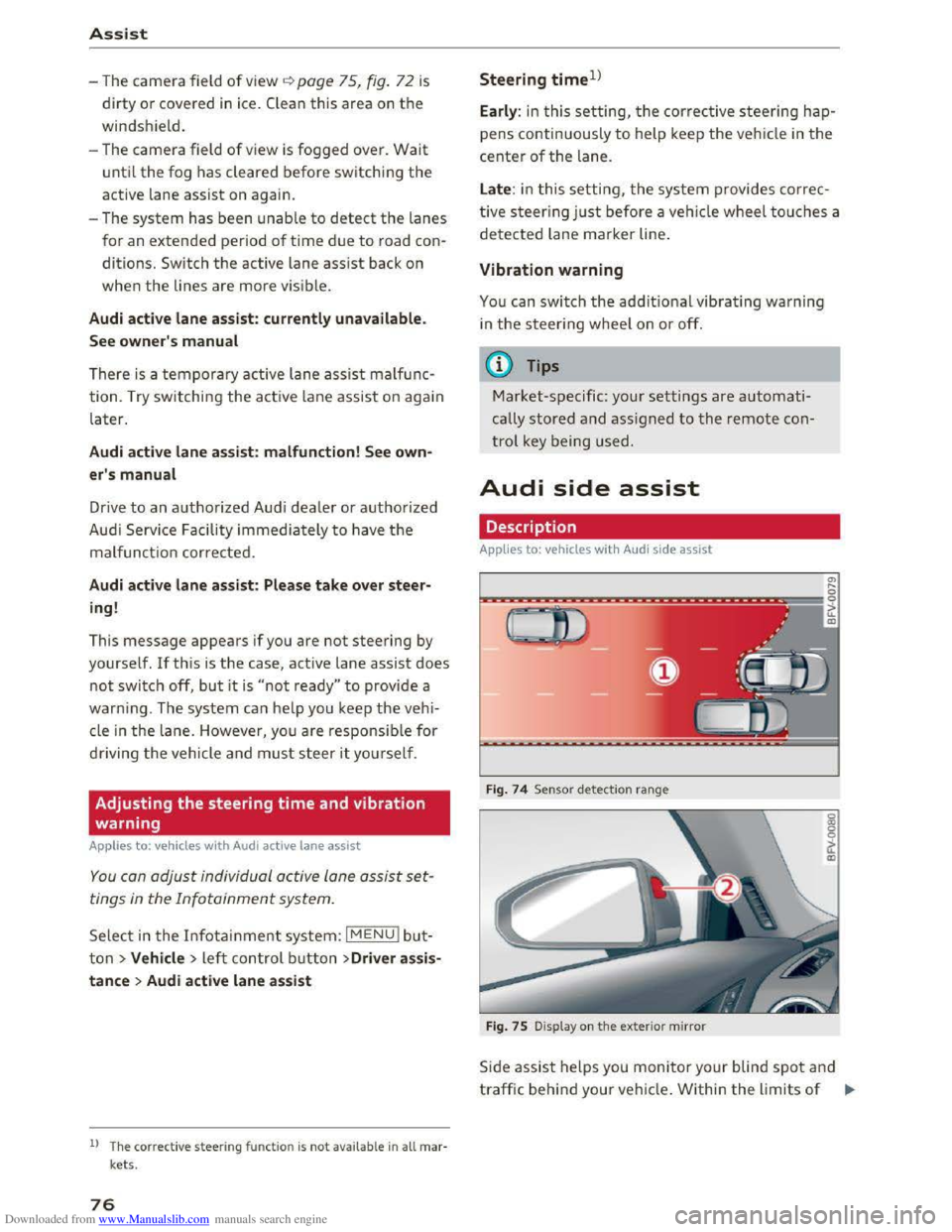
Fig . 74
Senso r detect io n ra nge
Fig .
75 Display on the exterior mirror
Side assist helps you monitor your blind spot and
traffic behind your vehicle . Within the limits of .,.
Page 81 of 322
Downloaded from www.Manualslib.com manuals search engine Switching on and off
App lies to: vehicles with Audi side assist
The system can be switched on/off in the Info
tainment system.
"'Select in the Infotainment system: IM ENUI but
ton >Vehicle > left control button >Driver as
sistance >Audi side assist
An activated system will signal every time the ig
nition is switched on by turning the displays in
the exterior mirrors on briefly.
Adjusting the display brightness
Applies to: vehicles with Audi side assist
The display brightness can be adjusted in the In
fotainment system.
"'Select in the Infotainment system: IM ENUI but
ton >Vehicle > left control button >Driver as
sistance >Audi side assist
The display brightness adjusts automatically to
the brightness of the surroundings, both in the
information and in the warning stage. In very
dark or very bright surroundings, the display is
already set to the minimum or maximum level by
the automatic adjustment. In such cases, you
may notice no
change when adjusting the bright
ness, or the change may only be noticeable once
the surroundings change.
Adjust
the brightness to a level where the display
in the information stage will not disrupt your
view forward. If you change the brightness, the
display in the exterior mirror will briefly show the
brightness level in the information stage. The
brightness of the warning stage is linked to the
brightness in the information stage and is adjust
ed along with the information stage adjustment.
-Side assist is not active while you are mak
ing the adjustment.
- Your settings are automatically stored and
assigned to the remote control key being
used.
Assist
Driver messages
Applies to: vehicles with Audi side assist
If the side assist switches off automatically, a
message appears in the Infotainment system dis
play.
@i Audi side assist: currently unavailable.
Sensor vision restricted due to surroundings.
See owner's
manual
The radar sensors' vision is affected. Do not cover
the area in front of the sensors with bike wheels,
stickers, dirt or other objects. Clean the area in
front of the sensors, if necessary q page 77,
fig. 77.
@i Audi side assist: currently unavailable.
See owner's
manual
Side assist cannot be switched on temporarily be
cause there is a malfunction (for example, the
battery charge level may be too low).
@i Audi side assist: malfunction! Please
contact
Service
The system cannot guarantee that it will detect
vehicles correctly and it is switched off. The sen
sors have been displaced or are faulty. Have the
system checked by an authorized Audi dealer or
authorized Audi Service Facility soon.
Audi drive select (drive
settings)
Introduction
Applies to: vehicles with Audi drive select
Drive select makes it possible to experience dif
ferent types of vehicle settings in one vehicle.
The driver can
select from three modes, Comfort,
Auto and Dynamic, using the~.~;\,~ button in the
center console or by using the Infotainment sys
tem. This allows you to switch between a sporty
and a comfortable driving mode, for example. In
the Individual mode, the settings can be adjust
ed to your personal preferences. This makes it
possible to combine settings such as a sporty en-
gine
tuning with light steering. .,.
79
Page 83 of 322
Downloaded from www.Manualslib.com manuals search engine A WARNING
Pay attention to traffic when operating the
drive select to prevent potential risk of an ac
cident.
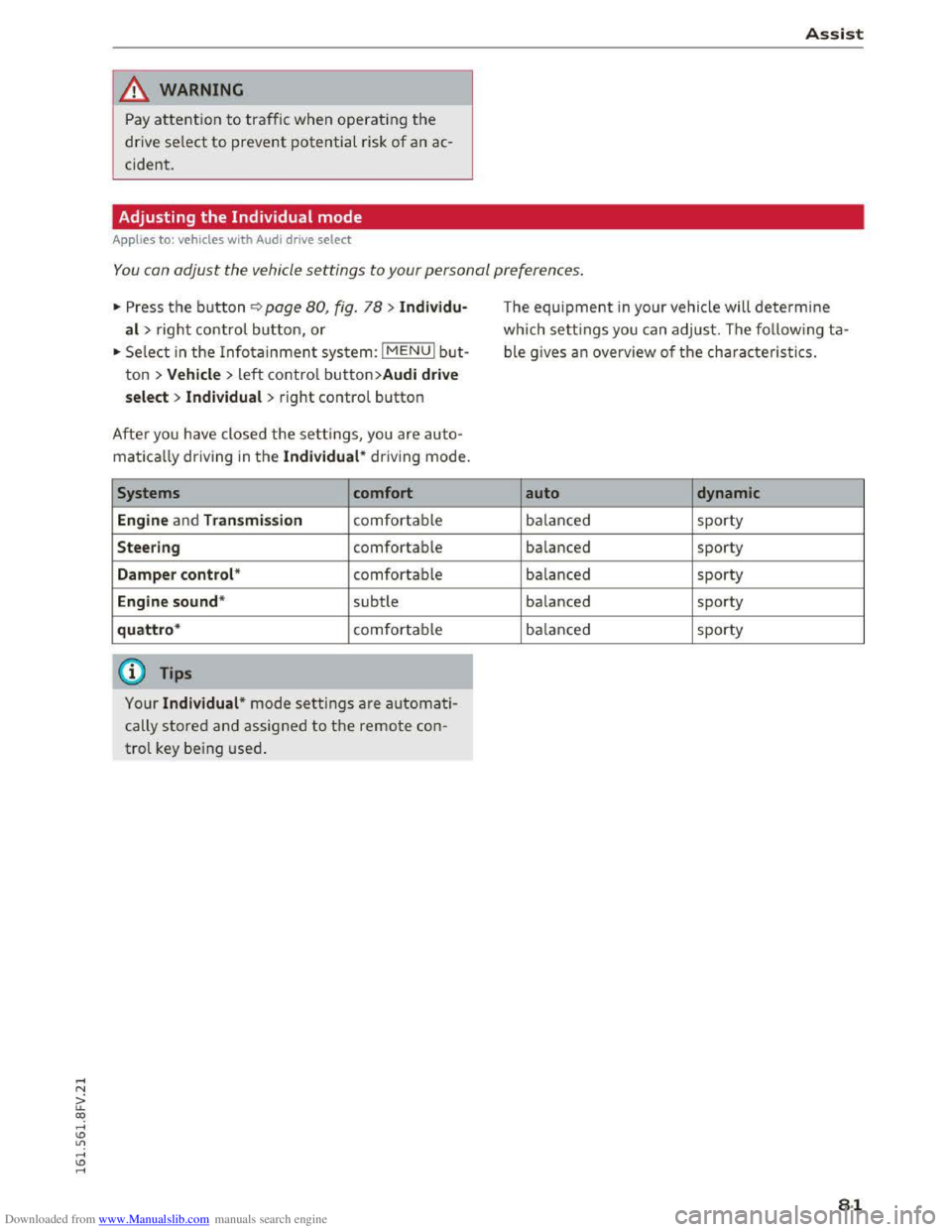
Adjusting the Individual mode
Applies to: vehicles with Audi drive select
Assist
-I
You can adjust the vehicle settings to your personal preferences.
"' Press the button¢ page 80, fig. 78 > Individu·
al> right control button, or
"'Select in the Infotainment system: IMENUI but
ton > Vehicle> left control button>Audi drive
select > Individual
> right control button
After you have closed the settings, you are auto
matically driving in the Individual* driving mode.
Systems comfort
Engine
and Transmission comfortable
Steering comfortable
Damper control* comfortable
Engine sound* subtle
quattro* comfortable
@ Tips
Your Individual* mode settings are automati
cally stored and assigned to the remote con
trol key being used.
The equipment in your vehicle will determine
which settings you can adjust. The following ta
ble gives an overview of the characteristics.
auto dynamic
balanced sporty
balanced sporty
balanced sporty
balanced sporty
balanced sporty
81
Page 88 of 322
Downloaded from www.Manualslib.com manuals search engine Parking systems
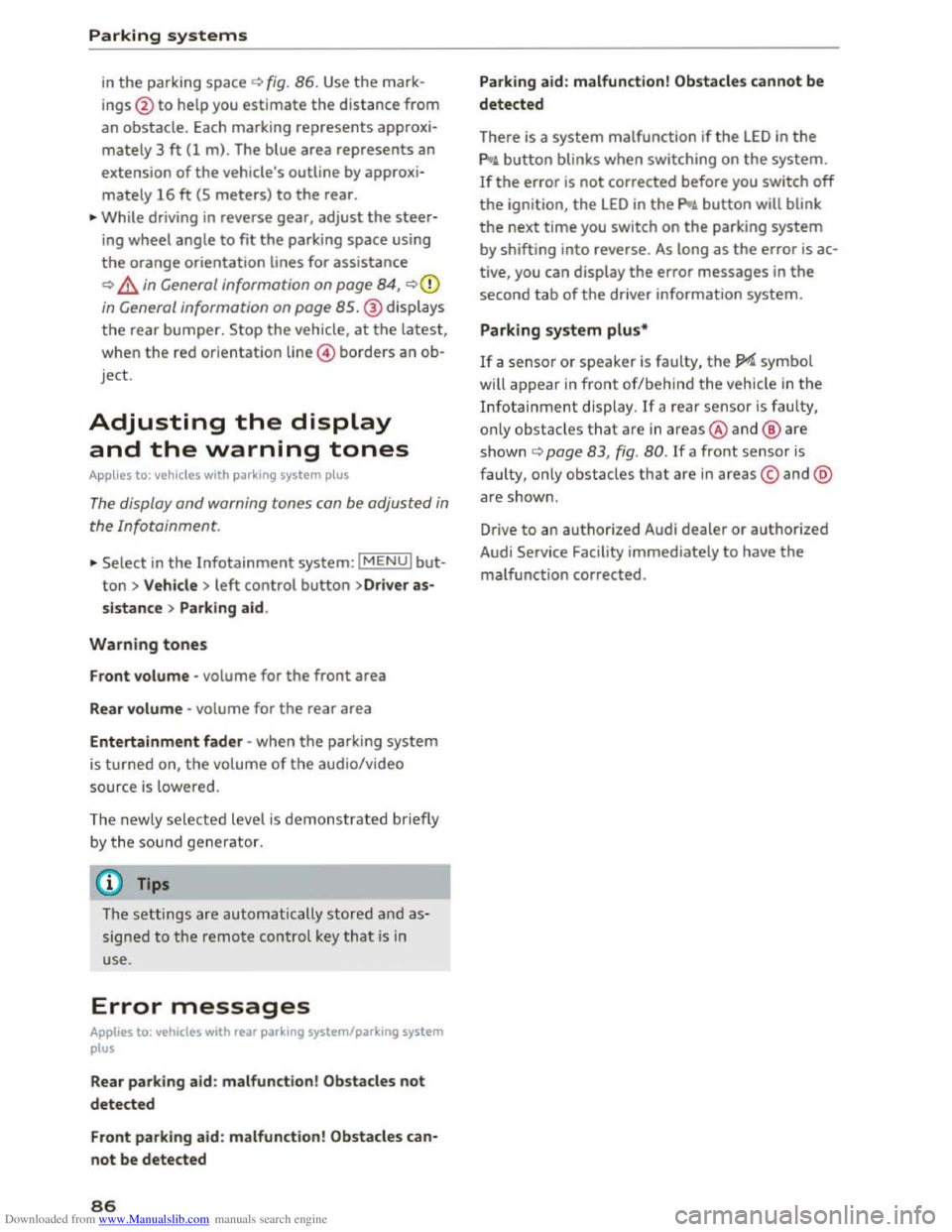
in the parking space c) fig. 86. Use the mark
ings @
to help you estimate th e distance from
an obstacle. Each marking represents approxi
mately 3 ft (1 m) . The blue area represents an
extension of the vehicle's outline by approxi
mately 16 ft (5 meters) to the rear.
.,.. While driving in reverse gear, adjust the steer
ing wheel angle to fit the parking space using
the orange orientation lines for assistance
c) .&. in General information on page 84, c)(i)
in General information on page 85.@ displays
the rear bumper. Stop the vehicle, at the latest,
when
the red orientation line @ borders an ob
j ect.
Adjusting the display
and the warning tones
A pp lies to: vehicles with park ing system plus
The display and warning tones can be adjusted in
the Infotainment.
.,.. Select in the Infotainment system: IMENUI but
ton > Vehicle > left control button >Dr iver as
sistance > Parking aid.
Warning tones
Front volume -volume for the front area
Rear volume -volume for the rear area
Entertainment fader -when the parking system
is turned on, the volume of the aud io/video
source
is l owered.
The newly selected level is demonstrated briefly
b y the sou nd
generator.
(}) Tips
The settings are automatically stored a nd as
signed to the remote control key that is in
use.
Error messages
Applies to: vehicles with rear parking system/parking system
plus
Rear parking aid : malfunction! Obstacles not
detected
Front parking aid : malfunction! Obstacles can
not be detected
86
Parking aid: malfunction! Obstacles cannot be
detected
There is a system malfunction if the LED in the
pg~ button blinks when switching on the system.
If the error is not corrected before you switch off
the ignition, the LED in the pg~ button will blink
the next time you switch on the parking system
by shifting into reverse . As long as the error is ac
tive, you can display
the error messages in the
second tab of the driver information system.
Parking system plus*
If a sensor or speaker is faulty, the JM symbol
will
appear in front of/behind the vehicle in the
Infotainment display. If a rear sensor is faulty,
o nl y o
bstacles that a re in areas@and@ are
s h own c) page 83, fig. 80. If a front sensor is
faulty, only obstacles that are in areas© and @
ar e show n.
Drive
to an authorized Audi dealer or authorized
Audi Service Facility immediately
to have the
malfunction corrected.
Page 95 of 322
Downloaded from www.Manualslib.com manuals search engine voltage, the battery current, and the battery
temperature. The current charge level and the
performance of the battery are determined based
on this.
Idling current management
The idling cur
rent management decreases the
energy used w hile parked. With the engine
switched off, it manages the energy distribution
to the different electrical components. Date from
battery diagnosis is taken into account for this.
Depending
on the battery charge level, electrical
equipment is switched off one item after the oth
er, to prevent the battery from draining and to
retain the starting ability.
Dynamic energy manage
ment
While driving, dynamic energy management dis
tributes the appropriate amount of energy to the
electrical equipment. It controls the battery
charge level so that more energy is not used then
is being generated in order to maintain an opti
mal battery charge level.
(!) Tips
-Energy management cannot overcome the
laws of physics. Note that the charge level
and
length of the battery life are limited.
-
When the starting ability is jeopardized, the
r-1 indicator light turns on ~page 13.
What you should know
Maintaining the starting ability is the highest
priority.
A lot of stress is placed on the battery when driv
ing
short distances, in traffic, and at cold times
of the year. A lot of energy is used but little is
generated. It is also critical when the engine is
not running but electrical equipment is switched
on . In this case, energy is used but none is gener
ated.
In situations like this, energy management will
actively regu l
ated the distribution of energy.
Intelligent T echnology
Long periods without use
If you do not drive your vehicle for several days or
weeks, electrical consumers are gradually scaled
back
or switched off. This reduces energy use and
ensures the vehicle will be able to start after long
periods
of time. Some convenience functions
such
as opening with the remote control key may
not be available. These convenience functions
will be available again once you switch
the igni
tion on and start the engine.
With the engine switched off
The battery will drain if you use Infotainment
functions such as listening to the radio while the
engine is switched off.
The vehicle's
ability to start may be impa ired by
the energy use, a message will appear in the In
fotainment system display. The message indi
cates that the system will switch off automatical
ly soon. If you would like to continue using the
functions, you must start the engine.
With the engine running
Although electrical
energy is generated while
driv ing,
the battery can drain. This can happen
when little energy is generated, and much is used
and the charge level of the battery is not optimal.
To
restore the balance of energy, components
that require large amounts of energy are tempo
rarily scaled back or switched off. Heating sys
tems in particular require a great deal of energy.
If you notice, for example, that the seat heating*
or rear window defroster is not working, then it
has been temporarily re d uced or sw itched off.
T
hese systems are availab le again as soon as the
energy balance has been restored.
In addition, you may notice that the idle speed
has slightly increased. That is normal and no
cause for concern. Due to the increased idling
speed, the additional required energy will be
generated and the battery will be charged.
93
Page 169 of 322
Downloaded from www.Manualslib.com manuals search engine ...... N
> u. CX> ...... u:>
"' ...... u:> ......
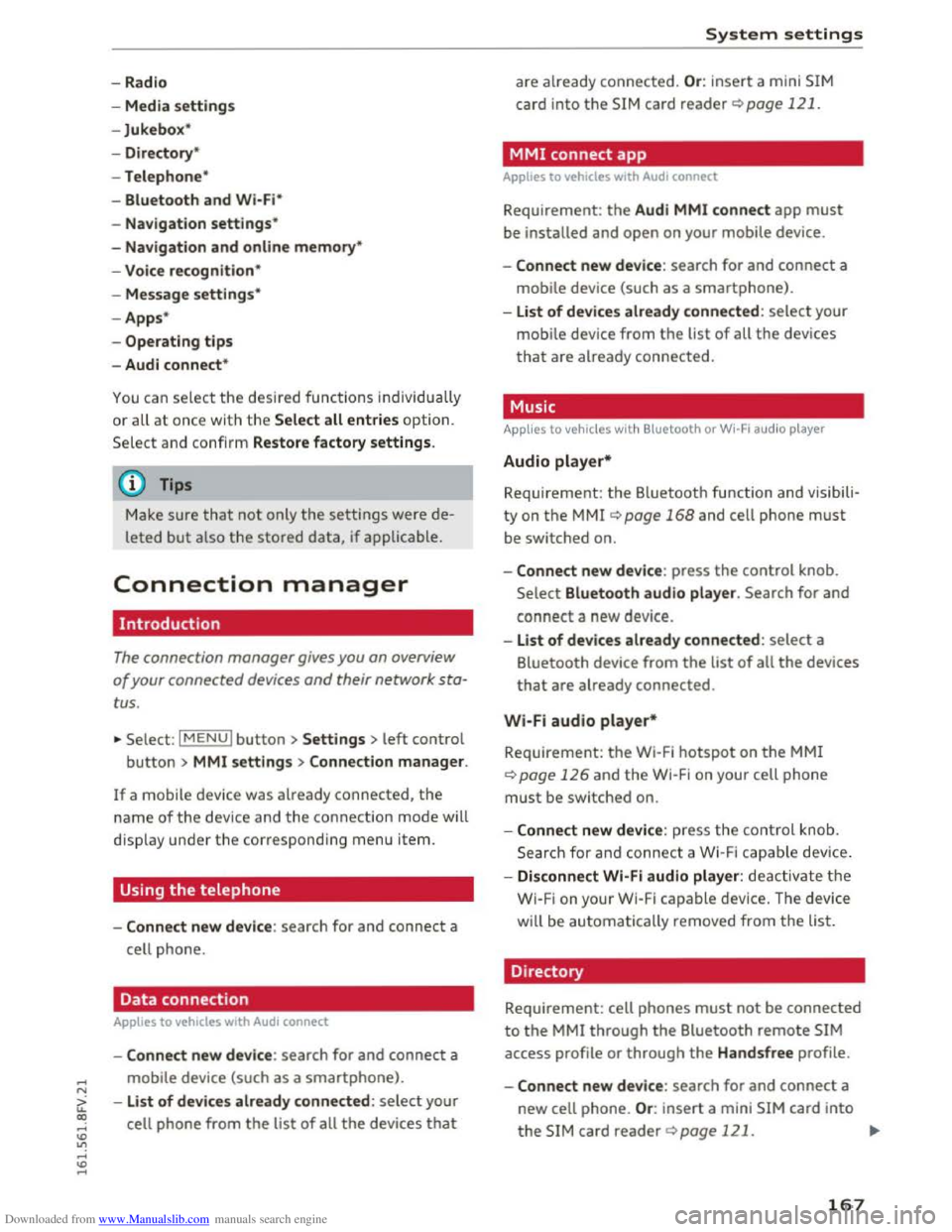
-Radio
- Media s
ettings
-Jukebox*
- Directory *
-
Telephone*
-
Bluetooth and Wi·Fi *
-Nav igation settings*
-Navigation and online memory*
-
Voice recognition*
- Message
settings*
-Apps *
-
Operating tips
- Audi connect*
You can select the desired func tions individ ually
or all at once with the Select all entries optio n.
Select and confirm Restore factory settings.
{!) Tips
Make sure that not only the sett ings were de
leted
but a lso the stored data, if applicable.
Connection manager
Introduction
The connection manager gives you an overview
of your connected devices and their network sta
tus.
~ Select: IM ENU I button > Settings > left control
button> MMI settings> Connection manager.
If a mobile device was already connected, the
name of the dev ice and the connection mode will
dis pl ay under th e correspond ing menu item.
Using the telephone
-Connect new device : search for and connect a
cell phone.
' Data connection
Applies to vehicles with Audi connect
-Connect new device : search for and connect a
mobile device (such as a
smartphone).
-List of devices already connected: select your
cell
phone from the list of all the devices that
System settings
are already connected. Or: insert a mini SIM
card into
the SIM card reader Qpage 121.
MMI connect app
Applies to vehicles with Audi connect
Requirement: the Audi MMI connect app must
be installed and open on your mobile device.
-
Connect new device : search for and connect a
mobile device (such
as a smartphone).
-List of device s already connected: select your
mobi le device
from the list of all the devices
that are already connected.
Music
Applies to vehicles wit h Bluetooth or Wi-Fi au dio player
Audio player*
Requirement: the Bluetooth function and visibili
ty on the MM! Q page 168 and cell phone must
be switched on.
-
Connect new devi ce : press the control knob.
Select Bluetooth audio player . Search for and
connect a new device.
-List of devices already connected: select a
Bluetooth device
from the list of all the devices
that are already connected.
Wi·Fi audio player*
Requirement: the Wi·Fi hotspot on the MMI
Q page 126 and the Wi-Fi on your cell phone
must be switched on.
-
Connect new device : press the control kno b.
S earc h
for and connect a Wi-F i capa ble device.
- Disconnect
Wi·Fi audio player: deactivate th e
Wi-Fi on your
Wi·Fi capable device. The device
will
be automatically removed from the list.
Directory
Requirement: cell phones must not be connected
to the MM! through the Bluetooth remote SIM
access profile or through the Handsfree profile.
-
Connect new d evice : search for and connect a
new cell phone.
Or: insert a mini SIM card into
the SIM card reader Qpage 121. ..,.
167