rear entertainment AUDI TT COUPE 2017 Owners Manual
[x] Cancel search | Manufacturer: AUDI, Model Year: 2017, Model line: TT COUPE, Model: AUDI TT COUPE 2017Pages: 322, PDF Size: 79.73 MB
Page 88 of 322
Parking systems
Switching off
.. Drive faster than 6 mph (10 km/h), or
.. Press the
P"1A button, or
.. Switch the ignition
off.
(D) Tips
- The visual display in the left part of the dis
play should help you detect the critical vehi
cle areas .
- You can change the volume of the sig nals
and the display
¢page 86.
Perpendicular parking
Appl ies to: ve hicles with rea rview ca mera
This view may be used when parking in a garage
or in a parking space.
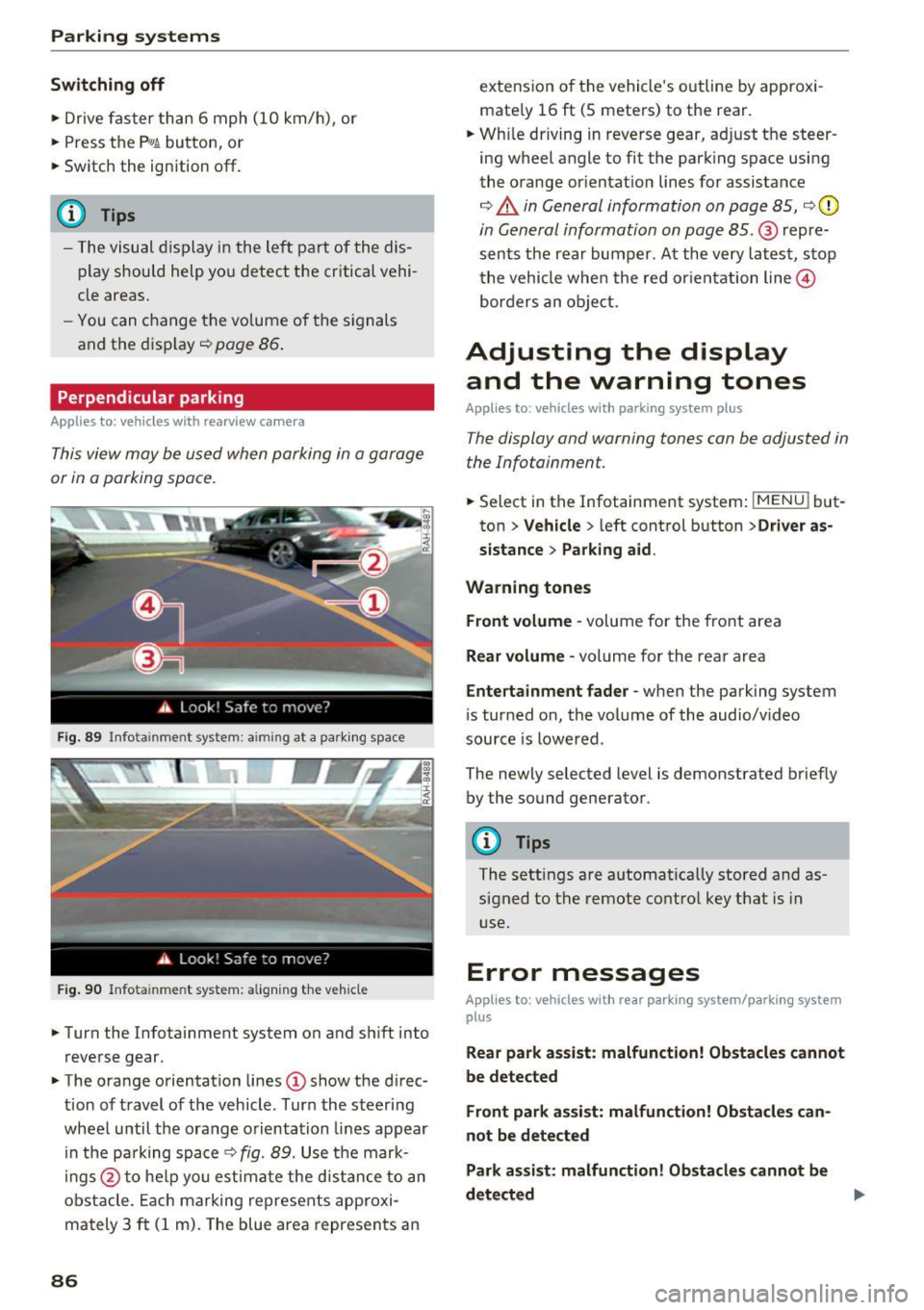
Fig. 89 Info ta inment syste m: aim ing at a pa rking space
Fig. 90 Infota inme nt sys tem: aligning the vehicle
.. Turn the Infotainment system on and shift into
reverse gear.
.. The orange orientation lines
(I) show the direc
tion of travel of the vehicle . Turn the steering
wheel until the orange orientation lines appear
in the pa rking space
c:!;> fig. 89. Use the mark
ings @to help you estimate the d istance to an
obstacle. Each marking represents approxi
mately 3
ft (1 m). The blue area represents an
86
extension of the vehicle 's outline by approxi
mate ly 16
ft (5 meters) to the rear .
.. Wh ile driving in reverse gear, adjust the steer
ing wheel angle to fit the parking space using
the orange orientation lines for assistance
¢ &. in General information on page 85, ¢(D
in General information on page 85. @ repre
sents the rear bumper. At the very latest, stop
the vehicle when the red or ientation line@
borders an object.
Adjusting the display
and the warning tones
Applies to: vehicles with parkin g sys tem plus
The display and warning tones can be adjusted in
the Infotainment.
.. Select in the Infotainment system : IMENUj but
ton
> Vehicle > left control button >Driver as
sistance> Parking aid .
Warning tones Front volume -
volume for the front area
Rear volume -volume for the rear area
Entertainment fader -when the parking system
is turned on, the volume of the audio/video
source is lowered .
The newly selected level is demonstrated briefly by the sound generator.
{!) Tips
The settings are automat ically stored and as
signed to the remote control key that is in
use.
Error messages
App lies to : vehicles wit h rear parking system/parking system
plus
Rear park assist: malfunction! Obstacles cannot
be detected
Front park assist: malfunction! Obstacles can
not be detected
Park assist: malfunction! Obstacles cannot be
detected ..,._
Page 180 of 322
System settings
Sound settings
The sound distribution and volume of the MMI
can be adjusted individually. The settings depend
on vehicle equipment.
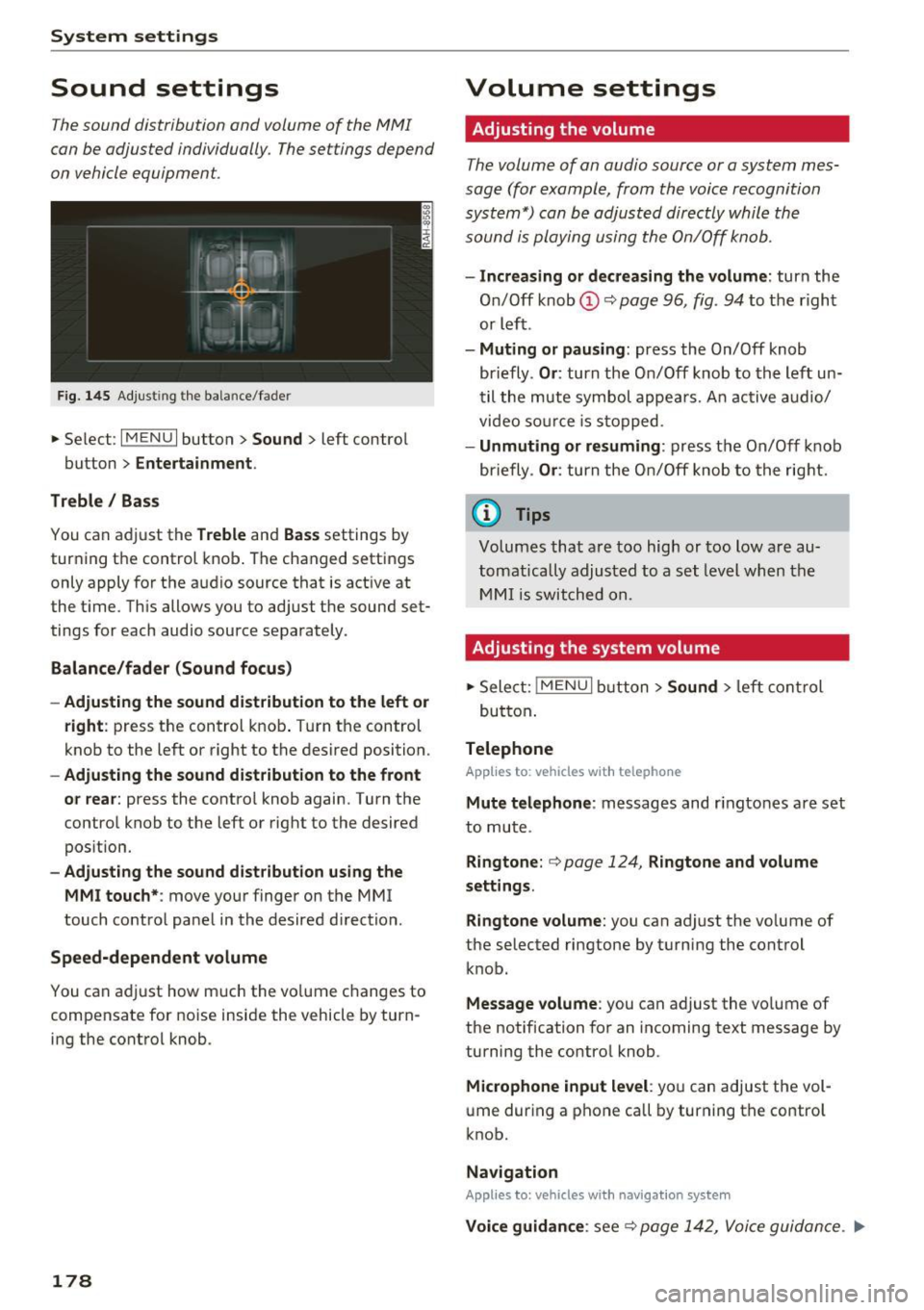
Fig. 145 Adjust ing the balance/fade r
.,. Select : I MENU I button> Sound> left control
button
> Entertainment .
Treble/ Bass
You can adjust the Treble and Bass settings by
turning the control knob. The changed settings
only apply for the audio source that is active at
the t ime. This allows you to adjust the sound set
tings for each audio source separately .
Balance/fader (Sound focus)
- Adjusting the sound distribution to the left or
right:
press the control knob. Turn the control
knob to the left or right to the desired position .
-Adjusting the sound distribution to the front
or rear:
press the control knob again . Turn the
control knob to the left or right to the desired
pos ition.
- Adjusting the sound distribution using the
MMI touch* :
move your finger on the MMI
touch control panel in the desired d irection .
Speed-dependent volume
You can adjust how much the vo lume changes to
compensate for noise inside the vehicle by turn
ing the control knob .
178
Volume settings
Adjusting the volume
The volume of an audio source or a system mes
sage (for example, from the voice recognition system*) can be adjusted directly while the
sound is playing using the On/Off knob.
-Increasing or decreasing the volume : turn the
On/Off knob
(D q page 96, fig . 94 to the right
or left .
-Muting or pausing : press the On/Off knob
briefly .
Or: turn the On/Off knob to the left un
t il the mute symbol appears. An active audio/
video source is stopped .
-Unmuting or resuming : press the On/Off knob
briefly .
Or: turn the On/Off knob to the right.
@ Tips
Volumes that are too high or too Low are au
tomatically adjusted to a set level when the
MMI is switched on.
Adjusting the system volume
""Sele ct: !MENU I button> Sound> left control
button .
Telephone
Applies to: vehicles with telephone
Mute telephone : messages and ringtones are set
to mute .
Ringtone: ¢ page 124, Ringtone and volume
settings.
Ringtone volume:
you can adjust the vo lume of
the selected ringtone by turning the control
knob.
Message volume: you can adjust the vo lume of
the notification for an incoming text message by
turning the control knob .
Microphone input level: you can adjust the vol
ume during a phone call by turning the control
knob.
Navigation
Applies to: vehicles with navigat ion system
Voice guidance : see¢ page 142, Voice guidance. IJJ>
Page 181 of 322
co
co
.... N
" N .... 0
0
Vl c:o
Voice guidance during phone call: see
¢ page 142, Voice guidance.
Voice guidance volume: yo u ca n ad just the v oice
g uid ance vo lume during ac tive rou te gu idance by
turning the control kno b.
Entertainment fader: the vo lume of au dio play
bac k can be tem pora rily lowe re d w hen the p ark
i n g sys tem or voi ce gui dance is ac tive .
Voice recognition system
App lies to: vehicles with voice recognition system
Short dialog : prom pts in a s horte r format can be
switched on o r off .
Speech dialog system volume : you can adj ust
the vol ume of the prompts by tur ning t he control
knob .
Parking aid*
You can adjust th e signal tone vol ume by tu rnin g
the contro l knob .
-Adjusting the Front volume : select and con
firm
High , Medium or Low.
-Adjusting
the Rear volume : select and confirm
High , Medium or Low .
MMI touch volume*
You can a djust the vo lume of the prom pts for the
M MI to uch* by tu rning the con trol kn ob .
Audi Heartbeat
You can ad just the vo lume of Aud i Heartbeat by
turn ing t he control knob.
Restarting the MMI
(Reset)
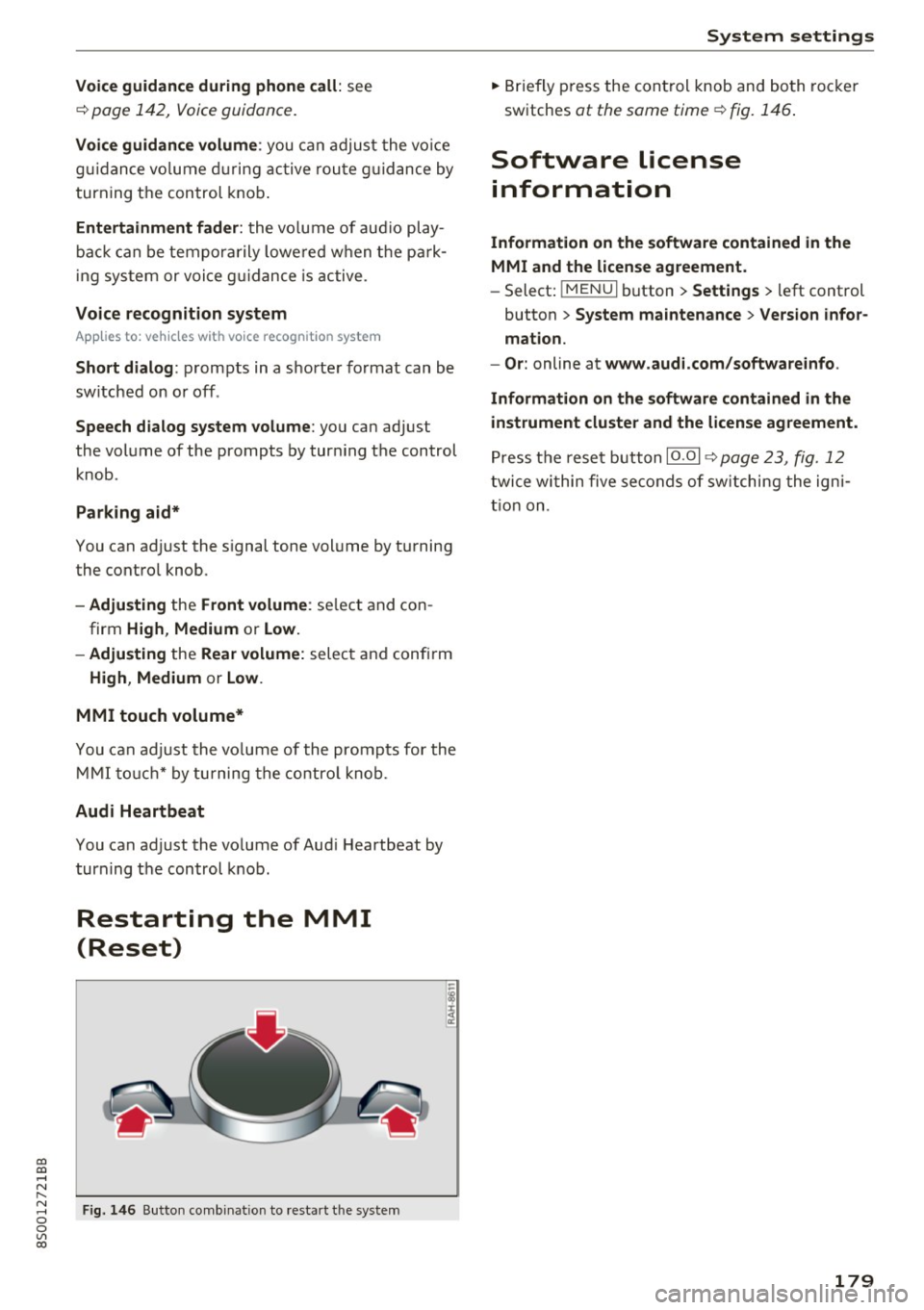
Fig. 146 B ut to n co mbin at io n t o res tar t t he sys te m
-
I
System settings
.. Brie fly press the con trol knob and bo th roc ke r
sw itches
at the same time ¢ fig. 1 46.
Software license
information
Information on the software contained in the
MMI and the license agreement.
- Select: !ME NUI button> Settings > le ft control
button >
System maintenance > Version infor
mation.
- Or :
online at www.audi.com/softwareinfo .
Information on the software contained in the
instrument cluster and the license agreement.
Pr ess t he rese t button 10 .01 ¢ page 23, fig . 12
twi ce wi thin five se conds of sw itching the ig ni
t io n on .
179