airbag AUDI TT COUPE 2020 Owners Manual
[x] Cancel search | Manufacturer: AUDI, Model Year: 2020, Model line: TT COUPE, Model: AUDI TT COUPE 2020Pages: 280, PDF Size: 98.79 MB
Page 4 of 280
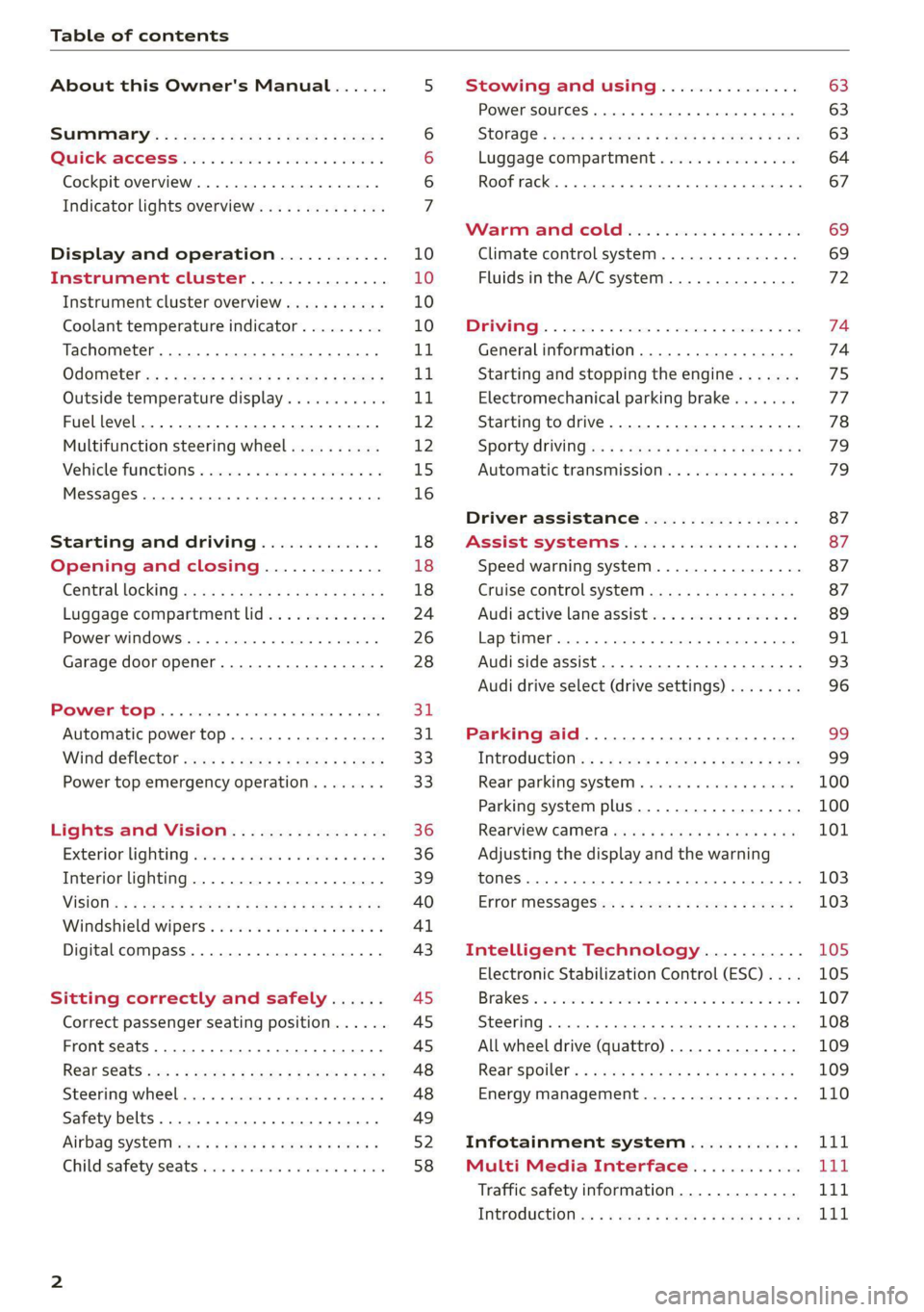
Table of contents
About this Owner's Manual......
SUMIMALY: ; « ss6% : osen ss sean cs poe s
QC CCeS Skis: si esis a 6 ores os ewe
Cockpit overview.............-000005
Indicator lights overview...........0.
Display and operation............
Instrument cluster...............
Instrument cluster overview...........
Coolant temperature indicator.........
Tachometer.......... 0.0 eee eee eee
Odometer as = s eee = seen ge zee a tows e
Outside temperature display...........
Fuellevel.......... 0. cece eee eee eee
Multifunction steering wheel..........
Vehicle functions « se-0 2. ese ve eee ees
MessageS ... 0... eee eee eee
Starting and driving.............
Opening and closing.............
Central locking 2.2% ieee seven a eevee
Luggage compartment lid.............
Power windows.............0.00 0005
Garage door opener...............0..
POWER EOPE: « «cece 0 csv « o semiens 6 0 eens
Automatic power top.................
Wind deflector ecax « x came + 5 yom 2 4 ews
Power top emergency operation........
Lights and Vision.................
Exterior lighting ssivses + « ssa 3s inane 9 & sou
Interior lighting. ................000.
VISION s « s saas ss sees Fo Hees Eo ee ee
Windshield wipers..............00005
Digital compass................0000.
Sitting correctly and safely......
Correct passenger seating position......
Front seats .......... 00sec eee eee
R@ar S@atS sces s = sees ¢ ¢ cee oo ete gg oes
Steerimg' wheelies «+ eau a x conse 0 sessvas
Safety belts. ....... 0... eee eee eee
Airbag SYStEMise. x + ones + © amie 2s eee
Child safety seats... 00.2... cece eens
NOD
OO
10 18
18
18
24
26
28
31 31 33 33
36 36 39
40
41
43
45 45
45
48
48
49
Ey
Stowing and using............... 63
Power SourceS...... 00... c eee eee 63
StOraGe « coun s 2 ween s 2 MEWS 4 a REE 5p eS 63
Luggage compartment............... 64
Roof rack... 6.66. e ee eee eee eee eee 67
Warrriiandicoleiis « 6 sis os wiwia sos 69
Climate control system............... 69
Fluids in the A/C system. ............. 72
PD EIING: escssay « & wnsunets © 8 sommes 5 ¢ see Oo 74
Generalinformation................. 74
Starting and stopping the engine....... 75
Electromechanical parking brake....... 77
Starting to drive..... 02... eee eee 78
Sporty Criving'ss < « exes xe een xe pews x ee 79
Automatic transmission.............. 79
Driver assistance................. 87
Assist systems................00. 87
Speed warning system...............- 87
Cruise control system.............0-5 87
Audi active lane assist................ 89
LAPRIMIOG enesnin « © csansiza « oxensms 9 © ecesere oe tee 91
Audi side assist 93
Audi drive select (drive settings)........ 96
Parking aid....................... 99
IMEROGUCtION ax = x eae x 2 ney 5s goes & & Hees 99
Rear parking system ........0...-00 0% 100
Parking system plus.............-.04. 100
RearvieW Camera cw + x cya so nema « gas 101
Adjusting the display and the warning
TONES 2. eee 103
ErtOr MeSSAGCSix. « = sown « = sem ee eee s 103
Intelligent Technology........... 105
Electronic Stabilization Control (ESC).... 105
Brakes’: so isemwe o eames av omceme 2 2 mess 6 ase 107
Steering... ..... cece eee ee eee ee 108
All wheel drive (quattro).............. 109
Rearspoiler's « css i essa s ¢ oes se sores 109
Energy management................. 110
Infotainment system............ 111
Multi Media Interface............ Lid
Traffic safety information............. VT
INEROGUCHON sc 2 « ween + eam s 2 wane ooo Bow Lit
Page 9 of 280
8S1012721BB
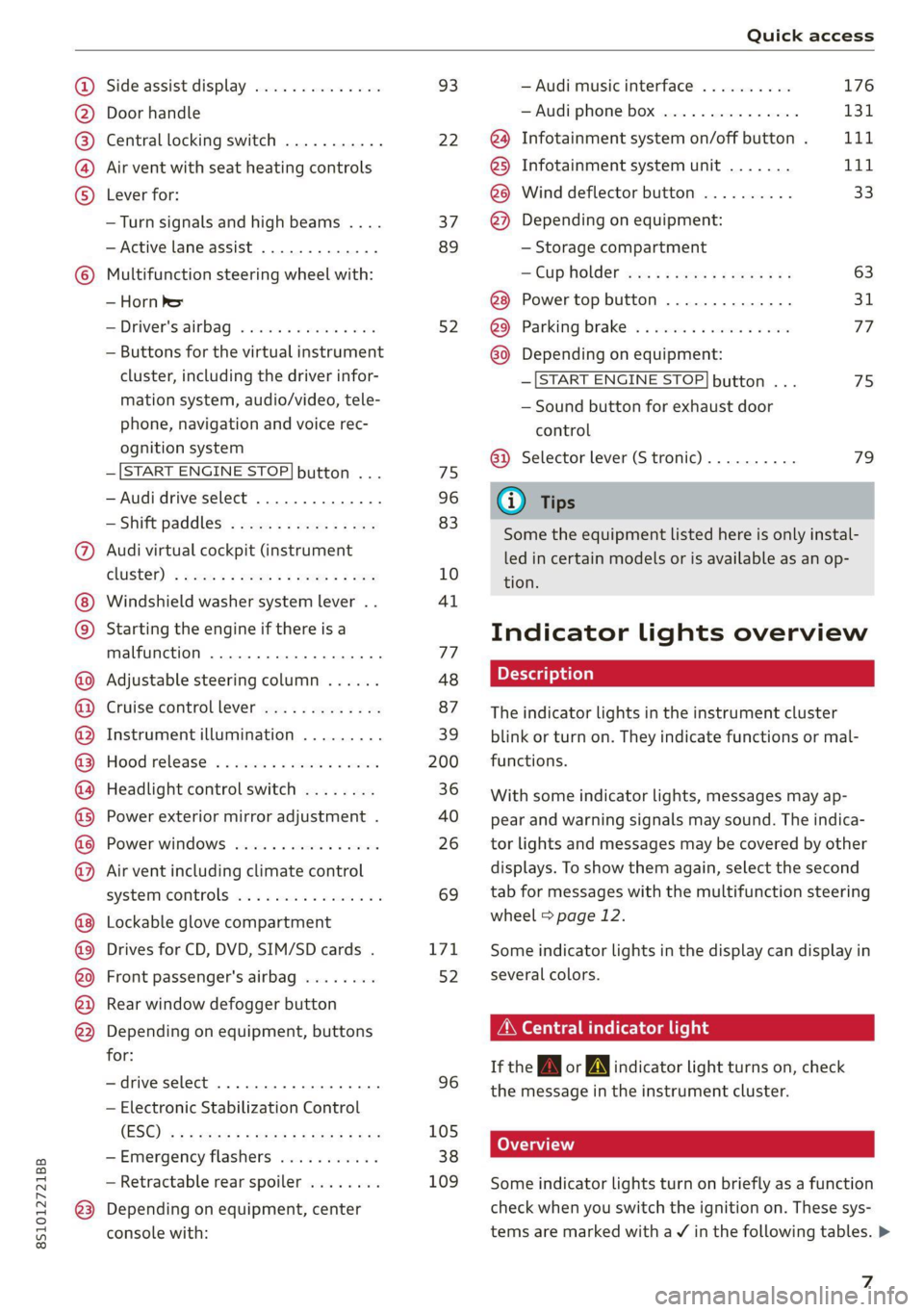
Quick access
OOOO
©
Q®OOO®D
OOGOOOOOOD
OO
OC
Side assist display ..............
Door handle
Central locking switch ...........
Air vent with seat heating controls
Lever for:
—Turn signals and high beams ....
— Active lane assist .............
Multifunction steering wheel with:
— Horn Pe
— Driver's airbag ...............
— Buttons for the virtual instrument
cluster, including the driver infor-
mation system, audio/video, tele-
phone, navigation and voice rec-
ognition system
—[START ENGINE STOP] button ...
— Audi drive select ..............
—Shift paddles ................
Audi virtual cockpit (instrument
ClUStEL): = xcnu ¢ = awe ¢ 2 sees 2 5 ee
Windshield washer system lever ..
Starting the engine if there is a
malfunction ..............00 eee
Adjustable steering column ......
Cruise controllever .............
Instrument illumination .........
Hood
release « . sees vs eee ss oes
Headlight control switch ........
Power exterior mirror adjustment .
Power windows ................
Air vent including climate control
systemmcontrols ica es cece wrens a v=
Lockable glove compartment
Drives for CD, DVD, SIM/SD cards .
Front passenger's airbag ........
Rear window defogger button
Depending on equipment, buttons
for:
—drive select ..............0004
— Electronic Stabilization Control
(ES@) s ¢ ¢ sete ss qewe to wees 2 nae
—Emergency flashers ...........
— Retractable rear spoiler ........
Depending on equipment, center
console with:
93
22
37
89
52
75
96
83
10
4l
77
48
87
39
200
36
40
26 69
171
52
96
105
38
109
— Audi musicinterface .......... 176
— Audi phone box ............... 131
@) Infotainment system on/off button . LLL
@) Infotainment system unit ....... 111
@8 Wind deflector button .......... 33
@) Depending on equipment:
— Storage compartment
— CUP HOLMER ses x eens x eee cee 63
Power top button .............. 31
@ Parking’ brake: « + cs ss wows so sors 77
G0 Depending on equipment:
—[START ENGINE STOP] button ... 7s
— Sound button for exhaust door
control
@) Selector lever (S tronic).......... 79
@) Tips
Some the equipment listed here is only instal-
led in certain models or is available as an op-
tion.
Indicator lights overview
The indicator lights in the instrument cluster
blink or turn on. They indicate functions or mal-
functions.
With some indicator lights, messages may ap-
pear and warning signals may sound. The indica-
tor lights and messages may be covered by other
displays. To show them again, select the second
tab for messages with the multifunction steering
wheel © page 12.
Some indicator lights in the display can display in
several colors.
A\ Central indicator light
If the A or indicator light turns on, check
the message in the instrument cluster.
Some indicator lights turn on briefly as a function
check when you switch the ignition on. These sys-
tems are marked with a V in the following tables. >
z
Page 20 of 280

Opening and closing
Opening and closing
Central locking
You can lock and unlock the vehicle centrally. You
have the following options:
— Remote control key > page 21
— Sensors in the door handles* > page 21
— Lock cylinder on the driver's door > page 23,
or
— Interior central locking switch > page 22
Automatic locking function (Auto Lock)
The Auto Lock function locks all doors and the
luggage compartment lid once the speed has ex-
ceeded approximately 9 mph (15 km/h).
The vehicle can be unlocked if the opening func-
tion in the central locking system switch is used
or one of the door handles is pulled. The Auto
Lock function can be switched on and off in the
Infotainment system > page 23.
In the event of a crash with airbag deployment,
the doors will also automatically unlock to allow
access to the vehicle.
Selective door unlocking
The doors and luggage compartment lid will lock
when they close. You can set in the Infotainment
system whether only the driver's door or the en-
tire vehicle should be unlocked when unlocking
=> page 23.
Turn signals
The turn signals flash twice when you unlock the
vehicle and flash once when you lock the vehicle.
If they do not flash when locking, check if all
doors and lids are closed.
Unintentionally locking yourself out
Only lock your vehicle when all of the doors and
the luggage compartment lid are closed and the
remote control key is not in the vehicle. This re-
duces the risk of locking yourself out accidental-
ly.
18
The following conditions prevent you from lock-
ing your remote control key in the vehicle:
— If the driver's door is open, the vehicle cannot
be locked by pressing the & button on the re-
mote control key or by touching the locking
sensor* ona door.
— If the most recently used convenience key* is
inside the luggage compartment, the luggage
compartment lid will automatically open again
after closing it.
— If the last convenience key* that was used is de-
tected inside the vehicle, the vehicle cannot be
locked from the outside for a brief time > ©.
@) Note
Applies to: vehicles with convenience key
— If the convenience key* that was last used is
detected inside the passenger compart-
ment, then the vehicle cannot be locked
from the outside. The turn signals will flash
several times to indicate this. If you do not
open the vehicle within a short time to re-
move the vehicle key, then the vehicle will
lock automatically. This prevents the vehicle
from being left unlocked for long periods of
time. The key will then be locked inside the
vehicle.
— If the convenience key* that was used last is
detected inside the luggage compartment,
it will not be possible to lock the luggage
compartment and the luggage compart-
ment lid will open. The turn signals will
flash several times to indicate this. The
doors will lock. Always take the convenience
key with you, or unauthorized people may
be able to enter the vehicle.
(@) Tips
— Do not leave valuables unattended in the ve-
hicle. A locked vehicle is not a safe!
—The LED in the driver's door rail blinks when
you lock the vehicle. If the LED turns on for
approximately 30 seconds after locking,
there is a malfunction in the central locking
system. Have the problem corrected by an
authorized Audi dealer or authorized Audi
Service Facility.
Page 24 of 280
Opening and closing
Deactivating the unlock function
You can deactivate the unlock function with the
convenience key (keyless access) for one locking
and unlocking cycle.
> Place the selector lever in the "P" position; oth-
erwise, the vehicle cannot be locked.
> Close the door.
> Press the ff lock button on the convenience key
and touch the sensor on the door handle (driv-
er's door) one time within five seconds of press-
ing the button > fig. 16. Do not grasp the door
handle while locking the vehicle, or else the ve-
hicle will not lock.
> To check if the function has been deactivated,
wait at least 10 seconds and pull the door han-
dle again. The door should not open.
After that, it will only be possible to unlock the
vehicle using the remote control key or by me-
chanically unlocking the lock cylinder. Keyless ac-
cess will be active again after the next time the
vehicle is locked/unlocked.
You can unlock and lock the vehicle at every door.
The convenience key must no be more than ap-
proximately 5 feet (1.5 m) away from the door
handle. The function should not be impaired if
the convenience key is in your jacket pocket or in
your briefcase, for example.
If you hold the door handle while locking, this
can impair the locking function.
The door cannot be opened for a brief period di-
rectly after locking it. This way you have the op-
portunity to check if the doors locked correctly.
The settings in the Infotainment system deter-
mine if the entire vehicle or only one of the doors
is unlocked when unlocking the vehicle
=> page 23.
Av WARNING
No one, especially children, should stay in the
vehicle when it is locked from the outside, be-
cause the windows can no longer be opened
from the inside > page 24. Locked doors
make it more difficult for emergency workers
to get into the vehicle, which puts lives at risk.
22
ZA WARNING
Read and following all WARNINGS. > A\ in
Key set on page 19
@) Tips
If your vehicle is left standing for a long peri-
od of time, note the following:
—To prevent the vehicle battery from dis-
charging, the energy management gradual-
ly switches off convenience functions that
are not needed. You then may no longer be
able to unlock your vehicle with the sensors.
— For an explanation on conformity with the
FCC regulations in the United States and the
Industry Canada regulations, see
=> page 260.
ete era vuuisea)
2 Ss 3 g
> c
ao
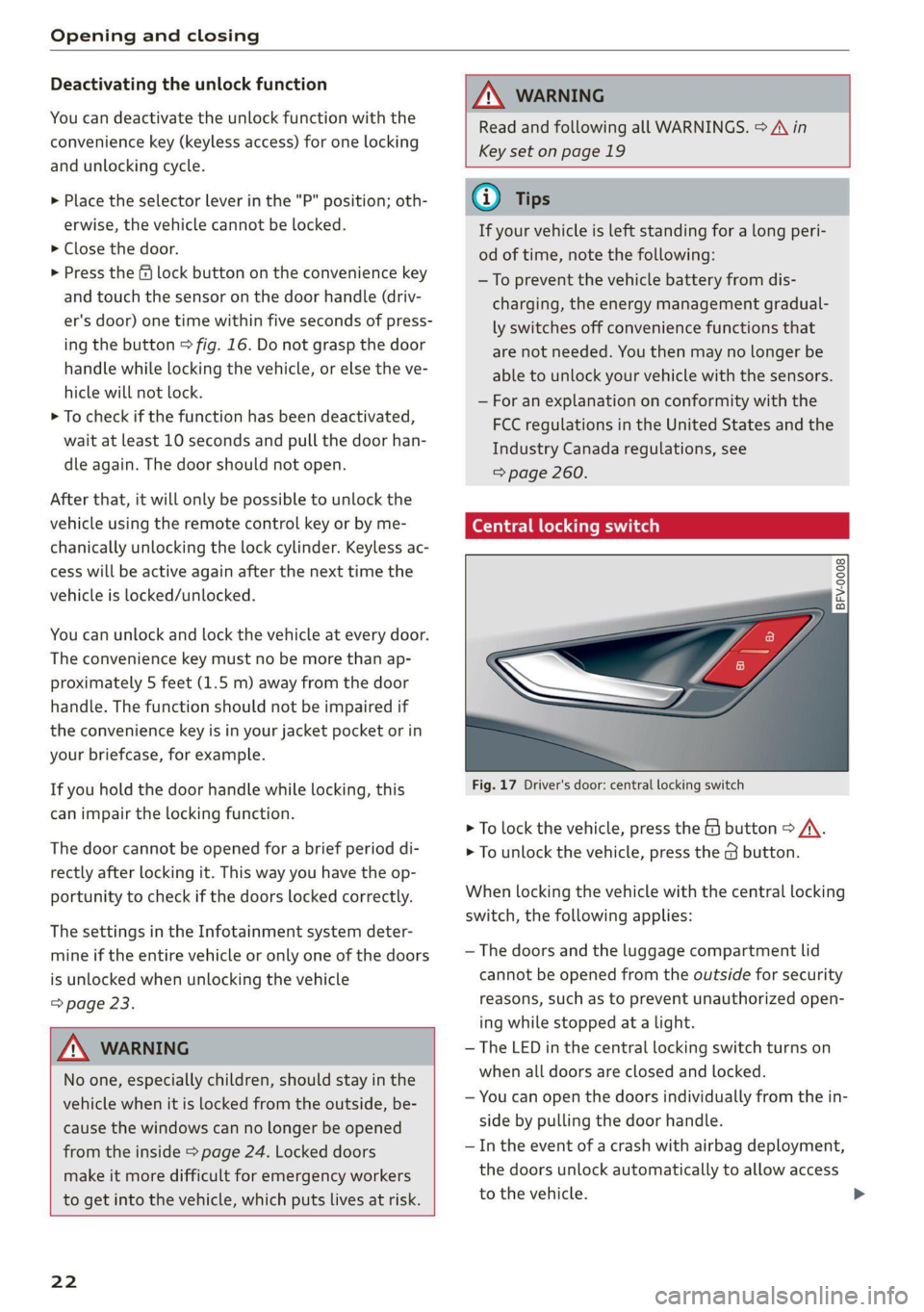
Fig. 17 Driver's door: central locking switch
> To lock the vehicle, press the & button > A\.
> To unlock the vehicle, press the @ button.
When locking the vehicle with the central locking
switch,
the following applies:
— The doors and the luggage compartment lid
cannot be opened from the outside for security
reasons, such as to prevent unauthorized open-
ing while stopped at a light.
— The LED in the central locking switch turns on
when all doors are closed and locked.
— You can open the doors individually from the in-
side by pulling the door handle.
— In the event of a crash with airbag deployment,
the doors unlock automatically to allow access
to the vehicle.
Page 47 of 280
8S1012721BB
Sitting correctly and safely
Sitting correctly and
safely
Correct passenger
seating position
General information
As the driver, you are responsible for making sure
every passenger is sitting correctly in their seat
and maintaining this seating position while driv-
ing. Make sure that:
— Every passenger in the vehicle has adjusted his
or her seat correctly > page 45
— Applies to: Coupe: Passengers in the rear seats
must observe the height requirements and the
minimum distance between the head and the
rear window > page 48.
— The steering wheel is adjusted correctly
=>page 48
— The mirrors are adjusted so that there is a suffi-
cient view of the area around the vehicle
=> page 40
— Every passenger in the vehicle has his or her
safety belt fastened correctly > page 49
— The activation status of the front passenger's
airbag is suitable for the passenger in the front
passenger's seat > page 55
— Children are secured in suitable child safety
seats that are secured to appropriate vehicle
seats > page 58. Read and observe the impor-
tant safety information pertaining to the use of
child safety seats on the front passenger's seat
=> A in General information on page 58.
Examples of incorrect seating positions
Safety belts can only provide its optimal protec-
tion when they are routed correctly. Incorrect
seating positions significantly reduce the protec-
tive functions of the safety belts and increase the
risk of injury due to incorrect belt routing.
The following list includes examples of seating
positions that could be dangerous for all vehicle
occupants. This is not a complete list. The pur-
pose is to provide examples to increase your
awareness of the topic. The following points ap-
ply when the vehicle is in motion:
— Never stand inside the vehicle.
— Never stand on the seats.
— Never kneel on the seats.
— Never tilt your backrest too far back.
— Never lean against the instrument panel.
— Never lie down on the rear bench seat.
— Never sit only on the front section of the seat.
— Never sit sideways on the seat.
— Never lean against the window.
— Never place your feet out of the window.
— Never place your feet on the instrument panel.
— Never place your feet on the seat cushion.
— Never ride in the footwell.
— Never sit on the armrest.
— Never drive or ride in a seat without fastening
your safety belt.
— Never ride in the luggage compartment.
ZA WARNING
Incorrect seating positions, failure to wear a
safety belt, or being too close to an airbag in-
crease the risk of serious or fatal injury to ve-
hicle occupants, especially if the airbags de-
ploy and come into contact with occupants
who are not seated correctly. Note the impor-
tant information and warnings in the chapters
for the topics given above.
G) Tips
— If physical circumstances do not allow you
to assume the correct seating position, con-
tact an authorized Audi dealer or authorized
Audi Service Facility.
— If you or other vehicle passengers have
physical limitations that prevent sitting in a
correct position, modifications to the vehi-
cle may be necessary. For more information,
contact an authorized Audi dealer or author-
ized Audi Service Facility, or call Audi cus-
tomer support at 1-800-822-2834.
Front seats
General information
Make sure that:
4s
>
Page 48 of 280

Sitting correctly and safely
— You can press the pedals down completely —To reduce the risk of an accident, never place
while your legs are slightly bent additional floor mats or other floor covers
— The distance between your upper body and the over the installed floor mats, because this
steering wheel or instrument panel is at least reduces the pedal's range of motion and can
10 inches (25 cm) impair pedal operation.
— The distance between your knees and the in- —To reduce the risk of injury, never place your
strument panel is at least 4 inches (10 cm) feet on the instrument panel, out of the
— Your thighs are lightly supported by the front window, or on the seat surfaces. This also
surface of the seat applies to passengers in the rear seats.
— The backrest is in an upright position and your
back is resting against it () Note
— You have a sufficient view of the area around To reduce the risk of damage, be very careful
when adjusting the seat to make sure the
head restraints do not come into contact with
and indicator lights cheiheadiinen
Power seat adjustment
Applies to: vehicles with power adjustable seats
the vehicle
— You have a clear view of the instrument cluster
ZA WARNING
— If you are too close to the steering wheel or
instrument panel, the airbag system cannot
provide the optimal protection, which in-
creases the risk of injury and death.
—To reduce the risk of injury in the event of
sudden braking maneuvers or accidents,
never drive with the backrest reclined very
far. The airbag system and seat belts can on-
ly provide optimal protection when the back-
rest is in an upright position and the driver
is wearing the seat belt correctly. If the
2 & q
g Pd i o
backrest is angled back too far, the safety Fig. 51 Front seat: power seat adjustment
belt can shift to soft areas of the body, such / /
as the stomach, which increases the risk of @- Lumbar support or multifunction button*
injury. = page 47. To adjust the lumbar support, press
—To reduce the risk of an accident, only adjust the button in the applicable location.
the seats when the vehicle is stationary. @- Moving the seat up/down: push the rear part
— Be careful when adjusting the seat. Lack of of the button upward or downward. To adjust the
control or attention when adjusting can re- seat surface, press the front part of the button
sult in injuries due to pinching to vehicle oc- upward or downward.
cupants both in the front seats and rear
ae @- Moving the seat forward/back: press the but-
: f d/back.
— Never place objects in the driver's footwell. fon Torwaresbac
Objects could shift and enter the area @- Adjusting the backrest angle: press the but-
around the pedals, which could prevent you ton forward/back.
from using them. You would then be unable
to use the pedals if sudden driving or brak-
ing maneuvers were needed, which increas-
es the risk of an accident.
— Make sure that the floor mats are always se-
curely attached.
@- Lengthening/shortening the upper thigh sup-
port*: lift the grip handle.
46
Page 50 of 280
Sitting correctly and safely
Rear seats
la rae
Applies to: vehicles with rear seats
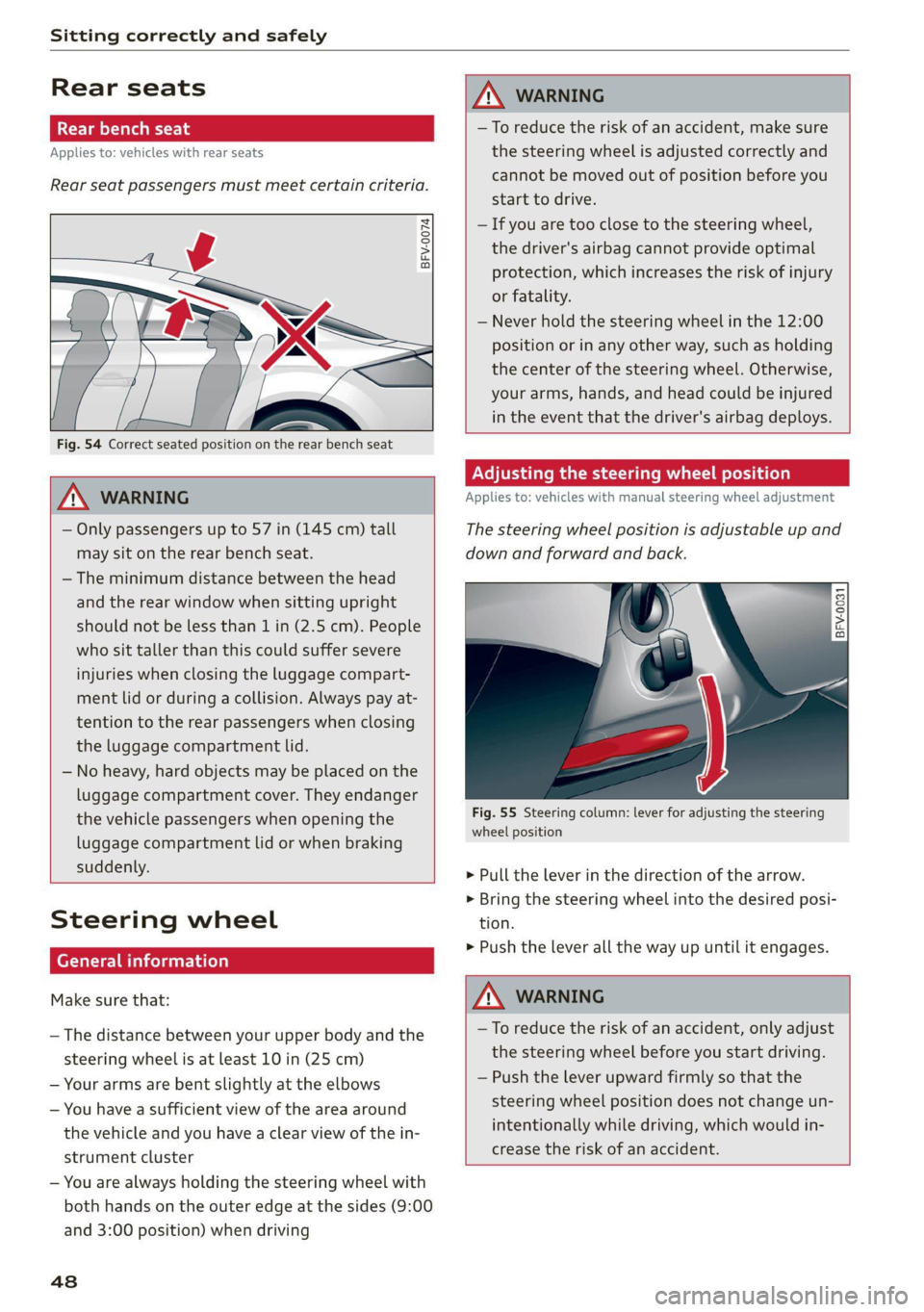
Rear seat passengers must meet certain criteria.
BFV-0074
Fig. 54 Correct seated position on the rear bench seat
Z\ WARNING
— Only passengers up to 57 in (145 cm) tall
may sit on the rear bench seat.
— The minimum distance between the head
and the rear window when sitting upright
should not be less than 1 in (2.5 cm). People
who sit taller than this could suffer severe
injuries when closing the luggage compart-
ment lid or during a collision. Always pay at-
tention to the rear passengers when closing
the luggage compartment lid.
— No heavy, hard objects may be placed on the
luggage compartment cover. They endanger
the vehicle passengers when opening the
luggage compartment lid or when braking
suddenly.
Steering wheel
(ee ei celeurlaela)
Make sure that:
— The distance between your upper body and the
steering wheel is at least 10 in (25 cm)
— Your arms are bent slightly at the elbows
— You have a sufficient view of the area around
the vehicle and you have a clear view of the in-
strument cluster
— You are always holding the steering wheel with
both hands on the outer edge at the sides (9:00
and 3:00 position) when driving
48
Z\ WARNING
—To reduce the risk of an accident, make sure
the steering wheel is adjusted correctly and
cannot be moved out of position before you
start to drive.
— If you are too close to the steering wheel,
the driver's airbag cannot provide optimal
protection, which increases the risk of injury
or fatality.
— Never hold the steering wheel in the 12:00
position or in any other way, such as holding
the center of the steering wheel. Otherwise,
your arms, hands, and head could be injured
in the event that the driver's airbag deploys.
Adjusting the steering wheel position
Applies to: vehicles with manual steering wheel adjustment
The steering wheel position is adjustable up and
down and forward and back.
4
BFV-0031
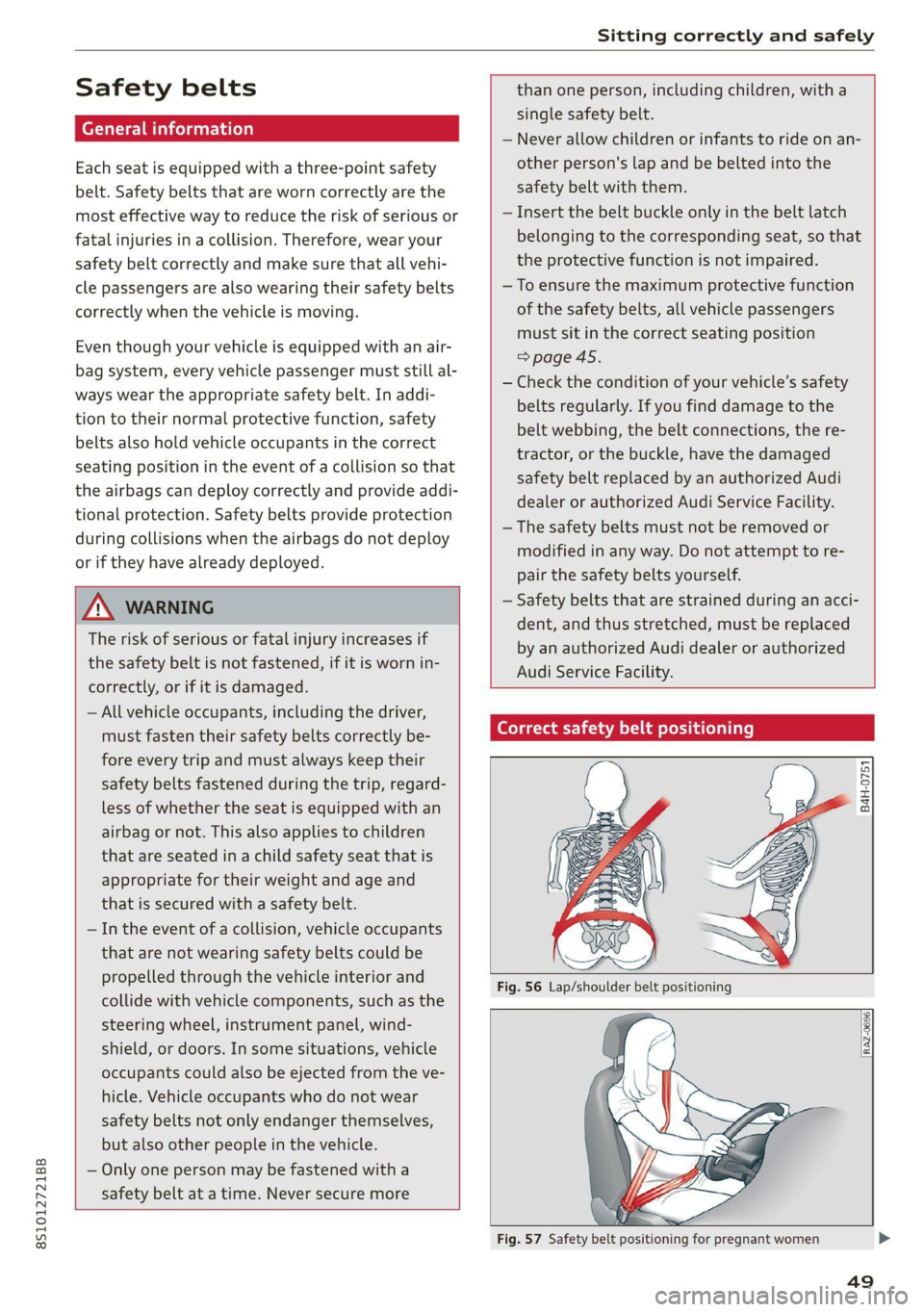
Fig. 55 Steering column: lever for adjusting the steering
wheel position
> Pull the lever in the direction of the arrow.
> Bring the steering wheel into the desired posi-
tion.
> Push the lever all the way up until it engages.
ZX WARNING
—To reduce the risk of an accident, only adjust
the steering wheel before you start driving.
— Push the lever upward firmly so that the
steering wheel position does not change un-
intentionally while driving, which would in-
crease the risk of an accident.
Page 51 of 280
8S1012721BB
Sitting correctly and safely
Safety belts
Each seat is equipped with a three-point safety
belt. Safety belts that are worn correctly are the
most effective way to reduce the risk of serious or
fatal injuries in a collision. Therefore, wear your
safety belt correctly and make sure that all vehi-
cle passengers are also wearing their safety belts
correctly when the vehicle is moving.
Even though your vehicle is equipped with an air-
bag system, every vehicle passenger must still al-
ways wear the appropriate safety belt. In addi-
tion to their normal protective function, safety
belts also hold vehicle occupants in the correct
seating position in the event of a collision so that
the
airbags can deploy correctly and provide addi-
tional protection. Safety belts provide protection
during collisions when the airbags do not deploy
or if they have already deployed.
ZA WARNING
The risk of serious or fatal injury increases if
the safety belt is not fastened, if it is worn in-
correctly, or if it is damaged.
— All vehicle occupants, including the driver,
must fasten their safety belts correctly be-
fore every trip and must always keep their
safety belts fastened during the trip, regard-
less of whether the seat is equipped with an
airbag or not. This also applies to children
that are seated in a child safety seat that is
appropriate for their weight and age and
that is secured with a safety belt.
— In the event of a collision, vehicle occupants
that are not wearing safety belts could be
propelled through the vehicle interior and
collide with vehicle components, such as the
steering wheel, instrument panel, wind-
shield, or doors. In some situations, vehicle
occupants could also be ejected from the ve-
hicle. Vehicle occupants who do not wear
safety belts not only endanger themselves,
but also other people in the vehicle.
— Only one person may be fastened with a
safety belt at a time. Never secure more
than one person, including children, with a
single safety belt.
— Never allow children or infants to ride on an-
other person's lap and be belted into the
safety belt with them.
— Insert the belt buckle only in the belt latch
belonging to the corresponding seat, so that
the protective function is not impaired.
—To ensure the maximum protective function
of the safety belts, all vehicle passengers
must sit in the correct seating position
=> page 45.
— Check the condition of your vehicle’s safety
belts regularly. If you find damage to the
belt webbing, the belt connections, the re-
tractor, or the buckle, have the damaged
safety belt replaced by an authorized Audi
dealer or authorized Audi Service Facility.
— The safety belts must not be removed or
modified in any way. Do not attempt to re-
pair the safety belts yourself.
— Safety belts that are strained during an acci-
dent, and thus stretched, must be replaced
by an authorized Audi dealer or authorized
Audi Service Facility.
Correct safety belt positioning
B4H-0751
RAZ-0696
49
Page 52 of 280
Sitting correctly and safely
Fastened safety belts only offer optimal protec-
tion during an accident and reduce the risk of se-
rious injury or death when they are positioned
correctly. Furthermore, the correct safety belt
position holds the vehicle occupant in place so
that a deployed airbag can provide maximum
protection. Therefore, always fasten the safety
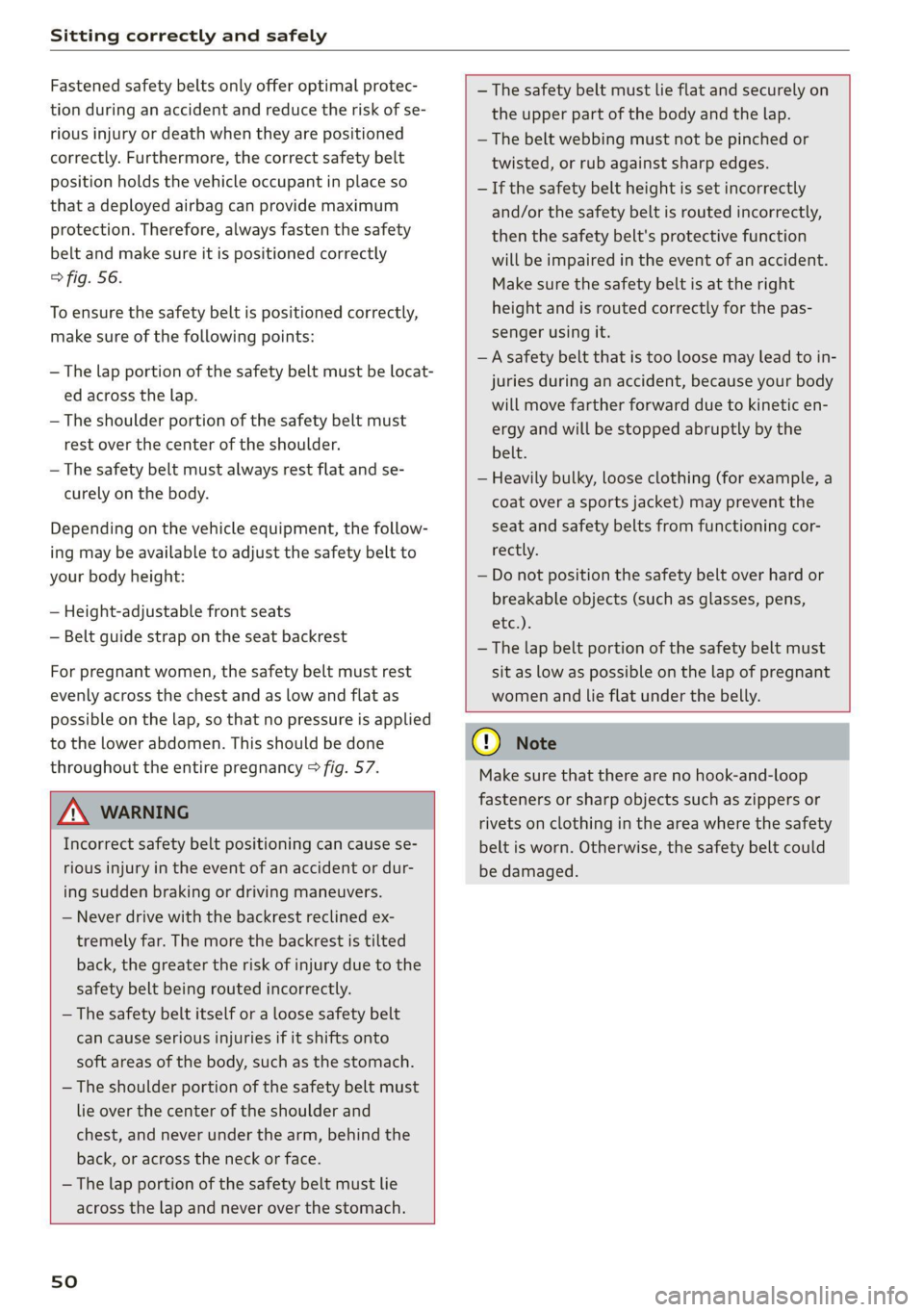
belt and make sure it is positioned correctly
> fig. 56.
To ensure the safety belt is positioned correctly,
make sure of the following points:
— The lap portion of the safety belt must be locat-
ed across the lap.
— The shoulder portion of the safety belt must
rest over the center of the shoulder.
— The safety belt must always rest flat and se-
curely on the body.
Depending on the vehicle equipment, the follow-
ing may be available to adjust the safety belt to
your body height:
— Height-adjustable front seats
— Belt guide strap on the seat backrest
For pregnant women, the safety belt must rest
evenly across the chest and as low and flat as
possible on the lap, so that no pressure is applied
to the lower abdomen. This should be done
throughout the entire pregnancy > fig. 57.
— The safety belt must lie flat and securely on
the upper part of the body and the lap.
— The belt webbing must not be pinched or
twisted, or rub against sharp edges.
— If the safety belt height is set incorrectly
and/or the safety belt is routed incorrectly,
then the safety belt's protective function
will be impaired in the event of an accident.
Make sure the safety belt is at the right
height and is routed correctly for the pas-
senger using it.
— A safety belt that is too loose may lead to in-
juries during an accident, because your body
will move farther forward due to kinetic en-
ergy and will be stopped abruptly by the
belt.
— Heavily bulky, loose clothing (for example, a
coat over a sports jacket) may prevent the
seat and safety belts from functioning cor-
rectly.
— Do not position the safety belt over hard or
breakable objects (such as glasses, pens,
etc.).
— The lap belt portion of the safety belt must
sit as low as possible on the lap of pregnant
women and lie flat under the belly.
Z\ WARNING
Incorrect safety belt positioning can cause se-
rious injury in the event of an accident or dur-
ing sudden braking or driving maneuvers.
— Never drive with the backrest reclined ex-
tremely far. The more the backrest is tilted
back, the greater the risk of injury due to the
safety belt being routed incorrectly.
— The safety belt itself or a loose safety belt
can cause serious injuries if it shifts onto
soft areas of the body, such as the stomach.
— The shoulder portion of the safety belt must
lie over the center of the shoulder and
chest, and never under the arm, behind the
back, or across the neck or face.
— The lap portion of the safety belt must lie
across the lap and never over the stomach.
sO
() Note
Make sure that there are no hook-and-loop
fasteners or sharp objects such as zippers or
rivets on clothing in the area where the safety
belt is worn. Otherwise, the safety belt could
be damaged.
Page 54 of 280
Sitting correctly and safely
@) Tips
Smoke may be released when pyrotechnic belt
tensioners deploy. This is not a sign of a vehi-
cle fire.
Airbag system
(eee ieleuri sel)
ZA\ WARNING
— If you have not fastened your safety belt,
you are in an incorrect seating position, or
you are too close to the airbag system, the
airbag system will not be able to protect
you. This increases the risk of serious or fa-
tal injuries. Make sure that every vehicle
passenger has their safety belt correctly fas-
tened and is sitting in a correct seating posi-
tion > page 45. This is necessary regardless
of whether the seat is equipped with an air-
bag or not.
— Never place your feet on the instrument
panel, out of the window, or on the seat sur-
faces. To help ensure that the airbag system
can deploy correctly, never bend forward or
lean on the door or the side window. Other-
wise, serious and possibly fatal injuries can
occur if the airbags deploy.
— People, animals, or objects between the
passengers and the airbag system can inter-
fere with the correct deployment of the air-
bag or can be thrown through the vehicle in-
terior, increasing the risk of serious or fatal
injuries. Make sure that nothing is located
between the vehicle occupants and the air-
bag system. Do not secure or transport any
objects within the deployment zone of the
airbag systems, especially on the steering
wheel, on the instrument panel, on the
doors, on the windows, or in the footwell.
— Never put stickers on the airbag system cov-
ers or cover them with any objects.
— Applies to: Coupe: Only lightweight clothing
should be hung from the garment hooks in
the vehicle. Do not use clothes hangers to
hang clothing. The pockets of the clothing
must not contain any heavy, breakable, or
sharp-edged objects. This could impair the
effectiveness of the side curtain airbags.
— You must not use seat or protective covers
that are not specifically approved for use on
Audi seats with side airbags. Since the side
airbags deploy from the seat backrest, such
covers could impair the protective function
of the side airbags.
— Damage to the original seat covers in the
side airbag deployment area must always be
repaired by an authorized Audi dealer or au-
thorized Audi Service Facility.
— Airbag system components are installed at
various locations in your vehicle. Incorrect
work or repairs on the vehicle could damage
the airbag system components or impair
their functionality. This may prevent the air-
bags from deploying or cause them to de-
ploy incorrectly in the event of an accident,
which increases the risk of serious or fatal
injuries. Only have an authorized Audi dealer
or authorized Audi Service Facility make re-
pairs or modifications to a vehicle.
— The airbag system can only provide protec-
tion during one collision. If there is another
collision, the airbag system will not deploy
again. If the airbag system has deployed,
have it replaced immediately by an author-
ized Audi dealer or authorized Audi Service
Facility.
— Fine dust may appear if the airbags deploy.
This is completely normal and does not indi-
cate a fire in the vehicle. The fine dust can ir-
ritate the skin and mucous membranes in
the eyes and can cause difficulty breathing,
particularly for individuals who have or have
had asthma or other health issues that af-
fect breathing. Exit the vehicle or open the
windows or doors to get access to fresh air.
52
G) Tips
If you are transporting children in the vehicle,
read the information and follow the safety
precautions > page 58.