load capacity AUDI TT COUPE 2020 Owners Manual
[x] Cancel search | Manufacturer: AUDI, Model Year: 2020, Model line: TT COUPE, Model: AUDI TT COUPE 2020Pages: 280, PDF Size: 98.79 MB
Page 142 of 280
Telephone
@) Tips
— For more information about the myAudi ac-
count, visit my.audi.com.
—The imported contacts are stored in the lo-
cal memory of the directory.
—A maximum of 1,000 contacts can be im-
ported. You can check the directory memory
capacity at any time > page 140.
— Contacts that were downloaded from a mo-
bile device cannot be exported.
— There should be no other files or folders on
the storage medium containing the contacts
to be imported.
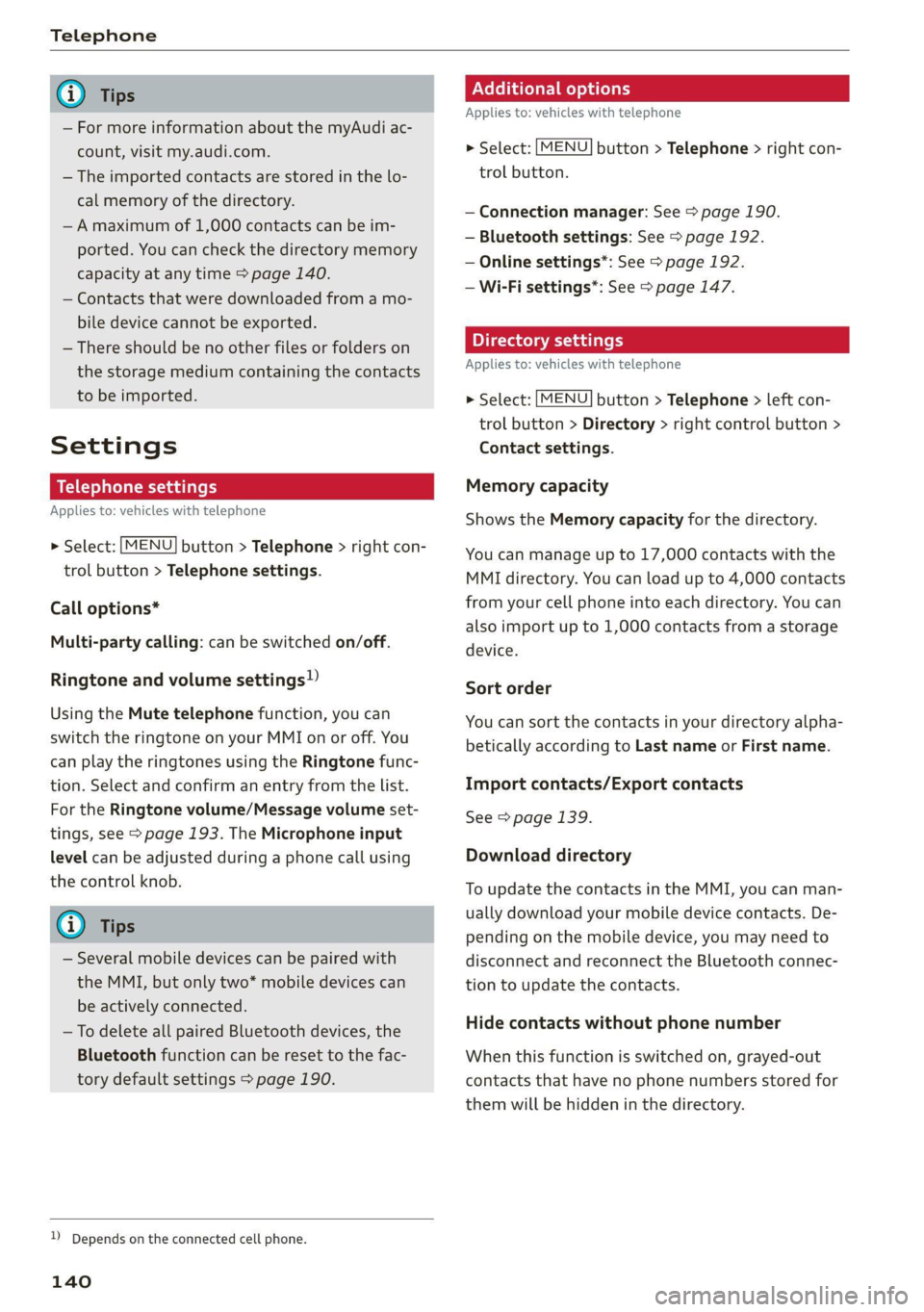
Settings
Telephone settings
Applies to: vehicles with telephone
> Select: [MENU] button > Telephone > right con-
trol button > Telephone settings.
Call options*
Multi-party calling: can be switched on/off.
Ringtone and volume settings!)
Using the Mute telephone function, you can
switch the ringtone on your MMI on or off. You
can play the ringtones using the Ringtone func-
tion. Select and confirm an entry from the list.
For the Ringtone volume/Message volume set-
tings, see > page 193. The Microphone input
level can be adjusted during a phone call using
the control knob.
@ Tips
— Several mobile devices can be paired with
the MMI, but only two* mobile devices can
be actively connected.
— To delete all paired Bluetooth devices, the
Bluetooth function can be reset to the fac-
tory default settings > page 190.
)) Depends on the connected cell phone.
140
Additional options
Applies to: vehicles with telephone
> Select: [MENU] button > Telephone > right con-
trol button.
— Connection manager: See > page 190.
— Bluetooth settings: See > page 192.
— Online settings*: See > page 192.
— Wi-Fi settings”: See > page 147.
Directory settings
Applies to: vehicles with telephone
> Select: [MENU] button > Telephone > left con-
trol button > Directory > right control button >
Contact settings.
Memory capacity
Shows the Memory capacity for the directory.
You can manage up to 17,000 contacts with the
MMI directory. You can load up to 4,000 contacts
from your cell phone into each directory. You can
also import up to 1,000 contacts from a storage
device.
Sort order
You can sort the contacts in your directory alpha-
betically according to Last name or First name.
Import contacts/Export contacts
See > page 139.
Download directory
To update the contacts in the MMI, you can man-
ually download your mobile device contacts. De-
pending on the mobile device, you may need to
disconnect and reconnect the Bluetooth connec-
tion to update the contacts.
Hide contacts without phone number
When this function is switched on, grayed-out
contacts that have no phone numbers stored for
them will be hidden in the directory.
Page 174 of 280
RAH-8826|
re
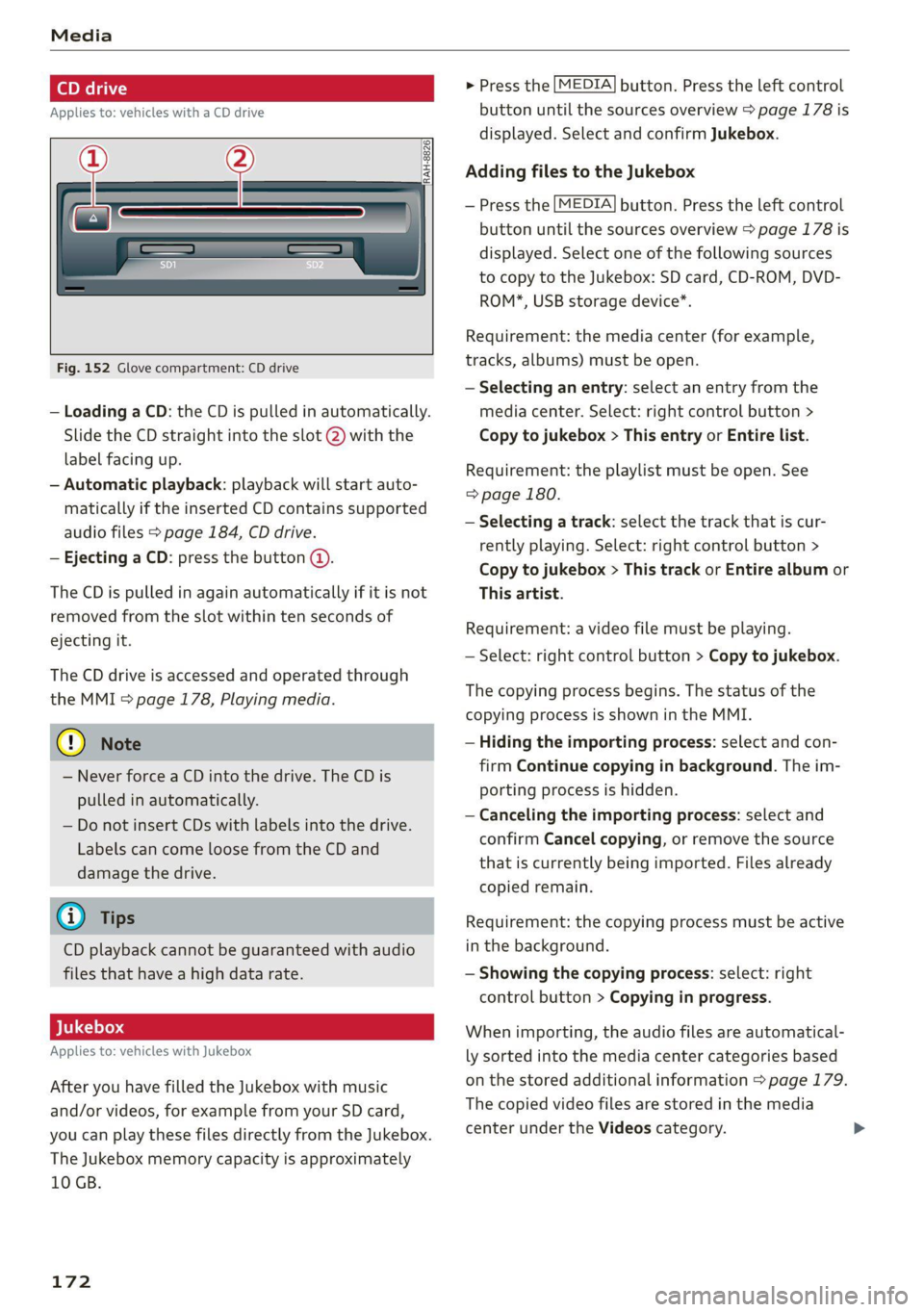
Fig. 152 Glove compartment: CD drive
— Loading a CD: the CD is pulled in automatically.
Slide the CD straight into the slot @) with the
label facing up.
— Automatic playback: playback will start auto-
matically if the inserted CD contains supported
audio files > page 184, CD drive.
— Ejecting a CD: press the button @.
The CD is pulled in again automatically if it is not
removed from the slot within ten seconds of
ejecting it.
The CD drive is accessed and operated through
the MMI & page 178, Playing media.
@) Note
— Never force a CD into the drive. The CD is
pulled in automatically.
— Do not insert CDs with labels into the drive.
Labels can come loose from the CD and
damage the drive.
@) Tips
CD playback cannot be guaranteed with audio
files that have a high data rate.
Applies to: vehicles with Jukebox
After you have filled the Jukebox with music
and/or videos, for example from your SD card,
you can play these files directly from the Jukebox.
The Jukebox memory capacity is approximately
10 GB.
172
> Press the [MEDIA] button. Press the left control
button until the sources overview > page 178 is
displayed. Select and confirm Jukebox.
Adding files to the Jukebox
— Press the [MEDIA] button. Press the left control
button until the sources overview > page 178 is
displayed. Select one of the following sources
to copy to the Jukebox: SD card, CD-ROM, DVD-
ROM*, USB storage device*.
Requirement: the media center (for example,
tracks, albums) must be open.
— Selecting an entry: select an entry from the
media center. Select: right control button >
Copy to jukebox > This entry or Entire list.
Requirement: the playlist must be open. See
=> page 180.
— Selecting a track: select the track that is cur-
rently playing. Select: right control button >
Copy to jukebox > This track or Entire album or
This artist.
Requirement: a video file must be playing.
— Select: right control button > Copy to jukebox.
The copying process begins. The status of the
copying process is shown in the MMI.
— Hiding the importing process: select and con-
firm
Continue copying in background. The im-
porting process is hidden.
— Canceling the importing process: select and
confirm Cancel copying, or remove the source
that is currently being imported. Files already
copied remain.
Requirement: the copying process must be active
in the background.
— Showing the copying process: select: right
control button > Copying in progress.
When importing, the audio files are automatical-
ly sorted into the media center categories based
on the stored additional information > page 179.
The copied video files are stored in the media
center under the Videos category.
Page 216 of 280

Wheels
Tire designations
© 2 2 x ©
oO
Fig. 177 Tire designations on the side-
wall
@ Tires for passenger vehicles
(if applicable)
“P” indicates a tire for a passen-
ger vehicle. “T” indicates a tire
designated for temporary use.
@ Nominal width
Nominal width of the tire be-
tween the sidewalls in millime-
ters. In general: the larger the
number, the wider the tire.
@) Aspect ratio
Height/width ratio expressed as a
percentage.
214
@) Tire construction
“R” indicates a radial tire.
©) Rim diameter
Size of the rim diameter in inches.
© Load index and speed rating
The load index indicates the tire's
load-carrying capacity.
The speed rating indicates the
maximum permitted speed. Also
see > A in General information on
page 213.
“EXTRA LOAD”, “xl” or “RF” indi-
cates that the tire is reinforced or
is an Extra Load tire.
Speed rat- /Maximum permitted speed
ing
P up to 93 mph (150 km/h)
Q up to 99 mph (160 km/h)
R up to 106 mph (170 km/h)
s up to 110 mph (180 km/h)
T up to 118 mph (190 km/h)
U up to 124 mph (200 km/h)
H up to 130 mph (210 km/h)
Vv up to 149 mph (240 km/h)?
Zz above 149 mph (240 km/h)?)
w up to 168 mph (270 km/h)?
Y up to 186 mph (300 km/h)
@) For tires above 149 mph (240 km/h),
tire manufacturers sometimes use the
code “ZR”.
Page 218 of 280

Wheels
Glossary of tire and loading
terminology
Accessory weight
means the combined weight (in
excess of those standard items
which may be replaced) of auto-
matic transmission, power steer-
ing, power brakes, power win-
dows, power seats, radio, and
heater, to the extent that these
items are available as factory-in-
stalled equipment (whether in-
stalled or not).
Aspect ratio
means the ratio of the height to
the width of the tire in percent.
Numbers of 55 or lower indicate a
low sidewall for improved steer-
ing response and better overall
handling on dry pavement.
Bead
means the part of the tire that is
made of steel wires, wrapped or
reinforced by ply cords and that is
shaped to fit the rim.
Bead separation
means a breakdown of the bond
between components in the bead.
216
Cord
means the strands forming the
plies in the tire.
Cold tire inflation pressure
means the tire pressure recom-
mended by the vehicle manufac-
turer for a tire of a designated
size that has not been driven for
more than a couple of miles (kilo-
meters) at low speeds in the three
hour period before the tire pres-
sure is measured or adjusted.
Curb weight
means the weight of a motor ve-
hicle with standard equipment in-
cluding the maximum capacity of
fuel, oil, and coolant, air condi-
tioning and additional weight of
optional equipment.
Extra load tire
means a tire designed to operate
at higher loads and at higher in-
flation pressures than the corre-
sponding standard tire. Extra load
tires may be identified as “XL”,
“xl”, “EXTRA LOAD”, or “RF” on
the sidewall.
Page 219 of 280

8S1012721BB
Wheels
Gross Axle Weight Rating
(“GAWR”)
means the load-carrying capacity
of a single axle system, measured
at the tire-ground interfaces.
Gross Vehicle Weight Rating
(“GVWR”)
means the maximum total loaded
weight of the vehicle.
Groove
means the space between two ad-
jacent tread ribs.
Load rating (code)
means the maximum load that a
tire is rated to carry for a given in-
flation pressure. You may not find
this information on all tires be-
cause it is not required by law.
Maximum load rating
means the load rating fora tire at
the maximum permissible infla-
tion pressure for that tire.
Maximum loaded vehicle
weight
means the sum of:
(a) Curb weight
(b) Accessory weight
(c) Vehicle capacity weight, and
(d) Production options weight
Maximum (permissible)
inflation pressure
means the maximum cold infla-
tion pressure to which a tire may
be inflated. Also called “maxi-
mum inflation pressure.”
Normal occupant weight
means 150 lbs. (68 kilograms)
times the number of occupants
seated in the vehicle up to the to-
tal seating capacity of your vehi-
cle.
Occupant distribution
means distribution of occupants
in a vehicle.
Outer diameter
means the overall diameter of an
inflated new tire.
Overall width
means the linear distance be-
tween the exteriors of the side-
walls of an inflated tire, including
elevations due to labeling, deco-
rations, or protective bands or
ribs.
Ply
means a layer of rubber-coated
parallel cords.
217
Page 222 of 280
Wheels
by the tire manufacturer. This in-
formation is used to contact con-
sumers if a tire defect requires a
recall.
Vehicle capacity weight
means the rated cargo and lug-
gage load plus 150 lbs. (68 kilo-
grams) times the vehicle's desig-
nated seating capacity.
Vehicle maximum load on the
tire
means that load on an individual
tire that is determined by distrib-
uting to each axle its share of the
maximum loaded vehicle weight
and dividing by two.
Vehicle normal load on the tire
means that load on an individual
tire that is determined by distrib-
uting to each axle its share of the
curb weight, accessory weight,
and normal occupant weight (dis-
tributed in accordance with > ta-
ble on page 225) and dividing by
two.
Occupant loading and distri-
bution for vehicle normal load
for various designated seating
capacities
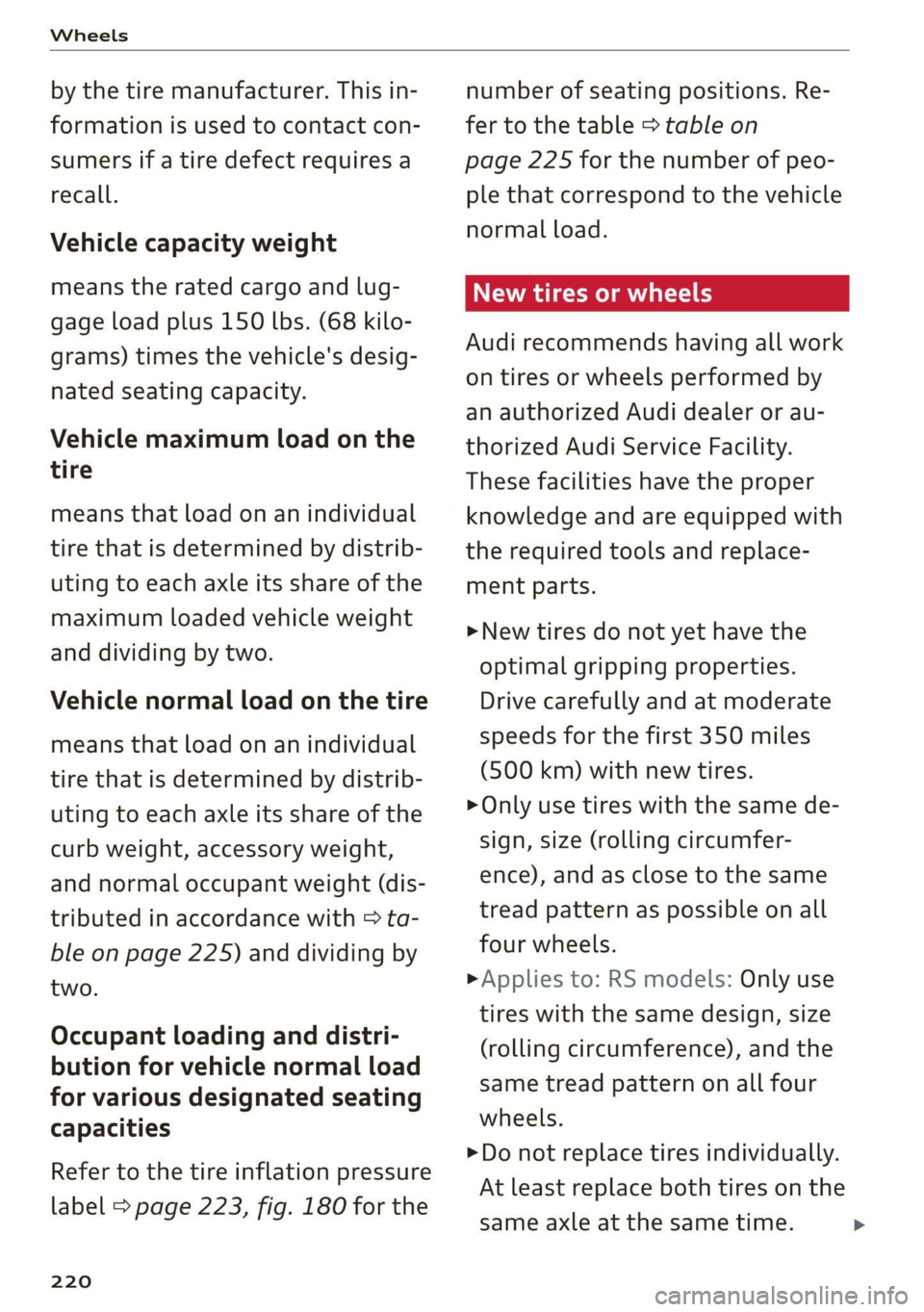
Refer to the tire inflation pressure
label > page 223, fig. 180 for the
220
number of seating positions. Re-
fer to the table > table on
page 225 for the number of peo-
ple that correspond to the vehicle
normal load.
New tires or wheels
Audi recommends having all work
on tires or wheels performed by
an authorized Audi dealer or au-
thorized Audi Service Facility.
These facilities have the proper
knowledge and are equipped with
the required tools and replace-
ment parts.
>New tires do not yet have the
optimal gripping properties.
Drive carefully and at moderate
speeds for the first 350 miles
(500 km) with new tires.
> Only use tires with the same de-
sign, size (rolling circumfer-
ence), and as close to the same
tread pattern as possible on all
four wheels.
> Applies to: RS models: Only use
tires with the same design, size
(rolling circumference), and the
same tread pattern on all four
wheels.
>Do not replace tires individually.
At least replace both tires on the
same axle at the same time. >
Page 225 of 280

8S1012721BB
Wheels
Tire rotation
Rotating the tires regularly is rec-
ommended to ensure the tires
wear evenly. To rotate the tires,
install the tires from the rear axle
on the front axle and vice versa.
This will allow the tires to have
approximately the same length of
service life.
For unidirectional tires, make sure
the tires are installed according to
the running direction indicated on
the tire sidewall > page 246.
Hidden damage
Damage to tires and rims can of-
ten occur in locations that are hid-
den. Unusual vibrations in the ve-
hicle or pulling to one side may
indicate that there is tire damage.
Reduce your speed immediately.
Check the tires for damage. If no
damage is visible from the out-
side, drive slowly and carefully to
the nearest authorized Audi deal-
er or authorized Audi Service Fa-
cility to have the vehicle inspect-
ed.
Z\ WARNING
Tread that has worn too low or
uneven tread depths on the
tires can reduce driving safety.
This can increase the risk of an
accident because it has a nega-
tive effect on handling, driving
through curves, and braking,
and because it increases the
risk of hydroplaning when driv-
ing through deep puddles.
Tire pressure
5
Fig. 179 Driver's side B-pillar: tire pres-
sure label
0 ‘SEATING CAPACITY TOTAL NOMBRE DE PLACES TOTAL
‘Tho combined weight of occupants and cargo should never exceer l
BFV-0295
B8K-1151
TIRE SIZE
PNEU _| DIMENSIONS
FRONT
AVANT
REAR
ARRIERE
‘SPARE
DE SECOURS
COLD TIRE PRESSURE
PRESSION DES PNEUS A FROID
as KPA, BM PSI
al KPA, I PSI
a KPA, MM PSI
Fig. 180 Tire pressure label
The correct tire pressure for tires
mounted at the factory and for
the spare tire* is indicated on a la-
bel. The label is located on the B-
pillar > fig. 179, > fig. 180.
Use the tire pressure specified for
a normal vehicle load when the
223
>
Page 229 of 280
8S1012721BB
Wheels
increase the risk of the loss of
vehicle control.
—The brakes on a vehicle that
has been overloaded may not
be able to stop the vehicle
within a safe distance.
—Tires on a vehicle that has
been overloaded can fail sud-
denly, including a blowout and
sudden deflation, causing loss
of control and a crash.
—Always make sure that the to-
tal load being transported
does not make the vehicle
heavier than the vehicle’s
Gross Vehicle Weight Rating.
Determining correct load
limit
Use the example below to calcu-
late the total weight of the pas-
sengers and luggage or other
things that you plan to transport
so that you can make sure that
your vehicle will not be overload-
ed.
Steps for Determining Correct
Load Limit
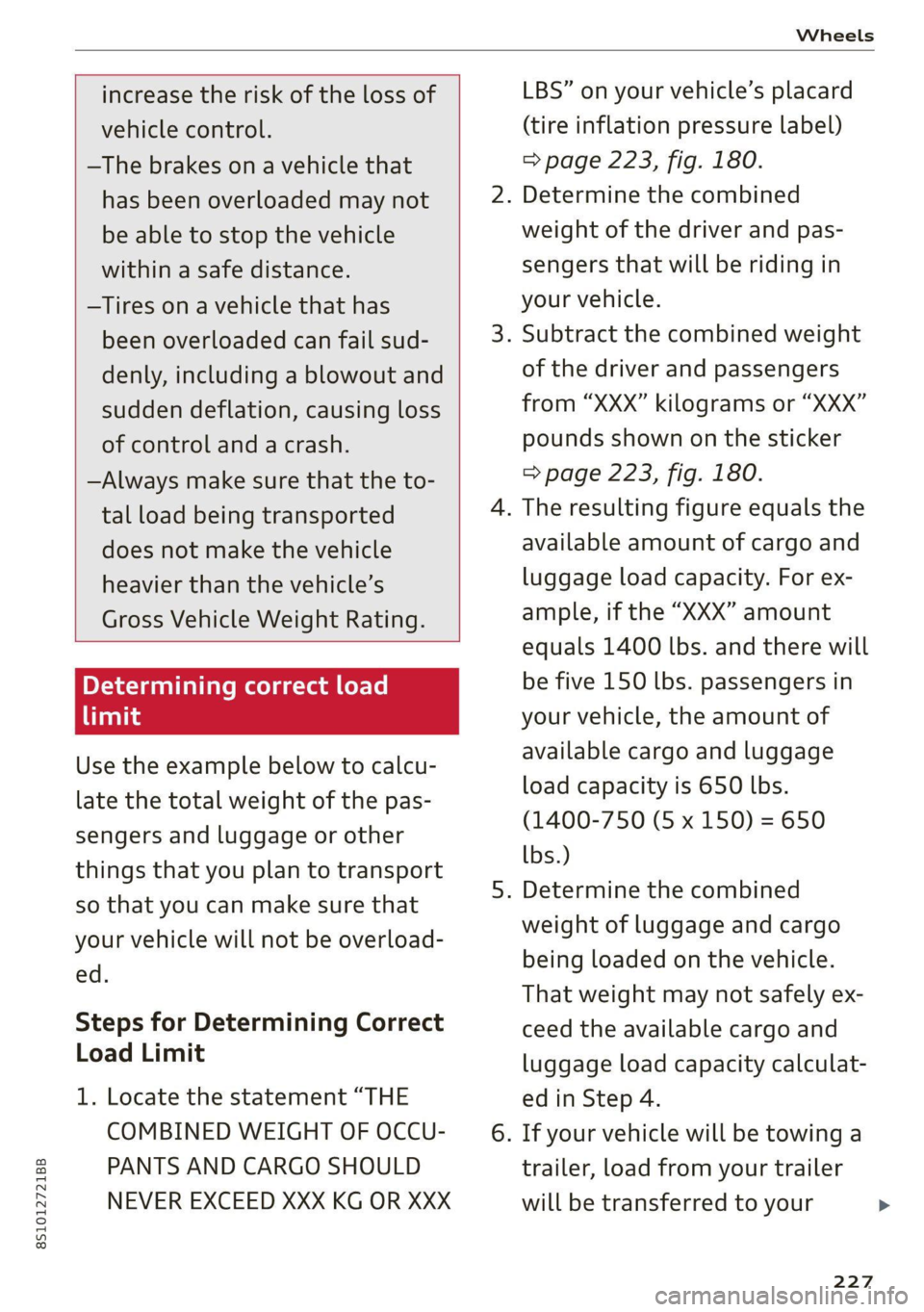
1. Locate the statement “THE
COMBINED WEIGHT OF OCCU-
PANTS AND CARGO SHOULD
NEVER EXCEED XXX KG OR XXX
LBS” on your vehicle’s placard
(tire inflation pressure label)
> page 223, fig. 180.
. Determine the combined
weight of the driver and pas-
sengers that will be riding in
your vehicle.
. Subtract the combined weight
of the driver and passengers
from “XXX” kilograms or “XXX”
pounds shown on the sticker
> page 223, fig. 180.
. The resulting figure equals the
available amount of cargo and
luggage load capacity. For ex-
ample, if the “XXX” amount
equals 1400 lbs. and there will
be five 150 lbs. passengers in
your vehicle, the amount of
available cargo and luggage
load capacity is 650 lbs.
(1400-750 (5 x 150) = 650
lbs.)
. Determine the combined
weight of luggage and cargo
being loaded on the vehicle.
That weight may not safely ex-
ceed the available cargo and
luggage load capacity calculat-
ed in Step 4.
. If your vehicle will be towing a
trailer, load from your trailer
will be transferred to your
227
>
Page 230 of 280

Wheels
vehicle. Consult this manual to
determine how this reduces
the available cargo and lug-
gage load capacity of your vehi-
cle.
>Check the tire sidewall
(=> page 214, fig. 177) to deter-
mine the designated load rating
for a specific tire.
Wheel bolts and rims
Wheel bolts
Wheel bolts must be clean and loosen/tighten
easily. You will need a special adapter to loosen
the anti-theft wheel bolts* > page 244.
Rims
Rims with a bolted rim ring* or with bolted wheel
covers* consist of multiple pieces. These compo-
nents were bolted together using special bolts
and a special procedure. You must not repair or
disassemble them > A.
ZA WARNING
Wheel bolts that are tightened or repaired in-
correctly can become loose and result in loss
of vehicle control, which increases the risk of
an accident. For the correct tightening specifi-
cation, see > page 247, Finishing.
— Always keep the wheel bolts and the threads
in the wheel hub clean and free of grease.
— Only use wheel bolts that fit the rim.
— Always have damaged rims repaired by an
authorized Audi dealer or authorized Audi
Service Facility. Never repair or disassemble
rims yourself, because this increases the risk
of an accident.
Winter tires significantly improve the vehicle's
handling when driving in winter conditions. Be-
cause of their construction (width, compound,
228
tread pattern), summer tires provide less traction
on ice and snow.
> Use winter tires on all four wheels.
> Only use winter tires that are approved for your
vehicle.
> Please note that the maximum permitted
speed may be lower with winter tires > A\ in
General information on page 213. An author-
ized Audi dealer or authorized Audi Service Fa-
cility can inform you about the maximum per-
mitted speed for your tires.
> Check the tire pressure after installing wheels
=> page 223.
The effectiveness of winter tires is reduced great-
ly when the tread is worn down to a depth of
0.16 in (4 mm). The characteristics of winter tires
also decrease greatly as the tire ages, regardless
of the remaining tread.
@) For the sake of the environment
Reinstall summer tires at the appropriate
time, because they provide better handling
when roads are free of snow and ice. Summer
tires cause less road noise, tire wear, and fuel
consumption.
G) Tips
You can also use all season tires instead of
winter tires. Please note that in some coun-
tries where winter tires are required, only win-
ter tires with the 4 symbol may be permit-
ted.
Snow chains improve both driving and braking in
winter road conditions.
> Only install snow chains on the front wheels.
» Check and correct the seating of the snow
chains after driving a few feet, if necessary. Fol-
low the instructions from the manufacturer.
> Note the maximum speed of 30 mph
(50 km/h). Observe the local regulations.
Use of snow chains is only permitted with certain
rim/tire combinations due to technical reasons.
Check with an authorized Audi dealer or
Page 268 of 280
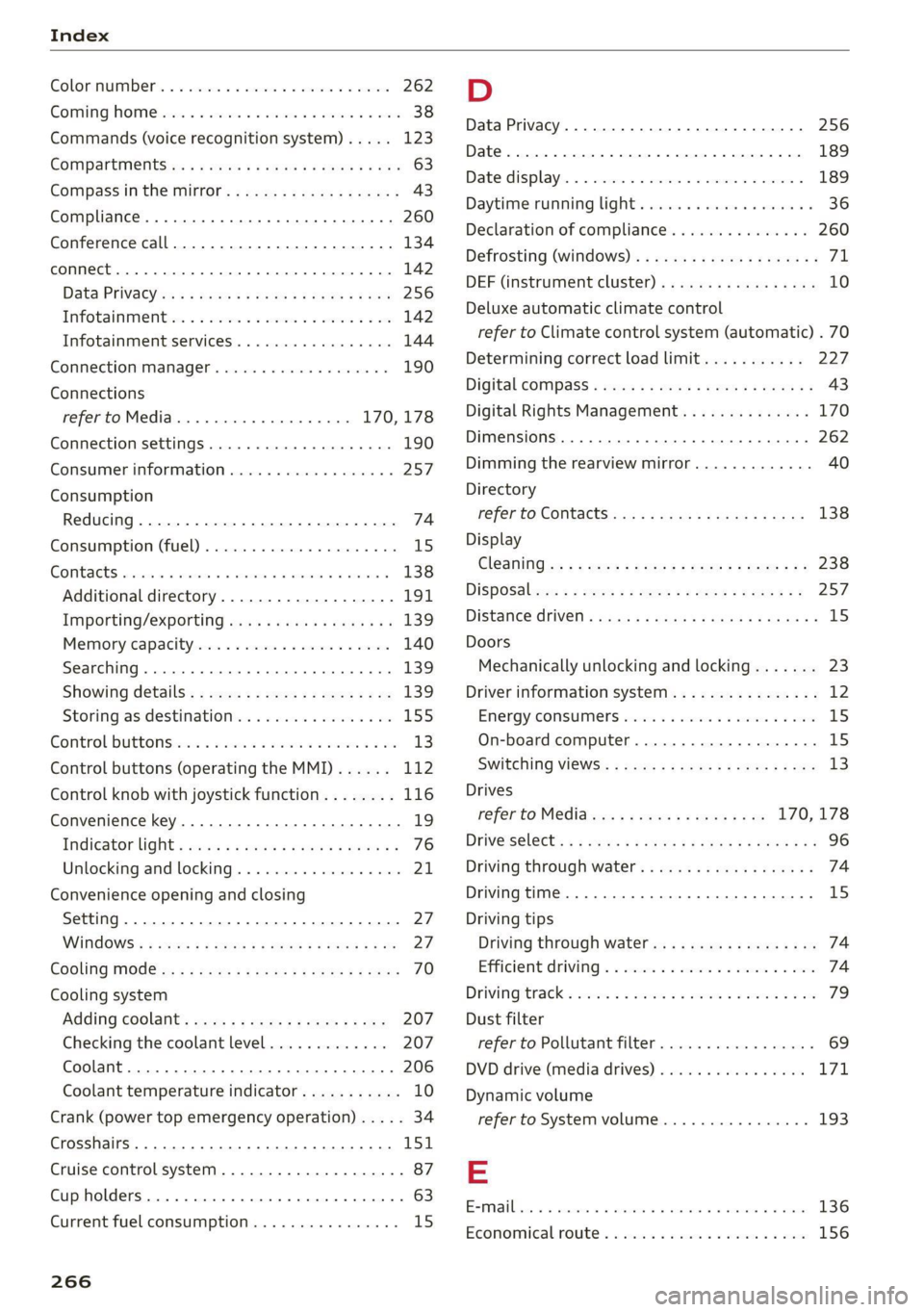
Index
ColOmmumber's « o esisne xe cunccis w o sccweme x a sesame 262
COMING NOME sic: e esivs x 6 mies ao see a» Hers 38
Commands (voice recognition system) ..... 123
COMPArtiMenitSies « x eews 5 e caw 5 o ewe ov eR 63
Compass inthe Mitr: ¢ cess se cams st ews § 43
Compliance........ 6.0... c cece eee ee eee 260
Conference call...................2000. 134
CONNECE. ee eee ee 142
Data Privacy ss ¢ ¢ #2eu ss wenn so eae 5 3 res 256
TiifotainmentQex. 6 2 sesso so semis so sons oo on 142
Infotainment services............00005 144
Connection MaMager’s wise a © swiss x 6 cima as 190
Connections
refer to Media..............0000- 170, 178
Connection settingS............... 0. ee 190
Consumer information.................. 257
Consumption
Reducing........-. cece eee ee eee eee 74
Consumption (U!D) . aiccas seo ssaeie ao winzaoe e « aie 15)
COMPACTS seisse sc a aac aw esauius a x auoRTNE © a AnaKiK® 138
Additional directory.............-..00. 191
Importing/exporting.............ee eee 139
Memoryicapacityscis «+ sssss 6 & cavsves v 6 socewss 140
Searching........... 26 eee eee eee 139
Showing détails: s css sv sees vv heen seve 139
Storingias:destinationien « wivsuis « wevem ao ow 155
Gontrol bUttONS wie 2 wee 2 wes oe ewe 2 oon 13
Control buttons (operating the MMI)...... 112
Control knob with joystick function........ 116
Convenience key..........0--0 eee eee eee 19
Indicatorlight » meu < » mews 2 ewooy 5 won a 5 76
Unlocking and locking...............005 21
Convenience opening and closing
Setting. ........ 0.00... 27
WINGOWS's « cmos § 5 aaeae aE aROw § mee 4 YES 27.
EGOlING MOE: « x sass 5 & mens Fa ee xe 70
Cooling system
Adding coolants ese. = enve se seen ye oes 207
Checking the coolant level............. 207
Coolant........ 20... c ee eee eee eee eee 206
Coolant
temperature indicator........... 10
Crank (power top emergency operation)..... 34
Crosshairs... 0.2.0... 00. c cece eee eee ee 151
Cruise control system .............22-008- 87
Cup holders. ... 2... cc cece eee eee ee eee 63
Current fuel consumption................ 15
266
D
Data Privacy............... 0.00.0 0.00. 256
Date... . cece eee cee 189
Date display.............. 0... e eee eee 189
Daytime running light................00. 36
Declaration of compliance............... 260
Defrosting (Windows) ........0 000s seen uues ZL
DEF (instrument cluster) . « cen. se eee cs eas 10
Deluxe automatic climate control
refer to Climate control system (automatic) . 70
Determining correct load limit........... 227
Digital COMPASS « xa se esau 2 eases a Rew as 43
Digital Rights Management.............. 170
Dimensions ............ 000 cece eee eee 262
Dimming the rearview mirror............. 40
Directory
referto Contacts cs ss cees sb ews sf eee 138
Display
Cl@aNiNG es = « sewe s eee se eee ss ewe ees 238
DispOSdlees ¢ = sees » meen < ¥ eee s Fee ee 257
DISTANCE CHIVEN « sav ¢ @ secon oF RaeR 4B aa 8 15
Doors
Mechanically unlocking and locking....... 23
Driver information system................ 12
Energy CONSUMENS wai so wes oo eer oe EW 1S
On-board computer...............00--- 15
SWItCHING VIEWS: « sawe ¢ x mecns 2 3 Sees gb 13
Drives
referto Media.......0..eceeeeeee 170,178
DrivGiSGlects « « wear 2 x eews 4 s Queen ao eee ea: 96
Driving through water.............ee eee 74
Driving time... 1.6... cece eee is
Driving tips
Driving through water..............0005 74
Efficient. Giving « «cosa 2 a sais vw anne a 6 wos 74
Driving tracks. sxcos 2 ¢ awn 2 2 seen ooo eis © 2 oe 79
Dust filter
refer to Pollutant filter..............00. 69
DVD drive (media drives)................ 171
Dynamic volume
refer to System volume............00-5 193
E
EP railisas ss x vocasne a a cantons w senstene © © veowene a ot eas 136
Economicalroute ss snus ¢ seasons a ¢ ween eo sree 156