warning AUDI TT ROADSTER 2008 Owner's Manual
[x] Cancel search | Manufacturer: AUDI, Model Year: 2008, Model line: TT ROADSTER, Model: AUDI TT ROADSTER 2008Pages: 316, PDF Size: 70.1 MB
Page 35 of 316
-Contact your authorized Audi dealer for assistance if
necessary.
If the engine coolant level is correct, then the radiator fan may be
the cause of the malfunction.
If the generator warning/indicator light should also illuminate
=> page 19 , then the fan belt may be damaged.
& WARNING
• If your vehicle should break down for mechanical or other
reasons, park at a safe distance from moving traffic, turn off the
engine and turn on the hazard warning lights
=> page 75, "Emer
gency flasher A".
• Never open the hood if you see or hear steam or coolant
escaping from the engine compartment -you risk being scalded.
Wait until you can no longer see or hear steam or coolant
escaping.
• The engine compartment of any vehicle is a dangerous area.
Before you perform any work in the engine compartment, turn of
the engine and allow it to cool. Follow the warning stickers
=> page 212, "Engine compartment".
0 Note
Do not continue driving if the _F_ symbol illuminates. There is a
malfunction in the engine cooling system -you could damage your
engine. •
Controls and equip
ment
Driver information system
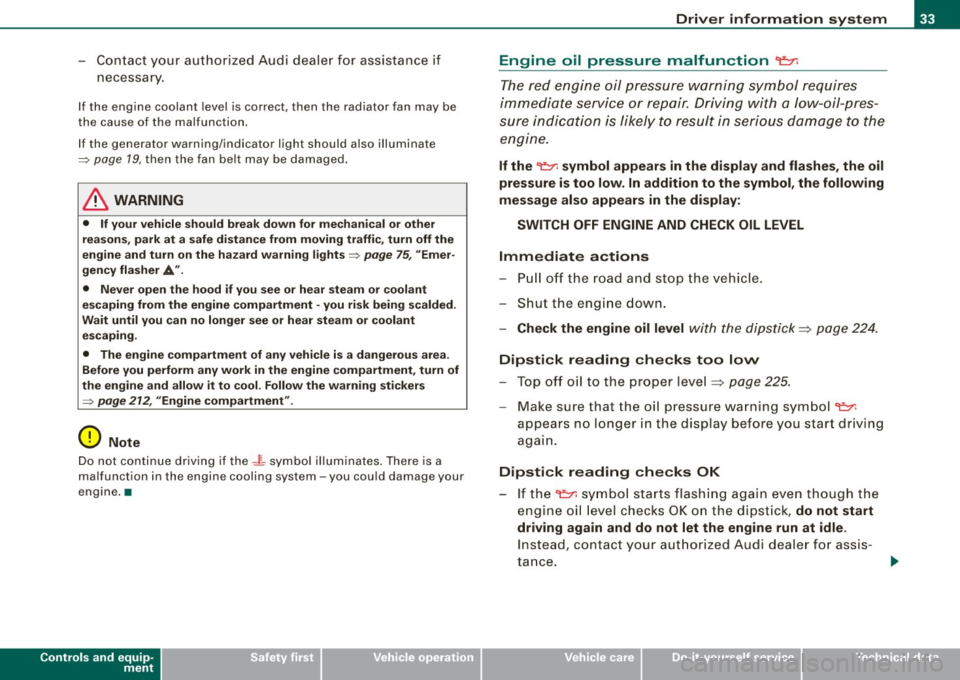
Engine oil pressure malfunction 'l=;:f.
The red engine oil pressure warning symbol requires
immediate service or repair. Driving with a low-oil-pres
sure indication is likely to result in serious damage to the
engine.
If the ~ symbol appears in the display and flashes, the oil
pressure is too low. In addition to the symbol, the following
message also appears in the display:
SWITCH OFF ENGINE AND CHECK OIL LEVEL
Immediate actions
- Pull off the road and stop the vehicle.
- Shut the engine down.
- Check the engine oil level with the dipstick=> page 224.
Dipstick reading checks too low
- Top off oil to the proper level
=> page 225.
- Make sure that the oil pressure warning symbol ~
appears no longer in the display before you start driving
again.
Dipstick reading checks OK
- If the ~ symbol starts flashing again even though the
engine oil level checks OK on the dipstick ,
do not start
driving again and do not let the engine run at idle .
Instead, contact your authorized Audi dealer for assis
tance.
I • •
Page 36 of 316
![AUDI TT ROADSTER 2008 Owners Manual Driver information system
[ i] Tips
• The engine oil pressure symbol 9:::r. is not an indicator for a low
engine oil level. Do not rely on it. Instead, check the oil level](/img/6/57671/w960_57671-35.png "AUDI TT ROADSTER 2008 Owners Manual Driver information system
[ i] Tips
• The engine oil pressure symbol 9:::r. is not an indicator for a low
engine oil level. Do not rely on it. Instead, check the oil level")
Driver information system
[ i] Tips
• The engine oil pressure symbol 9:::r. is not an indicator for a low
engine oil level. Do not rely on it. Instead, check the oil level in your
engine at regular intervals, preferably each time you refuel, and
always before going on a long trip.
• The yellow oil level warning indication · requires oil refill or
workshop service without delay. Do not wait until the red oil pres
sure warning symbol
9:::r. starts to flash before you respond to the
low oil level warning . By then, your engine may already have
suffered serious damage. •
Yellow symbols
A yellow symbol means WARNING.
Yellow symbols mean:
Low fuel level
Check engine oil level Engine oil sensor malfunction
-
Worn brake pads
USA models:
Speed warning 1
Canada models:
Speed warning 1
-
USA models:
Speed warning 2
-Canada models:
Speed warning 2 =>
pag
e35
=> page35
=> page35
-
=> page35
=> page35
=> page35
=> page35
-
=> page35
Dynamic headlight range con
trol* defective => page35
Windshield washer fluid level low
=> page 35
Battery voltage too high or too
low
Defective light bulb
USA models:
Defective brake light
Canada models:
Defective brake light =>
page35
=> page36
=> page36
=> page36
Light/rain
sensor defective (auto-=> page 36
matic headlights) * defective
Adaptive Light* defective =>
page 36
Tire pressure monitoring system * => page 37
Yellow symbols indicate a priority 2 malfunction -Warning!
When a yellow symbol appears, a warning tone will sound
once .
Check the displayed function as soon as possible . If more than one
priority 2 malfunction is detected, all symbols will appear one after
the other for about two seconds.
To display driver information
As an example, the[} symbol appears in the display . If you now
press the button =>
page 12, fig. 2 ©, the following driver message
appears in the display:
PLEASE REFUEL
The driver message in the display goes out after about 5 seconds.
You can display the driver message again by briefly p ressing the
button. •
Page 37 of 316
Fuel supply too low [J
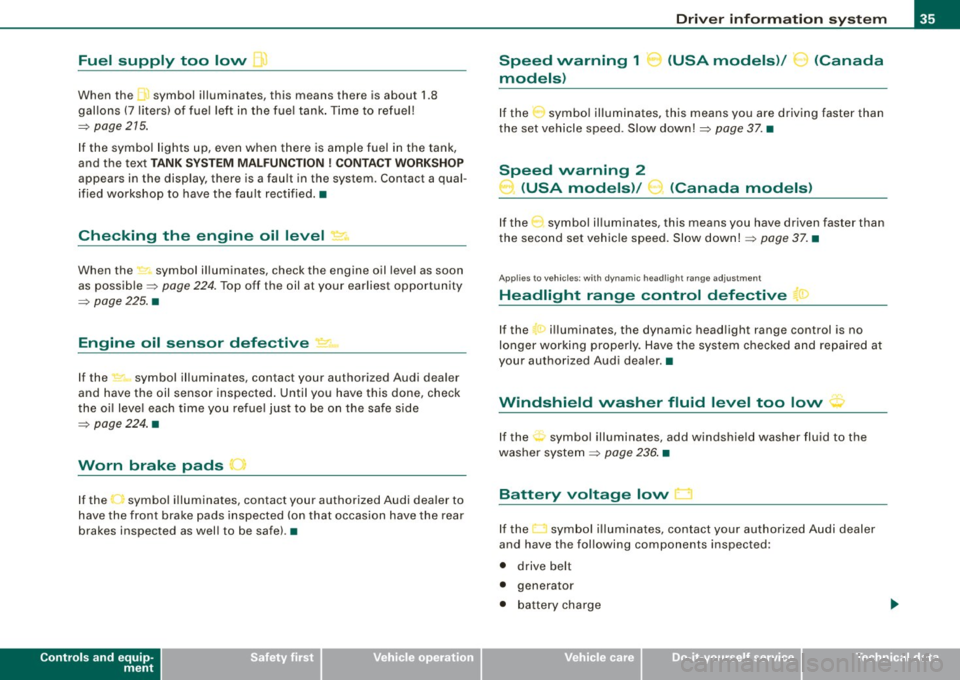
When the J symbol illuminates, this means there is about 1.8
gal lons
(7 l iters) o f fue l left in the fuel ta nk. T ime to re fuel!
=>
page 275.
I f the symbo l lights up, even when there is ample fuel in the tank,
and the text
TANK SYSTEM MA LFUN CTION! CON TACT WORKSHOP
appears in the display, there is a fau lt in the system. Contact a qual
ified workshop to have the fau lt rectified. •
Checking the engine oil level _,;.
When the -= symbol illuminates, check the engine oil leve l as soon
as possib le =>
page 224. Top off the oil at your ear liest opportun ity
=>
page 225. •
Engine oil sensor defective
-
If the _ symbol illuminates, contact your authorized Audi dealer
and have the oil sensor inspected . Unti l you have this done, check
the oi l leve l each time you re fue l jus t to be on the sa fe s ide
=>
page 224 . •
Worn brake pads .)
If the symbo l illuminates, contact your authorized Audi dea ler to
have the front bra ke pads inspected (on that occasion have the rear
brakes inspected as wel l to be safe). •
Controls and equip
ment
Driver inform ation system
Speed warning 1
~ (USA models) / ~ (Canada
models)
I f the ~ symbo l illuminates, this means you are d riving faste r than
the set vehicle speed . Slow down!=>
page 37. •
Speed warning 2
-.... (USA models) /
l.,... (Canada models)
If the C) symbol il luminates, this means you have driven faster than
the sec ond set vehic le s peed. Slow d own! =>
page 37. •
Applies to veh icles : wi th dynami c he ad light r ange ad just ment
Headlight range control defective
If the il luminates, the dynamic head light range control is no
longer working pr ope rly. Have the syste m checked and repa ired at
your authorized Audi dea ler .•
Windshield washer fluid level too low .-_j
If the ~ symbol illuminates, add windshie ld washer fluid to the
washer sys tem =>
page 236 . •
Battery voltage low ~
If the C sy mb ol illu min ates, co ntact your au thori ze d Audi dealer
and have the following components inspected:
• drive belt
• generator
• b att e ry charge
I • •
Page 38 of 316
Driver information system
Also see if the generator warning/indicator light illuminates
=> page 19. •
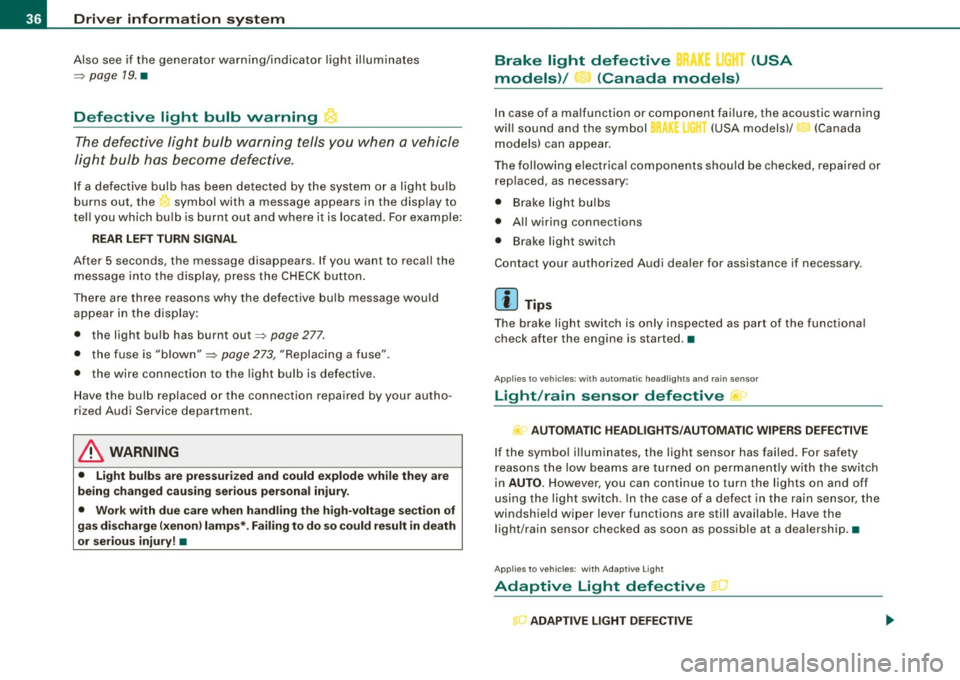
Defective light bulb warning
The defective light bulb warning tells you when a vehicle
light bulb has become defective.
If a defective bulb has been detected by the system or a light bulb
burns out, the symbol with a message appears in the display to
tell you which bulb is burnt out and where it is located. For example:
REAR LEFT TURN SIGNAL
After 5 seconds, the message disappears. If you want to recall the
message into the display, press the CHECK button.
There are three reasons why the defective bulb message would appear in the display:
• the light bulb has burnt out=> page 277.
• the fuse is "blown" => page 273, "Replacing a fuse".
• the wire connection to the light bulb is defective.
Have the bulb replaced or the connection repaired by your autho
rized Audi Service department.
& WARNING
• Light bulbs are pressurized and could explode while they are
being changed causing serious personal injury.
• Work with due care when handling the high-voltage section of
gas discharge (xenon) lamps*. Failing to do so could result in death
or serious injury! •
Brake light defective K: U (USA
models) / (Canada models)
In case of a malfunction or component failure, the acoustic warning
will sound and the symbol&;
l[ (USA models)/ (Canada
models) can appear.
The following electrical components should be checked, repaired or
replaced, as necessary :
• Brake light bulbs
• All wiring connections
• Brake light switch
Contact your authorized Audi dealer for assistance if necessary.
[ i] Tips
The brake light switch is only inspected as part of the functional
check after the engine is started. •
Applies to vehicles: with automat ic headlights and rain sensor
Light /rain sensor defective >
AUTOMATIC HEADLIGHTS/AUTOMATIC WIPERS DEFECTIVE
If the symbol illuminates, the light sensor has failed. For safety
reasons the low beams are turned on permanently with the switch
in
AUTO. However , you can continue to turn the lights on and off
using the light switch. In the case of a defect in the rain sensor, the
windshield wiper lever functions are still available. Have the
light /rain sensor checked as soon as possible at a dealership. •
Applies to veh ic le s: w ith Adaptive Light
Adaptive Light defective
ADAPTIVE LIGHT DEFECTIVE
•
'
Page 39 of 316
When this symbol ' illuminates, it means that Adaptive Light is
defective. Go to a qualified workshop to have the headlights or the
control unit for the Adaptive Light repaired. •
Applies to vehic les: w it h tir e p ressure monitor in g system
Tire pressure monitoring system J
Tire pressure that is too low must be corrected as soon as
possible .
If the 'symbol flashes for about one minute after the igni
tion is switched on and then remains on, there is a malfunc
tion in the system. Consult the nearest authorized Audi
dealer as soon as possible.
Additional information about the tire pressure monitoring system
can be found: => page 41. •
Speed warning system
Overview
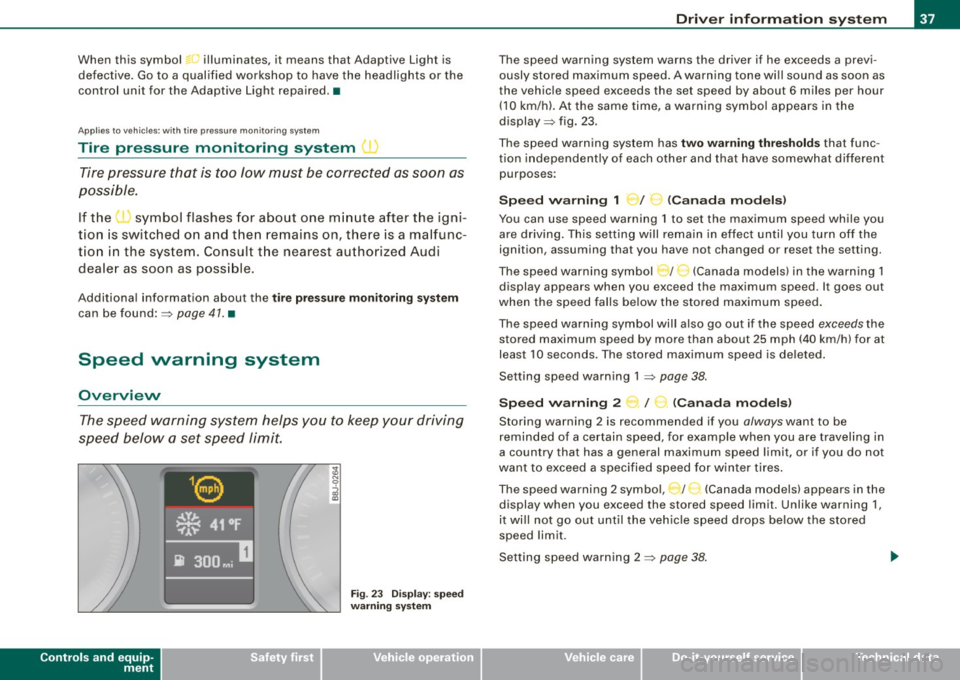
The speed warning system helps you to keep your driving
speed below a set speed limit.
Controls and equip
ment
Fig . 23 Display: speed
warning system
Driver inform ation system
The speed warning system warns the driver if he exceeds a previ
ously stored maximum speed. A warning tone wi ll sound as soon as
the vehicle speed exceeds the set speed by about 6 miles per hour (10 km/h). At the same time, a warning symbol appears in the
display=> fig. 23.
The speed warning system has
two warning thresholds that func
tion independently of each other and that have somewhat different
purposes :
Speed warning 1 )f ..._ (Canada models)
You can use speed warning 1 to set the maximum speed while you
are driving . This setting will remain in effect until you turn off the
ignition, assuming that you have not changed or reset the setting.
The speed warning symbol
J I ,.... (Canada models) in the warning 1
display appears when you exceed the maximum speed . It goes out
when the speed falls below the stored maximum speed.
The speed warning symbol will also go out if the speed
exceeds the
stored maximum speed by more than about 25 mph (40 km/h) for at
least 10 seconds. The stored maximum speed is deleted .
Setting speed warning 1 =>
page 38.
Speed warning 2 ...,,, /
e!. (Canada models)
Storing warning 2 is recommended if you always want to be
reminded of a certain speed, for example when you are traveling in
a country that has a general maximum speed limit, or if you do not
want to exceed a specified speed for winter tires.
The speed warning 2 symbol, / ) (Canada models) appears in the
display when you exceed the stored speed limit. Unlike warning 1,
it wi ll not go out until the vehicle speed drops below the stored
speed limit .
Setting speed warning 2 =>
page 38 .
I • •
Page 40 of 316
Driver inf ormation sy ste m
[ i J Tip s
Even though your vehicle is equ ipped with a speed warning system ,
you should still watch the speedometer to make sure you are not
driving faste r than the speed limit. •
Speed warning 1 : setting a speed limit
Warning threshold 1 is set by the button.
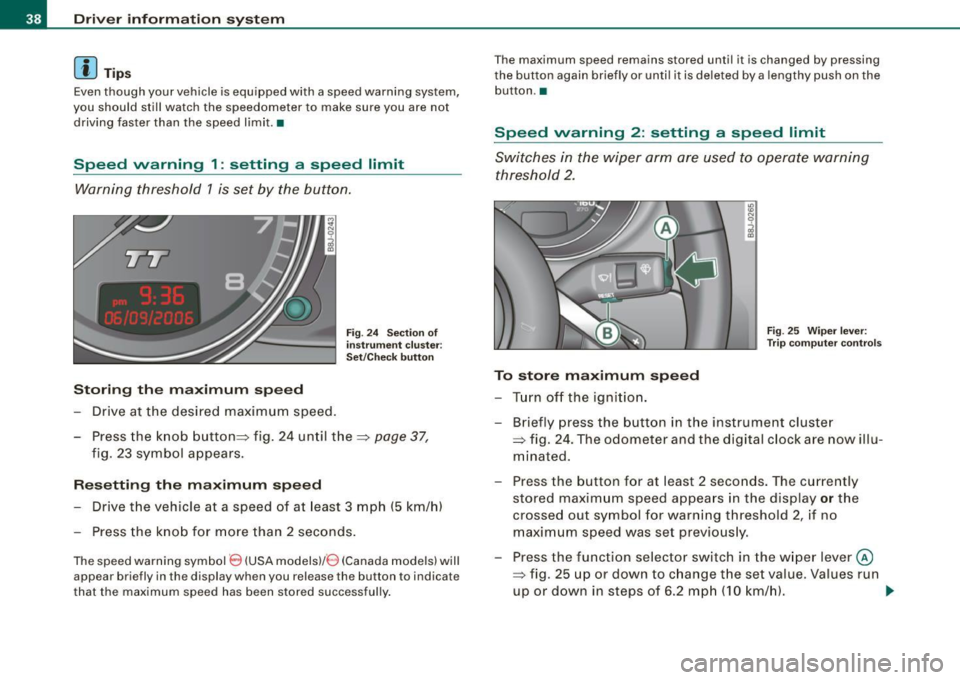
Storing the ma ximum speed
Drive at the desired maximum speed.
Fig . 2 4 Sec tio n of
in strum en t cl ust er:
Set/C hec k butto n
- Press the knob button~ fig. 24 until the ~ page 37,
fig. 23 symbol appears .
Resetting the max imum spe ed
- Drive the vehicle at a speed of at least 3 mph (5 km/h)
- Press the knob for more than 2 seconds .
The speed warning sy mbol 8 (USA models)/ 8 (Canada models) will
appear briefly in the d isplay when you release the button to indica te
that the maximum speed has been stored successfully . T
he maximum speed remains stored until it is changed by pressing
t he button again briefly or unti l it is dele ted by a lengthy push on the
but ton .•
Speed warning 2 : setting a speed limit
Switches in the wiper arm are used to operate warning
threshold 2.
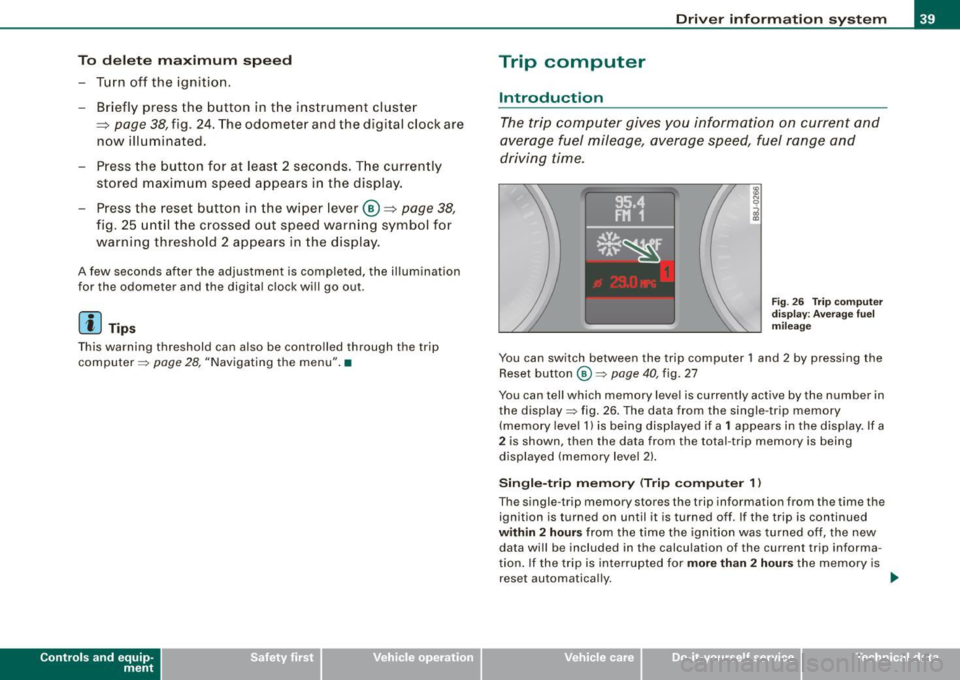
To stor e maximum spee d
-Turn off the ignition.
Fig . 25 Wiper leve r:
T rip computer con tro ls
- Briefly press the button in the instrument cluster
=> fig. 24 . The odometer and the digital clock are now illu
mina ted .
- Press the button for at least 2 seconds. The currently stored maximum speed appears in the display
or the
crossed out symbol for warning threshold 2, if no
maximum speed was set previous ly.
- Press the function selector switch in the w iper lever @
=> fig. 25 up or down to c hange the set value . Va lues run
up or down in steps of 6 .2 mph (10 km/h). .,_
Page 41 of 316
To del ete maximum sp eed
-Turn off the ignition.
- Briefly press the button in the instrument cluste r
=>
page 38, fig . 24. The odometer and the digital clock are
now illuminated.
- Press the button for at leas t 2 seconds. T he curren tly
stored maximum speed appears in the display.
Press the rese t button in the w ipe r lever ®=>
page 38,
fig. 25 until the crossed out speed warni ng symbol fo r
warning threshold 2 appears in the d isplay.
A few seconds after the adjustment is comp leted, the illumination
for the odometer and the digital clock wi ll go out .
[ i J Tip s
This warning threshold can a lso be controlled through the trip
computer ~
page 28, "Navigating the menu". •
Contro ls and eq uip
ment
Dri ver in form ati on syst em
Trip computer
Introduction
The trip computer gives you inf ormation on current and
average fuel mileage, average speed, fuel range and
driving time .
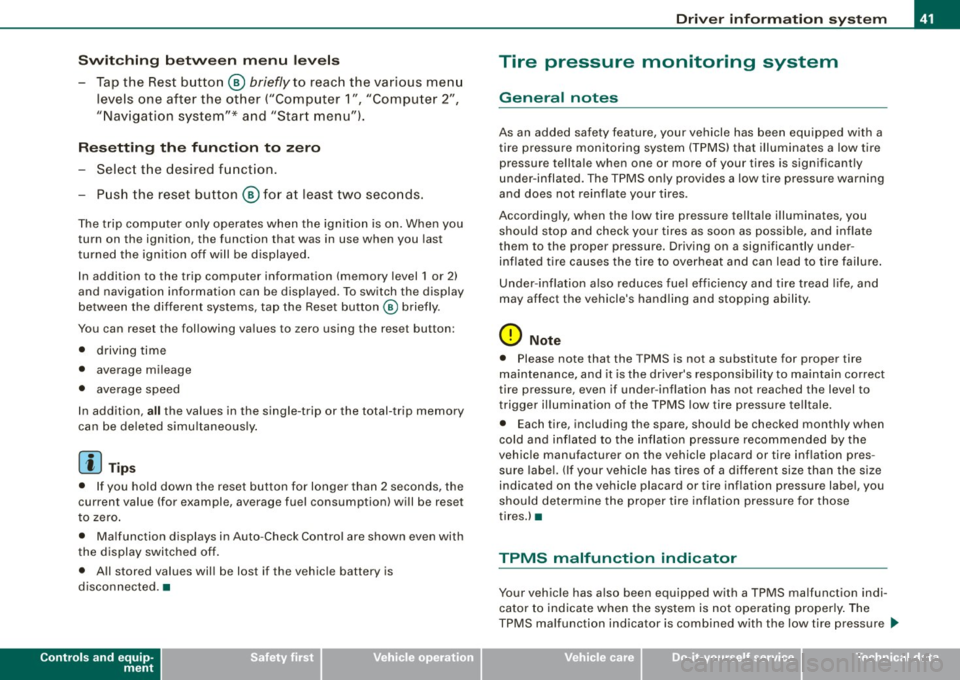
Fig . 2 6 Trip c omput er
di sp lay: Ave ra g e f uel
mi lea ge
You can switch between the trip computer 1 and 2 by pressing the
Reset button
@ ~ page 40 , fig. 27
You can tell which memory level is currently active by the number in
the display ~ fig . 26 . The data from the single -trip memory
(memory level 1) is being disp layed if a
1 appears in the display. If a
2 is shown, then the data from the total -trip memory is being
displayed (memory leve l 2) .
Sin gle -trip mem ory (Trip compute r 1)
The single -t r ip memory stores the trip information from the time the
ignition is turned on until it is turned off. If the trip is continued
within 2 hour s from the time the ignition was turned off, the new
data wi ll be included in the calcu lation of the current trip informa
tion. If the trip is interrup ted for
more than 2 hour s the memory is
reset automatica lly. _,.
Vehicle care I I irechnical data
Page 43 of 316
Switchin g bet w ee n m enu l ev els
- Tap the Rest button ® briefly to reach the various menu
levels one after the other ("Computer 1 ", "Computer 2",
"Navigation system"* and "Start menu") .
Rese ttin g th e fun ction to z ero
- Select the desired function.
- Push the reset button ® for at least two seco nds .
The trip computer only operates when the ignition is on. When you
turn on the ignition, the function that was in use when you last
turned the ignition off will be displayed .
In addition to the trip computer information (memory level 1 or 2)
and navigation information can be displayed. To switch the display
between the different systems, tap the Reset button
@ briefly .
You can reset the following va lues to zero using the reset button:
• driving time
• average mileage
• average speed
In addition,
a ll the values in the single -trip or the total-trip memory
can be de leted simu ltaneously .
[ i ] Tips
• If you hold down the reset button for longer than 2 seconds, the
current value (for example, average fuel consumption) will be reset
to zero .
• Malfunction displays in Auto -Check Control are shown even with
the display switched off.
• All stored values will be lost if the vehicle battery is
disconnected. •
Controls and equip
ment
Dri ver infor mat io n sy ste m
Tire pressure monitoring system
General notes
As an added safety feature, your vehicle has been equipped with a
tire pressure monitoring system (TPMS) that illuminates a low tire
pressure telltale when one or more of your tires is significant ly
under -inflated. The TPMS only provides a low tire pressure warning
and does not reinflate your tires.
Accordingly, when the low tire pressure tellta le illuminates, you
should stop and check your tires as soon as possib le, and inflate
them to the proper pressure. Driving on a significantly under
inflated t ire causes the tire to overheat and can lead to tire failure .
Under -inflation a lso reduces fuel efficiency and tire tread l ife, and
may affect the vehicle's handling and stopping ability.
(D Note
• Please note that the TPMS is not a substitute for proper tire
maintenance, and it is the driver's respons ib ility to maintain correct
tire pressure, even if under -inflation has not reached the level to
trigger illumination of the TPMS low tire pressure telltale .
• Each tire, including the spare, should be checked monthly when
cold and inflated to the inflat ion pressure recommended by the
vehic le manufacturer on the vehicle p lacard or tire inflation pres
s u re label. (If your vehicle has tires of a different size than the size
indicated on the vehicle placard or tire inflation pressure labe l, you
should determine the proper tire inflation pressure for those
tires.) •
TPMS malfunction indicator
Your vehic le has a lso been equipped with a TPMS malfunction indi
cator to indicate when the system is not operating proper ly . The
TPMS malfunction indicator is combined with the low tire pressure _.,
I • •
Page 44 of 316
Driver inf orm atio n syst em
telltale. When the system detects a malfunction, the telltale will
flash for approximately one minute and then remain continuously
illuminated. This sequence will continue upon subsequent vehicle
starts up as long as the malfunction exists .
When the ma lfunction indicator is illuminated, the system may not
be able to detect or signal low tire pressure as intended.
TPMS malfunctions may occur for a variety of reasons, including the installation of replacement or alternate tires or wheels on the
vehicle that prevent the TPMS from functioning properly. A lways
check the TPMS malfunction tellta le after replacing one or more
tires or whee ls on your vehicle to ensure that the replacement or
a lternate tires and wheels al low the TPMS to continue to function
proper ly .•
Introduction
The tire pressure monitoring system monitors air pressure
in all four road wheels while the vehicle is moving.
As soon as the t ire pressure monitoring system senses a s ignificant
loss of air pressure in one or several tires, text messages and yel low
symbo ls appear in the instrument cluster display to a lert the driver.
The warning light in the instrument c luster comes on when the
tire is significantly underinflated
=> page 17.
The warning light
malfunction . also
illuminates in the case of a system
Be aware that tire pressure is also dependent on the temperature of
the tire . For every 18 °F (10 °C) increase in tire temperature, tire pres
sure increases by about 1 .5 psi (0. 1 bar) . The tire warms up while the
vehic le is moving and tire pressure rises. So you should adjust tire
pressure on ly when they are
cold , when the temperature of the tires
is roughly the same as the ambient air temperature.
In order to keep the tire pressure monitoring system properly ca li
brated, tire pressure on all four tires should be checked at regular intervals, adjusted if necessary and saved in the proper setting
(recommended
pressure)=>
page 44.
The tire pressure is shown on the label located on the driver 's side
B -pillar (visible when the door is open) .
& WARNING
• When the tire pre ssure monitor ing system warn ing light i s lit ,
one or more of your t ir es is s ignificantl y unde r-inflated . You should
s top and check your tire s as s oon as po ssible , and inflate them to
the p rope r pre ss ure as indi cated on th e vehicl e's tire pr essure
label
=> pag e 242. Driv ing on a s ignific antl y un der-inflated t ire
c a use s the tire to overhe at and can le ad to tire fa ilure. Unde r-inf la
ti on also i s lik el y to impair the vehicle' s handling and stopping
ability .
• Do not adju st t ir e pressur e wh en t ire t emp erature is exce ssiv e.
Thi s could le ad to seriou s tire dam age and even cau se the tire t o
bur st, w ith the addition al dan ger of an accident.
W For the sake of the environment
Driving with under -inflated tires reduces fuel efficiency and tire
tread life.
[ i ] Tips
• Each tire should be checked month ly when the temperature of
the tires is abou t the same as ambient air temperature and s et to the
recommended inflation pressure as specified on the tire pressure
label =>
page 242.
• The factory supplied spare whee l is equipped with a se nsor for
the tire pressure monitoring sys tem. As long as the spare wheel is
n ot mounted, the tire pressure of this tire wil l not be monitored.
• T he tire pressure monitoring system he lps the driver to keep an
eye on tire pressures . But the driver still has the responsibility f or
maintaining the correct tire pressure . .,_
Page 45 of 316
• Tire pressure must only be adjusted when the temperature of the
tires is about the same as ambien t air temperature.
• When tires are replaced, the sensors and valves should not be
exchanged. The valve core, nut, valve sea ling and sea l washer
(replacement kit) needs to be replaced. If necessary, the valve and
the wheel electronics have to be rep laced .
• If you should put different wheels and tires on your vehicle (e.g.
winter wheels and tires), you must be certain that the wheels and
tires are compatible with the tire pressure monitoring system.
Otherwise the system will register a malfunction and a fault
message will be displayed. For more information, contact your Audi
dea ler.
• Adjust the tire pressure and store the pressure in the tire pres
sure monitoring system to the load you are carrying .•
Significant loss of air pressure \-,1
The yellow symbol appears in the event of a significant
loss of air pressure.
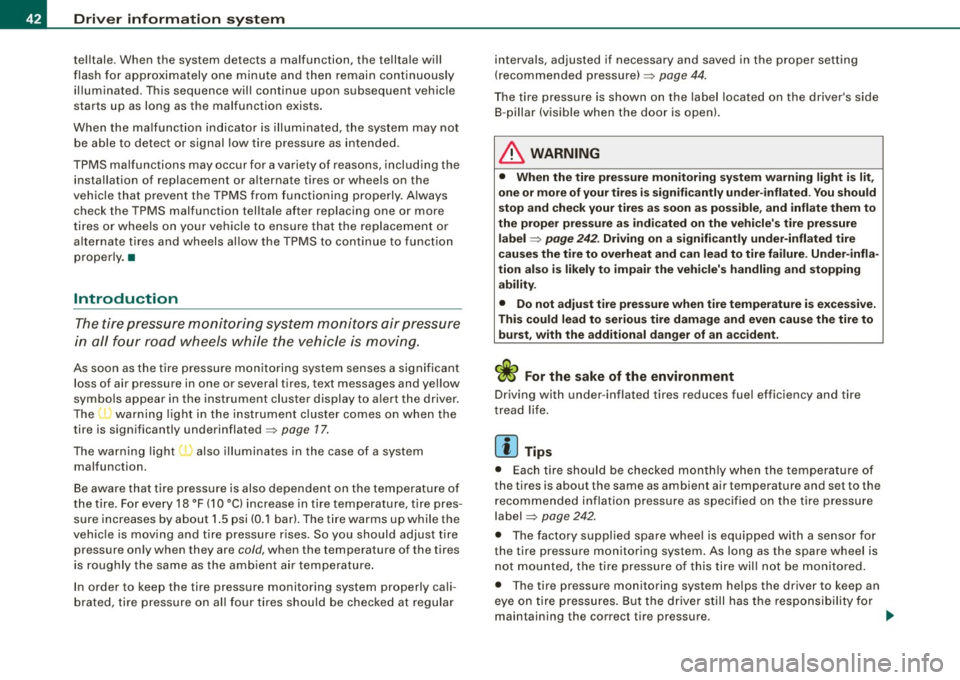
Fig. 28 Display: yellow
symbol with message
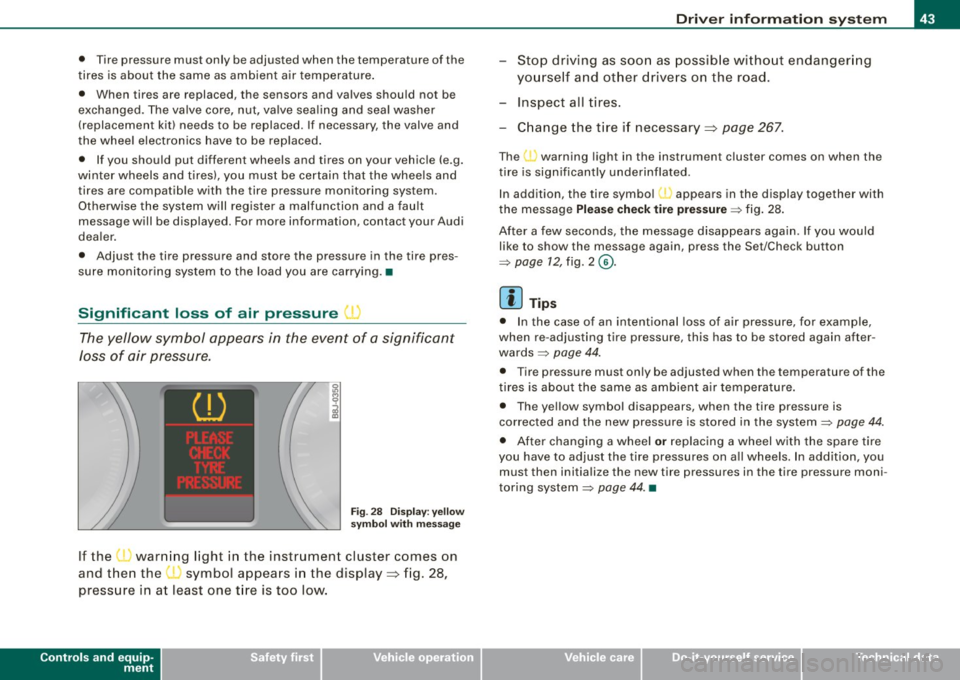
If the • warning light in the instrument cluster comes on
and then the ( symbol appears in the display~ fig. 28,
pressure in at least one t ire is too low.
Controls and equip
ment
Driver inform ation system
Stop driving as soon as possible without endangering
yourself and other drivers on the road .
- Inspect all tires.
Change the tire if necessary ~ page
267.
The ._ warning light in the instrument cluster comes on when the
tire is significantly underinflated .
In addition, the tire symbol(_, appears in the display together with
the message
Please check tire pressure => fig. 28.
After a few seconds, the message disappears again. If you would
like to show the message again, press the Set/Check button
=>
page 12, fig. 2 ©-
[ i ] Tips
• In the case of an intentional loss of air pressure, for example,
when re -adjusting tire pressure, this has to be stored again after
wards=> page 44.
• Tire pressure must only be adjusted when the temperature of the
t ires is about the same as ambient air temperature.
• The yellow symbol disappears, when the tire pressure is
corrected and the new pressure is stored in the system=>
page 44.
• After changing a wheel or replacing a wheel with the spare tire
you have to adjust the tire pressures on a ll wheels. In add ition , you
must then initia lize the new tire pressures in the tire pressure moni
toring system =>
page 44. •
I • •