brakes AUDI TT ROADSTER 2008 Owners Manual
[x] Cancel search | Manufacturer: AUDI, Model Year: 2008, Model line: TT ROADSTER, Model: AUDI TT ROADSTER 2008Pages: 316, PDF Size: 70.1 MB
Page 22 of 316
Instruments and warning/indicator lights
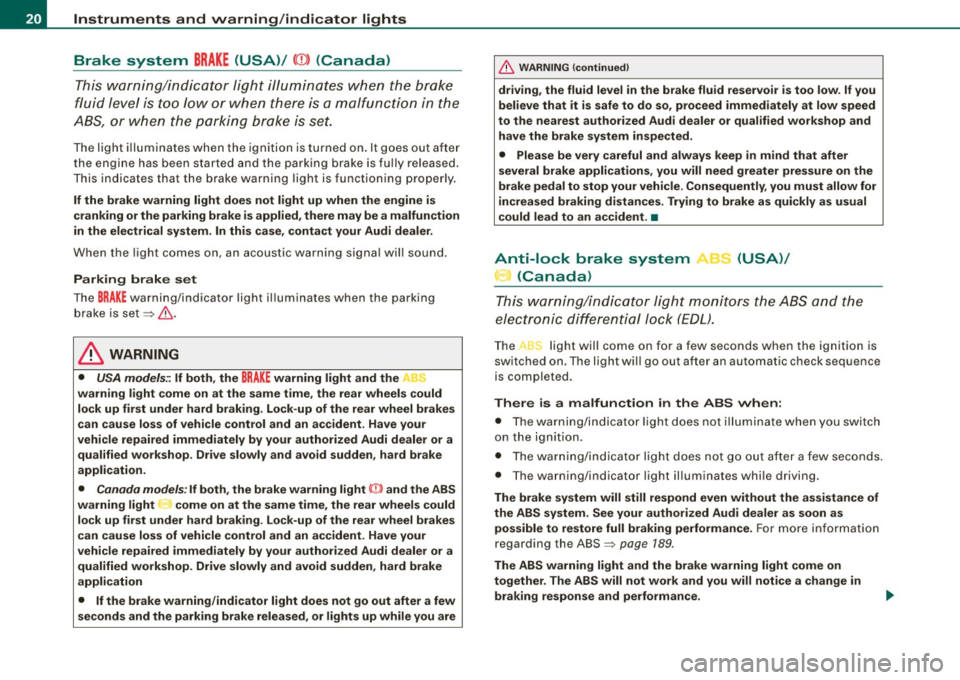
Brake system BRAKE (USA)/ (CD) (Canada)
This warning/i ndi cat or light illumina tes whe n th e brake
fluid level i s to o low or w hen t here is a malfuncti on in the
ABS , or w hen the pa rkin g br ake is set.
The ligh t illumin ates when the igniti on is turned on . It goes out aft er
th e engine has been started and the parking brake is fu lly r eleased.
Th is i ndicates that t he bra ke w arning ligh t is f uncti oning properly .
If the brake warning light does not light up when the engine is
cranking or the parking brake is applied , there may be a malfunction
in the electrical system. In thi s case , contact your Audi dealer.
When the light com es on, an acoustic warn ing signa l will sound .
Parking brake set
The BRAKE warning/indicator light illuminates when the parking
br ak e i s set :::::,& .
& WARNING
• USA model s.~ If both , the BRAKE warning light and the ~
warning light come on at the same time , the rear wheels could
lock up first under hard braking . Lo ck-up of the rear wheel brakes
can cause loss of vehicle control and an accident . Have your
vehicle repaired immediately by your authorized Audi dealer or a qualified workshop . Drive slowly and avoid sudden, hard brake
application.
• Canada models : If both , the b rake warning light
((j)) and the ABS
warning light come on at the same time , the rear wheels could
lock up first under hard brak ing . Lock -up of the rear wheel brakes
c an cause loss of vehicle control and an accident. Have your
vehi cle repaired immediately by your authorized Audi dealer or a
qualified workshop . Drive slowly and avoid sudden , hard brake
application
• If the brake warning /indicator light does not go out after a few
seconds and the parking brake released , or lights up while you are
& WARNING (continued)
driving , the fluid level in the brake fluid reservoir is too low . If you
believe that it is safe to do so, proceed immediately at low speed
to the nearest authorized Audi dealer or qualified workshop and
have the brake system inspected.
• Please be very careful and always keep in mind that after
several brake applications, you will need greater pressure on the
brake pedal to stop your vehicle . Consequently , you must allow for
increased braking distances. Trying to brake as qui ckly as usual
c ould lead to an ac cident . •
Anti-lock brake system 8 (USA)/
~ (Canada)
This warni ng /ind icato r lig ht moni tors the AB S and the
electronic differenti al lock (EDL).
The light will come on for a few seconds when the ignition is
switched on. The light wil l go out after an automatic check sequence
is completed.
There is a malfunction in the ABS when :
• The warnin g/i ndica to r l ight do es no t illumin ate when you swi tch
on the ignition .
• The warn ing/i ndi cator lig ht does not go ou t after a few seconds .
• T he warning/indicator l ight il luminates whi le driving.
The brake system will still respond even without the assistance of
the ABS system. See your authorized Audi dealer as soon as possible to restore full braking performance . For more in for mati on
regarding t he ABS=> page
189.
The ABS warning l ight and the brake warning light come on
together . The ABS will not work and you will notice a change in
braking response and performance .
Page 23 of 316
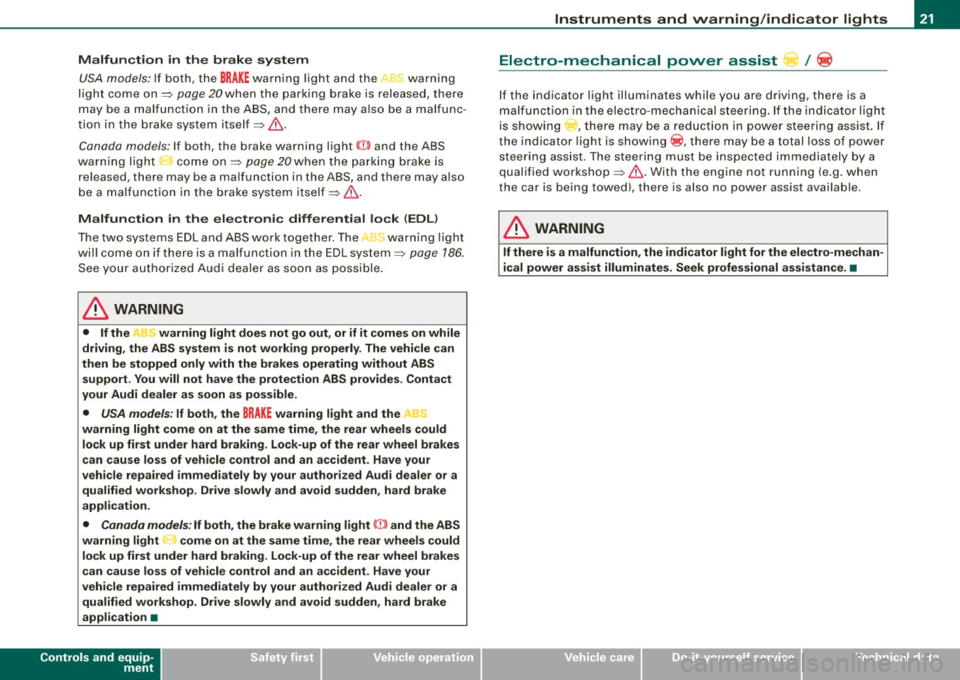
Malfunction in the brak e system
USA models: If bot h, th e BRAKE wa rn ing l igh t and the .... rs warning
light come on~
page 20when the parking brake is released, there
may be a ma lfunction in the ABS, and there may a ls o be a malfunc
t ion in the brake sys tem it se lf~
&-
Canada models: If both, the brake warning light (Q)) and the ABS
wa rning light c ome on~
page 20w hen the parking bra ke i s
released, there may be a ma lfunction in the ABS, and there may a lso
b e a ma lf un ction in the brake sys tem itsel f~
& -
Malfunction in the electronic differential lock (EDL )
The two sys te m s EDL and ABS wor k together. The ~ warning ligh t
wi ll come on if there is a malfunct ion in the EDL system~
page 186.
See your au thorize d Aud i dea le r as soon as poss ibl e.
& WARNING
• If the P • warning light does not go out, or if it comes on while
driving , the ABS system is not working properly . The vehicle can
then be stopped only with the brakes operating without ABS support . You will not have the protection ABS provides . Contact
your Audi dealer as soon as possible .
• USA models : If both, the BRAKE warning light and the
warning light come on at the same time , the rear wheels could
lock up first under hard braking . Lock-up of the rear wheel brakes
can cause loss of vehicle control and an accident. Have your
vehi cle repaired immediately by your authorized Audi dealer or a
qualified workshop. Drive slowly and avoid sudden, hard brake
application .
• Canada models: If both, the brake warning light (Cl) and the ABS
warning light ""' come on at the same time , the rear wheels could
lock up first under hard braking. Lock -up of the rear wheel brakes
can cause loss of vehicle control and an accident. Have your
vehicle repaired immediately by your authorized Audi dealer or a qualified workshop. Drive slowly and avoid sudden , hard brake
appli cation •
Controls and equip
ment
Instruments and warning /indi cator lights
Electro-mechanical power assist t / @
If the indicator light il luminates while you are driving, there is a
m alfunc tion in th e electro -m echa nical s teering. If the i ndica to r lig ht
is show ing ~, there may be a reduction in power steering ass ist. If
t he indi cator l ig ht is sh owing ~' the re may be a total loss o f pow er
steerin g assist . T he steerin g must be inspected immediately by a
q u alified works h op ~
6,. W ith the engine not ru nning (e.g. w hen
th e car is b eing tow ed), there is a lso no power assist avai lable .
& WARNING
If there is a malfunction , the indicator light for the electro -mechan
ical power assist illuminates . Seek professional assistance. •
I • •
Page 34 of 316
Driver information system
When a red symbol appears, a warning tone will sound consecu
tively
three times. The symbol continues to flash until the malfunc
tion has been repaired. If there are
more than one priority 1 malfunc
tions, the symbols appear one after the other for about two
seconds.
[ i] Tips
• The message for a malfunction can be shown by pressing on the
left knob.
• During route guidance on vehicles with a navigation system, the
warning symbol is shown in the field above. •
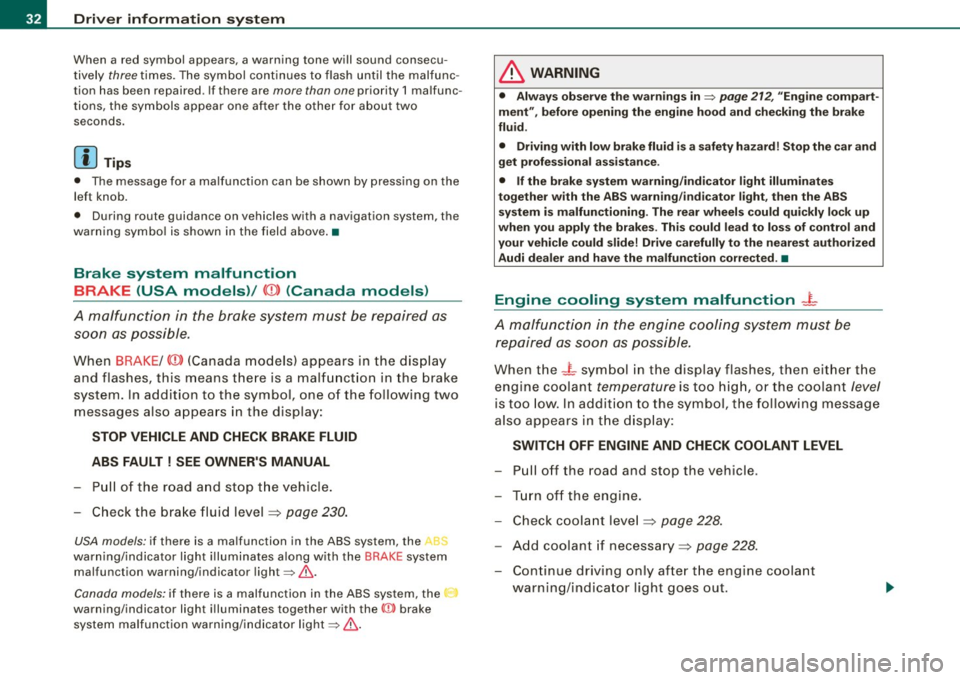
Brake system malfunction
BRAKE (USA models) /
(CD) (Canada models)
A malfunction in the brake system must be repaired as
soon as possible.
When BRAKE/ (CD) (Canada models) appears in the display
and flashes, this means there is a malfunction in the brake
system. In addition to the symbol, one of the following two
messages also appears in the display:
STOP VEHICLE AND CHECK BRAKE FLUID
ABS FAULT! SEE OWNER'S MANUAL
- Pull of the road and stop the vehicle.
- Check the brake fluid level=>
page 230.
USA models: if there is a malfunction in the ABS system, the i:i
warning/indicator light illuminates along with the BRAKE system
malfunction warning/indicator light=>&.
Canada models: if there is a malfunction in the ABS system, the
warning/indicator light illuminates together with the ID brake
system malfunction warning/indicator light=>& .
& WARNING
• Always observe the warnings in=> page 212, "Engine compart
ment", before opening the engine hood and checking the brake
fluid.
• Driving with low brake fluid is a safety hazard! Stop the car and
get professional assistance .
• If the brake system warning/indicator light illuminates
together with the ABS warning/indicator light, then the ABS
system is malfunctioning. The rear wheels could quickly lock up
when you apply the brakes. This could lead to loss of control _and
your vehicle could slide! Drive carefully to the nearest authorized
Audi dealer and have the malfunction corrected. •
Engine cooling system malfunction _t_
A malfunction in the engine cooling system must be
repaired as soon as possible.
When the _t symbol in the display flashes, then either the
engine coolant
temperature is too high, or the coolant level
is too low. In addition to the symbol, the following message
also appears in the display:
SWITCH OFF ENGINE AND CHECK COOLANT LEVEL
-Pull off the road and stop the vehicle .
Turn off the engine.
Check coolant level =>
page 228.
Add coolant if necessary => page 228.
-Continue driving only after the engine coolant
warning/indicator light goes out.
Page 37 of 316
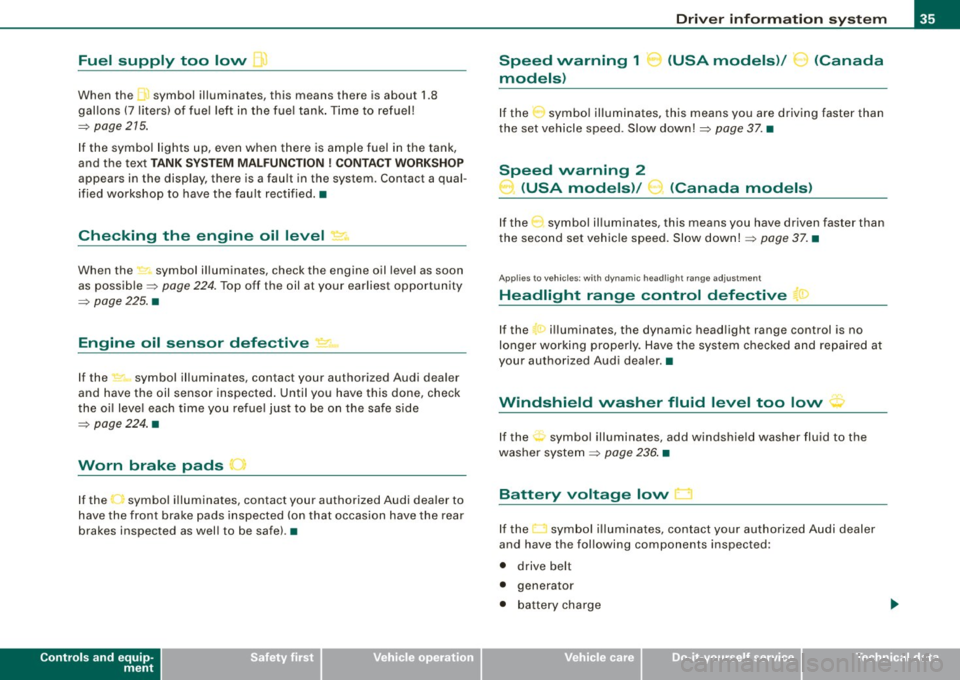
Fuel supply too low [J
When the J symbol illuminates, this means there is about 1.8
gal lons
(7 l iters) o f fue l left in the fuel ta nk. T ime to re fuel!
=>
page 275.
I f the symbo l lights up, even when there is ample fuel in the tank,
and the text
TANK SYSTEM MA LFUN CTION! CON TACT WORKSHOP
appears in the display, there is a fau lt in the system. Contact a qual
ified workshop to have the fau lt rectified. •
Checking the engine oil level _,;.
When the -= symbol illuminates, check the engine oil leve l as soon
as possib le =>
page 224. Top off the oil at your ear liest opportun ity
=>
page 225. •
Engine oil sensor defective
-
If the _ symbol illuminates, contact your authorized Audi dealer
and have the oil sensor inspected . Unti l you have this done, check
the oi l leve l each time you re fue l jus t to be on the sa fe s ide
=>
page 224 . •
Worn brake pads .)
If the symbo l illuminates, contact your authorized Audi dea ler to
have the front bra ke pads inspected (on that occasion have the rear
brakes inspected as wel l to be safe). •
Controls and equip
ment
Driver inform ation system
Speed warning 1
~ (USA models) / ~ (Canada
models)
I f the ~ symbo l illuminates, this means you are d riving faste r than
the set vehicle speed . Slow down!=>
page 37. •
Speed warning 2
-.... (USA models) /
l.,... (Canada models)
If the C) symbol il luminates, this means you have driven faster than
the sec ond set vehic le s peed. Slow d own! =>
page 37. •
Applies to veh icles : wi th dynami c he ad light r ange ad just ment
Headlight range control defective
If the il luminates, the dynamic head light range control is no
longer working pr ope rly. Have the syste m checked and repa ired at
your authorized Audi dea ler .•
Windshield washer fluid level too low .-_j
If the ~ symbol illuminates, add windshie ld washer fluid to the
washer sys tem =>
page 236 . •
Battery voltage low ~
If the C sy mb ol illu min ates, co ntact your au thori ze d Audi dealer
and have the following components inspected:
• drive belt
• generator
• b att e ry charge
I • •
Page 98 of 316
Seats and storage
& WARNING (continued)
when accelerating or when applying the brakes or when driving
around a corner.
• When you are driving make sure that anything you may have
placed in the center console or other storage locations cannot fall
out into the footwells . In case of sudden braking you would not be
able to brake, depress the clutch or accelerate. •
Glove compartment
The glove compartment is illuminated and can be locked .
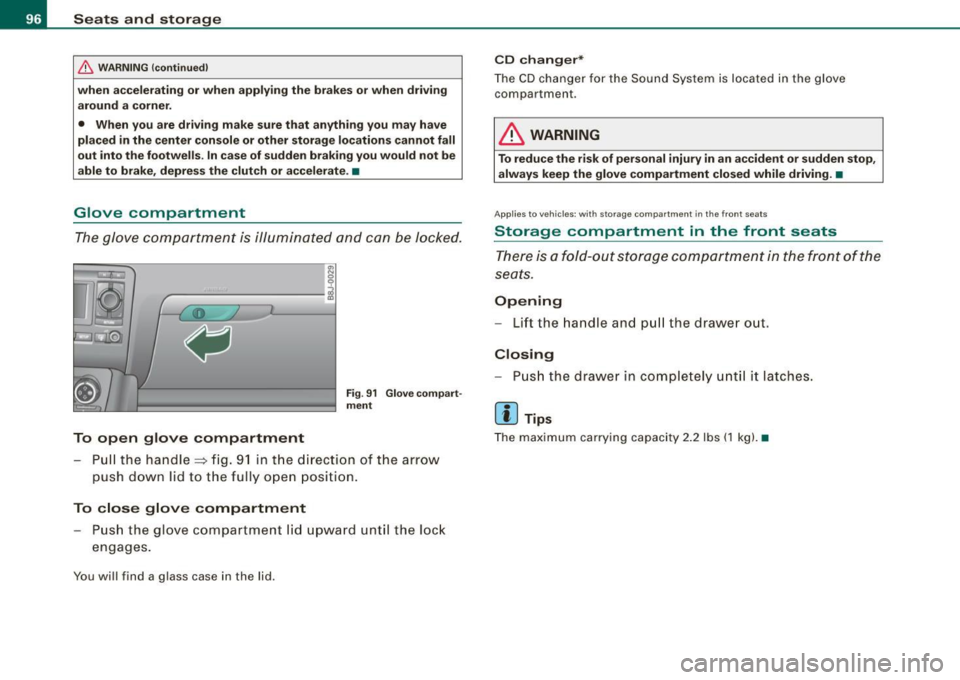
To open glove compartment
Fig. 91 Glove compart
ment
- Pull the handle=> fig. 91 in the direct ion of the arrow
push down lid to the fully open position.
To close glove compartment
Push the glove compartment lid upward until the lock
engages.
You will find a glass case in the lid .
CD changer*
The CD changer for the Sound System is located in the glove
compartmen t.
LJ}. WARNING
To reduce the risk of personal injury in an accident or sudden stop,
always keep the glove compartment closed while driving. •
App lies to veh icle s: w ith sto ra ge co mpart ment in the front seats
Storage compartment in the front seats
There is a fold-out storage compartment in the front of the
seats.
Opening
- Lift the handle and pull the drawer ou t.
Closing
- Push the drawer in completely until it latches.
[ i ] Tips
The maximum carrying capacity 2.2 lbs (1 kg). •
Page 110 of 316
• ..__O_ n_ t_h _ e_ r_ o_ a_ d ____________________________________________________ _
0 Note
Do not stop the engine immediately after hard or extended driving.
Keep the engine running for approximately two minutes to prevent
excessive heat build-up. •
Parking brake
Parking brake
When the parking brake is set, it prevents the vehicle from
rolling away unintentionally.
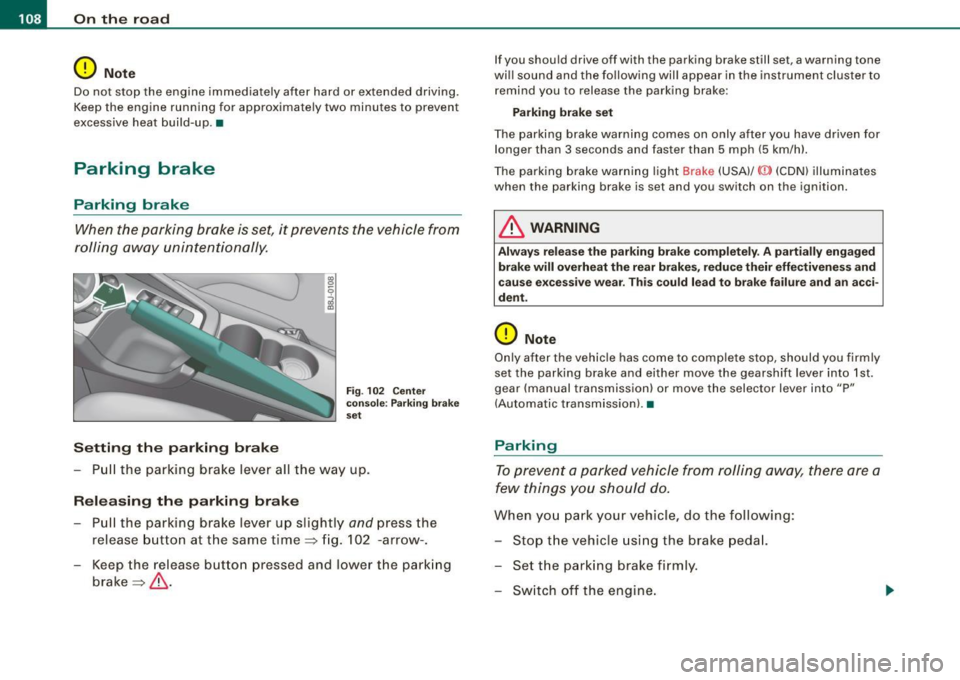
Setting the parking brake
Fig . 102 Center
console: Parking brake
set
- Pull the parking brake lever all the way up.
Releasing the parking brake Pull the parking brake lever up slightly
and press the
release button at the same time=> fig. 102 -arrow-.
Keep the release button pressed and lower the parking
brake=>
& -
If you should drive off with the parking brake still set, a warning tone
will sound and the following will appear in the instrument cluster to remind you to release the parking brake:
Parking brake set
The parking brake warning comes on only after you have driven for longer than 3 seconds and faster than 5 mph (5 km/h).
The parking brake warning light Brake (USA)/
{CD) (CON) illuminates
when the parking brake is set and you switch on the ignition.
& WARNING
Always release the parking brake completely . A partially engaged
brake will overheat the rear brakes, reduce their effectiveness and
cause excessive wear. This could lead to brake failure and an acci
dent.
0 Note
Only after the vehicle has come to complete stop, should you firmly
set the parking brake and either move the gearshift lever into 1st .
gear (manual transmission) or move the selector lever into "P"
(Automatic transmission). •
Parking
To prevent a parked vehicle from rolling away, there are a
few things you should do.
When you park your vehicle, do the following:
- Stop the vehicle using the brake pedal.
- Set the parking brake firmly.
- Switch off the engine.
Page 113 of 316
On the road -
----------------
CRUISE (US mod ell/ f-f (Canadian mod ell will a lso light up in the
instrument cluster .
& WARNING
• Always pay att enti on to traffic ev en whe n the c rui se control is
swi tched o n. Yo u are alway s resp onsi ble for your spe ed and the
di stanc e betw een your veh icle and other ve hic le s.
• Fo r sa fet y re as on s, th e c ruise control shou ld not be u sed in the
c it y, in stop -and -go traffic , on twi sting road s and when road condi
t ion s a re poor (such as ice, fog, gra vel, hea vy ra in and hydro
planing ) - risk of accid ent.
• Turn off the cr uis e control t empor arily when e nte ring turn
lane s, highwa y ex it lane s or in con stru ctio n z one s.
• Please note that inad vertentl y "re sting " your foot on the a ccel
er ato r ped al ca use s t he crui se control not to br ake . Thi s is because
the cru ise control i s overridden b y the dri ve r's acc eleration .
[ i] Tip s
• Vehicles w ith manua l transmission : You can at tain the set speed
only if the currently engaged gear allows it and the engine is not
stressed. Shifting to a higher or lower gear promptly will allow the
engine to run smooth ly .
• The cruise control cannot maintain a constant speed when
driving downhi ll. The vehicle will acce lerate under its own weight .
Downshift to a lower gear or use the brakes to s low down. •
Changing speed
-Press lever © in the 0 or O direction ~ page 110,
fig. 103 to increase or dec rease your speed.
- Release the lever to save that speed .
Controls and equip
ment
Change speed in increments of 1 mph (1 km/h) by lightly pressing
the lever . If you keep the lever pressed down, you will a lter your
speed in 5 mph (10 km /h) increments .
You can a lso press the acce lerator pedal down to increase your
speed, e.g. if you want to pass someone. The speed you saved
earlier will resume as soon as you release the accelerator pedal.
I f , however, you exceed your saved speed by 5 mph (10 km/h) for
longer than 5 minutes, the cruise control will turn off temporarily .
The symbol will go ou t but the saved speed will be retained. •
Presetting your sp eed
You can preset your desired speed while the vehicle is not
moving.
Turn on the ignition.
P ull lever @into position
0 ~ page 110, fig. 103.
Press the lever in the
0 or O direction to increase or
decrease your speed.
- Release the lever to save that speed .
This function makes it possible, for example, to save the speed you
want before driving on the highway . Once on the highway, activate
the cruise contro l by pulling the lever toward
(D . •
Switching the system off
Tempor ary d ea ctiv ati o n
Press the brake pedal, or
- Keep the c lutch pedal pressed down
longer, or
- Press t he lever © into positio n
0 (n ot c licked i nto pla ce)
~ page 110 , fig. 1 03 , or ~
I • •
Page 117 of 316
Transmission -
----------------
& WARNIN G (continu ed )
vehi cle w it h the footbrake . When idl ing , the tr ansmission of power
does not stop completely -the vehicle "creeps ".
• Do not ac celerate when you change the selector lever position
with the vehicle stationary and the engine running -risk of an acci
dent!
• Never place the selector lever
in the R or N position while the
vehicle is mov ing -risk of an accident !
• If you have to bring your vehicle to a stop while on an incline ,
keep the foot brake depressed all the way down so that the vehicle
does not start to roll backward. You should never hold the vehicle
using the clutch pedal if you are going to be stopped on an incline .
If you do , the clutch will start to slip when it overhe ats cau sed by
the constant overload . This is dangero us because if the vehicle
starts to roll backward , you could cause an accident. If the clutch
should start to slip , you will feel the vehicle "jerk" and the sele ctor
lever display will start blinking.
• Before driving down a steep slope , reduce your speed and shift
into a lower gear with "tiptronic ".
• Do not ride the brakes or apply the brake pedal too often or too
long. Constant braking causes the brakes to overheat and
substantially reduces braking performance , increases braking
di stance or cau ses complete failure of the brake system. •
Controls and equip
ment
Ap plies to vehic les: w ith S tronic®
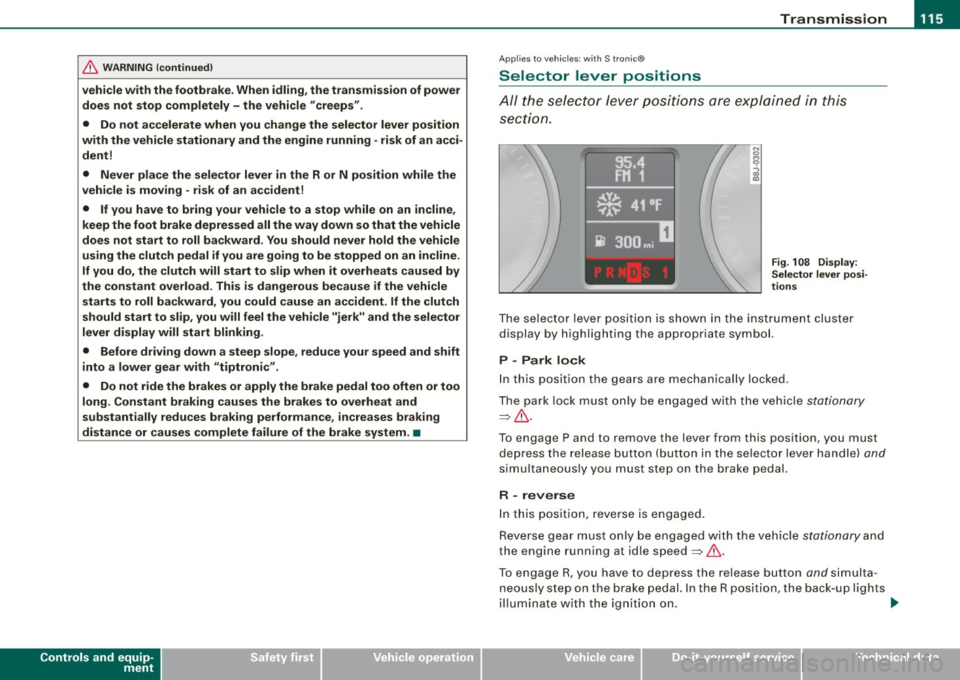
Selector lever positions
All the selec tor le ver posi tions are e xplai ned in this
se cti on.
Fig . 108 D ispl ay:
Selector lever po si
tion s
The se lector l ever po siti on i s sho wn in t he instr ument cluste r
display by highlighting the appropriate symbol.
P -Park lock
In this position the gears are mechanically locked .
T he pa rk lock must only be e ngage d with th e ve hicle
stationa ry
=> & .
T o engage P and to remove the lever from this position, you must
de press the re lease button (but to n i n the se lec to r l ever ha ndle)
and
simu ltaneously you must step on the brake pedal.
R -reverse
In this positio n, reve rse is engaged.
Reverse gear mus t o nl y be engaged with the vehic le
stationary and
the engine running at id le speed =>& .
To e ngage R, you ha ve to depres s the re lease button
and s im ult a
neous ly st ep on the brake p edal. In the R position, the back -up l ights
il lu mina te with the ig niti on on. ...
I • •
Page 187 of 316
the vehicle begins to skid, ESP brakes the appropriate wheel automatical ly .
The vehicle is stabilized again by the forces acting on the wheel during braking. With an oversteering vehicle (tendency for the rear
end to skid out of the curve), the brake application is mainly at the
front wheel on the outside of the curve, with an understeering
vehicle (tendency to run wide in the curve) at the rear wheel on the
inside of the curve or additionally at the other wheels as needed .
This brake application is accompanied by noises.
ESP works in conjunction with ABS=:>
page 189. If there is ma lfunc
tion in the ABS, ESP is also inoperative .
Activa ting
The ESP is automatica lly activated when the engine is started, and
it performs a self-test. As soon as the test is completed, the system
is in normal operating mode . With ASR deactivated, or with ESP/ASR
deactivated, pressing the button=>
page 184, fig. 142 returns the
system to normal operation.
D eac tiva ting
ESP should norma lly be activated at all times because this ensures
optimum vehicle stability . Only in certain exceptional cases it does
make sense to deactivate Anti -Slip Regulation (ASR) or the Elec
tronic Stability Program !ESP) by pressing the button =:>
page 184,
fig. 142. Both deactivation stages can only be activated from normal
mode.
Dea cti vat ing ASR
Tap the switch . Deactivation is indicated by s low flashing of the ESP
lamp in the instrument c luster. In certain situations (e.g. driving
with snow chains, in deep snow or on loose ground, or when rocking the car free), it may be necessary to deactivate ASR. Deacti
vation is effective only up to a speed of about 45 mph (70 km/h). At higher speeds, ASR is switched on again automatical ly in front
whee l drive vehicles, deactivation is possible only up to about 30
mph (50 km/h). With a ll -whee l drive vehicles, ASR is active above
Controls and equip
ment Safety first Vehicle operation
In
te llig ent tec hn olo gy
about 45 mph (70 km/h) and deactivated automatical ly below this
speed.
D eac tiva tin g ES P/ASR
Press the button for more than 3 seconds . Deactivation is indicated
by the ESP lamp in the instrument c luster staying on permanently .
This deactivates the E lectronic Stabi lity Program (ESP) in addition to
ASR . No Electronic Stability System operation and no Anti-Slip
Regu lation is availab le across the entire speed range; ASR and ESP
are activated only when the brakes are used for the duration of the
braking action and remain active until a stab le vehicle condition has
been reached. There is no driving situation which requires ESP to be
deactivated, so this should only be done if the driver's skill and the
traff ic situation permit .
& WARNING
• The limi ts of ph ysics ca nnot be suspe nd ed by E SP. E ven in vehi
cles w ith ESP, you should always adapt your dr iving to road and
tr affi c co ndition s. Thi s is part icul ar ly tr ue on a s lippe ry and wet
road . Do not be te mpt ed b y th e incre as ed safet y prov ided t o ta ke
ri sks - dang er of an accident !
• Plea se note that when ASR or ESP /ASR i s deactivated , the drive
w heel s can spin on icy and slipper y ro ad s and the vehi cle can
break away - da nger of skiddin g!
Ii ] Tip s
In the event of a defect in the rear spoiler system or in Audi
magnetic ride, it can happen that ASR and ASR/ESP cannot be deac
tivated, or they are activated automatica lly in the deactivated
state. •
Vehicle care Do-it-yourself service Technical data
Page 188 of 316
___ ln_ t _e_ ll-'"ig ...,_ e_ n_t _t_ e_ c_ h _ n_o _ l_o _,.g= y,_ __________________________________________ _
Electronic differential lock (EOL)
The electronic differential lock monitors the rotational
speed of the drive wheels.
General notes
The electronic differential lock (EDU helps the car to start moving,
accelerate and climb a gradient on surfaces providing poor or
almost no grip. Without EDL, this would be difficult, if not impos
sible.
How the system works
Th e EDL operates automatically. It monitors the rotational speed of
the drive wheels on an axle with the help of the ABS sensors
=> page 189. If a noticeable difference in rotational speed between
the drive wheels on one axle is detected (e.g. on slippery ground
on
one side),
the spinning wheel is braked, thereby transferring power
to the other drive wheel or wheels (all-wheel drivel. This is done up
to a speed of about 60 mph (100 km/hl. Noises from the brake
system signal that wheel spin is being controlled.
Driving off
When driving off, always be sure to keep road conditions in mind as
you accelerate . If one drive wheel spins because it is on a surface
with less grip, gradually increase the pressure on the accelerator
pedal until the car starts to move. The wheel less able to transfer
power spins.
Overheating of brakes
To prevent the disc brake of the braked wheel from overheating if
subjected
to excessive loads, the EDL cuts out temporarily . The
vehicle remains operational and behaves in the same way as a
vehicle without EDL.
As soon as the brake has cooled down, EDL switches on again auto
matically.
& WARNING
• When accelerating on slippery surfaces, such as on ice or snow,
always be careful when depressing the accelerator pedal. Even
with the EDL working, the drive wheels can spin and reduce your ability to control your car. -Risk of crash!
• The increased safety afforded by EDL does not mean that you
can take safety risks. Always adapt your driving style to the road
conditions and traffic situation.
[ i] Tips
If a fault occurs in the ABS, the EDL is also not functioning . This is
indicated by the ABS warning light=>
page 20. •
Anti-Slip Regulation System (ASR)
The Anti-Slip Regulation System prevents the driven
wheels from spinning when the car is accelerating.
General notes
The Anti-Slip Regulation System (ASR) is integrated in the electronic
stabilization program (ESP). When the vehicle starts up and acceler
ates , the wheels are prevented from spinning by adjusting the
engine power to match the amount of grip available from the road
surface .
How the system works
ASR performs automatically, i.e. without the driver's intervention .
With the aid of the ABS sensors =>
page 189, ASR monitors the
speed of the driven wheels. If the wheels start to spin, the engine
torque is reduced automatically until the tires find enough grip to
lock onto the road surface . The system is active across the entire
speed range.
The ASR works in conjunction with the ABS. If a malfunction should
occur in the ABS, the ASR will also be out of action .
~