wheel AUDI TT ROADSTER 2008 Owners Manual
[x] Cancel search | Manufacturer: AUDI, Model Year: 2008, Model line: TT ROADSTER, Model: AUDI TT ROADSTER 2008Pages: 316, PDF Size: 70.1 MB
Page 13 of 316
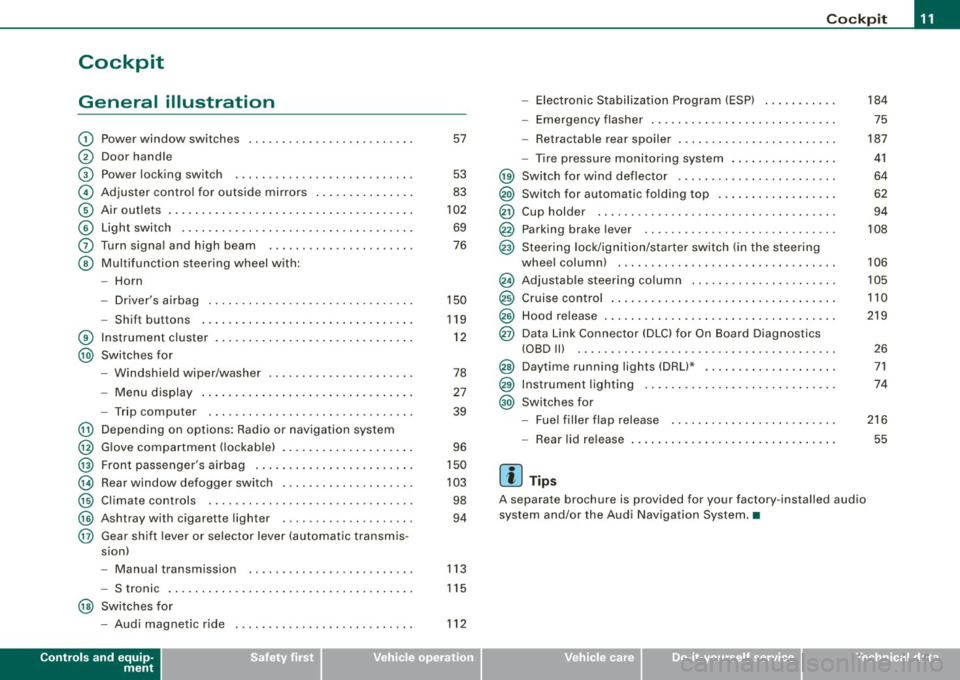
Cockpit
General illustration
G)
0
©
©
©
©
0
©
®
@
@
@
@
@
@
@
@
Power window switches
Door handle
Pow er lo cking switc h
Adjus te r contro l fo r ou tsid e mirro rs ...... .... ... . .
Air outlets ..... .. . ..... .... .... .. . .... .. . ..... .
Light switch .. ...... .... ... .... .... .... .... ... .
Turn signa l and high beam
Multifunc tion steering wheel with:
- Horn
- Driver's a irbag .... .... ... .... .... .... .... ... .
- Shift b uttons ... .. .... ... .... .... .... .... ... .
Instr um en t cluster . ...... ... .... .. ...... .. .. ... .
Switches for
- Windshield wipe r/wash er ... .... .. ....... .. ... .
- Menu d isplay ...... ... .. .. .... .... .... ... ... .
- Trip computer ..... .. .... .... ...... ....... .. .
Depending on options : Radio or navigation sys tem
G love compa rtmen t (loc kab le) ... .. .. .. ... .... ... .
Front passenger 's airbag .. ...... .. . .... .. .. .... .
Rear window defogger switch .... ..... .. .... .... .
Climate controls ..... .. .... .... ..... .. ... ... .. .
Ashtray wi th cigare tte lighter ....... ............ .
Gear sh ift l ever or s elector lever (automatic transmis -
sion) 57
53
83
102
69
76
150
119
1 2
78
27
39
96
150
10 3
98
94
- Manual transm ission . . . . . . . . . . . . . . . . . . . . . . . . . 113
- S tronic . . . . . . . . . . . . . . . . . . . . . . . . . . . . . . . . . . . . . 115
@ Switches for
- Aud i magnetic r ide
Controls and equip
ment
112
Co ckpit
- Electronic Stabilization Program (ESP) . .... .. ... .
- Emerge ncy flasher ... .. .. .. .... .... .... .. . ... .
- Retractab le r ear spoiler .... ...... .... .... .... . .
- Tire pressure mon itor ing system ..... .... .. . ... .
@ Sw itc h f or wind deflector .... .. ..... .. .... ... ... .
@) Switch for automatic folding top ..... .. .... ... ... .
@ Cup hold er ....... .. .. .. .... .... ....... ....... .
@ Parking brak e le ver ... .... ..... .. .... .... ..... . .
@ S teeri ng lock/igniti on/sta rter sw itch (in t he s teer ing
whee l column) ... .... ... ... ... .. .... .... ...... .
@ Adjus tab le steering co lu m n .. ...... ..... ... ... .. .
@ Cruise contro l .... ... .... .... .... .... .... ... ... .
@ Hood release ... .. .. .. ..... .. .... .... .... ...... .
@ Data Link Connect or (DLC) for On Boa rd Diag nostics
(OBD Ill .... ... .. ...... .... ... .... ... .. ... .... .
@ Daytim e running l ights (DRU* .... .... .... .... ... .
@ Instrumen t lighting ...... .... .... .... ... .... ... .
@ Switc hes f or
- Fue l filler flap release .... .. .... .... .... ... ... .
- Rea r lid r elease
[ i ] Tip s
A separate brochure is provided for your factory -insta lled audio
system and/or the Aud i Nav igation System .•
I • •
184
75
187
41
64
62
94
108
106
105
110
219
2 6
71
74
216
55
Page 16 of 316
Instruments and warning/indicator lights
& WARNING
• Always observe the warning in=;, page 212, " Engine compart
ment" before opening the engine hood and checking the engine
coolant level.
• Never open the engine hood if you see or hear steam , or if you
see engine coolant dripping from the engine compartment . You
c ould burn your self. Let the engine cool off first so that you cannot
hear or see any steam or engine coolant .
0 Note
• Mounting additiona l lights or accessories in front of the a ir inlets
reduces the co oling effect of the radiat or. At high outside tempera
tures or h igh engi ne load, the eng ine could overheat.
• The fron t spoile r has been designed t o properly dis trib ute the
coo ling air when the veh icle is mov ing . If the spo iler is damaged,
this could red uce the coo ling effect and the engine co uld then ove r
heat. Ask your authorized Audi deale r for assistance. •
Fuel gauge
The fuel gauge wor ks only when the ignition is on .
When the needle reaches the red area, the warning light in the i nstrument cluster w ill illu m ina te =;,
page 35 . Thi s means yo u
have approx imate ly 1.9 gallons (7 litres) of fuel left in the tank.
Time
to refuel!
The tota l tank capacity of your vehicle is listed in=;, page 297. Be
awa re of the diffe rent ta nk capaci ties of front -wheel a nd q uat tro®
a ll- w hee l d ri ve models .
0 Note
Never run the tank comple tely dry! An irre gular suppl y of fuel can
cause engine m isf iring and fuel could enter into the exhaust system.
The catalytic converter could then overheat and be
damag ed. •
Speedometer with odometer
The speedometer shows y ou t he vehic le speed, and the
o dome ter sho ws you ho w ma ny m iles (kilo meters) yo u
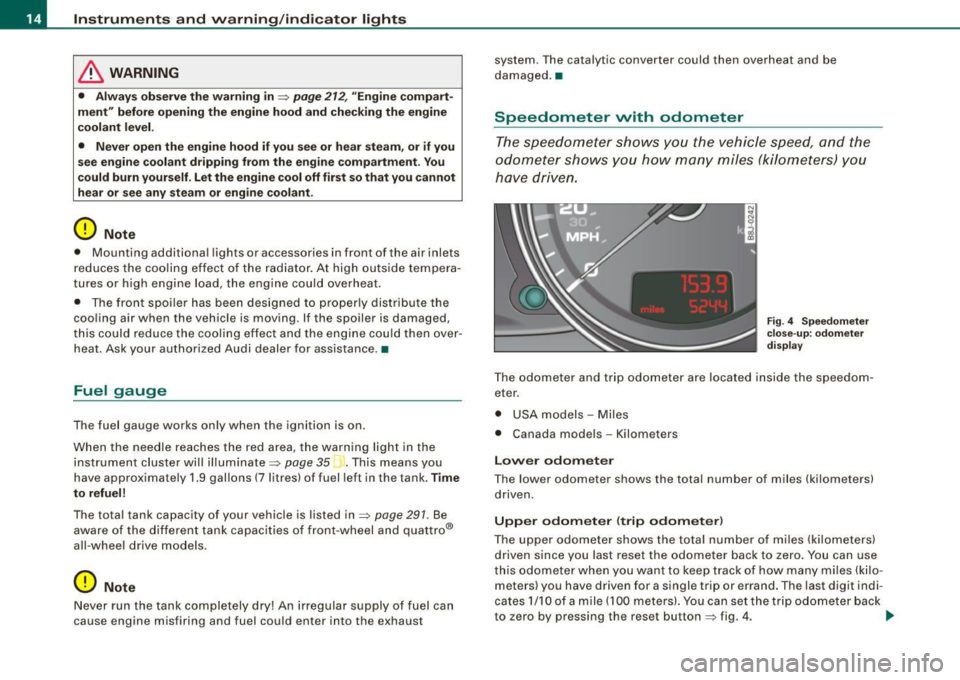
have dri ven.
Fig . 4 Speedomete r
close -up : odomet er
displ ay
T he od ometer an d trip odo mete r are locate d insid e th e spe edom
eter .
• USA model s - Miles
• Canada mode ls - Kilometers
Lower odometer
The lower odometer shows the total number of miles (kilometers)
d riven.
Upper odometer (trip odometer )
The upper o dometer shows the tota l number o f mi les ( kilom eters)
driven since you last reset the odometer bac k to ze ro . You can use
thi s odomete r w hen you want to keep track of how ma ny m iles ( kilo
meters) you have driven for a single trip or errand. The last digit indi
cates 1/10 of a m ile (10 0 meters). You ca n set t he trip od o meter back
to zero by pressing the reset button
=;, fig . 4 . ..,,
Page 22 of 316
Instruments and warning/indicator lights
Brake system BRAKE (USA)/ (CD) (Canada)
This warning/i ndi cat or light illumina tes whe n th e brake
fluid level i s to o low or w hen t here is a malfuncti on in the
ABS , or w hen the pa rkin g br ake is set.
The ligh t illumin ates when the igniti on is turned on . It goes out aft er
th e engine has been started and the parking brake is fu lly r eleased.
Th is i ndicates that t he bra ke w arning ligh t is f uncti oning properly .
If the brake warning light does not light up when the engine is
cranking or the parking brake is applied , there may be a malfunction
in the electrical system. In thi s case , contact your Audi dealer.
When the light com es on, an acoustic warn ing signa l will sound .
Parking brake set
The BRAKE warning/indicator light illuminates when the parking
br ak e i s set :::::,& .
& WARNING
• USA model s.~ If both , the BRAKE warning light and the ~
warning light come on at the same time , the rear wheels could
lock up first under hard braking . Lo ck-up of the rear wheel brakes
can cause loss of vehicle control and an accident . Have your
vehicle repaired immediately by your authorized Audi dealer or a qualified workshop . Drive slowly and avoid sudden, hard brake
application.
• Canada models : If both , the b rake warning light
((j)) and the ABS
warning light come on at the same time , the rear wheels could
lock up first under hard brak ing . Lock -up of the rear wheel brakes
c an cause loss of vehicle control and an accident. Have your
vehi cle repaired immediately by your authorized Audi dealer or a
qualified workshop . Drive slowly and avoid sudden , hard brake
application
• If the brake warning /indicator light does not go out after a few
seconds and the parking brake released , or lights up while you are
& WARNING (continued)
driving , the fluid level in the brake fluid reservoir is too low . If you
believe that it is safe to do so, proceed immediately at low speed
to the nearest authorized Audi dealer or qualified workshop and
have the brake system inspected.
• Please be very careful and always keep in mind that after
several brake applications, you will need greater pressure on the
brake pedal to stop your vehicle . Consequently , you must allow for
increased braking distances. Trying to brake as qui ckly as usual
c ould lead to an ac cident . •
Anti-lock brake system 8 (USA)/
~ (Canada)
This warni ng /ind icato r lig ht moni tors the AB S and the
electronic differenti al lock (EDL).
The light will come on for a few seconds when the ignition is
switched on. The light wil l go out after an automatic check sequence
is completed.
There is a malfunction in the ABS when :
• The warnin g/i ndica to r l ight do es no t illumin ate when you swi tch
on the ignition .
• The warn ing/i ndi cator lig ht does not go ou t after a few seconds .
• T he warning/indicator l ight il luminates whi le driving.
The brake system will still respond even without the assistance of
the ABS system. See your authorized Audi dealer as soon as possible to restore full braking performance . For more in for mati on
regarding t he ABS=> page
189.
The ABS warning l ight and the brake warning light come on
together . The ABS will not work and you will notice a change in
braking response and performance .
Page 23 of 316
Malfunction in the brak e system
USA models: If bot h, th e BRAKE wa rn ing l igh t and the .... rs warning
light come on~
page 20when the parking brake is released, there
may be a ma lfunction in the ABS, and there may a ls o be a malfunc
t ion in the brake sys tem it se lf~
&-
Canada models: If both, the brake warning light (Q)) and the ABS
wa rning light c ome on~
page 20w hen the parking bra ke i s
released, there may be a ma lfunction in the ABS, and there may a lso
b e a ma lf un ction in the brake sys tem itsel f~
& -
Malfunction in the electronic differential lock (EDL )
The two sys te m s EDL and ABS wor k together. The ~ warning ligh t
wi ll come on if there is a malfunct ion in the EDL system~
page 186.
See your au thorize d Aud i dea le r as soon as poss ibl e.
& WARNING
• If the P • warning light does not go out, or if it comes on while
driving , the ABS system is not working properly . The vehicle can
then be stopped only with the brakes operating without ABS support . You will not have the protection ABS provides . Contact
your Audi dealer as soon as possible .
• USA models : If both, the BRAKE warning light and the
warning light come on at the same time , the rear wheels could
lock up first under hard braking . Lock-up of the rear wheel brakes
can cause loss of vehicle control and an accident. Have your
vehi cle repaired immediately by your authorized Audi dealer or a
qualified workshop. Drive slowly and avoid sudden, hard brake
application .
• Canada models: If both, the brake warning light (Cl) and the ABS
warning light ""' come on at the same time , the rear wheels could
lock up first under hard braking. Lock -up of the rear wheel brakes
can cause loss of vehicle control and an accident. Have your
vehicle repaired immediately by your authorized Audi dealer or a qualified workshop. Drive slowly and avoid sudden , hard brake
appli cation •
Controls and equip
ment
Instruments and warning /indi cator lights
Electro-mechanical power assist t / @
If the indicator light il luminates while you are driving, there is a
m alfunc tion in th e electro -m echa nical s teering. If the i ndica to r lig ht
is show ing ~, there may be a reduction in power steering ass ist. If
t he indi cator l ig ht is sh owing ~' the re may be a total loss o f pow er
steerin g assist . T he steerin g must be inspected immediately by a
q u alified works h op ~
6,. W ith the engine not ru nning (e.g. w hen
th e car is b eing tow ed), there is a lso no power assist avai lable .
& WARNING
If there is a malfunction , the indicator light for the electro -mechan
ical power assist illuminates . Seek professional assistance. •
I • •
Page 34 of 316
Driver information system
When a red symbol appears, a warning tone will sound consecu
tively
three times. The symbol continues to flash until the malfunc
tion has been repaired. If there are
more than one priority 1 malfunc
tions, the symbols appear one after the other for about two
seconds.
[ i] Tips
• The message for a malfunction can be shown by pressing on the
left knob.
• During route guidance on vehicles with a navigation system, the
warning symbol is shown in the field above. •
Brake system malfunction
BRAKE (USA models) /
(CD) (Canada models)
A malfunction in the brake system must be repaired as
soon as possible.
When BRAKE/ (CD) (Canada models) appears in the display
and flashes, this means there is a malfunction in the brake
system. In addition to the symbol, one of the following two
messages also appears in the display:
STOP VEHICLE AND CHECK BRAKE FLUID
ABS FAULT! SEE OWNER'S MANUAL
- Pull of the road and stop the vehicle.
- Check the brake fluid level=>
page 230.
USA models: if there is a malfunction in the ABS system, the i:i
warning/indicator light illuminates along with the BRAKE system
malfunction warning/indicator light=>&.
Canada models: if there is a malfunction in the ABS system, the
warning/indicator light illuminates together with the ID brake
system malfunction warning/indicator light=>& .
& WARNING
• Always observe the warnings in=> page 212, "Engine compart
ment", before opening the engine hood and checking the brake
fluid.
• Driving with low brake fluid is a safety hazard! Stop the car and
get professional assistance .
• If the brake system warning/indicator light illuminates
together with the ABS warning/indicator light, then the ABS
system is malfunctioning. The rear wheels could quickly lock up
when you apply the brakes. This could lead to loss of control _and
your vehicle could slide! Drive carefully to the nearest authorized
Audi dealer and have the malfunction corrected. •
Engine cooling system malfunction _t_
A malfunction in the engine cooling system must be
repaired as soon as possible.
When the _t symbol in the display flashes, then either the
engine coolant
temperature is too high, or the coolant level
is too low. In addition to the symbol, the following message
also appears in the display:
SWITCH OFF ENGINE AND CHECK COOLANT LEVEL
-Pull off the road and stop the vehicle .
Turn off the engine.
Check coolant level =>
page 228.
Add coolant if necessary => page 228.
-Continue driving only after the engine coolant
warning/indicator light goes out.
Page 44 of 316
Driver inf orm atio n syst em
telltale. When the system detects a malfunction, the telltale will
flash for approximately one minute and then remain continuously
illuminated. This sequence will continue upon subsequent vehicle
starts up as long as the malfunction exists .
When the ma lfunction indicator is illuminated, the system may not
be able to detect or signal low tire pressure as intended.
TPMS malfunctions may occur for a variety of reasons, including the installation of replacement or alternate tires or wheels on the
vehicle that prevent the TPMS from functioning properly. A lways
check the TPMS malfunction tellta le after replacing one or more
tires or whee ls on your vehicle to ensure that the replacement or
a lternate tires and wheels al low the TPMS to continue to function
proper ly .•
Introduction
The tire pressure monitoring system monitors air pressure
in all four road wheels while the vehicle is moving.
As soon as the t ire pressure monitoring system senses a s ignificant
loss of air pressure in one or several tires, text messages and yel low
symbo ls appear in the instrument cluster display to a lert the driver.
The warning light in the instrument c luster comes on when the
tire is significantly underinflated
=> page 17.
The warning light
malfunction . also
illuminates in the case of a system
Be aware that tire pressure is also dependent on the temperature of
the tire . For every 18 °F (10 °C) increase in tire temperature, tire pres
sure increases by about 1 .5 psi (0. 1 bar) . The tire warms up while the
vehic le is moving and tire pressure rises. So you should adjust tire
pressure on ly when they are
cold , when the temperature of the tires
is roughly the same as the ambient air temperature.
In order to keep the tire pressure monitoring system properly ca li
brated, tire pressure on all four tires should be checked at regular intervals, adjusted if necessary and saved in the proper setting
(recommended
pressure)=>
page 44.
The tire pressure is shown on the label located on the driver 's side
B -pillar (visible when the door is open) .
& WARNING
• When the tire pre ssure monitor ing system warn ing light i s lit ,
one or more of your t ir es is s ignificantl y unde r-inflated . You should
s top and check your tire s as s oon as po ssible , and inflate them to
the p rope r pre ss ure as indi cated on th e vehicl e's tire pr essure
label
=> pag e 242. Driv ing on a s ignific antl y un der-inflated t ire
c a use s the tire to overhe at and can le ad to tire fa ilure. Unde r-inf la
ti on also i s lik el y to impair the vehicle' s handling and stopping
ability .
• Do not adju st t ir e pressur e wh en t ire t emp erature is exce ssiv e.
Thi s could le ad to seriou s tire dam age and even cau se the tire t o
bur st, w ith the addition al dan ger of an accident.
W For the sake of the environment
Driving with under -inflated tires reduces fuel efficiency and tire
tread life.
[ i ] Tips
• Each tire should be checked month ly when the temperature of
the tires is abou t the same as ambient air temperature and s et to the
recommended inflation pressure as specified on the tire pressure
label =>
page 242.
• The factory supplied spare whee l is equipped with a se nsor for
the tire pressure monitoring sys tem. As long as the spare wheel is
n ot mounted, the tire pressure of this tire wil l not be monitored.
• T he tire pressure monitoring system he lps the driver to keep an
eye on tire pressures . But the driver still has the responsibility f or
maintaining the correct tire pressure . .,_
Page 45 of 316
• Tire pressure must only be adjusted when the temperature of the
tires is about the same as ambien t air temperature.
• When tires are replaced, the sensors and valves should not be
exchanged. The valve core, nut, valve sea ling and sea l washer
(replacement kit) needs to be replaced. If necessary, the valve and
the wheel electronics have to be rep laced .
• If you should put different wheels and tires on your vehicle (e.g.
winter wheels and tires), you must be certain that the wheels and
tires are compatible with the tire pressure monitoring system.
Otherwise the system will register a malfunction and a fault
message will be displayed. For more information, contact your Audi
dea ler.
• Adjust the tire pressure and store the pressure in the tire pres
sure monitoring system to the load you are carrying .•
Significant loss of air pressure \-,1
The yellow symbol appears in the event of a significant
loss of air pressure.
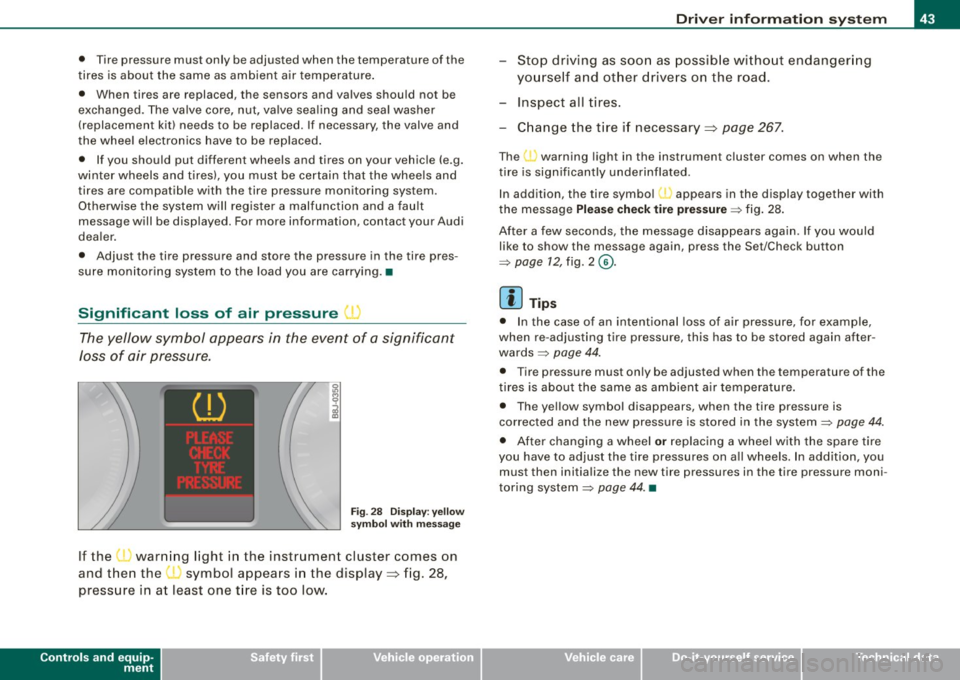
Fig. 28 Display: yellow
symbol with message
If the • warning light in the instrument cluster comes on
and then the ( symbol appears in the display~ fig. 28,
pressure in at least one t ire is too low.
Controls and equip
ment
Driver inform ation system
Stop driving as soon as possible without endangering
yourself and other drivers on the road .
- Inspect all tires.
Change the tire if necessary ~ page
267.
The ._ warning light in the instrument cluster comes on when the
tire is significantly underinflated .
In addition, the tire symbol(_, appears in the display together with
the message
Please check tire pressure => fig. 28.
After a few seconds, the message disappears again. If you would
like to show the message again, press the Set/Check button
=>
page 12, fig. 2 ©-
[ i ] Tips
• In the case of an intentional loss of air pressure, for example,
when re -adjusting tire pressure, this has to be stored again after
wards=> page 44.
• Tire pressure must only be adjusted when the temperature of the
t ires is about the same as ambient air temperature.
• The yellow symbol disappears, when the tire pressure is
corrected and the new pressure is stored in the system=>
page 44.
• After changing a wheel or replacing a wheel with the spare tire
you have to adjust the tire pressures on a ll wheels. In add ition , you
must then initia lize the new tire pressures in the tire pressure moni
toring system =>
page 44. •
I • •
Page 46 of 316
Driver inf ormation sy ste m
Storing tire pressures
Correct storage of specified pressure is the basic require
ment for reliable tire pressure monitoring.
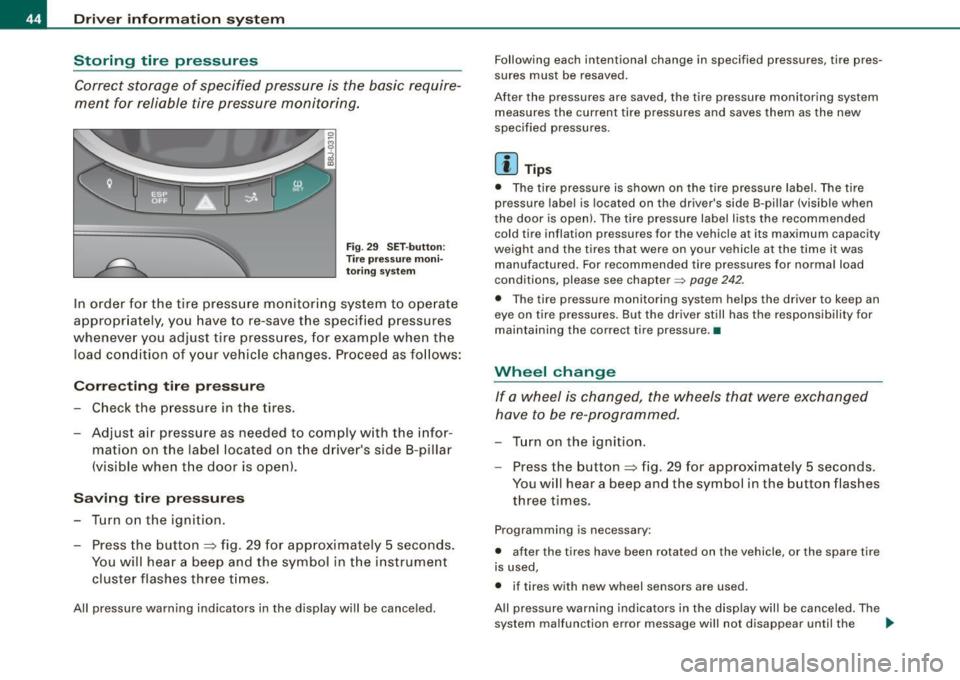
F ig . 29 S ET -butt on:
T ire pressure mon i
t or ing syste m
In order for the tire pressure monitori ng system to operate
appropr iately, you have to re-save the specified p ressures
whenever you adjust tire pressures, for example when the load co nd ition of your vehicle changes. Proceed as fo llows:
Corr ecting tir e pr es sure
Check the pressure in the t ires.
- Adjust air pressure as needed to comply w ith the infor
mat ion on the label located on the driver's side B -pillar
(visible when the door is open) .
Saving tire pressures
-Turn on the igniti on.
- Press the button :::> fig. 29 for app rox imately 5 seconds.
You will hear a beep and the symbol in the instrument
cluster flashes three t imes .
All pressure warning indicators in the d isplay will be canceled. Following each intentional change in specified pressures, ti
re pres
sures must be resaved.
After the pressures are saved, the tire pressure monito ring system
measures the current tire pressures and saves them as the new
spec ified pressures .
[ i ] Tip s
• The tire pressure is shown on the tire pressure labe l. The tire
pressur e lab el is located on the driv er's sid e B-pillar (visible when
the door is open). The tire pressure label l ists the recommended
cold tir e inflation pr essur es for the vehic le at its maximum capacity
weigh t and the tires that were on your vehicle at the time it was
manufactured . For recommended tire pressures for norma l load
conditions, please see chapter~
page 242.
• The tire pressure monitoring syst em he lps the driver to keep an
eye on tire pressures. But the driver still has the responsibility for
maintaining the cor rect tire pressure .•
Wheel change
If a wh eel is ch anged , the wheels tha t were exchan ged
have to be re -programmed.
- Tu rn on the ignition.
- Press the button :::> fig. 29 for approximately 5 seconds .
You will hear a beep and the symbol in the button flashes
three times.
Programming is necessary :
• after the t ires have been rotated on the vehicle, or the spare tire
is used,
• if tires with new wheel sensors are used .
All pressure warning indicators in the disp lay wil l be canceled . The
system malfunction error message will not disapp ear until the .,_
Page 47 of 316
vehicle is underway. With pressing the button=> fig . 29, the re
programming of the new sensors and storing of actual pressures
starts . This learn ing phase can take up to 10 minutes driving time.
During the learning process the tire pressure monitoring system is
not avai lable. •
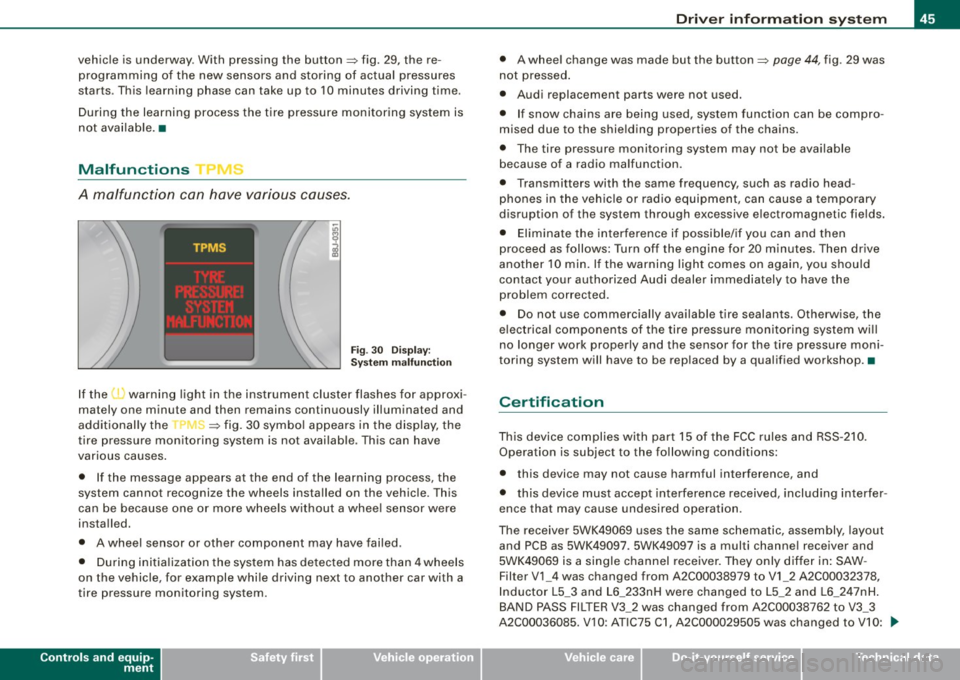
Malfunctions T =»'\,AC.:
A malfunction can have various causes.
Fig. 30 Display:
System malfunction
If the t warning light in the instrument cluster flashes for approxi
mately one minute and then remains continuously illuminated and
additionally the
r fin'-=> fig. 30 symbo l appears in the display, the
tire pressure monitoring system is not available. This can have
various causes .
• If the message appears at the end of the learning process, the
system cannot recognize the wheels installed on the vehicle. This
can be because one or more wheels without a whee l sensor were
installed.
• A wheel sensor or other component may have failed .
• During initia lization the system has detected more than 4 wheels
on the vehicle, for example whi le driving next to another car with a
tire pressure monitoring system.
Controls and equip
ment
Driver inform ation system
• A wheel change was made but the button => page 44, fig. 29 was
not pressed .
• Audi replacement parts were not used.
• If snow chains are being used, system function can be compro
mised due to the shielding properties of the chains.
• The tire pressure monitoring system may not be available
because of a radio malfunction.
• Transmitters with the same frequency, such as radio head
phones in the vehic le or radio equipment, can cause a temporary
disruption of the system through excessive e lectromagnetic fields.
• Eliminate the interference if possible/if you can and then
proceed as follows: Turn off the engine for 20 minutes . Then drive
another 10 min. If the warning light comes on again, you should
contact your authorized Audi dealer immediately to have the
problem corrected.
• Do not use commercially available tire sealants. Otherwise, the
e lectrica l components of the tire pressure monitoring system will
no longer work properly and the sensor for the tire pressure moni
toring system will have to be replaced by a qualified workshop. •
Certification
This device complies with part 15 of the FCC rules and RSS-210.
Operation is subject to the following conditions:
• this device may not cause harmful interference, and
• this device must accept interference received, includ ing interfer
ence that may cause undesired operation.
The receiver 5WK49069 uses the same schematic, assembly, layout
and PCB as 5WK49097 . 5WK49097 is a multi channe l receiver and
5WK49069 is a single channel receiver. They only differ in: SAW -
Filter V1_4 was changed from A2C00038979 to V1_2 A2C00032378,
Inductor L5_3 and L6_233nH were changed to L5_2 and L6_2 47nH.
BAND PASS FILTER V3_2 was changed from A2C00038762 to V3_3
A2C00036085. V 10: ATIC75 C1, A2C000029505 was changed to V10: .,,,
I • •
Page 76 of 316
Clear vision
Coming home situation
In
darkness, the activated system will turn on the headlights, side
marker lights , rear side marker lights , tail lights, and rear license
plate light as soon as the driver's door is opened from inside.
As long as one of the doors or the rear lid remains open, the set of
external lights will keep burning for about four minutes maximum.
To provide light for departure, the set of vehicle lights will keep
burning for about another 30 seconds after all doors and the rear lid
have been closed.
The factory-set time of 30 seconds until the lights are switched off can be adjusted if you prefer a longer or shorter duration. Have the
adjustment done by your authorized Audi dealer or a qualified work
shop. The system can be adjusted to keep the lights burning for a
maximum of 60 seconds.
Leaving home situation
As soon as the vehicle is unlocked by pressing the
ti button on your
remot e control, the set of external l ights is switched on .
The external lights are switched off as soon as the driver's door is
opened from outside . Even if you had the system readjusted to keep
the lights burning for an extended time for coming home, the
external lights will be turned off if you do not open the driver's door
within 60 seconds after unlocking. See chapter "Opening and
Closing" in your Owner's Manual. If the lights are switched off
before you reach the driver's door, press the
a button once more to
turn them on again.
[ i] Tips
• Do not attach any stickers to the windshield in front of the two
light sensors, as this would interfere with both the automatic oper
ation of the headlights and the automatic dimming of the inside
mirror(s). • If
the vehicle is remotely unlocked and locked three times in
succession, leaving home will not turn on the lights a fourth time to
safeguard the battery and lights.
• If you wish to use the coming home/leaving home function regu
larly, you can leave it activated at all times without risking perma
nent strain on the electrical system. As the system is controlled by
light sensors, it will only be energized in darkness .
• Frequent use of the coming home/leaving home function for
approaching and departing a vehicle parked in the dark will strain
the battery. This applies particularly if only short distances are
driven between stops . Occasionally drive longer distances to make
sure the battery is recharged sufficiently.
• If the fog lights have been switched on by the coming
home/leaving home function, they will always be switched off when
you switch on the ignition. •
Instrument panel illumination
The illumination of the instruments, displays and the
center console can be adjusted.
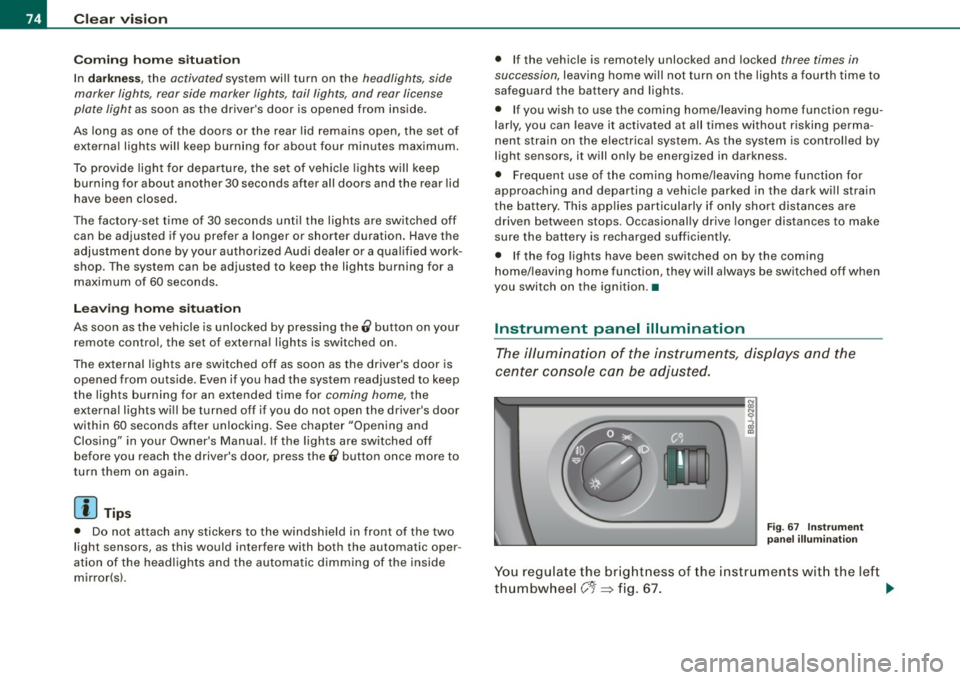
Fig. 67 Instrument
panel illumination
You regulate the brightness of the instruments with the left
thumbwheel
C J=> fig. 67. ~